
LITHAN LITHic Analysis of stone tools What is
- Slides: 51
LITHAN LITHic Analysis of stone tools
What is LITHAN? System to identify the type of stone tool Created ~20 years ago by Roger Grace Programmed using Macintosh’s Hyperstudio At the time it was tested by a group of students ◦ The students all came out with similar answers, even when some of the values entered were different
What does it do? LITHAN is a set way of identifying tools Also provides information on ◦ Blank type ( blade, bladelet, flake, chip, fragment or chunk) ◦ Flint knapping Technology ( blade, flake, Levallois) ◦ Hammer mode ( soft or hard ) ◦ Cortex
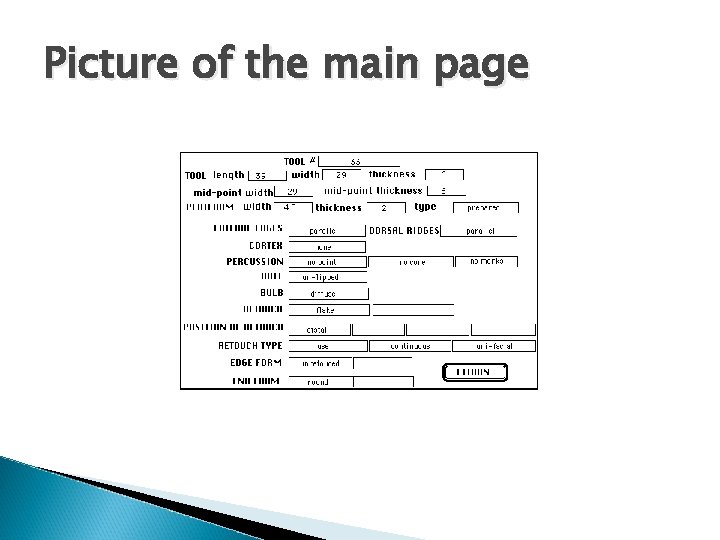
How does LITHAN work? Takes 19 different attribute values Compares these values to the system rules Produces a screen with the conclusions on it
Picture of the main page
Attributes Two types of attributes used ◦ Measured ◦ Observed Measured – values measured, normally using callipers Observed – observed by the naked eye or using a low power microscope
Measured Values 7 measured attributes ◦ ◦ ◦ ◦ Tool length Tool width Tool thickness Mid-point width Mid-point thickness Platform width Platform thickness
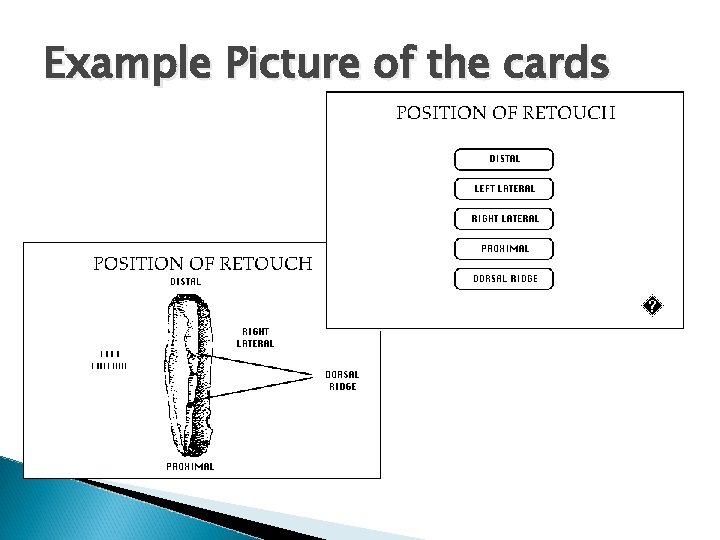
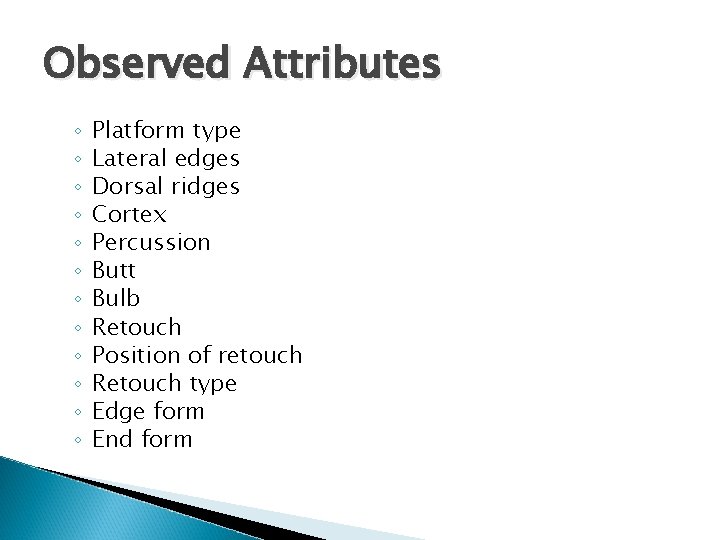
Observed Attributes 12 different observed attributes These normally have a screen with specific options to select from These allows only certain values to be entered
Example Picture of the cards
Observed Attributes ◦ ◦ ◦ Platform type Lateral edges Dorsal ridges Cortex Percussion Butt Bulb Retouch Position of retouch Retouch type Edge form End form
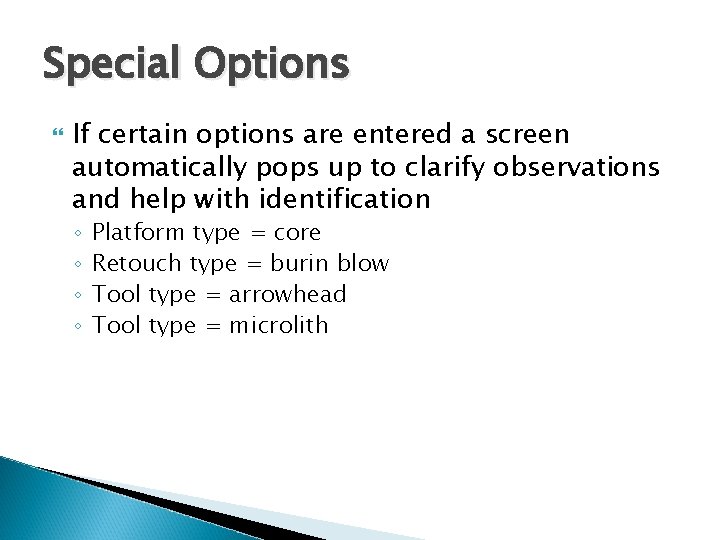
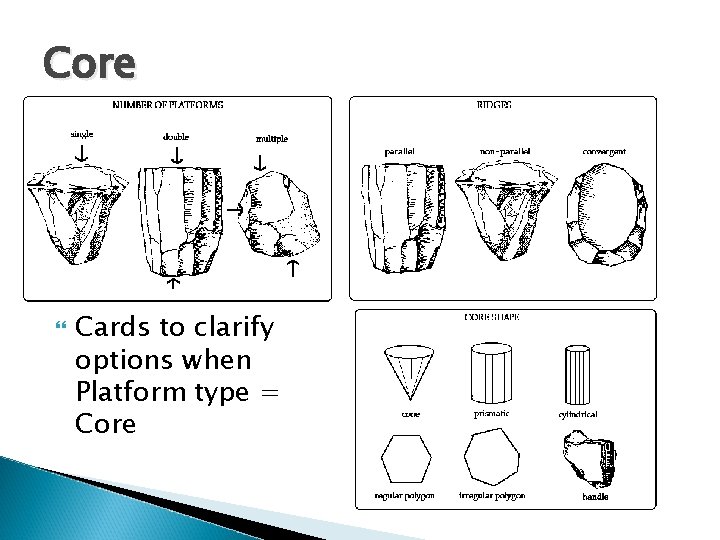
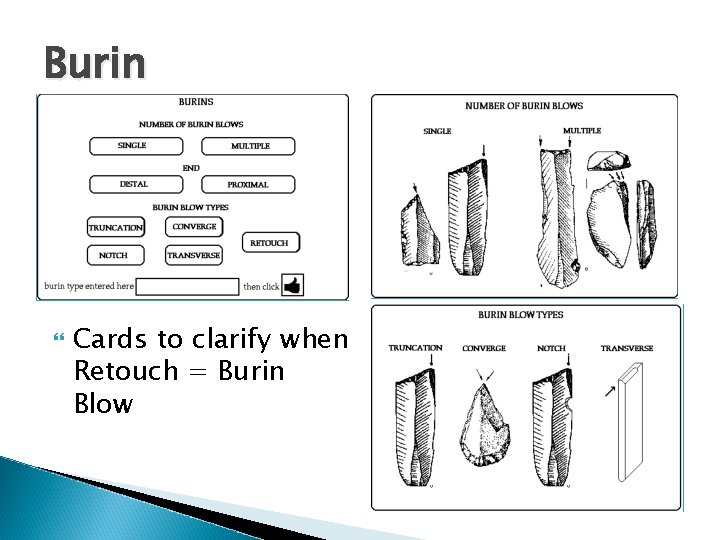
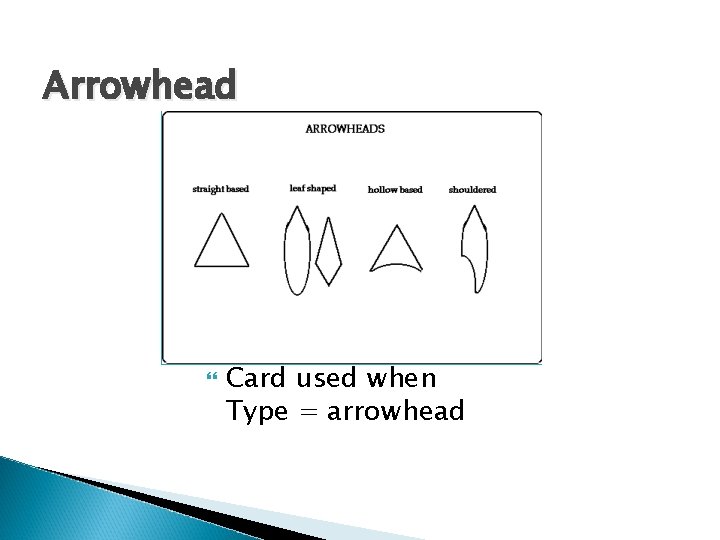
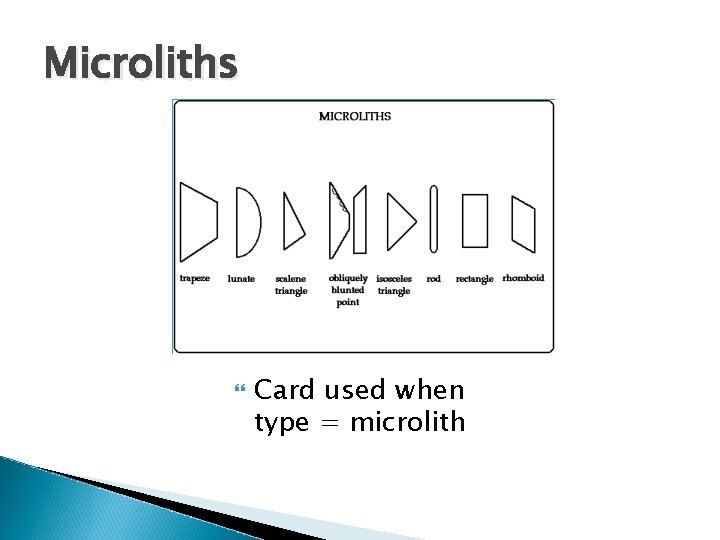
Special Options If certain options are entered a screen automatically pops up to clarify observations and help with identification ◦ ◦ Platform type = core Retouch type = burin blow Tool type = arrowhead Tool type = microlith
Core Cards to clarify options when Platform type = Core
Burin Cards to clarify when Retouch = Burin Blow
Arrowhead Card used when Type = arrowhead
Microliths Card used when type = microlith
Rules LITHAN has ~ 30 pages of programming covering the rules in the system Has two types of rules ◦ General – applied all the time ◦ Secondary – applied only if a specific conclusion is previously reached
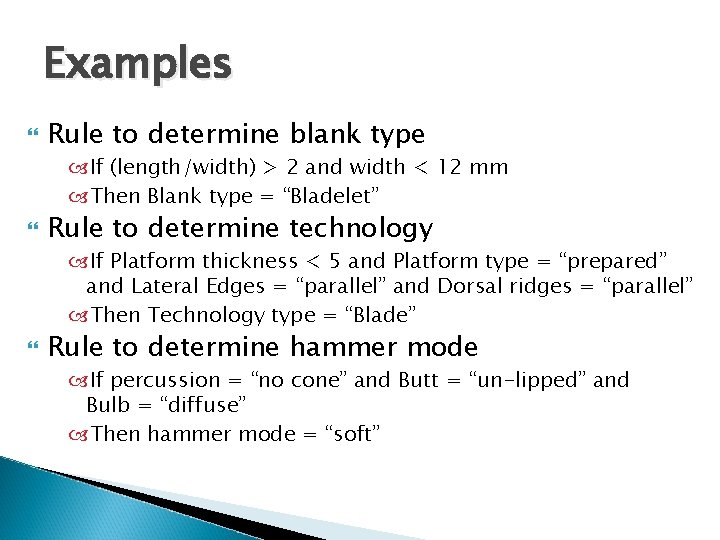
Examples Rule to determine blank type If (length/width) > 2 and width < 12 mm Then Blank type = “Bladelet” Rule to determine technology If Platform thickness < 5 and Platform type = “prepared” and Lateral Edges = “parallel” and Dorsal ridges = “parallel” Then Technology type = “Blade” Rule to determine hammer mode If percussion = “no cone” and Butt = “un-lipped” and Bulb = “diffuse” Then hammer mode = “soft”
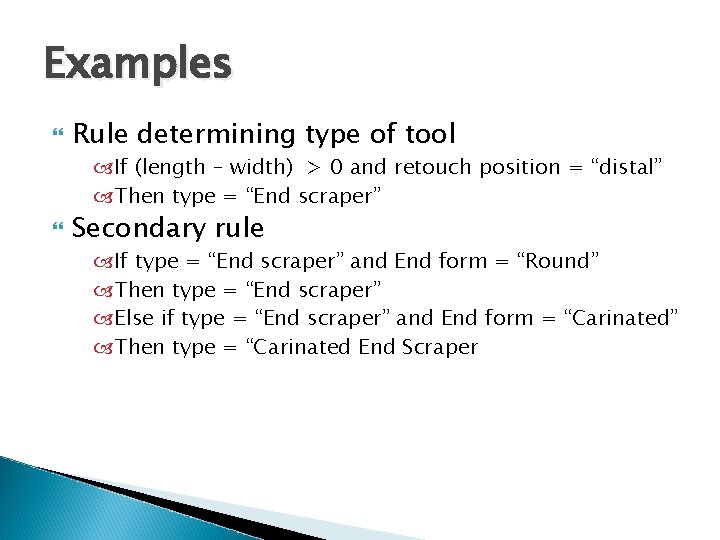
Examples Rule determining type of tool If (length – width) > 0 and retouch position = “distal” Then type = “End scraper” Secondary rule If type = “End scraper” and End form = “Round” Then type = “End scraper” Else if type = “End scraper” and End form = “Carinated” Then type = “Carinated End Scraper
FAST Functional Analysis of Stone Tools
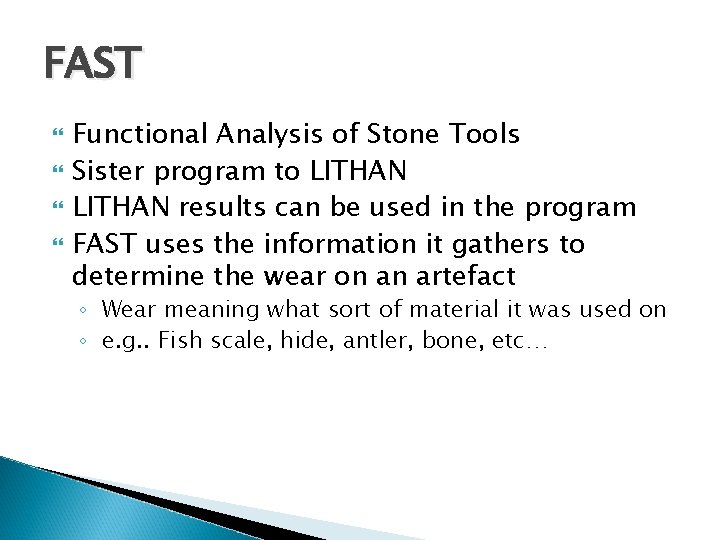
FAST Functional Analysis of Stone Tools Sister program to LITHAN results can be used in the program FAST uses the information it gathers to determine the wear on an artefact ◦ Wear meaning what sort of material it was used on ◦ e. g. . Fish scale, hide, antler, bone, etc…
How does FAST work? Takes in 20 different attribute values Uses fuzzy logic to calculate the best possible answer Each attribute has allowable values which are selected from a new card by the user
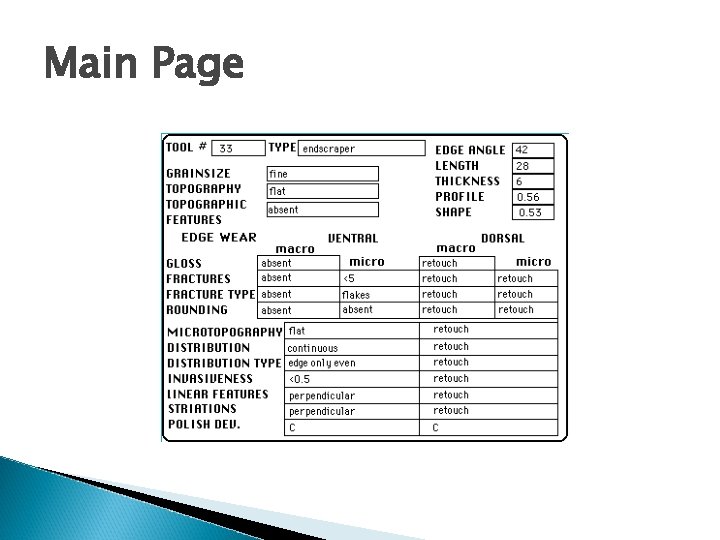
Main Page
Attributes Three types of attributes ◦ Measured ◦ Macro Observed Observation using low powered magnification ◦ Micro Observed Observations made under high magnification
Measured Edge angle Length Thickness Profile Shape
Macro Observed Gloss on the Edge wear Fractures – a count of them Fracture type Rounding – is the edge of tool rounded
Micro Observed Fractures and Fracture Type Rounding Micro topography Distribution type Invasiveness Linear features Striations Polish development
Attributes Some absent values can be used to determine use ◦ E. g. . If the edge is not round, tool was probably used on a softer material Other values, while present, are not important for the determining of use ◦ E. g. . Micro fractures are not diagnostic because they can occur from any sort of contact motion
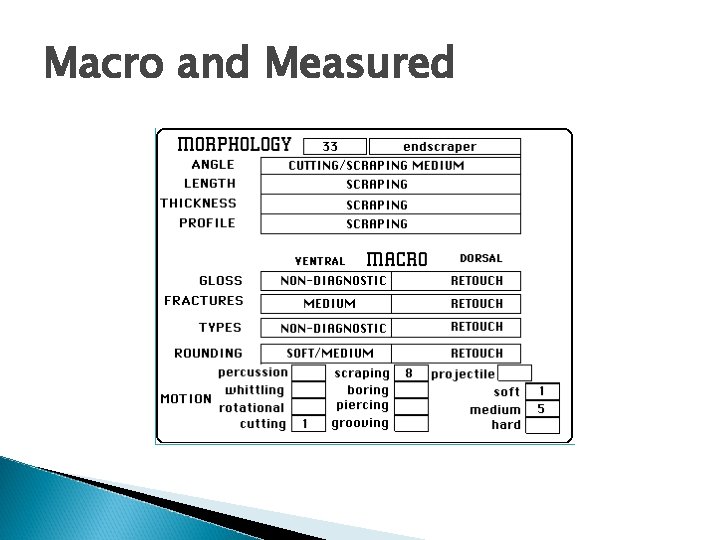
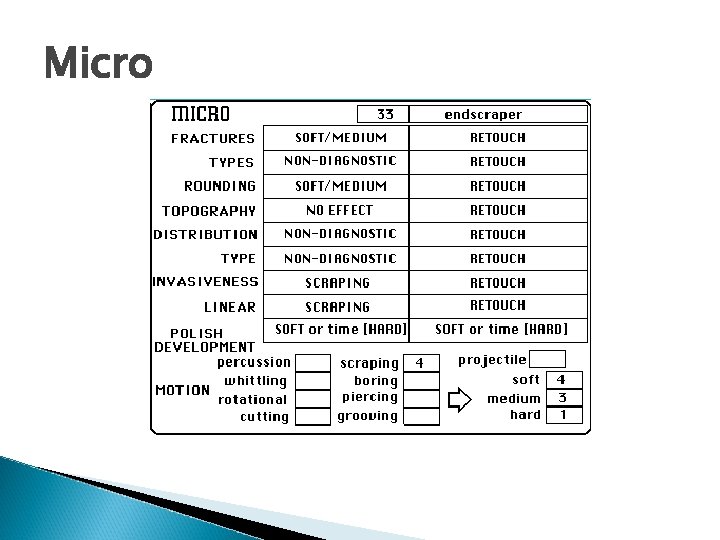
Results Once attributes are entered they are displayed on two cards ◦ One for the Measured and Macro Observation ◦ One for the Micro Observations
Macro and Measured
Micro
Rules 3 types ◦ General ◦ Fuzzy ◦ Function
General Rules Attributes are used singlely or in combination ◦ E. g. . (edge angle< 30°) then Angle = ‘cutting soft material’ ◦ E. g. . (fractures = ‘absent’) and (edge angle > 30 and <60) then Angle = ‘medium material’ Conclusions reached by the rules are Observations This Observations are then used in the Fuzzy Rules
Fuzzy Rules The fuzzy rules use the conclusions from the general rules Each conclusion have specific numerical value placed on them according to the rules The values are totaled to produce a score value The score value is used in the function rules
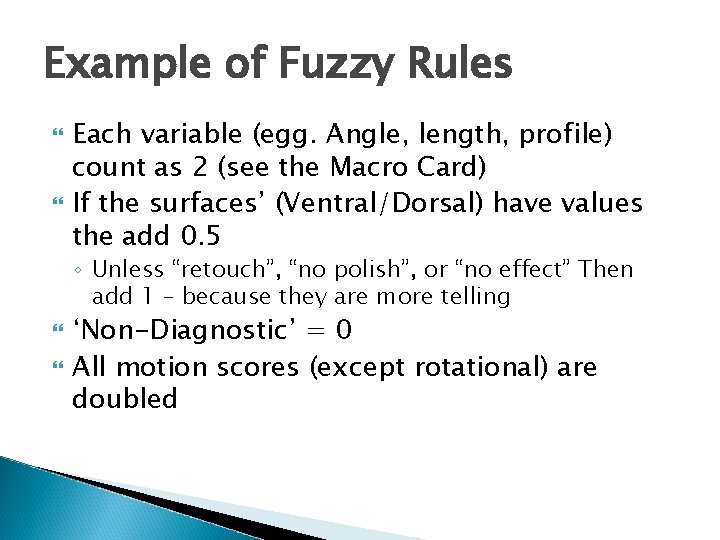
Example of Fuzzy Rules Each variable (egg. Angle, length, profile) count as 2 (see the Macro Card) If the surfaces’ (Ventral/Dorsal) have values the add 0. 5 ◦ Unless “retouch”, “no polish”, or “no effect” Then add 1 – because they are more telling ‘Non-Diagnostic’ = 0 All motion scores (except rotational) are doubled
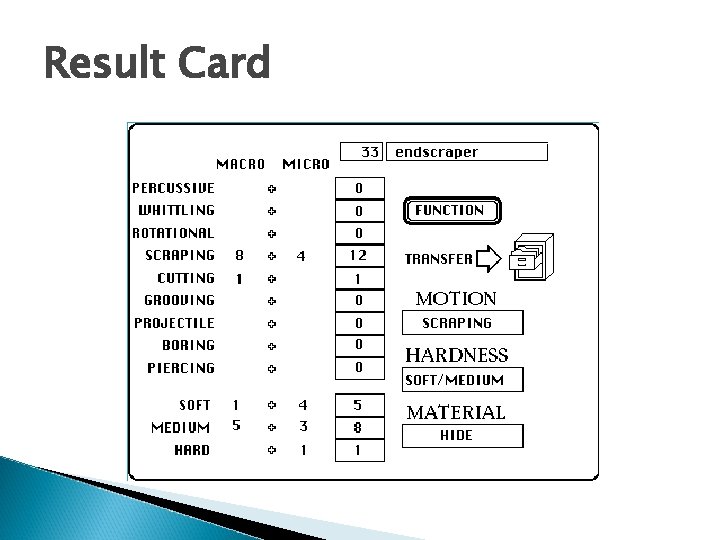
Functional Rules Use the Score values to determine ◦ Function ◦ Hardness of material ◦ Type of Material
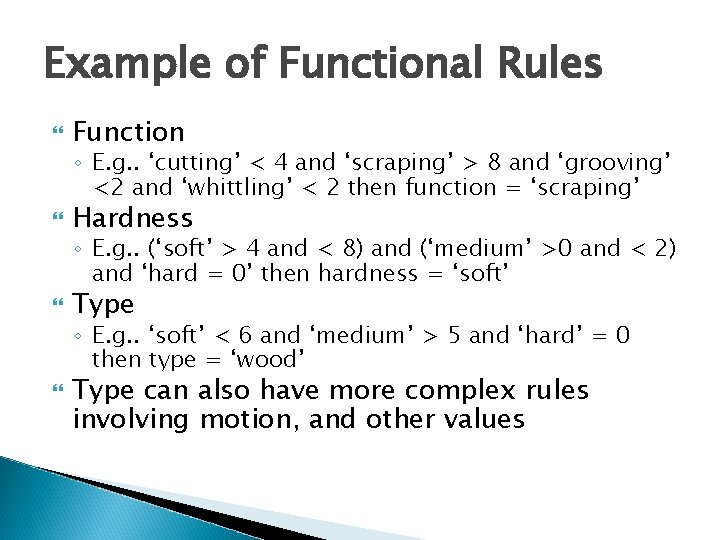
Example of Functional Rules Function ◦ E. g. . ‘cutting’ < 4 and ‘scraping’ > 8 and ‘grooving’ <2 and ‘whittling’ < 2 then function = ‘scraping’ Hardness ◦ E. g. . (‘soft’ > 4 and < 8) and (‘medium’ >0 and < 2) and ‘hard = 0’ then hardness = ‘soft’ Type ◦ E. g. . ‘soft’ < 6 and ‘medium’ > 5 and ‘hard’ = 0 then type = ‘wood’ Type can also have more complex rules involving motion, and other values
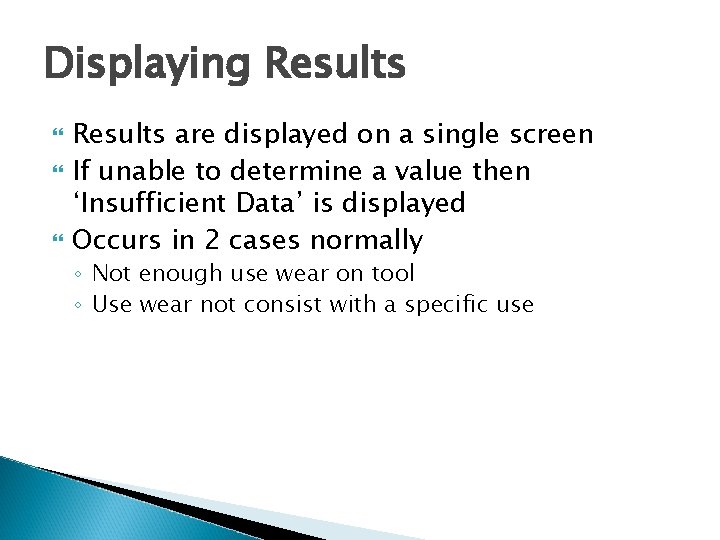
Displaying Results are displayed on a single screen If unable to determine a value then ‘Insufficient Data’ is displayed Occurs in 2 cases normally ◦ Not enough use wear on tool ◦ Use wear not consist with a specific use
Result Card
Analysis of FAST and LITHAN LITHAN determines type of tool The value found by LITHAN and be put into the FAST system FAST finds the use of the tool Both systems tested at Universities FAST has a 90% success rate during tests LITHAN tests have users coming up with the same answers – even when some value are different for the same tool
General Advantages Rules are cemented and written down Different people will still get the same values
General Disadvantages If rule is determined to be incorrect (e. g. Value given more weight then it should have) all findings have to be suspect
Advantages of LITHAN Different people will get the same result ◦ Allows comparison without worry of results being different because of the typologist LITHAN does not use Fuzzy Logic so the answers it provides are presumed accurate ◦ If not enough information is provided (i. e. . Because tool is broken or pieces are missing) then the value is designated “indeterminate” Can update as new rules are found Records the tool type into a permanent record
Disadvantages of LITHAN Does not provide a great deal of useful information ◦ So it’s a scraper/arrowhead/other tool, big deal, most past societies have these Most of the conclusions can be drawn from eye sight
Advantages of FAST Runs a complex analysis quickly once values entered Information is relevant to research ◦ E. g. . Scraping hide implies hunting
Disadvantages of FAST Uses fuzzy logic, so have to be aware the answer is weighted
Observations When designing the programs the creator had to think about three things ◦ Facts to include ◦ Rules to include ◦ Storage of solutions
Observations The facts ◦ all contribute to the solution (e. g. colour of tool – tells nothing of type or use of tool) ◦ If too few – no accurate answer gained ◦ If too many – spend so much time entering data, easier to do it by hand
Observations The rules ◦ if wrong or too vague then the system does not provide an accurate answer ◦ Have to provide for all possible cases ◦ Must be updated if new information gained (e. g. FAST has a lot of information about use wear as it is applied to fish scales because it was used in a Norwegian study that had fish scale wear on tools) Storage ◦ Have to store answers for reference ◦ Don’t want storage to be hard to search ◦ Both LITHAN and FAST use Hypercard for this
Conclusion LITHAN is a system that is useful in a limited area Helps with the consistency of identification of tools FAST is a system with a wider range of usefulness LITHAN while interesting is not helpful, other than in a data gathering way – like a database FAST provides important information and shows the reasoning behind a complicated process If the program the systems are written on was updated the programs would be more useful
Conclusion LITHAN and FAST use some of the same attributes ◦ LITHAN has more in depth measurements of tool ◦ FAST has micro observations Might combine the 2 programs to run as one ◦ LITHAN has a limited value, FAST is more useful for studies ◦ Would require the reworking of the rules
Bibliography LITHAN Movie by Roger Grace ◦ http: //web. mac. com/rgrace 2/ES/Movie. html LITHAN; Grace, Roger ◦ http: //www. hf. uio. no/iakh/forskning/sarc/iakh/lith ic/expsys. html#anchor 130219 FAST; Grace, Roger ◦ http: //www. hf. uio. no/iakh/forskning/sarc/iakh/lith ic/FAST. html