
Linux security Based on material from Computer Security
Linux security Based on material from Computer Security, by Stallings and Brown
Linux Security • Linux has evolved into one of the most popular and versatile operating systems • many features mean broad attack surface • can create highly secure Linux systems • will review: – Discretionary Access Controls – typical vulnerabilities and exploits in Linux – best practices for mitigating those threats – new improvements to Linux security model
Linux Security Model • Linux’s traditional security model is: – people or proceses with “root” privileges can do anything – other accounts can do much less • hence attacker’s want to get root privileges • can run robust, secure Linux systems • crux of problem is use of Discretionary Access Controls (DAC)
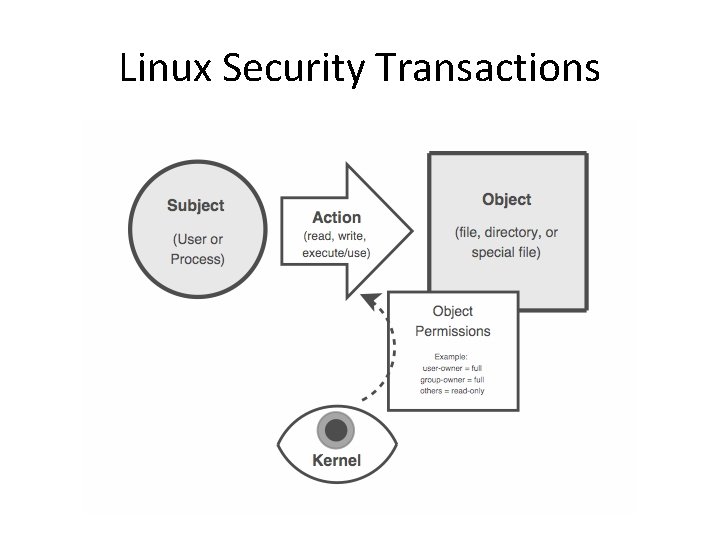
Linux Security Transactions
File System Security • in Linux everything as a file – e. g. memory, device-drivers, named pipes, and other system resources – hence why filesystem security is so important • I/O to devices is via a “special” file – e. g. /dev/cdrom • have other special files like named pipes – a conduit between processes / programs
Users and Groups • Only two things aren’t files on UNIX systems: • a user-account (user) – represents someone capable of using files – associated both with humans and processes • a group-account (group) – is a list of user-accounts – users have a main group – may also belong to other groups
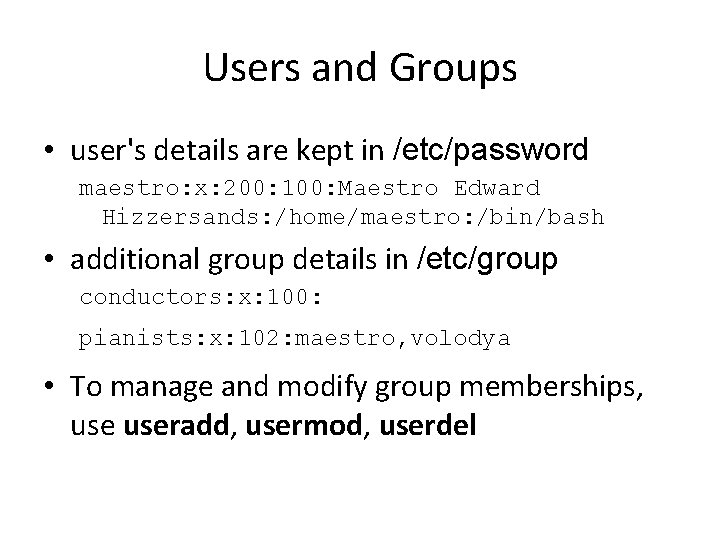
Users and Groups • user's details are kept in /etc/password maestro: x: 200: 100: Maestro Edward Hizzersands: /home/maestro: /bin/bash • additional group details in /etc/group conductors: x: 100: pianists: x: 102: maestro, volodya • To manage and modify group memberships, useradd, usermod, userdel
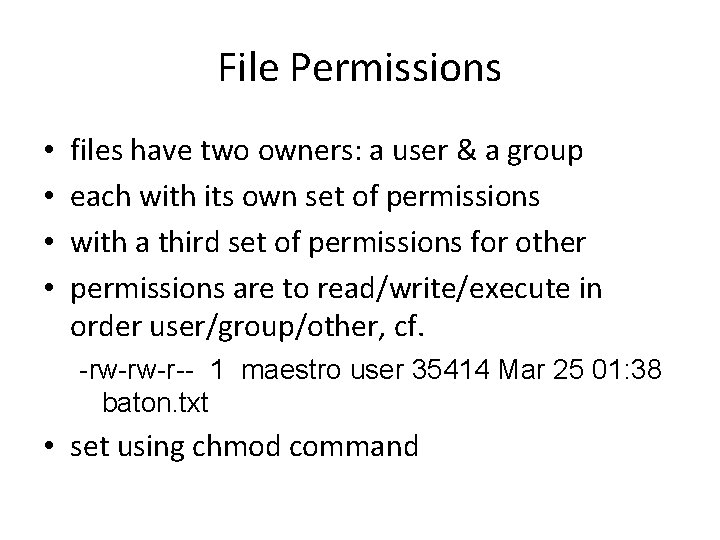
File Permissions • • files have two owners: a user & a group each with its own set of permissions with a third set of permissions for other permissions are to read/write/execute in order user/group/other, cf. -rw-rw-r-- 1 maestro user 35414 Mar 25 01: 38 baton. txt • set using chmod command
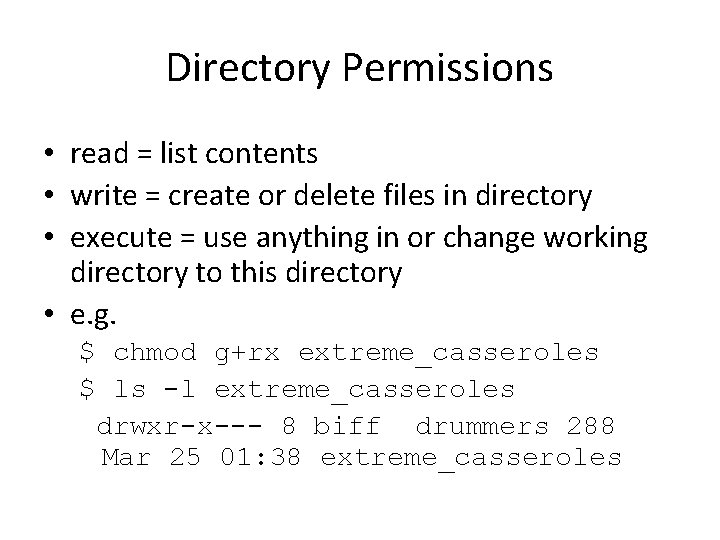
Directory Permissions • read = list contents • write = create or delete files in directory • execute = use anything in or change working directory to this directory • e. g. $ chmod g+rx extreme_casseroles $ ls -l extreme_casseroles drwxr-x--- 8 biff drummers 288 Mar 25 01: 38 extreme_casseroles
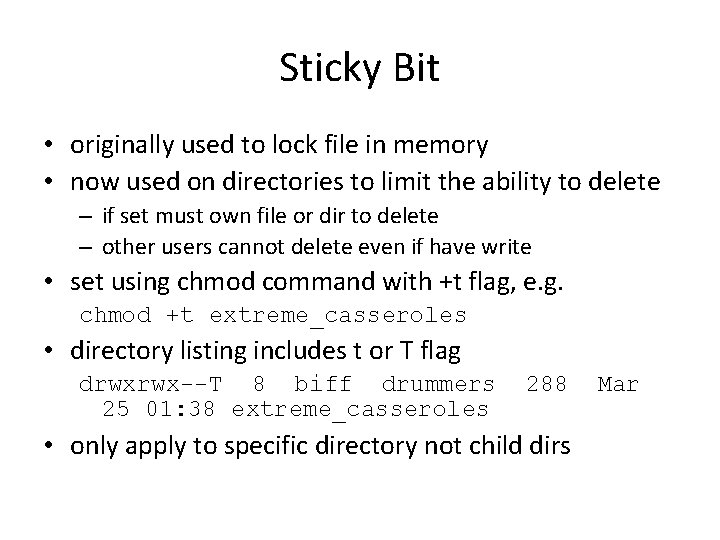
Sticky Bit • originally used to lock file in memory • now used on directories to limit the ability to delete – if set must own file or dir to delete – other users cannot delete even if have write • set using chmod command with +t flag, e. g. chmod +t extreme_casseroles • directory listing includes t or T flag drwxrwx--T 8 biff drummers 25 01: 38 extreme_casseroles 288 • only apply to specific directory not child dirs Mar
Set. UID and Set. GID • setuid bit means program "runs as" owner – no matter who executes it • setgid bit means run as a member of the group which owns it – again regardless of who executes it • "run as" = "run with same privileges as” • These are very dangerous if set on file owned by root or other privileged account or group – only used on executable files, not shell scripts
Set. GID and Directories • setuid has no effect on directories • setgid does: causes any file created in a directory to inherit the directory's group • useful if users belong to other groups and routinely create files to be shared with other members of those groups – instead of manually changing its group
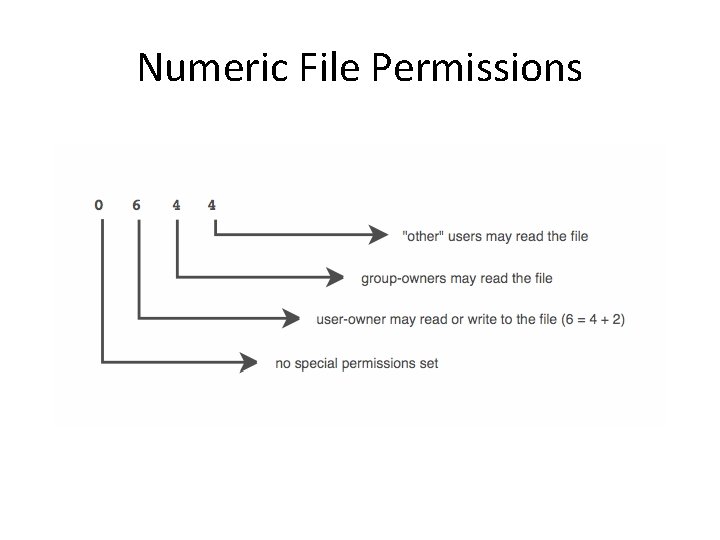
Numeric File Permissions
Kernel vs User Space • Kernel space – refers to memory used by the Linux kernel and its loadable modules (e. g. , device drivers) • User space – refers to memory used by all other processes • since kernel enforces Linux DAC and security, it is critical to isolate kernel from user – so kernel space never swapped to disk – only root may load and unload kernel modules
setuid root Vulnerabilities • a setuid root program runs as root – no matter who executes it • used to provide unprivileged users with access to privileged resources • must be very carefully programmed • if can be exploited due to a software bug – may allow otherwise-unprivileged users to use it to wield unauthorized root privileges • distributions now minimise setuid-root programs • system attackers still scan for them!
Web Vulnerabilities • a very broad category of vulnerabilities – because of ubiquity of world wide web have big and visible attack surfaces • when written in scripting languages – not as prone to classic buffer overflows – can suffer from poor input-handling • few “enabled-by-default” web applications • but users install vulnerable web applications • or write custom web applications having easilyidentified and easily-exploited flaws
Rootkits • allow attacker to cover their tracks • if successfully installed before detection, all is very nearly lost • originally collections of hacked commands, like ls, etc. , but would hide attacker’s files, directories, processes • now use loadable kernel modules – intercepting system calls in kernel-space – hiding attacker from standard commands • may be able to detect with chkrootkit • generally have to wipe and rebuild system
Linux System Hardening • It is worth considering how to mitigate Linux security risks at system and application levels • Note that a general theme will be “only use what you need to”. Linux has a LONG history of insecure applications, so (as always) half the battle is keeping things updated.
OS Installation • security begins with O/S installation • especially what software is run – since unused applications liable to be left in default, unhardened and un-patched state • generally should not run: – X Window system, RPC services, R-services, inetd, SMTP daemons, telnet etc • also have some initial system s/w configuration: – – – setting root password creating a non-root user account setting an overall system security level enabling a simple host-based firewall policy enabling SELinux
Patch Management • installed server applications must be: – configured securely – kept up to date with security patches • patching can never win “patch rat-race” • have tools to automatically download and install security updates – e. g. up 2 date, Ya. ST, apt-get – note should not run automatic updates on change -controlled systems without testing
Network Access Controls • As we’ve seen, the network is a key attack vector to secure • TCP wrappers is a key tool to check access – originally tcpd inetd wrapper daemon – before allowing connection to service checks • if requesting host explicitly in hosts. allow is ok • if requesting host explicitly in hosts. deny is blocked • if not in either is ok – checks on service, source IP, username – now often part of app using libwrappers
Network Access Controls • also have the very powerful netfilter Linux kernel native firewall mechanism – and iptables user-space front end • • as useful on firewalls, servers, desktops direct config tricky, steep learning curve do have automated rule generators typically for “personnal” firewall use will: – allow incoming requests to specified services – block all other inbound service requests – allow all outbound (locally-originating) requests • if need greater security, manually config
Antivirus Software • Historically, Linux not as vulnerable to viruses – more to lesser popularity than security, honestly • Prompt patching is fairly effective for worms • However, viruses abuse users privileges – non-root users have less scope to exploit, but can still consume resources • Growing Linux popularity mean exploits – hence antivirus software will more important – various commercial and free Linux antivirus packages are available already: Mc. Afee, Symantec, Sophos, Clam. AV
User Management • guiding principles in user-account security: – need care setting file / directory permissions – use groups to differentiate between roles – use extreme care in granting / using root privs • commands: chmod, useradd/mod/del, groupadd/mod/del, passwd, chage • info in files /etc/passwd & /etc/group • manage user’s group memberships • set appropriate password ages: /etc/login. defs
Root Delegation • have "root can to anything, users do little” issue • “su” command allows users to run as root – either root shell or single command – must supply root password – means likely too many people know this • SELinux RBAC can limit root authority, but is very complex • “sudo” allows users to run as root – but only need their password, not root password – /etc/sudoers file specifies what commands allowed • or configure user/group perms to allow, which can be tricky
Logging • Effective logging is a key resource • Linux logs using syslogd or Syslog-NG – receive log data from a variety of sources – sorts by facility (category) and severity – writes log messages to local/remote log files • Syslog-NG preferable because it has: – variety of log-data sources / destinations – much more flexible “rules engine” to configure – can log via TCP which can be encrypted • should check and customized defaults
Log Management • balance number of log files used – size of few to finding info in many • manage size of log files – must rotate log files and delete old copies – typically use logrotate utility run by cron – to manage both system and application logs • must also configure application logging
Application Security • This is a large topic: really depends on which particular application you wish to secure • However, many security features are implemented in similar ways across different applications • Some issues to consider: – running as unprivileged user/group – running in chroot jail – modularity – encryption – logging
Running As Unprivileged User/Group • every process “runs as” some user • extremely important this user is not root – since any bug can compromise entire system • may need root privileges, e. g. bind a low port – have root parent perform privileged function – but main service from unprivileged child • user/group used should be dedicated – easier to identify source of log messages
Running in chroot Jail • chroot confines a process to a subset of / – maps a virtual “/” to some other directory – useful if have a daemon that should only access a portion of the file system, e. g. FTP – directories outside the chroot jail aren’t visible or reachable at all • contains effects of compromised daemon • complex to configure and troubleshoot – must mirror portions of system in chroot jail
Modularity • applications running as a single, large, multipurpose process can be: – more difficult to run as an unprivileged user – harder to locate / fix security bugs in source – harder to disable unnecessary functionality • hence modularity a highly prized feature – providing a much smaller attack surface • cf. postfix vs sendmail, Apache modules
Encryption • sending logins & passwords or application data over networks in clear text exposes them to network eavesdropping attacks (obvious) • hence many network applications now support encryption to protect such data – often using Open. SSL library • may need own X. 509 certificates to use – can generate/sign using openssl command – may use commercial/own/free CA
Logging • applications can usually be configured to log to any level of detail (debug to none) • need appropriate setting • must decide if use dedicated file or system logging facility (e. g. syslog) – central facility useful for consistent use • must ensure any log files are rotated
Mandatory Access Controls • Linux uses a DAC security model, but Mandatory Access Controls (MAC) impose a global security policy on all users – users may not set controls weaker than policy – normal admin done with accounts without authority to change the global security policy – but MAC systems have been hard to manage • Novell’s Su. SE Linux has App. Armor – Restricts specific processes but leaves all else to DAC • Fedora and Red. Hat Enterprise Linux has SELinux – Restricts network daemons, but all else to DAC • Pure SELinux usually only used on high security machines
SELinux • i. NSA's powerful implementation of mandatory access controls for Linux • Linux DACs still applies, but if it allows the action SELinux then evaluates it against its own security policies • "subjects" are processes (since these run user cmds) • Actions are "permissions” • Objects are not just files & dirs, but also processes and systems resources • To manage complexity SELinux has: – "that which is not expressly permitted, is denied” – groups of subjects, permissions, and objects
Security Contexts • each individual subject & object in SELinux is governed by a security context being a: – user - individual user (human or daemon) • SELinux maintains its own list of users • user labels on subjects specify account's privileges • user labels on objects specify its owner – role - like a group, assumed by users • a user may only assume one role at a time, • may only switch roles if and when authorized to do so – domain (type) - a sandbox being a combination of subjects and objects that may interact with each other • this model is called Type Enforcement (TE)
Decision Making in SELinux • two types of decisions: • access decisions – when subjects do things to objects that already exist, or create new things in expected domain • transition decisions – invocation of processes in different domains than the one in which the subject-process is running – creation of objects in different types (domains) than their parent directories – transitions must be authorized by SELinux policy
RBAC and MLS Controls • SELinux also incorporates Role Based Access Control (RBAC) – rules specify roles a user may assume – other rules specify circumstances when a user may transition from one role to another • and Multi Level Security (MLS), based on Bell. La. Padula model – concerns handling of classified data • “no read up, no write down” – MLS is enforced via file system labeling
SELinux Policy Management • creating and maintaining SELinux policies is complicated and time-consuming • a single SELinux policy may consist of hundreds of lines of text • Red Hat has a default “targeted” policy – defines types for selected network apps – allows everything else to use DAC controls • There a huge range of SELinux commands – see additional references for details
Novell App. Armor • Novell’s MAC for Su. SE Linux – enforced at kernel level – using Linux Security Modules • restricts behavior of selected applications in a very granular but targeted way – hence a compromised root application's access will be contained – has no controls addressing data classification – hence only a partial MAC implementation • non-protected apps just use Linux DAC
- Slides: 40