
Linux Operating System Kernel 1 Intel x 86
![Flow Diagram [Garg et al. ] path 2 Booting with bootloader BIOS path 1](https://slidetodoc.com/presentation_image/caf690ac77ee53b7c9795a04fa7cabd5/image-39.jpg "Flow Diagram [Garg et al. ] path 2 Booting with bootloader BIOS path 1")
![Role of bootsect. S[Garg et al. ][1] – Path 2 n n n n](https://slidetodoc.com/presentation_image/caf690ac77ee53b7c9795a04fa7cabd5/image-41.jpg "Role of bootsect. S[Garg et al. ][1] – Path 2 n n n n")
![setup. S[1][2][3][4] n n n n Intel style instructions[Sevenich][Venkateswaran]. Control starts in setup. S](https://slidetodoc.com/presentation_image/caf690ac77ee53b7c9795a04fa7cabd5/image-42.jpg "setup. S[1][2][3][4] n n n n Intel style instructions[Sevenich][Venkateswaran]. Control starts in setup. S")
![kernel/head. S[0][1][2][5]’s startup_32() AT&T style instructions[Sevenich][Venkateswaran]. n Initialize the segmentation registers. n Initialize the](https://slidetodoc.com/presentation_image/caf690ac77ee53b7c9795a04fa7cabd5/image-45.jpg "kernel/head. S[0][1][2][5]’s startup_32() AT&T style instructions[Sevenich][Venkateswaran]. n Initialize the segmentation registers. n Initialize the")

![Stack Frame G(int a) { H(3); add_g: } H( int b) { char c[100];](https://slidetodoc.com/presentation_image/caf690ac77ee53b7c9795a04fa7cabd5/image-52.jpg "Stack Frame G(int a) { H(3); add_g: } H( int b) { char c[100];")

- Slides: 80
Linux Operating System Kernel 許 富 皓 1
Intel x 86 Architecture 2
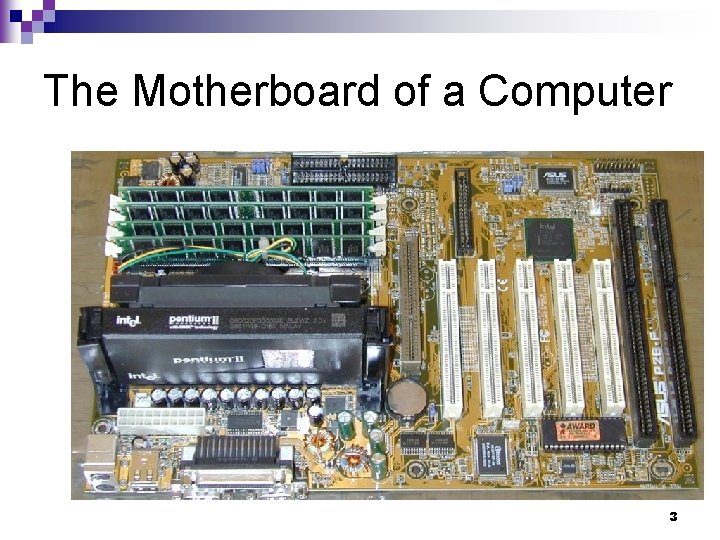
The Motherboard of a Computer 3
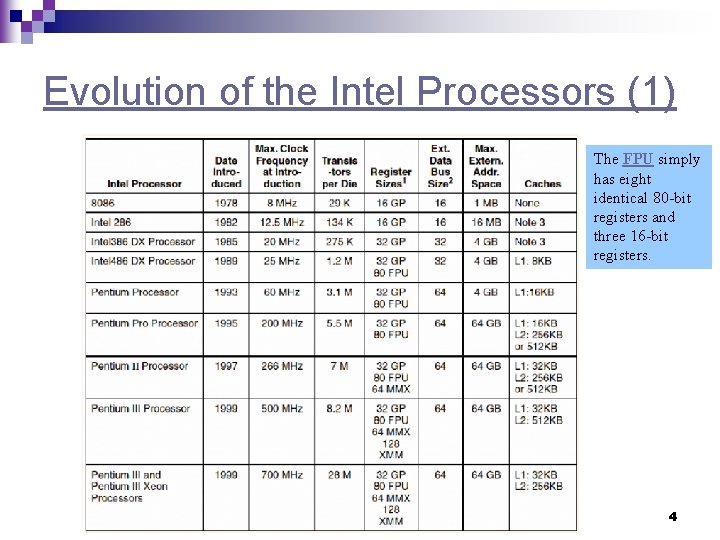
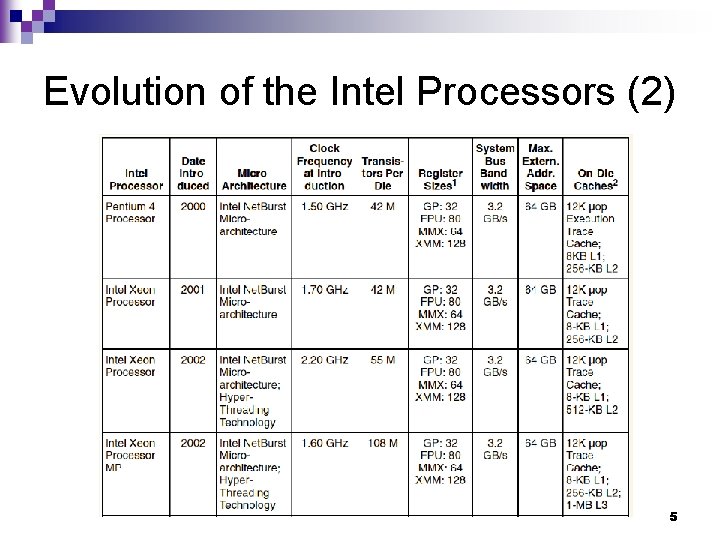
Evolution of the Intel Processors (1) The FPU simply has eight identical 80 -bit registers and three 16 -bit registers. 4
Evolution of the Intel Processors (2) 5
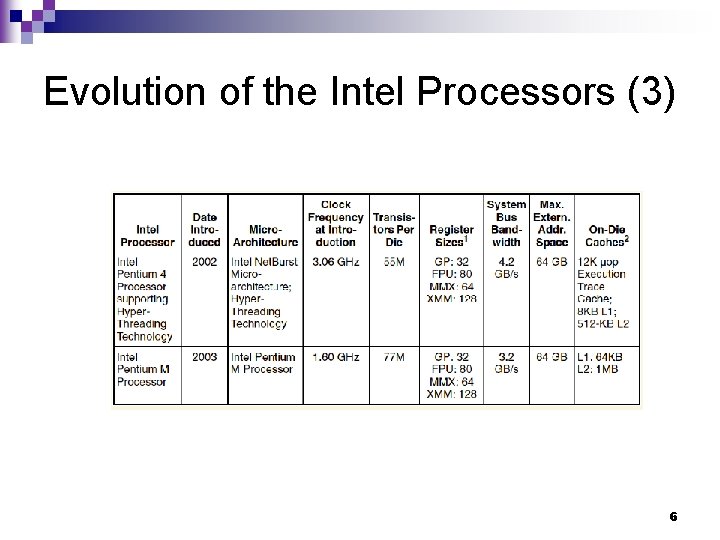
Evolution of the Intel Processors (3) 6
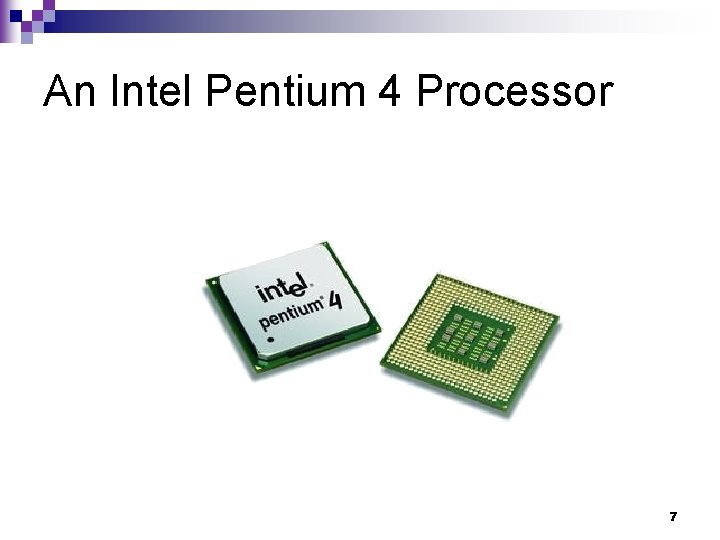
An Intel Pentium 4 Processor 7
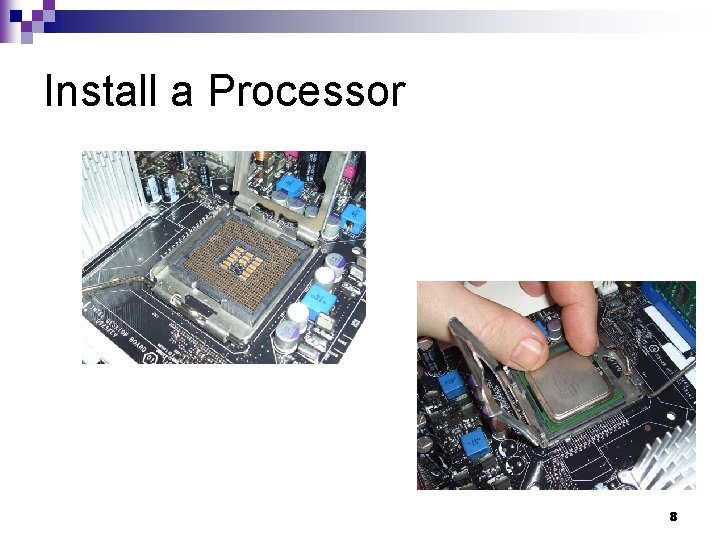
Install a Processor 8
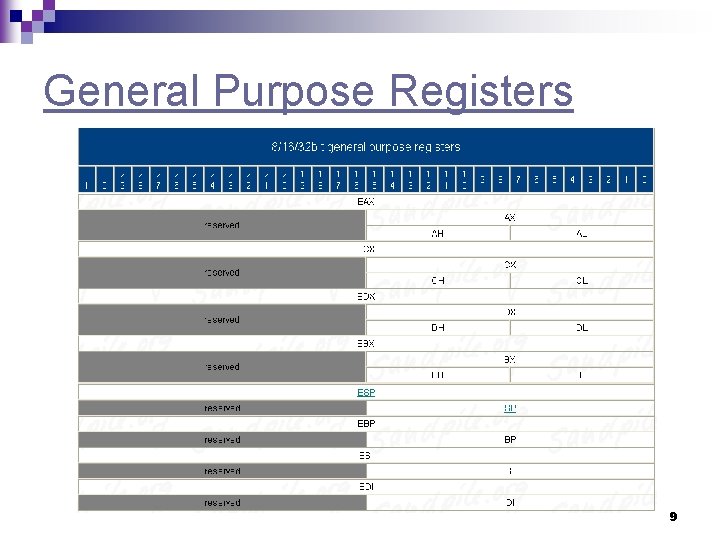
General Purpose Registers 9
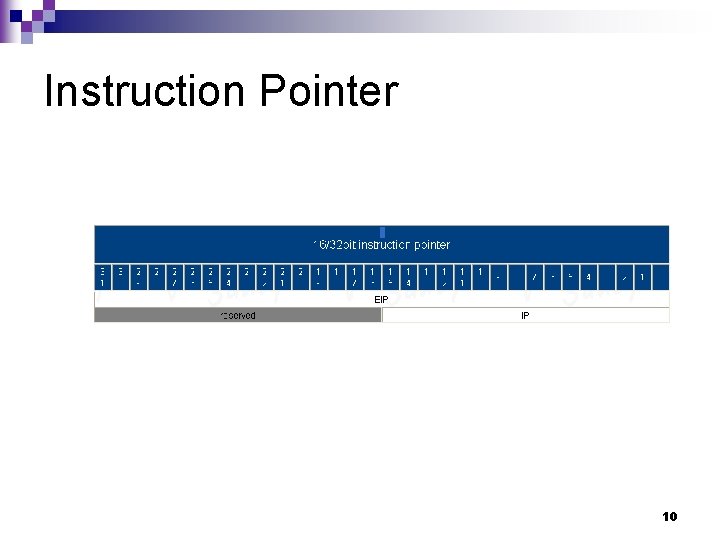
Instruction Pointer 10
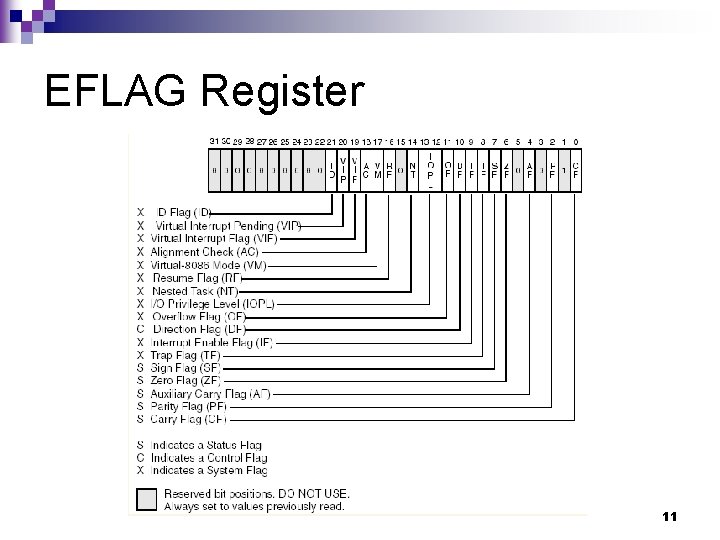
EFLAG Register 11
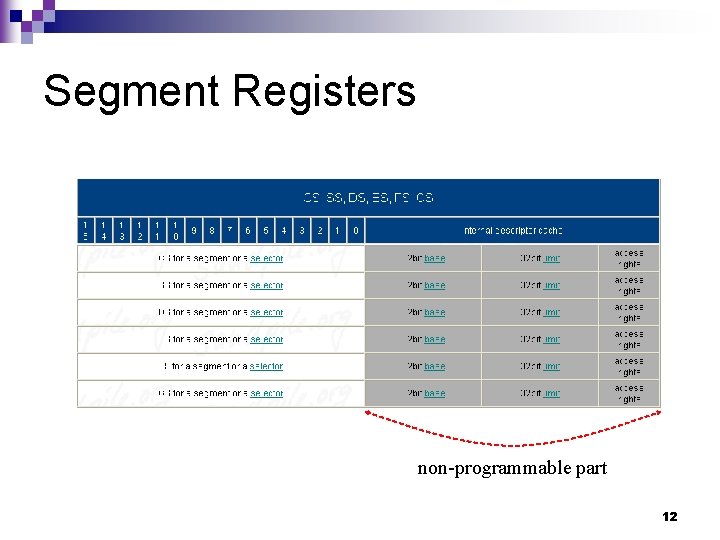
Segment Registers non-programmable part 12
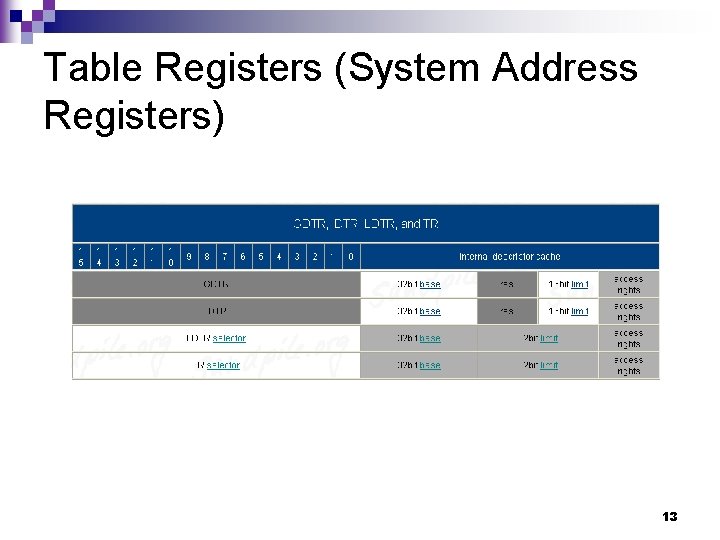
Table Registers (System Address Registers) 13
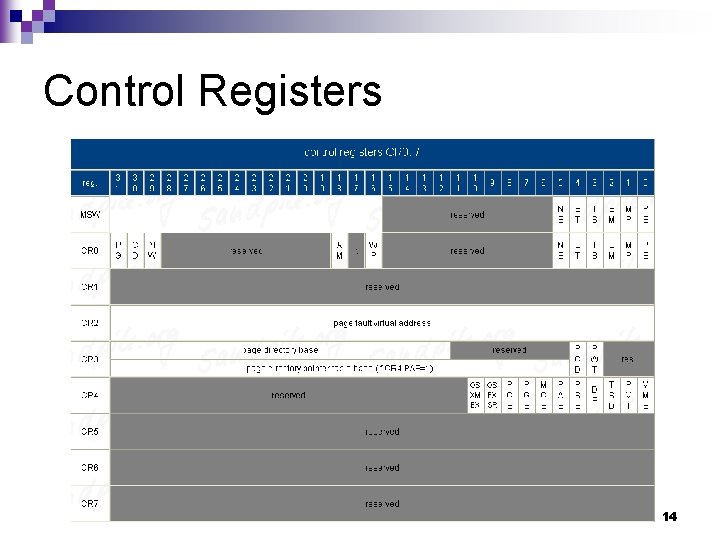
Control Registers 14
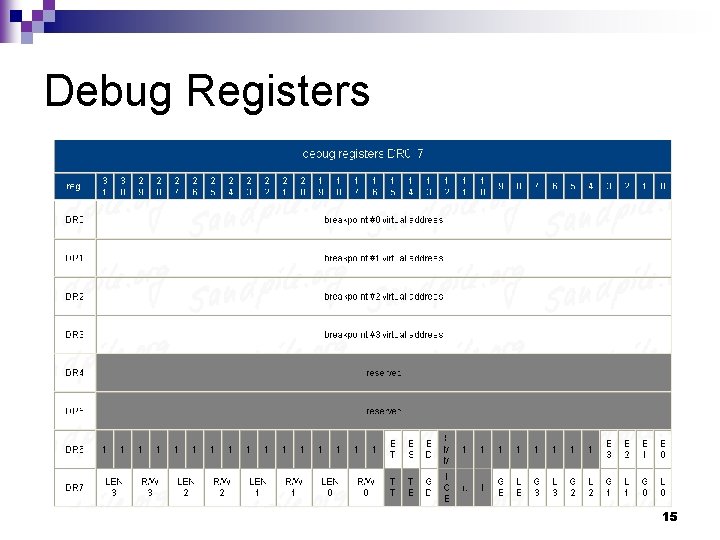
Debug Registers 15
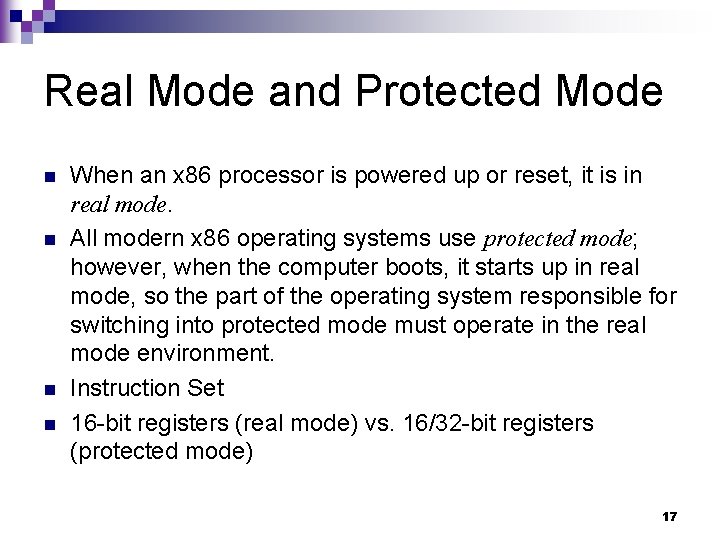
Real Mode vs. Protected Mode 16
Real Mode and Protected Mode n n When an x 86 processor is powered up or reset, it is in real mode. All modern x 86 operating systems use protected mode; however, when the computer boots, it starts up in real mode, so the part of the operating system responsible for switching into protected mode must operate in the real mode environment. Instruction Set 16 -bit registers (real mode) vs. 16/32 -bit registers (protected mode) 17
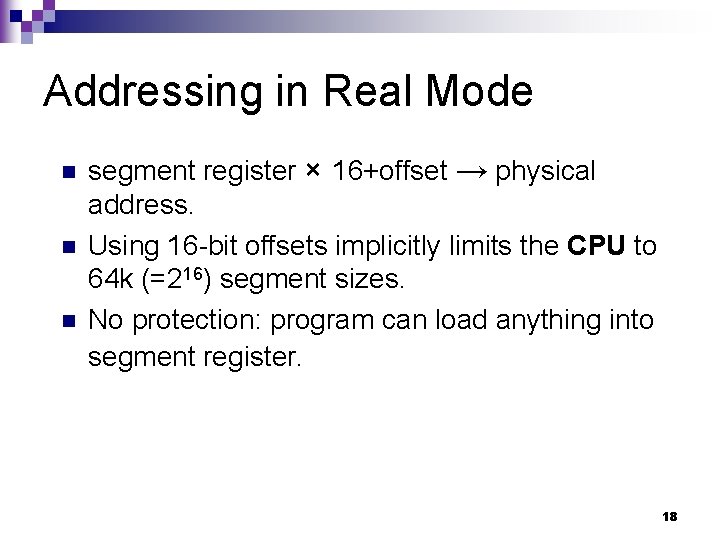
Addressing in Real Mode n n n segment register × 16+offset → physical address. Using 16 -bit offsets implicitly limits the CPU to 64 k (=216) segment sizes. No protection: program can load anything into segment register. 18
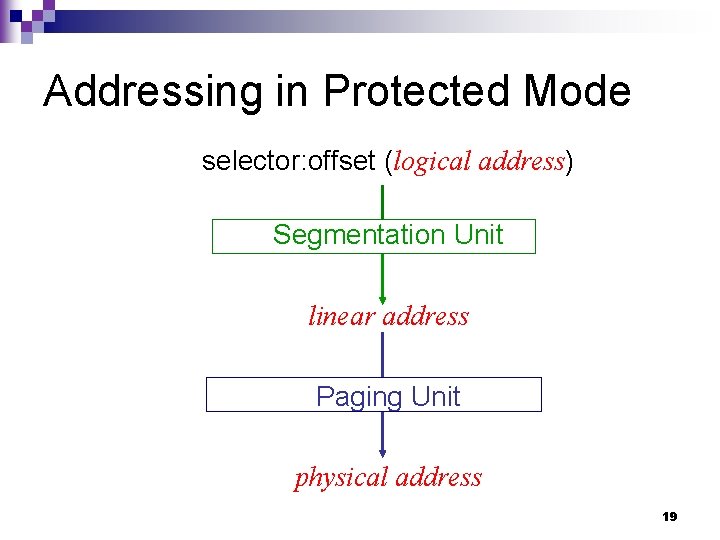
Addressing in Protected Mode selector: offset (logical address) Segmentation Unit linear address Paging Unit physical address 19
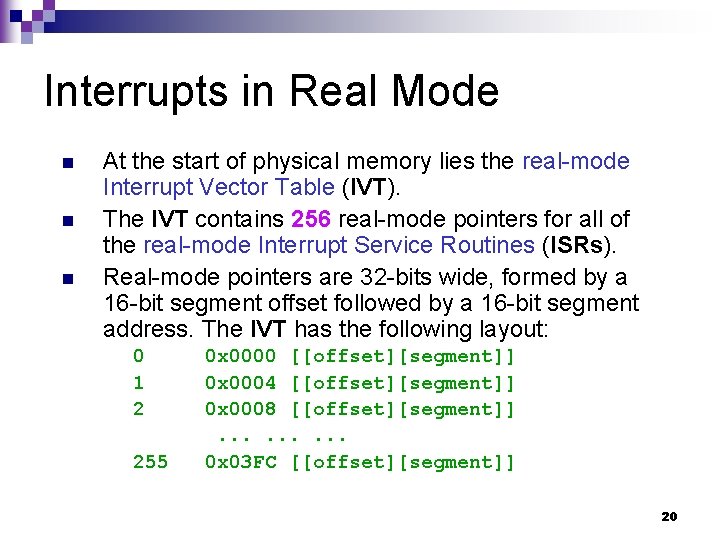
Interrupts in Real Mode n n n At the start of physical memory lies the real-mode Interrupt Vector Table (IVT). The IVT contains 256 real-mode pointers for all of the real-mode Interrupt Service Routines (ISRs). Real-mode pointers are 32 -bits wide, formed by a 16 -bit segment offset followed by a 16 -bit segment address. The IVT has the following layout: 0 1 2 255 0 x 0000 [[offset][segment]] 0 x 0004 [[offset][segment]] 0 x 0008 [[offset][segment]]. . 0 x 03 FC [[offset][segment]] 20
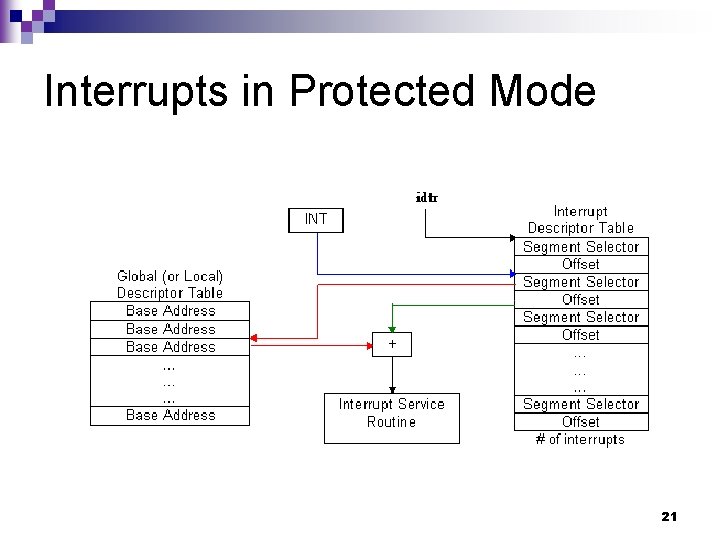
Interrupts in Protected Mode 21
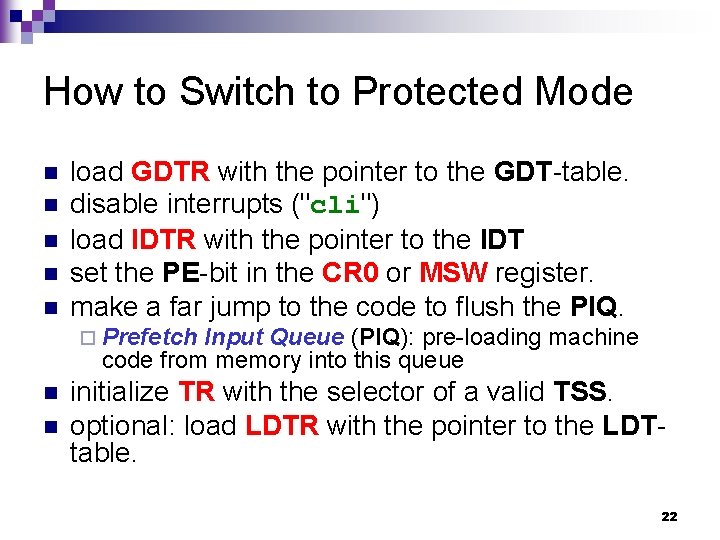
How to Switch to Protected Mode n n n load GDTR with the pointer to the GDT-table. disable interrupts ("cli") load IDTR with the pointer to the IDT set the PE-bit in the CR 0 or MSW register. make a far jump to the code to flush the PIQ. ¨ Prefetch Input Queue (PIQ): pre-loading machine code from memory into this queue n n initialize TR with the selector of a valid TSS. optional: load LDTR with the pointer to the LDTtable. 22
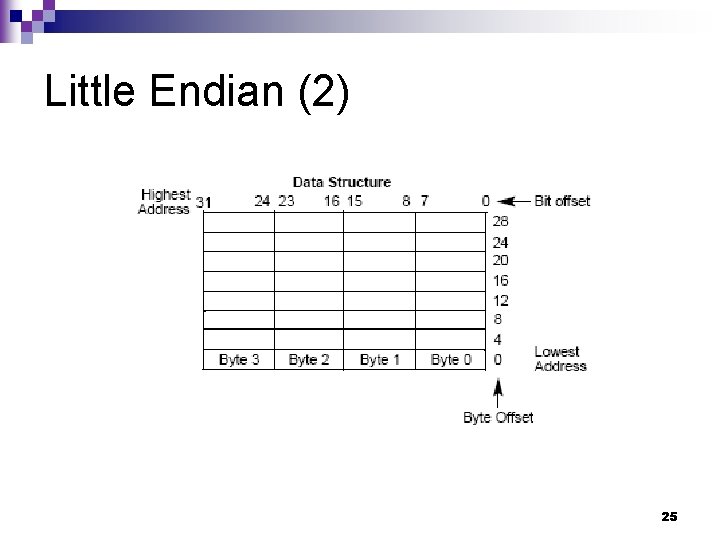
Endian Order Depending on which computing system you use, you will have to consider the byte order in which multi-byte numbers are stored, particularly when you are writing those numbers to a file. n The two orders are called Little Endian and Big Endian. n 23
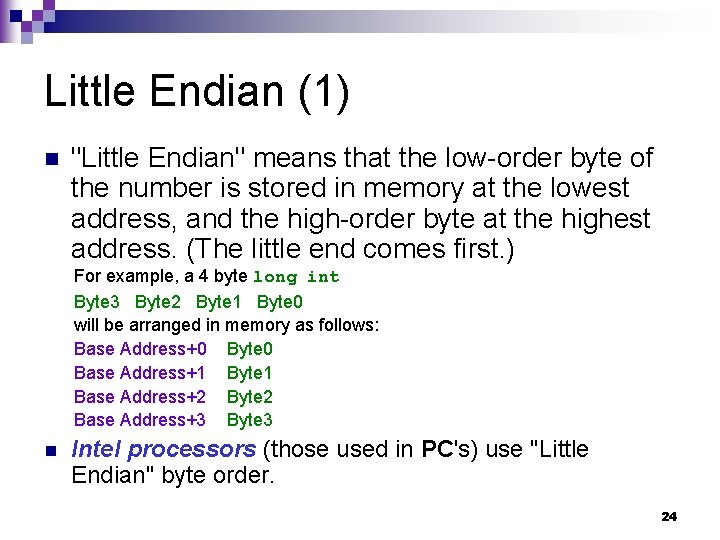
Little Endian (1) n "Little Endian" means that the low-order byte of the number is stored in memory at the lowest address, and the high-order byte at the highest address. (The little end comes first. ) For example, a 4 byte long int Byte 3 Byte 2 Byte 1 Byte 0 will be arranged in memory as follows: Base Address+0 Byte 0 Base Address+1 Byte 1 Base Address+2 Byte 2 Base Address+3 Byte 3 n Intel processors (those used in PC's) use "Little Endian" byte order. 24
Little Endian (2) 25
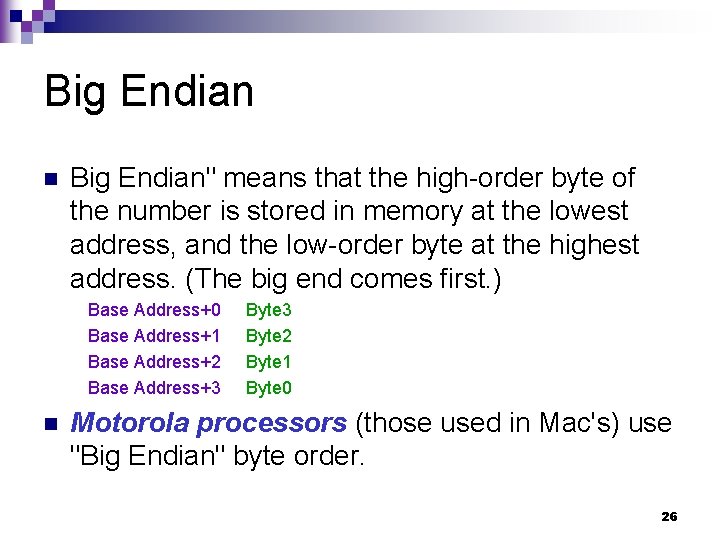
Big Endian n Big Endian" means that the high-order byte of the number is stored in memory at the lowest address, and the low-order byte at the highest address. (The big end comes first. ) Base Address+0 Base Address+1 Base Address+2 Base Address+3 n Byte 3 Byte 2 Byte 1 Byte 0 Motorola processors (those used in Mac's) use "Big Endian" byte order. 26
Linux Source Code Tree Overview 27
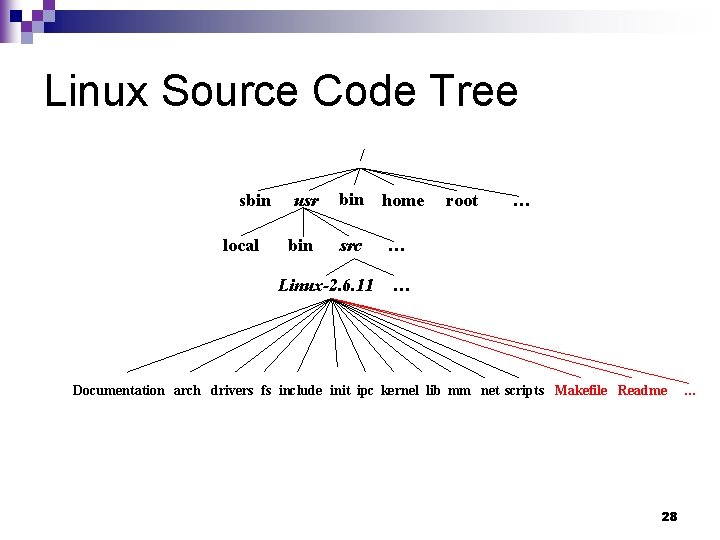
Linux Source Code Tree / sbin local usr bin home src Linux-2. 6. 11 root … … … Documentation arch drivers fs include init ipc kernel lib mm net scripts Makefile Readme 28 …
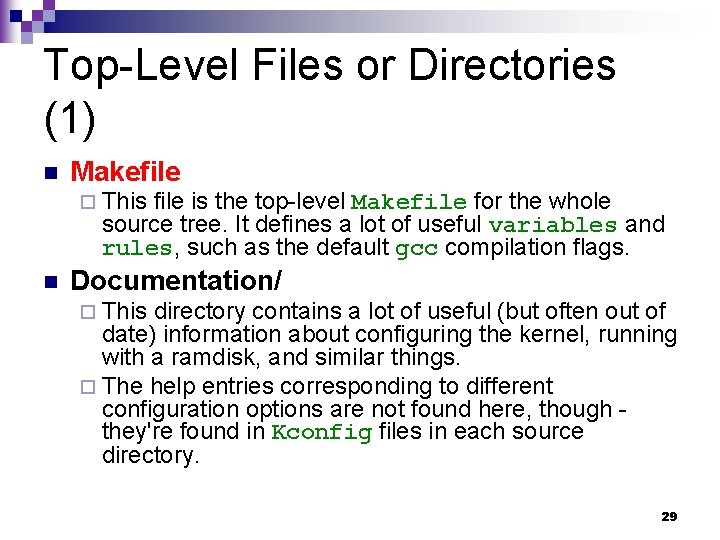
Top-Level Files or Directories (1) n Makefile ¨ This file is the top-level Makefile for the whole source tree. It defines a lot of useful variables and rules, such as the default gcc compilation flags. n Documentation/ ¨ This directory contains a lot of useful (but often out of date) information about configuring the kernel, running with a ramdisk, and similar things. ¨ The help entries corresponding to different configuration options are not found here, though they're found in Kconfig files in each source directory. 29
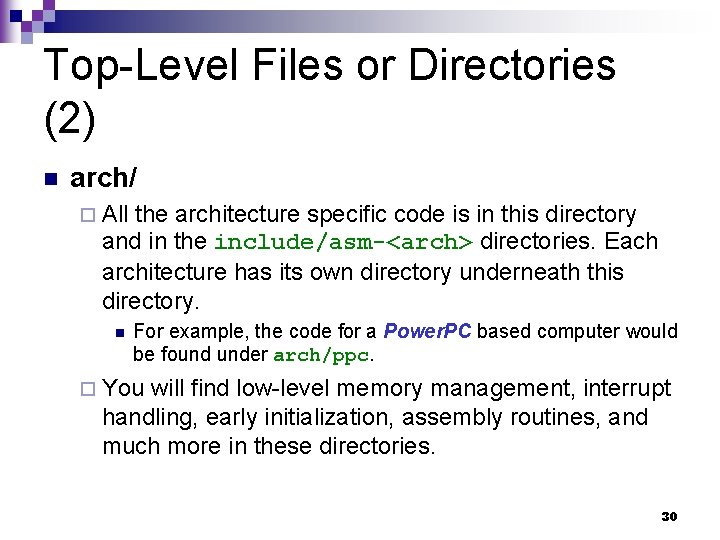
Top-Level Files or Directories (2) n arch/ ¨ All the architecture specific code is in this directory and in the include/asm-<arch> directories. Each architecture has its own directory underneath this directory. n For example, the code for a Power. PC based computer would be found under arch/ppc. ¨ You will find low-level memory management, interrupt handling, early initialization, assembly routines, and much more in these directories. 30
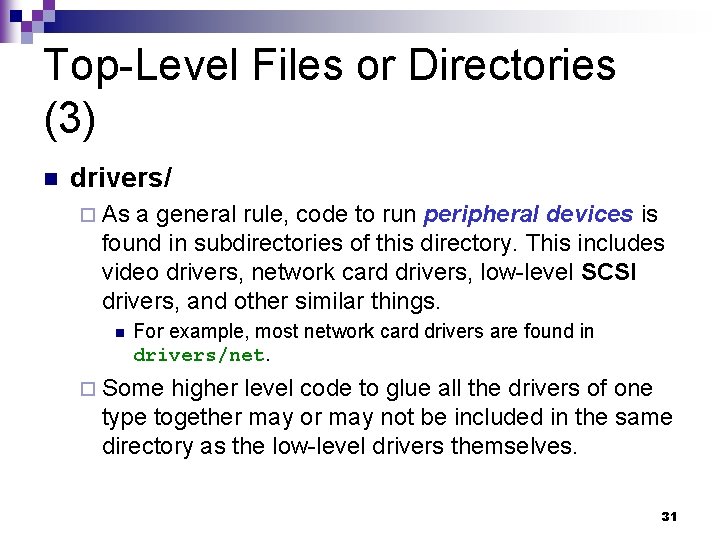
Top-Level Files or Directories (3) n drivers/ ¨ As a general rule, code to run peripheral devices is found in subdirectories of this directory. This includes video drivers, network card drivers, low-level SCSI drivers, and other similar things. n For example, most network card drivers are found in drivers/net. ¨ Some higher level code to glue all the drivers of one type together may or may not be included in the same directory as the low-level drivers themselves. 31
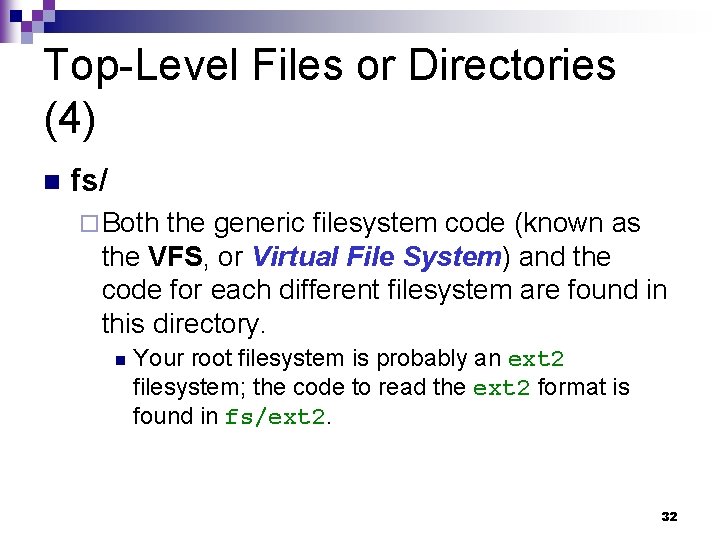
Top-Level Files or Directories (4) n fs/ ¨ Both the generic filesystem code (known as the VFS, or Virtual File System) and the code for each different filesystem are found in this directory. n Your root filesystem is probably an ext 2 filesystem; the code to read the ext 2 format is found in fs/ext 2. 32
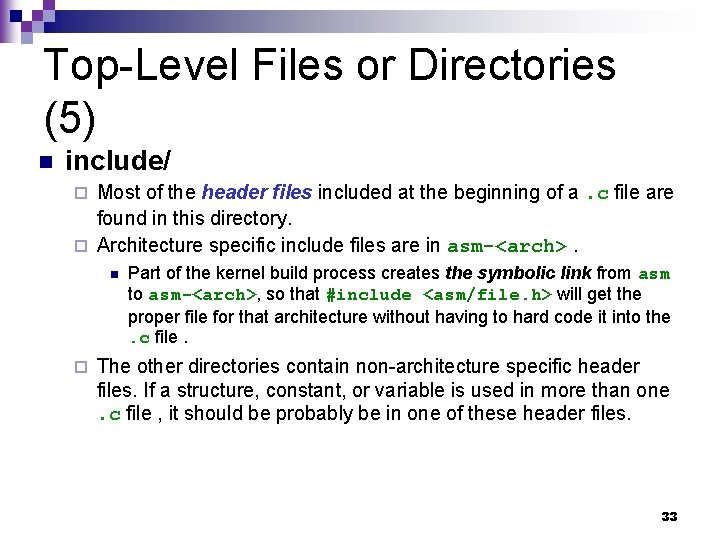
Top-Level Files or Directories (5) n include/ Most of the header files included at the beginning of a. c file are found in this directory. ¨ Architecture specific include files are in asm-<arch>. ¨ n ¨ Part of the kernel build process creates the symbolic link from asm to asm-<arch>, so that #include <asm/file. h> will get the proper file for that architecture without having to hard code it into the. c file. The other directories contain non-architecture specific header files. If a structure, constant, or variable is used in more than one. c file , it should be probably be in one of these header files. 33
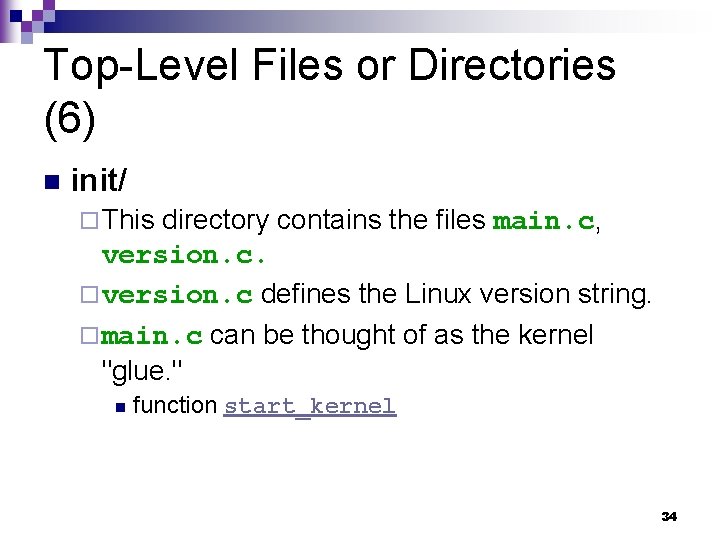
Top-Level Files or Directories (6) n init/ ¨ This directory contains the files main. c, version. c. ¨ version. c defines the Linux version string. ¨ main. c can be thought of as the kernel "glue. " n function start_kernel 34
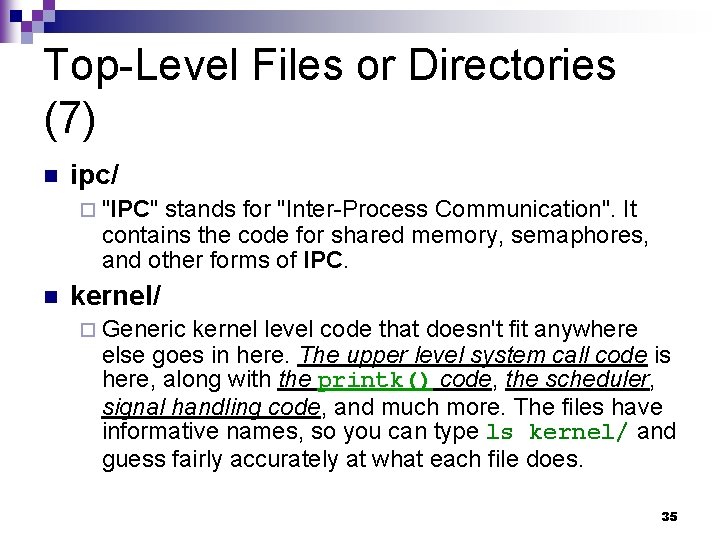
Top-Level Files or Directories (7) n ipc/ ¨ "IPC" stands for "Inter-Process Communication". It contains the code for shared memory, semaphores, and other forms of IPC. n kernel/ ¨ Generic kernel level code that doesn't fit anywhere else goes in here. The upper level system call code is here, along with the printk() code, the scheduler, signal handling code, and much more. The files have informative names, so you can type ls kernel/ and guess fairly accurately at what each file does. 35
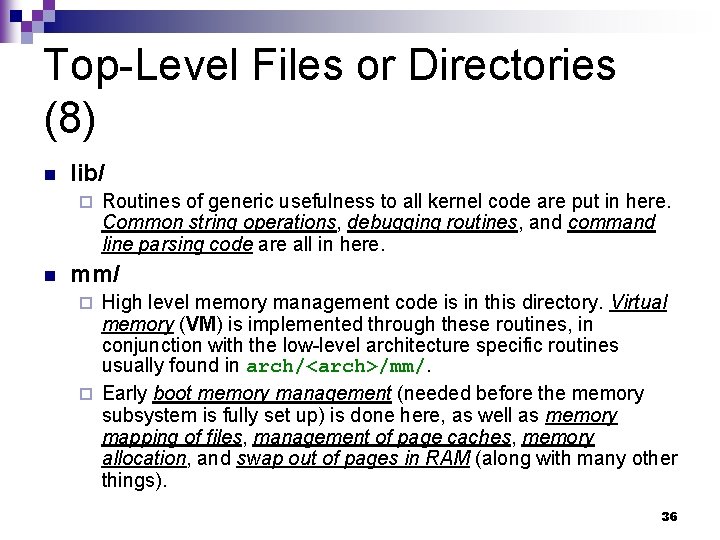
Top-Level Files or Directories (8) n lib/ ¨ n Routines of generic usefulness to all kernel code are put in here. Common string operations, debugging routines, and command line parsing code are all in here. mm/ High level memory management code is in this directory. Virtual memory (VM) is implemented through these routines, in conjunction with the low-level architecture specific routines usually found in arch/<arch>/mm/. ¨ Early boot memory management (needed before the memory subsystem is fully set up) is done here, as well as memory mapping of files, management of page caches, memory allocation, and swap out of pages in RAM (along with many other things). ¨ 36
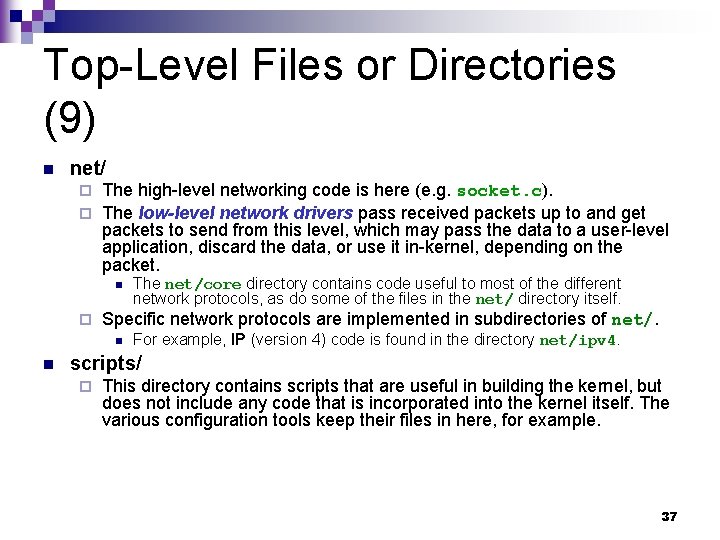
Top-Level Files or Directories (9) n net/ The high-level networking code is here (e. g. socket. c). ¨ The low-level network drivers pass received packets up to and get packets to send from this level, which may pass the data to a user-level application, discard the data, or use it in-kernel, depending on the packet. ¨ n ¨ Specific network protocols are implemented in subdirectories of net/. n n The net/core directory contains code useful to most of the different network protocols, as do some of the files in the net/ directory itself. For example, IP (version 4) code is found in the directory net/ipv 4. scripts/ ¨ This directory contains scripts that are useful in building the kernel, but does not include any code that is incorporated into the kernel itself. The various configuration tools keep their files in here, for example. 37
System Boot up 38
Flow Diagram [Garg et al. ] path 2 Booting with bootloader BIOS path 1 Stage 1 Bootsect. S Stage 2 MBR setup. S Part of Kernel image head. S Jumps to init 39
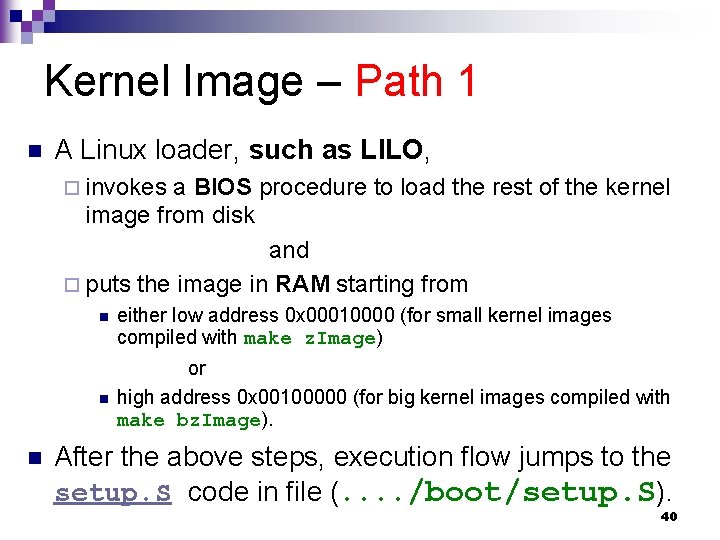
Kernel Image – Path 1 n A Linux loader, such as LILO, ¨ invokes a BIOS procedure to load the rest of the kernel image from disk and ¨ puts the image in RAM starting from n n n either low address 0 x 00010000 (for small kernel images compiled with make z. Image) or high address 0 x 00100000 (for big kernel images compiled with make bz. Image). After the above steps, execution flow jumps to the setup. S code in file (. . /boot/setup. S). 40
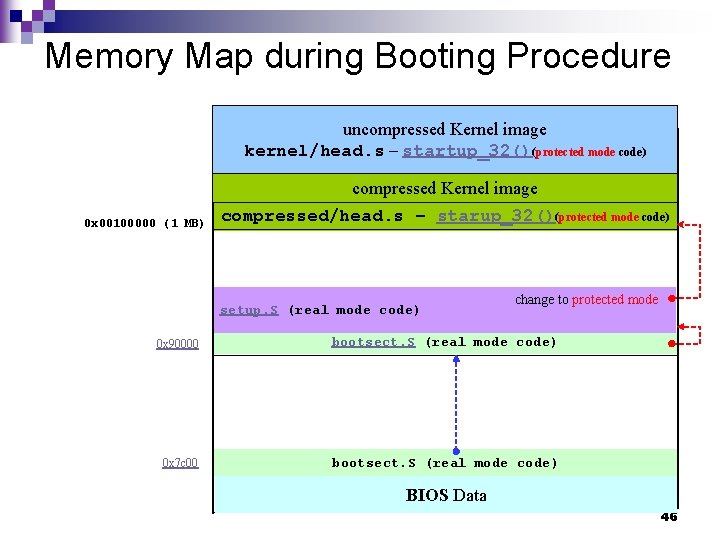
Role of bootsect. S[Garg et al. ][1] – Path 2 n n n n Intel style instructions[Sevenich][Venkateswaran]. Moves itself to 0 x 90000 Get disk parameters (passed by BIOS) Sets up stack Loads setup. S right after itself (0 x 90200) Loads compressed kernel image at 0 x 100000 (1 MB) Jumps to setup. S ¨ In file. . /boot/setup. S. 41
setup. S[1][2][3][4] n n n n Intel style instructions[Sevenich][Venkateswaran]. Control starts in setup. S in real mode Copies system data (Memory maps, drive information, hardware support, APM support) into appropriate memory locations through BIOS calls Initialize and check hardware devices. Change to protected mode[5][6]. … Jump to file compressed/head. S’s startup_32(). ¨ P. S. : . byte 0 x 66, 0 xea # prefix + jmpi-opcode 32: . long 0 x 1000 # will be set to 0 x 100000 for big kernels. word __BOOT_CS || jmpi 0 x 100000, __BOOT_CS 42
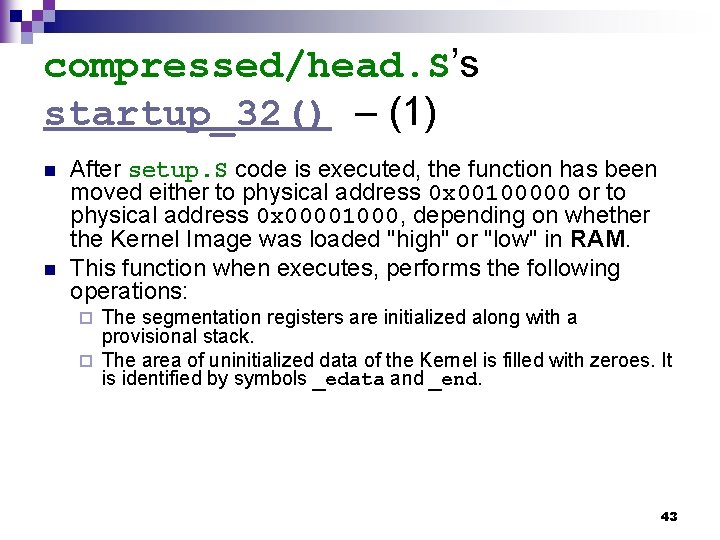
compressed/head. S’s startup_32() – (1) n n After setup. S code is executed, the function has been moved either to physical address 0 x 00100000 or to physical address 0 x 00001000, depending on whether the Kernel Image was loaded "high" or "low" in RAM. This function when executes, performs the following operations: The segmentation registers are initialized along with a provisional stack. ¨ The area of uninitialized data of the Kernel is filled with zeroes. It is identified by symbols _edata and _end. ¨ 43
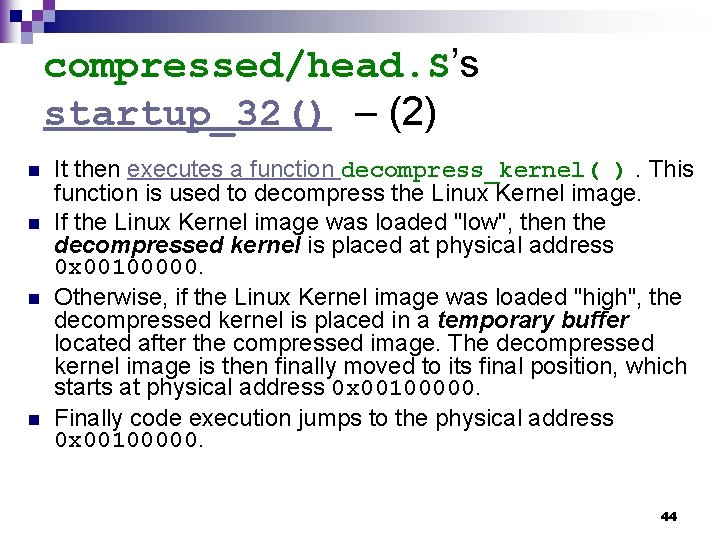
compressed/head. S’s startup_32() – (2) n n It then executes a function decompress_kernel( ). This function is used to decompress the Linux Kernel image. If the Linux Kernel image was loaded "low", then the decompressed kernel is placed at physical address 0 x 00100000. Otherwise, if the Linux Kernel image was loaded "high", the decompressed kernel is placed in a temporary buffer located after the compressed image. The decompressed kernel image is then finally moved to its final position, which starts at physical address 0 x 00100000. Finally code execution jumps to the physical address 0 x 00100000. 44
kernel/head. S[0][1][2][5]’s startup_32() AT&T style instructions[Sevenich][Venkateswaran]. n Initialize the segmentation registers. n Initialize the kernel page tables. n Enable Paging. n Set the Kernel Mode stack for process 0 [3][4]. n… n Jump to start_kernel(). n 45
Memory Map during Booting Procedure uncompressed Kernel image kernel/head. s – startup_32()(protected mode code) compressed Kernel image 0 x 00100000 (1 MB) compressed/head. s – starup_32()(protected mode code) setup. S (real mode code) change to protected mode 0 x 90000 bootsect. S (real mode code) 0 x 7 c 00 bootsect. S (real mode code) BIOS Data 46
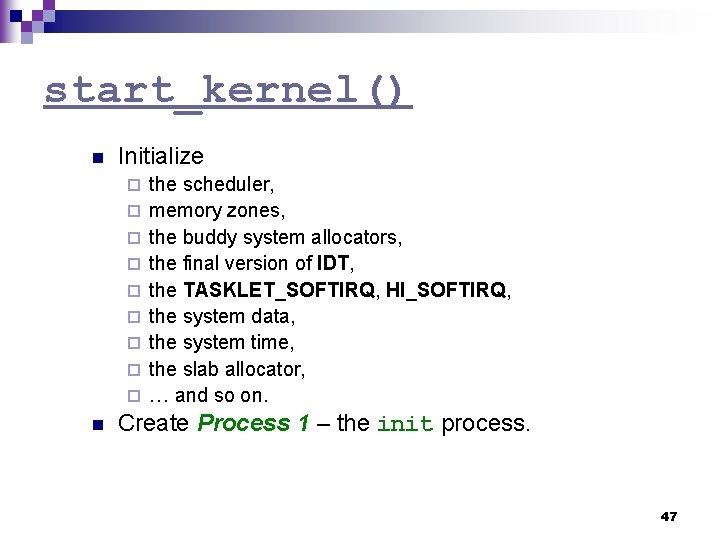
start_kernel() n Initialize ¨ ¨ ¨ ¨ ¨ n the scheduler, memory zones, the buddy system allocators, the final version of IDT, the TASKLET_SOFTIRQ, HI_SOFTIRQ, the system data, the system time, the slab allocator, … and so on. Create Process 1 – the init process. 47
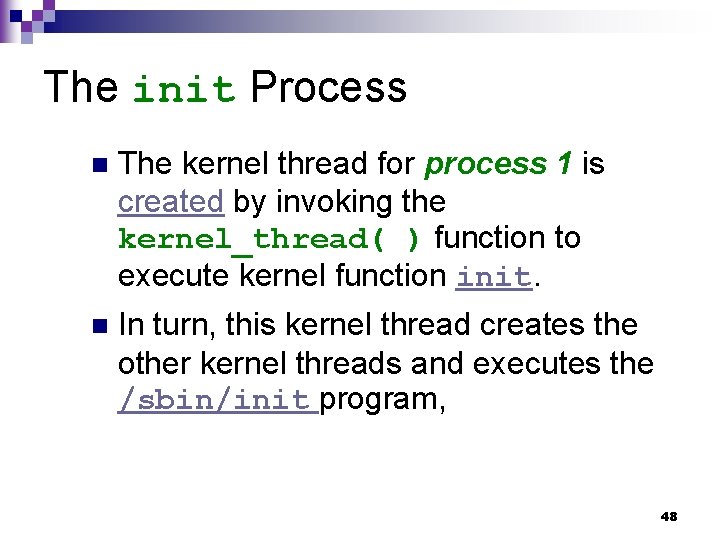
The init Process n The kernel thread for process 1 is created by invoking the kernel_thread( ) function to execute kernel function init. n In turn, this kernel thread creates the other kernel threads and executes the /sbin/init program, 48
Computer Architecture 49
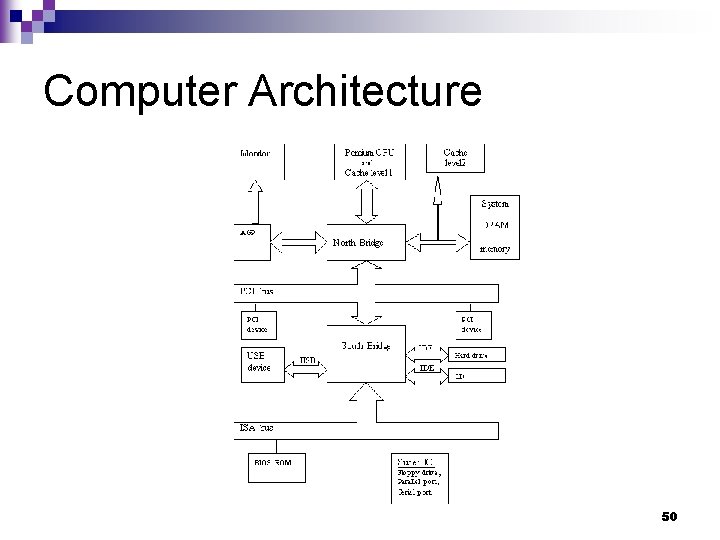
Computer Architecture 50
Memory Allocation for a Callee C Language Function 51
Stack Frame G(int a) { H(3); add_g: } H( int b) { char c[100]; int i=0; G’s stack frame b return address add_g address of G’s frame point while((c[i++]=getch())!=EOF) { } Input String: xyz H’s stack frame C[99] 0 xabc 0 xabb 0 xaba Z Y X C[0] } 52
Chapter 1 Introduction 53
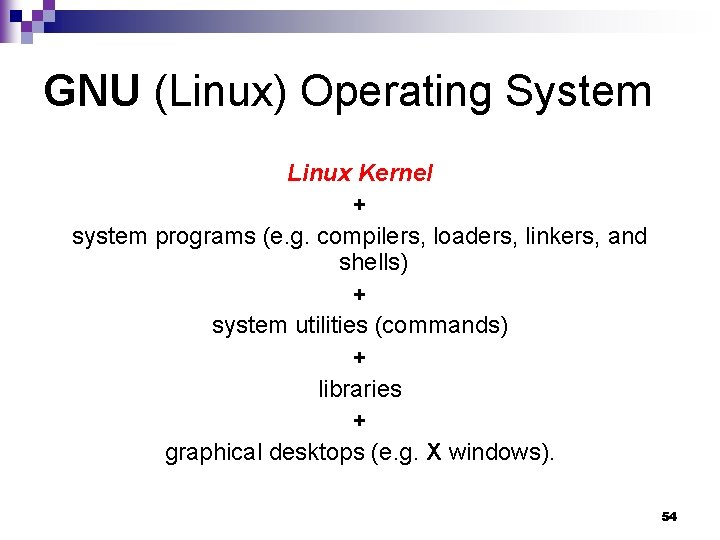
GNU (Linux) Operating System Linux Kernel + system programs (e. g. compilers, loaders, linkers, and shells) + system utilities (commands) + libraries + graphical desktops (e. g. X windows). 54
Unix Family n n n n Linux System V Release 4 (SVR 4), developed by AT&T (now owned by the SCO Group); the 4. 4 BSD release from the University of California at Berkeley (4. 4 BSD); Digital Unix from Digital Equipment Corporation (now Hewlett-Packard); AIX from IBM; HP-UX from Hewlett-Packard; Solaris from Sun Microsystems; Mac OS X from Apple Computer, Inc. 55
Linux OS Distrubution n Red Hat ¨ Fedora n n n Su. SE Slackware Debian ¨ Ubuntu n n n Mint Mandrake Knoppix 56
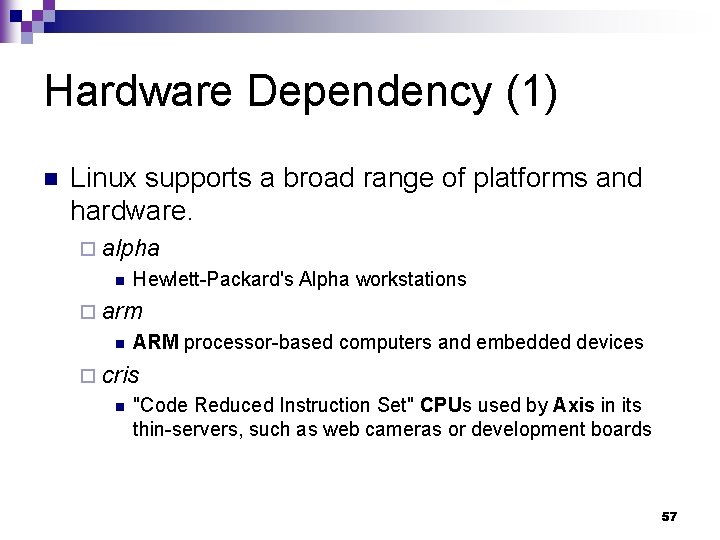
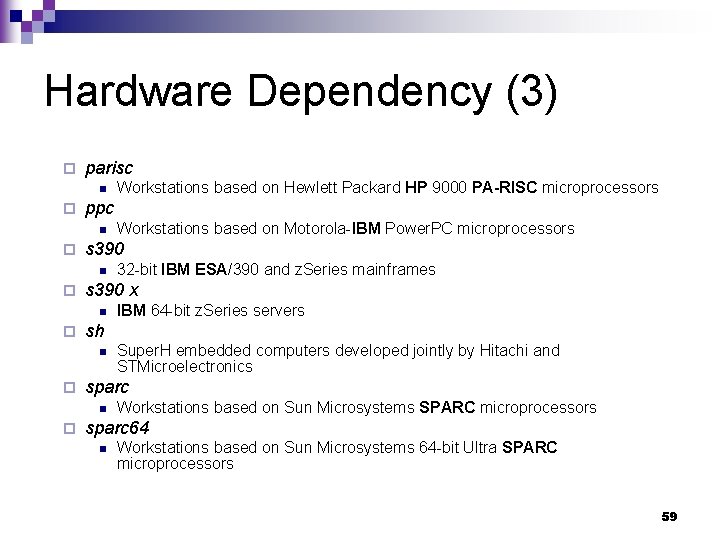
Hardware Dependency (1) n Linux supports a broad range of platforms and hardware. ¨ alpha n Hewlett-Packard's Alpha workstations ¨ arm n ARM processor-based computers and embedded devices ¨ cris n "Code Reduced Instruction Set" CPUs used by Axis in its thin-servers, such as web cameras or development boards 57
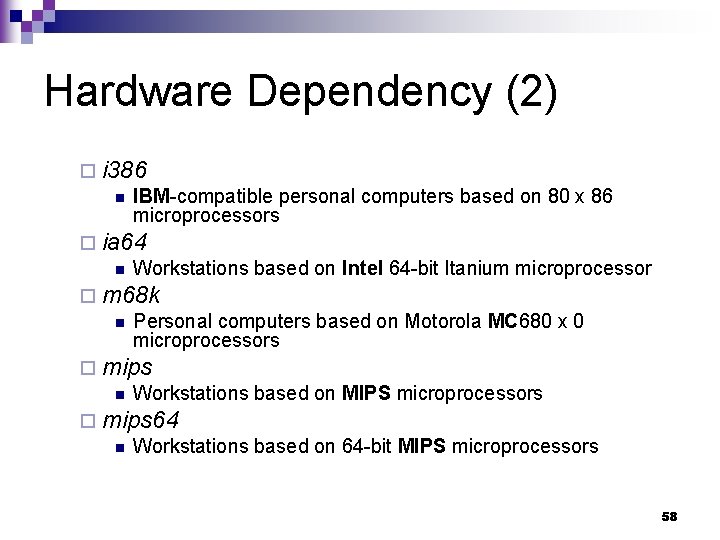
Hardware Dependency (2) ¨ i 386 n IBM-compatible personal computers based on 80 x 86 microprocessors ¨ ia 64 n Workstations based on Intel 64 -bit Itanium microprocessor ¨ m 68 k n Personal computers based on Motorola MC 680 x 0 microprocessors ¨ mips n Workstations based on MIPS microprocessors ¨ mips 64 n Workstations based on 64 -bit MIPS microprocessors 58
Hardware Dependency (3) ¨ parisc n ¨ ppc n ¨ Super. H embedded computers developed jointly by Hitachi and STMicroelectronics sparc n ¨ IBM 64 -bit z. Series servers sh n ¨ 32 -bit IBM ESA/390 and z. Series mainframes s 390 x n ¨ Workstations based on Motorola-IBM Power. PC microprocessors s 390 n ¨ Workstations based on Hewlett Packard HP 9000 PA-RISC microprocessors Workstations based on Sun Microsystems SPARC microprocessors sparc 64 n Workstations based on Sun Microsystems 64 -bit Ultra SPARC microprocessors 59
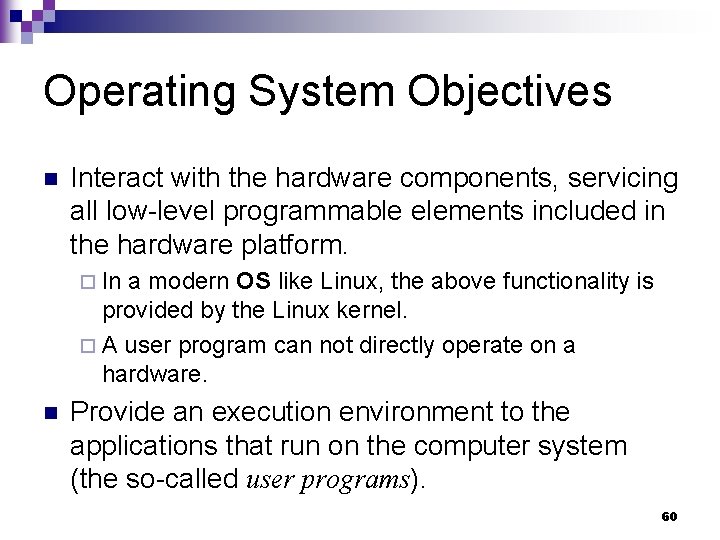
Operating System Objectives n Interact with the hardware components, servicing all low-level programmable elements included in the hardware platform. ¨ In a modern OS like Linux, the above functionality is provided by the Linux kernel. ¨ A user program can not directly operate on a hardware. n Provide an execution environment to the applications that run on the computer system (the so-called user programs). 60
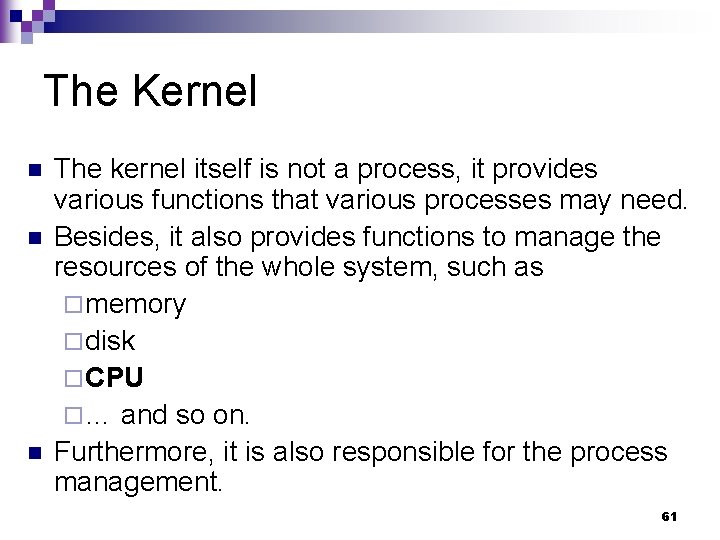
The Kernel n n n The kernel itself is not a process, it provides various functions that various processes may need. Besides, it also provides functions to manage the resources of the whole system, such as ¨ memory ¨ disk ¨ CPU ¨ … and so on. Furthermore, it is also responsible for the process management. 61
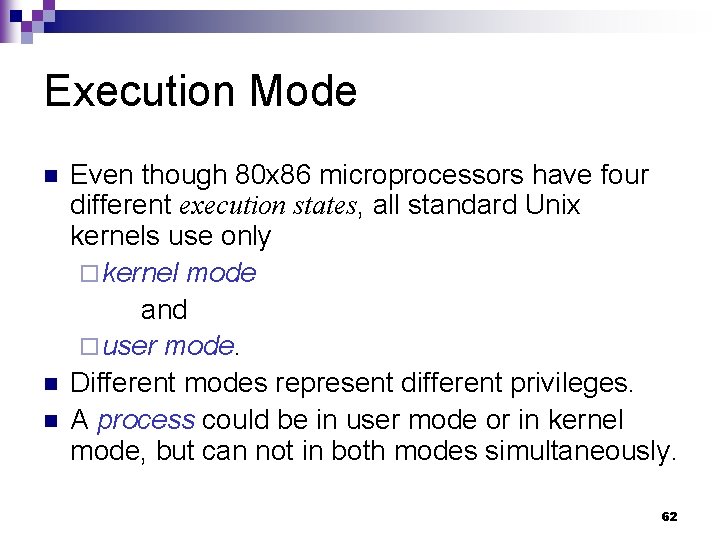
Execution Mode n n n Even though 80 x 86 microprocessors have four different execution states, all standard Unix kernels use only ¨ kernel mode and ¨ user mode. Different modes represent different privileges. A process could be in user mode or in kernel mode, but can not in both modes simultaneously. 62
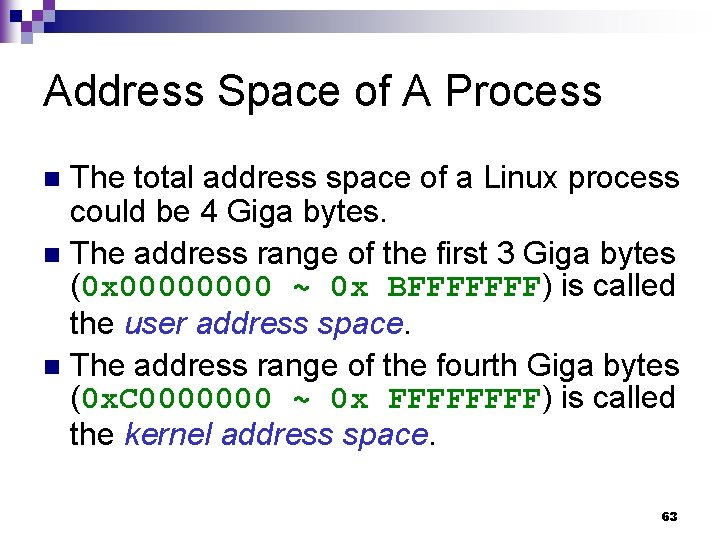
Address Space of A Process The total address space of a Linux process could be 4 Giga bytes. n The address range of the first 3 Giga bytes (0 x 0000 ~ 0 x BFFFFFFF) is called the user address space. n The address range of the fourth Giga bytes (0 x. C 0000000 ~ 0 x FFFF) is called the kernel address space. n 63
Address Space A set of addresses. or n The union of the memory cells whose addresses constitute an address space. n 64
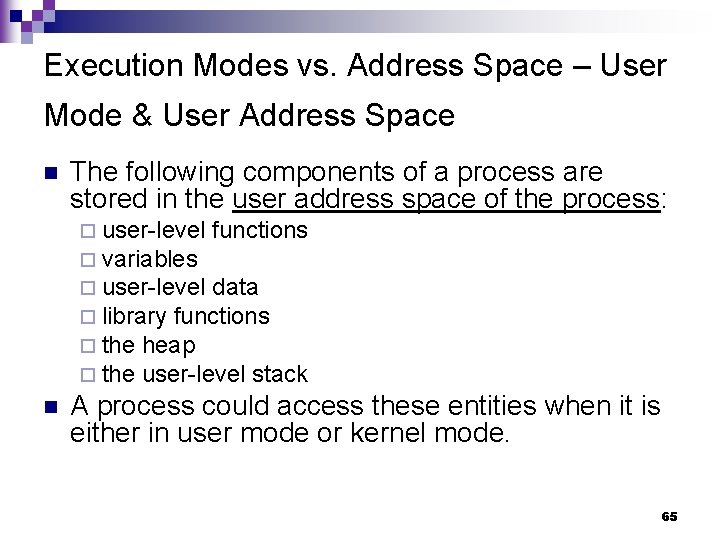
Execution Modes vs. Address Space – User Mode & User Address Space n The following components of a process are stored in the user address space of the process: ¨ user-level functions ¨ variables ¨ user-level data ¨ library functions ¨ the heap ¨ the user-level stack n A process could access these entities when it is either in user mode or kernel mode. 65
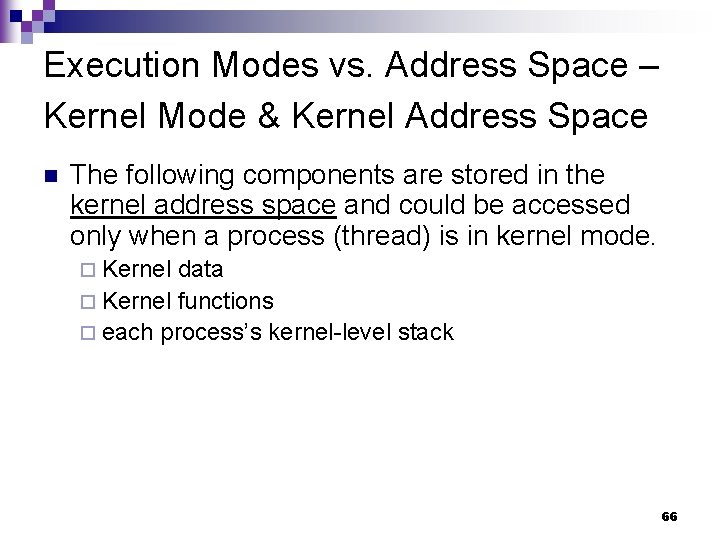
Execution Modes vs. Address Space – Kernel Mode & Kernel Address Space n The following components are stored in the kernel address space and could be accessed only when a process (thread) is in kernel mode. ¨ Kernel data ¨ Kernel functions ¨ each process’s kernel-level stack 66
Execution Modes vs. Address Space – (3) n The contents of the user address space of different processes maybe are different; however, the contents of all processes’ kernel address space are the same. 67
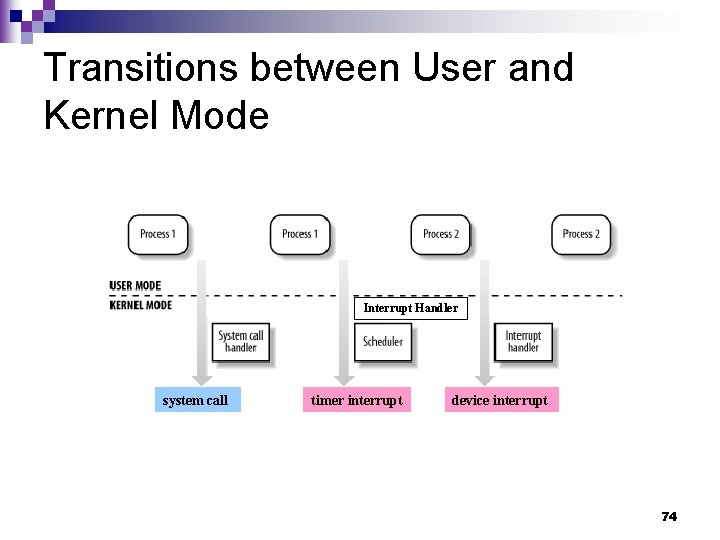
Mode Switch n n n A process in user mode can not access kernel data or functions directly. In order to do so, it must utilize a system call to change its mode to kernel mode and to get the service. A process in kernel mode can access data and functions in its user address space. A process usually executes in user mode and switches to kernel mode only when requesting a service provided by it. When the kernel satisfied the request, it puts the process back in user mode. 68
Kernel Threads n n Always run in kernel mode in the kernel address space. Not interact with users. Not require terminal devices, such as monitors and keyboard. Usually are created during system startup and killed when the system is shut down. 69
Uniprocessors vs. Multiprocessing n If multiprocessing is provided on a uniprocessor system, then, even though multiple processes may exist at the system at the same time, at any instant, only one process can be executed. 70
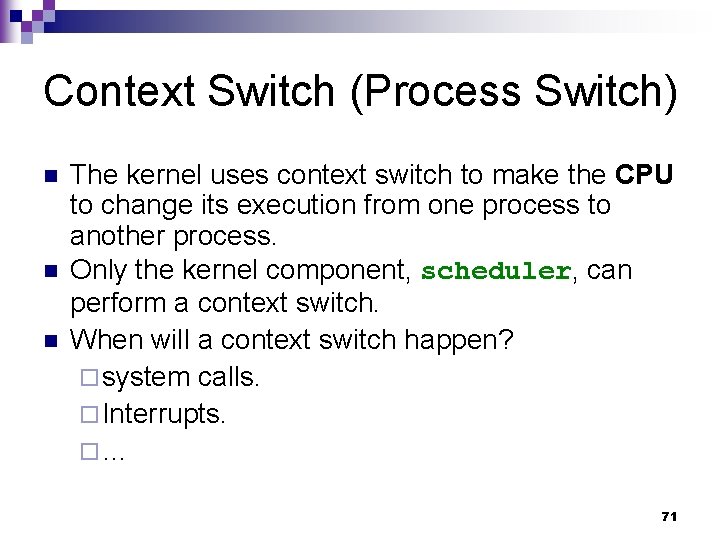
Context Switch (Process Switch) n n n The kernel uses context switch to make the CPU to change its execution from one process to another process. Only the kernel component, scheduler, can perform a context switch. When will a context switch happen? ¨ system calls. ¨ Interrupts. ¨… 71
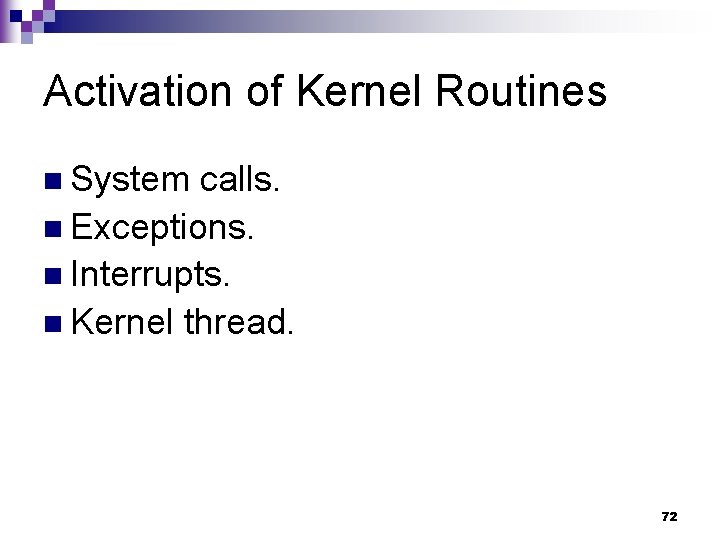
Activation of Kernel Routines n System calls. n Exceptions. n Interrupts. n Kernel thread. 72
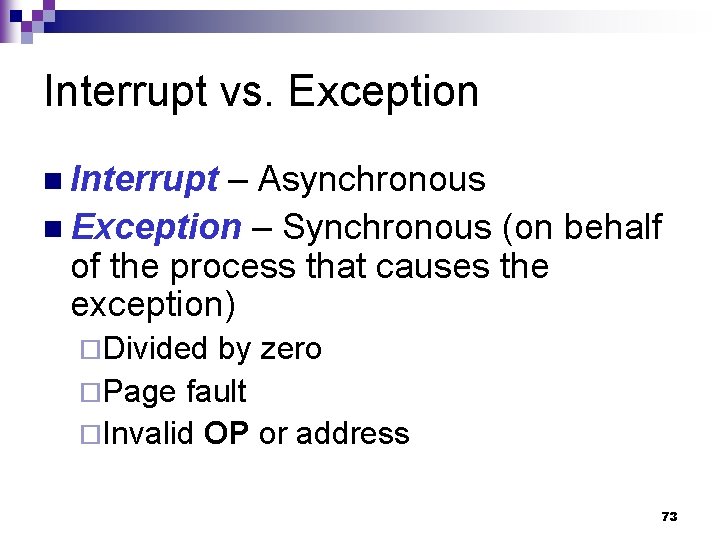
Interrupt vs. Exception n Interrupt – Asynchronous n Exception – Synchronous (on behalf of the process that causes the exception) ¨Divided by zero ¨Page fault ¨Invalid OP or address 73
Transitions between User and Kernel Mode Interrupt Handler system call timer interrupt device interrupt 74
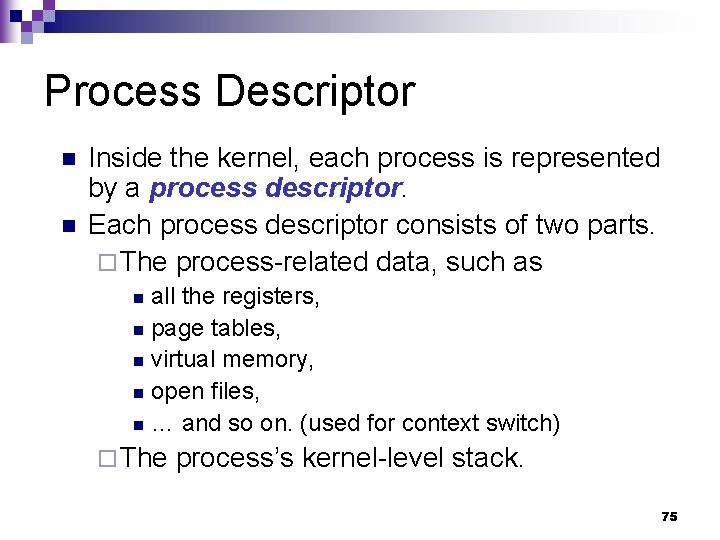
Process Descriptor n n Inside the kernel, each process is represented by a process descriptor. Each process descriptor consists of two parts. ¨ The process-related data, such as all the registers, n page tables, n virtual memory, n open files, n … and so on. (used for context switch) n ¨ The process’s kernel-level stack. 75
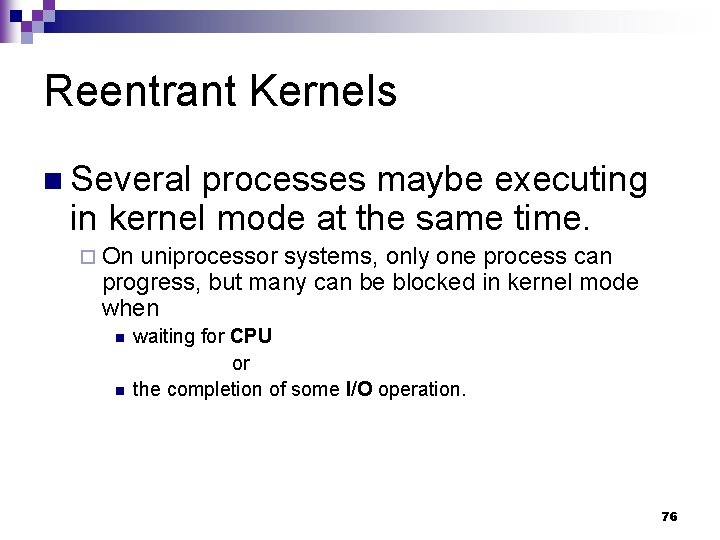
Reentrant Kernels n Several processes maybe executing in kernel mode at the same time. ¨ On uniprocessor systems, only one process can progress, but many can be blocked in kernel mode when n n waiting for CPU or the completion of some I/O operation. 76
Reentrant Functions n Functions that only modify local variables, not global variables. n Nonreentrant functions are used with locking mechanisms to ensure that only one process can execute a nonreentrant function at a time. 77
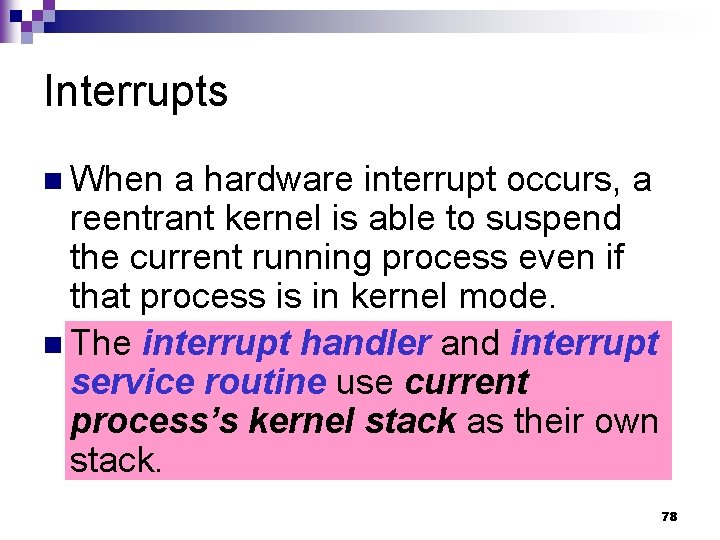
Interrupts n When a hardware interrupt occurs, a reentrant kernel is able to suspend the current running process even if that process is in kernel mode. n The interrupt handler and interrupt service routine use current process’s kernel stack as their own stack. 78
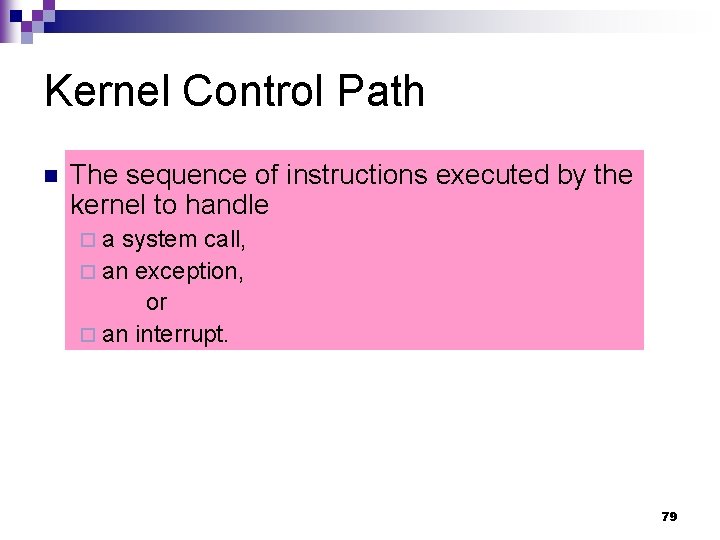
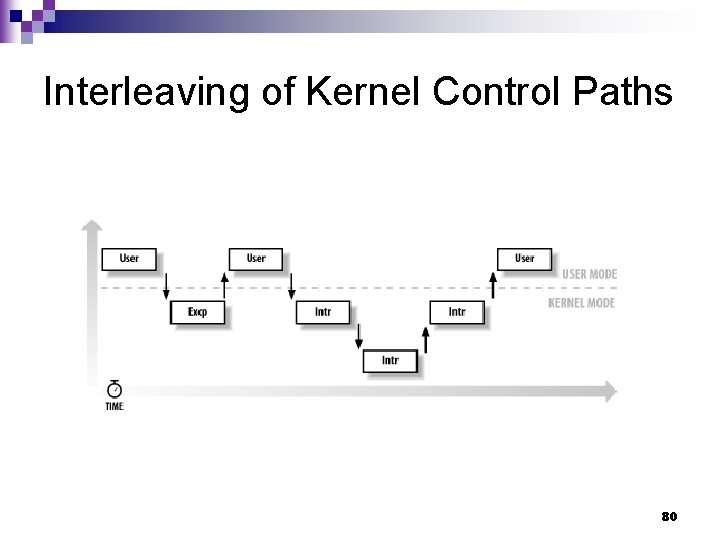
Kernel Control Path n The sequence of instructions executed by the kernel to handle ¨a system call, ¨ an exception, or ¨ an interrupt. 79
Interleaving of Kernel Control Paths 80