
LING 408508 Programming for Linguists Lecture 8 September
LING 408/508: Programming for Linguists Lecture 8 September 23 rd
Adminstrivia • Homework 4 graded
Today's Topics • Homework 4 review • Ungraded Exercise review • There's so much more… – but this is probably the 2 nd last lecture about the bash shell
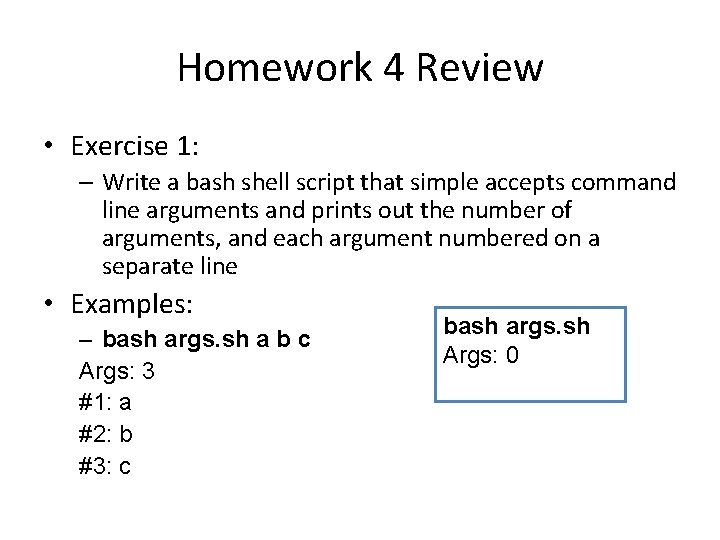
Homework 4 Review • Exercise 1: – Write a bash shell script that simple accepts command line arguments and prints out the number of arguments, and each argument numbered on a separate line • Examples: – bash args. sh a b c Args: 3 #1: a #2: b #3: c bash args. sh Args: 0
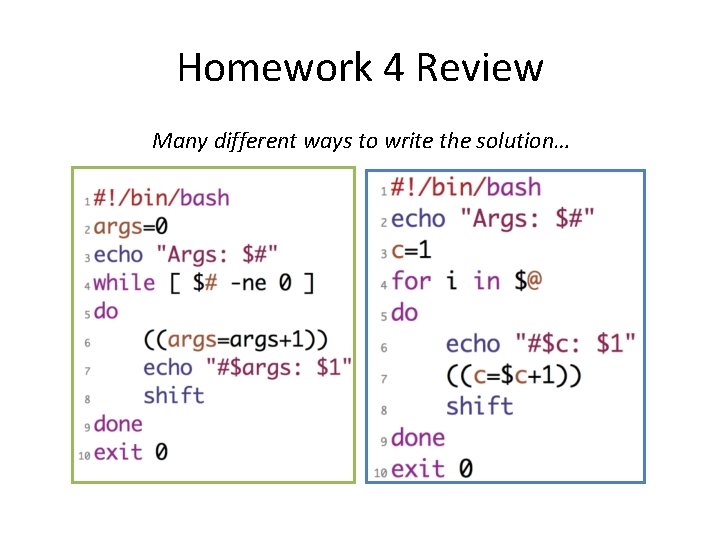
Homework 4 Review Many different ways to write the solution…
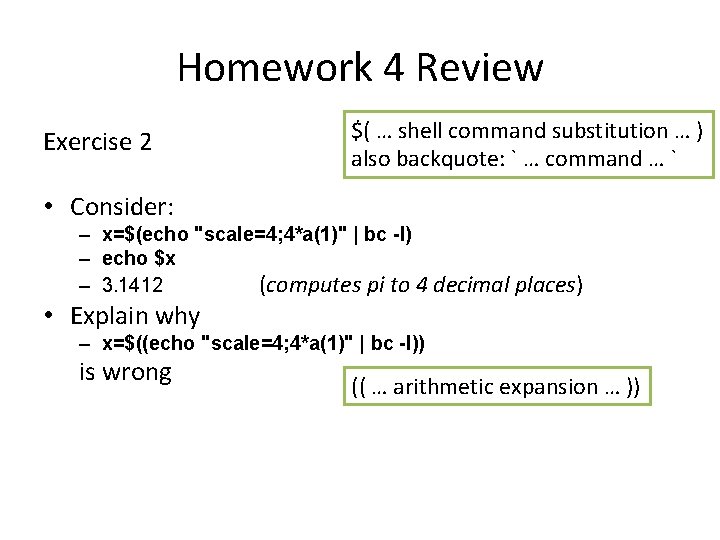
Homework 4 Review Exercise 2 $( … shell command substitution … ) also backquote: ` … command … ` • Consider: – x=$(echo "scale=4; 4*a(1)" | bc -l) – echo $x – 3. 1412 (computes pi to 4 decimal places) • Explain why – x=$((echo "scale=4; 4*a(1)" | bc -l)) is wrong (( … arithmetic expansion … ))
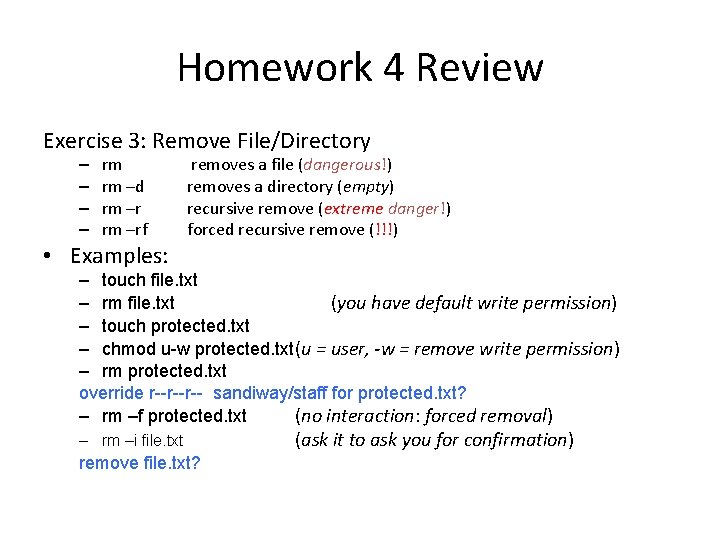
Homework 4 Review Exercise 3: Remove File/Directory – – rm rm –d rm –rf • Examples: removes a file (dangerous!) removes a directory (empty) recursive remove (extreme danger!) forced recursive remove (!!!) – touch file. txt – rm file. txt (you have default write permission) – touch protected. txt – chmod u-w protected. txt (u = user, -w = remove write permission) – rm protected. txt override r--r--r-- sandiway/staff for protected. txt? – rm –f protected. txt (no interaction: forced removal) – rm –i file. txt remove file. txt? (ask it to ask you for confirmation)
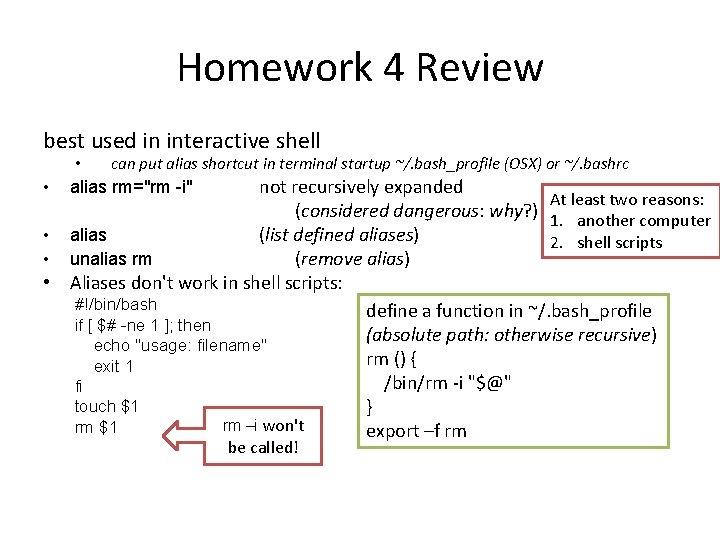
Homework 4 Review best used in interactive shell • • can put alias shortcut in terminal startup ~/. bash_profile (OSX) or ~/. bashrc alias rm="rm -i" not recursively expanded At least two reasons: (considered dangerous: why? ) 1. another computer alias (list defined aliases) 2. shell scripts unalias rm (remove alias) • Aliases don't work in shell scripts: #!/bin/bash if [ $# -ne 1 ]; then echo "usage: filename" exit 1 fi touch $1 rm –i won't rm $1 be called! define a function in ~/. bash_profile (absolute path: otherwise recursive) rm () { /bin/rm -i "$@" } export –f rm
Other commands with -i • -i (interactive confirm option) before overwriting a file – mv -i – cp -i rename file copy file
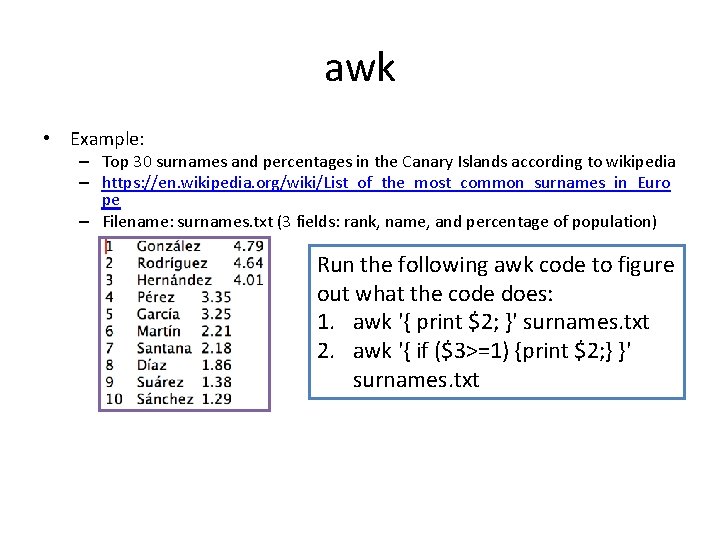
awk • Example: – Top 30 surnames and percentages in the Canary Islands according to wikipedia – https: //en. wikipedia. org/wiki/List_of_the_most_common_surnames_in_Euro pe – Filename: surnames. txt (3 fields: rank, name, and percentage of population) Run the following awk code to figure out what the code does: 1. awk '{ print $2; }' surnames. txt 2. awk '{ if ($3>=1) {print $2; } }' surnames. txt
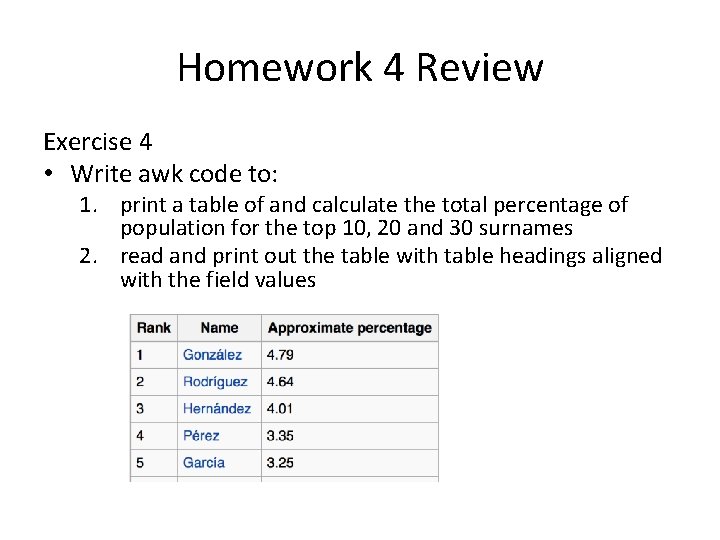
Homework 4 Review Exercise 4 • Write awk code to: 1. print a table of and calculate the total percentage of population for the top 10, 20 and 30 surnames 2. read and print out the table with table headings aligned with the field values
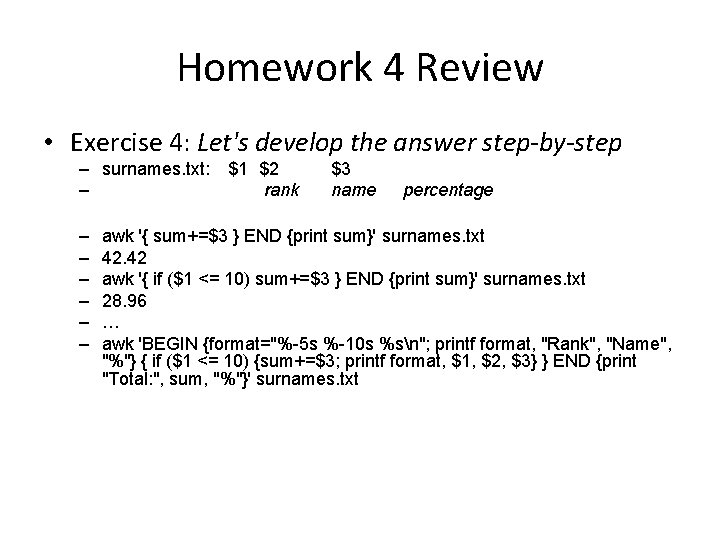
Homework 4 Review • Exercise 4: Let's develop the answer step-by-step – surnames. txt: – – – – $1 $2 rank $3 name percentage awk '{ sum+=$3 } END {print sum}' surnames. txt 42. 42 awk '{ if ($1 <= 10) sum+=$3 } END {print sum}' surnames. txt 28. 96 … awk 'BEGIN {format="%-5 s %-10 s %sn"; printf format, "Rank", "Name", "%"} { if ($1 <= 10) {sum+=$3; printf format, $1, $2, $3} } END {print "Total: ", sum, "%"}' surnames. txt
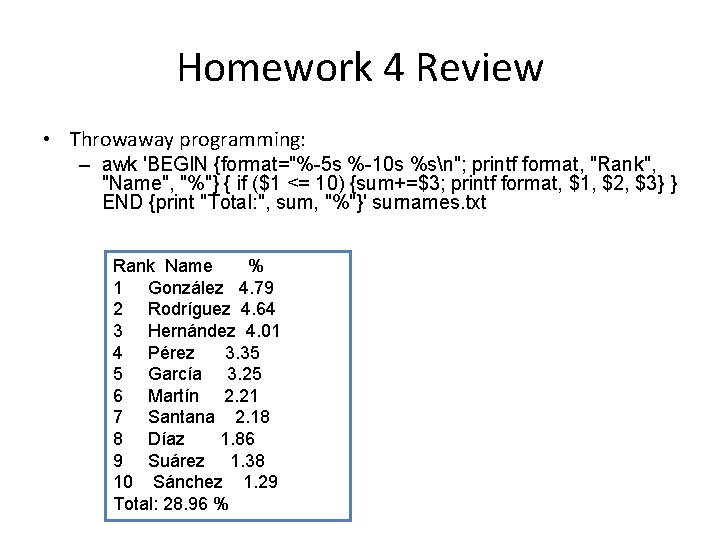
Homework 4 Review • Throwaway programming: – awk 'BEGIN {format="%-5 s %-10 s %sn"; printf format, "Rank", "Name", "%"} { if ($1 <= 10) {sum+=$3; printf format, $1, $2, $3} } END {print "Total: ", sum, "%"}' surnames. txt Rank Name % 1 González 4. 79 2 Rodríguez 4. 64 3 Hernández 4. 01 4 Pérez 3. 35 5 García 3. 25 6 Martín 2. 21 7 Santana 2. 18 8 Díaz 1. 86 9 Suárez 1. 38 10 Sánchez 1. 29 Total: 28. 96 %
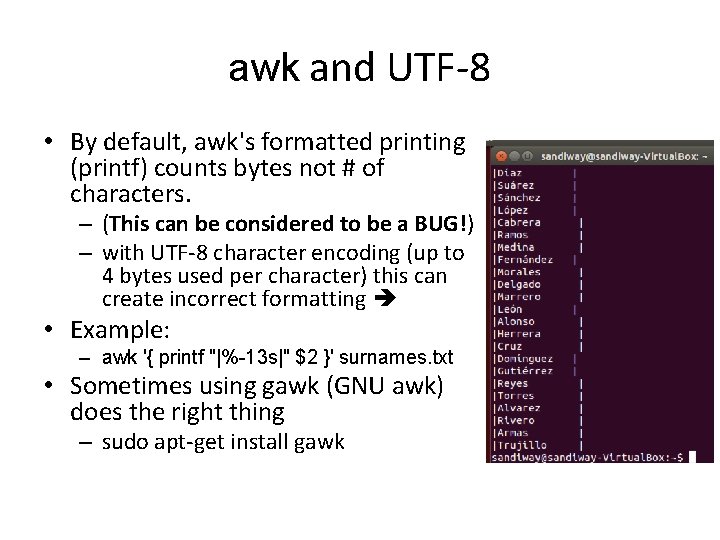
awk and UTF-8 • By default, awk's formatted printing (printf) counts bytes not # of characters. – (This can be considered to be a BUG!) – with UTF-8 character encoding (up to 4 bytes used per character) this can create incorrect formatting • Example: – awk '{ printf "|%-13 s|" $2 }' surnames. txt • Sometimes using gawk (GNU awk) does the right thing – sudo apt-get install gawk
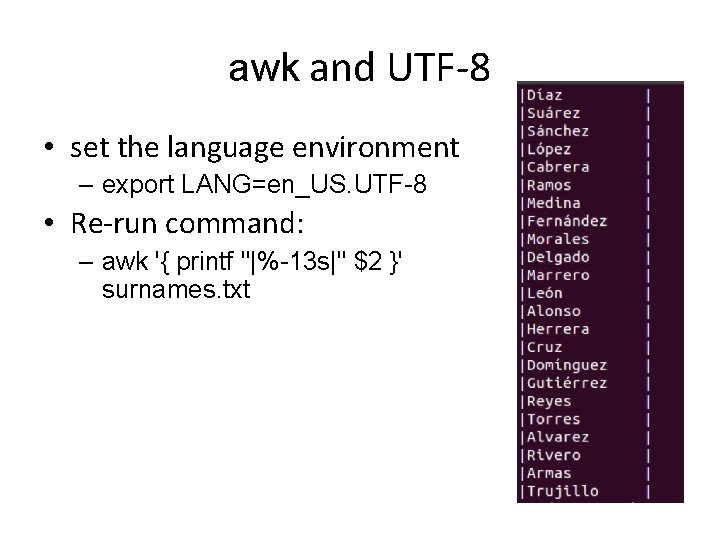
awk and UTF-8 • set the language environment – export LANG=en_US. UTF-8 • Re-run command: – awk '{ printf "|%-13 s|" $2 }' surnames. txt
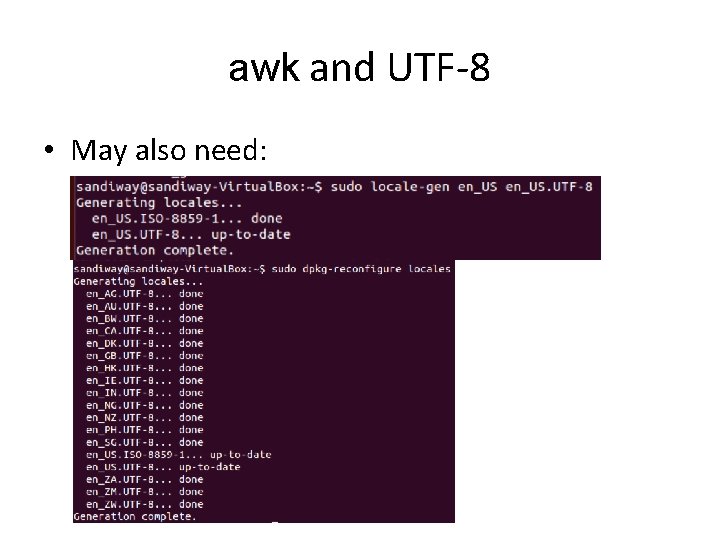
awk and UTF-8 • May also need:
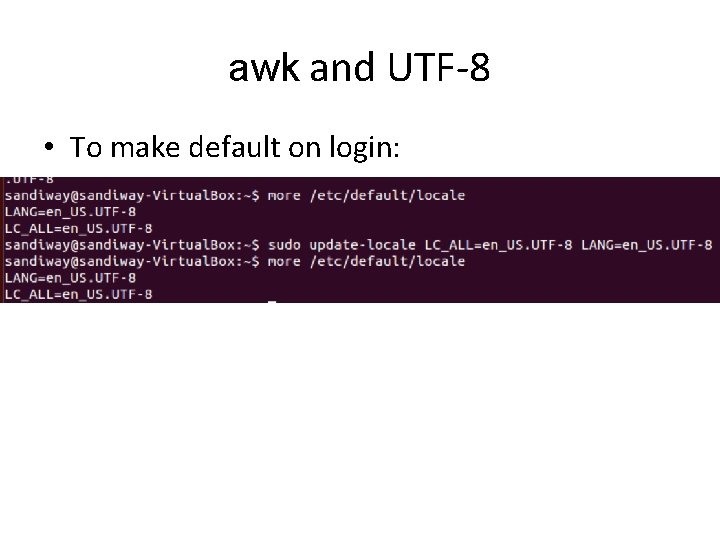
awk and UTF-8 • To make default on login:
Ungraded Exercise Review • Changing the line spacing of a text file 1. Write a script that reads each line of a file, then writes the line back out, but with an extra blank line following. This has the effect of double-spacing the file. Note: include if possible a check to see whether the script gets the necessary command-line argument (a filename), and whether the specified file exists. (Exercise adapted from http: //tldp. org/LDP/abs/html/writingscripts. html)
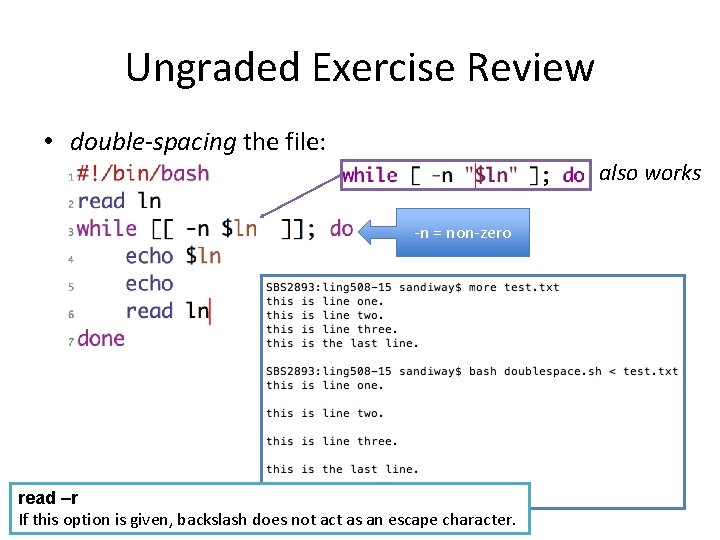
Ungraded Exercise Review • double-spacing the file: also works -n = non-zero read –r If this option is given, backslash does not act as an escape character.
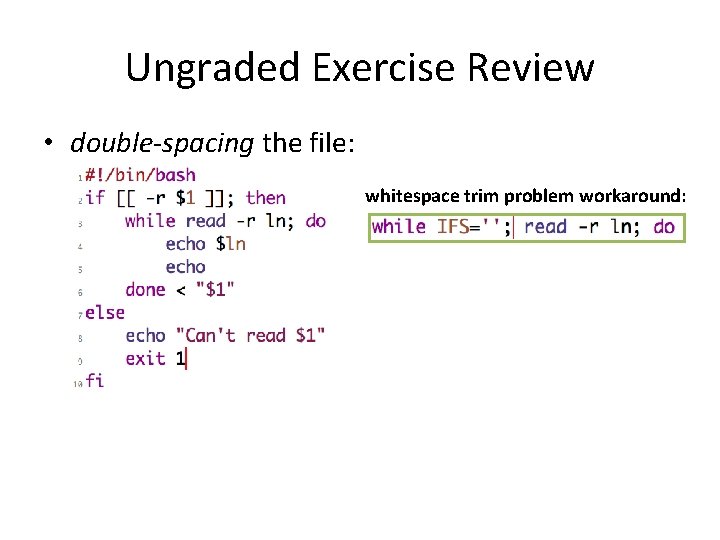
Ungraded Exercise Review • double-spacing the file: whitespace trim problem workaround:
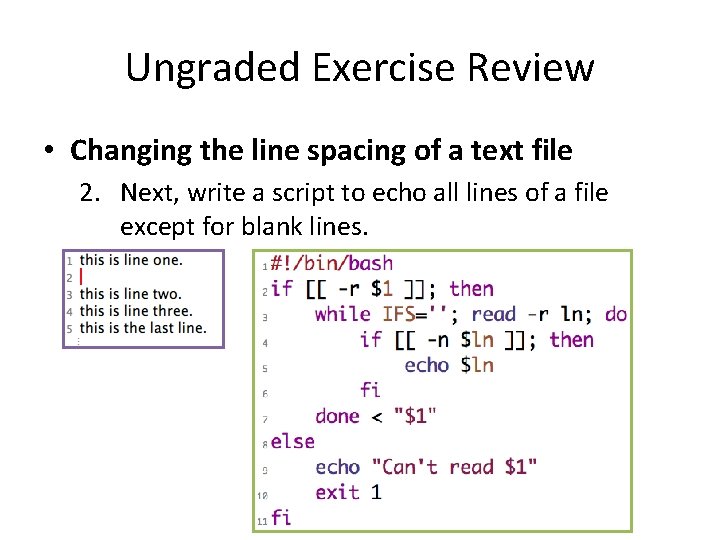
Ungraded Exercise Review • Changing the line spacing of a text file 2. Next, write a script to echo all lines of a file except for blank lines.
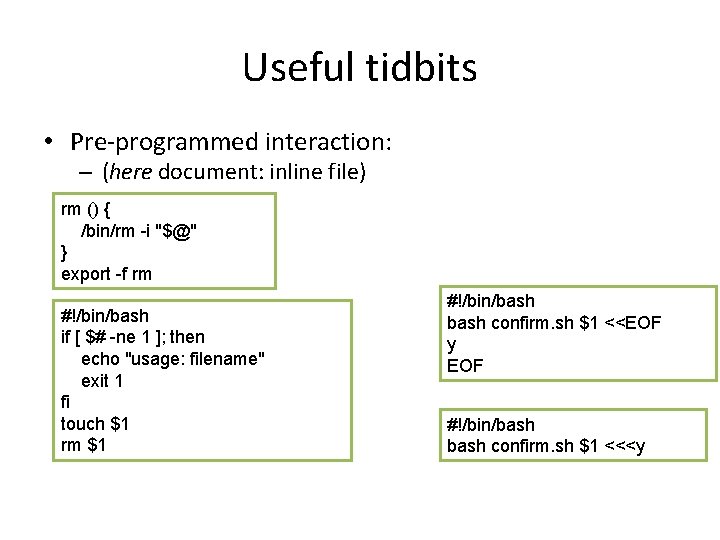
Useful tidbits • Pre-programmed interaction: – (here document: inline file) rm () { /bin/rm -i "$@" } export -f rm #!/bin/bash if [ $# -ne 1 ]; then echo "usage: filename" exit 1 fi touch $1 rm $1 #!/bin/bash confirm. sh $1 <<EOF y EOF #!/bin/bash confirm. sh $1 <<<y
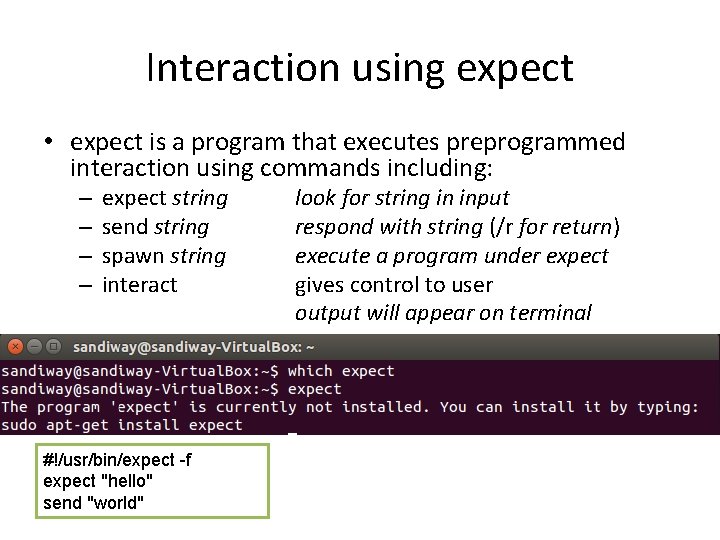
Interaction using expect • expect is a program that executes preprogrammed interaction using commands including: – – expect string send string spawn string interact #!/usr/bin/expect -f expect "hello" send "world" look for string in input respond with string (/r for return) execute a program under expect gives control to user output will appear on terminal
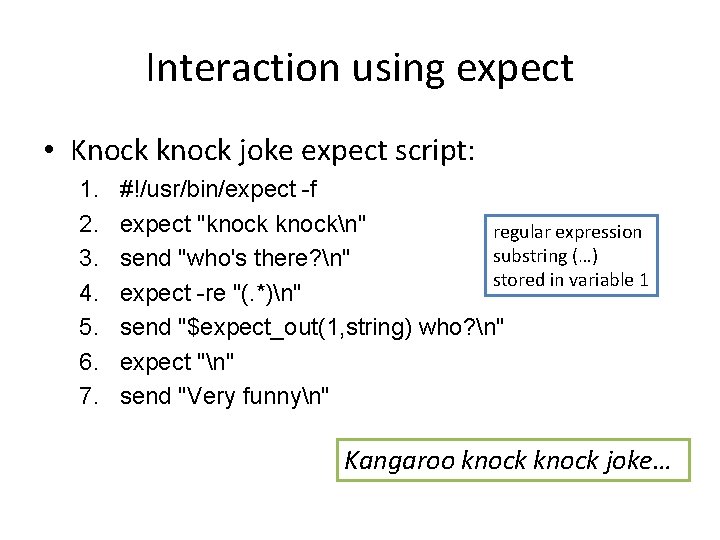
Interaction using expect • Knock knock joke expect script: 1. 2. 3. 4. 5. 6. 7. #!/usr/bin/expect -f expect "knockn" regular expression substring (…) send "who's there? n" stored in variable 1 expect -re "(. *)n" send "$expect_out(1, string) who? n" expect "n" send "Very funnyn" Kangaroo knock joke…
Interaction using expect • Let's interact with the BMI homework solution …
- Slides: 25