
Lifeline Vi Vi Clever not complicated What we

- Slides: 26
Lifeline Vi / Vi+ Clever, not complicated.
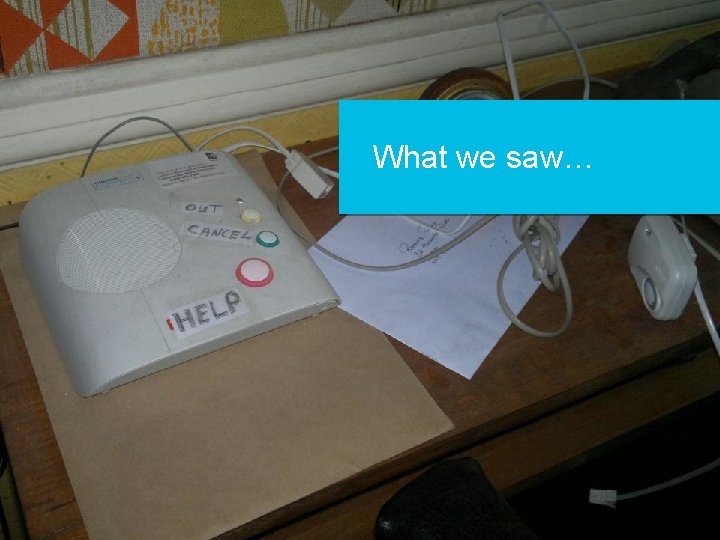
What we saw… 2
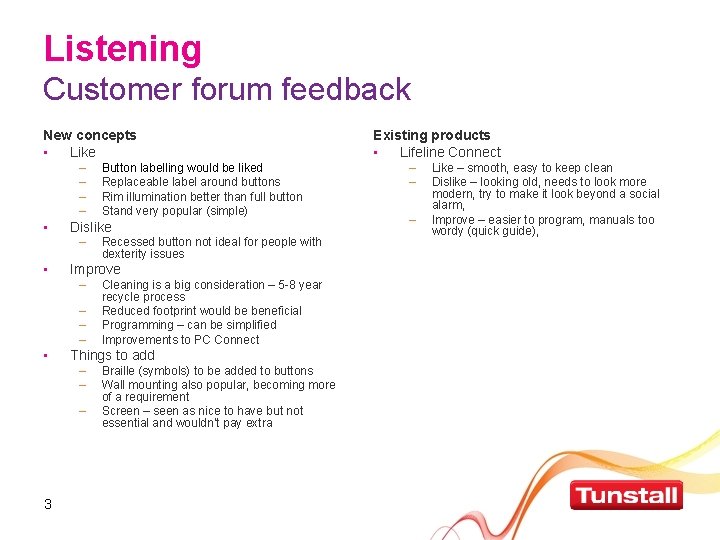
Listening Customer forum feedback New concepts • Like – – • Dislike – • – – – Cleaning is a big consideration – 5 -8 year recycle process Reduced footprint would be beneficial Programming – can be simplified Improvements to PC Connect Things to add – – – 3 Recessed button not ideal for people with dexterity issues Improve – • Button labelling would be liked Replaceable label around buttons Rim illumination better than full button Stand very popular (simple) Braille (symbols) to be added to buttons Wall mounting also popular, becoming more of a requirement Screen – seen as nice to have but not essential and wouldn’t pay extra Existing products • Lifeline Connect – – – Like – smooth, easy to keep clean Dislike – looking old, needs to look more modern, try to make it look beyond a social alarm, Improve – easier to program, manuals too wordy (quick guide),
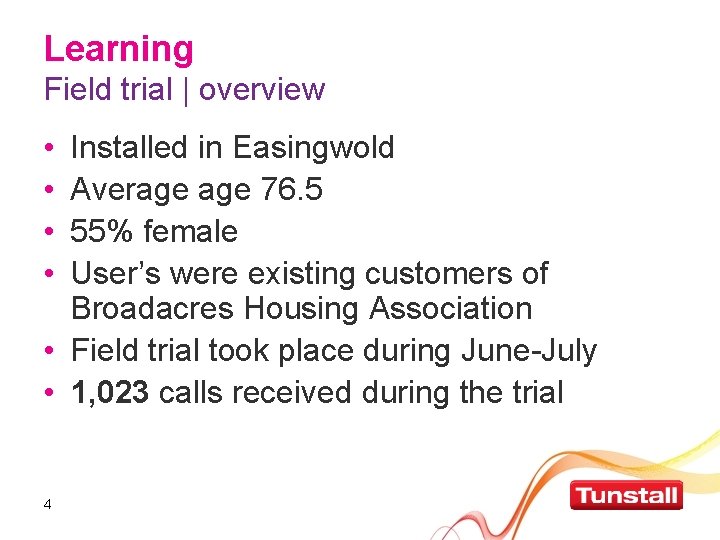
Learning Field trial | overview • • Installed in Easingwold Average 76. 5 55% female User’s were existing customers of Broadacres Housing Association • Field trial took place during June-July • 1, 023 calls received during the trial 4
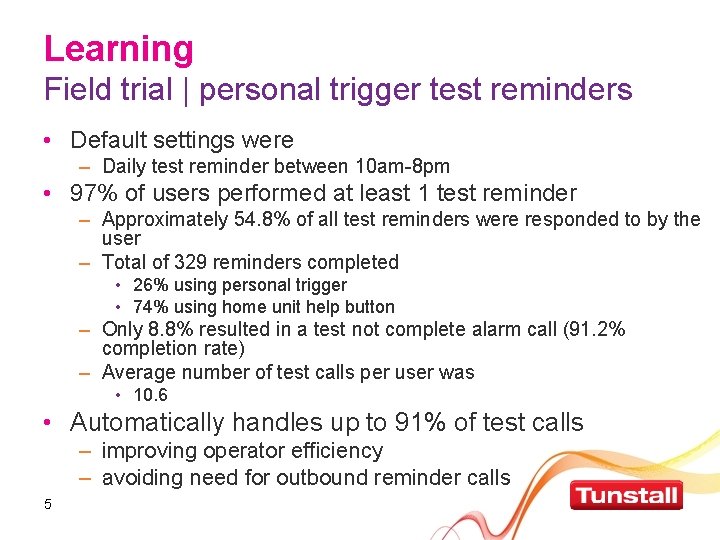
Learning Field trial | personal trigger test reminders • Default settings were – Daily test reminder between 10 am-8 pm • 97% of users performed at least 1 test reminder – Approximately 54. 8% of all test reminders were responded to by the user – Total of 329 reminders completed • 26% using personal trigger • 74% using home unit help button – Only 8. 8% resulted in a test not complete alarm call (91. 2% completion rate) – Average number of test calls per user was • 10. 6 • Automatically handles up to 91% of test calls – improving operator efficiency – avoiding need for outbound reminder calls 5
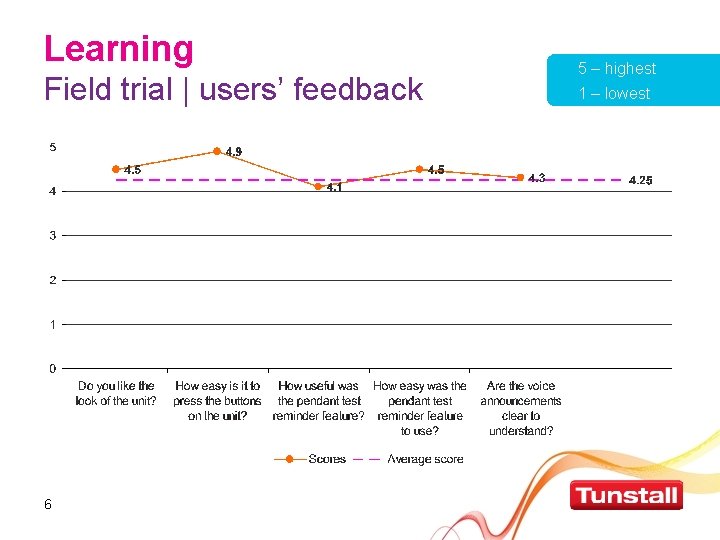
Learning Field trial | users’ feedback 6 5 – highest 1 – lowest
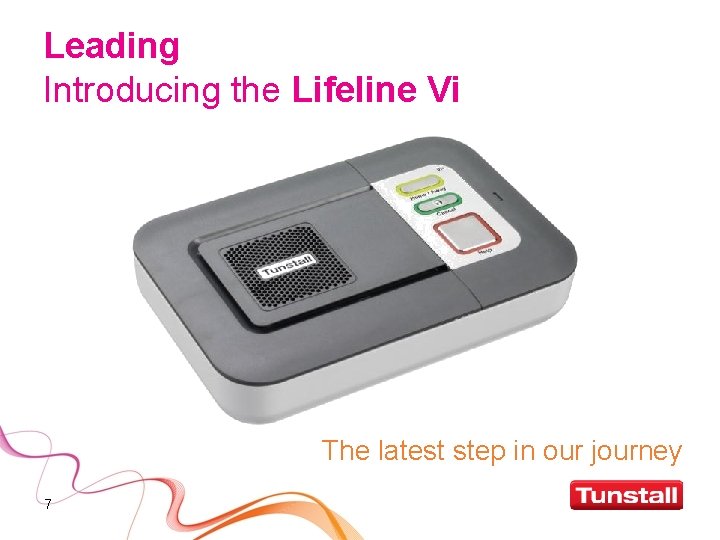
Leading Introducing the Lifeline Vi The latest step in our journey 7
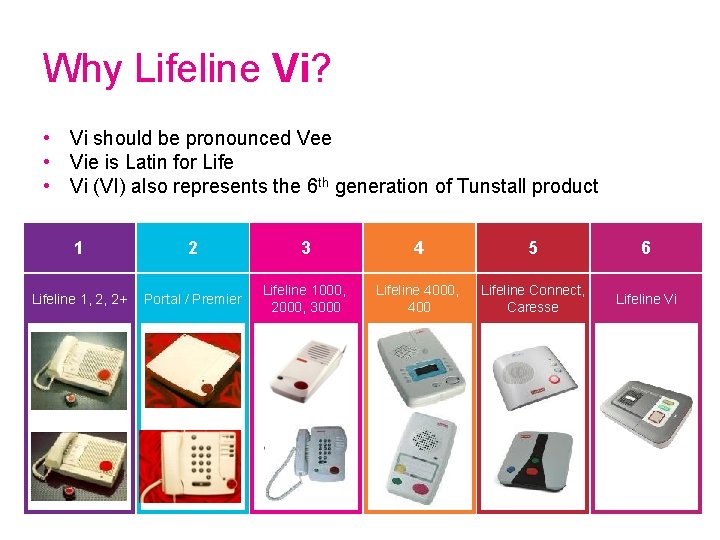
Why Lifeline Vi? • Vi should be pronounced Vee • Vie is Latin for Life • Vi (VI) also represents the 6 th generation of Tunstall product 1 2 3 4 5 6 Lifeline 1, 2, 2+ Portal / Premier Lifeline 1000, 2000, 3000 Lifeline 4000, 400 Lifeline Connect, Caresse Lifeline Vi 8
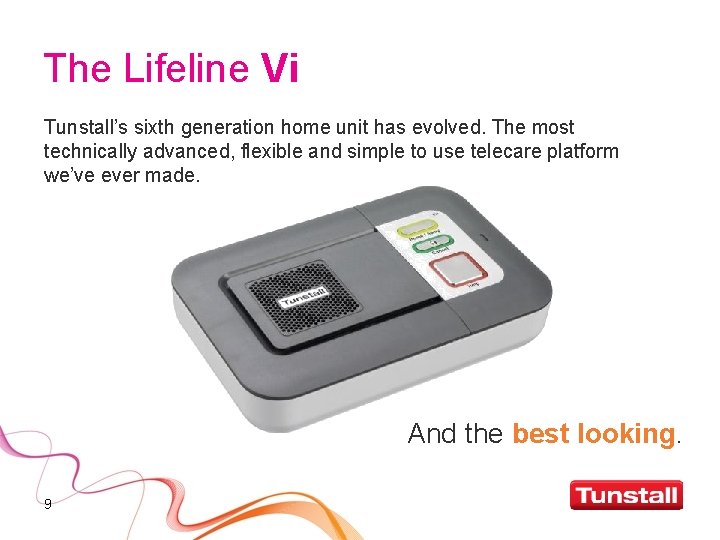
The Lifeline Vi Tunstall’s sixth generation home unit has evolved. The most technically advanced, flexible and simple to use telecare platform we’ve ever made. And the best looking. 9
Life is a journey We wanted the Lifeline Vi to reflect the time we’ve spent working with our customers to understand their needs for a telecare service. The Lifeline Vi is a huge leap forward to incorporate as much of their ‘wish list’ as we practically could in an economically viable package, and a smaller, more attractive unit. It also has unique features which make it easier to use and more flexible than its predecessors. Richard Sharp | Group Product Development Director 10
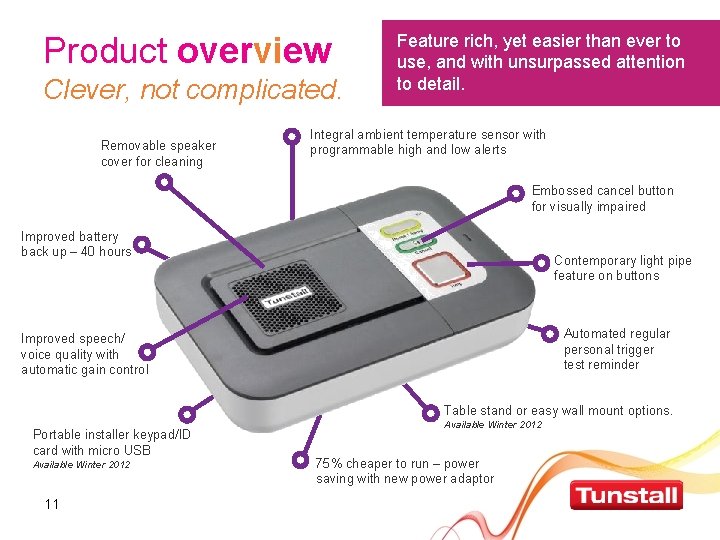
Product overview Clever, not complicated. Removable speaker cover for cleaning Feature rich, yet easier than ever to use, and with unsurpassed attention to detail. Integral ambient temperature sensor with programmable high and low alerts Embossed cancel button for visually impaired Improved battery back up – 40 hours Contemporary light pipe feature on buttons Automated regular personal trigger test reminder Improved speech/ voice quality with automatic gain control Table stand or easy wall mount options. Portable installer keypad/ID card with micro USB Available Winter 2012 11 Available Winter 2012 75% cheaper to run – power saving with new power adaptor
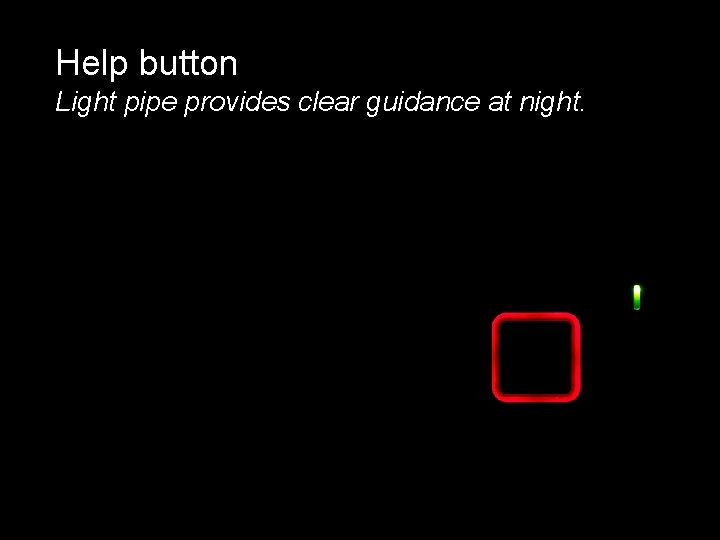
Help button Light pipe provides clear guidance at night. 12
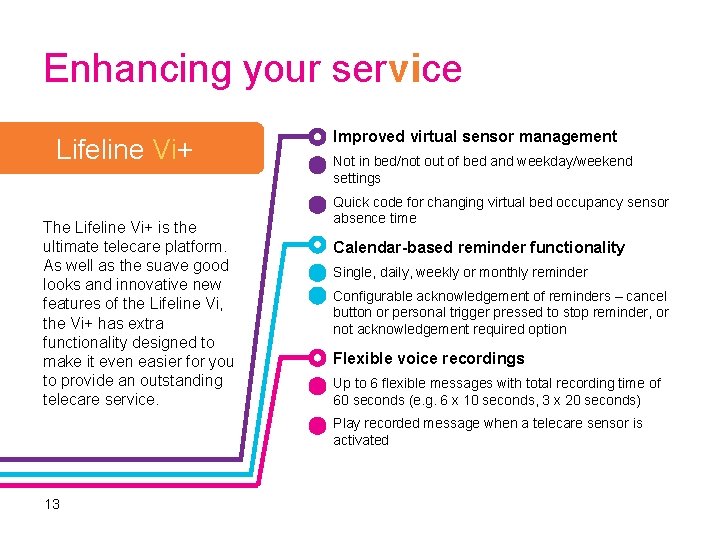
Enhancing your service Lifeline Vi+ The Lifeline Vi+ is the ultimate telecare platform. As well as the suave good looks and innovative new features of the Lifeline Vi, the Vi+ has extra functionality designed to make it even easier for you to provide an outstanding telecare service. Improved virtual sensor management Not in bed/not out of bed and weekday/weekend settings Quick code for changing virtual bed occupancy sensor absence time Calendar-based reminder functionality Single, daily, weekly or monthly reminder Configurable acknowledgement of reminders – cancel button or personal trigger pressed to stop reminder, or not acknowledgement required option Flexible voice recordings Up to 6 flexible messages with total recording time of 60 seconds (e. g. 6 x 10 seconds, 3 x 20 seconds) Play recorded message when a telecare sensor is activated 13
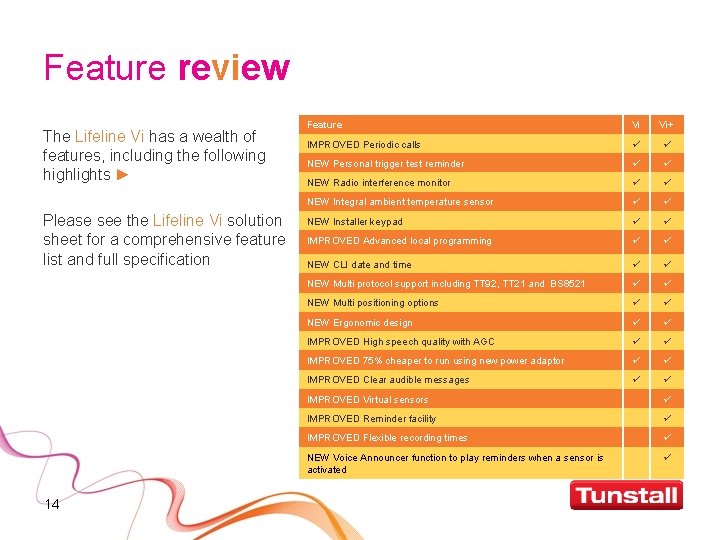
Feature review The Lifeline Vi has a wealth of features, including the following highlights ► Please see the Lifeline Vi solution sheet for a comprehensive feature list and full specification 14 Feature Vi Vi+ IMPROVED Periodic calls NEW Personal trigger test reminder NEW Radio interference monitor NEW Integral ambient temperature sensor NEW Installer keypad IMPROVED Advanced local programming NEW CLI date and time NEW Multi protocol support including TT 92, TT 21 and BS 8521 NEW Multi positioning options NEW Ergonomic design IMPROVED High speech quality with AGC IMPROVED 75% cheaper to run using new power adaptor IMPROVED Clear audible messages IMPROVED Virtual sensors IMPROVED Reminder facility IMPROVED Flexible recording times NEW Voice Announcer function to play reminders when a sensor is activated
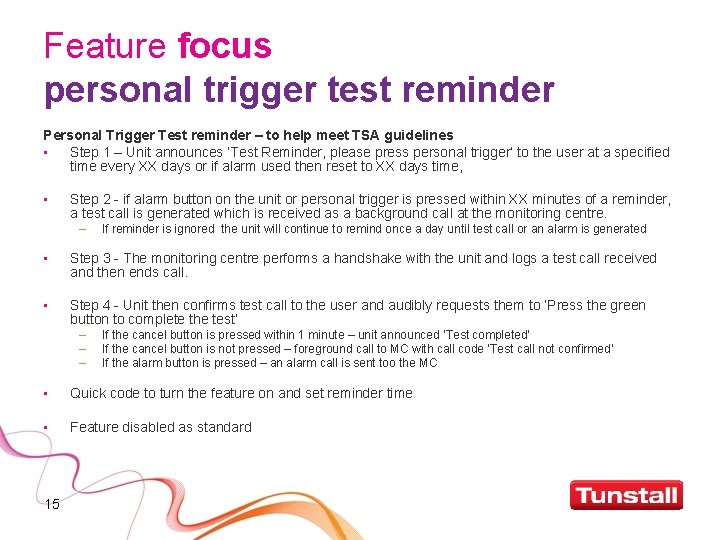
Feature focus personal trigger test reminder Personal Trigger Test reminder – to help meet TSA guidelines • Step 1 – Unit announces ‘Test Reminder, please press personal trigger’ to the user at a specified time every XX days or if alarm used then reset to XX days time, • Step 2 - if alarm button on the unit or personal trigger is pressed within XX minutes of a reminder, a test call is generated which is received as a background call at the monitoring centre. – If reminder is ignored the unit will continue to remind once a day until test call or an alarm is generated • Step 3 - The monitoring centre performs a handshake with the unit and logs a test call received and then ends call. • Step 4 - Unit then confirms test call to the user and audibly requests them to ‘Press the green button to complete the test’ – – – If the cancel button is pressed within 1 minute – unit announced ‘Test completed’ If the cancel button is not pressed – foreground call to MC with call code ‘Test call not confirmed’ If the alarm button is pressed – an alarm call is sent too the MC • Quick code to turn the feature on and set reminder time • Feature disabled as standard 15
Feature focus ambient temperature sensor • Provides alerts for the following events – Low temperature - configurable – High temperature – configurable 16
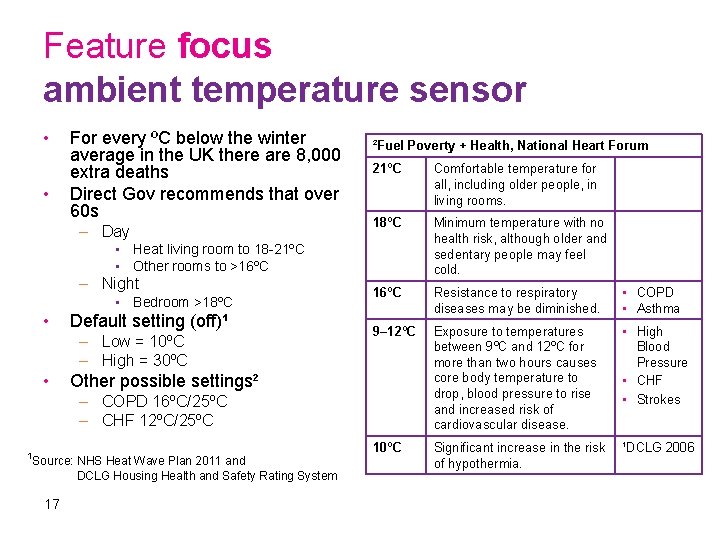
Feature focus ambient temperature sensor • • For every ºC below the winter average in the UK there are 8, 000 extra deaths Direct Gov recommends that over 60 s – Day ²Fuel Poverty + Health, National Heart Forum 21ºC Comfortable temperature for all, including older people, in living rooms. 18ºC Minimum temperature with no health risk, although older and sedentary people may feel cold. 16ºC Resistance to respiratory diseases may be diminished. • COPD • Asthma 9– 12ºC Exposure to temperatures between 9ºC and 12ºC for more than two hours causes core body temperature to drop, blood pressure to rise and increased risk of cardiovascular disease. • High Blood Pressure • CHF • Strokes 10ºC Significant increase in the risk of hypothermia. ¹DCLG 2006 • Heat living room to 18 -21ºC • Other rooms to >16ºC – Night • Bedroom >18ºC • Default setting (off)¹ – Low = 10ºC – High = 30ºC • Other possible settings² – COPD 16ºC/25ºC – CHF 12ºC/25ºC ¹Source: NHS Heat Wave Plan 2011 and DCLG Housing Health and Safety Rating System 17
Feature focus radio interference monitor • Providing a means to detect continuous (30 seconds or longer) RF blocking in compliance with EN 50134 -3 • Audio (‘Warning - Radio blocking detected’) and visual warning (status LED) provided to the user • Alarm call to monitoring centre reporting unique call type ‘RF blocking’ 18
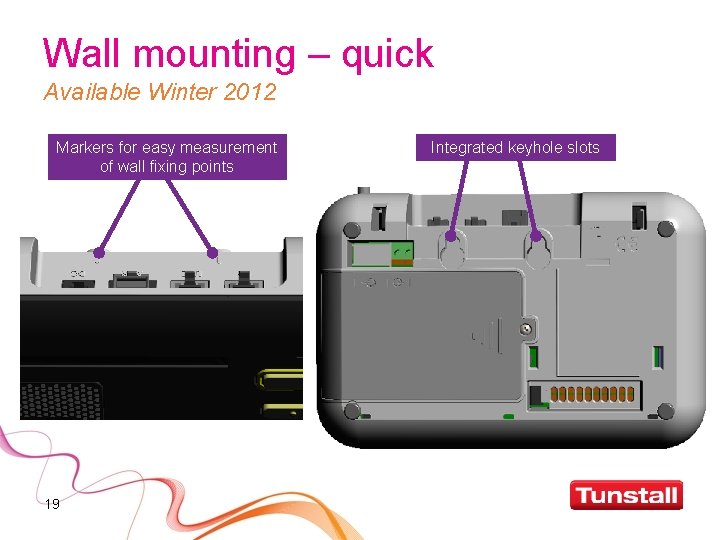
Wall mounting – quick Available Winter 2012 Markers for easy measurement of wall fixing points 19 Integrated keyhole slots
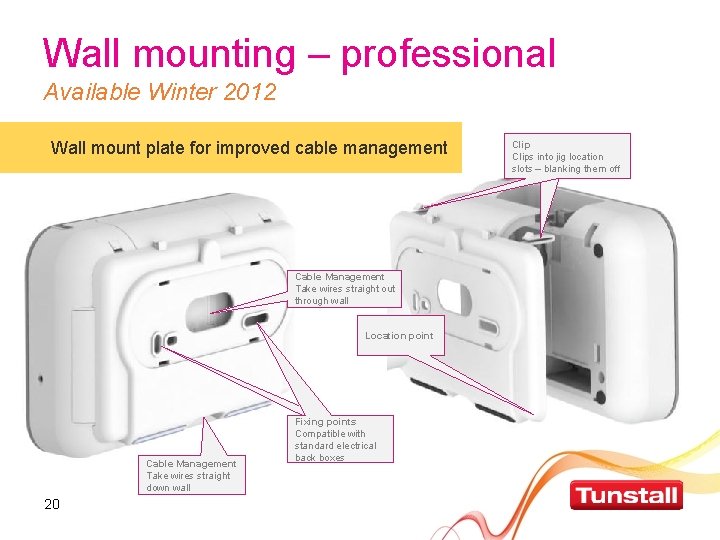
Wall mounting – professional Available Winter 2012 Wall mount plate for improved cable management Cable Management Take wires straight out through wall Location point Cable Management Take wires straight down wall 20 Fixing points Compatible with standard electrical back boxes Clips into jig location slots Clip – blanking them off
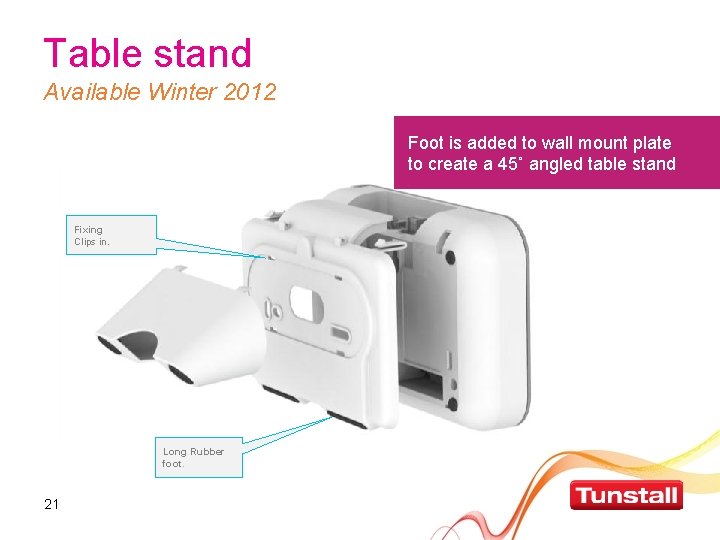
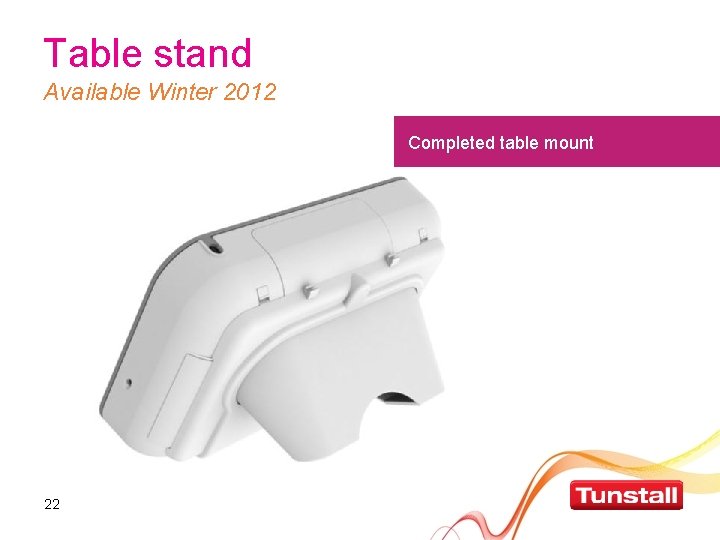
Table stand Available Winter 2012 Foot is added to wall mount plate to create a 45˚ angled table stand Fixing Clips in. Long Rubber foot. 21
Table stand Available Winter 2012 Completed table mount 22
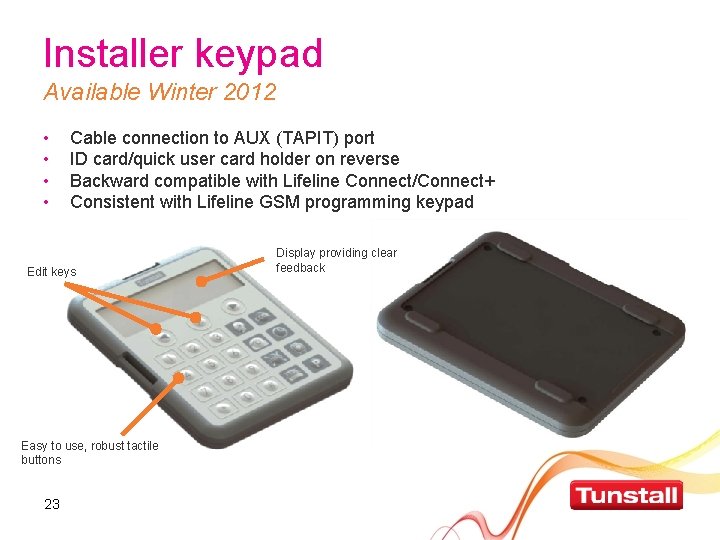
Installer keypad Available Winter 2012 • • Cable connection to AUX (TAPIT) port ID card/quick user card holder on reverse Backward compatible with Lifeline Connect/Connect+ Consistent with Lifeline GSM programming keypad Edit keys Easy to use, robust tactile buttons 23 Display providing clear feedback
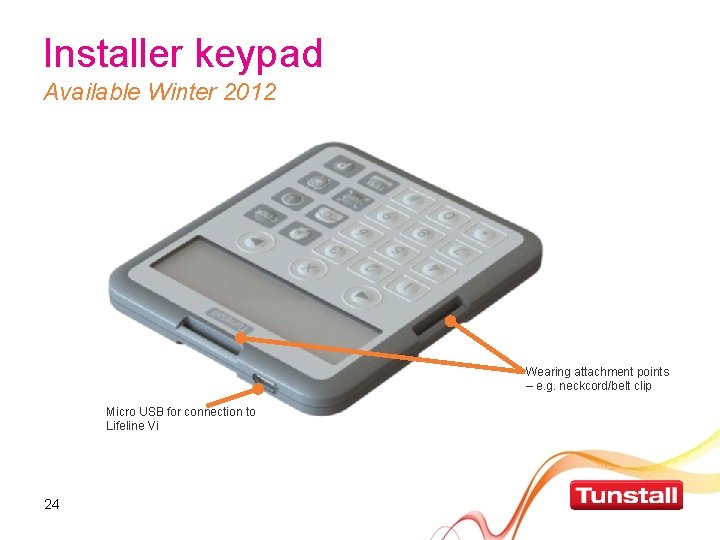
Installer keypad Available Winter 2012 Wearing attachment points – e. g. neckcord/belt clip Micro USB for connection to Lifeline Vi 24
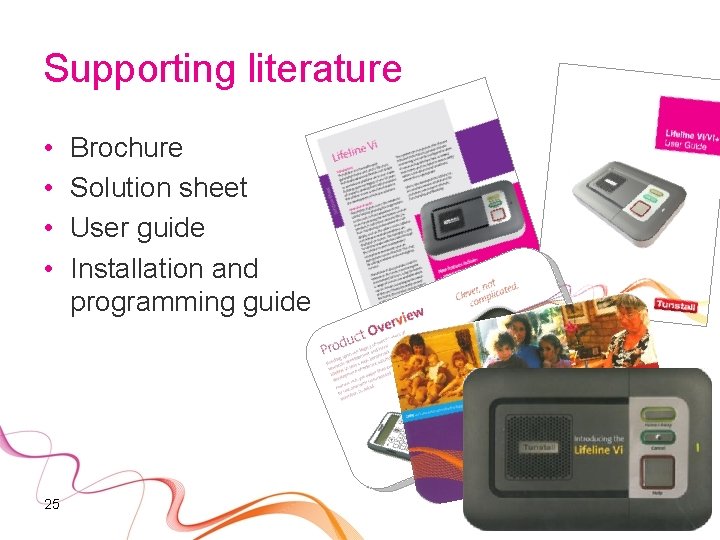
Supporting literature • • 25 Brochure Solution sheet User guide Installation and programming guide
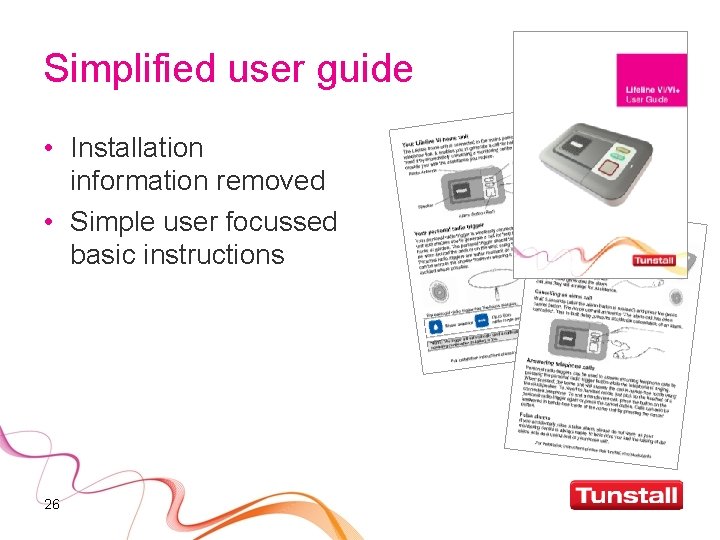
Simplified user guide • Installation information removed • Simple user focussed basic instructions 26