
Libraries 1 Introduction What A library is a
Libraries 1
Introduction What ? - A library is a set of functions packaged as a system resource and intended for use by other programs on the system. - Normally, a library is not written for a single program but is intended for use by many programs. 2
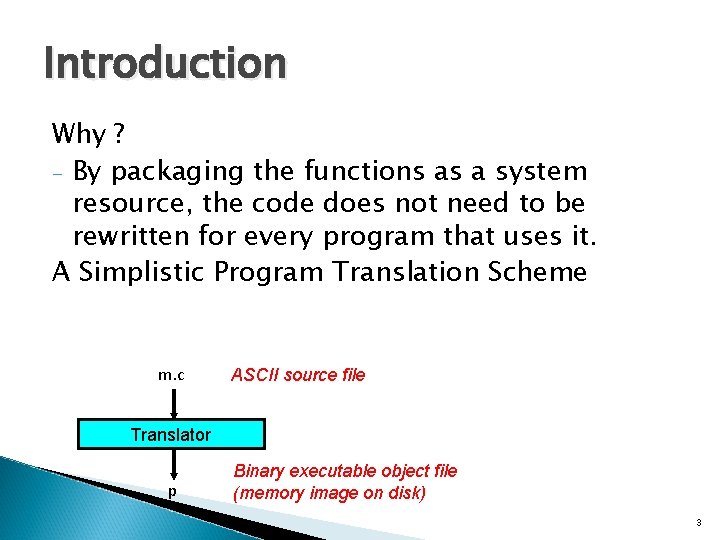
Introduction Why ? - By packaging the functions as a system resource, the code does not need to be rewritten for every program that uses it. A Simplistic Program Translation Scheme m. c ASCII source file Translator p Binary executable object file (memory image on disk) 3
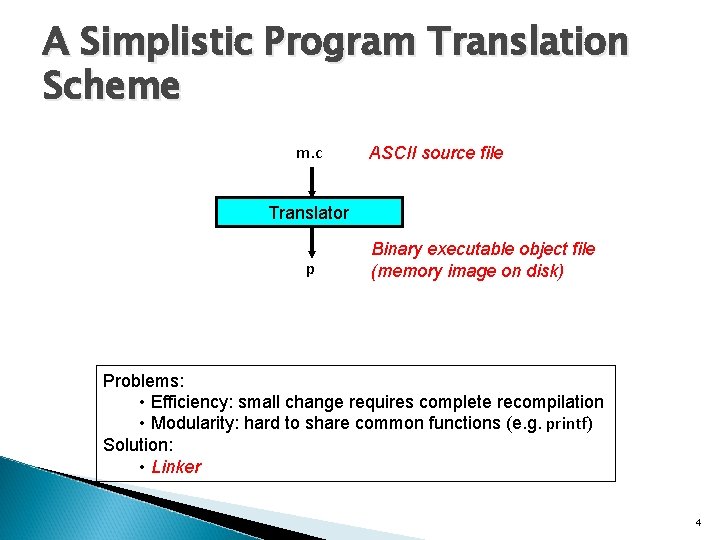
A Simplistic Program Translation Scheme m. c ASCII source file Translator p Binary executable object file (memory image on disk) Problems: • Efficiency: small change requires complete recompilation • Modularity: hard to share common functions (e. g. printf) Solution: • Linker 4
What a library is not ! - A library is not an executable program It DOES NOT include the main function A library includes a number of functions(other than main) than can be combined with main() to form a complete executable program. 5
In 321 … Two major topics to be covered in 321 in Libraries : - Using a Library Creating your own library (you will have to create your own library and use it in the 2 nd project (Project Database Manager) 6
Using a Library There are 2 basic steps to using a library : - One or more header files must be included in the C program code. - the Library must be linked into the executable 7
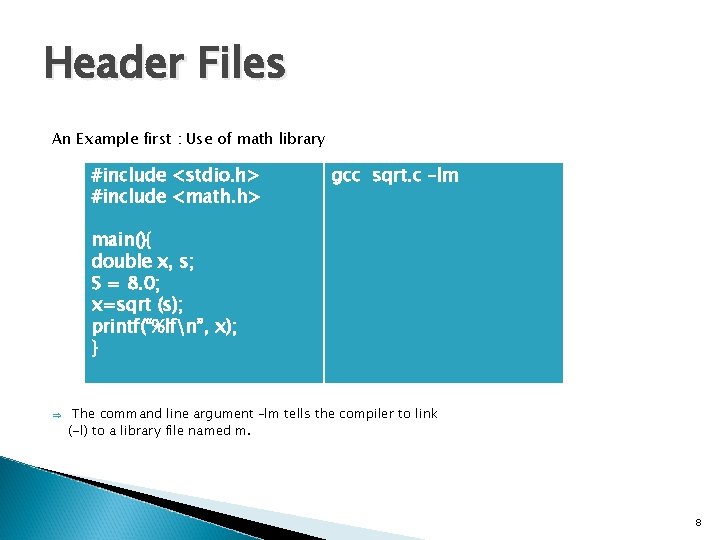
Header Files An Example first : Use of math library #include <stdio. h> #include <math. h> gcc sqrt. c –lm main(){ double x, s; S = 8. 0; x=sqrt (s); printf(“%lfn”, x); } Þ The command line argument –lm tells the compiler to link (-l) to a library file named m. 8
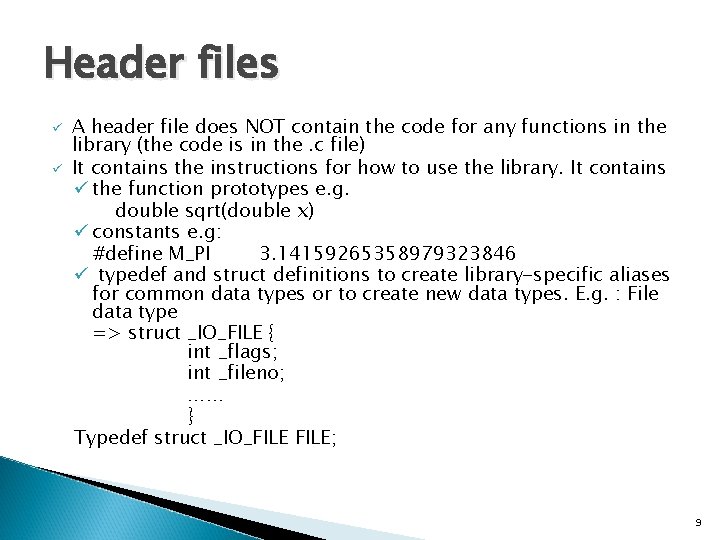
Header files ü ü A header file does NOT contain the code for any functions in the library (the code is in the. c file) It contains the instructions for how to use the library. It contains ü the function prototypes e. g. double sqrt(double x) ü constants e. g: #define M_PI 3. 14159265358979323846 ü typedef and struct definitions to create library-specific aliases for common data types or to create new data types. E. g. : File data type => struct _IO_FILE { int _flags; int _fileno; …… } Typedef struct _IO_FILE; 9
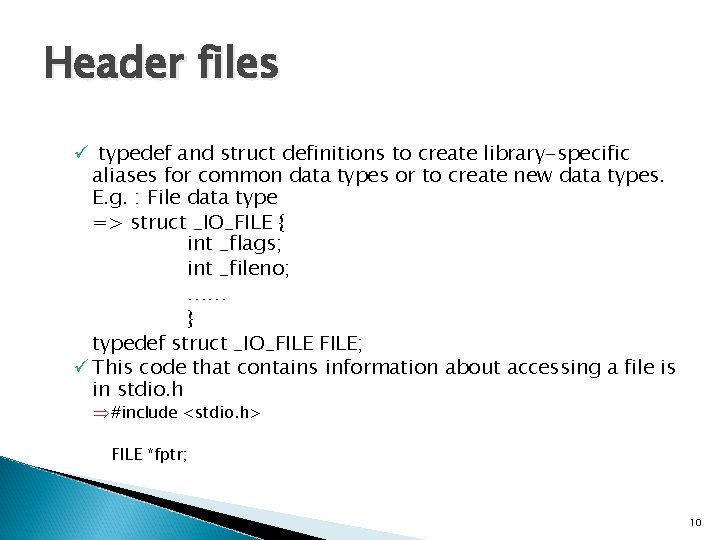
Header files ü typedef and struct definitions to create library-specific aliases for common data types or to create new data types. E. g. : File data type => struct _IO_FILE { int _flags; int _fileno; …… } typedef struct _IO_FILE; ü This code that contains information about accessing a file is in stdio. h Þ #include <stdio. h> FILE *fptr; 10
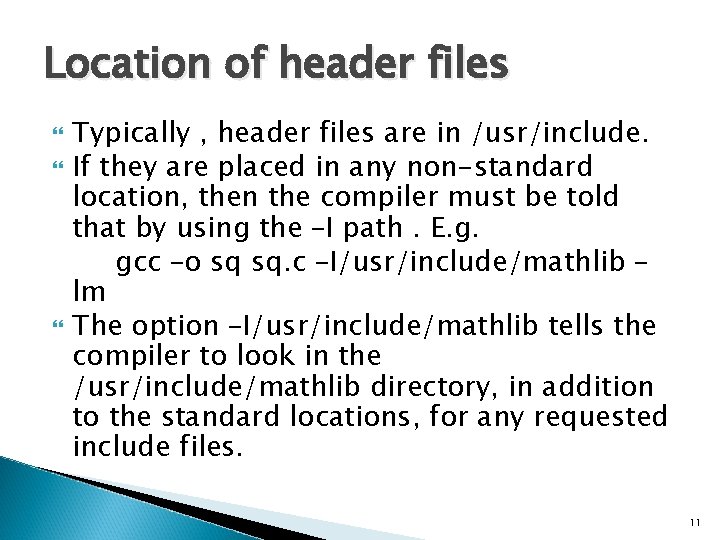
Location of header files Typically , header files are in /usr/include. If they are placed in any non-standard location, then the compiler must be told that by using the –I path. E. g. gcc –o sq sq. c –I/usr/include/mathlib – lm The option –I/usr/include/mathlib tells the compiler to look in the /usr/include/mathlib directory, in addition to the standard locations, for any requested include files. 11
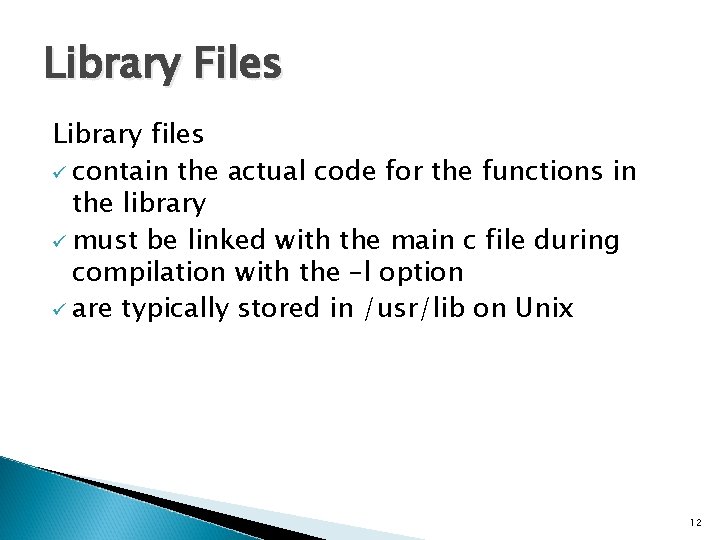
Library Files Library files ü contain the actual code for the functions in the library ü must be linked with the main c file during compilation with the –l option ü are typically stored in /usr/lib on Unix 12

Library Files Library files üOn Unix, by convention, library files have an extension of a or so and they all have a prefix of lib üIf not in the default folder, then we have to use the –L option : gcc –o xp 1. c –l. X 11 –L/usr/X 11 R 6/lib 13
Examples of libraries • Standard C library Curses. h X library 14
The Curses library Curses is a basic graphics library for use on a character terminal screen. Continued on slide 27 15
Linking is the process of combining the machine code in object files (. o files on a Unix system) with machine code from library files to create an executable file 16
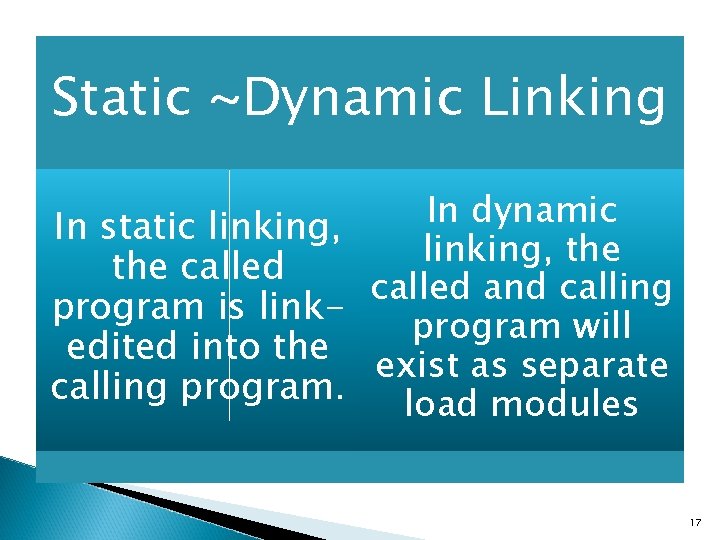
Static ~Dynamic Linking In dynamic In static linking, the called and calling program is linkprogram will edited into the exist as separate calling program. load modules 17
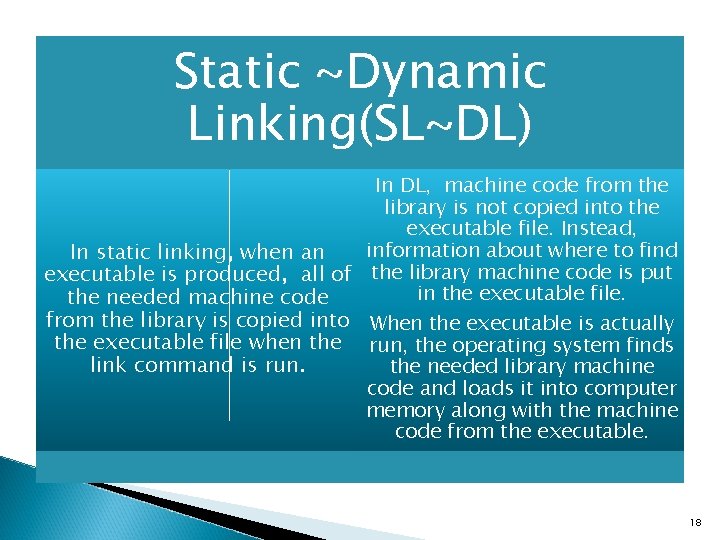
Static ~Dynamic Linking(SL~DL) In DL, machine code from the library is not copied into the executable file. Instead, information about where to find In static linking, when an executable is produced, all of the library machine code is put in the executable file. the needed machine code from the library is copied into When the executable is actually the executable file when the run, the operating system finds link command is run. the needed library machine code and loads it into computer memory along with the machine code from the executable. 18
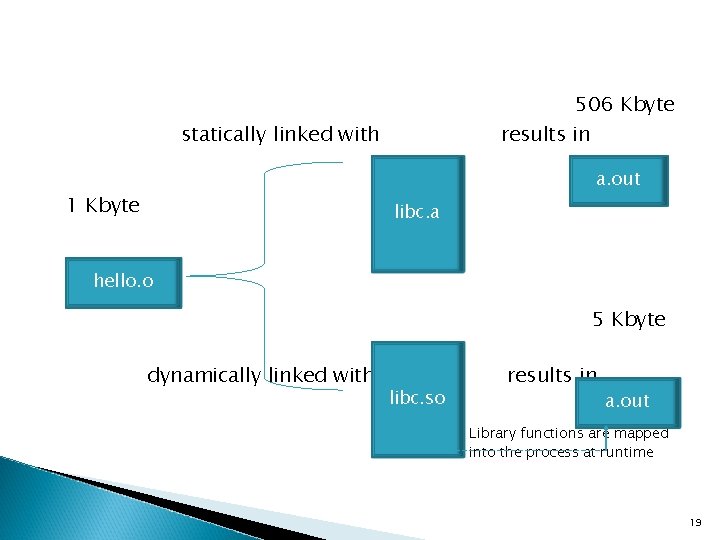
506 Kbyte statically linked with results in a. out 1 Kbyte libc. a hello. o 5 Kbyte dynamically linked with libc. so results in a. out Library functions are mapped into the process at runtime 19
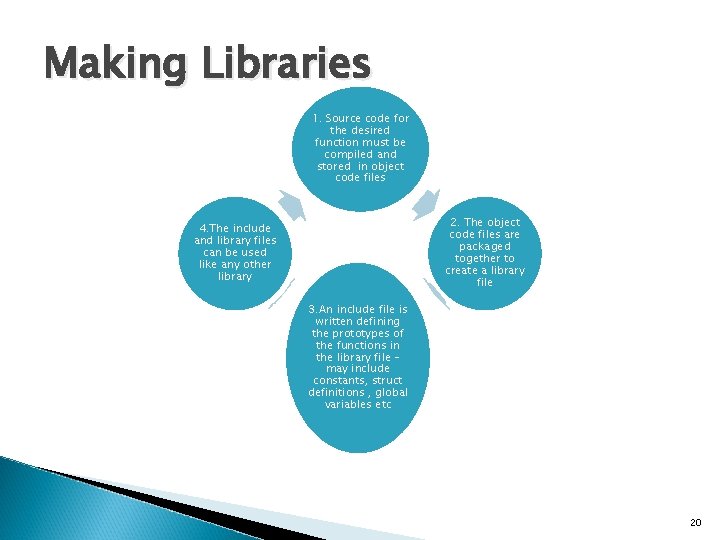
Making Libraries 1. Source code for the desired function must be compiled and stored in object code files 2. The object code files are packaged together to create a library file 4. The include and library files can be used like any other library 3. An include file is written defining the prototypes of the functions in the library file – may include constants, struct definitions , global variables etc 20
Static Libraries - Static libraries are known as archives - Are created using the ar utility 21
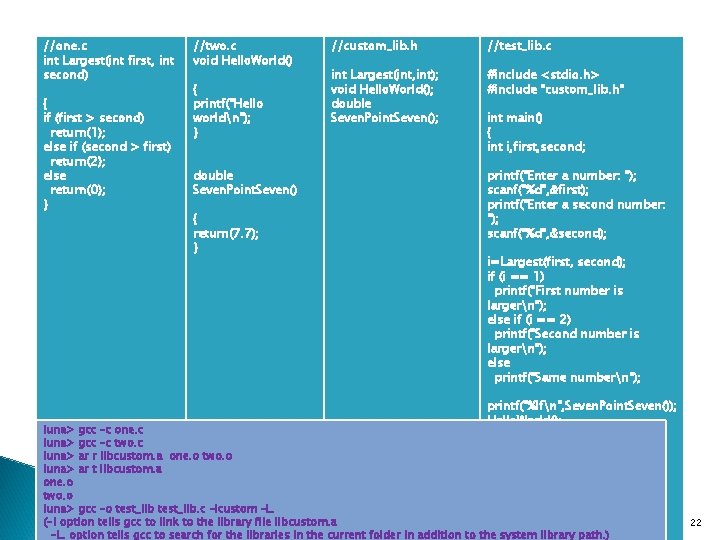
//one. c int Largest(int first, int second) { if (first > second) return(1); else if (second > first) return(2); else return(0); } //two. c void Hello. World() { printf("Hello worldn"); } double Seven. Point. Seven() { return(7. 7); } //custom_lib. h //test_lib. c int Largest(int, int); void Hello. World(); double Seven. Point. Seven(); #include <stdio. h> #include "custom_lib. h" int main() { int i, first, second; printf("Enter a number: "); scanf("%d", &first); printf("Enter a second number: "); scanf("%d", &second); i=Largest(first, second); if (i == 1) printf("First number is largern"); else if (i == 2) printf("Second number is largern"); else printf("Same numbern"); printf("%lfn", Seven. Point. Seven()); Hello. World(); } luna> gcc –c one. c luna> gcc –c two. c luna> ar r libcustom. a one. o two. o luna> ar t libcustom. a one. o two. o luna> gcc –o test_lib. c –lcustom –L. (-l option tells gcc to link to the library file libcustom. a -L. option tells gcc to search for the libraries in the current folder in addition to the system library path. ) 22
Dynamic Link library Dynamically linked library is created by the link editor ld. File extension for a dynamic library is. so ( for shared object) 23
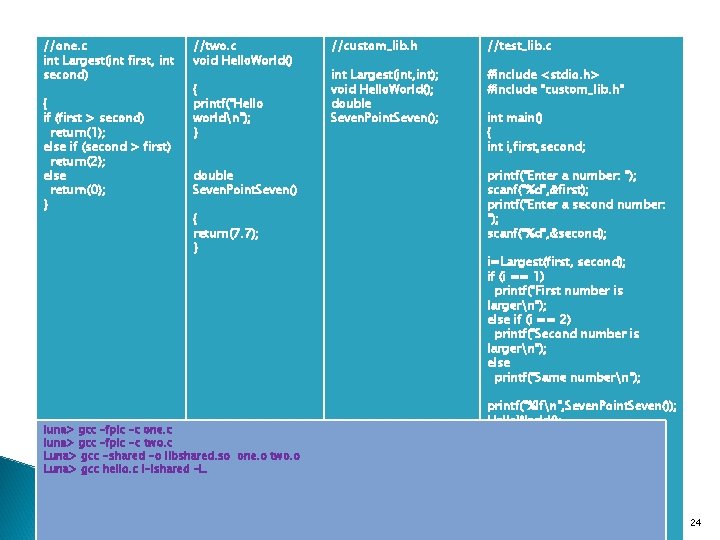
//one. c int Largest(int first, int second) { if (first > second) return(1); else if (second > first) return(2); else return(0); } //two. c void Hello. World() { printf("Hello worldn"); } double Seven. Point. Seven() { return(7. 7); } luna> gcc –fpic –c one. c luna> gcc –fpic -c two. c Luna> gcc -shared -o libshared. so one. o two. o Luna> gcc hello. c l-lshared –L. //custom_lib. h //test_lib. c int Largest(int, int); void Hello. World(); double Seven. Point. Seven(); #include <stdio. h> #include "custom_lib. h" int main() { int i, first, second; printf("Enter a number: "); scanf("%d", &first); printf("Enter a second number: "); scanf("%d", &second); i=Largest(first, second); if (i == 1) printf("First number is largern"); else if (i == 2) printf("Second number is largern"); else printf("Same numbern"); printf("%lfn", Seven. Point. Seven()); Hello. World(); } 24
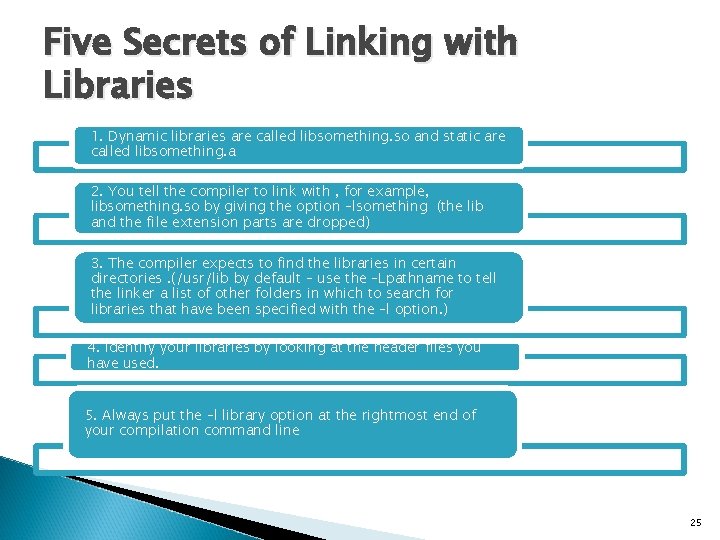
Five Secrets of Linking with Libraries 1. Dynamic libraries are called libsomething. so and static are called libsomething. a 2. You tell the compiler to link with , for example, libsomething. so by giving the option –lsomething (the lib and the file extension parts are dropped) 3. The compiler expects to find the libraries in certain directories. (/usr/lib by default – use the –Lpathname to tell the linker a list of other folders in which to search for libraries that have been specified with the –l option. ) 4. Identify your libraries by looking at the header files you have used. 5. Always put the –l library option at the rightmost end of your compilation command line 25
The Curses library Curses is a basic graphics library for use on a character terminal screen. It provides the lowest level of graphics and dates back to the time when most computer displays could print only text (they couldn’t display images or graphics – these displays were called terminals). The ncurses (new curses) library is managed by the GNU project. (www. gnu. org/software/ncurses. html) 26
The Curses library – Purpose Many widely-used programs need to make use of a terminal’s cursor-movement capabilities. ◦ A familiar example is the vi text editor; most of its commands make use of such capabilities. ◦ For example, hitting the j key while in vi will make the cursor move up one line. Typing dd will result in the current line being erased, the lines below it moving up one line each, and the lines above it remaining unchanged. A potential problem with all this is that different terminals have different ways in which to specify a given type of cursor motion. ◦ For example, if a program wants to make the cursor move up one line on a VT 100 terminal, the program needs to send the characters Escape, [, 2 and J but for a Televideo 920 C terminal, the program would have to send the ctrl-K character, which has code 11 27
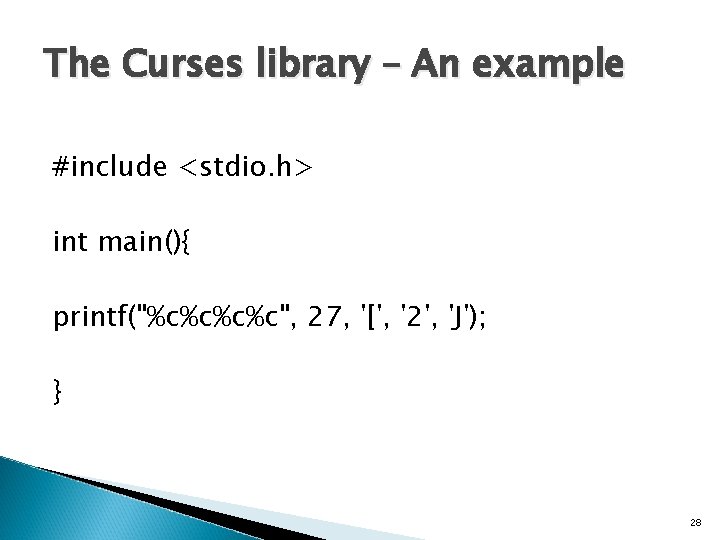
The Curses library – An example #include <stdio. h> int main(){ printf("%c%c", 27, '[', '2', 'J'); } 28
The Curses library- Purpose Clearly, the authors of programs like vi would go crazy trying to write different versions for every terminal, and worse yet, anyone else writing a program which needed cursor movement would have to “re-invent the wheel, ” i. e. do the same work that the vi-writers did, a big waste of time. That is why the curses library was developed. The goal was to alleviate authors of cursor-oriented programs like vi of the need to write different code for different terminals. The programs would make calls to the library, and the library would sort out what to do for the given terminal type. 29
The Curses library For example, if your program needs to clear the screen, it would not (directly) use any character sequences like those above. Instead, it would simply make the call clear(); and curses would do the work on the program’s behalf, i. e. would print the characters Escape, [, 2 and J, causing the screen to clear. 30
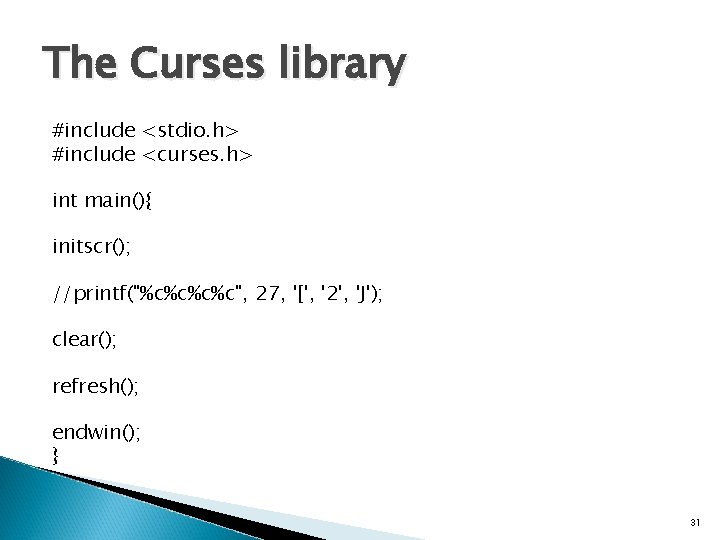
The Curses library #include <stdio. h> #include <curses. h> int main(){ initscr(); //printf("%c%c", 27, '[', '2', 'J'); clear(); refresh(); endwin(); } 31
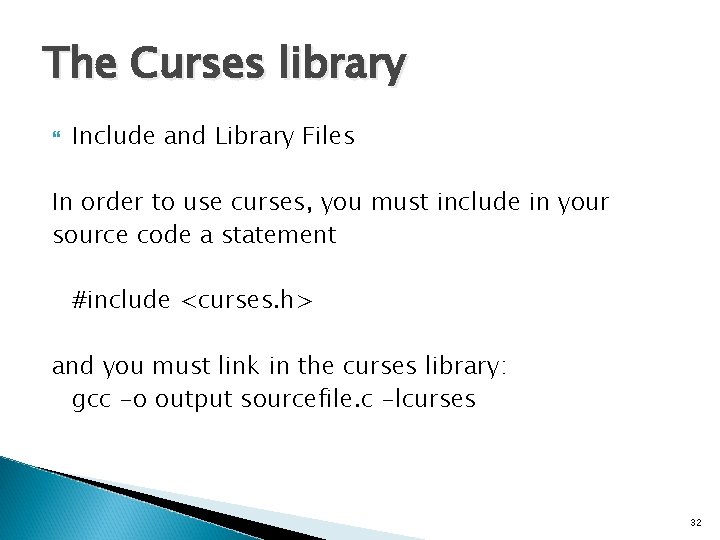
The Curses library Include and Library Files In order to use curses, you must include in your source code a statement #include <curses. h> and you must link in the curses library: gcc -o output sourcefile. c -lcurses 32
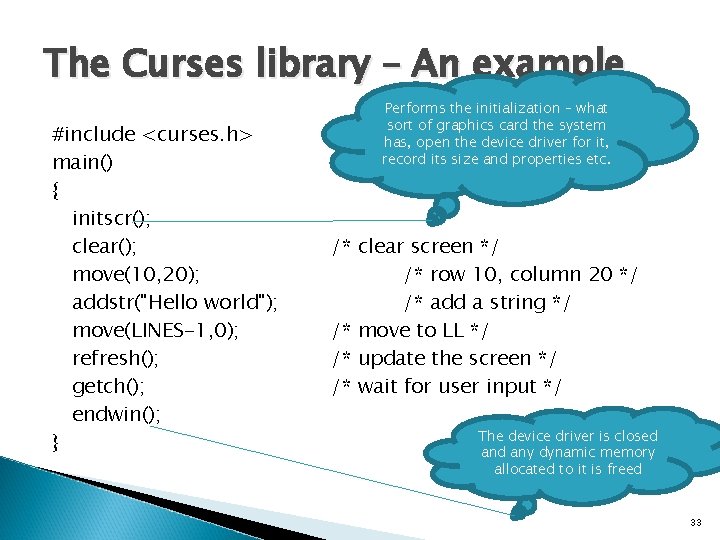
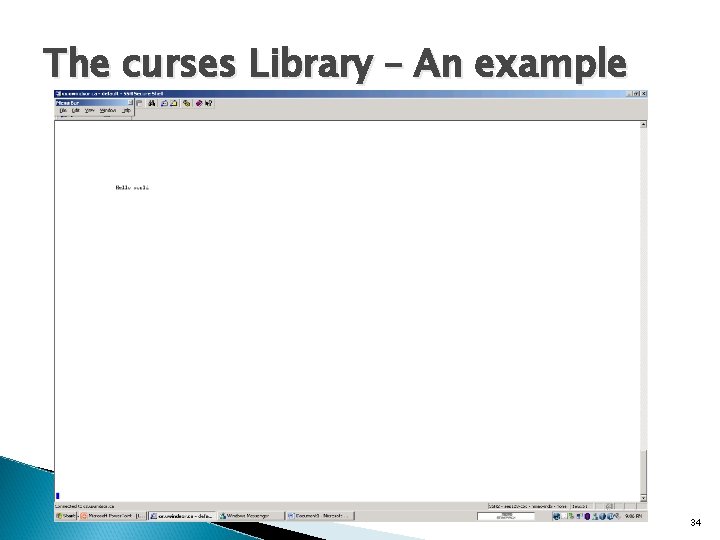
The Curses library – An example #include <curses. h> main() { initscr(); clear(); move(10, 20); addstr("Hello world"); move(LINES-1, 0); refresh(); getch(); endwin(); } Performs the initialization – what sort of graphics card the system has, open the device driver for it, record its size and properties etc. /* clear screen */ /* row 10, column 20 */ /* add a string */ /* move to LL */ /* update the screen */ /* wait for user input */ The device driver is closed any dynamic memory allocated to it is freed 33
The curses Library – An example 34
The curses Library – I/O control There are 3 important concepts in I/O control : - Buffering Echoing Blocking 35
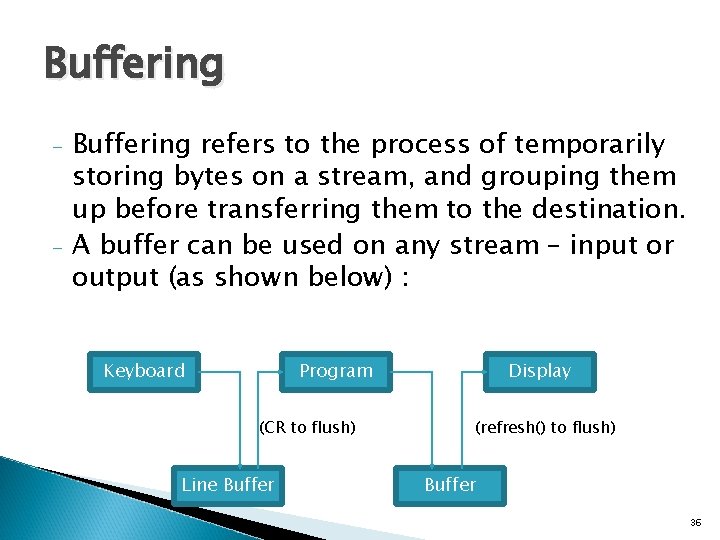
Buffering - - Buffering refers to the process of temporarily storing bytes on a stream, and grouping them up before transferring them to the destination. A buffer can be used on any stream – input or output (as shown below) : Keyboard Program (CR to flush) Line Buffer Display (refresh() to flush) Buffer 36
Buffering By default, characters sent to the curses output window are buffered => the characters are not displayed until the buffer is flushed , sending all the characters to the terminal display. Flushing is accomplished by the refresh() function call. 37
Buffering Character input is unbuffered by default => functions that read the keyboard like getch() , return immediately after any key is pressed. Function scanf() is line buffered => it does not return until the user presses ENTER. ◦ The advantage with line buffering is that a user can correct typing mistakes using the backspace or delete key before actually committing the input to the program. 38
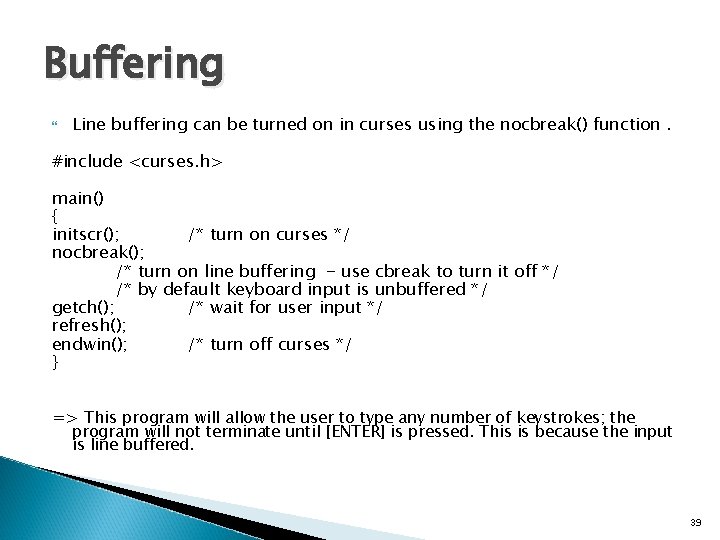
Buffering Line buffering can be turned on in curses using the nocbreak() function. #include <curses. h> main() { initscr(); /* turn on curses */ nocbreak(); /* turn on line buffering - use cbreak to turn it off */ /* by default keyboard input is unbuffered */ getch(); /* wait for user input */ refresh(); endwin(); /* turn off curses */ } => This program will allow the user to type any number of keystrokes; the program will not terminate until [ENTER] is pressed. This is because the input is line buffered. 39
Echoing Echoing refers to the process of copying bytes from the input stream to the output stream. When echoing is turned on, every byte that appears on the input stream is copied directly to the output stream, in addition to being given to the program for processing. Echoing is how a user can see what he or she is typing while providing input to a program. 40
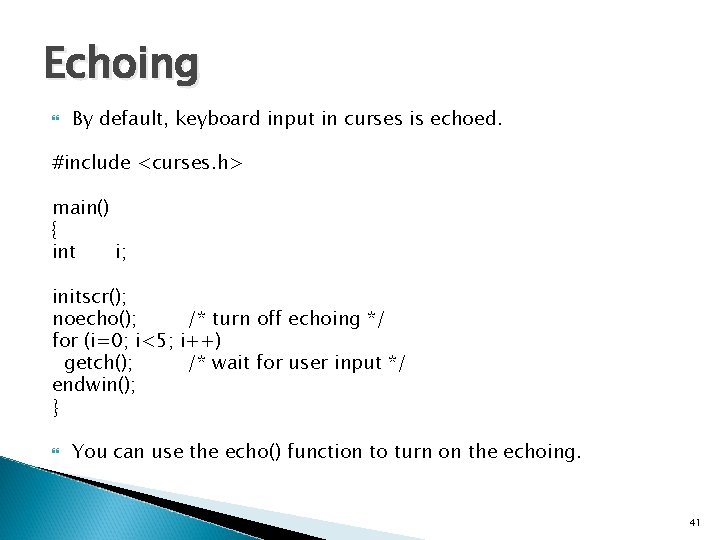
Echoing By default, keyboard input in curses is echoed. #include <curses. h> main() { int i; initscr(); noecho(); /* turn off echoing */ for (i=0; i<5; i++) getch(); /* wait for user input */ endwin(); } You can use the echo() function to turn on the echoing. 41
Blocking refers to the process of how the program will wait for bytes to appear on the input stream. When the blocking is turned on, every function call for input will wait until data appears on the input stream. The program will not continue until input is received. 42
Blocking When blocking is turned off, the function call will check to see if data is present. ◦ If data is present, the read occurs normally, just as if blocking were turned on. ◦ If no data is present, the function call will return immediately and inform the program that no data was present. This allows the program to continue whether input data is present or not. For Example : scanf function is a blocking function – it will wait until input is received. The same is true for curses library. 43
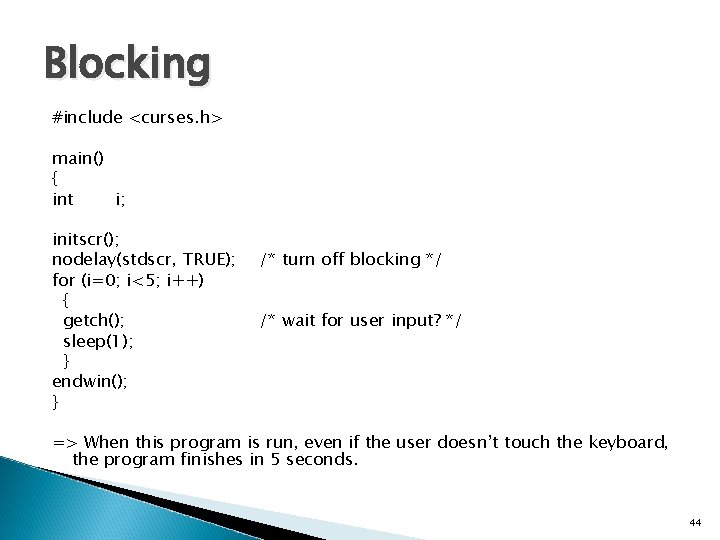
Blocking #include <curses. h> main() { int i; initscr(); nodelay(stdscr, TRUE); for (i=0; i<5; i++) { getch(); sleep(1); } endwin(); } /* turn off blocking */ /* wait for user input? */ => When this program is run, even if the user doesn’t touch the keyboard, the program finishes in 5 seconds. 44
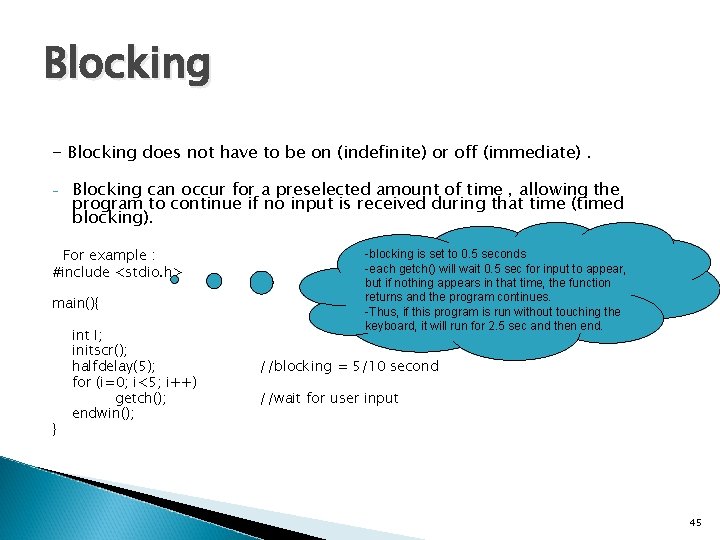
Blocking - Blocking does not have to be on (indefinite) or off (immediate). - Blocking can occur for a preselected amount of time , allowing the program to continue if no input is received during that time (timed blocking). For example : #include <stdio. h> main(){ } int I; initscr(); halfdelay(5); for (i=0; i<5; i++) getch(); endwin(); -blocking is set to 0. 5 seconds -each getch() will wait 0. 5 sec for input to appear, but if nothing appears in that time, the function returns and the program continues. -Thus, if this program is run without touching the keyboard, it will run for 2. 5 sec and then end. //blocking = 5/10 second //wait for user input 45
Blocking Being able to control blocking is important in several situations like : A banking machine typically does not wait forever for a user to provide a password, or to command a transaction. After waiting a fixed amount of time, a banking machine program typically continues to a portion of the program that ends the banking session, in order to protect the user. (timed blocking)
Printing on the screen There are three functions which you can use to print output on screen. addch() class: Print single character with attributes printw() class: Print formatted output similar to printf() mvprintw() can be used to move the cursor to a position and then print => mvprintw(10, 2, ”Welcome”) is the same as move(10, 2); printw(“%sn”, Welcome”); addstr() class: Print strings
getmaxyx ? getmaxyx(stdscr, row, col); /* get the number of rows and columns */ 48
Reading input ! getch() class: Get a character scanw() class: Get formatted input getstr() class: Get strings 49
![A Complete Example #include <curses. h> int main( void ) { char name[20], name_f[20];](http://slidetodoc.com/presentation_image/89ec422e6bfc4af1e4b2bec634e063ed/image-50.jpg "A Complete Example #include <curses. h> int main( void ) { char name[20], name_f[20];")
A Complete Example #include <curses. h> int main( void ) { char name[20], name_f[20]; int id, id_f, age_f=0, not_found=0; FILE *fptr; while (fscanf(fptr, "%d%19 s%d", &id_f, name_f, &age)!=EOF){ if (id==id_f){ printw("And your age is %dn", age_f); not_found=1; fptr=fopen("test_curses. txt", "r"); initscr(); // Start curses mode printw( "Welcome to our World !!!" ); // Print Hello World move(15, 30); printw("Name : "); refresh(); // Print it on to the real screen getstr(name); // Wait for user input move(15, 70); printw("Id : "); scanw("%d", &id); } } attron(A_BOLD); if (not_found==0) printw("You could not be found n"); getch(); endwin(); // End curses mode return 0; } mvprintw(20, "Your name is %s and Id is %d n", name, id); 50
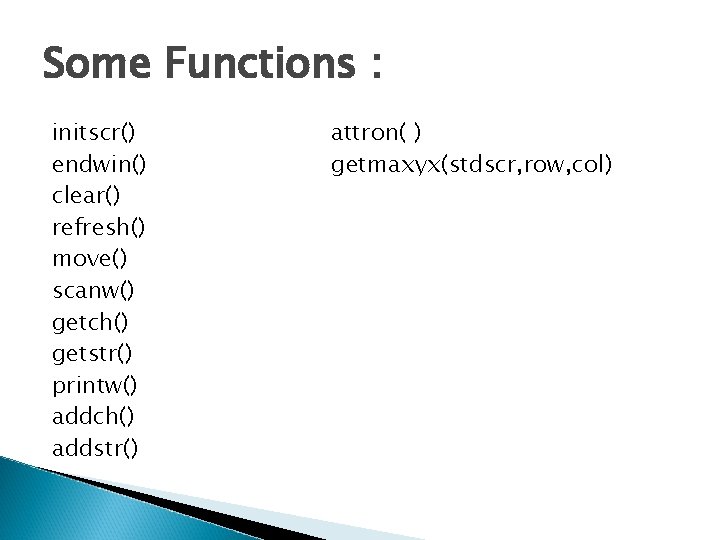
Some Functions : initscr() endwin() clear() refresh() move() scanw() getch() getstr() printw() addch() addstr() attron( ) getmaxyx(stdscr, row, col)
- Slides: 51