
Li DAR and DEM Tips and Tricks Tim
- Slides: 40
Li. DAR and DEM Tips and Tricks Tim Loesch MNDNR
DEM/Li. DAR Tips and Tricks �Display techniques �DEM, shaded relief, color scales �Raster Properties �Statistics, pyramids �Raster Processing �Mosaic, Hillshade, Slope, Neighborhood, Bluffs �DEM and Li. DAR toolset �Convert Z-values to feet, LAS to Contour etc.
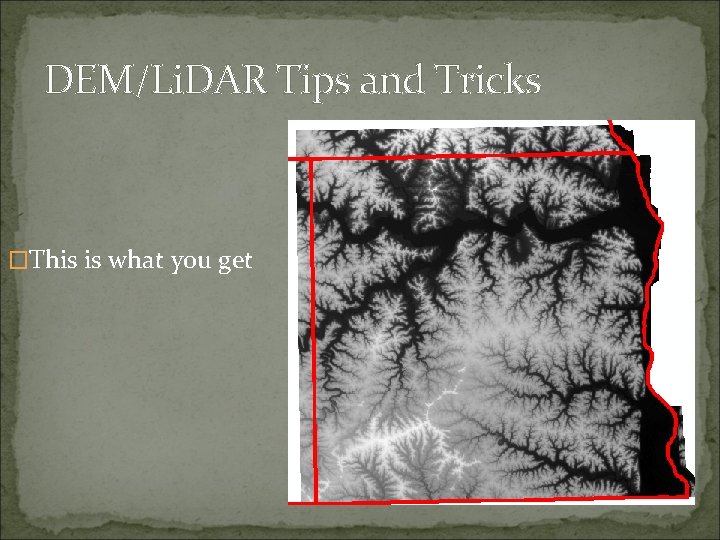
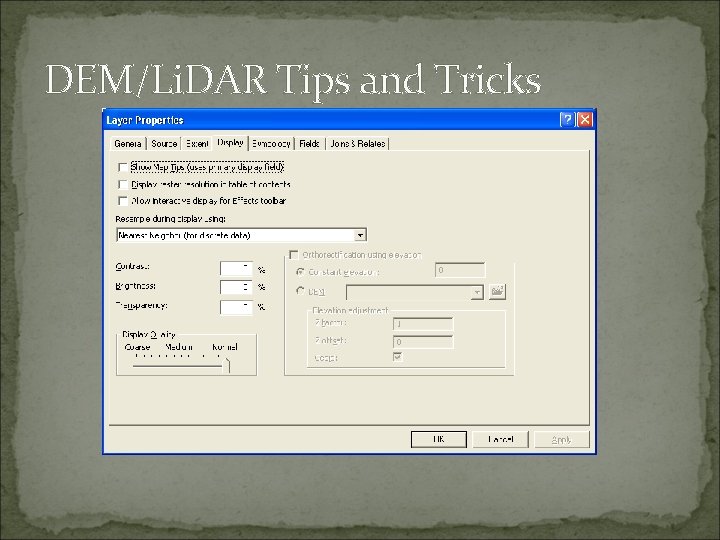
DEM/Li. DAR Tips and Tricks �Display tricks �Arc. GIS Default Property Settings �Stretched display Limits the stretches display to 2 Standard deviations �Statistics drive the display Derived from the entire DEM �Predefined color ramp (usually black and white) �Nearest Neighbor resampling
DEM/Li. DAR Tips and Tricks �This is what you get
DEM/Li. DAR Tips and Tricks
DEM/Li. DAR Tips and Tricks �Many ways to bring out the elevation and dress it up �Adding color �Depth and 3 D look and feel �Smoothing cell boundaries �Restricting Statistics calculations �Varying stretch types
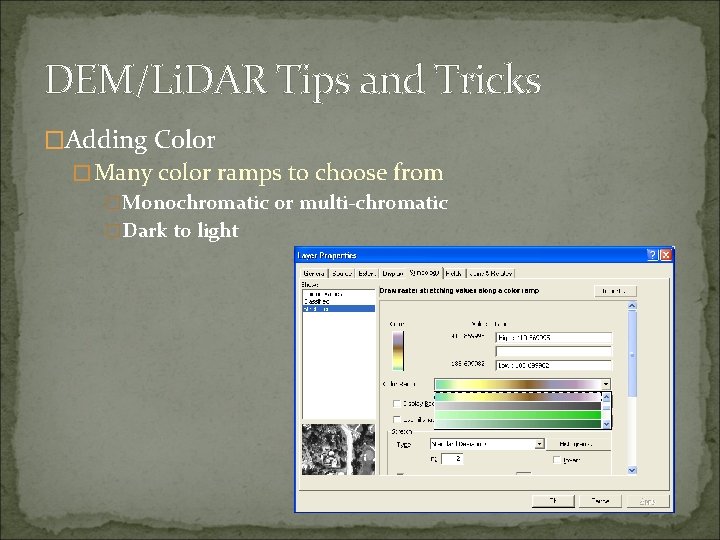
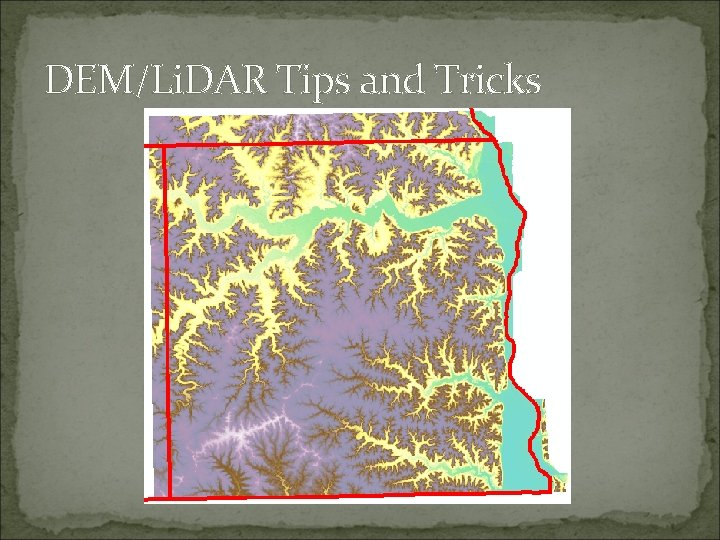
DEM/Li. DAR Tips and Tricks �Adding Color �Many color ramps to choose from �Monochromatic or multi-chromatic �Dark to light
DEM/Li. DAR Tips and Tricks
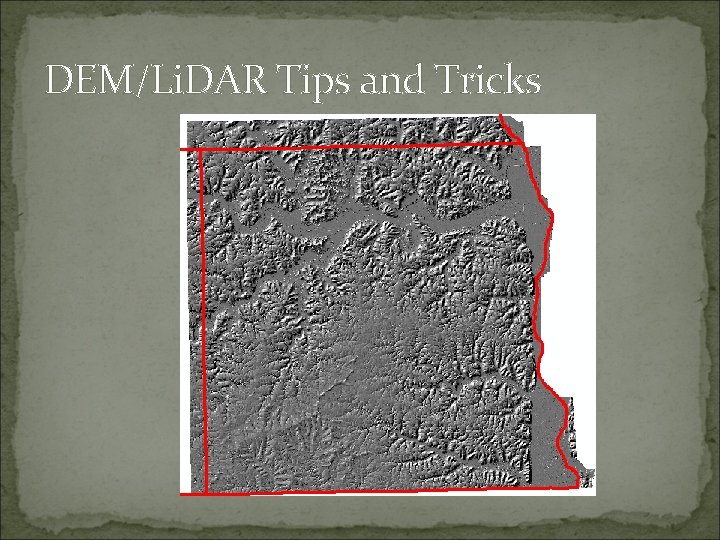
DEM/Li. DAR Tips and Tricks �Adding shaded relieve adds depth and perspective �Spatial Analyst | Surface | Hillshade �Simulates a light surface on the landscape �Default values provide good results �Northwest at 45 degrees �Can add relief by varying the Z-Factor
DEM/Li. DAR Tips and Tricks
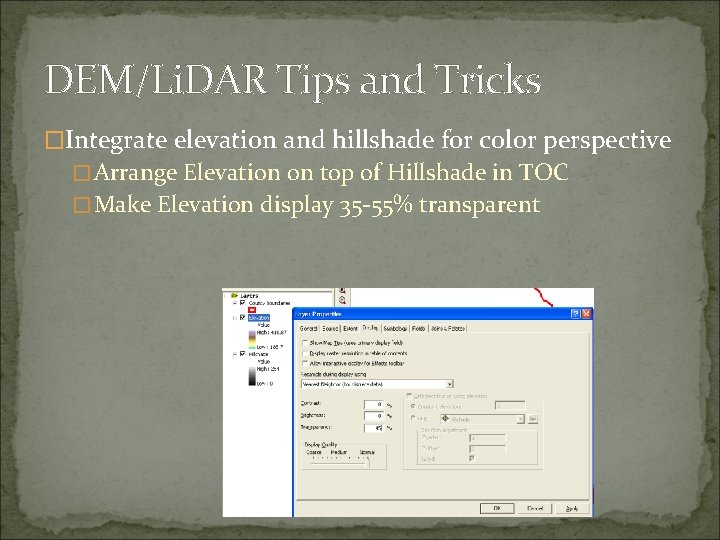
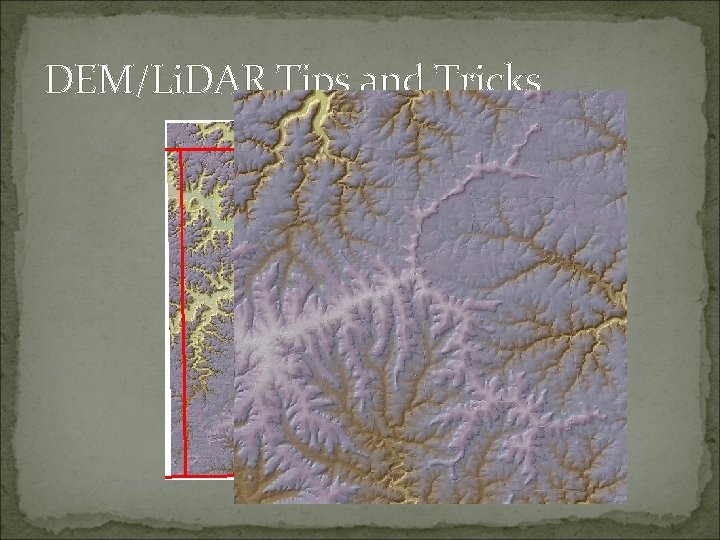
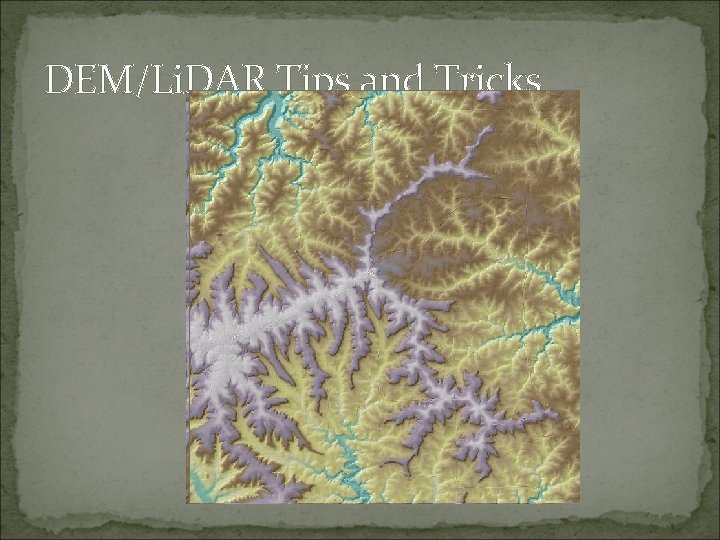
DEM/Li. DAR Tips and Tricks �Integrate elevation and hillshade for color perspective �Arrange Elevation on top of Hillshade in TOC �Make Elevation display 35 -55% transparent
DEM/Li. DAR Tips and Tricks
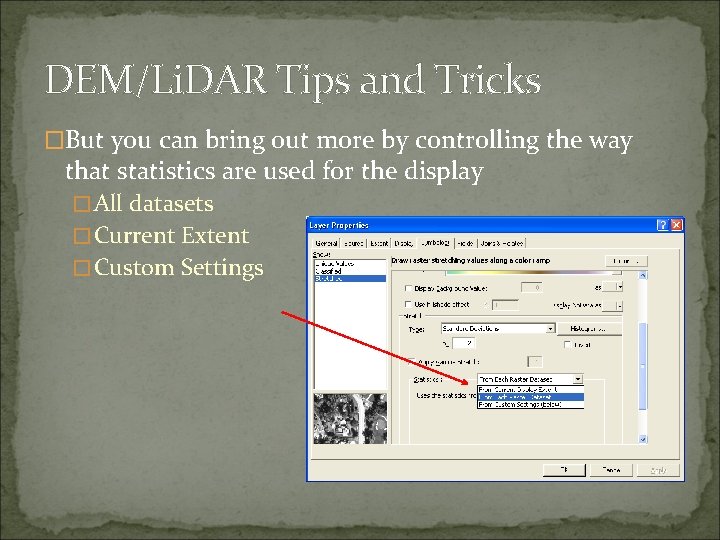
DEM/Li. DAR Tips and Tricks �But you can bring out more by controlling the way that statistics are used for the display �All datasets �Current Extent �Custom Settings
DEM/Li. DAR Tips and Tricks
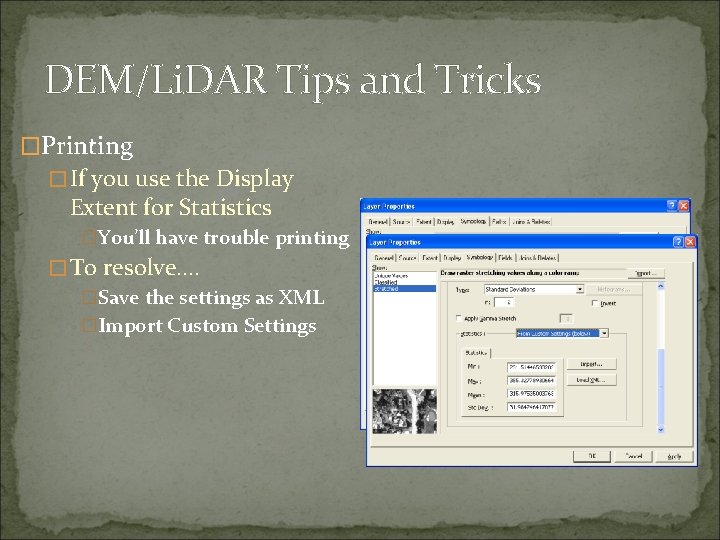
DEM/Li. DAR Tips and Tricks �Printing �If you use the Display Extent for Statistics �You’ll have trouble printing �To resolve…. �Save the settings as XML �Import Custom Settings
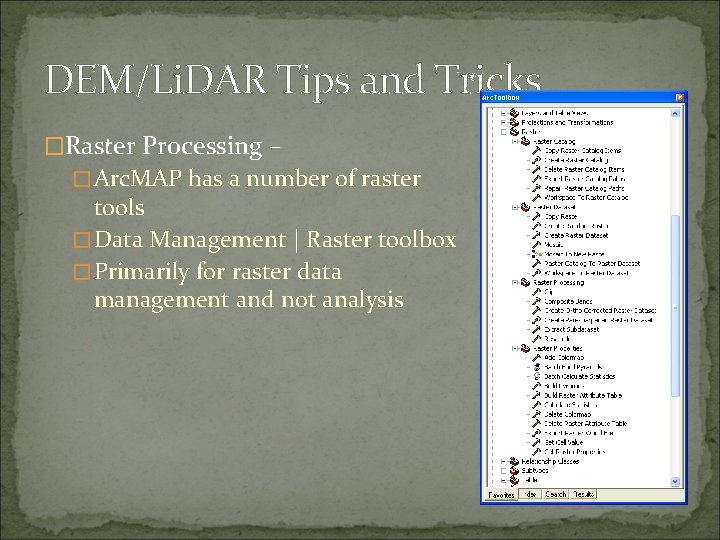
DEM/Li. DAR Tips and Tricks �Raster Processing – �Arc. MAP has a number of raster tools �Data Management | Raster toolbox �Primarily for raster data management and not analysis
DEM/Li. DAR Tips and Tricks �Sometimes you receive rasters that don’t have statistics already generated �Display parameters won’t function right �Get a black screen where data should be �Build Statistics using Calculate Statistics Tool �Raster Properties Toolset
DEM/Li. DAR Tips and Tricks �Raster Pyramids �Are used to speed display for rasters by creating reduced resolution versions �Stored in a file with a. RRD extension (reduced resolution display) �Created by Arc. MAP automatically or �Use the Build Pyramid Tool �Raster Properties Toolset
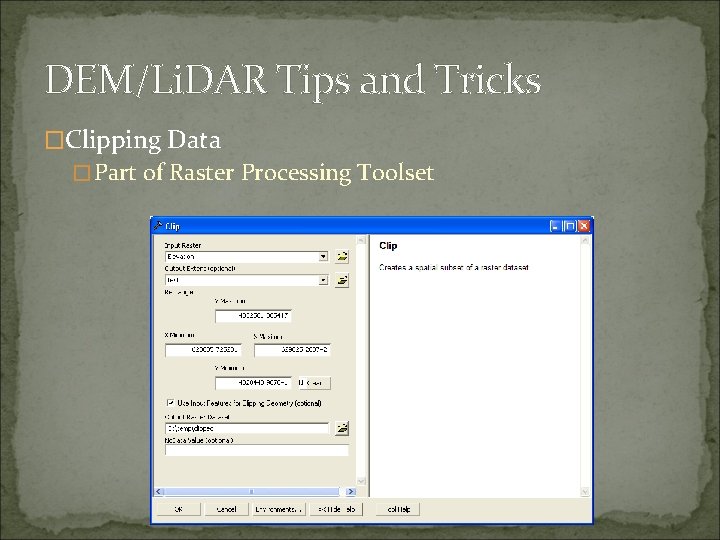
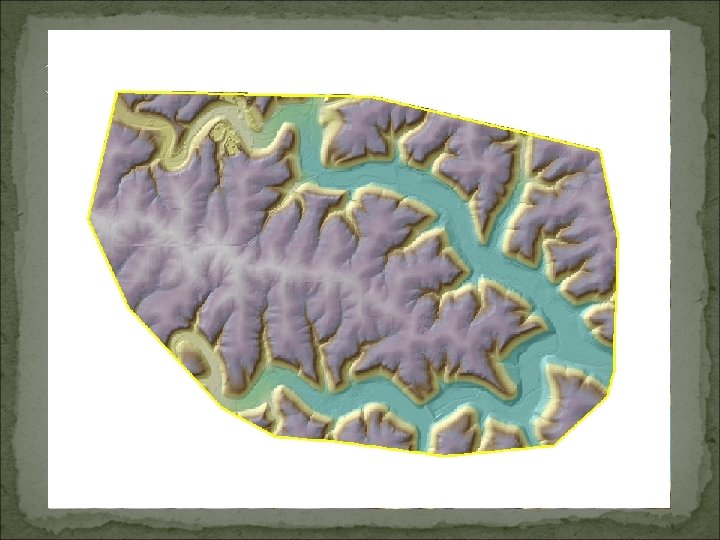
DEM/Li. DAR Tips and Tricks �Clipping Data �Part of Raster Processing Toolset
DEM/Li. DAR Tips and Tricks
DEM/Li. DAR Tips and Tricks �Spatial Analyst Extension is required for raster Analysis �Hillshade, Slope, Hydro analysis, Viewsheds �Conditional Tools, Math and Neighborhoods �Can be very useful for many applications �Raster processing is generally not well understood
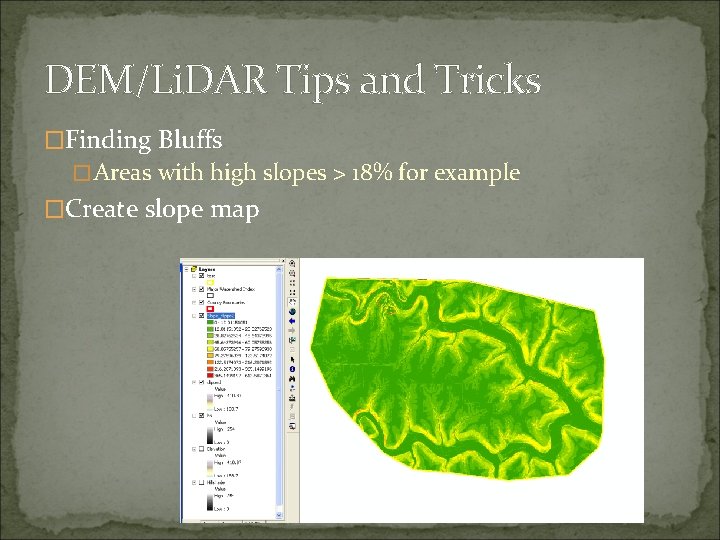
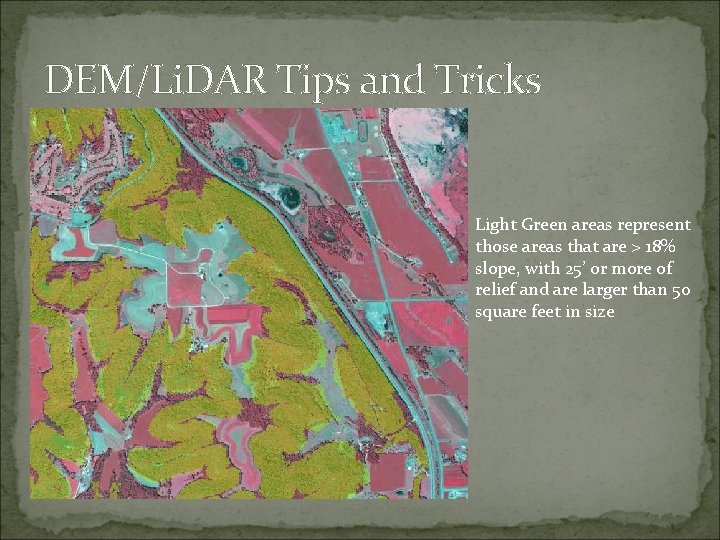
DEM/Li. DAR Tips and Tricks �Finding Bluffs �Areas with high slopes > 18% for example �Create slope map
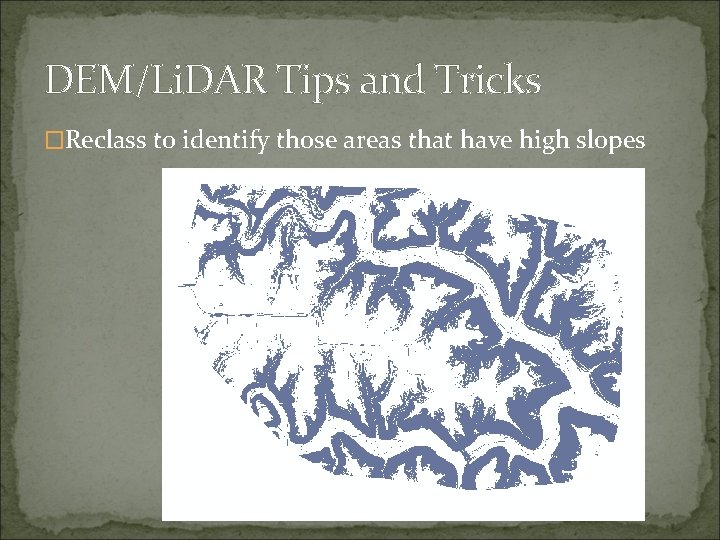
DEM/Li. DAR Tips and Tricks �Reclass to identify those areas that have high slopes
DEM/Li. DAR Tips and Tricks �Can do many other things �Cut/Fill – calculated the volume and area of cut and fill locations �Create Contours �Line of sight analysis �Viewshed analysis
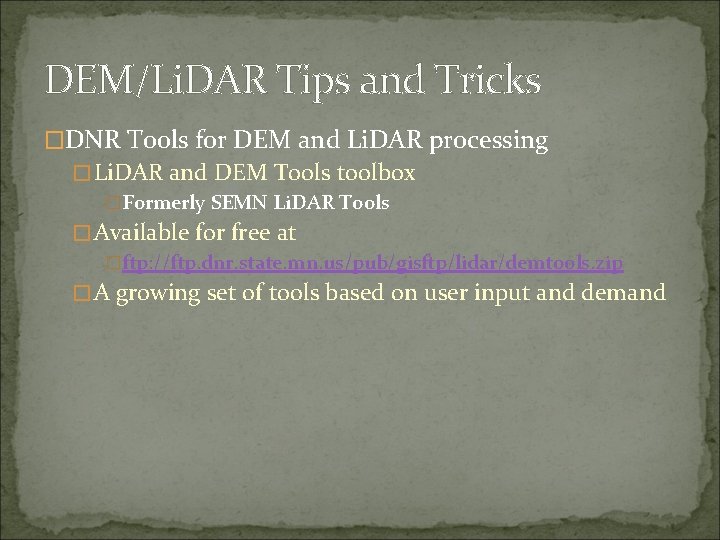
DEM/Li. DAR Tips and Tricks �DNR Tools for DEM and Li. DAR processing �Li. DAR and DEM Tools toolbox �Formerly SEMN Li. DAR Tools �Available for free at �ftp: //ftp. dnr. state. mn. us/pub/gisftp/lidar/demtools. zip �A growing set of tools based on user input and demand
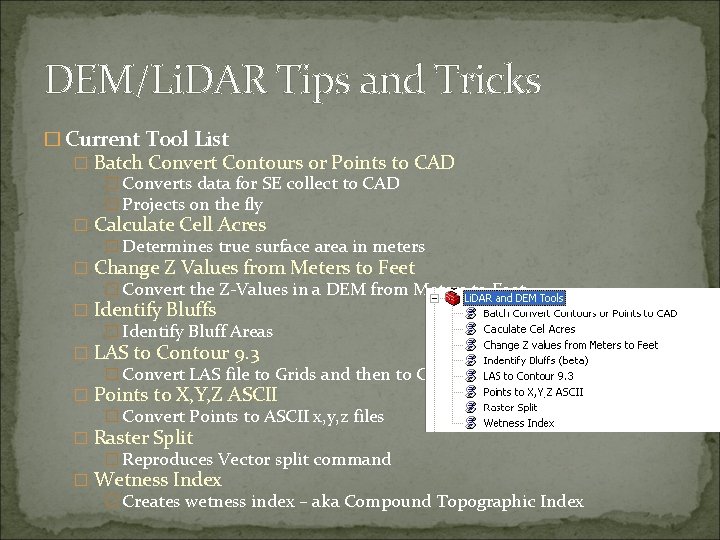
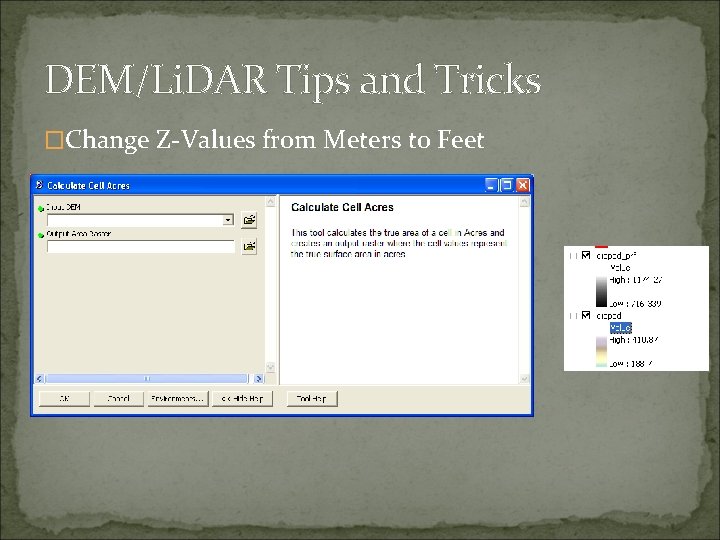
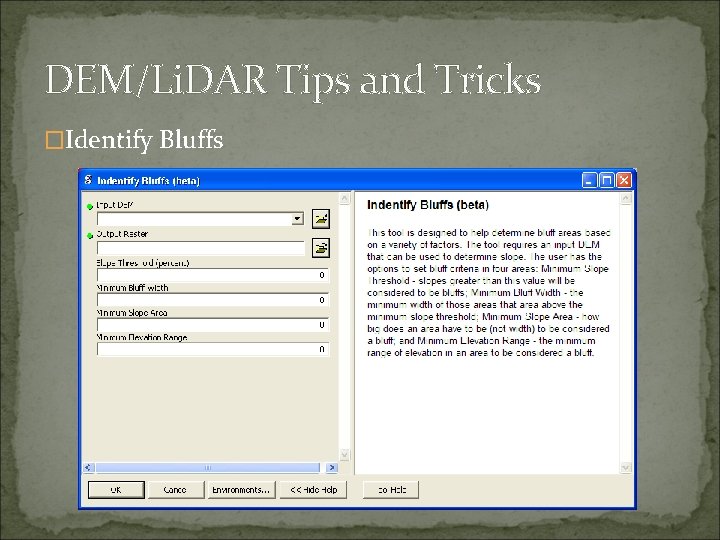
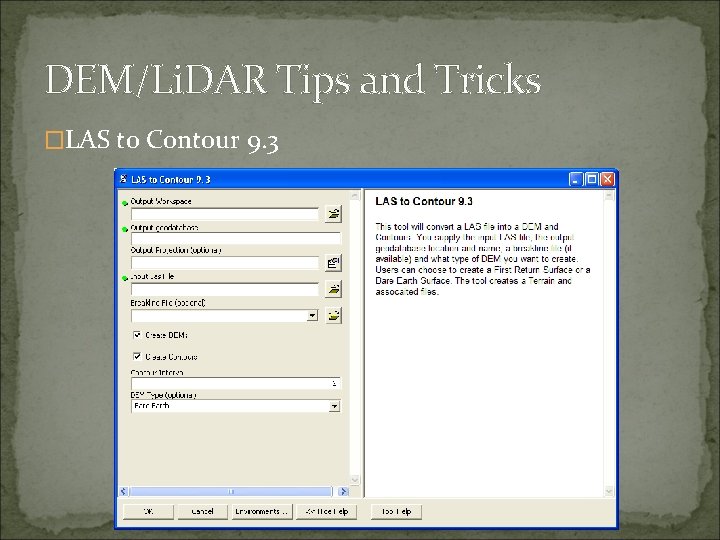
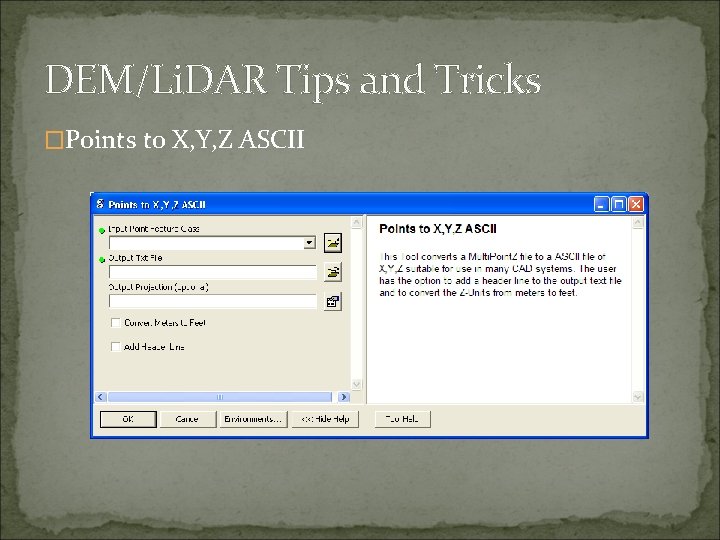
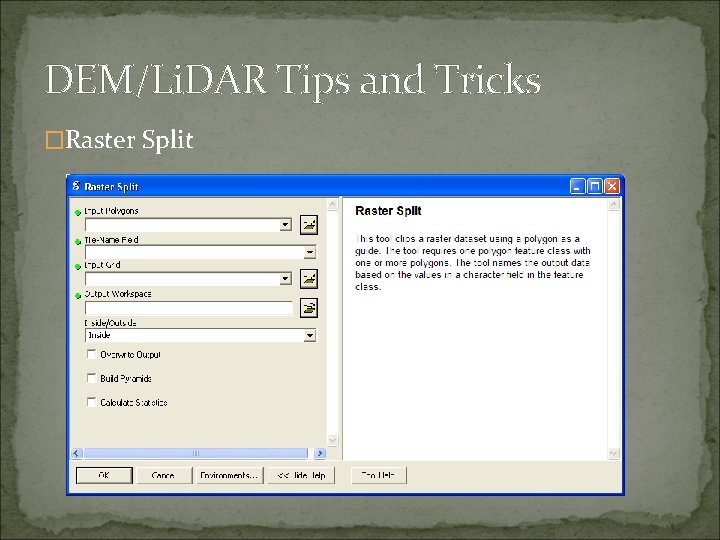
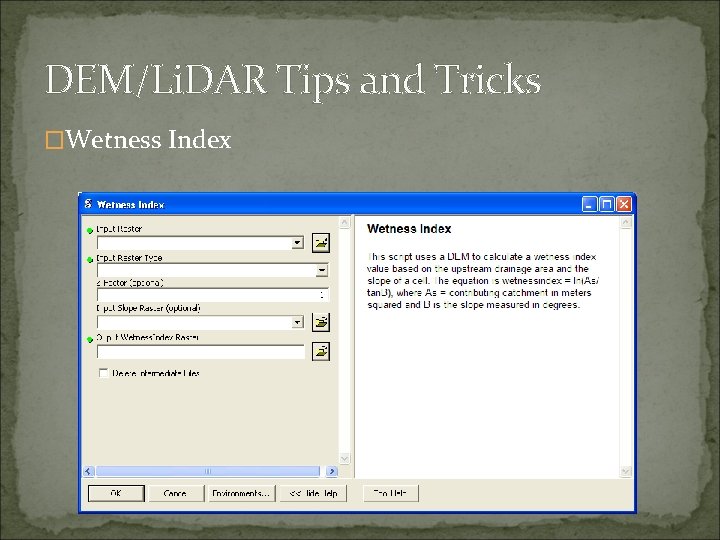
DEM/Li. DAR Tips and Tricks � Current Tool List � Batch Convert Contours or Points to CAD � Converts data for SE collect to CAD � Projects on the fly � Calculate Cell Acres � Determines true surface area in meters � Change Z Values from Meters to Feet � Convert the Z-Values in a DEM from Meters to Feet � Identify Bluffs � Identify Bluff Areas � LAS to Contour 9. 3 � Convert LAS file to Grids and then to Contours � Points to X, Y, Z ASCII � Convert Points to ASCII x, y, z files � Raster Split � Reproduces Vector split command � Wetness Index � Creates wetness index – aka Compound Topographic Index
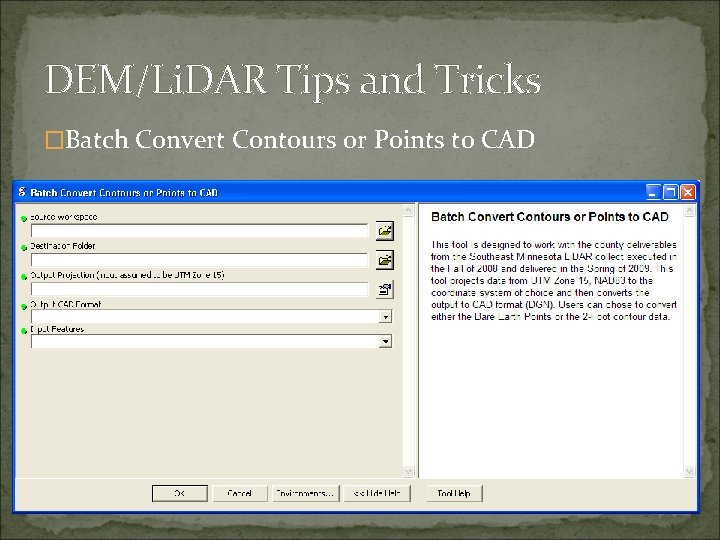
DEM/Li. DAR Tips and Tricks �Batch Convert Contours or Points to CAD
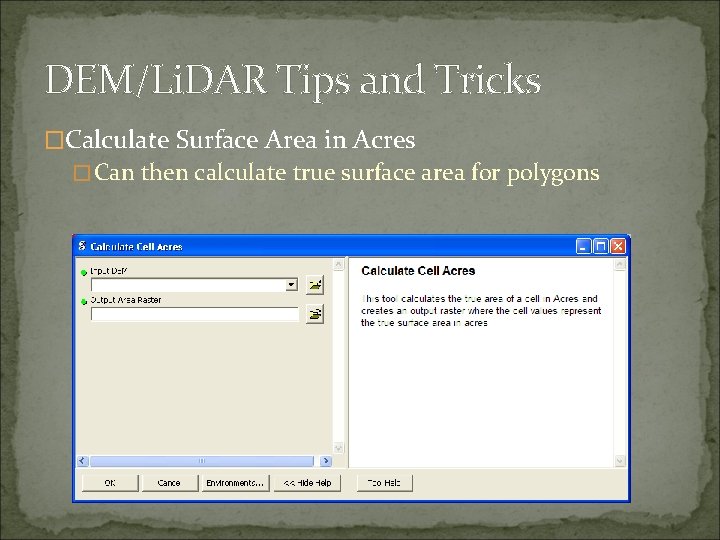
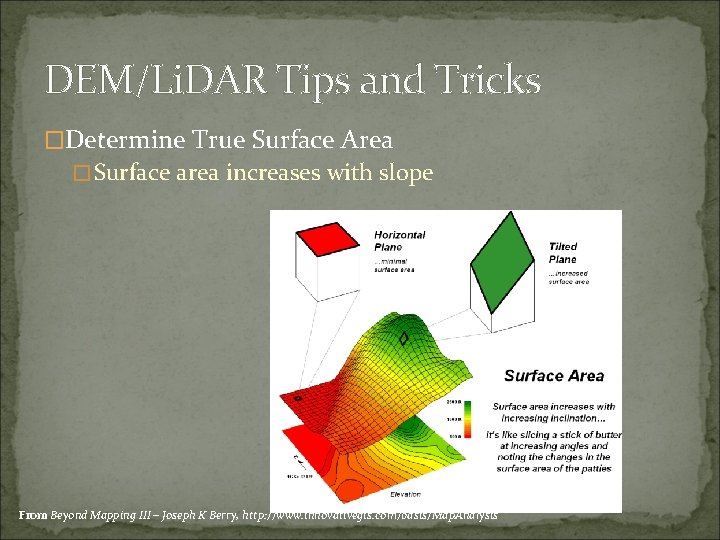
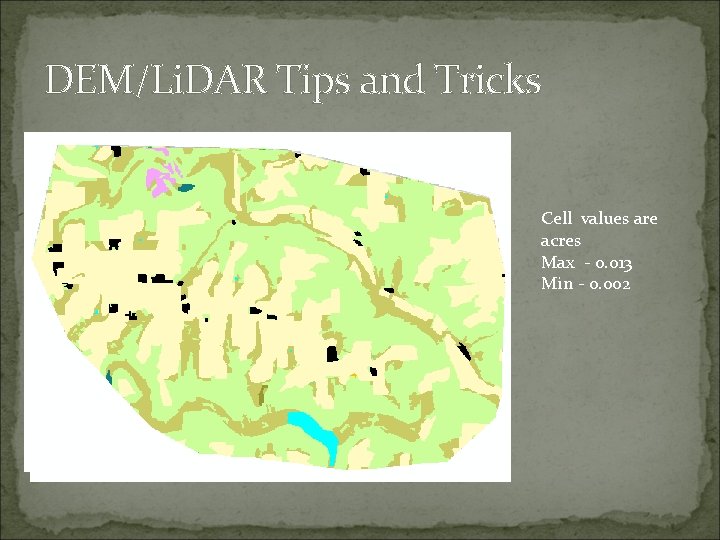
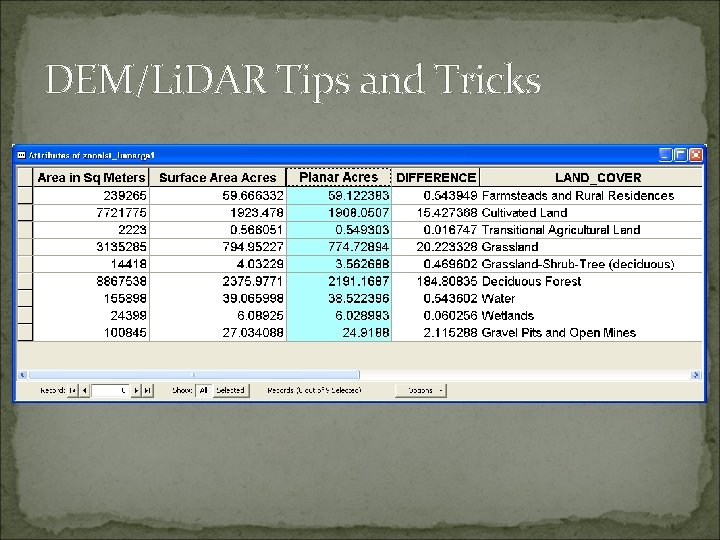
DEM/Li. DAR Tips and Tricks �Calculate Surface Area in Acres �Can then calculate true surface area for polygons
DEM/Li. DAR Tips and Tricks �Determine True Surface Area �Surface area increases with slope From Beyond Mapping III – Joseph K Berry, http: //www. innovativegis. com/basis/Map. Analysis
DEM/Li. DAR Tips and Tricks Cell values are acres Max - 0. 013 Min - 0. 002
DEM/Li. DAR Tips and Tricks
DEM/Li. DAR Tips and Tricks �Change Z-Values from Meters to Feet
DEM/Li. DAR Tips and Tricks �Identify Bluffs
DEM/Li. DAR Tips and Tricks Light Green areas represent those areas that are > 18% slope, with 25’ or more of relief and are larger than 50 square feet in size
DEM/Li. DAR Tips and Tricks �LAS to Contour 9. 3
DEM/Li. DAR Tips and Tricks �Points to X, Y, Z ASCII
DEM/Li. DAR Tips and Tricks �Raster Split
DEM/Li. DAR Tips and Tricks �Wetness Index
DEM/Li. DAR Tips and Tricks �Toolset will expand over time �These are some basic tips �I need you to work this data and come up with ideas �We will help implement them
DEM/Li. DAR Tips and Tricks �Thanks for your cooperation! �Q & A