
Lex Yacc tutorial KunYuan Hsieh kyshiehpllab cs nthu
Lex Yacc tutorial Kun-Yuan Hsieh kyshieh@pllab. cs. nthu. edu. tw Programming Language Lab. , NTHU PLLab, NTHU, Cs 2403 Programming Languages 1
Overview take a glance at Lex! PLLab, NTHU, Cs 2403 Programming Languages 2
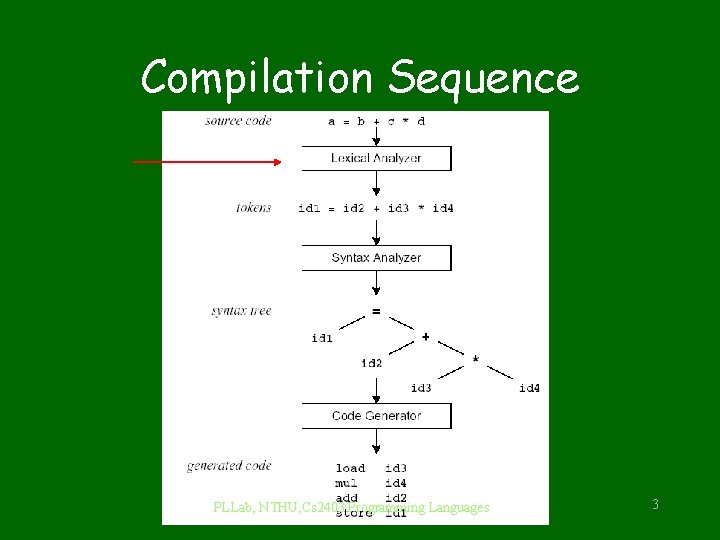
Compilation Sequence PLLab, NTHU, Cs 2403 Programming Languages 3
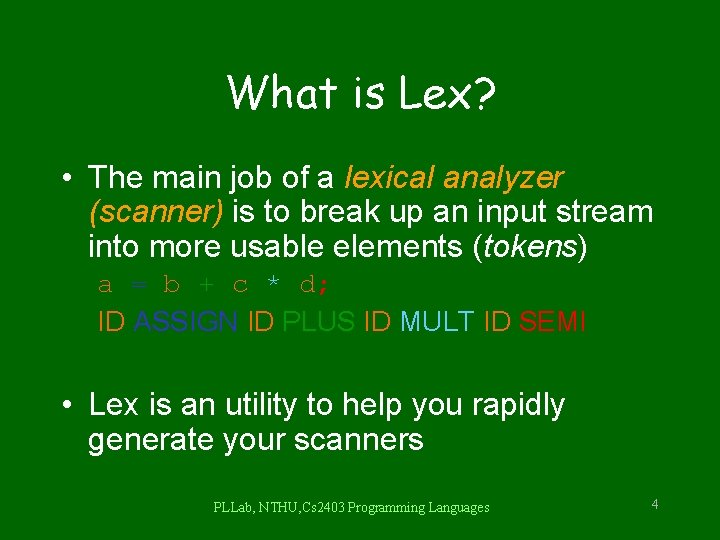
What is Lex? • The main job of a lexical analyzer (scanner) is to break up an input stream into more usable elements (tokens) a = b + c * d; ID ASSIGN ID PLUS ID MULT ID SEMI • Lex is an utility to help you rapidly generate your scanners PLLab, NTHU, Cs 2403 Programming Languages 4
Lex – Lexical Analyzer • Lexical analyzers tokenize input streams • Tokens are the terminals of a language – English • words, punctuation marks, … – Programming language • Identifiers, operators, keywords, … • Regular expressions define terminals/tokens PLLab, NTHU, Cs 2403 Programming Languages 5
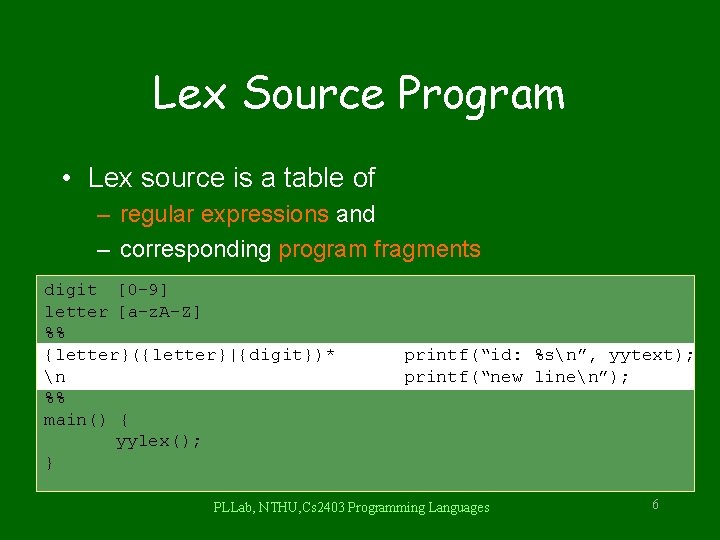
Lex Source Program • Lex source is a table of – regular expressions and – corresponding program fragments digit [0 -9] letter [a-z. A-Z] %% {letter}({letter}|{digit})* n %% main() { yylex(); } printf(“id: %sn”, yytext); printf(“new linen”); PLLab, NTHU, Cs 2403 Programming Languages 6
Lex Source to C Program • The table is translated to a C program (lex. yy. c) which – reads an input stream – partitioning the input into strings which match the given expressions and – copying it to an output stream if necessary PLLab, NTHU, Cs 2403 Programming Languages 7
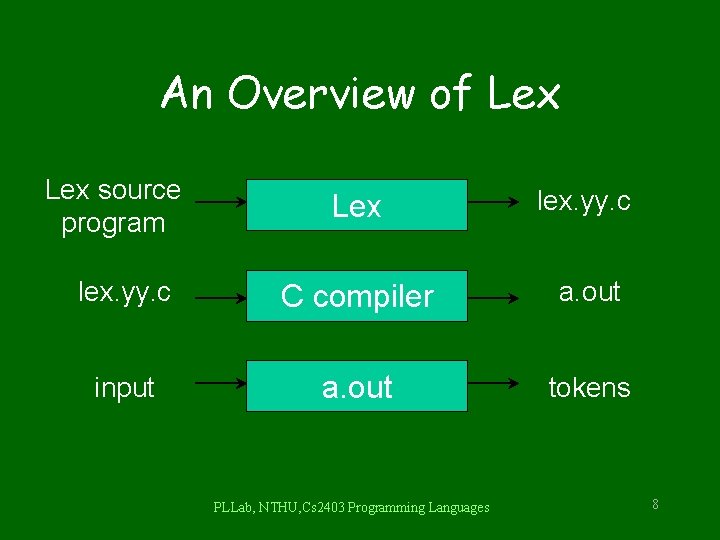
An Overview of Lex source program Lex lex. yy. c C compiler a. out input a. out tokens PLLab, NTHU, Cs 2403 Programming Languages 8
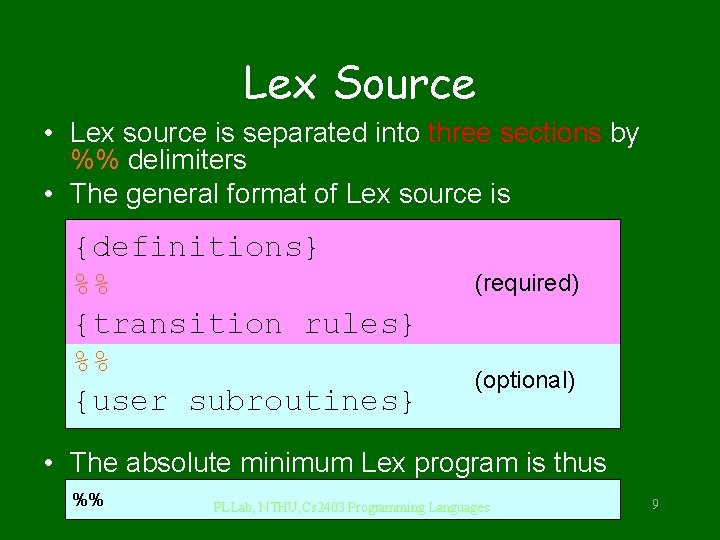
Lex Source • Lex source is separated into three sections by %% delimiters • The general format of Lex source is {definitions} %% {transition rules} %% {user subroutines} (required) (optional) • The absolute minimum Lex program is thus %% PLLab, NTHU, Cs 2403 Programming Languages 9
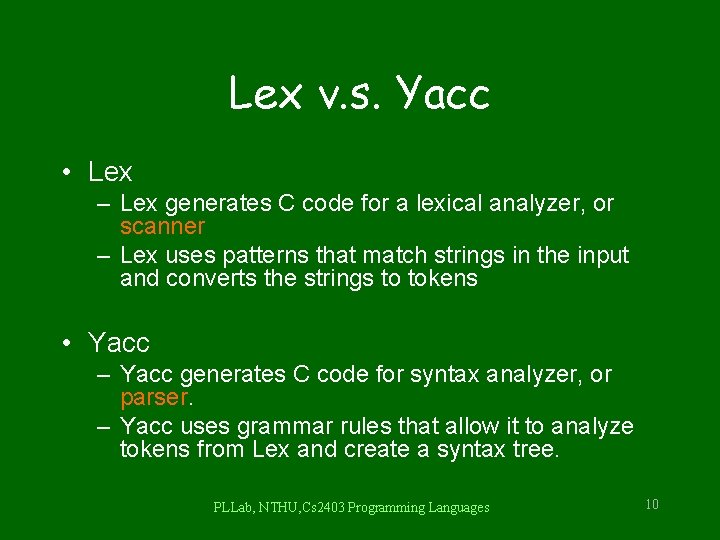
Lex v. s. Yacc • Lex – Lex generates C code for a lexical analyzer, or scanner – Lex uses patterns that match strings in the input and converts the strings to tokens • Yacc – Yacc generates C code for syntax analyzer, or parser. – Yacc uses grammar rules that allow it to analyze tokens from Lex and create a syntax tree. PLLab, NTHU, Cs 2403 Programming Languages 10

Lex with Yacc Input Lex source (Lexical Rules) Yacc source (Grammar Rules) Lex Yacc lex. yy. c y. tab. c yylex() call yyparse() Parsed Input return token PLLab, NTHU, Cs 2403 Programming Languages 11
Regular Expressions PLLab, NTHU, Cs 2403 Programming Languages 12
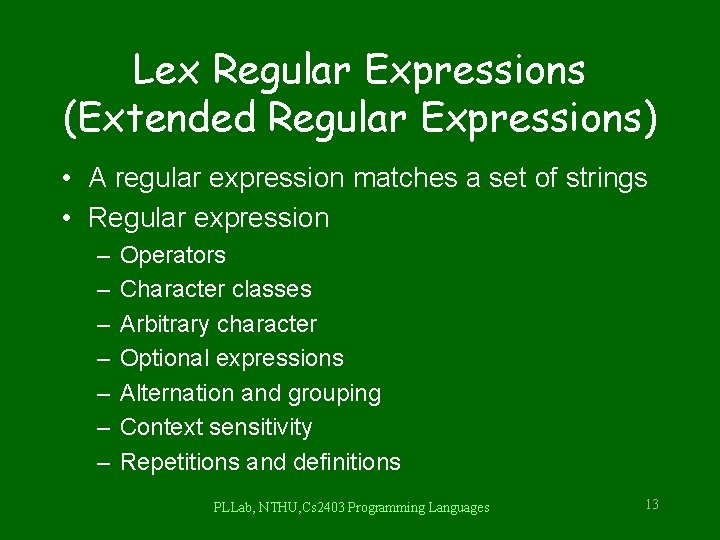
Lex Regular Expressions (Extended Regular Expressions) • A regular expression matches a set of strings • Regular expression – – – – Operators Character classes Arbitrary character Optional expressions Alternation and grouping Context sensitivity Repetitions and definitions PLLab, NTHU, Cs 2403 Programming Languages 13
![Operators “ [ ] ^ - ? . * + | ( )](http://slidetodoc.com/presentation_image/0308681255d29237094f4fccad3e7a9e/image-14.jpg "Operators “ [ ] ^ - ? . * + | ( )")
Operators “ [ ] ^ - ? . * + | ( ) $ / { } % < > • If they are to be used as text characters, an escape should be used $ = “$” \ = “” • Every character but blank, tab (t), newline (n) and the list above is always a text character PLLab, NTHU, Cs 2403 Programming Languages 14
![Character Classes [] • [abc] matches a single character, which may be a, b,](http://slidetodoc.com/presentation_image/0308681255d29237094f4fccad3e7a9e/image-15.jpg "Character Classes [] • [abc] matches a single character, which may be a, b,")
Character Classes [] • [abc] matches a single character, which may be a, b, or c • Every operator meaning is ignored except and ^ • e. g. [ab] => a or b [a-z] => a or b or c or … or z [-+0 -9] => all the digits and the two signs [^a-z. A-Z] => any character which is not a letter PLLab, NTHU, Cs 2403 Programming Languages 15
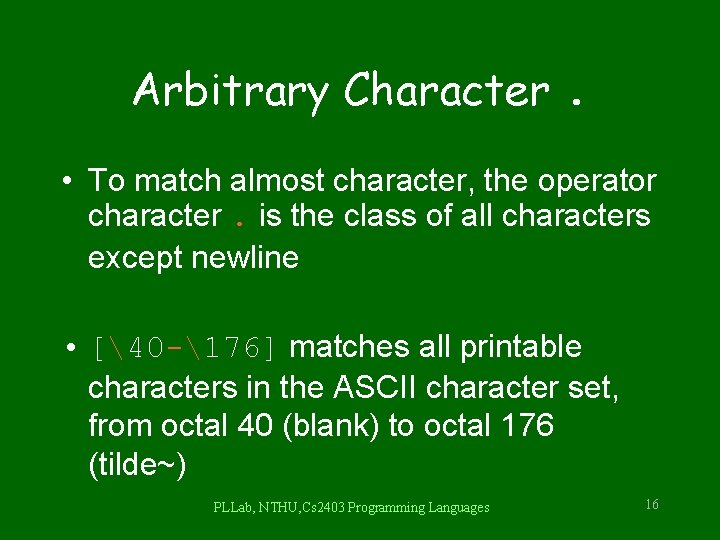
Arbitrary Character. • To match almost character, the operator character. is the class of all characters except newline • [40 -176] matches all printable characters in the ASCII character set, from octal 40 (blank) to octal 176 (tilde~) PLLab, NTHU, Cs 2403 Programming Languages 16
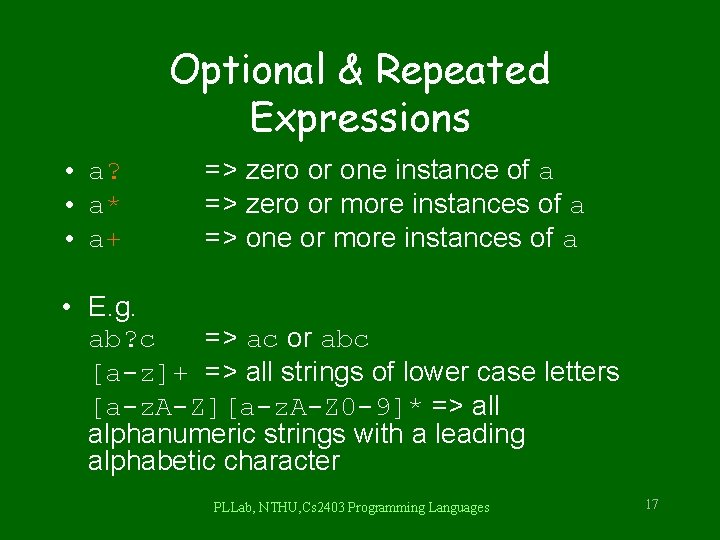
Optional & Repeated Expressions • a? • a* • a+ => zero or one instance of a => zero or more instances of a => one or more instances of a • E. g. ab? c => ac or abc [a-z]+ => all strings of lower case letters [a-z. A-Z][a-z. A-Z 0 -9]* => all alphanumeric strings with a leading alphabetic character PLLab, NTHU, Cs 2403 Programming Languages 17
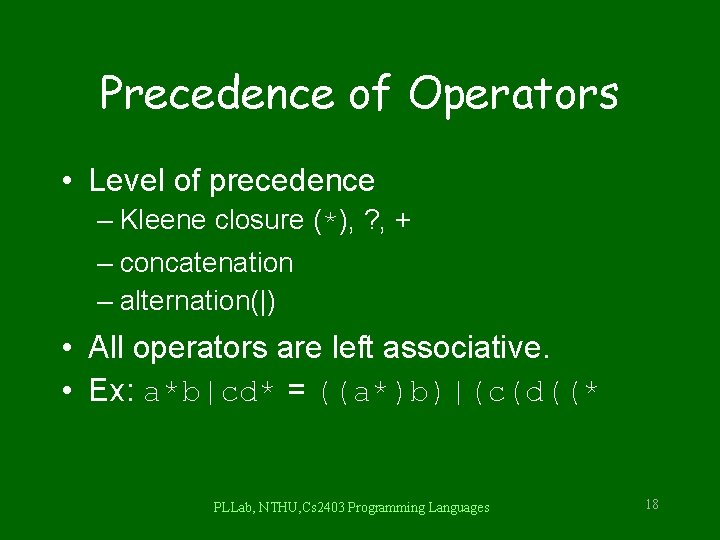
Precedence of Operators • Level of precedence – Kleene closure (*), ? , + – concatenation – alternation(|) • All operators are left associative. • Ex: a*b|cd* = ((a*)b)|(c(d((* PLLab, NTHU, Cs 2403 Programming Languages 18
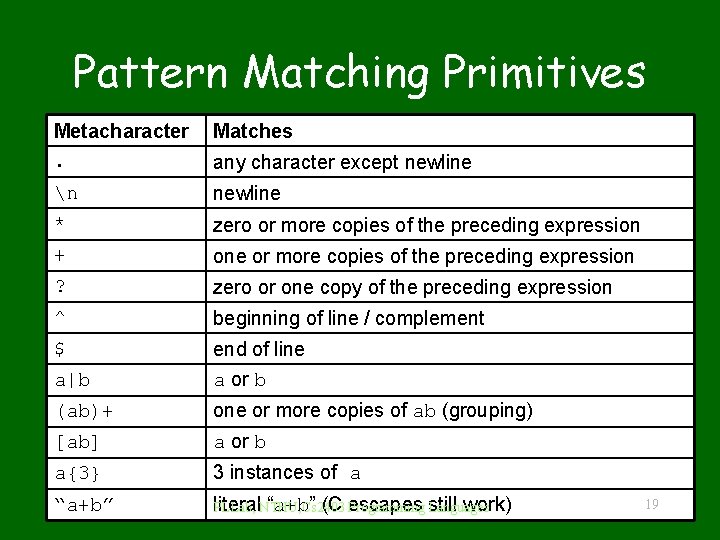
Pattern Matching Primitives Metacharacter. Matches n newline * zero or more copies of the preceding expression + one or more copies of the preceding expression ? zero or one copy of the preceding expression ^ beginning of line / complement $ a|b end of line a or b (ab)+ one or more copies of ab (grouping) [ab] a or b a{3} 3 instances of a “a+b” literal “a+b” (C Programming escapes still work) PLLab, NTHU, Cs 2403 Languages any character except newline 19
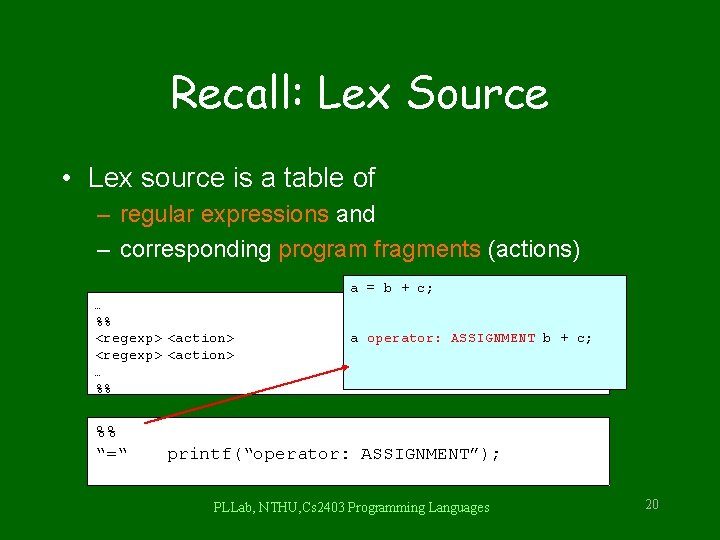
Recall: Lex Source • Lex source is a table of – regular expressions and – corresponding program fragments (actions) a = b + c; … %% <regexp> <action> … %% %% “=“ a operator: ASSIGNMENT b + c; printf(“operator: ASSIGNMENT”); PLLab, NTHU, Cs 2403 Programming Languages 20
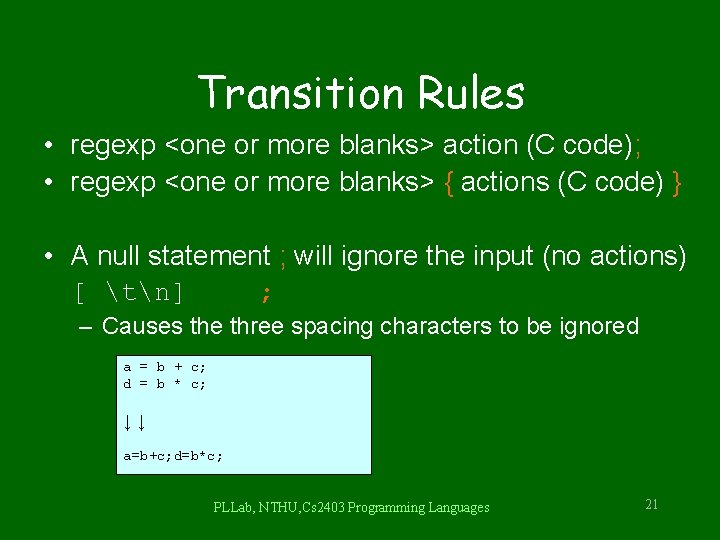
Transition Rules • regexp <one or more blanks> action (C code); • regexp <one or more blanks> { actions (C code) } • A null statement ; will ignore the input (no actions) [ tn] ; – Causes the three spacing characters to be ignored a = b + c; d = b * c; ↓↓ a=b+c; d=b*c; PLLab, NTHU, Cs 2403 Programming Languages 21
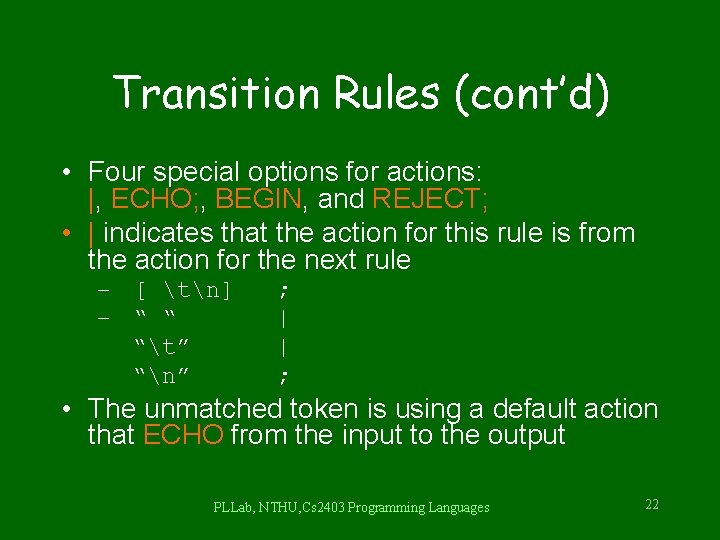
Transition Rules (cont’d) • Four special options for actions: |, ECHO; , BEGIN, and REJECT; • | indicates that the action for this rule is from the action for the next rule – [ tn] – “ “ “t” “n” ; | | ; • The unmatched token is using a default action that ECHO from the input to the output PLLab, NTHU, Cs 2403 Programming Languages 22
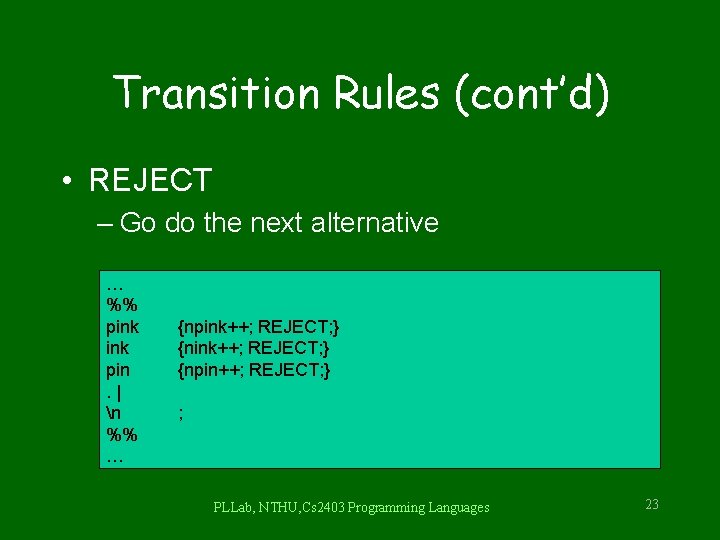
Transition Rules (cont’d) • REJECT – Go do the next alternative … %% pink pin. | n %% … {npink++; REJECT; } {npin++; REJECT; } ; PLLab, NTHU, Cs 2403 Programming Languages 23
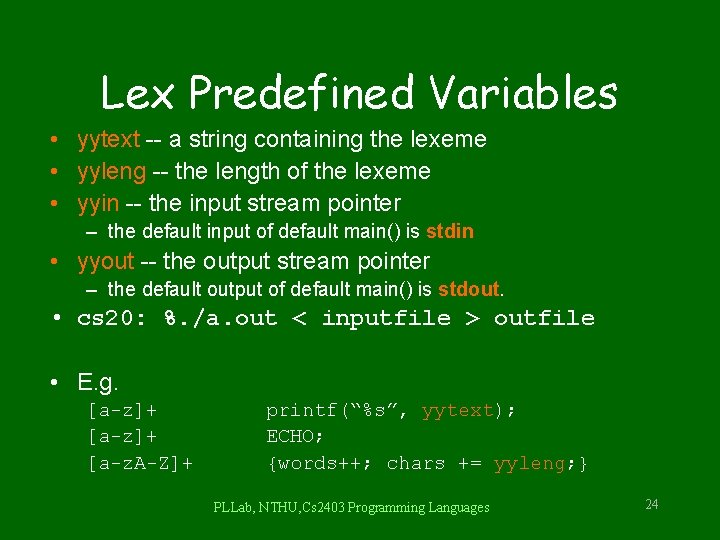
Lex Predefined Variables • yytext -- a string containing the lexeme • yyleng -- the length of the lexeme • yyin -- the input stream pointer – the default input of default main() is stdin • yyout -- the output stream pointer – the default output of default main() is stdout. • cs 20: %. /a. out < inputfile > outfile • E. g. [a-z]+ [a-z. A-Z]+ printf(“%s”, yytext); ECHO; {words++; chars += yyleng; } PLLab, NTHU, Cs 2403 Programming Languages 24
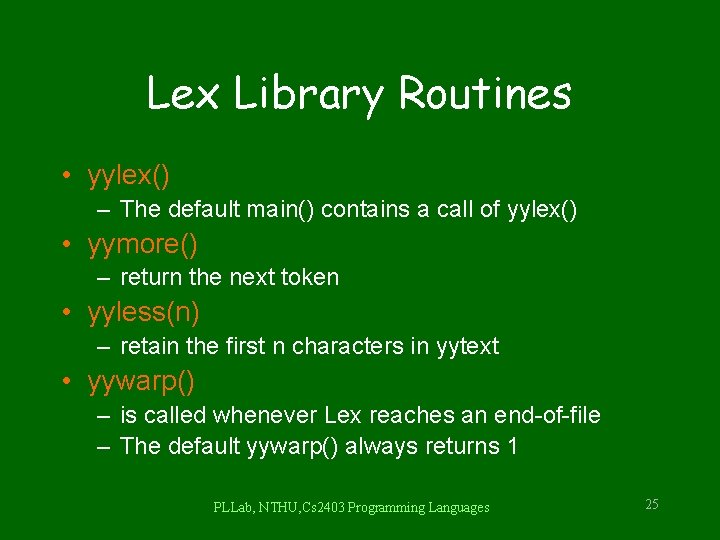
Lex Library Routines • yylex() – The default main() contains a call of yylex() • yymore() – return the next token • yyless(n) – retain the first n characters in yytext • yywarp() – is called whenever Lex reaches an end-of-file – The default yywarp() always returns 1 PLLab, NTHU, Cs 2403 Programming Languages 25
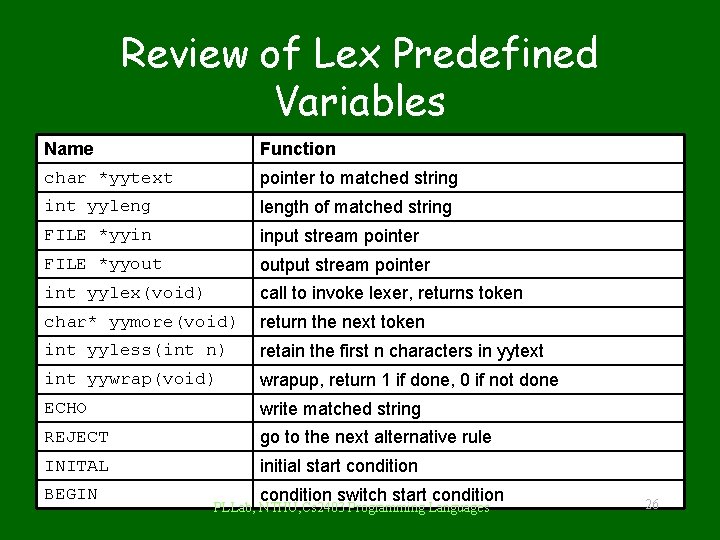
Review of Lex Predefined Variables Name Function char *yytext pointer to matched string int yylength of matched string FILE *yyin input stream pointer FILE *yyout output stream pointer int yylex(void) call to invoke lexer, returns token char* yymore(void) return the next token int yyless(int n) retain the first n characters in yytext int yywrap(void) wrapup, return 1 if done, 0 if not done ECHO write matched string REJECT go to the next alternative rule INITAL initial start condition BEGIN condition switch start condition PLLab, NTHU, Cs 2403 Programming Languages 26
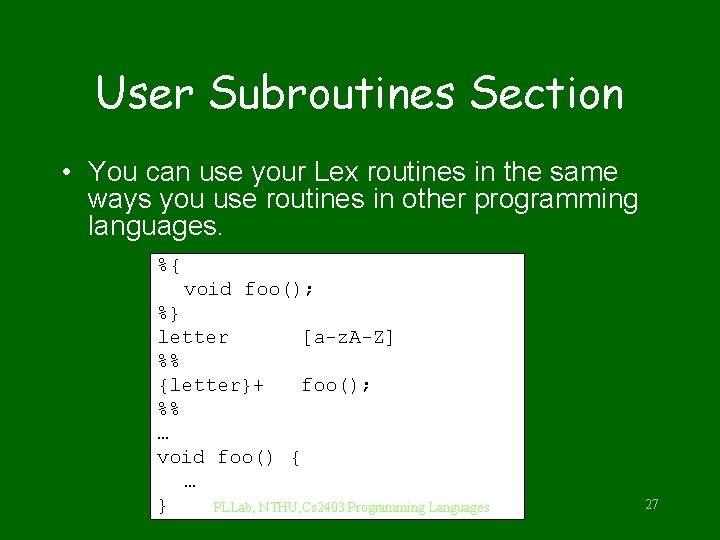
User Subroutines Section • You can use your Lex routines in the same ways you use routines in other programming languages. %{ void foo(); %} letter [a-z. A-Z] %% {letter}+ foo(); %% … void foo() { … } PLLab, NTHU, Cs 2403 Programming Languages 27
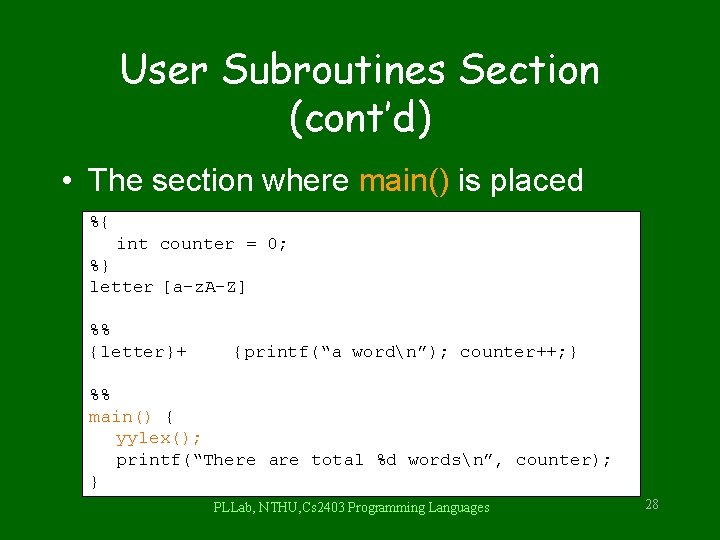
User Subroutines Section (cont’d) • The section where main() is placed %{ int counter = 0; %} letter [a-z. A-Z] %% {letter}+ {printf(“a wordn”); counter++; } %% main() { yylex(); printf(“There are total %d wordsn”, counter); } PLLab, NTHU, Cs 2403 Programming Languages 28

Usage • To run Lex on a source file, type lex scanner. l • It produces a file named lex. yy. c which is a C program for the lexical analyzer. • To compile lex. yy. c, type cc lex. yy. c –ll • To run the lexical analyzer program, type. /a. out < inputfile PLLab, NTHU, Cs 2403 Programming Languages 29
Versions of Lex • AT&T -- lex http: //www. combo. org/lex_yacc_page/lex. html • GNU -- flex http: //www. gnu. org/manual/flex-2. 5. 4/flex. html • a Win 32 version of flex : http: //www. monmouth. com/~wstreett/lex-yacc. html or Cygwin : http: //sources. redhat. com/cygwin/ • Lex on different machines is not created equal. PLLab, NTHU, Cs 2403 Programming Languages 30
Yacc - Yet Another Compiler PLLab, NTHU, Cs 2403 Programming Languages 31
Introduction • What is YACC ? – Tool which will produce a parser for a given grammar. – YACC (Yet Another Compiler) is a program designed to compile a LALR(1) grammar and to produce the source code of the syntactic analyzer of the language produced by this grammar. PLLab, NTHU, Cs 2403 Programming Languages 32
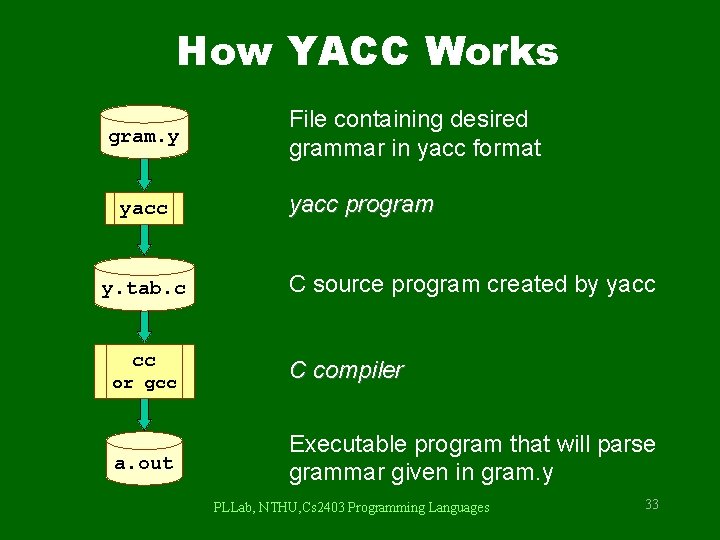
How YACC Works gram. y yacc y. tab. c cc or gcc a. out File containing desired grammar in yacc format yacc program C source program created by yacc C compiler Executable program that will parse grammar given in gram. y PLLab, NTHU, Cs 2403 Programming Languages 33

How YACC Works YACC source (*. y) yacc y. tab. h y. tab. c y. output (1) Parser generation time y. tab. c C compiler/linker a. out (2) Compile time Token stream a. out (3) Run time PLLab, NTHU, Cs 2403 Programming Languages Abstract Syntax Tree 34
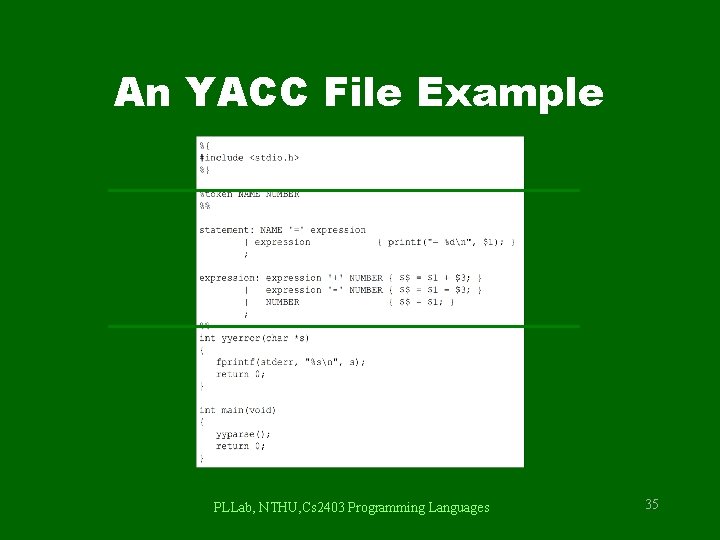
An YACC File Example PLLab, NTHU, Cs 2403 Programming Languages 35
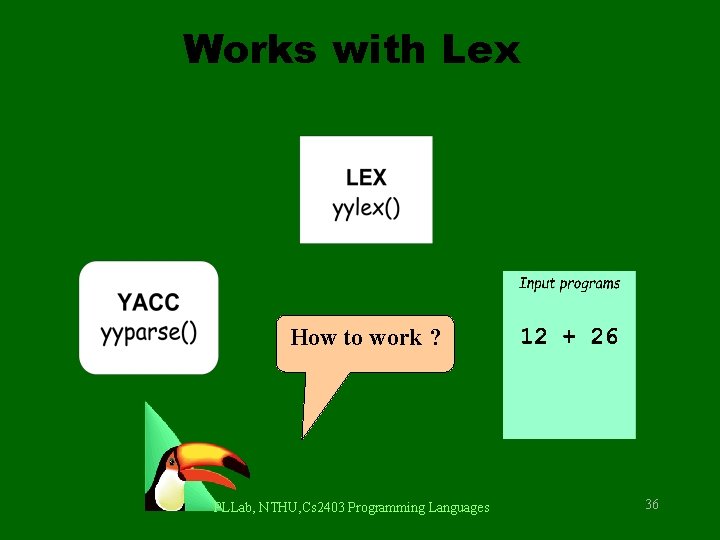
Works with Lex How to work ? PLLab, NTHU, Cs 2403 Programming Languages 36
![Works with Lex [0 -9]+ call yylex() next token is NUM ‘+’ NUM PLLab,](http://slidetodoc.com/presentation_image/0308681255d29237094f4fccad3e7a9e/image-37.jpg "Works with Lex [0 -9]+ call yylex() next token is NUM ‘+’ NUM PLLab,")
Works with Lex [0 -9]+ call yylex() next token is NUM ‘+’ NUM PLLab, NTHU, Cs 2403 Programming Languages 37
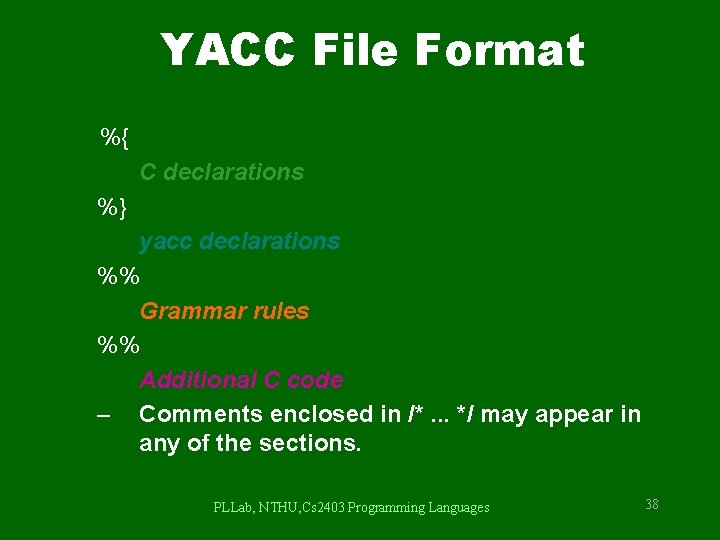
YACC File Format %{ C declarations %} yacc declarations %% Grammar rules %% Additional C code – Comments enclosed in /*. . . */ may appear in any of the sections. PLLab, NTHU, Cs 2403 Programming Languages 38
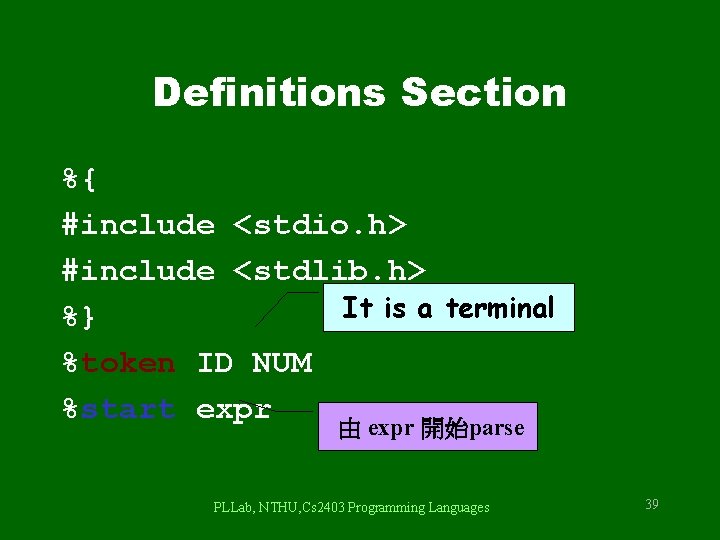
Definitions Section %{ #include <stdio. h> #include <stdlib. h> It is a terminal %} %token ID NUM %start expr 由 expr 開始parse PLLab, NTHU, Cs 2403 Programming Languages 39
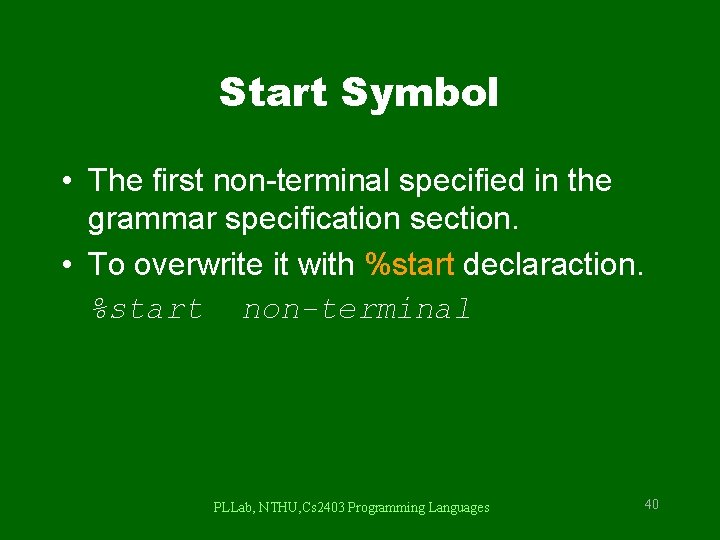
Start Symbol • The first non-terminal specified in the grammar specification section. • To overwrite it with %start declaraction. %start non-terminal PLLab, NTHU, Cs 2403 Programming Languages 40
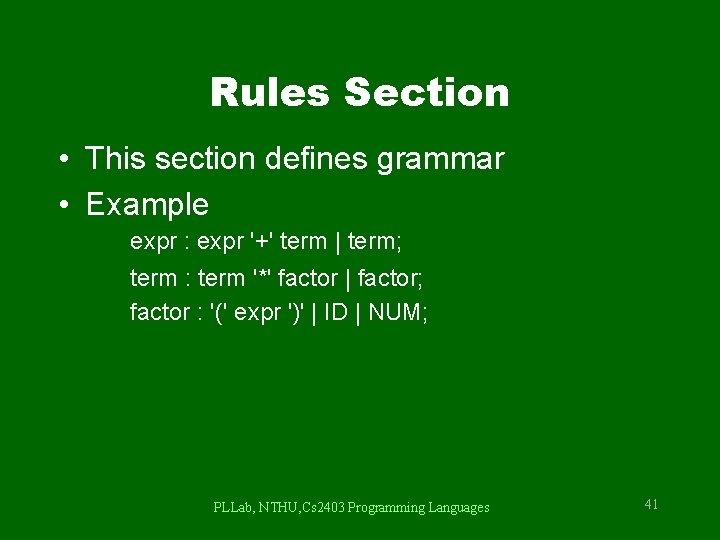
Rules Section • This section defines grammar • Example expr : expr '+' term | term; term : term '*' factor | factor; factor : '(' expr ')' | ID | NUM; PLLab, NTHU, Cs 2403 Programming Languages 41
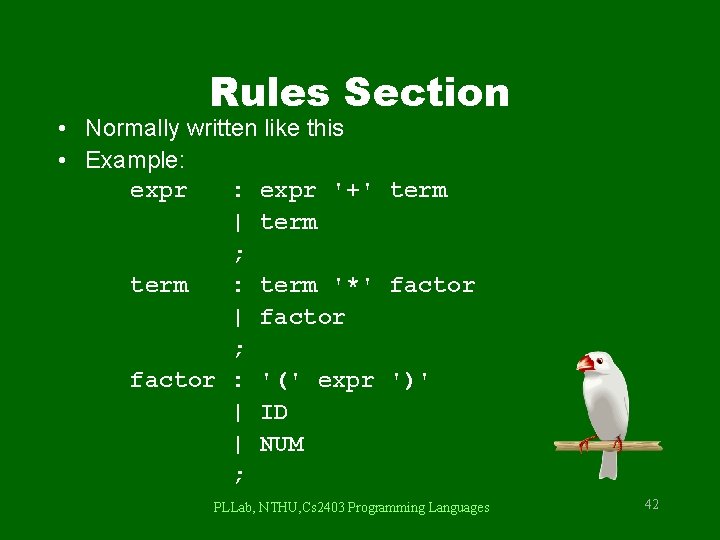
Rules Section • Normally written like this • Example: expr '+' term | term ; term : term '*' factor | factor ; factor : '(' expr ')' | ID | NUM ; PLLab, NTHU, Cs 2403 Programming Languages 42
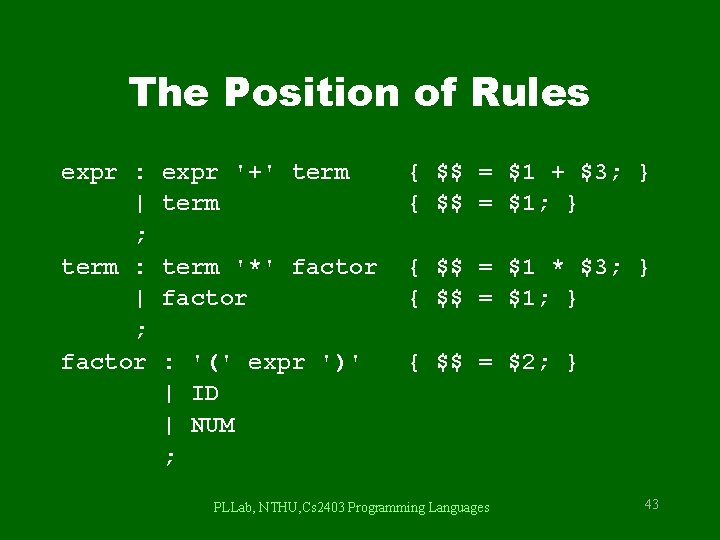
The Position of Rules expr : | ; term : | ; factor expr '+' term { $$ = $1 + $3; } { $$ = $1; } term '*' factor { $$ = $1 * $3; } { $$ = $1; } : '(' expr ')' | ID | NUM ; { $$ = $2; } PLLab, NTHU, Cs 2403 Programming Languages 43
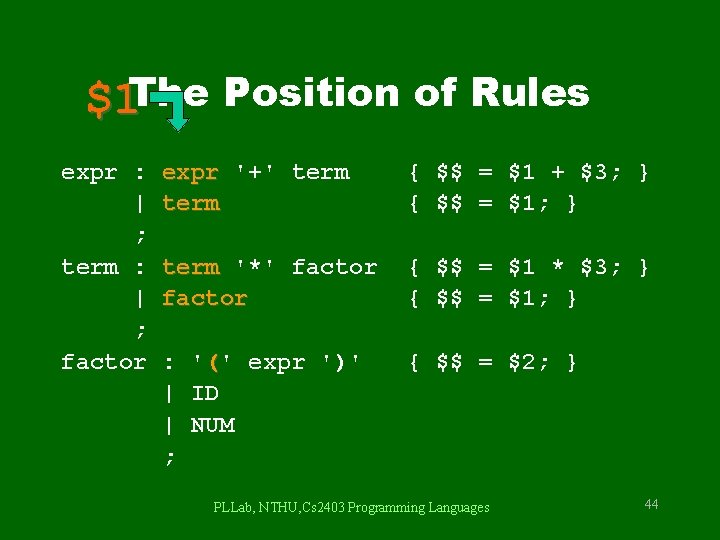
$1 The Position of Rules expr : | ; term : | ; factor expr '+' term { $$ = $1 + $3; } { $$ = $1; } term '*' factor { $$ = $1 * $3; } { $$ = $1; } : '(' expr ')' | ID | NUM ; { $$ = $2; } PLLab, NTHU, Cs 2403 Programming Languages 44
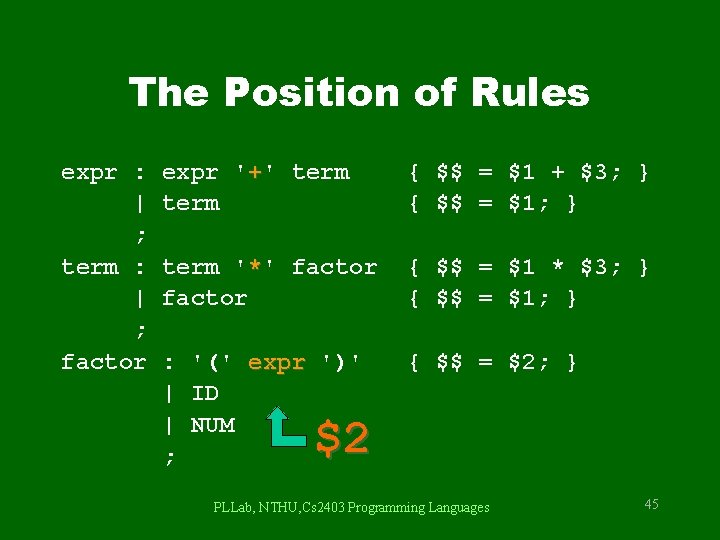
The Position of Rules expr : | ; term : | ; factor expr '+' term { $$ = $1 + $3; } { $$ = $1; } term '*' factor { $$ = $1 * $3; } { $$ = $1; } : '(' expr ')' | ID | NUM ; { $$ = $2; } $2 PLLab, NTHU, Cs 2403 Programming Languages 45
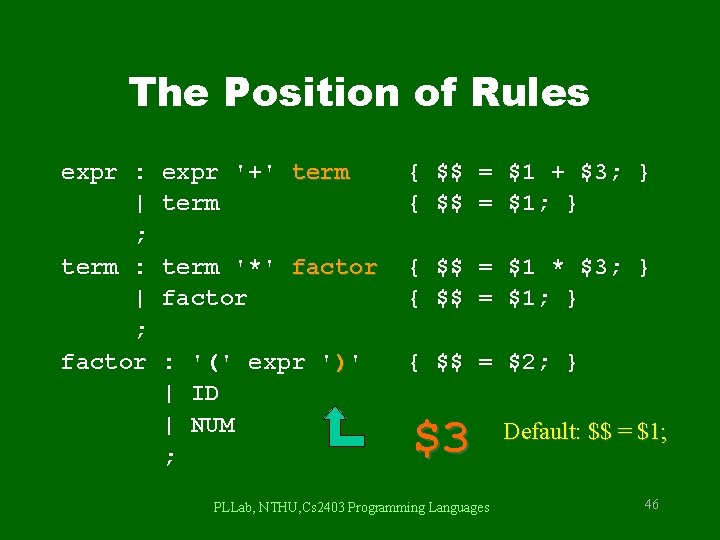
The Position of Rules expr : | ; term : | ; factor expr '+' term { $$ = $1 + $3; } { $$ = $1; } term '*' factor { $$ = $1 * $3; } { $$ = $1; } : '(' expr ')' | ID | NUM ; { $$ = $2; } $3 PLLab, NTHU, Cs 2403 Programming Languages Default: $$ = $1; 46
![Communication between LEX and YACC [0 -9]+ call yylex() next token is NUM ‘+’](http://slidetodoc.com/presentation_image/0308681255d29237094f4fccad3e7a9e/image-47.jpg "Communication between LEX and YACC [0 -9]+ call yylex() next token is NUM ‘+’")
Communication between LEX and YACC [0 -9]+ call yylex() next token is NUM ‘+’ NUM LEX and YACC需要一套方法確認token的身份 PLLab, NTHU, Cs 2403 Programming Languages 47
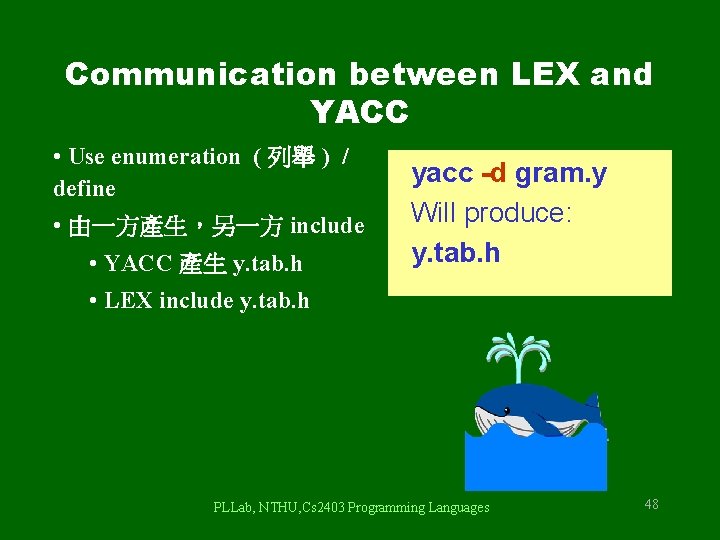
Communication between LEX and YACC • Use enumeration ( 列舉 ) / define • 由一方產生,另一方 include • YACC 產生 y. tab. h yacc -d gram. y Will produce: y. tab. h • LEX include y. tab. h PLLab, NTHU, Cs 2403 Programming Languages 48
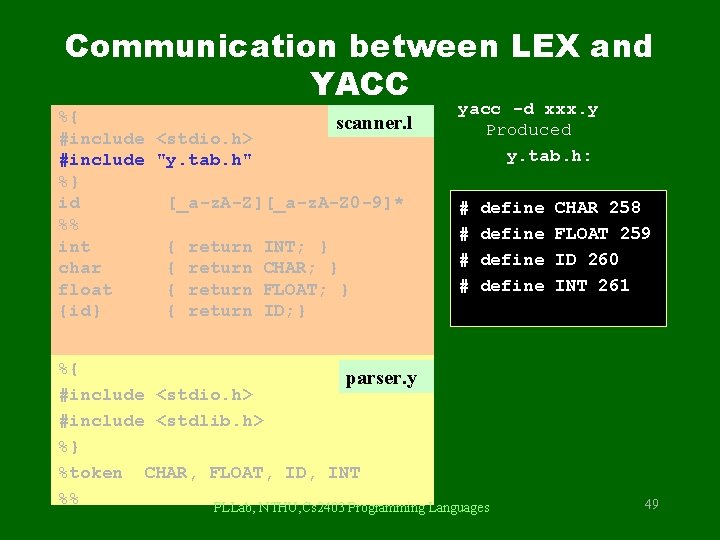
Communication between LEX and YACC %{ scanner. l #include <stdio. h> #include "y. tab. h" %} id [_a-z. A-Z][_a-z. A-Z 0 -9]* %% int { return INT; } char { return CHAR; } float { return FLOAT; } {id} { return ID; } yacc -d xxx. y Produced y. tab. h: # # define %{ parser. y #include <stdio. h> #include <stdlib. h> %} %token CHAR, FLOAT, ID, INT %% PLLab, NTHU, Cs 2403 Programming Languages CHAR 258 FLOAT 259 ID 260 INT 261 49
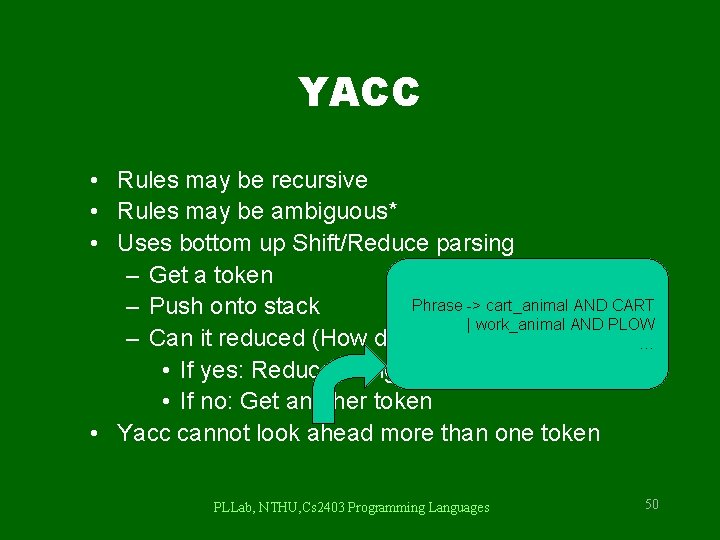
YACC • Rules may be recursive • Rules may be ambiguous* • Uses bottom up Shift/Reduce parsing – Get a token Phrase -> cart_animal AND CART – Push onto stack | work_animal AND PLOW – Can it reduced (How do we know? ) … • If yes: Reduce using a rule • If no: Get another token • Yacc cannot look ahead more than one token PLLab, NTHU, Cs 2403 Programming Languages 50
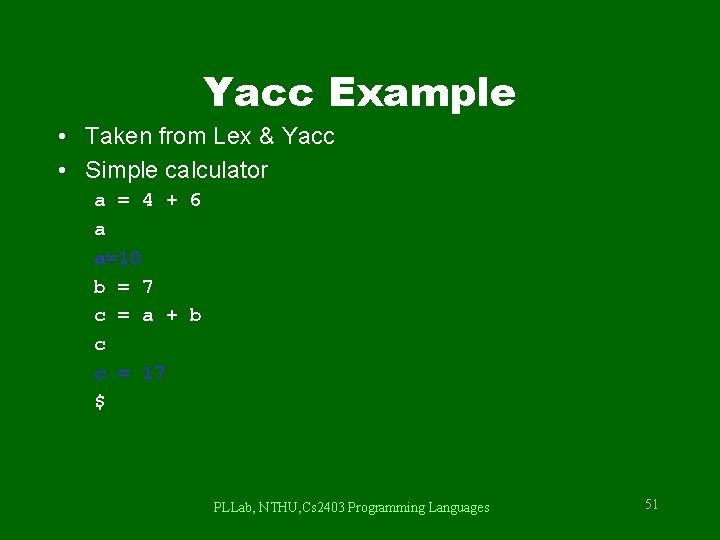
Yacc Example • Taken from Lex & Yacc • Simple calculator a = 4 + 6 a a=10 b = 7 c = a + b c c = 17 $ PLLab, NTHU, Cs 2403 Programming Languages 51
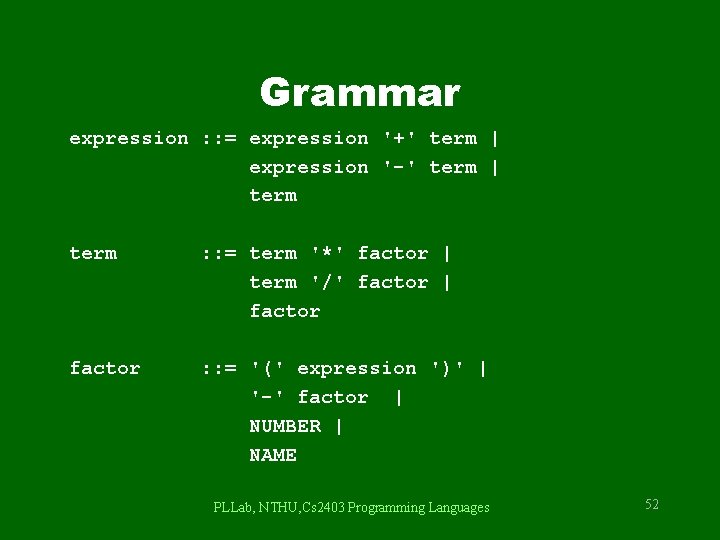
Grammar expression : : = expression '+' term | expression '-' term | term : : = term '*' factor | term '/' factor | factor : : = '(' expression ')' | '-' factor | NUMBER | NAME PLLab, NTHU, Cs 2403 Programming Languages 52
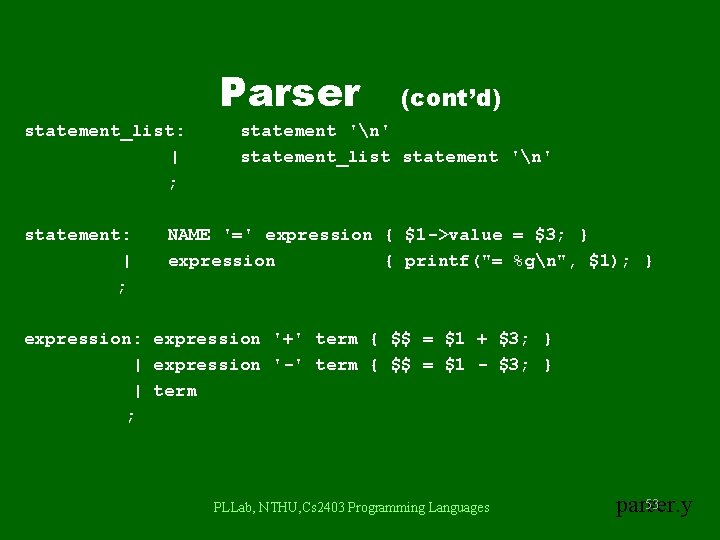
Parser statement_list: | ; statement: | ; (cont’d) statement 'n' statement_list statement 'n' NAME '=' expression { $1 ->value = $3; } expression { printf("= %gn", $1); } expression: expression '+' term { $$ = $1 + $3; } | expression '-' term { $$ = $1 - $3; } | term ; PLLab, NTHU, Cs 2403 Programming Languages 53 parser. y
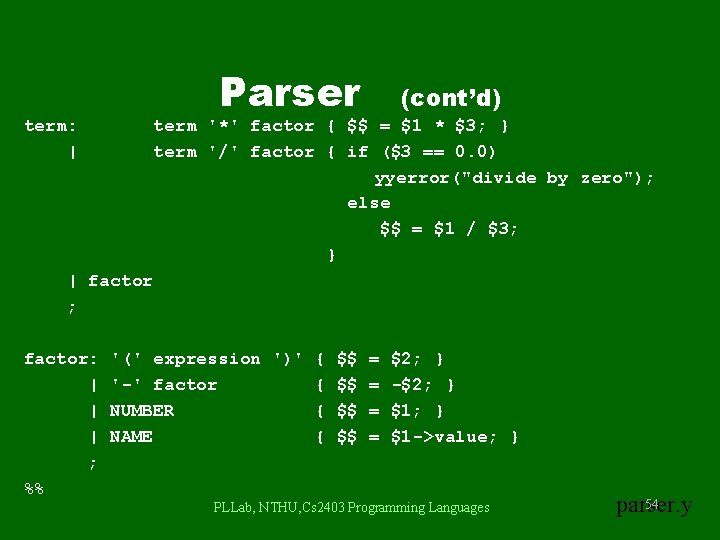
Parser term: | (cont’d) term '*' factor { $$ = $1 * $3; } term '/' factor { if ($3 == 0. 0) yyerror("divide by zero"); else $$ = $1 / $3; } | factor ; factor: | | | ; %% '(' expression ')' { $$ = '-' factor { $$ = NUMBER { $$ = NAME { $$ = $2; } -$2; } $1 ->value; } PLLab, NTHU, Cs 2403 Programming Languages 54 parser. y
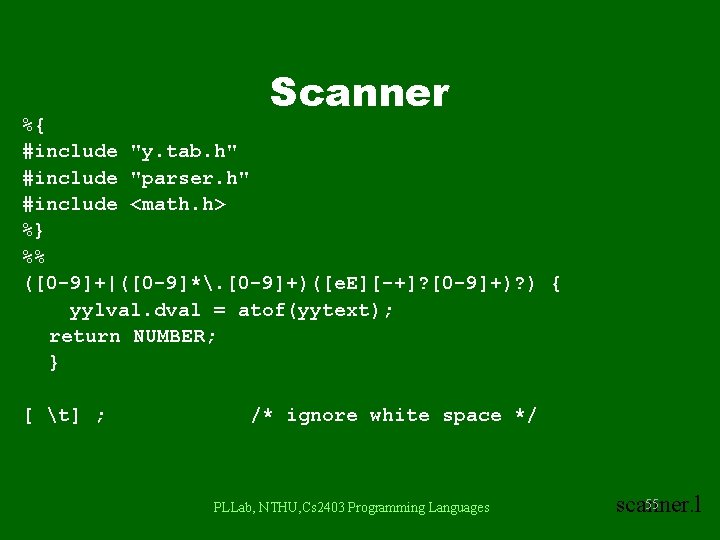
Scanner %{ #include "y. tab. h" #include "parser. h" #include <math. h> %} %% ([0 -9]+|([0 -9]*. [0 -9]+)([e. E][-+]? [0 -9]+)? ) { yylval. dval = atof(yytext); return NUMBER; } [ t] ; /* ignore white space */ PLLab, NTHU, Cs 2403 Programming Languages 55 scanner. l
![Scanner [A-Za-z][A-Za-z 0 -9]* "$" (cont’d) { /* return symbol pointer */ yylval. symp](http://slidetodoc.com/presentation_image/0308681255d29237094f4fccad3e7a9e/image-56.jpg "Scanner [A-Za-z][A-Za-z 0 -9]* \"$\" (cont’d) { /* return symbol pointer */ yylval. symp")
Scanner [A-Za-z][A-Za-z 0 -9]* "$" (cont’d) { /* return symbol pointer */ yylval. symp = symlook(yytext); return NAME; } { return 0; /* end of input */ } n |”=“|”+”|”-”|”*”|”/” %% return yytext[0]; PLLab, NTHU, Cs 2403 Programming Languages 56 scanner. l
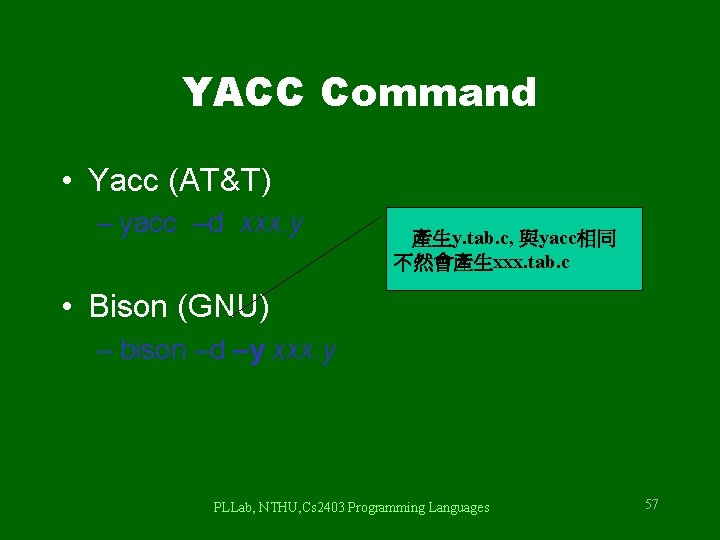
YACC Command • Yacc (AT&T) – yacc –d xxx. y 產生y. tab. c, 與yacc相同 不然會產生xxx. tab. c • Bison (GNU) – bison –d –y xxx. y PLLab, NTHU, Cs 2403 Programming Languages 57
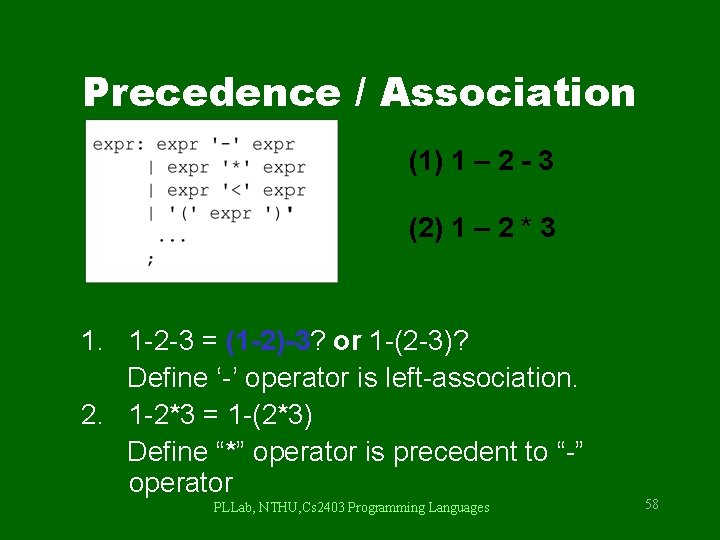
Precedence / Association (1) 1 – 2 - 3 (2) 1 – 2 * 3 1. 1 -2 -3 = (1 -2)-3? or 1 -(2 -3)? Define ‘-’ operator is left-association. 2. 1 -2*3 = 1 -(2*3) Define “*” operator is precedent to “-” operator PLLab, NTHU, Cs 2403 Programming Languages 58
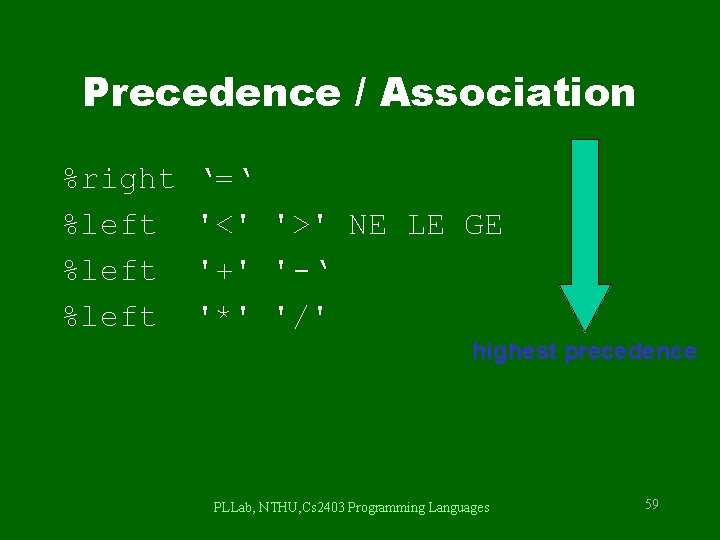
Precedence / Association %right %left ‘=‘ '<' '>' NE LE GE '+' '-‘ '*' '/' highest precedence PLLab, NTHU, Cs 2403 Programming Languages 59
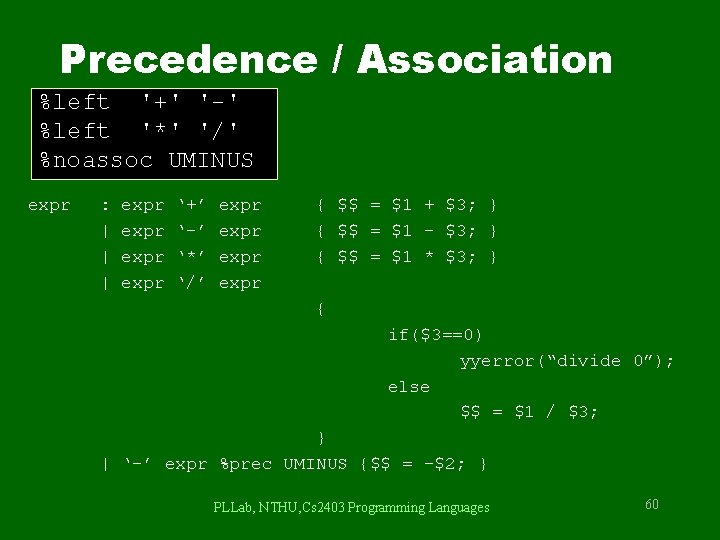
Precedence / Association %left '+' '-' %left '*' '/' %noassoc UMINUS expr : | | | expr ‘+’ ‘-’ ‘*’ ‘/’ expr { $$ = $1 + $3; } { $$ = $1 - $3; } { $$ = $1 * $3; } { if($3==0) yyerror(“divide 0”); else $$ = $1 / $3; } | ‘-’ expr %prec UMINUS {$$ = -$2; } PLLab, NTHU, Cs 2403 Programming Languages 60
Shift/Reduce Conflicts • shift/reduce conflict – occurs when a grammar is written in such a way that a decision between shifting and reducing can not be made. – ex: IF-ELSE ambigious. • To resolve this conflict, yacc will choose to shift. PLLab, NTHU, Cs 2403 Programming Languages 61
YACC Declaration Summary `%start' Specify the grammar's start symbol `%union' Declare the collection of data types that semantic values may have `%token' Declare a terminal symbol (token type name) with no precedence or associativity specified `%type' Declare the type of semantic values for a nonterminal symbol PLLab, NTHU, Cs 2403 Programming Languages 62
YACC Declaration Summary `%right' Declare a terminal symbol (token type name) that is right-associative `%left' Declare a terminal symbol (token type name) that is leftassociative `%nonassoc' Declare a terminal symbol (token type name) that is nonassociative (using it in a way that would be associative is a syntax error, ex: x op. y op. z is syntax error) PLLab, NTHU, Cs 2403 Programming Languages 63
Reference Books • lex & yacc, 2 nd Edition – by John R. Levine, Tony Mason & Doug Brown – O’Reilly – ISBN: 1 -56592 -000 -7 • Mastering Regular Expressions – by Jeffrey E. F. Friedl – O’Reilly – ISBN: 1 -56592 -257 -3 PLLab, NTHU, Cs 2403 Programming Languages 64
- Slides: 64