
Leveraging InMemory Key Value Stores for Large Scale




![Extracting the Cache for Fun and Profit [msvoboda@esv 4 -infra 01 ~]$ extract_sysops_cache. py](https://slidetodoc.com/presentation_image_h2/eb662c9ac524622aa0eb6cddec88b84c/image-33.jpg "Extracting the Cache for Fun and Profit [msvoboda@esv 4 -infra 01 ~]$ extract_sysops_cache. py")

- Slides: 42
Leveraging In-Memory Key Value Stores for Large Scale Operations with Redis and CFEngine Mike Svoboda Staff Systems and Automation Engineer www. linkedin. com/in/mikesvoboda msvoboda@linkedin. com https: //github. com/linkedin/sysops-api
My Background with Linked. In / CFEngine Hired at Linked. In into System Operations in 2010 When I started, our server count was 300 machines Implemented CFEngine automation in 2010 Since then, we have grown 100 times that size Created our Redis API in 2012 to provide visibility
What is Redis? Redis is an in-memory key value store, similar to Memcached with additional features Offers on disk persistence (snapshots to disk) - You can use this as a real database instead of just a volatile cache Offers simple data structures out of the box and commands to work with them natively dictionaries, lists, sets, sorted sets, etc. Highly scalable data store - A single Redis server can satisfy hundreds of thousands of requests per second Supports transactions - Group commands together so they are executed as a single transaction.
What is CFEngine? CFEngine: Is an IT infrastructure automation framework that helps manage infrastructure throughout its lifecycle Builds, deploys, and manages systems Provides auditing Maintains infrastructure by enforcing intended system state for compliance Runs on the smallest embedded devices, servers, desktops, mainframes, and big iron. CFEngine easily supports tens of thousands of hosts. Provides horizontal scalability.
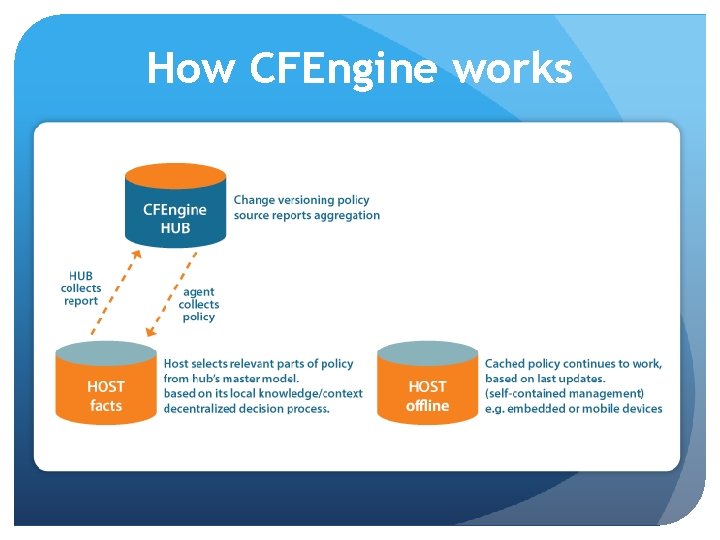
How CFEngine works
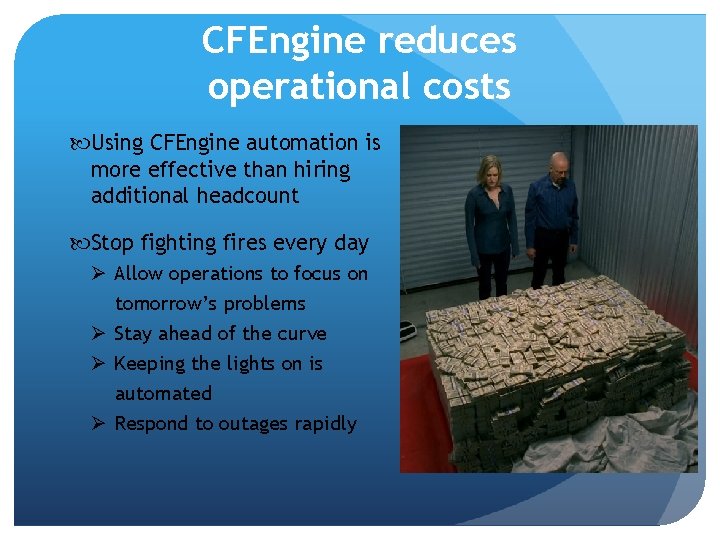
CFEngine reduces operational costs Using CFEngine automation is more effective than hiring additional headcount Stop fighting fires every day Ø Allow operations to focus on tomorrow’s problems Ø Stay ahead of the curve Ø Keeping the lights on is automated Ø Respond to outages rapidly
Why Linked. In chose CFEngine Very mature codebase Not dependent on underlying virtual machines like Ruby, Python, Perl, etc. Flexible architecture Ø Easily scale upwards to support thousands of machines Ø Just as simple to support smaller environments Zero reported security vulnerabilities Lightweight footprint
What CFEngine has done for Linked. In Since implementing CFEngine: Operations has become extremely agile Quickly respond and resolve outages System administration workload has reduced, even with 100 x the amount of servers Have built new datacenter in minutes with little effort Real time visibility after creating our Redis infrastructure, driven by CFEngine execution Ø Can answer any question imaginable about all of our servers in seconds Ø Know every action that happens on our machines
How Linked. In uses CFEngine Functions we have automated: Hardware failure detection Account administration Privilege escalation Software deployment O/S configuration management Process / service management Software deployment System monitoring You never need to log into a machine to manage it
Two problems still existed for Linkedin that automation didn’t address The company wanted to be able to answer any question imaginable about production. We didn’t want to break production by pushing new automation changes. To solve both problems, we needed visibility.
Problem #1: The company wants questions answered. STAT! Management / Engineers want to have questions answered immediately and ask several times a day interrupting your work.
Linked. In was hunting for data
What Linked. In sysadmins were doing • Questions about Infrastructure were answered by sysadmins SSHing to machines to hunt for data. • As our scale increased, we used a remote execution tool to parallelize some variant of SSH / DSH Thousands of network connections were made to remote machines from a single host to fetch data. Did I get results from everything? Parse results after collection
Forcing command execution on remote machines doesn’t scale Machines were missed, data wasn’t collected Firewalls mangled packets SSHD offline or didn’t spawn on the remote host Depended on system accounts being valid Network connections failed to the remote machine Data collection shouldn’t be complicated Unsure if we were able to collect all of the necessary data.
Problem #2: We didn’t want to break production by pushing new automation changes. Ops was hesitant of using automation because they didn’t know where things would break When automation was expanded, we didn’t know where systems need alternative behavior to work correctly (or where they have been modified by developers with root access) Ops had to be agile. We have to work fast. The business needs us to modify production multiple times a day, but we had to make changes without breaking it
Automation changes were happening in the blind Sysadmins were under pressure from Ø large ticket queues Ø numerous change requests Ø business needs to scale Automation changes were being performed without fully understanding the impact before that change was executed We realized that this could lead to mistakes, disasters, outages, and pink slips. To keep this from happening, I built our Redis API to provide visibility.
To provide visibility, we had to scale data collection We had to build a reliable system that was extremely fast, which could give us results of remote command execution from tens of thousands of systems in seconds Querying this data could not put load on production systems The cache needed to be publically available to the company via an API so they could answer their own questions We needed to quickly add new data into the cache before pushing automation changes to view production impact.
We built a cache and populated it with data to answer arbitrary questions Instead of executing commands remotely, we have CFEngine populate the cache with commonly queried data CFEngine executes expensive commands like lshw or dmidecode once and make the output available for everybody to use Data collection becomes a scheduled event that happens once a day - This data collection becomes a cost of doing business With the same data being gathered on all machines, it becomes trivial to compare two or more pieces of hardware
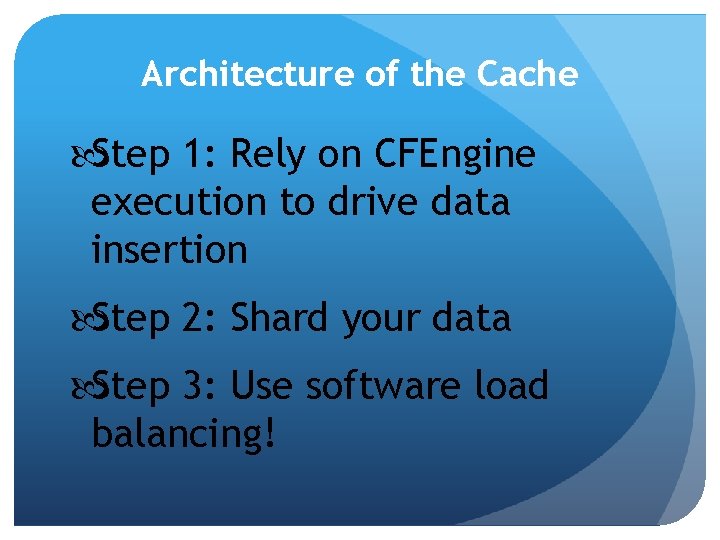
Architecture of the Cache Step 1: Rely on CFEngine execution to drive data insertion Step 2: Shard your data Step 3: Use software load balancing!
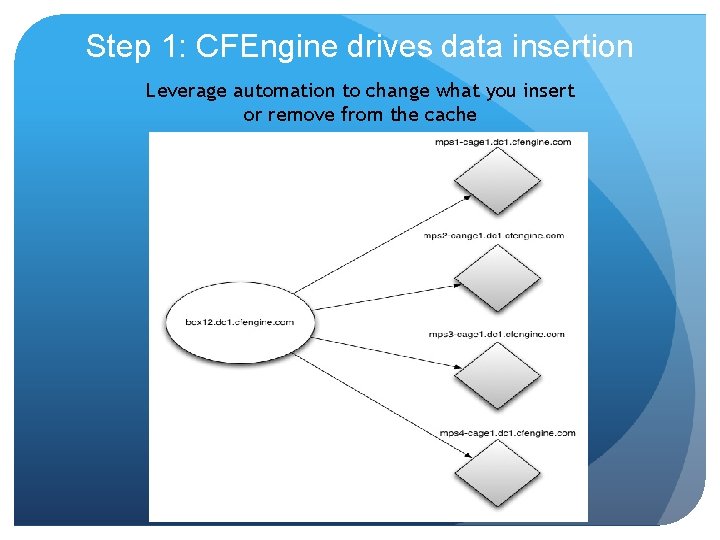
Step 1: CFEngine drives data insertion Leverage automation to change what you insert or remove from the cache
The cache is a simple dictionary, sharded over multiple Redis servers.
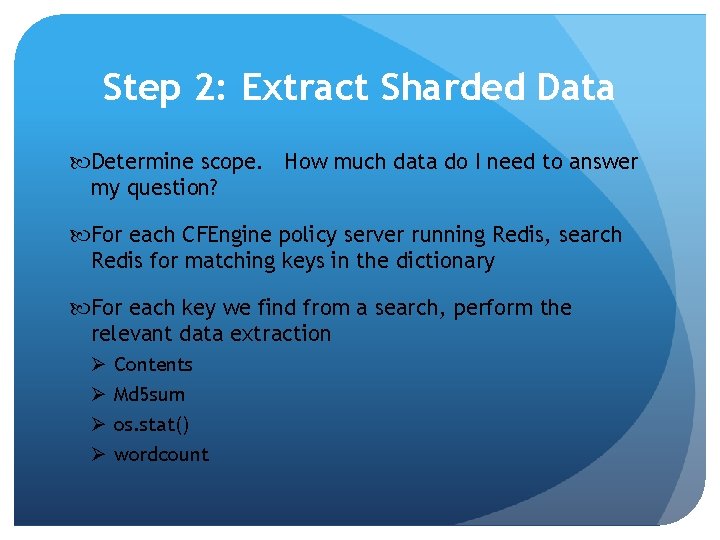
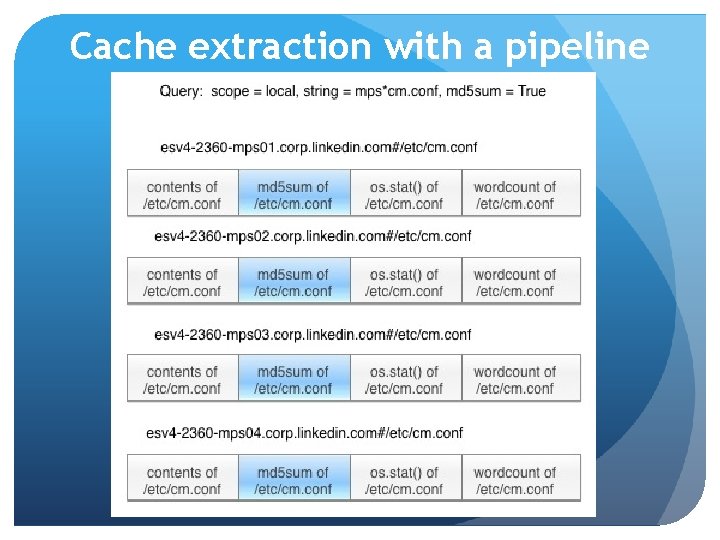
Step 2: Extract Sharded Data Determine scope. How much data do I need to answer my question? For each CFEngine policy server running Redis, search Redis for matching keys in the dictionary For each key we find from a search, perform the relevant data extraction Ø Ø Contents Md 5 sum os. stat() wordcount
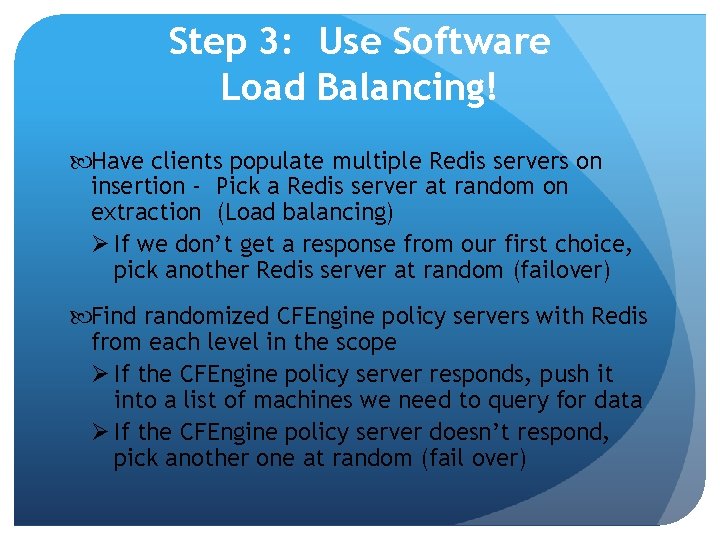
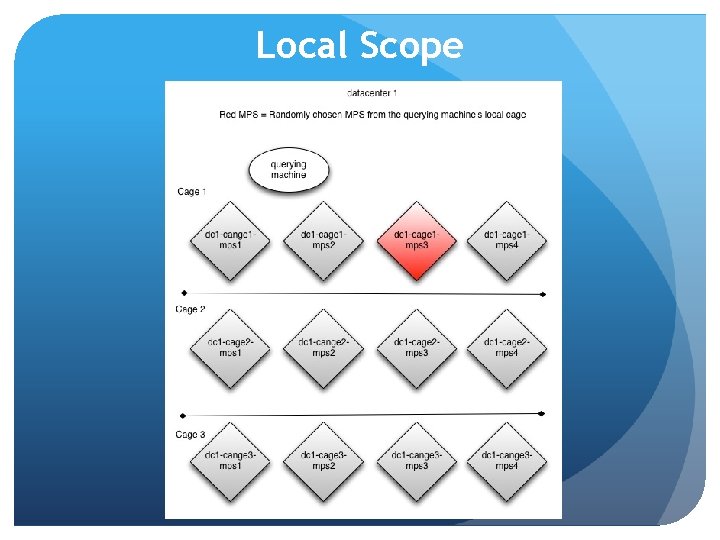
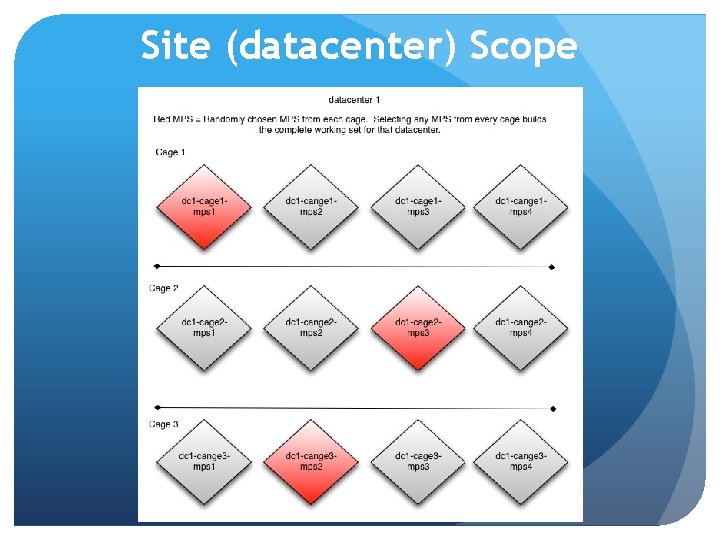
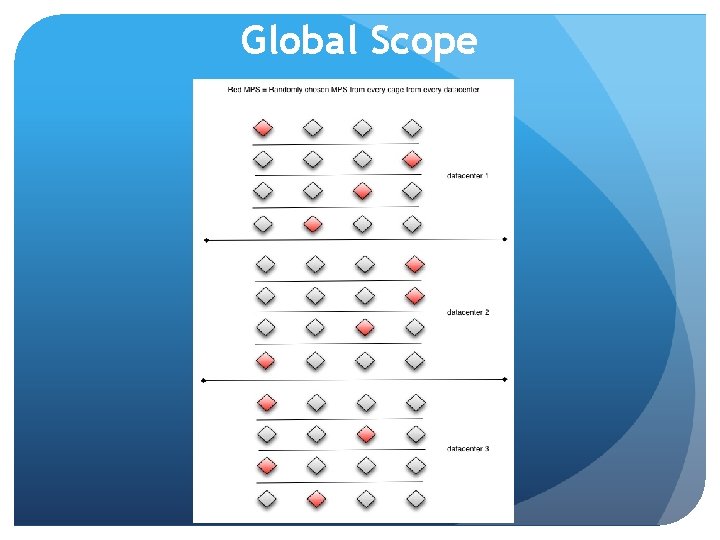
Step 3: Use Software Load Balancing! Have clients populate multiple Redis servers on insertion - Pick a Redis server at random on extraction (Load balancing) Ø If we don’t get a response from our first choice, pick another Redis server at random (failover) Find randomized CFEngine policy servers with Redis from each level in the scope Ø If the CFEngine policy server responds, push it into a list of machines we need to query for data Ø If the CFEngine policy server doesn’t respond, pick another one at random (fail over)
Local Scope
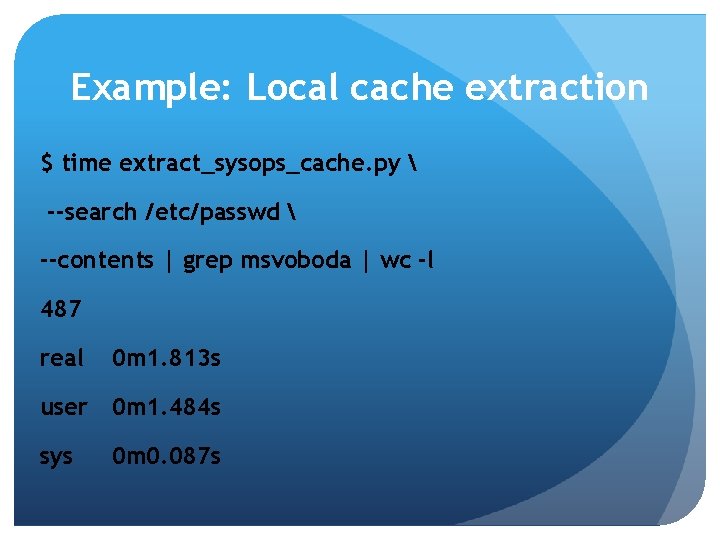
Example: Local cache extraction $ time extract_sysops_cache. py --search /etc/passwd --contents | grep msvoboda | wc -l 487 real 0 m 1. 813 s user 0 m 1. 484 s sys 0 m 0. 087 s
Site (datacenter) Scope
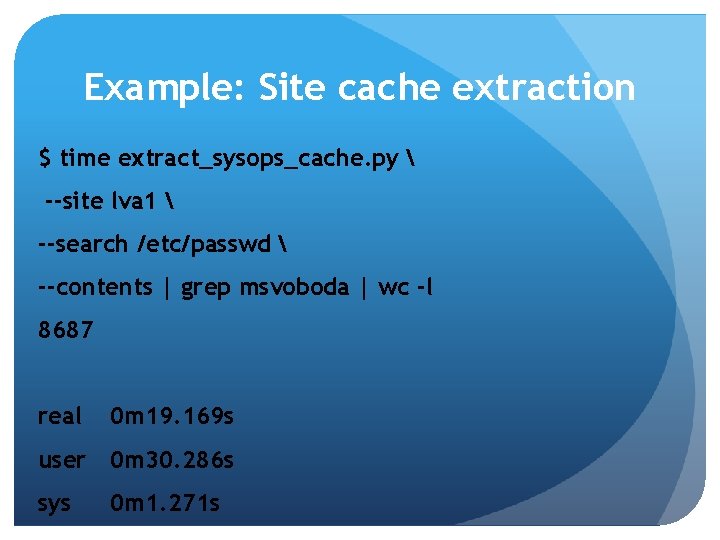
Example: Site cache extraction $ time extract_sysops_cache. py --site lva 1 --search /etc/passwd --contents | grep msvoboda | wc -l 8687 real 0 m 19. 169 s user 0 m 30. 286 s sys 0 m 1. 271 s
Global Scope
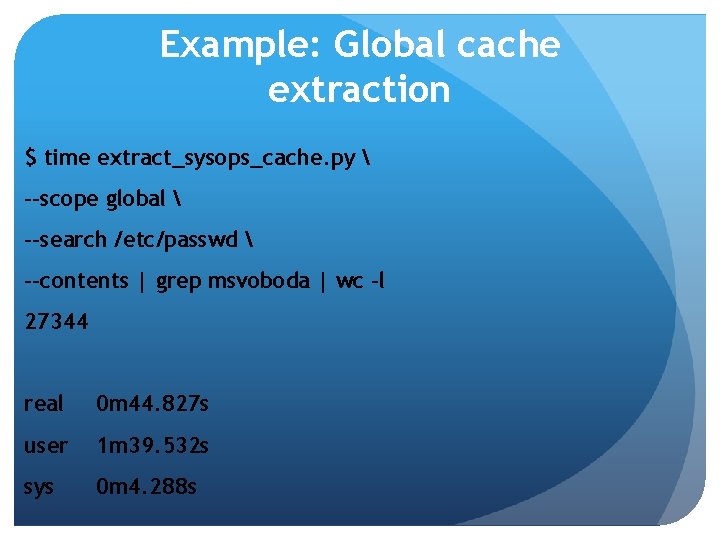
Example: Global cache extraction $ time extract_sysops_cache. py --scope global --search /etc/passwd --contents | grep msvoboda | wc -l 27344 real 0 m 44. 827 s user 1 m 39. 532 s sys 0 m 4. 288 s
Make it fast! Become Multithreaded
Make it faster! Build a Redis pipeline
Cache extraction with a pipeline
Extracting the Cache for Fun and Profit [msvoboda@esv 4 -infra 01 ~]$ extract_sysops_cache. py --scope local --search mps*cm. conf --md 5 sum --prefix-hostnames esv 4 -2360 -mps 01. corp. linkedin. com#/etc/cm. conf esv 4 -2360 -mps 02. corp. linkedin. com#/etc/cm. conf esv 4 -2360 -mps 03. corp. linkedin. com#/etc/cm. conf esv 4 -2360 -mps 04. corp. linkedin. com#/etc/cm. conf 12721673715 de 3 ee 6 b 9 dec 487529355 e 56 b 03 a 16 c 69 e 5 b 246 a 565 dbcda 44 ba 28 11 e 20 e 28 ec 60 ac 6 c 71 cbb 71 b 0 a 6 c 9 b 35 55402 eda 02 e 7 f 5 c 17 dc 7535455 adc 097
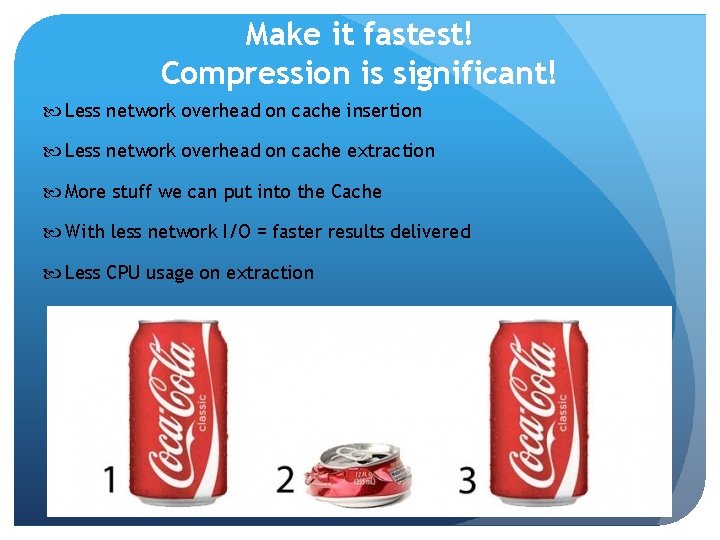
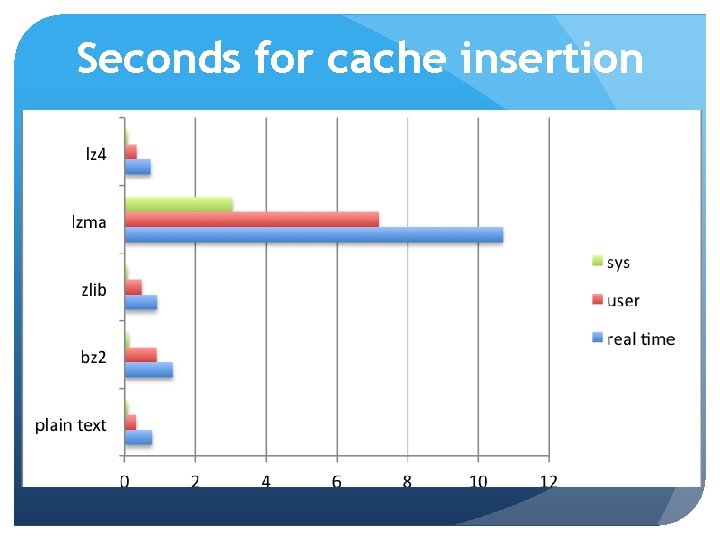
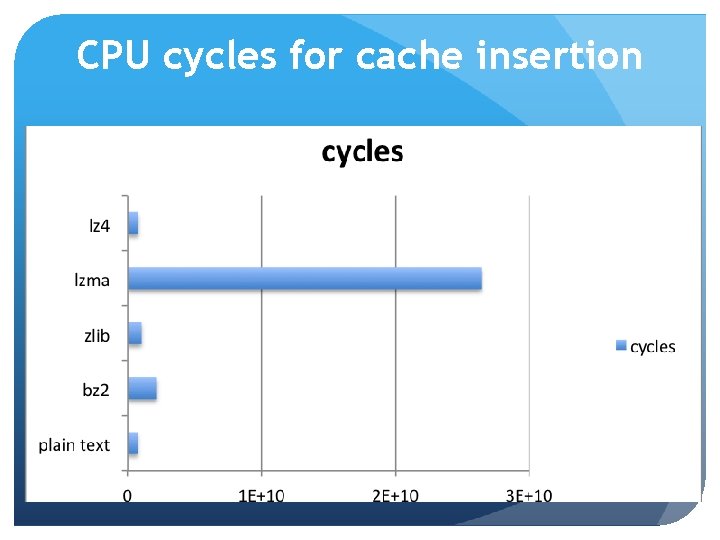
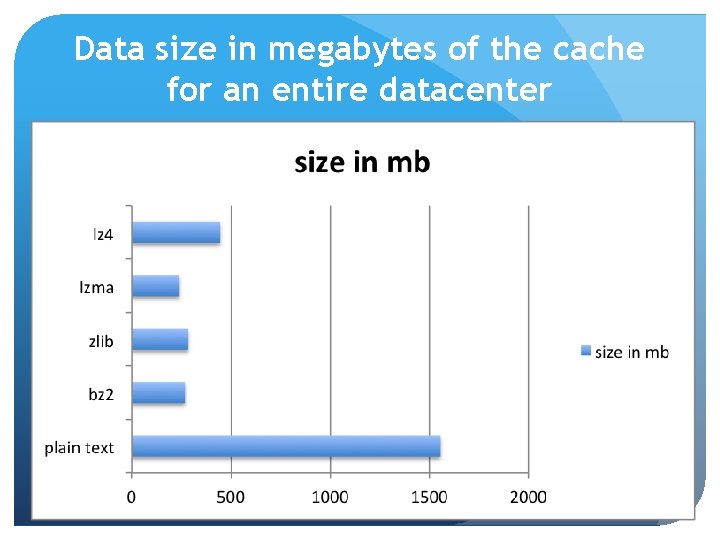
Make it fastest! Compression is significant! Less network overhead on cache insertion Less network overhead on cache extraction More stuff we can put into the Cache With less network I/O = faster results delivered Less CPU usage on extraction
Seconds for cache insertion
CPU cycles for cache insertion
Data size in megabytes of the cache for an entire datacenter
Time for cross country complete datacenter cache extraction
Drink from the firehose
With Redis API, you can now be confident in pushing automation changes You know what systems will be affected before a change You aren’t hit with surprises in production You have added visibility You don’t have to log into machines to modify or update
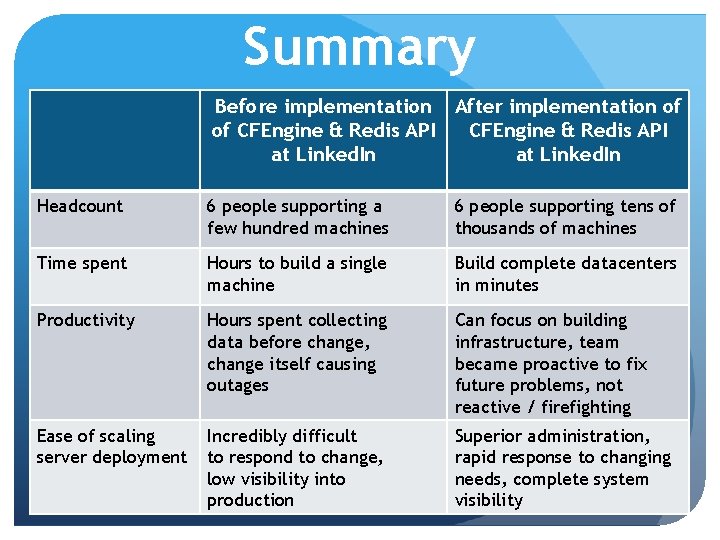
Summary Before implementation After implementation of of CFEngine & Redis API at Linked. In Headcount 6 people supporting a few hundred machines 6 people supporting tens of thousands of machines Time spent Hours to build a single machine Build complete datacenters in minutes Productivity Hours spent collecting data before change, change itself causing outages Can focus on building infrastructure, team became proactive to fix future problems, not reactive / firefighting Ease of scaling server deployment Incredibly difficult to respond to change, low visibility into production Superior administration, rapid response to changing needs, complete system visibility
Open Source Questions? msvoboda@linkedin. com www. linkedin. com/in/mikesvoboda You can download the code from this presentation here: https: //github. com/linkedin/sysops-api