
Leukopak Processing Setup Prior to receiving LPK set
- Slides: 19
Leukopak Processing
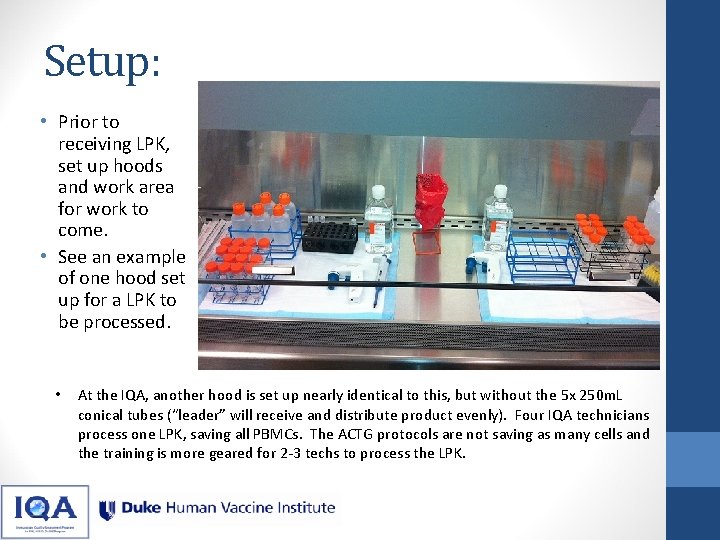
Setup: • Prior to receiving LPK, set up hoods and work area for work to come. • See an example of one hood set up for a LPK to be processed. • At the IQA, another hood is set up nearly identical to this, but without the 5 x 250 m. L conical tubes (“leader” will receive and distribute product evenly). Four IQA technicians process one LPK, saving all PBMCs. The ACTG protocols are not saving as many cells and the training is more geared for 2 -3 techs to process the LPK.
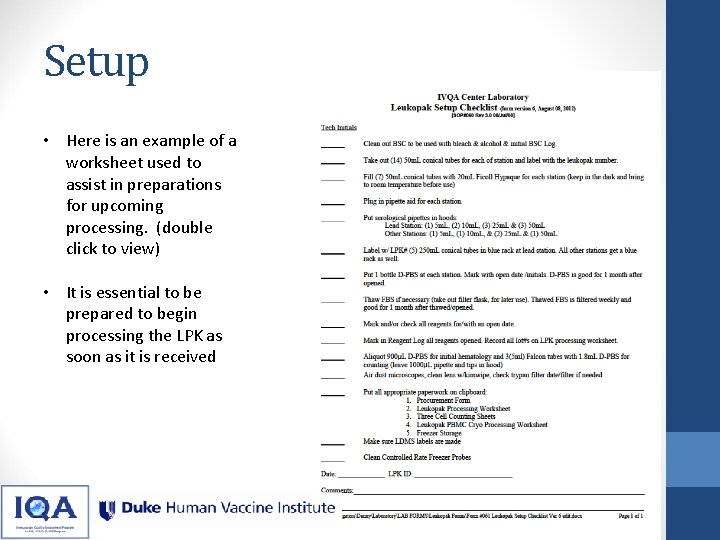
Setup • Here is an example of a worksheet used to assist in preparations for upcoming processing. (double click to view) • It is essential to be prepared to begin processing the LPK as soon as it is received
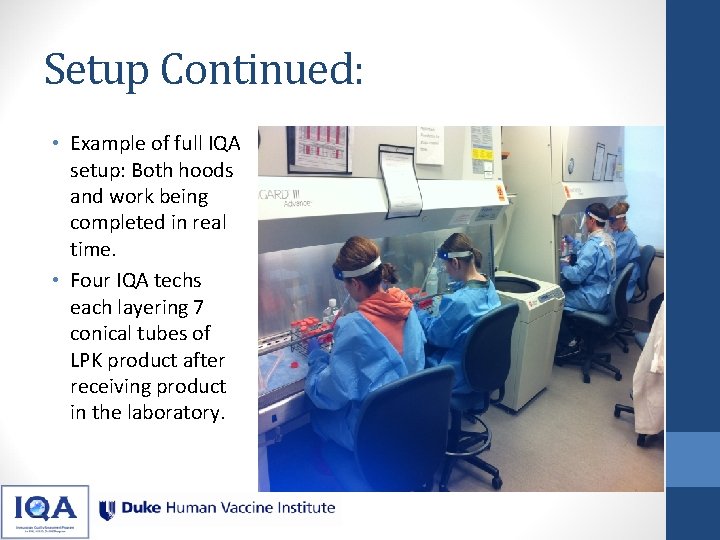
Setup Continued: • Example of full IQA setup: Both hoods and work being completed in real time. • Four IQA techs each layering 7 conical tubes of LPK product after receiving product in the laboratory.
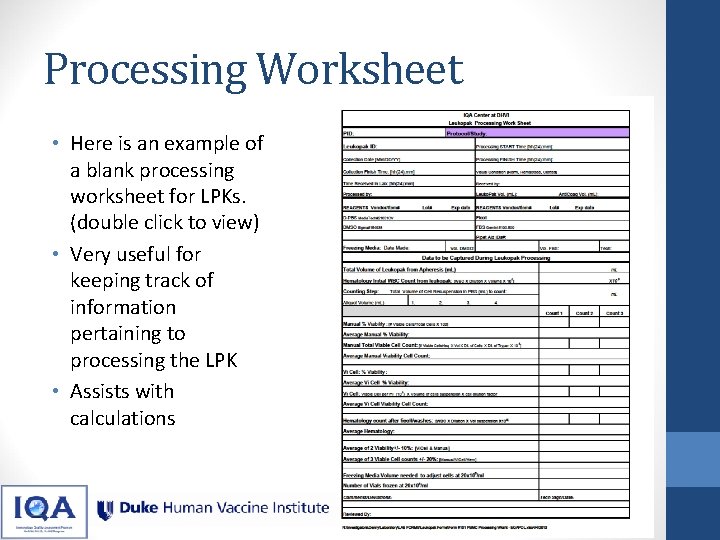
Processing Worksheet • Here is an example of a blank processing worksheet for LPKs. (double click to view) • Very useful for keeping track of information pertaining to processing the LPK • Assists with calculations
First steps at the IQA: • After receiving the leukopak, document the volume • Mix well and empty contents into one 250 m. L container. At IQA we combine 100 u. L of this sample with 900 u. L of d. PBS for an initial hematology analysis. • From this 250 m. L container, we split out the Leukopak evenly between all 4 technicians • Each tech will bring volume up to 140 m. Ls using d. PBS • Example: 172 m. L of leukopak material comes into the laboratory. “Leader” will mix this well and empty into a 250 m. L container. The leader will give 43 m. L to each technician and have them add 97 m. L of d. PBS to bring their total volumes of material to 140 m. L
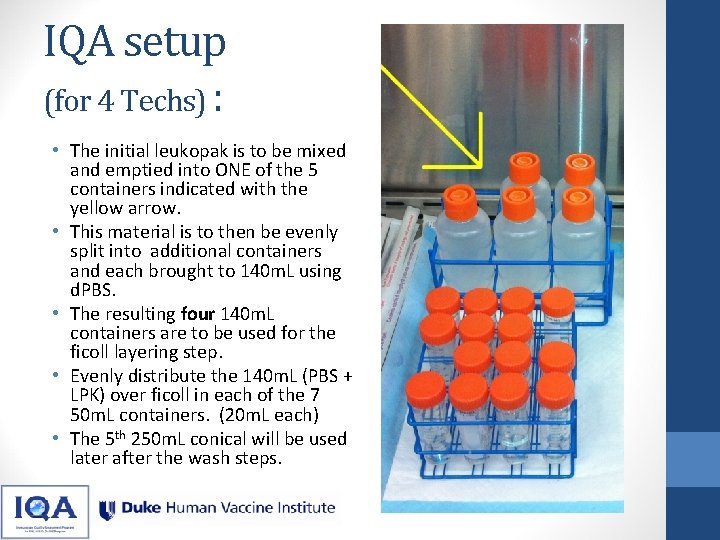
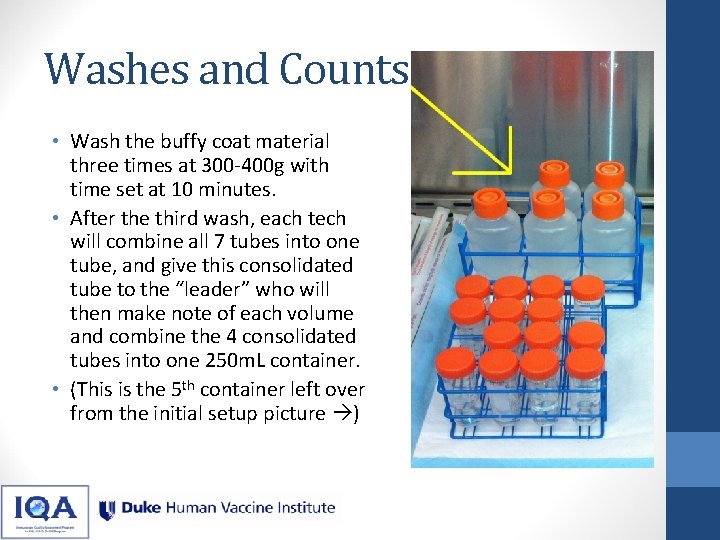
IQA setup (for 4 Techs) : • The initial leukopak is to be mixed and emptied into ONE of the 5 containers indicated with the yellow arrow. • This material is to then be evenly split into additional containers and each brought to 140 m. L using d. PBS. • The resulting four 140 m. L containers are to be used for the ficoll layering step. • Evenly distribute the 140 m. L (PBS + LPK) over ficoll in each of the 7 50 m. L containers. (20 m. L each) • The 5 th 250 m. L conical will be used later after the wash steps.
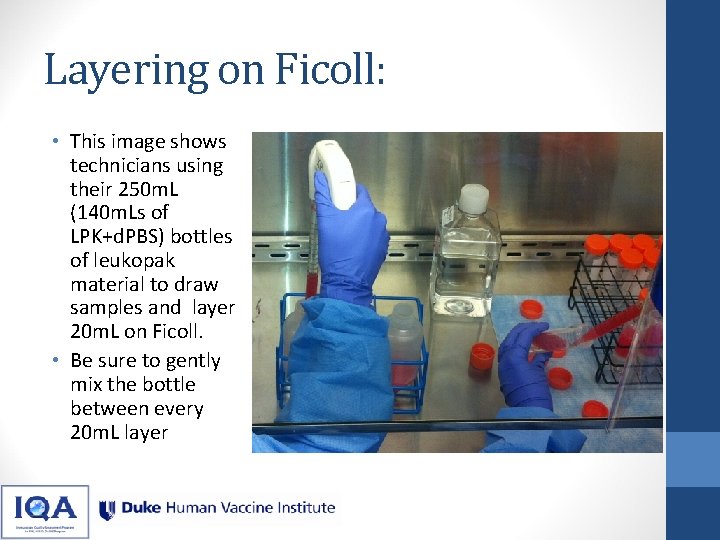
Layering on Ficoll: • This image shows technicians using their 250 m. L (140 m. Ls of LPK+d. PBS) bottles of leukopak material to draw samples and layer 20 m. L on Ficoll. • Be sure to gently mix the bottle between every 20 m. L layer
Layering: • With your 140 m. L container gently mixed, draw 20 m. L into a serological pipette • Tilt your Ficoll tube to approximately a 45 -degree angle, and position the tube so that you have maximum visibility of the Ficoll layer • Touch the tip of the pipet to the surface of the Ficoll to where you see the surface tension break slightly • As carefully and slowly as possible dispense the leukopak material onto the layer of the Ficoll • If you see “waves” at the Ficoll layer, stop dispensing until the Ficoll layer calms. Then carefully start to dispense again, going slower than previously to avoid creating more waves. • As the leukopak layer builds over the Ficoll, you can increase the speed of dispensing as long as the Ficoll layer is not disrupted.
Video: Layering • Be patient while beginning to dispense. • Go as slowly as necessary. • After you finish one layer, gently mix your source material and begin the next Ficoll tube, until all 7 have been layered. • Mix the LPK material between each 20 m. L dispensed, to get an even distribution of the cells over the 7 tubes with ficoll. • Centrifuge with time set to 30 minutes and speed at 800 g with the break OFF. http: //youtu. be/ 2 i. Rkz. Zx. If. PY
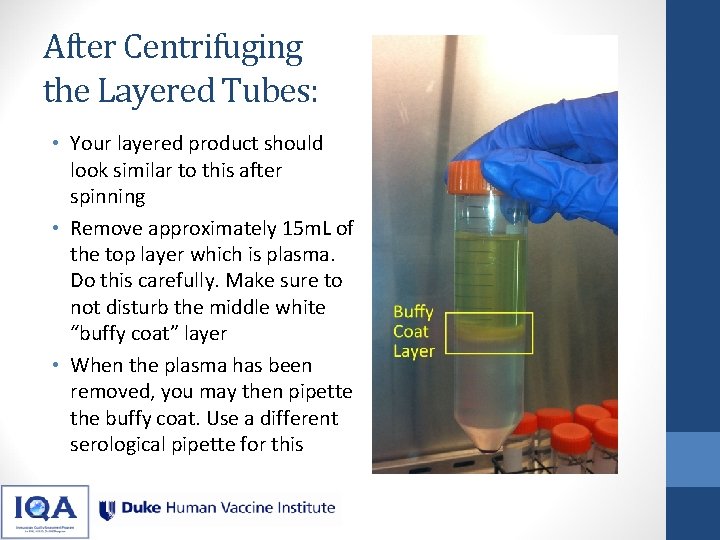
After Centrifuging the Layered Tubes: • Your layered product should look similar to this after spinning • Remove approximately 15 m. L of the top layer which is plasma. Do this carefully. Make sure to not disturb the middle white “buffy coat” layer • When the plasma has been removed, you may then pipette the buffy coat. Use a different serological pipette for this
Video: Harvesting Buffy Coat • This video demonstrates the removal of the buffy coat layer • Focus on only removing the thick, white layer; minimize as much as possible aspirating any volume below or above this layer • The buffy coat is never more than ~5 m. L • Dispense the buffy coat into a fresh 50 m. L tube, and bring that tube up to 40 m. L with d. PBS http: //youtu. be/ BFy. Yu-p. Ub. R 8
Washes and Counts • Wash the buffy coat material three times at 300 -400 g with time set at 10 minutes. • After the third wash, each tech will combine all 7 tubes into one tube, and give this consolidated tube to the “leader” who will then make note of each volume and combine the 4 consolidated tubes into one 250 m. L container. • (This is the 5 th container left over from the initial setup picture )
Washes and Counting • Mix this well and take an aliquot to retrieve your total PBMC count. (At the IQA, three samples are used for each hematology, Vi. Cell, and manual counting, eventually giving you nine numbers to calculate an average total PBMC count) • For example: final volume after combining tubes is 168. At IQA we would then take an aliquot to count, and dilute this 1: 10 in PBS. • For manual count: take this aliquot and dilute 1: 4 in trypan Blue, and load into hemacytometer. Average cell count comes out to 105 viable cells per square. For Example: • 105(avg per square)x 168(vol)x 10 x 4(dil factors)x 104=7 x 10⁹
Counting and Calculations • Once PBMC count is obtained, enough information is now known to make freezing media, and the final cell wash can begin. Transfer back to 50 m. L containers for final wash. • Example: Your (averaged) PBMC count comes out to be 7. 0 x 109. Divide this by 20 x 106 (if desired concentration is 20 x 106 per m. L) and you will require 350 m. L freezing media. • This should yield ~350 1 m. L aliquots at 20 x 106 vial concentration.
Freezing Media and Aliquoting • Using the previous example of 350 m. L of total freezing media: • Freezing media requires 10% DMSO. So in this example you will be using 35 m. L of DMSO and 315 m. L of filtered FBS. • Keep your freezing media bottle on ice. First add the chilled FBS, then add the DMSO. The DMSO will initially appear as an oily material in the media. • At this point you will slowly and gently invert and mix the freezing media until the oily substance dissipates. • Now, using a 50 m. L serological pipette, draw approximately 35 m. L of freezing media (to rinse) and combine with your isolated PBMCs. • Rinse the 50 m. L container enough times to transfer all PBMCs into the freezing media bottle (rinsing the sides of the conical tube) and gently mix. Now aliquot the PBMC-freeze media suspension. • Make sure to keep this suspension well mixed during aliquoting.
Note on creating Freezing Media with a set # of Aliquots • Freezing media may be made in advance and chilled when the protocol specifies a specific number of aliquots • This will be practice for many ACTG protocols • If applicable, it is suggested to create the freezing media during initial setup and keep chilled until needed, to save time.
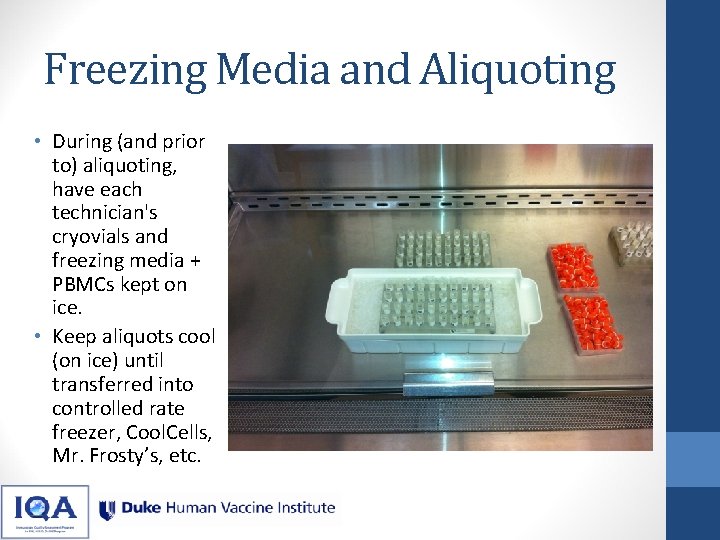
Freezing Media and Aliquoting • During (and prior to) aliquoting, have each technician's cryovials and freezing media + PBMCs kept on ice. • Keep aliquots cool (on ice) until transferred into controlled rate freezer, Cool. Cells, Mr. Frosty’s, etc.
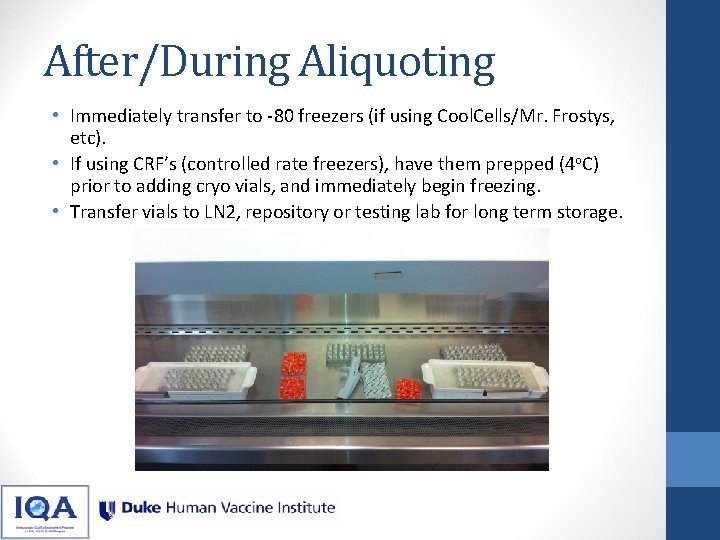
After/During Aliquoting • Immediately transfer to -80 freezers (if using Cool. Cells/Mr. Frostys, etc). • If using CRF’s (controlled rate freezers), have them prepped (4 o. C) prior to adding cryo vials, and immediately begin freezing. • Transfer vials to LN 2, repository or testing lab for long term storage.