
Lets Build a Dashboard Informer 4 versus Informer
Let’s Build a Dashboard (Informer 4 versus Informer 5) PRESENTER: Robin Lamb| Associate Director Customer Service| Entrinsik, Inc. | April 27, 2017 © 2017 Entrinsik, Inc.
Agenda • Differences between I 4 and Informer 5 dashboards • Building I 4 dashboard • How to convert to Informer 5 dashboard • Package and bring in as a query • Create Pivot table • Comparison Boards • Use Discover to create new Informer 5 dashboard © 2017 Entrinsik, Inc.
Differences Data is integrated into the visuals better More updated visualizations in Informer 5 Discover feature helps to create KPI’s Ability to drill down more than one level on a visualization • Ability to export one visualization versus entire dashboard • Handle more data in Informer 5 dashboards • • © 2017 Entrinsik, Inc.
What does it take to Build a Dashboard in I 4? • User has to have rights to build a dashboard • Users most likely will need to know how to create the query • User needs to create the data provider for the dashboard • Create multiple data providers for different types of visuals © 2017 Entrinsik, Inc.
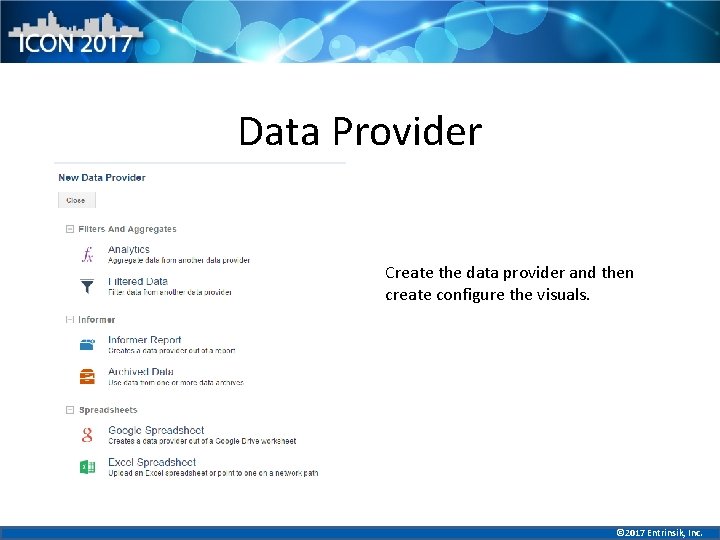
Data Provider Create the data provider and then create configure the visuals. © 2017 Entrinsik, Inc.
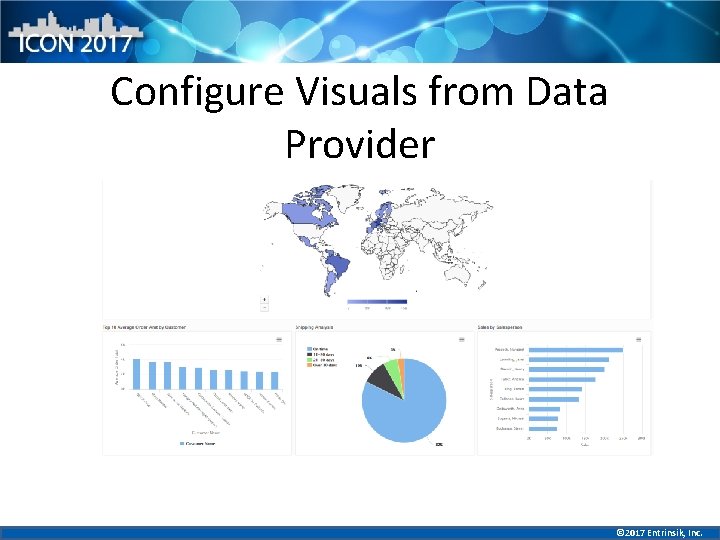
Configure Visuals from Data Provider © 2017 Entrinsik, Inc.
Easily Build an Informer 5 Dashboard • User needs access to Dataset • User can use saved Visualizations from the dataset or build new ones • Use Discover to create new metrics by just a few clicks • Create a pivot table in a few clicks • Resize and move quickly • Filter Data quickly © 2017 Entrinsik, Inc.
Migrate Informer 4 Dashboard to an Informer 5 Dashboard • Export Informer 4 reports used in dashboards to. ixp files. • Drag. ixp file into Informer 5 to create a query • Make a dataset from the query • Use Discover tool to create new visualizations © 2017 Entrinsik, Inc.
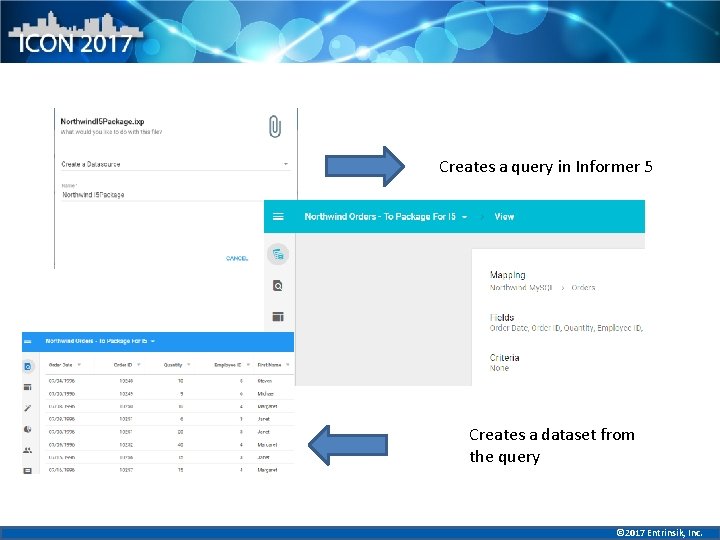
Creates a query in Informer 5 Creates a dataset from the query © 2017 Entrinsik, Inc.

Dataset Becomes One Source of Truth © 2017 Entrinsik, Inc.
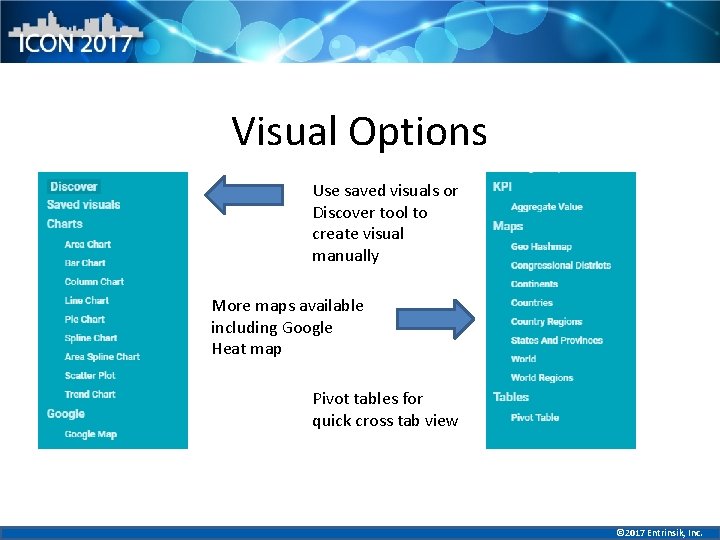
Visual Options Use saved visuals or Discover tool to create visual manually More maps available including Google Heat map Pivot tables for quick cross tab view © 2017 Entrinsik, Inc.
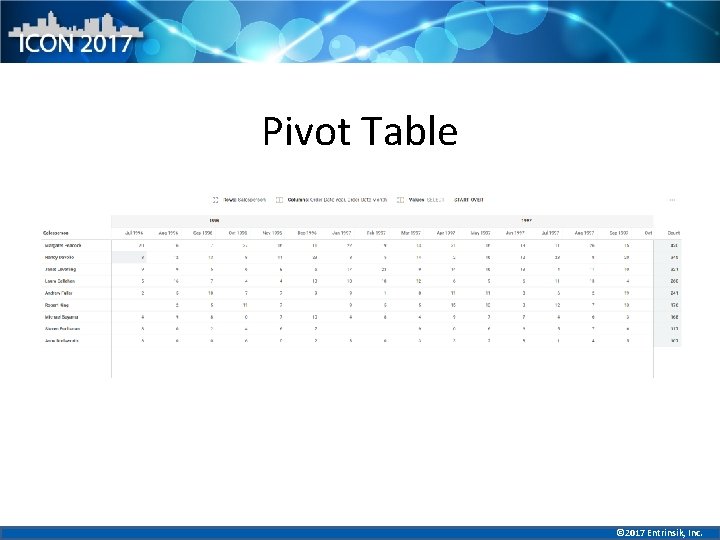
Pivot Table © 2017 Entrinsik, Inc.
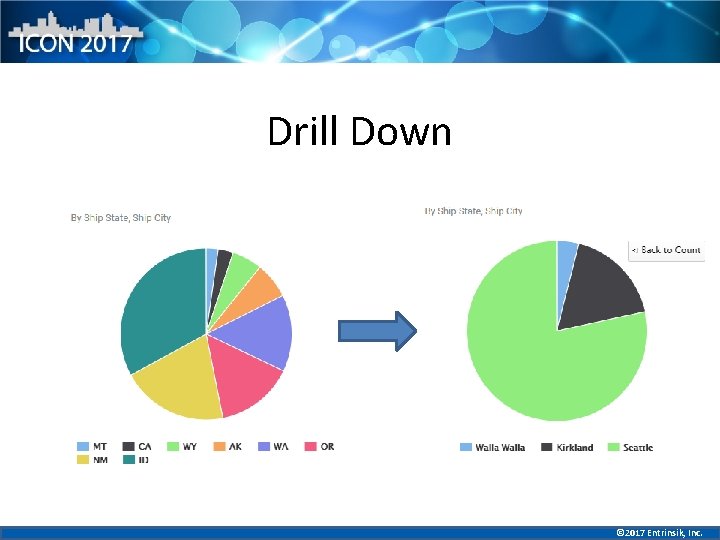
Drill Down © 2017 Entrinsik, Inc.
Comparison Board • Brand new feature • Compare side by side data based on group • Creates a brand new view of your report without having to be creative in I 4 © 2017 Entrinsik, Inc.

© 2017 Entrinsik, Inc.

Thank you! Any questions? © 2017 Entrinsik, Inc.
- Slides: 16