
Lessons Learned Schedule Updating and Maintenance using Primavera
- Slides: 40
Lessons Learned – Schedule Updating and Maintenance using Primavera P 6 Hannah Schumacher, PSP, PMI-SP, LEED AP Hill International Charlie Jackson, PSP, Primavera Certified Trainer Project Life Span, LLC Construction CPM Conference - 2016
Author Biography – Charlie Jackson • Position / Company: • Vice President • Project Life Span, LLC • Degree / University: • BA Journalism • Baylor University, Waco, TX • Years of Experience / Background: • 17+ years in the construction industry, primary focus on scheduling application, with a focus on scheduling practices and project controls implementation
Author Biography – Hannah Schumacher • • • Position/Company: • Managing Consultant, Construction Claims Group • Hill International Degree/University: • BS – Construction Management • BS – Building Construction Technology • Wentworth Institute of Technology, Boston, MA Years of Experience / Background: • 23+ years in construction industry, primary focus on planning, scheduling, project controls, and claims services • Clients: Owners, Developers, Construction Managers, General Contractors, Subcontractors • Project experience: commercial, residential/custom homes, multifamily/student housing, retail, hospital, medical, hospitality, education, casino, correctional, infrastructure, public works and industrial sectors
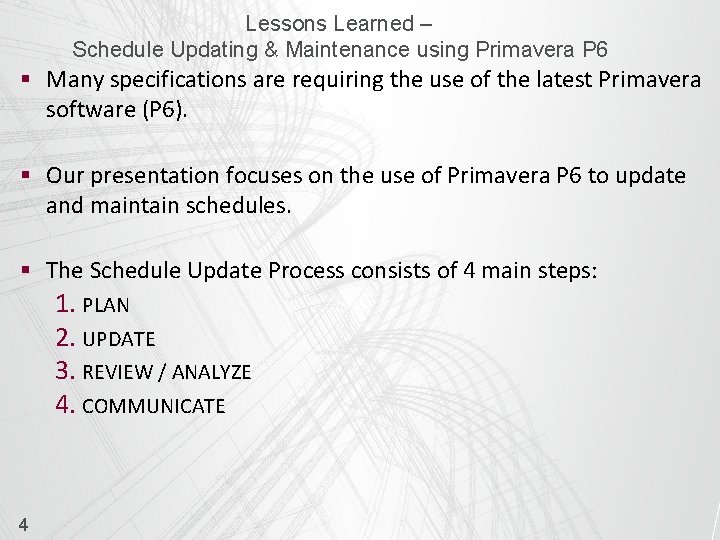
Lessons Learned – Schedule Updating & Maintenance using Primavera P 6 § Many specifications are requiring the use of the latest Primavera software (P 6). § Our presentation focuses on the use of Primavera P 6 to update and maintain schedules. § The Schedule Update Process consists of 4 main steps: 1. PLAN 2. UPDATE 3. REVIEW / ANALYZE 4. COMMUNICATE 4
Lessons Learned – Schedule Updating & Maintenance using Primavera P 6 § PLAN 5 • Understand Contract and Specification Requirements • Determine Update Frequency • Establish Baseline / Contract Schedule • Assign Responsibility to each activity • Provide Training • Gather Data • Visit Job site, hold update meeting, and validate data • Understand P 6 settings that affect updates
Lessons Learned – Schedule Updating & Maintenance using Primavera P 6 § Understand Contract and Specification Requirements 6 • Frequency of updates • Procedures for updates versus revisions • Earned Value requirements • Cost and/or resource status requirements • Change management procedures • Software requirements
Lessons Learned – Schedule Updating & Maintenance using Primavera P 6 § Determine Update Frequency • Factors to consider: • • • Contract Requirements Internal company policy Project budgeting Considerations • Benefits to frequent updates: • • • 7 Greater accuracy of as-built documentation Promotes early identification of issues Promotes timely issue resolution / mitigation Enhances user’s skill in application & management of schedule Provides starting point to which user can return if errors are made in updating process
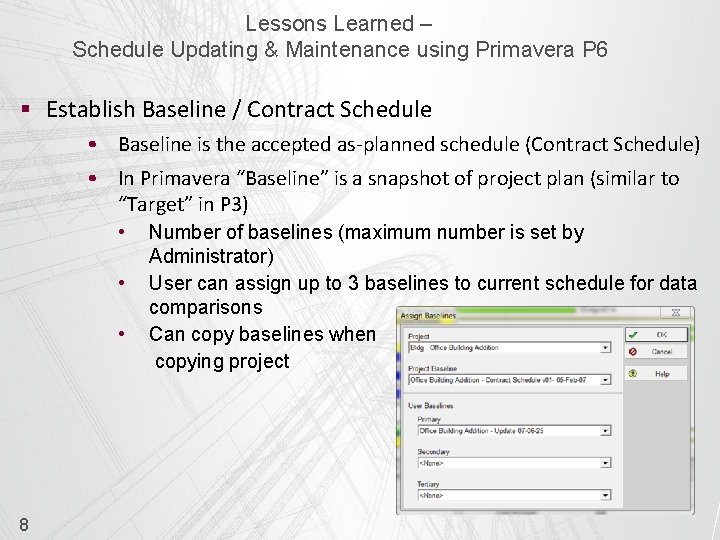
Lessons Learned – Schedule Updating & Maintenance using Primavera P 6 § Establish Baseline / Contract Schedule • Baseline is the accepted as-planned schedule (Contract Schedule) • In Primavera “Baseline” is a snapshot of project plan (similar to “Target” in P 3) • • • 8 Number of baselines (maximum number is set by Administrator) User can assign up to 3 baselines to current schedule for data comparisons Can copy baselines when copying project
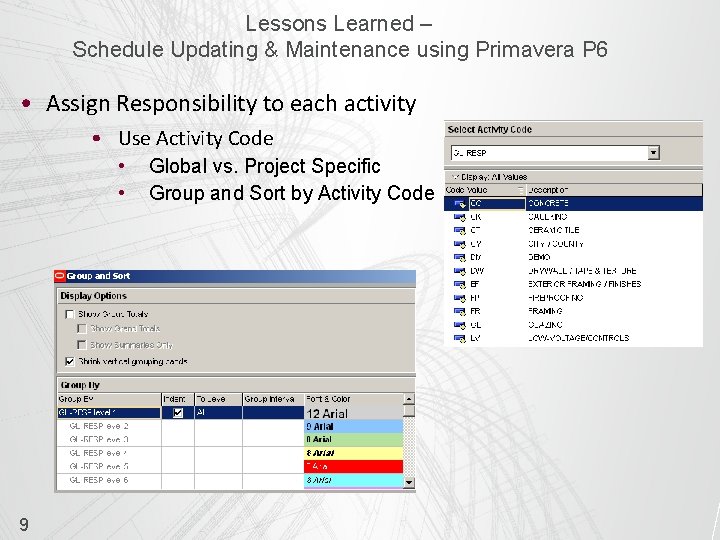
Lessons Learned – Schedule Updating & Maintenance using Primavera P 6 • Assign Responsibility to each activity • Use Activity Code • • 9 Global vs. Project Specific Group and Sort by Activity Code
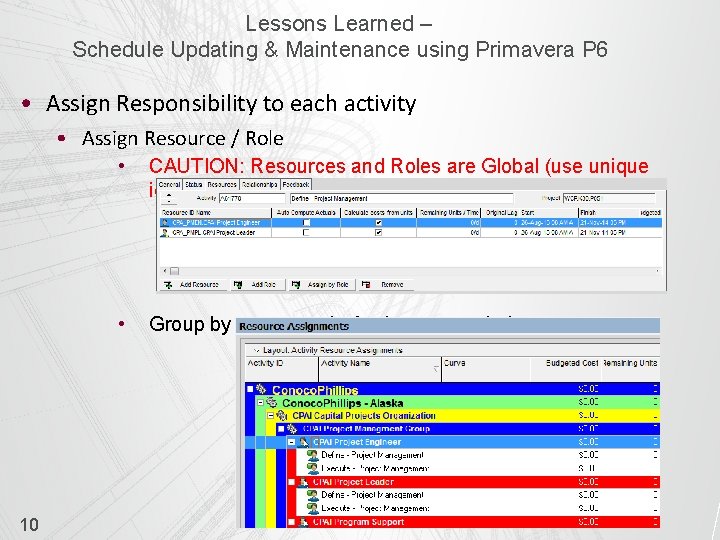
Lessons Learned – Schedule Updating & Maintenance using Primavera P 6 • Assign Responsibility to each activity • Assign Resource / Role 10 • CAUTION: Resources and Roles are Global (use unique identifier) • Group by resources in Assignments window
Lessons Learned – Schedule Updating & Maintenance using Primavera P 6 • Provide training • How to update the schedule • How to review the schedule • How to add fragnets for change management • Content of update reports • What information is needed from each individual 11
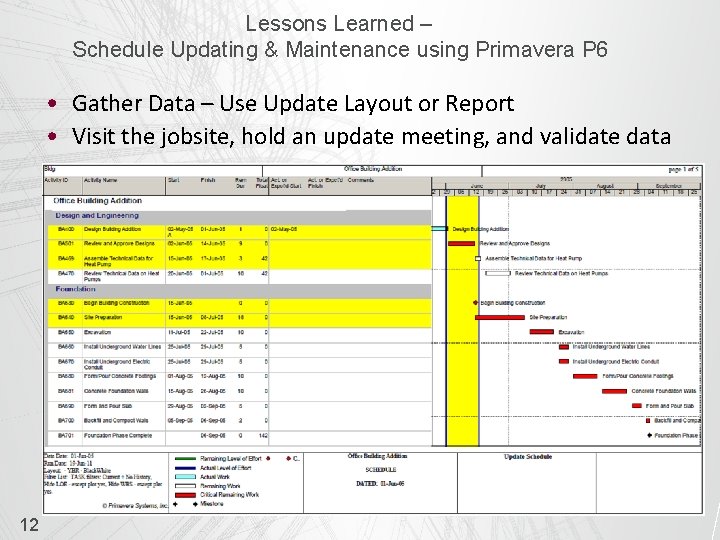
Lessons Learned – Schedule Updating & Maintenance using Primavera P 6 • Gather Data – Use Update Layout or Report • Visit the jobsite, hold an update meeting, and validate data 12
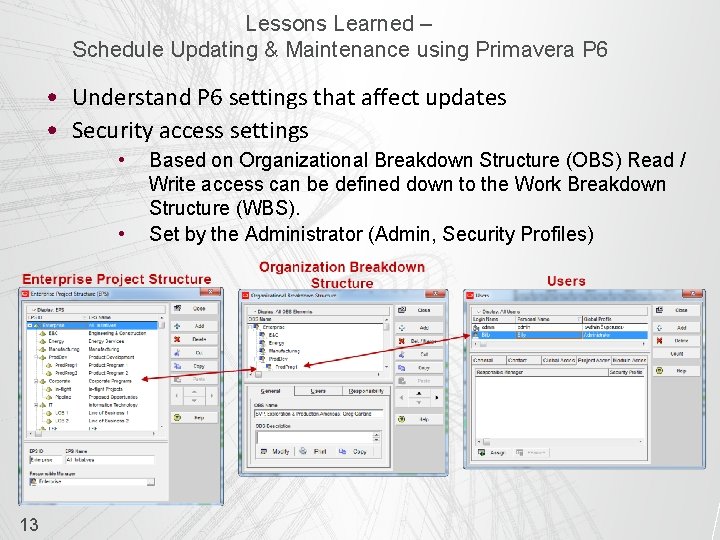
Lessons Learned – Schedule Updating & Maintenance using Primavera P 6 • Understand P 6 settings that affect updates • Security access settings • • 13 Based on Organizational Breakdown Structure (OBS) Read / Write access can be defined down to the Work Breakdown Structure (WBS). Set by the Administrator (Admin, Security Profiles)
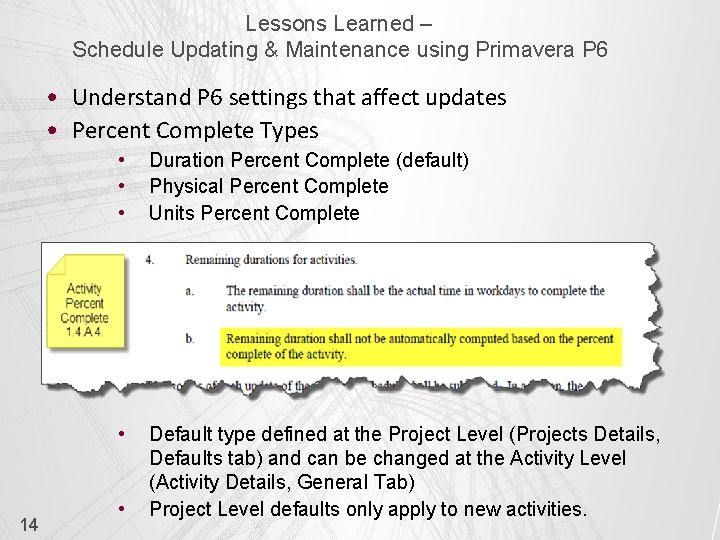
Lessons Learned – Schedule Updating & Maintenance using Primavera P 6 • Understand P 6 settings that affect updates • Percent Complete Types 14 • • • Duration Percent Complete (default) Physical Percent Complete Units Percent Complete • Default type defined at the Project Level (Projects Details, Defaults tab) and can be changed at the Activity Level (Activity Details, General Tab) Project Level defaults only apply to new activities. •
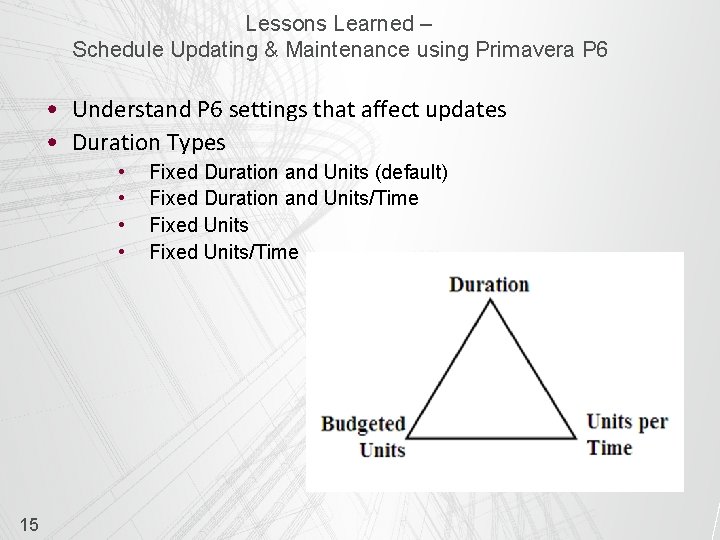
Lessons Learned – Schedule Updating & Maintenance using Primavera P 6 • Understand P 6 settings that affect updates • Duration Types • • 15 Fixed Duration and Units (default) Fixed Duration and Units/Time Fixed Units/Time
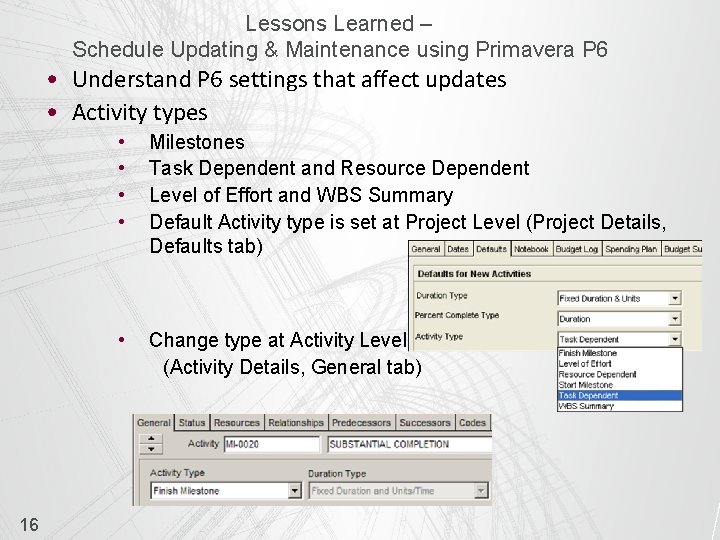
Lessons Learned – Schedule Updating & Maintenance using Primavera P 6 • Understand P 6 settings that affect updates • Activity types 16 • • Milestones Task Dependent and Resource Dependent Level of Effort and WBS Summary Default Activity type is set at Project Level (Project Details, Defaults tab) • Change type at Activity Level (Activity Details, General tab)
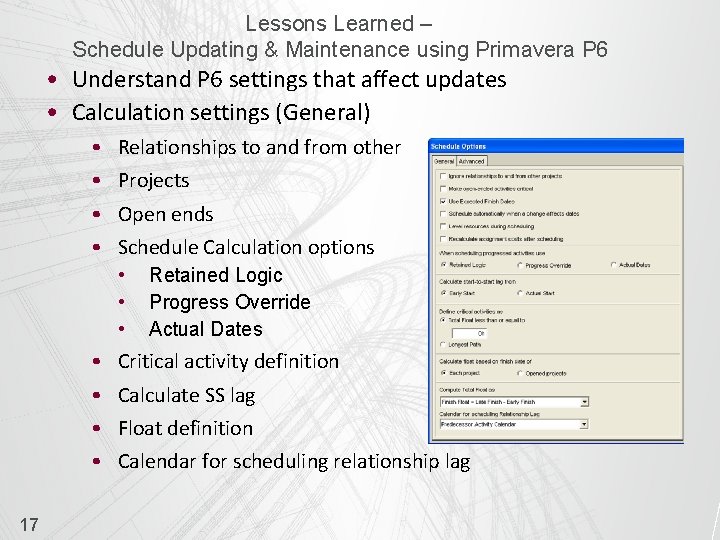
Lessons Learned – Schedule Updating & Maintenance using Primavera P 6 • Understand P 6 settings that affect updates • Calculation settings (General) • • Relationships to and from other Projects Open ends Schedule Calculation options • • 17 Retained Logic Progress Override Actual Dates Critical activity definition Calculate SS lag Float definition Calendar for scheduling relationship lag
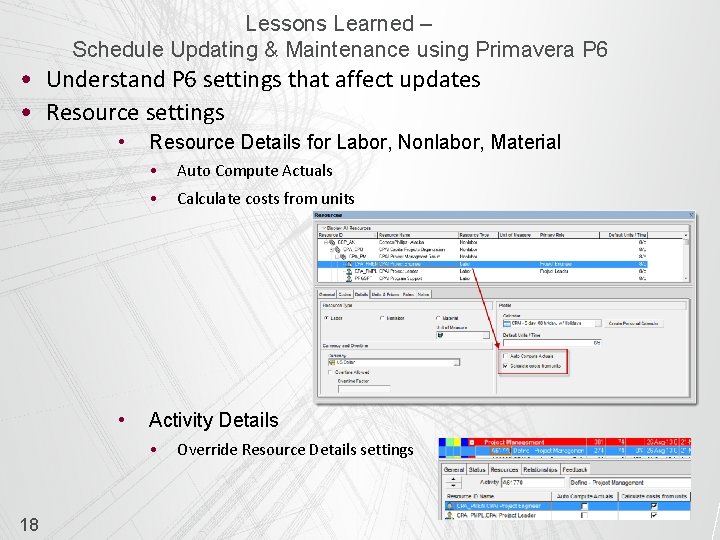
Lessons Learned – Schedule Updating & Maintenance using Primavera P 6 • Understand P 6 settings that affect updates • Resource settings • • Resource Details for Labor, Nonlabor, Material • Auto Compute Actuals • Calculate costs from units Activity Details • 18 Override Resource Details settings
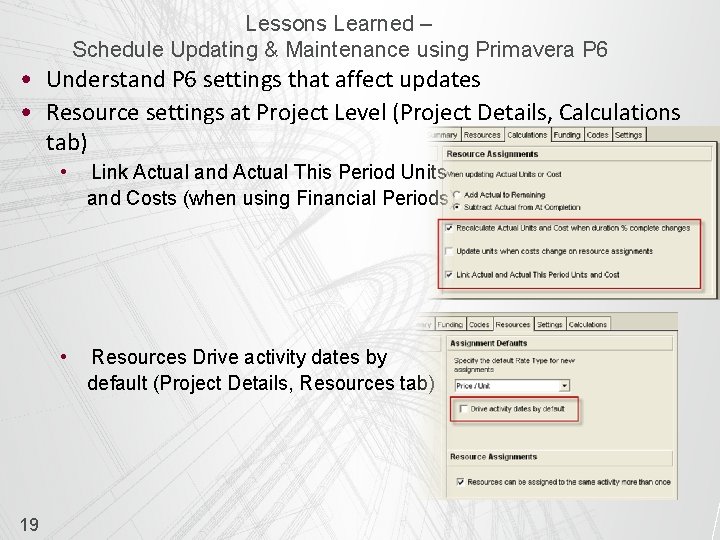
Lessons Learned – Schedule Updating & Maintenance using Primavera P 6 • Understand P 6 settings that affect updates • Resource settings at Project Level (Project Details, Calculations tab) 19 • Link Actual and Actual This Period Units and Costs (when using Financial Periods) • Resources Drive activity dates by default (Project Details, Resources tab)
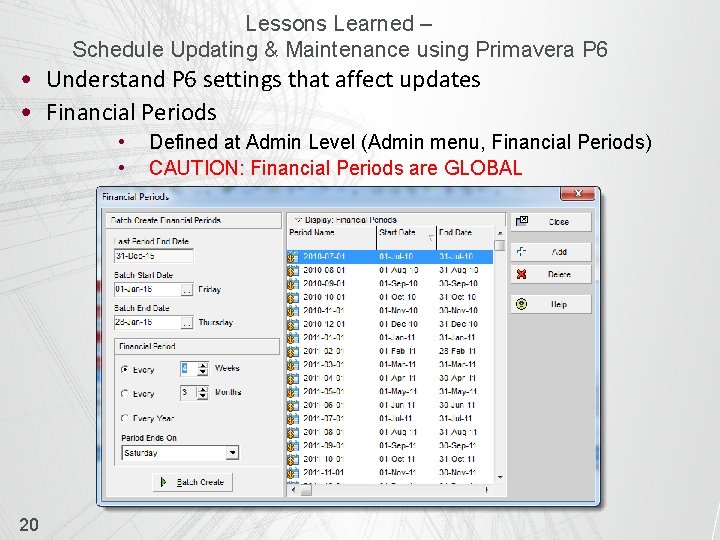
Lessons Learned – Schedule Updating & Maintenance using Primavera P 6 • Understand P 6 settings that affect updates • Financial Periods • • 20 Defined at Admin Level (Admin menu, Financial Periods) CAUTION: Financial Periods are GLOBAL
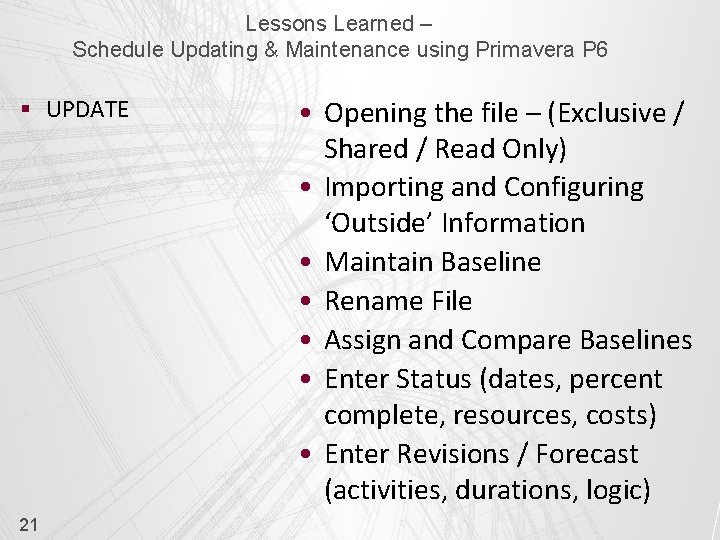
Lessons Learned – Schedule Updating & Maintenance using Primavera P 6 § UPDATE 21 • Opening the file – (Exclusive / Shared / Read Only) • Importing and Configuring ‘Outside’ Information • Maintain Baseline • Rename File • Assign and Compare Baselines • Enter Status (dates, percent complete, resources, costs) • Enter Revisions / Forecast (activities, durations, logic)
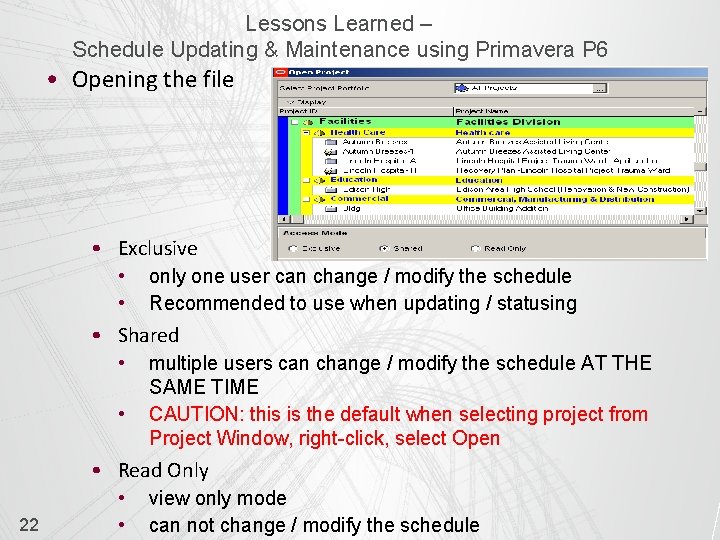
Lessons Learned – Schedule Updating & Maintenance using Primavera P 6 • Opening the file • Exclusive • • only one user can change / modify the schedule Recommended to use when updating / statusing • Shared • • multiple users can change / modify the schedule AT THE SAME TIME CAUTION: this is the default when selecting project from Project Window, right-click, select Open • Read Only 22 • • view only mode can not change / modify the schedule
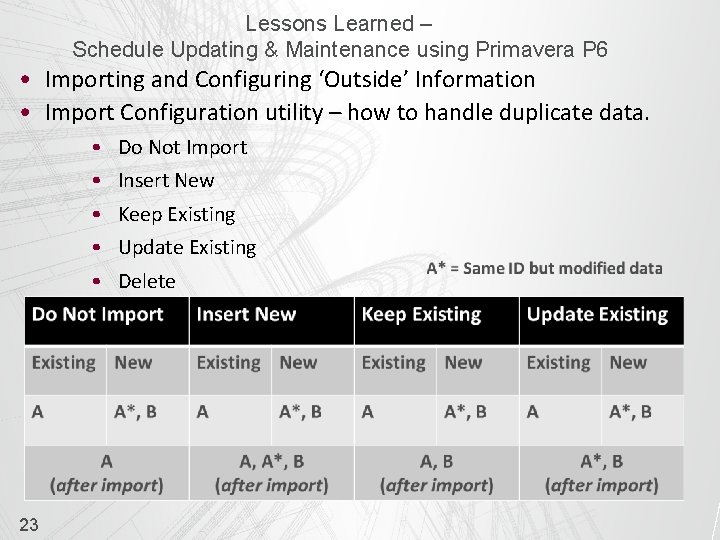
Lessons Learned – Schedule Updating & Maintenance using Primavera P 6 • Importing and Configuring ‘Outside’ Information • Import Configuration utility – how to handle duplicate data. • • • 23 Do Not Import Insert New Keep Existing Update Existing Delete
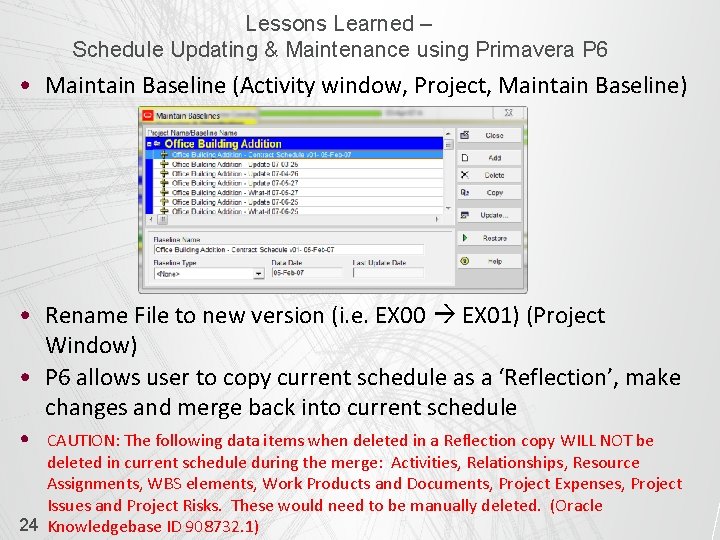
Lessons Learned – Schedule Updating & Maintenance using Primavera P 6 • Maintain Baseline (Activity window, Project, Maintain Baseline) • Rename File to new version (i. e. EX 00 EX 01) (Project Window) • P 6 allows user to copy current schedule as a ‘Reflection’, make changes and merge back into current schedule • CAUTION: The following data items when deleted in a Reflection copy WILL NOT be deleted in current schedule during the merge: Activities, Relationships, Resource Assignments, WBS elements, Work Products and Documents, Project Expenses, Project Issues and Project Risks. These would need to be manually deleted. (Oracle 24 Knowledgebase ID 908732. 1)
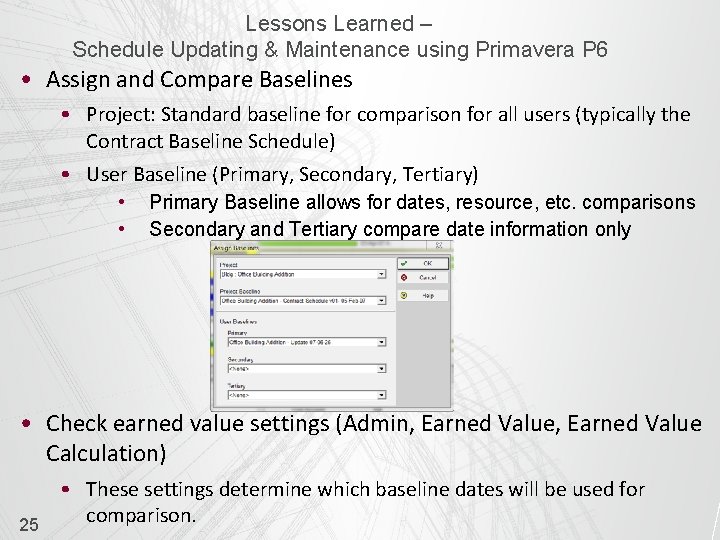
Lessons Learned – Schedule Updating & Maintenance using Primavera P 6 • Assign and Compare Baselines • Project: Standard baseline for comparison for all users (typically the Contract Baseline Schedule) • User Baseline (Primary, Secondary, Tertiary) • • Primary Baseline allows for dates, resource, etc. comparisons Secondary and Tertiary compare date information only • Check earned value settings (Admin, Earned Value Calculation) 25 • These settings determine which baseline dates will be used for comparison.
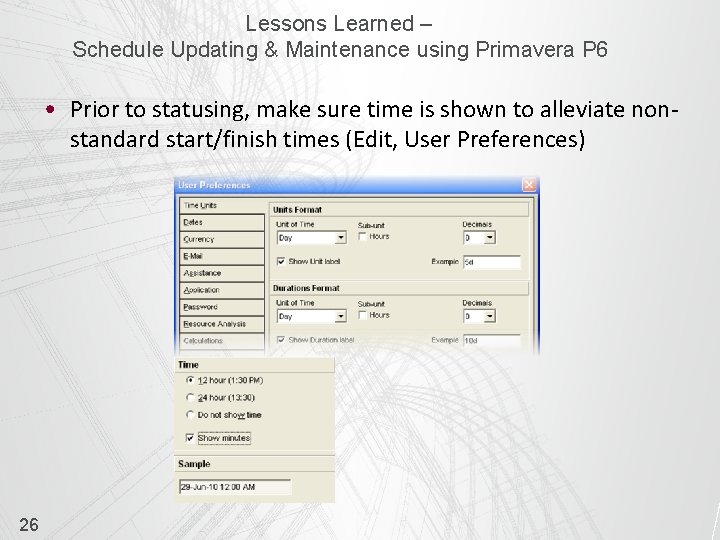
Lessons Learned – Schedule Updating & Maintenance using Primavera P 6 • Prior to statusing, make sure time is shown to alleviate nonstandard start/finish times (Edit, User Preferences) 26
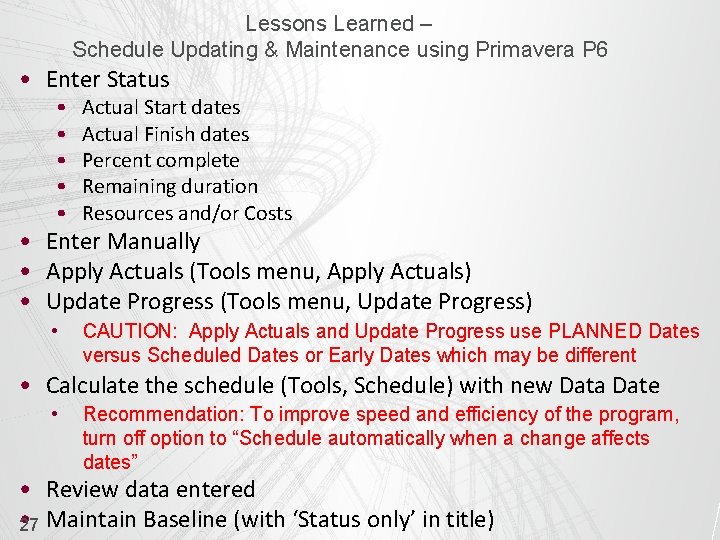
Lessons Learned – Schedule Updating & Maintenance using Primavera P 6 • Enter Status • • • Actual Start dates Actual Finish dates Percent complete Remaining duration Resources and/or Costs • CAUTION: Apply Actuals and Update Progress use PLANNED Dates versus Scheduled Dates or Early Dates which may be different • Enter Manually • Apply Actuals (Tools menu, Apply Actuals) • Update Progress (Tools menu, Update Progress) • Calculate the schedule (Tools, Schedule) with new Data Date • Recommendation: To improve speed and efficiency of the program, turn off option to “Schedule automatically when a change affects dates” • Review data entered • 27 Maintain Baseline (with ‘Status only’ in title)
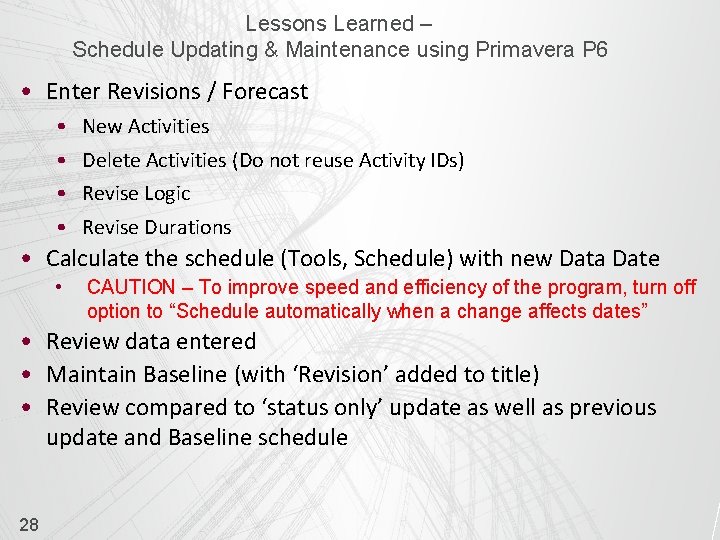
Lessons Learned – Schedule Updating & Maintenance using Primavera P 6 • Enter Revisions / Forecast • • New Activities Delete Activities (Do not reuse Activity IDs) Revise Logic Revise Durations • Calculate the schedule (Tools, Schedule) with new Data Date • CAUTION – To improve speed and efficiency of the program, turn off option to “Schedule automatically when a change affects dates” • Review data entered • Maintain Baseline (with ‘Revision’ added to title) • Review compared to ‘status only’ update as well as previous update and Baseline schedule 28
Lessons Learned – Schedule Updating & Maintenance using Primavera P 6 § REVIEW & ANALYZE 29 • Review and Verify data input (Scheduler self-check) • Compare to previous update and Contract schedule • Review Logic reports / Layouts and Changes made • Finalize and Maintain Baseline (of this finalized update)
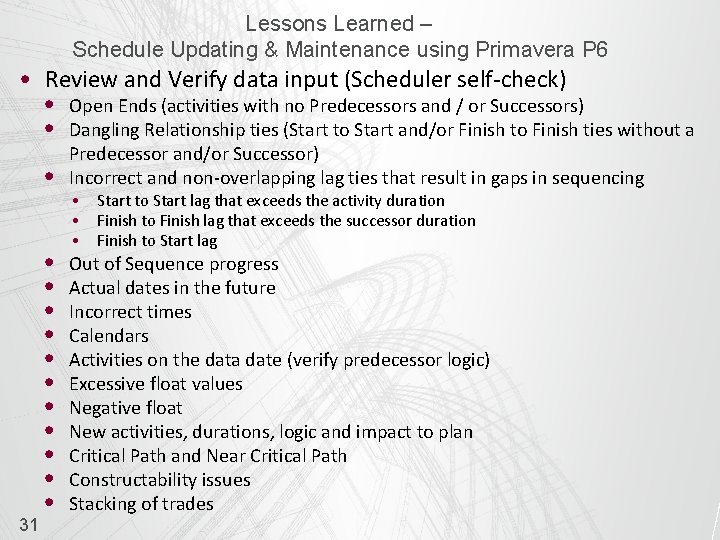
Lessons Learned – Schedule Updating & Maintenance using Primavera P 6 • Review and Verify data input (Scheduler self-check) • Open Ends (activities with no Predecessors and / or Successors) • Dangling Relationship ties (Start to Start and/or Finish to Finish ties without a 31 • Predecessor and/or Successor) Incorrect and non-overlapping lag ties that result in gaps in sequencing • • • Out of Sequence progress Actual dates in the future Incorrect times Calendars Activities on the data date (verify predecessor logic) Excessive float values Negative float New activities, durations, logic and impact to plan Critical Path and Near Critical Path Constructability issues Stacking of trades • • • Start to Start lag that exceeds the activity duration Finish to Finish lag that exceeds the successor duration Finish to Start lag
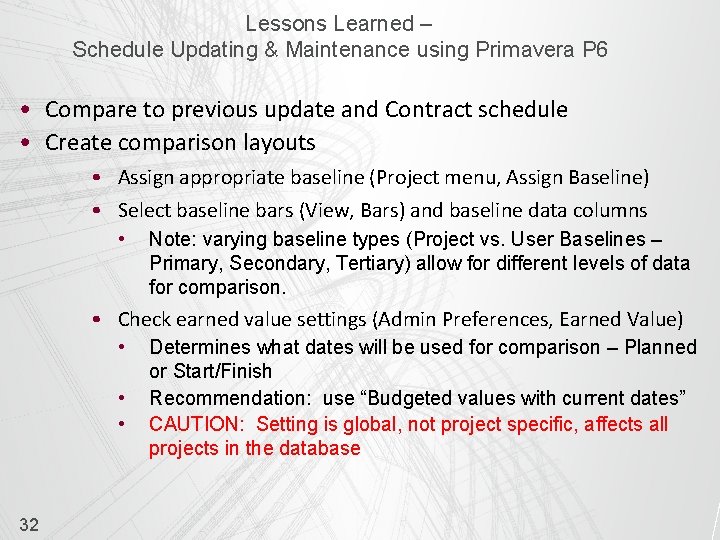
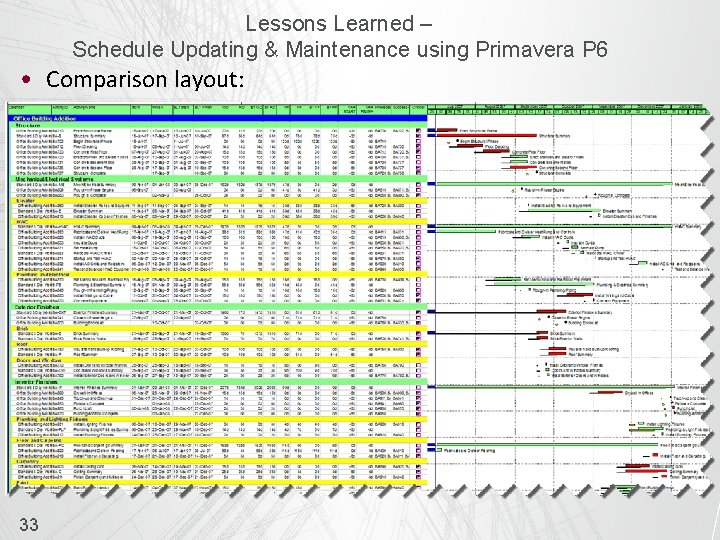
Lessons Learned – Schedule Updating & Maintenance using Primavera P 6 • Compare to previous update and Contract schedule • Create comparison layouts • Assign appropriate baseline (Project menu, Assign Baseline) • Select baseline bars (View, Bars) and baseline data columns • Note: varying baseline types (Project vs. User Baselines – Primary, Secondary, Tertiary) allow for different levels of data for comparison. • Check earned value settings (Admin Preferences, Earned Value) • • • 32 Determines what dates will be used for comparison – Planned or Start/Finish Recommendation: use “Budgeted values with current dates” CAUTION: Setting is global, not project specific, affects all projects in the database
Lessons Learned – Schedule Updating & Maintenance using Primavera P 6 • Comparison layout: 33
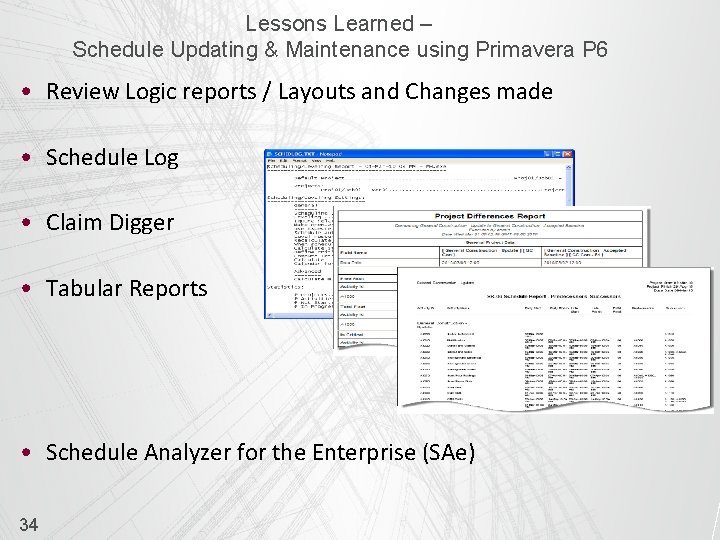
Lessons Learned – Schedule Updating & Maintenance using Primavera P 6 • Review Logic reports / Layouts and Changes made • Schedule Log • Claim Digger • Tabular Reports • Schedule Analyzer for the Enterprise (SAe) 34
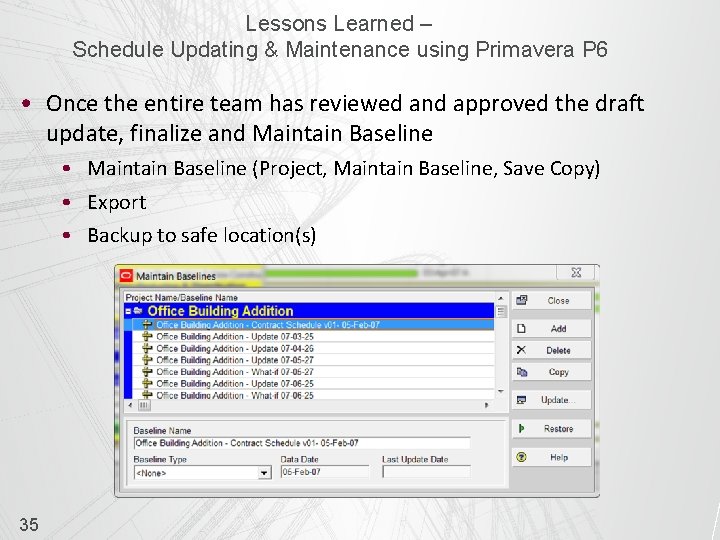
Lessons Learned – Schedule Updating & Maintenance using Primavera P 6 • Once the entire team has reviewed and approved the draft update, finalize and Maintain Baseline • Maintain Baseline (Project, Maintain Baseline, Save Copy) • Export • Backup to safe location(s) 35
Lessons Learned – Schedule Updating & Maintenance using Primavera P 6 § COMMUNICATE 36 • • Layouts Reports
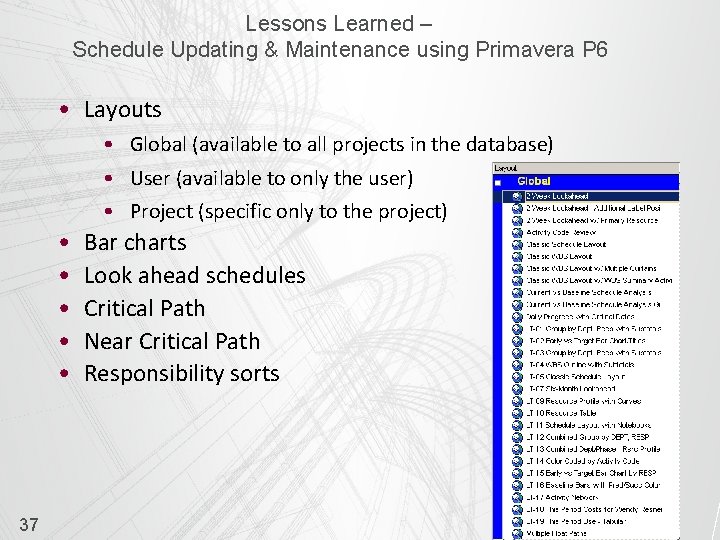
Lessons Learned – Schedule Updating & Maintenance using Primavera P 6 • Layouts • Global (available to all projects in the database) • User (available to only the user) • Project (specific only to the project) • • • 37 Bar charts Look ahead schedules Critical Path Near Critical Path Responsibility sorts
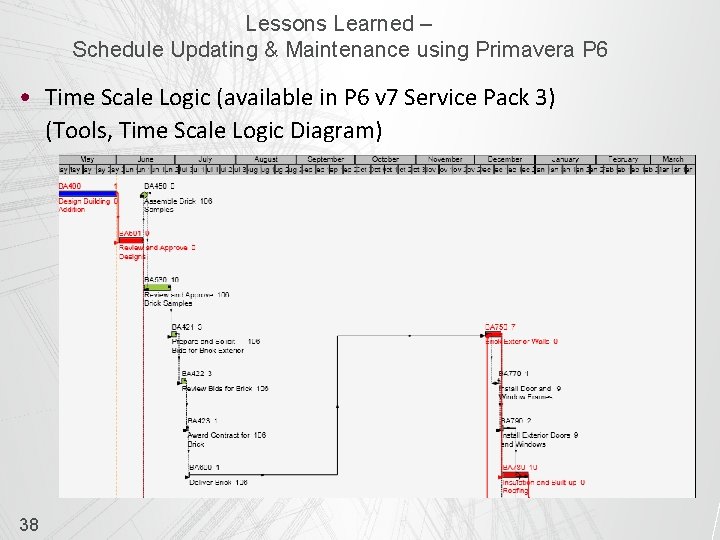
Lessons Learned – Schedule Updating & Maintenance using Primavera P 6 • Time Scale Logic (available in P 6 v 7 Service Pack 3) (Tools, Time Scale Logic Diagram) 38
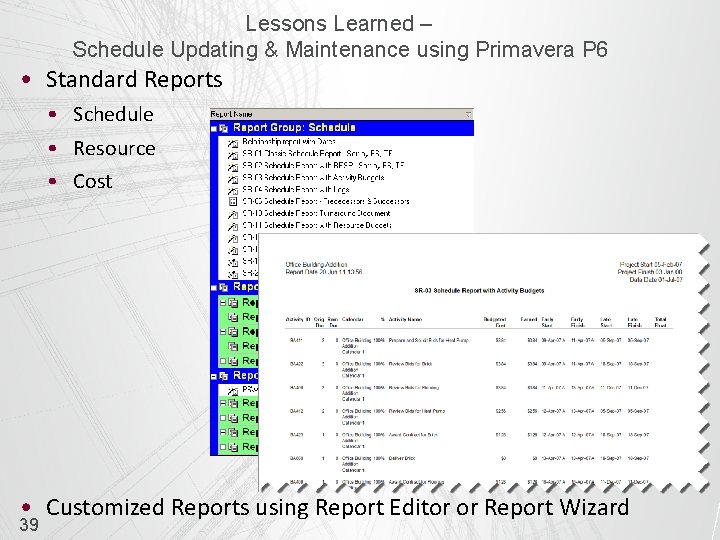
Lessons Learned – Schedule Updating & Maintenance using Primavera P 6 • Standard Reports • Schedule • Resource • Cost • Customized Reports using Report Editor or Report Wizard 39
Lessons Learned – Schedule Updating & Maintenance using Primavera P 6 • CONCLUSION • Understand contract and specification requirements • Understand the P 6 settings that affect updates • Provide training to those responsible for providing and reviewing the update data • Visit the jobsite and walk the job • Hold an update meeting and verify data • Update Frequently • Review and Analyze the schedule • Maintain Baselines for comparison • Compare to previous updates and Baseline Schedule • Communicate the schedule using Reports and Layouts 40
Lessons Learned – Schedule Updating & Maintenance using Primavera P 6 • We hope that you can use schedule updating and maintenance lessons learned outlined in this presentation to update your schedules quickly and efficiently using Primavera P 6™ Questions? 41 Hannah Schumacher Charlie Jackson Managing Consultant Vice President Hill International Hannah. Schumacher@hillintl. com cjackson@projectlifespan. com (602) 390 -1048 (702) 540 -9767