
Lesson 8 Topics Creating SAS datasets from procedures
- Slides: 26
Lesson 8 - Topics • • Creating SAS datasets from procedures Creating reports using data-step and PROC TABULATE Using PROC RANK Programs 14 -15 in course notes • LSB 4: 11; 13 -17; 5: 3
Making SAS Datasets From Procedures Output from SAS PROCs can be put into SAS datasets: • To do further processing of the information from the output • To reformat output to make a report
Ways to Put Output into SAS Datasets • Using OUTPUT statement available in many procedures • Using ODS OUTPUT statement – any output table can be put into a SAS dataset
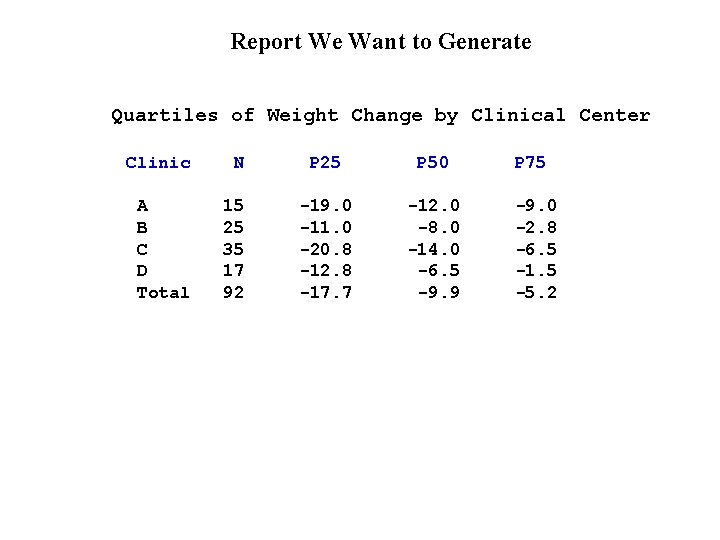
Report We Want to Generate Quartiles of Weight Change by Clinical Center Clinic N P 25 P 50 A B C D Total 15 25 35 17 92 -19. 0 -11. 0 -20. 8 -12. 8 -17. 7 -12. 0 -8. 0 -14. 0 -6. 5 -9. 9 P 75 -9. 0 -2. 8 -6. 5 -1. 5 -5. 2
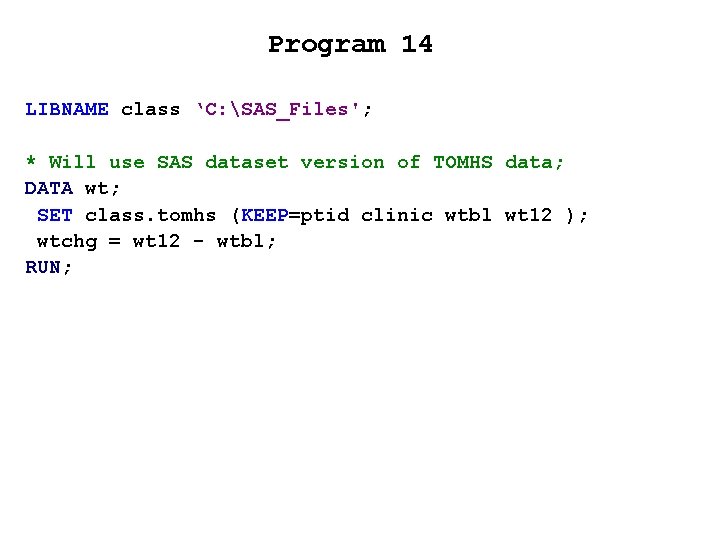
Program 14 LIBNAME class ‘C: SAS_Files'; * Will use SAS dataset version of TOMHS data; DATA wt; SET class. tomhs (KEEP=ptid clinic wtbl wt 12 ); wtchg = wt 12 - wtbl; RUN;
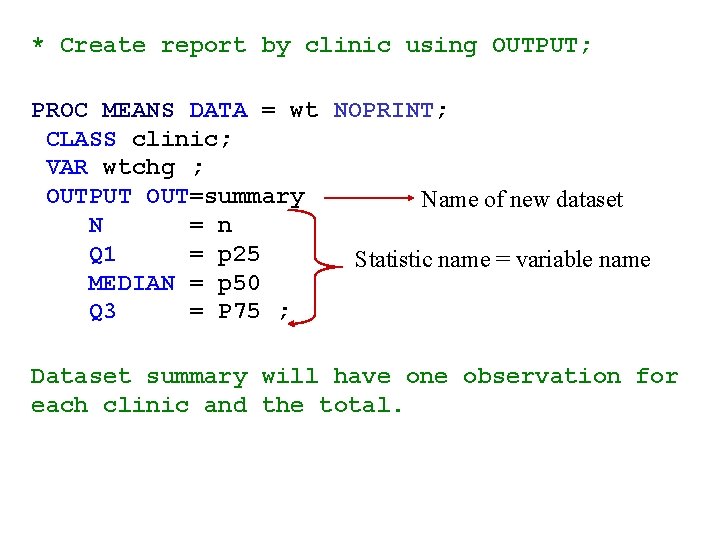
* Create report by clinic using OUTPUT; PROC MEANS DATA = wt NOPRINT; CLASS clinic; VAR wtchg ; OUTPUT OUT=summary Name of new dataset N = n Q 1 = p 25 Statistic name = variable name MEDIAN = p 50 Q 3 = P 75 ; Dataset summary will have one observation for each clinic and the total.
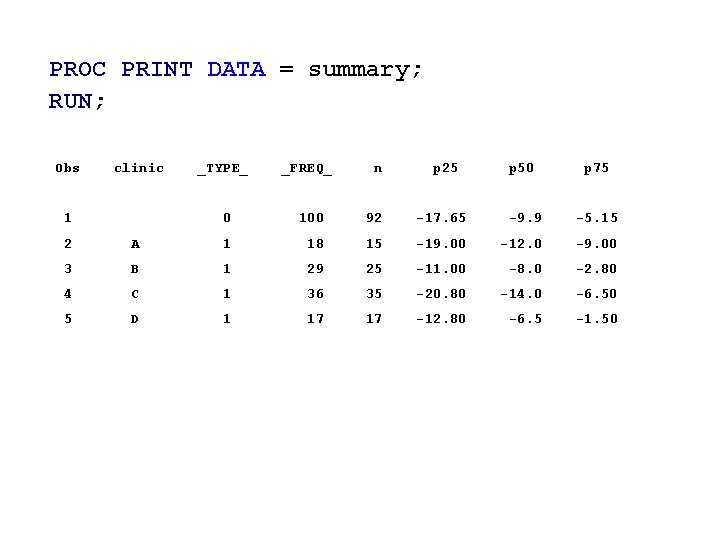
PROC PRINT DATA = summary; RUN; Obs clinic 1 _TYPE_ _FREQ_ n 0 100 92 p 25 p 50 p 75 -17. 65 -9. 9 -5. 15 2 A 1 18 15 -19. 00 -12. 0 -9. 00 3 B 1 29 25 -11. 00 -8. 0 -2. 80 4 C 1 36 35 -20. 80 -14. 0 -6. 50 5 D 1 17 17 -12. 80 -6. 5 -1. 50
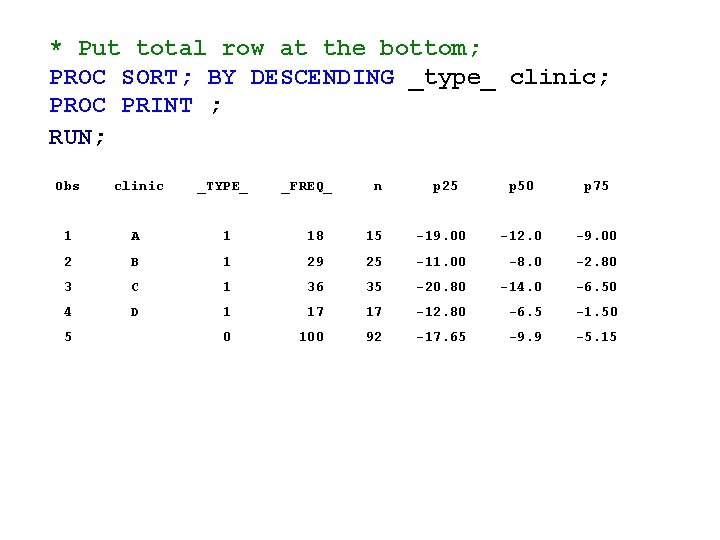
* Put total row at the bottom; PROC SORT; BY DESCENDING _type_ clinic; PROC PRINT ; RUN; Obs clinic _TYPE_ _FREQ_ n p 25 p 50 p 75 1 A 1 18 15 -19. 00 -12. 0 -9. 00 2 B 1 29 25 -11. 00 -8. 0 -2. 80 3 C 1 36 35 -20. 80 -14. 0 -6. 50 4 D 1 17 17 -12. 80 -6. 5 -1. 50 0 100 92 -17. 65 -9. 9 -5. 15 5
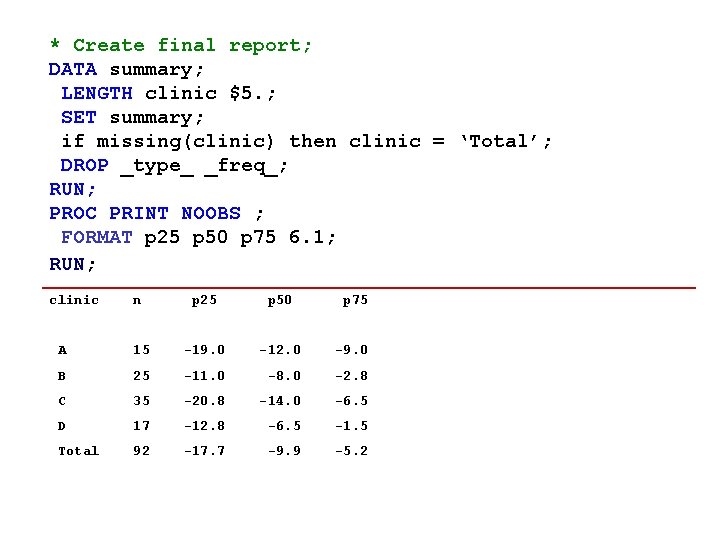
* Create final report; DATA summary; LENGTH clinic $5. ; SET summary; if missing(clinic) then clinic = ‘Total’; DROP _type_ _freq_; RUN; PROC PRINT NOOBS ; FORMAT p 25 p 50 p 75 6. 1; RUN; clinic n p 25 p 50 p 75 A 15 -19. 0 -12. 0 -9. 0 B 25 -11. 0 -8. 0 -2. 8 C 35 -20. 8 -14. 0 -6. 5 D 17 -12. 8 -6. 5 -1. 5 Total 92 -17. 7 -9. 9 -5. 2
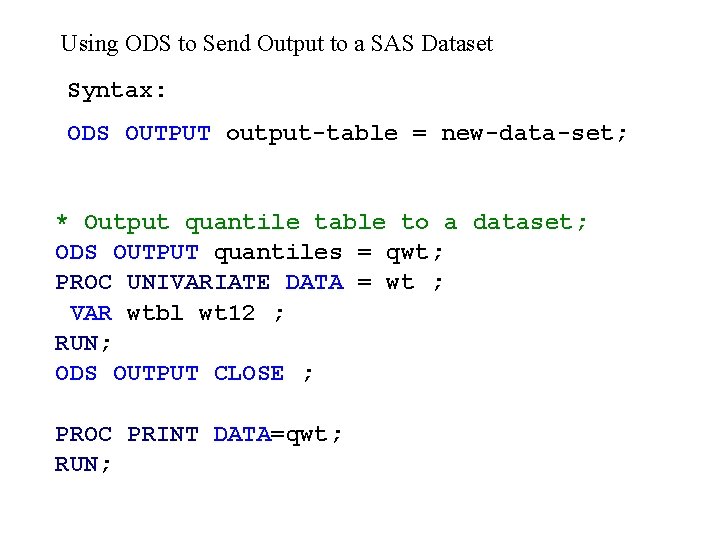
Using ODS to Send Output to a SAS Dataset Syntax: ODS OUTPUT output-table = new-data-set; * Output quantile table to a dataset; ODS OUTPUT quantiles = qwt; PROC UNIVARIATE DATA = wt ; VAR wtbl wt 12 ; RUN; ODS OUTPUT CLOSE ; PROC PRINT DATA=qwt; RUN;
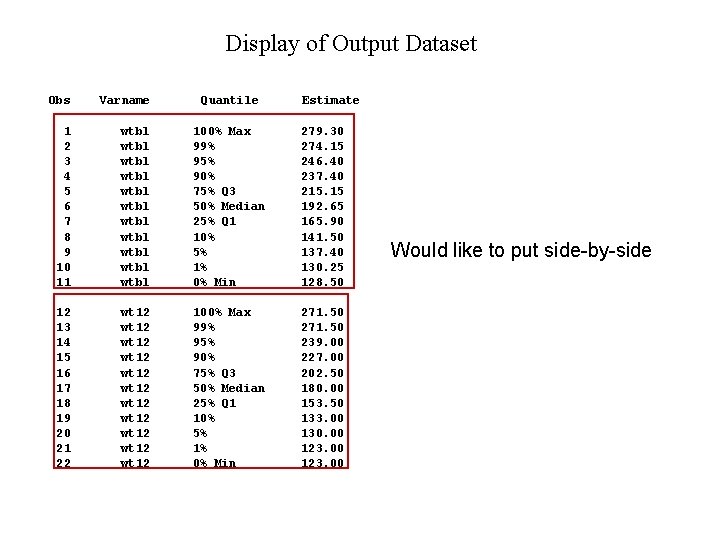
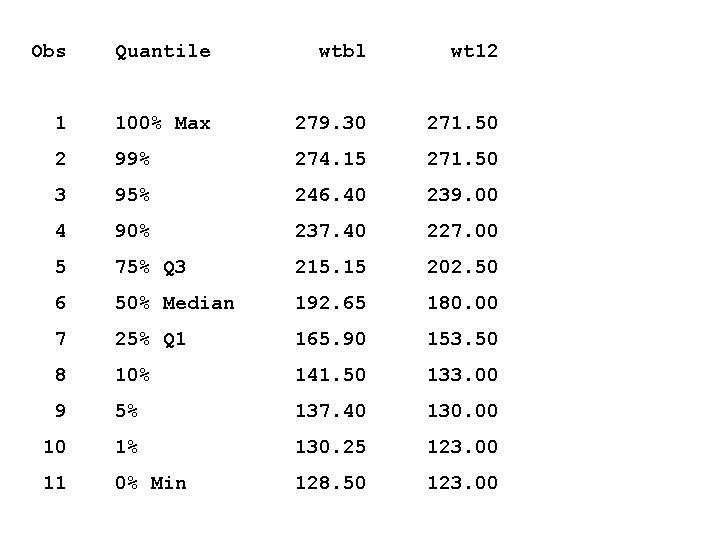
Display of Output Dataset Obs Varname Quantile Estimate 1 2 3 4 5 6 7 8 9 10 11 wtbl wtbl wtbl 100% Max 99% 95% 90% 75% Q 3 50% Median 25% Q 1 10% 5% 1% 0% Min 279. 30 274. 15 246. 40 237. 40 215. 15 192. 65 165. 90 141. 50 137. 40 130. 25 128. 50 12 13 14 15 16 17 18 19 20 21 22 wt 12 wt 12 wt 12 100% Max 99% 95% 90% 75% Q 3 50% Median 25% Q 1 10% 5% 1% 0% Min 271. 50 239. 00 227. 00 202. 50 180. 00 153. 50 133. 00 130. 00 123. 00 Would like to put side-by-side
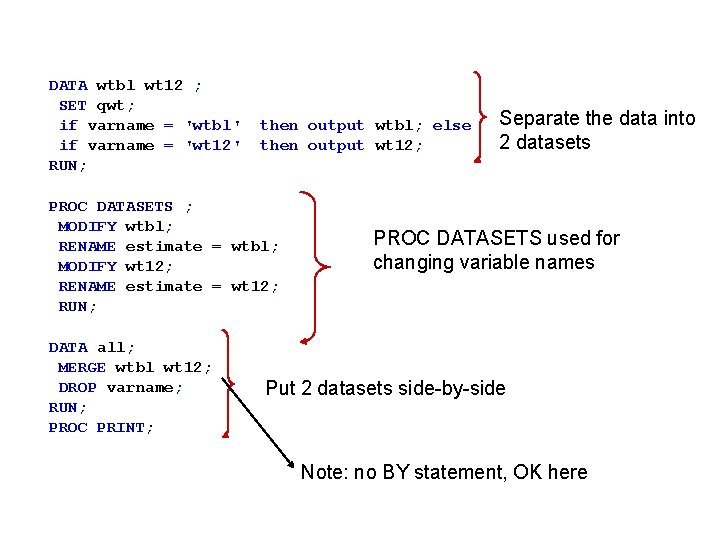
DATA wtbl wt 12 ; SET qwt; if varname = 'wtbl' if varname = 'wt 12' RUN; then output wtbl; else then output wt 12; PROC DATASETS ; MODIFY wtbl; RENAME estimate = wtbl; MODIFY wt 12; RENAME estimate = wt 12; RUN; DATA all; MERGE wtbl wt 12; DROP varname; RUN; PROC PRINT; Separate the data into 2 datasets PROC DATASETS used for changing variable names Put 2 datasets side-by-side Note: no BY statement, OK here
Obs Quantile wtbl wt 12 1 100% Max 279. 30 271. 50 2 99% 274. 15 271. 50 3 95% 246. 40 239. 00 4 90% 237. 40 227. 00 5 75% Q 3 215. 15 202. 50 6 50% Median 192. 65 180. 00 7 25% Q 1 165. 90 153. 50 8 10% 141. 50 133. 00 9 5% 137. 40 130. 00 10 1% 130. 25 123. 00 11 0% Min 128. 50 123. 00
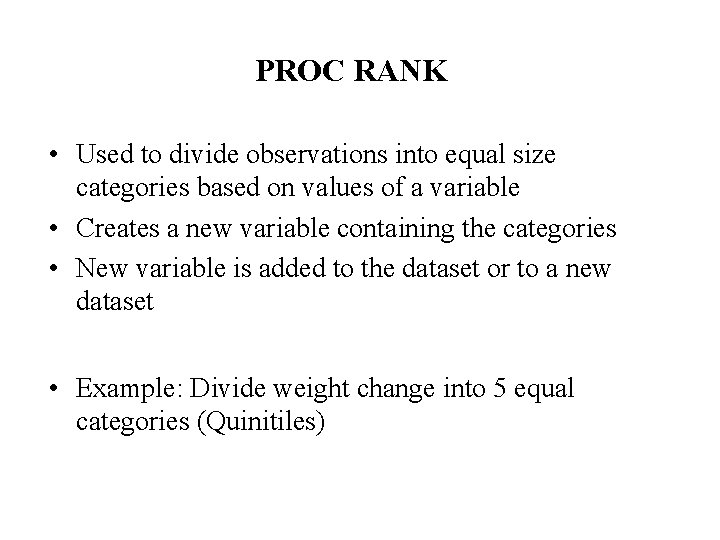
PROC RANK • Used to divide observations into equal size categories based on values of a variable • Creates a new variable containing the categories • New variable is added to the dataset or to a new dataset • Example: Divide weight change into 5 equal categories (Quinitiles)
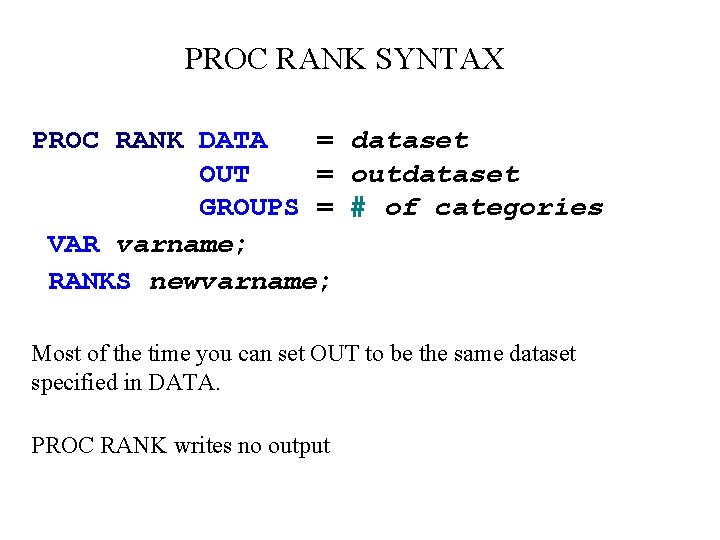
PROC RANK SYNTAX PROC RANK DATA = dataset OUT = outdataset GROUPS = # of categories VAR varname; RANKS newvarname; Most of the time you can set OUT to be the same dataset specified in DATA. PROC RANK writes no output
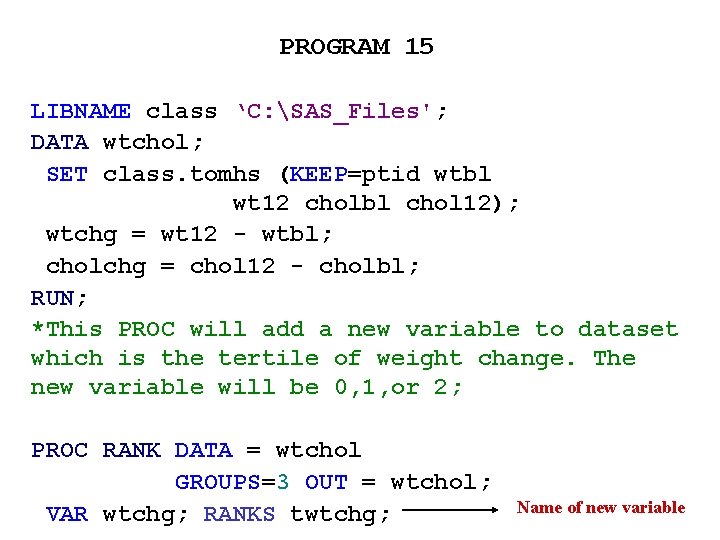
PROGRAM 15 LIBNAME class ‘C: SAS_Files'; DATA wtchol; SET class. tomhs (KEEP=ptid wtbl wt 12 cholbl chol 12); wtchg = wt 12 - wtbl; cholchg = chol 12 - cholbl; RUN; *This PROC will add a new variable to dataset which is the tertile of weight change. The new variable will be 0, 1, or 2; PROC RANK DATA = wtchol GROUPS=3 OUT = wtchol; VAR wtchg; RANKS twtchg; Name of new variable
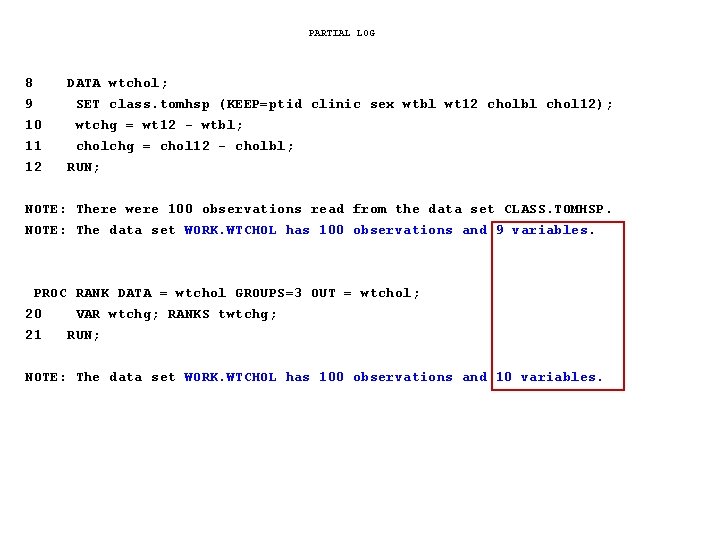
PARTIAL LOG 8 9 10 11 12 DATA wtchol; SET class. tomhsp (KEEP=ptid clinic sex wtbl wt 12 cholbl chol 12); wtchg = wt 12 - wtbl; cholchg = chol 12 - cholbl; RUN; NOTE: There were 100 observations read from the data set CLASS. TOMHSP. NOTE: The data set WORK. WTCHOL has 100 observations and 9 variables. PROC RANK DATA = wtchol GROUPS=3 OUT = wtchol; 20 21 VAR wtchg; RANKS twtchg; RUN; NOTE: The data set WORK. WTCHOL has 100 observations and 10 variables.
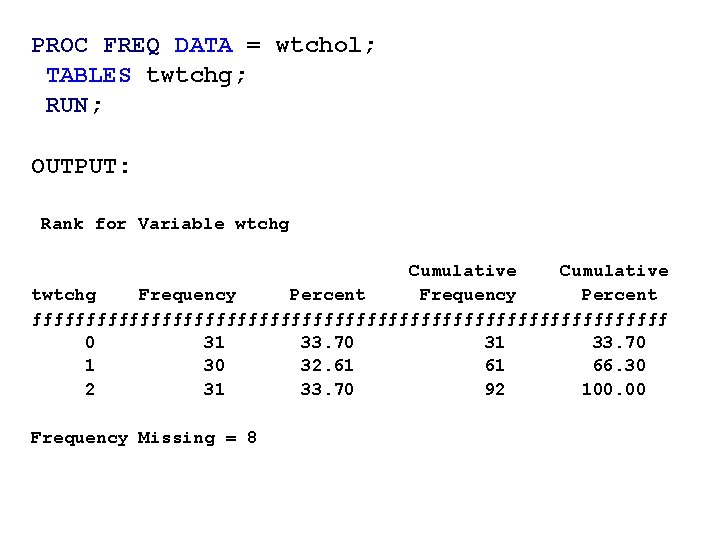
PROC FREQ DATA = wtchol; TABLES twtchg; RUN; OUTPUT: Rank for Variable wtchg Cumulative twtchg Frequency Percent ƒƒƒƒƒƒƒƒƒƒƒƒƒƒƒƒƒƒƒƒƒƒƒƒƒƒƒƒƒƒ 0 31 33. 70 1 30 32. 61 61 66. 30 2 31 33. 70 92 100. 00 Frequency Missing = 8
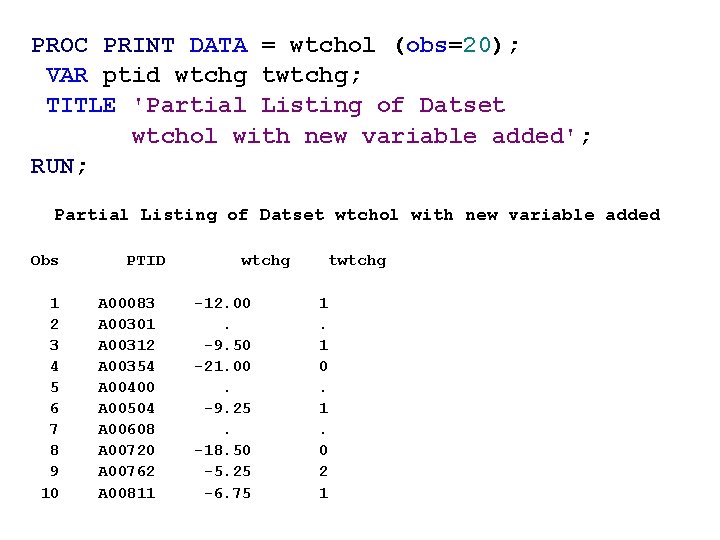
PROC PRINT DATA = wtchol (obs=20); VAR ptid wtchg twtchg; TITLE 'Partial Listing of Datset wtchol with new variable added'; RUN; Partial Listing of Datset wtchol with new variable added Obs 1 2 3 4 5 6 7 8 9 10 PTID A 00083 A 00301 A 00312 A 00354 A 00400 A 00504 A 00608 A 00720 A 00762 A 00811 wtchg -12. 00. -9. 50 -21. 00. -9. 25. -18. 50 -5. 25 -6. 75 twtchg 1. 1 0. 1. 0 2 1
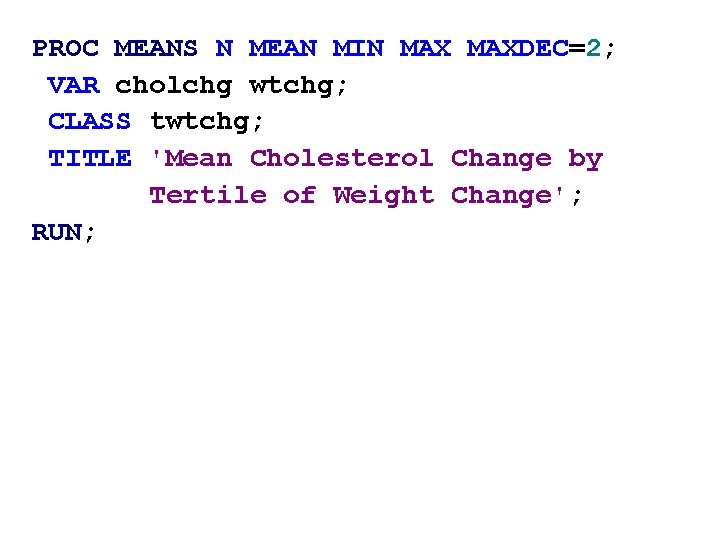
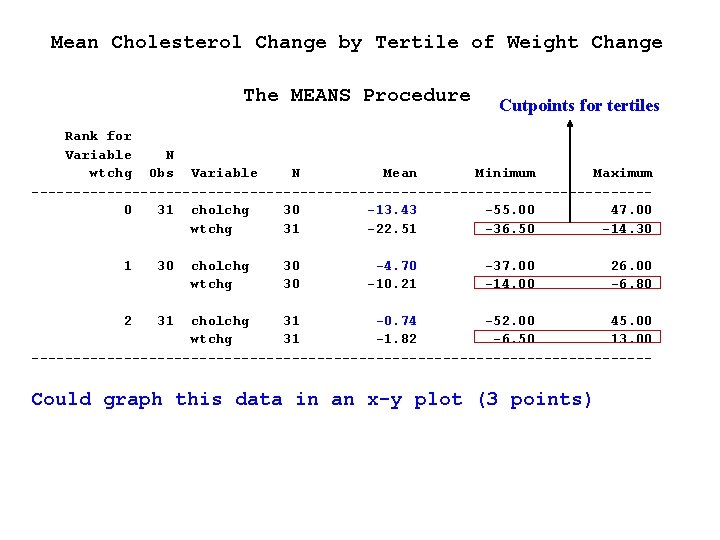
PROC MEANS N MEAN MIN MAXDEC=2; VAR cholchg wtchg; CLASS twtchg; TITLE 'Mean Cholesterol Change by Tertile of Weight Change'; RUN;
Mean Cholesterol Change by Tertile of Weight Change The MEANS Procedure Cutpoints for tertiles Rank for Variable N wtchg Obs Variable N Mean Minimum Maximum -------------------------------------0 31 cholchg 30 -13. 43 -55. 00 47. 00 wtchg 31 -22. 51 -36. 50 -14. 30 1 30 2 31 cholchg wtchg 30 30 -4. 70 -10. 21 -37. 00 -14. 00 26. 00 -6. 80 cholchg 31 -0. 74 -52. 00 45. 00 wtchg 31 -1. 82 -6. 50 13. 00 ------------------------------------- Could graph this data in an x-y plot (3 points)
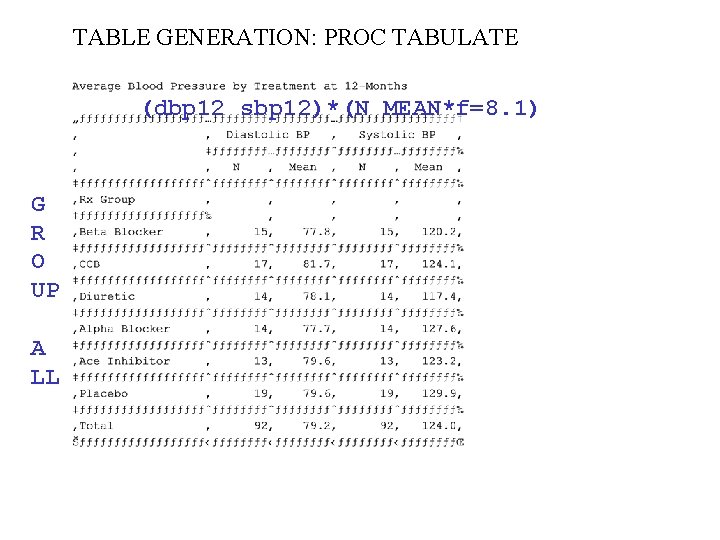
TABLE GENERATION: PROC TABULATE (dbp 12 sbp 12)*(N MEAN*f=8. 1) G R O UP A LL
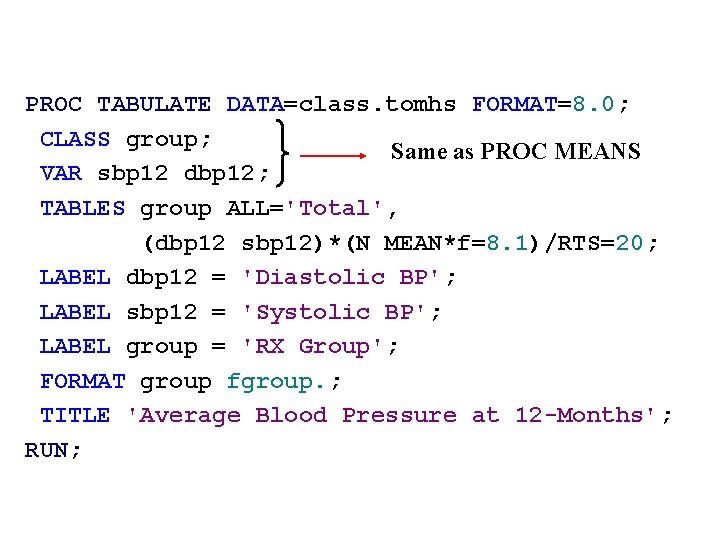
PROC TABULATE DATA=class. tomhs FORMAT=8. 0; CLASS group; Same as PROC MEANS VAR sbp 12 dbp 12; TABLES group ALL='Total', (dbp 12 sbp 12)*(N MEAN*f=8. 1)/RTS=20; LABEL dbp 12 = 'Diastolic BP'; LABEL sbp 12 = 'Systolic BP'; LABEL group = 'RX Group'; FORMAT group fgroup. ; TITLE 'Average Blood Pressure at 12 -Months'; RUN;
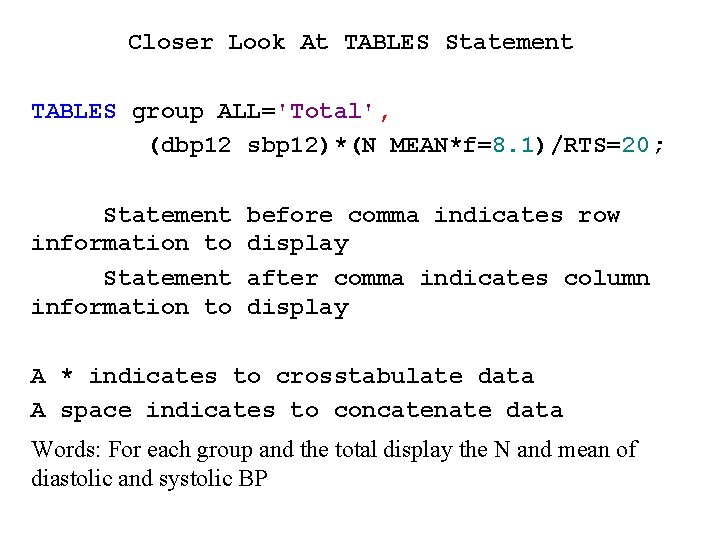
Closer Look At TABLES Statement TABLES group ALL='Total', (dbp 12 sbp 12)*(N MEAN*f=8. 1)/RTS=20; Statement information to before comma indicates row display after comma indicates column display A * indicates to crosstabulate data A space indicates to concatenate data Words: For each group and the total display the N and mean of diastolic and systolic BP
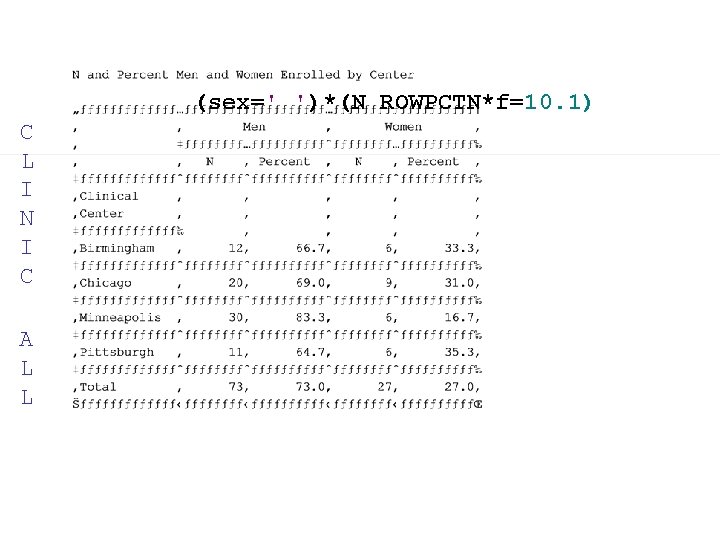
(sex=' ')*(N ROWPCTN*f=10. 1) C L I N I C A L L
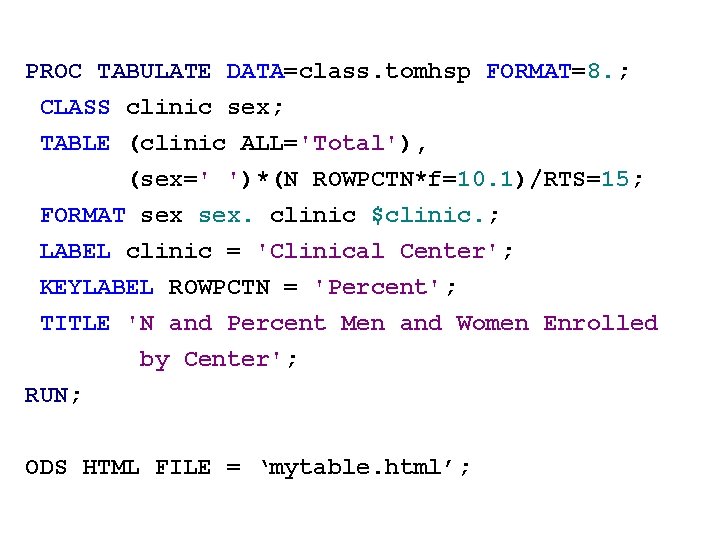
PROC TABULATE DATA=class. tomhsp FORMAT=8. ; CLASS clinic sex; TABLE (clinic ALL='Total'), (sex=' ')*(N ROWPCTN*f=10. 1)/RTS=15; FORMAT sex. clinic $clinic. ; LABEL clinic = 'Clinical Center'; KEYLABEL ROWPCTN = 'Percent'; TITLE 'N and Percent Men and Women Enrolled by Center'; RUN; ODS HTML FILE = ‘mytable. html’;