
Lesson 8 FPGA Optimization Optional TOPICS A Optimization
- Slides: 61
Lesson 8 FPGA Optimization (Optional) TOPICS A. Optimization Techniques B. Benchmarking FPGA VIs C. Basic Optimizations D. Architectural Optimizations ni. com/training
A. Optimization Techniques FPGA VIs are limited primarily in two areas: • Speed − Execution rate too slow for specifications • Size − Requires too much space on the FPGA − Uses so much RAM that it will not compile To increase speed and reduce size, optimize FPGA code ni. com/training
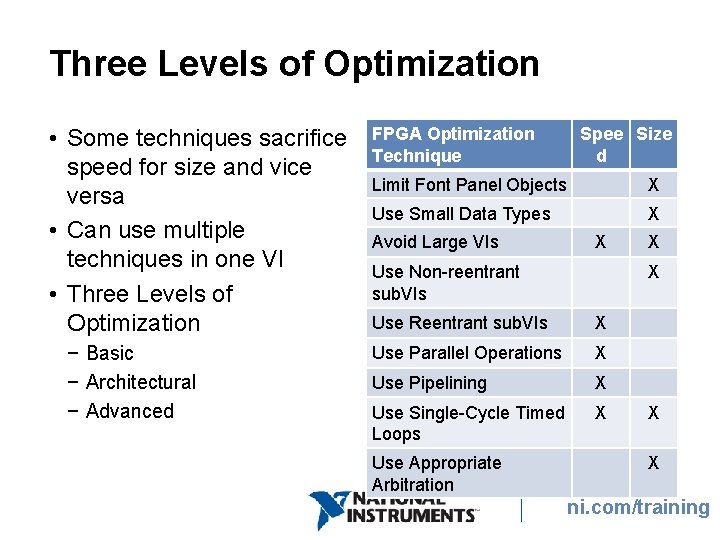
Three Levels of Optimization • Some techniques sacrifice speed for size and vice versa • Can use multiple techniques in one VI • Three Levels of Optimization − Basic − Architectural − Advanced FPGA Optimization Technique Spee Size d Limit Font Panel Objects X Use Small Data Types X Avoid Large VIs X Use Non-reentrant sub. VIs X Use Reentrant sub. VIs X Use Parallel Operations X Use Pipelining X Use Single-Cycle Timed Loops X Use Appropriate Arbitration X X X ni. com/training
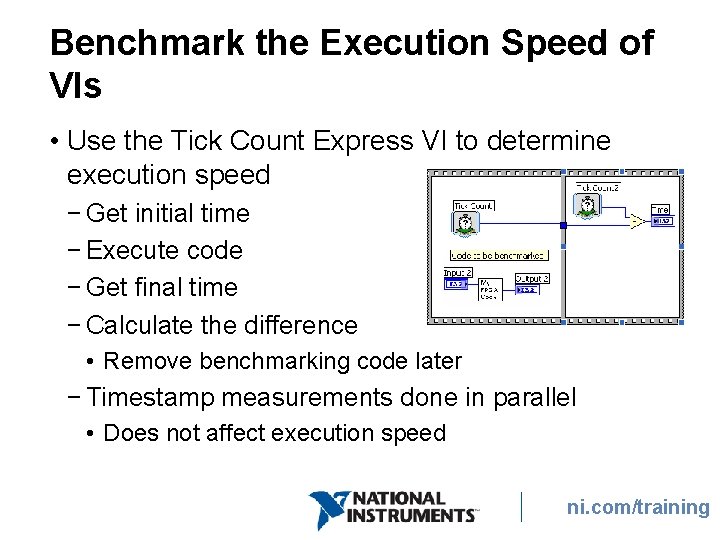
B. Benchmarking FPGA VIs To benchmark FPGA VI speed, use the Tick Count Express VI • Requires additional code for testing − Remove benchmarking code in final application To benchmark FPGA VI size, analyze the compile report • Compile size unknown until entire compile is complete ni. com/training
Benchmark the Execution Speed of VIs • Use the Tick Count Express VI to determine execution speed − Get initial time − Execute code − Get final time − Calculate the difference • Remove benchmarking code later − Timestamp measurements done in parallel • Does not affect execution speed ni. com/training
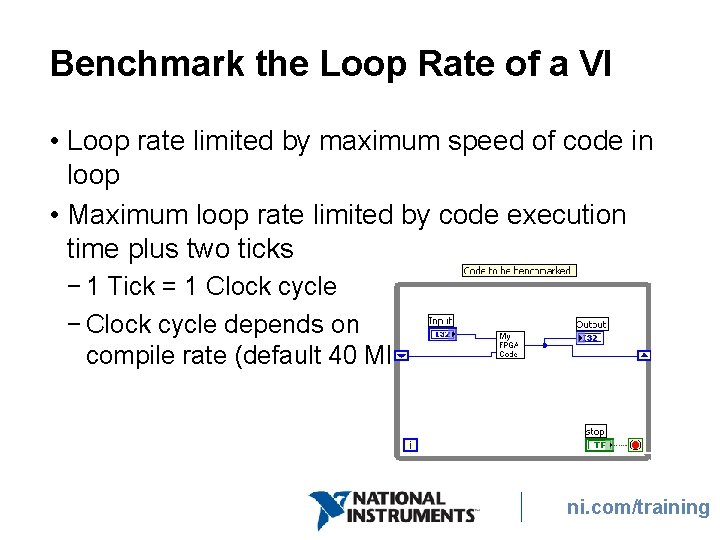
Benchmark the Loop Rate of a VI • Loop rate limited by maximum speed of code in loop • Maximum loop rate limited by code execution time plus two ticks − 1 Tick = 1 Clock cycle − Clock cycle depends on compile rate (default 40 MHz) ni. com/training
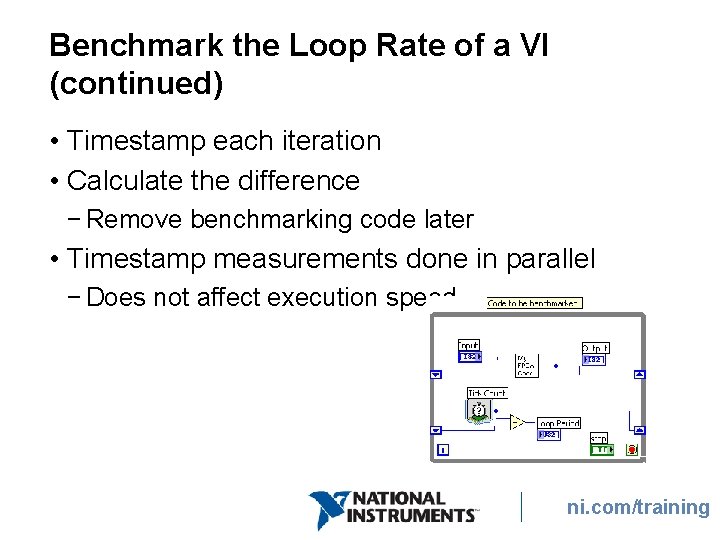
Benchmark the Loop Rate of a VI (continued) • Timestamp each iteration • Calculate the difference − Remove benchmarking code later • Timestamp measurements done in parallel − Does not affect execution speed ni. com/training
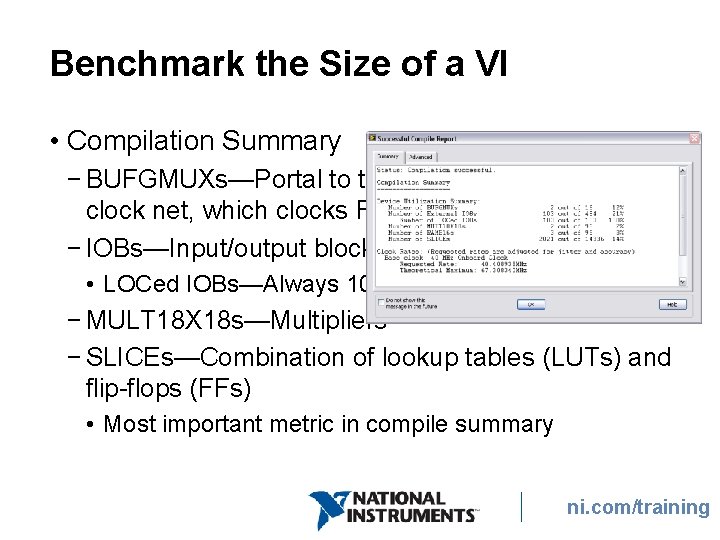
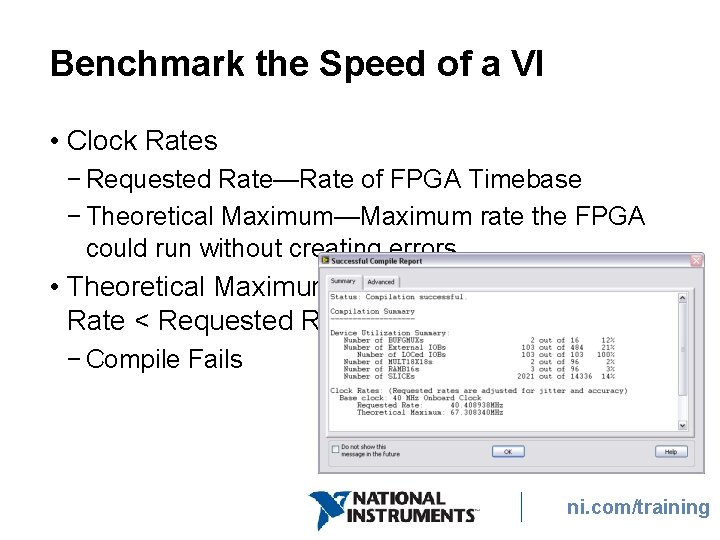
Benchmark the Size of a VI • Compilation Summary − BUFGMUXs—Portal to the clock net, which clocks FFs − IOBs—Input/output blocks • LOCed IOBs—Always 100% − MULT 18 X 18 s—Multipliers − SLICEs—Combination of lookup tables (LUTs) and flip-flops (FFs) • Most important metric in compile summary ni. com/training
Benchmark the Speed of a VI • Clock Rates − Requested Rate—Rate of FPGA Timebase − Theoretical Maximum—Maximum rate the FPGA could run without creating errors • Theoretical Maximum Rate < Requested Rate − Compile Fails ni. com/training
C. Basic Optimizations • Relatively easy to implement • Require no major changes in code architecture • Basic programming practices for all FPGA VIs • Primarily affect FPGA size ni. com/training
Types of Basic Optimizations • Limit Front Panel Objects • Bitpack Boolean Logic • Use Small Data Types • Avoid Large Functions • Optimize Comparisons • Reentrant vs. Non-Reentrant Sub. VIs ni. com/training
Limit Front Panel Objects • Each front panel object on the top-level VI must have logic to interact with the host VI. • Each read and write from the host to the FPGA is divided into 32 -bit packets to transfer across the bus. • Arrays/clusters with greater than 32 bits require extra copy on the FPGA to guarantee all the data is read. ni. com/training
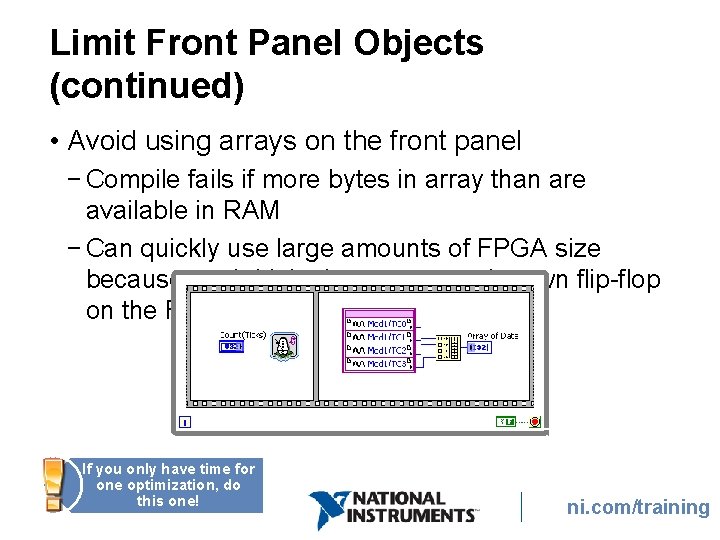
Limit Front Panel Objects (continued) • Avoid using arrays on the front panel − Compile fails if more bytes in array than are available in RAM − Can quickly use large amounts of FPGA size because each bit in the array uses its own flip-flop on the FPGA If you only have time for one optimization, do this one! ni. com/training
Limit Front Panel Objects (continued) • Replace large front panel array controls with the Look-Up Table Express VI − Provides a general-purpose block of initialized memory − Use look-up tables to store waveforms for • Signal generation • Model nonlinear systems • Arithmetic computations ni. com/training
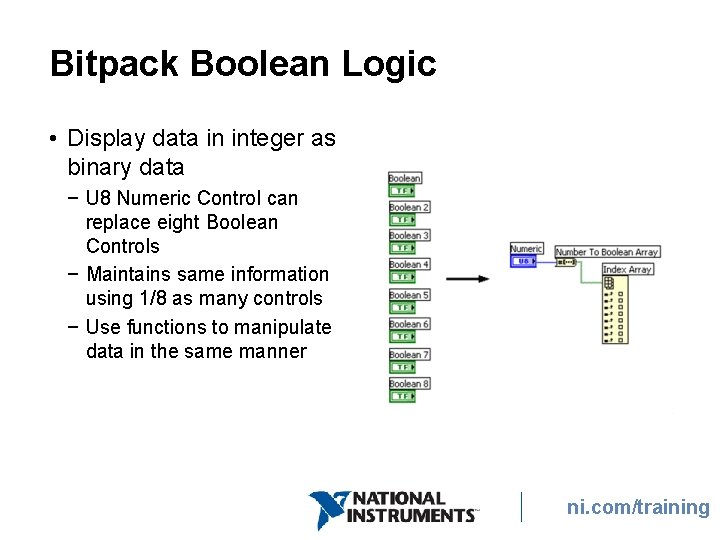
Bitpack Boolean Logic • Display data in integer as binary data − U 8 Numeric Control can replace eight Boolean Controls − Maintains same information using 1/8 as many controls − Use functions to manipulate data in the same manner ni. com/training
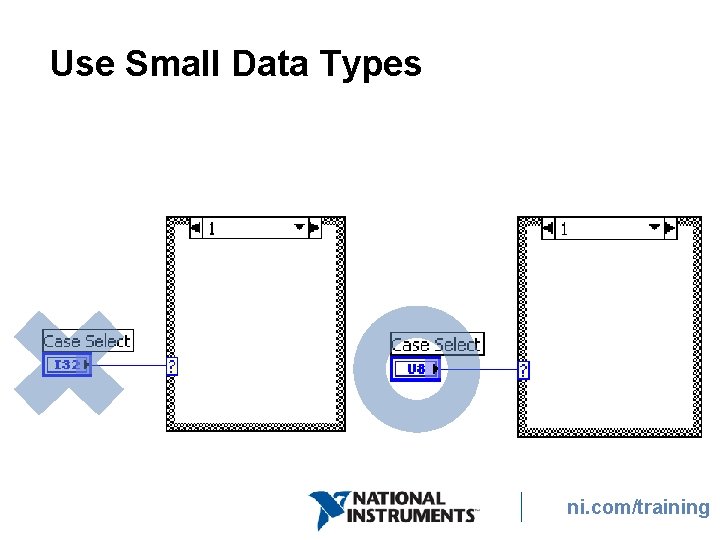
Use Small Data Types ni. com/training
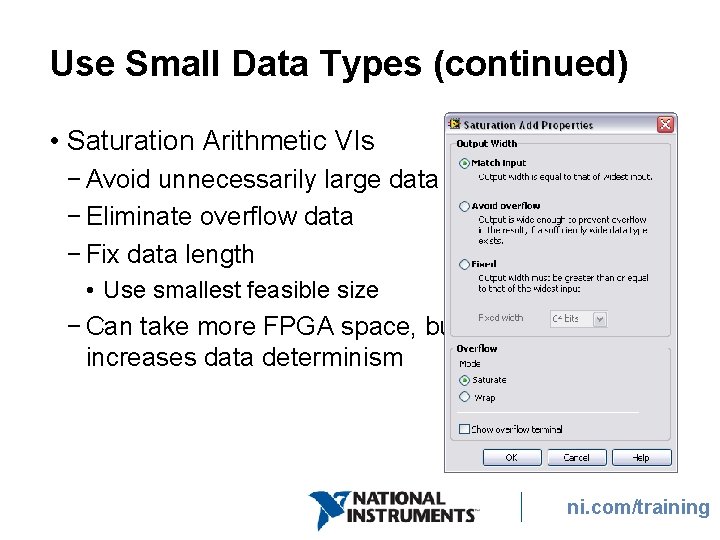
Use Small Data Types (continued) • Saturation Arithmetic VIs − Avoid unnecessarily large data types − Eliminate overflow data − Fix data length • Use smallest feasible size − Can take more FPGA space, but increases data determinism ni. com/training
ni. com/training
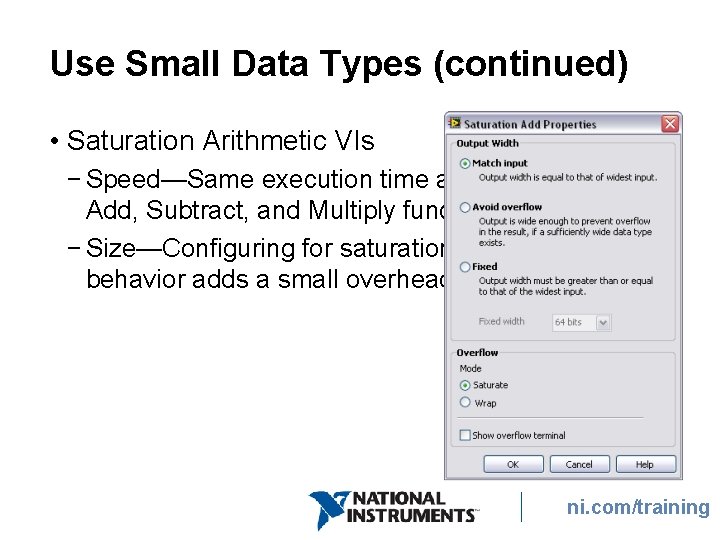
Use Small Data Types (continued) • Saturation Arithmetic VIs − Speed—Same execution time as Add, Subtract, and Multiply functions − Size—Configuring for saturation behavior adds a small overhead ni. com/training
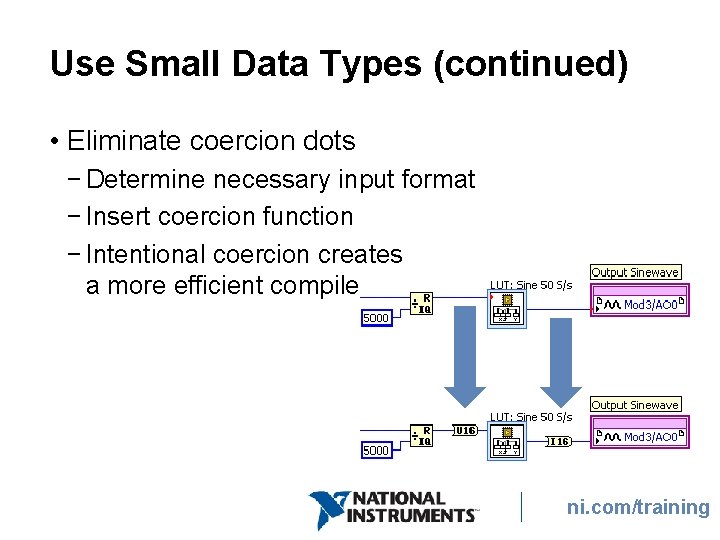
Use Small Data Types (continued) • Eliminate coercion dots − Determine necessary input format − Insert coercion function − Intentional coercion creates a more efficient compile ni. com/training
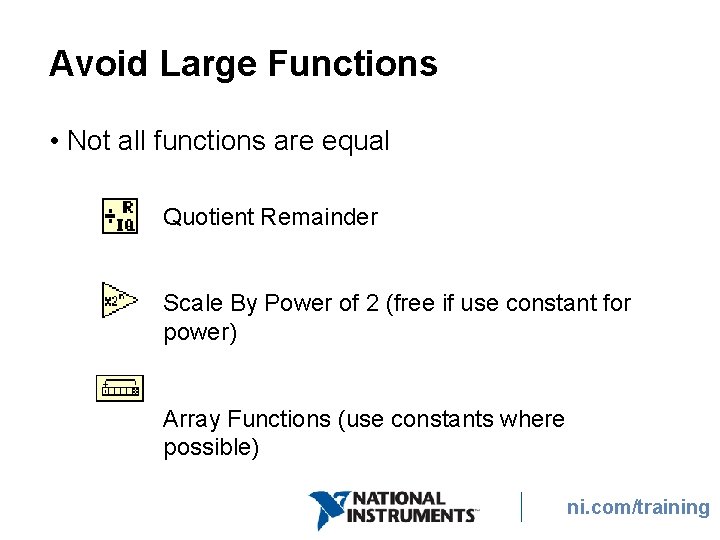
Avoid Large Functions • Not all functions are equal Quotient Remainder Scale By Power of 2 (free if use constant for power) Array Functions (use constants where possible) ni. com/training
Avoid Large Functions (continued) Quotient & Remainder Consumes significant space on the FPGA • Quotient & Remainder often increments based on iteration number − Replace with Increment function and shift register • If dividing by a power of two, use the Scale By Power of 2 function ni. com/training
Avoid Large Functions (continued) Scale By Power of 2 • Uses significant FPGA space if input for power is a control • To consume no space on the FPGA, wire a constant to the input • Use negative powers to replace the Quotient & Remainder function whenever possible ni. com/training
Avoid Large Functions (continued) Rotate 1 D Array If you wire a control to the input, the Rotate 1 D Array function takes time proportional to the number of positions to rotate, plus two clock cycles of overhead to enter and exit the function. • Wire a constant to the input instead − Takes negligible time to execute and consumes no space on the FPGA ni. com/training
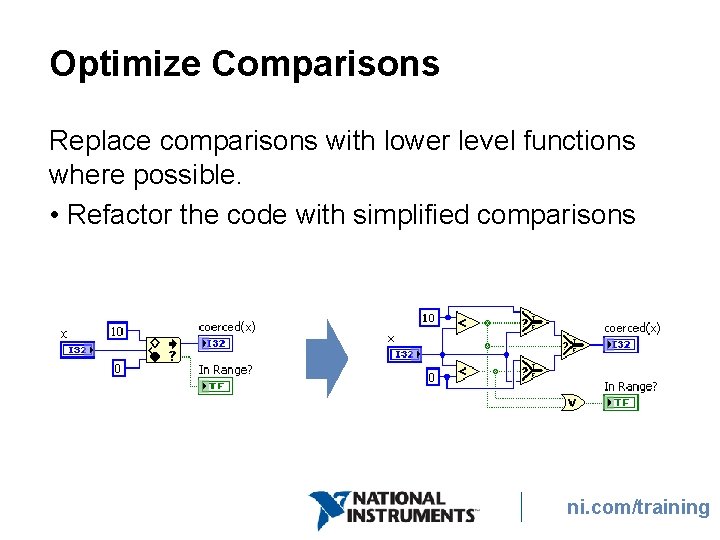
Optimize Comparisons Replace comparisons with lower level functions where possible. • Refactor the code with simplified comparisons ni. com/training
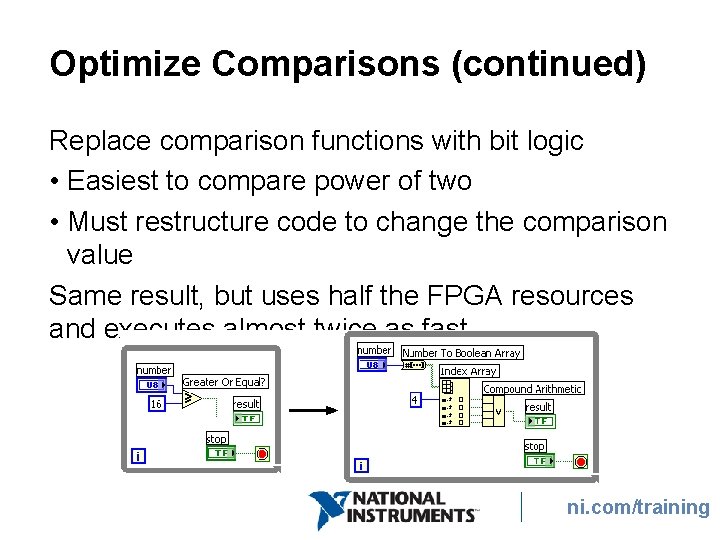
Optimize Comparisons (continued) Replace comparison functions with bit logic • Easiest to compare power of two • Must restructure code to change the comparison value Same result, but uses half the FPGA resources and executes almost twice as fast ni. com/training
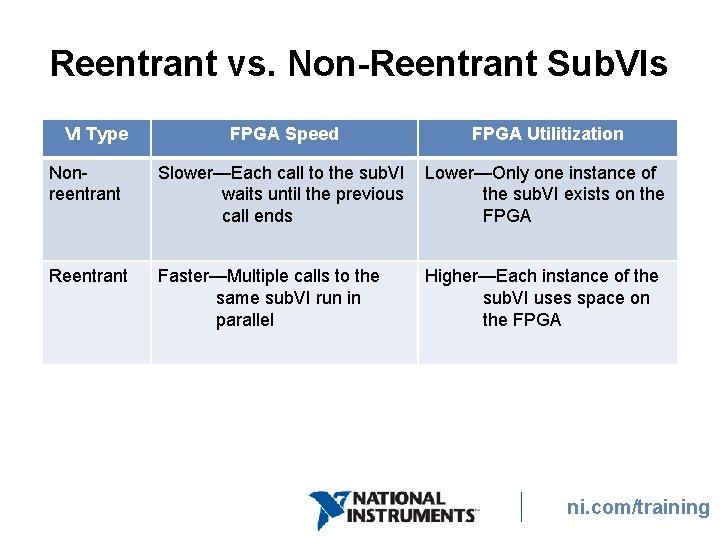
Reentrant vs. Non-Reentrant Sub. VIs VI Type FPGA Speed FPGA Utilitization Nonreentrant Slower—Each call to the sub. VI waits until the previous call ends Lower—Only one instance of the sub. VI exists on the FPGA Reentrant Faster—Multiple calls to the same sub. VI run in parallel Higher—Each instance of the sub. VI uses space on the FPGA ni. com/training
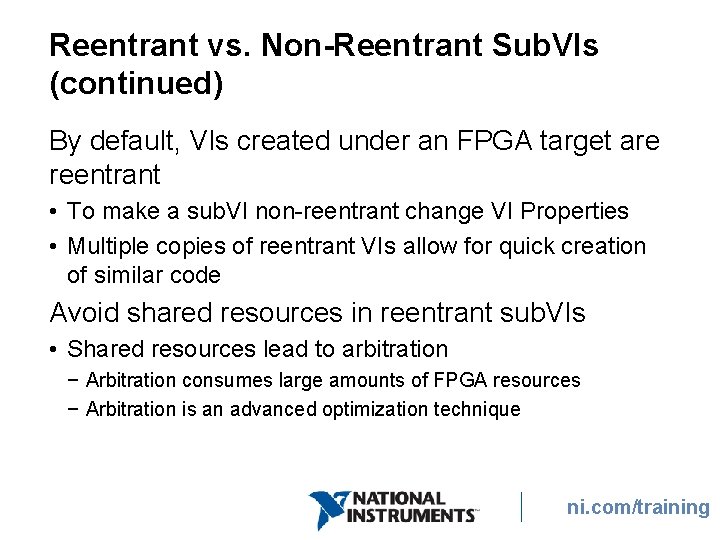
Reentrant vs. Non-Reentrant Sub. VIs (continued) By default, VIs created under an FPGA target are reentrant • To make a sub. VI non-reentrant change VI Properties • Multiple copies of reentrant VIs allow for quick creation of similar code Avoid shared resources in reentrant sub. VIs • Shared resources lead to arbitration − Arbitration consumes large amounts of FPGA resources − Arbitration is an advanced optimization technique ni. com/training
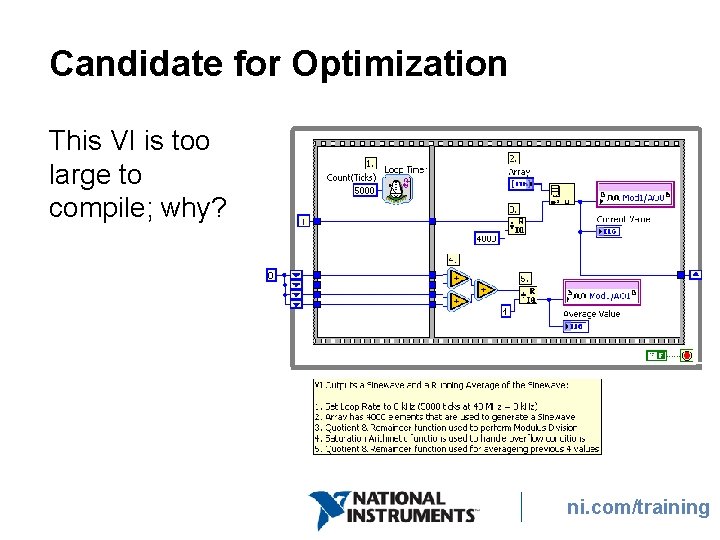
Candidate for Optimization This VI is too large to compile; why? ni. com/training
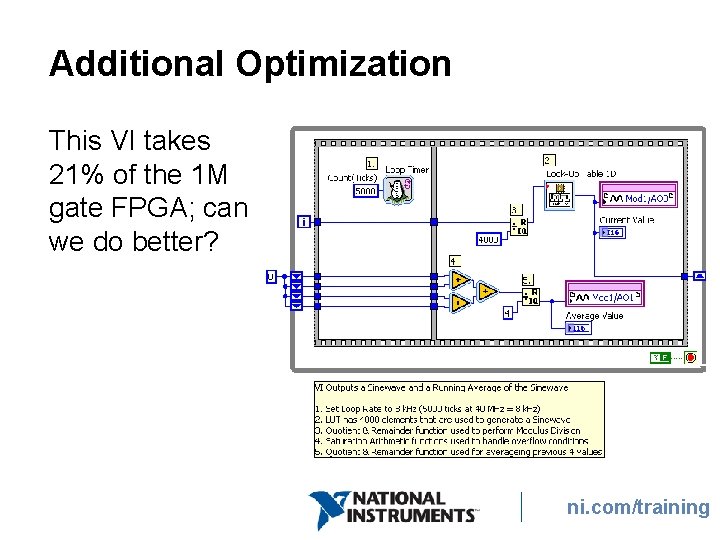
Additional Optimization This VI takes 21% of the 1 M gate FPGA; can we do better? ni. com/training
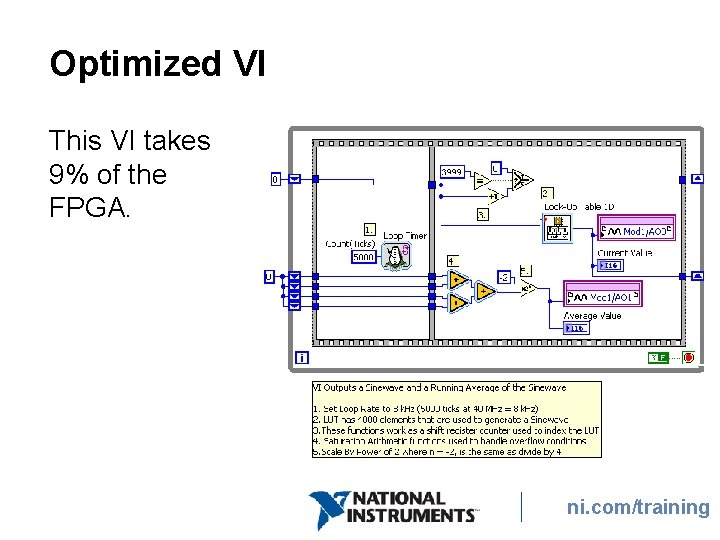
Optimized VI This VI takes 9% of the FPGA. ni. com/training
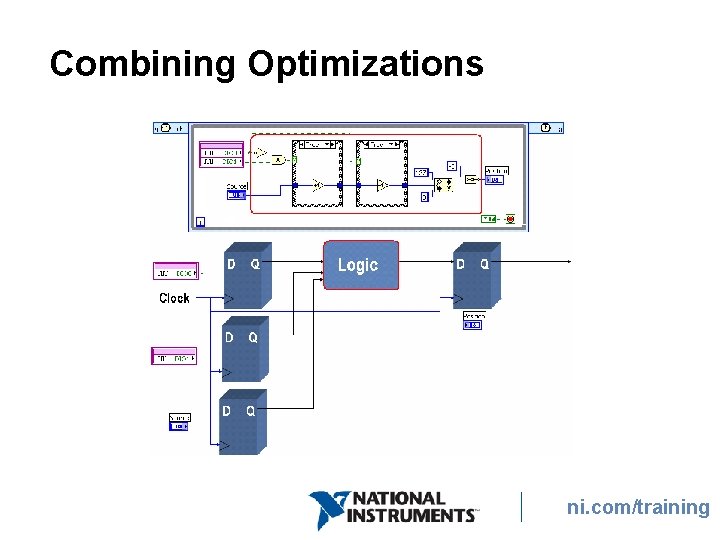
D. Architectural Optimizations • Dataflow within the FPGA • Parallel Operations • Pipelining • Single-cycle Timed Loops • Combining Optimizations ni. com/training
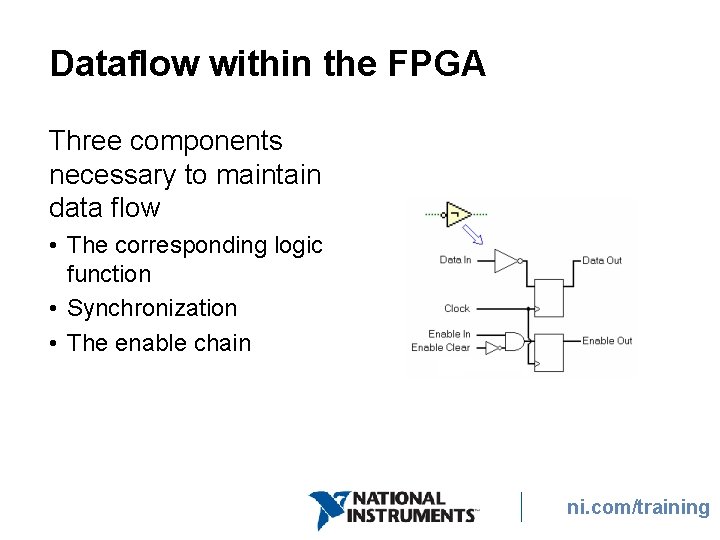
Dataflow within the FPGA Three components necessary to maintain data flow • The corresponding logic function • Synchronization • The enable chain ni. com/training
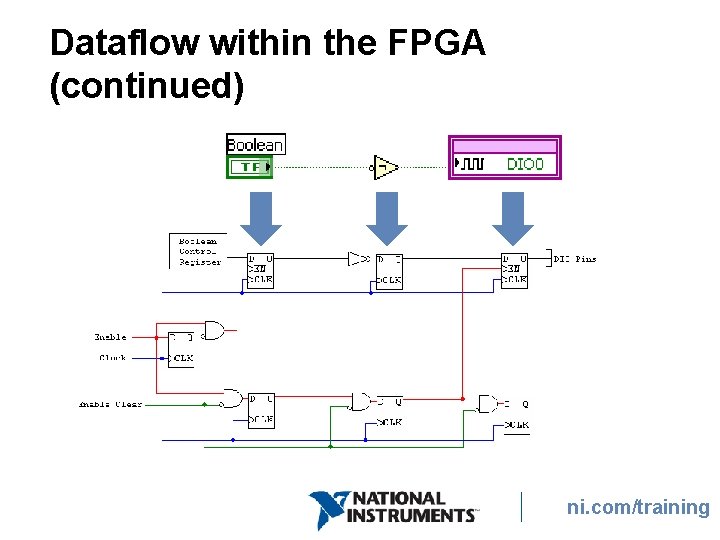
Dataflow within the FPGA (continued) ni. com/training
Dataflow within the FPGA (continued) • Each function or VI takes a minimum of 1 clock tick • Functions can run in parallel • Some dependent functions must run in sequence • Application can only run as quickly as the sum of items in a sequence • While Loops have a 2 clock tick overhead − If example on previous slide was in a loop: • Requires 3 clock ticks, plus 2 clock ticks for loop ni. com/training • Maximum rate = 40 MHz / 5 = 8 MHz
Parallel Operations • Graphical programming promotes parallel code architectures • Lab. VIEW Windows and Real-Time serialize execution • Lab. VIEW FPGA implements true parallel execution ni. com/training
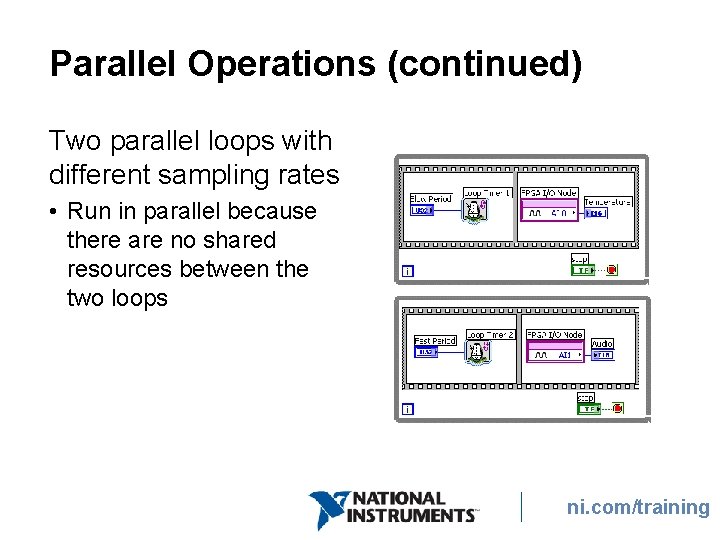
Parallel Operations (continued) Two parallel loops with different sampling rates • Run in parallel because there are no shared resources between the two loops ni. com/training
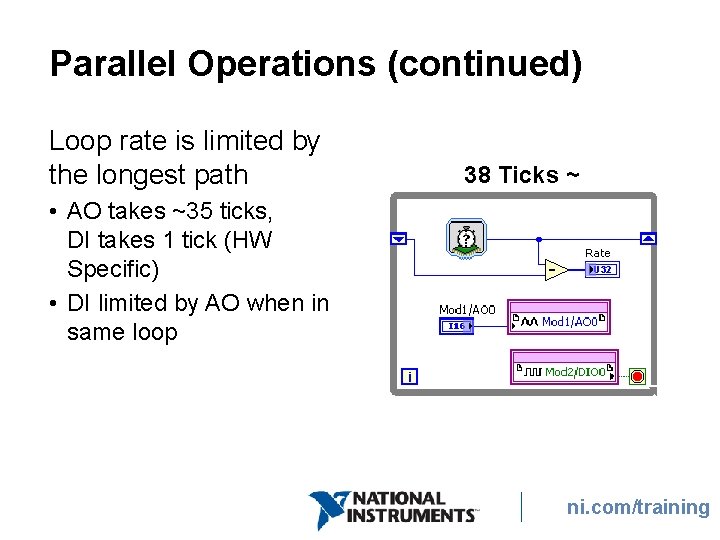
Parallel Operations (continued) Loop rate is limited by the longest path • AO takes ~35 ticks, DI takes 1 tick (HW Specific) • DI limited by AO when in same loop 38 Ticks ~ 1µSec ni. com/training
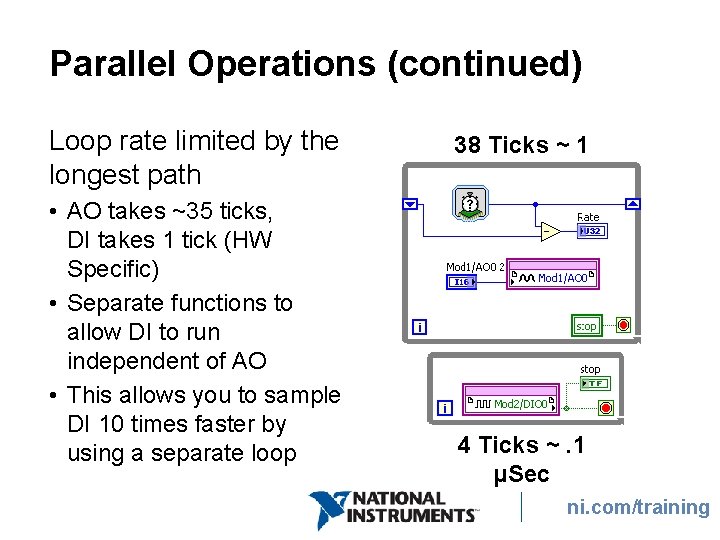
Parallel Operations (continued) Loop rate limited by the longest path • AO takes ~35 ticks, DI takes 1 tick (HW Specific) • Separate functions to allow DI to run independent of AO • This allows you to sample DI 10 times faster by using a separate loop 38 Ticks ~ 1 µSec 4 Ticks ~. 1 µSec ni. com/training
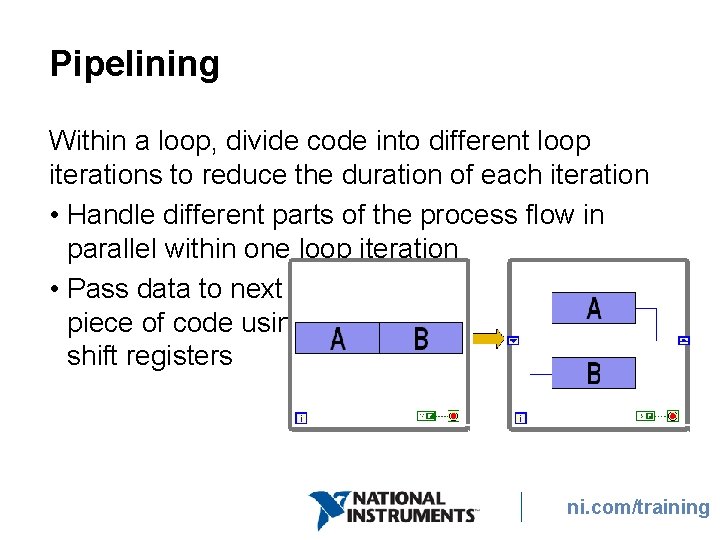
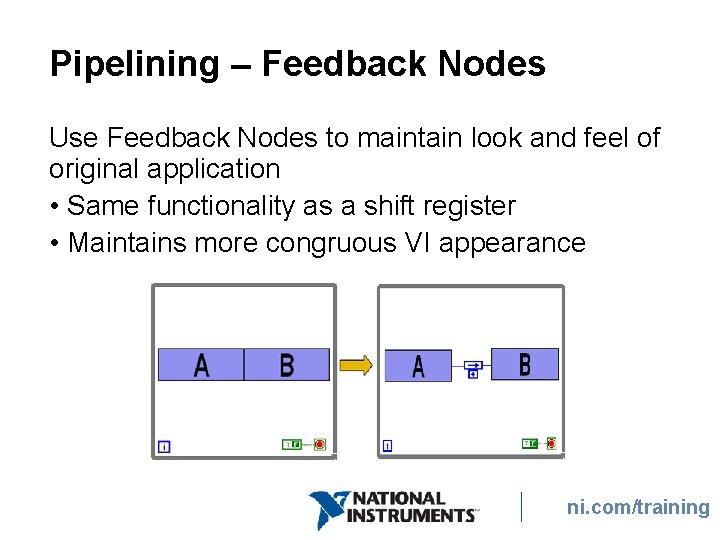
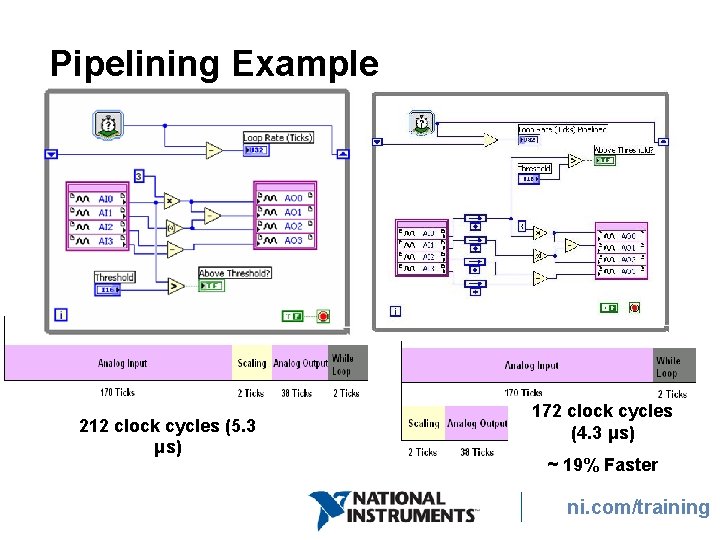
Pipelining Within a loop, divide code into different loop iterations to reduce the duration of each iteration • Handle different parts of the process flow in parallel within one loop iteration • Pass data to next piece of code using shift registers ni. com/training
Pipelining – Feedback Nodes Use Feedback Nodes to maintain look and feel of original application • Same functionality as a shift register • Maintains more congruous VI appearance ni. com/training
Pipelining Example 212 clock cycles (5. 3 μs) 172 clock cycles (4. 3 μs) ~ 19% Faster ni. com/training
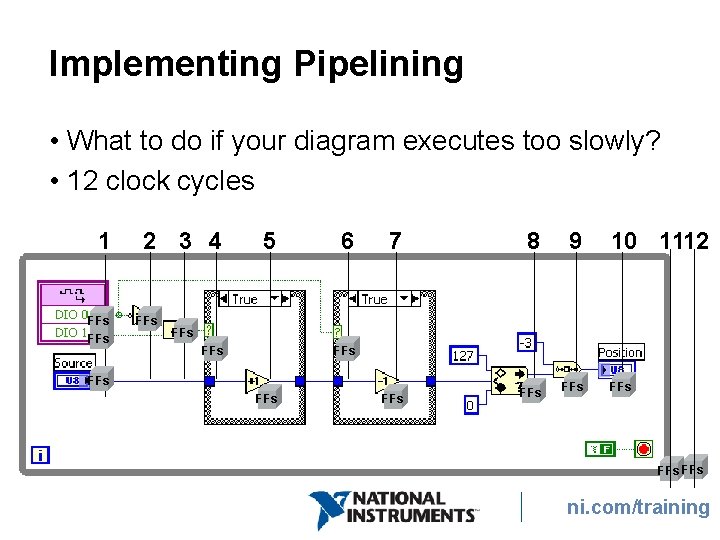
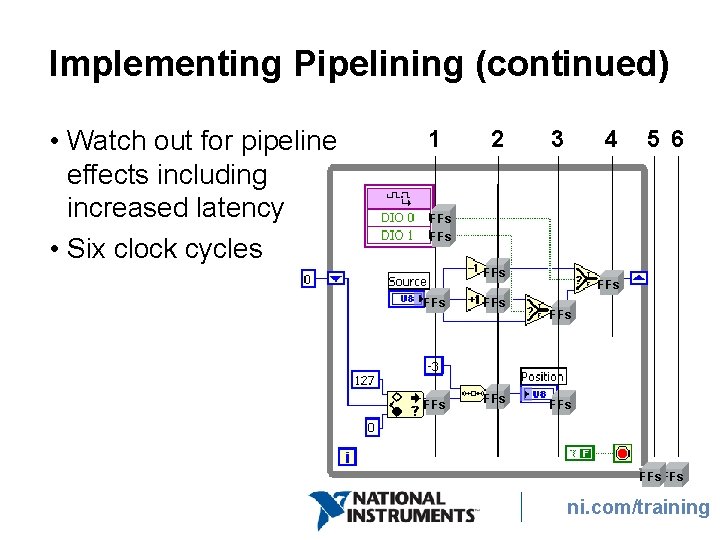
Implementing Pipelining • What to do if your diagram executes too slowly? • 12 clock cycles 1 FFs 2 3 4 FFs 5 6 7 8 9 FFs FFs 10 1112 FFs FFs ni. com/training
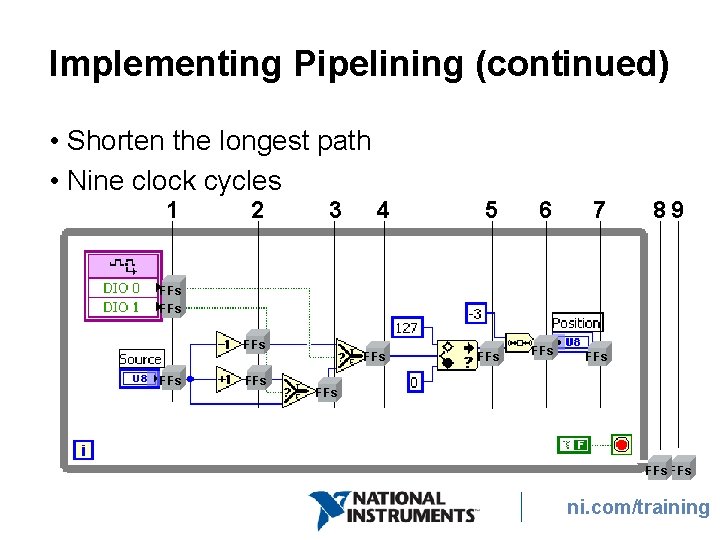
Implementing Pipelining (continued) • Shorten the longest path • Nine clock cycles 1 2 3 4 5 6 7 FFs FFs 89 FFs FFs FFs ni. com/training
Implementing Pipelining (continued) • Watch out for pipeline effects including increased latency • Six clock cycles 1 2 3 4 5 6 FFs FFs FFs ni. com/training
Can we go faster? ni. com/training
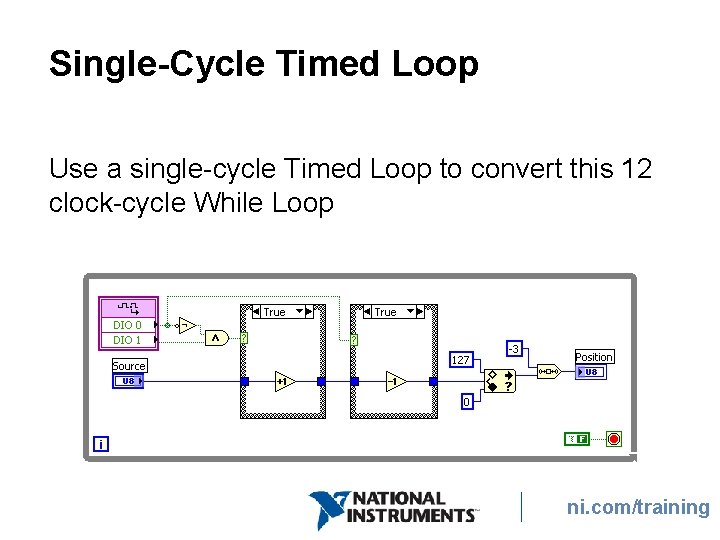
Single-Cycle Timed Loop Use a single-cycle Timed Loop to convert this 12 clock-cycle While Loop ni. com/training
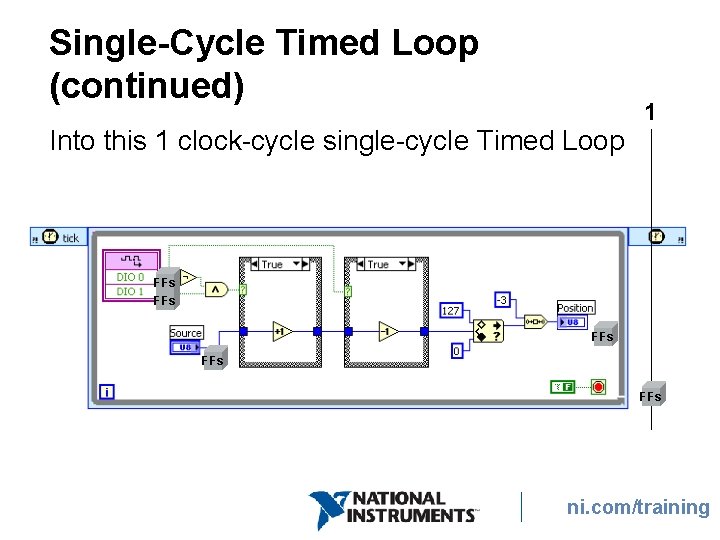
Single-Cycle Timed Loop (continued) Into this 1 clock-cycle single-cycle Timed Loop 1 FFs FFs FFs ni. com/training
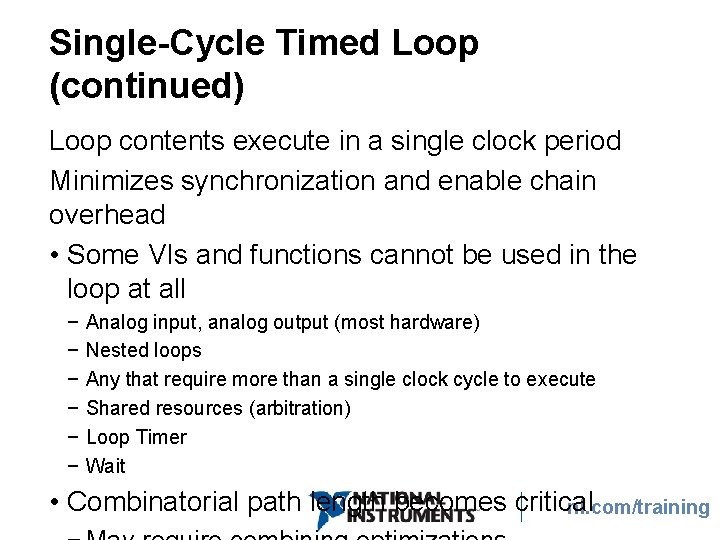
Single-Cycle Timed Loop (continued) Loop contents execute in a single clock period Minimizes synchronization and enable chain overhead • Some VIs and functions cannot be used in the loop at all − − − Analog input, analog output (most hardware) Nested loops Any that require more than a single clock cycle to execute Shared resources (arbitration) Loop Timer Wait • Combinatorial path length becomes critical ni. com/training
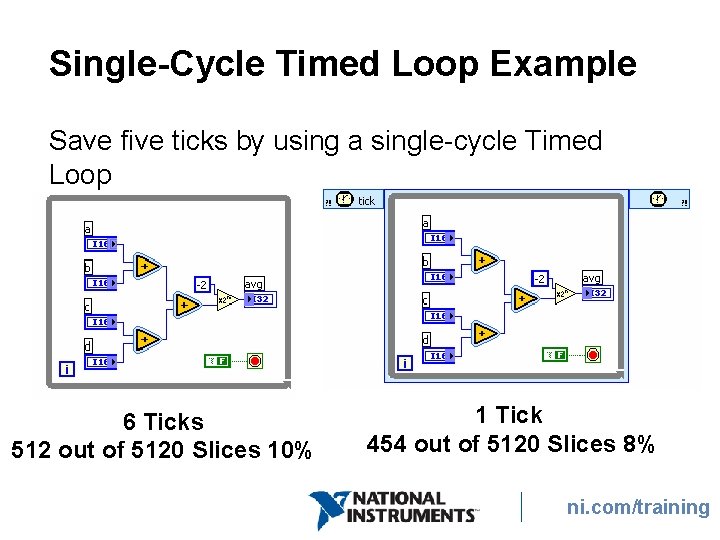
Single-Cycle Timed Loop Example Save five ticks by using a single-cycle Timed Loop 6 Ticks 512 out of 5120 Slices 10% 1 Tick 454 out of 5120 Slices 8% ni. com/training
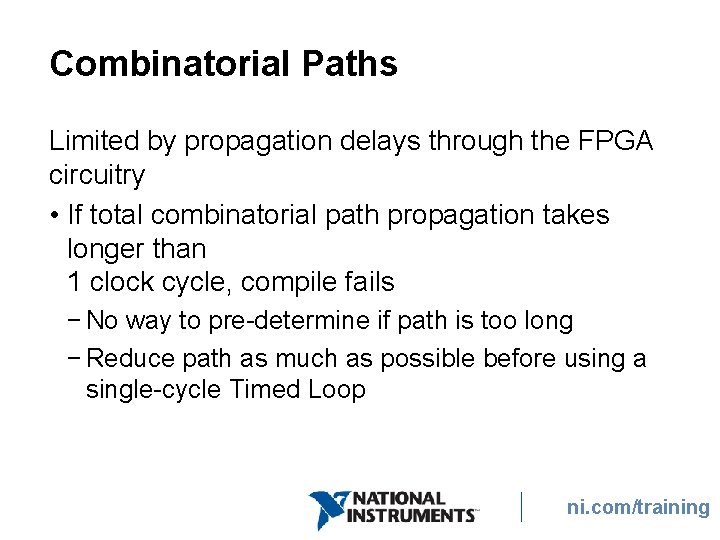
Combinatorial Paths Limited by propagation delays through the FPGA circuitry • If total combinatorial path propagation takes longer than 1 clock cycle, compile fails − No way to pre-determine if path is too long − Reduce path as much as possible before using a single-cycle Timed Loop ni. com/training
What can you do to reduce the combinatorial path in a single-cycle Timed Loop if it is too long? ni. com/training
Combining Optimizations ni. com/training
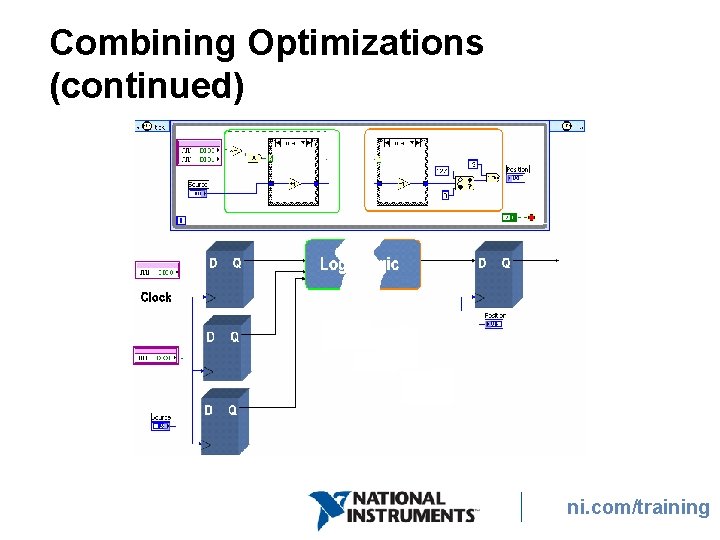
Combining Optimizations (continued) ni. com/training
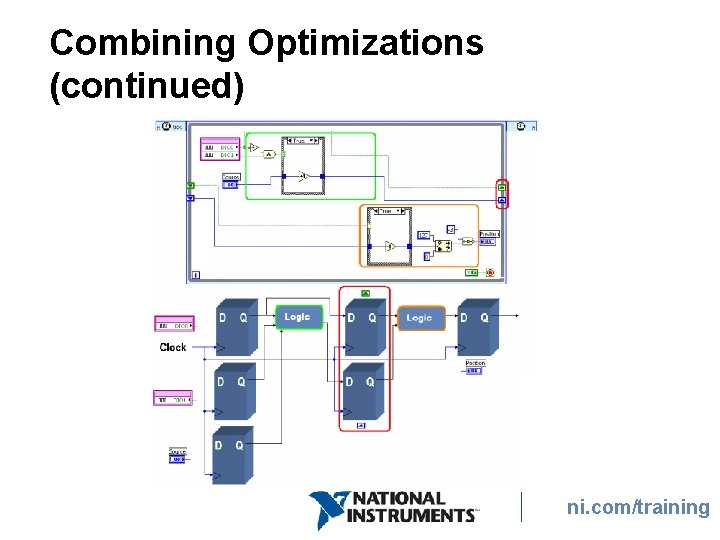
Combining Optimizations (continued) ni. com/training
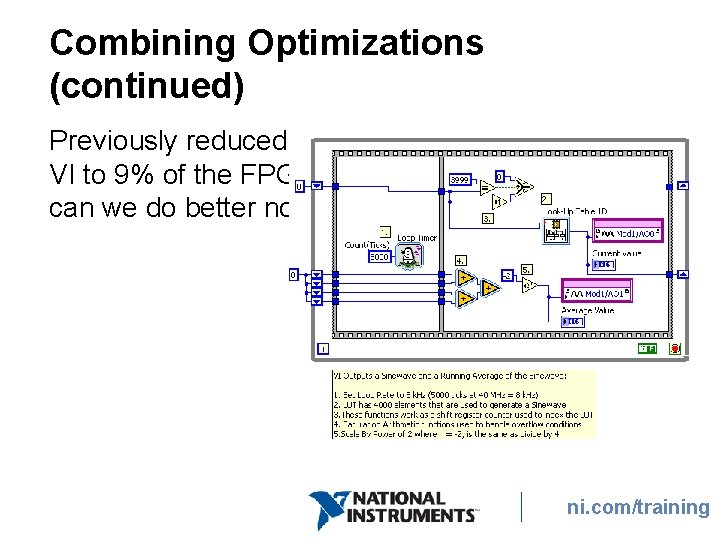
Combining Optimizations (continued) Previously reduced VI to 9% of the FPGA; can we do better now? ni. com/training
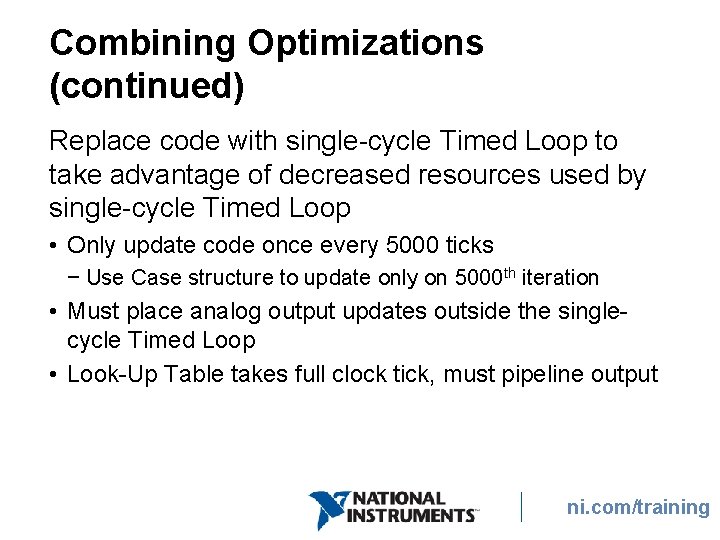
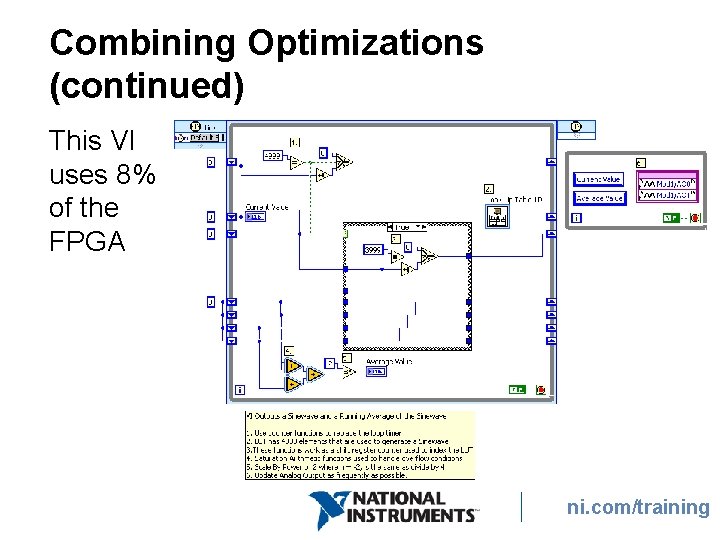
Combining Optimizations (continued) Replace code with single-cycle Timed Loop to take advantage of decreased resources used by single-cycle Timed Loop • Only update code once every 5000 ticks − Use Case structure to update only on 5000 th iteration • Must place analog output updates outside the singlecycle Timed Loop • Look-Up Table takes full clock tick, must pipeline output ni. com/training
Combining Optimizations (continued) This VI uses 8% of the FPGA ni. com/training
E. Advanced Optimizations • Beyond the scope of this course • Require intimate knowledge of how the FPGA circuit is created • Deal with complex features such as arbitration ni. com/training
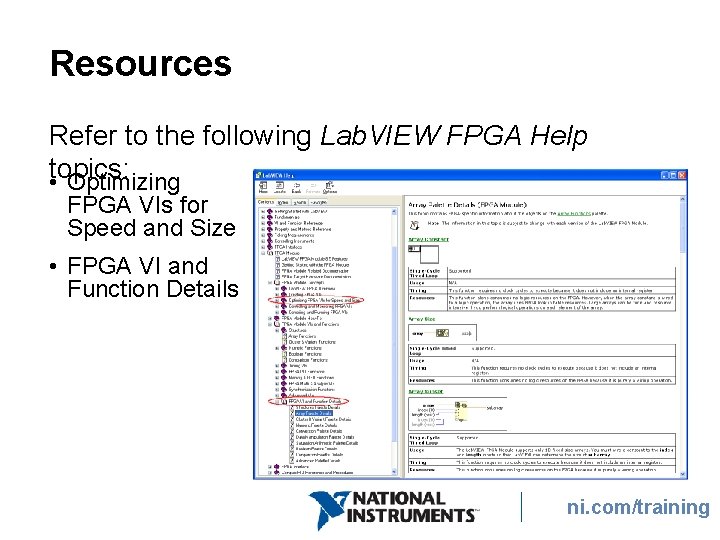
Resources Refer to the following Lab. VIEW FPGA Help • topics: Optimizing FPGA VIs for Speed and Size • FPGA VI and Function Details ni. com/training
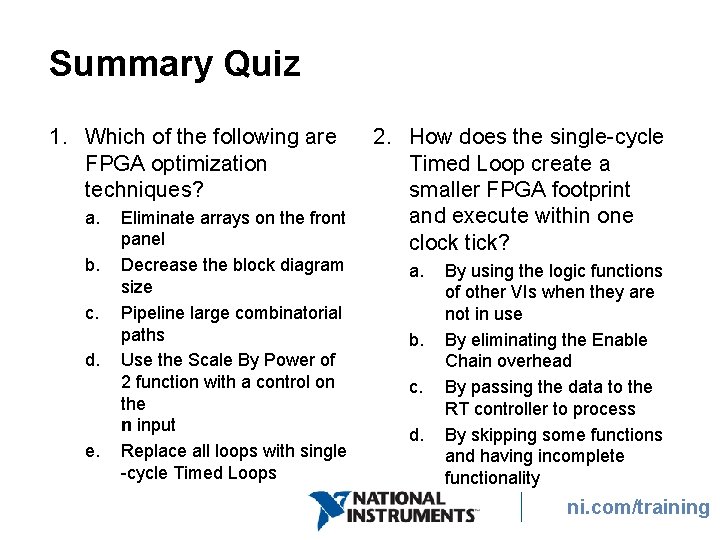
Summary Quiz 1. Which of the following are FPGA optimization techniques? a. b. c. d. e. Eliminate arrays on the front panel Decrease the block diagram size Pipeline large combinatorial paths Use the Scale By Power of 2 function with a control on the n input Replace all loops with single -cycle Timed Loops 2. How does the single-cycle Timed Loop create a smaller FPGA footprint and execute within one clock tick? a. b. c. d. By using the logic functions of other VIs when they are not in use By eliminating the Enable Chain overhead By passing the data to the RT controller to process By skipping some functions and having incomplete functionality ni. com/training