
Lesson 4 Reading 837 Error Reports and Making

- Slides: 43
• Lesson 4 • Reading 837 Error Reports and Making Corrections
Lesson 4 Topics • 837 Data Layout • Get to Know HIPAA Implementation Guides and Addenda • Error Report • Match 837 and 997 Files • Find Errors • Correct Errors and Resubmit Batch 2
What Does It Mean For You? Application Coordinator: “Once you understand the 837, it’s going to make your job more efficient. ” 3
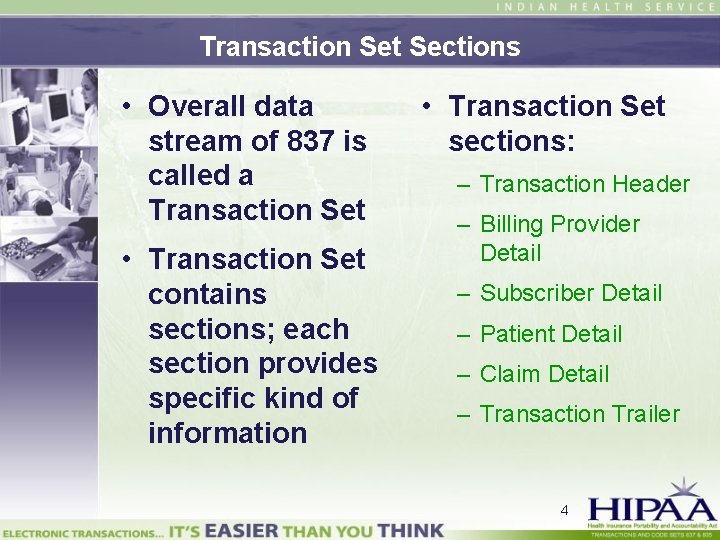
Transaction Set Sections • Overall data stream of 837 is called a Transaction Set • Transaction Set contains sections; each section provides specific kind of information • Transaction Set sections: – Transaction Header – Billing Provider Detail – Subscriber Detail – Patient Detail – Claim Detail – Transaction Trailer 4
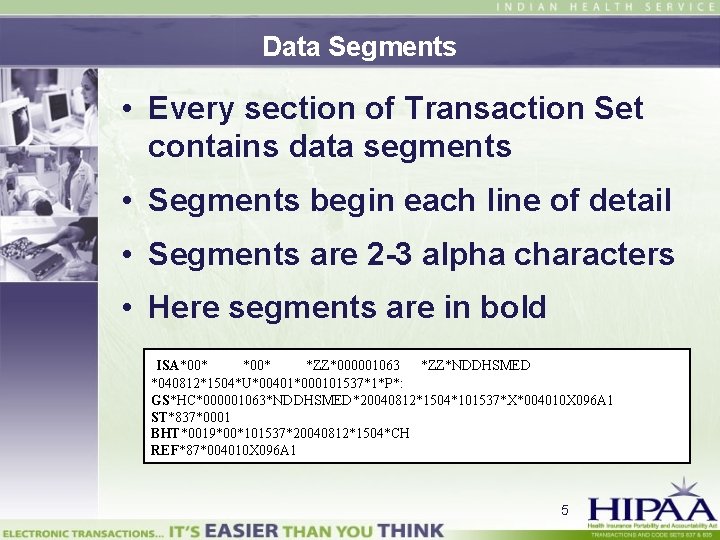
Data Segments • Every section of Transaction Set contains data segments • Segments begin each line of detail • Segments are 2 -3 alpha characters • Here segments are in bold ISA*00* *ZZ*000001063 *ZZ*NDDHSMED *040812*1504*U*00401*000101537*1*P*: GS*HC*000001063*NDDHSMED*20040812*1504*101537*X*004010 X 096 A 1 ST*837*0001 BHT*0019*00*101537*20040812*1504*CH REF*87*004010 X 096 A 1 5
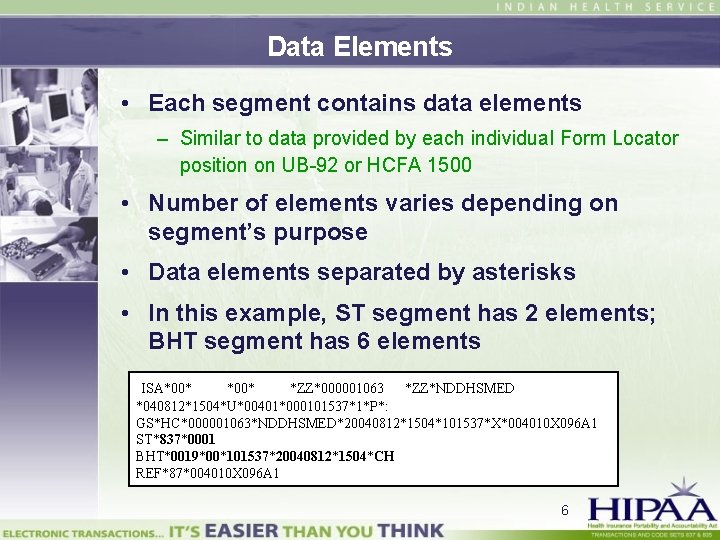
Data Elements • Each segment contains data elements – Similar to data provided by each individual Form Locator position on UB-92 or HCFA 1500 • Number of elements varies depending on segment’s purpose • Data elements separated by asterisks • In this example, ST segment has 2 elements; BHT segment has 6 elements ISA*00* *ZZ*000001063 *ZZ*NDDHSMED *040812*1504*U*00401*000101537*1*P*: GS*HC*000001063*NDDHSMED*20040812*1504*101537*X*004010 X 096 A 1 ST*837*0001 BHT*0019*00*101537*20040812*1504*CH REF*87*004010 X 096 A 1 6
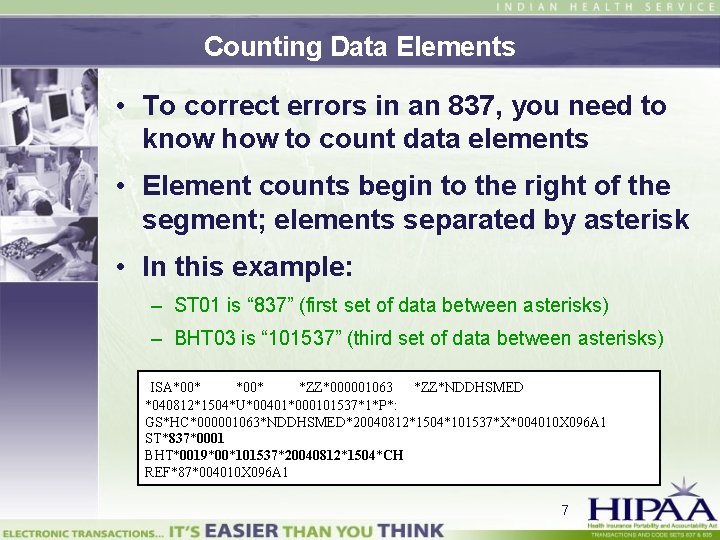
Counting Data Elements • To correct errors in an 837, you need to know how to count data elements • Element counts begin to the right of the segment; elements separated by asterisk • In this example: – ST 01 is “ 837” (first set of data between asterisks) – BHT 03 is “ 101537” (third set of data between asterisks) ISA*00* *ZZ*000001063 *ZZ*NDDHSMED *040812*1504*U*00401*000101537*1*P*: GS*HC*000001063*NDDHSMED*20040812*1504*101537*X*004010 X 096 A 1 ST*837*0001 BHT*0019*00*101537*20040812*1504*CH REF*87*004010 X 096 A 1 7
Quick Reference Guide • Shows typical billing scenario and how it looks when presented in 837 format – 837 data string is broken out line-by-line so you can see the loops, segments, and data elements • Explains how to convert 837 file into lined item that is easier to troubleshoot – When viewed on screen, 837 file is one long data stream – Can be very difficult to read 8
Lesson 4 Topics • 837 Data Layout • Get to Know HIPAA Implementation Guides and Addenda • Error Report • Match 837 and 997 Files • Find Errors • Correct Errors and Resubmit Batch 9
Three Different Guides/Addenda • Three versions – Institutional: 004010 X 096 – Professional: 004010 X 098 – Dental: 004010 X 097 • Use correct Implementation Guide for batch type – Segments and data elements may be different in each 10
What Elements Are Required in a Segment? • Find segment listed in appropriate Implementation Guide’s Table of Contents • Go to given page • You will find: – Loop name – Whether segment is required or situational – Data elements required in segment – How to enter data elements – Correct order of elements 11
Required or Situational? • Loops, segments, and elements can be required or situational • “Required” is mandatory – Claim will be rejected if this information is not included • Situational information – Information may or may not be needed – Depending on the claim’s criteria • Each Implementation Guide explains what information is required and what is situational 12
Loops Are Important • Loop is a section of data on 837 • Examples – Submitter Name loop – Billing Provider Name loop – Claim Level Information loop • Similar to data stored in Patient Registration or Fileman files 13
What Loops Tell You • Where to find a data segment • Some data segments repeat – E. g. , address line or N 3 • Billing Provider address • Subscriber address • Patient address • But each address line will be in a different loop – Segment N 3 of loop 2010 AA has Billing Provider address – Segment N 3 of loop 2010 BA has Subscriber address 14
Loop Numbering • Loop number is four digits • Number is often followed by one or two alphabetical characters – 2400 – 2010 BB 15
Lesson 4 Topics • 837 Data Layout • Get to Know HIPAA Implementation Guides and Addenda • Error Report • Match 837 and 997 Files • Find Errors • Correct Errors and Resubmit Batch 16
Types of Error Reports • 997 Functional Acknowledgement – Is the generally recognized response to 837 electronic transaction – Indicates whether file was accepted or rejected • Other error report formats – Arizona Medicaid uses format called 824 – Other formats used by clearinghouses and private insurers 17
How to Retrieve Error Report • Instructions for retrieving error reports can be found in Companion Guide • If you are working with a clearinghouse, they will provide instructions 18
997 Functional Acknowledgement • Data elements are counted in same way they are for an 837 file • 997 format somewhat different from 837 format – Segments after header all begin with AK 19
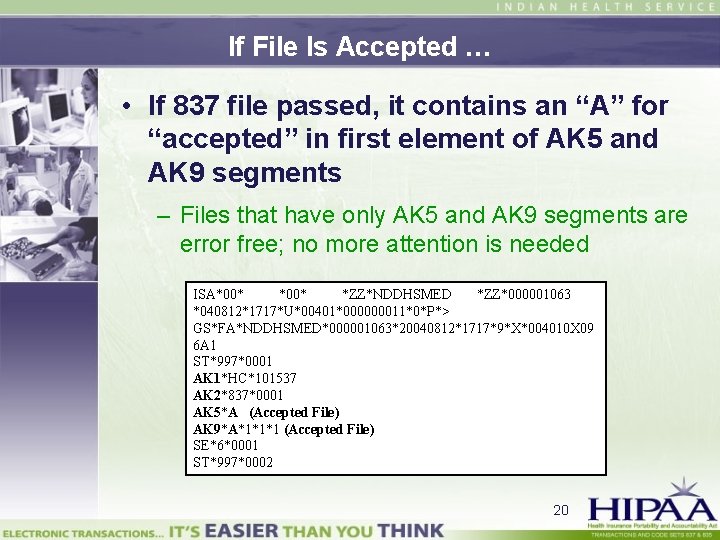
If File Is Accepted … • If 837 file passed, it contains an “A” for “accepted” in first element of AK 5 and AK 9 segments – Files that have only AK 5 and AK 9 segments are error free; no more attention is needed ISA*00* *ZZ*NDDHSMED *ZZ*000001063 *040812*1717*U*00401*000000011*0*P*> GS*FA*NDDHSMED*000001063*20040812*1717*9*X*004010 X 09 6 A 1 ST*997*0001 AK 1*HC*101537 AK 2*837*0001 AK 5*A (Accepted File) AK 9*A*1*1*1 (Accepted File) SE*6*0001 ST*997*0002 20
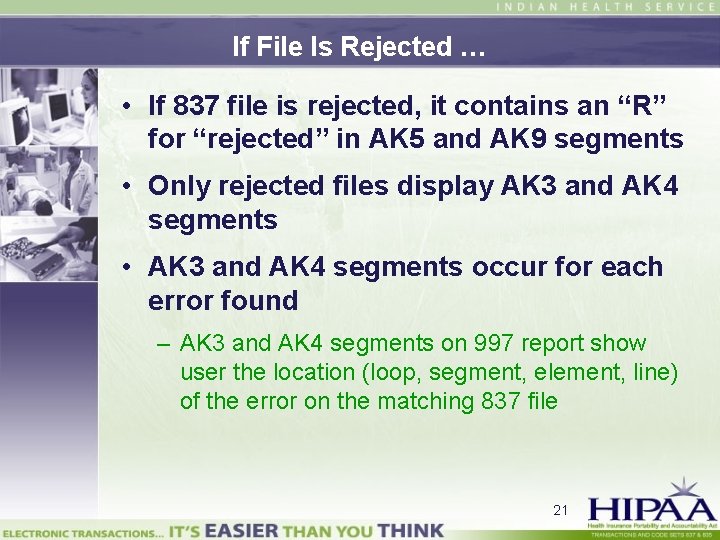
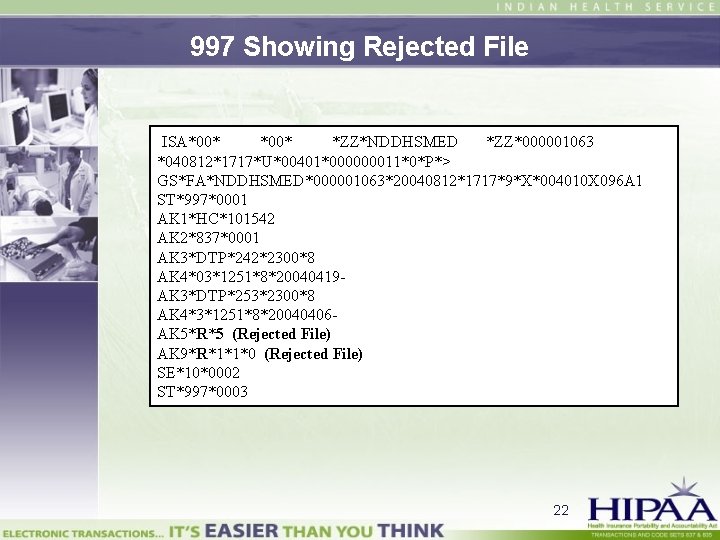
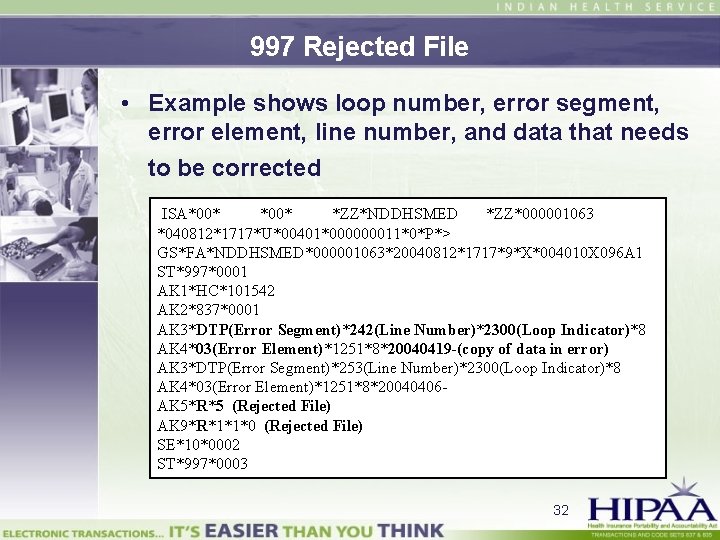
If File Is Rejected … • If 837 file is rejected, it contains an “R” for “rejected” in AK 5 and AK 9 segments • Only rejected files display AK 3 and AK 4 segments • AK 3 and AK 4 segments occur for each error found – AK 3 and AK 4 segments on 997 report show user the location (loop, segment, element, line) of the error on the matching 837 file 21
997 Showing Rejected File ISA*00* *ZZ*NDDHSMED *ZZ*000001063 *040812*1717*U*00401*000000011*0*P*> GS*FA*NDDHSMED*000001063*20040812*1717*9*X*004010 X 096 A 1 ST*997*0001 AK 1*HC*101542 AK 2*837*0001 AK 3*DTP*242*2300*8 AK 4*03*1251*8*20040419 AK 3*DTP*253*2300*8 AK 4*3*1251*8*20040406 AK 5*R*5 (Rejected File) AK 9*R*1*1*0 (Rejected File) SE*10*0002 ST*997*0003 22
Lesson 4 Topics • 837 Data Layout • Get to Know HIPAA Implementation Guides and Addenda • Error Report • Match 837 and 997 Files • Find Errors • Correct Errors and Resubmit Batch 23
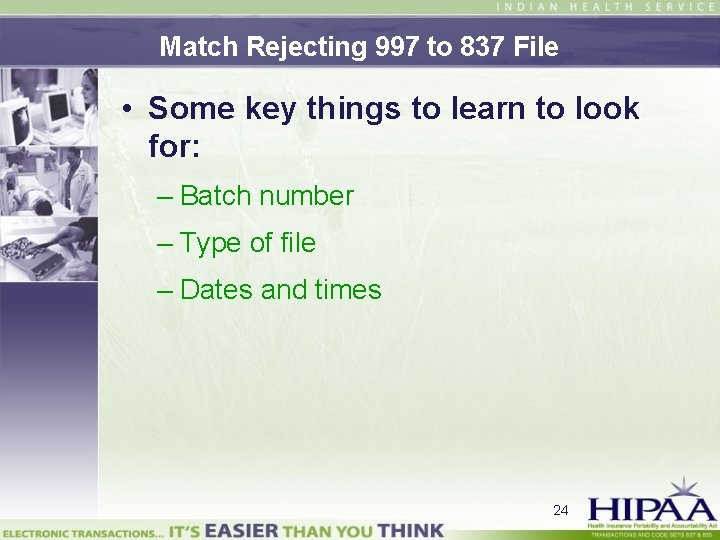
Match Rejecting 997 to 837 File • Some key things to learn to look for: – Batch number – Type of file – Dates and times 24
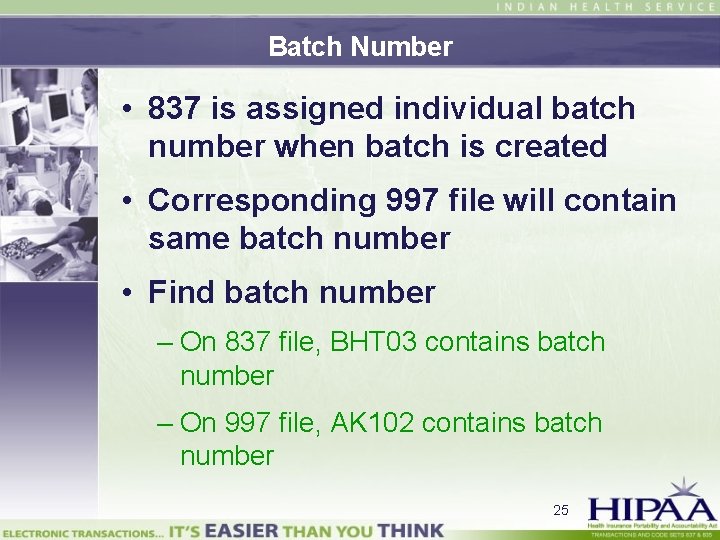
Batch Number • 837 is assigned individual batch number when batch is created • Corresponding 997 file will contain same batch number • Find batch number – On 837 file, BHT 03 contains batch number – On 997 file, AK 102 contains batch number 25
Type of File • On both 837 and 997, ST 01 identifies the type of file (837 or 997) • Files can also be identified by alphanumeric code that corresponds to Implementation Guides – Institutional (… 096) – Professional (… 098) – Dental (… 097) 26
Dates and Times • Date and time of file transmissions is stored in Header elements of each file • This information can be used to identify file batches 27
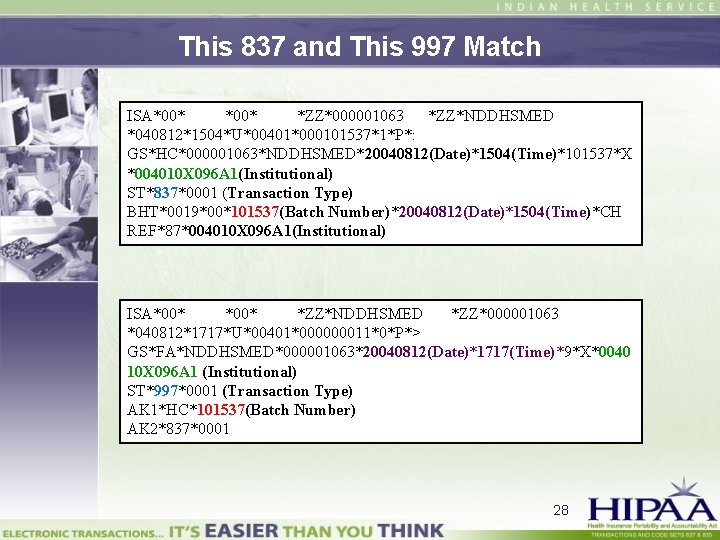
This 837 and This 997 Match ISA*00* *ZZ*000001063 *ZZ*NDDHSMED *040812*1504*U*00401*000101537*1*P*: GS*HC*000001063*NDDHSMED*20040812(Date)*1504(Time)*101537*X *004010 X 096 A 1(Institutional) ST*837*0001 (Transaction Type) BHT*0019*00*101537(Batch Number)*20040812(Date)*1504(Time)*CH REF*87*004010 X 096 A 1(Institutional) ISA*00* *ZZ*NDDHSMED *ZZ*000001063 *040812*1717*U*00401*000000011*0*P*> GS*FA*NDDHSMED*000001063*20040812(Date)*1717(Time)*9*X*0040 10 X 096 A 1 (Institutional) ST*997*0001 (Transaction Type) AK 1*HC*101537(Batch Number) AK 2*837*0001 28
Lesson 4 Topics • 837 Data Layout • Get to Know HIPAA Implementation Guides and Addenda • Error Report • Match 837 and 997 Files • Find Errors • Correct Errors and Resubmit Batch 29
Reasons for Errors • Errors can result from one or more of following: – Incorrect formats – Missing information – Incomplete information • See Quick Reference Guide for list of common data errors that cause an 837 claim to be rejected 30
AK 3 and AK 4 Segments on 997 • AK 3 and AK 4 segments show user location of error on matching 837 file – Loop – Segment – Data element – Line • Combination of AK 301 and AK 401 show segment and element where error is found on 837 file 31
997 Rejected File • Example shows loop number, error segment, error element, line number, and data that needs to be corrected ISA*00* *ZZ*NDDHSMED *ZZ*000001063 *040812*1717*U*00401*000000011*0*P*> GS*FA*NDDHSMED*000001063*20040812*1717*9*X*004010 X 096 A 1 ST*997*0001 AK 1*HC*101542 AK 2*837*0001 AK 3*DTP(Error Segment)*242(Line Number)*2300(Loop Indicator)*8 AK 4*03(Error Element)*1251*8*20040419 -(copy of data in error) AK 3*DTP(Error Segment)*253(Line Number)*2300(Loop Indicator)*8 AK 4*03(Error Element)*1251*8*20040406 AK 5*R*5 (Rejected File) AK 9*R*1*1*0 (Rejected File) SE*10*0002 ST*997*0003 32
To Identify Error and Error Reason • You must use HIPAA Implementation Guide and 837 to identify error and reason for error • For process to follow, see steps and example in Quick Reference Guide 33
Lesson 4 Topics • 837 Data Layout • Get to Know HIPAA Implementation Guides and Addenda • Error Report • Match 837 and 997 Files • Find Errors • Correct Errors and Resubmit Batch 34
Correct Error in RPMS • 837 file contains multiple claims run together • You must locate claim number for problem claim in order to make correction • For process to follow, see steps in Quick Reference Guide 35
Recreate and Resubmit Batch • Once all errors identified and corrected: – Recreate batch(es) – Resubmit files to insurer in next submission • Process for recreating batches remains unchanged • Remember that changes made to claims will not reflect on new 837 transmission unless batch was recreated prior to transmitting new file 36
What Does It Mean For You? Assistant Site Manager: “You get familiar with what the errors are when you see them. ” 37
Tips • Process will speed up as you become more acquainted with 837 and 997 files and with HIPAA Implementation Guides • Error correction process is not simple but it can be mastered – Some sites have found it expedient to designate one person to correct all errors 38
Tips (cont’d) • Filename for batch cannot be more than 16 characters – Your trading partner’s Companion Guide may have naming conventions that partner wants to use • Each recreated batch gets new RPMS number • Make sure to only include corrected claims in recreated batch 39
Tips (cont’d) • Monitor error reports carefully – Check every batch in a report – Resubmit all errors – Until claim is submitted correctly, insurer has no record of the claim • If 20 claims are rejected for one patient, it could be as simple as a name entered wrong in one place – Error must be corrected at source as well as on claim so that it doesn’t repeat 40
Tips (cont’d) • Know differences between insurers when resubmitting previously rejected claims – Medicare: Only rejected claims do not pass. Only resubmit rejected claims, not entire batch. – Medicaid: Any rejected claim causes entire batch to fail. Correct rejected claim(s); recreate and resubmit entire batch. – Private Insurance: Insurer specific. Ask each insurer how they will process files with rejects (e. g. , will entire batch fail or only rejected claims? ) 41
What Does It Mean For You? Applications Coordinator: “What I like about the 837 is the turnaround. ” 42
Lessons Learned • Learn 837 data layout • Get to know Implementation Guides and Addenda • Learn how to read error report • Match 837 and 997 files • Find errors • Correct errors and resubmit batch 43