
Lesson 4 Image and Video Fundamentals Light and
- Slides: 32
Lesson 4 Image and Video Fundamentals • Light and Color Models - RGB, HSB - Luminace and Chrominace YIQ, YUV, YCr. Cb • Image Data Formats • Video Camera and Display • Scanning Video and Interlaced Scanning • Analogy NTSC and PAL Video • Digital Video • Luma Sampling and Chroma Sub-Sampling • Video Coding Standards Organizations
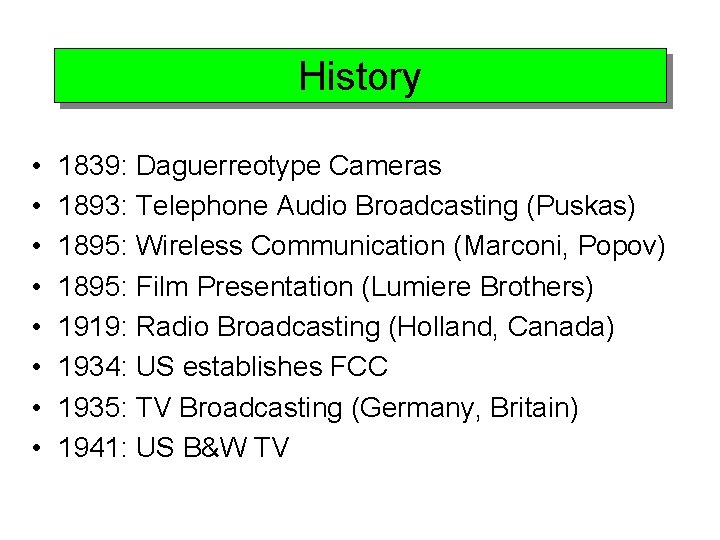
History • • 1839: Daguerreotype Cameras 1893: Telephone Audio Broadcasting (Puskas) 1895: Wireless Communication (Marconi, Popov) 1895: Film Presentation (Lumiere Brothers) 1919: Radio Broadcasting (Holland, Canada) 1934: US establishes FCC 1935: TV Broadcasting (Germany, Britain) 1941: US B&W TV
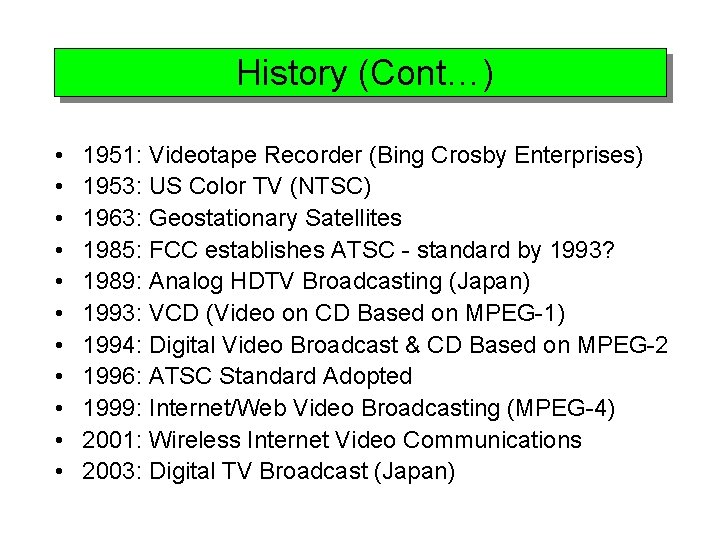
History (Cont…) • • • 1951: Videotape Recorder (Bing Crosby Enterprises) 1953: US Color TV (NTSC) 1963: Geostationary Satellites 1985: FCC establishes ATSC - standard by 1993? 1989: Analog HDTV Broadcasting (Japan) 1993: VCD (Video on CD Based on MPEG-1) 1994: Digital Video Broadcast & CD Based on MPEG-2 1996: ATSC Standard Adopted 1999: Internet/Web Video Broadcasting (MPEG-4) 2001: Wireless Internet Video Communications 2003: Digital TV Broadcast (Japan)
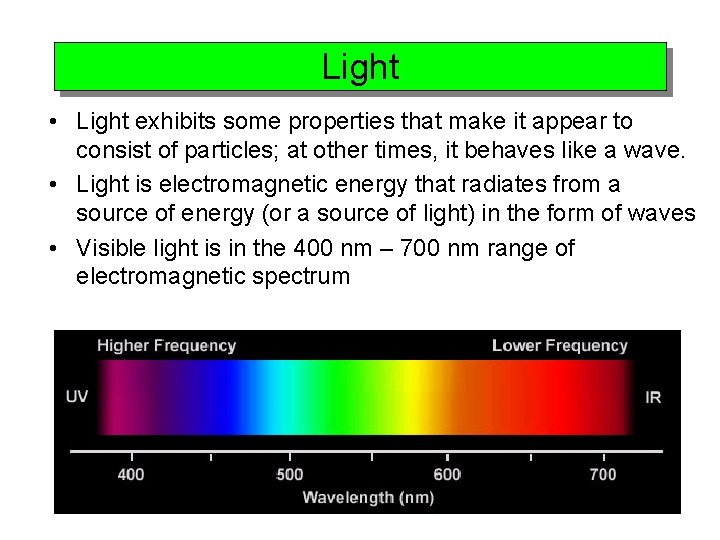
Light • Light exhibits some properties that make it appear to consist of particles; at other times, it behaves like a wave. • Light is electromagnetic energy that radiates from a source of energy (or a source of light) in the form of waves • Visible light is in the 400 nm – 700 nm range of electromagnetic spectrum
Intensity of Light • The strength of the radiation from a light source is measured using the unit called the candela, or candle power. The total energy from the light source, including heat and all electromagnetic radiation, is called radiance and is usually expressed in watts. • Luminance is a measure of the light strength that is actually perceived by the human eye. Radiance is a measure of the total output of the source; luminance measures just the portion that is perceived. • Brightness is a subjective, psychological measure of perceived intensity. Brightness is practically impossible to measure objectively. It is relative. For example, a burning candle in a darkened room will appear bright to the viewer; it will not appear bright in full sunshine. • The strength of light diminishes in inverse square proportion to its distance from its source. This effect accounts for the need for high intensity projectors for showing multimedia productions on a screen to an audience.
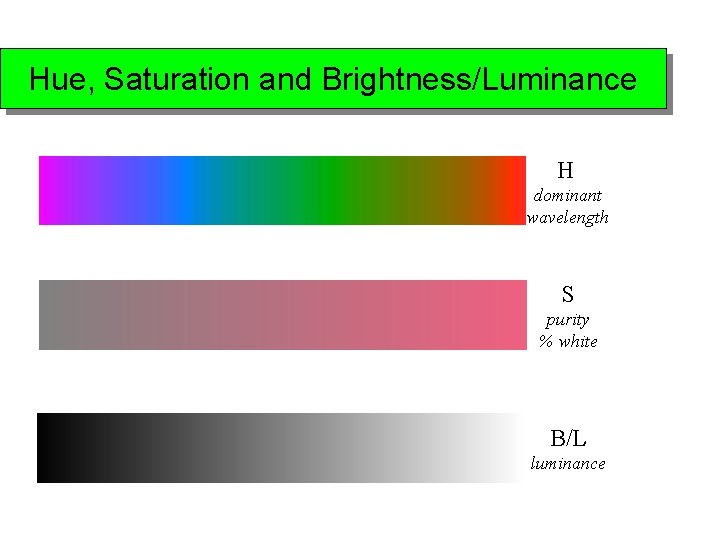
Basics of Color • Color is the sensation registered when light of different wavelengths is perceived by the brain. • Observed in objects that reflect or emit certain wavelengths of light. • Can create the sensation of any color by mixing appropriate amounts of the three primary colors — red, green, and blue. • Can create colors on computer monitors using the emission of three wavelengths of light in appropriate combinations. • Hue distinguishes among colors such as red, green, and yellow. • Saturation refers to how far color is from a gray of equal intensity. • Lightness embodies the achromatic notion of perceived intensity of a reflecting object. • Brightness is used instead of lightness for a self-luminous object such as CRT.
Hue, Saturation and Brightness/Luminance H dominant wavelength S purity % white B/L luminance
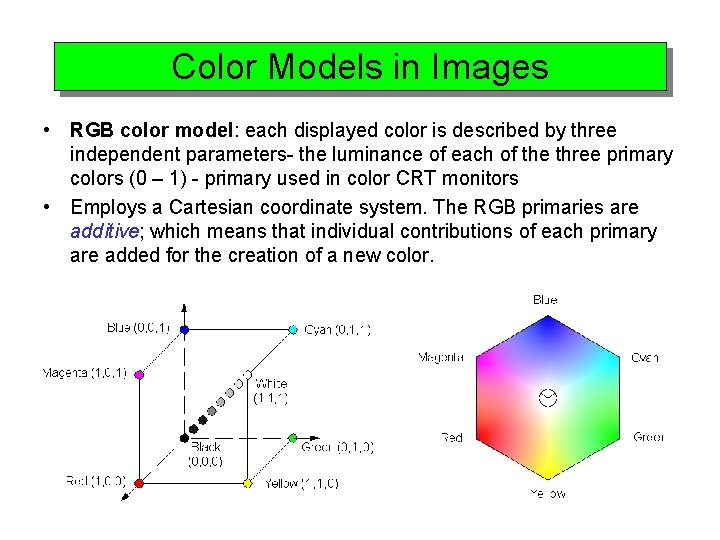
Color Models in Images • RGB color model: each displayed color is described by three independent parameters- the luminance of each of the three primary colors (0 – 1) - primary used in color CRT monitors • Employs a Cartesian coordinate system. The RGB primaries are additive; which means that individual contributions of each primary are added for the creation of a new color.
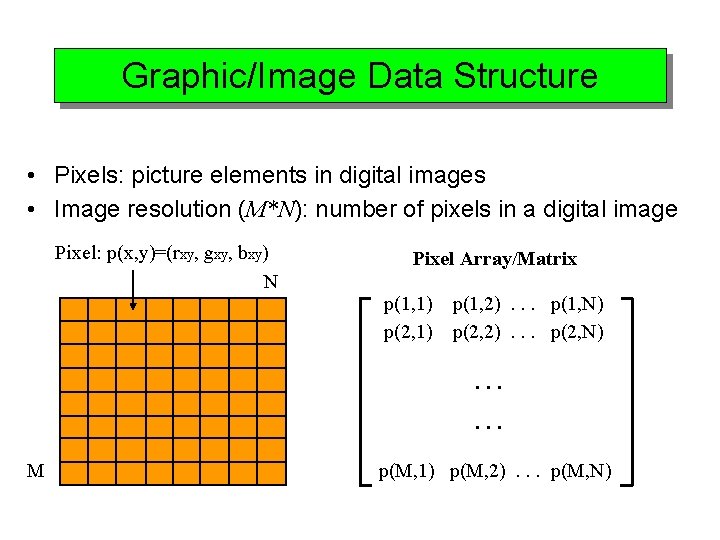
Graphic/Image Data Structure • Pixels: picture elements in digital images • Image resolution (M*N): number of pixels in a digital image Pixel: p(x, y)=(rxy, gxy, bxy) N Pixel Array/Matrix p(1, 1) p(2, 1) p(1, 2). . . p(1, N) p(2, 2). . . p(2, N). . . M p(M, 1) p(M, 2). . . p(M, N)
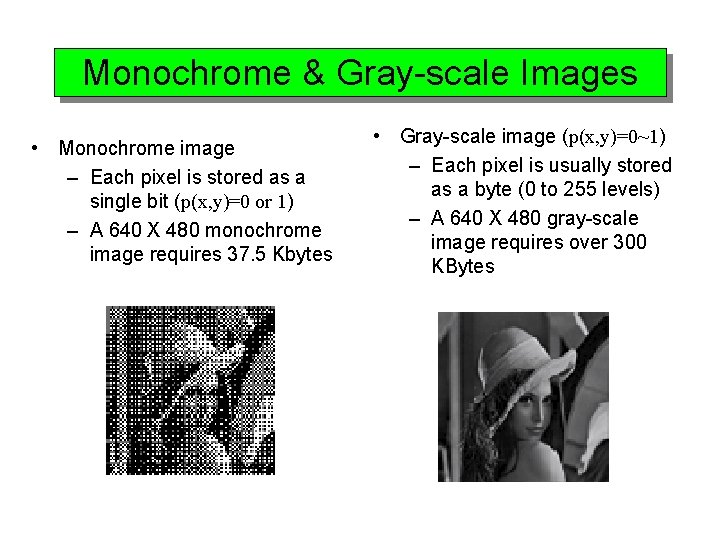
Monochrome & Gray-scale Images • Monochrome image – Each pixel is stored as a single bit (p(x, y)=0 or 1) – A 640 X 480 monochrome image requires 37. 5 Kbytes • Gray-scale image (p(x, y)=0~1) – Each pixel is usually stored as a byte (0 to 255 levels) – A 640 X 480 gray-scale image requires over 300 KBytes
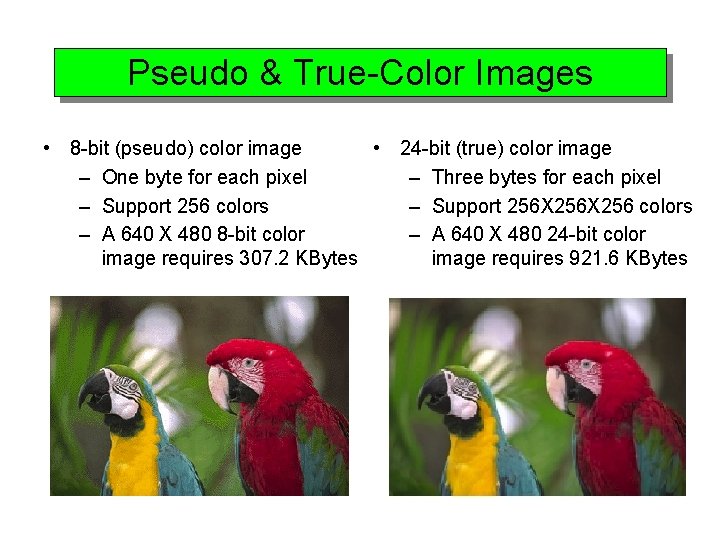
Pseudo & True-Color Images • 8 -bit (pseudo) color image • 24 -bit (true) color image – One byte for each pixel – Three bytes for each pixel – Support 256 colors – Support 256 X 256 colors – A 640 X 480 8 -bit color – A 640 X 480 24 -bit color image requires 307. 2 KBytes image requires 921. 6 KBytes
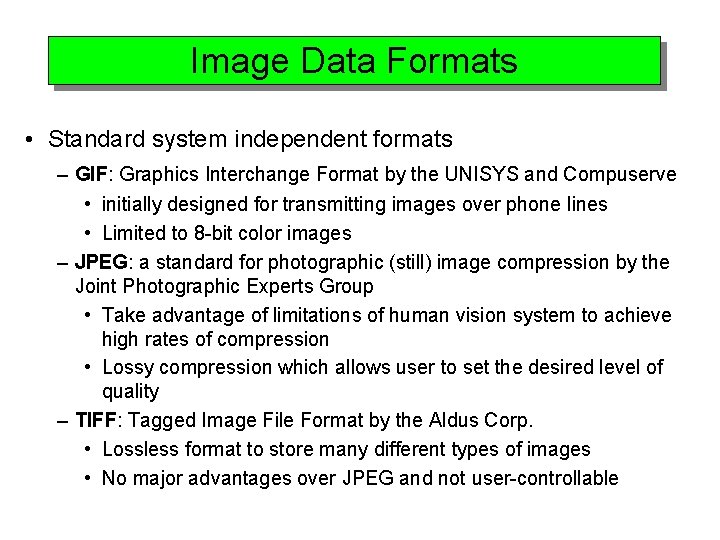
Image Data Formats • Standard system independent formats – GIF: Graphics Interchange Format by the UNISYS and Compuserve • initially designed for transmitting images over phone lines • Limited to 8 -bit color images – JPEG: a standard for photographic (still) image compression by the Joint Photographic Experts Group • Take advantage of limitations of human vision system to achieve high rates of compression • Lossy compression which allows user to set the desired level of quality – TIFF: Tagged Image File Format by the Aldus Corp. • Lossless format to store many different types of images • No major advantages over JPEG and not user-controllable
Image Data Formats (Cont…) – PS/EPS: a typesetting language • including vector/structured graphics and bit-mapped images • Used in several popular graphics programs (Adobe) • no compression, files are large • System dependent formats – BMP: support 24 -bit bitmap images for Microsoft Windows – XBM: support 24 -bit bitmap images for X Windows systems – Many, many others
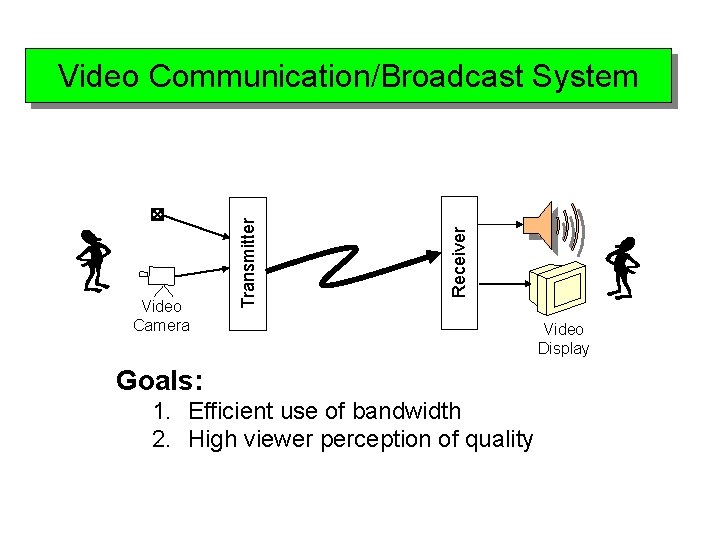
Receiver Video Camera Transmitter Video Communication/Broadcast System Goals: 1. Efficient use of bandwidth 2. High viewer perception of quality Video Display
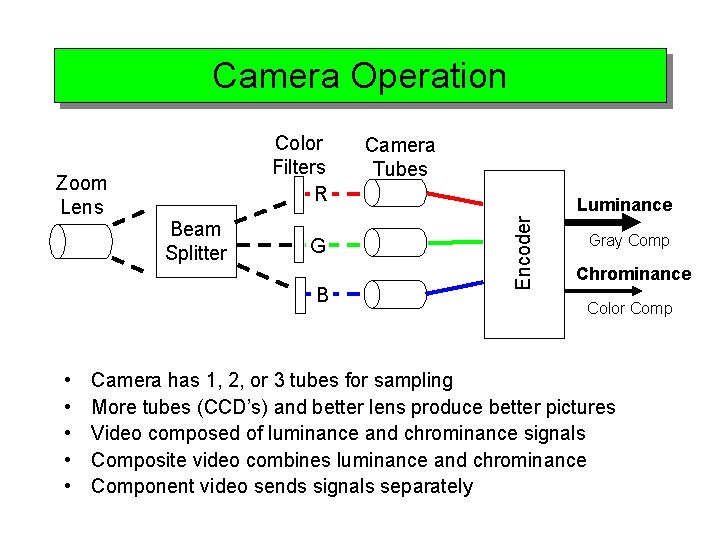
Camera Operation Beam Splitter G B • • • Camera Tubes Luminance Encoder Zoom Lens Color Filters R Gray Comp Chrominance Color Comp Camera has 1, 2, or 3 tubes for sampling More tubes (CCD’s) and better lens produce better pictures Video composed of luminance and chrominance signals Composite video combines luminance and chrominance Component video sends signals separately
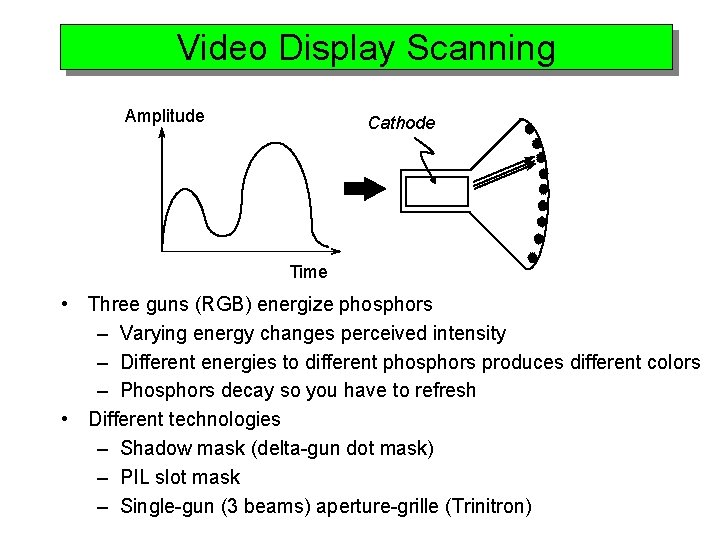
Video Display Scanning Amplitude Cathode Time • Three guns (RGB) energize phosphors – Varying energy changes perceived intensity – Different energies to different phosphors produces different colors – Phosphors decay so you have to refresh • Different technologies – Shadow mask (delta-gun dot mask) – PIL slot mask – Single-gun (3 beams) aperture-grille (Trinitron)
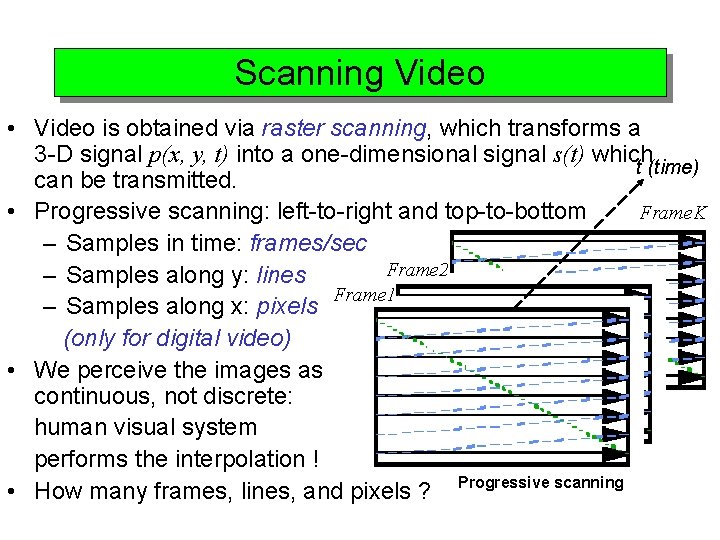
Scanning Video • Video is obtained via raster scanning, which transforms a 3 -D signal p(x, y, t) into a one-dimensional signal s(t) which t (time) can be transmitted. Frame. K • Progressive scanning: left-to-right and top-to-bottom – Samples in time: frames/sec Frame 2 – Samples along y: lines Frame 1 – Samples along x: pixels (only for digital video) • We perceive the images as continuous, not discrete: human visual system performs the interpolation ! • How many frames, lines, and pixels ? Progressive scanning
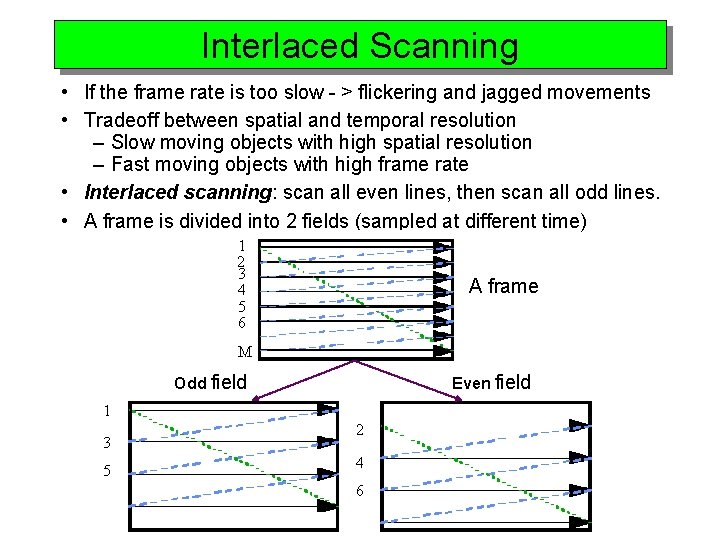
Interlaced Scanning • If the frame rate is too slow - > flickering and jagged movements • Tradeoff between spatial and temporal resolution – Slow moving objects with high spatial resolution – Fast moving objects with high frame rate • Interlaced scanning: scan all even lines, then scan all odd lines. • A frame is divided into 2 fields (sampled at different time) 1 2 3 4 5 6 A frame M Odd field Even field 1 3 5 2 4 6
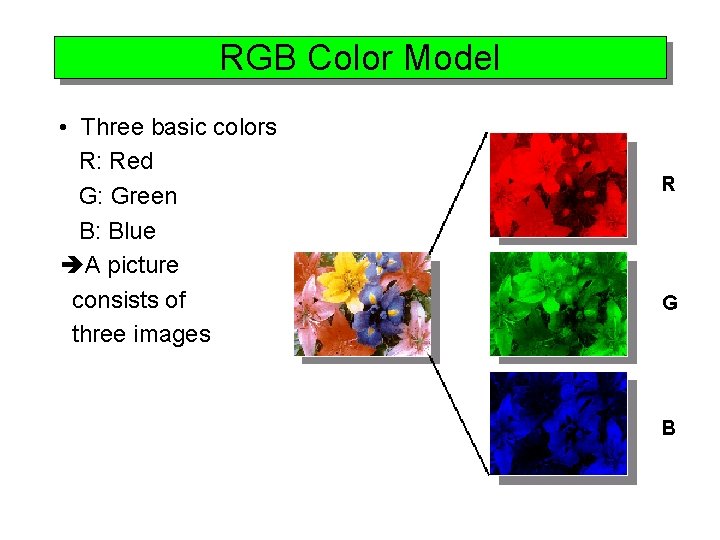
RGB Color Model • Three basic colors R: Red G: Green B: Blue A picture consists of three images R G B
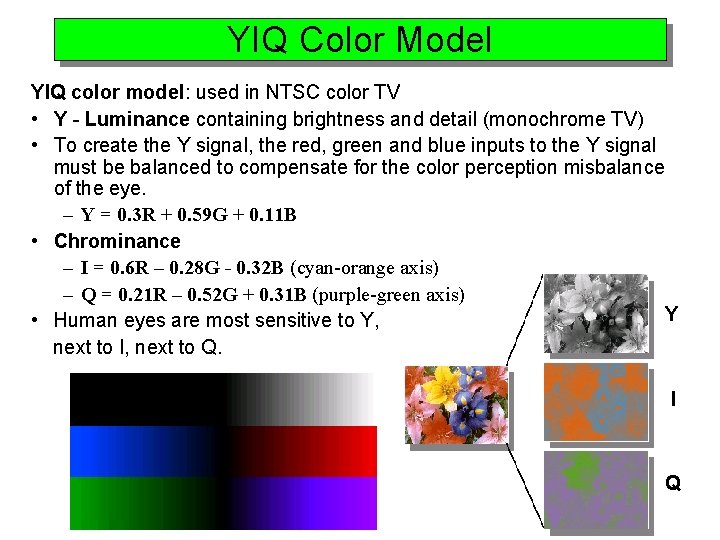
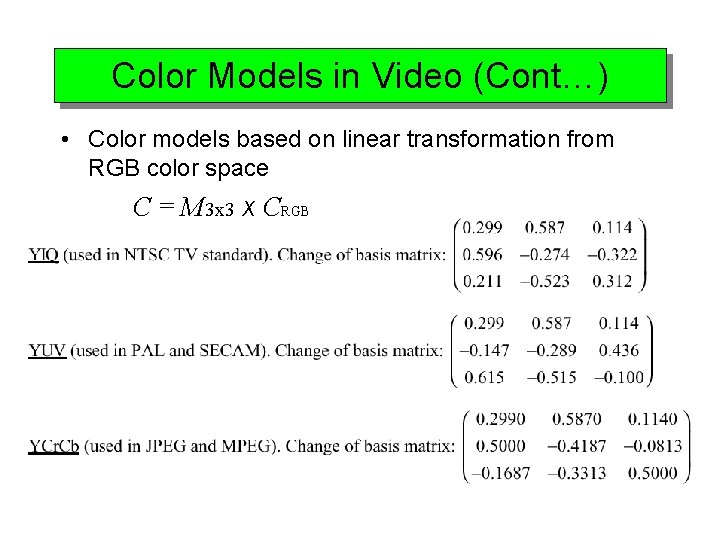
YIQ Color Model YIQ color model: used in NTSC color TV • Y - Luminance containing brightness and detail (monochrome TV) • To create the Y signal, the red, green and blue inputs to the Y signal must be balanced to compensate for the color perception misbalance of the eye. – Y = 0. 3 R + 0. 59 G + 0. 11 B • Chrominance – I = 0. 6 R – 0. 28 G - 0. 32 B (cyan-orange axis) – Q = 0. 21 R – 0. 52 G + 0. 31 B (purple-green axis) Y • Human eyes are most sensitive to Y, next to I, next to Q. I Q
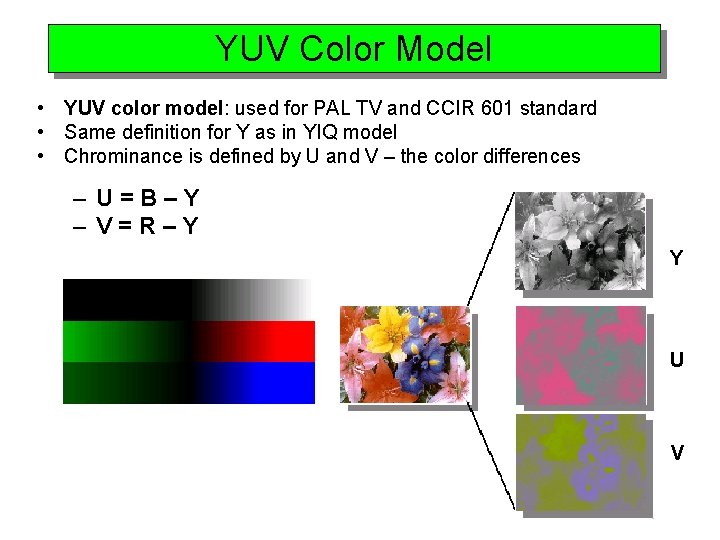
YUV Color Model • YUV color model: used for PAL TV and CCIR 601 standard • Same definition for Y as in YIQ model • Chrominance is defined by U and V – the color differences – U=B–Y – V=R–Y Y U V
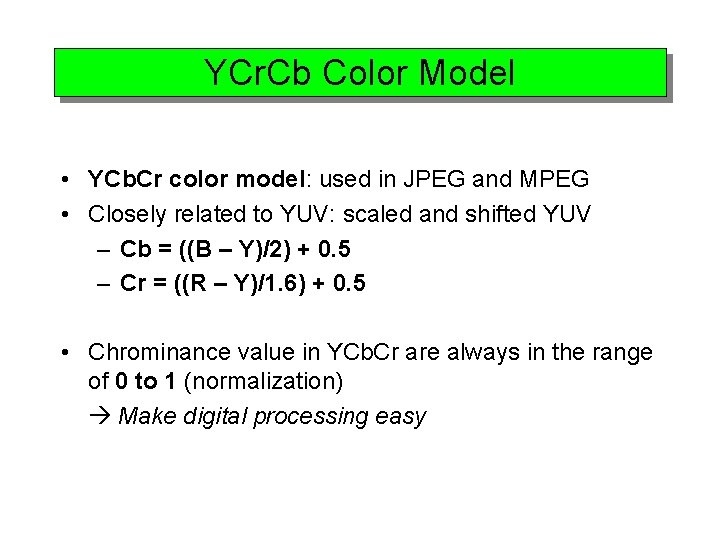
YCr. Cb Color Model • YCb. Cr color model: used in JPEG and MPEG • Closely related to YUV: scaled and shifted YUV – Cb = ((B – Y)/2) + 0. 5 – Cr = ((R – Y)/1. 6) + 0. 5 • Chrominance value in YCb. Cr are always in the range of 0 to 1 (normalization) Make digital processing easy
Color Models in Video (Cont…) • Color models based on linear transformation from RGB color space C = M 3 x 3 x CRGB
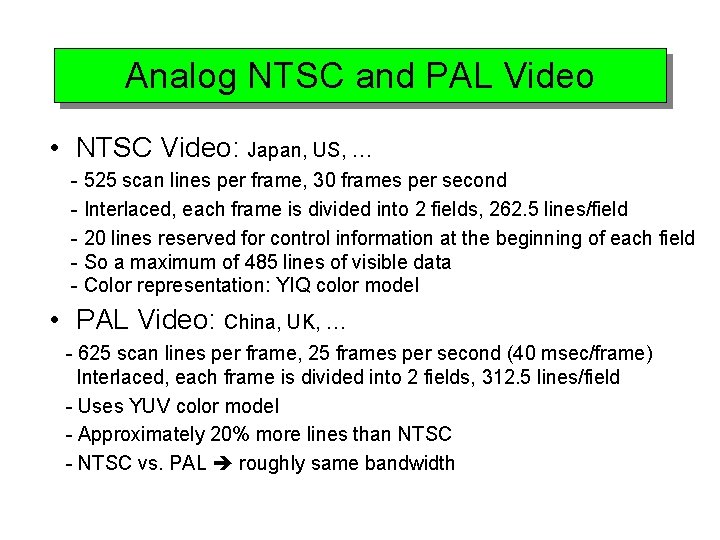
Analog NTSC and PAL Video • NTSC Video: Japan, US, … - 525 scan lines per frame, 30 frames per second - Interlaced, each frame is divided into 2 fields, 262. 5 lines/field - 20 lines reserved for control information at the beginning of each field - So a maximum of 485 lines of visible data - Color representation: YIQ color model • PAL Video: China, UK, … - 625 scan lines per frame, 25 frames per second (40 msec/frame) Interlaced, each frame is divided into 2 fields, 312. 5 lines/field - Uses YUV color model - Approximately 20% more lines than NTSC - NTSC vs. PAL roughly same bandwidth
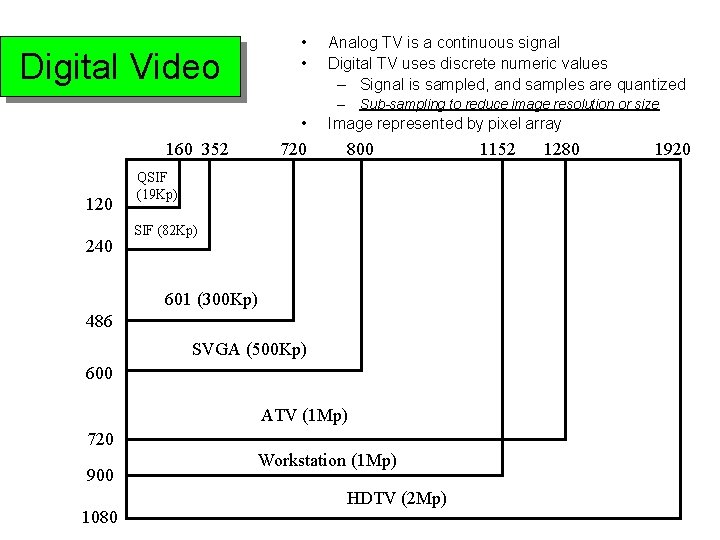
• • Digital Video Analog TV is a continuous signal Digital TV uses discrete numeric values – Signal is sampled, and samples are quantized – Sub-sampling to reduce image resolution or size • 160 352 120 240 720 Image represented by pixel array 800 QSIF (19 Kp) SIF (82 Kp) 601 (300 Kp) 486 SVGA (500 Kp) 600 ATV (1 Mp) 720 900 1080 Workstation (1 Mp) HDTV (2 Mp) 1152 1280 1920
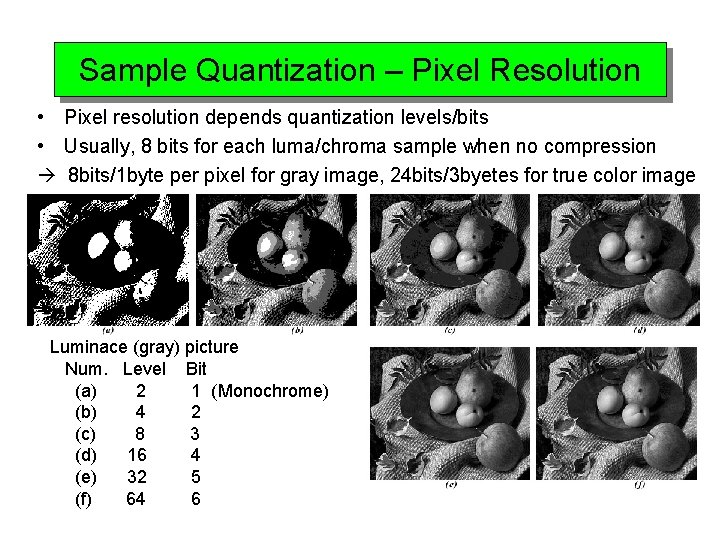
Sample Quantization – Pixel Resolution • Pixel resolution depends quantization levels/bits • Usually, 8 bits for each luma/chroma sample when no compression 8 bits/1 byte per pixel for gray image, 24 bits/3 byetes for true color image Luminace (gray) picture Num. Level Bit (a) 2 1 (Monochrome) (b) 4 2 (c) 8 3 (d) 16 4 (e) 32 5 (f) 64 6
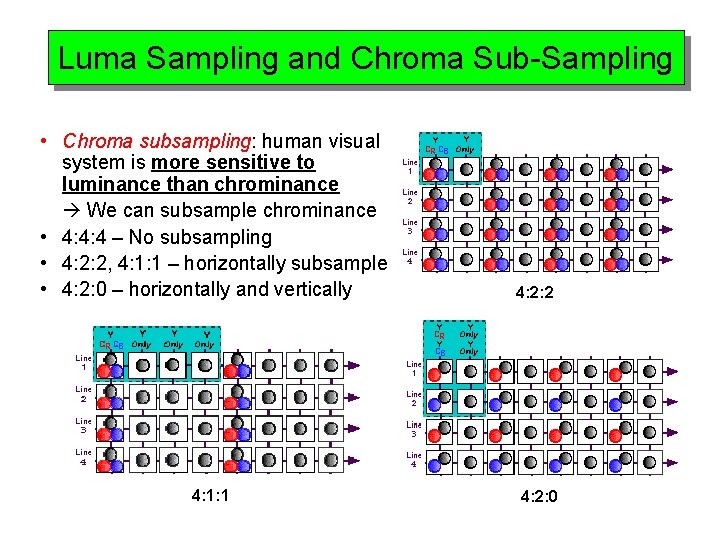
Luma Sampling and Chroma Sub-Sampling • Chroma subsampling: human visual system is more sensitive to luminance than chrominance We can subsample chrominance • 4: 4: 4 – No subsampling • 4: 2: 2, 4: 1: 1 – horizontally subsample • 4: 2: 0 – horizontally and vertically 4: 2: 2 4: 1: 1 4: 2: 0
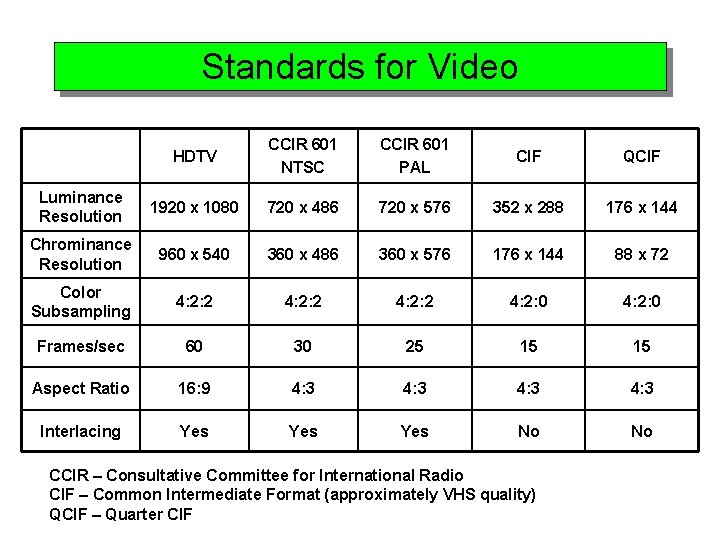
Standards for Video HDTV CCIR 601 NTSC CCIR 601 PAL CIF QCIF Luminance Resolution 1920 x 1080 720 x 486 720 x 576 352 x 288 176 x 144 Chrominance Resolution 960 x 540 360 x 486 360 x 576 176 x 144 88 x 72 Color Subsampling 4: 2: 2 4: 2: 0 Frames/sec 60 30 25 15 15 Aspect Ratio 16: 9 4: 3 Interlacing Yes Yes No No CCIR – Consultative Committee for International Radio CIF – Common Intermediate Format (approximately VHS quality) QCIF – Quarter CIF
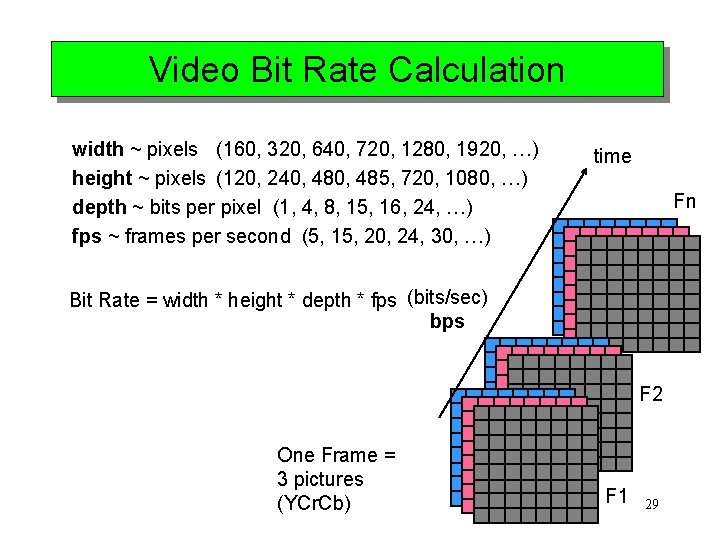
Video Bit Rate Calculation width ~ pixels (160, 320, 640, 720, 1280, 1920, …) height ~ pixels (120, 240, 485, 720, 1080, …) depth ~ bits per pixel (1, 4, 8, 15, 16, 24, …) fps ~ frames per second (5, 15, 20, 24, 30, …) time Fn Bit Rate = width * height * depth * fps (bits/sec) bps F 2 One Frame = 3 pictures (YCr. Cb) F 1 29
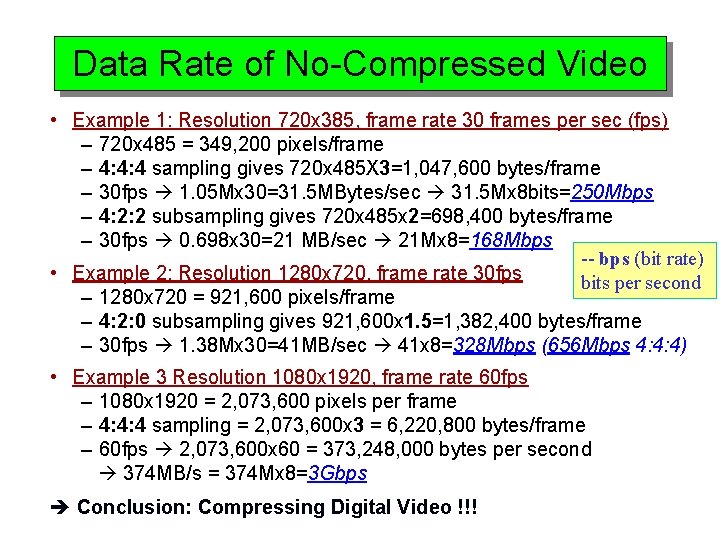
Data Rate of No-Compressed Video • Example 1: Resolution 720 x 385, frame rate 30 frames per sec (fps) – 720 x 485 = 349, 200 pixels/frame – 4: 4: 4 sampling gives 720 x 485 X 3=1, 047, 600 bytes/frame – 30 fps 1. 05 Mx 30=31. 5 MBytes/sec 31. 5 Mx 8 bits=250 Mbps – 4: 2: 2 subsampling gives 720 x 485 x 2=698, 400 bytes/frame – 30 fps 0. 698 x 30=21 MB/sec 21 Mx 8=168 Mbps -- bps (bit rate) • Example 2: Resolution 1280 x 720, frame rate 30 fps bits per second – 1280 x 720 = 921, 600 pixels/frame – 4: 2: 0 subsampling gives 921, 600 x 1. 5=1, 382, 400 bytes/frame – 30 fps 1. 38 Mx 30=41 MB/sec 41 x 8=328 Mbps (656 Mbps 4: 4: 4) • Example 3 Resolution 1080 x 1920, frame rate 60 fps – 1080 x 1920 = 2, 073, 600 pixels per frame – 4: 4: 4 sampling = 2, 073, 600 x 3 = 6, 220, 800 bytes/frame – 60 fps 2, 073, 600 x 60 = 373, 248, 000 bytes per second 374 MB/s = 374 Mx 8=3 Gbps Conclusion: Compressing Digital Video !!!
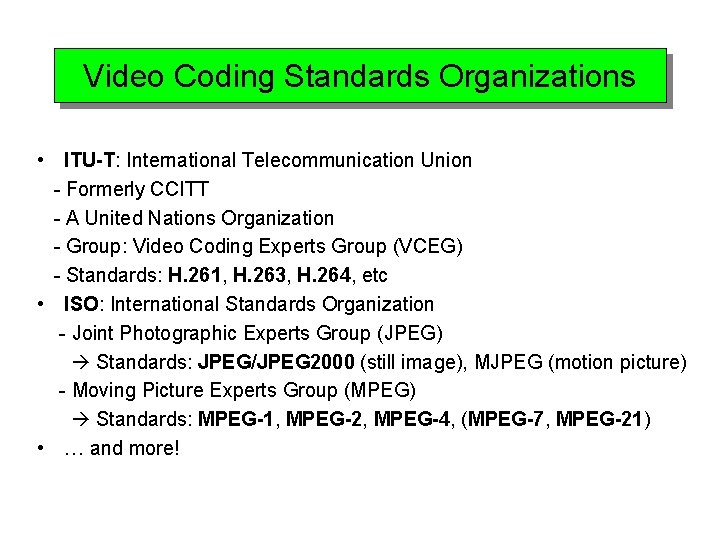
Video Coding Standards Organizations • ITU-T: International Telecommunication Union - Formerly CCITT - A United Nations Organization - Group: Video Coding Experts Group (VCEG) - Standards: H. 261, H. 263, H. 264, etc • ISO: International Standards Organization - Joint Photographic Experts Group (JPEG) Standards: JPEG/JPEG 2000 (still image), MJPEG (motion picture) - Moving Picture Experts Group (MPEG) Standards: MPEG-1, MPEG-2, MPEG-4, (MPEG-7, MPEG-21) • … and more!
Demos of Image Color Models