
LESSON 2 FLORIDA STANDARD MODEL 1 PART A
- Slides: 35
LESSON 2 FLORIDA STANDARD MODEL 1
PART A FSUTMS BASICS FSUTMS COMPREHENSIVE MODELING WORKSHOP 2
LESSON GOALS • In this lesson, we will discuss: • FSUTMS Basics • FSUTMS Standards and Guidelines • FSUTMS Scenario Manager FSUTMS COMPREHENSIVE MODELING WORKSHOP 3
FSUTMS BASICS • Standard Process/Interface (Cube) • Management within Cube: • • • Model Process Alternative Specific Data Model Validation Specific Data • Standard Reports & Custom Reporting • Flexibility to Incorporate New Processes • Exchange of User Knowledge FSUTMS COMPREHENSIVE MODELING WORKSHOP 4
MODEL STRUCTURE • Retain Existing Model Structure/Logic • Alternative Model Structures: • • Highway Only Nested Logit Mode Choice • Recent Recommended Enhancements include: • • • Time-of-Day Modeling procedures Feedback Loops Destination Choice Model FSUTMS COMPREHENSIVE MODELING WORKSHOP 5
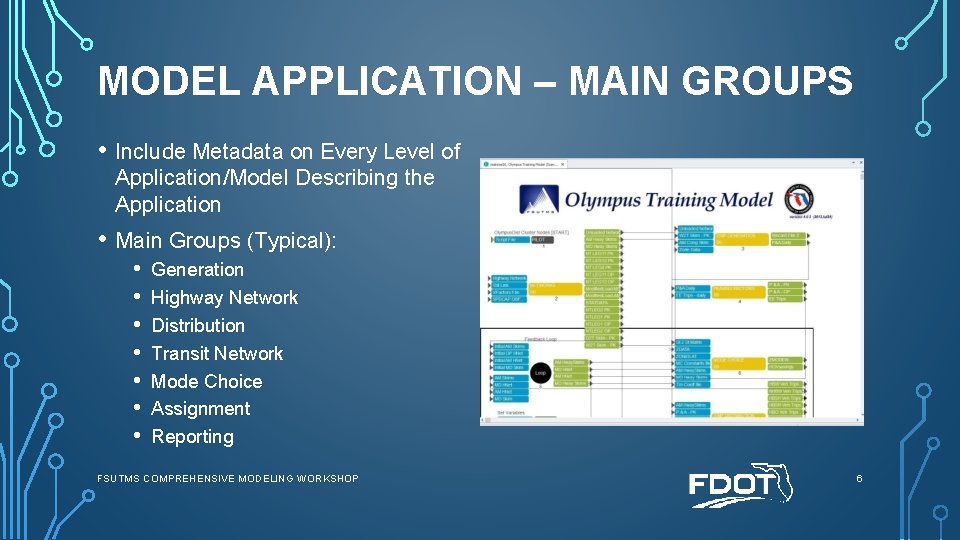
MODEL APPLICATION – MAIN GROUPS • Include Metadata on Every Level of Application/Model Describing the Application • Main Groups (Typical): • • Generation Highway Network Distribution Transit Network Mode Choice Assignment Reporting FSUTMS COMPREHENSIVE MODELING WORKSHOP 6
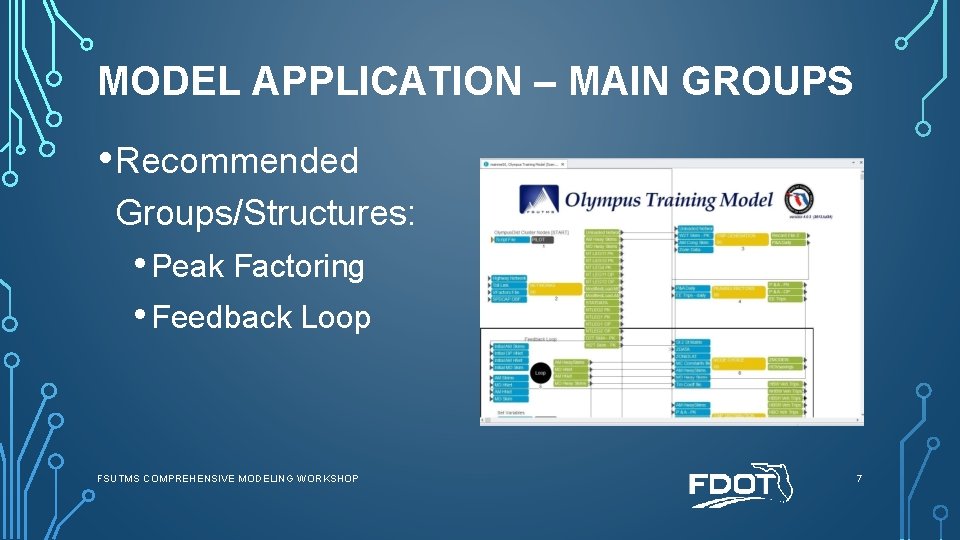
MODEL APPLICATION – MAIN GROUPS • Recommended Groups/Structures: • Peak Factoring • Feedback Loop FSUTMS COMPREHENSIVE MODELING WORKSHOP 7
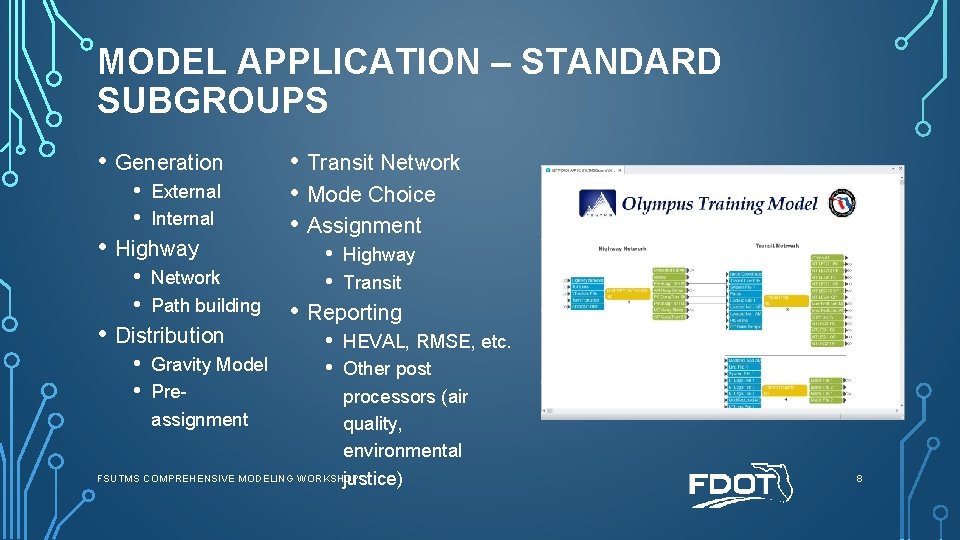
MODEL APPLICATION – STANDARD SUBGROUPS • Generation • • External Internal • Highway • • Network Path building • Distribution • Transit Network • Mode Choice • Assignment • • Highway Transit • Reporting • • HEVAL, RMSE, etc. • Gravity Model Other post • Preprocessors (air assignment quality, environmental FSUTMS COMPREHENSIVE MODELING WORKSHOP justice) 8
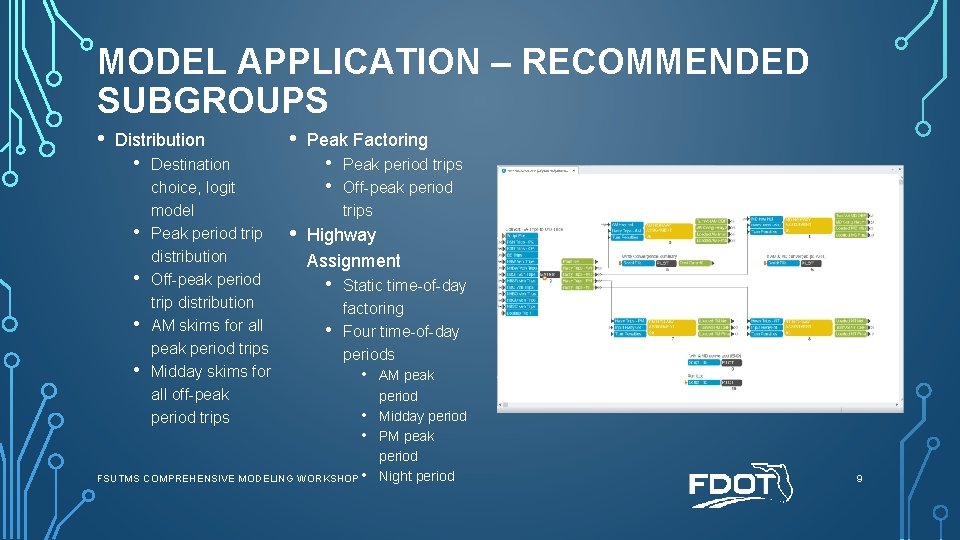
MODEL APPLICATION – RECOMMENDED SUBGROUPS • Distribution • • • Destination choice, logit model Peak period trip distribution Off-peak period trip distribution AM skims for all peak period trips Midday skims for all off-peak period trips • Peak Factoring • • • Peak period trips Off-peak period trips Highway Assignment • • Static time-of-day factoring Four time-of-day periods FSUTMS COMPREHENSIVE MODELING WORKSHOP • • AM peak period Midday period PM peak period Night period 9
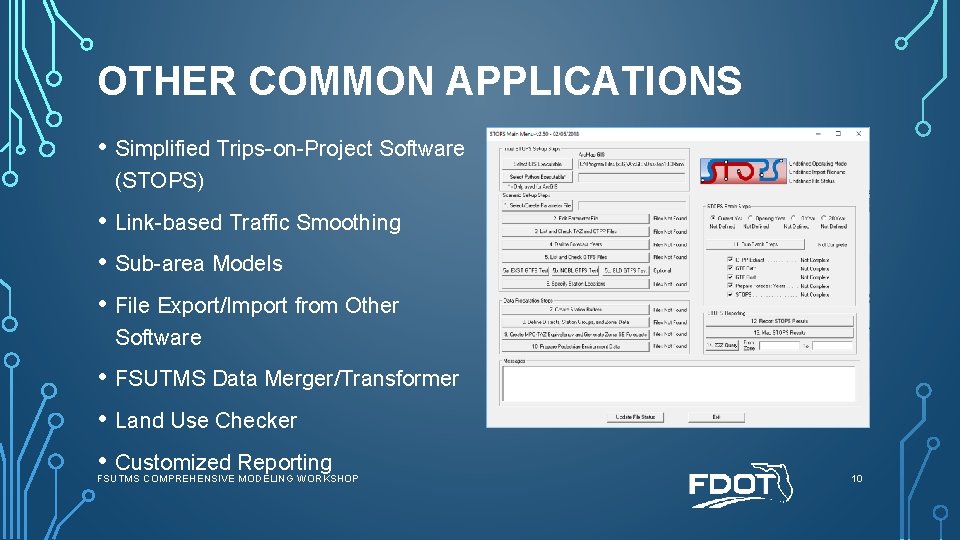
OTHER COMMON APPLICATIONS • Simplified Trips-on-Project Software (STOPS) • Link-based Traffic Smoothing • Sub-area Models • File Export/Import from Other Software • FSUTMS Data Merger/Transformer • Land Use Checker • Customized Reporting FSUTMS COMPREHENSIVE MODELING WORKSHOP 10
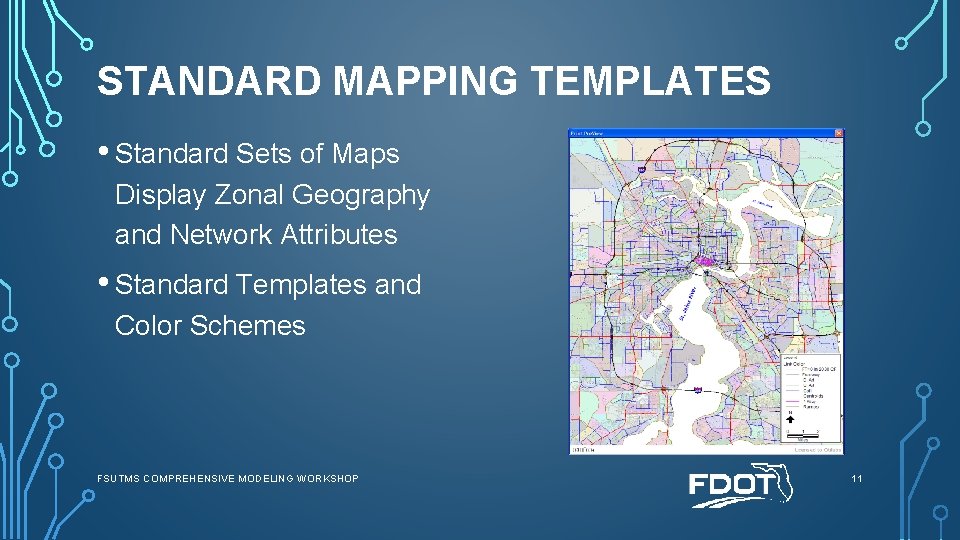
STANDARD MAPPING TEMPLATES • Standard Sets of Maps Display Zonal Geography and Network Attributes • Standard Templates and Color Schemes FSUTMS COMPREHENSIVE MODELING WORKSHOP 11
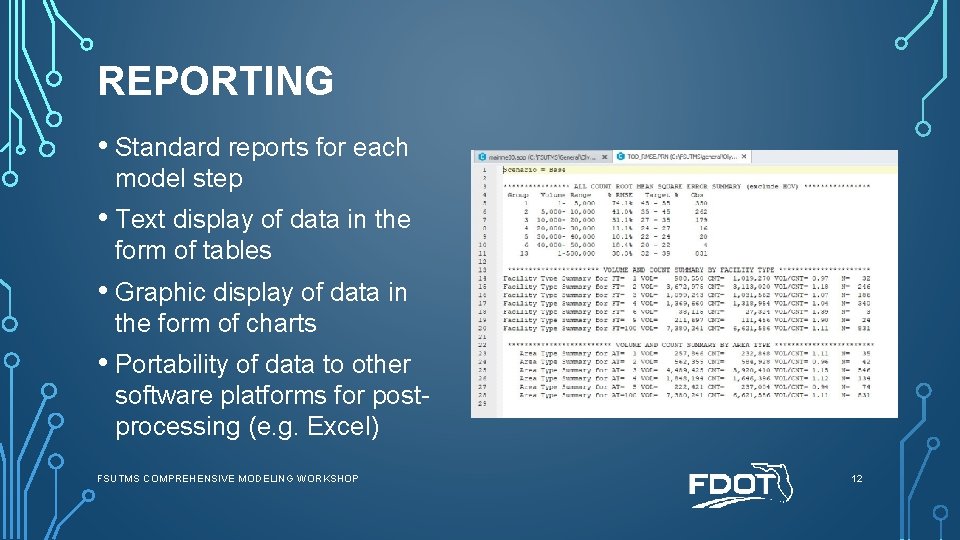
REPORTING • Standard reports for each model step • Text display of data in the form of tables • Graphic display of data in the form of charts • Portability of data to other software platforms for postprocessing (e. g. Excel) FSUTMS COMPREHENSIVE MODELING WORKSHOP 12
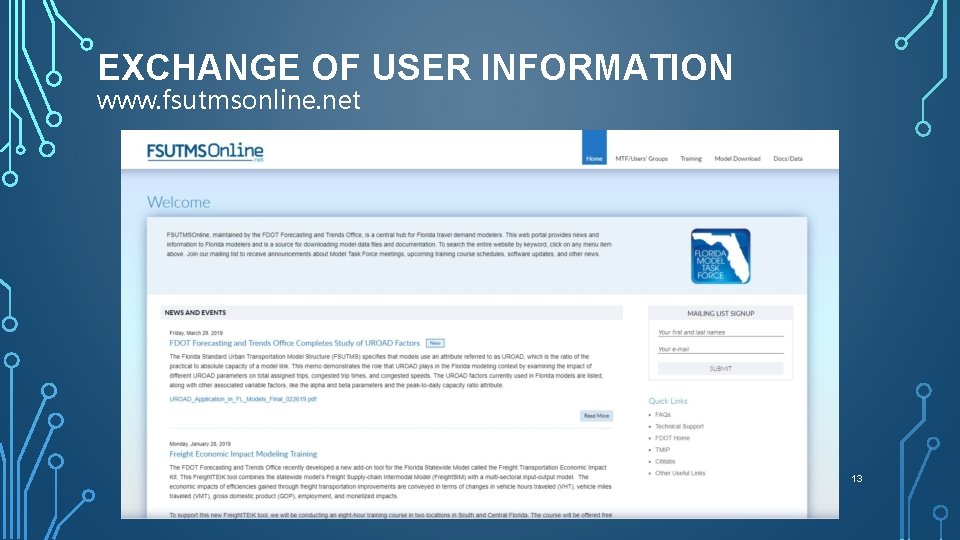
EXCHANGE OF USER INFORMATION www. fsutmsonline. net 13
EXCHANGE OF USER INFORMATION (CONT’D) www. citilabs. com 14
QUIZ #4 What does the acronym FSUTMS mean? (please choose one) A. Florida State University Transportation Management System B. Field System Union Training Maintenance Service C. Florida Standard Urban Transportation Model Structure D. Farming System Utility Till Management System FSUTMS COMPREHENSIVE MODELING WORKSHOP 15
QUIZ #4 - ANSWER What does the acronym FSUTMS mean? (please choose one) A. Florida State University Transportation Management System B. Field System Union Training Maintenance Service C. Florida Standard Urban Transportation Model Structure D. Farming System Utility Till Management System FSUTMS COMPREHENSIVE MODELING WORKSHOP 16
END OF LESSON 2, PART A PLEASE PROCEED TO GUIDED EXERCISES 1, 2, 3 AND 4 FSUTMS COMPREHENSIVE MODELING WORKSHOP 17
PART B FSUTMS STANDARDS AND GUIDELINES FSUTMS COMPREHENSIVE MODELING WORKSHOP 18
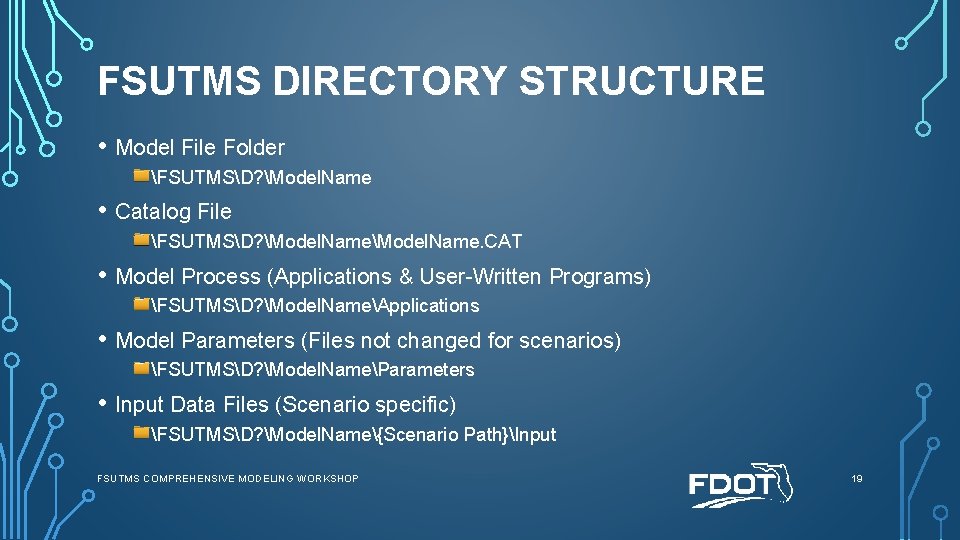
FSUTMS DIRECTORY STRUCTURE • Model File Folder FSUTMSD? Model. Name • Catalog File FSUTMSD? Model. Name. CAT • Model Process (Applications & User-Written Programs) FSUTMSD? Model. NameApplications • Model Parameters (Files not changed for scenarios) FSUTMSD? Model. NameParameters • Input Data Files (Scenario specific) FSUTMSD? Model. Name{Scenario Path}Input FSUTMS COMPREHENSIVE MODELING WORKSHOP 19
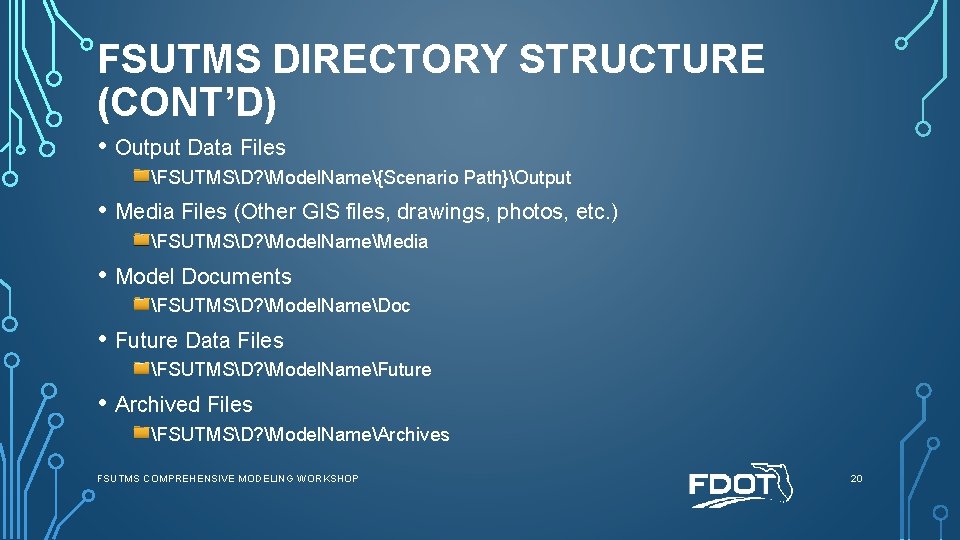
FSUTMS DIRECTORY STRUCTURE (CONT’D) • Output Data Files FSUTMSD? Model. Name{Scenario Path}Output • Media Files (Other GIS files, drawings, photos, etc. ) FSUTMSD? Model. NameMedia • Model Documents FSUTMSD? Model. NameDoc • Future Data Files FSUTMSD? Model. NameFuture • Archived Files FSUTMSD? Model. NameArchives FSUTMS COMPREHENSIVE MODELING WORKSHOP 20
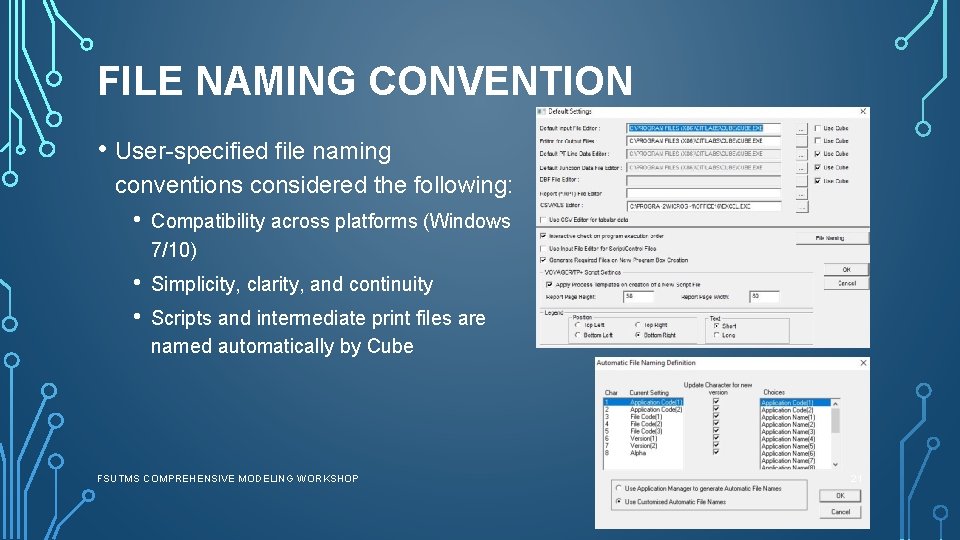
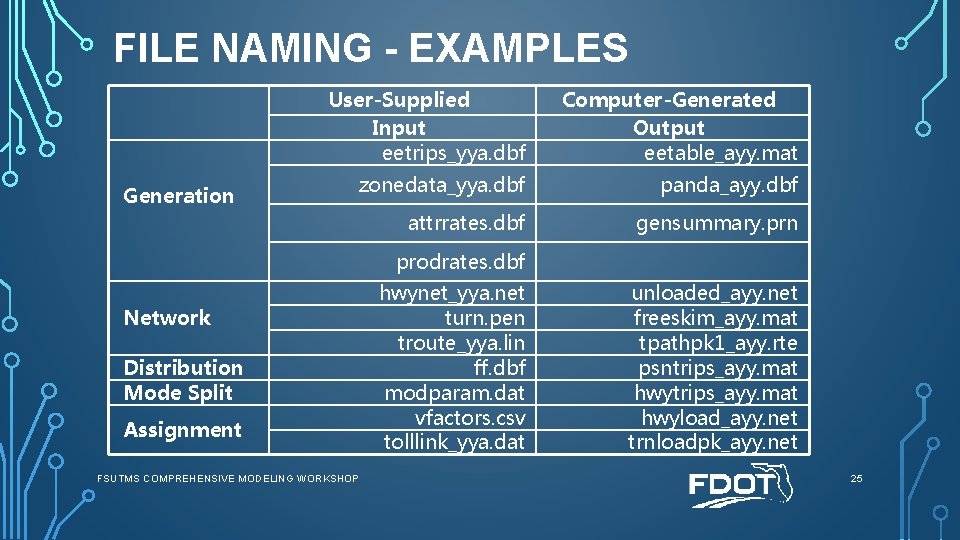
FILE NAMING CONVENTION • User-specified file naming conventions considered the following: • Compatibility across platforms (Windows 7/10) • • Simplicity, clarity, and continuity Scripts and intermediate print files are named automatically by Cube FSUTMS COMPREHENSIVE MODELING WORKSHOP 21
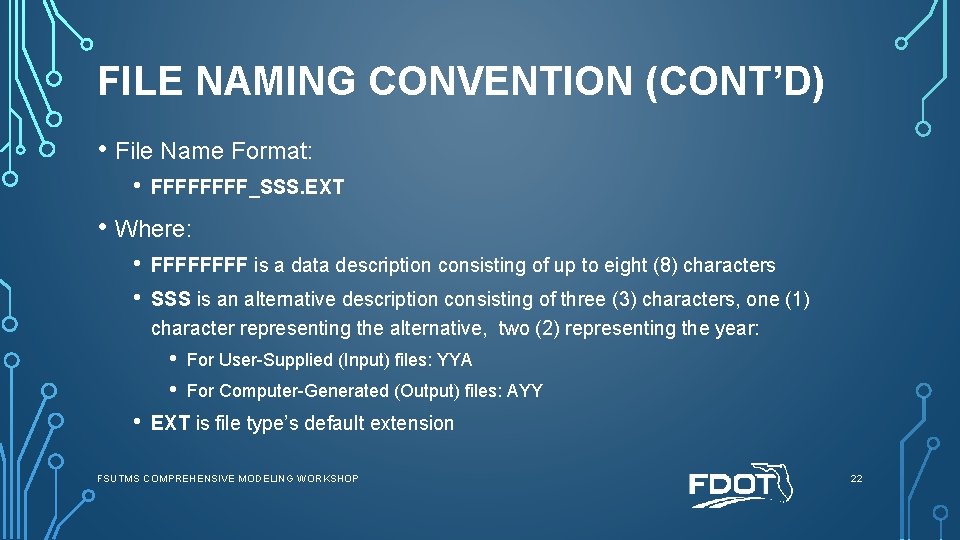
FILE NAMING CONVENTION (CONT’D) • File Name Format: • FFFF_SSS. EXT • Where: • • FFFF is a data description consisting of up to eight (8) characters SSS is an alternative description consisting of three (3) characters, one (1) character representing the alternative, two (2) representing the year: • • • For User-Supplied (Input) files: YYA For Computer-Generated (Output) files: AYY EXT is file type’s default extension FSUTMS COMPREHENSIVE MODELING WORKSHOP 22
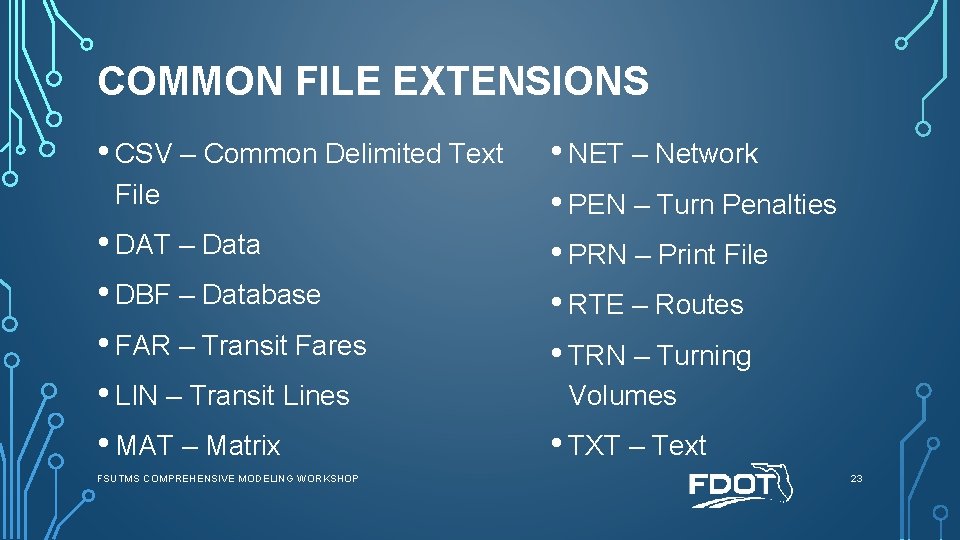
COMMON FILE EXTENSIONS • CSV – Common Delimited Text File • DAT – Data • DBF – Database • FAR – Transit Fares • LIN – Transit Lines • MAT – Matrix FSUTMS COMPREHENSIVE MODELING WORKSHOP • NET – Network • PEN – Turn Penalties • PRN – Print File • RTE – Routes • TRN – Turning Volumes • TXT – Text 23
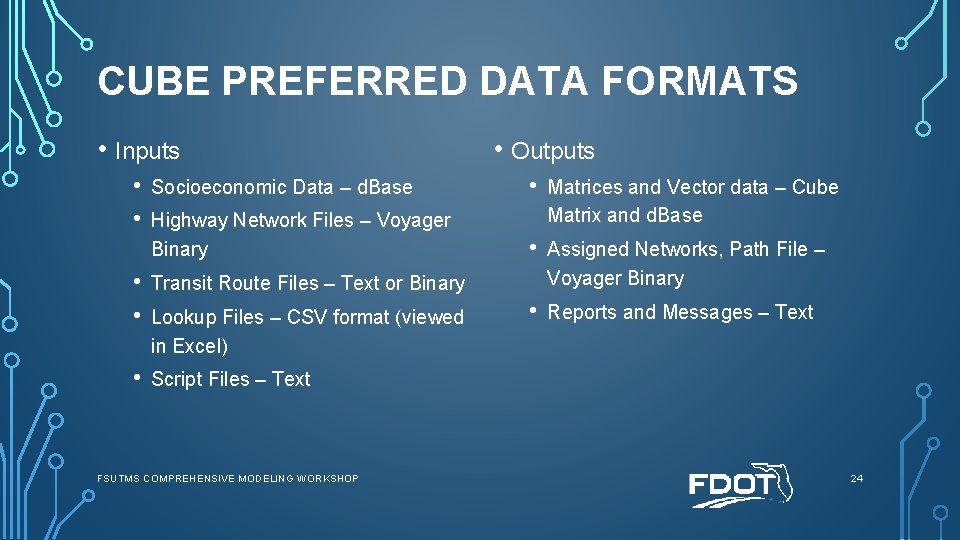
CUBE PREFERRED DATA FORMATS • Inputs • • • Outputs Socioeconomic Data – d. Base • Highway Network Files – Voyager Binary Matrices and Vector data – Cube Matrix and d. Base • Assigned Networks, Path File – Voyager Binary • Reports and Messages – Text • • Transit Route Files – Text or Binary • Script Files – Text Lookup Files – CSV format (viewed in Excel) FSUTMS COMPREHENSIVE MODELING WORKSHOP 24
FILE NAMING - EXAMPLES Generation User-Supplied Input eetrips_yya. dbf Computer-Generated Output eetable_ayy. mat zonedata_yya. dbf panda_ayy. dbf attrrates. dbf gensummary. prn prodrates. dbf Network Distribution Mode Split Assignment FSUTMS COMPREHENSIVE MODELING WORKSHOP hwynet_yya. net turn. pen troute_yya. lin ff. dbf modparam. dat vfactors. csv tolllink_yya. dat unloaded_ayy. net freeskim_ayy. mat tpathpk 1_ayy. rte psntrips_ayy. mat hwyload_ayy. net trnloadpk_ayy. net 25
PART C CUBE VOYAGER SCENARIO MANAGER FSUTMS COMPREHENSIVE MODELING WORKSHOP 26
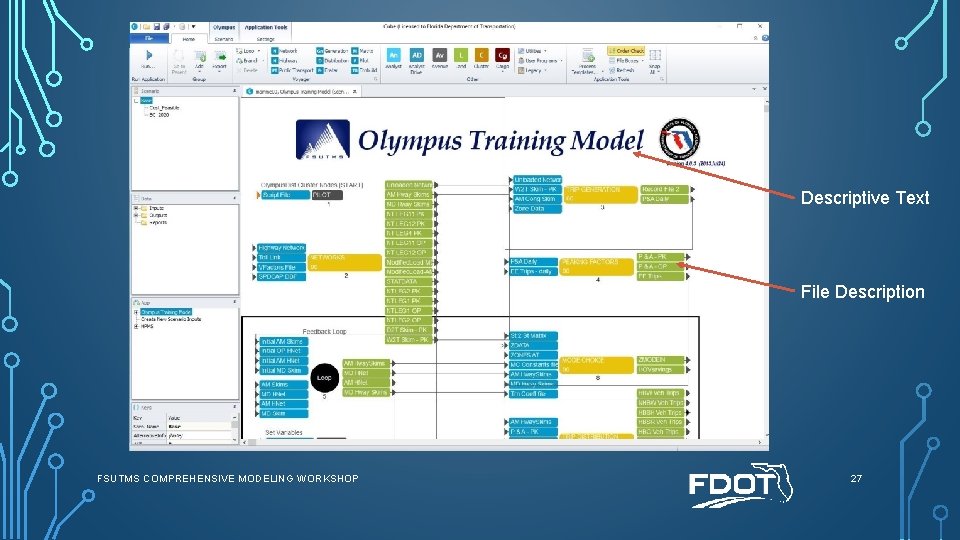
Descriptive Text File Description FSUTMS COMPREHENSIVE MODELING WORKSHOP 27
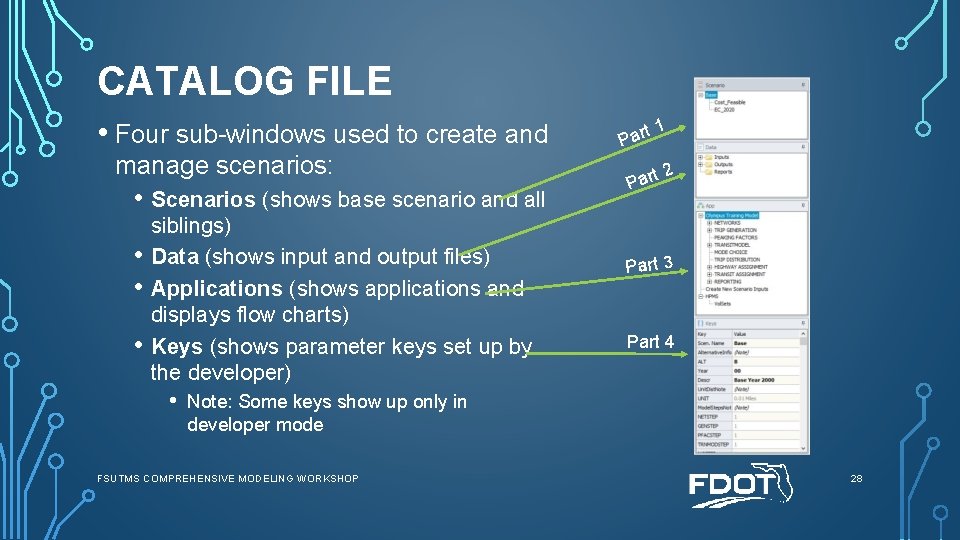
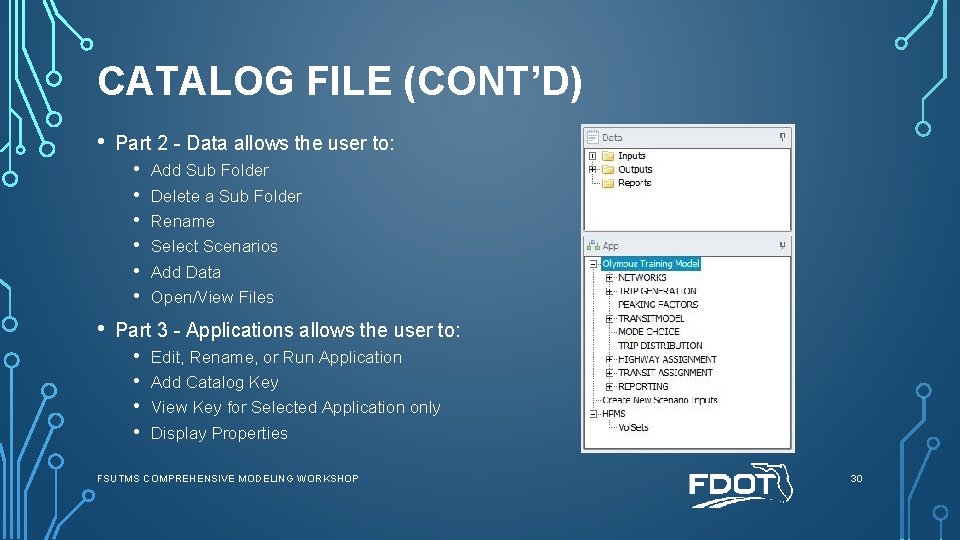
CATALOG FILE • Four sub-windows used to create and manage scenarios: • Scenarios (shows base scenario and all • • • siblings) Data (shows input and output files) Applications (shows applications and displays flow charts) Keys (shows parameter keys set up by the developer) • t 1 Par t 2 Part 3 Part 4 Note: Some keys show up only in developer mode FSUTMS COMPREHENSIVE MODELING WORKSHOP 28
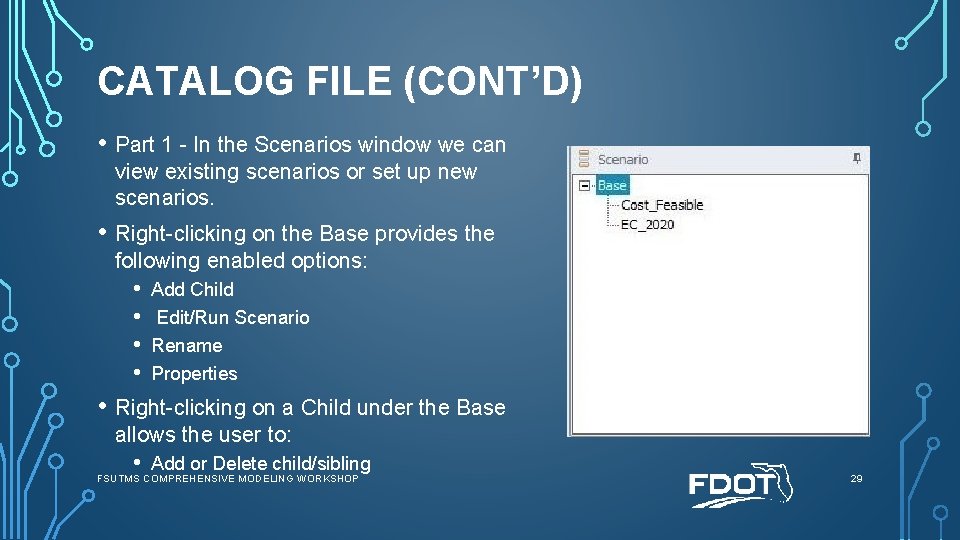
CATALOG FILE (CONT’D) • Part 1 - In the Scenarios window we can view existing scenarios or set up new scenarios. • Right-clicking on the Base provides the following enabled options: • • Add Child Edit/Run Scenario Rename Properties • Right-clicking on a Child under the Base allows the user to: • Add or Delete child/sibling FSUTMS COMPREHENSIVE MODELING WORKSHOP 29
CATALOG FILE (CONT’D) • Part 2 - Data allows the user to: • • Add Sub Folder Delete a Sub Folder Rename Select Scenarios Add Data Open/View Files Part 3 - Applications allows the user to: • • Edit, Rename, or Run Application Add Catalog Key View Key for Selected Application only Display Properties FSUTMS COMPREHENSIVE MODELING WORKSHOP 30
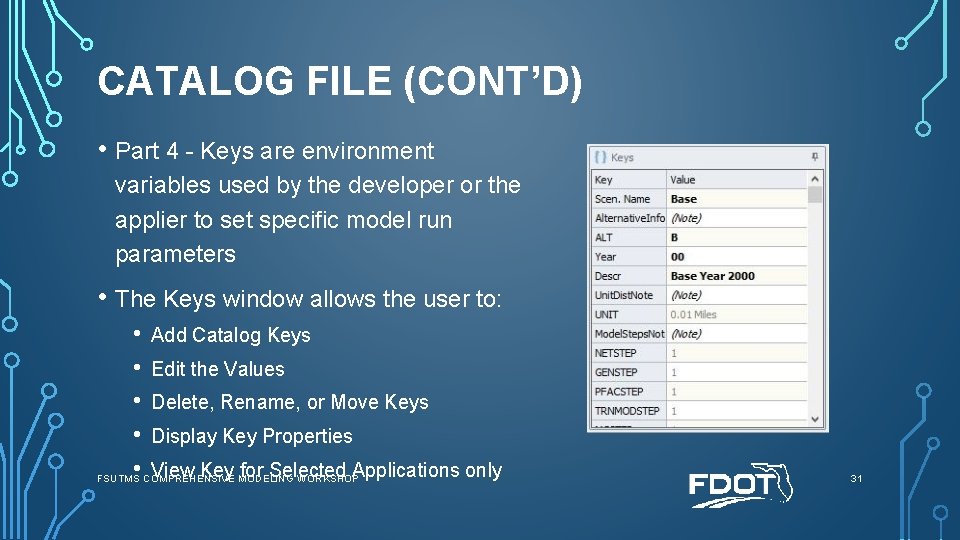
CATALOG FILE (CONT’D) • Part 4 - Keys are environment variables used by the developer or the applier to set specific model run parameters • The Keys window allows the user to: • Add Catalog Keys • Edit the Values • Delete, Rename, or Move Keys • Display Key Properties • COMPREHENSIVE View Key MODELING for Selected Applications only FSUTMS WORKSHOP 31
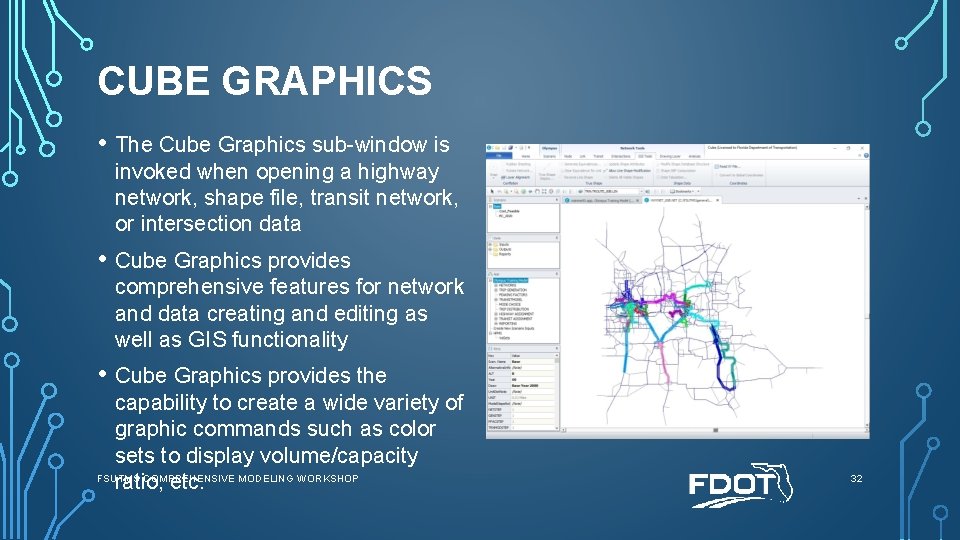
CUBE GRAPHICS • The Cube Graphics sub-window is invoked when opening a highway network, shape file, transit network, or intersection data • Cube Graphics provides comprehensive features for network and data creating and editing as well as GIS functionality • Cube Graphics provides the capability to create a wide variety of graphic commands such as color sets to display volume/capacity FSUTMS COMPREHENSIVE MODELING WORKSHOP ratio, etc. 32
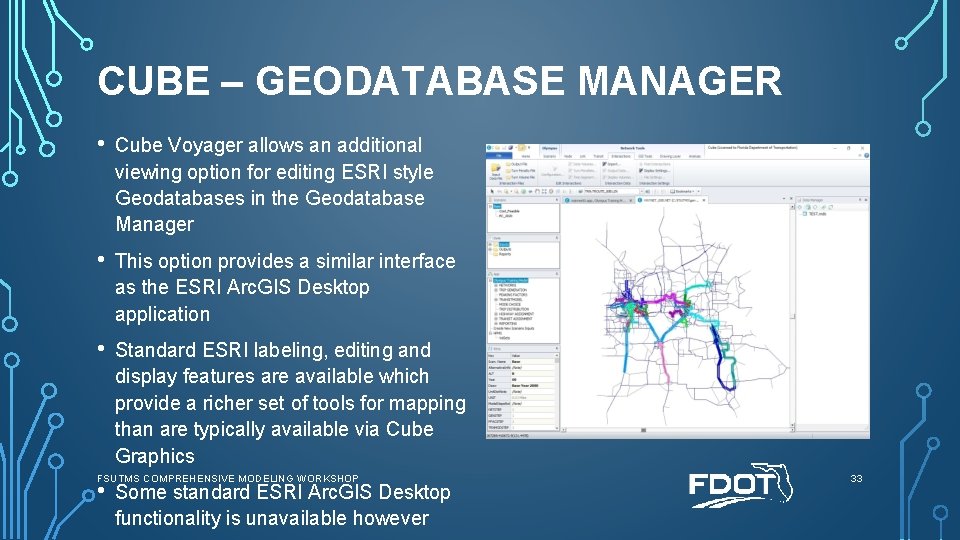
CUBE – GEODATABASE MANAGER • Cube Voyager allows an additional viewing option for editing ESRI style Geodatabases in the Geodatabase Manager • This option provides a similar interface as the ESRI Arc. GIS Desktop application • Standard ESRI labeling, editing and display features are available which provide a richer set of tools for mapping than are typically available via Cube Graphics FSUTMS COMPREHENSIVE MODELING WORKSHOP • Some standard ESRI Arc. GIS Desktop functionality is unavailable however 33
END OF LESSON 2, PART C PLEASE PROCEED TO GUIDED EXERCISES 5 AND 6 FSUTMS COMPREHENSIVE MODELING WORKSHOP 34
ALL DONE? Move on to Independent Exercise 7: Locate and Open the Input Network FSUTMS COMPREHENSIVE MODELING WORKSHOP 35