
Lesson 2 Combining Output Devices Computing Selection In
Lesson 2: Combining Output Devices Computing Selection In Physical Computing Andy Bush Materials from the Teach Computing Curriculum created by the National Centre for Computing Education 1
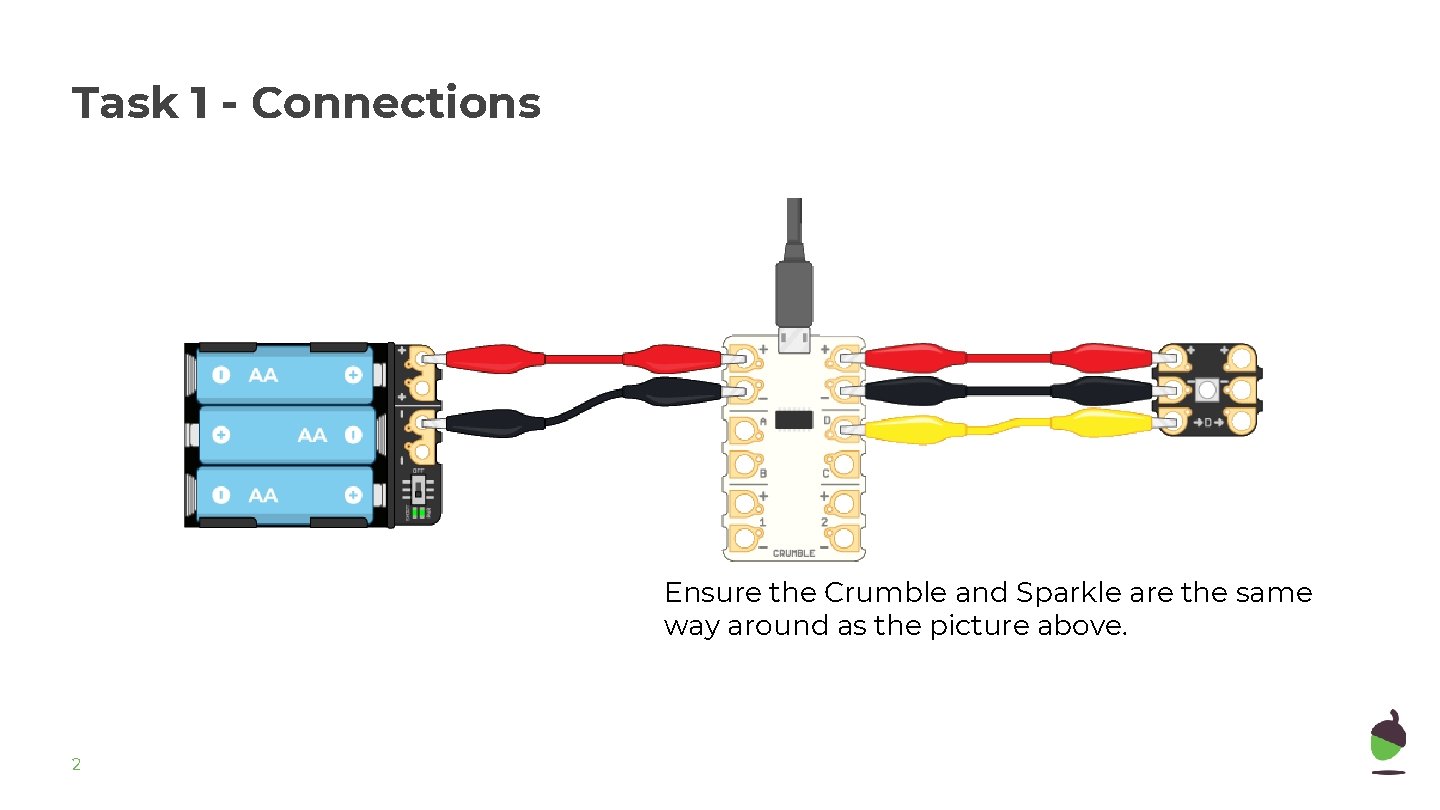
Task 1 - Connections Ensure the Crumble and Sparkle are the same way around as the picture above. 2

Task 1 - Connections Connect at least two output devices to the Crumble Controller. 3
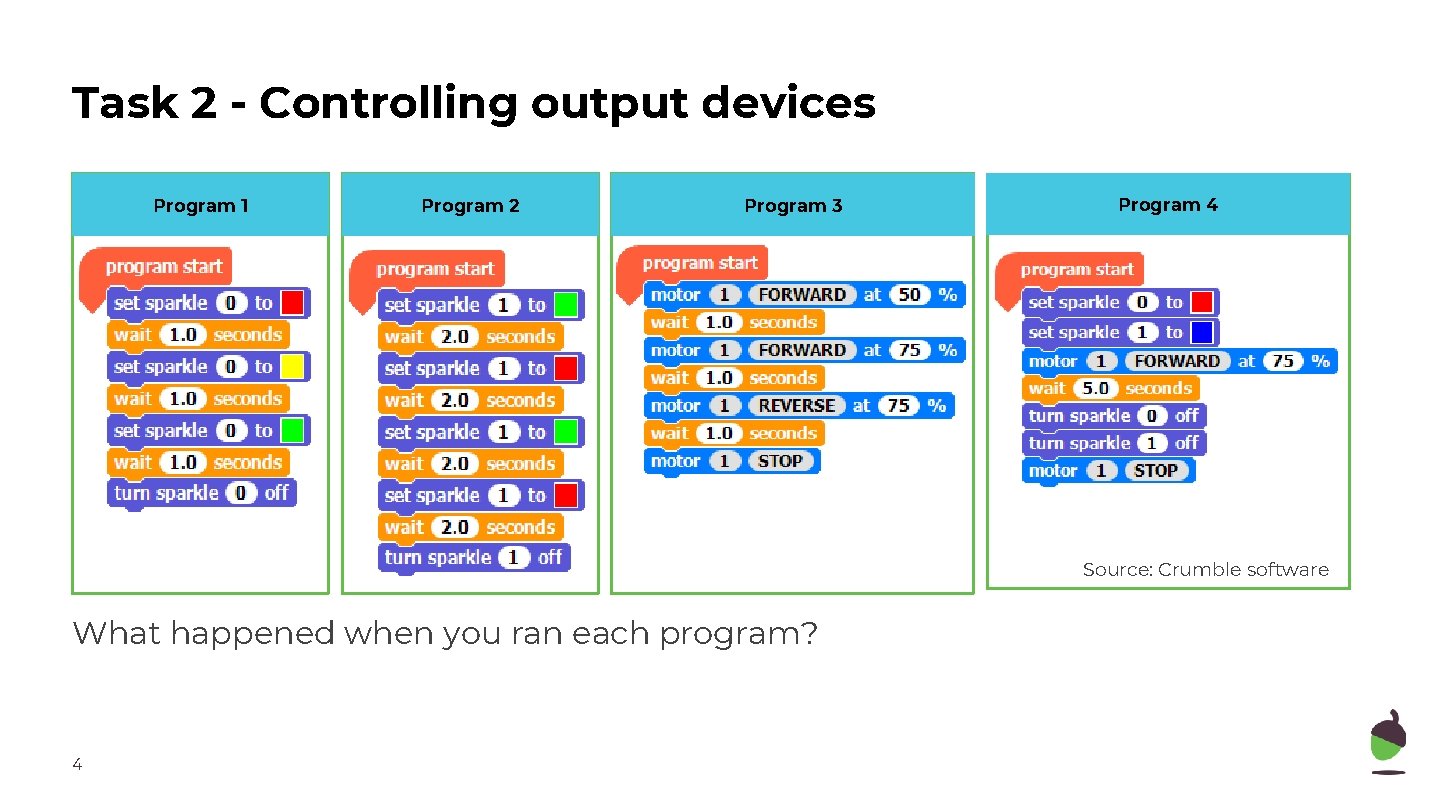
Task 2 - Controlling output devices Program 1 Program 2 Program 3 Program 4 Source: Crumble software What happened when you ran each program? 4
Task 3 - Sequence outputs Task : Use two different output devices to create a light effect for a disco. Design: ● Choose between two flashing lights or a flashing light that moves using a motor. ● Select the commands for each output device. ● Put the commands in sequence. 5
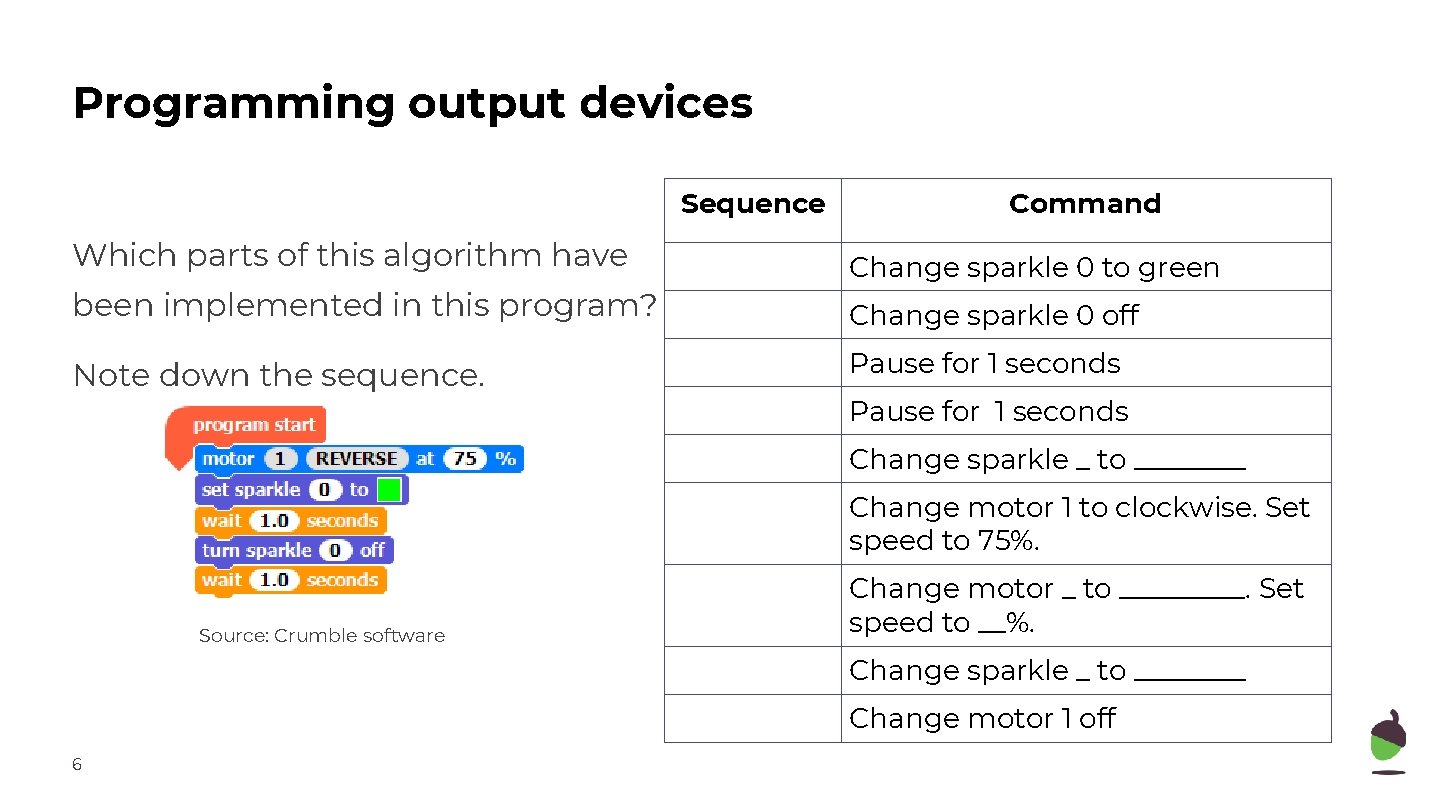
Programming output devices Sequence Which parts of this algorithm have been implemented in this program? Note down the sequence. Command Change sparkle 0 to green Change sparkle 0 off Pause for 1 seconds Change sparkle _ to ____ Change motor 1 to clockwise. Set speed to 75%. Source: Crumble software Change motor _ to _____. Set speed to __%. Change sparkle _ to ____ Change motor 1 off 6
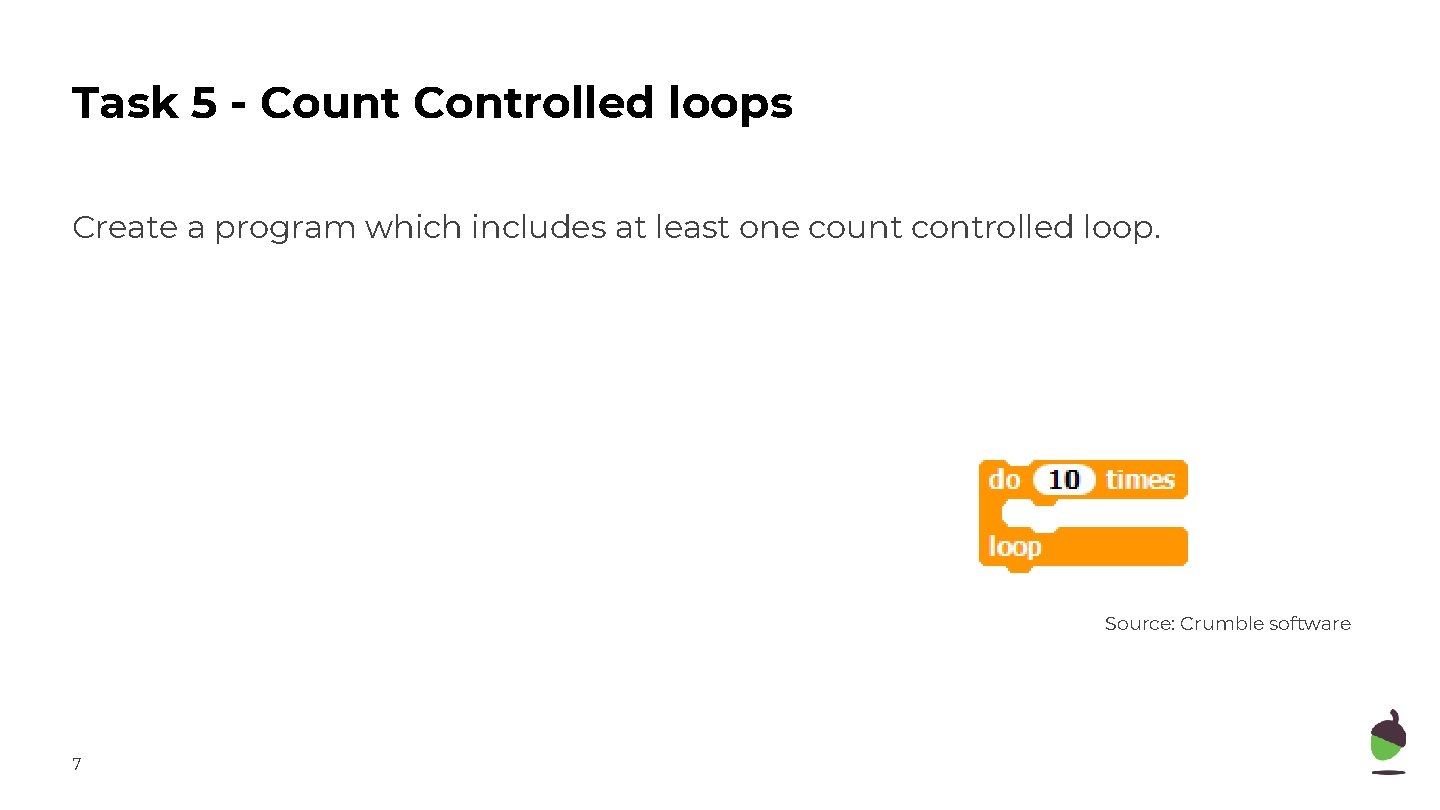
Task 5 - Count Controlled loops Create a program which includes at least one count controlled loop. Source: Crumble software 7
- Slides: 7