
Lesson 13 Installing Domain Controllers Ismail Rashid Email

- Slides: 47
Lesson 13: Installing Domain Controllers Ismail Rashid Email: Ismail. Rashid 2019@gmail. com
Overview • Objective: Install Domain Controllers • Introducing Active Directory • Deploying Active Directory Domain Services Bakhtar University 2
Introducing Active Directory Installing Domain Controllers Bakhtar University 3
Introducing Active Directory • A directory service is a repository of information about the resources—hardware, software, and human—that are connected to a network. • Users, computers, and applications throughout the network can access the repository for a variety of purposes: o User authentication o Storage of configuration data o Accessing files and printers Bakhtar University 4
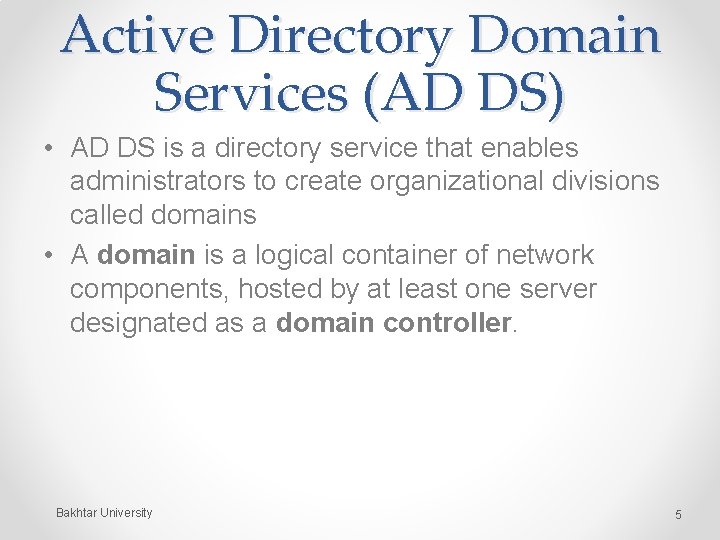
Active Directory Domain Services (AD DS) • AD DS is a directory service that enables administrators to create organizational divisions called domains • A domain is a logical container of network components, hosted by at least one server designated as a domain controller. Bakhtar University 5
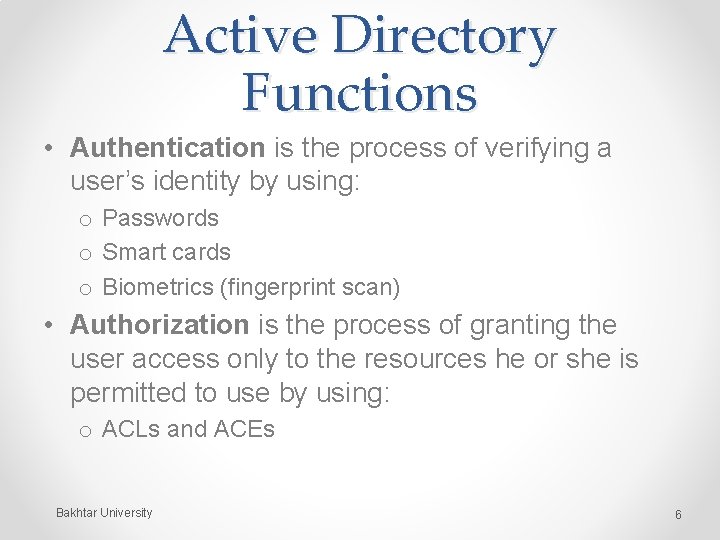
Active Directory Functions • Authentication is the process of verifying a user’s identity by using: o Passwords o Smart cards o Biometrics (fingerprint scan) • Authorization is the process of granting the user access only to the resources he or she is permitted to use by using: o ACLs and ACEs Bakhtar University 6
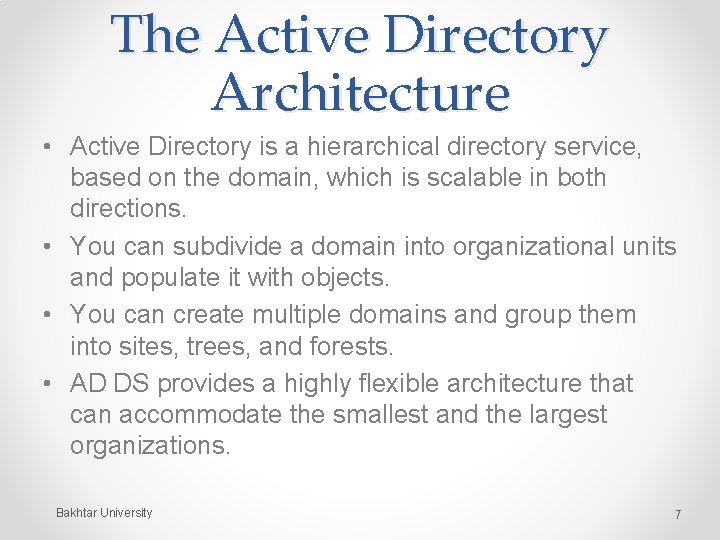
The Active Directory Architecture • Active Directory is a hierarchical directory service, based on the domain, which is scalable in both directions. • You can subdivide a domain into organizational units and populate it with objects. • You can create multiple domains and group them into sites, trees, and forests. • AD DS provides a highly flexible architecture that can accommodate the smallest and the largest organizations. Bakhtar University 7
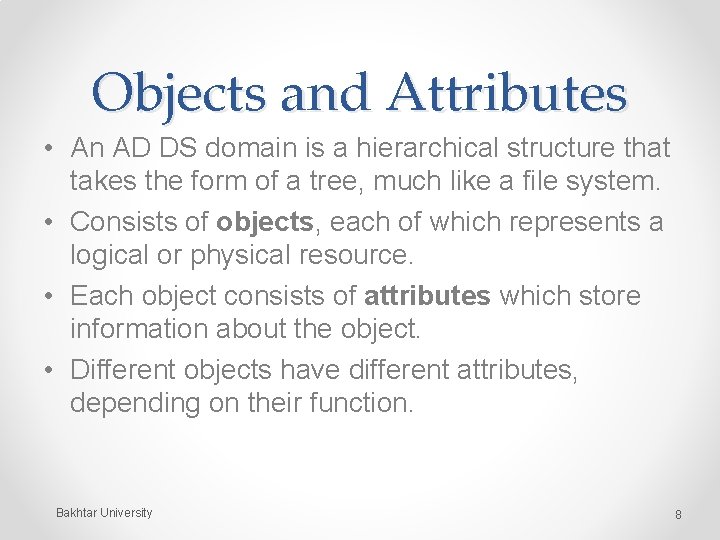
Objects and Attributes • An AD DS domain is a hierarchical structure that takes the form of a tree, much like a file system. • Consists of objects, each of which represents a logical or physical resource. • Each object consists of attributes which store information about the object. • Different objects have different attributes, depending on their function. Bakhtar University 8
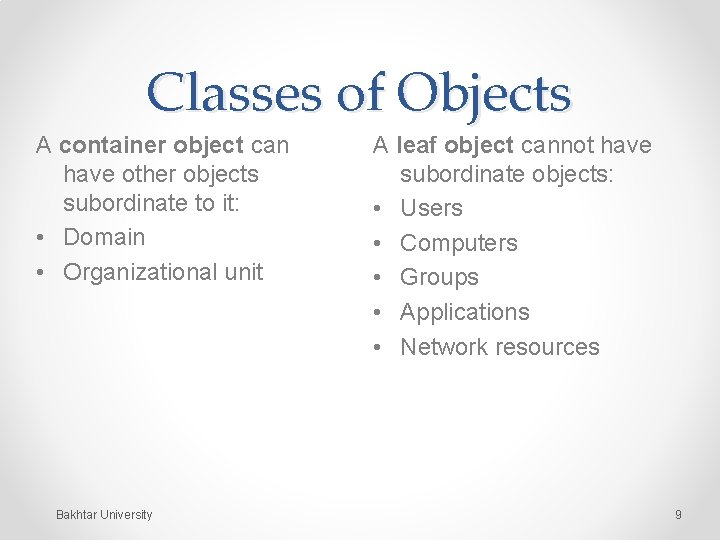
Classes of Objects A container object can have other objects subordinate to it: • Domain • Organizational unit Bakhtar University A leaf object cannot have subordinate objects: • Users • Computers • Groups • Applications • Network resources 9
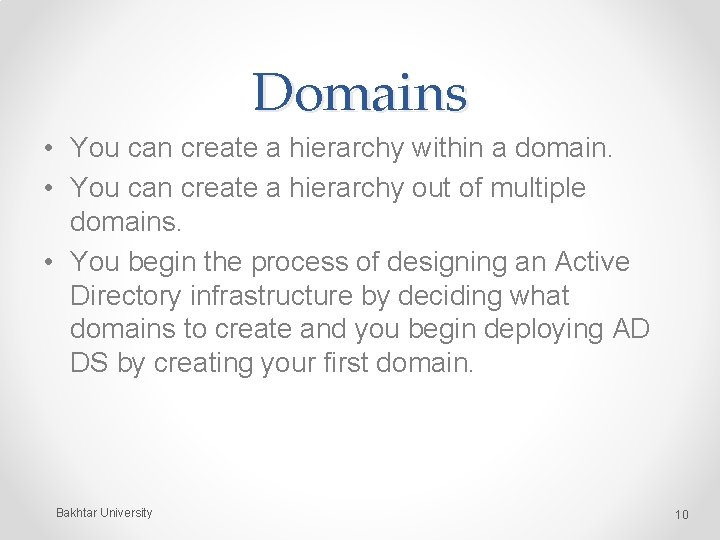
Domains • You can create a hierarchy within a domain. • You can create a hierarchy out of multiple domains. • You begin the process of designing an Active Directory infrastructure by deciding what domains to create and you begin deploying AD DS by creating your first domain. Bakhtar University 10
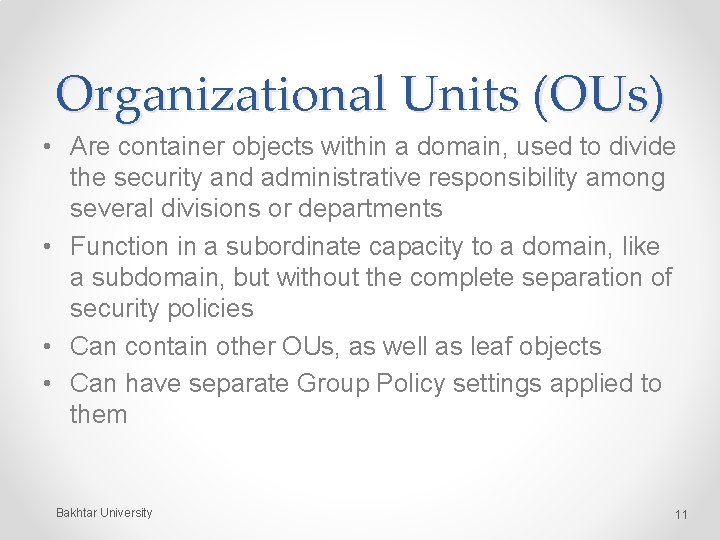
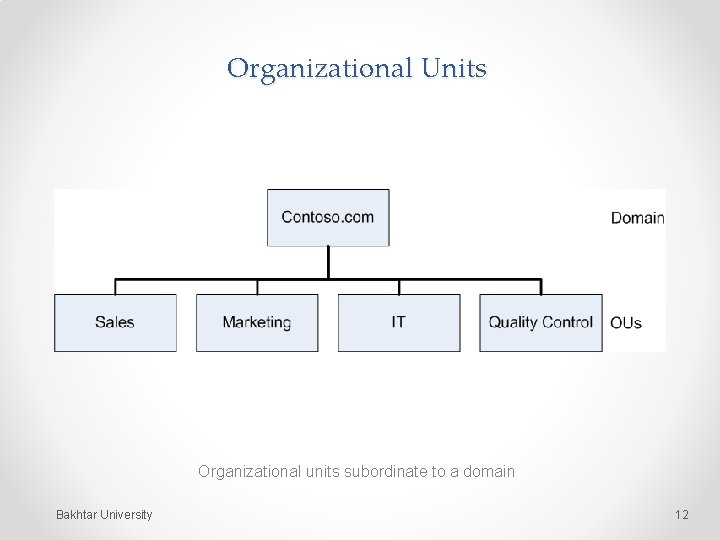
Organizational Units (OUs) • Are container objects within a domain, used to divide the security and administrative responsibility among several divisions or departments • Function in a subordinate capacity to a domain, like a subdomain, but without the complete separation of security policies • Can contain other OUs, as well as leaf objects • Can have separate Group Policy settings applied to them Bakhtar University 11
Organizational Units Organizational units subordinate to a domain Bakhtar University 12
Groups • Group objects contain users (from a single or multiple domains or OUs) who require similar access to resources or rights to perform tasks. • Members of a group inherit rights and permissions assigned to the group. Bakhtar University 13
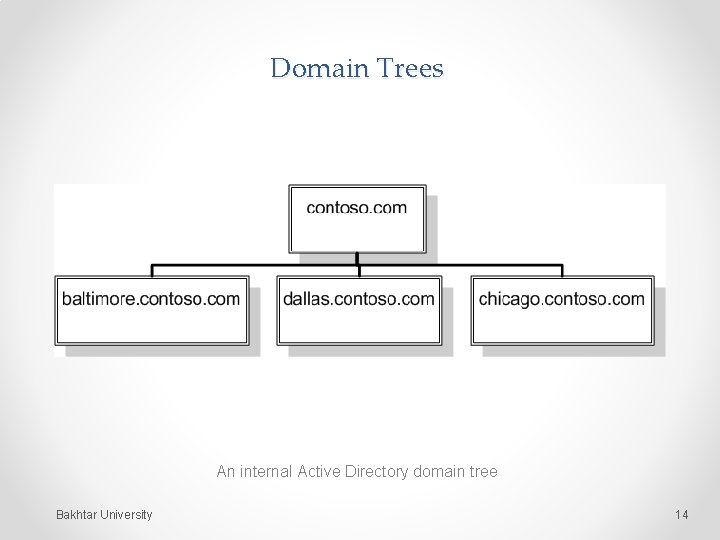
Domain Trees An internal Active Directory domain tree Bakhtar University 14
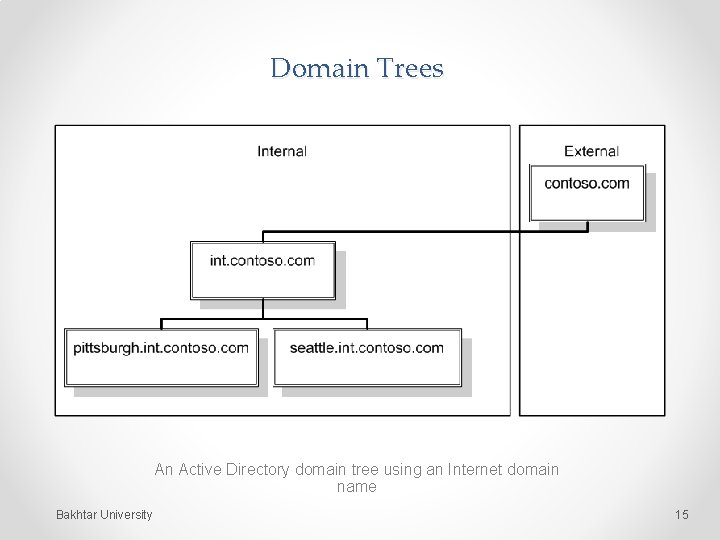
Domain Trees An Active Directory domain tree using an Internet domain name Bakhtar University 15
Forests • An Active Directory forest consists of one or more separate domain trees, which have the same two-way trust relationships between them as two domains in the same tree. • When you create the first domain on an Active Directory network, you are creating a new forest, and that first domain becomes the forest root domain. Bakhtar University 16
Introducing LDAP • Lightweight Directory Access Protocol (LDAP) has become the standard communications protocol for directory service products, including Active Directory. • Defines the format of the queries that Active Directory clients send to domain controllers. • Provides a compound naming structure for uniquely identifying objects in the directory. Bakhtar University 17
Replication • Replication is when domain controllers within a domain synchronize their database information. • It is imperative that each domain controller has a database that is identical to the others. Bakhtar University 18
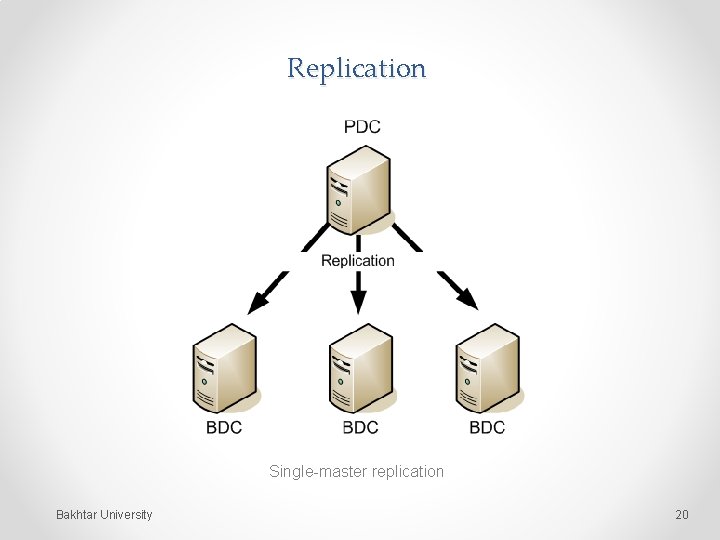
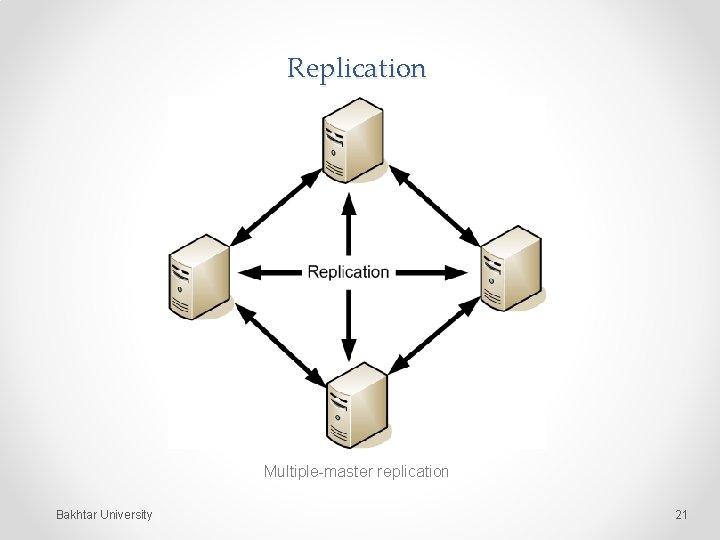
Types of Replication • Single-master replication: A single primary system replicates the contents of its database to one or more secondary systems on the network. • Multiple-master replication: It is possible to make changes to domain objects on any domain controller, which replicates those changes to all of the other domain controllers. Bakhtar University 19
Replication Single-master replication Bakhtar University 20
Replication Multiple-master replication Bakhtar University 21
Read-Only Domain Controllers (RODCs) • A domain controller that supports only incoming replication traffic. • It is not possible to create, modify, or delete Active Directory objects. • Intended for use in locations that require a domain controller, but which have less physical security or where there are no administrators present who need read/write access to the Active Directory database. Bakhtar University 22
Sites (1) • A site is a collection of subnets that have good connectivity between them. • Generally speaking, this means that a site consists of all the local area networks (LANs) at a specific location. • A different site would be a network at a remote location, connected to the other site. Bakhtar University 23
Site Topology A site topology consists of three AD DS object types: • Sites: A site object represents the group of subnets at a single location, with good connectivity. • Subnets: A subnet object represents an IP network at a particular site. • Site links: A site link object represents a WAN connection between two sites. Bakhtar University 24
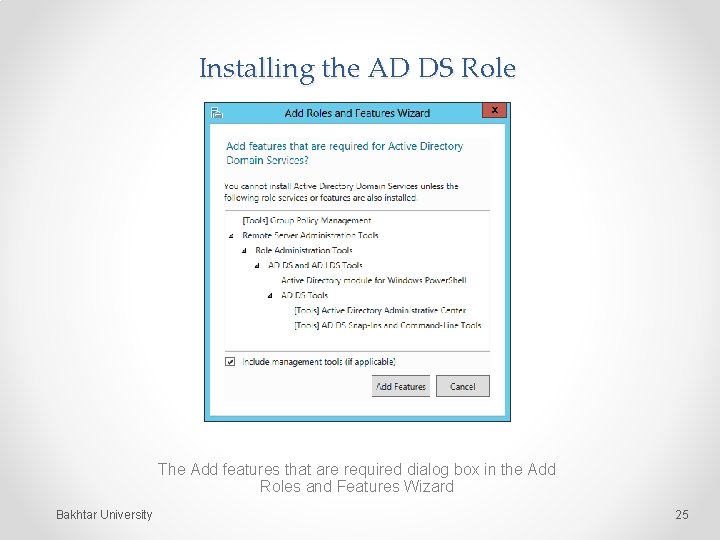
Installing the AD DS Role The Add features that are required dialog box in the Add Roles and Features Wizard Bakhtar University 25
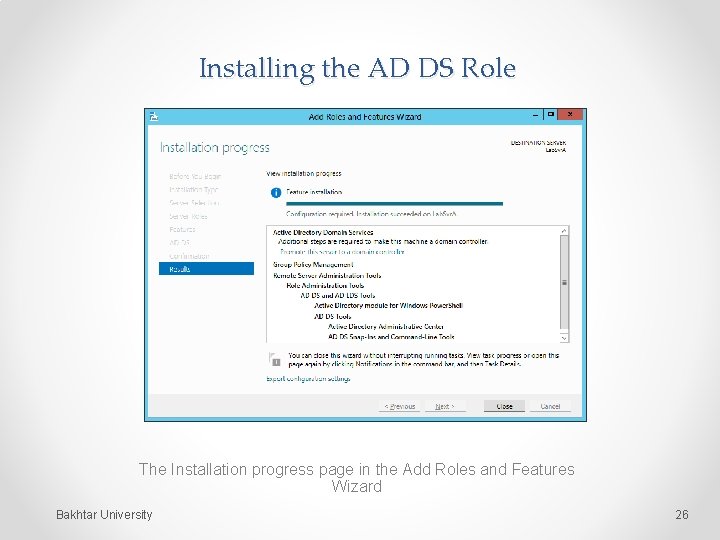
Installing the AD DS Role The Installation progress page in the Add Roles and Features Wizard Bakhtar University 26
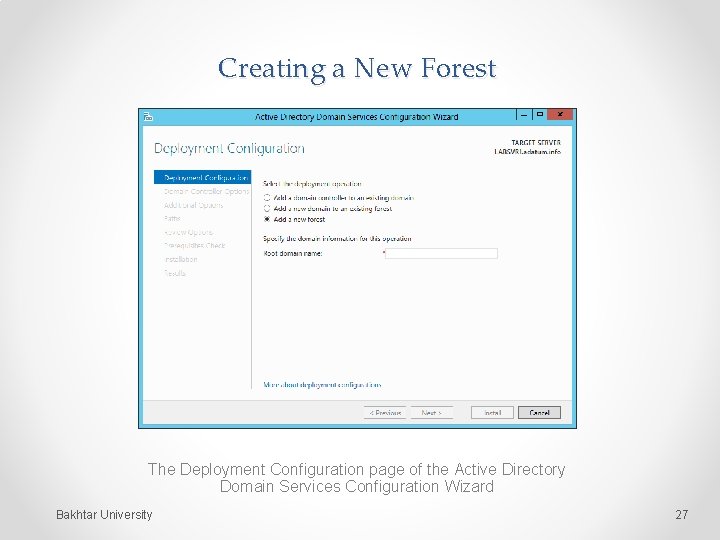
Creating a New Forest The Deployment Configuration page of the Active Directory Domain Services Configuration Wizard Bakhtar University 27
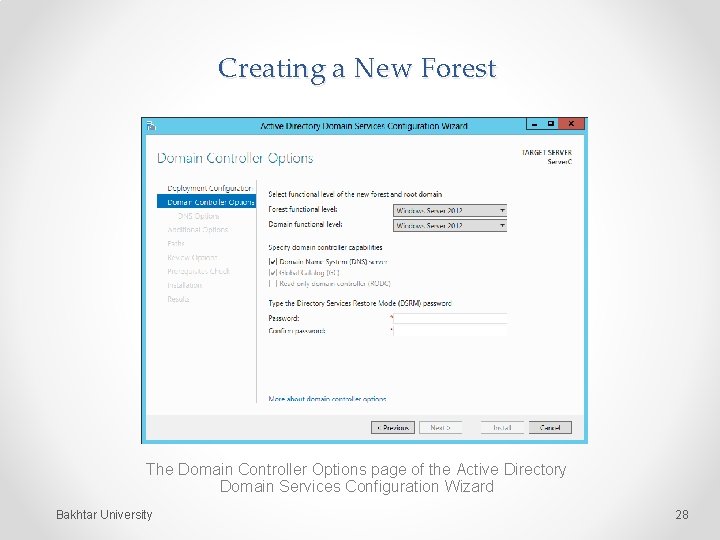
Creating a New Forest The Domain Controller Options page of the Active Directory Domain Services Configuration Wizard Bakhtar University 28
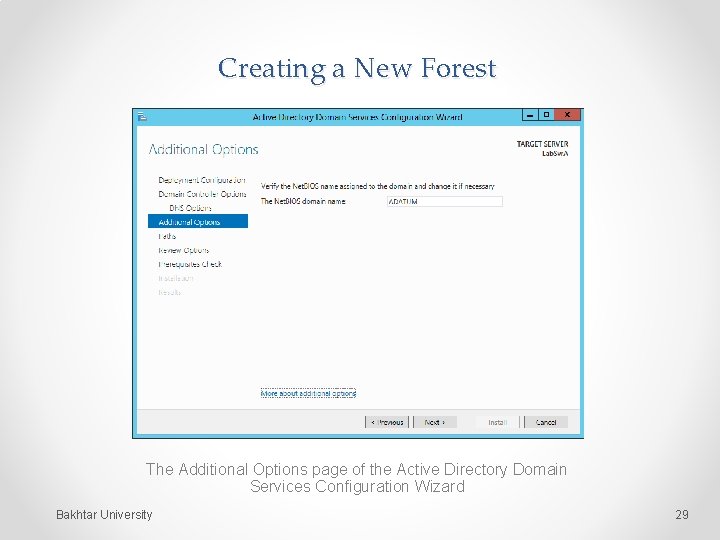
Creating a New Forest The Additional Options page of the Active Directory Domain Services Configuration Wizard Bakhtar University 29
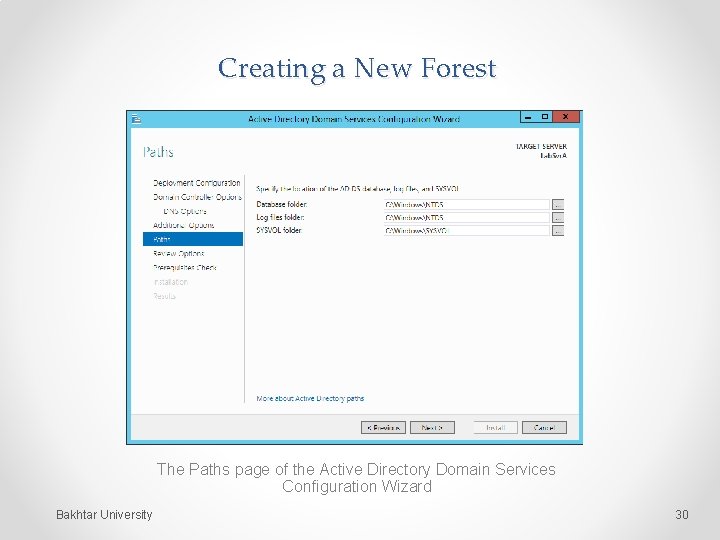
Creating a New Forest The Paths page of the Active Directory Domain Services Configuration Wizard Bakhtar University 30
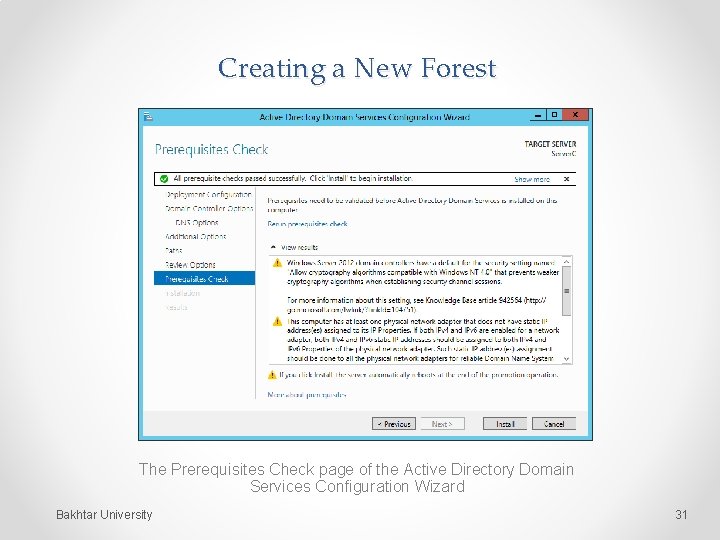
Creating a New Forest The Prerequisites Check page of the Active Directory Domain Services Configuration Wizard Bakhtar University 31
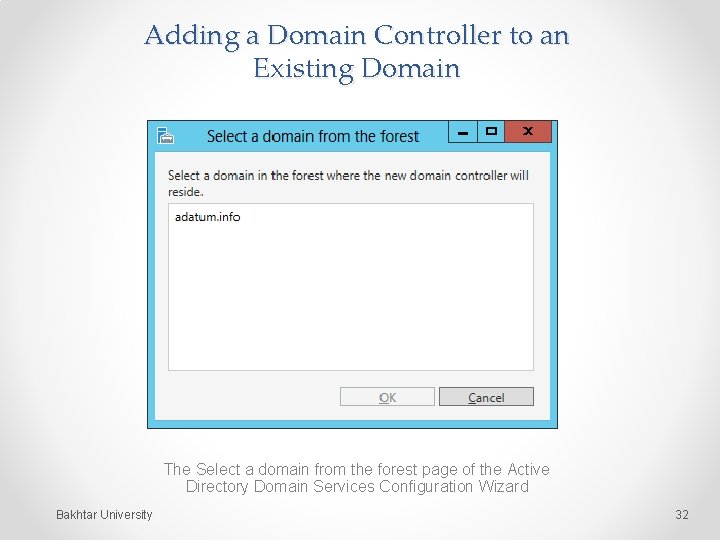
Adding a Domain Controller to an Existing Domain The Select a domain from the forest page of the Active Directory Domain Services Configuration Wizard Bakhtar University 32
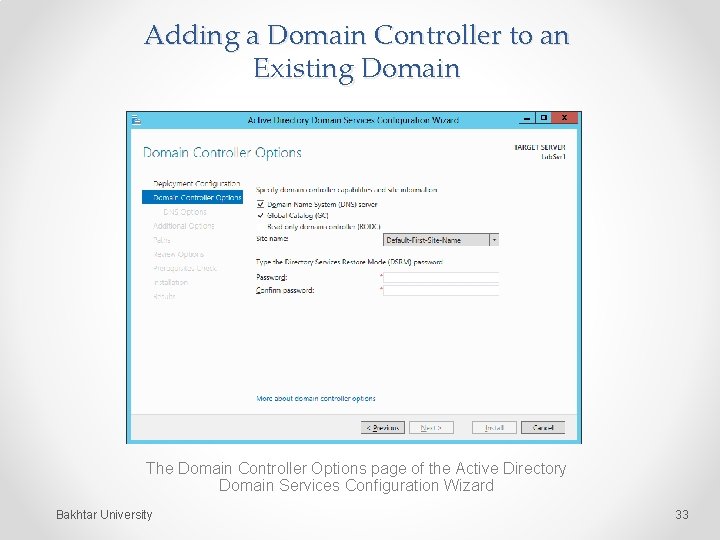
Adding a Domain Controller to an Existing Domain The Domain Controller Options page of the Active Directory Domain Services Configuration Wizard Bakhtar University 33
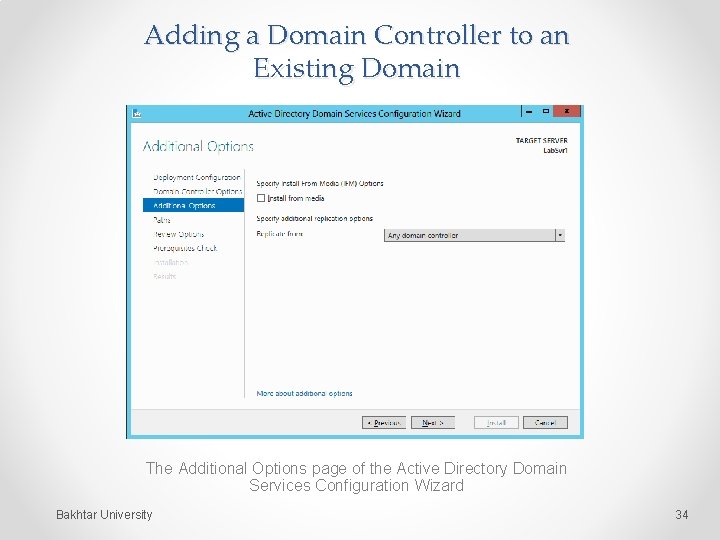
Adding a Domain Controller to an Existing Domain The Additional Options page of the Active Directory Domain Services Configuration Wizard Bakhtar University 34
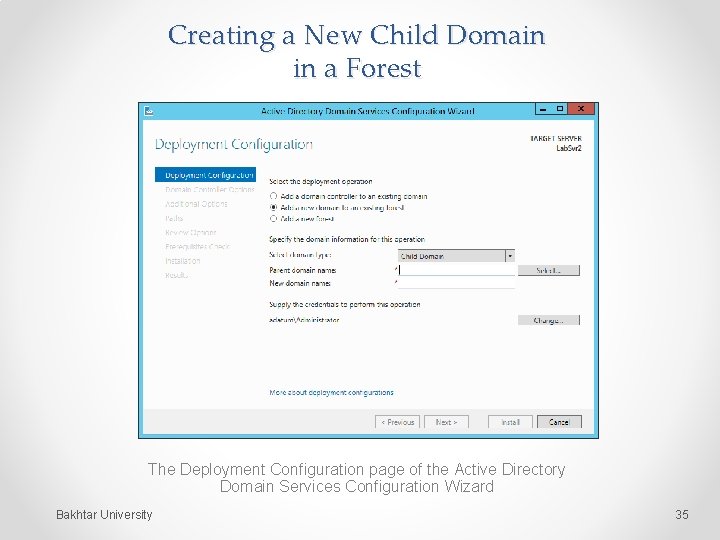
Creating a New Child Domain in a Forest The Deployment Configuration page of the Active Directory Domain Services Configuration Wizard Bakhtar University 35
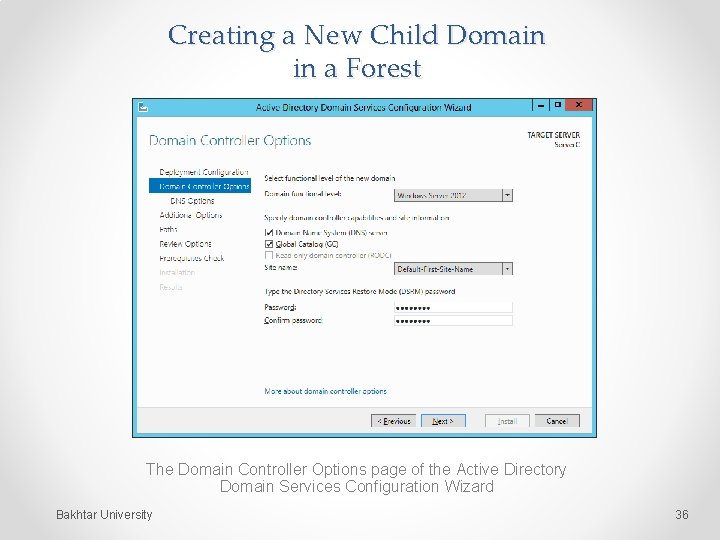
Creating a New Child Domain in a Forest The Domain Controller Options page of the Active Directory Domain Services Configuration Wizard Bakhtar University 36
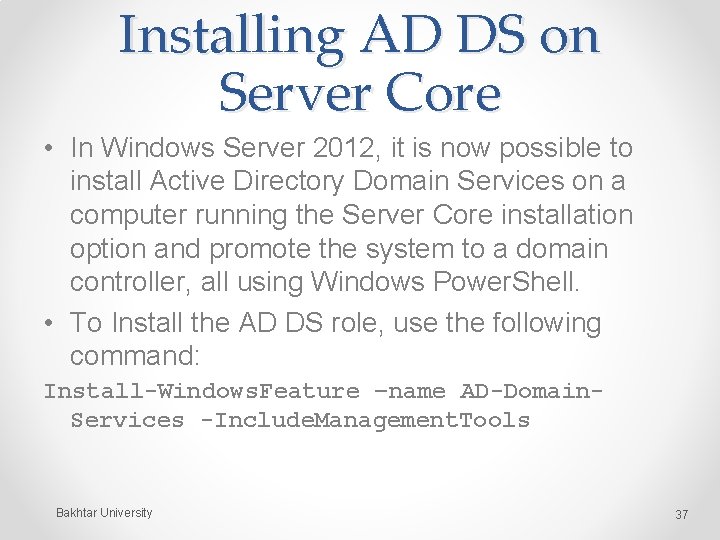
Installing AD DS on Server Core • In Windows Server 2012, it is now possible to install Active Directory Domain Services on a computer running the Server Core installation option and promote the system to a domain controller, all using Windows Power. Shell. • To Install the AD DS role, use the following command: Install-Windows. Feature –name AD-Domain. Services -Include. Management. Tools Bakhtar University 37
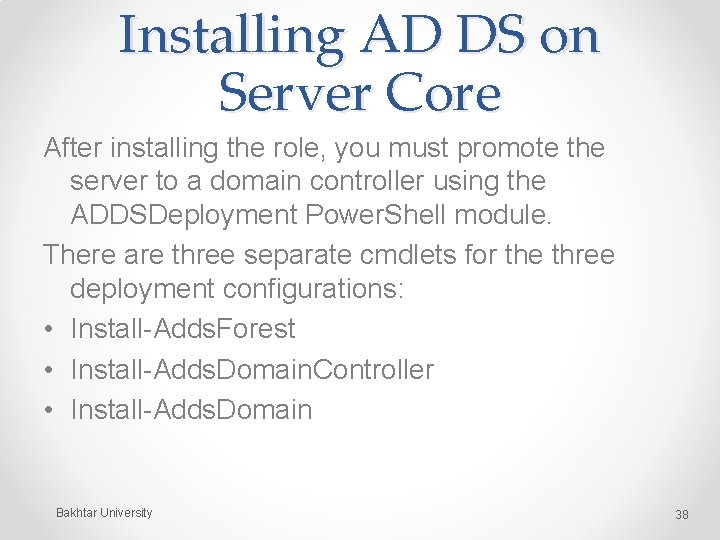
Installing AD DS on Server Core After installing the role, you must promote the server to a domain controller using the ADDSDeployment Power. Shell module. There are three separate cmdlets for the three deployment configurations: • Install-Adds. Forest • Install-Adds. Domain. Controller • Install-Adds. Domain Bakhtar University 38
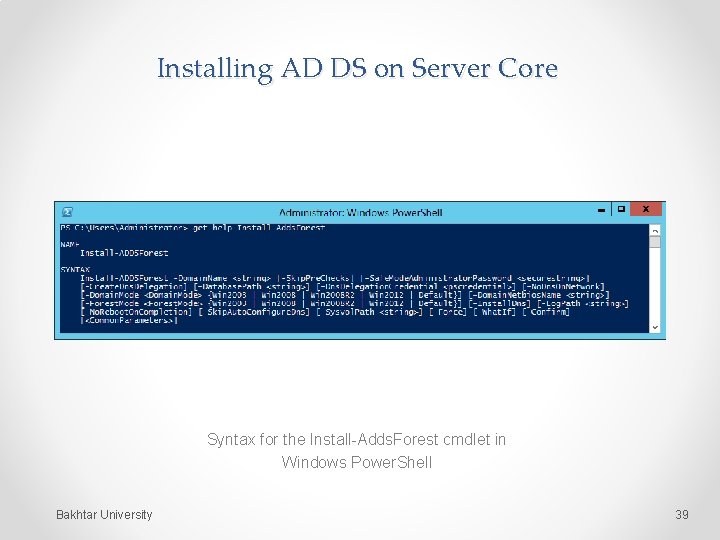
Installing AD DS on Server Core Syntax for the Install-Adds. Forest cmdlet in Windows Power. Shell Bakhtar University 39
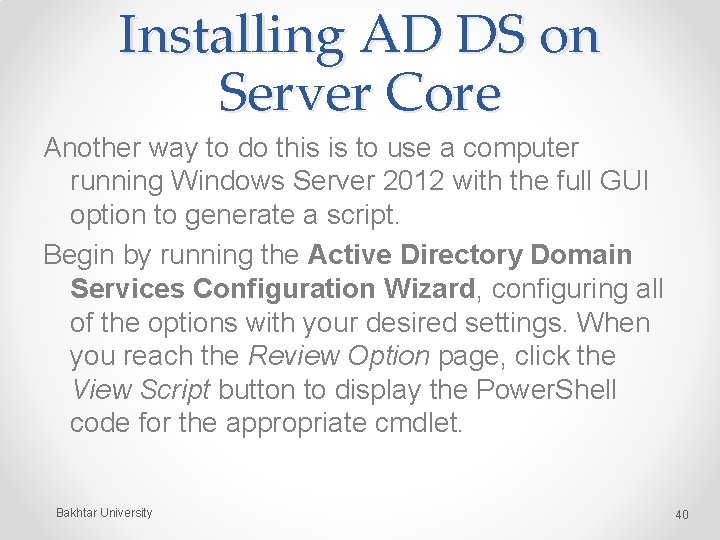
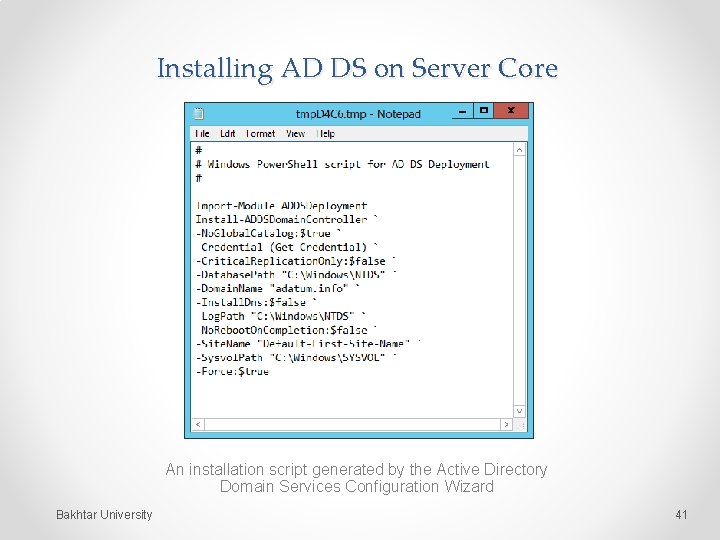
Installing AD DS on Server Core Another way to do this is to use a computer running Windows Server 2012 with the full GUI option to generate a script. Begin by running the Active Directory Domain Services Configuration Wizard, configuring all of the options with your desired settings. When you reach the Review Option page, click the View Script button to display the Power. Shell code for the appropriate cmdlet. Bakhtar University 40
Installing AD DS on Server Core An installation script generated by the Active Directory Domain Services Configuration Wizard Bakhtar University 41
Upgrading AD DS Two ways to upgrade an AD DS infrastructure: • Upgrade the existing down-level domain controllers to Windows Server 2012. • Add a new Windows Server 2012 domain controller to your existing installation. Bakhtar University 42
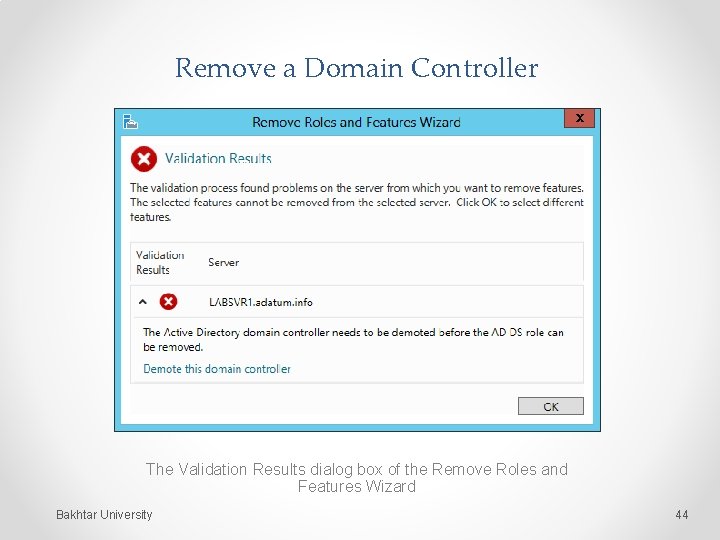
Removing a Domain Controller • To remove a domain controller from an AD DS installation, you must begin by running the Remove Roles and Features Wizard. • Select Demote this Domain Controller. Bakhtar University 43
Remove a Domain Controller The Validation Results dialog box of the Remove Roles and Features Wizard Bakhtar University 44
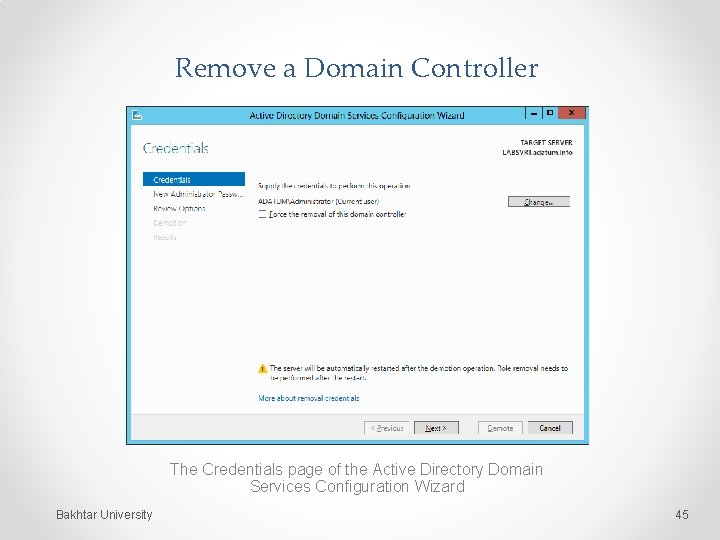
Remove a Domain Controller The Credentials page of the Active Directory Domain Services Configuration Wizard Bakhtar University 45
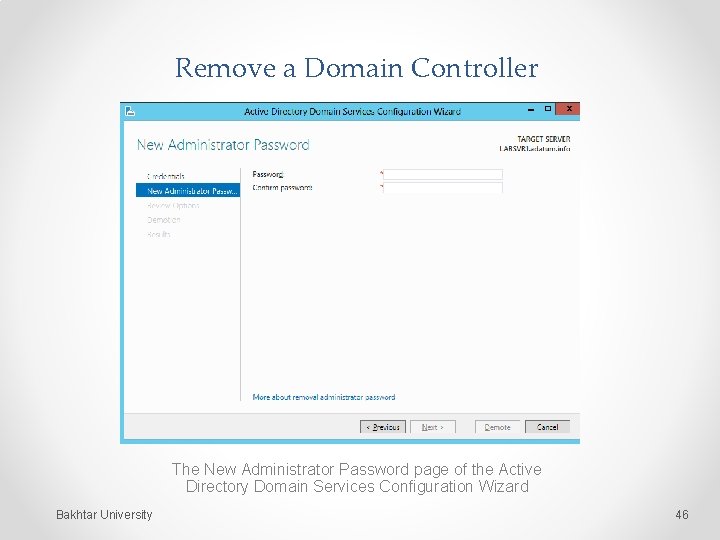
Remove a Domain Controller The New Administrator Password page of the Active Directory Domain Services Configuration Wizard Bakhtar University 46
END Bakhtar University 47