
Lesson 1 Introduction to Scratch Basic blocks Using

Lesson 1 • Introduction to Scratch • Basic blocks • Using the arrow keys to • Initialization move your sprite
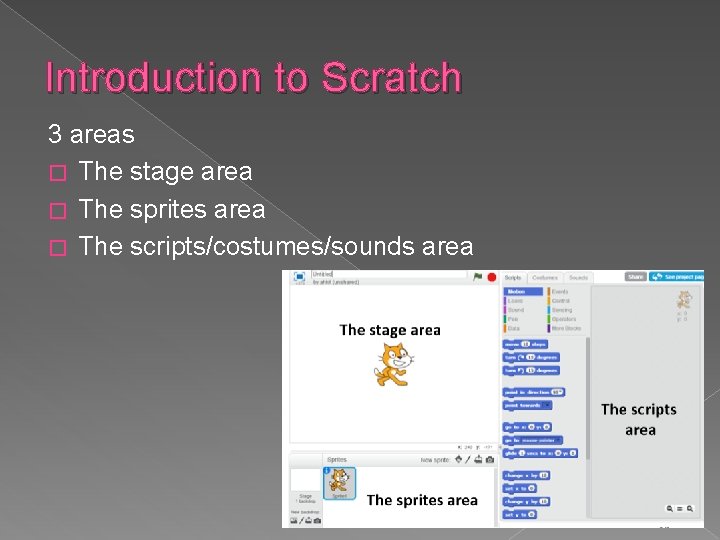
Introduction to Scratch 3 areas � The stage area � The sprites area � The scripts/costumes/sounds area
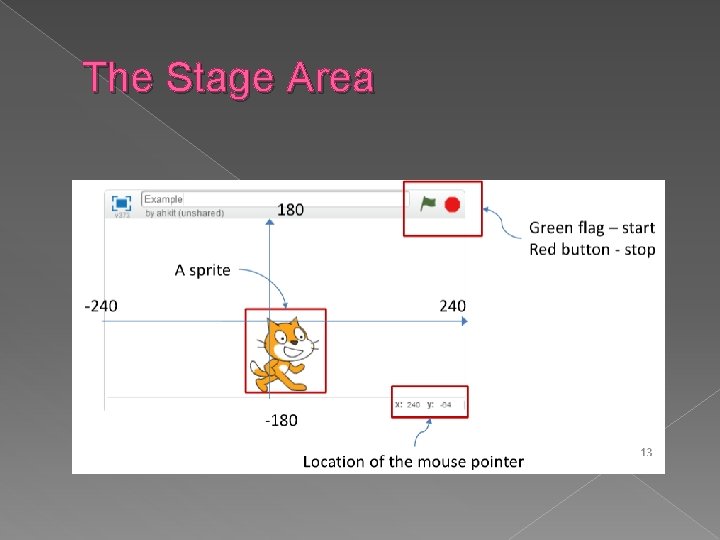
The Stage Area
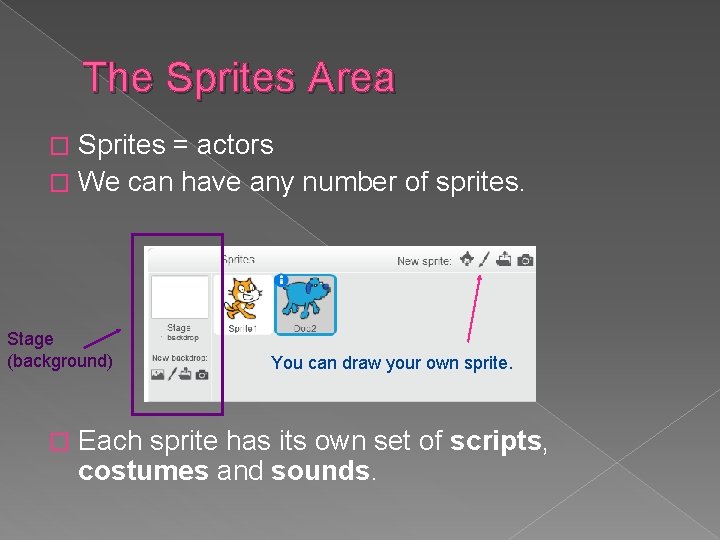
The Sprites Area Sprites = actors � We can have any number of sprites. � Stage (background) � You can draw your own sprite. Each sprite has its own set of scripts, costumes and sounds.
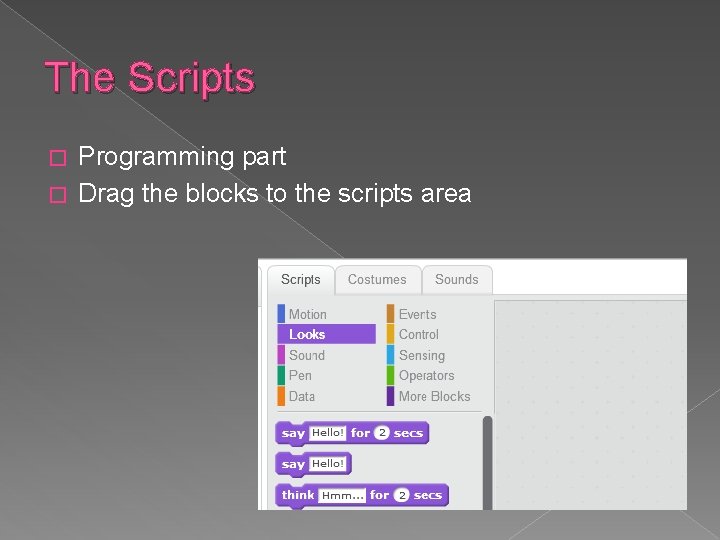
The Scripts Programming part � Drag the blocks to the scripts area �
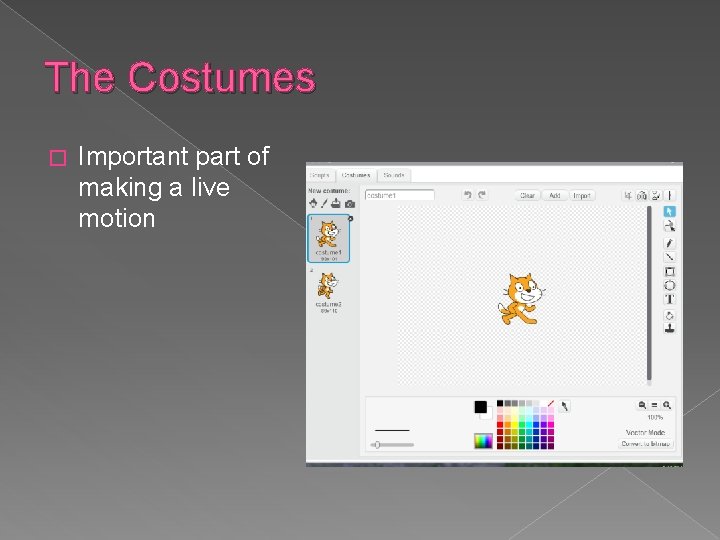
The Costumes � Important part of making a live motion
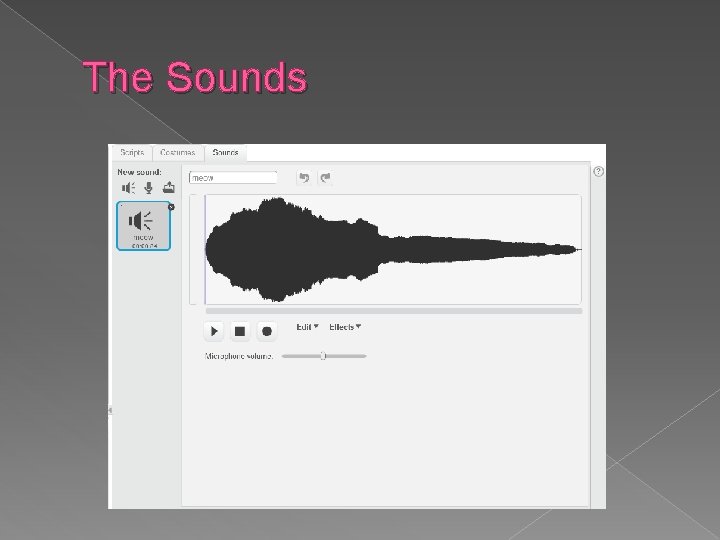
The Sounds
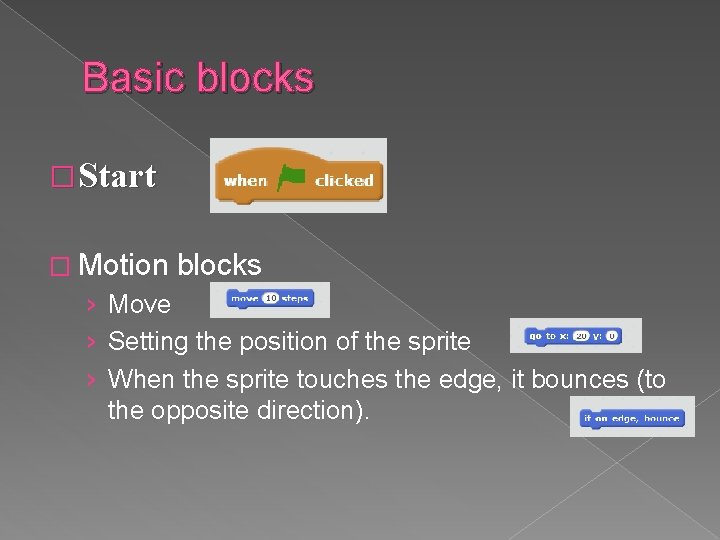
Basic blocks � Start � Motion blocks › Move › Setting the position of the sprite › When the sprite touches the edge, it bounces (to the opposite direction).
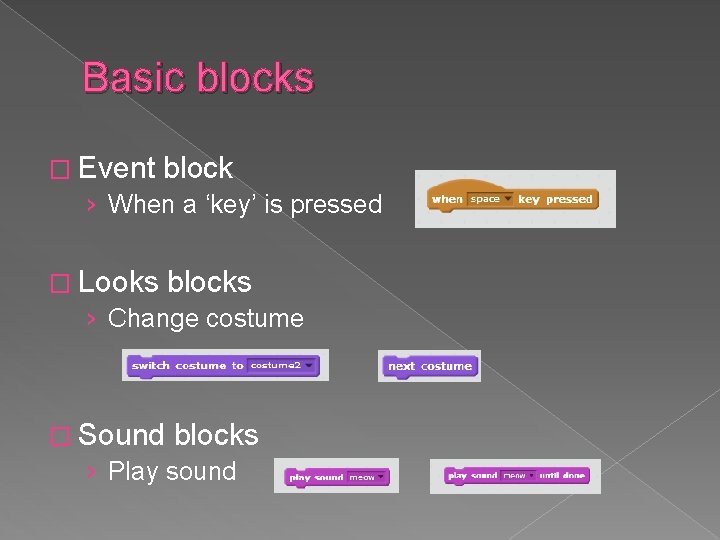
Basic blocks � Event block › When a ‘key’ is pressed � Looks blocks › Change costume � Sound blocks › Play sound
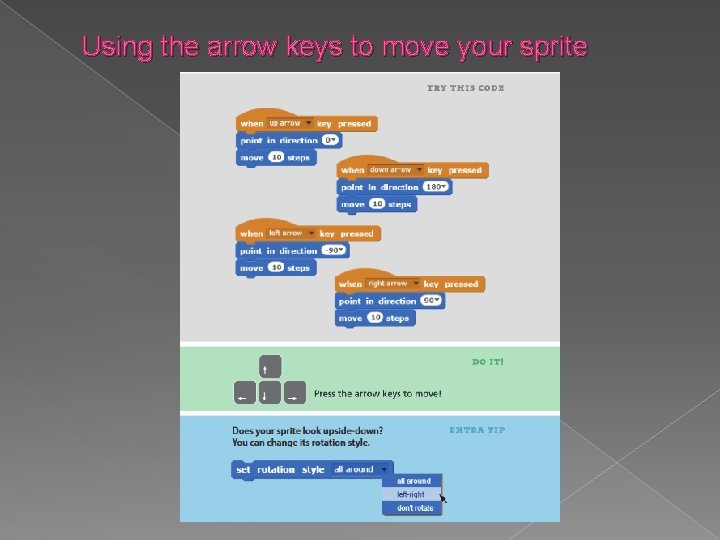
Using the arrow keys to move your sprite
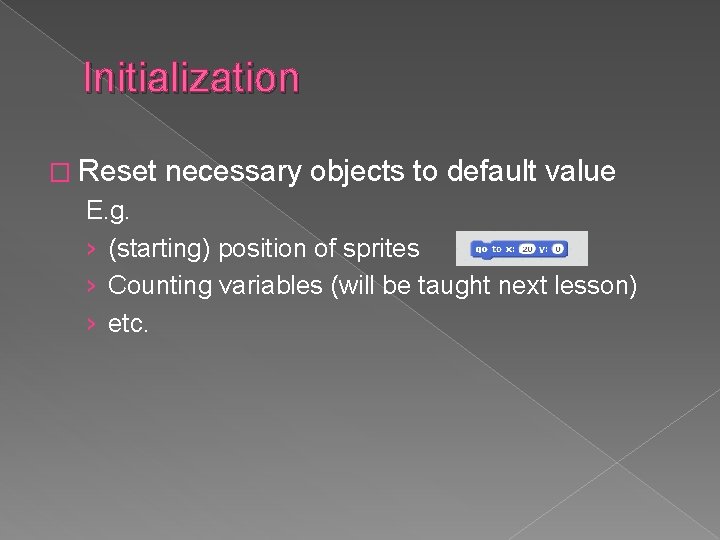
Initialization � Reset necessary objects to default value E. g. › (starting) position of sprites › Counting variables (will be taught next lesson) › etc.
Exercise 1 Your task: � The “Cat” sprite moves under the user’s control using arrow keys. � The costume of the Cat changes so that it looks like walking. � Set the starting position of the Cat (initialization). � The Cat “meow”s (play sound) when it goes to the right.
- Slides: 12