
Lectures 2 Introduction to SQL Part I Lecture
- Slides: 55
Lectures 2: Introduction to SQL Part I
Lecture 2 Announcements! 1. If you still have Jupyter trouble, let us know! 2. Problem Set #1 is released! 2
Lecture 2 Today’s Lecture 1. SQL introduction & schema definitions • ACTIVITY: Table creation 2. Basic single-table queries • ACTIVITY: Single-table queries! 3. Multi-table queries • ACTIVITY: Multi-table queries! 3
Lecture 2 > Section 1 1. SQL Introduction & Definitions 4
Lecture 2 > Section 1 What you will learn about in this section 1. What is SQL? 2. Basic schema definitions 3. Keys & constraints intro 4. ACTIVITY: CREATE TABLE statements 5
Lecture 2 > Section 1 > SQL Motivation • Dark times 5 years ago. • Are databases dead? • Now, as before: everyone sells SQL • Pig, Hive, Impala • “Not-Yet-SQL? ”
Lecture 2 > Section 1 > SQL Basic SQL 7
Lecture 2 > Section 1 > SQL Introduction • SQL is a standard language for querying and manipulating data • SQL is a very high-level programming language • This works because it is optimized well! SQL stands for Structured Query Language • Many standards out there: • ANSI SQL, SQL 92 (a. k. a. SQL 2), SQL 99 (a. k. a. SQL 3), …. • Vendors support various subsets NB: Probably the world’s most successful parallel programming language (multicore? )
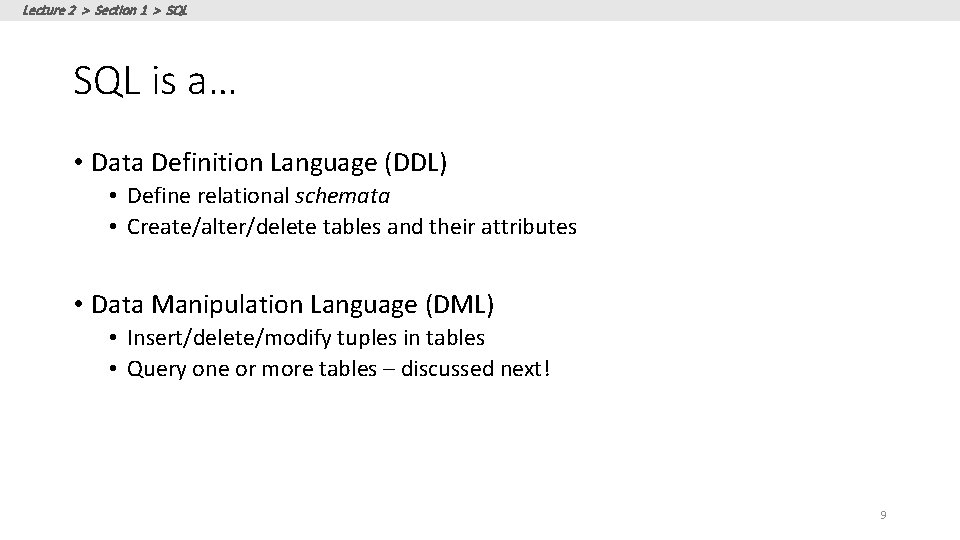
Lecture 2 > Section 1 > SQL is a… • Data Definition Language (DDL) • Define relational schemata • Create/alter/delete tables and their attributes • Data Manipulation Language (DML) • Insert/delete/modify tuples in tables • Query one or more tables – discussed next! 9
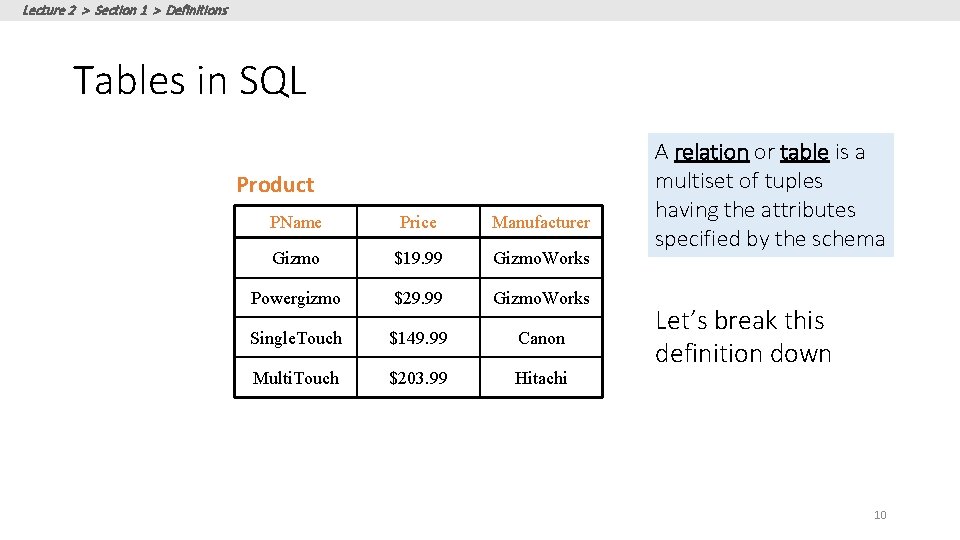
Lecture 2 > Section 1 > Definitions Tables in SQL Product PName Price Manufacturer Gizmo $19. 99 Gizmo. Works Powergizmo $29. 99 Gizmo. Works Single. Touch $149. 99 Canon Multi. Touch $203. 99 Hitachi A relation or table is a multiset of tuples having the attributes specified by the schema Let’s break this definition down 10
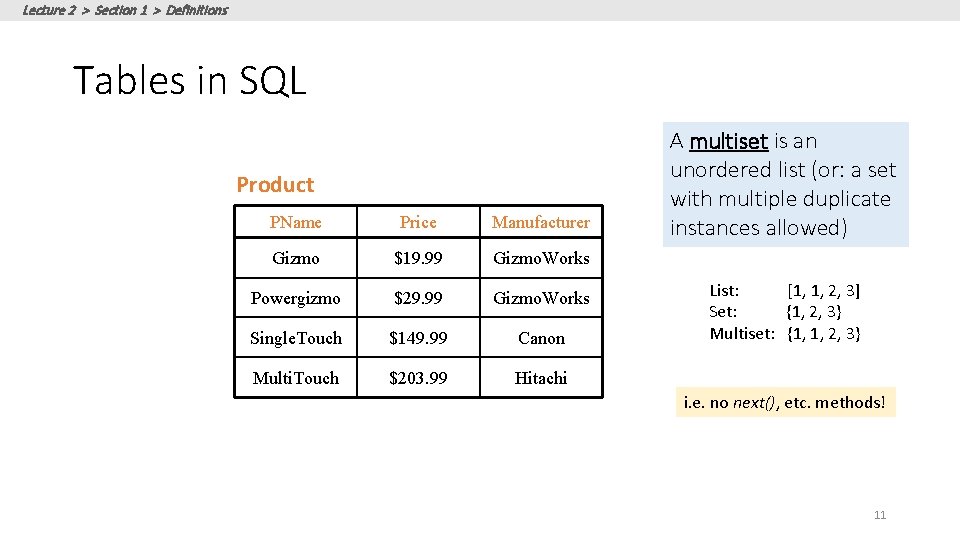
Lecture 2 > Section 1 > Definitions Tables in SQL Product PName Price Manufacturer Gizmo $19. 99 Gizmo. Works Powergizmo $29. 99 Gizmo. Works Single. Touch $149. 99 Canon Multi. Touch $203. 99 Hitachi A multiset is an unordered list (or: a set with multiple duplicate instances allowed) List: [1, 1, 2, 3] Set: {1, 2, 3} Multiset: {1, 1, 2, 3} i. e. no next(), etc. methods! 11
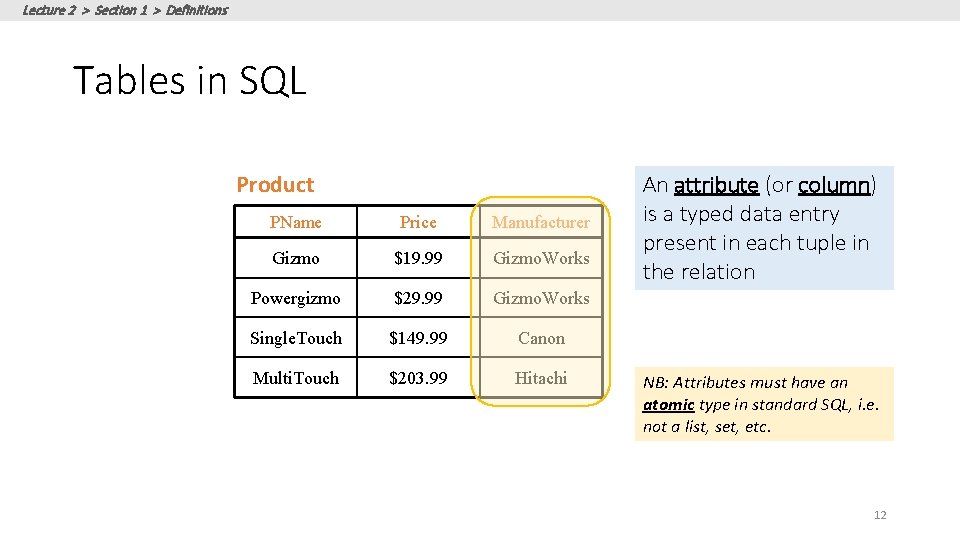
Lecture 2 > Section 1 > Definitions Tables in SQL Product PName Price Manufacturer Gizmo $19. 99 Gizmo. Works Powergizmo $29. 99 Gizmo. Works Single. Touch $149. 99 Canon Multi. Touch $203. 99 Hitachi An attribute (or column) is a typed data entry present in each tuple in the relation NB: Attributes must have an atomic type in standard SQL, i. e. not a list, set, etc. 12
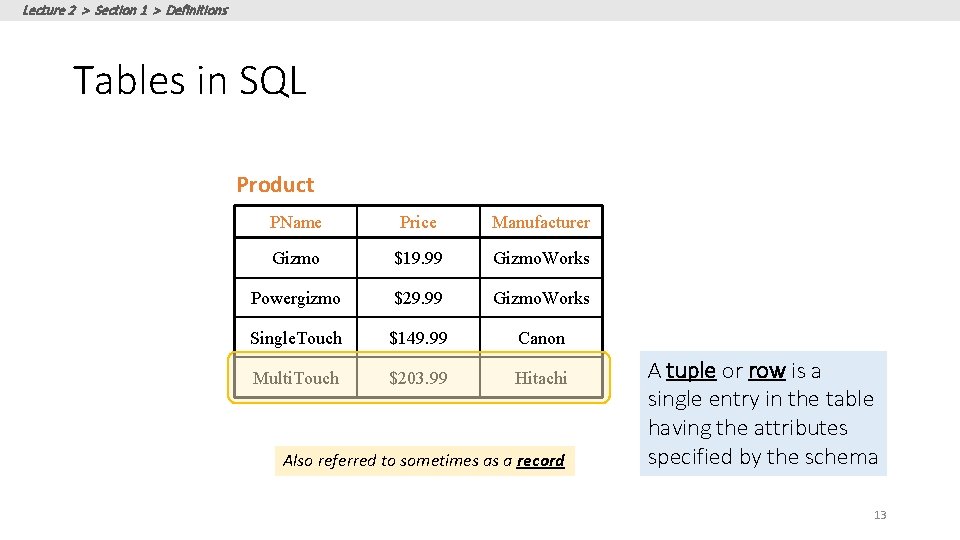
Lecture 2 > Section 1 > Definitions Tables in SQL Product PName Price Manufacturer Gizmo $19. 99 Gizmo. Works Powergizmo $29. 99 Gizmo. Works Single. Touch $149. 99 Canon Multi. Touch $203. 99 Hitachi Also referred to sometimes as a record A tuple or row is a single entry in the table having the attributes specified by the schema 13
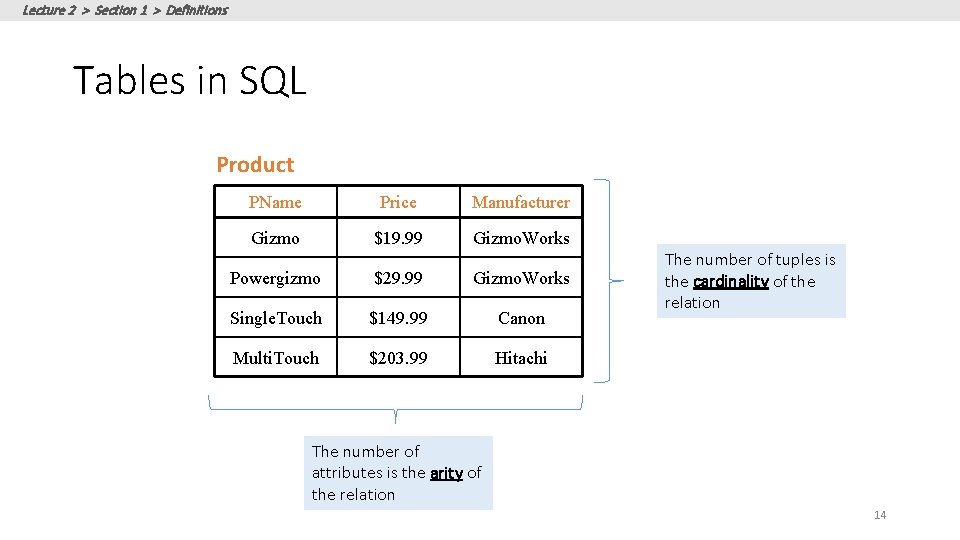
Lecture 2 > Section 1 > Definitions Tables in SQL Product PName Price Manufacturer Gizmo $19. 99 Gizmo. Works Powergizmo $29. 99 Gizmo. Works Single. Touch $149. 99 Canon Multi. Touch $203. 99 Hitachi The number of tuples is the cardinality of the relation The number of attributes is the arity of the relation 14
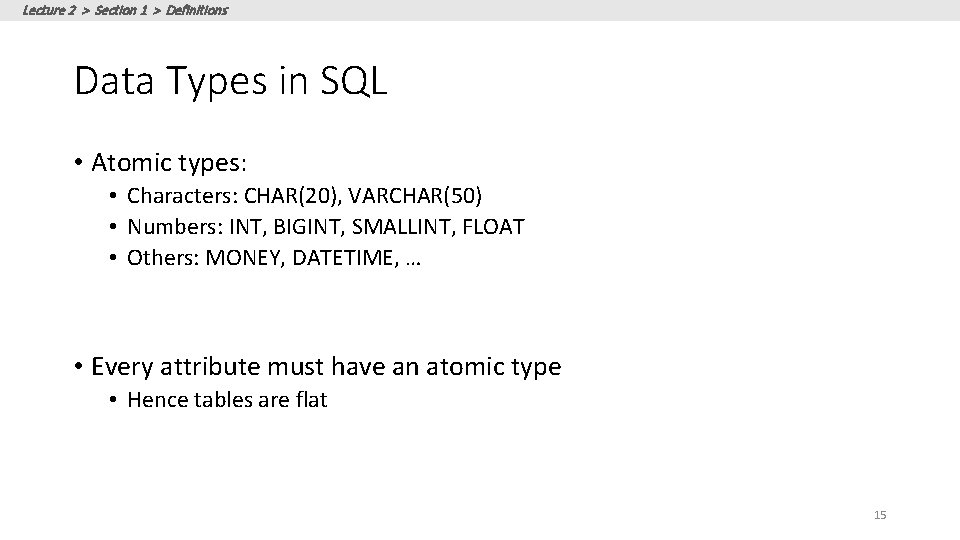
Lecture 2 > Section 1 > Definitions Data Types in SQL • Atomic types: • Characters: CHAR(20), VARCHAR(50) • Numbers: INT, BIGINT, SMALLINT, FLOAT • Others: MONEY, DATETIME, … • Every attribute must have an atomic type • Hence tables are flat 15
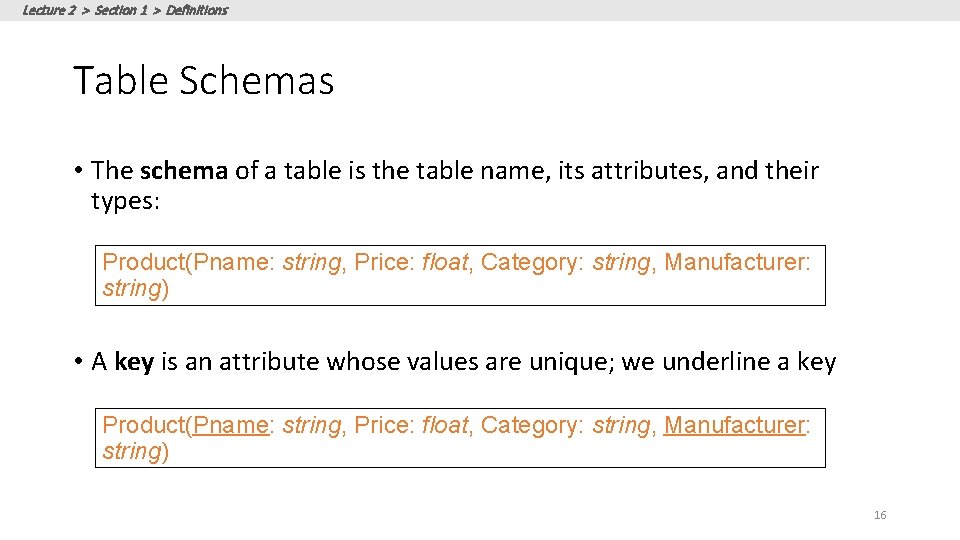
Lecture 2 > Section 1 > Definitions Table Schemas • The schema of a table is the table name, its attributes, and their types: Product(Pname: string, Price: float, Category: string, Manufacturer: string) • A key is an attribute whose values are unique; we underline a key Product(Pname: string, Price: float, Category: string, Manufacturer: string) 16
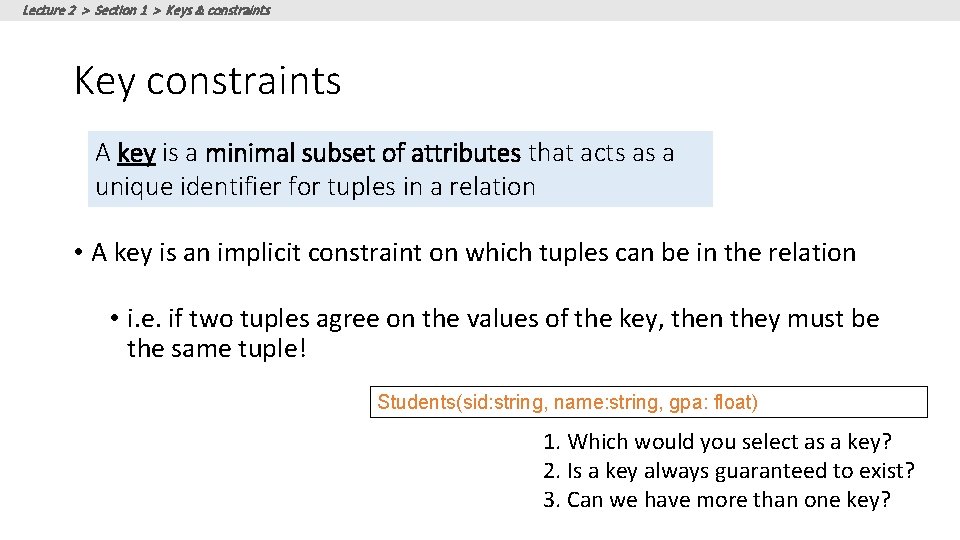
Lecture 2 > Section 1 > Keys & constraints Key constraints A key is a minimal subset of attributes that acts as a unique identifier for tuples in a relation • A key is an implicit constraint on which tuples can be in the relation • i. e. if two tuples agree on the values of the key, then they must be the same tuple! Students(sid: string, name: string, gpa: float) 1. Which would you select as a key? 2. Is a key always guaranteed to exist? 3. Can we have more than one key?
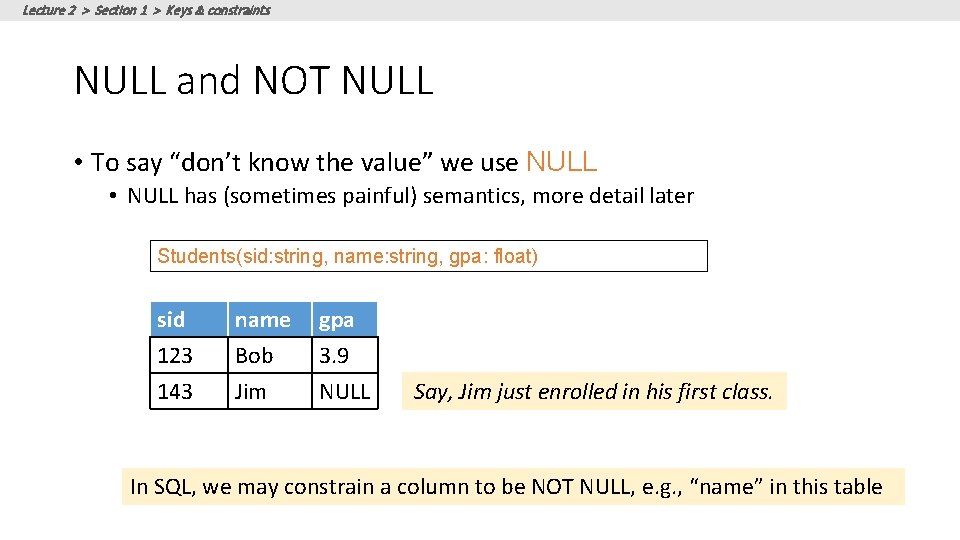
Lecture 2 > Section 1 > Keys & constraints NULL and NOT NULL • To say “don’t know the value” we use NULL • NULL has (sometimes painful) semantics, more detail later Students(sid: string, name: string, gpa: float) sid 123 143 name Bob Jim gpa 3. 9 NULL Say, Jim just enrolled in his first class. In SQL, we may constrain a column to be NOT NULL, e. g. , “name” in this table
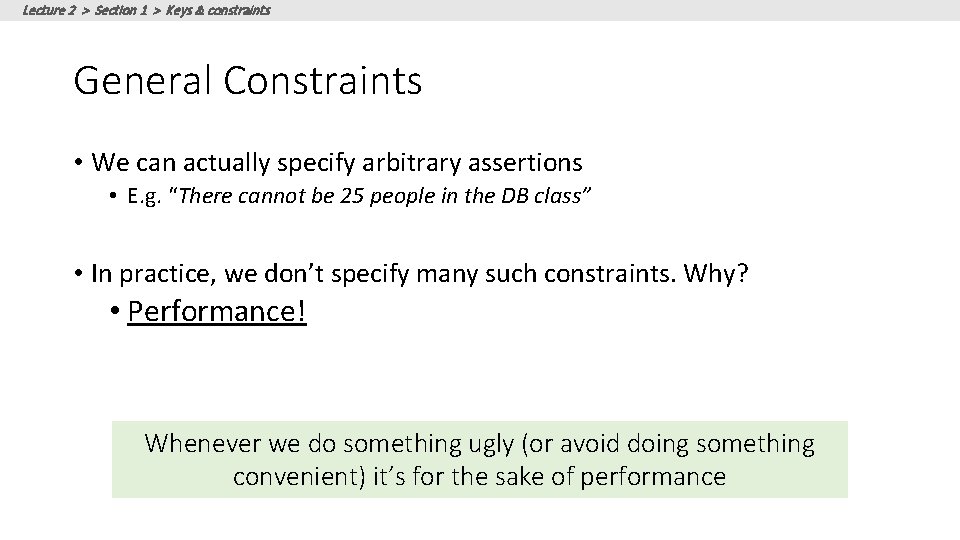
Lecture 2 > Section 1 > Keys & constraints General Constraints • We can actually specify arbitrary assertions • E. g. “There cannot be 25 people in the DB class” • In practice, we don’t specify many such constraints. Why? • Performance! Whenever we do something ugly (or avoid doing something convenient) it’s for the sake of performance
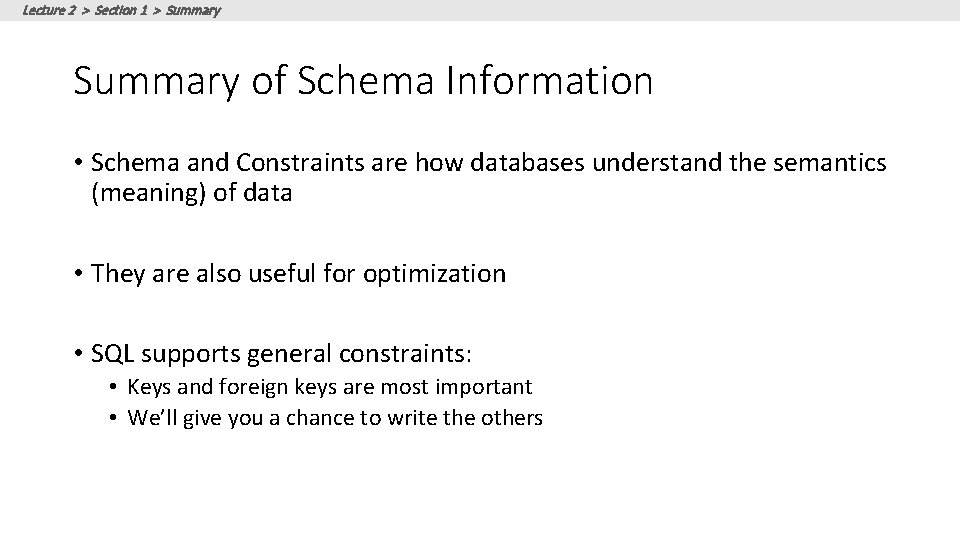
Lecture 2 > Section 1 > Summary of Schema Information • Schema and Constraints are how databases understand the semantics (meaning) of data • They are also useful for optimization • SQL supports general constraints: • Keys and foreign keys are most important • We’ll give you a chance to write the others
Lecture 2 > Section 1 > ACTIVITY DB-WS 02 a. ipynb 21
Lecture 2 > Section 2 2. Single-table queries 22
Lecture 2 > Section 2 What you will learn about in this section 1. The SFW query 2. Other useful operators: LIKE, DISTINCT, ORDER BY 3. ACTIVITY: Single-table queries 23
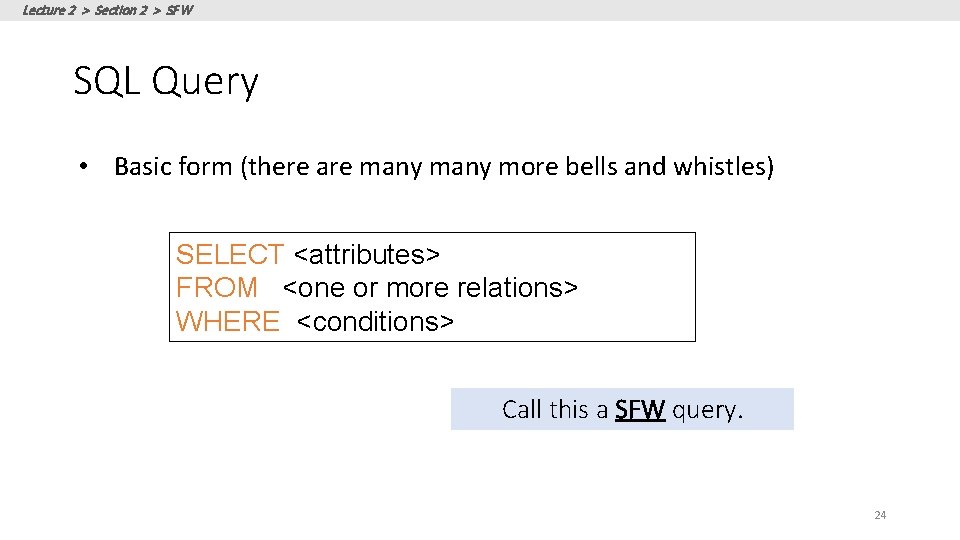
Lecture 2 > Section 2 > SFW SQL Query • Basic form (there are many more bells and whistles) SELECT <attributes> FROM <one or more relations> WHERE <conditions> Call this a SFW query. 24
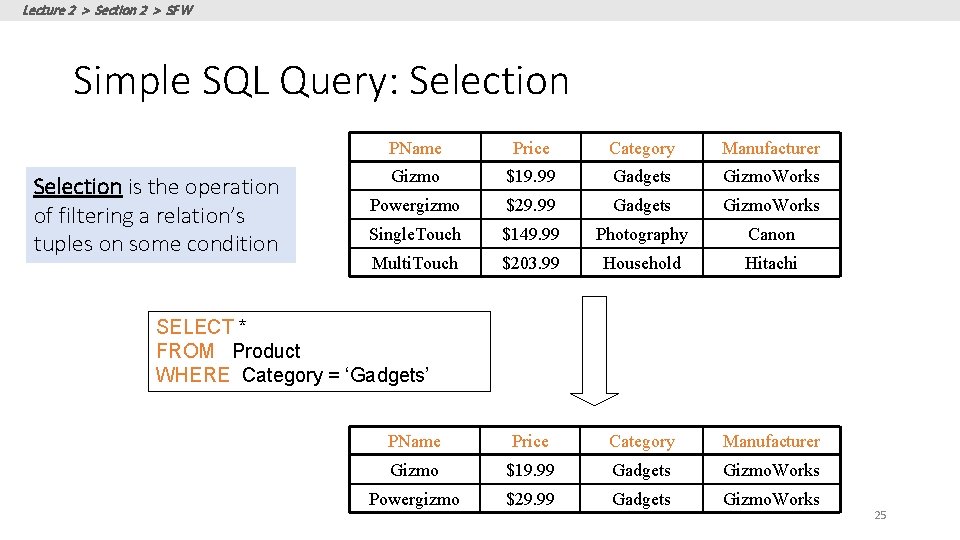
Lecture 2 > Section 2 > SFW Simple SQL Query: Selection is the operation of filtering a relation’s tuples on some condition PName Price Category Manufacturer Gizmo $19. 99 Gadgets Gizmo. Works Powergizmo $29. 99 Gadgets Gizmo. Works Single. Touch $149. 99 Photography Canon Multi. Touch $203. 99 Household Hitachi PName Price Category Manufacturer Gizmo $19. 99 Gadgets Gizmo. Works Powergizmo $29. 99 Gadgets Gizmo. Works SELECT * FROM Product WHERE Category = ‘Gadgets’ 25
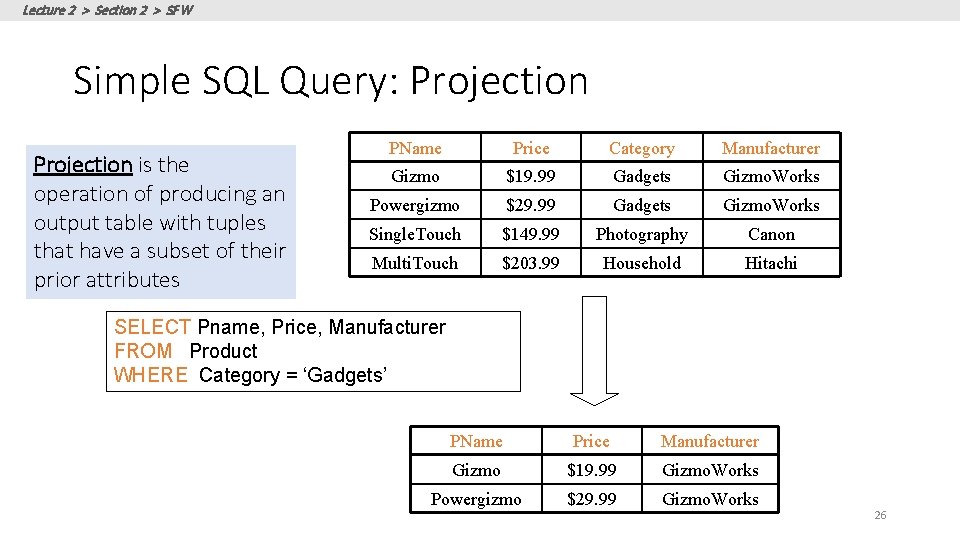
Lecture 2 > Section 2 > SFW Simple SQL Query: Projection is the operation of producing an output table with tuples that have a subset of their prior attributes PName Price Category Manufacturer Gizmo $19. 99 Gadgets Gizmo. Works Powergizmo $29. 99 Gadgets Gizmo. Works Single. Touch $149. 99 Photography Canon Multi. Touch $203. 99 Household Hitachi SELECT Pname, Price, Manufacturer FROM Product WHERE Category = ‘Gadgets’ PName Price Manufacturer Gizmo $19. 99 Gizmo. Works Powergizmo $29. 99 Gizmo. Works 26
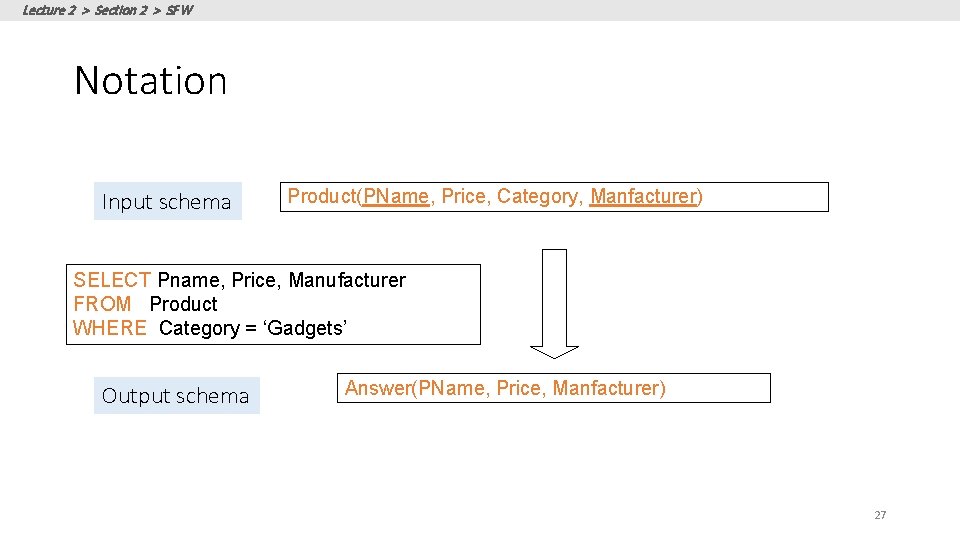
Lecture 2 > Section 2 > SFW Notation Input schema Product(PName, Price, Category, Manfacturer) SELECT Pname, Price, Manufacturer FROM Product WHERE Category = ‘Gadgets’ Output schema Answer(PName, Price, Manfacturer) 27
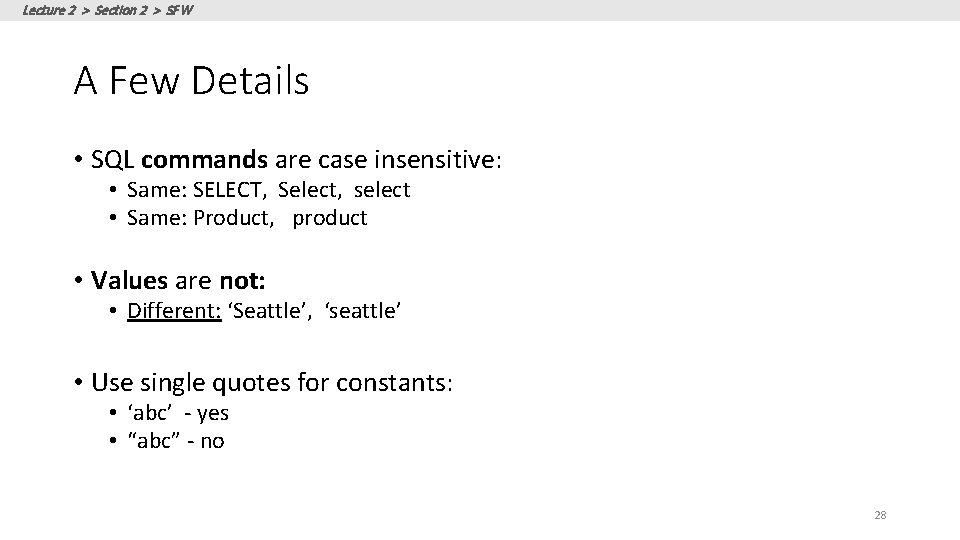
Lecture 2 > Section 2 > SFW A Few Details • SQL commands are case insensitive: • Same: SELECT, Select, select • Same: Product, product • Values are not: • Different: ‘Seattle’, ‘seattle’ • Use single quotes for constants: • ‘abc’ - yes • “abc” - no 28
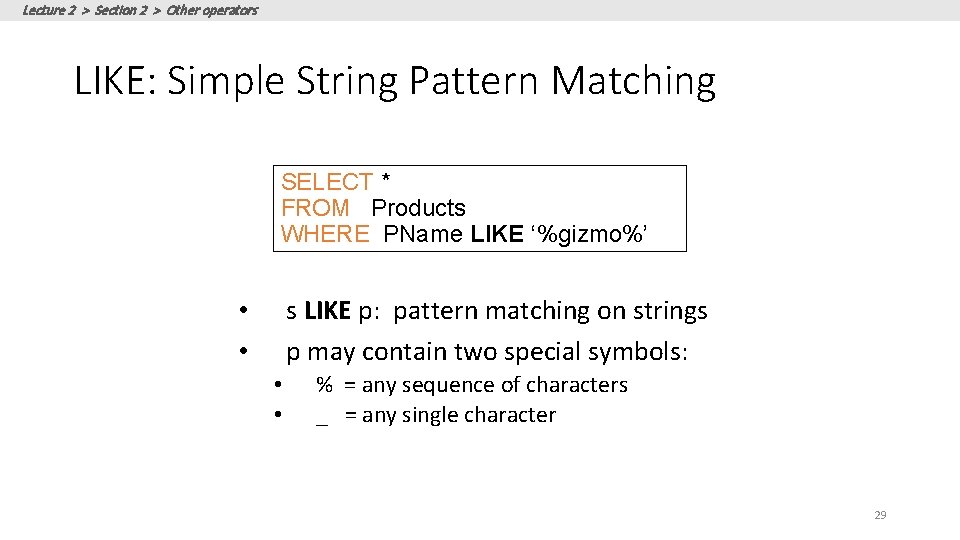
Lecture 2 > Section 2 > Other operators LIKE: Simple String Pattern Matching SELECT * FROM Products WHERE PName LIKE ‘%gizmo%’ s LIKE p: pattern matching on strings p may contain two special symbols: • • % = any sequence of characters _ = any single character 29
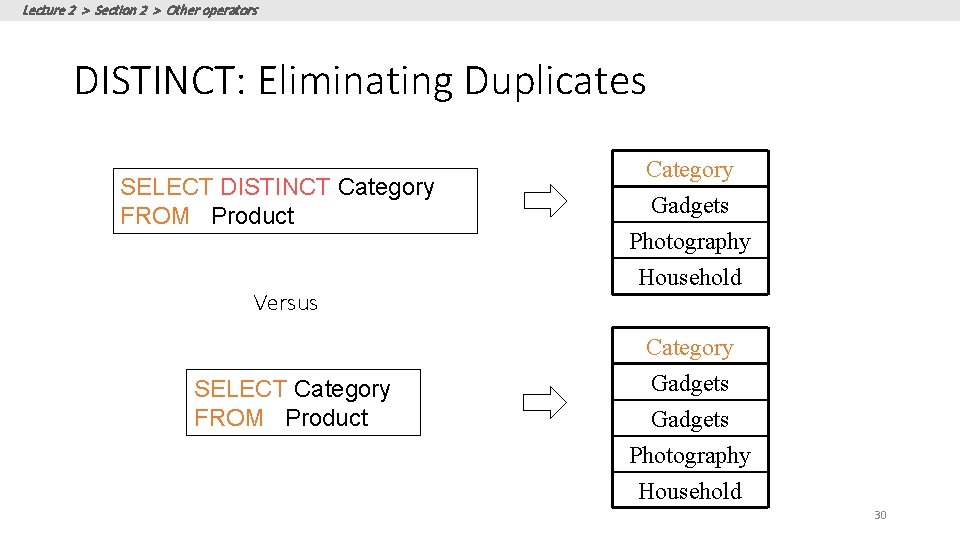
Lecture 2 > Section 2 > Other operators DISTINCT: Eliminating Duplicates SELECT DISTINCT Category FROM Product Versus SELECT Category FROM Product Category Gadgets Photography Household 30
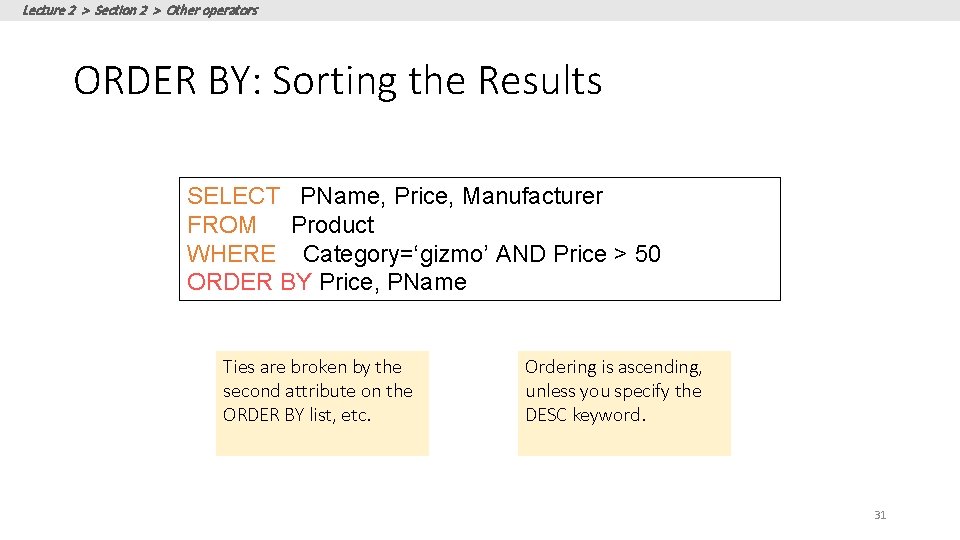
Lecture 2 > Section 2 > Other operators ORDER BY: Sorting the Results SELECT PName, Price, Manufacturer FROM Product WHERE Category=‘gizmo’ AND Price > 50 ORDER BY Price, PName Ties are broken by the second attribute on the ORDER BY list, etc. Ordering is ascending, unless you specify the DESC keyword. 31
Lecture 2 > Section 2 > ACTIVITY DB-WS 02 b. ipynb 32
Lecture 2 > Section 3 3. Multi-table queries 33
Lecture 2 > Section 3 What you will learn about in this section 1. Foreign key constraints 2. Joins: basics 3. Joins: SQL semantics 4. ACTIVITY: Multi-table queries 34
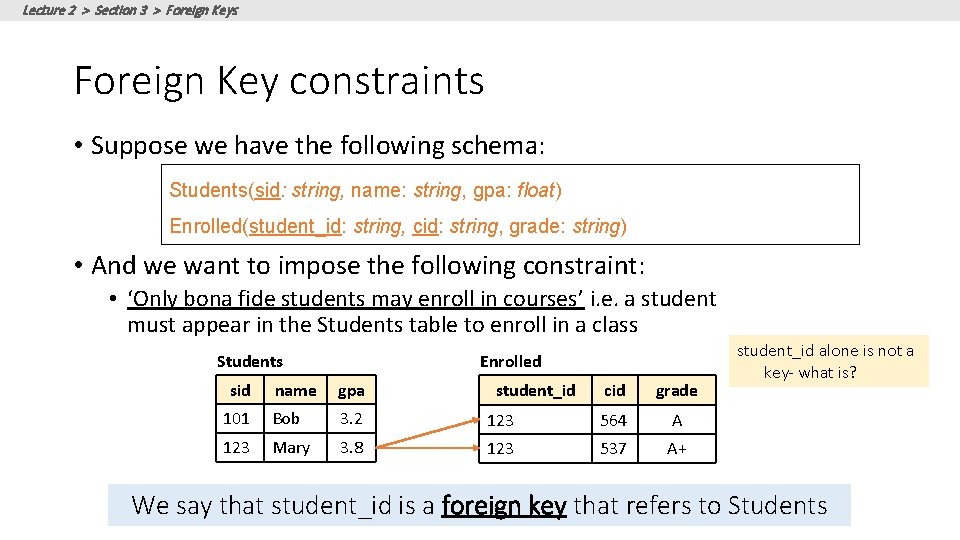
Lecture 2 > Section 3 > Foreign Keys Foreign Key constraints • Suppose we have the following schema: Students(sid: string, name: string, gpa: float) Enrolled(student_id: string, cid: string, grade: string) • And we want to impose the following constraint: • ‘Only bona fide students may enroll in courses’ i. e. a student must appear in the Students table to enroll in a class Students sid Enrolled name gpa 101 Bob 3. 2 123 Mary 3. 8 student_id cid grade 123 564 A 123 537 A+ student_id alone is not a key- what is? We say that student_id is a foreign key that refers to Students
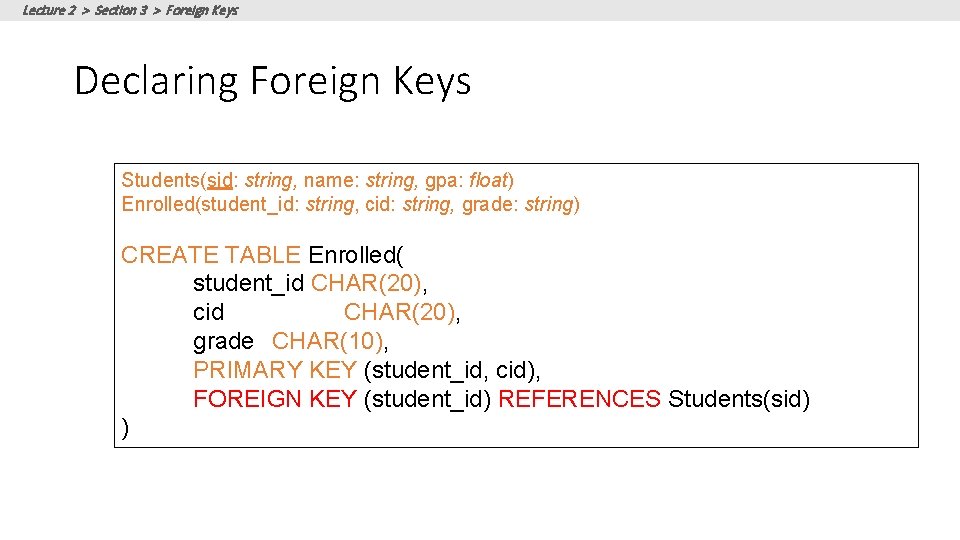
Lecture 2 > Section 3 > Foreign Keys Declaring Foreign Keys Students(sid: string, name: string, gpa: float) Enrolled(student_id: string, cid: string, grade: string) CREATE TABLE Enrolled( student_id CHAR(20), cid CHAR(20), grade CHAR(10), PRIMARY KEY (student_id, cid), FOREIGN KEY (student_id) REFERENCES Students(sid) )
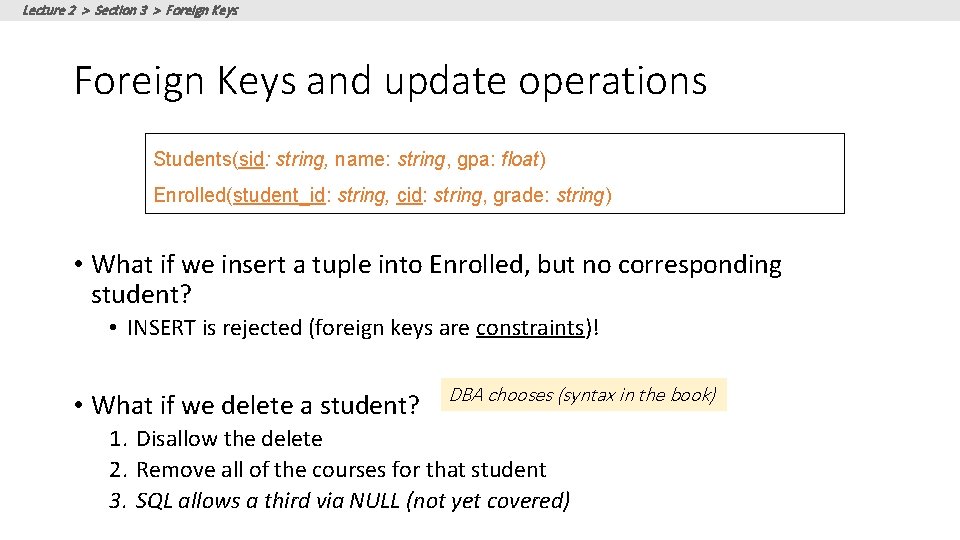
Lecture 2 > Section 3 > Foreign Keys and update operations Students(sid: string, name: string, gpa: float) Enrolled(student_id: string, cid: string, grade: string) • What if we insert a tuple into Enrolled, but no corresponding student? • INSERT is rejected (foreign keys are constraints)! • What if we delete a student? DBA chooses (syntax in the book) 1. Disallow the delete 2. Remove all of the courses for that student 3. SQL allows a third via NULL (not yet covered)
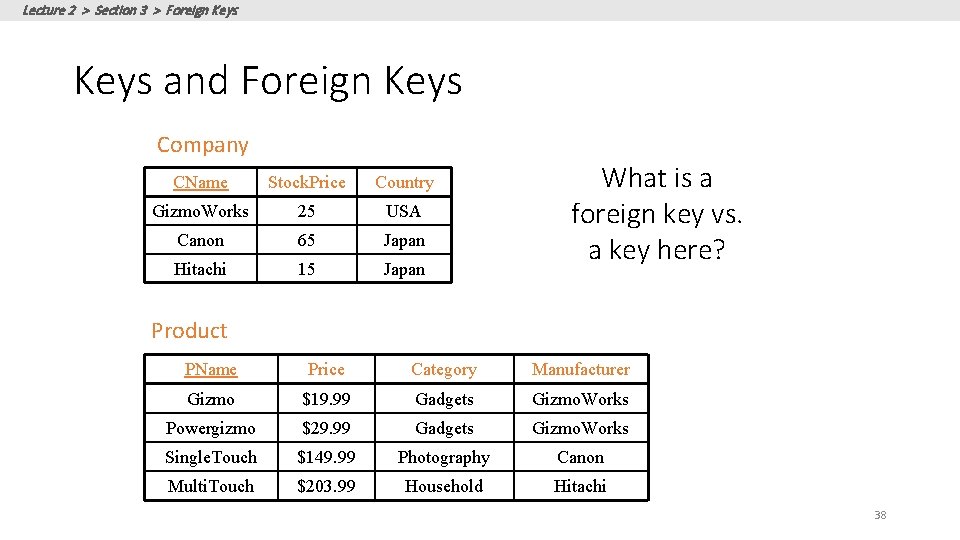
Lecture 2 > Section 3 > Foreign Keys and Foreign Keys Company CName Stock. Price Country Gizmo. Works 25 USA Canon 65 Japan Hitachi 15 Japan What is a foreign key vs. a key here? Product PName Price Category Manufacturer Gizmo $19. 99 Gadgets Gizmo. Works Powergizmo $29. 99 Gadgets Gizmo. Works Single. Touch $149. 99 Photography Canon Multi. Touch $203. 99 Household Hitachi 38
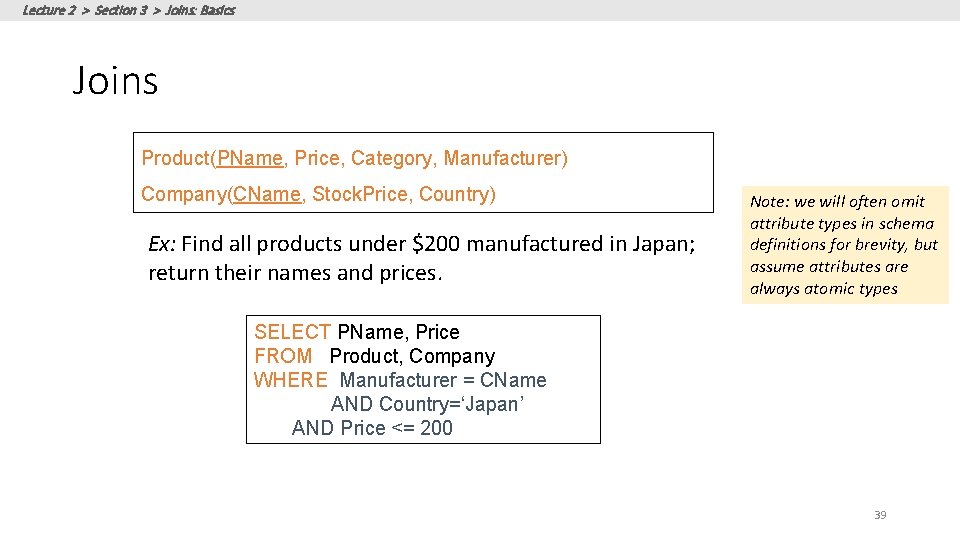
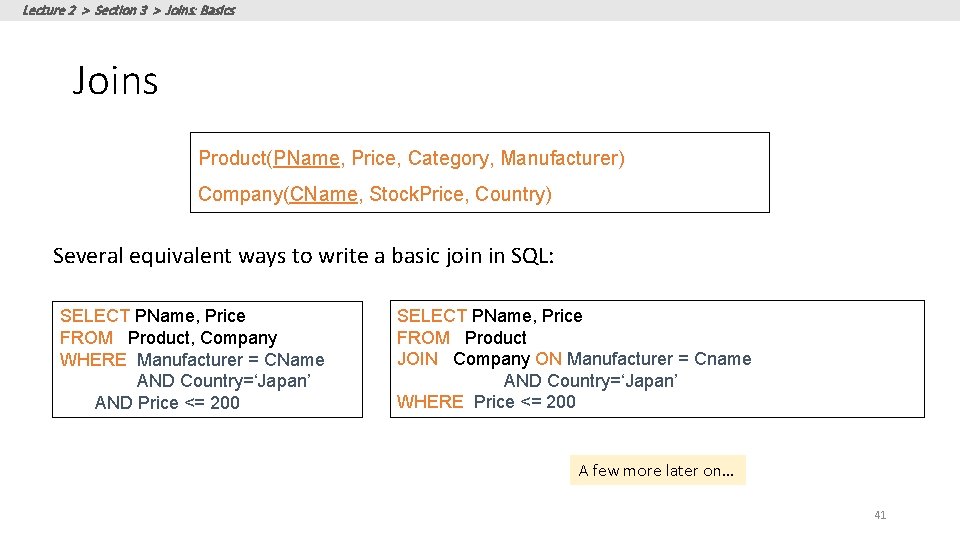
Lecture 2 > Section 3 > Joins: Basics Joins Product(PName, Price, Category, Manufacturer) Company(CName, Stock. Price, Country) Ex: Find all products under $200 manufactured in Japan; return their names and prices. Note: we will often omit attribute types in schema definitions for brevity, but assume attributes are always atomic types SELECT PName, Price FROM Product, Company WHERE Manufacturer = CName AND Country=‘Japan’ AND Price <= 200 39
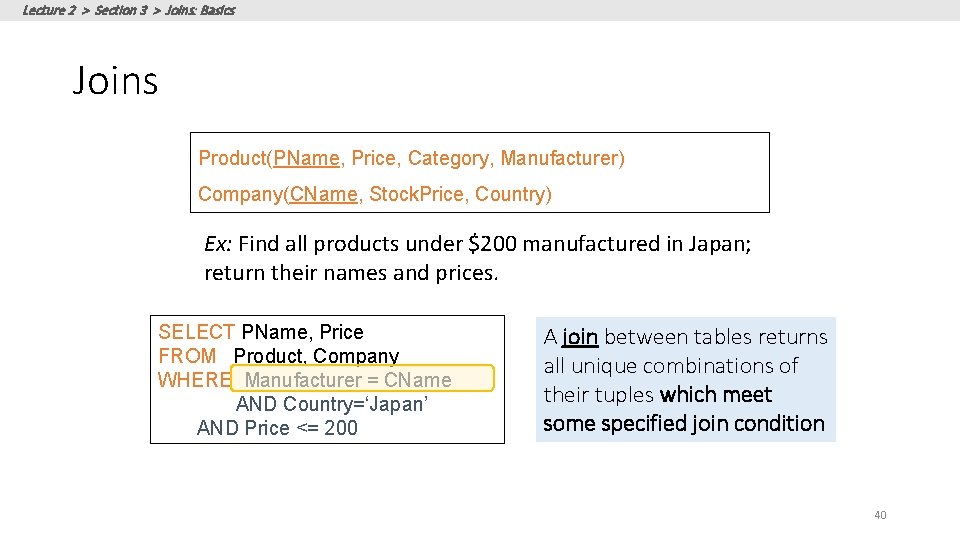
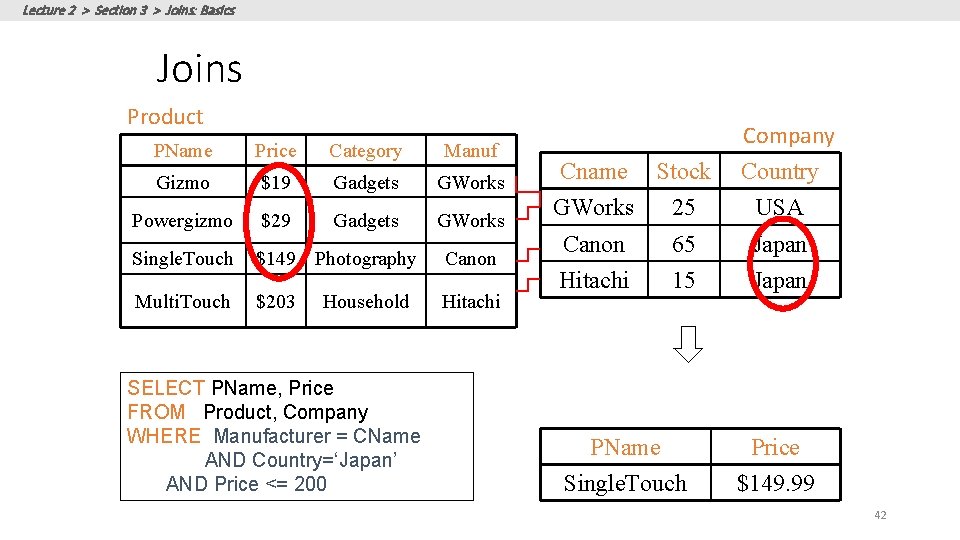
Lecture 2 > Section 3 > Joins: Basics Joins Product(PName, Price, Category, Manufacturer) Company(CName, Stock. Price, Country) Ex: Find all products under $200 manufactured in Japan; return their names and prices. SELECT PName, Price FROM Product, Company WHERE Manufacturer = CName AND Country=‘Japan’ AND Price <= 200 A join between tables returns all unique combinations of their tuples which meet some specified join condition 40
Lecture 2 > Section 3 > Joins: Basics Joins Product(PName, Price, Category, Manufacturer) Company(CName, Stock. Price, Country) Several equivalent ways to write a basic join in SQL: SELECT PName, Price FROM Product, Company WHERE Manufacturer = CName AND Country=‘Japan’ AND Price <= 200 SELECT PName, Price FROM Product JOIN Company ON Manufacturer = Cname AND Country=‘Japan’ WHERE Price <= 200 A few more later on… 41
Lecture 2 > Section 3 > Joins: Basics Joins Product PName Price Category Manuf Gizmo $19 Gadgets GWorks Powergizmo $29 Gadgets GWorks Single. Touch $149 Photography Canon Multi. Touch $203 Hitachi Household SELECT PName, Price FROM Product, Company WHERE Manufacturer = CName AND Country=‘Japan’ AND Price <= 200 Company Country Cname Stock GWorks 25 USA Canon 65 Japan Hitachi 15 Japan PName Single. Touch Price $149. 99 42
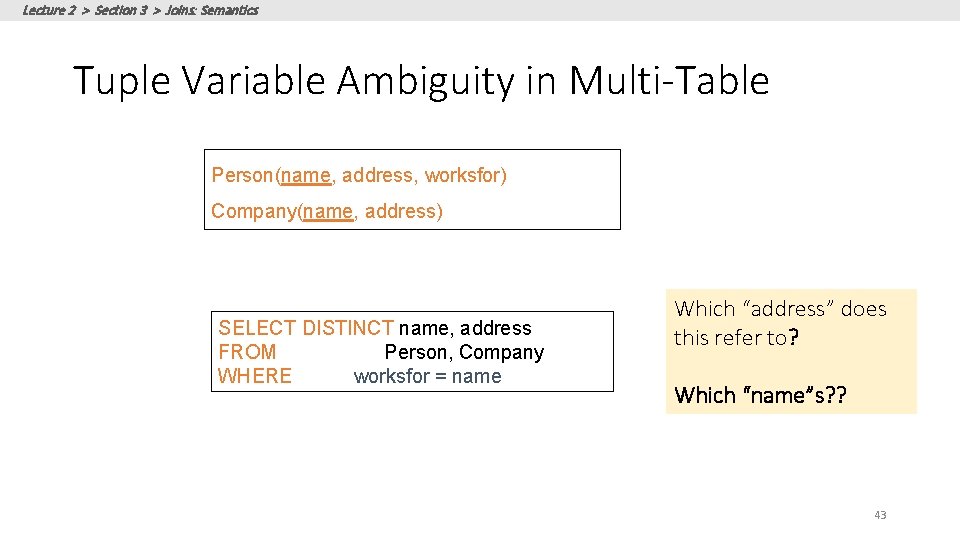
Lecture 2 > Section 3 > Joins: Semantics Tuple Variable Ambiguity in Multi-Table Person(name, address, worksfor) Company(name, address) SELECT DISTINCT name, address FROM Person, Company WHERE worksfor = name Which “address” does this refer to? Which “name”s? ? 43
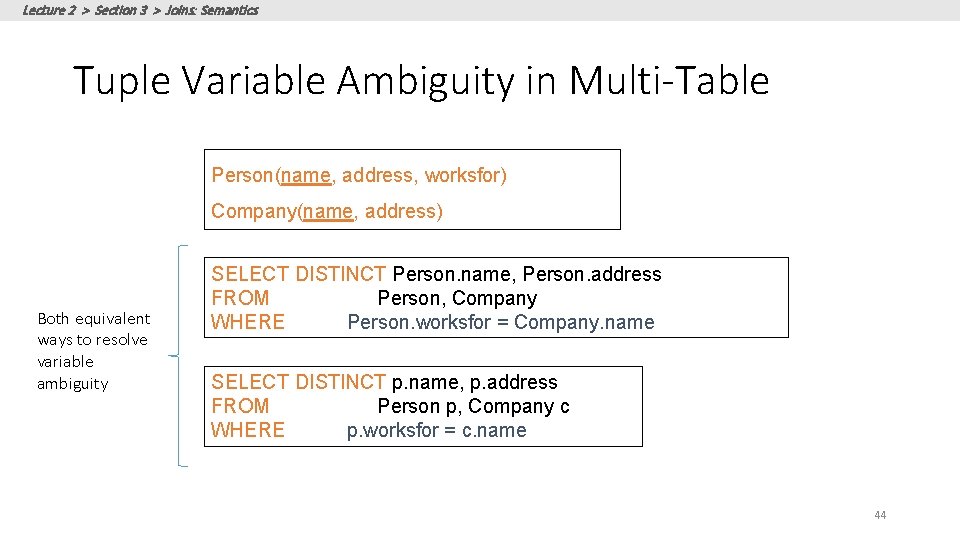
Lecture 2 > Section 3 > Joins: Semantics Tuple Variable Ambiguity in Multi-Table Person(name, address, worksfor) Company(name, address) Both equivalent ways to resolve variable ambiguity SELECT DISTINCT Person. name, Person. address FROM Person, Company WHERE Person. worksfor = Company. name SELECT DISTINCT p. name, p. address FROM Person p, Company c WHERE p. worksfor = c. name 44
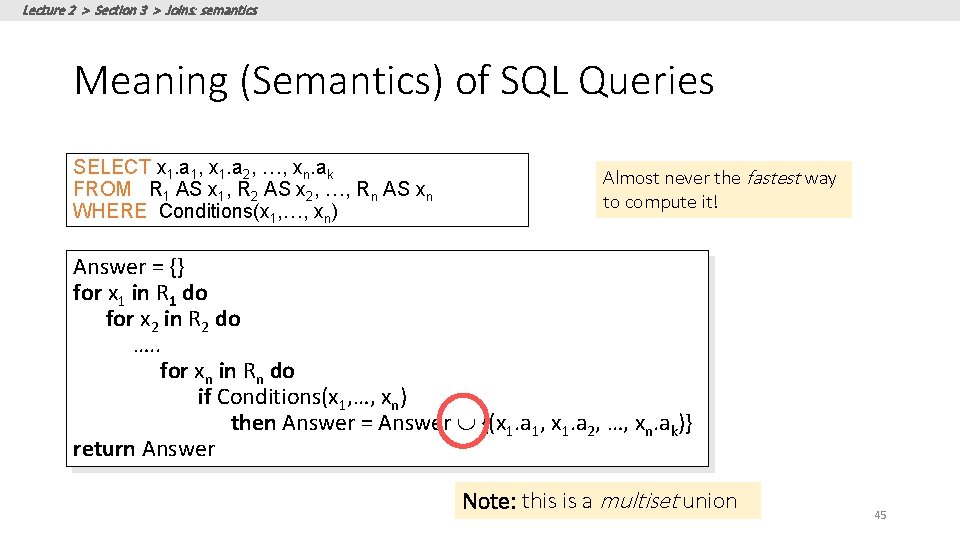
Lecture 2 > Section 3 > Joins: semantics Meaning (Semantics) of SQL Queries SELECT x 1. a 1, x 1. a 2, …, xn. ak FROM R 1 AS x 1, R 2 AS x 2, …, Rn AS xn WHERE Conditions(x 1, …, xn) Almost never the fastest way to compute it! Answer = {} for x 1 in R 1 do for x 2 in R 2 do …. . for xn in Rn do if Conditions(x 1, …, xn) then Answer = Answer {(x 1. a 1, x 1. a 2, …, xn. ak)} return Answer Note: this is a multiset union 45
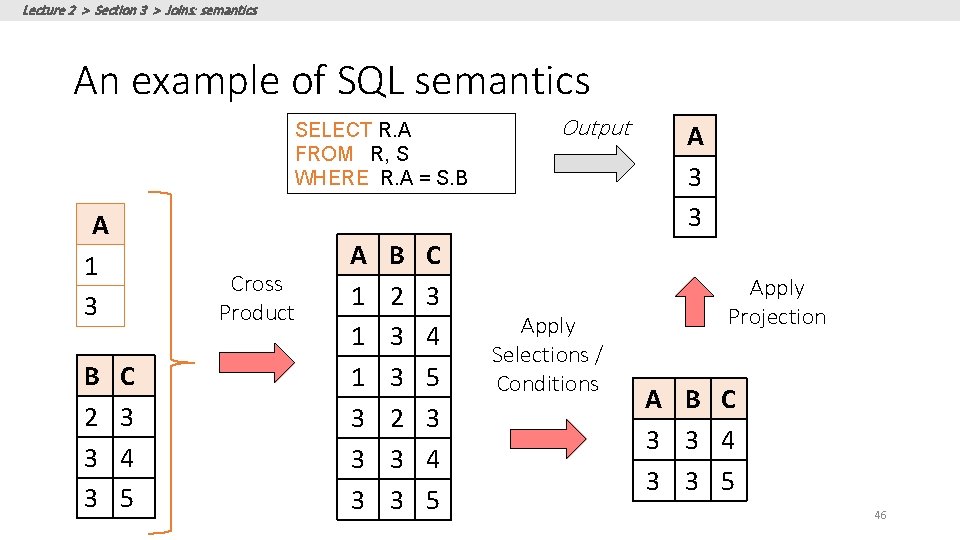
Lecture 2 > Section 3 > Joins: semantics An example of SQL semantics SELECT R. A FROM R, S WHERE R. A = S. B A 1 3 B 2 3 3 Cross Product C 3 4 5 A 1 1 1 3 3 3 B 2 3 3 C 3 4 5 Output Apply Selections / Conditions A 3 3 Apply Projection A B C 3 3 4 3 3 5 46
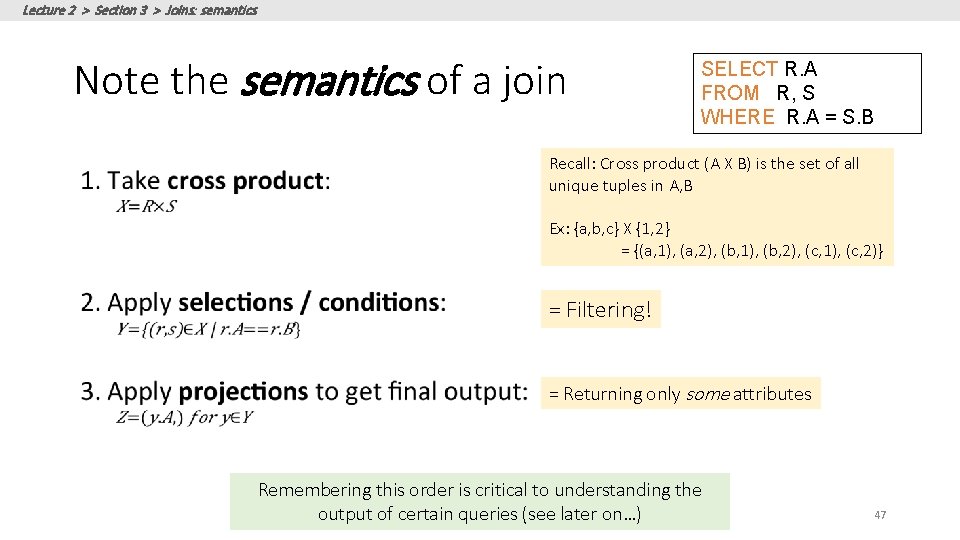
Lecture 2 > Section 3 > Joins: semantics Note the semantics of a join SELECT R. A FROM R, S WHERE R. A = S. B Recall: Cross product (A X B) is the set of all unique tuples in A, B Ex: {a, b, c} X {1, 2} = {(a, 1), (a, 2), (b, 1), (b, 2), (c, 1), (c, 2)} = Filtering! = Returning only some attributes Remembering this order is critical to understanding the output of certain queries (see later on…) 47
Lecture 2 > Section 3 > Joins: semantics Note: we say “semantics” not “execution order” • The preceding slides show what a join means • Not actually how the DBMS executes it under the covers
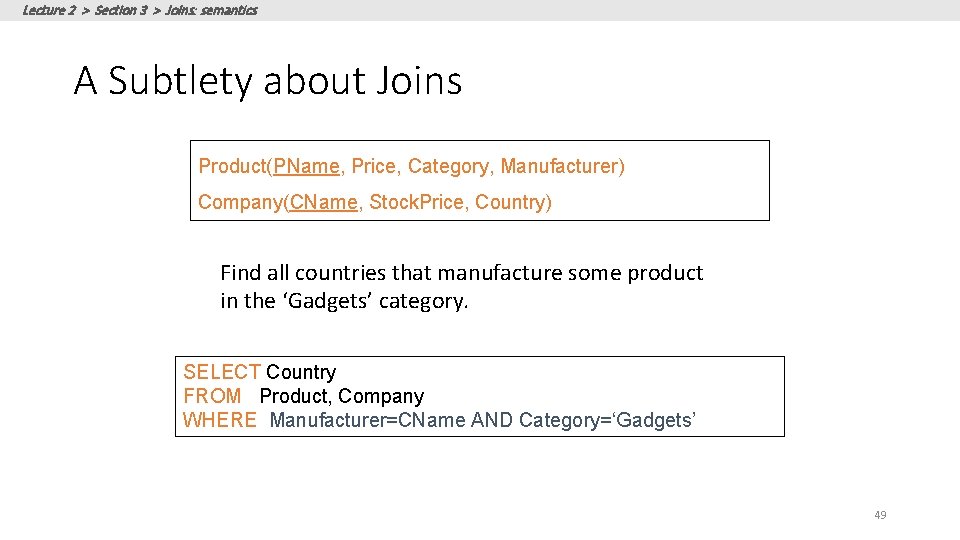
ACTIVITY Lecture 2 > Section 3 > Joins: semantics A Subtlety about Joins Product(PName, Price, Category, Manufacturer) Company(CName, Stock. Price, Country) Find all countries that manufacture some product in the ‘Gadgets’ category. SELECT Country FROM Product, Company WHERE Manufacturer=CName AND Category=‘Gadgets’ 49
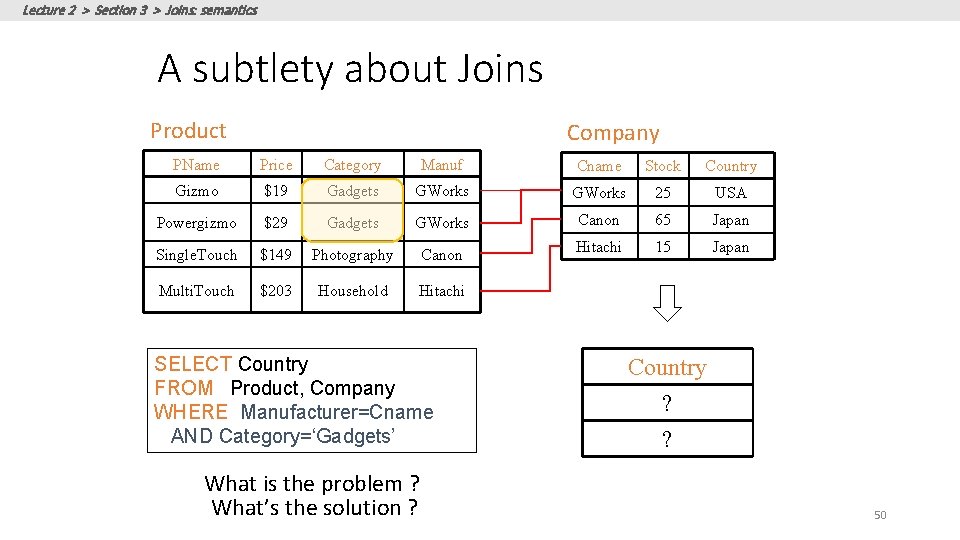
Lecture 2 > Section 3 > Joins: semantics ACTIVITY A subtlety about Joins Product Company PName Price Category Manuf Cname Stock Country Gizmo $19 Gadgets GWorks 25 USA Powergizmo $29 Gadgets GWorks Canon 65 Japan Single. Touch $149 Photography Canon Hitachi 15 Japan Multi. Touch $203 Household Hitachi SELECT Country FROM Product, Company WHERE Manufacturer=Cname AND Category=‘Gadgets’ What is the problem ? What’s the solution ? Country ? ? 50
Lecture 2 > Section 3 > ACTIVITY DB-WS 02 c. ipynb 51
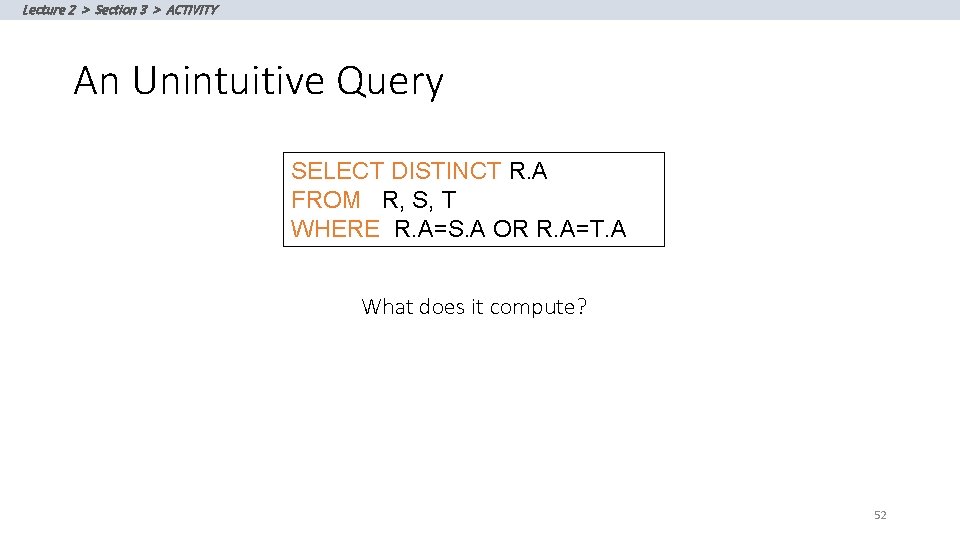
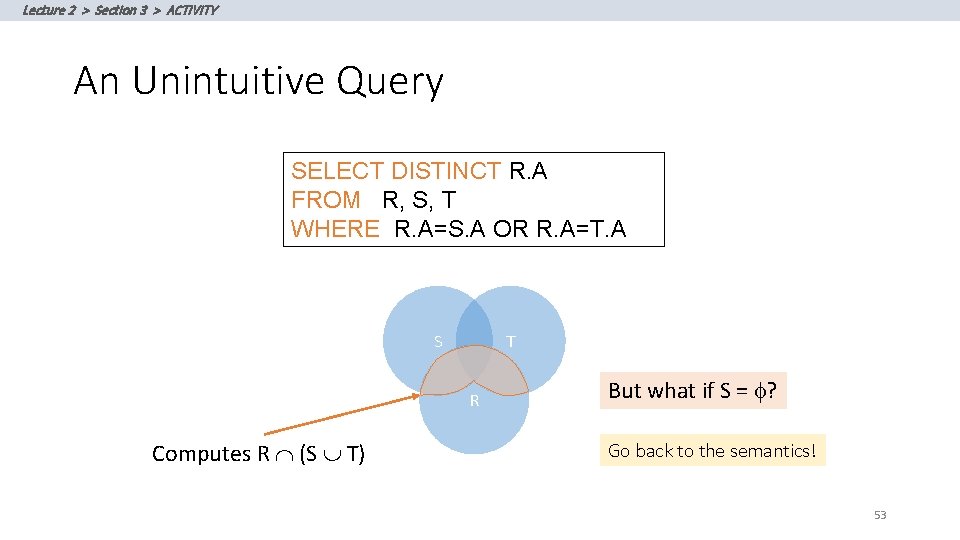
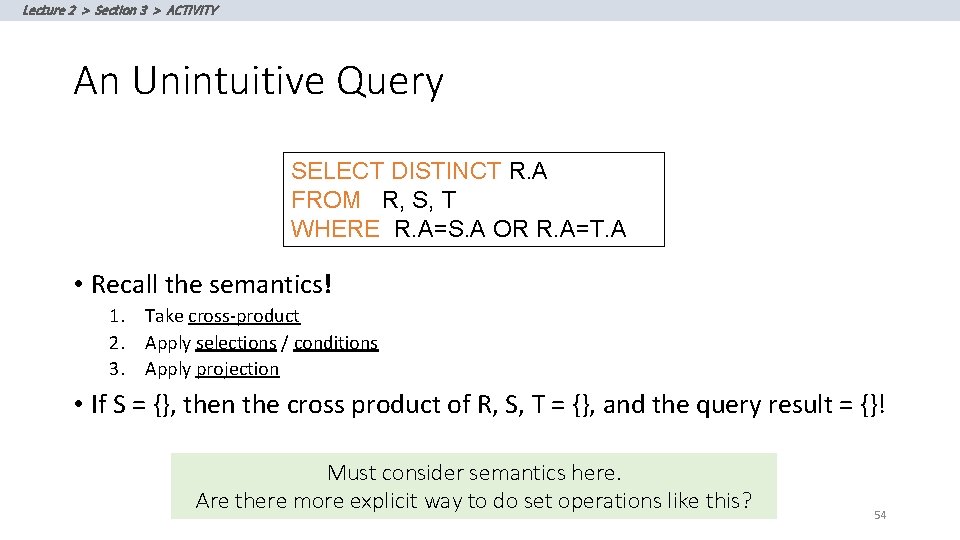
Lecture 2 > Section 3 > ACTIVITY An Unintuitive Query SELECT DISTINCT R. A FROM R, S, T WHERE R. A=S. A OR R. A=T. A What does it compute? 52
Lecture 2 > Section 3 > ACTIVITY An Unintuitive Query SELECT DISTINCT R. A FROM R, S, T WHERE R. A=S. A OR R. A=T. A S T R Computes R Ç (S T) But what if S = f? Go back to the semantics! 53
Lecture 2 > Section 3 > ACTIVITY An Unintuitive Query SELECT DISTINCT R. A FROM R, S, T WHERE R. A=S. A OR R. A=T. A • Recall the semantics! 1. Take cross-product 2. Apply selections / conditions 3. Apply projection • If S = {}, then the cross product of R, S, T = {}, and the query result = {}! Must consider semantics here. Are there more explicit way to do set operations like this? 54
Lecture 2 & 3 > SUMMARY Summary SQL is a rich programming language that handles the way data is processed declaratively 55