
Lecture Set 1 Part C Introduction to Programming
- Slides: 37
Lecture Set 1 Part C - Introduction to Programming and the. NET Framework 10/28/2021
Objectives -- What we will learn about as the course progresses… Visual Studio – how to use it – more details This all about terminology you have to use it to learn it it is like a new language – if you do not use it in conversing with me and your classmates we will have problems everywhere – especially on tests etc Some of the terms … n n n The. NET Framework – navigating around and making the most of this tool and its parts The Common Language Runtime (CLR) and how to build applications an component libraries in the CLR The Framework Class Library (FCL) The Common Type System (CTS) more … Slide 2 7/29/2013 3: 00 PM
More on What We Will Learn … n n n OOP programming features Event driven programming – it’s different Structured exception handling Memory management Working with sequential files and databases The breakdown – • • Slide 3 Lectures – what and why of. NET Labs – how to do it 7/29/2013 3: 00 PM
Dot NET and COM n n Slide 4 COM = Component Object Model Microsoft technology Makes it possible to distribute and reuse code using DLLs What is a dll? Supports language interoperability 7/29/2013 3: 00 PM
Dot NET and Java Platform n Java platform n Supports many modern features § § § n Slide 5 Method overloading Parameterized constructors Inheritance Garbage collection Compilation into an intermediate language that is platform independent Dot NET is Microsoft’s “competitive” response to Java (the language and the platform) 7/31/2008 3: 00 PM
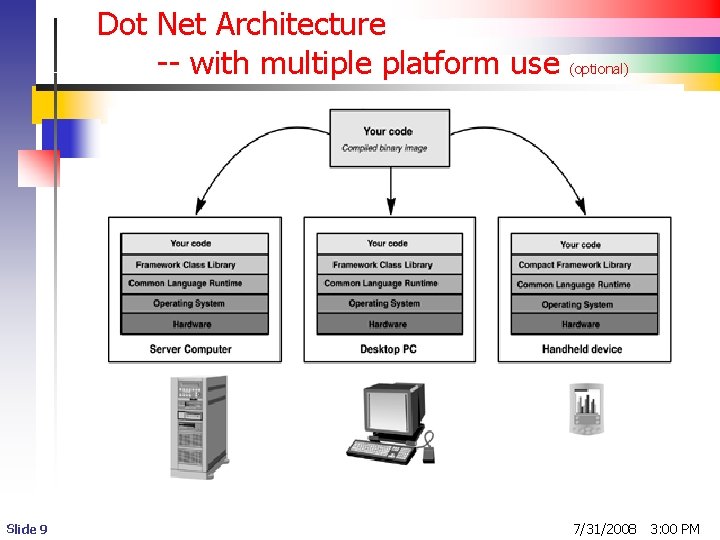
The Dot NET Platform 1 n (optional) Improvements on COM n n n Better OOP support Easier to master Easier to deploy § Easier to distribute and modify DLLs n n Slide 6 Totally platform independent – not coupled to particular hardware or OS architecture (can run on high end servers as well as handheld devices and client machines (our own PCs) The basic view 7/31/2008 3: 00 PM
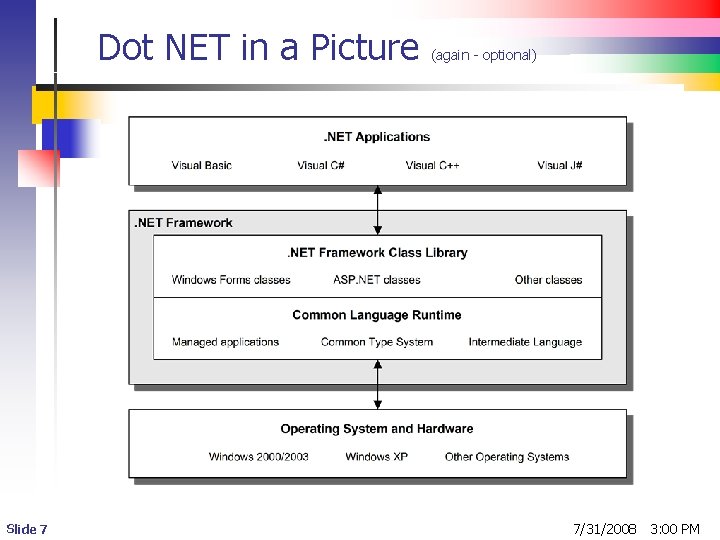
Dot NET in a Picture Slide 7 (again - optional) 7/31/2008 3: 00 PM
Dot NET Platform 2 - CLR n Dot Net Framework – several versions n n n Common Language Runtime System n n n Slide 8 The standard framework we use The CF or compact framework used on lightweight devices – pocket PCs, cell phones, etc Standard runtime environment Execution engine – loads and executes code Managed code – all software written to target to. NET Framework is known by this name 7/31/2008 3: 00 PM
Dot Net Architecture -- with multiple platform use Slide 9 (optional) 7/31/2008 3: 00 PM
Dot Net Platform 3 - CLI n n Common Language Infrastructure Drafted blueprint for creating implementations of. NET on systems such as UNIX and OS X (more on this later) n n In other words – the CLI is like a Standard If the standard is adhered to by all. NET languages, you can … § write systems using these different languages § run these systems on different computers using different operating systems Slide 10 7/31/2013 3: 00 PM
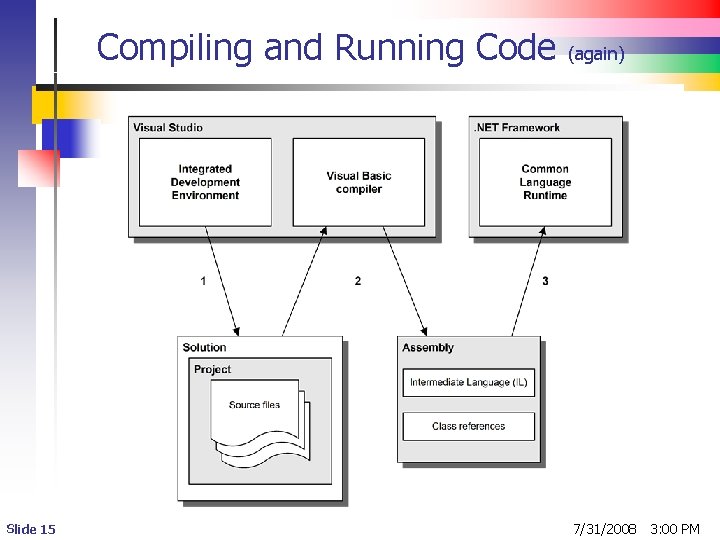
Compiling a. NET Program n n Visual Studio compiles a program into machine independent assembly language called intermediate language (IL) or Microsoft Intermediate Language (MSIL) IL gets translated into executable code using the just-in-time compiler (JIT) n n Slide 11 The process is automatic It is done on a method-by-method basis the first time a method is called 7/30/2013 7: 30 PM
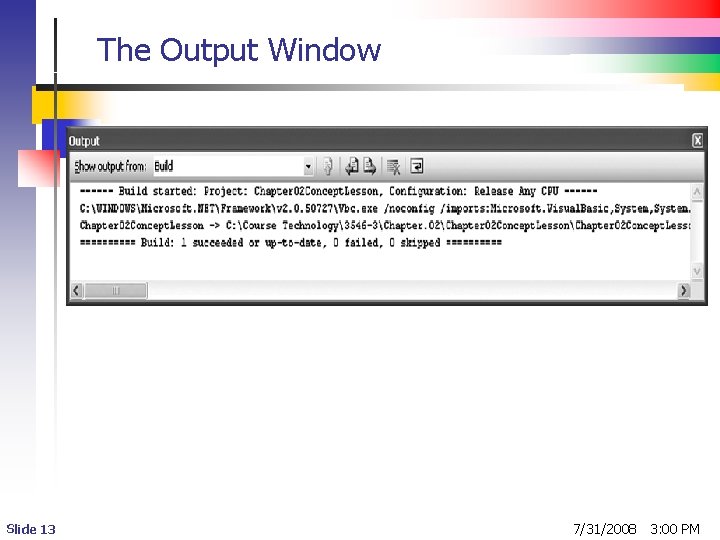
Compiling and Executing a Visual Studio Project n Clicking Build Project. Name builds of compiles a project n n Slide 12 project name Visual Studio calls the C# Compiler n n Project. Name is a placeholder for the actual Project configuration options are used to set the compiler options Compiler output appears in the Output window 7/29/2013 3: 00 PM
The Output Window Slide 13 7/31/2008 3: 00 PM
Executing a Visual Studio Project n n n Slide 14 Pressing F 5 builds and runs a project Clicking Debug, Start Debugging builds and runs a project in Debug Mode Console Application output appears in a Command Prompt window 7/29/2013 3: 00 PM
Compiling and Running Code Slide 15 (again) 7/31/2008 3: 00 PM
Managed Code and Assemblies 1 n n Key aspect of. NET Framework Managed code is what makes multiple language use really work in. NET We have managed versions of all. NET Languages such as C#, J#, C++, VB, COBOL Each such language must have its own. NET compiler n n Slide 16 Translates language code into a multipart Assembly – package of managed code components used for distribution and deployment Building blocks for. NET applications Managed code must meet a set of predetermined specifications defined by the Common Language Infrastructure (we will learn more about this later) 7/29/2013 3: 00 PM
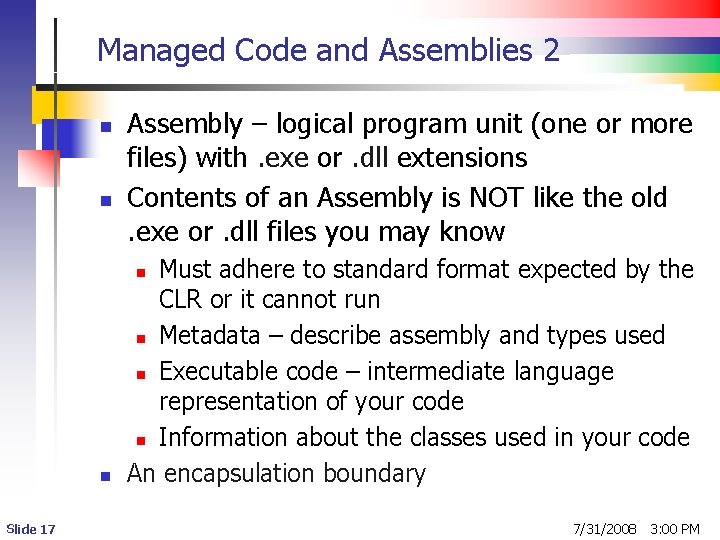
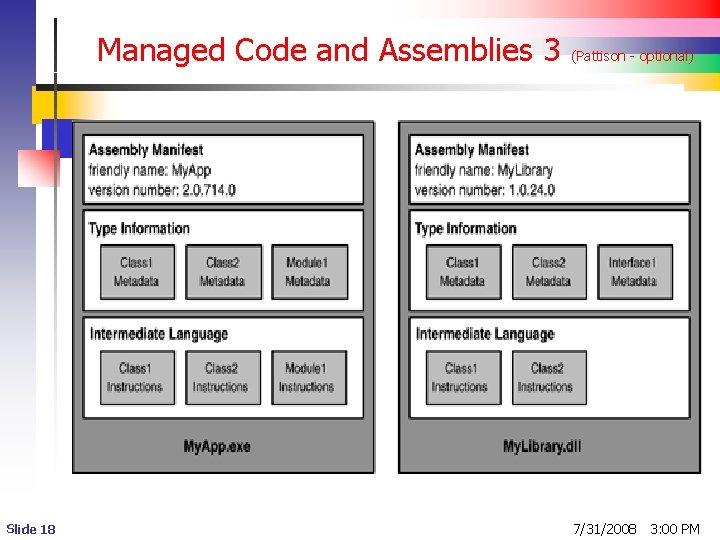
Managed Code and Assemblies 2 n n Assembly – logical program unit (one or more files) with. exe or. dll extensions Contents of an Assembly is NOT like the old. exe or. dll files you may know Must adhere to standard format expected by the CLR or it cannot run n Metadata – describe assembly and types used n Executable code – intermediate language representation of your code n Information about the classes used in your code An encapsulation boundary n n Slide 17 7/31/2008 3: 00 PM
Managed Code and Assemblies 3 Slide 18 (Pattison - optional) 7/31/2008 3: 00 PM
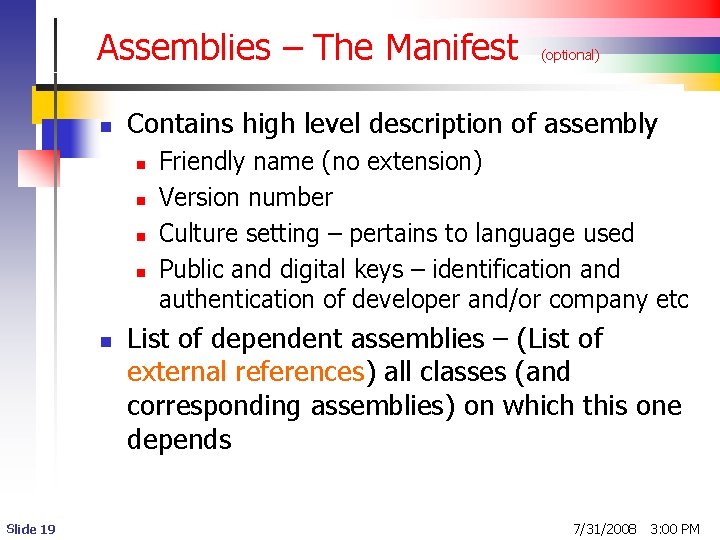
Assemblies – The Manifest n Contains high level description of assembly n n n Slide 19 (optional) Friendly name (no extension) Version number Culture setting – pertains to language used Public and digital keys – identification and authentication of developer and/or company etc List of dependent assemblies – (List of external references) all classes (and corresponding assemblies) on which this one depends 7/31/2008 3: 00 PM
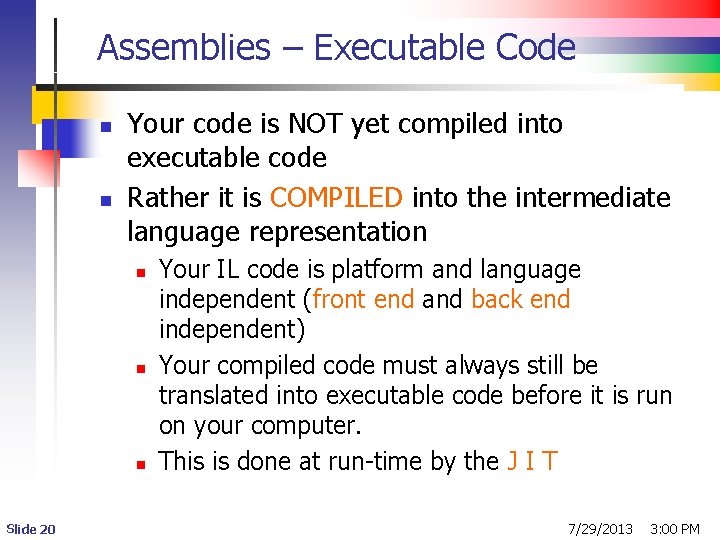
Assemblies – Executable Code n n Your code is NOT yet compiled into executable code Rather it is COMPILED into the intermediate language representation n Slide 20 Your IL code is platform and language independent (front end and back end independent) Your compiled code must always still be translated into executable code before it is run on your computer. This is done at run-time by the J I T 7/29/2013 3: 00 PM
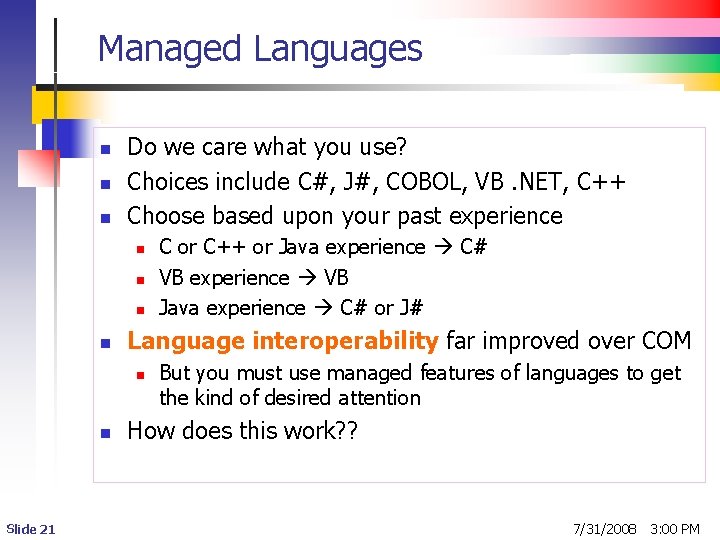
Managed Languages n n n Do we care what you use? Choices include C#, J#, COBOL, VB. NET, C++ Choose based upon your past experience n n Language interoperability far improved over COM n n Slide 21 C or C++ or Java experience C# VB experience VB Java experience C# or J# But you must use managed features of languages to get the kind of desired attention How does this work? ? 7/31/2008 3: 00 PM
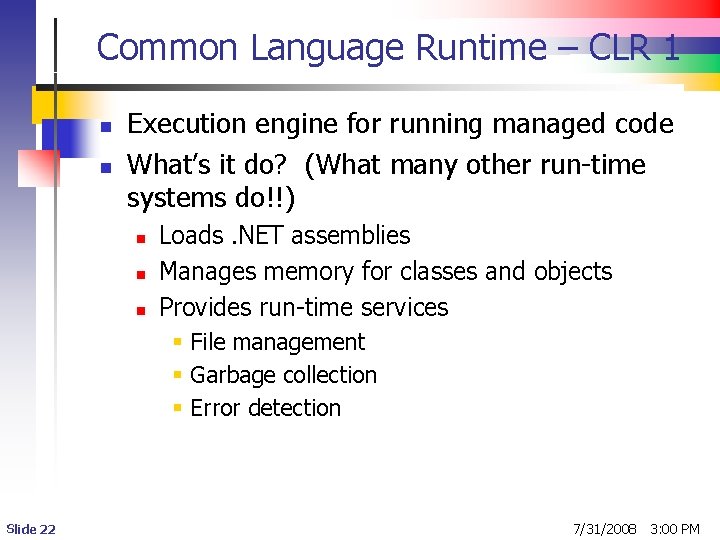
Common Language Runtime – CLR 1 n n Execution engine for running managed code What’s it do? (What many other run-time systems do!!) n n n Loads. NET assemblies Manages memory for classes and objects Provides run-time services § File management § Garbage collection § Error detection Slide 22 7/31/2008 3: 00 PM
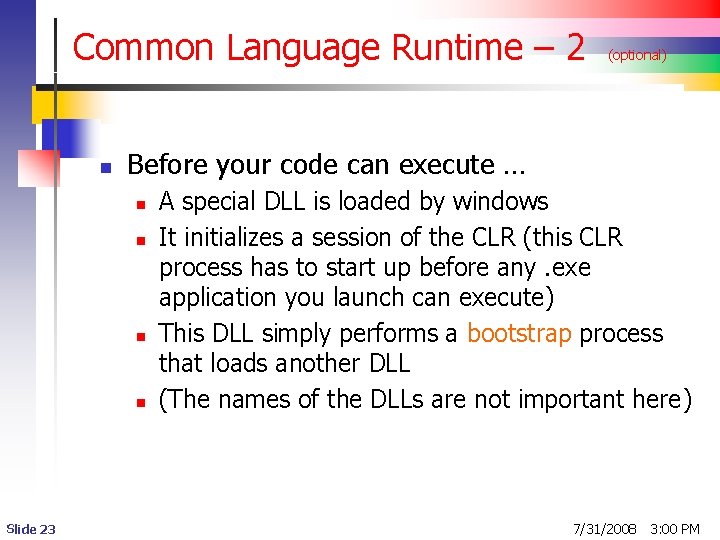
Common Language Runtime – 2 n Before your code can execute … n n Slide 23 (optional) A special DLL is loaded by windows It initializes a session of the CLR (this CLR process has to start up before any. exe application you launch can execute) This DLL simply performs a bootstrap process that loads another DLL (The names of the DLLs are not important here) 7/31/2008 3: 00 PM
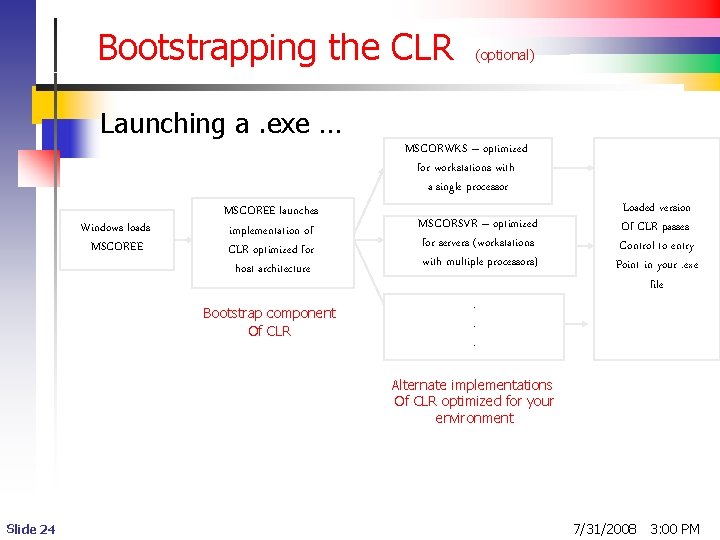
Bootstrapping the CLR (optional) Launching a. exe … MSCORWKS – optimized for workstations with a single processor Windows loads MSCOREE launches implementation of CLR optimized for host architecture MSCORSVR – optimized for servers (workstations with multiple processors) Bootstrap component Of CLR . . . Loaded version Of CLR passes Control to entry Point in your. exe file Alternate implementations Of CLR optimized for your environment Slide 24 7/31/2008 3: 00 PM
Starting Up an Application n Ah, but it is not quite that simple … Why not? The executable aspects of your. exe and. dll assemblies are still in the intermediate language form n n Slide 25 Need quick translation to native machine code that can be directly executed on the targeted (host) machine Just-In-Time (JIT) translation 7/29/2013 3: 00 PM
The Just in Time Approach 1 n n Granular Continues over life time of application One method at a time SO … when a method in class in an assembly is needed for the first time … n n Slide 26 CLR inspects metadata for a referenced assembly (. dll or. exe) to ensure it meets requirements for managed code CLR locates entry point method in assembly CLR loads assembly (contains IL representation of executable code) As a method is called, it is translated into machine code for the targeted architecture (“Just-in-time” compilation) 7/31/2008 3: 00 PM
The Just in Time Approach 2 n n Applications begin execution at the entry point method in a. exe file If a method in a. dll is called: n n n Slide 27 The application. exe gets the information it needs about the. dll from the reference information in the. exe manifest CLR locates assembly file (the. dll) to be loaded (this is called assembly resolution) Only the called method in the. dll is translated at the start 7/31/2008 3: 00 PM
Managed Execution n n Advantages No need for direct memory management n n Manages memory behind the scenes Safe mode – no pointers § Protects against poorly written code § No tricks with pointers – no buffer overflow attack § CLR catches unsafe code in verification checks § Security features – Code Access Security CAS n n Slide 28 More granular than what Windows allows – by Assembly Fewer common hard to find bugs Higher human productivity C#. NET does not allow unsafe code 7/29/2013 3: 00 PM
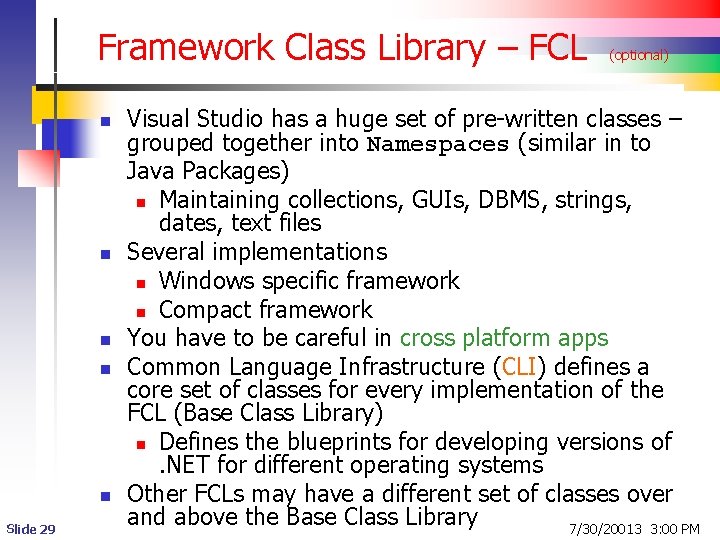
Framework Class Library – FCL n n n Slide 29 (optional) Visual Studio has a huge set of pre-written classes – grouped together into Namespaces (similar in to Java Packages) n Maintaining collections, GUIs, DBMS, strings, dates, text files Several implementations n Windows specific framework n Compact framework You have to be careful in cross platform apps Common Language Infrastructure (CLI) defines a core set of classes for every implementation of the FCL (Base Class Library) n Defines the blueprints for developing versions of. NET for different operating systems Other FCLs may have a different set of classes over and above the Base Class Library 7/30/20013 3: 00 PM
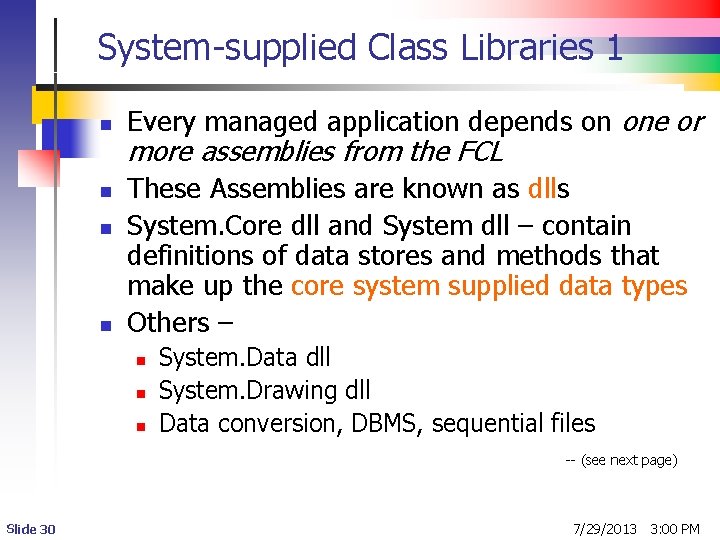
System-supplied Class Libraries 1 n n Every managed application depends on one or more assemblies from the FCL These Assemblies are known as dlls System. Core dll and System dll – contain definitions of data stores and methods that make up the core system supplied data types Others – n n n System. Data dll System. Drawing dll Data conversion, DBMS, sequential files -- (see next page) Slide 30 7/29/2013 3: 00 PM
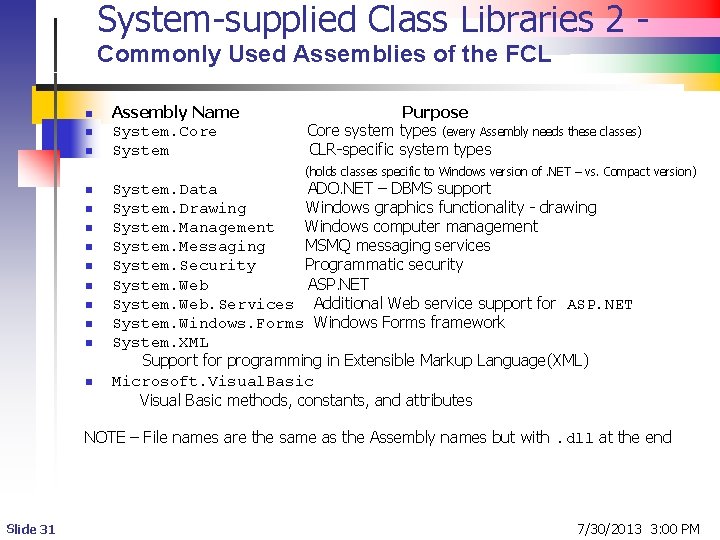
System-supplied Class Libraries 2 Commonly Used Assemblies of the FCL n n n Assembly Name System. Core System Purpose Core system types (every Assembly needs these classes) CLR-specific system types (holds classes specific to Windows version of. NET – vs. Compact version) n n n n n System. Data ADO. NET – DBMS support System. Drawing Windows graphics functionality - drawing System. Management Windows computer management System. Messaging MSMQ messaging services System. Security Programmatic security System. Web ASP. NET System. Web. Services Additional Web service support for ASP. NET System. Windows. Forms Windows Forms framework System. XML Support for programming in Extensible Markup Language(XML) Microsoft. Visual. Basic Visual Basic methods, constants, and attributes NOTE – File names are the same as the Assembly names but with. dll at the end Slide 31 7/30/2013 3: 00 PM
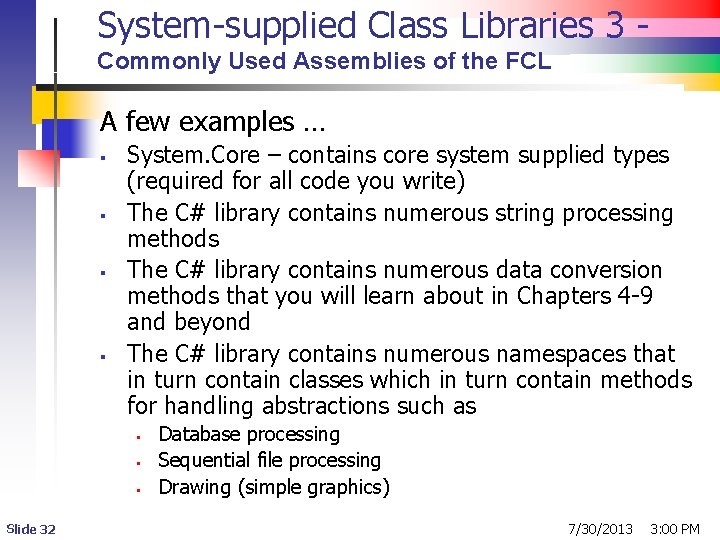
System-supplied Class Libraries 3 Commonly Used Assemblies of the FCL A few examples … § § System. Core – contains core system supplied types (required for all code you write) The C# library contains numerous string processing methods The C# library contains numerous data conversion methods that you will learn about in Chapters 4 -9 and beyond The C# library contains numerous namespaces that in turn contain classes which in turn contain methods for handling abstractions such as § § § Slide 32 Database processing Sequential file processing Drawing (simple graphics) 7/30/2013 3: 00 PM
System-supplied Class Libraries 4 Commonly Used Assemblies of the FCL n n n Slide 33 More examples … The System. Drawing library contains methods for handling colors, brushes, shapes, lines, etc. The System. Data library contains methods that support ADO. NET (Active. X Data Objects) for database access and processing 7/31/2008 3: 00 PM
Applications Several kinds of applications: desktop and server-side n Desktop (CIS 3309) n n n Server-side (CIS 3309, 4344) n Slide 34 Console (desktop) – batch oriented tasks; display messages through console window § Can run thru Windows Explorer or DOS commands § Uses a console system class Windows Forms § Rich user interface – loads of controls § Looks like an e-commerce page § Games? ASP. NET – for creation of server-side apps to communicate with client apps across network using HTTP (Hypertext Transfer Protocol) 7/30/2013 3: 00 PM
Why use. NET? 1 n n (optional) Move away from Windows 32 bit API and COM-based APIs – a Microsoft decision Integrated Development Environment (IDE) – Much improved for designing, writing and debugging software n Platform neutrality / language neutrality n Managed language support Framework Class Library Mechanisms for code distribution and deployment Improved security n n Slide 35 7/30/2013 3: 00 PM
Why use. NET? 2 n n n Slide 36 (optional) Better execution performance Far better software engineering capabilities across all aspects of the development process Easier to create distributed applications across vendor and platform boundaries Easier to build distributed applications in larger networked environments such as the Internet Take advantage of various class libraries facilitating targeting to lightweight and special devices such as pocket PCs, cell phones, tablet PCs, etc Interoperability with older code – staged conversion 7/30/2013 3: 00 PM
Costs of using Dot Net n Lots to learn … become comfortable with: n n n n Slide 37 (optional) New suite of development tools – IDE Visual Basic. NET Inner workings of the CLR Become familiar with the classes in the FCL Distribution, deployment, and revision How to go about transitioning from old code to. NET code Comes with a lot of execution time “overhead” or “baggage” We focus more on top 4 items; less on last 3 7/30/2013 3: 00 PM