
Lecture on Job Definition Format Specification and Schema
Lecture on Job Definition Format „Specification and Schema (XML)“ Walter Kriha
Goals • Understand the main elements of the Job Definition Format • Learn how linking is done using ID/IDREF and other mechanisms • Understand how these elements are used in instances of JDF • Understand how the elements themselves are modelled using XMLSchema • Understand the main process ideas behind JDF • Learn how extension mechanisms are used to adapt JDF is a large and complex industry schema. Make yourself familiar with its features by going through the documentation at www. cip 4. org

The Vision of JDF from: Doug Belkofer, Printcafe, http: //www. cip 4. org/documents/jdf_overview/cip 4_semin ars_ipex 2002/JDF_Vision. ppt Prepress Postpress Print Managemen t System JDF/JMF Data
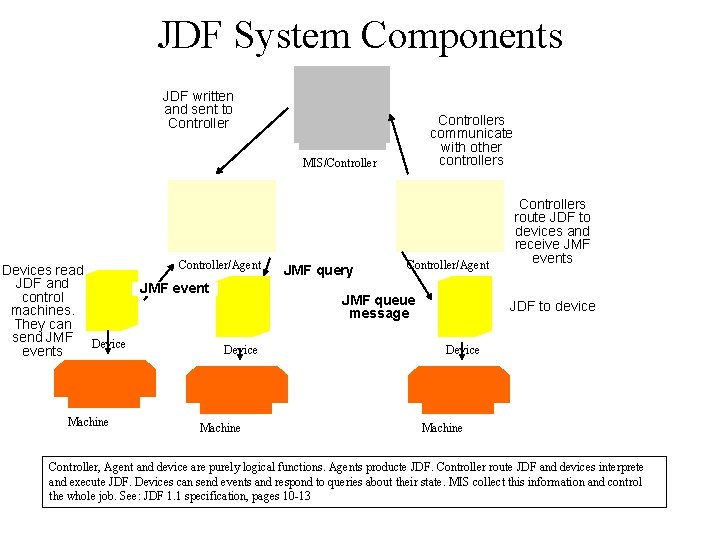
JDF System Components JDF written and sent to Controllers communicate with other controllers MIS/Controller Devices read JDF and control machines. They can send JMF Device events Machine Controller/Agent JMF event JMF query Controller/Agent JMF queue message Device Machine Controllers route JDF to devices and receive JMF events JDF to device Device Machine Controller, Agent and device are purely logical functions. Agents producte JDF. Controller route JDF and devices interprete and execute JDF. Devices can send events and respond to queries about their state. MIS collect this information and control the whole job. See: JDF 1. 1 specification, pages 10 -13
Tools A good schema editing tool is a necessity if you want to learn more about JDF since the schema itself is very large. The use of XMLSchema also creates some problems as some well known XML tools cannot handle it yet (they still expect DTDs). For all practical purposes XML-Spy seems to be a good tool to work with. You need different views on the schema (tree view, schema view, source view) which is supported nicely. The menu-item „Extract XML“ is useful to extract single elements from this large schema, e. g. to look at how inheritance is used by JDF. To. Do: what other tools could be useful? I believe a hyperbolic tree viewer would be very nice.

JDF Nodes and Hierarchies (1) restricted scope/visibility of child properties node inheritance from parent context node parallel execution of independent processes node direction of progress from left to right The parent/child relationship in a tree can be semantically overloaded in various ways: JDF uses this e. g. to make child elements „inherit“ values from a parent context to prevent child nodes from acessing resources not in their ancestors path. It looks like JDF would also use the horizontal relations to indicate processing flow but this is not true: the node internal resource definitions (input/output) control process flow through a producer/consumer mechanism.
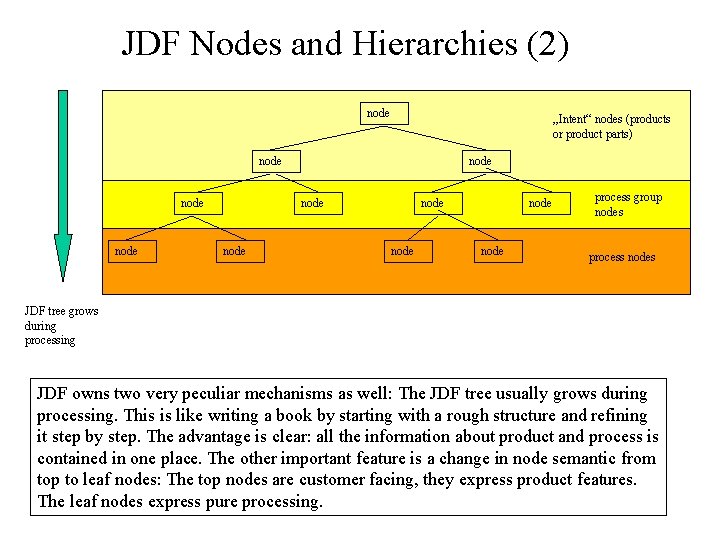
JDF Nodes and Hierarchies (2) node „Intent“ nodes (products or product parts) node node node process group nodes process nodes JDF tree grows during processing JDF owns two very peculiar mechanisms as well: The JDF tree usually grows during processing. This is like writing a book by starting with a rough structure and refining it step by step. The advantage is clear: all the information about product and process is contained in one place. The other important feature is a change in node semantic from top to leaf nodes: The top nodes are customer facing, they express product features. The leaf nodes express pure processing.

JDF Nodes and Hierarchies (3) book cover content Cover Production Cover 1 Cover 2 „Intent“ nodes (products or product parts) color cover finishing Rip process group nodes b/w Print Rip Print Bind process nodes More specific steps are at the bottom of the hierarchy. The parent/child relation controls the visibility of resources for children. „Bind“ e. g. can only use resources for input that are defined at the top node „book“.
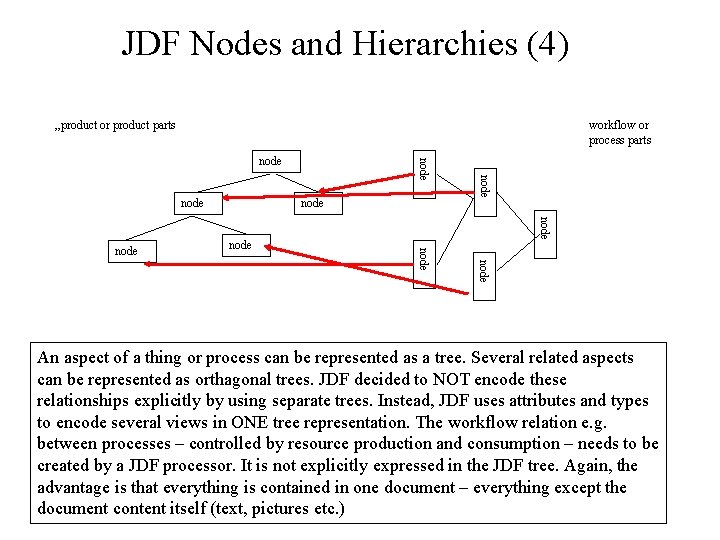
JDF Nodes and Hierarchies (4) „product or product parts workflow or process parts node node node An aspect of a thing or process can be represented as a tree. Several related aspects can be represented as orthagonal trees. JDF decided to NOT encode these relationships explicitly by using separate trees. Instead, JDF uses attributes and types to encode several views in ONE tree representation. The workflow relation e. g. between processes – controlled by resource production and consumption – needs to be created by a JDF processor. It is not explicitly expressed in the JDF tree. Again, the advantage is that everything is contained in one document – everything except the document content itself (text, pictures etc. )
Main JDF Elements (1) JDF Node: expresses either products or product parts (e. g. cover, insert) or a production process (e. g. binding). A node can contain child nodes and usually defines resources which are exported or imported from child nodes) Resource: anything that is necessary to produce an output: consumables, parameter, components, intents, implementation related things etc. Resources are the central elements of process flow in JDF – even though they are passive. Resource Link: JDF distinguishes the definition of a resource within some node and its reference from child nodes. The reference link is a separate construct within JDF and can be qualified as an input or output link. Resource[Link]Pool: Container elements which hold either resources or resource links. Nodes can have more pools, not just resource related pools (e. g. audit pools)

Main JDF Elements (2) Audit/Audit Pool: an in-document database which tracks execution flow and process status. Alternatively JDF processors can use JMF messages to report/track progress. Audit elements will contain copies of JDF elements which are referenced but have changed during processing. Node Info: contains information about scheduling and routing of messages. Used by MIS for planning, scheduling, invoicing of jobs. (Specification pg. 49) Customer Info: holds information about the company that ordered the job, billing data, customer id and job name etc. Seems to serve as an anchor for resource references in case of spawning jobs. Status Pool: Some nodes contain several partitioned resources and can therefore have a different status in these resources. Individual parts are addressed using attributes as parameters (e. g. Part. IDKey) JDF specifies a lot of different process or resource elements, actually, most of the spec. is about those two elements.
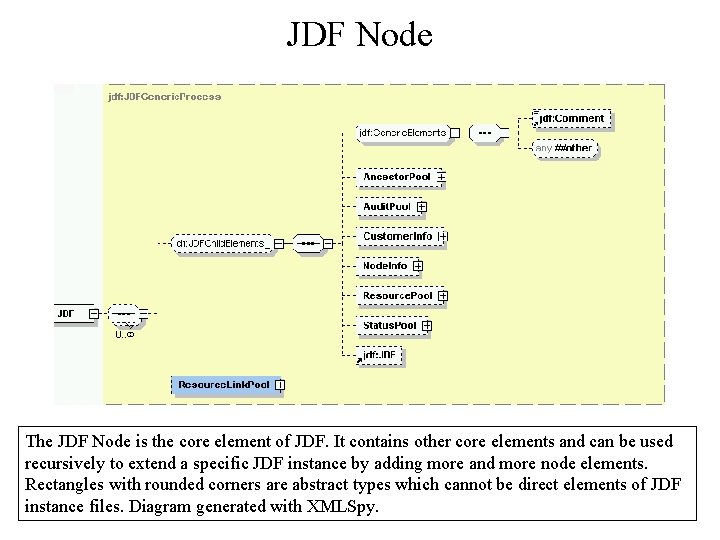
JDF Node The JDF Node is the core element of JDF. It contains other core elements and can be used recursively to extend a specific JDF instance by adding more and more node elements. Rectangles with rounded corners are abstract types which cannot be direct elements of JDF instance files. Diagram generated with XMLSpy.
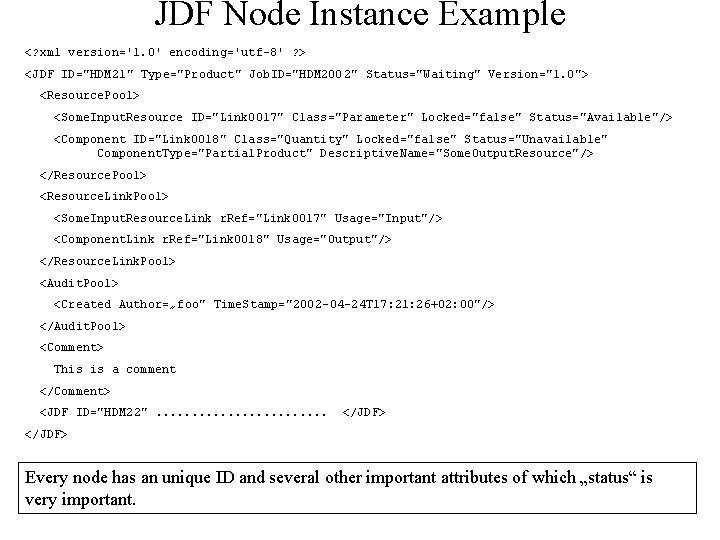
JDF Node Instance Example <? xml version='1. 0' encoding='utf-8' ? > <JDF ID="HDM 21" Type="Product" Job. ID="HDM 200 2" Status="Waiting" Version="1. 0"> <Resource. Pool> <Some. Input. Resource ID="Link 0017" Class="Parameter" Locked="false" Status="Available"/> <Component ID="Link 0018" Class="Quantity" Locked="false" Status="Unavailable" Component. Type="Partial. Product" Descriptive. Name="Some. Output. Resource"/> </Resource. Pool> <Resource. Link. Pool> <Some. Input. Resource. Link r. Ref="Link 0017" Usage="Input"/> <Component. Link r. Ref="Link 0018" Usage="Output"/> </Resource. Link. Pool> <Audit. Pool> <Created Author=„foo" Time. Stamp="2002 -04 -24 T 17: 21: 26+02: 00"/> </Audit. Pool> <Comment> This is a comment </Comment> <JDF ID="HDM 22". . . </JDF> Every node has an unique ID and several other important attributes of which „status“ is very important.

Main JDF node Attributes ID is the unique identifier of a node, Job. ID and Job. Part. ID are set by an MIS application to identify jobs. Node types are Product, Process. Group, Combined and individual process elements. Status can be „Ready“, „waiting“, „inprogress“ etc. Activation sets the run mode for a whole subtree of nodes. The value of activation is inherited by child nodes.
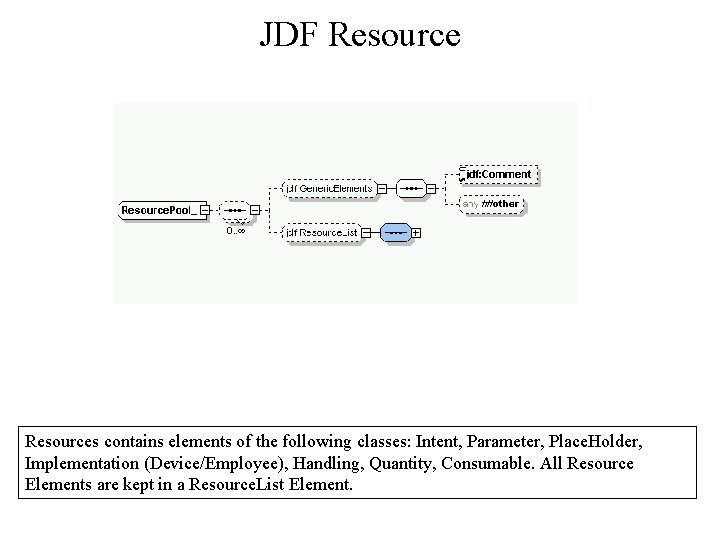
JDF Resources contains elements of the following classes: Intent, Parameter, Place. Holder, Implementation (Device/Employee), Handling, Quantity, Consumable. All Resource Elements are kept in a Resource. List Element.
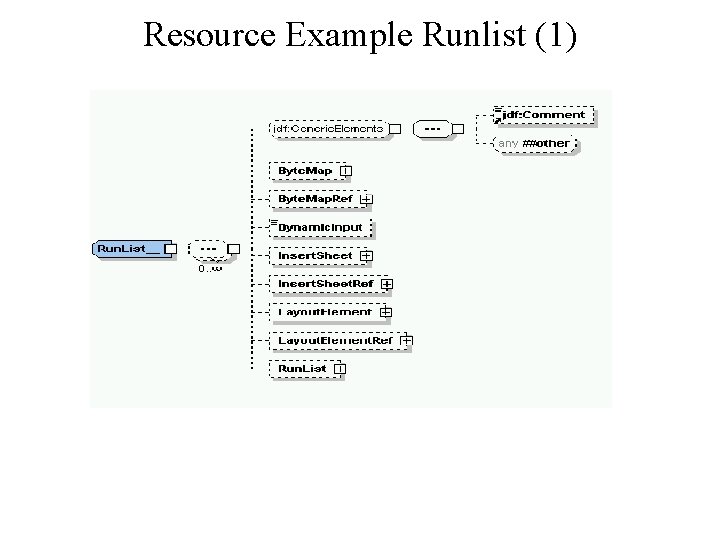
Resource Example Runlist (1)
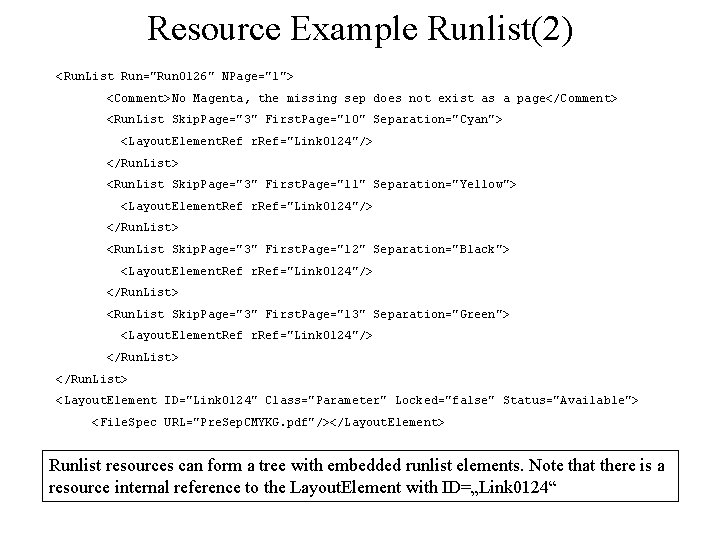
Resource Example Runlist(2) <Run. List Run="Run 0126" NPage="1"> <Comment>No Magenta, the missing sep does not exist as a page</Comment> <Run. List Skip. Page="3" First. Page="10" Separation="Cyan"> <Layout. Element. Ref r. Ref="Link 0124"/> </Run. List> <Run. List Skip. Page="3" First. Page="11" Separation="Yellow"> <Layout. Element. Ref r. Ref="Link 0124"/> </Run. List> <Run. List Skip. Page="3" First. Page="12" Separation="Black"> <Layout. Element. Ref r. Ref="Link 0124"/> </Run. List> <Run. List Skip. Page="3" First. Page="13" Separation="Green"> <Layout. Element. Ref r. Ref="Link 0124"/> </Run. List> <Layout. Element ID="Link 0124" Class="Parameter" Locked="false" Status="Available"> <File. Spec URL="Pre. Sep. CMYKG. pdf"/></Layout. Element> Runlist resources can form a tree with embedded runlist elements. Note that there is a resource internal reference to the Layout. Element with ID=„Link 0124“
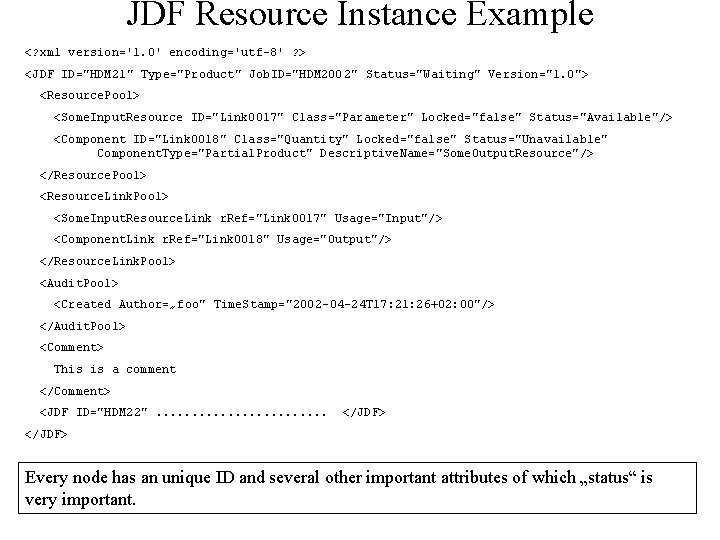
JDF Resource Instance Example <? xml version='1. 0' encoding='utf-8' ? > <JDF ID="HDM 21" Type="Product" Job. ID="HDM 200 2" Status="Waiting" Version="1. 0"> <Resource. Pool> <Some. Input. Resource ID="Link 0017" Class="Parameter" Locked="false" Status="Available"/> <Component ID="Link 0018" Class="Quantity" Locked="false" Status="Unavailable" Component. Type="Partial. Product" Descriptive. Name="Some. Output. Resource"/> </Resource. Pool> <Resource. Link. Pool> <Some. Input. Resource. Link r. Ref="Link 0017" Usage="Input"/> <Component. Link r. Ref="Link 0018" Usage="Output"/> </Resource. Link. Pool> <Audit. Pool> <Created Author=„foo" Time. Stamp="2002 -04 -24 T 17: 21: 26+02: 00"/> </Audit. Pool> <Comment> This is a comment </Comment> <JDF ID="HDM 22". . . </JDF> Every node has an unique ID and several other important attributes of which „status“ is very important.
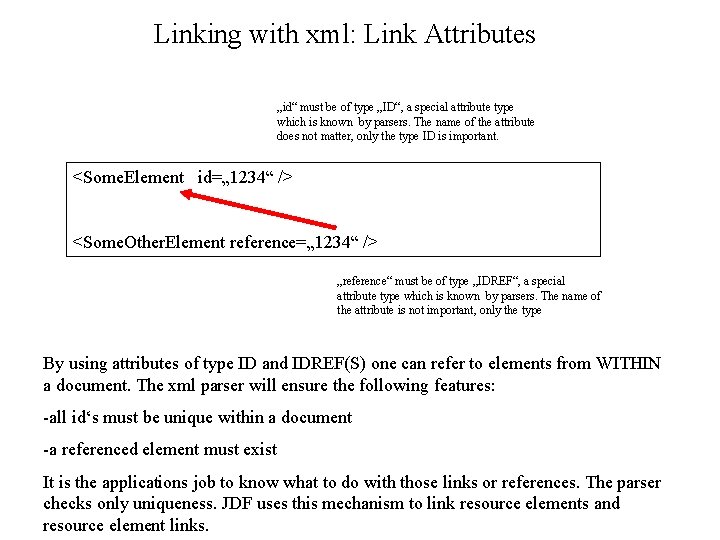
Linking with xml: Link Attributes „id“ must be of type „ID“, a special attribute type which is known by parsers. The name of the attribute does not matter, only the type ID is important. <Some. Element id=„ 1234“ /> <Some. Other. Element reference=„ 1234“ /> „reference“ must be of type „IDREF“, a special attribute type which is known by parsers. The name of the attribute is not important, only the type By using attributes of type ID and IDREF(S) one can refer to elements from WITHIN a document. The xml parser will ensure the following features: -all id‘s must be unique within a document -a referenced element must exist It is the applications job to know what to do with those links or references. The parser checks only uniqueness. JDF uses this mechanism to link resource elements and resource element links.
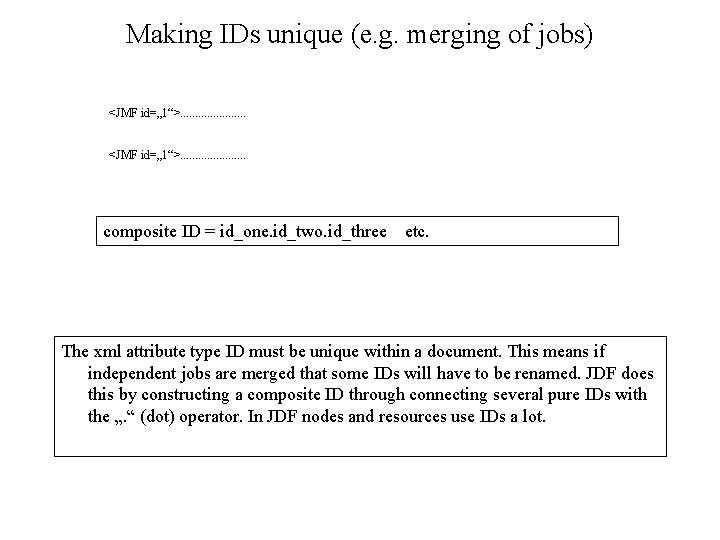
Making IDs unique (e. g. merging of jobs) <JMF id=„ 1“>. . . composite ID = id_one. id_two. id_three etc. The xml attribute type ID must be unique within a document. This means if independent jobs are merged that some IDs will have to be renamed. JDF does this by constructing a composite ID through connecting several pure IDs with the „. “ (dot) operator. In JDF nodes and resources use IDs a lot.
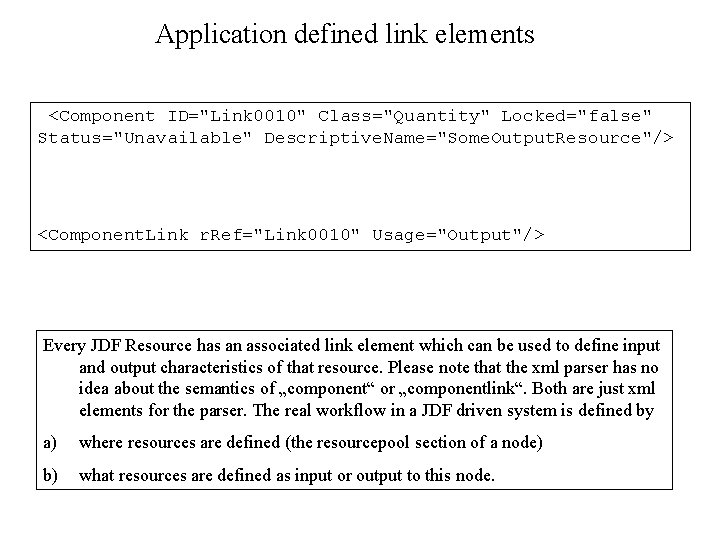
Application defined link elements <Component ID="Link 0010" Class="Quantity" Locked="false" Status="Unavailable" Descriptive. Name="Some. Output. Resource"/> <Component. Link r. Ref="Link 0010" Usage="Output"/> Every JDF Resource has an associated link element which can be used to define input and output characteristics of that resource. Please note that the xml parser has no idea about the semantics of „component“ or „componentlink“. Both are just xml elements for the parser. The real workflow in a JDF driven system is defined by a) where resources are defined (the resourcepool section of a node) b) what resources are defined as input or output to this node.
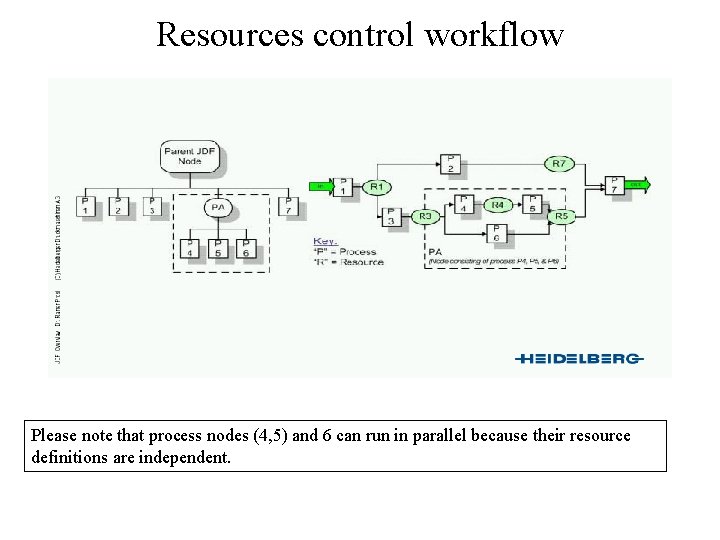
Resources control workflow Please note that process nodes (4, 5) and 6 can run in parallel because their resource definitions are independent.
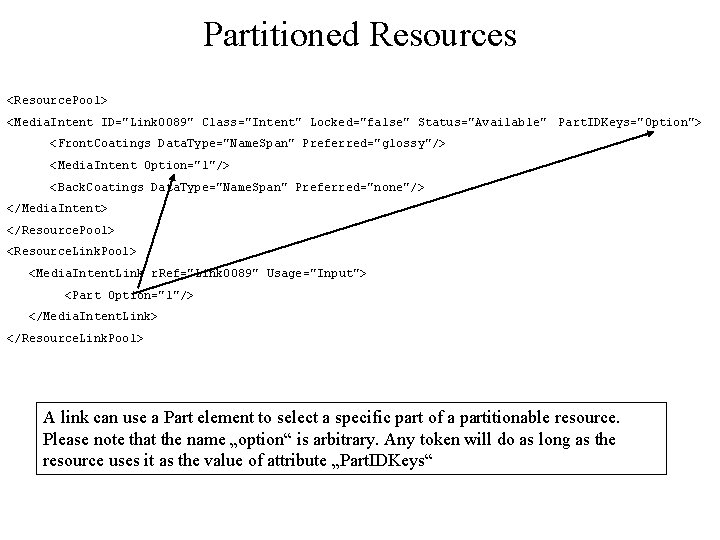
Partitioned Resources <Resource. Pool> <Media. Intent ID="Link 0089" Class="Intent" Locked="false" Status="Available" Part. IDKeys="Option"> <Front. Coatings Data. Type="Name. Span" Preferred="glossy"/> <Media. Intent Option="1"/> <Back. Coatings Data. Type="Name. Span" Preferred="none"/> </Media. Intent> </Resource. Pool> <Resource. Link. Pool> <Media. Intent. Link r. Ref="Link 0089" Usage="Input"> <Part Option="1"/> </Media. Intent. Link> </Resource. Link. Pool> A link can use a Part element to select a specific part of a partitionable resource. Please note that the name „option“ is arbitrary. Any token will do as long as the resource uses it as the value of attribute „Part. IDKeys“
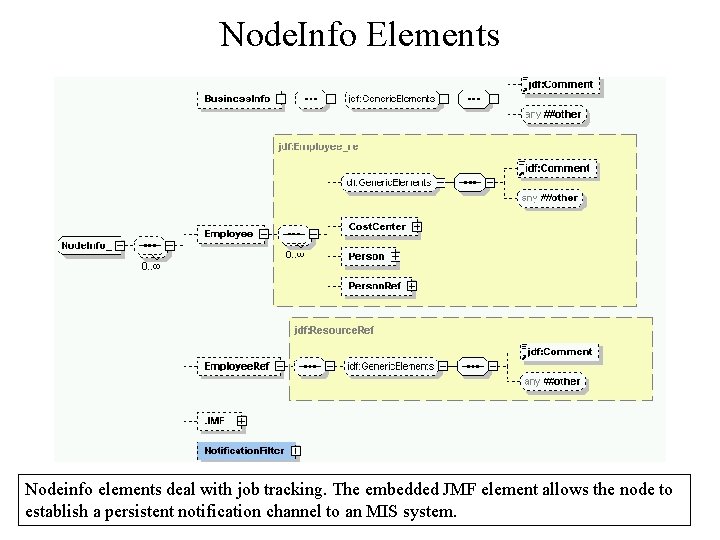
Node. Info Elements Nodeinfo elements deal with job tracking. The embedded JMF element allows the node to establish a persistent notification channel to an MIS system.
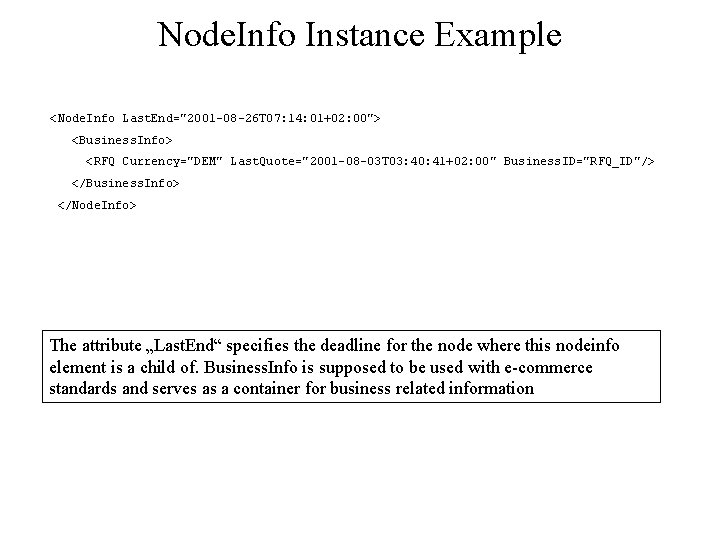
Node. Info Instance Example <Node. Info Last. End="2001 -08 -26 T 07: 14: 01+02: 00"> <Business. Info> <RFQ Currency="DEM" Last. Quote="2001 -08 -03 T 03: 40: 41+02: 00" Business. ID="RFQ_ID"/> </Business. Info> </Node. Info> The attribute „Last. End“ specifies the deadline for the node where this nodeinfo element is a child of. Business. Info is supposed to be used with e-commerce standards and serves as a container for business related information
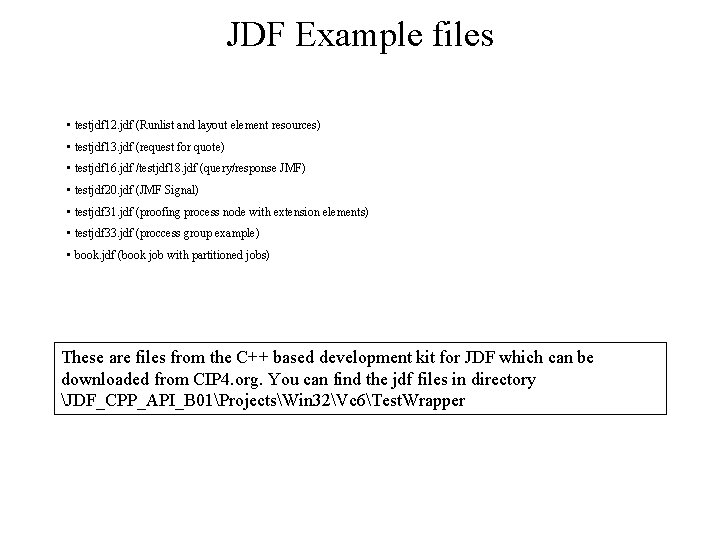
JDF Example files • testjdf 12. jdf (Runlist and layout element resources) • testjdf 13. jdf (request for quote) • testjdf 16. jdf /testjdf 18. jdf (query/response JMF) • testjdf 20. jdf (JMF Signal) • testjdf 31. jdf (proofing process node with extension elements) • testjdf 33. jdf (proccess group example) • book. jdf (book job with partitioned jobs) These are files from the C++ based development kit for JDF which can be downloaded from CIP 4. org. You can find the jdf files in directory JDF_CPP_API_B 01ProjectsWin 32Vc 6Test. Wrapper
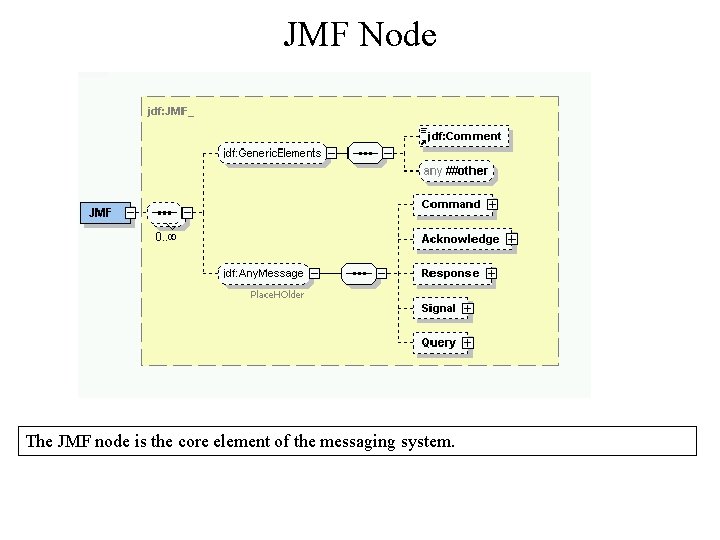
JMF Node The JMF node is the core element of the messaging system.
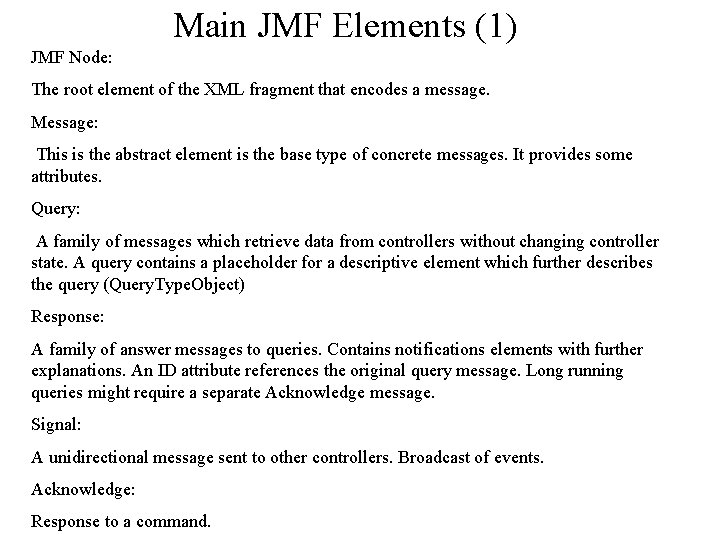
Main JMF Elements (1) JMF Node: The root element of the XML fragment that encodes a message. Message: This is the abstract element is the base type of concrete messages. It provides some attributes. Query: A family of messages which retrieve data from controllers without changing controller state. A query contains a placeholder for a descriptive element which further describes the query (Query. Type. Object) Response: A family of answer messages to queries. Contains notifications elements with further explanations. An ID attribute references the original query message. Long running queries might require a separate Acknowledge message. Signal: A unidirectional message sent to other controllers. Broadcast of events. Acknowledge: Response to a command.
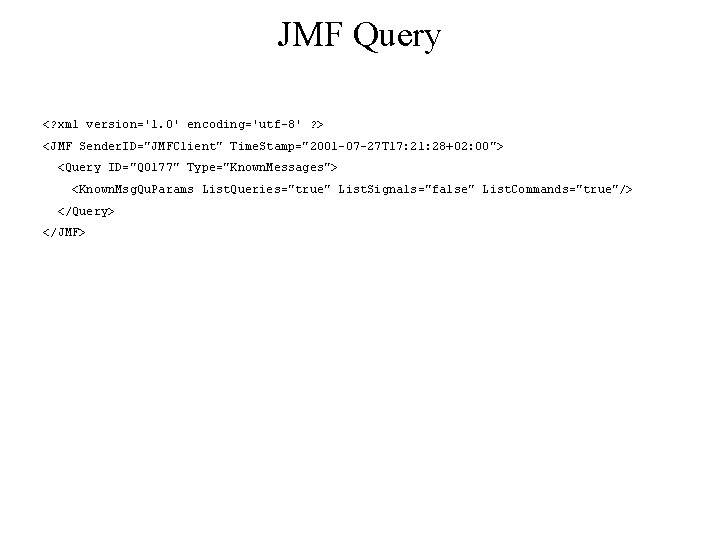
JMF Query <? xml version='1. 0' encoding='utf-8' ? > <JMF Sender. ID="JMFClient" Time. Stamp="2001 -07 -27 T 17: 21: 28+02: 00"> <Query ID="Q 0177" Type="Known. Messages"> <Known. Msg. Qu. Params List. Queries="true" List. Signals="false" List. Commands="true"/> </Query> </JMF>
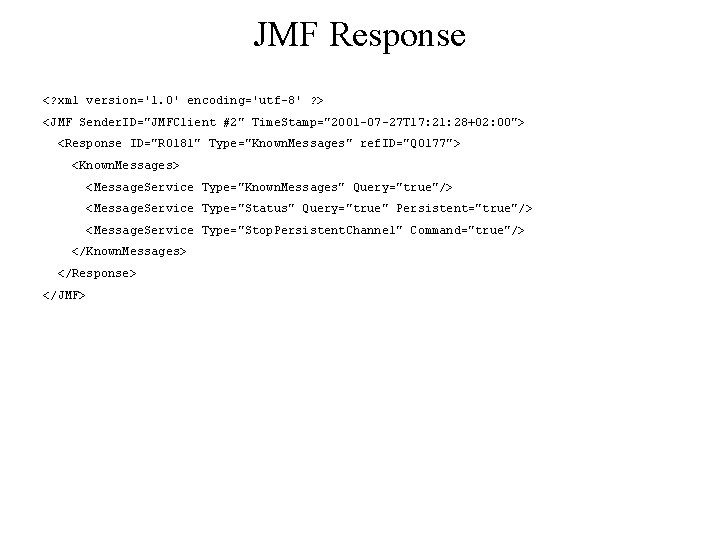
JMF Response <? xml version='1. 0' encoding='utf-8' ? > <JMF Sender. ID="JMFClient #2" Time. Stamp="2001 -07 -27 T 17: 21: 28+02: 00"> <Response ID="R 0181" Type="Known. Messages" ref. ID="Q 0177"> <Known. Messages> <Message. Service Type="Known. Messages" Query="true"/> <Message. Service Type="Status" Query="true" Persistent="true"/> <Message. Service Type="Stop. Persistent. Channel" Command="true"/> </Known. Messages> </Response> </JMF>
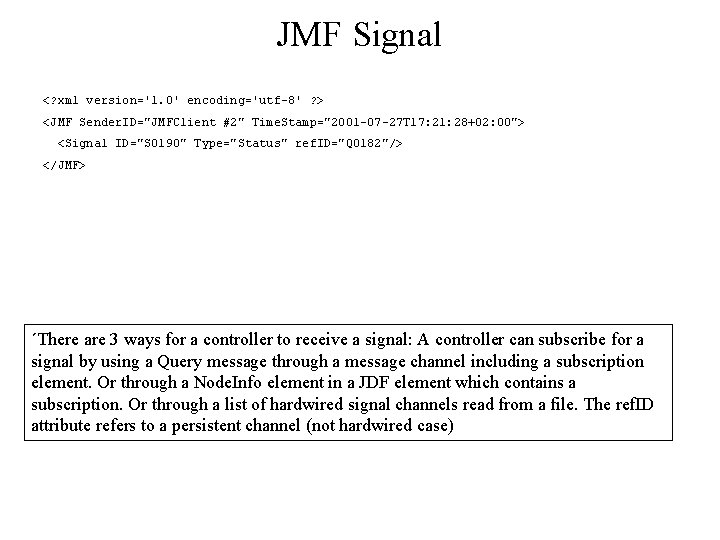
JMF Signal <? xml version='1. 0' encoding='utf-8' ? > <JMF Sender. ID="JMFClient #2" Time. Stamp="2001 -07 -27 T 17: 21: 28+02: 00"> <Signal ID="S 0190" Type="Status" ref. ID="Q 0182"/> </JMF> ´There are 3 ways for a controller to receive a signal: A controller can subscribe for a signal by using a Query message through a message channel including a subscription element. Or through a Node. Info element in a JDF element which contains a subscription. Or through a list of hardwired signal channels read from a file. The ref. ID attribute refers to a persistent channel (not hardwired case)
JDF as an XML Schema • • Namespace Extensibility Types and Elements (example) Open questions
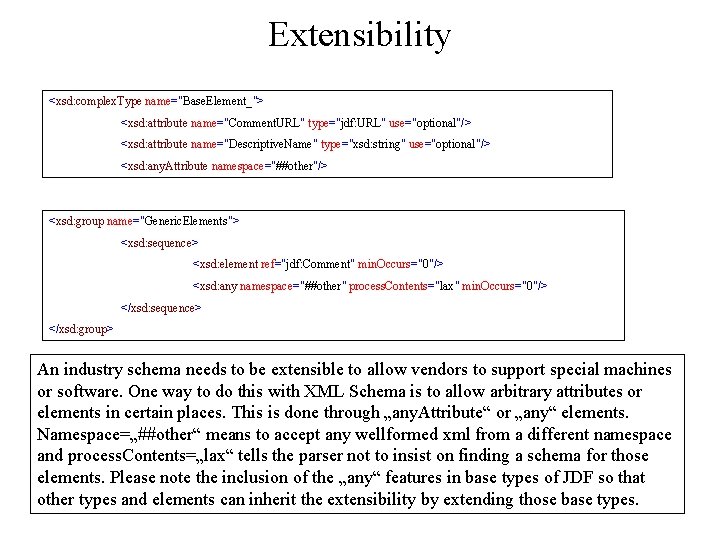
Extensibility <xsd: complex. Type name="Base. Element_"> <xsd: attribute name="Comment. URL" type="jdf: URL" use="optional"/> <xsd: attribute name="Descriptive. Name" type="xsd: string" use="optional"/> <xsd: any. Attribute namespace="##other"/> <xsd: group name="Generic. Elements"> <xsd: sequence> <xsd: element ref="jdf: Comment" min. Occurs="0"/> <xsd: any namespace="##other" process. Contents="lax" min. Occurs="0"/> </xsd: sequence> </xsd: group> An industry schema needs to be extensible to allow vendors to support special machines or software. One way to do this with XML Schema is to allow arbitrary attributes or elements in certain places. This is done through „any. Attribute“ or „any“ elements. Namespace=„##other“ means to accept any wellformed xml from a different namespace and process. Contents=„lax“ tells the parser not to insist on finding a schema for those elements. Please note the inclusion of the „any“ features in base types of JDF so that other types and elements can inherit the extensibility by extending those base types.
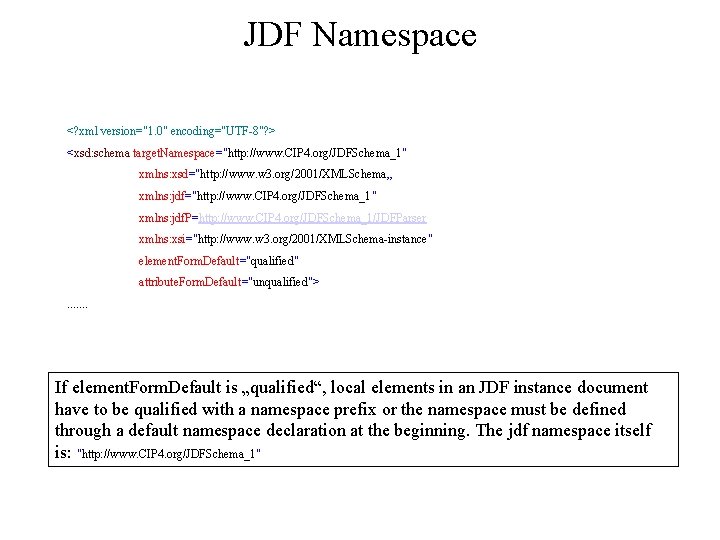
JDF Namespace <? xml version="1. 0" encoding="UTF-8"? > <xsd: schema target. Namespace="http: //www. CIP 4. org/JDFSchema_1" xmlns: xsd="http: //www. w 3. org/2001/XMLSchema„ xmlns: jdf="http: //www. CIP 4. org/JDFSchema_1" xmlns: jdf. P=http: //www. CIP 4. org/JDFSchema_1/JDFParser xmlns: xsi="http: //www. w 3. org/2001/XMLSchema-instance" element. Form. Default="qualified" attribute. Form. Default="unqualified">. . . . If element. Form. Default is „qualified“, local elements in an JDF instance document have to be qualified with a namespace prefix or the namespace must be defined through a default namespace declaration at the beginning. The jdf namespace itself is: "http: //www. CIP 4. org/JDFSchema_1"
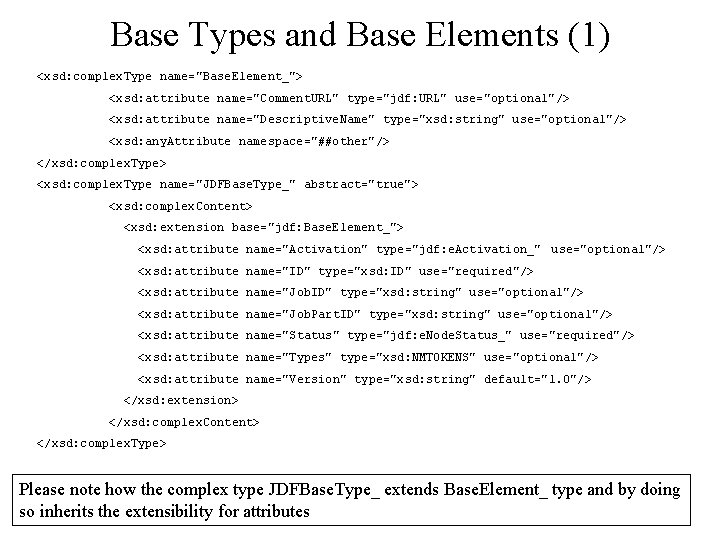
Base Types and Base Elements (1) <xsd: complex. Type name="Base. Element_"> <xsd: attribute name="Comment. URL" type="jdf: URL" use="optional"/> <xsd: attribute name="Descriptive. Name" type="xsd: string" use="optional"/> <xsd: any. Attribute namespace="##other"/> </xsd: complex. Type> <xsd: complex. Type name="JDFBase. Type_" abstract="true"> <xsd: complex. Content> <xsd: extension base="jdf: Base. Element_"> <xsd: attribute name="Activation" type="jdf: e. Activation_" use="optional"/> <xsd: attribute name="ID" type="xsd: ID" use="required"/> <xsd: attribute name="Job. ID" type="xsd: string" use="optional"/> <xsd: attribute name="Job. Part. ID" type="xsd: string" use="optional"/> <xsd: attribute name="Status" type="jdf: e. Node. Status_" use="required"/> <xsd: attribute name="Types" type="xsd: NMTOKENS" use="optional"/> <xsd: attribute name="Version" type="xsd: string" default="1. 0"/> </xsd: extension> </xsd: complex. Content> </xsd: complex. Type> Please note how the complex type JDFBase. Type_ extends Base. Element_ type and by doing so inherits the extensibility for attributes
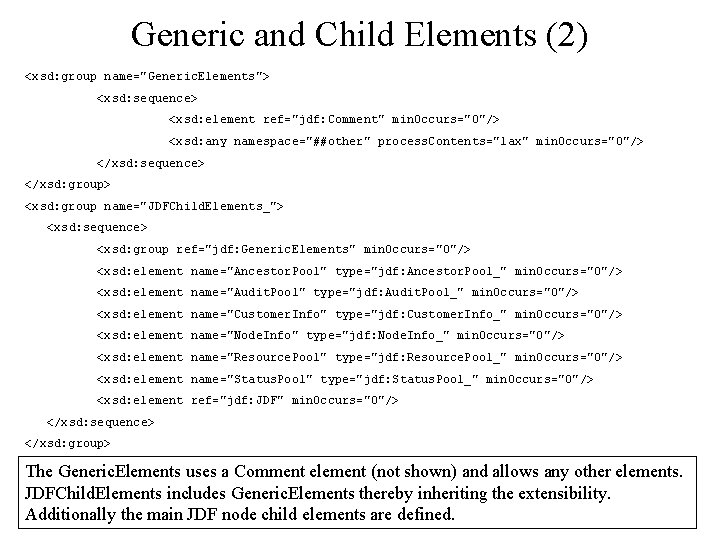
Generic and Child Elements (2) <xsd: group name="Generic. Elements"> <xsd: sequence> <xsd: element ref="jdf: Comment" min. Occurs="0"/> <xsd: any namespace="##other" process. Contents="lax" min. Occurs="0"/> </xsd: sequence> </xsd: group> <xsd: group name="JDFChild. Elements_"> <xsd: sequence> <xsd: group ref="jdf: Generic. Elements" min. Occurs="0"/> <xsd: element name="Ancestor. Pool" type="jdf: Ancestor. Pool_" min. Occurs="0"/> <xsd: element name="Audit. Pool" type="jdf: Audit. Pool_" min. Occurs="0"/> <xsd: element name="Customer. Info" type="jdf: Customer. Info_" min. Occurs="0"/> <xsd: element name="Node. Info" type="jdf: Node. Info_" min. Occurs="0"/> <xsd: element name="Resource. Pool" type="jdf: Resource. Pool_" min. Occurs="0"/> <xsd: element name="Status. Pool" type="jdf: Status. Pool_" min. Occurs="0"/> <xsd: element ref="jdf: JDF" min. Occurs="0"/> </xsd: sequence> </xsd: group> The Generic. Elements uses a Comment element (not shown) and allows any other elements. JDFChild. Elements includes Generic. Elements thereby inheriting the extensibility. Additionally the main JDF node child elements are defined.
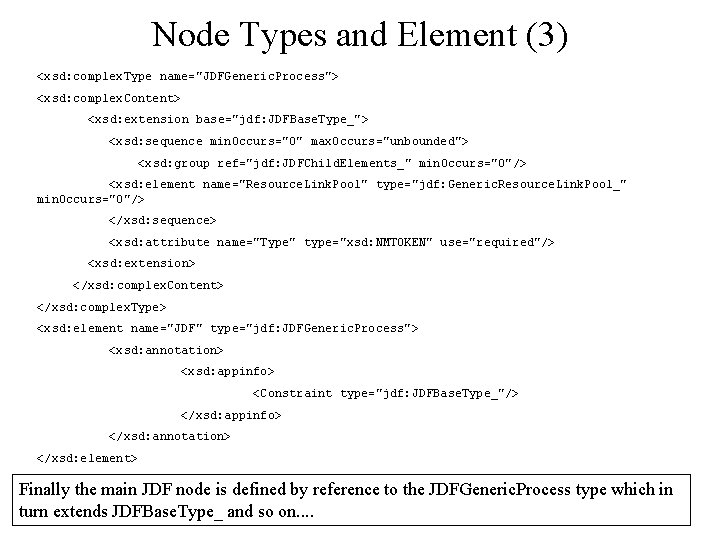
Node Types and Element (3) <xsd: complex. Type name="JDFGeneric. Process"> <xsd: complex. Content> <xsd: extension base="jdf: JDFBase. Type_"> <xsd: sequence min. Occurs="0" max. Occurs="unbounded"> <xsd: group ref="jdf: JDFChild. Elements_" min. Occurs="0"/> <xsd: element name="Resource. Link. Pool" type="jdf: Generic. Resource. Link. Pool_" min. Occurs="0"/> </xsd: sequence> <xsd: attribute name="Type" type="xsd: NMTOKEN" use="required"/> <xsd: extension> </xsd: complex. Content> </xsd: complex. Type> <xsd: element name="JDF" type="jdf: JDFGeneric. Process"> <xsd: annotation> <xsd: appinfo> <Constraint type="jdf: JDFBase. Type_"/> </xsd: appinfo> </xsd: annotation> </xsd: element> Finally the main JDF node is defined by reference to the JDFGeneric. Process type which in turn extends JDFBase. Type_ and so on. .
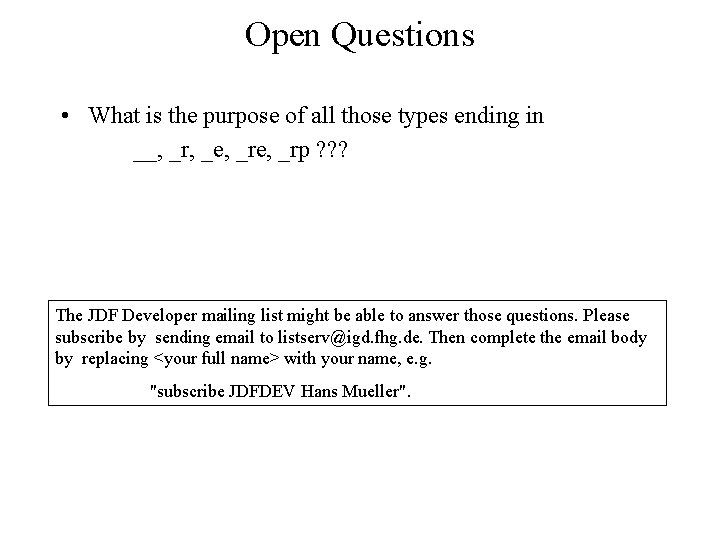
Open Questions • What is the purpose of all those types ending in __, _r, _e, _rp ? ? ? The JDF Developer mailing list might be able to answer those questions. Please subscribe by sending email to listserv@igd. fhg. de. Then complete the email body by replacing <your full name> with your name, e. g. "subscribe JDFDEV Hans Mueller".
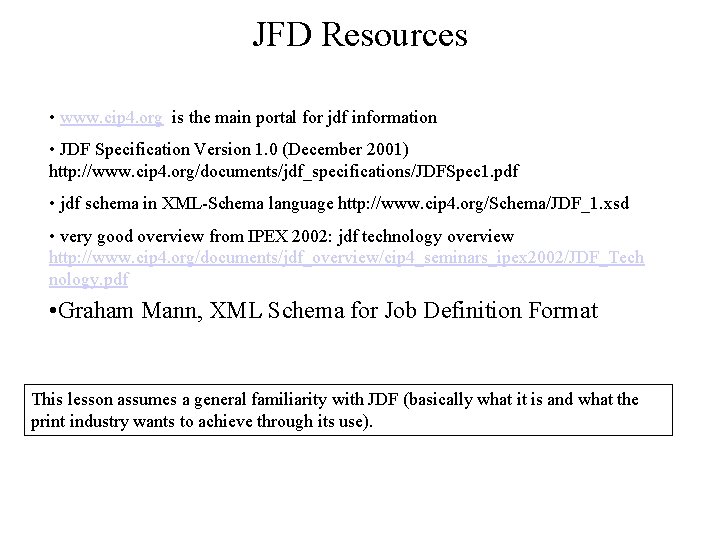
JFD Resources • www. cip 4. org is the main portal for jdf information • JDF Specification Version 1. 0 (December 2001) http: //www. cip 4. org/documents/jdf_specifications/JDFSpec 1. pdf • jdf schema in XML-Schema language http: //www. cip 4. org/Schema/JDF_1. xsd • very good overview from IPEX 2002: jdf technology overview http: //www. cip 4. org/documents/jdf_overview/cip 4_seminars_ipex 2002/JDF_Tech nology. pdf • Graham Mann, XML Schema for Job Definition Format This lesson assumes a general familiarity with JDF (basically what it is and what the print industry wants to achieve through its use).
- Slides: 39