
Lecture on File Systems Name Spaces and Implementation
- Slides: 59
Lecture on File Systems Name Spaces and Implementation Aspects Walter Kriha
Goals • Understand the importance of the filesystem metaphor and how it is presented (API) and implemented (Kernel structures/driver) • Understand the problems of concurrent access, linking and references • Understand the special problems of large video or audio data with respect to filesystem storage. • See how the metaphor can be used to map different data (proc filesystems, webdav etc. ) Files and directories are an illusion created by the operating systems. After a while they tend to become so natural that the almost seem to „materialize“.
Procedure We will learn what makes a file. How we organize files into higher structures -The file API provided by the operating system and ist promises for the programmer. -File system organization in user and kernel space. - What is a namespace? - How are files protected? Concurrency and security. Many of the patterns and techniques discussed here can also be applied for memory management and in general resource management of spatial resources.
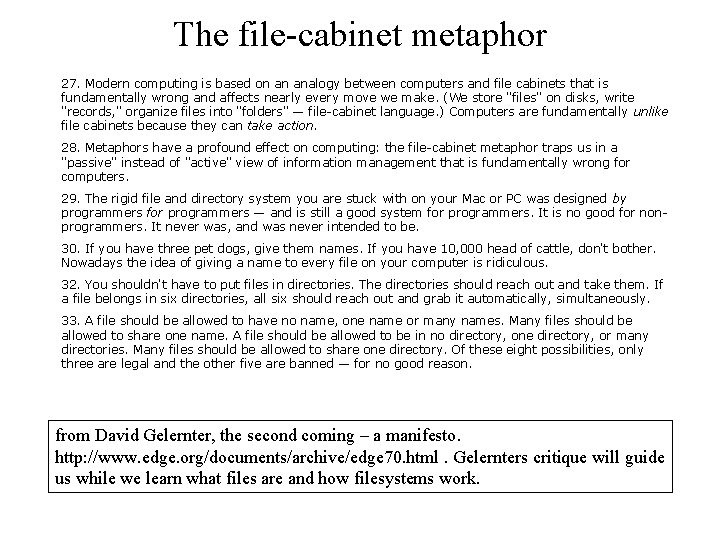
The file-cabinet metaphor 27. Modern computing is based on an analogy between computers and file cabinets that is fundamentally wrong and affects nearly every move we make. (We store "files" on disks, write "records, " organize files into "folders" — file-cabinet language. ) Computers are fundamentally unlike file cabinets because they can take action. 28. Metaphors have a profound effect on computing: the file-cabinet metaphor traps us in a "passive" instead of "active" view of information management that is fundamentally wrong for computers. 29. The rigid file and directory system you are stuck with on your Mac or PC was designed by programmers for programmers — and is still a good system for programmers. It is no good for nonprogrammers. It never was, and was never intended to be. 30. If you have three pet dogs, give them names. If you have 10, 000 head of cattle, don't bother. Nowadays the idea of giving a name to every file on your computer is ridiculous. 32. You shouldn't have to put files in directories. The directories should reach out and take them. If a file belongs in six directories, all six should reach out and grab it automatically, simultaneously. 33. A file should be allowed to have no name, one name or many names. Many files should be allowed to share one name. A file should be allowed to be in no directory, one directory, or many directories. Many files should be allowed to share one directory. Of these eight possibilities, only three are legal and the other five are banned — for no good reason. from David Gelernter, the second coming – a manifesto. http: //www. edge. org/documents/archive/edge 70. html. Gelernters critique will guide us while we learn what files are and how filesystems work.
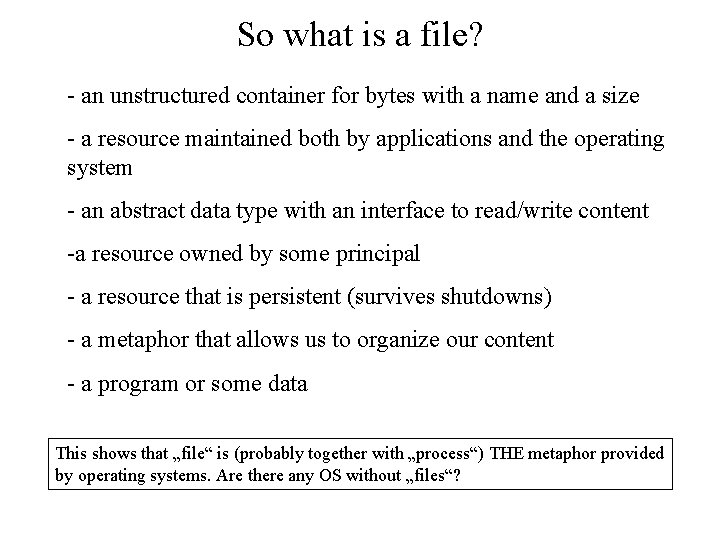
So what is a file? - an unstructured container for bytes with a name and a size - a resource maintained both by applications and the operating system - an abstract data type with an interface to read/write content -a resource owned by some principal - a resource that is persistent (survives shutdowns) - a metaphor that allows us to organize our content - a program or some data This shows that „file“ is (probably together with „process“) THE metaphor provided by operating systems. Are there any OS without „files“?
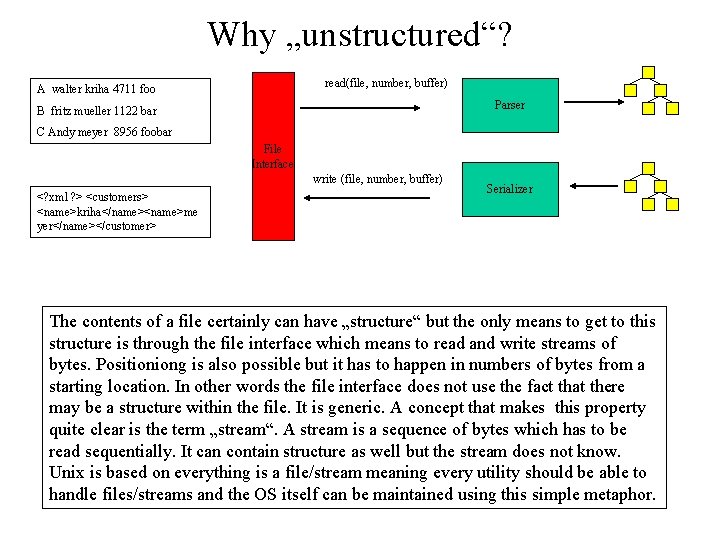
Why „unstructured“? read(file, number, buffer) A walter kriha 4711 foo Parser B fritz mueller 1122 bar C Andy meyer 8956 foobar File Interface write (file, number, buffer) <? xml ? > <customers> <name>kriha</name><name>me yer</name></customer> Serializer The contents of a file certainly can have „structure“ but the only means to get to this structure is through the file interface which means to read and write streams of bytes. Positioniong is also possible but it has to happen in numbers of bytes from a starting location. In other words the file interface does not use the fact that there may be a structure within the file. It is generic. A concept that makes this property quite clear is the term „stream“. A stream is a sequence of bytes which has to be read sequentially. It can contain structure as well but the stream does not know. Unix is based on everything is a file/stream meaning every utility should be able to handle files/streams and the OS itself can be maintained using this simple metaphor.
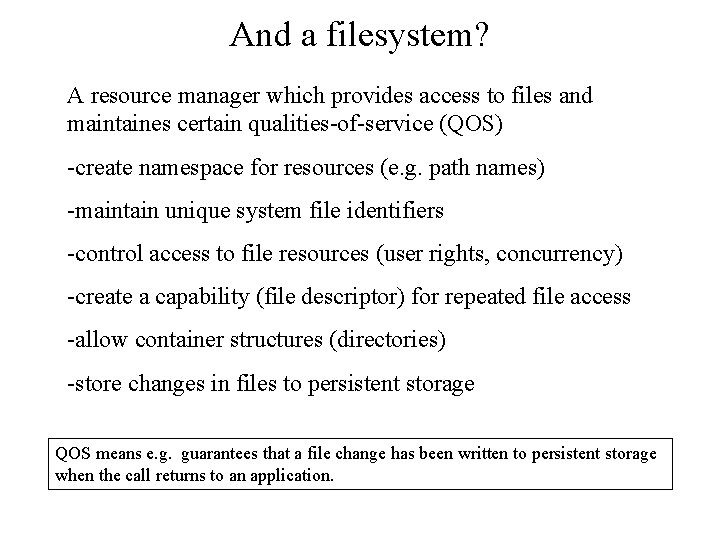
And a filesystem? A resource manager which provides access to files and maintaines certain qualities-of-service (QOS) -create namespace for resources (e. g. path names) -maintain unique system file identifiers -control access to file resources (user rights, concurrency) -create a capability (file descriptor) for repeated file access -allow container structures (directories) -store changes in files to persistent storage QOS means e. g. guarantees that a file change has been written to persistent storage when the call returns to an application.
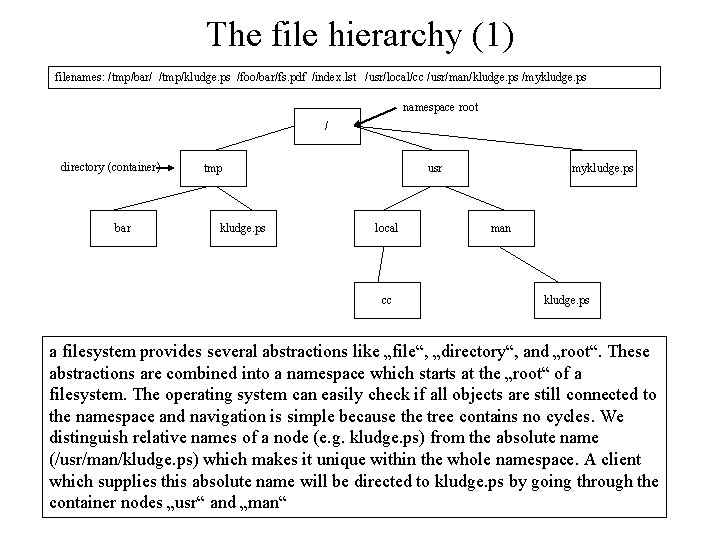
The file hierarchy (1) filenames: /tmp/bar/ /tmp/kludge. ps /foo/bar/fs. pdf /index. lst /usr/local/cc /usr/man/kludge. ps /mykludge. ps namespace root / directory (container) bar tmp kludge. ps usr local cc mykludge. ps man kludge. ps a filesystem provides several abstractions like „file“, „directory“, and „root“. These abstractions are combined into a namespace which starts at the „root“ of a filesystem. The operating system can easily check if all objects are still connected to the namespace and navigation is simple because the tree contains no cycles. We distinguish relative names of a node (e. g. kludge. ps) from the absolute name (/usr/man/kludge. ps) which makes it unique within the whole namespace. A client which supplies this absolute name will be directed to kludge. ps by going through the container nodes „usr“ and „man“
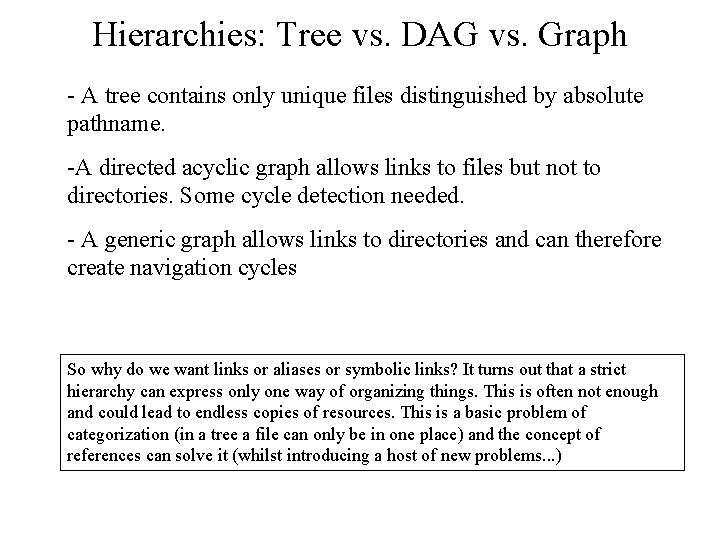
Hierarchies: Tree vs. DAG vs. Graph - A tree contains only unique files distinguished by absolute pathname. -A directed acyclic graph allows links to files but not to directories. Some cycle detection needed. - A generic graph allows links to directories and can therefore create navigation cycles So why do we want links or aliases or symbolic links? It turns out that a strict hierarchy can express only one way of organizing things. This is often not enough and could lead to endless copies of resources. This is a basic problem of categorization (in a tree a file can only be in one place) and the concept of references can solve it (whilst introducing a host of new problems. . . )
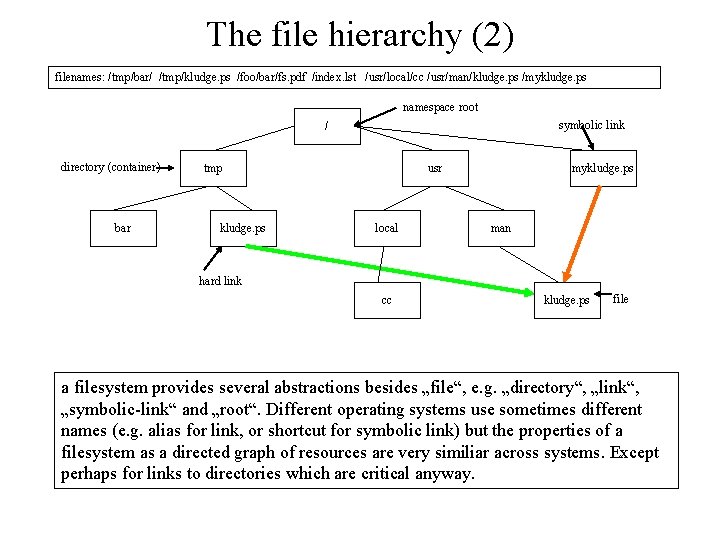
The file hierarchy (2) filenames: /tmp/bar/ /tmp/kludge. ps /foo/bar/fs. pdf /index. lst /usr/local/cc /usr/man/kludge. ps /mykludge. ps namespace root symbolic link / directory (container) bar tmp kludge. ps usr local mykludge. ps man hard link cc kludge. ps file a filesystem provides several abstractions besides „file“, e. g. „directory“, „link“, „symbolic-link“ and „root“. Different operating systems use sometimes different names (e. g. alias for link, or shortcut for symbolic link) but the properties of a filesystem as a directed graph of resources are very similiar across systems. Except perhaps for links to directories which are critical anyway.
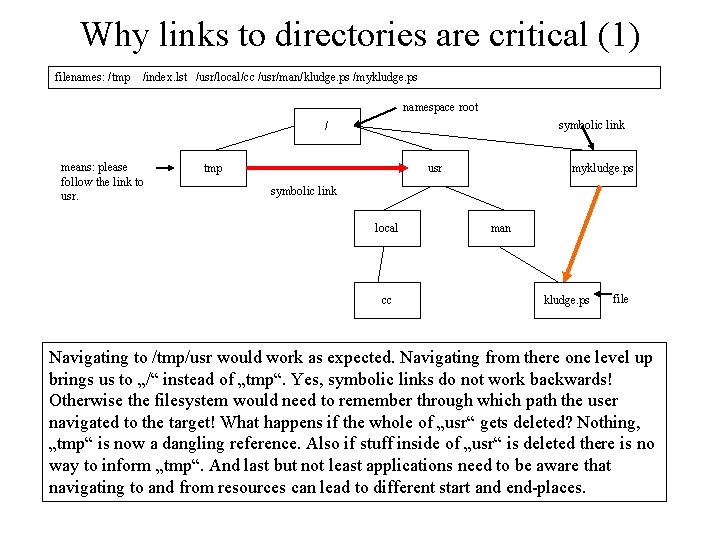
Why links to directories are critical (1) filenames: /tmp /index. lst /usr/local/cc /usr/man/kludge. ps /mykludge. ps namespace root symbolic link / means: please follow the link to usr. tmp usr mykludge. ps symbolic link local cc man kludge. ps file Navigating to /tmp/usr would work as expected. Navigating from there one level up brings us to „/“ instead of „tmp“. Yes, symbolic links do not work backwards! Otherwise the filesystem would need to remember through which path the user navigated to the target! What happens if the whole of „usr“ gets deleted? Nothing, „tmp“ is now a dangling reference. Also if stuff inside of „usr“ is deleted there is no way to inform „tmp“. And last but not least applications need to be aware that navigating to and from resources can lead to different start and end-places.
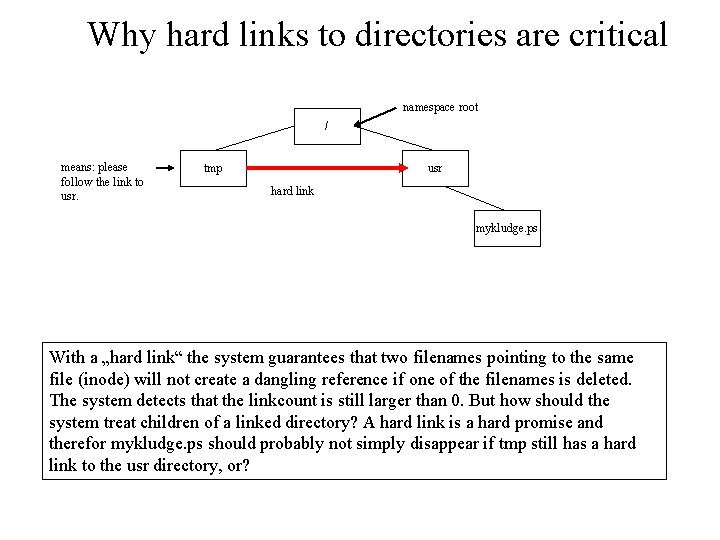
Why hard links to directories are critical namespace root / means: please follow the link to usr. tmp usr hard link mykludge. ps With a „hard link“ the system guarantees that two filenames pointing to the same file (inode) will not create a dangling reference if one of the filenames is deleted. The system detects that the linkcount is still larger than 0. But how should the system treat children of a linked directory? A hard link is a hard promise and therefor mykludge. ps should probably not simply disappear if tmp still has a hard link to the usr directory, or?
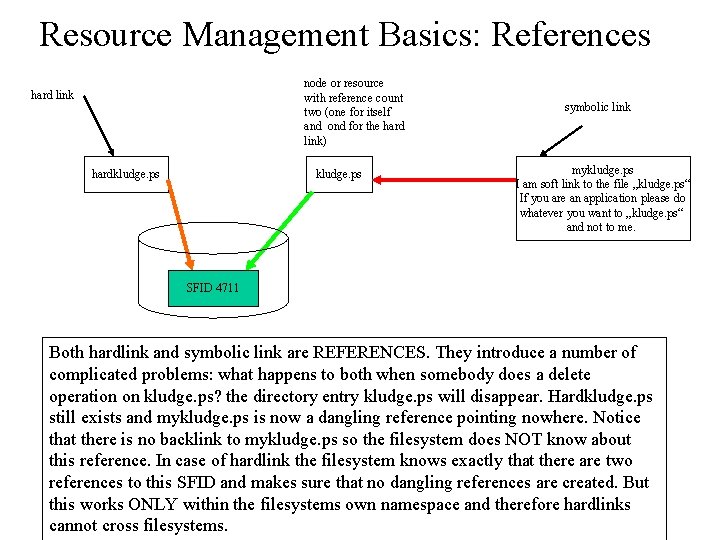
Resource Management Basics: References node or resource with reference count two (one for itself and ond for the hard link) hard link hardkludge. ps symbolic link mykludge. ps I am soft link to the file „kludge. ps“ If you are an application please do whatever you want to „kludge. ps“ and not to me. SFID 4711 Both hardlink and symbolic link are REFERENCES. They introduce a number of complicated problems: what happens to both when somebody does a delete operation on kludge. ps? the directory entry kludge. ps will disappear. Hardkludge. ps still exists and mykludge. ps is now a dangling reference pointing nowhere. Notice that there is no backlink to mykludge. ps so the filesystem does NOT know about this reference. In case of hardlink the filesystem knows exactly that there are two references to this SFID and makes sure that no dangling references are created. But this works ONLY within the filesystems own namespace and therefore hardlinks cannot cross filesystems.
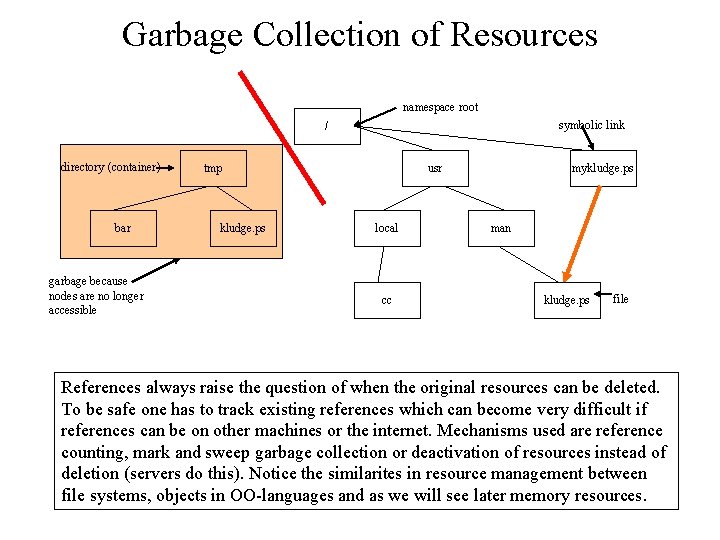
Garbage Collection of Resources namespace root symbolic link / directory (container) bar garbage because nodes are no longer accessible tmp kludge. ps usr local cc mykludge. ps man kludge. ps file References always raise the question of when the original resources can be deleted. To be safe one has to track existing references which can become very difficult if references can be on other machines or the internet. Mechanisms used are reference counting, mark and sweep garbage collection or deactivation of resources instead of deletion (servers do this). Notice the similarites in resource management between file systems, objects in OO-languages and as we will see later memory resources.
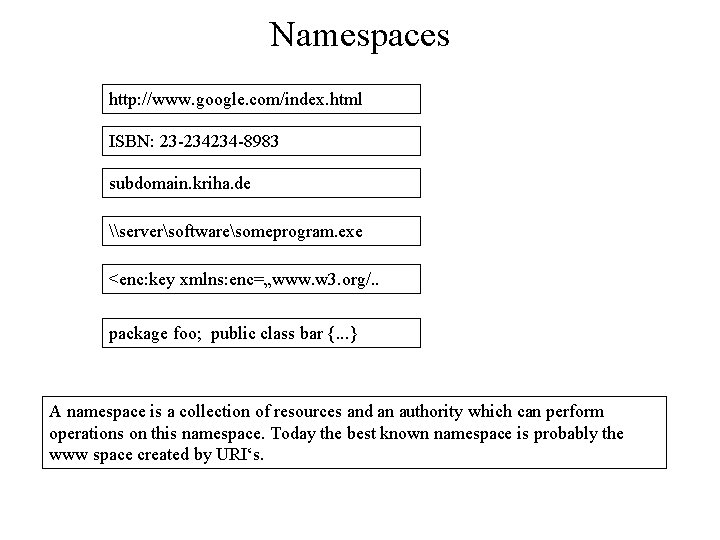
Namespaces http: //www. google. com/index. html ISBN: 23 -234234 -8983 subdomain. kriha. de \serversoftwaresomeprogram. exe <enc: key xmlns: enc=„www. w 3. org/. . package foo; public class bar {. . . } A namespace is a collection of resources and an authority which can perform operations on this namespace. Today the best known namespace is probably the www space created by URI‘s.
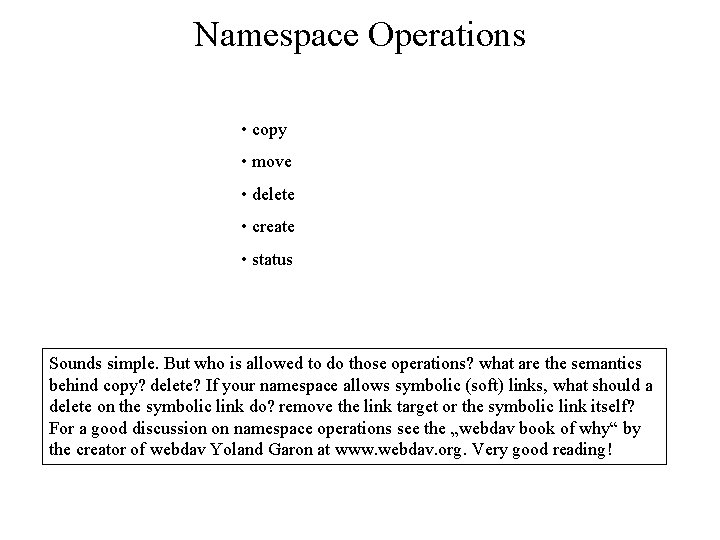
Namespace Operations • copy • move • delete • create • status Sounds simple. But who is allowed to do those operations? what are the semantics behind copy? delete? If your namespace allows symbolic (soft) links, what should a delete on the symbolic link do? remove the link target or the symbolic link itself? For a good discussion on namespace operations see the „webdav book of why“ by the creator of webdav Yoland Garon at www. webdav. org. Very good reading!
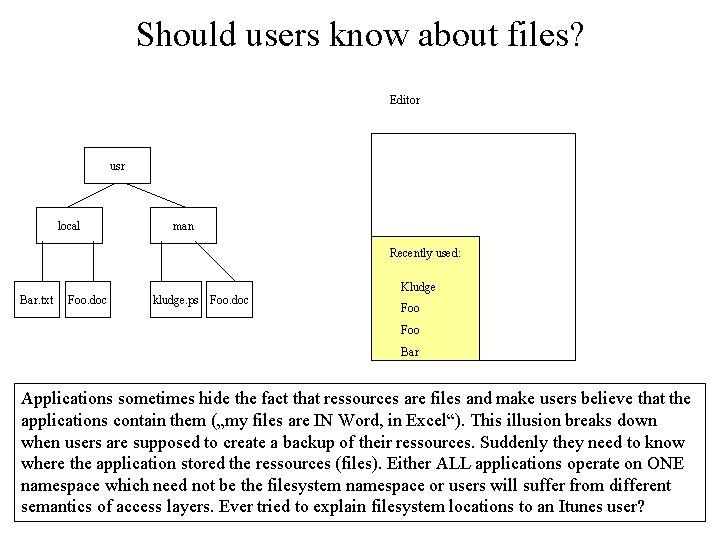
Should users know about files? Editor usr local man Recently used: Bar. txt Foo. doc kludge. ps Foo. doc Kludge Foo Bar Applications sometimes hide the fact that ressources are files and make users believe that the applications contain them („my files are IN Word, in Excel“). This illusion breaks down when users are supposed to create a backup of their ressources. Suddenly they need to know where the application stored the ressources (files). Either ALL applications operate on ONE namespace which need not be the filesystem namespace or users will suffer from different semantics of access layers. Ever tried to explain filesystem locations to an Itunes user?
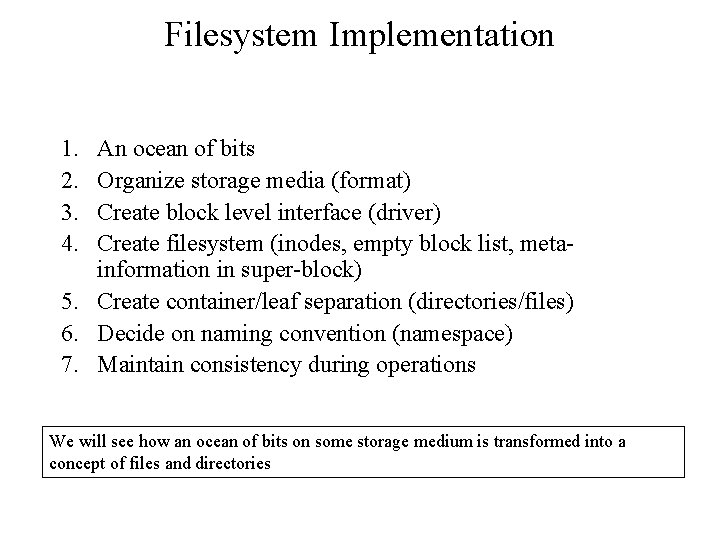
Filesystem Implementation 1. 2. 3. 4. An ocean of bits Organize storage media (format) Create block level interface (driver) Create filesystem (inodes, empty block list, metainformation in super-block) 5. Create container/leaf separation (directories/files) 6. Decide on naming convention (namespace) 7. Maintain consistency during operations We will see how an ocean of bits on some storage medium is transformed into a concept of files and directories
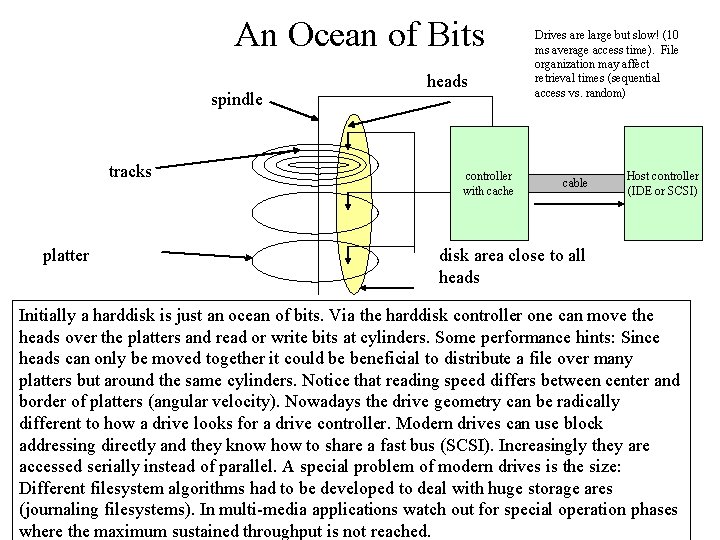
An Ocean of Bits spindle tracks platter heads controller with cache Drives are large but slow! (10 ms average access time). File organization may affect retrieval times (sequential access vs. random) cable Host controller (IDE or SCSI) disk area close to all heads Initially a harddisk is just an ocean of bits. Via the harddisk controller one can move the heads over the platters and read or write bits at cylinders. Some performance hints: Since heads can only be moved together it could be beneficial to distribute a file over many platters but around the same cylinders. Notice that reading speed differs between center and border of platters (angular velocity). Nowadays the drive geometry can be radically different to how a drive looks for a drive controller. Modern drives can use block addressing directly and they know how to share a fast bus (SCSI). Increasingly they are accessed serially instead of parallel. A special problem of modern drives is the size: Different filesystem algorithms had to be developed to deal with huge storage ares (journaling filesystems). In multi-media applications watch out for special operation phases where the maximum sustained throughput is not reached.
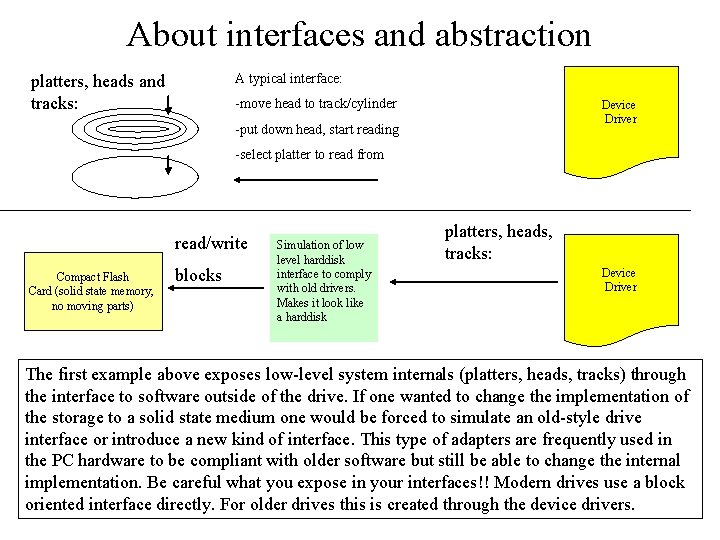
About interfaces and abstraction A typical interface: platters, heads and tracks: -move head to track/cylinder Device Driver -put down head, start reading -select platter to read from read/write Compact Flash Card (solid state memory, no moving parts) blocks Simulation of low level harddisk interface to comply with old drivers. Makes it look like a harddisk platters, heads, tracks: Device Driver The first example above exposes low-level system internals (platters, heads, tracks) through the interface to software outside of the drive. If one wanted to change the implementation of the storage to a solid state medium one would be forced to simulate an old-style drive interface or introduce a new kind of interface. This type of adapters are frequently used in the PC hardware to be compliant with older software but still be able to change the internal implementation. Be careful what you expose in your interfaces!! Modern drives use a block oriented interface directly. For older drives this is created through the device drivers.
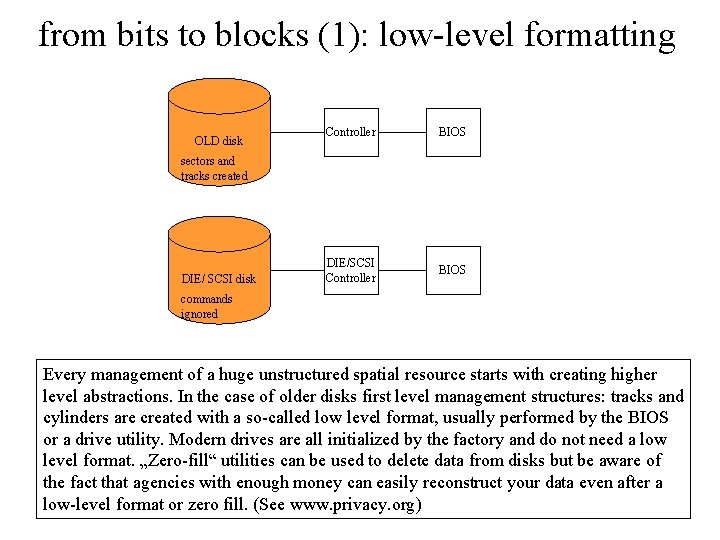
from bits to blocks (1): low-level formatting OLD disk Controller BIOS DIE/SCSI Controller BIOS sectors and tracks created DIE/ SCSI disk commands ignored Every management of a huge unstructured spatial resource starts with creating higher level abstractions. In the case of older disks first level management structures: tracks and cylinders are created with a so-called low level format, usually performed by the BIOS or a drive utility. Modern drives are all initialized by the factory and do not need a low level format. „Zero-fill“ utilities can be used to delete data from disks but be aware of the fact that agencies with enough money can easily reconstruct your data even after a low-level format or zero fill. (See www. privacy. org)
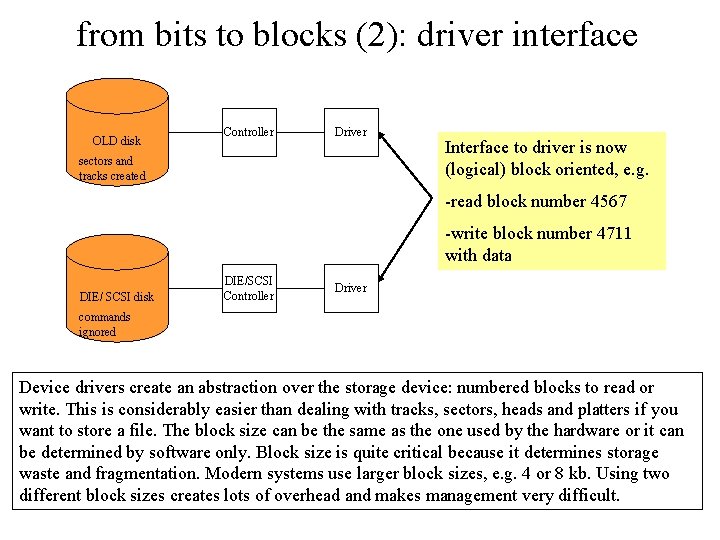
from bits to blocks (2): driver interface OLD disk Controller Driver sectors and tracks created Interface to driver is now (logical) block oriented, e. g. -read block number 4567 -write block number 4711 with data DIE/ SCSI disk DIE/SCSI Controller Driver commands ignored Device drivers create an abstraction over the storage device: numbered blocks to read or write. This is considerably easier than dealing with tracks, sectors, heads and platters if you want to store a file. The block size can be the same as the one used by the hardware or it can be determined by software only. Block size is quite critical because it determines storage waste and fragmentation. Modern systems use larger block sizes, e. g. 4 or 8 kb. Using two different block sizes creates lots of overhead and makes management very difficult.
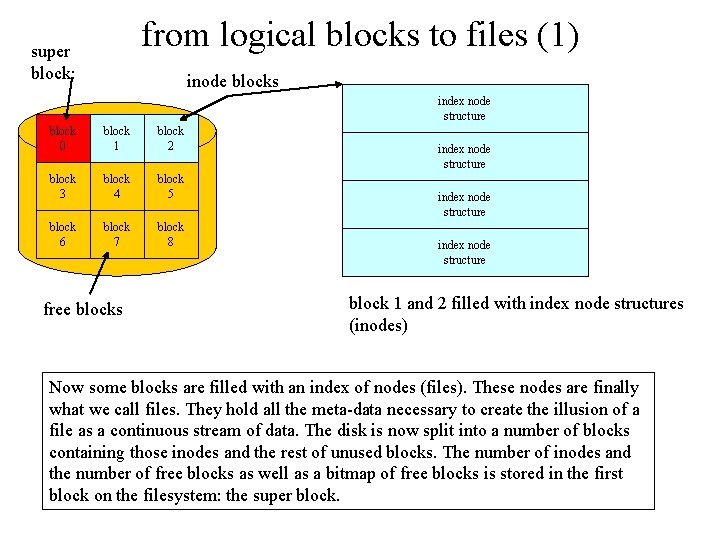
from logical blocks to files (1) super block: inode blocks index node structure block 0 block 1 block 2 block 3 block 4 block 5 block 6 block 7 block 8 free blocks index node structure block 1 and 2 filled with index node structures (inodes) Now some blocks are filled with an index of nodes (files). These nodes are finally what we call files. They hold all the meta-data necessary to create the illusion of a file as a continuous stream of data. The disk is now split into a number of blocks containing those inodes and the rest of unused blocks. The number of inodes and the number of free blocks as well as a bitmap of free blocks is stored in the first block on the filesystem: the super block.
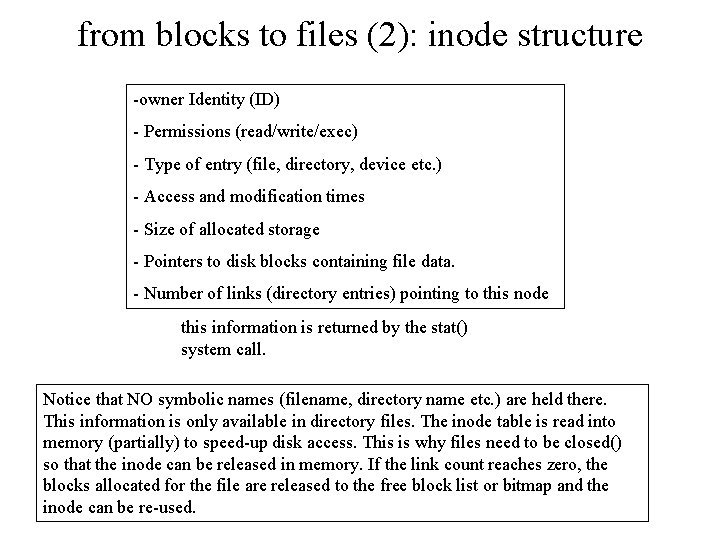
from blocks to files (2): inode structure -owner Identity (ID) - Permissions (read/write/exec) - Type of entry (file, directory, device etc. ) - Access and modification times - Size of allocated storage - Pointers to disk blocks containing file data. - Number of links (directory entries) pointing to this node this information is returned by the stat() system call. Notice that NO symbolic names (filename, directory name etc. ) are held there. This information is only available in directory files. The inode table is read into memory (partially) to speed-up disk access. This is why files need to be closed() so that the inode can be released in memory. If the link count reaches zero, the blocks allocated for the file are released to the free block list or bitmap and the inode can be re-used.
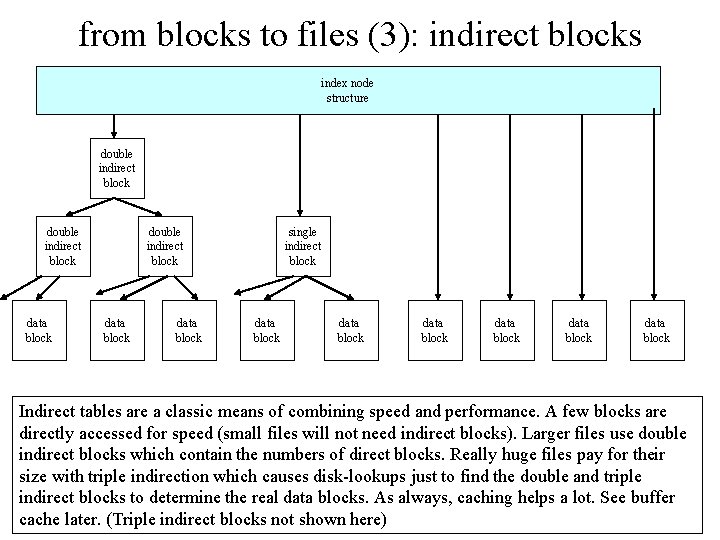
from blocks to files (3): indirect blocks index node structure double indirect block data block single indirect block data block data block Indirect tables are a classic means of combining speed and performance. A few blocks are directly accessed for speed (small files will not need indirect blocks). Larger files use double indirect blocks which contain the numbers of direct blocks. Really huge files pay for their size with triple indirection which causes disk-lookups just to find the double and triple indirect blocks to determine the real data blocks. As always, caching helps a lot. See buffer cache later. (Triple indirect blocks not shown here)
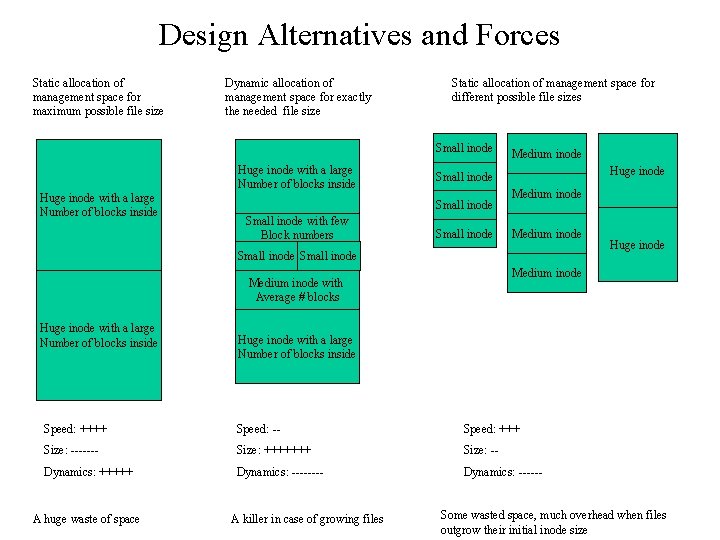
Design Alternatives and Forces Static allocation of management space for maximum possible file size Dynamic allocation of management space for exactly the needed file size Static allocation of management space for different possible file sizes Small inode Huge inode with a large Number of blocks inside Huge inode Small inode with few Block numbers Medium inode Small inode Medium inode with Average # blocks Huge inode with a large Number of blocks inside Speed: ++++ Speed: -- Speed: +++ Size: ------- Size: +++++++ Size: -- Dynamics: +++++ Dynamics: ------ A huge waste of space Huge inode A killer in case of growing files Some wasted space, much overhead when files outgrow their initial inode size
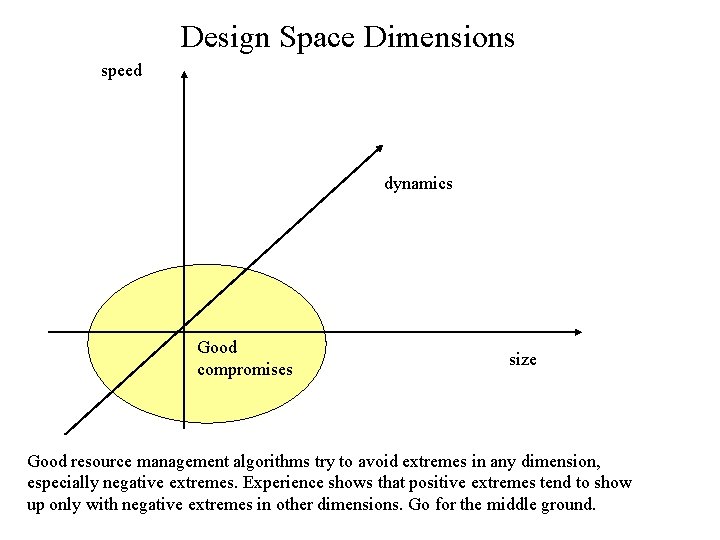
Design Space Dimensions speed dynamics Good compromises size Good resource management algorithms try to avoid extremes in any dimension, especially negative extremes. Experience shows that positive extremes tend to show up only with negative extremes in other dimensions. Go for the middle ground.
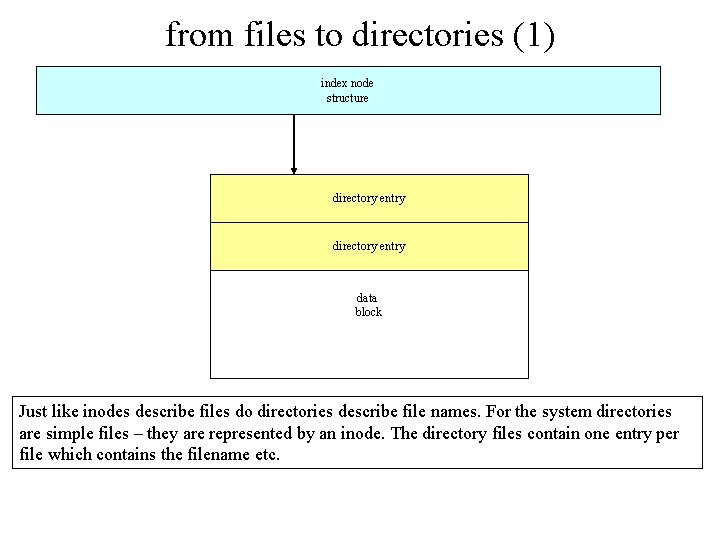
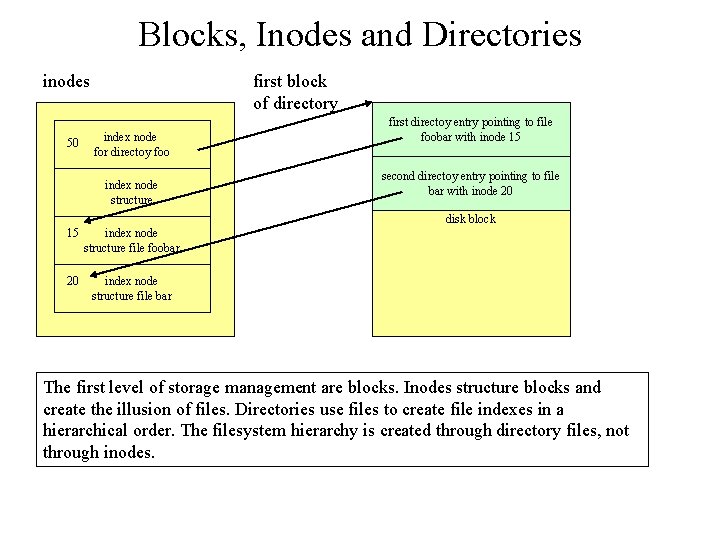
from files to directories (1) index node structure directory entry data block Just like inodes describe files do directories describe file names. For the system directories are simple files – they are represented by an inode. The directory files contain one entry per file which contains the filename etc.
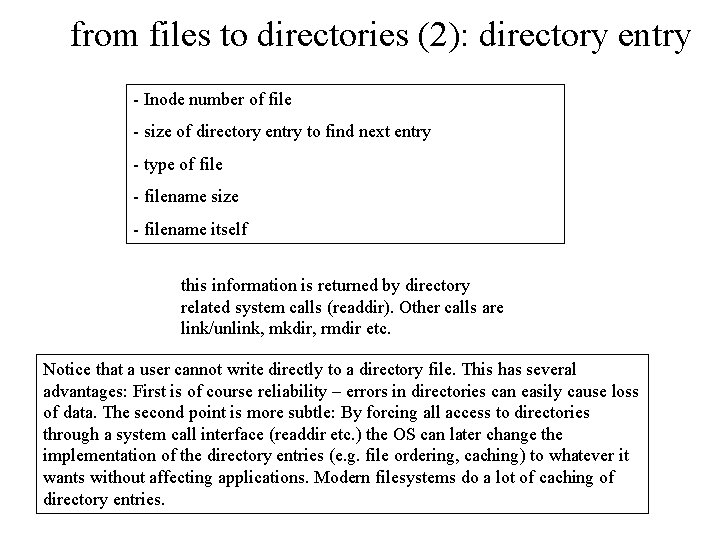
from files to directories (2): directory entry - Inode number of file - size of directory entry to find next entry - type of file - filename size - filename itself this information is returned by directory related system calls (readdir). Other calls are link/unlink, mkdir, rmdir etc. Notice that a user cannot write directly to a directory file. This has several advantages: First is of course reliability – errors in directories can easily cause loss of data. The second point is more subtle: By forcing all access to directories through a system call interface (readdir etc. ) the OS can later change the implementation of the directory entries (e. g. file ordering, caching) to whatever it wants without affecting applications. Modern filesystems do a lot of caching of directory entries.
Blocks, Inodes and Directories inodes 50 first block of directory index node for directoy foo index node structure first directoy entry pointing to file foobar with inode 15 second directoy entry pointing to file bar with inode 20 disk block 15 index node structure file foobar 20 index node structure file bar The first level of storage management are blocks. Inodes structure blocks and create the illusion of files. Directories use files to create file indexes in a hierarchical order. The filesystem hierarchy is created through directory files, not through inodes.
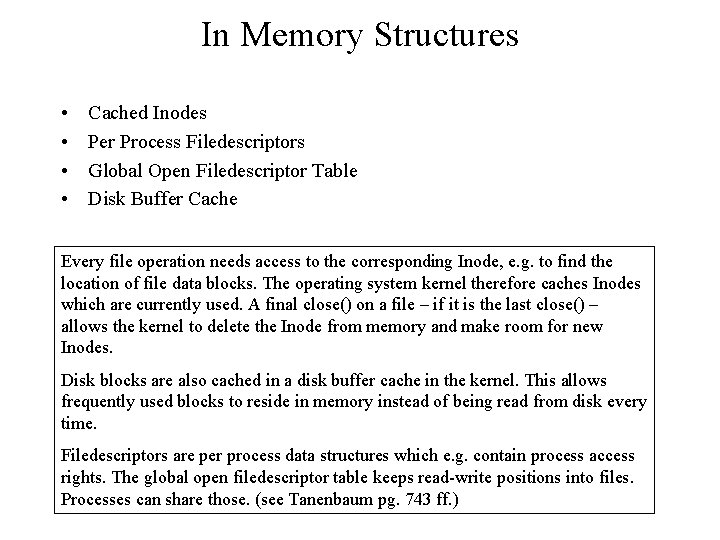
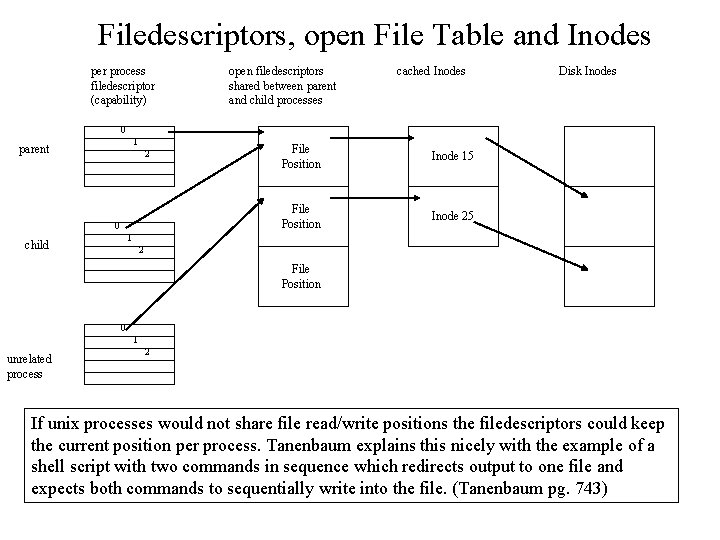
In Memory Structures • • Cached Inodes Per Process Filedescriptors Global Open Filedescriptor Table Disk Buffer Cache Every file operation needs access to the corresponding Inode, e. g. to find the location of file data blocks. The operating system kernel therefore caches Inodes which are currently used. A final close() on a file – if it is the last close() – allows the kernel to delete the Inode from memory and make room for new Inodes. Disk blocks are also cached in a disk buffer cache in the kernel. This allows frequently used blocks to reside in memory instead of being read from disk every time. Filedescriptors are per process data structures which e. g. contain process access rights. The global open filedescriptor table keeps read-write positions into files. Processes can share those. (see Tanenbaum pg. 743 ff. )
Filedescriptors, open File Table and Inodes per process filedescriptor (capability) open filedescriptors shared between parent and child processes cached Inodes Disk Inodes 0 1 parent 2 0 File Position Inode 15 File Position Inode 25 1 child 2 File Position 0 1 unrelated process 2 If unix processes would not share file read/write positions the filedescriptors could keep the current position per process. Tanenbaum explains this nicely with the example of a shell script with two commands in sequence which redirects output to one file and expects both commands to sequentially write into the file. (Tanenbaum pg. 743)
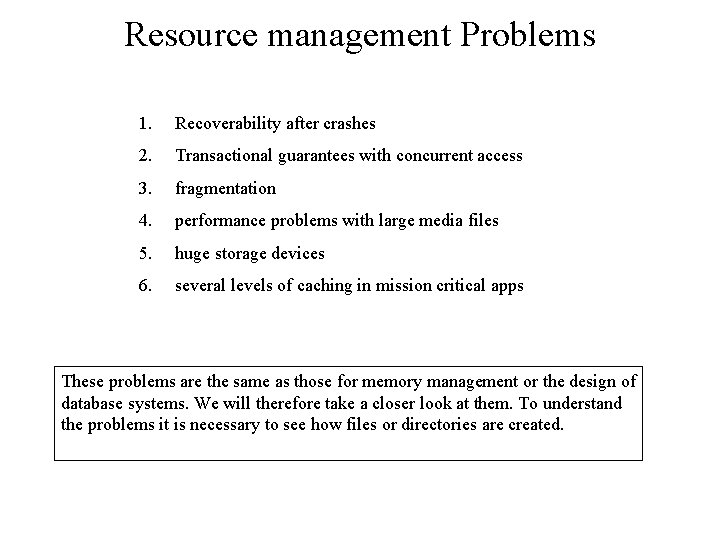
Resource management Problems 1. Recoverability after crashes 2. Transactional guarantees with concurrent access 3. fragmentation 4. performance problems with large media files 5. huge storage devices 6. several levels of caching in mission critical apps These problems are the same as those for memory management or the design of database systems. We will therefore take a closer look at them. To understand the problems it is necessary to see how files or directories are created.
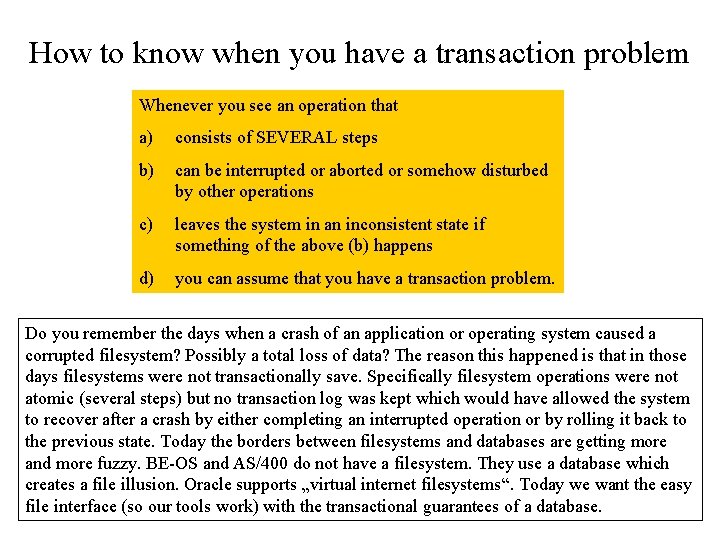
How to know when you have a transaction problem Whenever you see an operation that a) consists of SEVERAL steps b) can be interrupted or aborted or somehow disturbed by other operations c) leaves the system in an inconsistent state if something of the above (b) happens d) you can assume that you have a transaction problem. Do you remember the days when a crash of an application or operating system caused a corrupted filesystem? Possibly a total loss of data? The reason this happened is that in those days filesystems were not transactionally save. Specifically filesystem operations were not atomic (several steps) but no transaction log was kept which would have allowed the system to recover after a crash by either completing an interrupted operation or by rolling it back to the previous state. Today the borders between filesystems and databases are getting more and more fuzzy. BE-OS and AS/400 do not have a filesystem. They use a database which creates a file illusion. Oracle supports „virtual internet filesystems“. Today we want the easy file interface (so our tools work) with the transactional guarantees of a database.
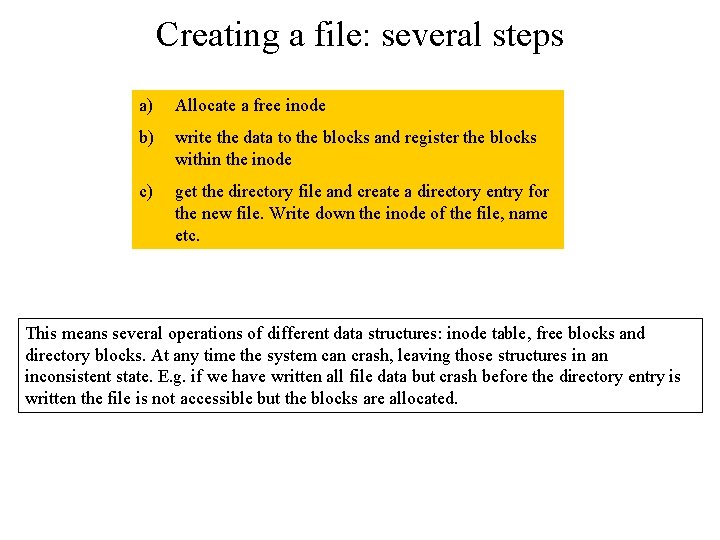
Creating a file: several steps a) Allocate a free inode b) write the data to the blocks and register the blocks within the inode c) get the directory file and create a directory entry for the new file. Write down the inode of the file, name etc. This means several operations of different data structures: inode table, free blocks and directory blocks. At any time the system can crash, leaving those structures in an inconsistent state. E. g. if we have written all file data but crash before the directory entry is written the file is not accessible but the blocks are allocated.
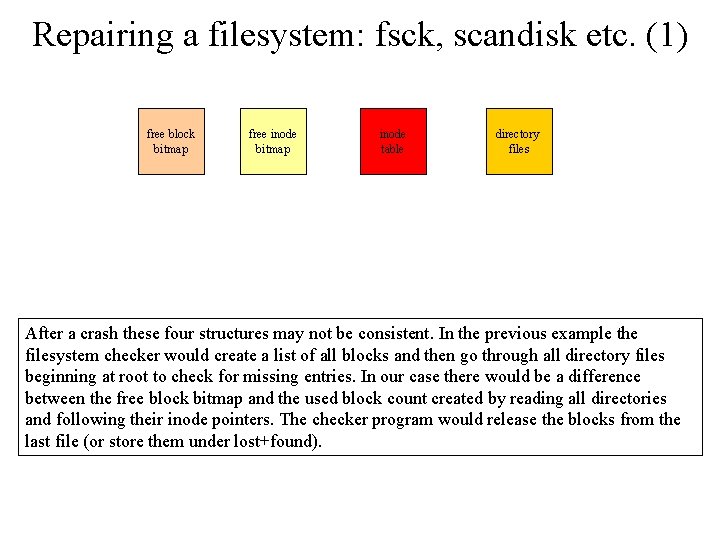
Repairing a filesystem: fsck, scandisk etc. (1) free block bitmap free inode bitmap inode table directory files After a crash these four structures may not be consistent. In the previous example the filesystem checker would create a list of all blocks and then go through all directory files beginning at root to check for missing entries. In our case there would be a difference between the free block bitmap and the used block count created by reading all directories and following their inode pointers. The checker program would release the blocks from the last file (or store them under lost+found).
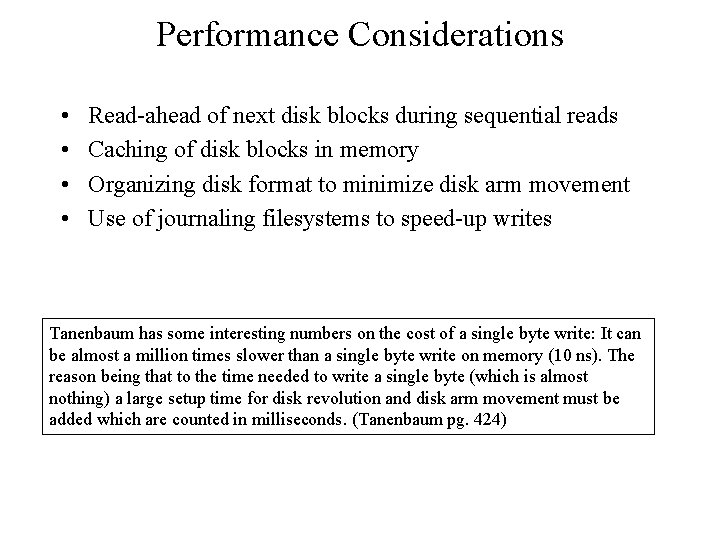
Performance Considerations • • Read-ahead of next disk blocks during sequential reads Caching of disk blocks in memory Organizing disk format to minimize disk arm movement Use of journaling filesystems to speed-up writes Tanenbaum has some interesting numbers on the cost of a single byte write: It can be almost a million times slower than a single byte write on memory (10 ns). The reason being that to the time needed to write a single byte (which is almost nothing) a large setup time for disk revolution and disk arm movement must be added which are counted in milliseconds. (Tanenbaum pg. 424)
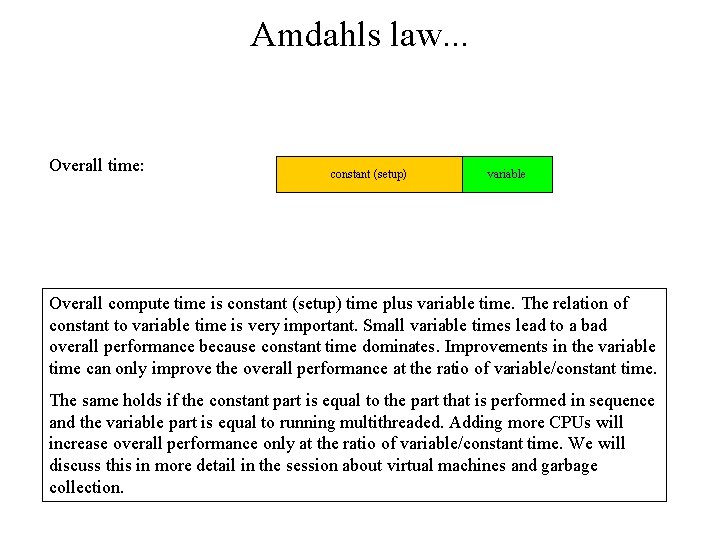
Amdahls law. . . Overall time: constant (setup) variable Overall compute time is constant (setup) time plus variable time. The relation of constant to variable time is very important. Small variable times lead to a bad overall performance because constant time dominates. Improvements in the variable time can only improve the overall performance at the ratio of variable/constant time. The same holds if the constant part is equal to the part that is performed in sequence and the variable part is equal to running multithreaded. Adding more CPUs will increase overall performance only at the ratio of variable/constant time. We will discuss this in more detail in the session about virtual machines and garbage collection.
Fragmentation: Problems and Solutions Fragmentation is a problem for most resource managers. One possibility to fight fragmentation is to perform combine adjacent free memory blocks into larger blocks immediately. This approach has limits and when allocated memory goes against storage limits the system may not find proper free space for new allocations. The „buddy system“ algorithm is an example. Another solution to fragmentation is compacting the used memory, thereby getting rid of unused (free) memory automatically. Those allocators copy only the memory still in use to a new memory area. The leftovers are automatically free. This mechanism requires one indirection because memory addresses change due to the copy process. (more on this in the virtual machines and memory management session)
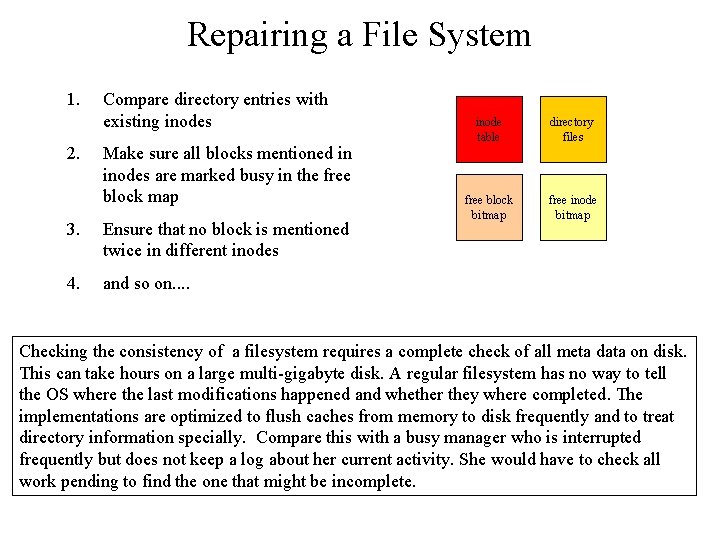
Repairing a File System 1. 2. Compare directory entries with existing inodes Make sure all blocks mentioned in inodes are marked busy in the free block map 3. Ensure that no block is mentioned twice in different inodes 4. and so on. . inode table directory files free block bitmap free inode bitmap Checking the consistency of a filesystem requires a complete check of all meta data on disk. This can take hours on a large multi-gigabyte disk. A regular filesystem has no way to tell the OS where the last modifications happened and whether they where completed. The implementations are optimized to flush caches from memory to disk frequently and to treat directory information specially. Compare this with a busy manager who is interrupted frequently but does not keep a log about her current activity. She would have to check all work pending to find the one that might be incomplete.
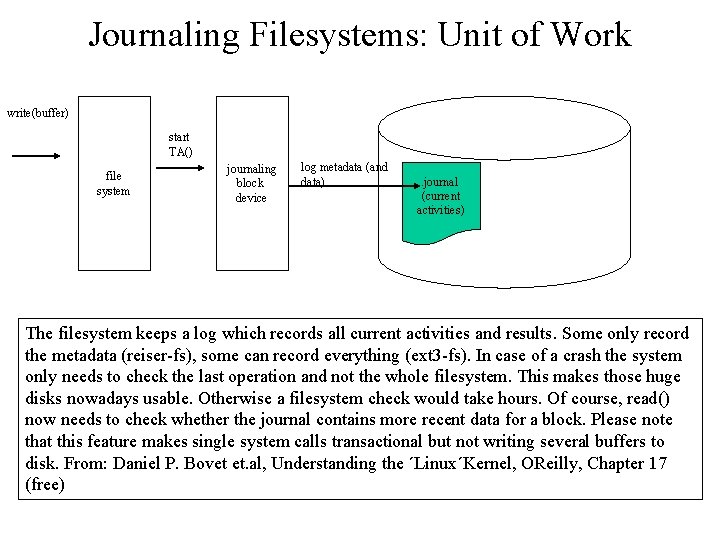
Journaling Filesystems: Unit of Work write(buffer) start TA() file system journaling block device log metadata (and data) . journal (current activities) The filesystem keeps a log which records all current activities and results. Some only record the metadata (reiser-fs), some can record everything (ext 3 -fs). In case of a crash the system only needs to check the last operation and not the whole filesystem. This makes those huge disks nowadays usable. Otherwise a filesystem check would take hours. Of course, read() now needs to check whether the journal contains more recent data for a block. Please note that this feature makes single system calls transactional but not writing several buffers to disk. From: Daniel P. Bovet et. al, Understanding the ´Linux´Kernel, OReilly, Chapter 17 (free)
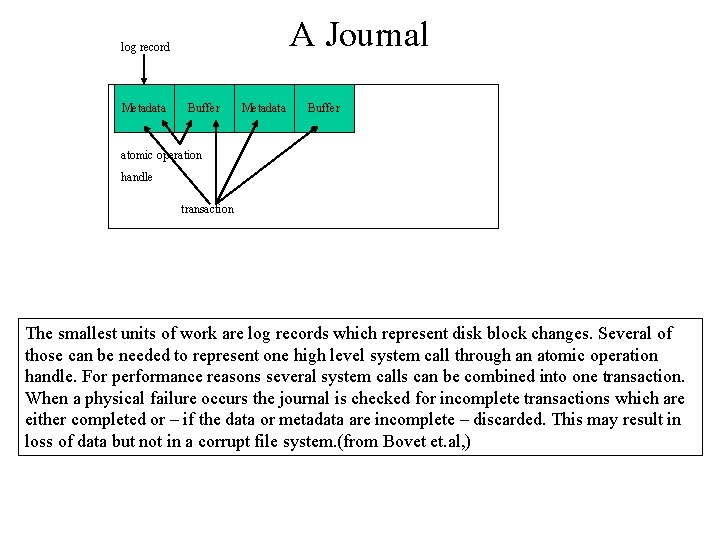
A Journal log record Metadata Buffer atomic operation handle transaction The smallest units of work are log records which represent disk block changes. Several of those can be needed to represent one high level system call through an atomic operation handle. For performance reasons several system calls can be combined into one transaction. When a physical failure occurs the journal is checked for incomplete transactions which are either completed or – if the data or metadata are incomplete – discarded. This may result in loss of data but not in a corrupt file system. (from Bovet et. al, )
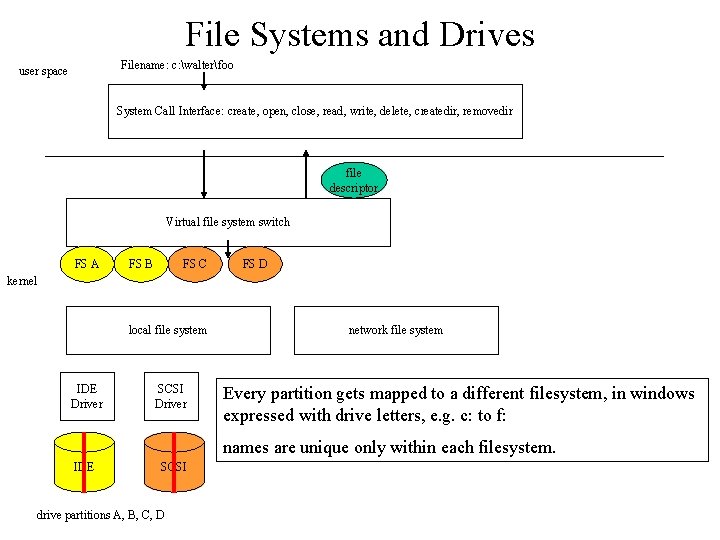
File Systems and Drives Filename: c: walterfoo user space System Call Interface: create, open, close, read, write, delete, createdir, removedir file descriptor Virtual file system switch FS A FS B FS C FS D kernel local file system IDE Driver SCSI Driver network file system Every partition gets mapped to a different filesystem, in windows expressed with drive letters, e. g. c: to f: names are unique only within each filesystem. IDE SCSI drive partitions A, B, C, D
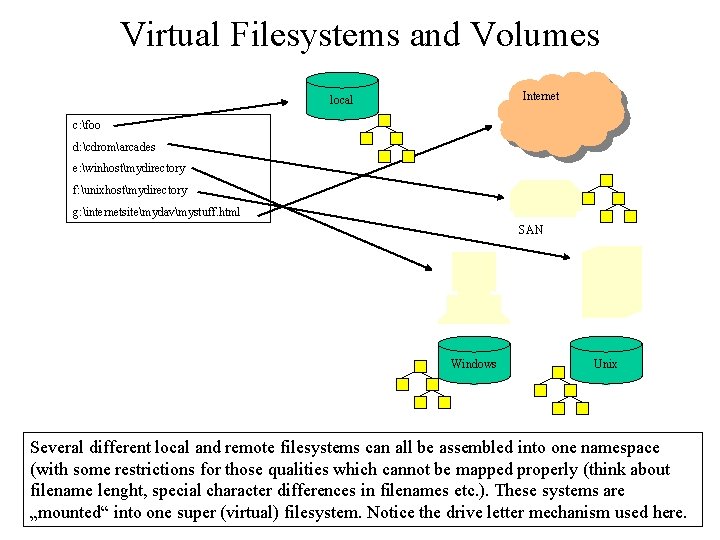
Virtual Filesystems and Volumes Internet local c: foo d: cdromarcades e: winhostmydirectory f: unixhostmydirectory g: internetsitemydavmystuff. html SAN Windows Unix Several different local and remote filesystems can all be assembled into one namespace (with some restrictions for those qualities which cannot be mapped properly (think about filename lenght, special character differences in filenames etc. ). These systems are „mounted“ into one super (virtual) filesystem. Notice the drive letter mechanism used here.
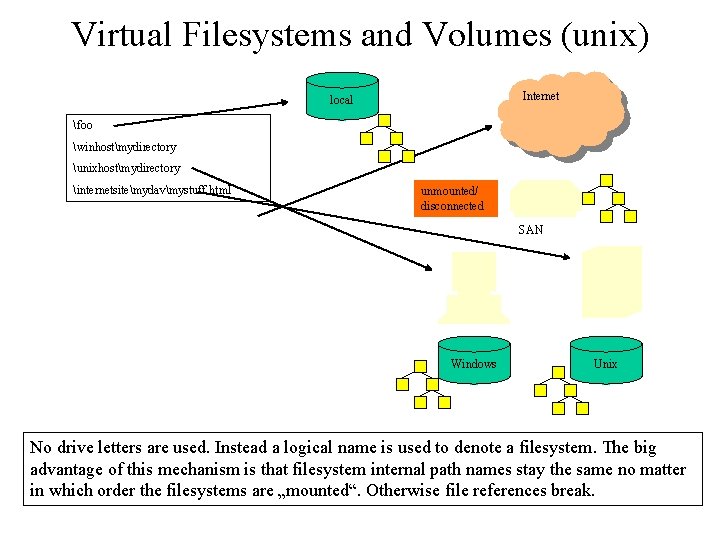
Virtual Filesystems and Volumes (unix) Internet local foo winhostmydirectory unixhostmydirectory internetsitemydavmystuff. html unmounted/ disconnected SAN Windows Unix No drive letters are used. Instead a logical name is used to denote a filesystem. The big advantage of this mechanism is that filesystem internal path names stay the same no matter in which order the filesystems are „mounted“. Otherwise file references break.
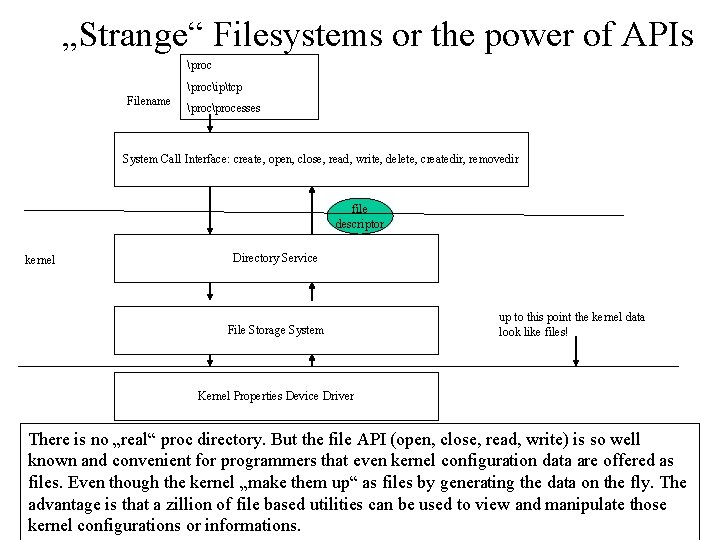
„Strange“ Filesystems or the power of APIs prociptcp Filename processes System Call Interface: create, open, close, read, write, delete, createdir, removedir file descriptor kernel Directory Service File Storage System up to this point the kernel data look like files! Kernel Properties Device Driver There is no „real“ proc directory. But the file API (open, close, read, write) is so well known and convenient for programmers that even kernel configuration data are offered as files. Even though the kernel „make them up“ as files by generating the data on the fly. The advantage is that a zillion of file based utilities can be used to view and manipulate those kernel configurations or informations.
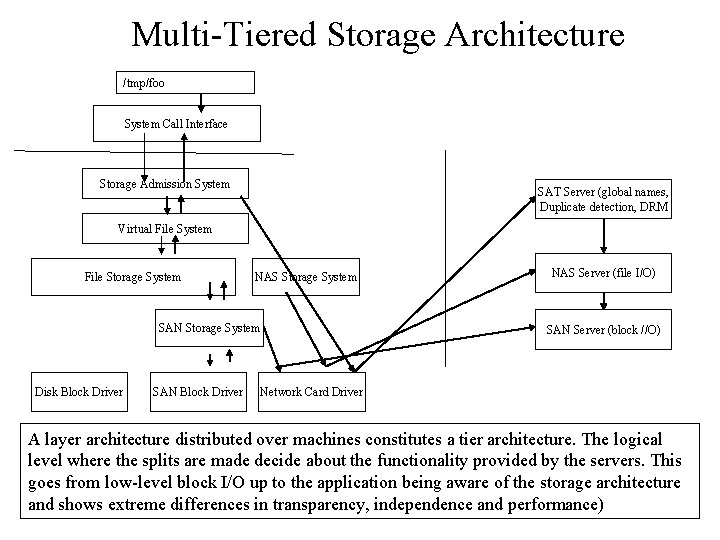
Multi-Tiered Storage Architecture /tmp/foo System Call Interface Storage Admission System SAT Server (global names, Duplicate detection, DRM Virtual File System File Storage System NAS Storage System SAN Storage System Disk Block Driver SAN Block Driver NAS Server (file I/O) SAN Server (block //O) Network Card Driver A layer architecture distributed over machines constitutes a tier architecture. The logical level where the splits are made decide about the functionality provided by the servers. This goes from low-level block I/O up to the application being aware of the storage architecture and shows extreme differences in transparency, independence and performance)
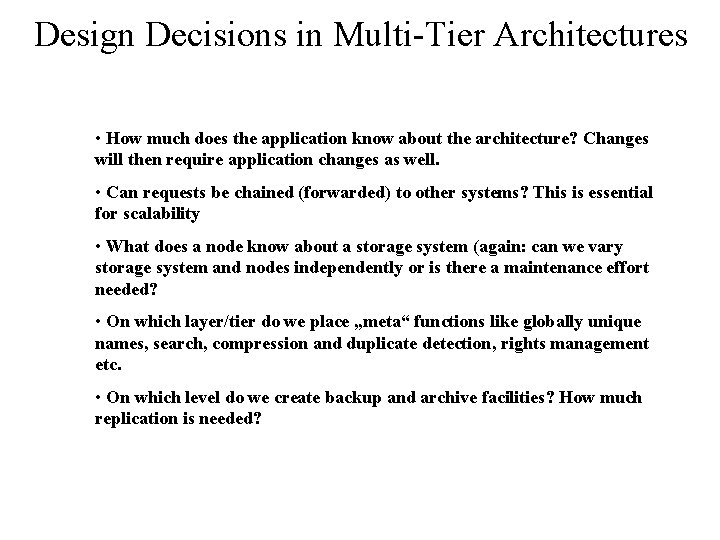
Design Decisions in Multi-Tier Architectures • How much does the application know about the architecture? Changes will then require application changes as well. • Can requests be chained (forwarded) to other systems? This is essential for scalability • What does a node know about a storage system (again: can we vary storage system and nodes independently or is there a maintenance effort needed? • On which layer/tier do we place „meta“ functions like globally unique names, search, compression and duplicate detection, rights management etc. • On which level do we create backup and archive facilities? How much replication is needed?
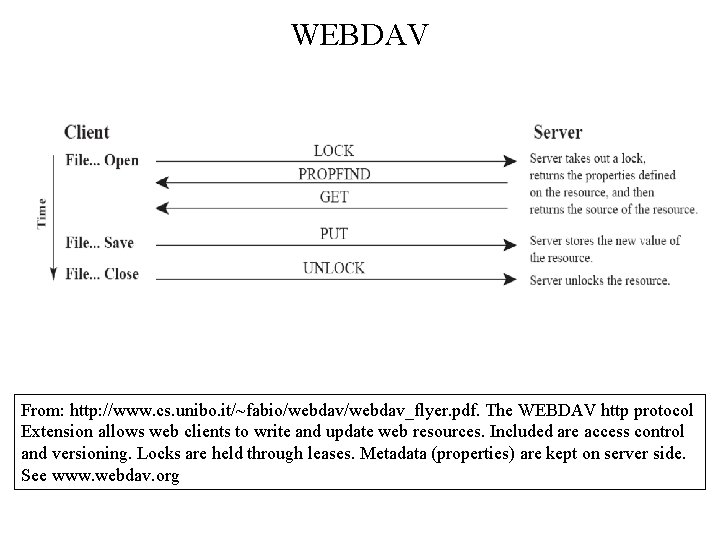
WEBDAV From: http: //www. cs. unibo. it/~fabio/webdav_flyer. pdf. The WEBDAV http protocol Extension allows web clients to write and update web resources. Included are access control and versioning. Locks are held through leases. Metadata (properties) are kept on server side. See www. webdav. org
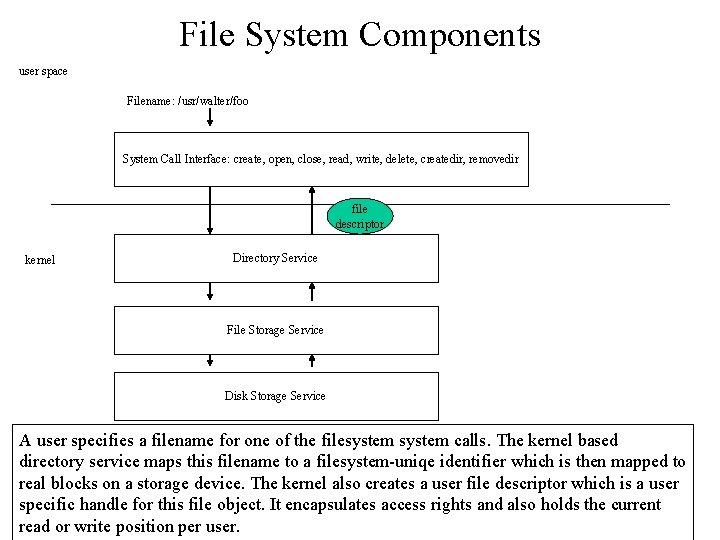
File System Components user space Filename: /usr/walter/foo System Call Interface: create, open, close, read, write, delete, createdir, removedir file descriptor kernel Directory Service File Storage Service Disk Storage Service A user specifies a filename for one of the filesystem calls. The kernel based directory service maps this filename to a filesystem-uniqe identifier which is then mapped to real blocks on a storage device. The kernel also creates a user file descriptor which is a user specific handle for this file object. It encapsulates access rights and also holds the current read or write position per user.
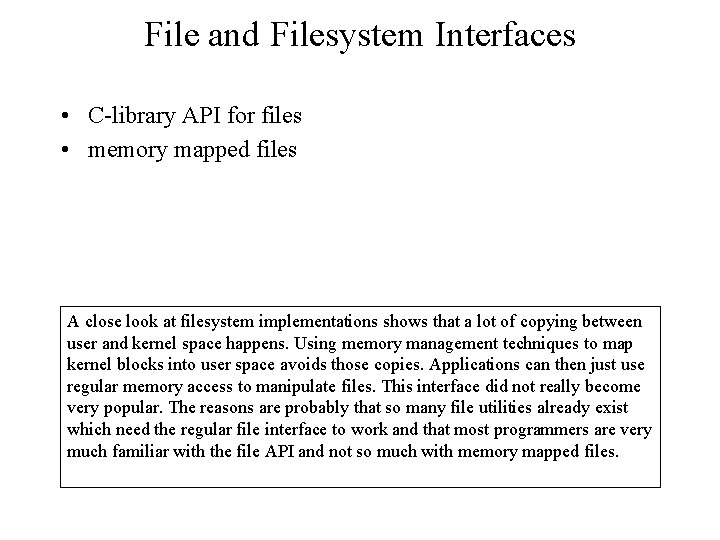
File and Filesystem Interfaces • C-library API for files • memory mapped files A close look at filesystem implementations shows that a lot of copying between user and kernel space happens. Using memory management techniques to map kernel blocks into user space avoids those copies. Applications can then just use regular memory access to manipulate files. This interface did not really become very popular. The reasons are probably that so many file utilities already exist which need the regular file interface to work and that most programmers are very much familiar with the file API and not so much with memory mapped files.
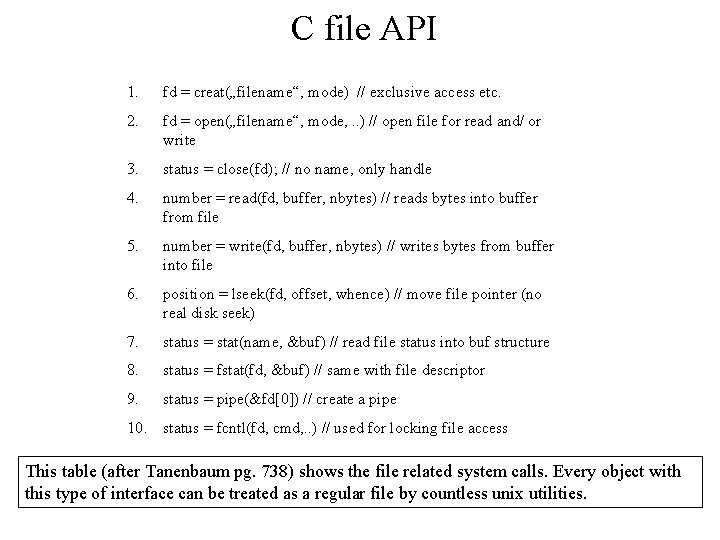
C file API 1. fd = creat(„filename“, mode) // exclusive access etc. 2. fd = open(„filename“, mode, . . ) // open file for read and/ or write 3. status = close(fd); // no name, only handle 4. number = read(fd, buffer, nbytes) // reads bytes into buffer from file 5. number = write(fd, buffer, nbytes) // writes bytes from buffer into file 6. position = lseek(fd, offset, whence) // move file pointer (no real disk seek) 7. status = stat(name, &buf) // read file status into buf structure 8. status = fstat(fd, &buf) // same with file descriptor 9. status = pipe(&fd[0]) // create a pipe 10. status = fcntl(fd, cmd, . . ) // used for locking file access This table (after Tanenbaum pg. 738) shows the file related system calls. Every object with this type of interface can be treated as a regular file by countless unix utilities.
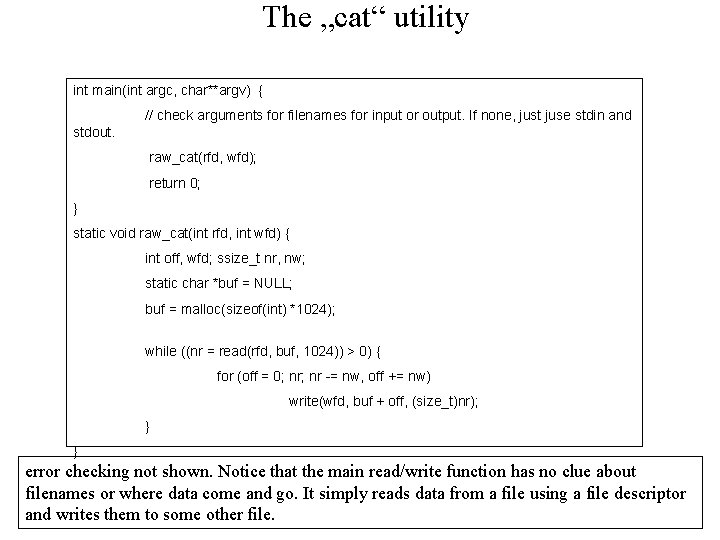
The „cat“ utility int main(int argc, char**argv) { // check arguments for filenames for input or output. If none, just juse stdin and stdout. raw_cat(rfd, wfd); return 0; } static void raw_cat(int rfd, int wfd) { int off, wfd; ssize_t nr, nw; static char *buf = NULL; buf = malloc(sizeof(int) *1024); while ((nr = read(rfd, buf, 1024)) > 0) { for (off = 0; nr -= nw, off += nw) write(wfd, buf + off, (size_t)nr); } } error checking not shown. Notice that the main read/write function has no clue about filenames or where data come and go. It simply reads data from a file using a file descriptor and writes them to some other file.
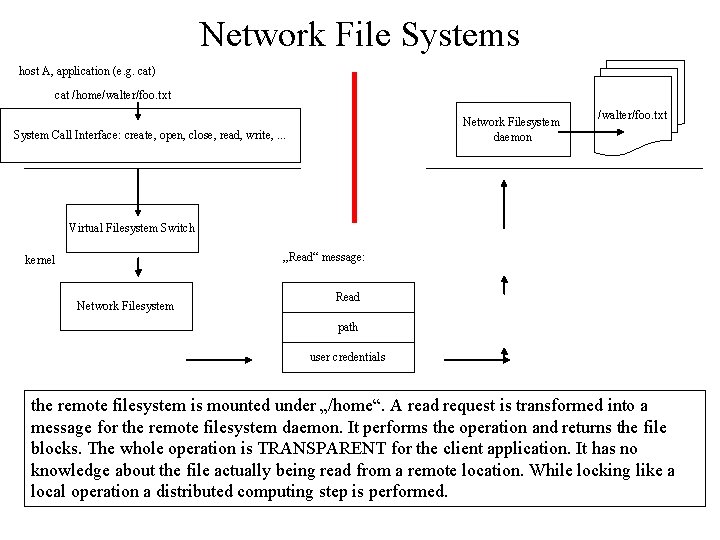
Network File Systems host A, application (e. g. cat) cat /home/walter/foo. txt Network Filesystem daemon System Call Interface: create, open, close, read, write, . . . /walter/foo. txt Virtual Filesystem Switch „Read“ message: kernel Network Filesystem Read path user credentials the remote filesystem is mounted under „/home“. A read request is transformed into a message for the remote filesystem daemon. It performs the operation and returns the file blocks. The whole operation is TRANSPARENT for the client application. It has no knowledge about the file actually being read from a remote location. While locking like a local operation a distributed computing step is performed.
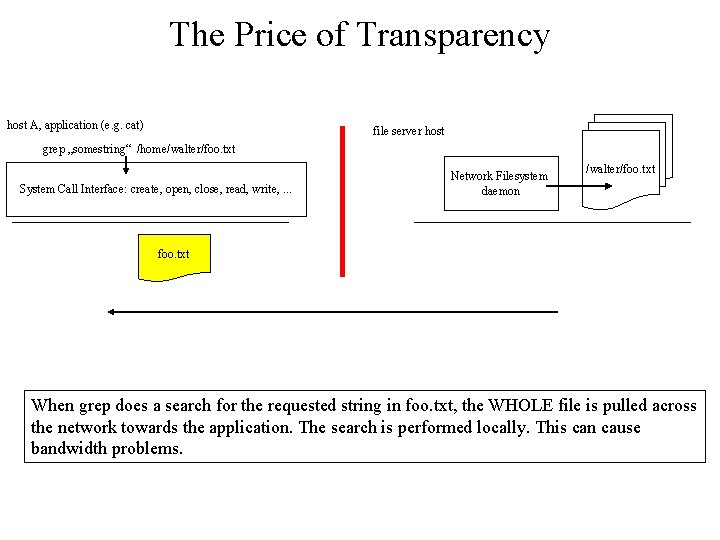
The Price of Transparency host A, application (e. g. cat) file server host grep „somestring“ /home/walter/foo. txt System Call Interface: create, open, close, read, write, . . . Network Filesystem daemon /walter/foo. txt When grep does a search for the requested string in foo. txt, the WHOLE file is pulled across the network towards the application. The search is performed locally. This can cause bandwidth problems.
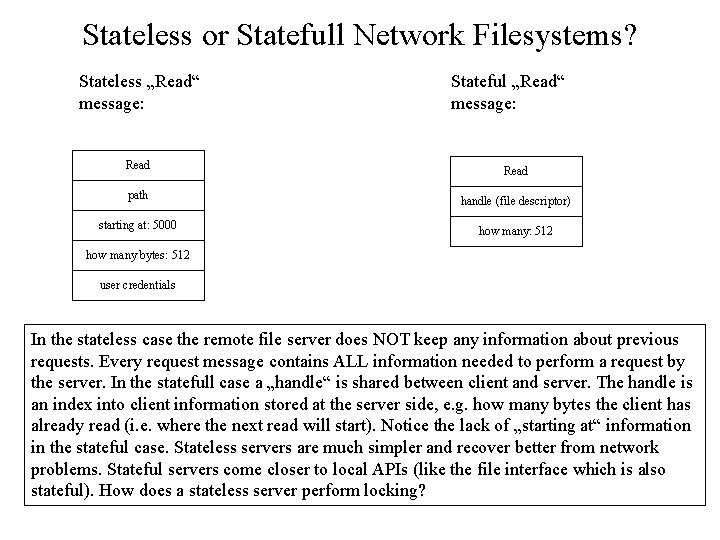
Stateless or Statefull Network Filesystems? Stateless „Read“ message: Stateful „Read“ message: Read path handle (file descriptor) starting at: 5000 how many: 512 how many bytes: 512 user credentials In the stateless case the remote file server does NOT keep any information about previous requests. Every request message contains ALL information needed to perform a request by the server. In the statefull case a „handle“ is shared between client and server. The handle is an index into client information stored at the server side, e. g. how many bytes the client has already read (i. e. where the next read will start). Notice the lack of „starting at“ information in the stateful case. Stateless servers are much simpler and recover better from network problems. Stateful servers come closer to local APIs (like the file interface which is also stateful). How does a stateless server perform locking?
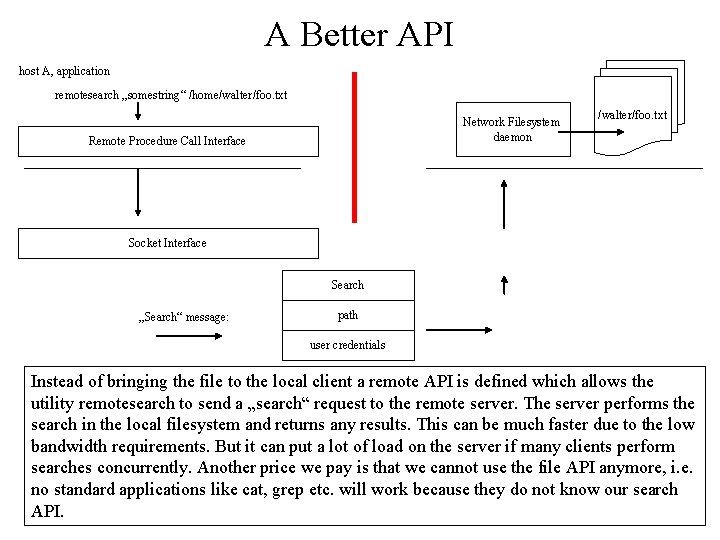
A Better API host A, application remotesearch „somestring“ /home/walter/foo. txt Network Filesystem daemon Remote Procedure Call Interface /walter/foo. txt Socket Interface Search „Search“ message: path user credentials Instead of bringing the file to the local client a remote API is defined which allows the utility remotesearch to send a „search“ request to the remote server. The server performs the search in the local filesystem and returns any results. This can be much faster due to the low bandwidth requirements. But it can put a lot of load on the server if many clients perform searches concurrently. Another price we pay is that we cannot use the file API anymore, i. e. no standard applications like cat, grep etc. will work because they do not know our search API.
Things we did not talk about: • Locking files: We will deal with the problem of locking resources in the session about processes and synchronization. • Caching: We will learn the concepts of caching in the sessions on memory managments and computer organization
Resources (1) • • Jean Bacon, Tim Harris, Operating Systems. Concurrent and distributed software design, chapter 6. Describes high level concepts of files as sharable resources accessed through an API. Shows some possible implementations but does not get lost in details. More top than down. www. webdav. org , portal for web distributed authoring and versioning. If you want to learn how to access web resources through a hierarchical name-space like a filesystem. Find source code which uses filesystems: www. rocketaware. com Programmer's Webliography and Index Daniel P. Bovet et. al, Understanding the ´Linux´Kernel, OReilly, Chapter 17 (free). on the EXT Journaling Filesystem. Good to read.