
Lecture on Design Patterns Factory Command www assignmentpoint



- Slides: 26
Lecture on Design Patterns: Factory, Command www. assignmentpoint. com 1
Outline n What are design patterns? Why should we study them? n List of all design pattern names and categories n Factory pattern n Command pattern 2
Design challenges n Designing software for reuse is hard; one must find: n n designs often emerge from an iterative process (trials and many errors) successful designs do exist n n n a good problem decomposition, and the right software abstractions a design with flexibility, modularity and elegance two designs they are almost never identical they exhibit some recurring characteristics The engineering perspective: can designs be described, codified or standardized? n n this would short circuit the trial and error phase produce "better" software faster 3
Design patterns n history n n n the concept of a "pattern" was first expressed in Christopher Alexander's work A Pattern Language in 1977 (2543 patterns) in 1990 a group called the Gang of Four or "Go. F" (Gamma, Helm, Johnson, Vlissides) compile a catalog of design patterns design pattern: a solution to a common software problem in a context n example: Iterator pattern The Iterator pattern defines an interface that declares methods for sequentially accessing the objects in a collection. 4
More about patterns n A pattern describes a recurring software structure n n n is abstract from concrete design elements such as problem domain, programming language identifies classes that play a role in the solution to a problem, describes their collaborations and responsibilities lists implementation trade-offs patterns are not code or designs; must be instantiated/applied the software engineer is required to: n n n evaluate trade-offs and impact of using a pattern in the system at hand make design and implementation decision how best to apply the pattern, perhaps modify it slightly implement the pattern in code and combine it with other patterns 5
Benefits of using patterns n patterns are a common design vocabulary n n n patterns capture design expertise and allow that expertise to be communicated n n allows engineers to abstract a problem and talk about that abstraction in isolation from its implementation embodies a culture; domain specific patterns increase design speed promotes design reuse and avoid mistakes improve documentation (less is needed) and understandability (patterns are described well once) 6
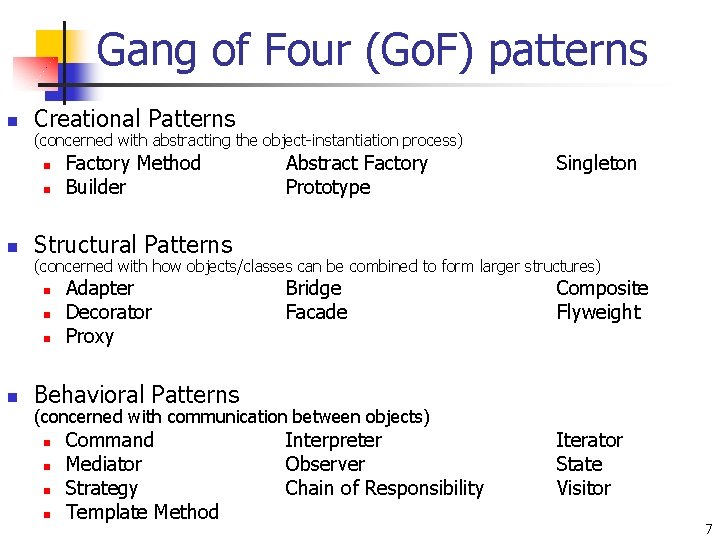
Gang of Four (Go. F) patterns n Creational Patterns (concerned with abstracting the object-instantiation process) n n n Abstract Factory Prototype Singleton Structural Patterns (concerned with how objects/classes can be combined to form larger structures) n n Factory Method Builder Adapter Decorator Proxy Bridge Facade Composite Flyweight Behavioral Patterns (concerned with communication between objects) n n Command Mediator Strategy Template Method Interpreter Observer Chain of Responsibility Iterator State Visitor 7
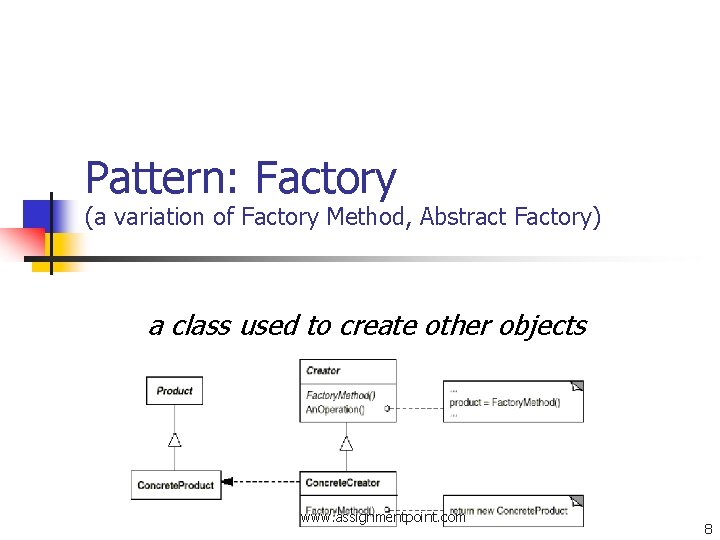
Pattern: Factory (a variation of Factory Method, Abstract Factory) a class used to create other objects www. assignmentpoint. com 8
Problem: Bulky GUI code n GUI code to construct many components quickly becomes redundant (here, with menus): homestar. Item = new JMenu. Item("Homestar Runner"); homestar. Item. add. Action. Listener(this); view. Menu. add(homestar. Item); crap. Item = new JMenu. Item("Crappy"); crap. Item. add. Action. Listener(this); view. Menu. add(crap. Item); n another example (with buttons): button 1 = new JButton(); button 1. add. Action. Listener(this); button 1. set. Border. Painted(false); button 2 = new JButton(); button 2. add. Action. Listener(this); button 2. set. Border. Painted(false); 9
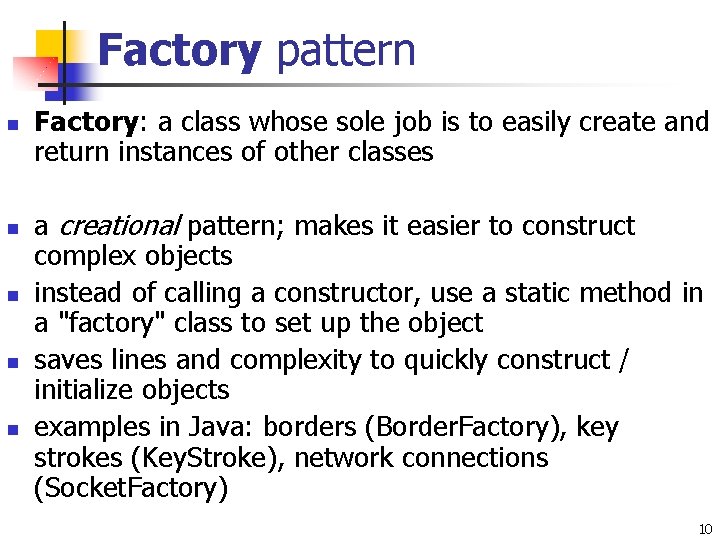
Factory pattern n n Factory: a class whose sole job is to easily create and return instances of other classes a creational pattern; makes it easier to construct complex objects instead of calling a constructor, use a static method in a "factory" class to set up the object saves lines and complexity to quickly construct / initialize objects examples in Java: borders (Border. Factory), key strokes (Key. Stroke), network connections (Socket. Factory) 10
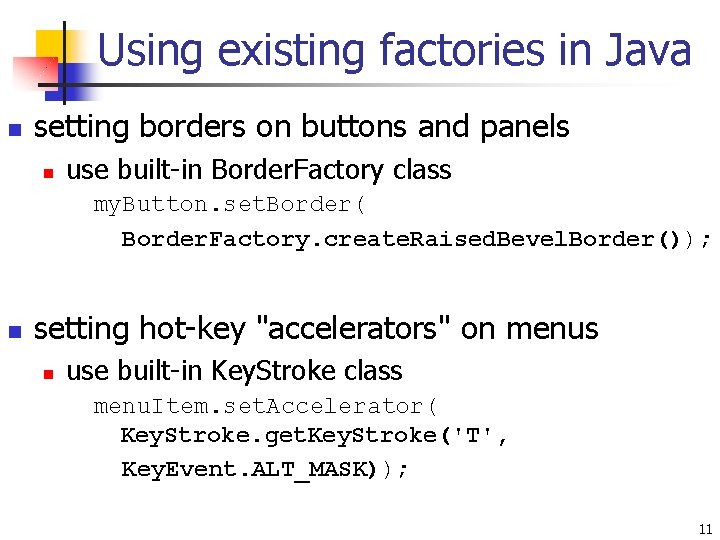
Using existing factories in Java n setting borders on buttons and panels n use built-in Border. Factory class my. Button. set. Border( Border. Factory. create. Raised. Bevel. Border()); n setting hot-key "accelerators" on menus n use built-in Key. Stroke class menu. Item. set. Accelerator( Key. Stroke. get. Key. Stroke('T', Key. Event. ALT_MASK)); 11
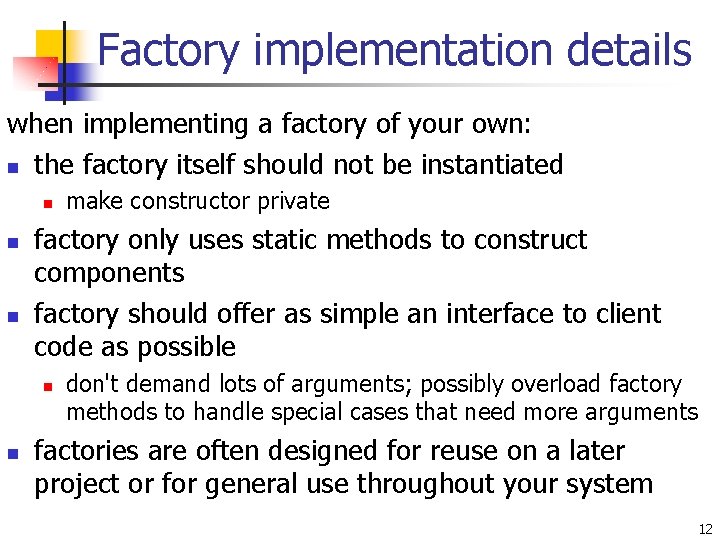
Factory implementation details when implementing a factory of your own: n the factory itself should not be instantiated n n n factory only uses static methods to construct components factory should offer as simple an interface to client code as possible n n make constructor private don't demand lots of arguments; possibly overload factory methods to handle special cases that need more arguments factories are often designed for reuse on a later project or for general use throughout your system 12
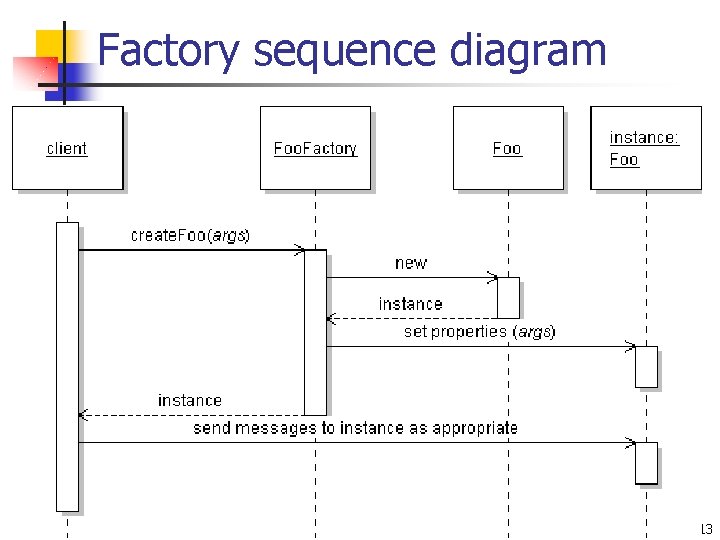
Factory sequence diagram 13
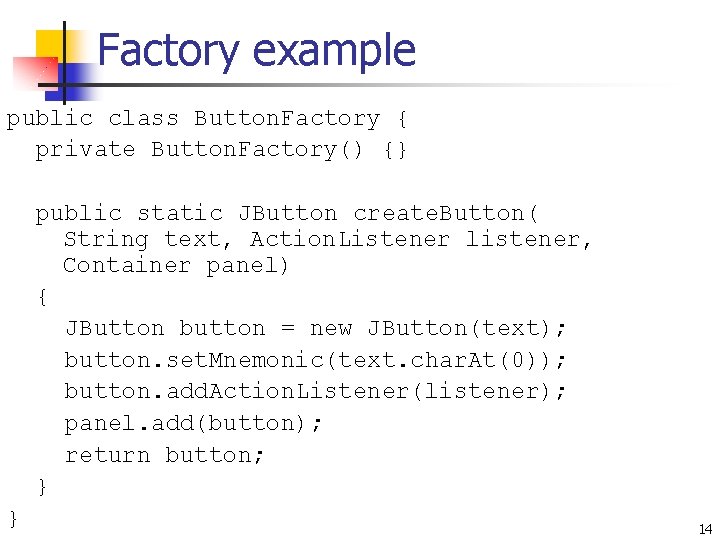
Factory example public class Button. Factory { private Button. Factory() {} public static JButton create. Button( String text, Action. Listener listener, Container panel) { JButton button = new JButton(text); button. set. Mnemonic(text. char. At(0)); button. add. Action. Listener(listener); panel. add(button); return button; } } 14
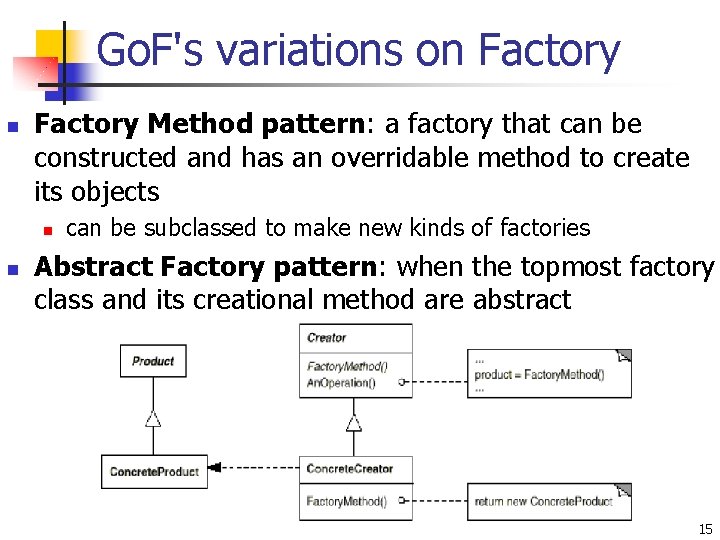
Go. F's variations on Factory Method pattern: a factory that can be constructed and has an overridable method to create its objects n n can be subclassed to make new kinds of factories Abstract Factory pattern: when the topmost factory class and its creational method are abstract 15
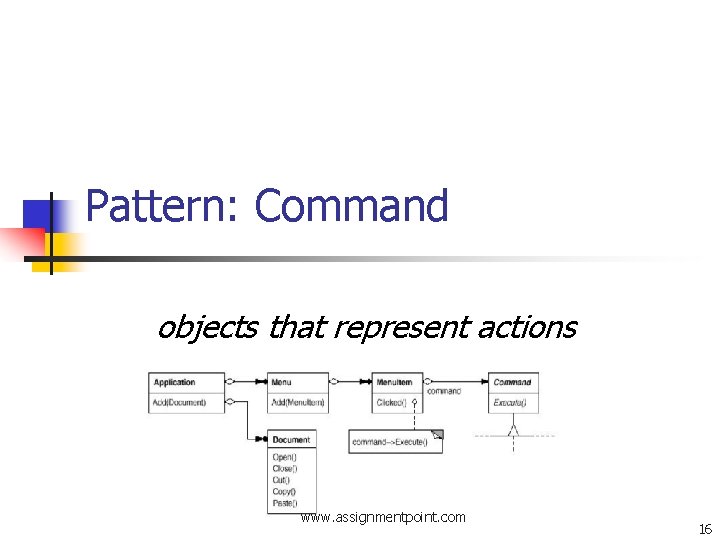
Pattern: Command objects that represent actions www. assignmentpoint. com 16
Open-closed principle n n Open-Closed Principle: Software entities like classes, modules and functions should be open for extension but closed for modifications. The Open-Closed Principle encourages software developers to design and write code in a fashion that adding new functionality would involve minimal changes to existing code. n n most changes will be handled as new methods and new classes designs following this principle would result in resilient code which does not break on addition of new functionality 17
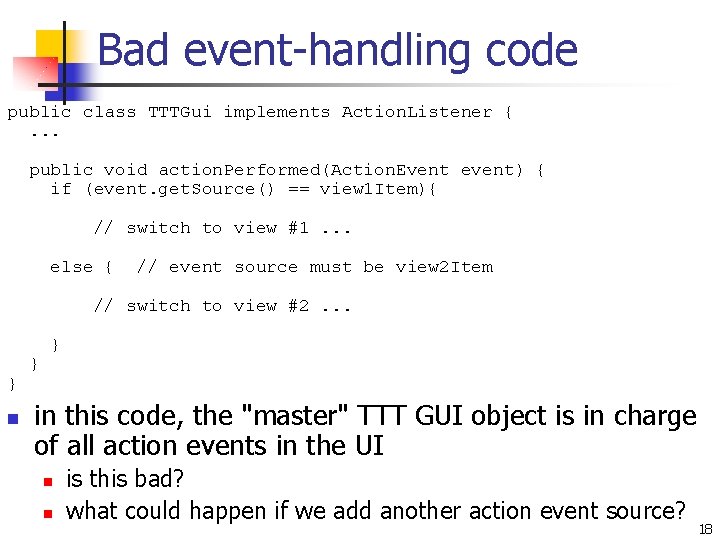
Bad event-handling code public class TTTGui implements Action. Listener {. . . public void action. Performed(Action. Event event) { if (event. get. Source() == view 1 Item){ // switch to view #1. . . else { // event source must be view 2 Item // switch to view #2. . . } n } } in this code, the "master" TTT GUI object is in charge of all action events in the UI n n is this bad? what could happen if we add another action event source? 18
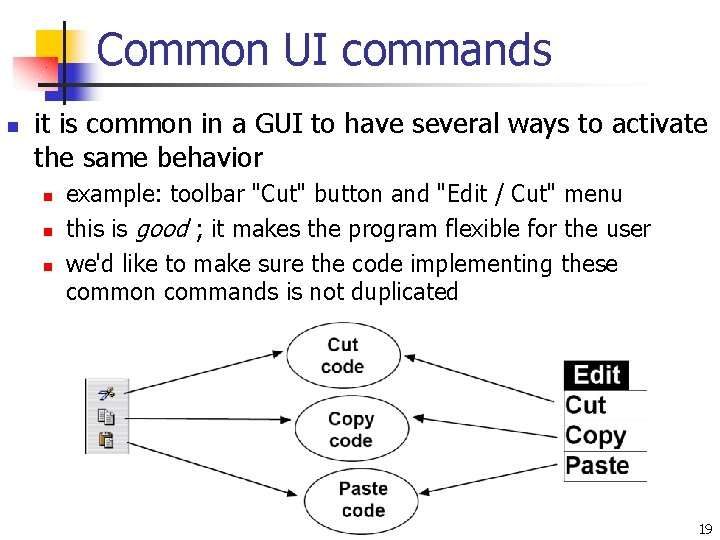
Common UI commands n it is common in a GUI to have several ways to activate the same behavior n n n example: toolbar "Cut" button and "Edit / Cut" menu this is good ; it makes the program flexible for the user we'd like to make sure the code implementing these common commands is not duplicated 19
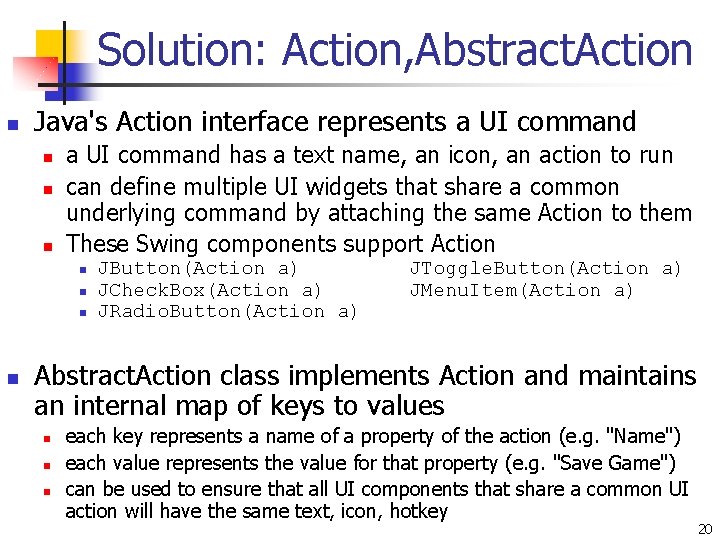
Solution: Action, Abstract. Action n Java's Action interface represents a UI command n n n a UI command has a text name, an icon, an action to run can define multiple UI widgets that share a common underlying command by attaching the same Action to them These Swing components support Action n n JButton(Action a) JCheck. Box(Action a) JRadio. Button(Action a) JToggle. Button(Action a) JMenu. Item(Action a) Abstract. Action class implements Action and maintains an internal map of keys to values n n n each key represents a name of a property of the action (e. g. "Name") each value represents the value for that property (e. g. "Save Game") can be used to ensure that all UI components that share a common UI action will have the same text, icon, hotkey 20
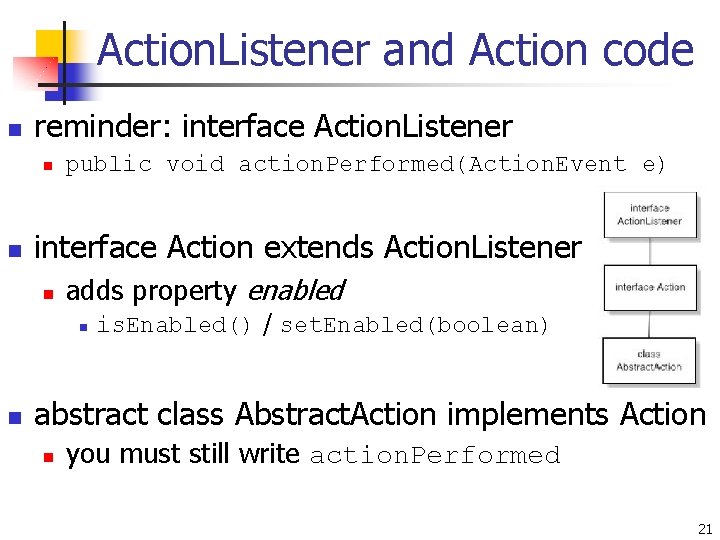
Action. Listener and Action code n reminder: interface Action. Listener n n public void action. Performed(Action. Event e) interface Action extends Action. Listener n adds property enabled n n is. Enabled() / set. Enabled(boolean) abstract class Abstract. Action implements Action n you must still write action. Performed 21
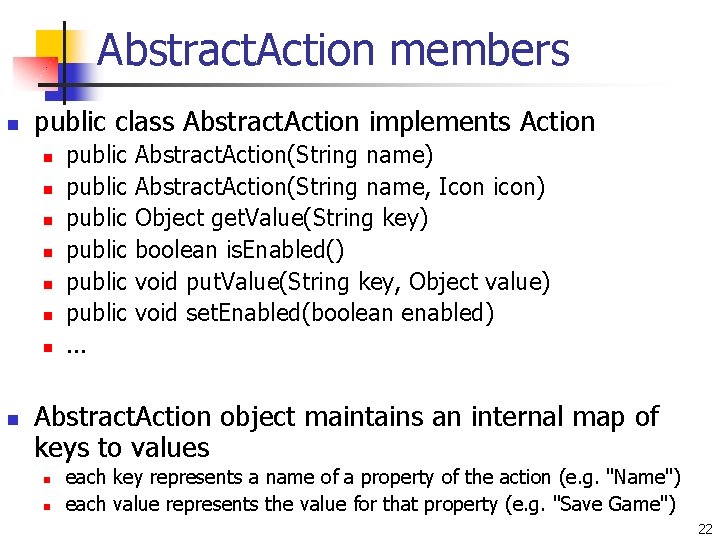
Abstract. Action members n public class Abstract. Action implements Action n n n n public public. . . Abstract. Action(String name) Abstract. Action(String name, Icon icon) Object get. Value(String key) boolean is. Enabled() void put. Value(String key, Object value) void set. Enabled(boolean enabled) Abstract. Action object maintains an internal map of keys to values n n each key represents a name of a property of the action (e. g. "Name") each value represents the value for that property (e. g. "Save Game") 22
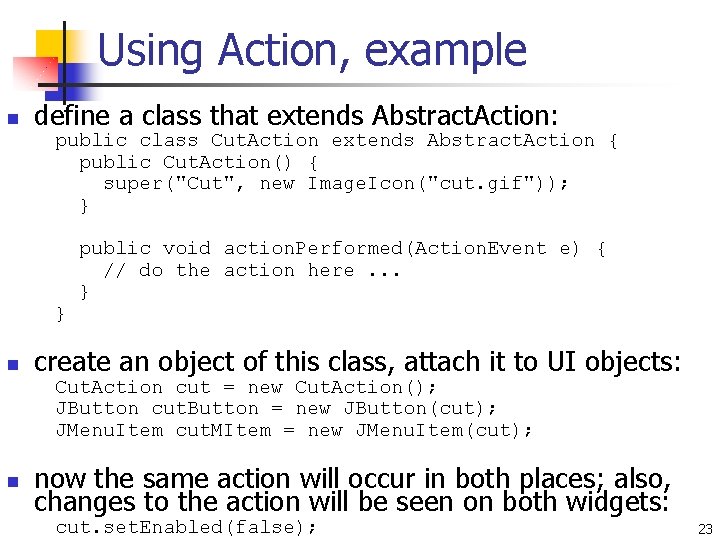
Using Action, example n define a class that extends Abstract. Action: public class Cut. Action extends Abstract. Action { public Cut. Action() { super("Cut", new Image. Icon("cut. gif")); } } n public void action. Performed(Action. Event e) { // do the action here. . . } create an object of this class, attach it to UI objects: Cut. Action cut = new Cut. Action(); JButton cut. Button = new JButton(cut); JMenu. Item cut. MItem = new JMenu. Item(cut); n now the same action will occur in both places; also, changes to the action will be seen on both widgets: cut. set. Enabled(false); 23
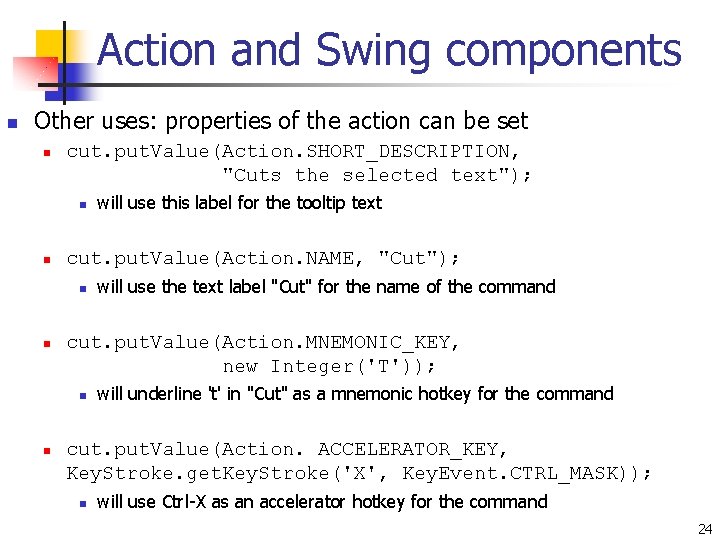
Action and Swing components n Other uses: properties of the action can be set n cut. put. Value(Action. SHORT_DESCRIPTION, "Cuts the selected text"); n n cut. put. Value(Action. NAME, "Cut"); n n will use the text label "Cut" for the name of the command cut. put. Value(Action. MNEMONIC_KEY, new Integer('T')); n n will use this label for the tooltip text will underline 't' in "Cut" as a mnemonic hotkey for the command cut. put. Value(Action. ACCELERATOR_KEY, Key. Stroke. get. Key. Stroke('X', Key. Event. CTRL_MASK)); n will use Ctrl-X as an accelerator hotkey for the command 24
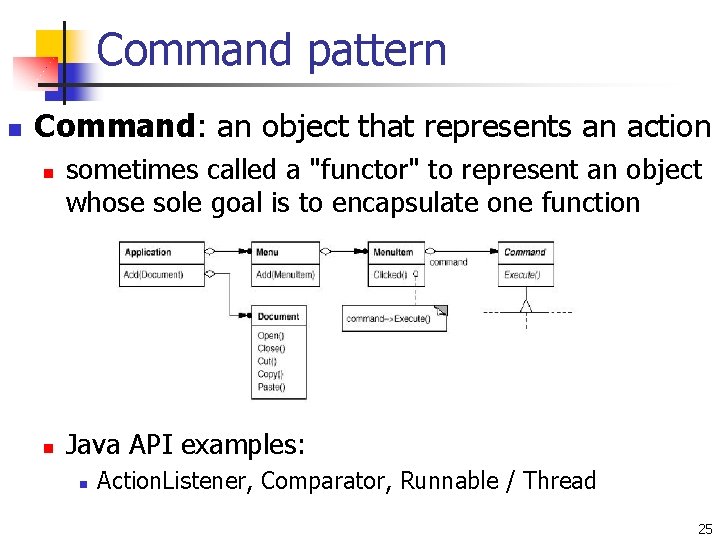
Command pattern n Command: an object that represents an action n n sometimes called a "functor" to represent an object whose sole goal is to encapsulate one function Java API examples: n Action. Listener, Comparator, Runnable / Thread 25
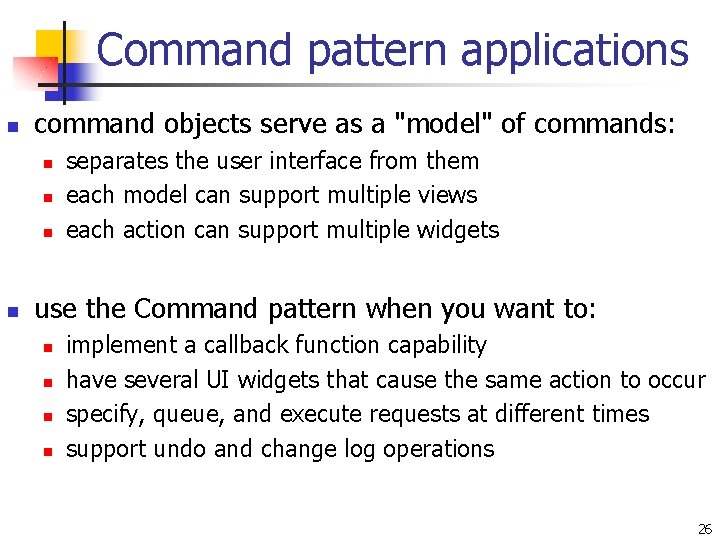
Command pattern applications n command objects serve as a "model" of commands: n n separates the user interface from them each model can support multiple views each action can support multiple widgets use the Command pattern when you want to: n n implement a callback function capability have several UI widgets that cause the same action to occur specify, queue, and execute requests at different times support undo and change log operations 26