
Lecture No 13 Data Structures Dr Sohail Aslam
- Slides: 20
Lecture No. 13 Data Structures Dr. Sohail Aslam
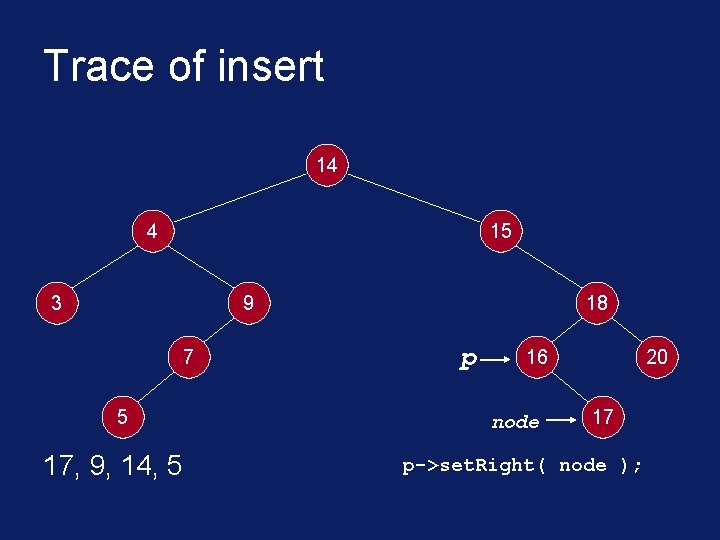
Trace of insert 14 4 15 3 9 7 5 17, 9, 14, 5 18 p 16 node 20 17 p->set. Right( node );
Cost of Search § Given that a binary tree is level d deep. How long does it take to find out whether a number is already present? § Consider the insert(17) in the example tree. § Each time around the while loop, we did one comparison. § After the comparison, we moved a level down.
Cost of Search § With the binary tree in place, we can write a routine find(x) that returns true if the number x is present in the tree, false otherwise. § How many comparison are needed to find out if x is present in the tree? § We do one comparison at each level of the tree until either x is found or q becomes NULL.
Cost of Search § If the binary tree is built out of n numbers, how many comparisons are needed to find out if a number x is in the tree? § Recall that the depth of the complete binary tree built using ‘n’ nodes will be log 2(n+1) – 1. § For example, for n=100, 000, log 2(100001) is less than 20; the tree would be 20 levels deep.
Cost of Search § If the tree is complete binary or nearly complete, searching through 100, 000 numbers will require a maximum of 20 comparisons. § Or in general, approximately log 2(n). § Compare this with a linked list of 100, 000 numbers. The comparisons required could be a maximum of n.
Binary Search Tree § A binary tree with the property that items in the left subtree are smaller than the root and items are larger or equal in the right subtree is called a binary search tree (BST). § The tree we built for searching for duplicate numbers was a binary search tree. § BST and its variations play an important role in searching algorithms.
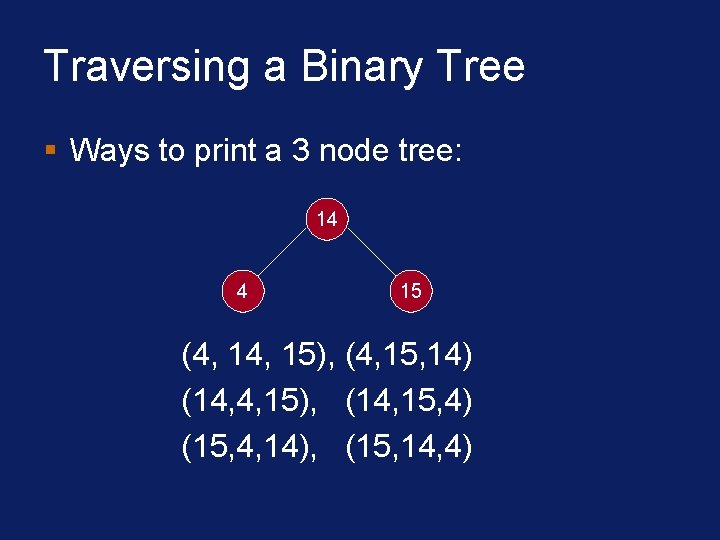
Traversing a Binary Tree § Suppose we have a binary tree, ordered (BST) or unordered. § We want to print all the values stored in the nodes of the tree. § In what order should we print them?
Traversing a Binary Tree § Ways to print a 3 node tree: 14 4 15 (4, 15), (4, 15, 14) (14, 4, 15), (14, 15, 4) (15, 4, 14), (15, 14, 4)
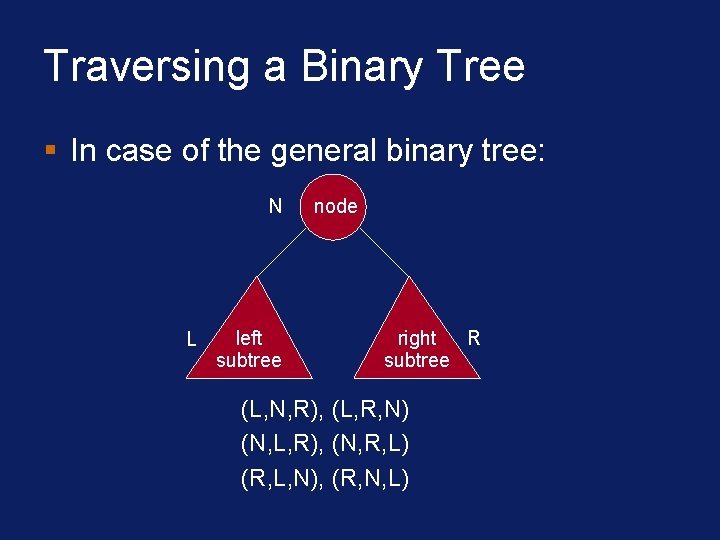
Traversing a Binary Tree § In case of the general binary tree: N L left subtree node right R subtree (L, N, R), (L, R, N) (N, L, R), (N, R, L) (R, L, N), (R, N, L)
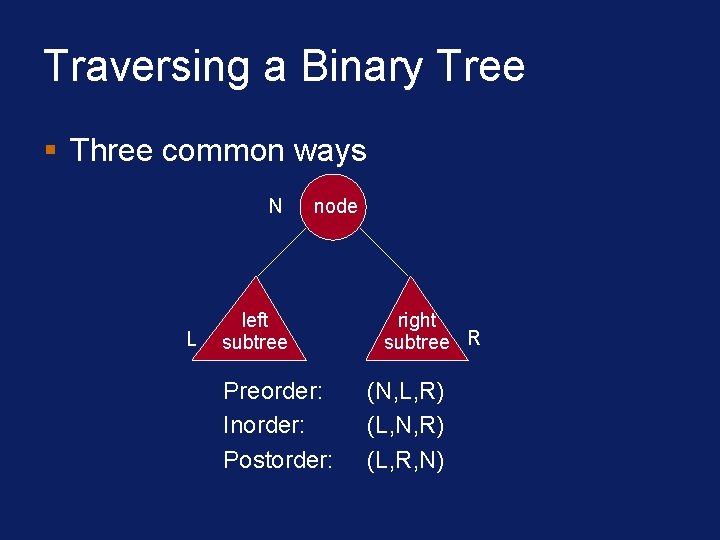
Traversing a Binary Tree § Three common ways N L node left subtree Preorder: Inorder: Postorder: right subtree R (N, L, R) (L, N, R) (L, R, N)
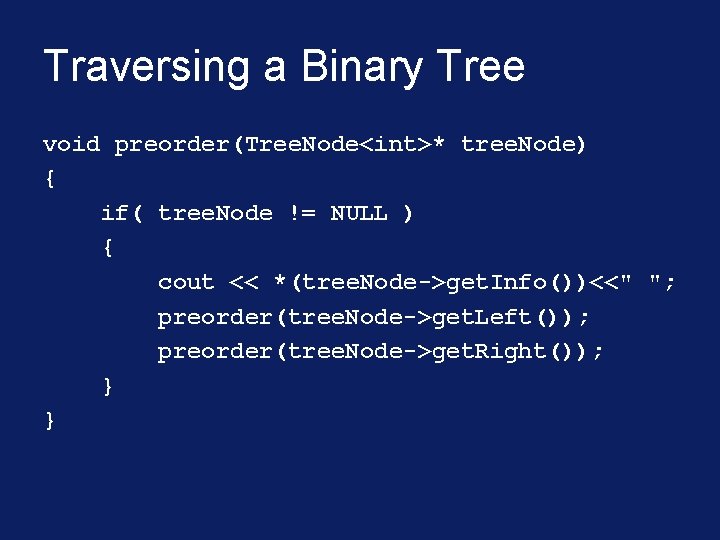
Traversing a Binary Tree void preorder(Tree. Node<int>* tree. Node) { if( tree. Node != NULL ) { cout << *(tree. Node->get. Info())<<" "; preorder(tree. Node->get. Left()); preorder(tree. Node->get. Right()); } }
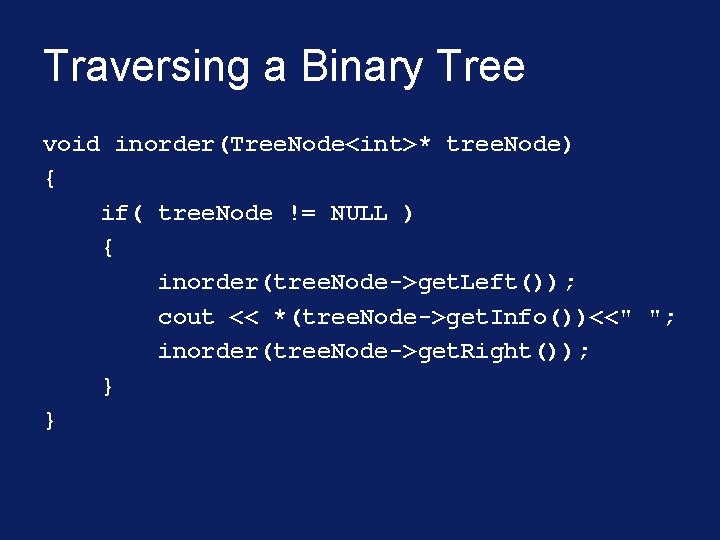
Traversing a Binary Tree void inorder(Tree. Node<int>* tree. Node) { if( tree. Node != NULL ) { inorder(tree. Node->get. Left()); cout << *(tree. Node->get. Info())<<" "; inorder(tree. Node->get. Right()); } }
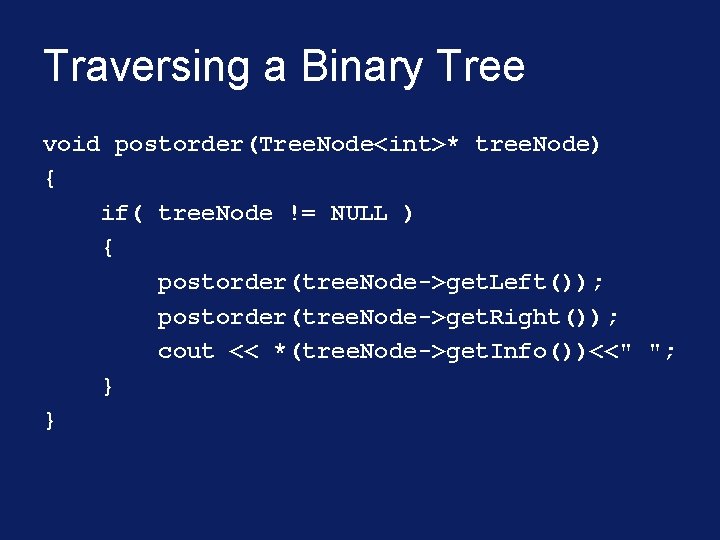
Traversing a Binary Tree void postorder(Tree. Node<int>* tree. Node) { if( tree. Node != NULL ) { postorder(tree. Node->get. Left()); postorder(tree. Node->get. Right()); cout << *(tree. Node->get. Info())<<" "; } }
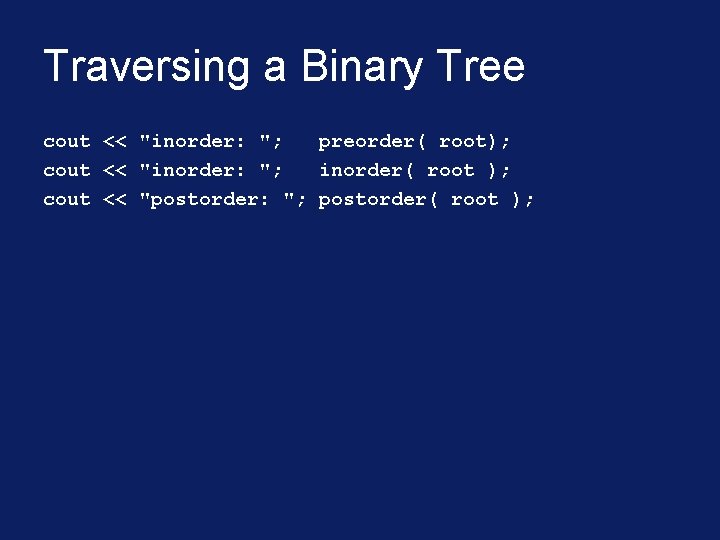
Traversing a Binary Tree cout << "inorder: "; preorder( root); cout << "inorder: "; inorder( root ); cout << "postorder: "; postorder( root );
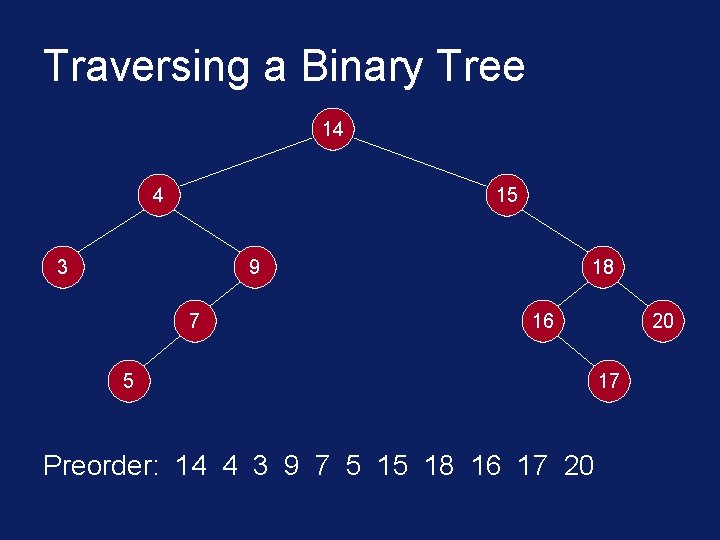
Traversing a Binary Tree 14 4 15 3 9 7 18 16 5 Preorder: 14 4 3 9 7 5 15 18 16 17 20 20 17
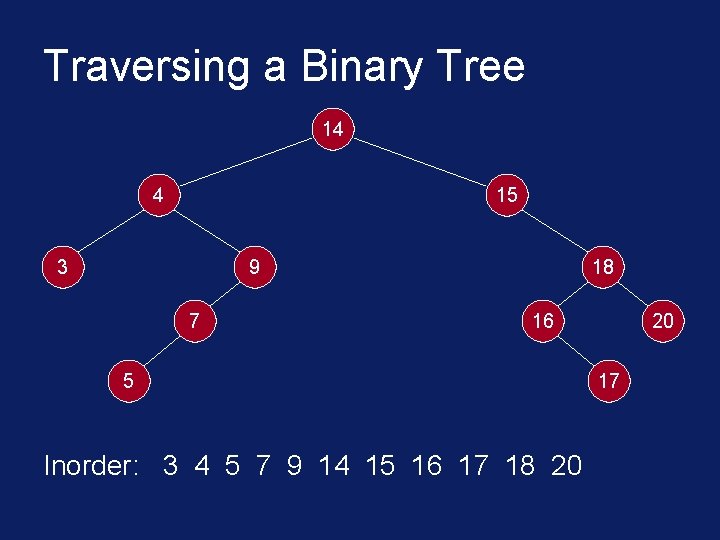
Traversing a Binary Tree 14 4 15 3 9 7 18 16 5 Inorder: 3 4 5 7 9 14 15 16 17 18 20 20 17
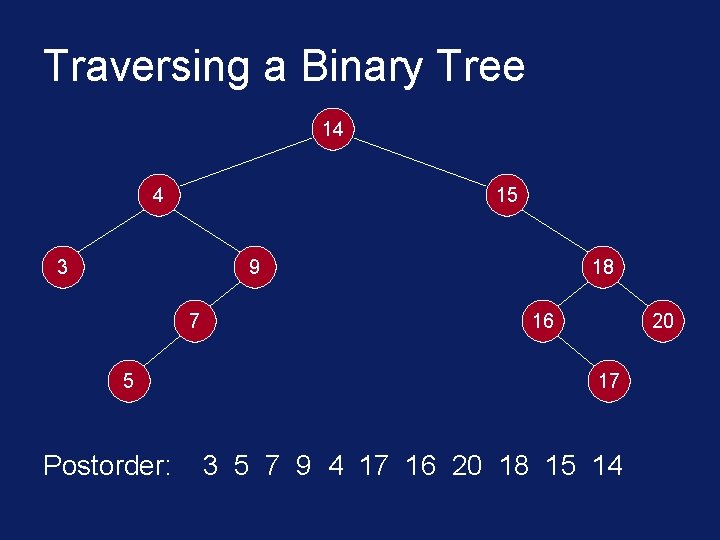
Traversing a Binary Tree 14 4 15 3 9 7 5 Postorder: 18 16 20 17 3 5 7 9 4 17 16 20 18 15 14
Recursive Call § Recall that a stack is used during function calls. § The caller function places the arguments on the stack and passes control to the called function. § Local variables are allocated storage on the call stack. § Calling a function itself makes no difference as far as the call stack is concerned.
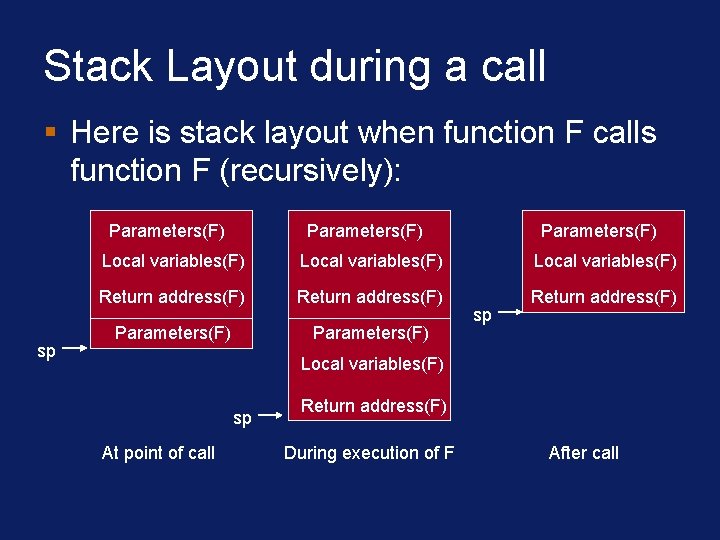
Stack Layout during a call § Here is stack layout when function F calls function F (recursively): Parameters(F) sp Parameters(F) Local variables(F) Return address(F) Parameters(F) sp Local variables(F) sp At point of call Return address(F) During execution of F After call