
Lecture 9 XQuery 1 XQuery Motivation XPath expressivity
![FLWR vs. XPath expressions Equivalently FOR $x IN document("bib. xml")/bib/book[year/text() > 1995] /title RETURN](https://slidetodoc.com/presentation_image_h/caacaaecef1e3f28362db75aa83edba9/image-6.jpg "FLWR vs. XPath expressions Equivalently FOR $x IN document(\"bib. xml\")/bib/book[year/text() > 1995] /title RETURN")
![Aggregates Same thing: FOR $x IN document("bib. xml")/bib/book[count(author)>3] RETURN $x 12](https://slidetodoc.com/presentation_image_h/caacaaecef1e3f28362db75aa83edba9/image-12.jpg "Aggregates Same thing: FOR $x IN document(\"bib. xml\")/bib/book[count(author)>3] RETURN $x 12")
- Slides: 40
Lecture 9: XQuery 1
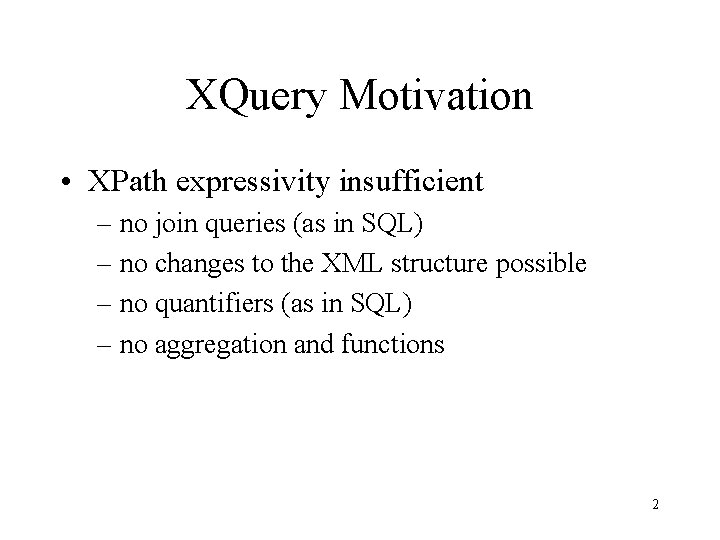
XQuery Motivation • XPath expressivity insufficient – no join queries (as in SQL) – no changes to the XML structure possible – no quantifiers (as in SQL) – no aggregation and functions 2
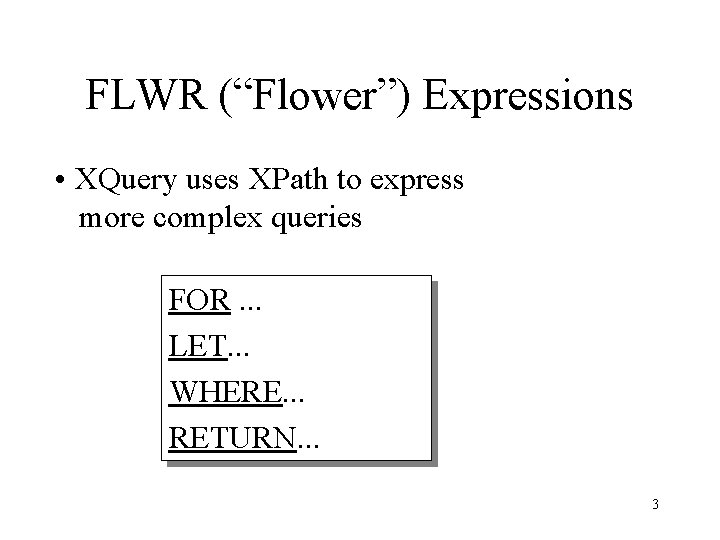
FLWR (“Flower”) Expressions • XQuery uses XPath to express more complex queries FOR. . . LET. . . WHERE. . . RETURN. . . 3
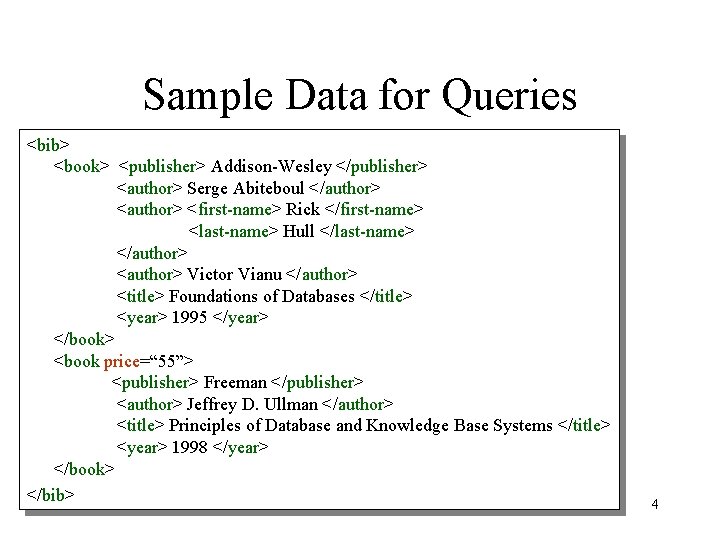
Sample Data for Queries <bib> <book> <publisher> Addison-Wesley </publisher> <author> Serge Abiteboul </author> <first-name> Rick </first-name> <last-name> Hull </last-name> </author> <author> Victor Vianu </author> <title> Foundations of Databases </title> <year> 1995 </year> </book> <book price=“ 55”> <publisher> Freeman </publisher> <author> Jeffrey D. Ullman </author> <title> Principles of Database and Knowledge Base Systems </title> <year> 1998 </year> </book> </bib> 4
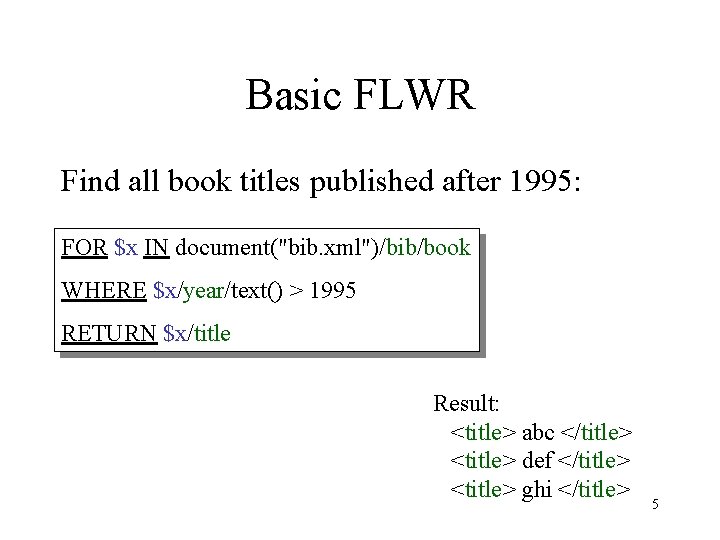
Basic FLWR Find all book titles published after 1995: FOR $x IN document("bib. xml")/bib/book WHERE $x/year/text() > 1995 RETURN $x/title Result: <title> abc </title> <title> def </title> <title> ghi </title> 5
FLWR vs. XPath expressions Equivalently FOR $x IN document("bib. xml")/bib/book[year/text() > 1995] /title RETURN $x And even shorter: document("bib. xml")/bib/book[year/text() > 1995] /title 6
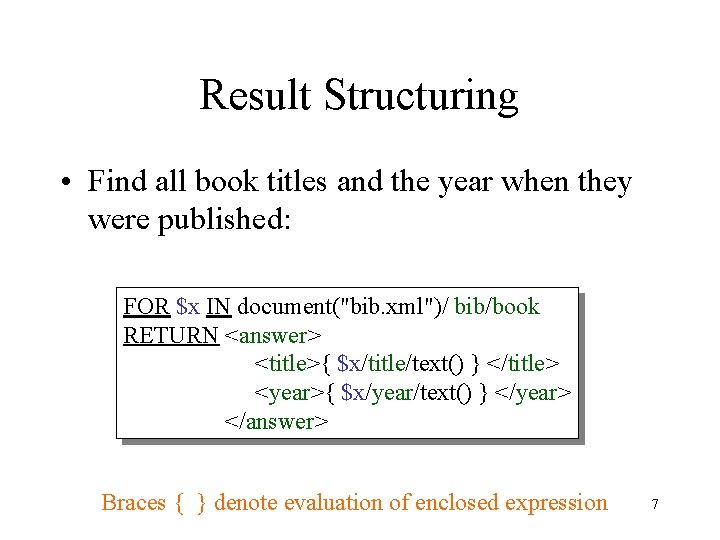
Result Structuring • Find all book titles and the year when they were published: FOR $x IN document("bib. xml")/ bib/book RETURN <answer> <title>{ $x/title/text() } </title> <year>{ $x/year/text() } </year> </answer> Braces { } denote evaluation of enclosed expression 7
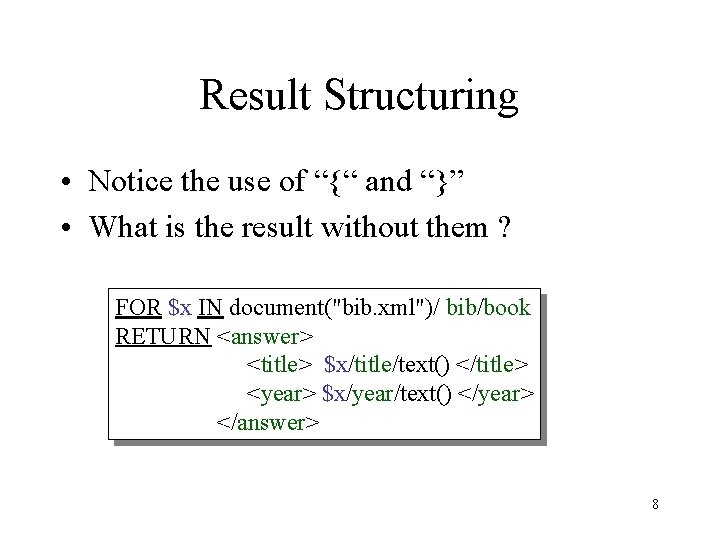
Result Structuring • Notice the use of “{“ and “}” • What is the result without them ? FOR $x IN document("bib. xml")/ bib/book RETURN <answer> <title> $x/title/text() </title> <year> $x/year/text() </year> </answer> 8
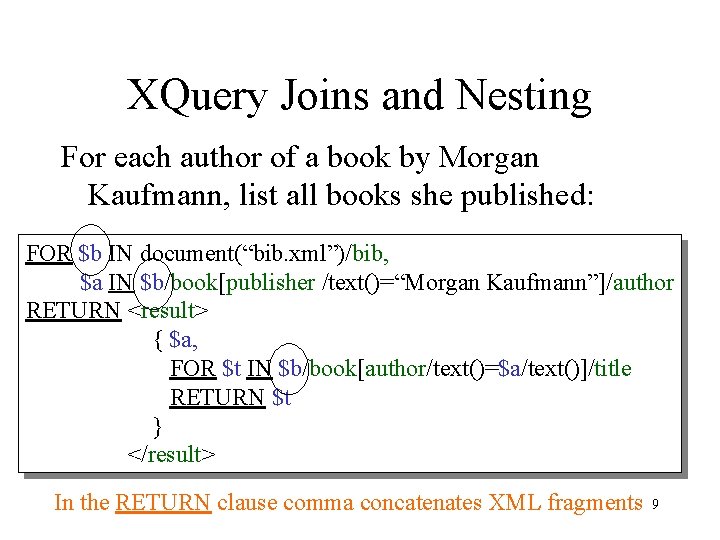
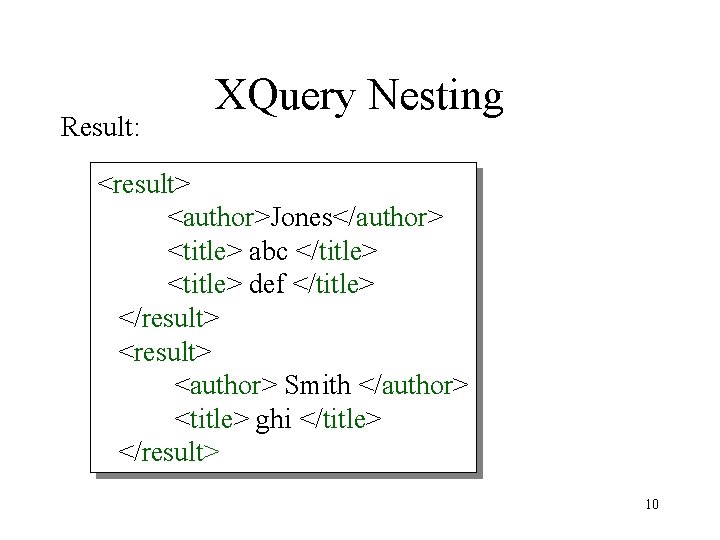
XQuery Joins and Nesting For each author of a book by Morgan Kaufmann, list all books she published: FOR $b IN document(“bib. xml”)/bib, $a IN $b/book[publisher /text()=“Morgan Kaufmann”]/author RETURN <result> { $a, FOR $t IN $b/book[author/text()=$a/text()]/title RETURN $t } </result> In the RETURN clause comma concatenates XML fragments 9
Result: XQuery Nesting <result> <author>Jones</author> <title> abc </title> <title> def </title> </result> <author> Smith </author> <title> ghi </title> </result> 10
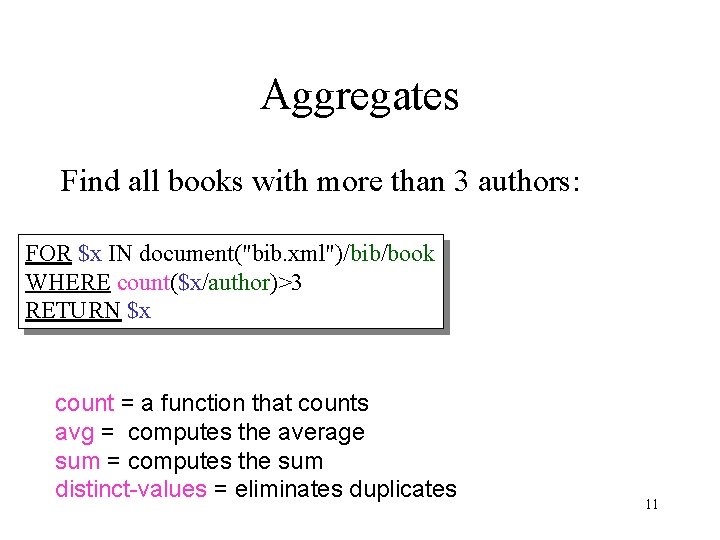
Aggregates Find all books with more than 3 authors: FOR $x IN document("bib. xml")/bib/book WHERE count($x/author)>3 RETURN $x count = a function that counts avg = computes the average sum = computes the sum distinct-values = eliminates duplicates 11
Aggregates Same thing: FOR $x IN document("bib. xml")/bib/book[count(author)>3] RETURN $x 12
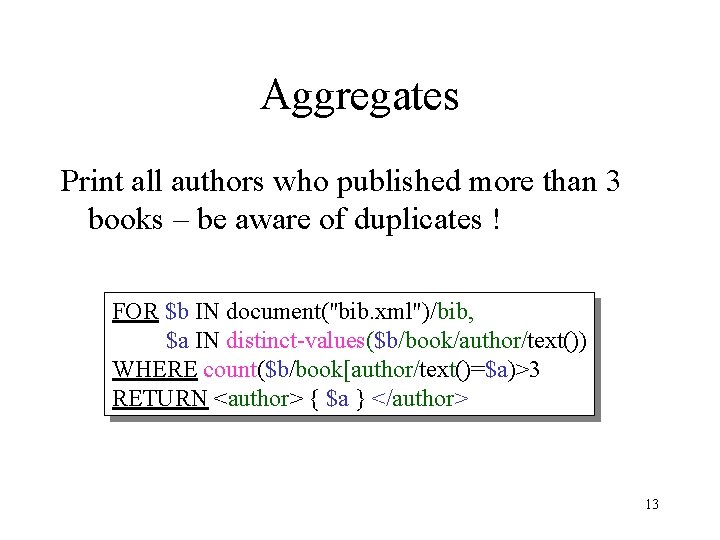
Aggregates Print all authors who published more than 3 books – be aware of duplicates ! FOR $b IN document("bib. xml")/bib, $a IN distinct-values($b/book/author/text()) WHERE count($b/book[author/text()=$a)>3 RETURN <author> { $a } </author> 13
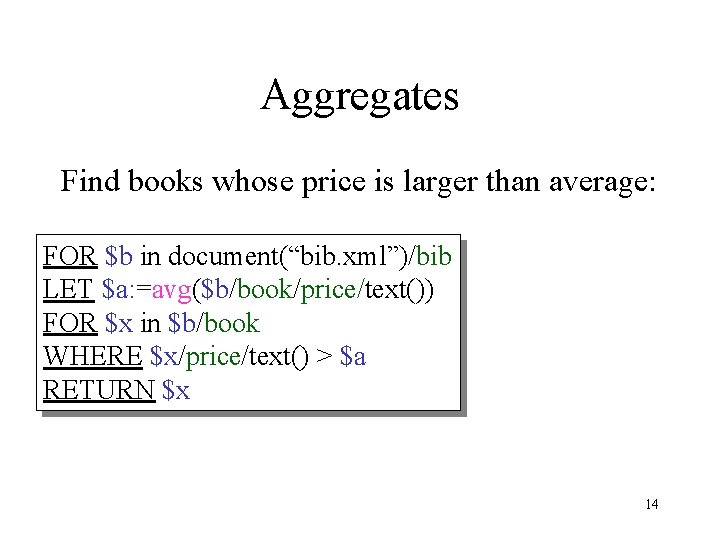
Aggregates Find books whose price is larger than average: FOR $b in document(“bib. xml”)/bib LET $a: =avg($b/book/price/text()) FOR $x in $b/book WHERE $x/price/text() > $a RETURN $x 14
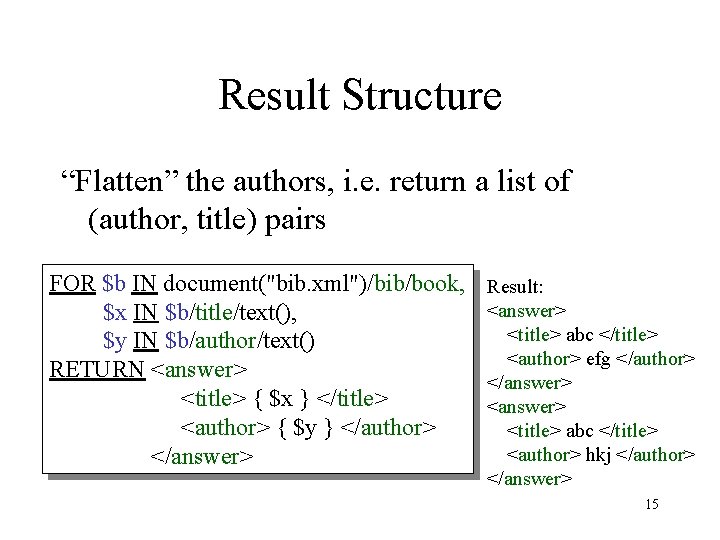
Result Structure “Flatten” the authors, i. e. return a list of (author, title) pairs FOR $b IN document("bib. xml")/bib/book, $x IN $b/title/text(), $y IN $b/author/text() RETURN <answer> <title> { $x } </title> <author> { $y } </author> </answer> Result: <answer> <title> abc </title> <author> efg </author> </answer> <title> abc </title> <author> hkj </author> </answer> 15
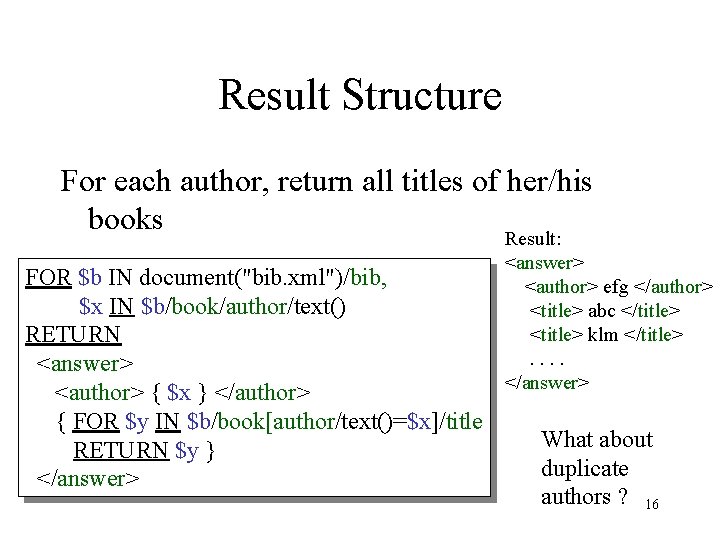
Result Structure For each author, return all titles of her/his books FOR $b IN document("bib. xml")/bib, $x IN $b/book/author/text() RETURN <answer> <author> { $x } </author> { FOR $y IN $b/book[author/text()=$x]/title RETURN $y } </answer> Result: <answer> <author> efg </author> <title> abc </title> <title> klm </title>. . </answer> What about duplicate authors ? 16
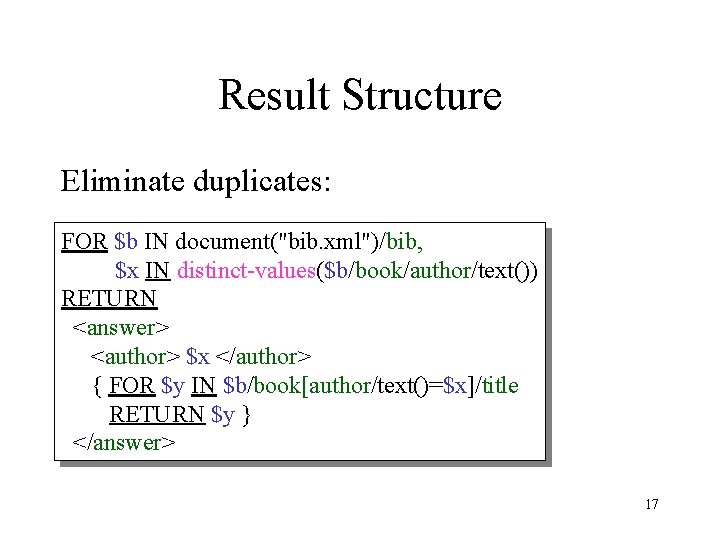
Result Structure Eliminate duplicates: FOR $b IN document("bib. xml")/bib, $x IN distinct-values($b/book/author/text()) RETURN <answer> <author> $x </author> { FOR $y IN $b/book[author/text()=$x]/title RETURN $y } </answer> 17
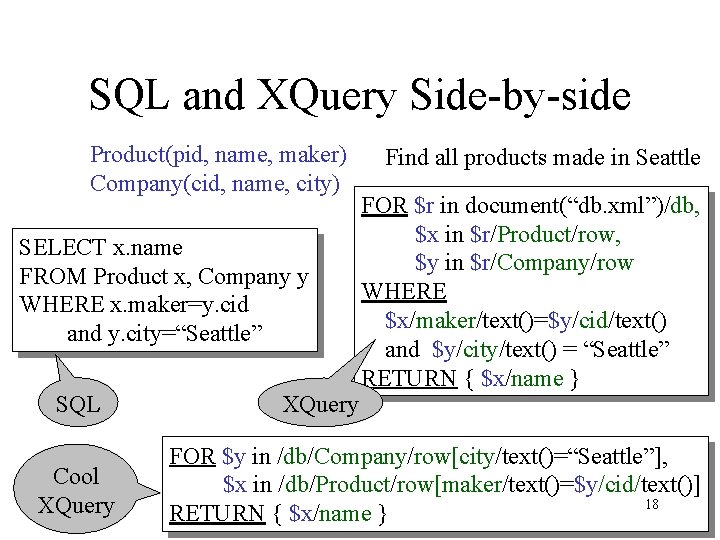
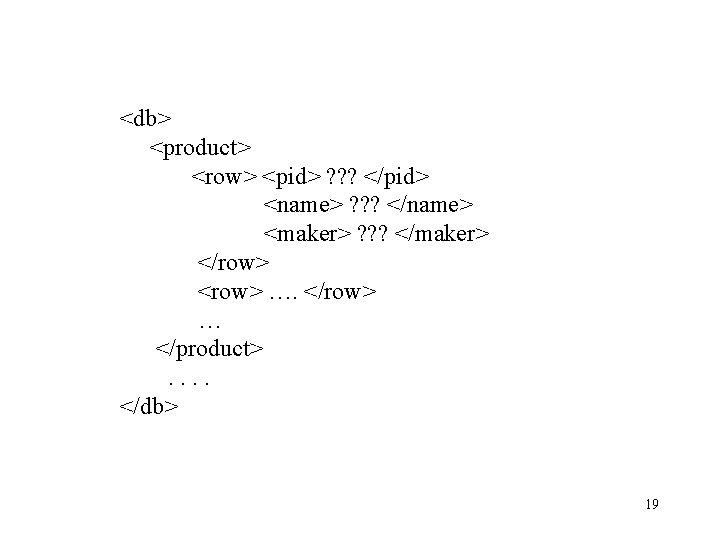
SQL and XQuery Side-by-side Product(pid, name, maker) Company(cid, name, city) SELECT x. name FROM Product x, Company y WHERE x. maker=y. cid and y. city=“Seattle” SQL Cool XQuery Find all products made in Seattle FOR $r in document(“db. xml”)/db, $x in $r/Product/row, $y in $r/Company/row WHERE $x/maker/text()=$y/cid/text() and $y/city/text() = “Seattle” RETURN { $x/name } FOR $y in /db/Company/row[city/text()=“Seattle”], $x in /db/Product/row[maker/text()=$y/cid/text()] 18 RETURN { $x/name }
<db> <product> <row> <pid> ? ? ? </pid> <name> ? ? ? </name> <maker> ? ? ? </maker> </row> <row> …. </row> … </product>. . </db> 19
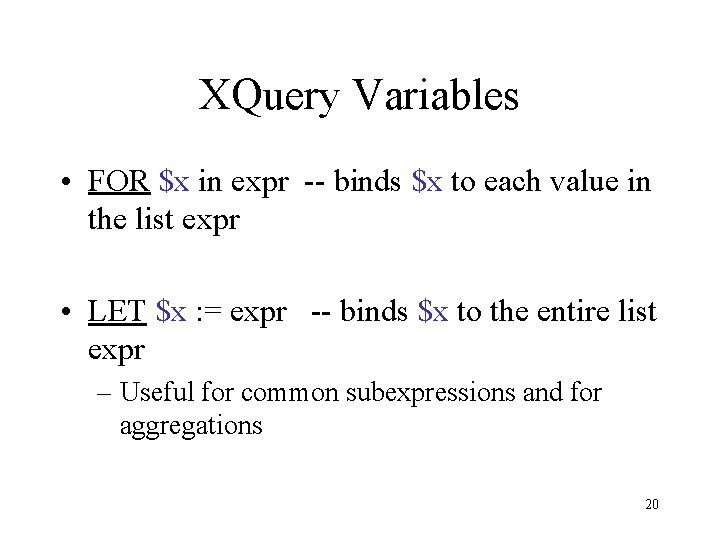
XQuery Variables • FOR $x in expr -- binds $x to each value in the list expr • LET $x : = expr -- binds $x to the entire list expr – Useful for common subexpressions and for aggregations 20
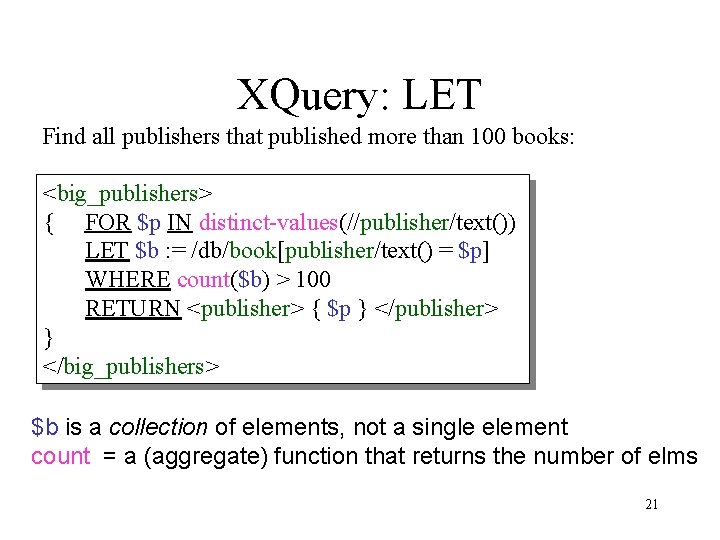
XQuery: LET Find all publishers that published more than 100 books: <big_publishers> { FOR $p IN distinct-values(//publisher/text()) LET $b : = /db/book[publisher/text() = $p] WHERE count($b) > 100 RETURN <publisher> { $p } </publisher> } </big_publishers> $b is a collection of elements, not a single element count = a (aggregate) function that returns the number of elms 21
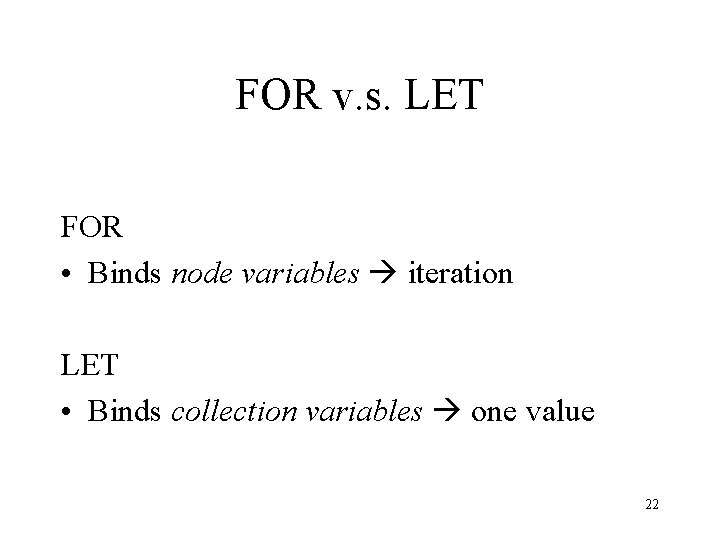
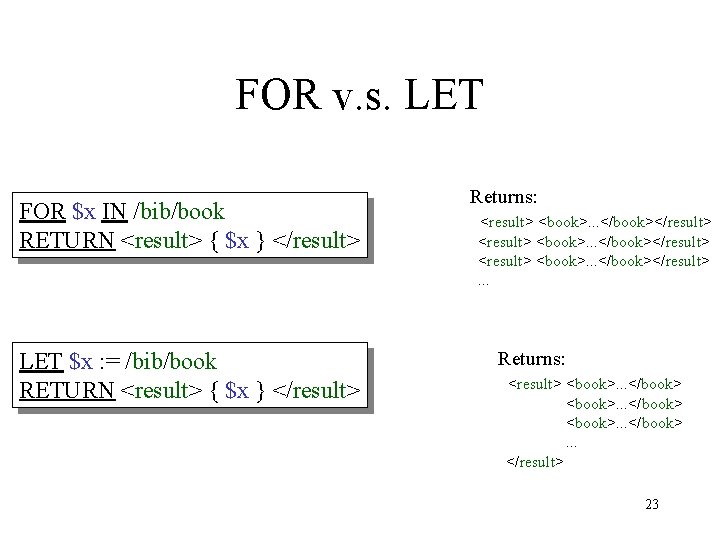
FOR v. s. LET FOR • Binds node variables iteration LET • Binds collection variables one value 22
FOR v. s. LET FOR $x IN /bib/book RETURN <result> { $x } </result> LET $x : = /bib/book RETURN <result> { $x } </result> Returns: <result> <book>. . . </book></result>. . . Returns: <result> <book>. . . </book> <book>. . . </result> 23
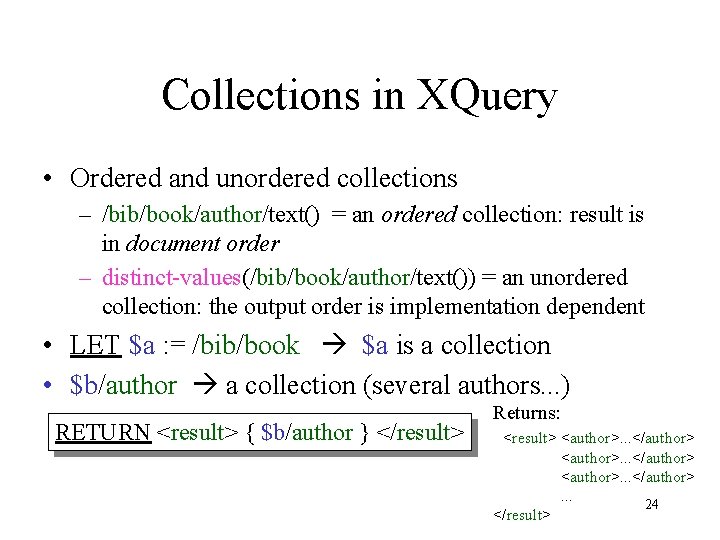
Collections in XQuery • Ordered and unordered collections – /bib/book/author/text() = an ordered collection: result is in document order – distinct-values(/bib/book/author/text()) = an unordered collection: the output order is implementation dependent • LET $a : = /bib/book $a is a collection • $b/author a collection (several authors. . . ) RETURN <result> { $b/author } </result> Returns: <result> <author>. . . </author>. . . 24 </result>
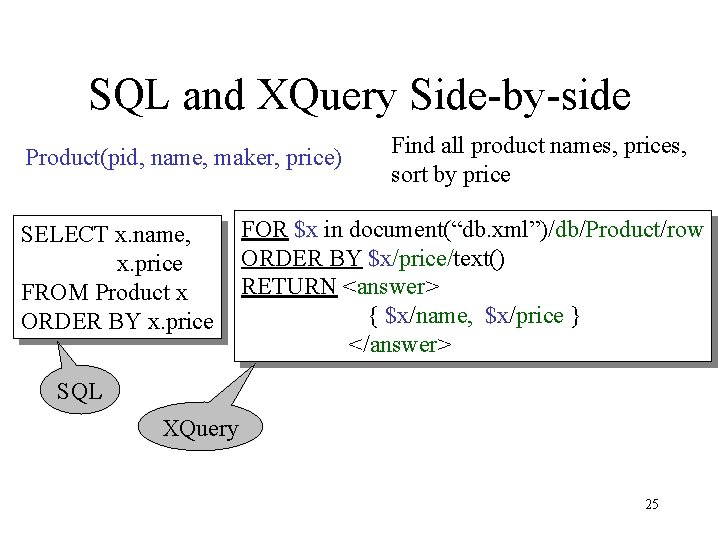
SQL and XQuery Side-by-side Product(pid, name, maker, price) SELECT x. name, x. price FROM Product x ORDER BY x. price Find all product names, prices, sort by price FOR $x in document(“db. xml”)/db/Product/row ORDER BY $x/price/text() RETURN <answer> { $x/name, $x/price } </answer> SQL XQuery 25
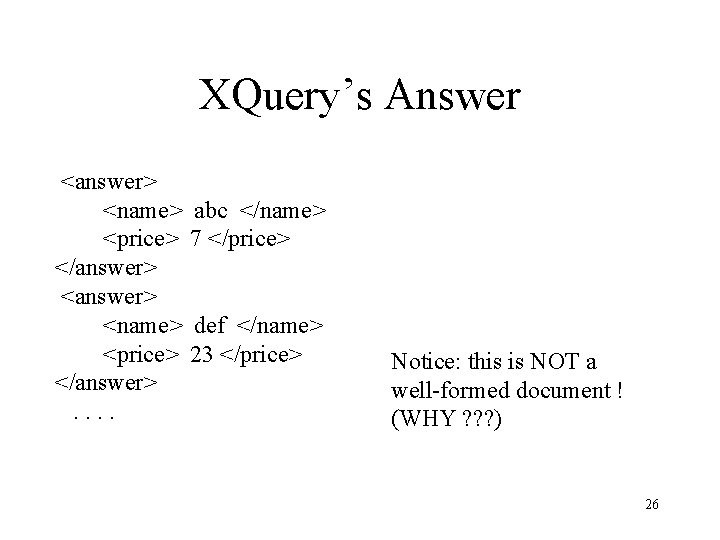
XQuery’s Answer <answer> <name> <price> </answer>. . abc </name> 7 </price> def </name> 23 </price> Notice: this is NOT a well-formed document ! (WHY ? ? ? ) 26
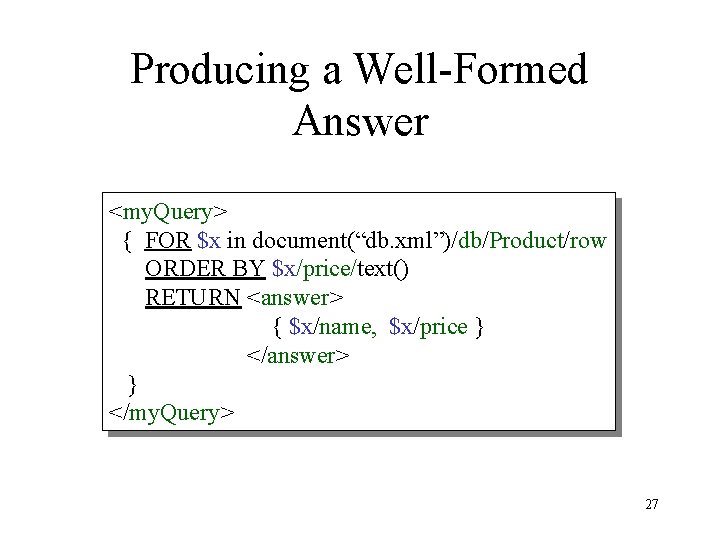
Producing a Well-Formed Answer <my. Query> { FOR $x in document(“db. xml”)/db/Product/row ORDER BY $x/price/text() RETURN <answer> { $x/name, $x/price } </answer> } </my. Query> 27
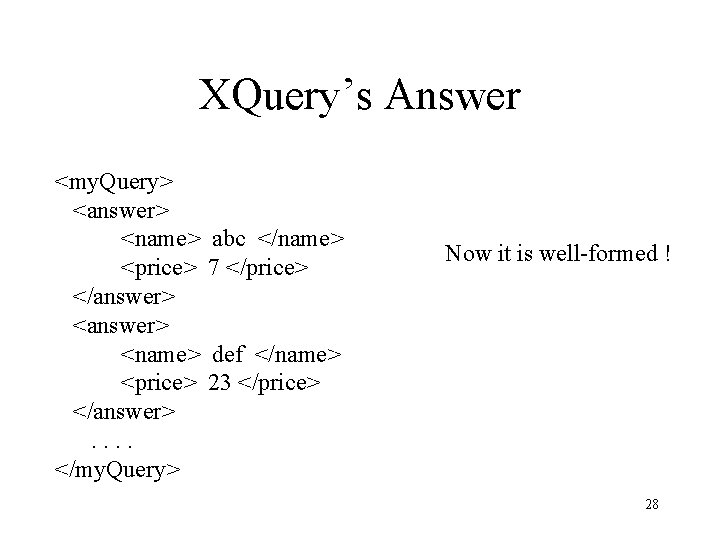
XQuery’s Answer <my. Query> <answer> <name> <price> </answer>. . </my. Query> abc </name> 7 </price> Now it is well-formed ! def </name> 23 </price> 28
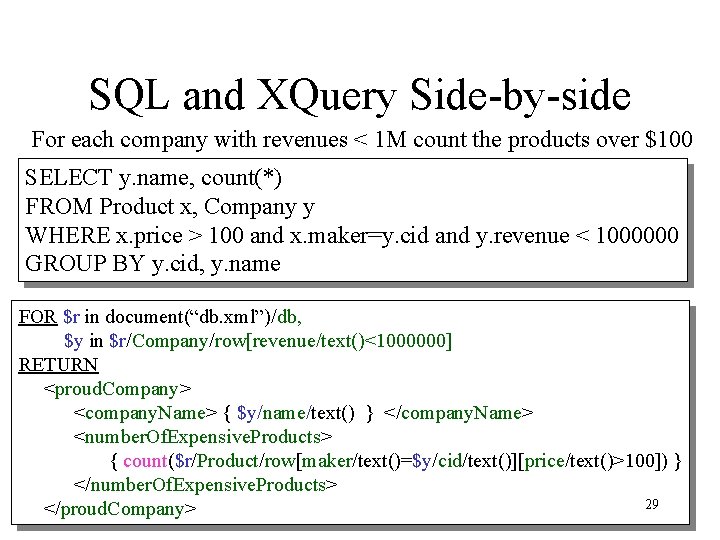
SQL and XQuery Side-by-side For each company with revenues < 1 M count the products over $100 SELECT y. name, count(*) FROM Product x, Company y WHERE x. price > 100 and x. maker=y. cid and y. revenue < 1000000 GROUP BY y. cid, y. name FOR $r in document(“db. xml”)/db, $y in $r/Company/row[revenue/text()<1000000] RETURN <proud. Company> <company. Name> { $y/name/text() } </company. Name> <number. Of. Expensive. Products> { count($r/Product/row[maker/text()=$y/cid/text()][price/text()>100]) } </number. Of. Expensive. Products> 29 </proud. Company>
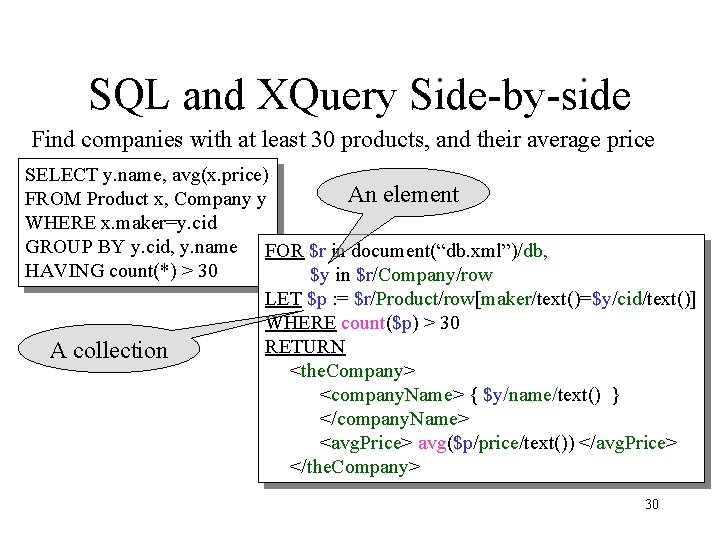
SQL and XQuery Side-by-side Find companies with at least 30 products, and their average price SELECT y. name, avg(x. price) An element FROM Product x, Company y WHERE x. maker=y. cid GROUP BY y. cid, y. name FOR $r in document(“db. xml”)/db, HAVING count(*) > 30 $y in $r/Company/row LET $p : = $r/Product/row[maker/text()=$y/cid/text()] WHERE count($p) > 30 RETURN A collection <the. Company> <company. Name> { $y/name/text() } </company. Name> <avg. Price> avg($p/price/text()) </avg. Price> </the. Company> 30
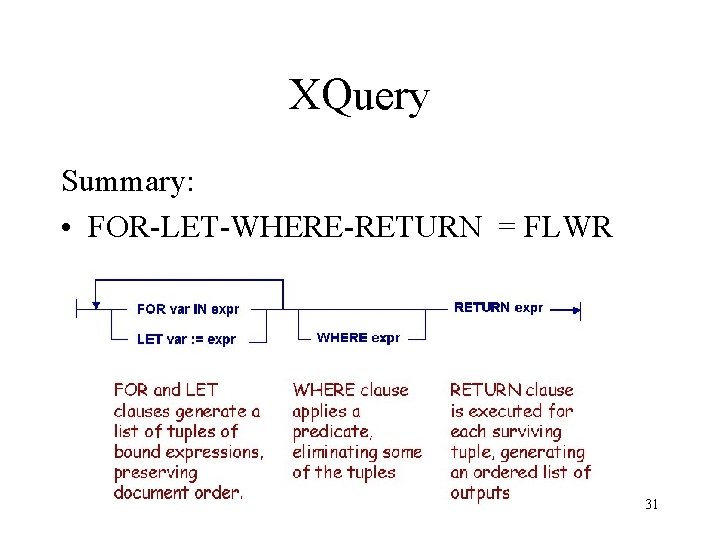
XQuery Summary: • FOR-LET-WHERE-RETURN = FLWR 31
XML from/to Relational Data • XML publishing: – relational data XML • XML storage: – XML relational data 32
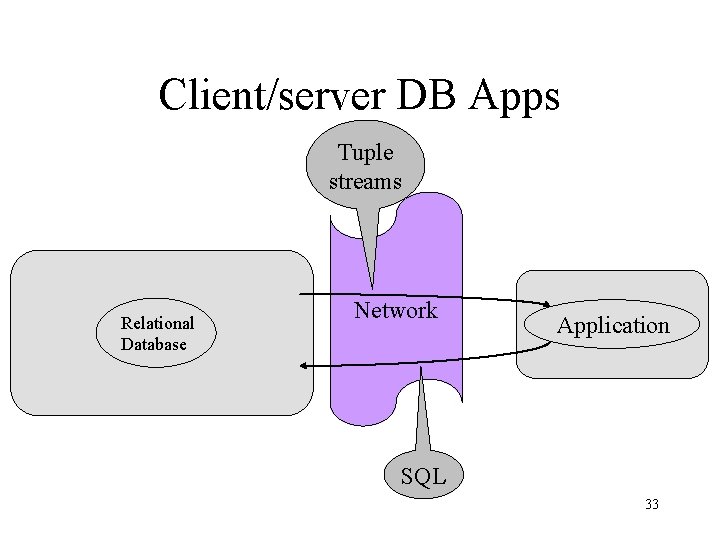
Client/server DB Apps Tuple streams Relational Database Network Application SQL 33
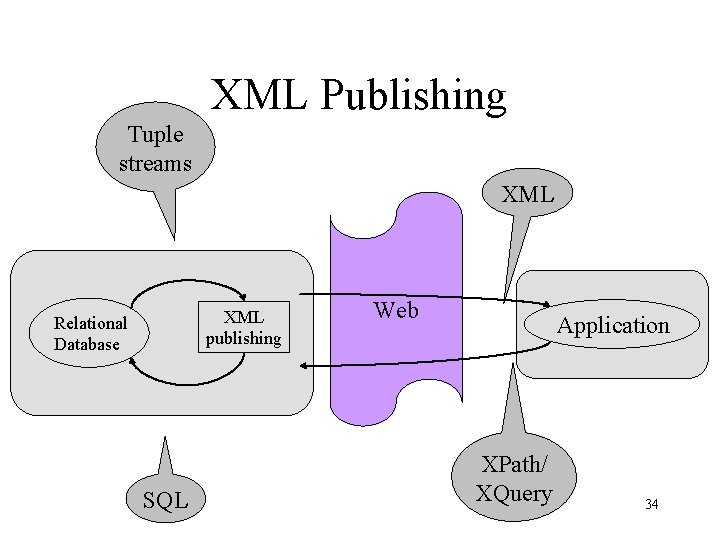
XML Publishing Tuple streams XML publishing Relational Database SQL Web Application XPath/ XQuery 34
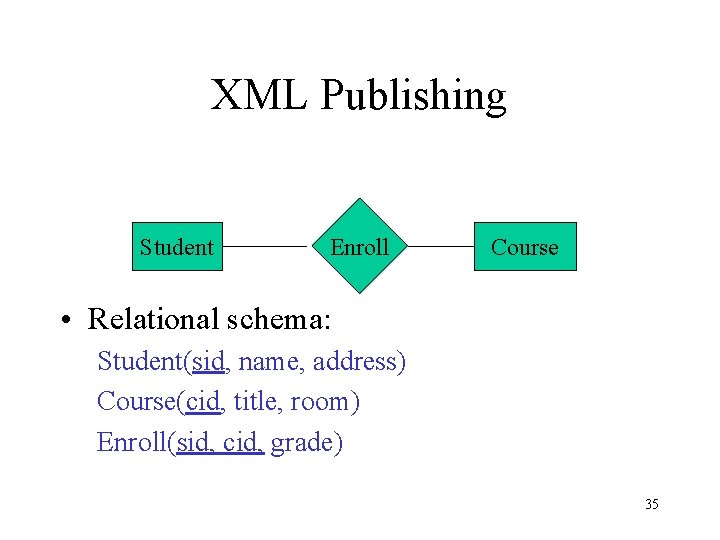
XML Publishing Student Enroll Course • Relational schema: Student(sid, name, address) Course(cid, title, room) Enroll(sid, cid, grade) 35
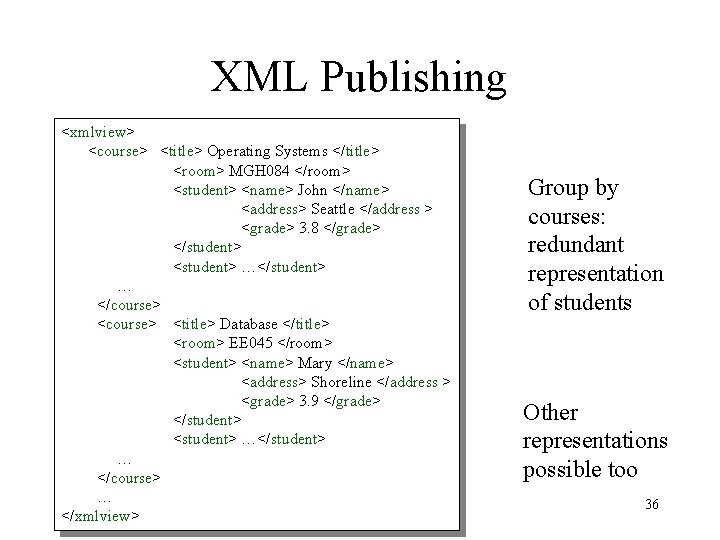
XML Publishing <xmlview> <course> <title> Operating Systems </title> <room> MGH 084 </room> <student> <name> John </name> <address> Seattle </address > <grade> 3. 8 </grade> </student> <student> …</student> … </course> <title> Database </title> <room> EE 045 </room> <student> <name> Mary </name> <address> Shoreline </address > <grade> 3. 9 </grade> </student> <student> …</student> … </course> … </xmlview> Group by courses: redundant representation of students Other representations possible too 36
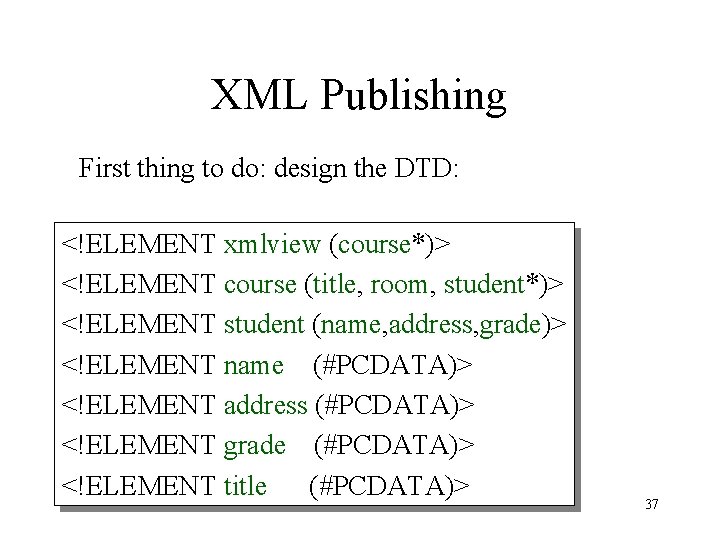
XML Publishing First thing to do: design the DTD: <!ELEMENT xmlview (course*)> <!ELEMENT course (title, room, student*)> <!ELEMENT student (name, address, grade)> <!ELEMENT name (#PCDATA)> <!ELEMENT address (#PCDATA)> <!ELEMENT grade (#PCDATA)> <!ELEMENT title (#PCDATA)> 37
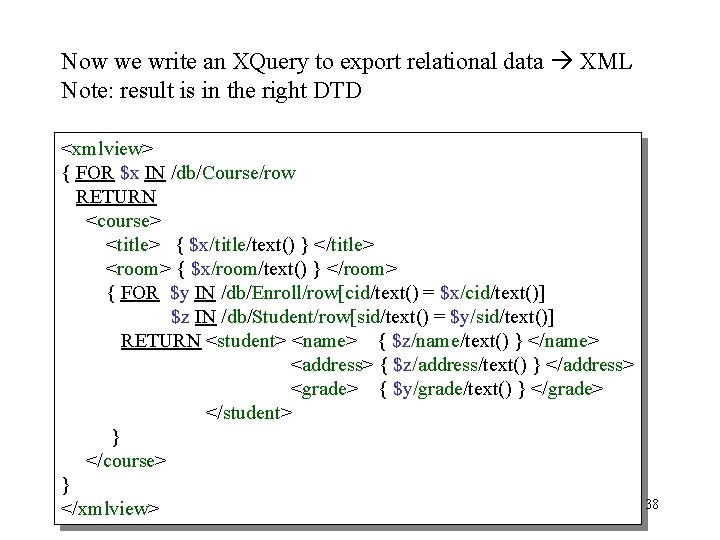
Now we write an XQuery to export relational data XML Note: result is in the right DTD <xmlview> { FOR $x IN /db/Course/row RETURN <course> <title> { $x/title/text() } </title> <room> { $x/room/text() } </room> { FOR $y IN /db/Enroll/row[cid/text() = $x/cid/text()] $z IN /db/Student/row[sid/text() = $y/sid/text()] RETURN <student> <name> { $z/name/text() } </name> <address> { $z/address/text() } </address> <grade> { $y/grade/text() } </grade> </student> } </course> } </xmlview> 38
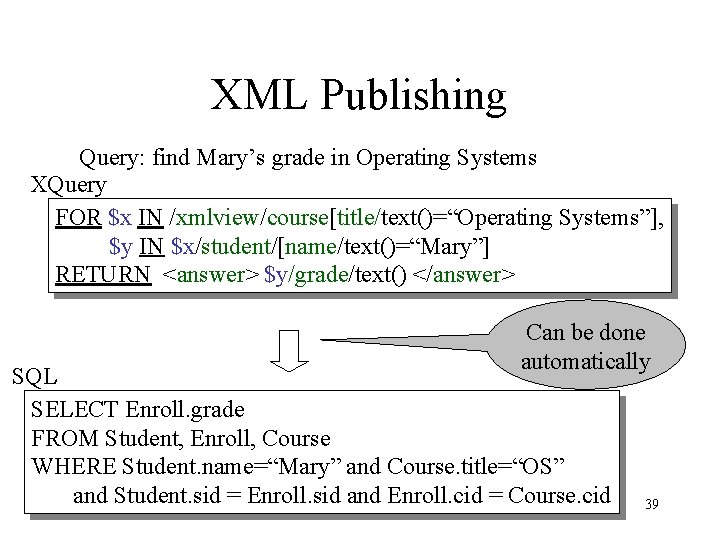
XML Publishing Query: find Mary’s grade in Operating Systems XQuery FOR $x IN /xmlview/course[title/text()=“Operating Systems”], $y IN $x/student/[name/text()=“Mary”] RETURN <answer> $y/grade/text() </answer> Can be done automatically SQL SELECT Enroll. grade FROM Student, Enroll, Course WHERE Student. name=“Mary” and Course. title=“OS” and Student. sid = Enroll. sid and Enroll. cid = Course. cid 39
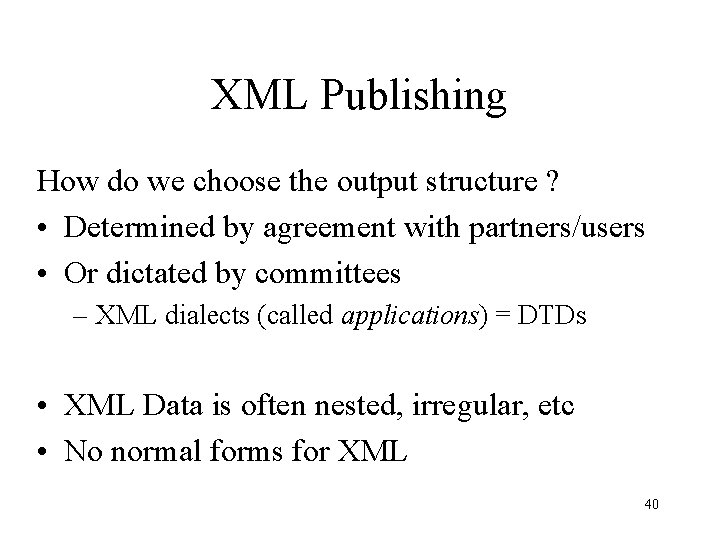
XML Publishing How do we choose the output structure ? • Determined by agreement with partners/users • Or dictated by committees – XML dialects (called applications) = DTDs • XML Data is often nested, irregular, etc • No normal forms for XML 40