
Lecture 9 Virtual and augmented environments for design
![Virtual Reality • What is “Virtual Reality”? – Brooks (1999) defines it as: “[an]](https://slidetodoc.com/presentation_image_h/cb2387406da150821b4e6d151415bc8f/image-5.jpg "Virtual Reality • What is “Virtual Reality”? – Brooks (1999) defines it as: “[an]")
- Slides: 23
Lecture 9: Virtual and augmented environments for design Dr. Xiangyu Wang
Outline • Mixed Reality (MR) – Virtual Reality (VR) – Augmented Reality (AR) – Augmented Virtuality (AV)
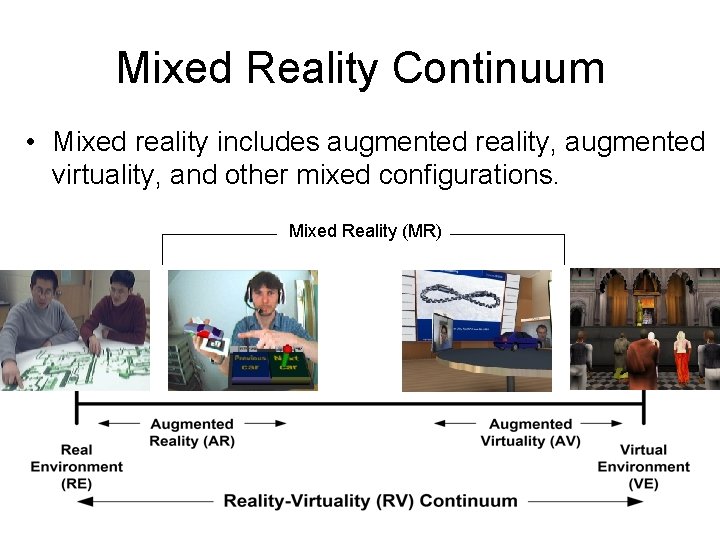
Mixed Reality • Mixed Reality (MR) is a term that has been used to refer to the entire spectrum of situations that span the continuum between virtual reality and actual reality.
Mixed Reality Continuum • Mixed reality includes augmented reality, augmented virtuality, and other mixed configurations. Mixed Reality (MR)
Virtual Reality • What is “Virtual Reality”? – Brooks (1999) defines it as: “[an] experience. . in which the user is effectively immersed in a responsive virtual world” … – Sherman and Craig (2003) defines it as a medium composed of interactive computer simulations that sense the participant’s position and actions and replace or augment the feedback to one or more senses, giving the feeling of being mentally immersed or present in the simulation (a virtual world) – Immersive, Semi-immersive, Non-immersive
Virtual Reality • Four Key Elements in Experiencing Virtual Reality – A virtual world an imaginary space, often (but not necessarily) realized through a medium (rendering pipeline, display, etc. ) – Immersion (physical and mental) having a sense of “presence” within an environment; this can be purely a mental state, or can be accomplished through physical means. • Mental Immersion: a state of being deeply engaged, with suspension of disbelief. • Physical Immersion: bodily/physically entering into a projected area – Sensory feedback: visual/aural/haptic feedback to a participant – Interactivity: in a virtual reality experience, participants are able to move around and change their viewpoint, generally through movements of their head.
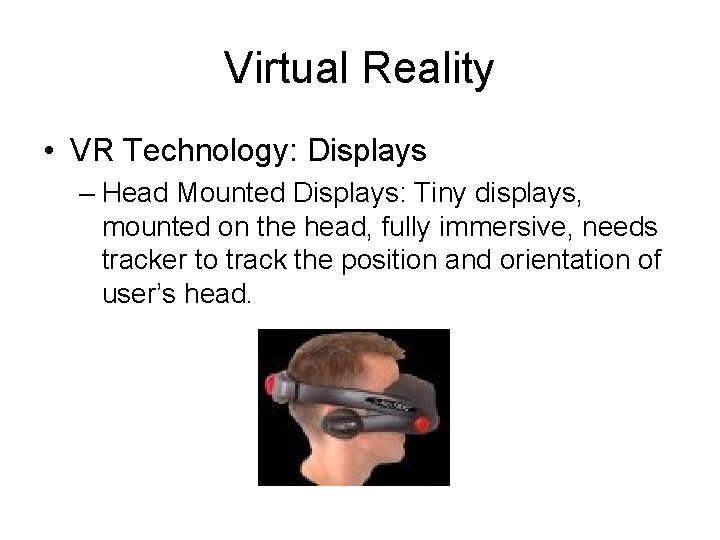
Virtual Reality • VR Technology: Displays – Head Mounted Displays: Tiny displays, mounted on the head, fully immersive, needs tracker to track the position and orientation of user’s head.
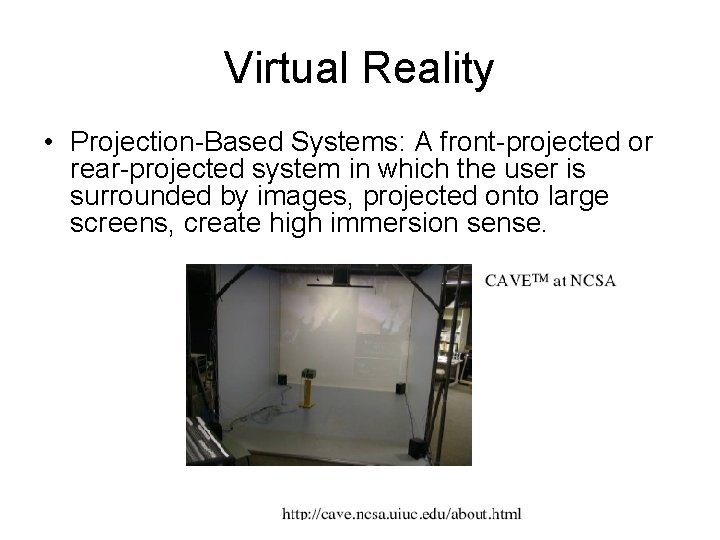
Virtual Reality • Projection-Based Systems: A front-projected or rear-projected system in which the user is surrounded by images, projected onto large screens, create high immersion sense.
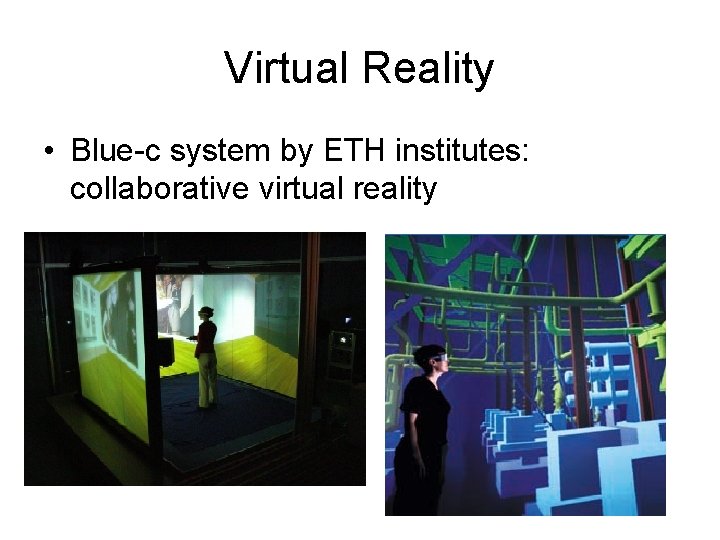
Virtual Reality • Blue-c system by ETH institutes: collaborative virtual reality
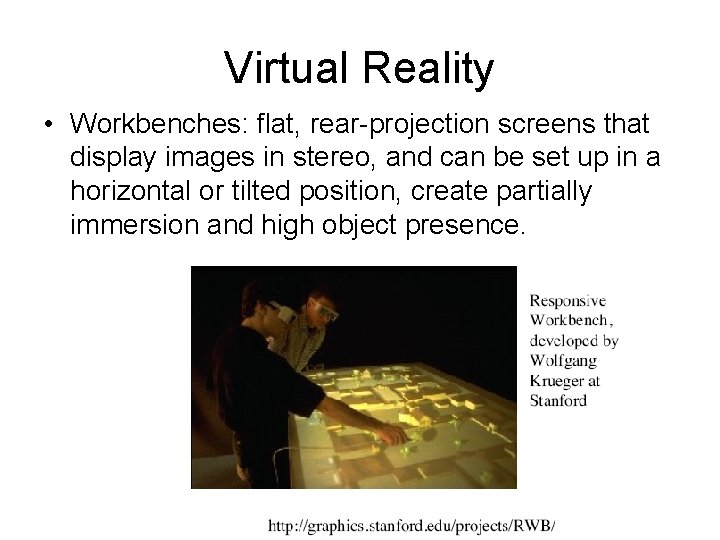
Virtual Reality • Workbenches: flat, rear-projection screens that display images in stereo, and can be set up in a horizontal or tilted position, create partially immersion and high object presence.
Virtual Reality • Hot Open Challenges: – Interactive more effectively with virtual worlds: • Manipulation • Wayfinding – Measuring the illusion of presence
Video for Virtual Reality • Video: Collaborative Immersive Networked Environments (CINE) – http: //www. youtube. com/watch? v=m. VQrhsj. Ol w. U
Augmented Reality • Augmented Reality (AR) is a technology or an environment where the additional information generated by a computer is inserted into the user’s view of real world scene. • The augmenting information may consist of virtual geometric objects placed into the environment, or a display of non-geometric information about existing real objects such as distribution of room temperature.
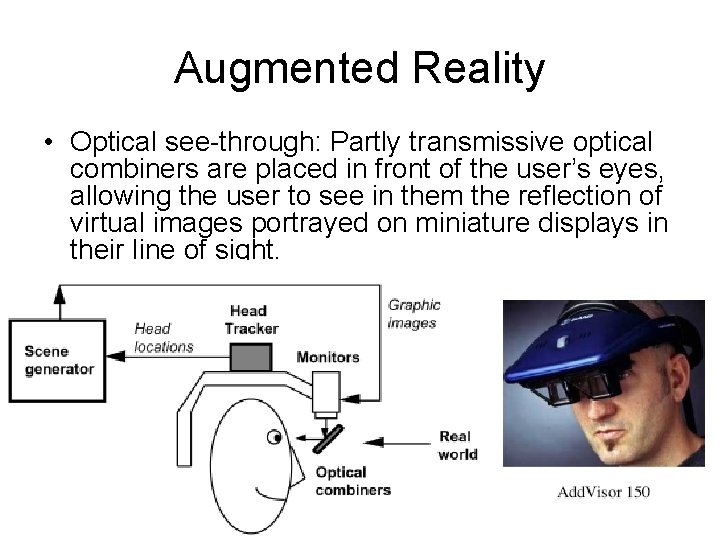
Augmented Reality • Optical see-through: Partly transmissive optical combiners are placed in front of the user’s eyes, allowing the user to see in them the reflection of virtual images portrayed on miniature displays in their line of sight.
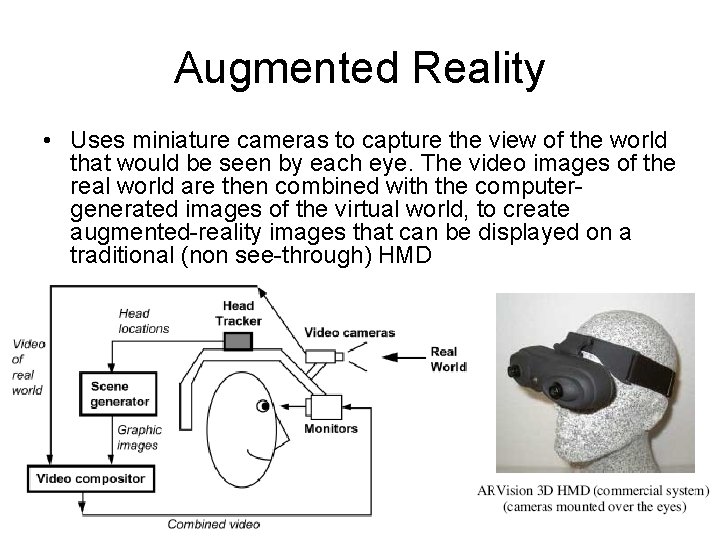
Augmented Reality • Uses miniature cameras to capture the view of the world that would be seen by each eye. The video images of the real world are then combined with the computergenerated images of the virtual world, to create augmented-reality images that can be displayed on a traditional (non see-through) HMD
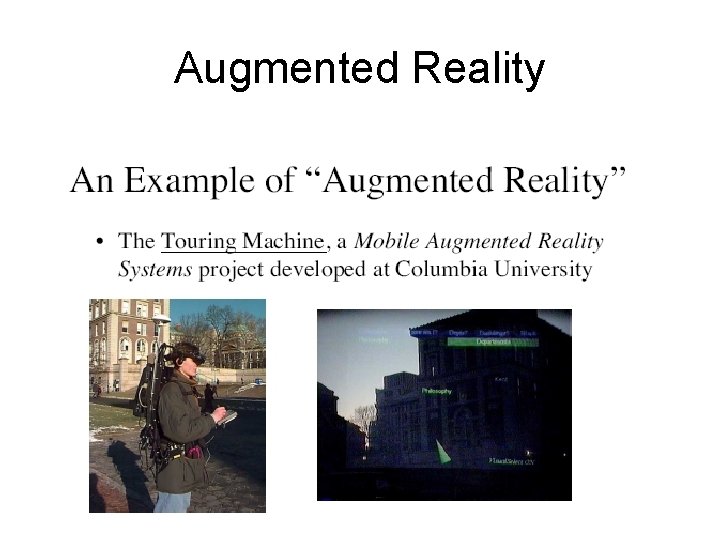
Augmented Reality
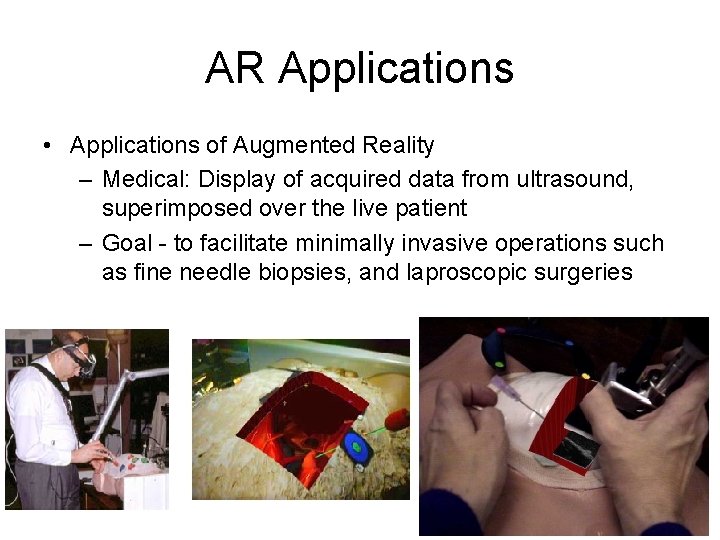
AR Applications • Applications of Augmented Reality – Medical: Display of acquired data from ultrasound, superimposed over the live patient – Goal - to facilitate minimally invasive operations such as fine needle biopsies, and laproscopic surgeries
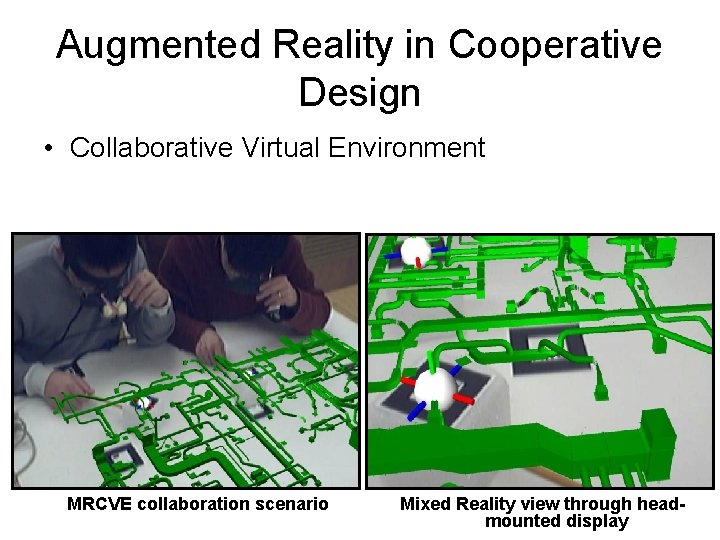
Augmented Reality in Cooperative Design • Collaborative Virtual Environment MRCVE collaboration scenario Mixed Reality view through headmounted display
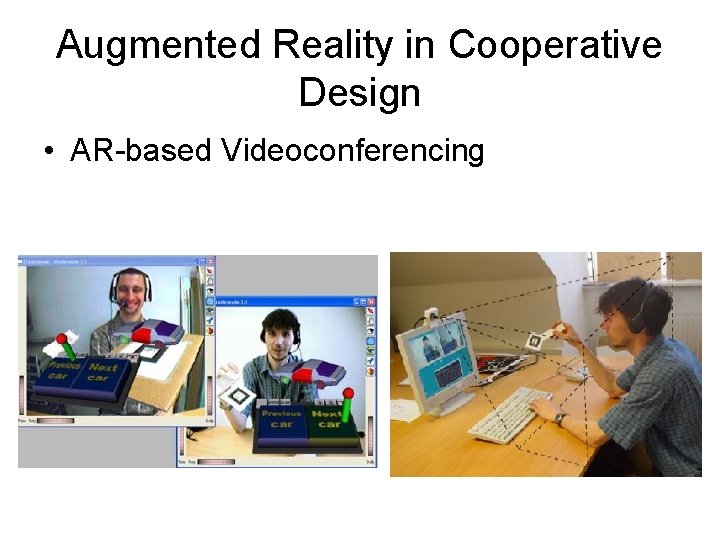
Augmented Reality in Cooperative Design • AR-based Videoconferencing
Video for Augmented Reality • Video: Magicbook – http: //www. hitlabnz. org/wiki/Video_-_Magic. Book • Video - AR Tennis – http: //www. hitlabnz. org/wiki/Video_-_AR_Tennis • Video: AR for Urban Design – http: //www. hitlabnz. org/wiki/Video__AR_Urban_Design • Video: Shared Design Space (tangible interaction) – http: //www. youtube. com/watch? v=k. S_G 4 WLhw. ZU
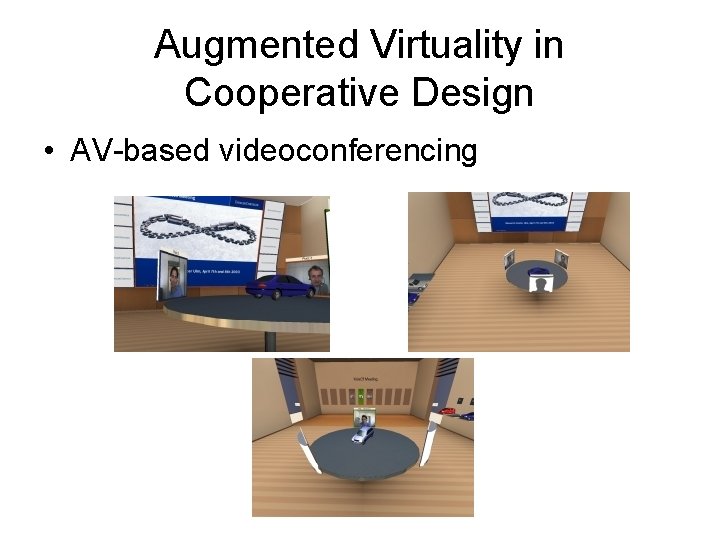
Augmented Virtuality • AV describes all the cases where the real object is inserted into a computer-generated environment. • A system in which real multi-sensory input is provided, which supplements the visually presented virtual environment. • Examples of AV – Visual example • Insert real video stream (e. g. , video conferencing) into virtual environment – Olfactory example • Directing the smell of coffee grounds to a user when s/he passes near a virtual coffee maker in the virtual environment – Haptic example • Turning on a heat lamp over the user when s/he approaches a spot in the virtual environment that is exposed to full sun • Turning on a fan in front of the user when s/he approaches a spot in the virtual environment that is exposed to wind
Augmented Virtuality in Cooperative Design • AV-based videoconferencing
Video for Augmented Virtuality • Video: CARPE (Tangible Teleconferencing) a good example for distributed Augmented Virtuality environment – http: //www. hitlabnz. org/wiki/Video_-_CARPE