
Lecture 7 How computers process data Number Systems
Lecture 7 How computers process data (Number Systems) PRESENTED BY MD. MAHBUBUL ALAM, PHD 1
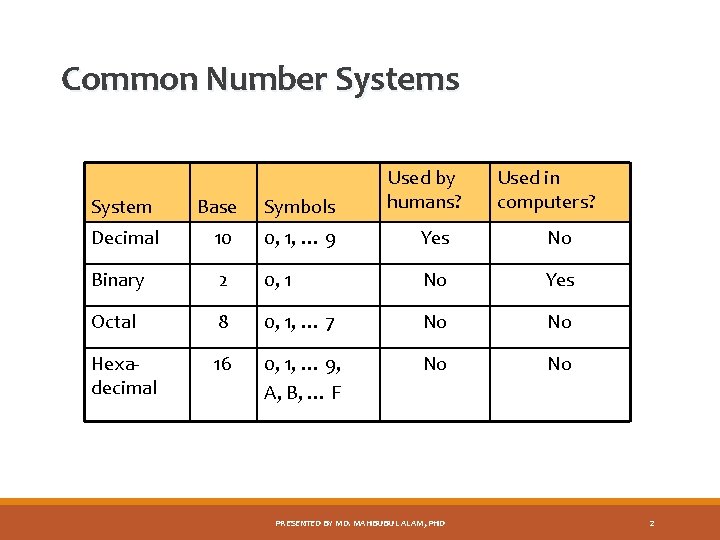
Common Number Systems Used by humans? Used in computers? System Base Symbols Decimal 10 0, 1, … 9 Yes No Binary 2 0, 1 No Yes Octal 8 0, 1, … 7 No No Hexadecimal 16 0, 1, … 9, A, B, … F No No PRESENTED BY MD. MAHBUBUL ALAM, PHD 2
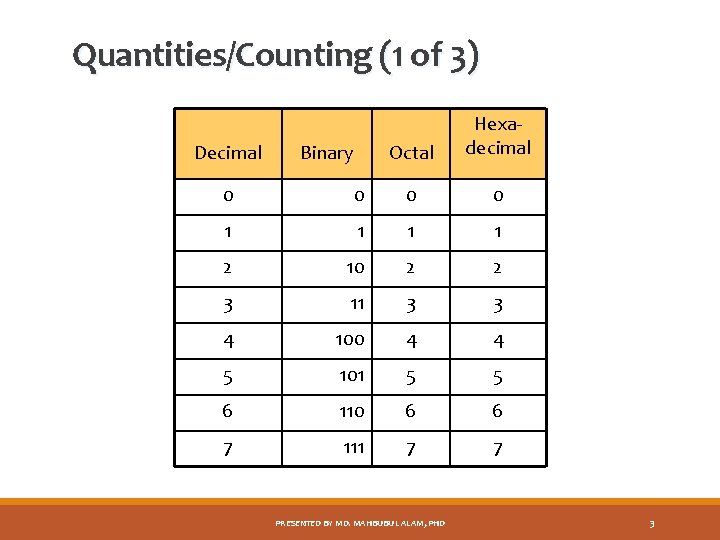
Quantities/Counting (1 of 3) Decimal Binary Octal Hexadecimal 0 0 1 1 2 10 2 2 3 11 3 3 4 100 4 4 5 101 5 5 6 110 6 6 7 111 7 7 PRESENTED BY MD. MAHBUBUL ALAM, PHD 3
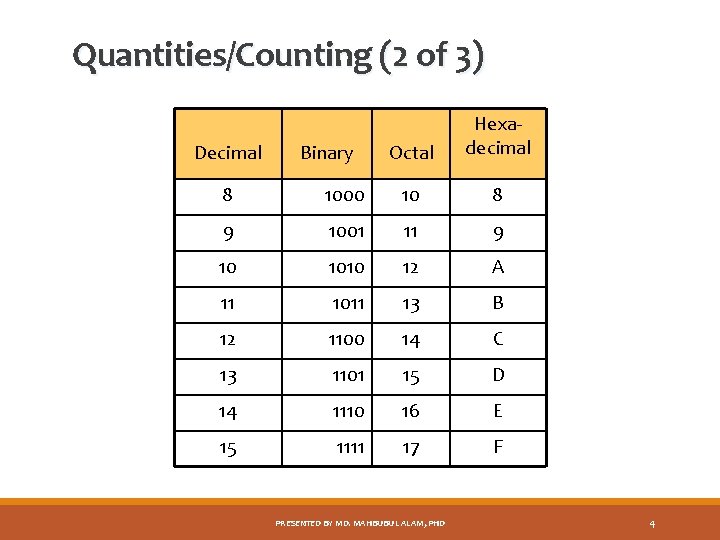
Quantities/Counting (2 of 3) Decimal Binary Octal Hexadecimal 8 1000 10 8 9 1001 11 9 10 1010 12 A 11 1011 13 B 12 1100 14 C 13 1101 15 D 14 1110 16 E 15 1111 17 F PRESENTED BY MD. MAHBUBUL ALAM, PHD 4
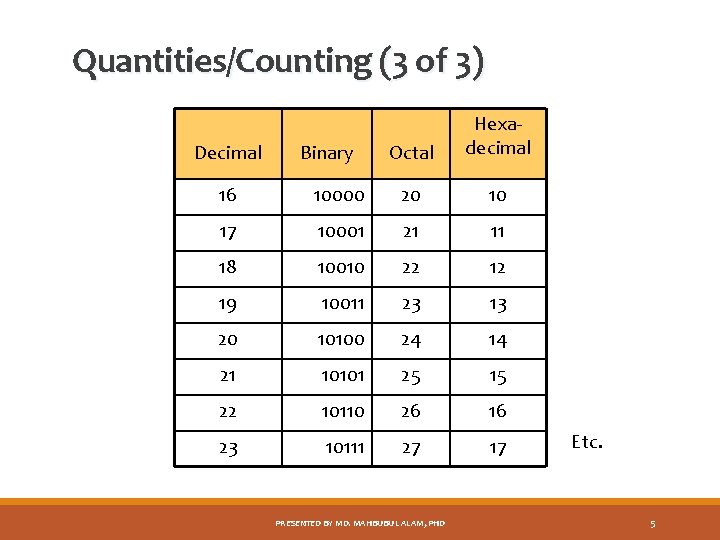
Quantities/Counting (3 of 3) Decimal Binary Octal Hexadecimal 16 10000 20 10 17 10001 21 11 18 10010 22 12 19 10011 23 13 20 10100 24 14 21 10101 25 15 22 10110 26 16 23 10111 27 17 PRESENTED BY MD. MAHBUBUL ALAM, PHD Etc. 5
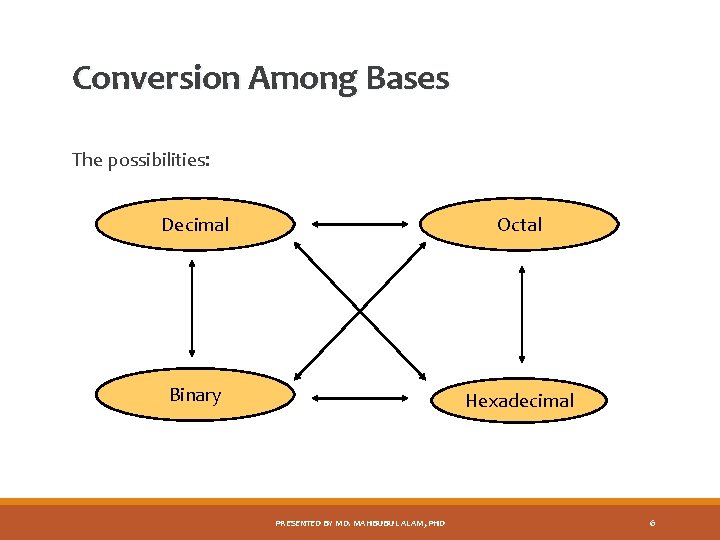
Conversion Among Bases The possibilities: Decimal Octal Binary Hexadecimal PRESENTED BY MD. MAHBUBUL ALAM, PHD 6
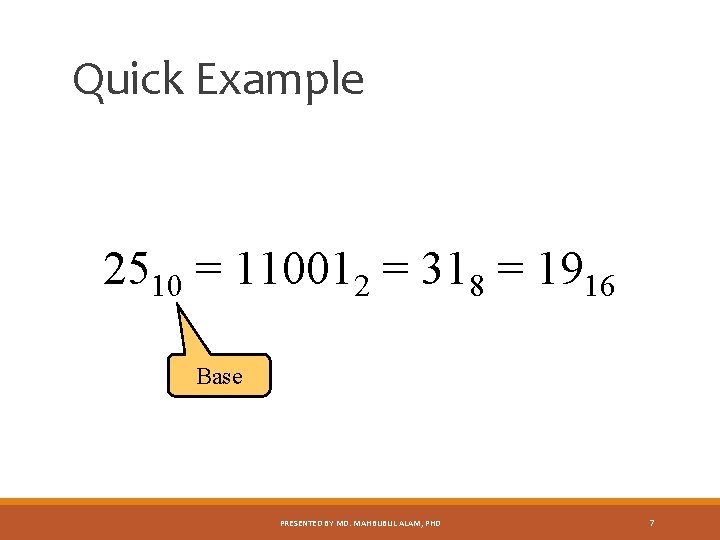
Quick Example 2510 = 110012 = 318 = 1916 Base PRESENTED BY MD. MAHBUBUL ALAM, PHD 7
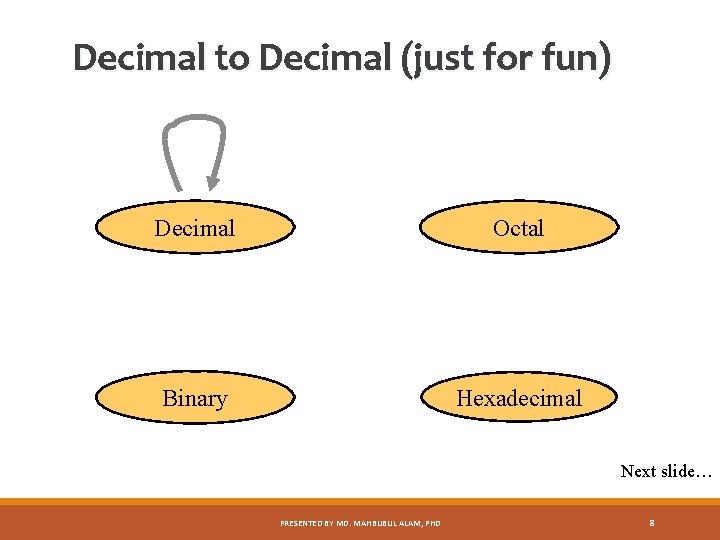
Decimal to Decimal (just for fun) Decimal Octal Binary Hexadecimal Next slide… PRESENTED BY MD. MAHBUBUL ALAM, PHD 8
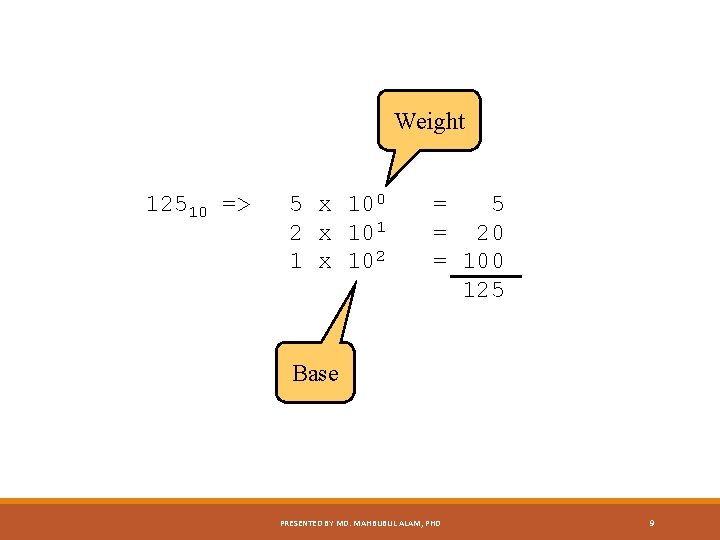
Weight 12510 => 5 x 100 2 x 101 1 x 102 = 5 = 20 = 100 125 Base PRESENTED BY MD. MAHBUBUL ALAM, PHD 9
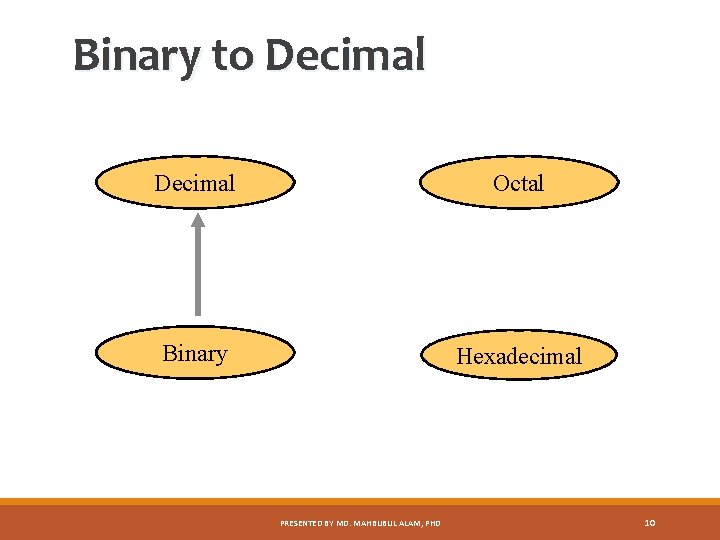
Binary to Decimal Octal Binary Hexadecimal PRESENTED BY MD. MAHBUBUL ALAM, PHD 10
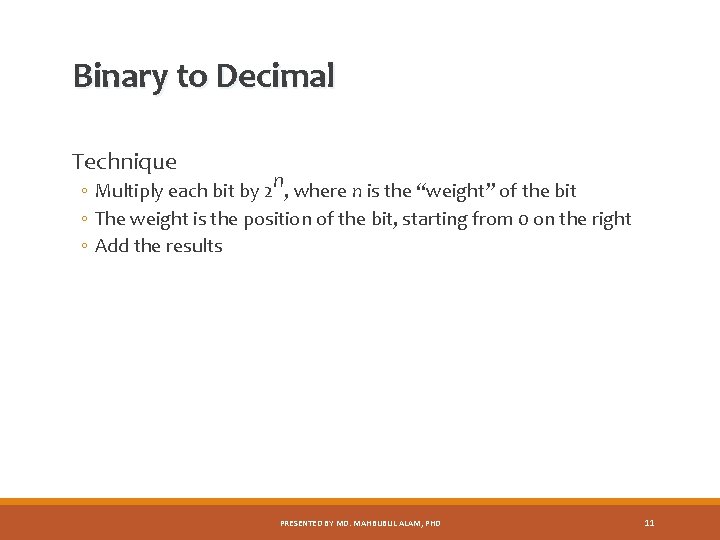
Binary to Decimal Technique ◦ Multiply each bit by 2 n, where n is the “weight” of the bit ◦ The weight is the position of the bit, starting from 0 on the right ◦ Add the results PRESENTED BY MD. MAHBUBUL ALAM, PHD 11
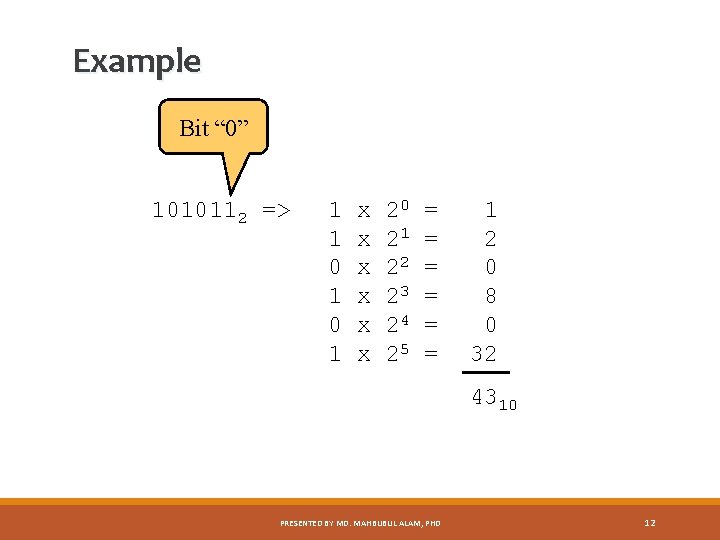
Example Bit “ 0” 1010112 => 1 1 0 1 x x x 20 21 22 23 24 25 = = = 1 2 0 8 0 32 4310 PRESENTED BY MD. MAHBUBUL ALAM, PHD 12
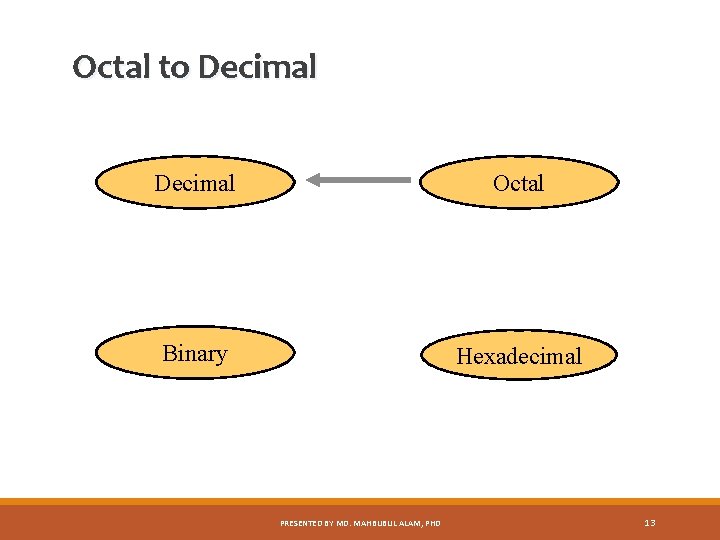
Octal to Decimal Octal Binary Hexadecimal PRESENTED BY MD. MAHBUBUL ALAM, PHD 13
Octal to Decimal Technique ◦ Multiply each bit by 8 n, where n is the “weight” of the bit ◦ The weight is the position of the bit, starting from 0 on the right ◦ Add the results PRESENTED BY MD. MAHBUBUL ALAM, PHD 14
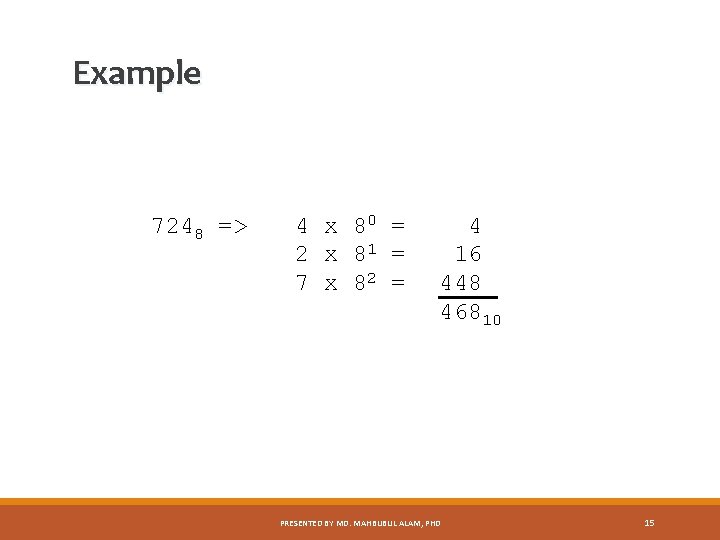
Example 7248 => 4 x 80 = 2 x 81 = 7 x 82 = 4 16 448 46810 PRESENTED BY MD. MAHBUBUL ALAM, PHD 15
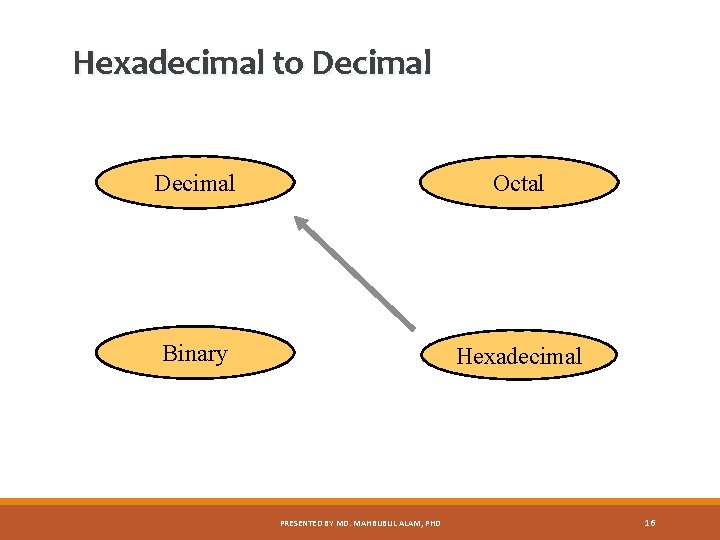
Hexadecimal to Decimal Octal Binary Hexadecimal PRESENTED BY MD. MAHBUBUL ALAM, PHD 16
Hexadecimal to Decimal Technique ◦ Multiply each bit by 16 n, where n is the “weight” of the bit ◦ The weight is the position of the bit, starting from 0 on the right ◦ Add the results PRESENTED BY MD. MAHBUBUL ALAM, PHD 17
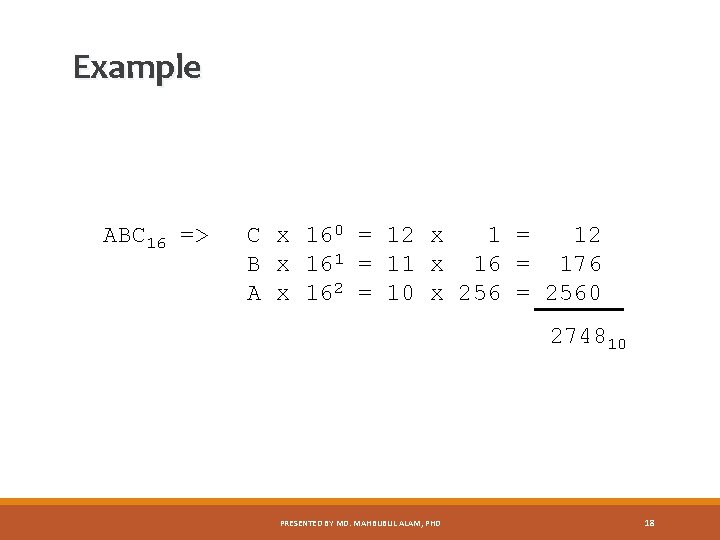
Example ABC 16 => C x 160 = 12 x 1 = 12 B x 161 = 11 x 16 = 176 A x 162 = 10 x 256 = 2560 274810 PRESENTED BY MD. MAHBUBUL ALAM, PHD 18
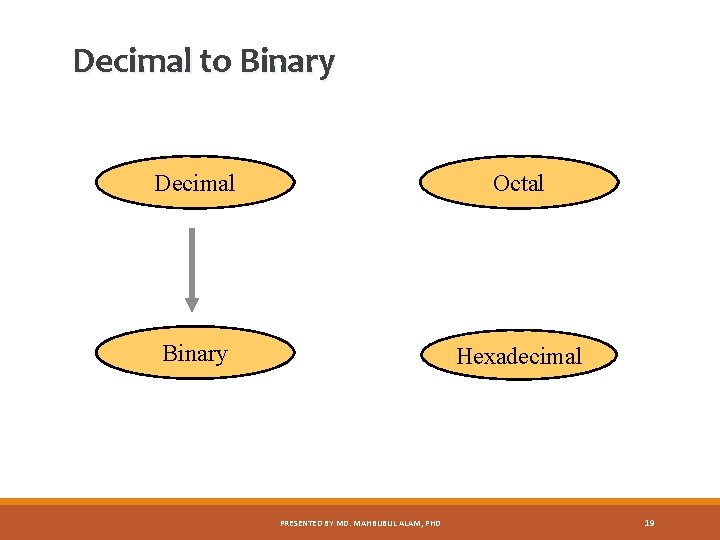
Decimal to Binary Decimal Octal Binary Hexadecimal PRESENTED BY MD. MAHBUBUL ALAM, PHD 19
Decimal to Binary Technique ◦ ◦ Divide by two, keep track of the remainder First remainder is bit 0 (LSB, least-significant bit) Second remainder is bit 1 Etc. PRESENTED BY MD. MAHBUBUL ALAM, PHD 20
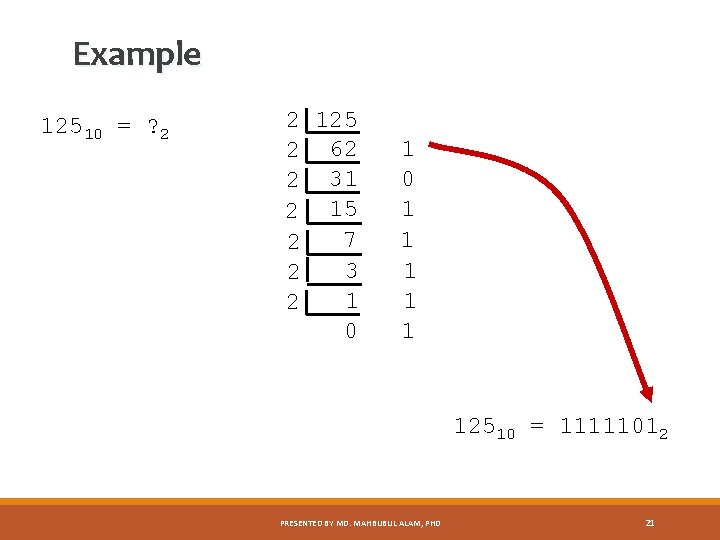
Example 12510 = ? 2 2 125 2 62 2 31 2 15 7 2 3 2 1 2 0 1 1 1 12510 = 11111012 PRESENTED BY MD. MAHBUBUL ALAM, PHD 21
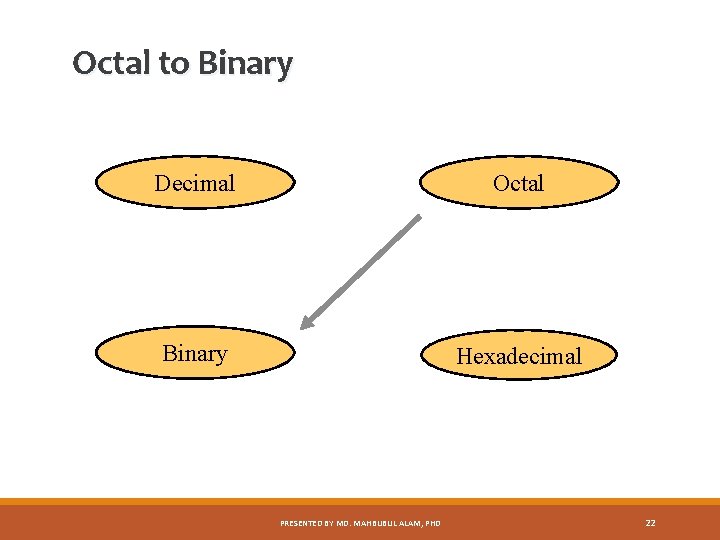
Octal to Binary Decimal Octal Binary Hexadecimal PRESENTED BY MD. MAHBUBUL ALAM, PHD 22
Octal to Binary Technique ◦ Convert each octal digit to a 3 -bit equivalent binary representation PRESENTED BY MD. MAHBUBUL ALAM, PHD 23
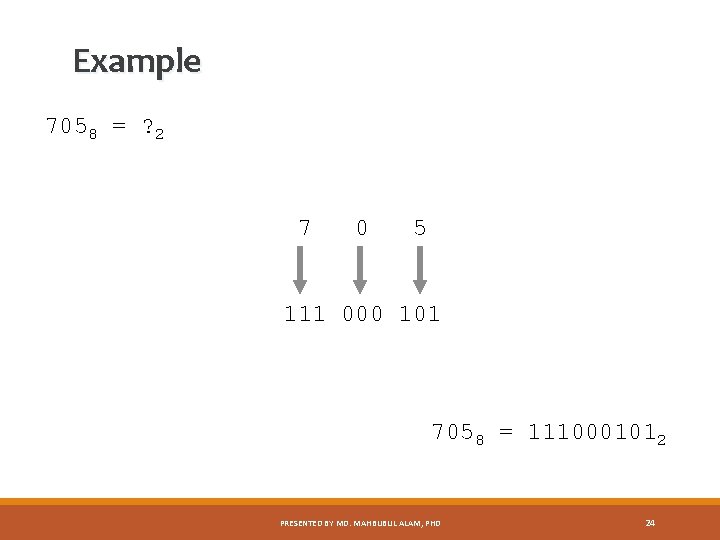
Example 7058 = ? 2 7 0 5 111 000 101 7058 = 1110001012 PRESENTED BY MD. MAHBUBUL ALAM, PHD 24
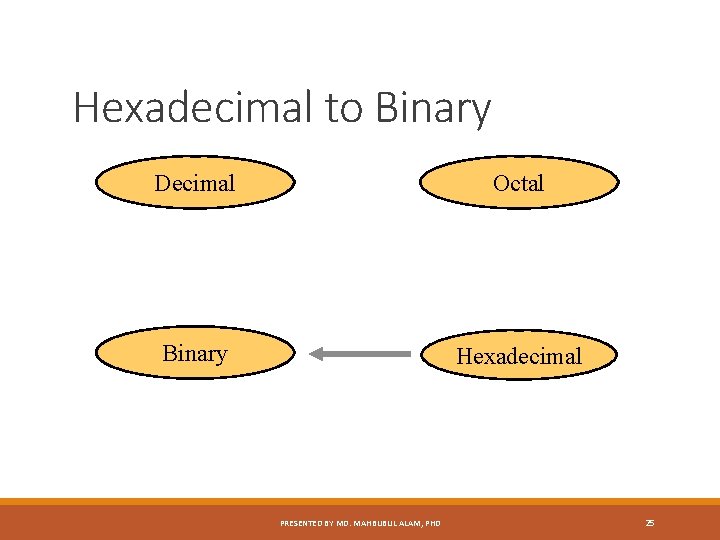
Hexadecimal to Binary Decimal Octal Binary Hexadecimal PRESENTED BY MD. MAHBUBUL ALAM, PHD 25
Hexadecimal to Binary Technique ◦ Convert each hexadecimal digit to a 4 -bit equivalent binary representation PRESENTED BY MD. MAHBUBUL ALAM, PHD 26
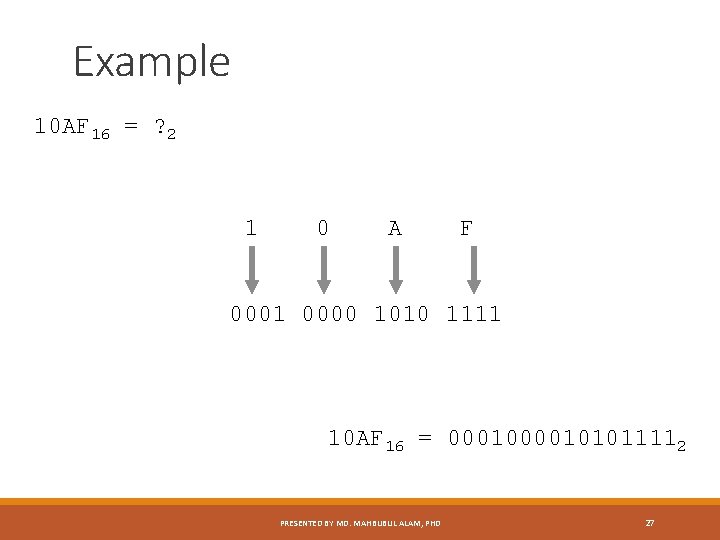
Example 10 AF 16 = ? 2 1 0 A F 0001 0000 1010 1111 10 AF 16 = 000101011112 PRESENTED BY MD. MAHBUBUL ALAM, PHD 27
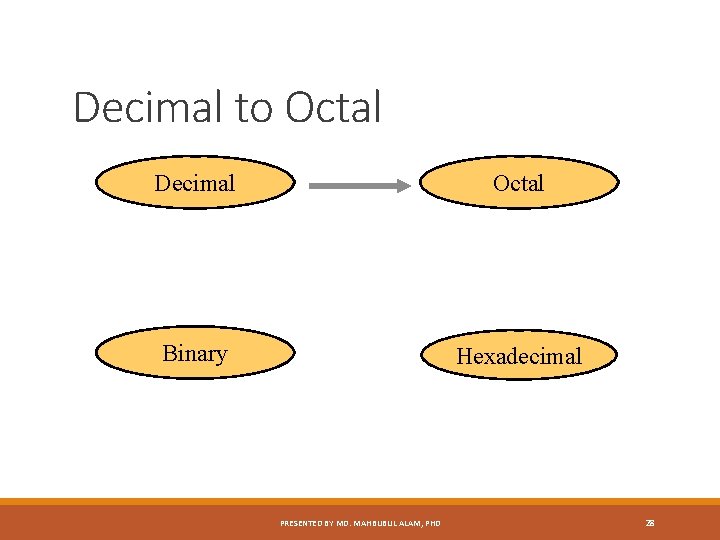
Decimal to Octal Decimal Octal Binary Hexadecimal PRESENTED BY MD. MAHBUBUL ALAM, PHD 28
Decimal to Octal Technique ◦ Divide by 8 ◦ Keep track of the remainder PRESENTED BY MD. MAHBUBUL ALAM, PHD 29
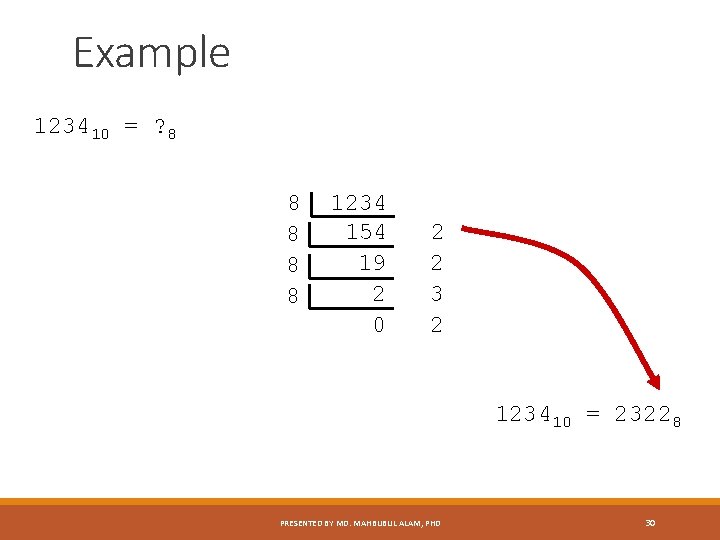
Example 123410 = ? 8 8 8 1234 154 19 2 0 2 2 3 2 123410 = 23228 PRESENTED BY MD. MAHBUBUL ALAM, PHD 30
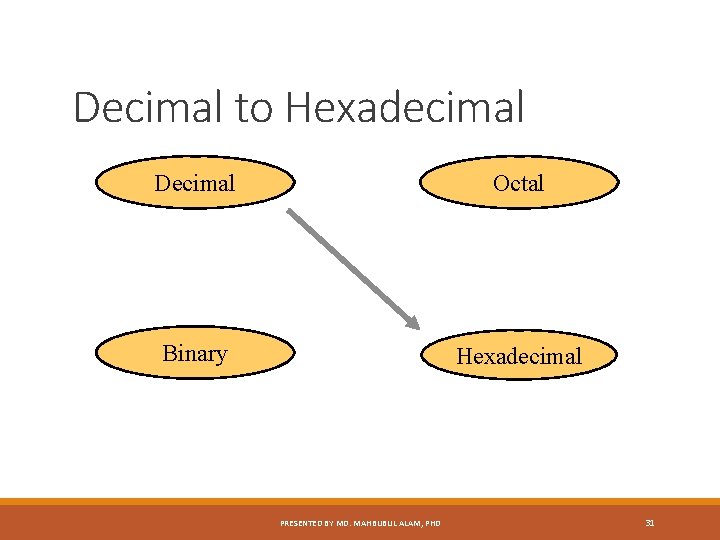
Decimal to Hexadecimal Decimal Octal Binary Hexadecimal PRESENTED BY MD. MAHBUBUL ALAM, PHD 31
Decimal to Hexadecimal Technique ◦ Divide by 16 ◦ Keep track of the remainder PRESENTED BY MD. MAHBUBUL ALAM, PHD 32
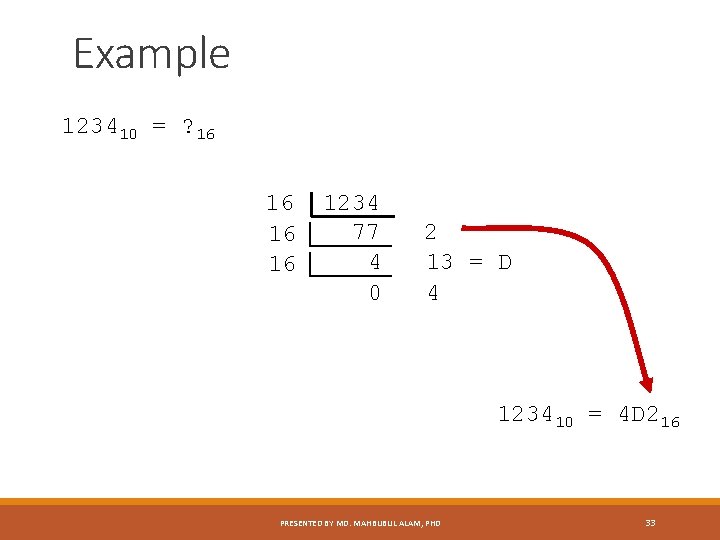
Example 123410 = ? 16 16 1234 77 4 0 2 13 = D 4 123410 = 4 D 216 PRESENTED BY MD. MAHBUBUL ALAM, PHD 33
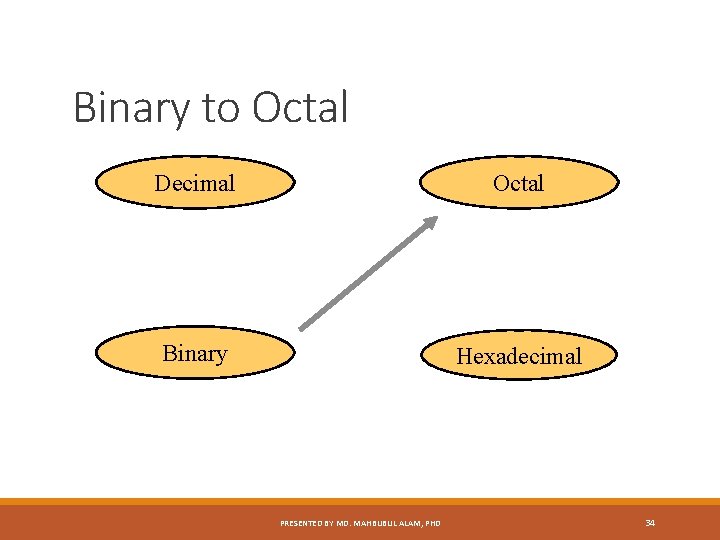
Binary to Octal Decimal Octal Binary Hexadecimal PRESENTED BY MD. MAHBUBUL ALAM, PHD 34
Binary to Octal Technique ◦ Group bits in threes, starting on right ◦ Convert to octal digits PRESENTED BY MD. MAHBUBUL ALAM, PHD 35
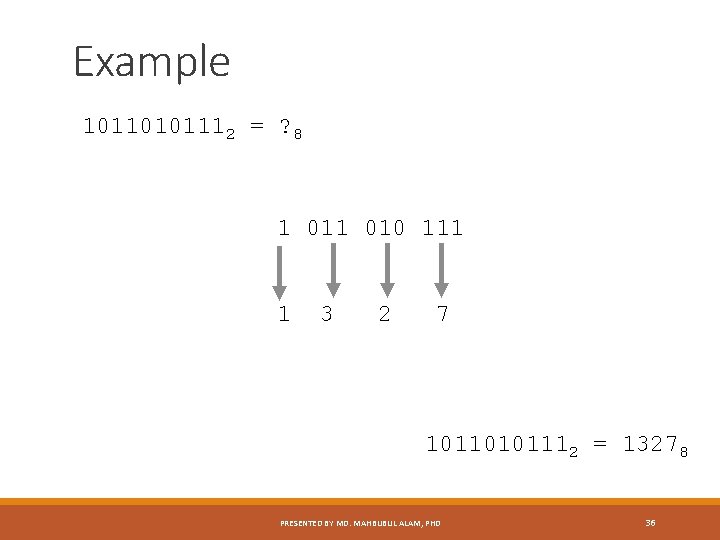
Example 10110101112 = ? 8 1 010 111 1 3 2 7 10110101112 = 13278 PRESENTED BY MD. MAHBUBUL ALAM, PHD 36
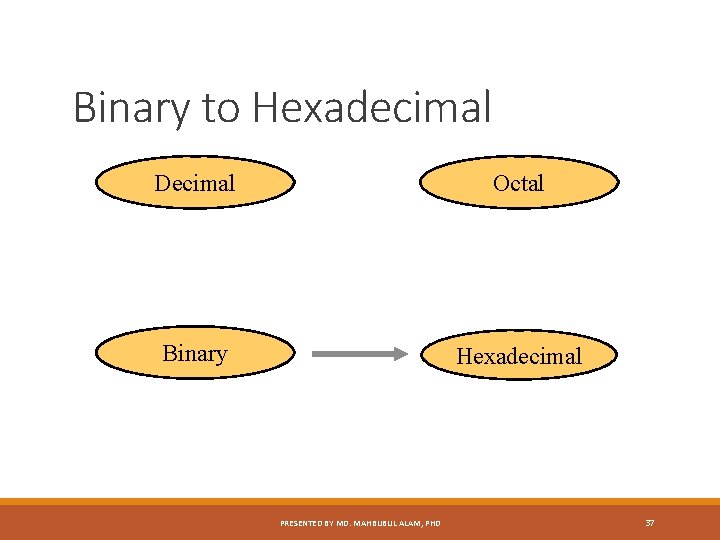
Binary to Hexadecimal Decimal Octal Binary Hexadecimal PRESENTED BY MD. MAHBUBUL ALAM, PHD 37
Binary to Hexadecimal Technique ◦ Group bits in fours, starting on right ◦ Convert to hexadecimal digits PRESENTED BY MD. MAHBUBUL ALAM, PHD 38
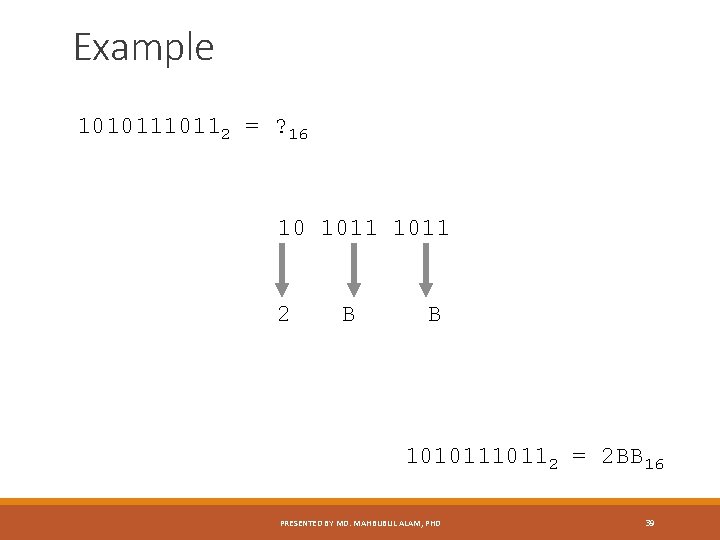
Example 1010112 = ? 16 10 1011 2 B B 1010112 = 2 BB 16 PRESENTED BY MD. MAHBUBUL ALAM, PHD 39
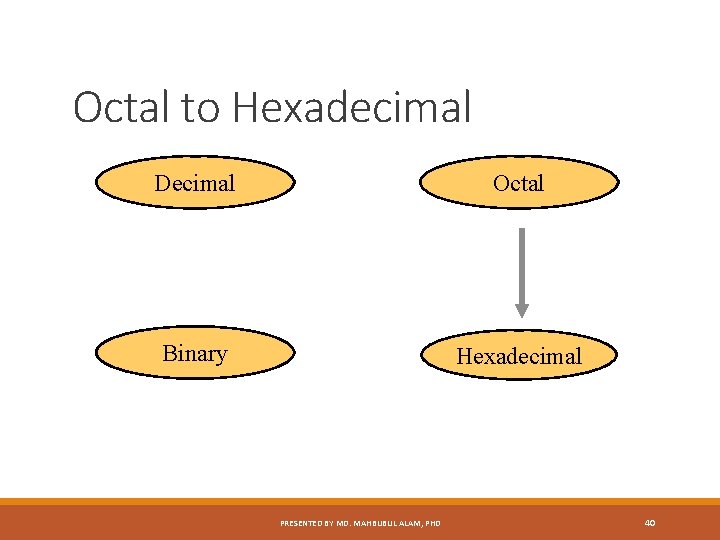
Octal to Hexadecimal Decimal Octal Binary Hexadecimal PRESENTED BY MD. MAHBUBUL ALAM, PHD 40
Octal to Hexadecimal Technique ◦ Use binary as an intermediary PRESENTED BY MD. MAHBUBUL ALAM, PHD 41
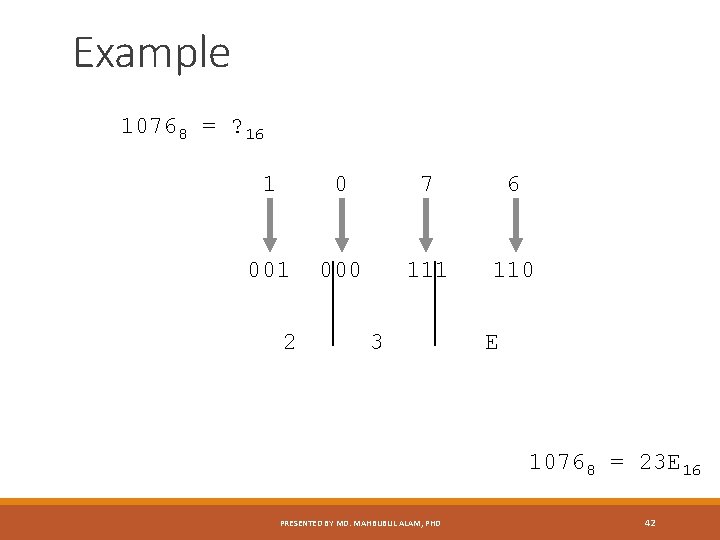
Example 10768 = ? 16 1 0 7 6 001 000 111 110 2 3 E 10768 = 23 E 16 PRESENTED BY MD. MAHBUBUL ALAM, PHD 42
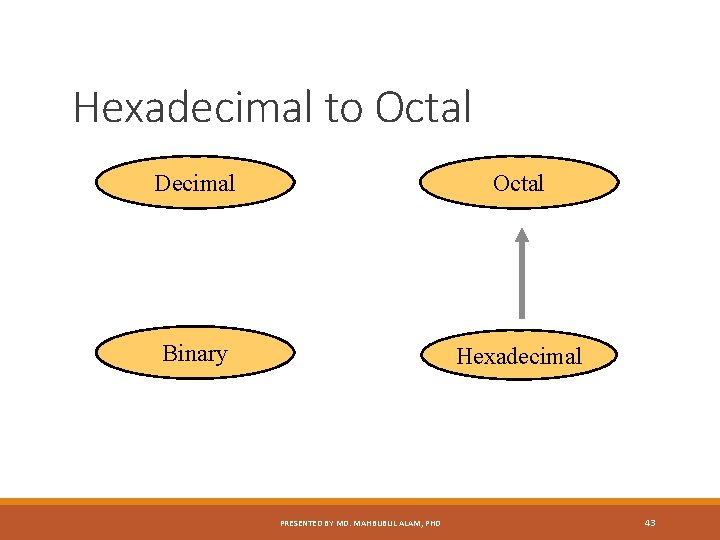
Hexadecimal to Octal Decimal Octal Binary Hexadecimal PRESENTED BY MD. MAHBUBUL ALAM, PHD 43
Hexadecimal to Octal Technique ◦ Use binary as an intermediary PRESENTED BY MD. MAHBUBUL ALAM, PHD 44
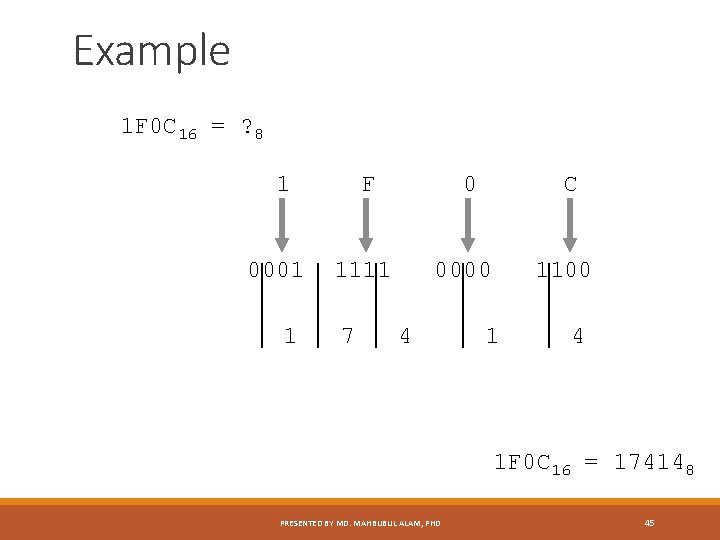
Example 1 F 0 C 16 = ? 8 1 0001 1 F 0 1111 7 C 0000 4 1100 1 4 1 F 0 C 16 = 174148 PRESENTED BY MD. MAHBUBUL ALAM, PHD 45
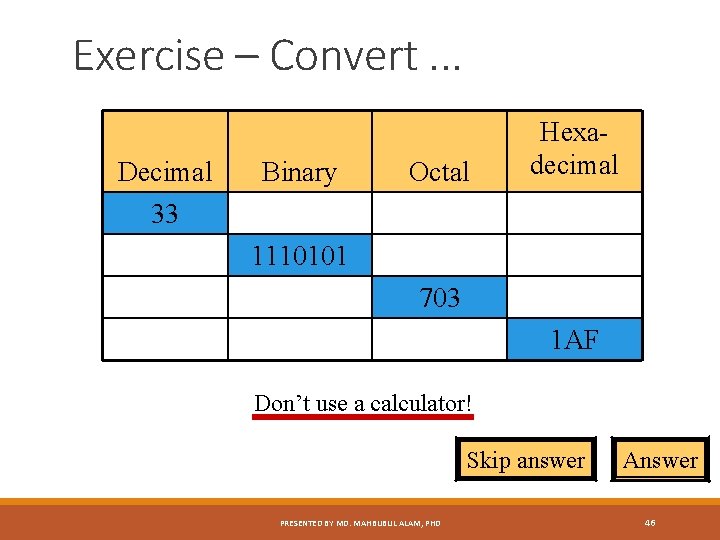
Exercise – Convert. . . Decimal 33 Binary Octal Hexadecimal 1110101 703 1 AF Don’t use a calculator! Skip answer PRESENTED BY MD. MAHBUBUL ALAM, PHD Answer 46
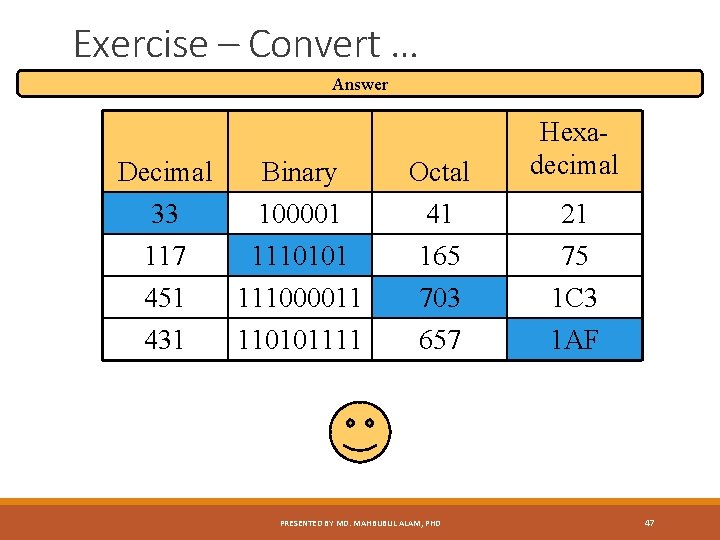
Exercise – Convert … Answer Decimal 33 117 Binary 100001 1110101 Octal 41 165 451 431 111000011 110101111 703 657 PRESENTED BY MD. MAHBUBUL ALAM, PHD Hexadecimal 21 75 1 C 3 1 AF 47
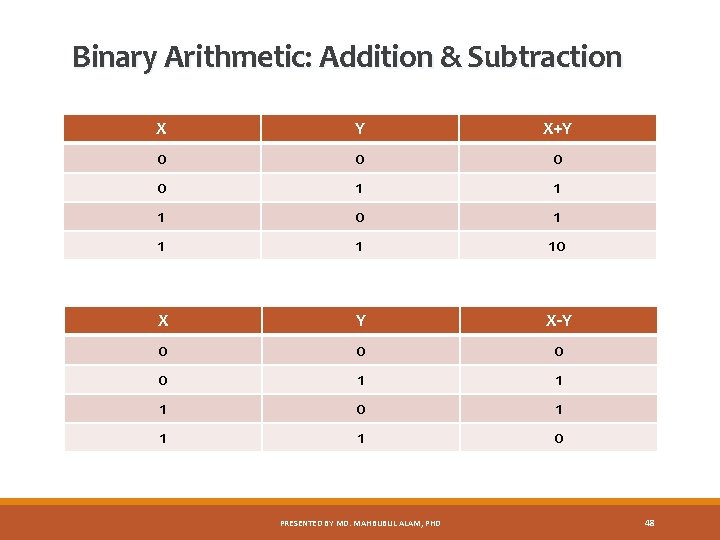
Binary Arithmetic: Addition & Subtraction X Y X+Y 0 0 1 1 1 0 1 10 X Y X-Y 0 0 1 1 1 0 PRESENTED BY MD. MAHBUBUL ALAM, PHD 48
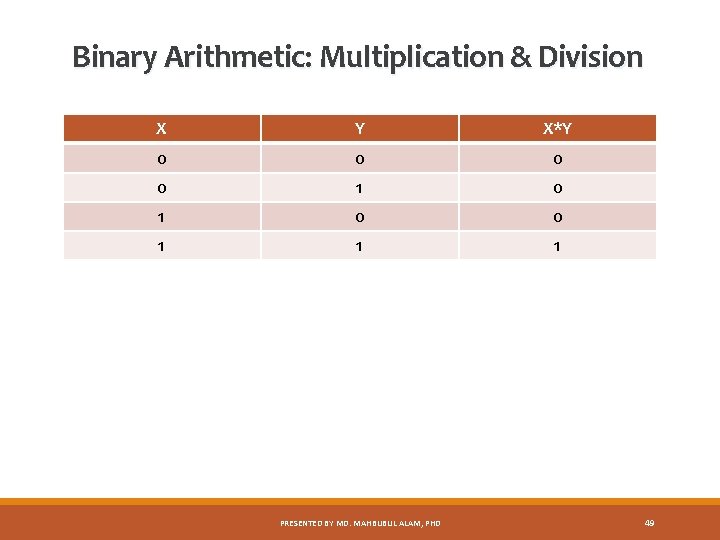
Binary Arithmetic: Multiplication & Division X Y X*Y 0 0 1 1 1 PRESENTED BY MD. MAHBUBUL ALAM, PHD 49
Boolean Algebra • • • The digital circuits present in a digital computer are designed using a mathematical discipline known as Boolean Algebra. It describes the relationship between the inputs and outputs of a digital circuit. Boolean Algebra was named in honor of Gorge Boole, an English Mathematician, who had proposed the basic principles of this. Objective: Boolean Algebra is used mainly by design engineers in order to obtain the required output by using least number of logic gates. PRESENTED BY MD. MAHBUBUL ALAM, PHD 50
Components Like any other algebra, Boolean Algebra also uses variables and operations. ◦ A Boolean variable has only two possible values which is either true (1) or false (0) ◦ Basic Boolean operations are: AND, OR and NOT PRESENTED BY MD. MAHBUBUL ALAM, PHD 51
Basic Logical Operations All these three basic logical operations can be represented symbolically as ◦ A AND B = A. B ◦ A OR B = A + B ◦ NOT A = A’ These operations can be defined in a form known as Truth Table, which s a list of all possible input values and the output for each input combination. PRESENTED BY MD. MAHBUBUL ALAM, PHD 52
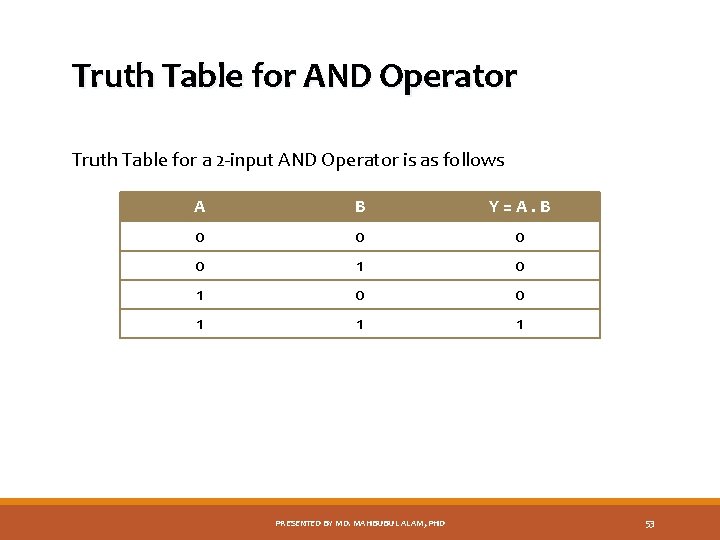
Truth Table for AND Operator Truth Table for a 2 -input AND Operator is as follows A B Y=A. B 0 0 1 1 1 PRESENTED BY MD. MAHBUBUL ALAM, PHD 53
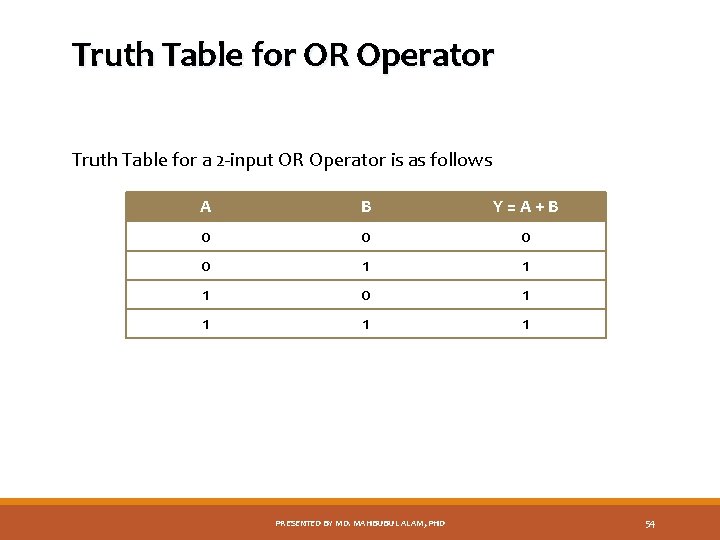
Truth Table for OR Operator Truth Table for a 2 -input OR Operator is as follows A B Y=A+B 0 0 1 1 1 0 1 1 PRESENTED BY MD. MAHBUBUL ALAM, PHD 54
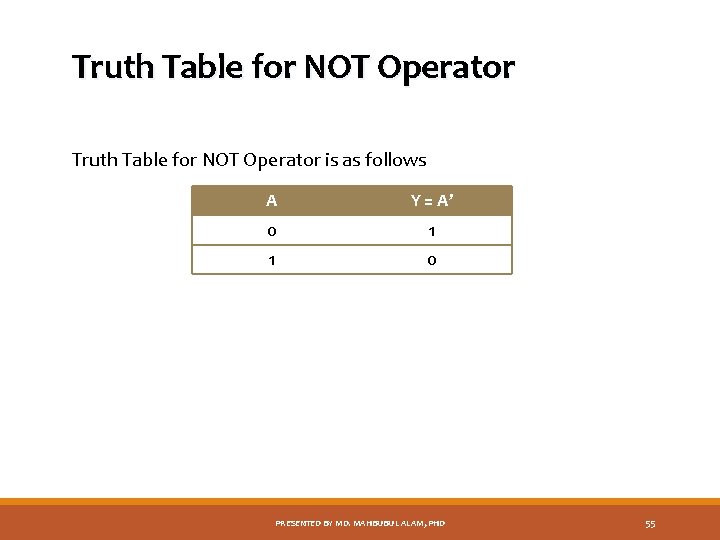
Truth Table for NOT Operator is as follows A Y = A’ 0 1 1 0 PRESENTED BY MD. MAHBUBUL ALAM, PHD 55
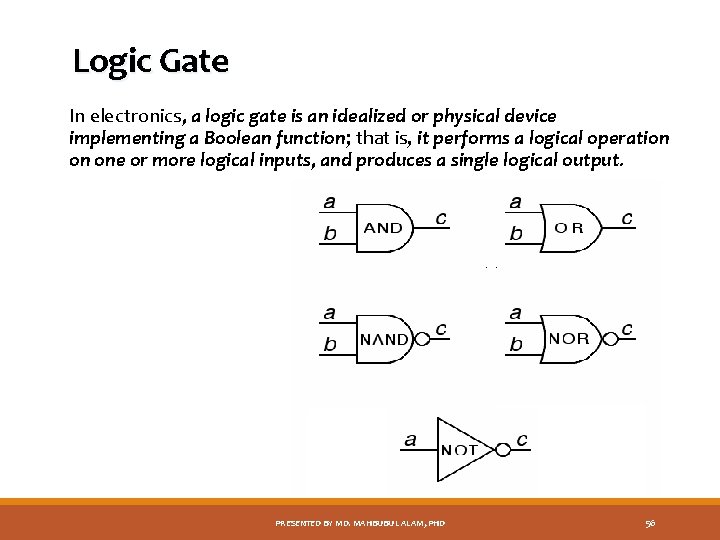
Logic Gate In electronics, a logic gate is an idealized or physical device implementing a Boolean function; that is, it performs a logical operation on one or more logical inputs, and produces a single logical output. PRESENTED BY MD. MAHBUBUL ALAM, PHD 56
Thank you (Courtesy: Dept. of IT, York University) PRESENTED BY MD. MAHBUBUL ALAM, PHD 57
- Slides: 57