
Lecture 6 Windows 2000 Security 1 Contents Part
- Slides: 65
Lecture 6 Windows 2000 Security 1
Contents • Part 1: Windows 2000 Security • Object-Oriented Design • W 2 K architecture • W 2 K Security Subsystem • Security information (‘book keeping’): • principals: accounts, user profiles • subjects: tokens • objects: security descriptors • Access control rules • Managing complexity • Part 2: W 2 K Security Policies 2
Part 1: Windows 2000 Security 3
Windows 2000 Security This section provides an overview of Windows 2000 security, but be warned that W 2 K security is complex! W 2 K provides an excellent illustration of the 3 rd Fundamental Design Principle: Complexity or Assurance? 4
Windows 2000 W 2 K is heavily based on its predecessor, Windows NT, and all the significant security features on NT have been carried over to W 2 K comes in various flavours – Workstation, Server, Advanced Server and Datacenter. The basics are the same in all cases, but the administration is quite different. We will concentrate on the Workstation and the Server variants. 5
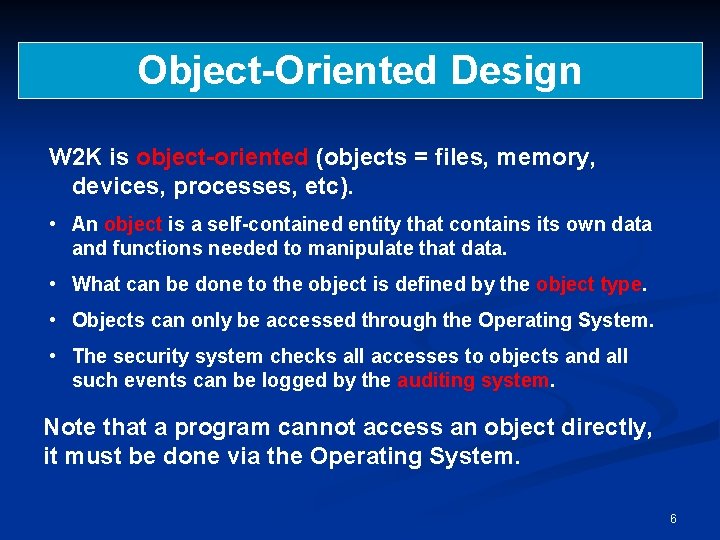
Object-Oriented Design W 2 K is object-oriented (objects = files, memory, devices, processes, etc). • An object is a self-contained entity that contains its own data and functions needed to manipulate that data. • What can be done to the object is defined by the object type. • Objects can only be accessed through the Operating System. • The security system checks all accesses to objects and all such events can be logged by the auditing system. Note that a program cannot access an object directly, it must be done via the Operating System. 6
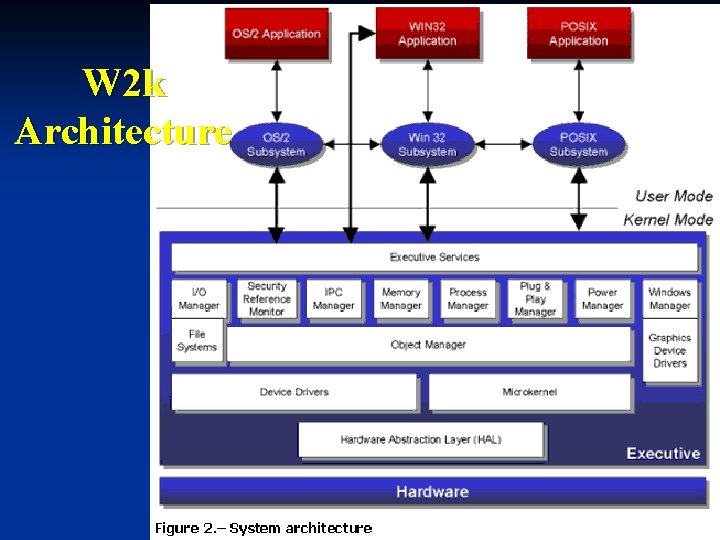
W 2 k Architecture 7
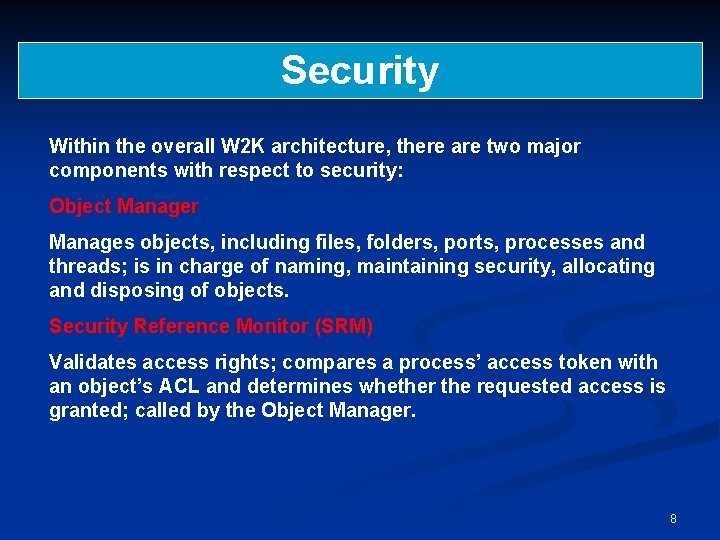
Security Within the overall W 2 K architecture, there are two major components with respect to security: Object Manager Manages objects, including files, folders, ports, processes and threads; is in charge of naming, maintaining security, allocating and disposing of objects. Security Reference Monitor (SRM) Validates access rights; compares a process’ access token with an object’s ACL and determines whether the requested access is granted; called by the Object Manager. 8
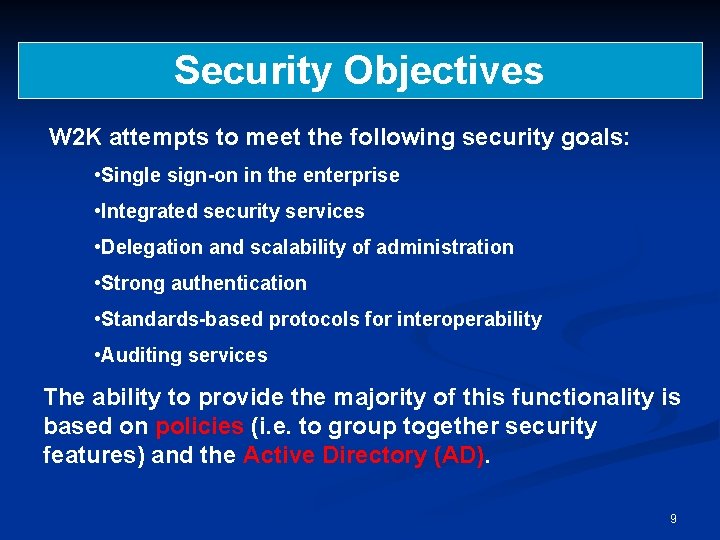
Security Objectives W 2 K attempts to meet the following security goals: • Single sign-on in the enterprise • Integrated security services • Delegation and scalability of administration • Strong authentication • Standards-based protocols for interoperability • Auditing services The ability to provide the majority of this functionality is based on policies (i. e. to group together security features) and the Active Directory (AD). 9
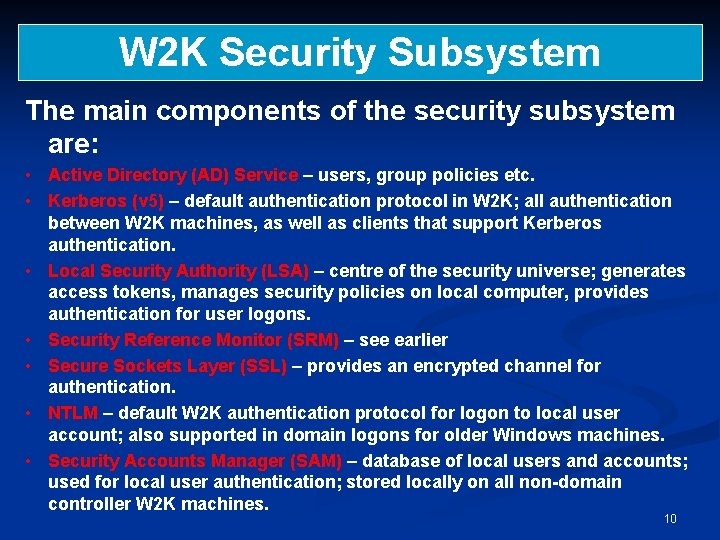
W 2 K Security Subsystem The main components of the security subsystem are: • Active Directory (AD) Service – users, group policies etc. • Kerberos (v 5) – default authentication protocol in W 2 K; all authentication between W 2 K machines, as well as clients that support Kerberos authentication. • Local Security Authority (LSA) – centre of the security universe; generates access tokens, manages security policies on local computer, provides authentication for user logons. • Security Reference Monitor (SRM) – see earlier • Secure Sockets Layer (SSL) – provides an encrypted channel for authentication. • NTLM – default W 2 K authentication protocol for logon to local user account; also supported in domain logons for older Windows machines. • Security Accounts Manager (SAM) – database of local users and accounts; used for local user authentication; stored locally on all non-domain controller W 2 K machines. 10
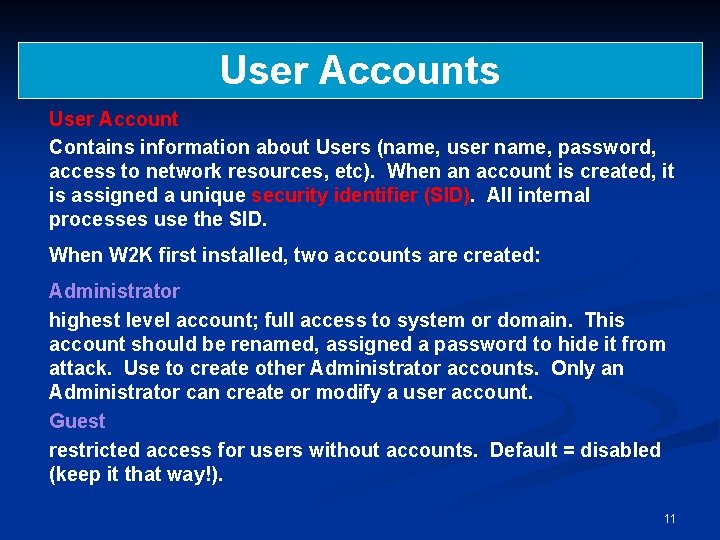
User Accounts User Account Contains information about Users (name, user name, password, access to network resources, etc). When an account is created, it is assigned a unique security identifier (SID). All internal processes use the SID. When W 2 K first installed, two accounts are created: Administrator highest level account; full access to system or domain. This account should be renamed, assigned a password to hide it from attack. Use to create other Administrator accounts. Only an Administrator can create or modify a user account. Guest restricted access for users without accounts. Default = disabled (keep it that way!). 11
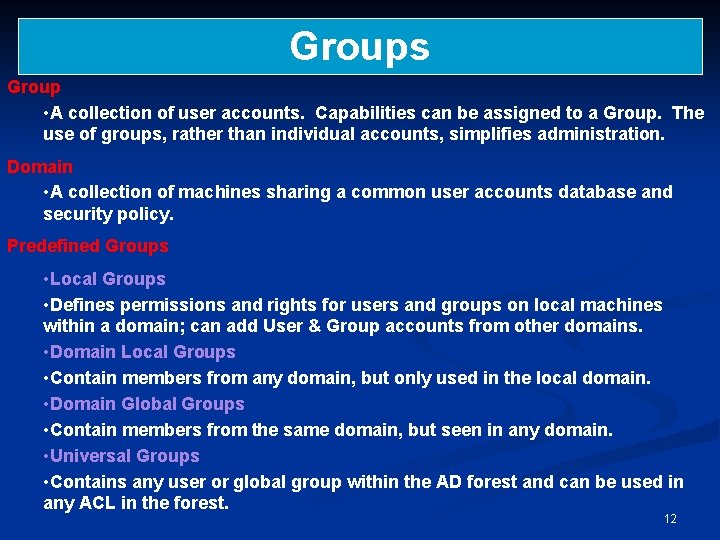
Groups Group • A collection of user accounts. Capabilities can be assigned to a Group. The use of groups, rather than individual accounts, simplifies administration. Domain • A collection of machines sharing a common user accounts database and security policy. Predefined Groups • Local Groups • Defines permissions and rights for users and groups on local machines within a domain; can add User & Group accounts from other domains. • Domain Local Groups • Contain members from any domain, but only used in the local domain. • Domain Global Groups • Contain members from the same domain, but seen in any domain. • Universal Groups • Contains any user or global group within the AD forest and can be used in any ACL in the forest. 12
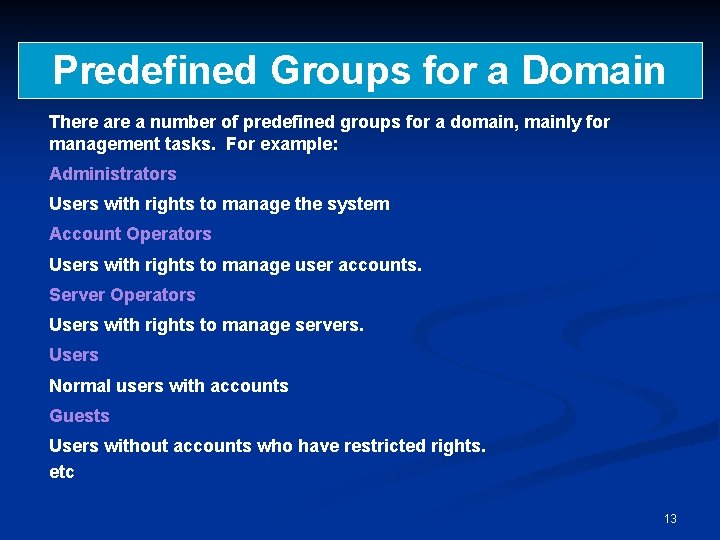
Predefined Groups for a Domain There a number of predefined groups for a domain, mainly for management tasks. For example: Administrators Users with rights to manage the system Account Operators Users with rights to manage user accounts. Server Operators Users with rights to manage servers. Users Normal users with accounts Guests Users without accounts who have restricted rights. etc 13
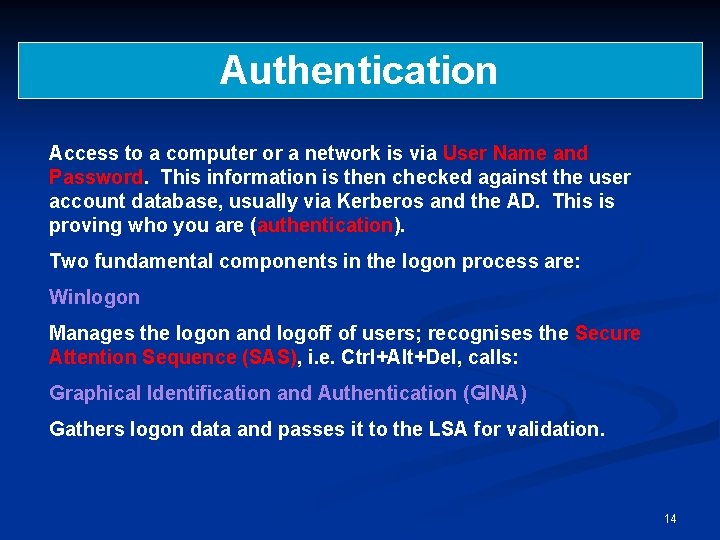
Authentication Access to a computer or a network is via User Name and Password. This information is then checked against the user account database, usually via Kerberos and the AD. This is proving who you are (authentication). Two fundamental components in the logon process are: Winlogon Manages the logon and logoff of users; recognises the Secure Attention Sequence (SAS), i. e. Ctrl+Alt+Del, calls: Graphical Identification and Authentication (GINA) Gathers logon data and passes it to the LSA for validation. 14
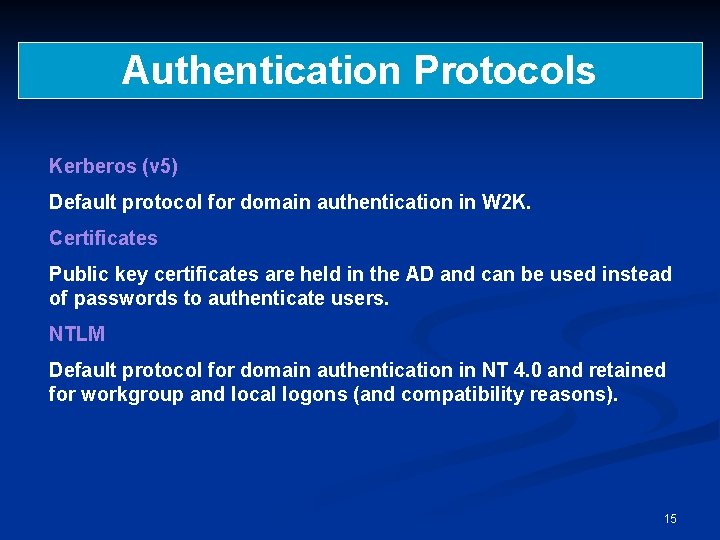
Authentication Protocols Kerberos (v 5) Default protocol for domain authentication in W 2 K. Certificates Public key certificates are held in the AD and can be used instead of passwords to authenticate users. NTLM Default protocol for domain authentication in NT 4. 0 and retained for workgroup and local logons (and compatibility reasons). 15
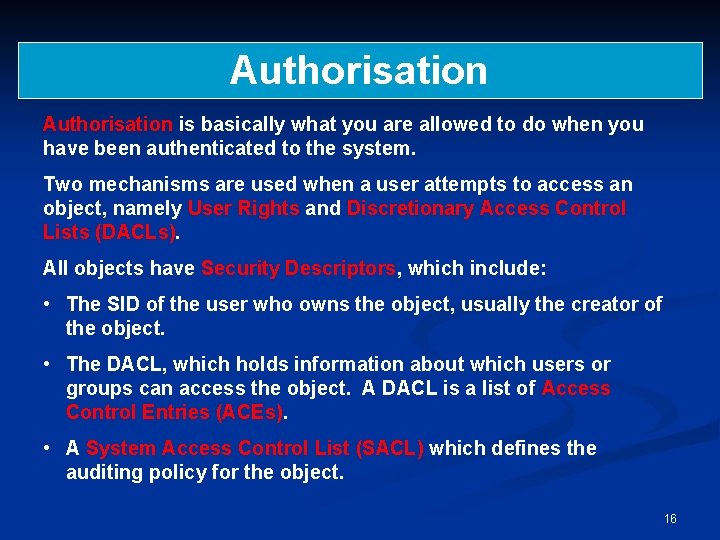
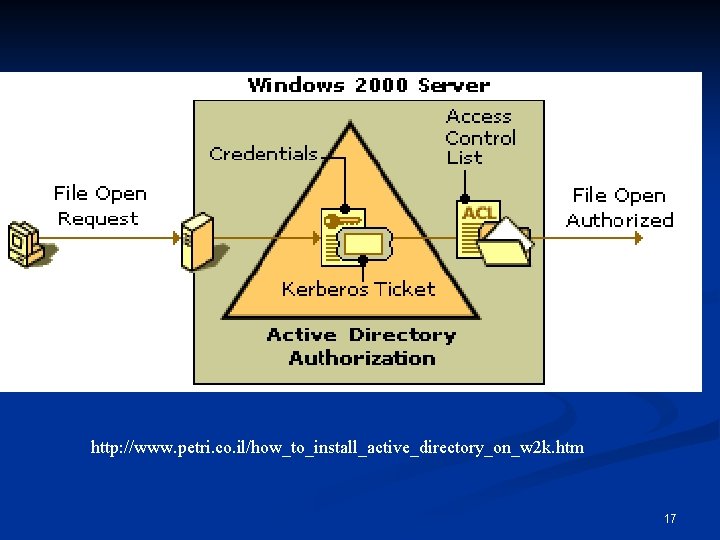
Authorisation is basically what you are allowed to do when you have been authenticated to the system. Two mechanisms are used when a user attempts to access an object, namely User Rights and Discretionary Access Control Lists (DACLs). All objects have Security Descriptors, which include: • The SID of the user who owns the object, usually the creator of the object. • The DACL, which holds information about which users or groups can access the object. A DACL is a list of Access Control Entries (ACEs). • A System Access Control List (SACL) which defines the auditing policy for the object. 16
http: //www. petri. co. il/how_to_install_active_directory_on_w 2 k. htm 17
Audit Any security system should include some form of audit system and W 2 K is no exception! W 2 K auditing is an Administrator function (or can be assigned to an “Auditor” group, for example). Audit event categories include (can set audit success and/or fail): • • System events Process Tracking Privilege use Policy change Object access (remember the SACL) Logon events Directory Service access The Security Log can be accessed via the Event Viewer. Filtering options can be applied, logs can be saved to file, log sizes can be restricted, etc. See also Lecture 1. 18
Audit Do’s and Don’t’s Decide what information needs to be collected. Decide what information does not need to be collected. Decide who should have access to the information. Configure the system as appropriate to the environment. Use a third-party log consolidation product if it is not practical to review all logs manually. Review the information and, if necessary, act upon it. If you log it then look at it! 19
Security Information principals: accounts, user profiles n subjects: tokens n objects: security descriptors n 20
Principals n n Active entities in a security policy: entities that can be granted or denied access Principals can be users, groups, aliases, machines, services, . . Principals have a human readable name (user name) and a machine readable identifier (SID security identifier) Information about principals is stored in accounts and user profiles 21
Security Identifiers n n Every user, group, and machine account has a unique SID format: S-R-I-SA-SA-SA-N n S: letter S n R: revision number (currently 1) n I: identifier authority (48 -bit) n SA: subauthority (32 -bit) n N: relative identifier, unique in the authority’s name space E. g. Guest S-1 -5 -21 -<domain>-501 <domain>: 96 -bit unique machine identifier created when Windows is installed 22
Principals & Authorities n n Principals have authorities: written as principal@domain, e. g. diego@microsoft. com Domain: scope of principals controlled by the same authority; accounts in a domain are global accounts The authority has information about the principal’s password and can act as a trusted third party when the principal authenticates itself to some other entity Design principle: centralised authentication (password management) 23
Domains n n Domain controller (DC): machine that provides the security services for a domain A domain can have more than one domain controller; updates may be performed at any DC and are propagated using the ‘multimaster replication model’ Design principle: services decentralised for better performance Local Security Authority (LSA): each Windows machine has its own built-in authority; accounts created by the LSA are local accounts 24
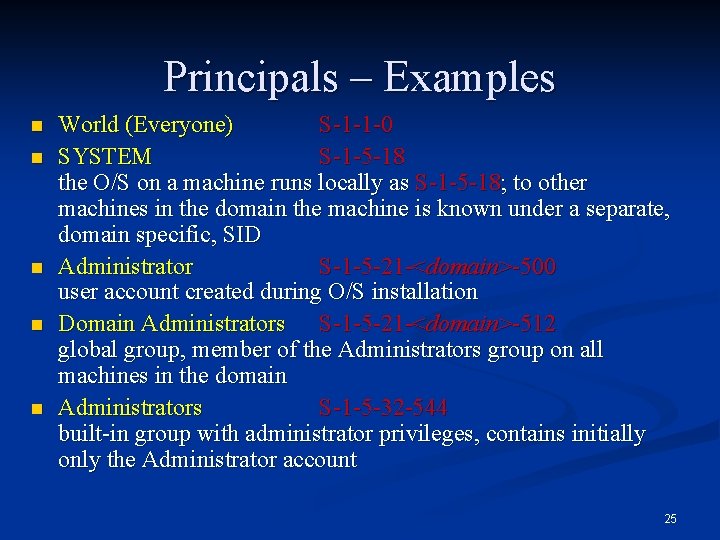
Principals – Examples n n n World (Everyone) S-1 -1 -0 SYSTEM S-1 -5 -18 the O/S on a machine runs locally as S-1 -5 -18; to other machines in the domain the machine is known under a separate, domain specific, SID Administrator S-1 -5 -21 -<domain>-500 user account created during O/S installation Domain Administrators S-1 -5 -21 -<domain>-512 global group, member of the Administrators group on all machines in the domain Administrators S-1 -5 -32 -544 built-in group with administrator privileges, contains initially only the Administrator account 25
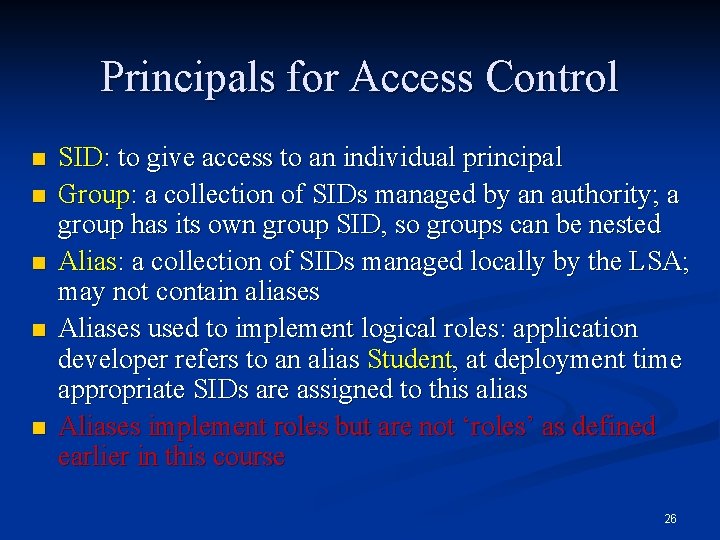
Principals for Access Control n n n SID: to give access to an individual principal Group: a collection of SIDs managed by an authority; a group has its own group SID, so groups can be nested Alias: a collection of SIDs managed locally by the LSA; may not contain aliases Aliases used to implement logical roles: application developer refers to an alias Student, at deployment time appropriate SIDs are assigned to this alias Aliases implement roles but are not ‘roles’ as defined earlier in this course 26
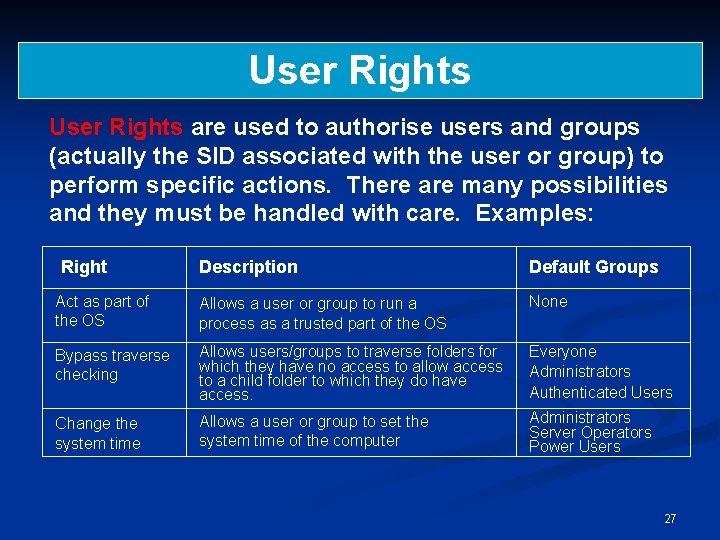
User Rights are used to authorise users and groups (actually the SID associated with the user or group) to perform specific actions. There are many possibilities and they must be handled with care. Examples: Right Description Default Groups Act as part of the OS Allows a user or group to run a process as a trusted part of the OS None Bypass traverse checking Allows users/groups to traverse folders for which they have no access to allow access to a child folder to which they do have access. Everyone Administrators Authenticated Users Change the system time Allows a user or group to set the system time of the computer Administrators Server Operators Power Users 27
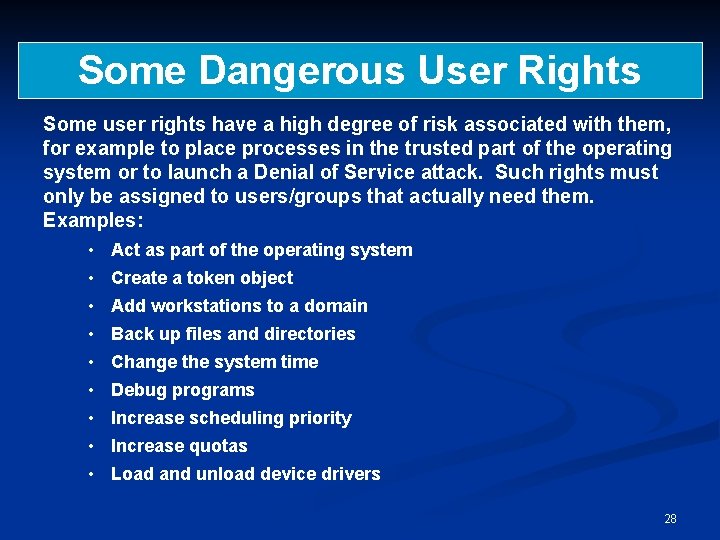
Some Dangerous User Rights Some user rights have a high degree of risk associated with them, for example to place processes in the trusted part of the operating system or to launch a Denial of Service attack. Such rights must only be assigned to users/groups that actually need them. Examples: • Act as part of the operating system • Create a token object • Add workstations to a domain • Back up files and directories • Change the system time • Debug programs • Increase scheduling priority • Increase quotas • Load and unload device drivers 28
Privileges (User Rights) n n Privileges control access to system resources (access rights control access to ‘securable objects’) Uniquely identified by programmatic name (Se. Tcb. Privilege), have display name (“Act as part of the operating system”), cached in tokens as a locally unique identifier (LUID) Assigned on a per machine basis Assigned to aliases like Administrator 29
Privileges –Examples n n n n Back up files and directories Generate security audits Manage and audit security log Take ownership of files and other objects Bypass traverse checking Enable computer and user accounts to be trusted for delegation Shut down the system 30
Subjects & Tokens Subjects are the active entities in the operational system: processes are subjects n Security credentials for processes are stored in tokens; the credentials include the principals associated with the process n A token can only belong to one process but a process may have more than one token n 31
Creating Subjects n n The machine is always running the system logon session process under the principal SYSTEM When a user logs on to a machine, n system logon session collects credentials (e. g. user password) and presents it to the LSA n The LSA verifies the user’s password n the system logon session creates an interactive logon session for that user (principal) Each logon session has a locally unique 64 -bit identifier (LUID) Logging off destroys the logon session 32
Authentication in Practice n n n Authentication binds a subject to a principal Most system use passwords for authentication Machines are principals and have passwords Password authentication can be replaced by other mechanisms, e. g. smart cards Secure attention sequence CTRL+ALT+DEL provides a trusted path to the system logon session 33
Token Contents n n Identity and authorisation attributes: user SID, group SIDs, (user name), privileges Defaults for new objects: owner SID, group SID, DACL (Discretionary ACL) Miscellaneous: logon session ID, token ID, modification ID, token type, expiration time (unused), impersonation level Some of these fields are read-only, others may be modified 34
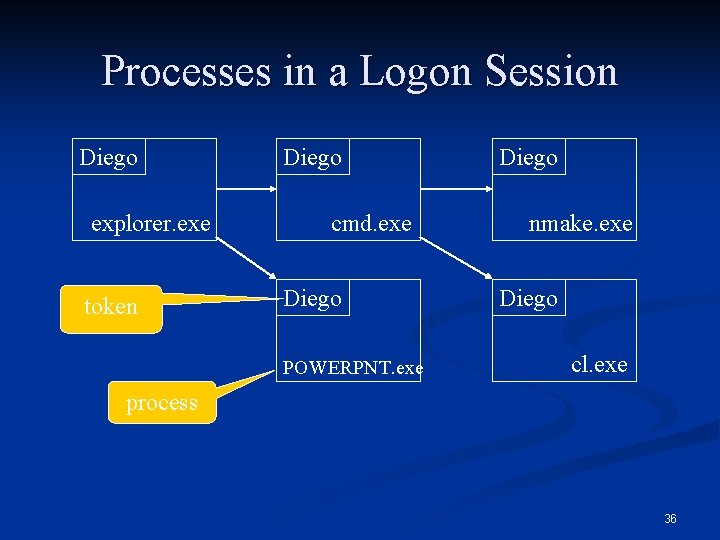
Creating More Subjects n n The logon session caches the user’s network credentials (e. g. password) in a token The logon session can create network logon sessions for that user at other machines; network logon sessions do not normally cache credentials A process can start (‘spawn’) a new process (subject) by calling Create. Process Each process has its own token: different processes within a logon session can have different credentials 35
Processes in a Logon Session Diego explorer. exe token Diego cmd. exe Diego POWERPNT. exe Diego nmake. exe Diego cl. exe process 36
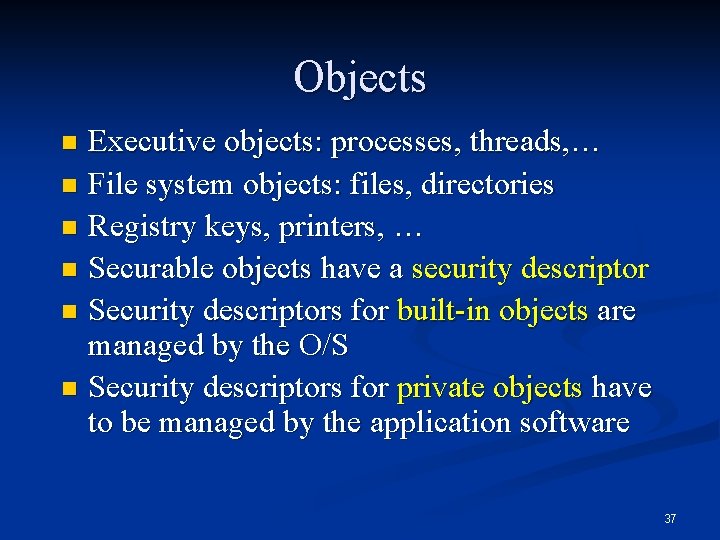
Objects Executive objects: processes, threads, … n File system objects: files, directories n Registry keys, printers, … n Securable objects have a security descriptor n Security descriptors for built-in objects are managed by the O/S n Security descriptors for private objects have to be managed by the application software n 37
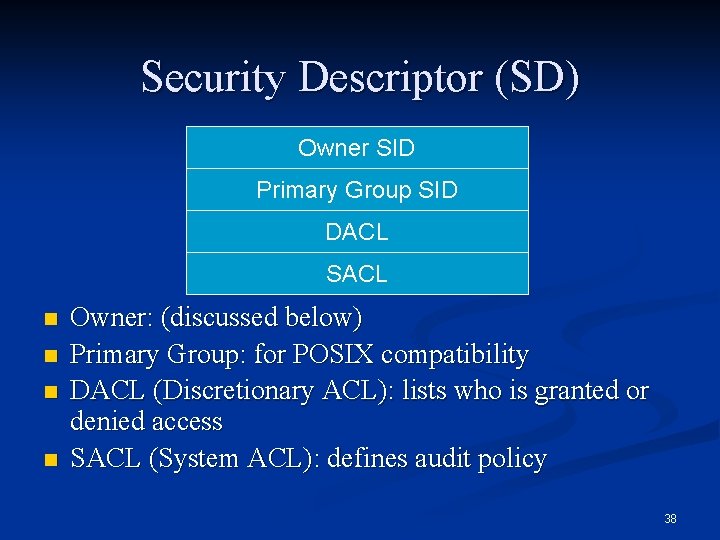
Security Descriptor (SD) Owner SID Primary Group SID DACL SACL n n Owner: (discussed below) Primary Group: for POSIX compatibility DACL (Discretionary ACL): lists who is granted or denied access SACL (System ACL): defines audit policy 38
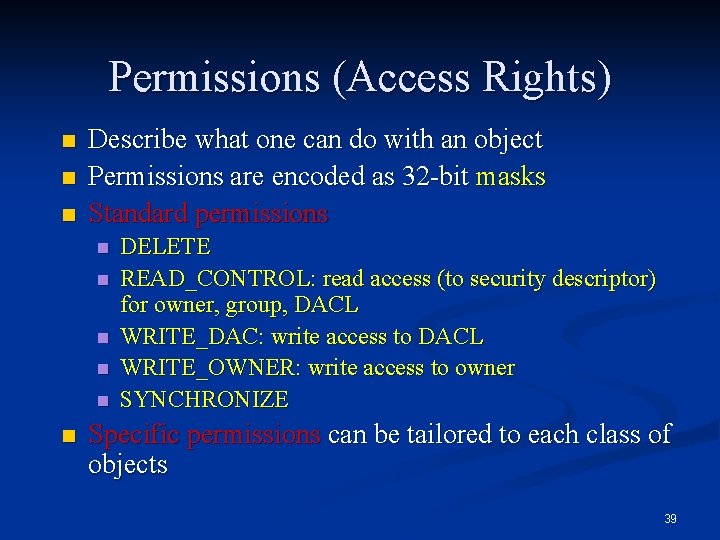
Permissions (Access Rights) n n n Describe what one can do with an object Permissions are encoded as 32 -bit masks Standard permissions n n n DELETE READ_CONTROL: read access (to security descriptor) for owner, group, DACL WRITE_DAC: write access to DACL WRITE_OWNER: write access to owner SYNCHRONIZE Specific permissions can be tailored to each class of objects 39
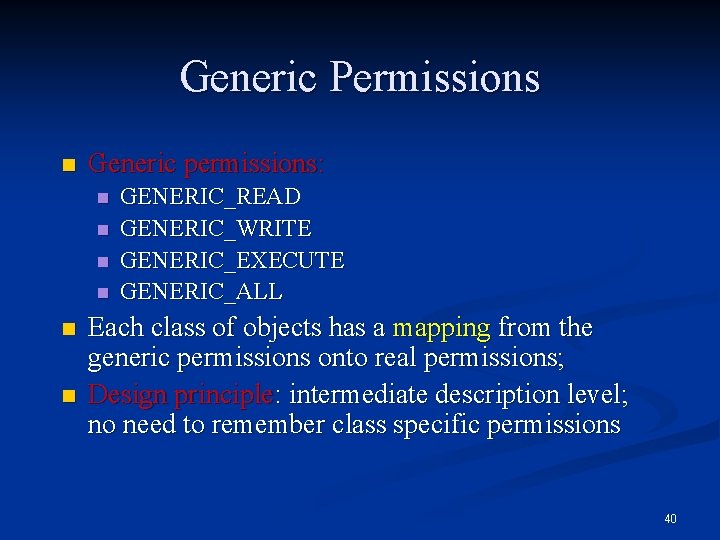
Generic Permissions n Generic permissions: n n n GENERIC_READ GENERIC_WRITE GENERIC_EXECUTE GENERIC_ALL Each class of objects has a mapping from the generic permissions onto real permissions; Design principle: intermediate description level; no need to remember class specific permissions 40
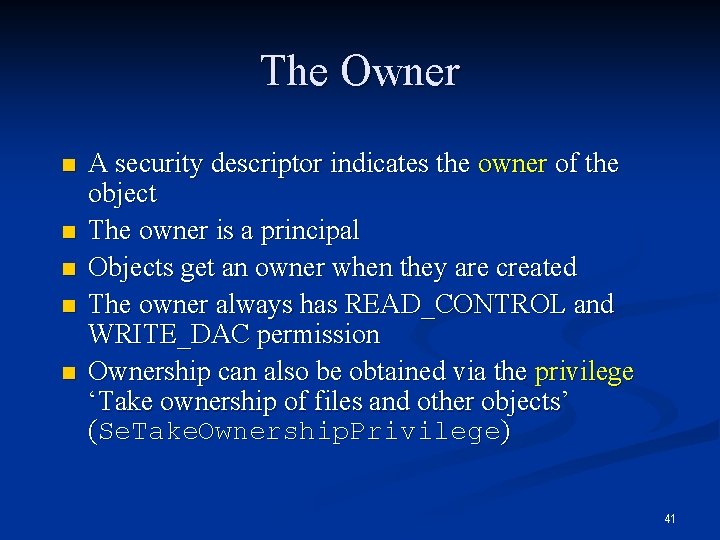
The Owner n n n A security descriptor indicates the owner of the object The owner is a principal Objects get an owner when they are created The owner always has READ_CONTROL and WRITE_DAC permission Ownership can also be obtained via the privilege ‘Take ownership of files and other objects’ (Se. Take. Ownership. Privilege) 41
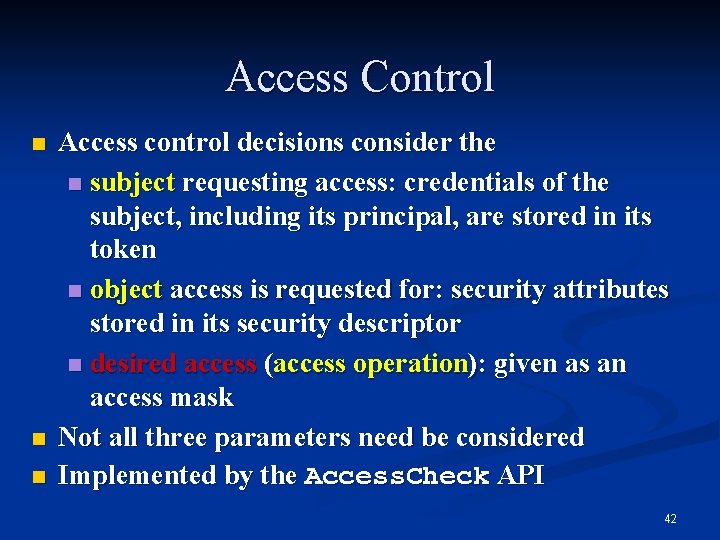
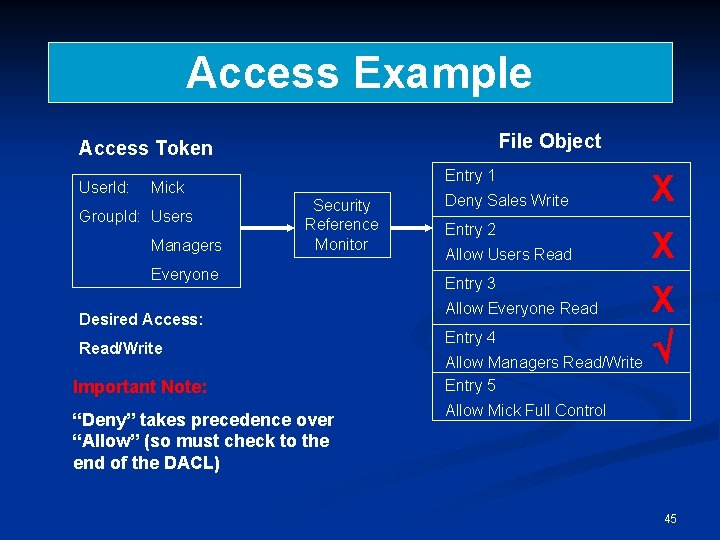
Access Control n n n Access control decisions consider the n subject requesting access: credentials of the subject, including its principal, are stored in its token n object access is requested for: security attributes stored in its security descriptor n desired access (access operation): given as an access mask Not all three parameters need be considered Implemented by the Access. Check API 42
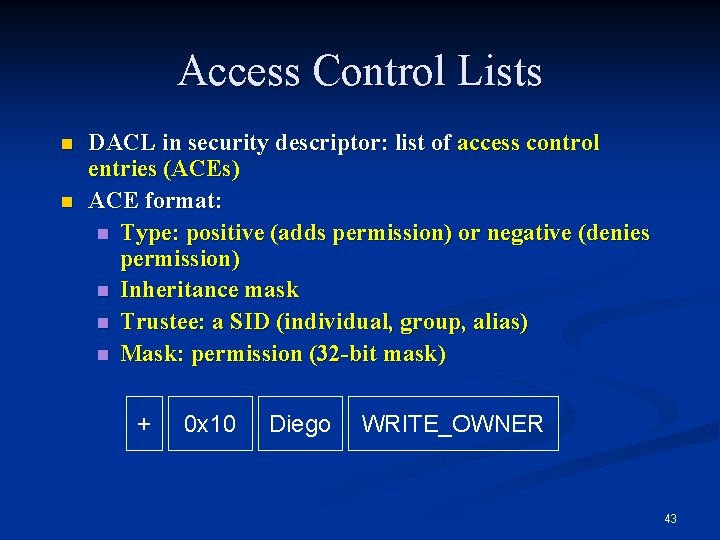
Access Control Lists n n DACL in security descriptor: list of access control entries (ACEs) ACE format: n Type: positive (adds permission) or negative (denies permission) n Inheritance mask n Trustee: a SID (individual, group, alias) n Mask: permission (32 -bit mask) + 0 x 10 Diego WRITE_OWNER 43
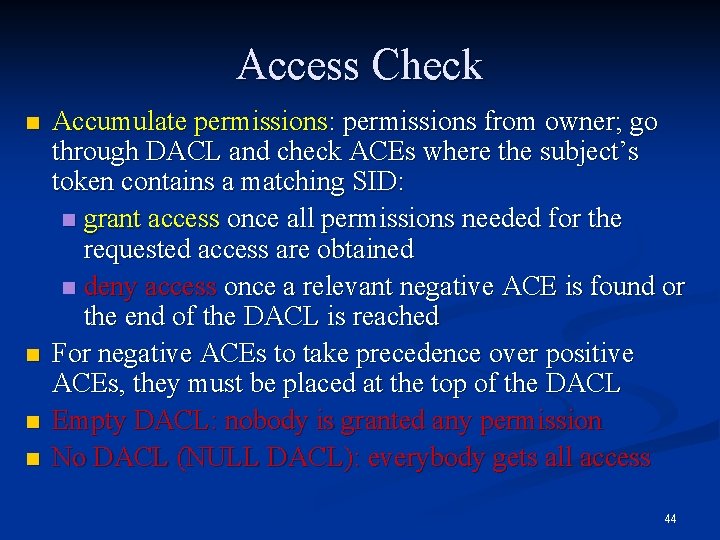
Access Check n n Accumulate permissions: permissions from owner; go through DACL and check ACEs where the subject’s token contains a matching SID: n grant access once all permissions needed for the requested access are obtained n deny access once a relevant negative ACE is found or the end of the DACL is reached For negative ACEs to take precedence over positive ACEs, they must be placed at the top of the DACL Empty DACL: nobody is granted any permission No DACL (NULL DACL): everybody gets all access 44
Access Example File Object Access Token User. Id: Entry 1 Mick Group. Id: Users Managers Security Reference Monitor Everyone Desired Access: Read/Write Deny Sales Write X Entry 2 X Entry 3 X Allow Everyone Read Entry 4 Allow Managers Read/Write Allow Users Read Important Note: Entry 5 “Deny” takes precedence over “Allow” (so must check to the end of the DACL) Allow Mick Full Control 45
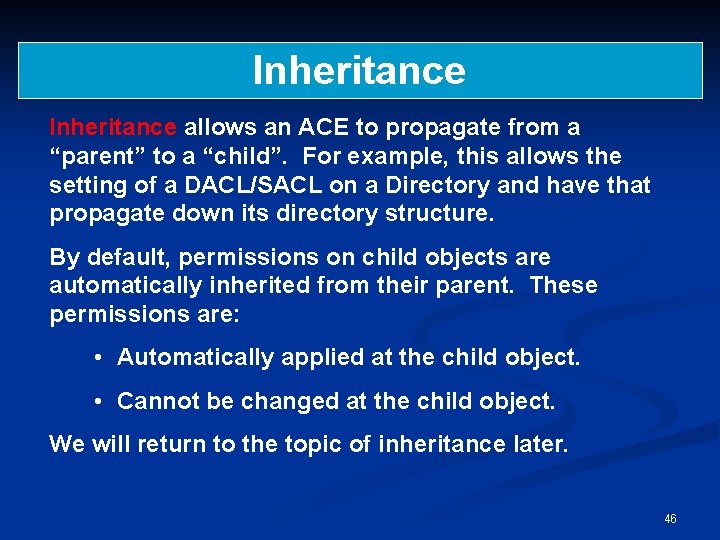
Inheritance allows an ACE to propagate from a “parent” to a “child”. For example, this allows the setting of a DACL/SACL on a Directory and have that propagate down its directory structure. By default, permissions on child objects are automatically inherited from their parent. These permissions are: • Automatically applied at the child object. • Cannot be changed at the child object. We will return to the topic of inheritance later. 46
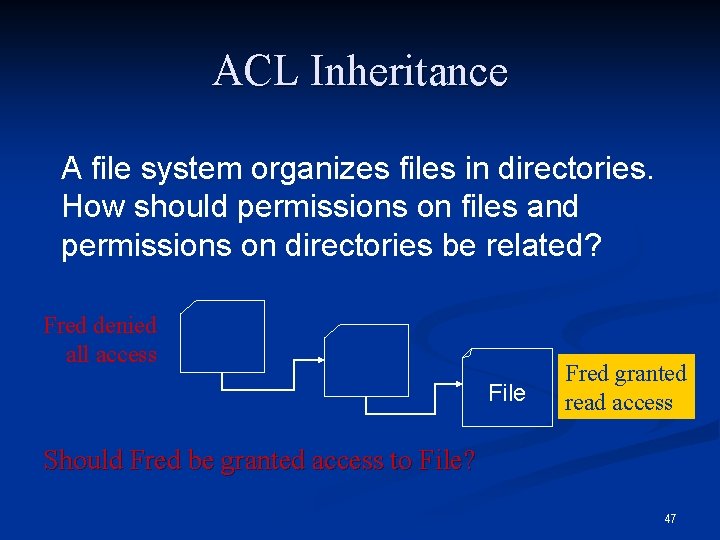
ACL Inheritance A file system organizes files in directories. How should permissions on files and permissions on directories be related? Fred denied all access File Fred granted read access Should Fred be granted access to File? 47
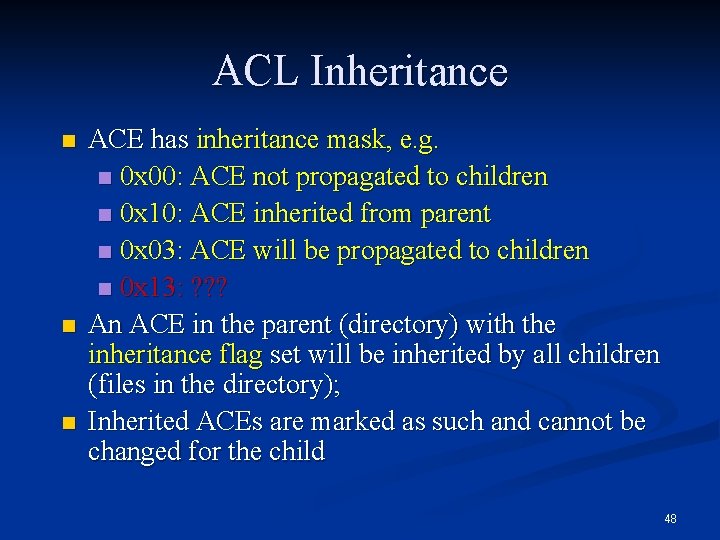
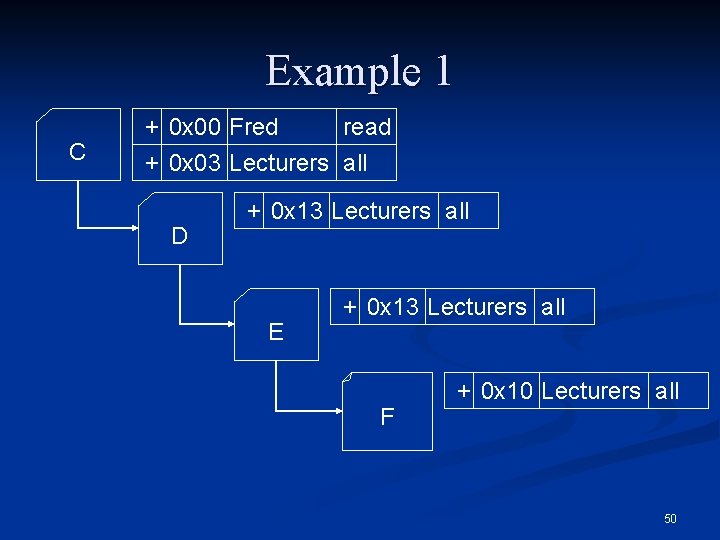
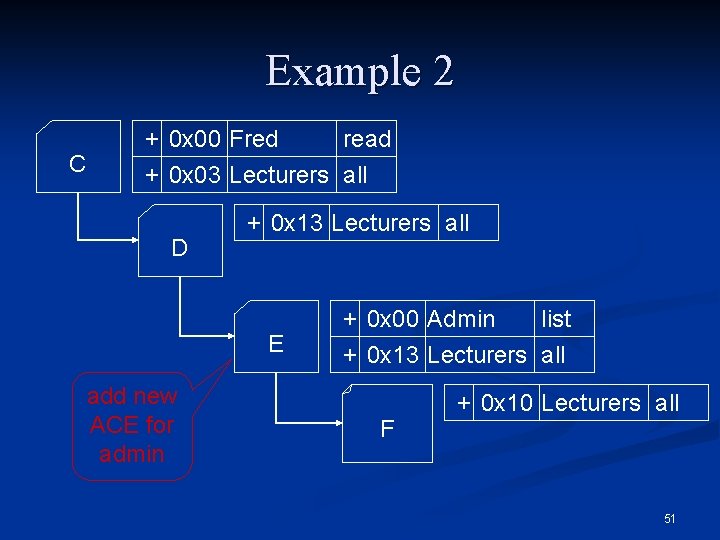
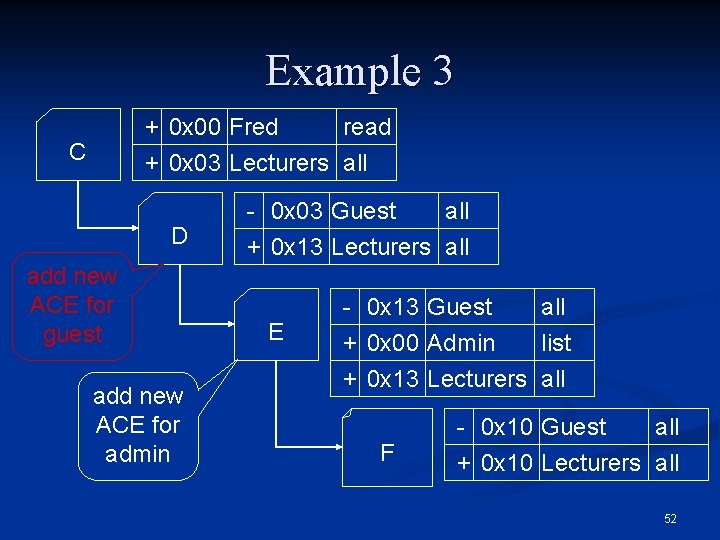
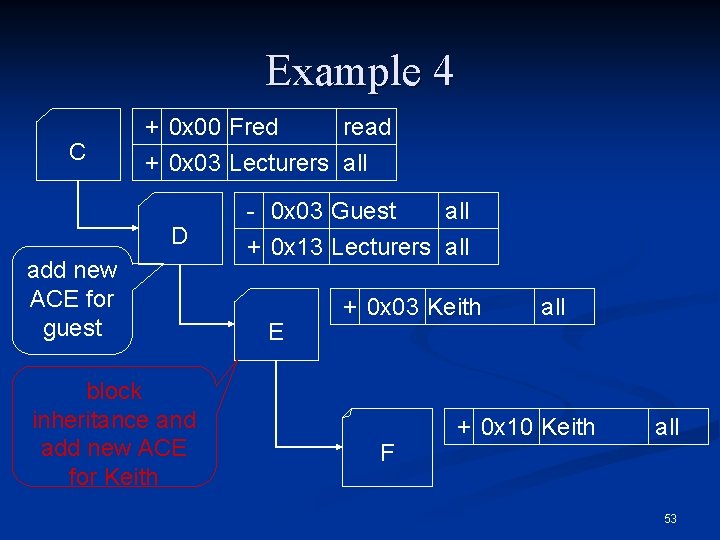
ACL Inheritance n n n ACE has inheritance mask, e. g. n 0 x 00: ACE not propagated to children n 0 x 10: ACE inherited from parent n 0 x 03: ACE will be propagated to children n 0 x 13: ? ? ? An ACE in the parent (directory) with the inheritance flag set will be inherited by all children (files in the directory); Inherited ACEs are marked as such and cannot be changed for the child 48
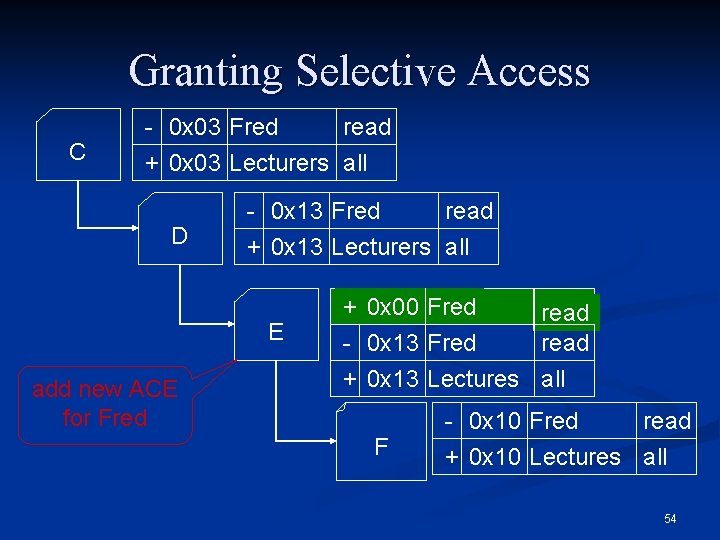
ACL Inheritance n n n Change to the ACE in the parent is propagated to child unless inheritance is blocked by setting the SE_DACL_PROTECTED or SE_SACL_PROTECTED flag in the security descriptor An ACE generated directly for an object will be placed in front of the inherited ACEs in the DACL Hence, a positive ACE can appear before a matching negative ACE 49
Example 1 C + 0 x 00 Fred read + 0 x 03 Lecturers all D + 0 x 13 Lecturers all E + 0 x 13 Lecturers all F + 0 x 10 Lecturers all 50
Example 2 C + 0 x 00 Fred read + 0 x 03 Lecturers all D + 0 x 13 Lecturers all E add new ACE for admin + 0 x 00 Admin list + 0 x 13 Lecturers all F + 0 x 10 Lecturers all 51
Example 3 + 0 x 00 Fred C read + 0 x 03 Lecturers all D add new ACE for guest add new ACE for admin - 0 x 03 Guest all + 0 x 13 Lecturers all E - 0 x 13 Guest all + 0 x 00 Admin list + 0 x 13 Lecturers all F - 0 x 10 Guest all + 0 x 10 Lecturers all 52
Example 4 C + 0 x 00 Fred read + 0 x 03 Lecturers all D add new ACE for guest block inheritance and add new ACE for Keith - 0 x 03 Guest all + 0 x 13 Lecturers all E + 0 x 03 Keith F all + 0 x 10 Keith all 53
Granting Selective Access C - 0 x 03 Fred read + 0 x 03 Lecturers all D - 0 x 13 Fred read + 0 x 13 Lecturers all E add new ACE for Fred + 0 x 00 Fred read - 0 x 13 Fred read + 0 x 13 Lectures all F - 0 x 10 Fred read + 0 x 10 Lectures all 54
Part 2: W 2 K Security Policies 55
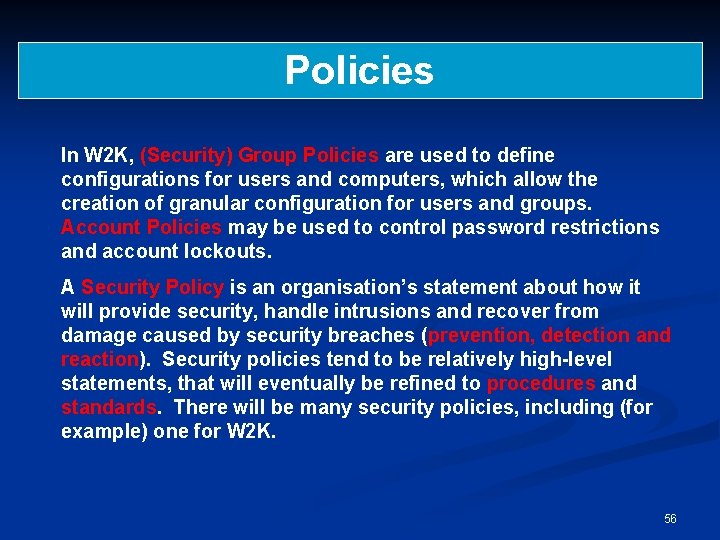
Policies In W 2 K, (Security) Group Policies are used to define configurations for users and computers, which allow the creation of granular configuration for users and groups. Account Policies may be used to control password restrictions and account lockouts. A Security Policy is an organisation’s statement about how it will provide security, handle intrusions and recover from damage caused by security breaches (prevention, detection and reaction). Security policies tend to be relatively high-level statements, that will eventually be refined to procedures and standards. There will be many security policies, including (for example) one for W 2 K. 56
A W 2 K Security Policy In the following slides we provide extracts from a “real” W 2 K security policy. In fact, the organisation concerned calls their document a W 2 K Security Standard – the difference between a Standard and a Policy is somewhat unclear! The purpose here is to give examples of how theory is turned into practice. 57
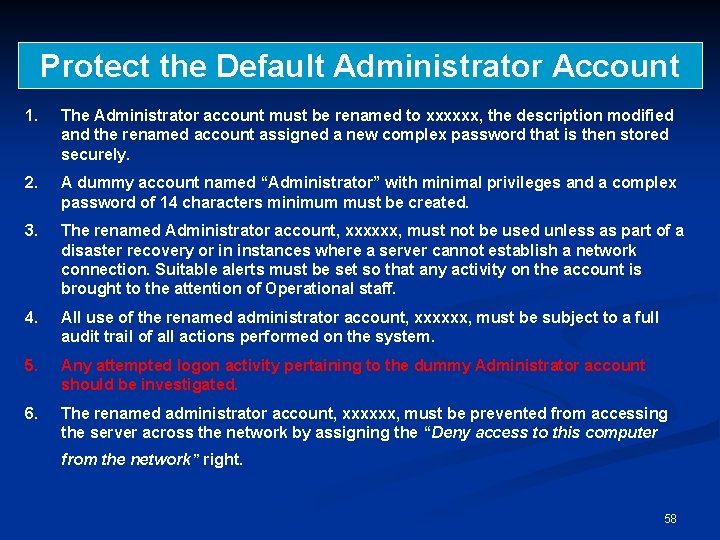
Protect the Default Administrator Account 1. The Administrator account must be renamed to xxxxxx, the description modified and the renamed account assigned a new complex password that is then stored securely. 2. A dummy account named “Administrator” with minimal privileges and a complex password of 14 characters minimum must be created. 3. The renamed Administrator account, xxxxxx, must not be used unless as part of a disaster recovery or in instances where a server cannot establish a network connection. Suitable alerts must be set so that any activity on the account is brought to the attention of Operational staff. 4. All use of the renamed administrator account, xxxxxx, must be subject to a full audit trail of all actions performed on the system. 5. Any attempted logon activity pertaining to the dummy Administrator account should be investigated. 6. The renamed administrator account, xxxxxx, must be prevented from accessing the server across the network by assigning the “Deny access to this computer from the network” right. 58
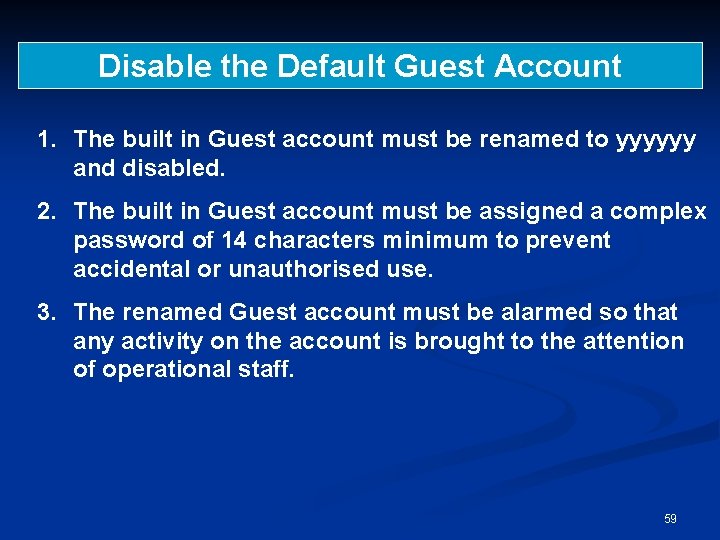
Disable the Default Guest Account 1. The built in Guest account must be renamed to yyyyyy and disabled. 2. The built in Guest account must be assigned a complex password of 14 characters minimum to prevent accidental or unauthorised use. 3. The renamed Guest account must be alarmed so that any activity on the account is brought to the attention of operational staff. 59
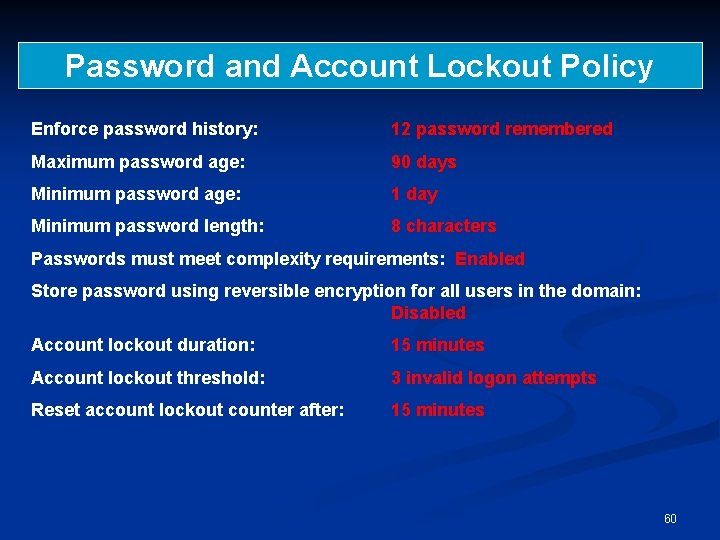
Password and Account Lockout Policy Enforce password history: 12 password remembered Maximum password age: 90 days Minimum password age: 1 day Minimum password length: 8 characters Passwords must meet complexity requirements: Enabled Store password using reversible encryption for all users in the domain: Disabled Account lockout duration: 15 minutes Account lockout threshold: 3 invalid logon attempts Reset account lockout counter after: 15 minutes 60
Object Access 1. The setting of folder/file permissions must be performed by authorised support groups only. 2. Access Control Entries (ACEs) must relate to groups not individual users. Explicit permissions for individual user accounts must be avoided. Access to resources must be granted using global or universal groups (Native mode only) and thence to local groups as required. 3. Access Control Lists must be set at the highest level in the directory structure possible. 4. Inheritance of Access Control Entries (ACEs) should be allowed (but see Point 5 below). 5. For business critical and sensitive objects, protected permissions must be applied. Inheritance of ACEs must be suppressed to avoid permissions being accidentally overwritten. 6. Any group-based access structure must be documented. 61
Control User Rights and Privileges 1. General users must not be granted rights to system administration and configuration functions. 2. User Rights Assignments must be made through the use of Group Policy Local Policies. The minimum level of privileges must be granted to each group of users. Access to perform the following tasks on servers must be restricted to users with appropriate administrative role. 62
Securing of Audit Logs 1. Access to Windows 2000 audit logs must be secured as follows: • Administrators and SYSTEM: Full Control • Authenticated Users and Server Operators: Read & Execute, List Folder Contents, Read • Domain Security Auditors: Read & Execute 2. Additional “Security Auditor” groups may be created and given the Read & Execute permission, as required. Approval must be sought from Regional Information Security in advance. Note: The Domain Security Auditors group is not a built-in group, and must be created. Only those users approved by Information Security ‘Central Operations’ may be added to this group. 63
Group Account Management 1. Local groups created on servers must be given meaningful names and descriptions. 2. User accounts must not be given direct membership of local groups. Access to resources must be granted using Domain Global groups or Universal groups (Native mode only) and thence to local groups as required. 3. Normal users must not be allowed membership (direct or indirect) of default privileged security groups (eg Administrators, Backup Operators). 4. Management (including creation and population) of all groups must be performed in accordance with the Bank authorisation procedures as defined in the Global Information Security “Security Administration Model”. 64
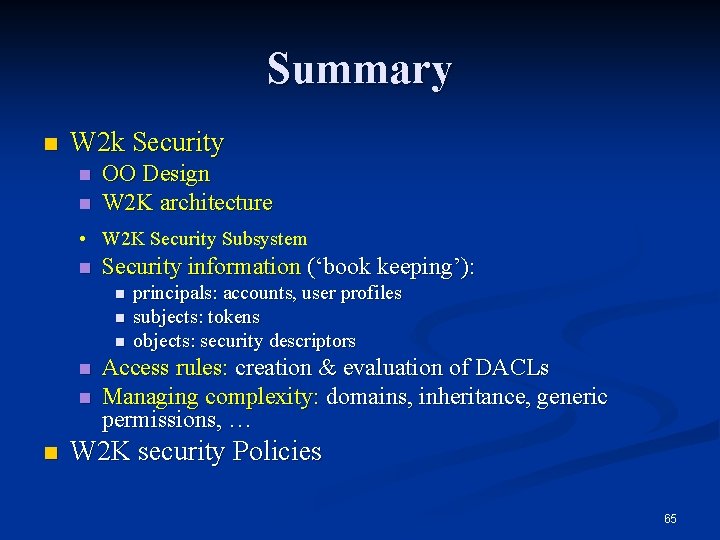
Summary n W 2 k Security n n OO Design W 2 K architecture • W 2 K Security Subsystem n Security information (‘book keeping’): n n n principals: accounts, user profiles subjects: tokens objects: security descriptors Access rules: creation & evaluation of DACLs Managing complexity: domains, inheritance, generic permissions, … W 2 K security Policies 65