
Lecture 6 Housekeeping Final Project Proposals due two
- Slides: 49
Lecture 6 Housekeeping – Final Project: Proposals due two weeks Human Computer Interaction – Recap – Heuristic Evaluation Assignment Due Week 7 “User Interfaces and Visualization” – Review Information Visualization – Toolbox Perspective. Wall Cone. Tree © Anselm Spoerri
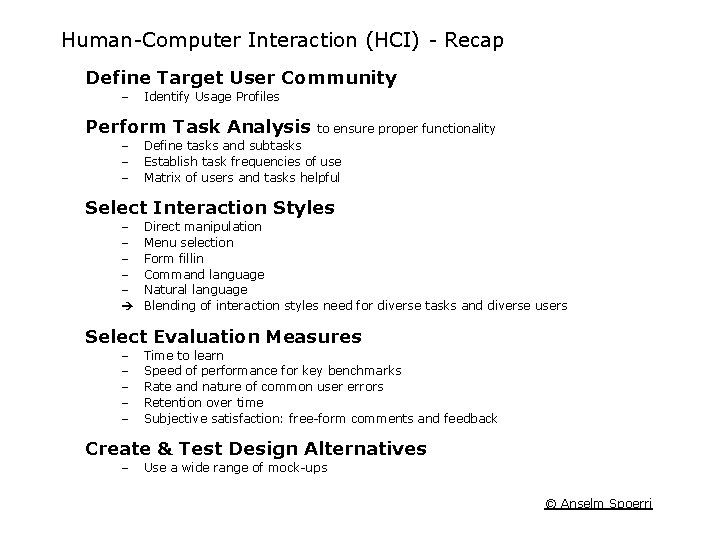
Human-Computer Interaction (HCI) - Recap Define Target User Community – Identify Usage Profiles Perform Task Analysis – – – to ensure proper functionality Define tasks and subtasks Establish task frequencies of use Matrix of users and tasks helpful Select Interaction Styles – – – Direct manipulation Menu selection Form fillin Command language Natural language Blending of interaction styles need for diverse tasks and diverse users Select Evaluation Measures – – – Time to learn Speed of performance for key benchmarks Rate and nature of common user errors Retention over time Subjective satisfaction: free-form comments and feedback Create & Test Design Alternatives – Use a wide range of mock-ups © Anselm Spoerri
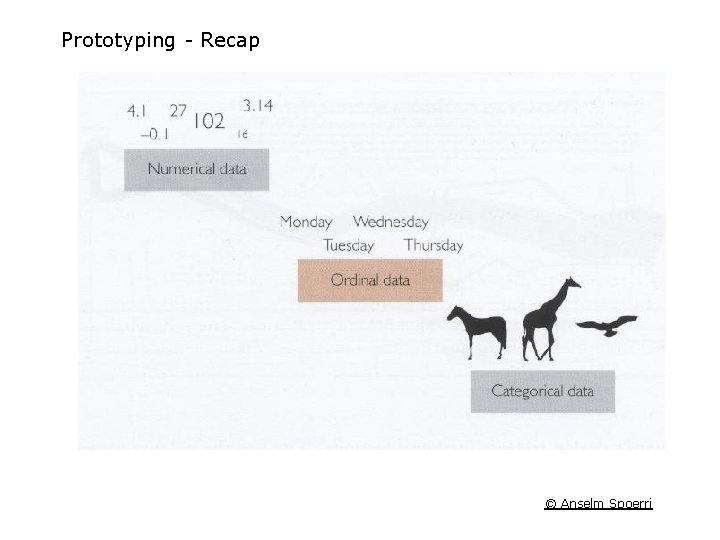
Prototyping - Recap © Anselm Spoerri
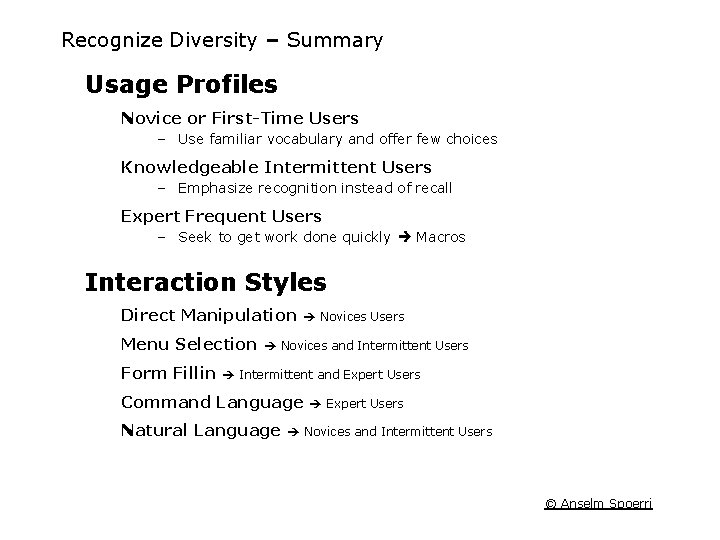
Recognize Diversity – Summary Usage Profiles Novice or First-Time Users – Use familiar vocabulary and offer few choices Knowledgeable Intermittent Users – Emphasize recognition instead of recall Expert Frequent Users – Seek to get work done quickly Macros Interaction Styles Direct Manipulation Menu Selection Form Fillin Novices Users Novices and Intermittent Users Intermittent and Expert Users Command Language Natural Language Expert Users Novices and Intermittent Users © Anselm Spoerri
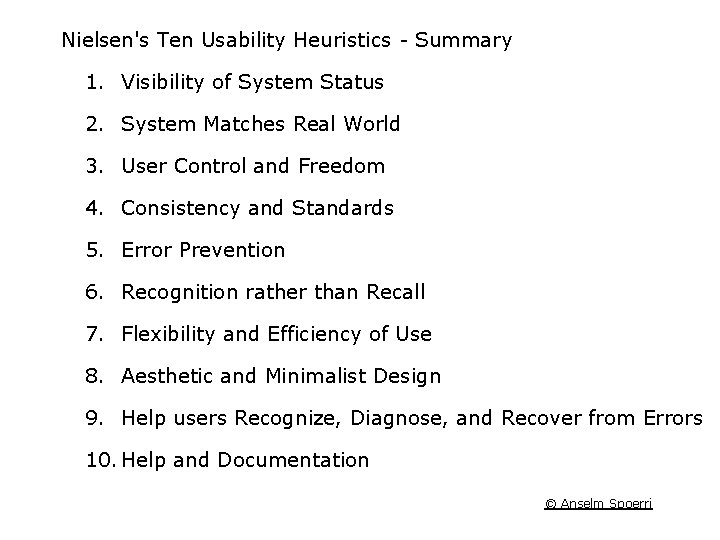
Nielsen's Ten Usability Heuristics - Summary 1. Visibility of System Status 2. System Matches Real World 3. User Control and Freedom 4. Consistency and Standards 5. Error Prevention 6. Recognition rather than Recall 7. Flexibility and Efficiency of Use 8. Aesthetic and Minimalist Design 9. Help users Recognize, Diagnose, and Recover from Errors 10. Help and Documentation © Anselm Spoerri
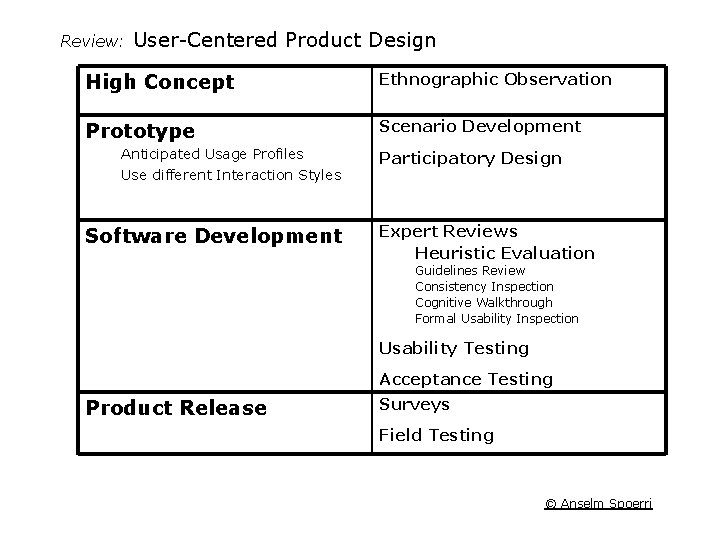
Review: User-Centered Product Design High Concept Ethnographic Observation Prototype Scenario Development Anticipated Usage Profiles Use different Interaction Styles Software Development Participatory Design Expert Reviews Heuristic Evaluation Guidelines Review Consistency Inspection Cognitive Walkthrough Formal Usability Inspection Usability Testing Acceptance Testing Product Release Surveys Field Testing © Anselm Spoerri
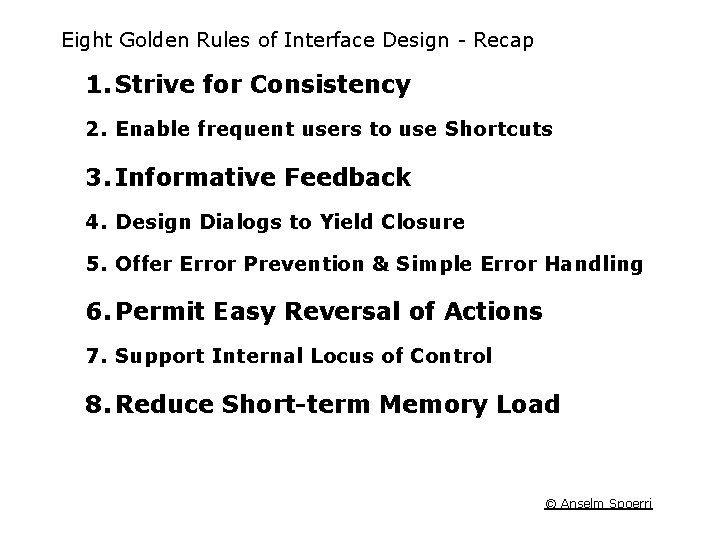
Eight Golden Rules of Interface Design - Recap 1. Strive for Consistency 2. Enable frequent users to use Shortcuts 3. Informative Feedback 4. Design Dialogs to Yield Closure 5. Offer Error Prevention & Simple Error Handling 6. Permit Easy Reversal of Actions 7. Support Internal Locus of Control 8. Reduce Short-term Memory Load © Anselm Spoerri
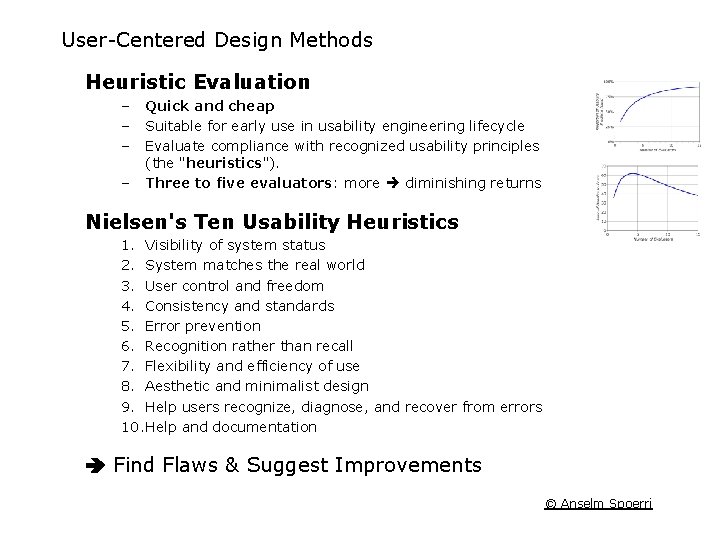
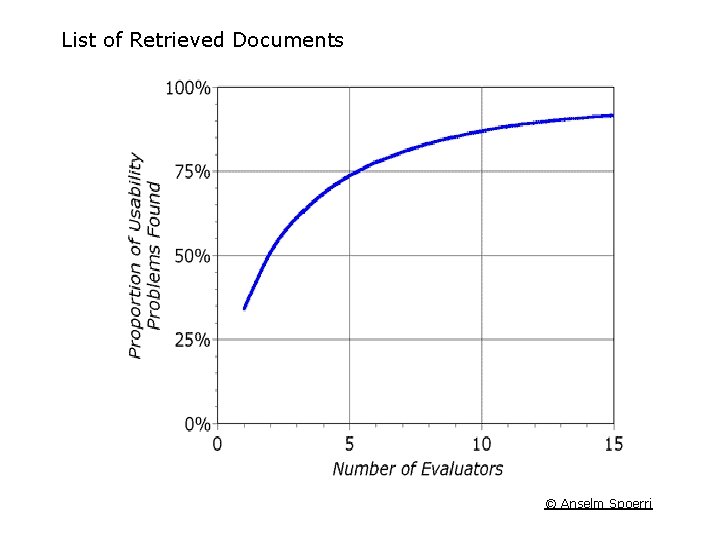
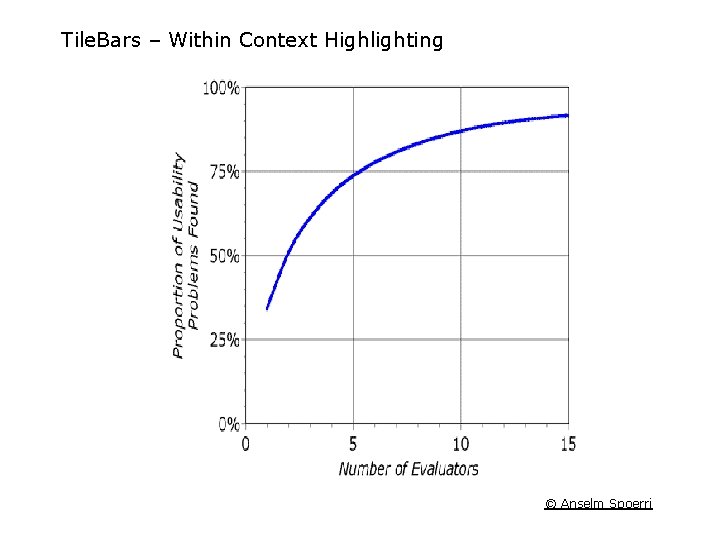
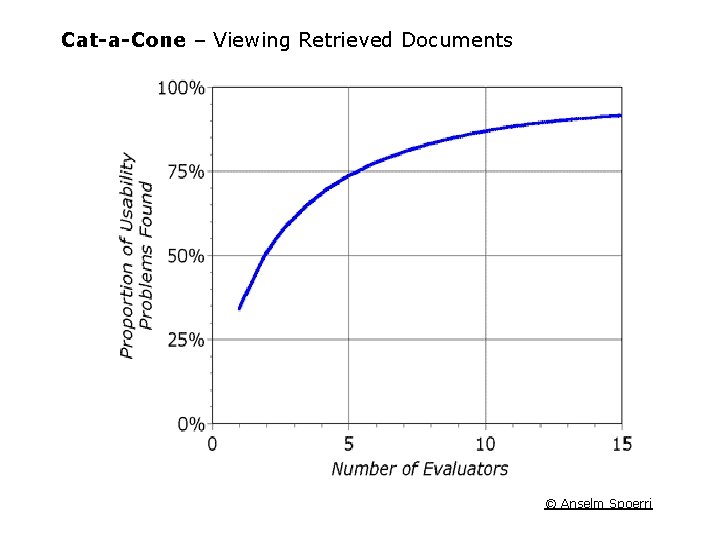
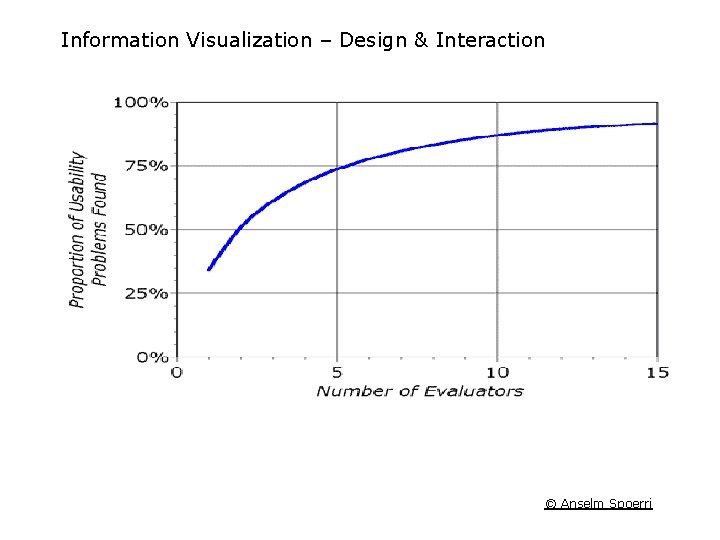
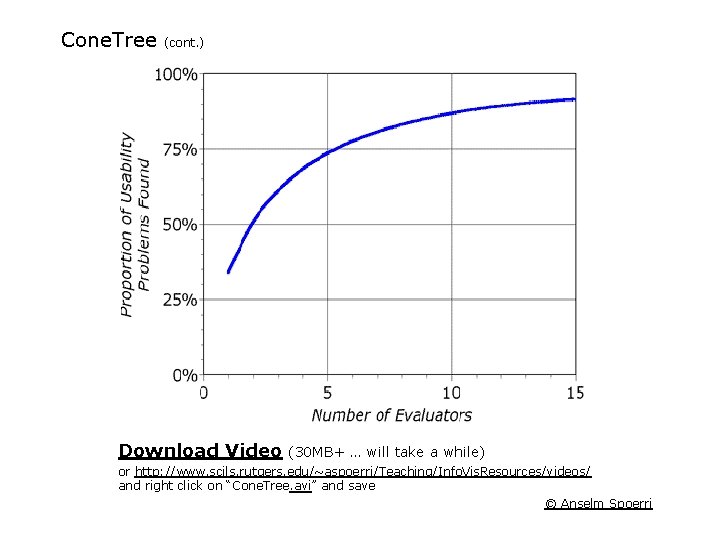
User-Centered Design Methods Heuristic Evaluation – – Quick and cheap Suitable for early use in usability engineering lifecycle Evaluate compliance with recognized usability principles (the "heuristics"). Three to five evaluators: more diminishing returns Nielsen's Ten Usability Heuristics 1. Visibility of system status 2. System matches the real world 3. User control and freedom 4. Consistency and standards 5. Error prevention 6. Recognition rather than recall 7. Flexibility and efficiency of use 8. Aesthetic and minimalist design 9. Help users recognize, diagnose, and recover from errors 10. Help and documentation Find Flaws & Suggest Improvements © Anselm Spoerri
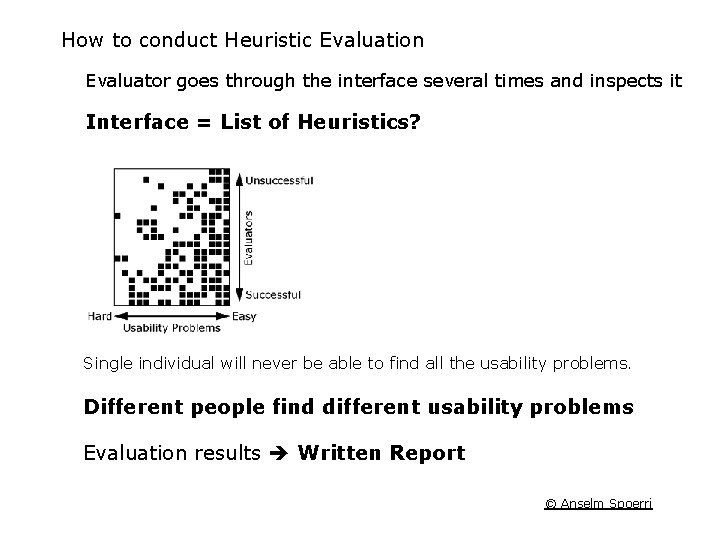
How to conduct Heuristic Evaluation Evaluator goes through the interface several times and inspects it Interface = List of Heuristics? Single individual will never be able to find all the usability problems. Different people find different usability problems Evaluation results Written Report © Anselm Spoerri
Heuristic Evaluation Assignment Conduct Heuristic Evaluation Use Nielsen's 10 Heuristics and provided template Write short report (4 -5 pages) Due Week 7 Publish Report online and send me URL © Anselm Spoerri
User Interfaces and Visualization - by Marti Hearst Users have Fuzzy Understanding of their Information Need Information Access = Iterative Process User Interface should help users • Formulate Queries • Select Information Sources • Understand Search Results • Track Progress of Search © Anselm Spoerri
Shneiderman’s User Interface Principles Offer Informative Feedback – Show relationship between query and documents retrieved – Show relationships among retrieved documents – Show relationships between retrieved documents and metadata Reduce Working Memory Load – Browsable Information for – Search starting points (sources or topic lists) – Suggestions of related terms or metadata – Visual Search History: return to previous search strategies Provide Interfaces for Novices & Experts – Good user interface design provides intuitive bridges between the simple and the advanced interfaces. © Anselm Spoerri
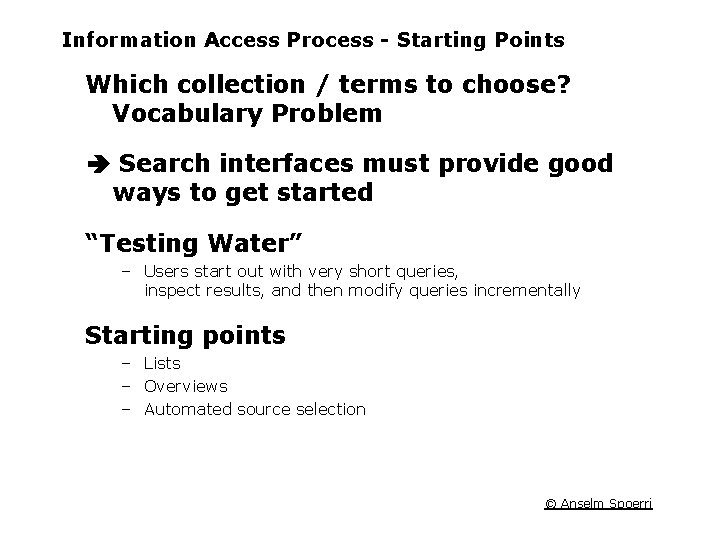
Information Access Process - Starting Points Which collection / terms to choose? Vocabulary Problem Search interfaces must provide good ways to get started “Testing Water” – Users start out with very short queries, inspect results, and then modify queries incrementally Starting points – Lists – Overviews – Automated source selection © Anselm Spoerri
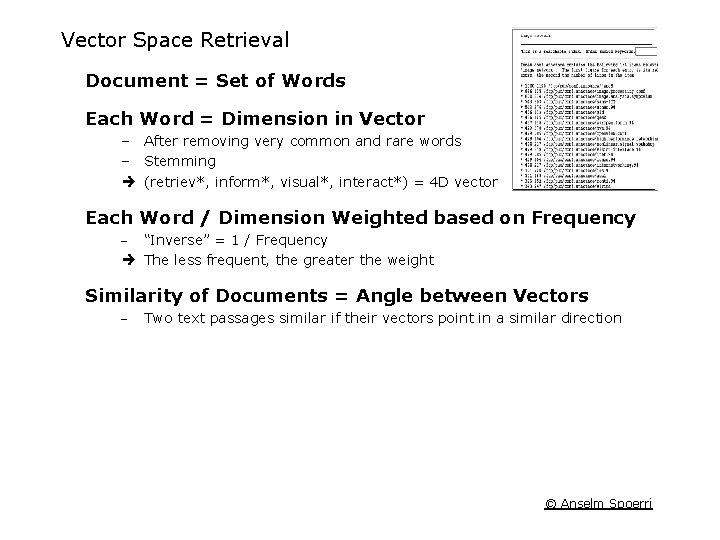
Vector Space Retrieval Document = Set of Words Each Word = Dimension in Vector – After removing very common and rare words – Stemming (retriev*, inform*, visual*, interact*) = 4 D vector Each Word / Dimension Weighted based on Frequency - “Inverse” = 1 / Frequency The less frequent, the greater the weight Similarity of Documents = Angle between Vectors - Two text passages similar if their vectors point in a similar direction © Anselm Spoerri
List of Retrieved Documents © Anselm Spoerri
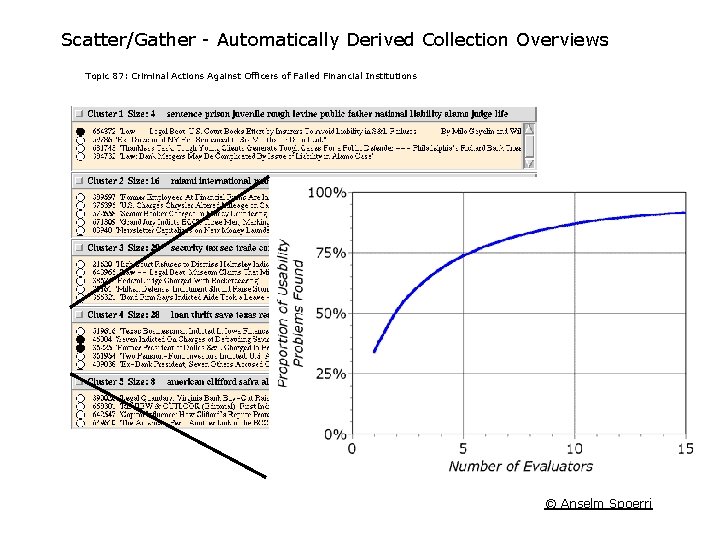
Scatter/Gather - Automatically Derived Collection Overviews Topic 87: Criminal Actions Against Officers of Failed Financial Institutions © Anselm Spoerri
Document Visualization - Clustering © Anselm Spoerri
Document Visualization – Kohonen Maps © Anselm Spoerri
Document Visualization - Theme. View © Anselm Spoerri
Query Specification Shneiderman Interaction Styles: Command language, Form fillin, Menu selection, Direct manipulation, and Natural language. Query Formulation – – Fields Phrases Proximity Stemming © Anselm Spoerri
Boolean Queries Coordination Problem: which operator to choose? Most people find the basic Boolean syntax counter-intuitive. AND “implies” broadening (opposite true). OR “implies” narrowing (opposite true). OR AND © Anselm Spoerri
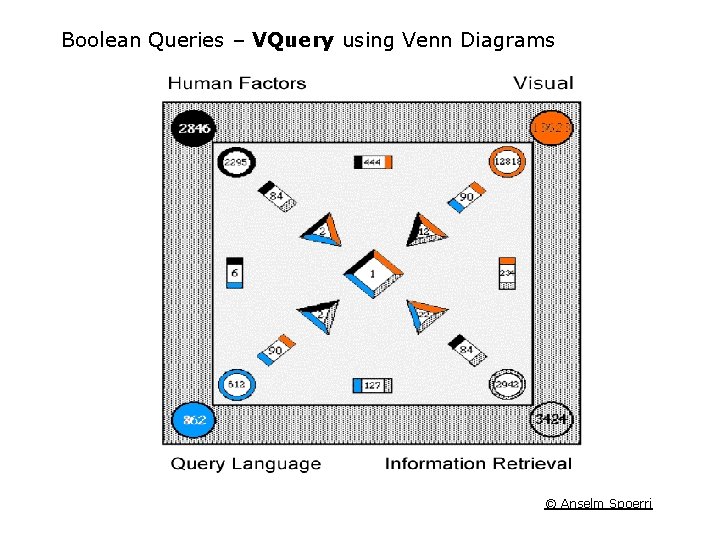
Boolean Queries – VQuery using Venn Diagrams © Anselm Spoerri
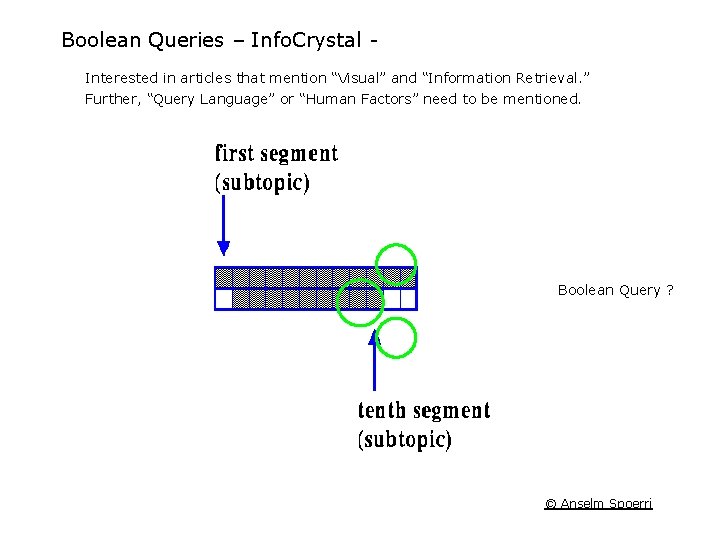
Boolean Queries – Info. Crystal Interested in articles that mention “Visual” and “Information Retrieval. ” Further, “Query Language” or “Human Factors” need to be mentioned. Boolean Query ? © Anselm Spoerri
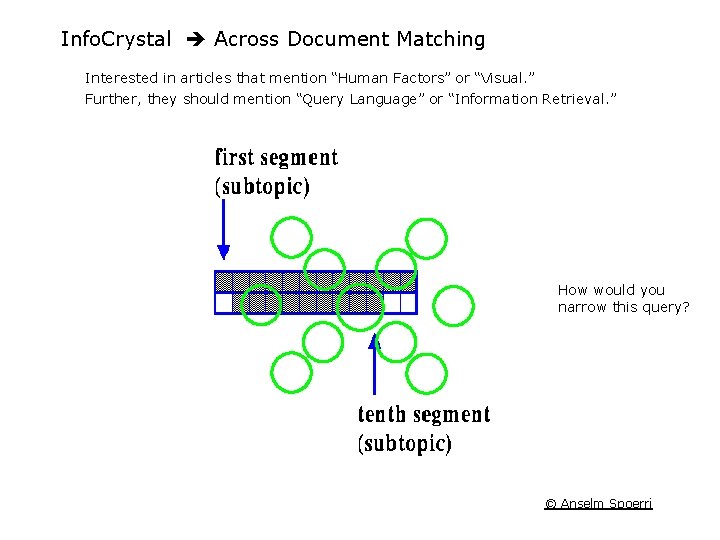
Info. Crystal Across Document Matching Interested in articles that mention “Human Factors” or “Visual. ” Further, they should mention “Query Language” or “Information Retrieval. ” How would you narrow this query? © Anselm Spoerri
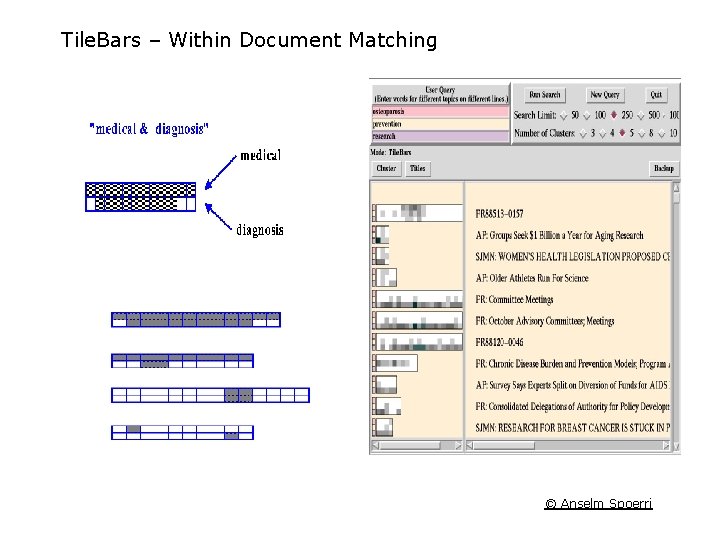
Tile. Bars – Within Document Matching © Anselm Spoerri
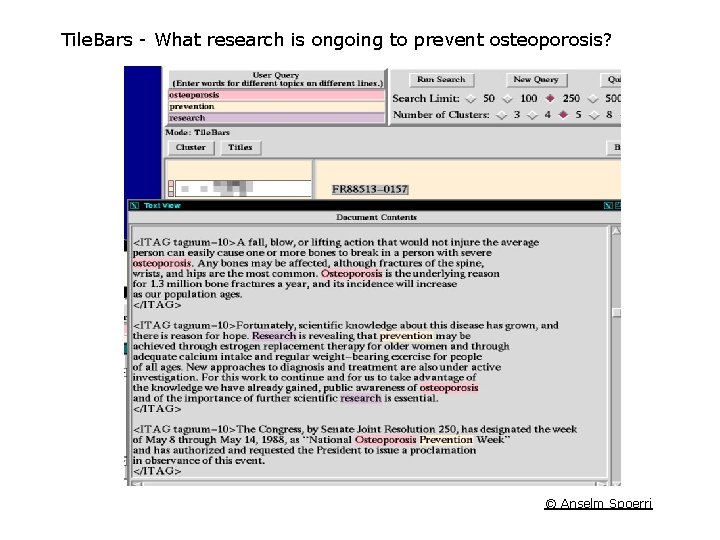
Tile. Bars - What research is ongoing to prevent osteoporosis? © Anselm Spoerri
Tile. Bars – Within Context Highlighting © Anselm Spoerri
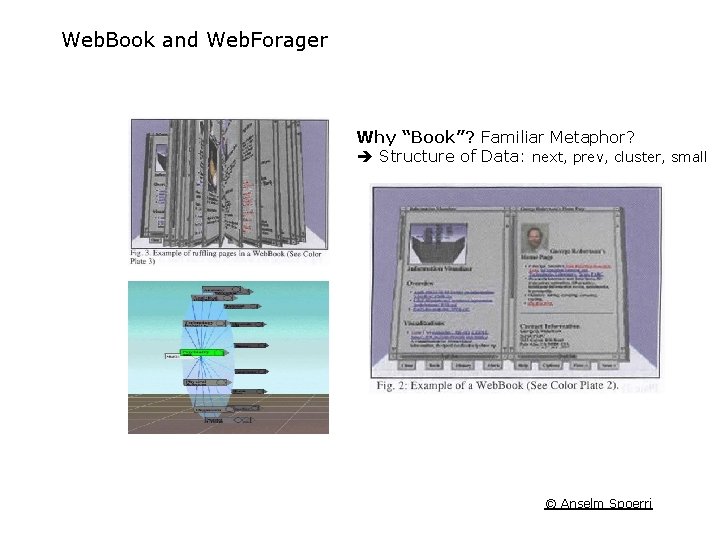
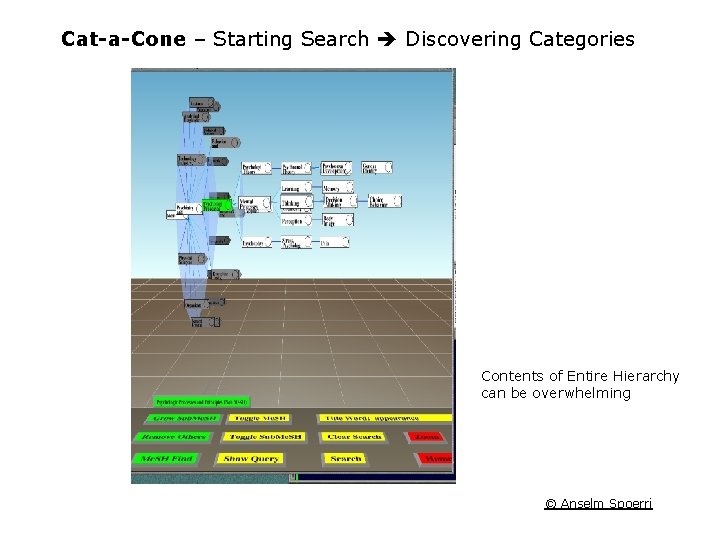
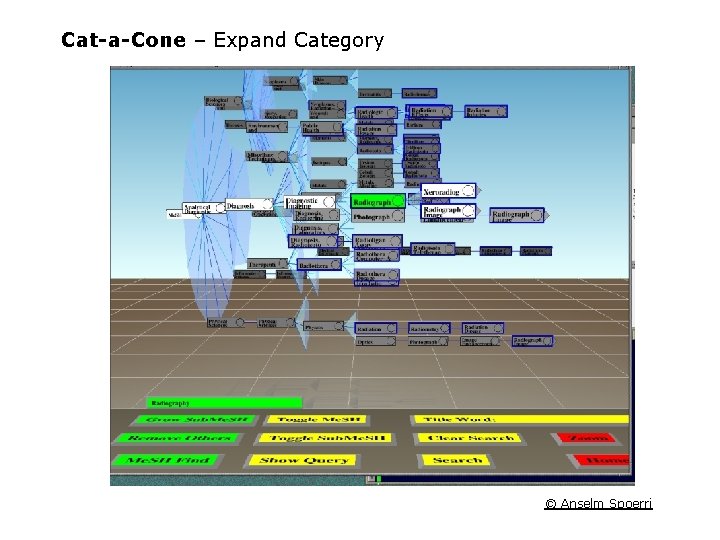
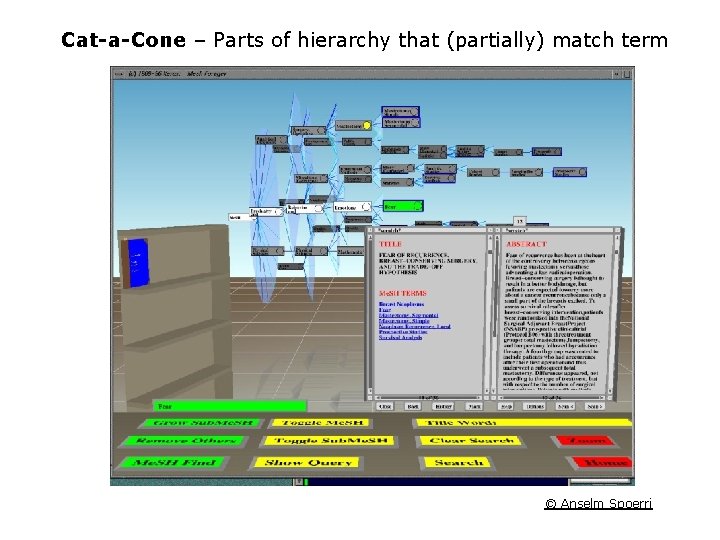
Integrating Scanning, Selection, and Querying Cat-a-Cone − Better Representation of Category Space − Compact Representation of Retrieved Documents Cat-a-Cone = Cone Tree + Web. Books – – – Book Cover = Query responsible for producing retrieval results. Book closed and selected, Cone. Tree shows categories within book pages. User opens book, Cone. Tree shows categories on current page. © Anselm Spoerri
Web. Book and Web. Forager Why “Book”? Familiar Metaphor? Structure of Data: next, prev, cluster, small © Anselm Spoerri
Cat-a-Cone – Starting Search Discovering Categories Contents of Entire Hierarchy can be overwhelming © Anselm Spoerri
Cat-a-Cone – Expand Category © Anselm Spoerri
Cat-a-Cone – Parts of hierarchy that (partially) match term © Anselm Spoerri
Cat-a-Cone – Viewing Retrieved Documents © Anselm Spoerri
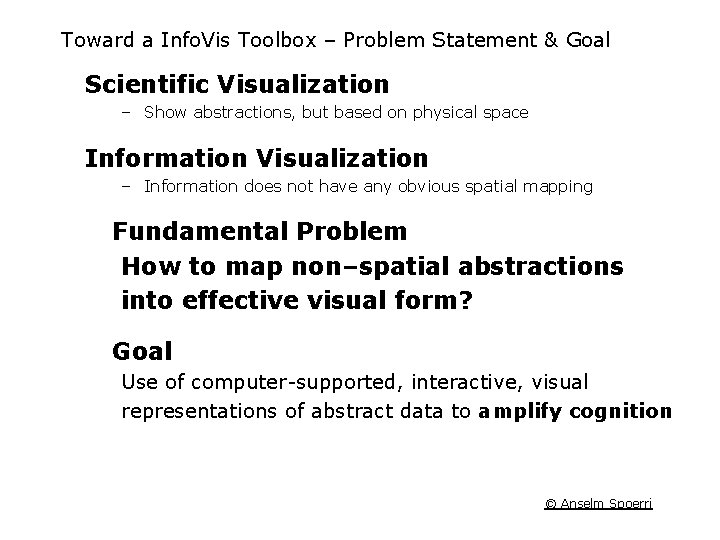
Toward a Info. Vis Toolbox – Problem Statement & Goal Scientific Visualization – Show abstractions, but based on physical space Information Visualization – Information does not have any obvious spatial mapping Fundamental Problem How to map non–spatial abstractions into effective visual form? Goal Use of computer-supported, interactive, visual representations of abstract data to amplify cognition © Anselm Spoerri
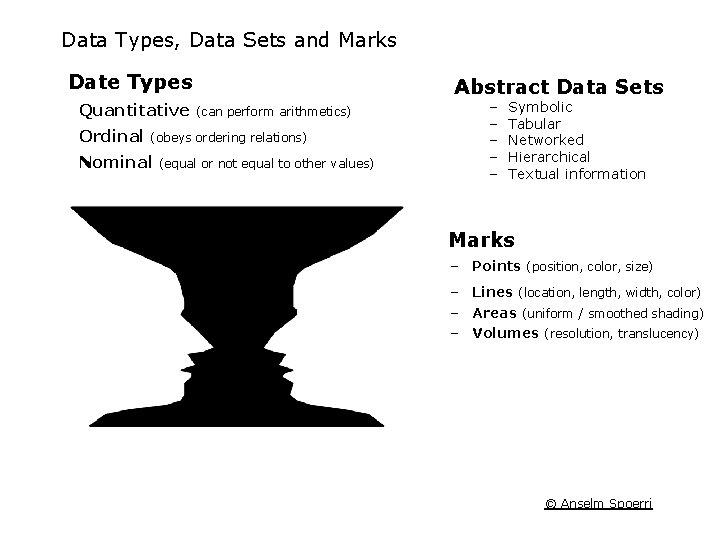
Data Types, Data Sets and Marks Date Types Quantitative Ordinal Abstract Data Sets (can perform arithmetics) (obeys ordering relations) Nominal (equal or not equal to other values) − − − Symbolic Tabular Networked Hierarchical Textual information Marks – Points (position, color, size) – Lines (location, length, width, color) – Areas (uniform / smoothed shading) – Volumes (resolution, translucency) © Anselm Spoerri
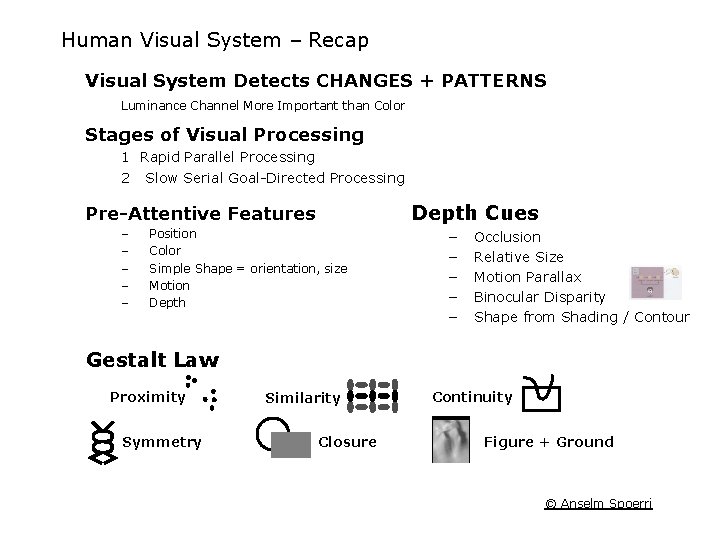
Human Visual System – Recap Visual System Detects CHANGES + PATTERNS Luminance Channel More Important than Color Stages of Visual Processing 1 Rapid Parallel Processing 2 Slow Serial Goal-Directed Processing Depth Cues Pre-Attentive Features – – – Position Color Simple Shape = orientation, size Motion Depth − − − Occlusion Relative Size Motion Parallax Binocular Disparity Shape from Shading / Contour Gestalt Law Proximity Symmetry Similarity Closure Continuity Figure + Ground © Anselm Spoerri
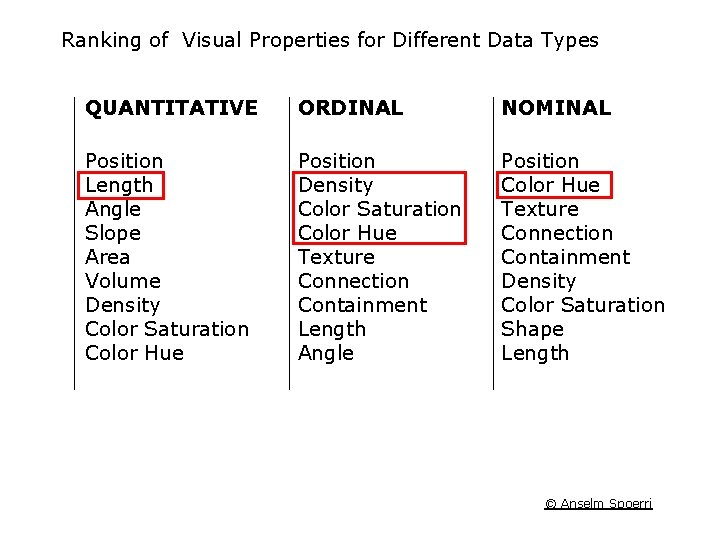
Ranking of Visual Properties for Different Data Types QUANTITATIVE ORDINAL NOMINAL Position Length Angle Slope Area Volume Density Color Saturation Color Hue Position Density Color Saturation Color Hue Texture Connection Containment Length Angle Position Color Hue Texture Connection Containment Density Color Saturation Shape Length © Anselm Spoerri
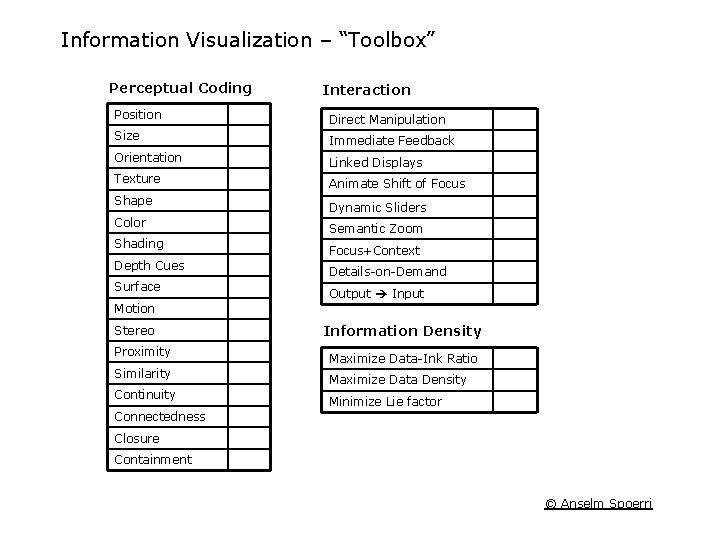
Information Visualization – “Toolbox” Perceptual Coding Interaction Position Direct Manipulation Size Immediate Feedback Orientation Linked Displays Texture Animate Shift of Focus Shape Color Shading Depth Cues Surface Dynamic Sliders Semantic Zoom Focus+Context Details-on-Demand Output Input Motion Stereo Proximity Similarity Continuity Information Density Maximize Data-Ink Ratio Maximize Data Density Minimize Lie factor Connectedness Closure Containment © Anselm Spoerri
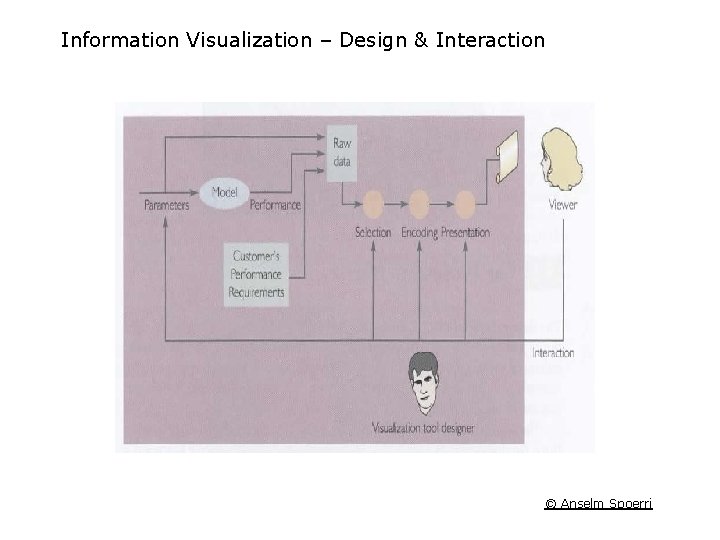
Information Visualization – Design & Interaction © Anselm Spoerri
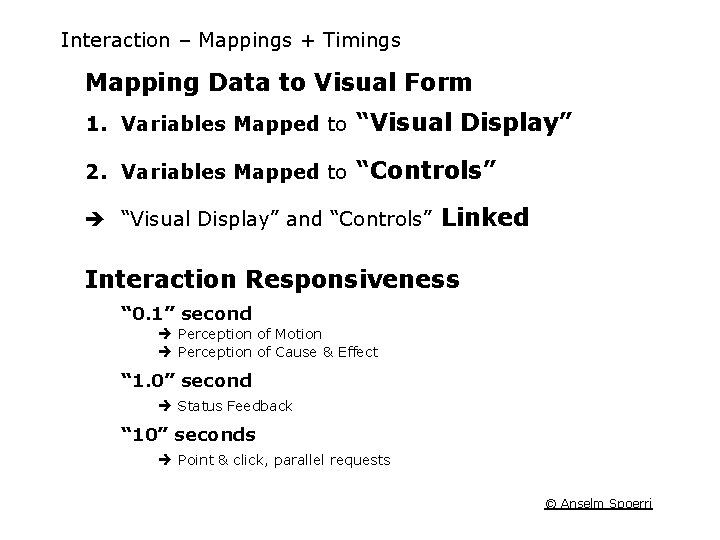
Interaction – Mappings + Timings Mapping Data to Visual Form 1. Variables Mapped to “Visual Display” 2. Variables Mapped to “Controls” “Visual Display” and “Controls” Linked Interaction Responsiveness “ 0. 1” second Perception of Motion Perception of Cause & Effect “ 1. 0” second Status Feedback “ 10” seconds Point & click, parallel requests © Anselm Spoerri
Information Visualization – Design & Interaction © Anselm Spoerri
Perspective Wall Fisheye Distortion to Increase Information Density Download Video (30 MB+ … will take a while) or http: //www. scils. rutgers. edu/~aspoerri/Teaching/Info. Vis. Resources/videos/ and right click on “Perspective. Wall. avi” and save © Anselm Spoerri
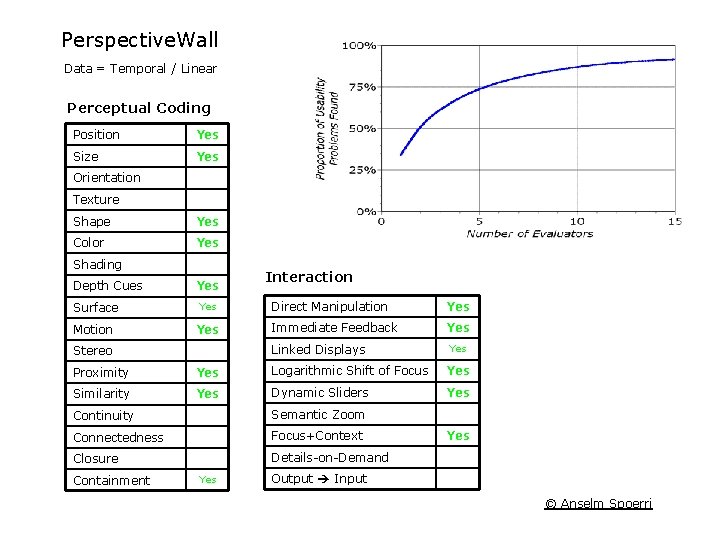
Perspective. Wall Data = Temporal / Linear Perceptual Coding Position Yes Size Yes Orientation Texture Shape Yes Color Yes Shading Depth Cues Yes Surface Yes Motion Yes Interaction Direct Manipulation Yes Immediate Feedback Yes Linked Displays Stereo Yes Proximity Yes Logarithmic Shift of Focus Yes Similarity Yes Dynamic Sliders Yes Continuity Semantic Zoom Connectedness Focus+Context Closure Details-on-Demand Containment Yes Output Input © Anselm Spoerri
Cone. Tree – Hierarchy Visualization © Anselm Spoerri
Cone. Tree (cont. ) Download Video (30 MB+ … will take a while) or http: //www. scils. rutgers. edu/~aspoerri/Teaching/Info. Vis. Resources/videos/ and right click on “Cone. Tree. avi” and save © Anselm Spoerri
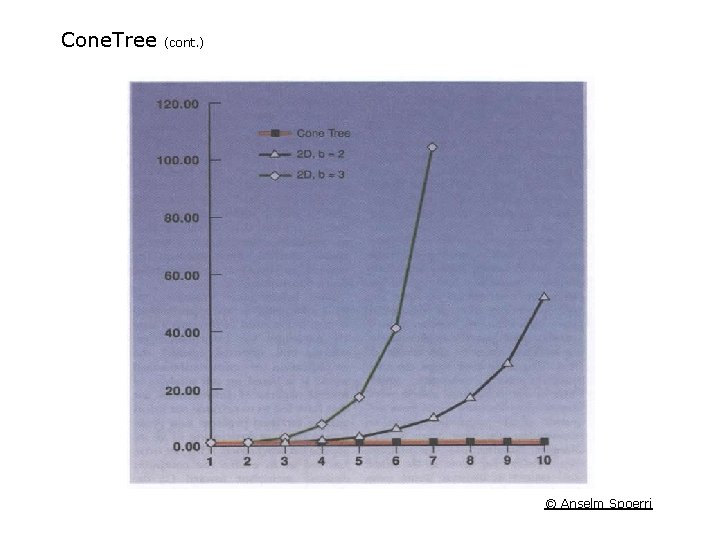
Cone. Tree (cont. ) © Anselm Spoerri
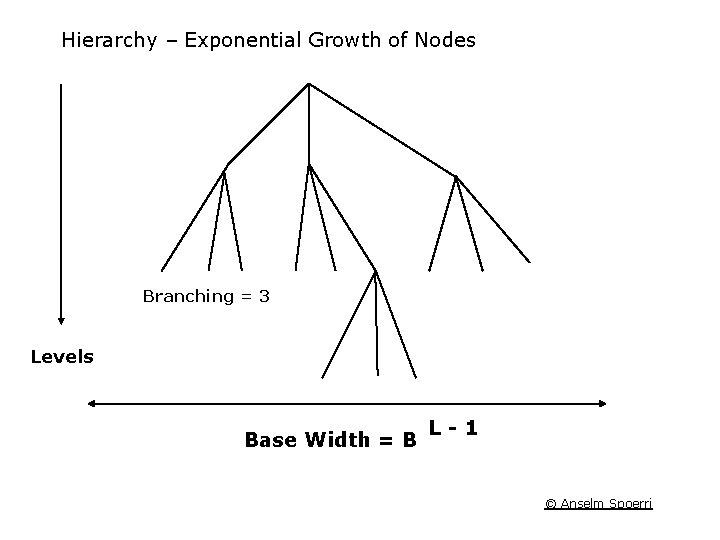
Hierarchy – Exponential Growth of Nodes Branching = 3 Levels Base Width = B L-1 © Anselm Spoerri
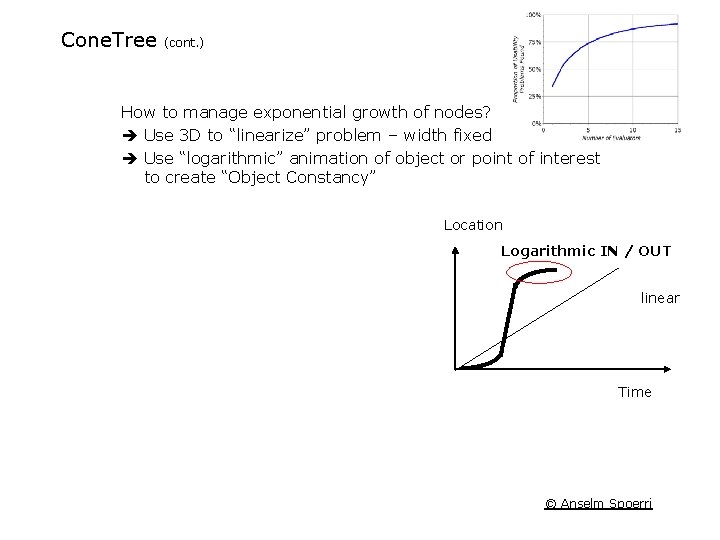
Cone. Tree (cont. ) How to manage exponential growth of nodes? Use 3 D to “linearize” problem – width fixed Use “logarithmic” animation of object or point of interest to create “Object Constancy” Location Logarithmic IN / OUT linear Time © Anselm Spoerri
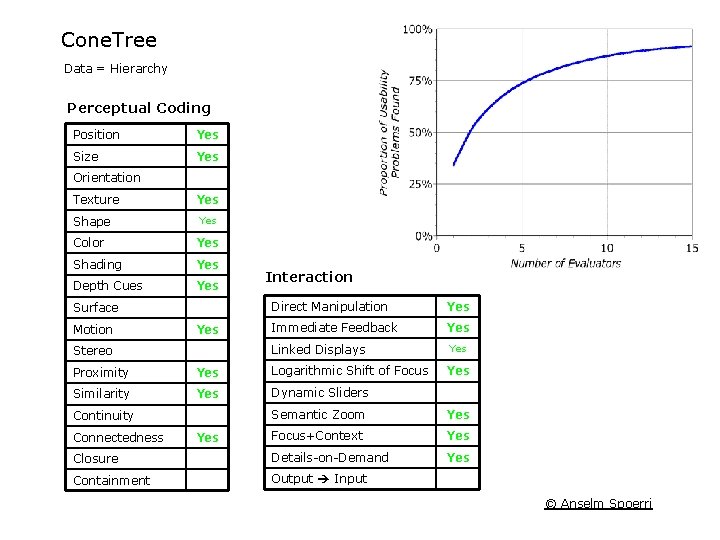
Cone. Tree Data = Hierarchy Perceptual Coding Position Yes Size Yes Orientation Texture Shape Yes Color Yes Shading Yes Depth Cues Yes Surface Motion Yes Interaction Direct Manipulation Yes Immediate Feedback Yes Linked Displays Stereo Proximity Yes Logarithmic Shift of Focus Similarity Yes Dynamic Sliders Yes Semantic Zoom Yes Focus+Context Yes Closure Details-on-Demand Yes Containment Output Input Continuity Connectedness Yes © Anselm Spoerri