
Lecture 6 Datalink Framing Switching Peter Steenkiste Departments
- Slides: 43
Lecture 6 Datalink – Framing, Switching Peter Steenkiste Departments of Computer Science and Electrical and Computer Engineering Carnegie Mellon University 15 -441 Networking, Spring 2008 http: //www. cs. cmu. edu/~dga/15 -441/S 08 1
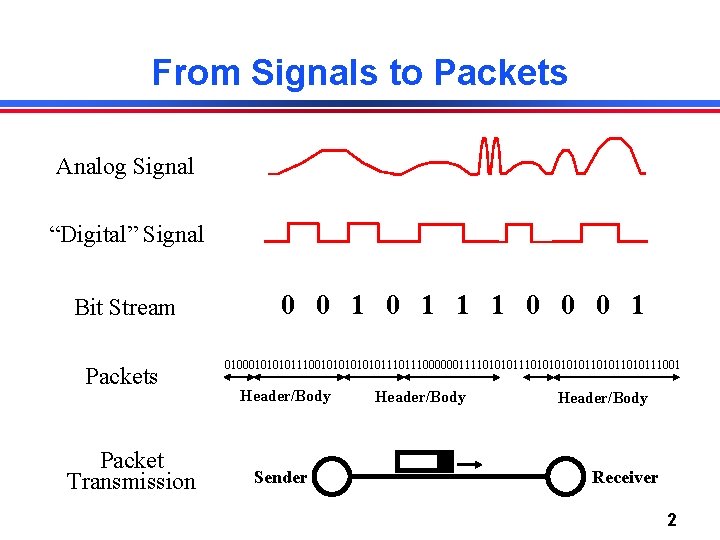
From Signals to Packets Analog Signal “Digital” Signal Bit Stream Packets Packet Transmission 0 0 1 1 1 0 0 0 1 01000101110010101110111000000111101010101011010111001 Header/Body Sender Header/Body Receiver 2
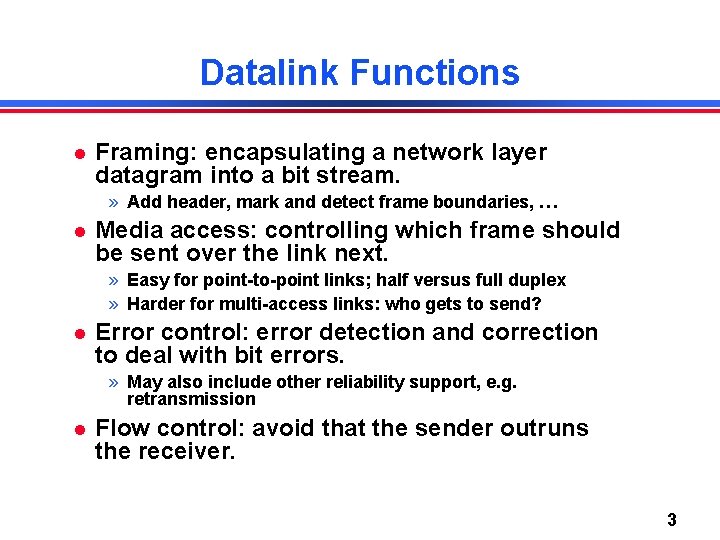
Datalink Functions Framing: encapsulating a network layer datagram into a bit stream. » Add header, mark and detect frame boundaries, … Media access: controlling which frame should be sent over the link next. » Easy for point-to-point links; half versus full duplex » Harder for multi-access links: who gets to send? Error control: error detection and correction to deal with bit errors. » May also include other reliability support, e. g. retransmission Flow control: avoid that the sender outruns the receiver. 3
Datalink Lectures Framing and error coding. Datalink architectures. Switch-based networks. » Packet forwarding » Flow and error control Taking turn protocols. Contention-based networks: basic Ethernet bridging and switching. Connectivity to the home. Circuit-based communication 4
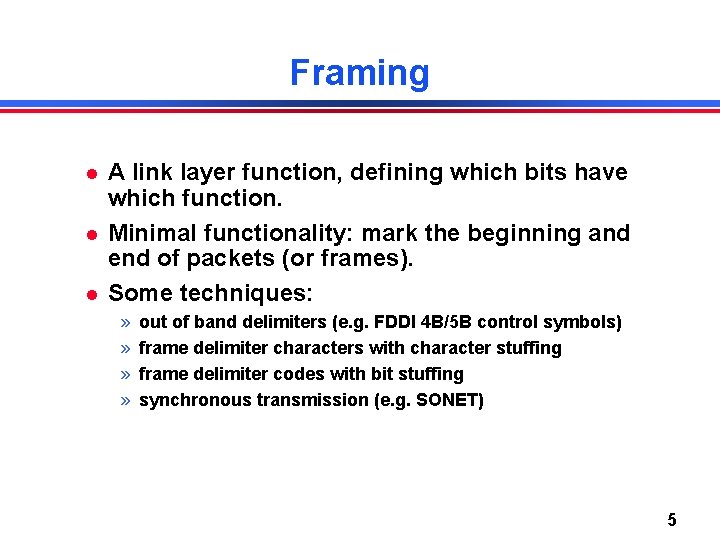
Framing A link layer function, defining which bits have which function. Minimal functionality: mark the beginning and end of packets (or frames). Some techniques: » » out of band delimiters (e. g. FDDI 4 B/5 B control symbols) frame delimiter characters with character stuffing frame delimiter codes with bit stuffing synchronous transmission (e. g. SONET) 5
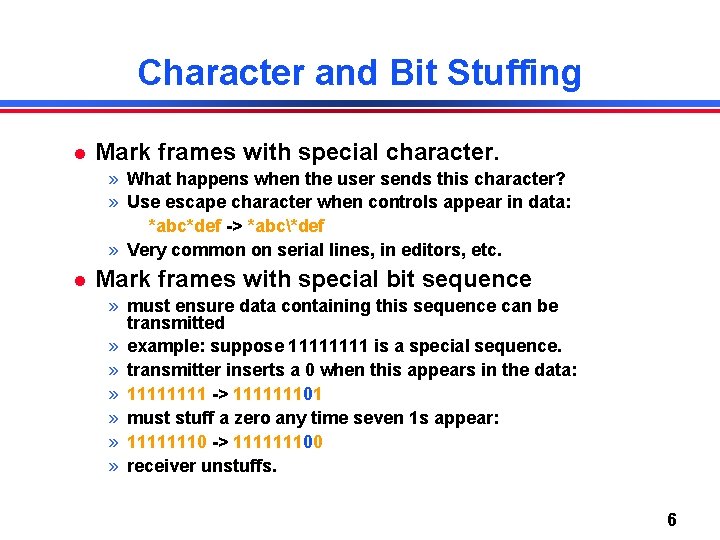
Character and Bit Stuffing Mark frames with special character. » What happens when the user sends this character? » Use escape character when controls appear in data: *abc*def -> *abc*def » Very common on serial lines, in editors, etc. Mark frames with special bit sequence » must ensure data containing this sequence can be transmitted » example: suppose 1111 is a special sequence. » transmitter inserts a 0 when this appears in the data: » 1111 -> 111111101 » must stuff a zero any time seven 1 s appear: » 11111110 -> 111111100 » receiver unstuffs. 6
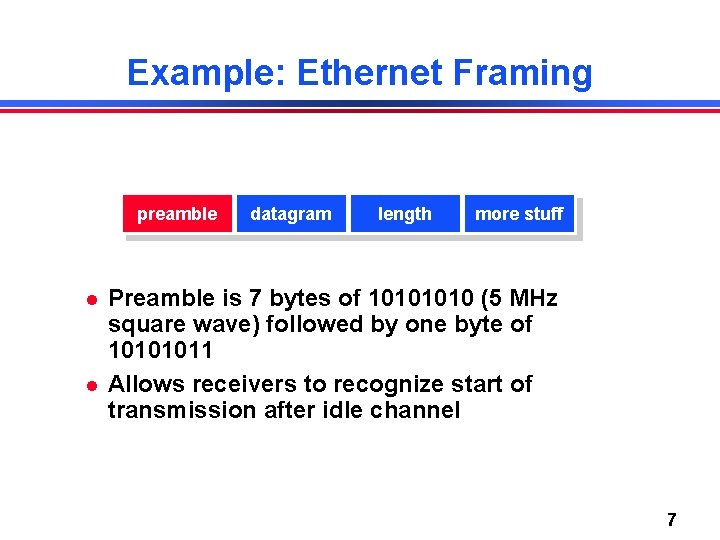
Example: Ethernet Framing preamble datagram length more stuff Preamble is 7 bytes of 1010 (5 MHz square wave) followed by one byte of 10101011 Allows receivers to recognize start of transmission after idle channel 7
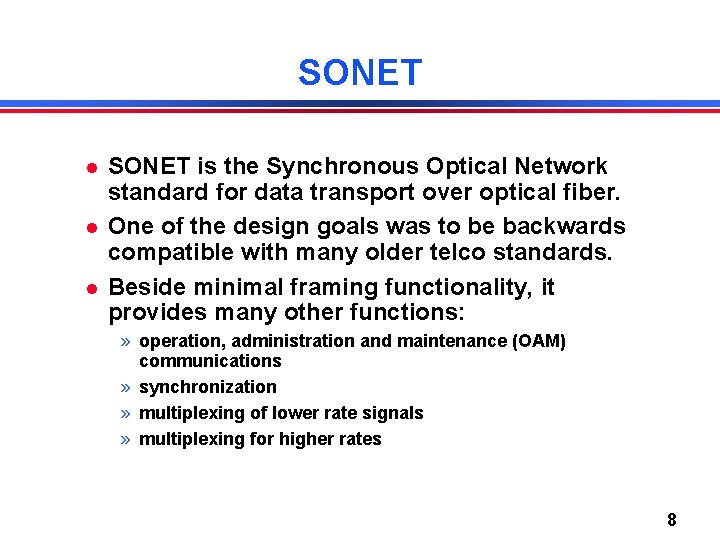
SONET is the Synchronous Optical Network standard for data transport over optical fiber. One of the design goals was to be backwards compatible with many older telco standards. Beside minimal framing functionality, it provides many other functions: » operation, administration and maintenance (OAM) communications » synchronization » multiplexing of lower rate signals » multiplexing for higher rates 8
Standardization History Process was started by divestiture in 1984. » Multiple telephone companies building their own infrastructure SONET concepts originally developed by Bellcore. First standardized by ANSI T 1 X 1 group for the US. Later picked up by CCITT and developed its own version. SONET/SDH standards approved in 1988. 9
A Word about Data Rates Bandwidth of telephone channel is under 4 KHz, so when digitizing: 8000 samples/sec * 8 bits = 64 Kbits/second Common data rates supported by telcos in North America: » Modem: rate improved over the years » T 1/DS 1: 24 voice channels plus 1 bit per sample (24 * 8 + 1) * 8000 = 1. 544 Mbits/second » T 3/DS 3: 28 T 1 channels: 7 * 4 * 1. 544 = 44. 736 Mbits/second 10
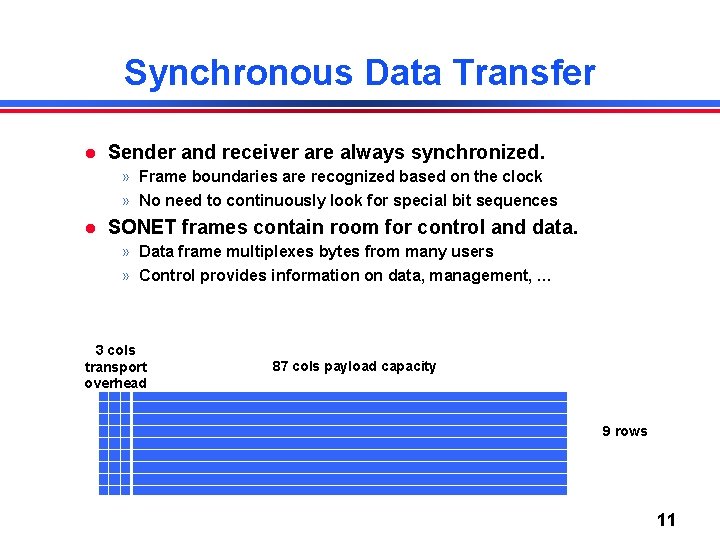
Synchronous Data Transfer Sender and receiver are always synchronized. » Frame boundaries are recognized based on the clock » No need to continuously look for special bit sequences SONET frames contain room for control and data. » Data frame multiplexes bytes from many users » Control provides information on data, management, … 3 cols transport overhead 87 cols payload capacity 9 rows 11
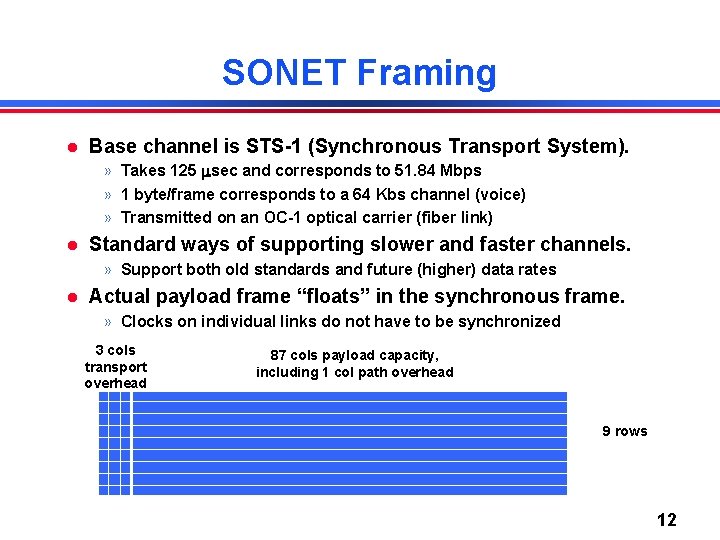
SONET Framing Base channel is STS-1 (Synchronous Transport System). » Takes 125 sec and corresponds to 51. 84 Mbps » 1 byte/frame corresponds to a 64 Kbs channel (voice) » Transmitted on an OC-1 optical carrier (fiber link) Standard ways of supporting slower and faster channels. » Support both old standards and future (higher) data rates Actual payload frame “floats” in the synchronous frame. » Clocks on individual links do not have to be synchronized 3 cols transport overhead 87 cols payload capacity, including 1 col path overhead 9 rows 12
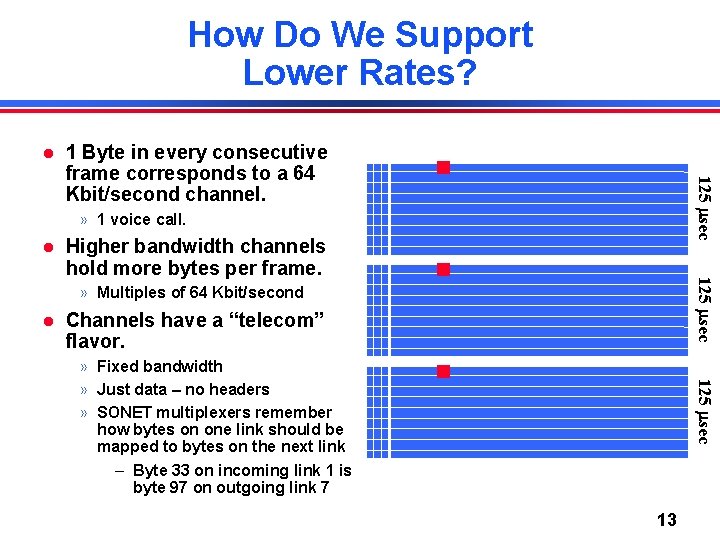
How Do We Support Lower Rates? 125 sec 1 Byte in every consecutive frame corresponds to a 64 Kbit/second channel. » 1 voice call. 125 sec Higher bandwidth channels hold more bytes per frame. » Multiples of 64 Kbit/second Channels have a “telecom” flavor. 125 sec » Fixed bandwidth » Just data – no headers » SONET multiplexers remember how bytes on one link should be mapped to bytes on the next link – Byte 33 on incoming link 1 is byte 97 on outgoing link 7 13
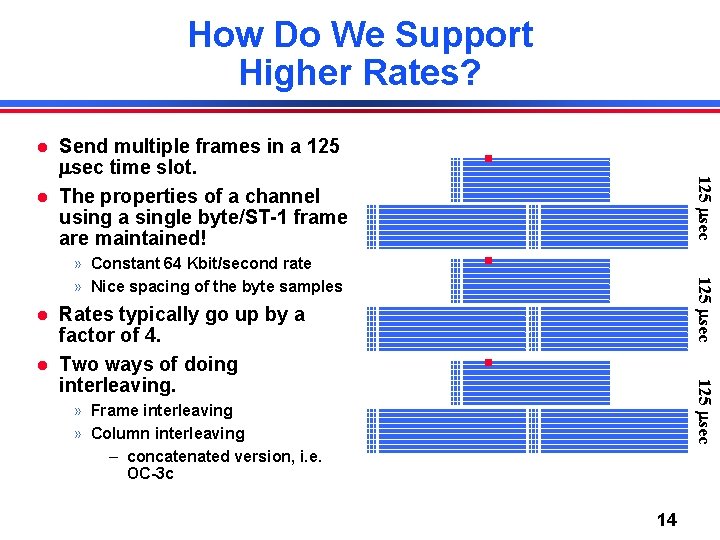
How Do We Support Higher Rates? 125 sec Send multiple frames in a 125 sec time slot. The properties of a channel using a single byte/ST-1 frame are maintained! 125 sec » Constant 64 Kbit/second rate » Nice spacing of the byte samples 125 sec Rates typically go up by a factor of 4. Two ways of doing interleaving. » Frame interleaving » Column interleaving – concatenated version, i. e. OC-3 c 14
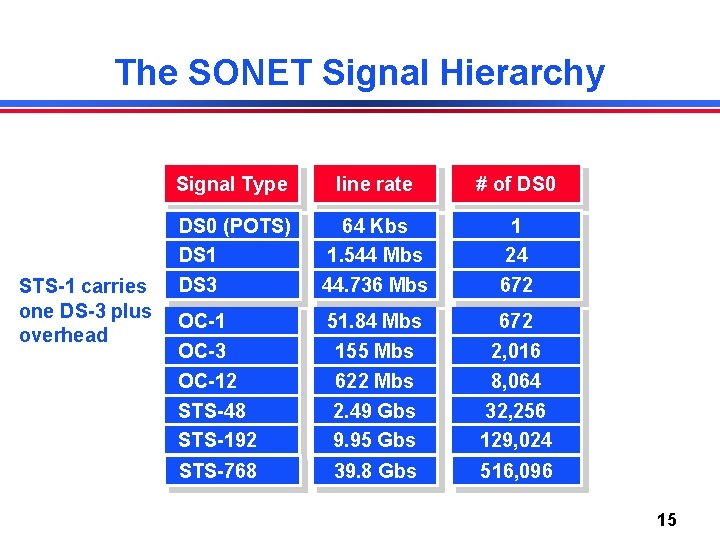
The SONET Signal Hierarchy STS-1 carries one DS-3 plus overhead Signal Type line rate # of DS 0 (POTS) DS 1 64 Kbs 1. 544 Mbs 1 24 DS 3 44. 736 Mbs 672 OC-1 OC-3 OC-12 STS-48 STS-192 51. 84 Mbs 155 Mbs 622 Mbs 2. 49 Gbs 9. 95 Gbs 672 2, 016 8, 064 32, 256 129, 024 STS-768 39. 8 Gbs 516, 096 15
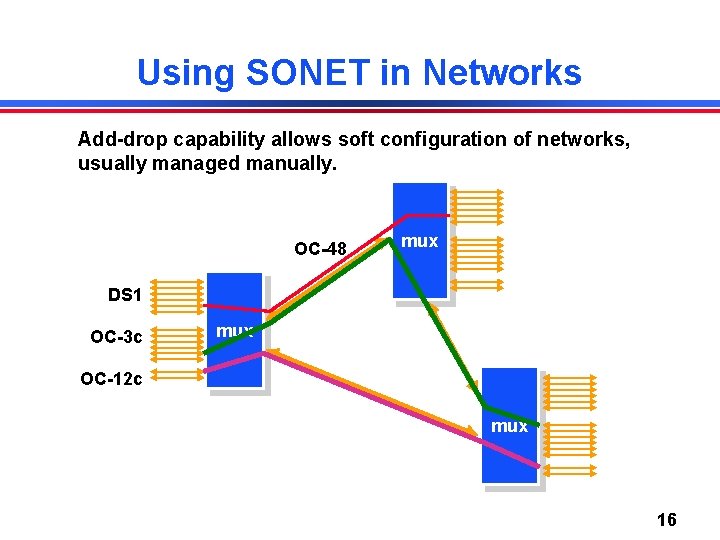
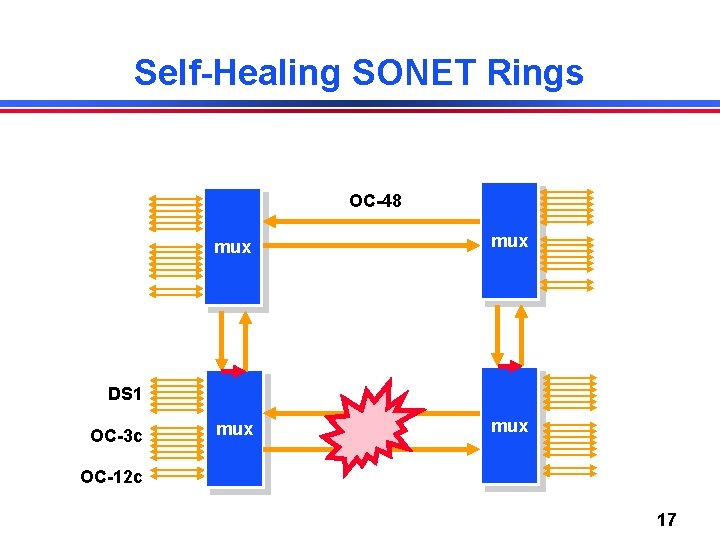
Using SONET in Networks Add-drop capability allows soft configuration of networks, usually managed manually. OC-48 mux DS 1 OC-3 c mux OC-12 c mux 16
Self-Healing SONET Rings OC-48 mux mux DS 1 OC-3 c OC-12 c 17
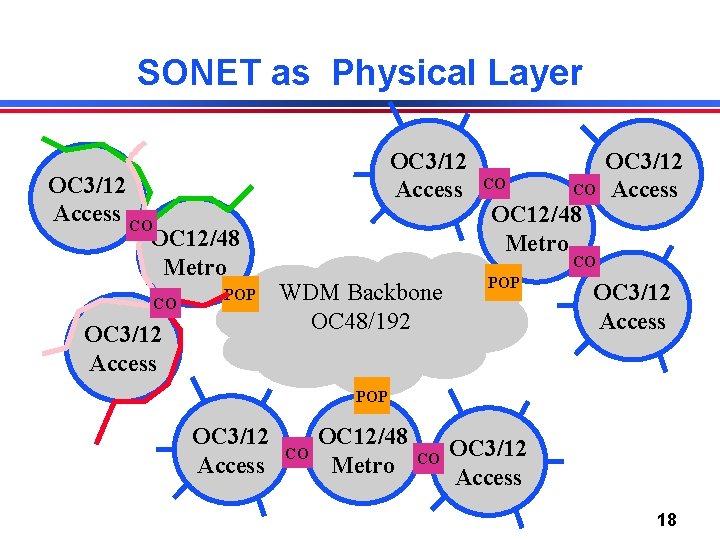
SONET as Physical Layer OC 3/12 Access CO OC 12/48 Metro CO POP OC 3/12 Access CO CO OC 12/48 Metro OC 3/12 Access CO WDM Backbone OC 48/192 POP OC 3/12 Access CO OC 12/48 Metro CO OC 3/12 Access 18
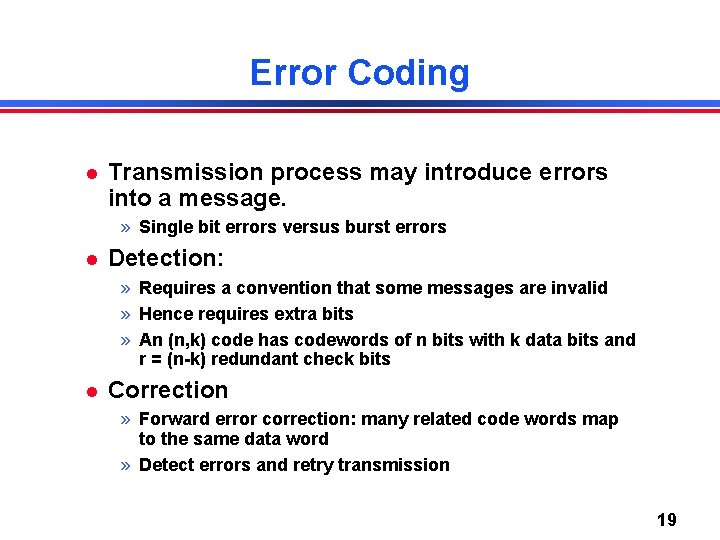
Error Coding Transmission process may introduce errors into a message. » Single bit errors versus burst errors Detection: » Requires a convention that some messages are invalid » Hence requires extra bits » An (n, k) code has codewords of n bits with k data bits and r = (n-k) redundant check bits Correction » Forward error correction: many related code words map to the same data word » Detect errors and retry transmission 19
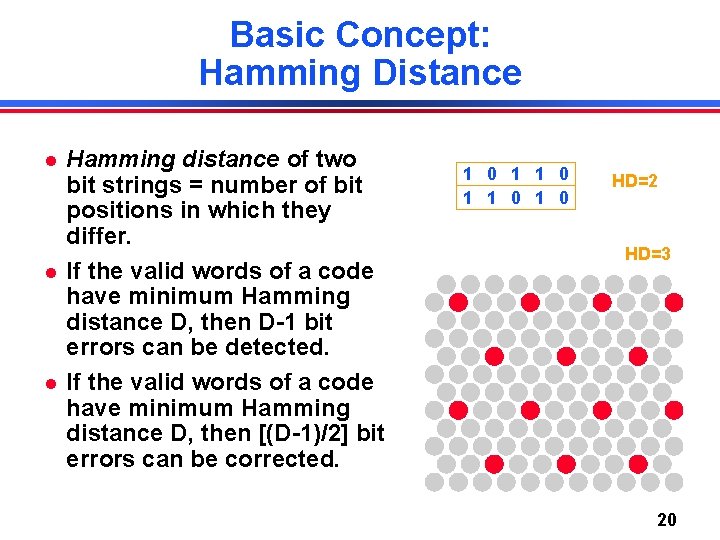
Basic Concept: Hamming Distance Hamming distance of two bit strings = number of bit positions in which they differ. If the valid words of a code have minimum Hamming distance D, then D-1 bit errors can be detected. If the valid words of a code have minimum Hamming distance D, then [(D-1)/2] bit errors can be corrected. 1 0 1 1 0 HD=2 HD=3 20
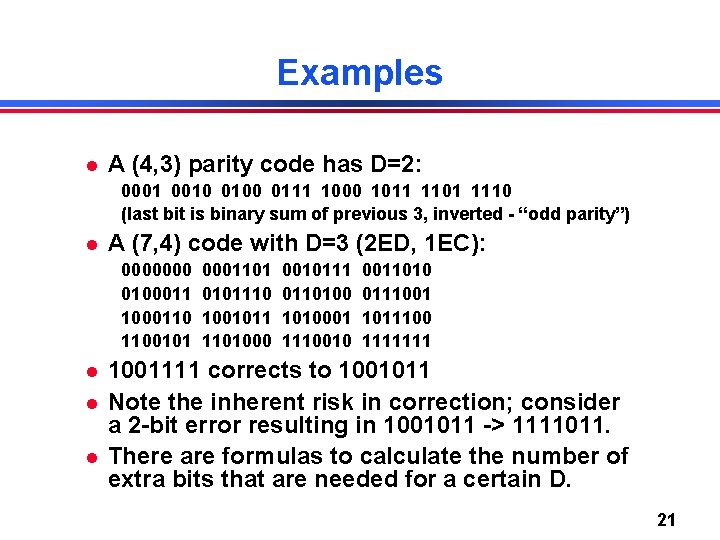
Examples A (4, 3) parity code has D=2: 0001 0010 0100 0111 1000 1011 1101 1110 (last bit is binary sum of previous 3, inverted - “odd parity”) A (7, 4) code with D=3 (2 ED, 1 EC): 0000000 01000110 1100101 0001101 0101110 1001011 1101000 0010111 011010001 1110010 0011010 0111001 1011100 1111111 1001111 corrects to 1001011 Note the inherent risk in correction; consider a 2 -bit error resulting in 1001011 -> 1111011. There are formulas to calculate the number of extra bits that are needed for a certain D. 21
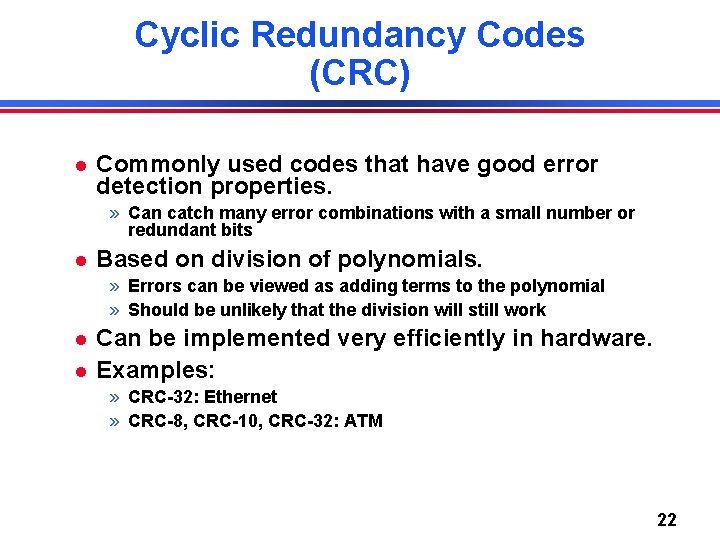
Cyclic Redundancy Codes (CRC) Commonly used codes that have good error detection properties. » Can catch many error combinations with a small number or redundant bits Based on division of polynomials. » Errors can be viewed as adding terms to the polynomial » Should be unlikely that the division will still work Can be implemented very efficiently in hardware. Examples: » CRC-32: Ethernet » CRC-8, CRC-10, CRC-32: ATM 22
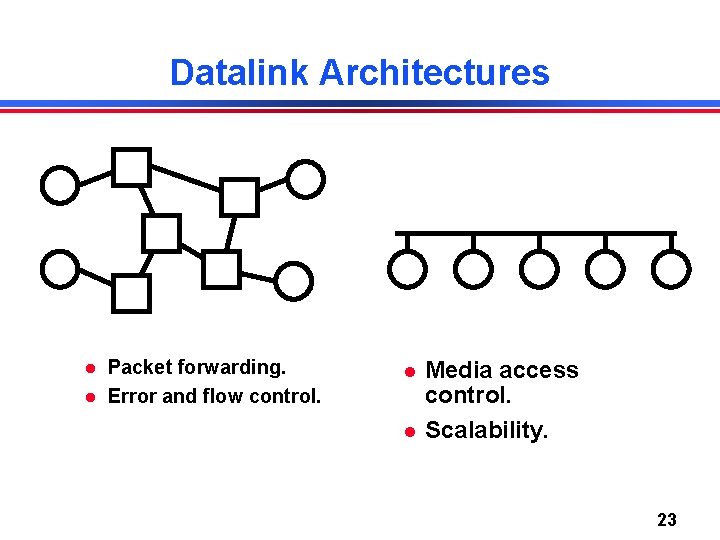
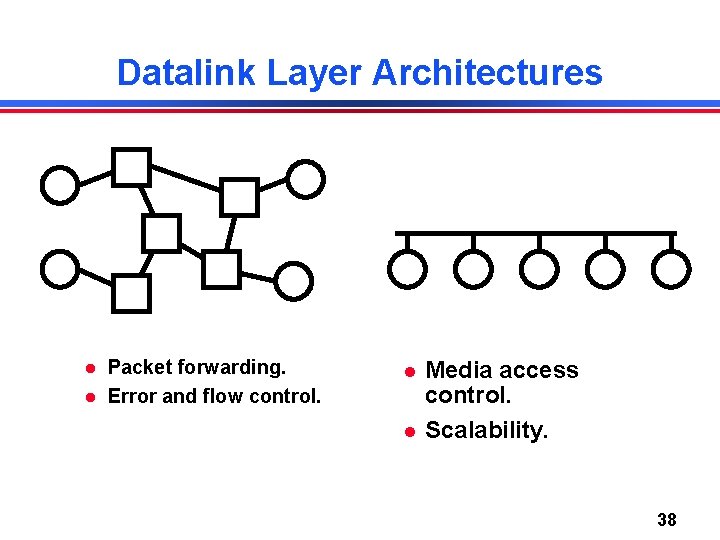
Datalink Architectures Packet forwarding. Error and flow control. Media access control. Scalability. 23
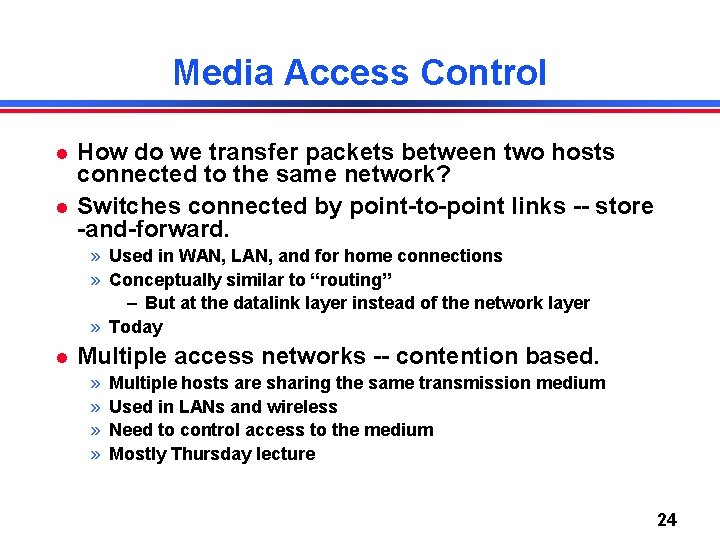
Media Access Control How do we transfer packets between two hosts connected to the same network? Switches connected by point-to-point links -- store -and-forward. » Used in WAN, LAN, and for home connections » Conceptually similar to “routing” – But at the datalink layer instead of the network layer » Today Multiple access networks -- contention based. » » Multiple hosts are sharing the same transmission medium Used in LANs and wireless Need to control access to the medium Mostly Thursday lecture 24
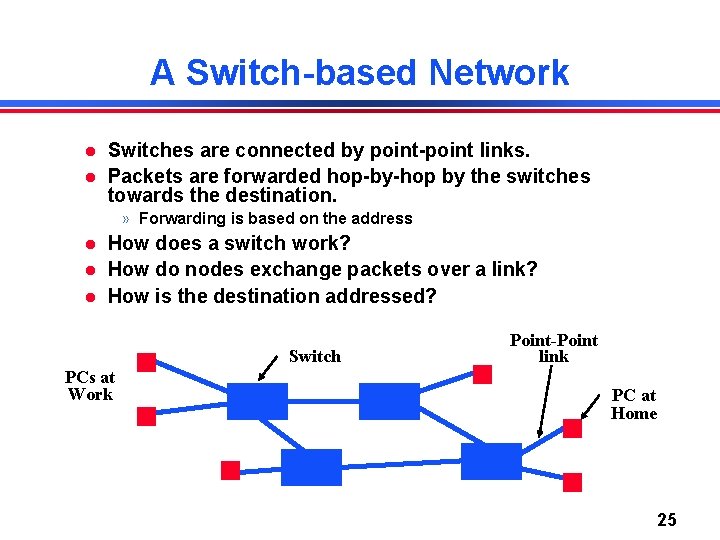
A Switch-based Network Switches are connected by point-point links. Packets are forwarded hop-by-hop by the switches towards the destination. » Forwarding is based on the address How does a switch work? How do nodes exchange packets over a link? How is the destination addressed? Switch PCs at Work Point-Point link PC at Home 25
Switching Introduction Idea: forward units of data based on address in header. Many data-link technologies use switching. » Virtual circuits: Frame Relay, ATM, X. 25, . . » Packets: Ethernet, MPLS, … “Switching” also happens at the network layer. » » Layer 3: Internet protocol In this case, address is an IP address IP over SONET, IP over ATM, . . Otherwise, operation is very similar Switching is different from SONET mux/demux. » SONET channels statically configured - no addresses 26
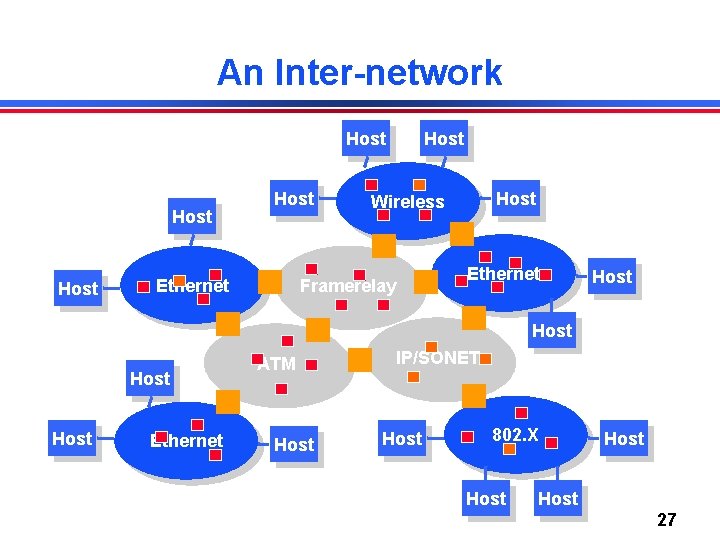
An Inter-network Host Host Framerelay Ethernet Host Wireless Ethernet Host Ethernet ATM Host IP/SONET Host 802. X Host 27
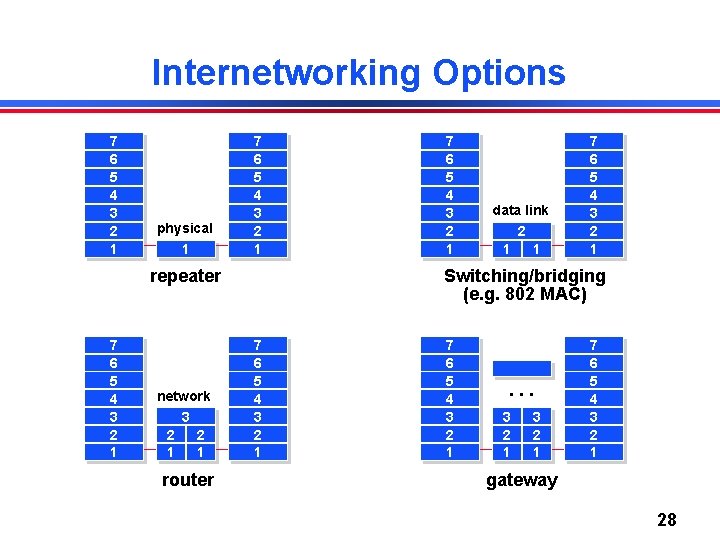
Internetworking Options 7 6 5 4 3 2 1 physical 1 7 6 5 4 3 2 1 repeater 7 6 5 4 3 2 1 network 3 2 2 1 1 router 7 6 5 4 3 2 1 data link 2 1 1 7 6 5 4 3 2 1 Switching/bridging (e. g. 802 MAC) 7 6 5 4 3 2 1 . . . 3 2 1 7 6 5 4 3 2 1 gateway 28
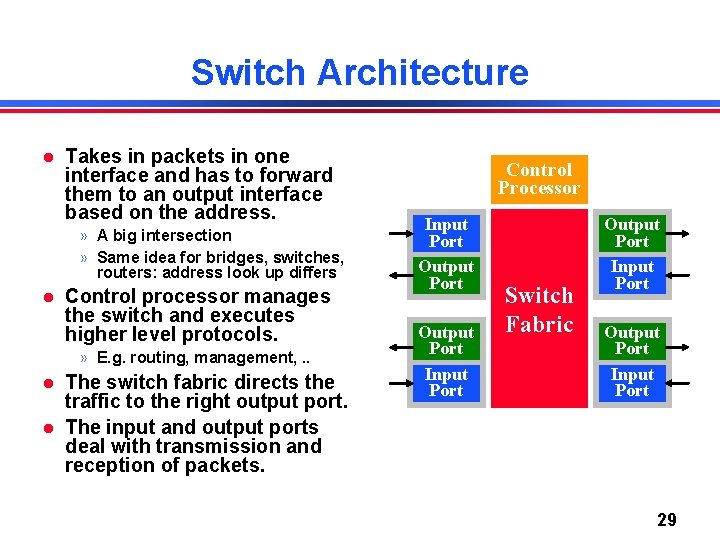
Switch Architecture Takes in packets in one interface and has to forward them to an output interface based on the address. » A big intersection » Same idea for bridges, switches, routers: address look up differs Control processor manages the switch and executes higher level protocols. » E. g. routing, management, . . The switch fabric directs the traffic to the right output port. The input and output ports deal with transmission and reception of packets. Control Processor Input Port Output Port Input Port Switch Fabric Output Port Input Port 29
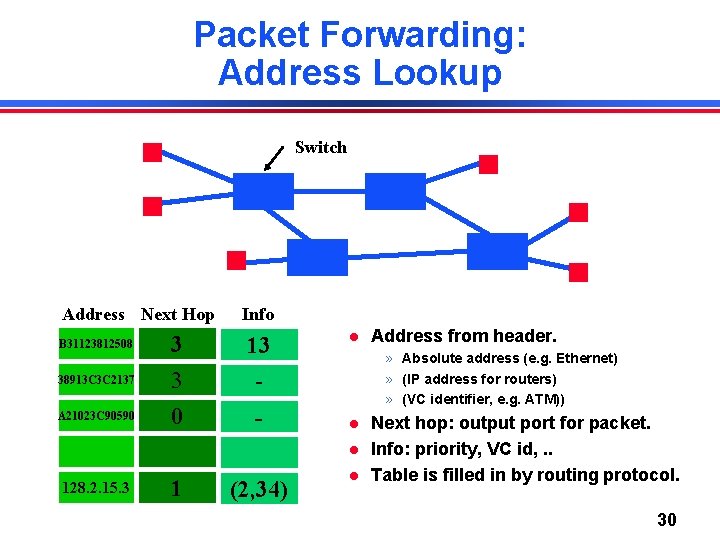
Packet Forwarding: Address Lookup Switch Address Next Hop B 31123812508 38913 C 3 C 2137 A 21023 C 90590 3 3 0 Info 13 - » Absolute address (e. g. Ethernet) » (IP address for routers) » (VC identifier, e. g. ATM)) 128. 2. 15. 3 1 (2, 34) Address from header. Next hop: output port for packet. Info: priority, VC id, . . Table is filled in by routing protocol. 30
Link Flow Control and Error Control Naïve protocol. Dealing with receiver overflow: flow control. Dealing with packet loss and corruption: error control. Meta-comment: these issues are relevant at many layers. » Link layer: sender and receiver attached to the same “wire” » End-to-end: transmission control protocol (TCP) - sender and receiver are the end points of a connection How can we implement flow control? » “You may send” (windows, stop-and-wait, etc. ) » “Please shut up” (source quench, 802. 3 x pause frames, etc. ) » Where are each of these appropriate? 31
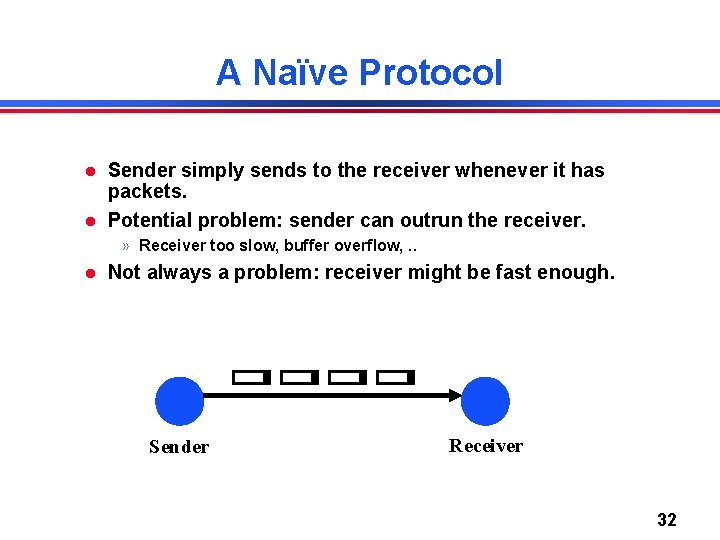
A Naïve Protocol Sender simply sends to the receiver whenever it has packets. Potential problem: sender can outrun the receiver. » Receiver too slow, buffer overflow, . . Not always a problem: receiver might be fast enough. Sender Receiver 32
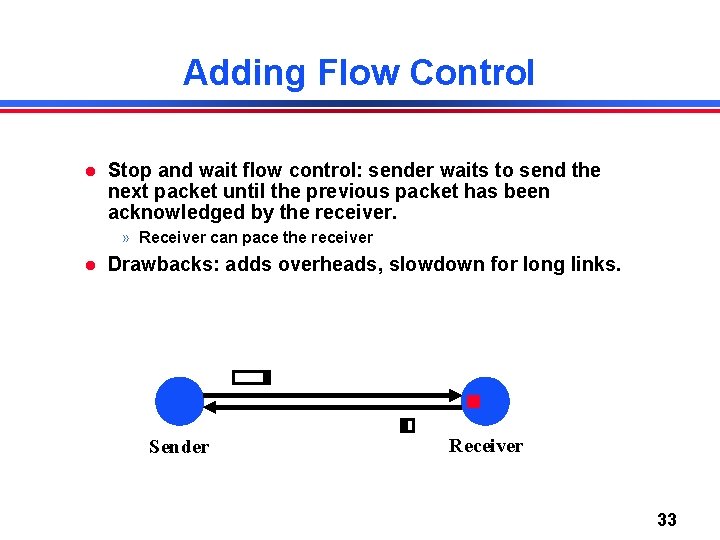
Adding Flow Control Stop and wait flow control: sender waits to send the next packet until the previous packet has been acknowledged by the receiver. » Receiver can pace the receiver Drawbacks: adds overheads, slowdown for long links. Sender Receiver 33
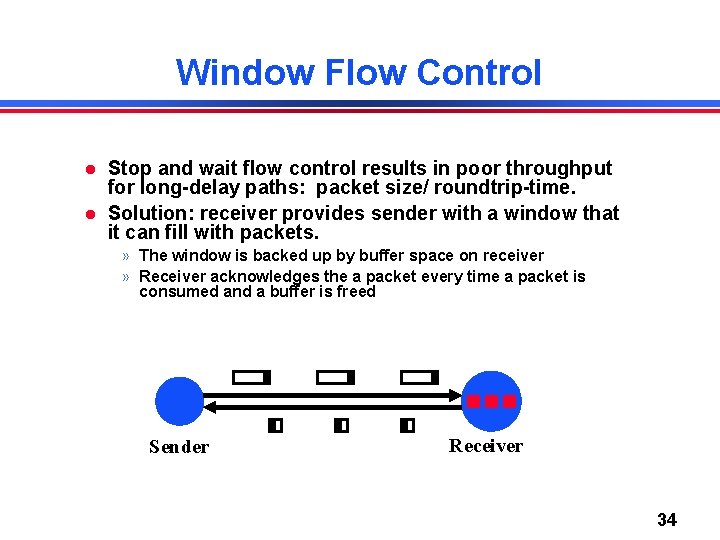
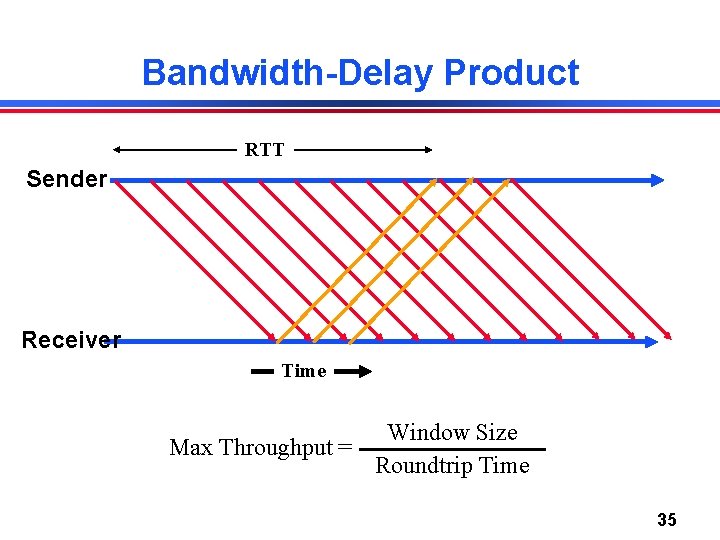
Window Flow Control Stop and wait flow control results in poor throughput for long-delay paths: packet size/ roundtrip-time. Solution: receiver provides sender with a window that it can fill with packets. » The window is backed up by buffer space on receiver » Receiver acknowledges the a packet every time a packet is consumed and a buffer is freed Sender Receiver 34
Bandwidth-Delay Product RTT Sender Receiver Time Window Size Max Throughput = Roundtrip Time 35
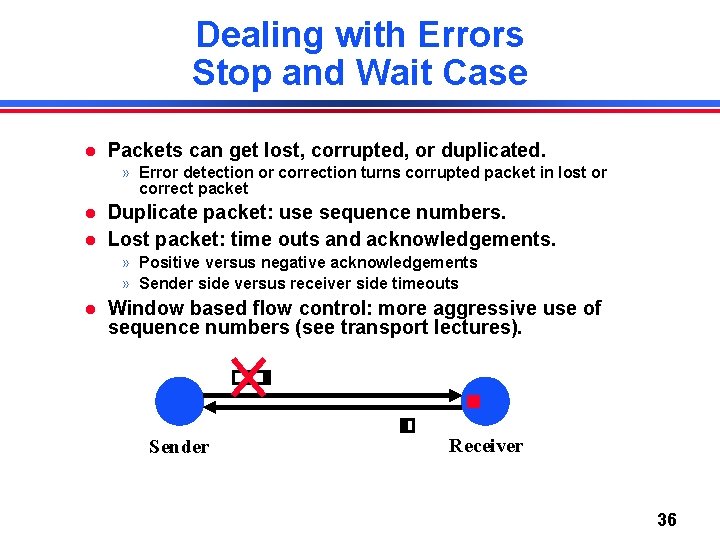
Dealing with Errors Stop and Wait Case Packets can get lost, corrupted, or duplicated. » Error detection or correction turns corrupted packet in lost or correct packet Duplicate packet: use sequence numbers. Lost packet: time outs and acknowledgements. » Positive versus negative acknowledgements » Sender side versus receiver side timeouts Window based flow control: more aggressive use of sequence numbers (see transport lectures). Sender Receiver 36
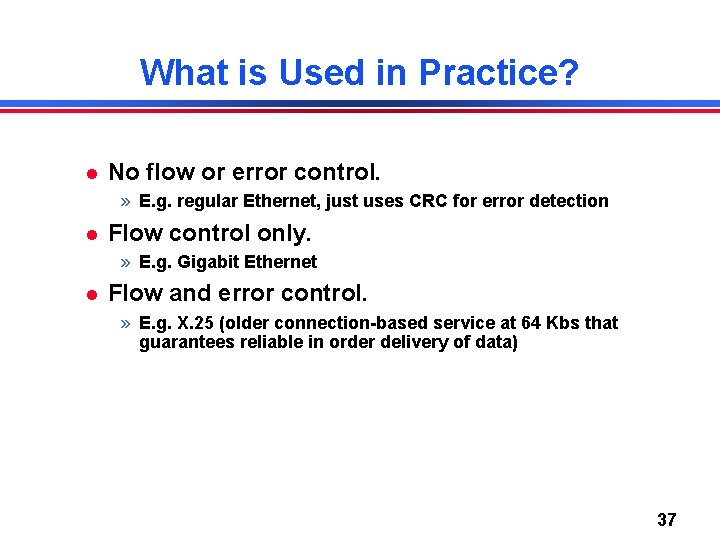
What is Used in Practice? No flow or error control. » E. g. regular Ethernet, just uses CRC for error detection Flow control only. » E. g. Gigabit Ethernet Flow and error control. » E. g. X. 25 (older connection-based service at 64 Kbs that guarantees reliable in order delivery of data) 37
Datalink Layer Architectures Packet forwarding. Error and flow control. Media access control. Scalability. 38
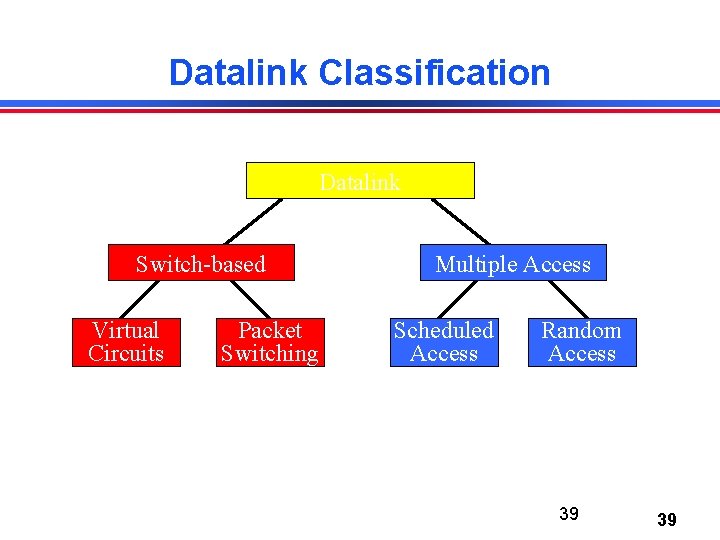
Datalink Classification Datalink Switch-based Virtual Circuits Packet Switching ATM, framerelay Bridged LANs Multiple Access Scheduled Access Random Access Token ring, Ethernet, FDDI, 802. 11, Aloha 39 39
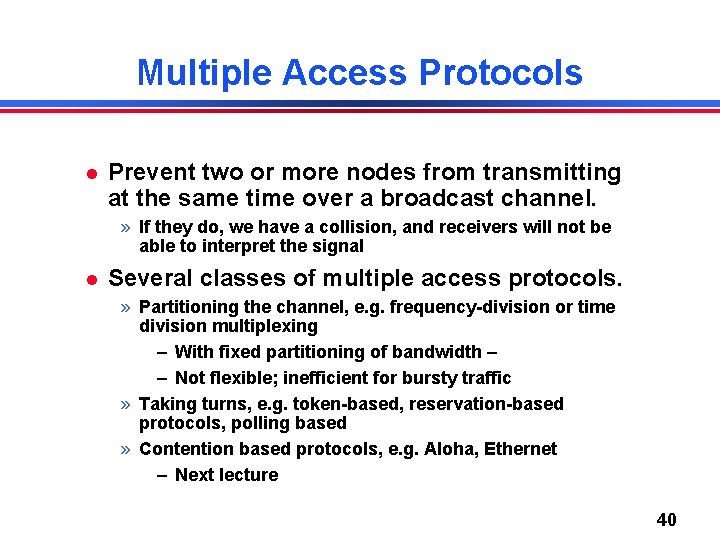
Multiple Access Protocols Prevent two or more nodes from transmitting at the same time over a broadcast channel. » If they do, we have a collision, and receivers will not be able to interpret the signal Several classes of multiple access protocols. » Partitioning the channel, e. g. frequency-division or time division multiplexing – With fixed partitioning of bandwidth – – Not flexible; inefficient for bursty traffic » Taking turns, e. g. token-based, reservation-based protocols, polling based » Contention based protocols, e. g. Aloha, Ethernet – Next lecture 40
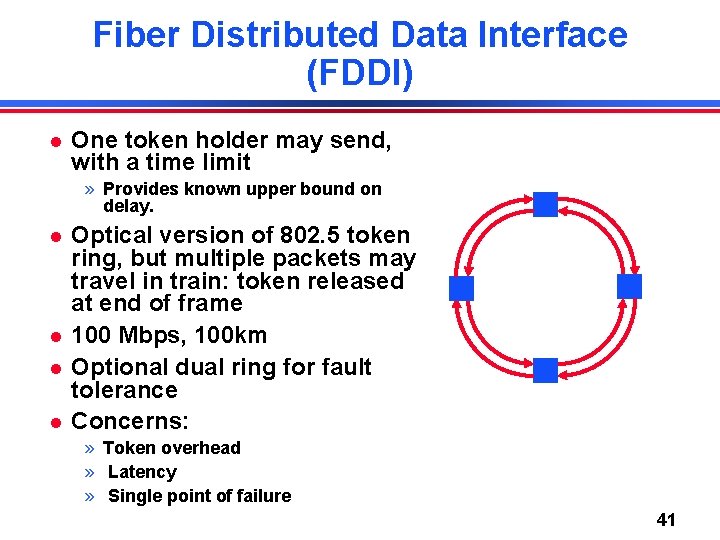
Fiber Distributed Data Interface (FDDI) One token holder may send, with a time limit » Provides known upper bound on delay. Optical version of 802. 5 token ring, but multiple packets may travel in train: token released at end of frame 100 Mbps, 100 km Optional dual ring for fault tolerance Concerns: » Token overhead » Latency » Single point of failure 41
Other “Taking Turn” Protocols Central entity polls stations, inviting them to transmit » Simple design – no conflicts » Not very efficient – overhead of polling operation » Example: the “Point Control Function” mode for 802. 11 Stations reserve a slot for transmission. » For example, break up the transmission time in contention-based and reservation based slots – Contention based slots can be used for short messages or to reserve time slots – Communication in reservation based slots only allowed after a reservation is made » Issues: fairness, efficiency 42
MAC Protocols - Discussion Channel partitioning MAC protocols: » Share channel efficiently at high load » Inefficient at low load: delay in channel access, 1/N bandwidth allocated even if only 1 active node! “Taking turns” protocols » More flexible bandwidth allocation, but » Protocol can introduce unnecessary overhead and access delay at low load Random access MAC protocols (next lecture) » Efficient at low load: single node can fully utilize channel » High load: collision overhead Lecture 7: 9 -19 -06 43 43