
Lecture 5 Deep learning frameworks GPUs and batch
Lecture 5: Deep learning frameworks, GPUs and batch jobs Practical deep learning
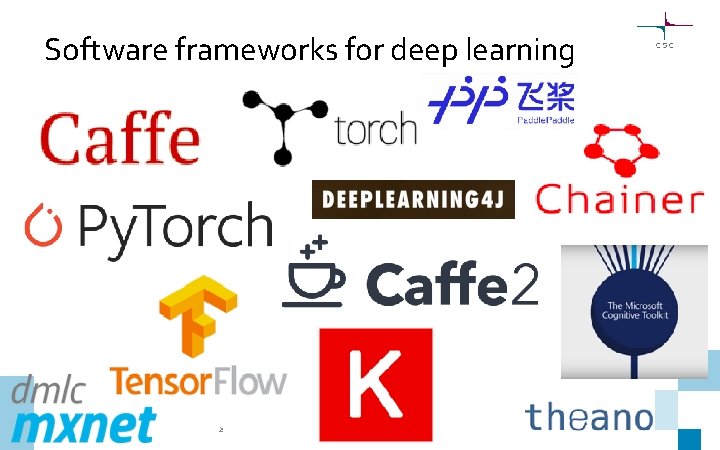
Software frameworks for deep learning 2

Software frameworks for deep learning 3
● Still most popular framework, esp. in industry and companies ● “Traditional” TF 1. 0 pretty lowlevel and hard to use ● Keras easy-to-use “front end”, built in since TF 2. 0 ● Catching up with Py. Torch with regard to dynamic execution 4 ● Python version of (Lua) Torch ● Most popular in Academia ● Dynamic execution built in from the start, easy and intuitive API ● More low-level than Keras, but easier to use than traditional TF
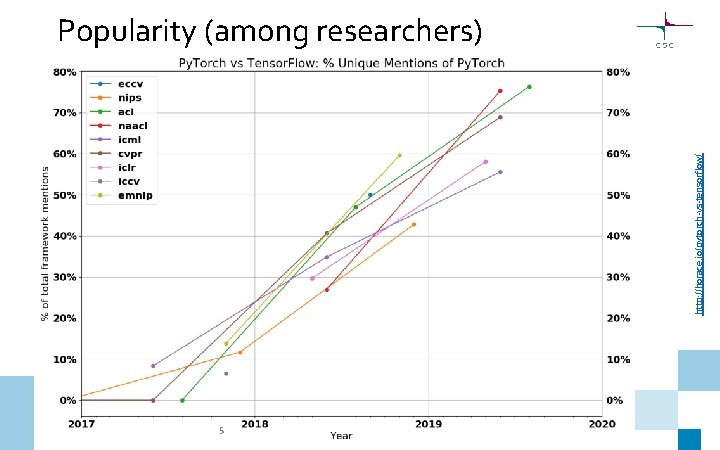
http: //horace. io/pytorch-vs-tensorflow/ Popularity (among researchers) 5
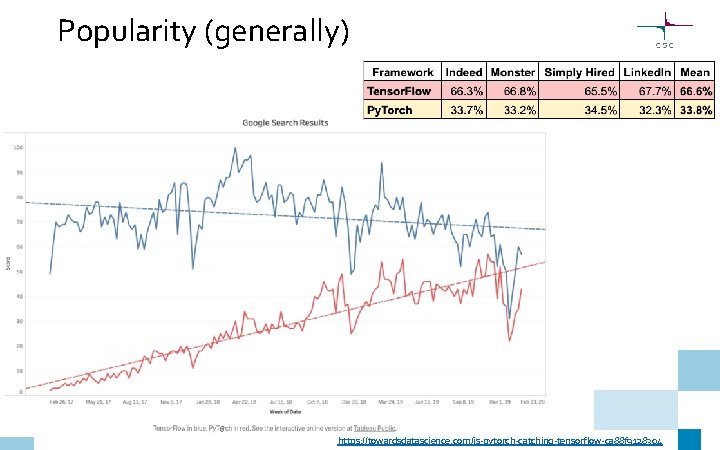
Popularity (generally) 6 https: //towardsdatascience. com/is-pytorch-catching-tensorflow-ca 88 f 9128304
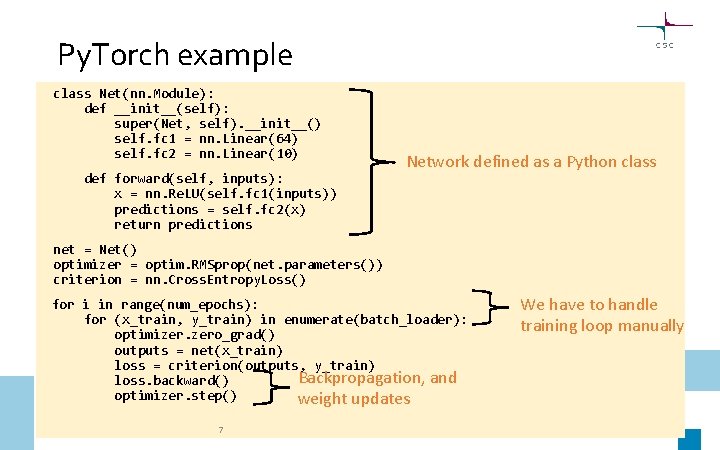
Py. Torch example class Net(nn. Module): def __init__(self): super(Net, self). __init__() self. fc 1 = nn. Linear(64) self. fc 2 = nn. Linear(10) def forward(self, inputs): x = nn. Re. LU(self. fc 1(inputs)) predictions = self. fc 2(x) return predictions Network defined as a Python class net = Net() optimizer = optim. RMSprop(net. parameters()) criterion = nn. Cross. Entropy. Loss() for i in range(num_epochs): for (x_train, y_train) in enumerate(batch_loader): optimizer. zero_grad() outputs = net(x_train) loss = criterion(outputs, y_train) Backpropagation, and loss. backward() optimizer. step() weight updates 7 We have to handle training loop manually
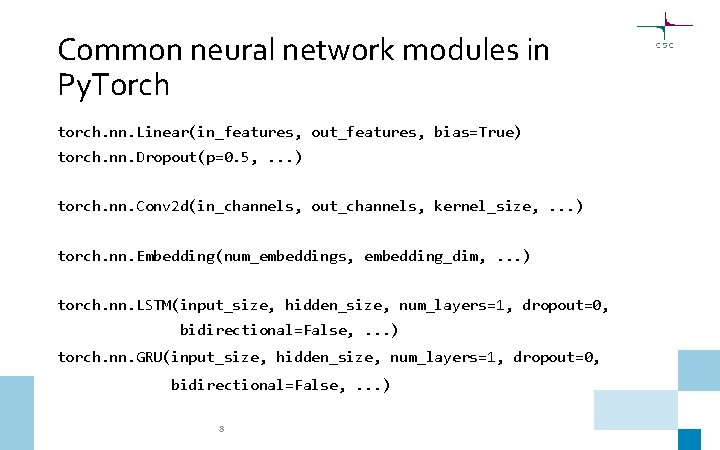
Common neural network modules in Py. Torch torch. nn. Linear(in_features, out_features, bias=True) torch. nn. Dropout(p=0. 5, . . . ) torch. nn. Conv 2 d(in_channels, out_channels, kernel_size, . . . ) torch. nn. Embedding(num_embeddings, embedding_dim, . . . ) torch. nn. LSTM(input_size, hidden_size, num_layers=1, dropout=0, bidirectional=False, . . . ) torch. nn. GRU(input_size, hidden_size, num_layers=1, dropout=0, bidirectional=False, . . . ) 8
TF/Keras or Py. Torch? We’ll provide examples on how to do things with Py. Torch, it’s up to you if you wish to learn Py. Torch or stick with TF/Keras • Py. Torch allows more control and customization, easier experimentation with new architectures • Keras is easier if you just want to apply deep learning, and not do research in machine learning Useful Py. Torch links: https: //pytorch. org/tutorials/ https: //pytorch. org/docs/stable/index. html 9
GPU computing 10
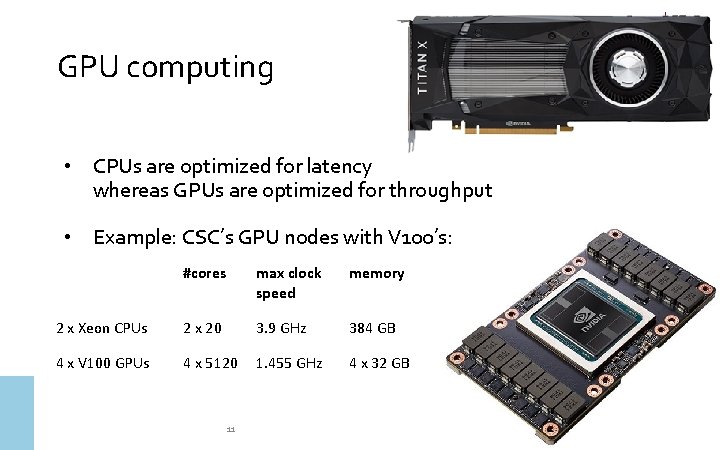
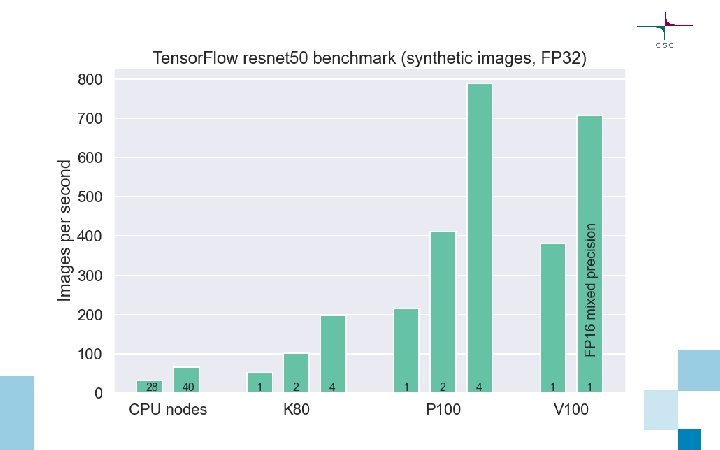
GPU computing • CPUs are optimized for latency whereas GPUs are optimized for throughput • Example: CSC’s GPU nodes with V 100’s: #cores max clock speed memory 2 x Xeon CPUs 2 x 20 3. 9 GHz 384 GB 4 x V 100 GPUs 4 x 5120 1. 455 GHz 4 x 32 GB 11

12
13
CSC computing resources 14
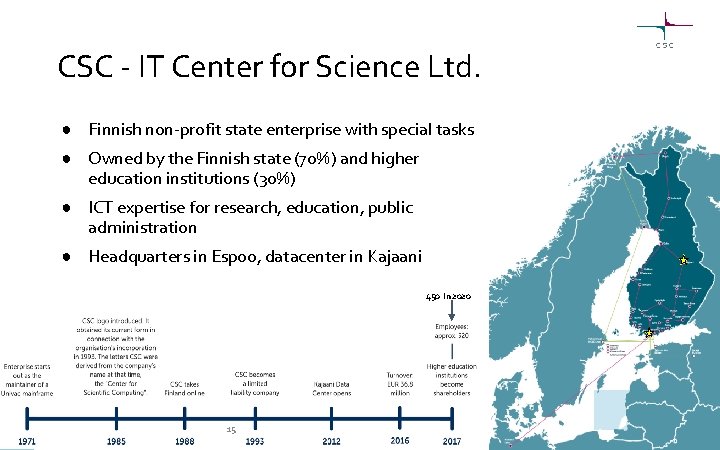
CSC - IT Center for Science Ltd. ● Finnish non-profit state enterprise with special tasks ● Owned by the Finnish state (70%) and higher education institutions (30%) ● ICT expertise for research, education, public administration ● Headquarters in Espoo, datacenter in Kajaani 450 in 2020 15
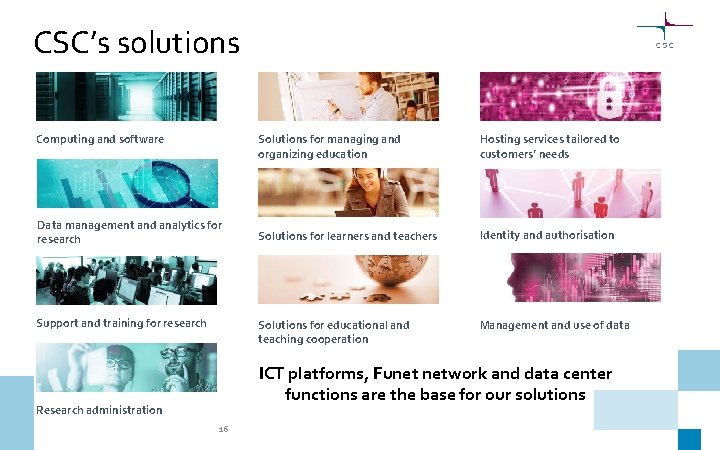
CSC’s solutions Computing and software Data management and analytics for research Support and training for research Solutions for managing and organizing education Hosting services tailored to customers’ needs Solutions for learners and teachers Identity and authorisation Solutions for educational and teaching cooperation Management and use of data ICT platforms, Funet network and data center functions are the base for our solutions Research administration 16
CSC’s computing resources • Supercomputer Mahti (since 26. 8. 2020), fastest in the Nordics! • Supercomputer Puhti (since 2. 9. 2019) • Allas object storage • Kvasi, quantum computing simulator • Euro. HPC pre-exascale supercomputer LUMI, 2021 will be among world’s fastest computers ~ 550 petaflop/s https: //www. lumi-supercomputer. eu/ • Cloud services (c. Pouta, e. Pouta, Rahti) • Accelerated computing (GPUs, Pouta, and Puhti AI) • Grid (FGCI) • International resources: Extremely large computing (PRACE), Nordic resources (NEIC) 17
Puhti AI V 100 nodes consisting of 80 servers with: • 2 x Xeon Gold 6230 Cascade Lake CPUs with 20 cores each running at 2. 1 GHz • CPUs support VNNI instructions for AI inference workloads • 384 GB memory • 4 x V 100 GPUs with 32 GB memory each, connected with NVLink • 3, 6 TB fast local NVMe storage • Dual-rail HDR 100 Infini. Band 200 interconnect network connectivity, providing 200 Gbps of aggregate bandwidth 18
Running batch jobs on Puhti 19
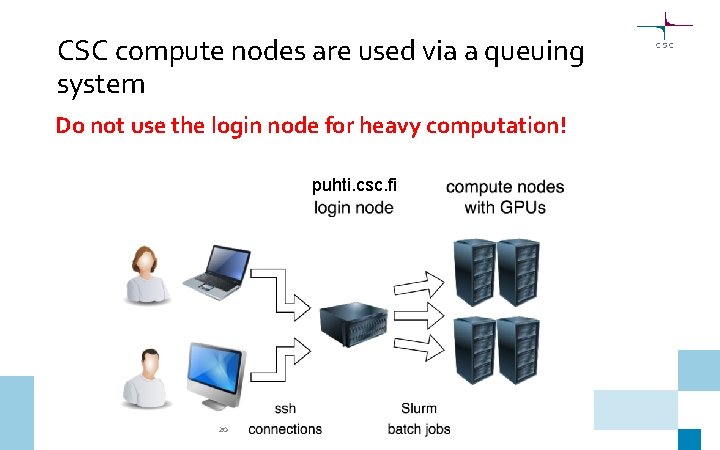
CSC compute nodes are used via a queuing system Do not use the login node for heavy computation! puhti. csc. fi 20
21
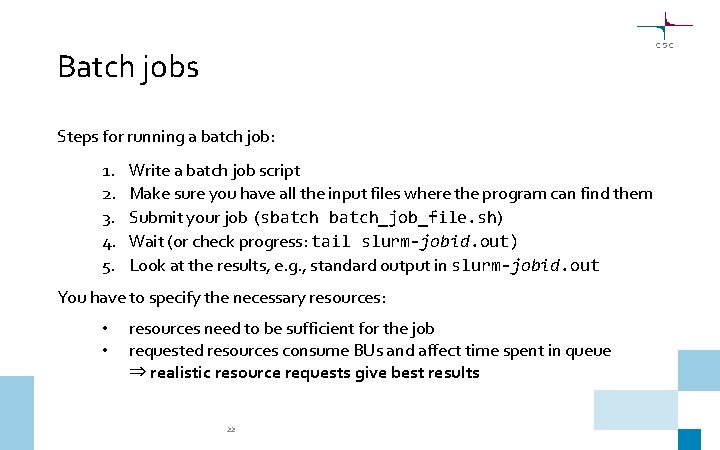
Batch jobs Steps for running a batch job: 1. 2. 3. 4. 5. Write a batch job script Make sure you have all the input files where the program can find them Submit your job (sbatch_job_file. sh) Wait (or check progress: tail slurm-jobid. out) Look at the results, e. g. , standard output in slurm-jobid. out You have to specify the necessary resources: • • resources need to be sufficient for the job requested resources consume BUs and affect time spent in queue ⇒ realistic resource requests give best results 22
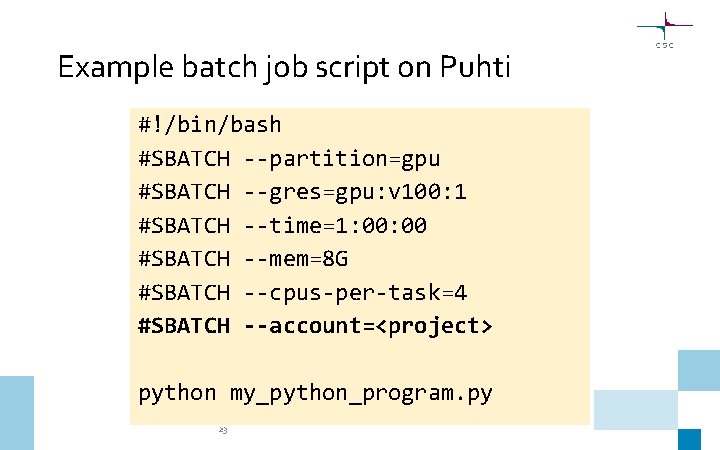
Example batch job script on Puhti #!/bin/bash #SBATCH --partition=gpu #SBATCH --gres=gpu: v 100: 1 #SBATCH --time=1: 00 #SBATCH --mem=8 G #SBATCH --cpus-per-task=4 #SBATCH --account=<project> python my_python_program. py 23
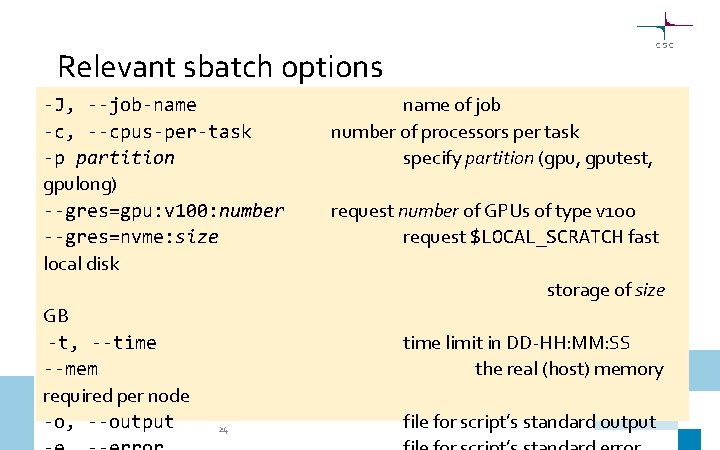
Relevant sbatch options -J, --job-name -c, --cpus-per-task -p partition gpulong) --gres=gpu: v 100: number --gres=nvme: size local disk name of job number of processors per task specify partition (gpu, gputest, request number of GPUs of type v 100 request $LOCAL_SCRATCH fast storage of size GB -t, --time --mem required per node -o, --output time limit in DD-HH: MM: SS the real (host) memory 24 file for script’s standard output
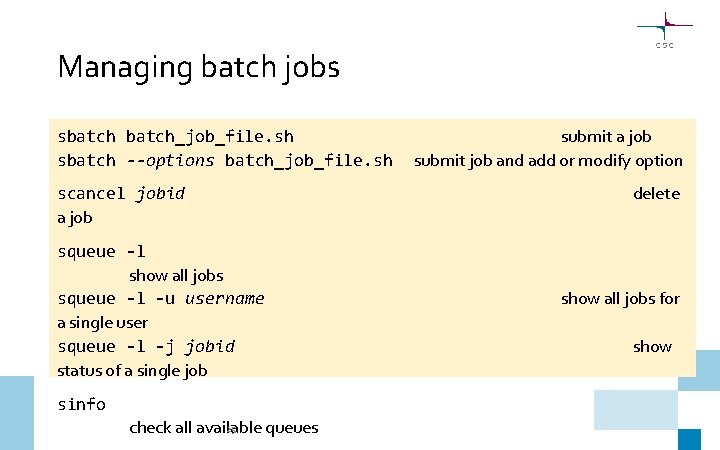
Managing batch jobs sbatch_job_file. sh sbatch --options batch_job_file. sh scancel jobid a job squeue -l show all jobs squeue -l -u username a single user squeue -l -j jobid status of a single job sinfo 25 check all available queues submit a job submit job and add or modify option delete show all jobs for show
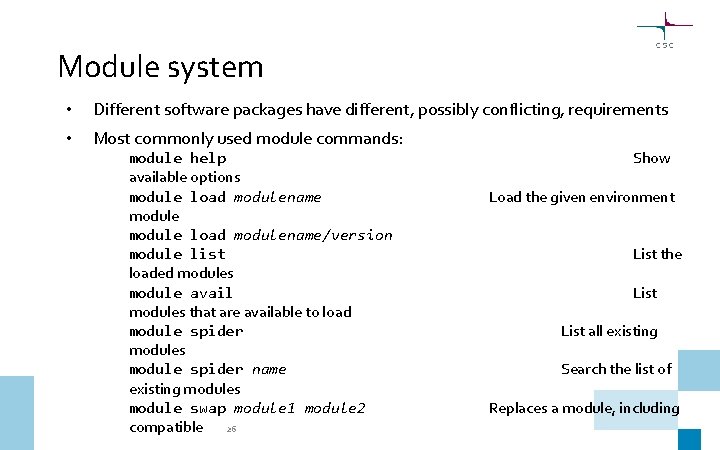
Module system • Different software packages have different, possibly conflicting, requirements • Most commonly used module commands: module help available options module load modulename/version module list loaded modules module avail modules that are available to load module spider modules module spider name existing modules module swap module 1 module 2 compatible 26 Show Load the given environment List the List all existing Search the list of Replaces a module, including
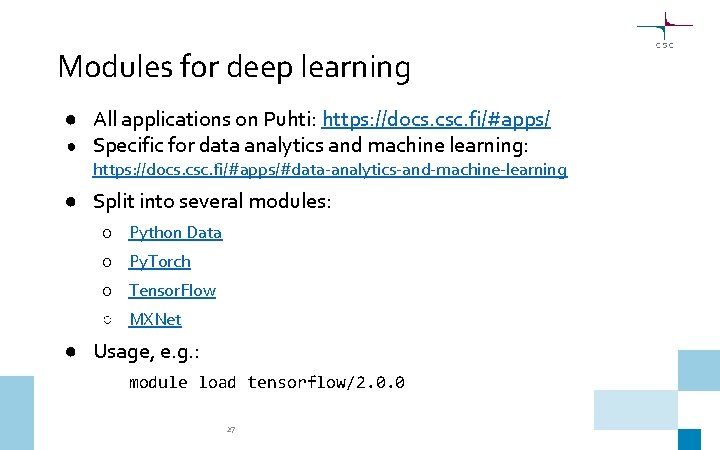
Modules for deep learning ● All applications on Puhti: https: //docs. csc. fi/#apps/ ● Specific for data analytics and machine learning: https: //docs. csc. fi/#apps/#data-analytics-and-machine-learning ● Split into several modules: ○ Python Data ○ Py. Torch ○ Tensor. Flow ○ MXNet ● Usage, e. g. : module load tensorflow/2. 0. 0 27
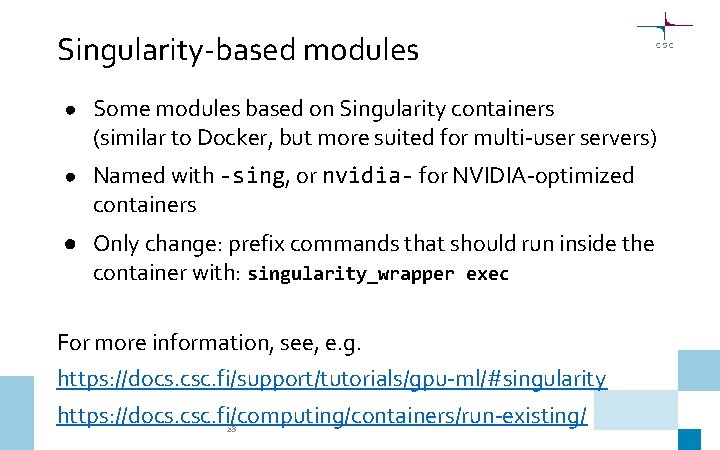
Singularity-based modules ● Some modules based on Singularity containers (similar to Docker, but more suited for multi-user servers) ● Named with -sing, or nvidia- for NVIDIA-optimized containers ● Only change: prefix commands that should run inside the container with: singularity_wrapper exec For more information, see, e. g. https: //docs. csc. fi/support/tutorials/gpu-ml/#singularity https: //docs. csc. fi/computing/containers/run-existing/ 28
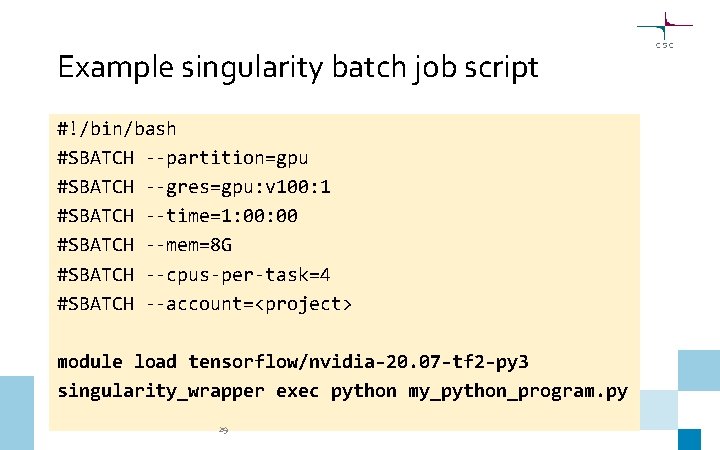
Example singularity batch job script #!/bin/bash #SBATCH --partition=gpu #SBATCH --gres=gpu: v 100: 1 #SBATCH --time=1: 00 #SBATCH --mem=8 G #SBATCH --cpus-per-task=4 #SBATCH --account=<project> module load tensorflow/nvidia-20. 07 -tf 2 -py 3 singularity_wrapper exec python my_python_program. py 29
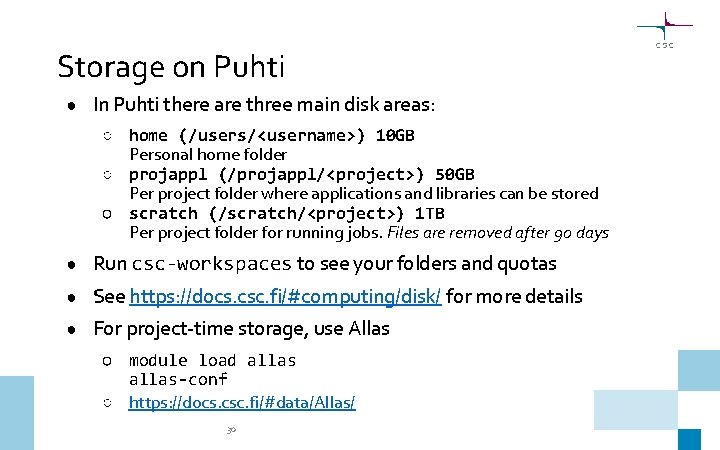
Storage on Puhti ● In Puhti there are three main disk areas: ○ home (/users/<username>) 10 GB Personal home folder ○ projappl (/projappl/<project>) 50 GB Per project folder where applications and libraries can be stored ○ scratch (/scratch/<project>) 1 TB Per project folder for running jobs. Files are removed after 90 days ● Run csc-workspaces to see your folders and quotas ● See https: //docs. csc. fi/#computing/disk/ for more details ● For project-time storage, use Allas ○ module load allas-conf ○ https: //docs. csc. fi/#data/Allas/ 30
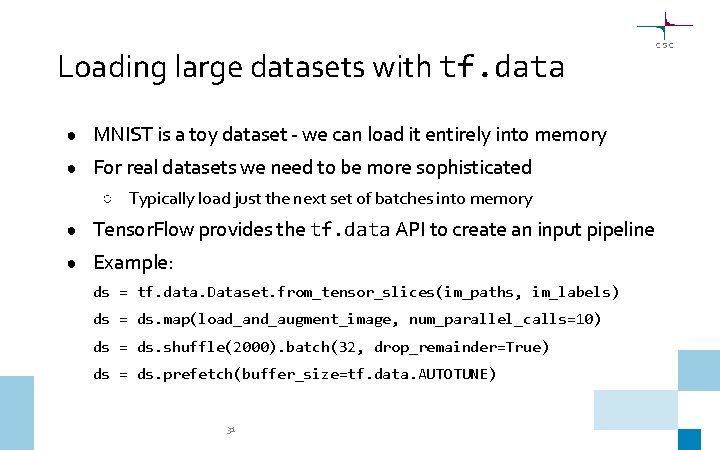
Loading large datasets with tf. data ● MNIST is a toy dataset - we can load it entirely into memory ● For real datasets we need to be more sophisticated ○ Typically load just the next set of batches into memory ● Tensor. Flow provides the tf. data API to create an input pipeline ● Example: ds = tf. data. Dataset. from_tensor_slices(im_paths, im_labels) ds = ds. map(load_and_augment_image, num_parallel_calls=10) ds = ds. shuffle(2000). batch(32, drop_remainder=True) ds = ds. prefetch(buffer_size=tf. data. AUTOTUNE) 31
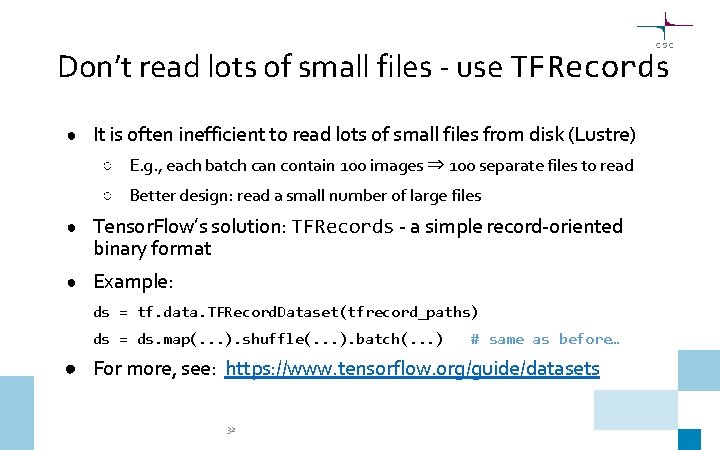
Don’t read lots of small files - use TFRecords ● It is often inefficient to read lots of small files from disk (Lustre) ○ E. g. , each batch can contain 100 images ⇒ 100 separate files to read ○ Better design: read a small number of large files ● Tensor. Flow’s solution: TFRecords - a simple record-oriented binary format ● Example: ds = tf. data. TFRecord. Dataset(tfrecord_paths) ds = ds. map(. . . ). shuffle(. . . ). batch(. . . ) # same as before… ● For more, see: https: //www. tensorflow. org/guide/datasets 32
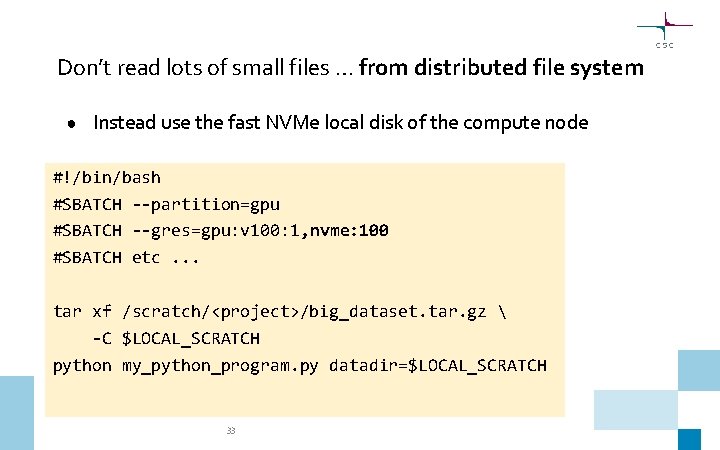
Don’t read lots of small files … from distributed file system ● Instead use the fast NVMe local disk of the compute node #!/bin/bash #SBATCH --partition=gpu #SBATCH --gres=gpu: v 100: 1, nvme: 100 #SBATCH etc. . . tar xf /scratch/<project>/big_dataset. tar. gz -C $LOCAL_SCRATCH python my_python_program. py datadir=$LOCAL_SCRATCH 33
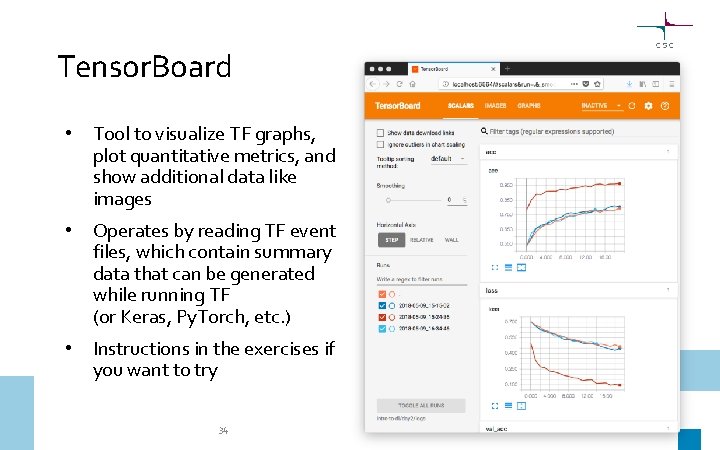
Tensor. Board • Tool to visualize TF graphs, plot quantitative metrics, and show additional data like images • Operates by reading TF event files, which contain summary data that can be generated while running TF (or Keras, Py. Torch, etc. ) • Instructions in the exercises if you want to try 34
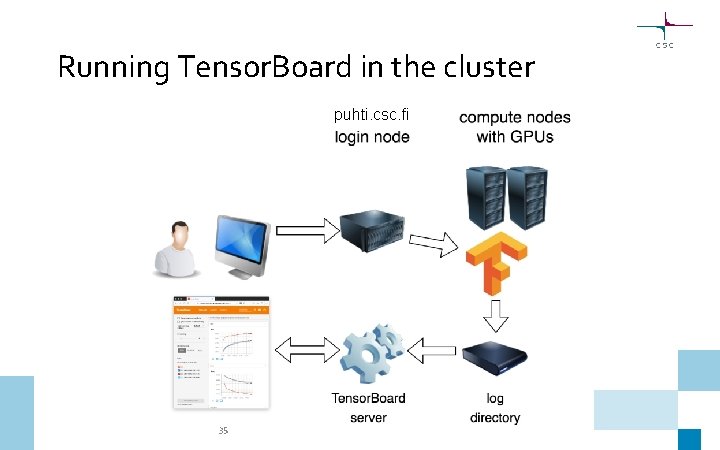
Running Tensor. Board in the cluster puhti. csc. fi 35
- Slides: 35