
Lecture 5 Deep Dive Desktop Metaphors Icons Window
- Slides: 24
Lecture 5: Deep Dive: Desktop Metaphors, Icons, Window Managers Brad Myers 05 -440/05 -640: Interaction Techniques Spring, 2016 © 2016 - Brad Myers 1
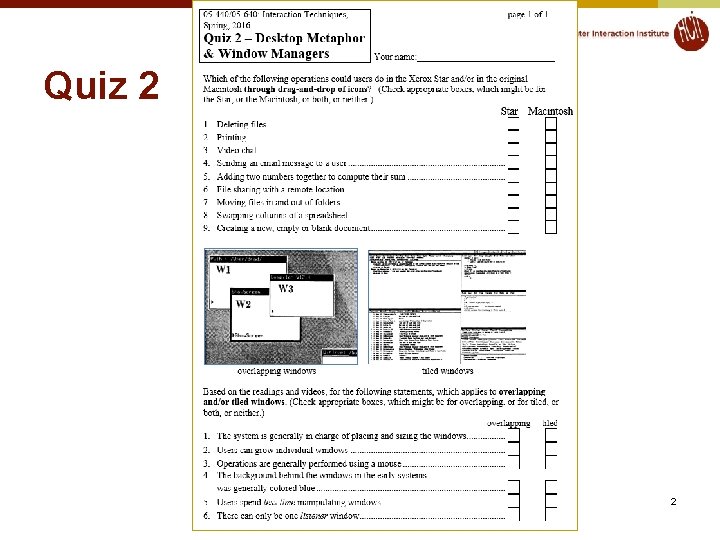
Quiz 2 2 © 2016 - Brad Myers
Announcements l Homework turn-in on paper in class on Monday l l Due before lecture starts Remember guest lecturer next Monday 3 © 2016 - Brad Myers
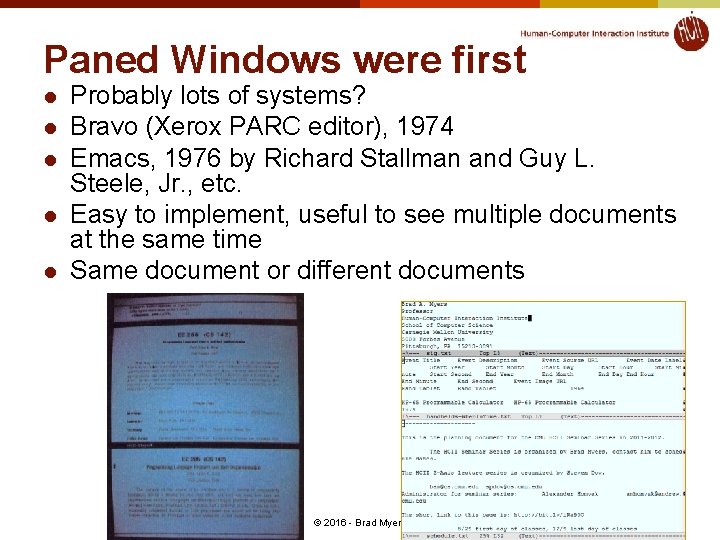
Paned Windows were first l l l Probably lots of systems? Bravo (Xerox PARC editor), 1974 Emacs, 1976 by Richard Stallman and Guy L. Steele, Jr. , etc. Easy to implement, useful to see multiple documents at the same time Same document or different documents 4 © 2016 - Brad Myers
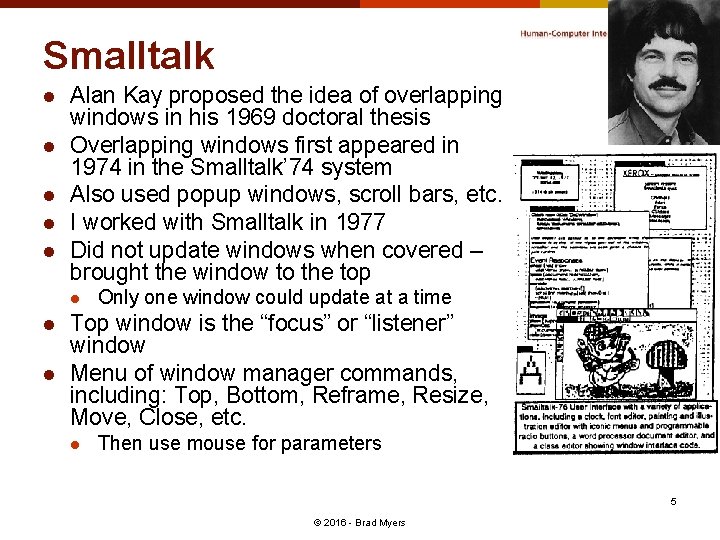
Smalltalk l l l Alan Kay proposed the idea of overlapping windows in his 1969 doctoral thesis Overlapping windows first appeared in 1974 in the Smalltalk’ 74 system Also used popup windows, scroll bars, etc. I worked with Smalltalk in 1977 Did not update windows when covered – brought the window to the top l l l Only one window could update at a time Top window is the “focus” or “listener” window Menu of window manager commands, including: Top, Bottom, Reframe, Resize, Move, Close, etc. l Then use mouse for parameters 5 © 2016 - Brad Myers
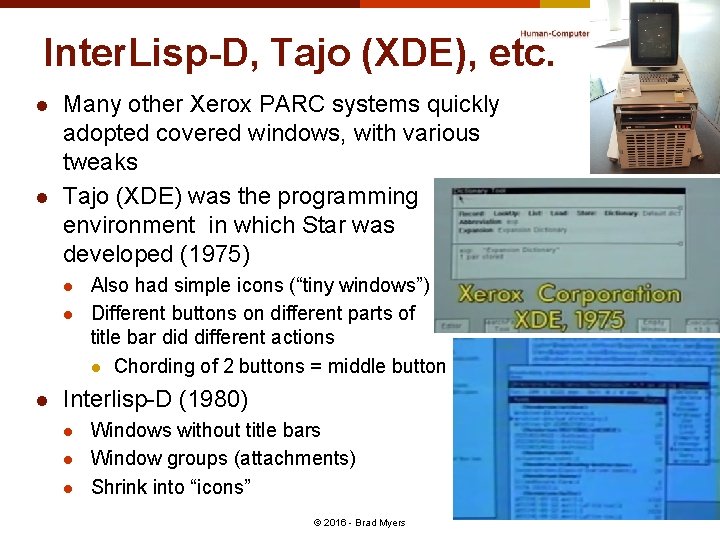
Inter. Lisp-D, Tajo (XDE), etc. l l Many other Xerox PARC systems quickly adopted covered windows, with various tweaks Tajo (XDE) was the programming environment in which Star was developed (1975) l l l Also had simple icons (“tiny windows”) Different buttons on different parts of title bar did different actions l Chording of 2 buttons = middle button Interlisp-D (1980) l l l Windows without title bars Window groups (attachments) Shrink into “icons” © 2016 - Brad Myers 6
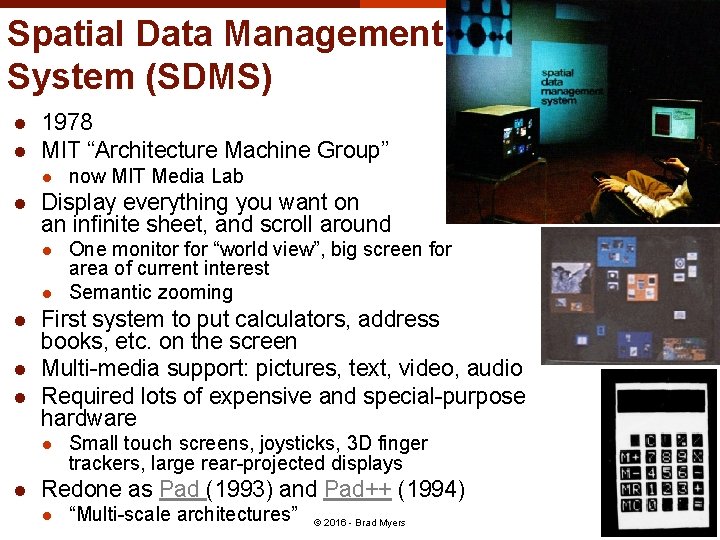
Spatial Data Management System (SDMS) l l 1978 MIT “Architecture Machine Group” l l Display everything you want on an infinite sheet, and scroll around l l l One monitor for “world view”, big screen for area of current interest Semantic zooming First system to put calculators, address books, etc. on the screen Multi-media support: pictures, text, video, audio Required lots of expensive and special-purpose hardware l l now MIT Media Lab Small touch screens, joysticks, 3 D finger trackers, large rear-projected displays Redone as Pad (1993) and Pad++ (1994) l “Multi-scale architectures” © 2016 - Brad Myers 7
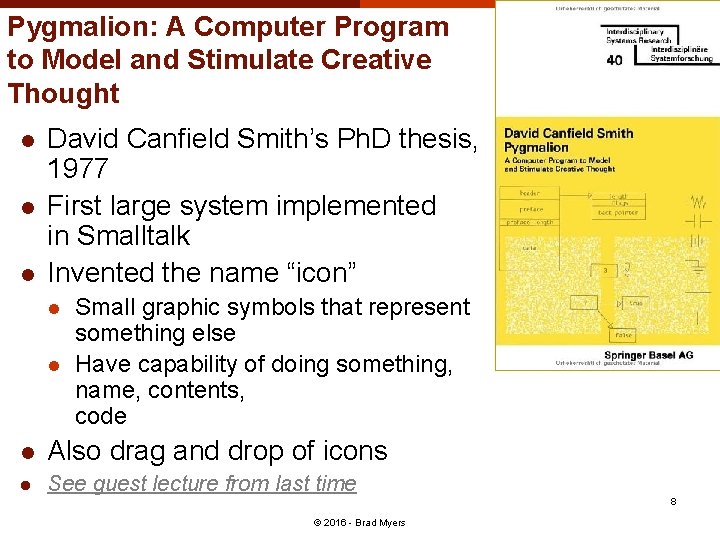
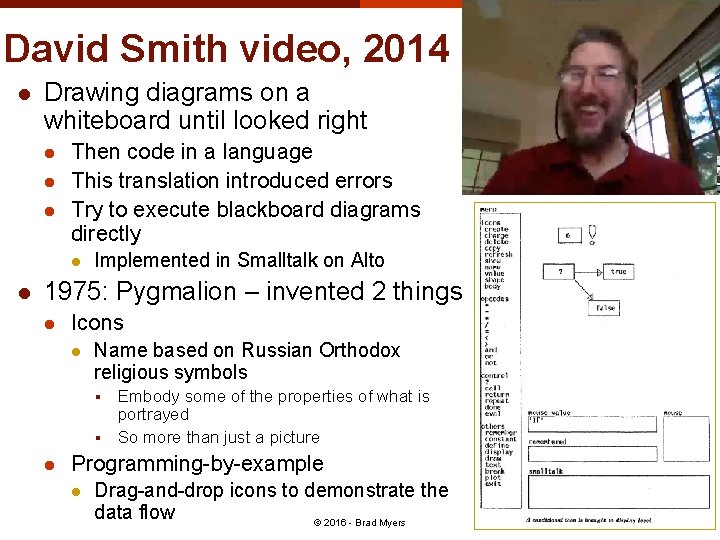
Pygmalion: A Computer Program to Model and Stimulate Creative Thought l l l David Canfield Smith’s Ph. D thesis, 1977 First large system implemented in Smalltalk Invented the name “icon” l l Small graphic symbols that represent something else Have capability of doing something, name, contents, code l Also drag and drop of icons l See guest lecture from last time 8 © 2016 - Brad Myers
David Smith video, 2014 l Drawing diagrams on a whiteboard until looked right l l l Then code in a language This translation introduced errors Try to execute blackboard diagrams directly l l Implemented in Smalltalk on Alto 1975: Pygmalion – invented 2 things l Icons l Name based on Russian Orthodox religious symbols § § l Embody some of the properties of what is portrayed So more than just a picture Programming-by-example l Drag-and-drop icons to demonstrate the data flow © 2016 - Brad Myers 9
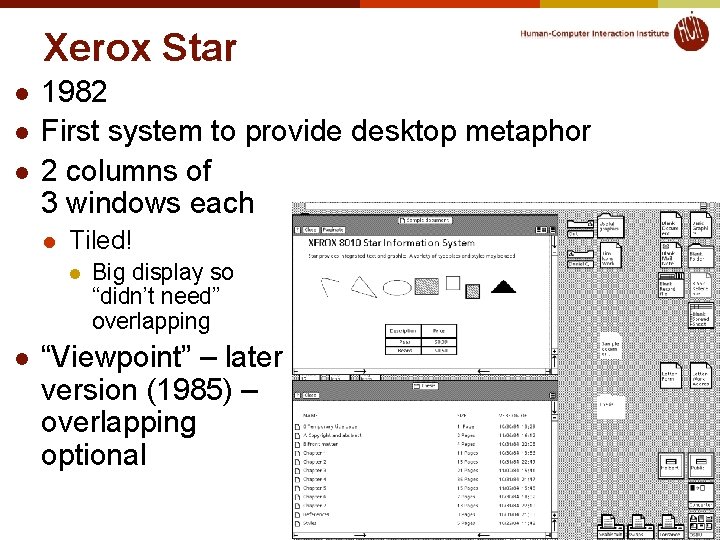
Xerox Star l l l 1982 First system to provide desktop metaphor 2 columns of 3 windows each l Tiled! l l Big display so “didn’t need” overlapping “Viewpoint” – later version (1985) – overlapping optional 10 © 2016 - Brad Myers
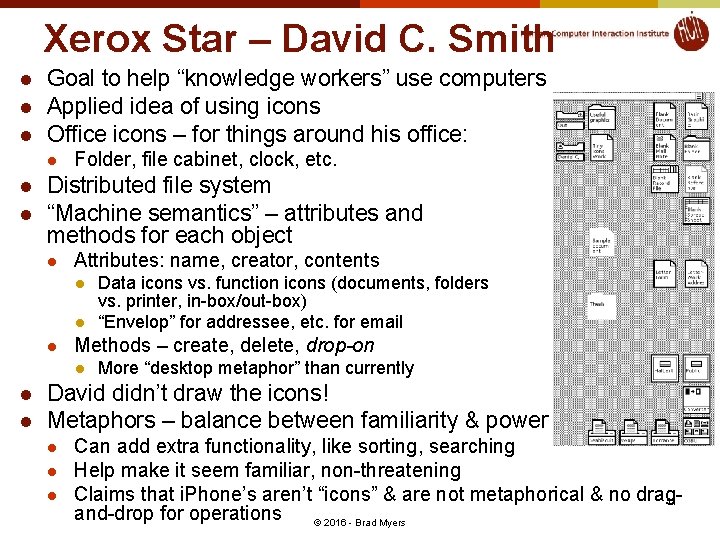
Xerox Star – David C. Smith l l l Goal to help “knowledge workers” use computers Applied idea of using icons Office icons – for things around his office: l l l Folder, file cabinet, clock, etc. Distributed file system “Machine semantics” – attributes and methods for each object l Attributes: name, creator, contents l l l Methods – create, delete, drop-on l l l Data icons vs. function icons (documents, folders vs. printer, in-box/out-box) “Envelop” for addressee, etc. for email More “desktop metaphor” than currently David didn’t draw the icons! Metaphors – balance between familiarity & power l l l Can add extra functionality, like sorting, searching Help make it seem familiar, non-threatening Claims that i. Phone’s aren’t “icons” & are not metaphorical & no drag 11 and-drop for operations © 2016 - Brad Myers
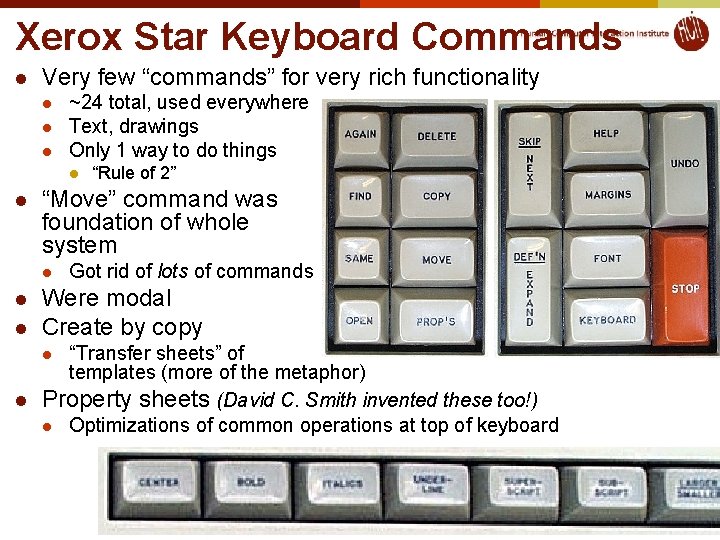
Xerox Star Keyboard Commands l Very few “commands” for very rich functionality l l l ~24 total, used everywhere Text, drawings Only 1 way to do things l l “Move” command was foundation of whole system l l l “Rule of 2” Got rid of lots of commands Were modal Create by copy “Transfer sheets” of templates (more of the metaphor) l Property sheets (David C. Smith invented these too!) l Optimizations of common operations at top of keyboard l 12 © 2014 - Brad Myers
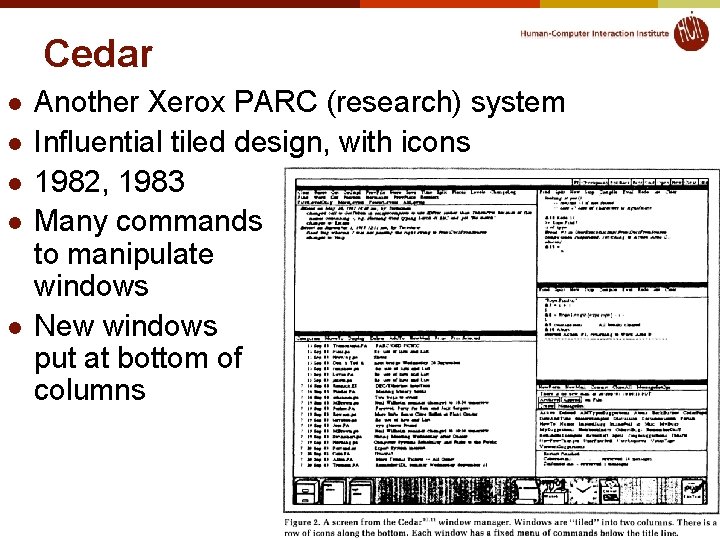
Cedar l l l Another Xerox PARC (research) system Influential tiled design, with icons 1982, 1983 Many commands to manipulate windows New windows put at bottom of columns 13 © 2016 - Brad Myers
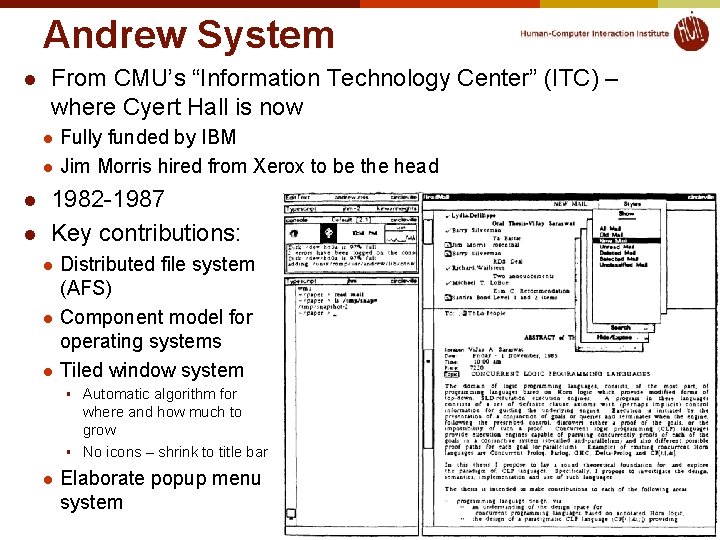
Andrew System l From CMU’s “Information Technology Center” (ITC) – where Cyert Hall is now l l Fully funded by IBM Jim Morris hired from Xerox to be the head 1982 -1987 Key contributions: l l l Distributed file system (AFS) Component model for operating systems Tiled window system § § l Automatic algorithm for where and how much to grow No icons – shrink to title bar Elaborate popup menu system 14 © 2016 - Brad Myers
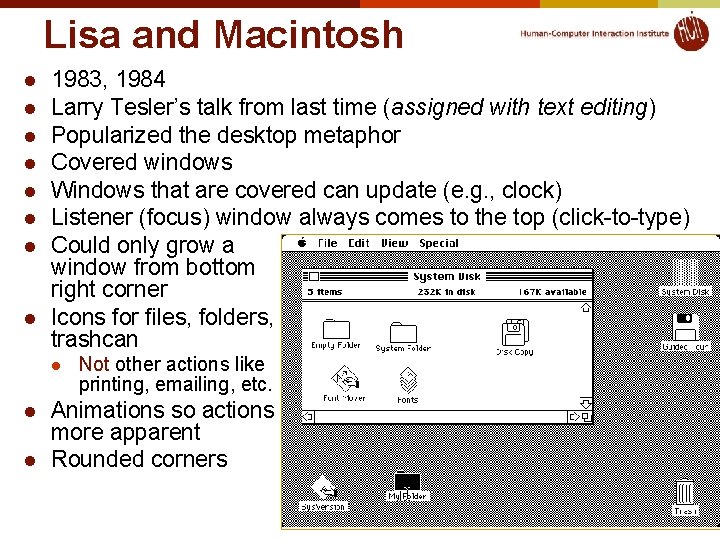
Lisa and Macintosh l l l l 1983, 1984 Larry Tesler’s talk from last time (assigned with text editing) Popularized the desktop metaphor Covered windows Windows that are covered can update (e. g. , clock) Listener (focus) window always comes to the top (click-to-type) Could only grow a window from bottom right corner Icons for files, folders, trashcan l l l Not other actions like printing, emailing, etc. Animations so actions more apparent Rounded corners 15 © 2016 - Brad Myers
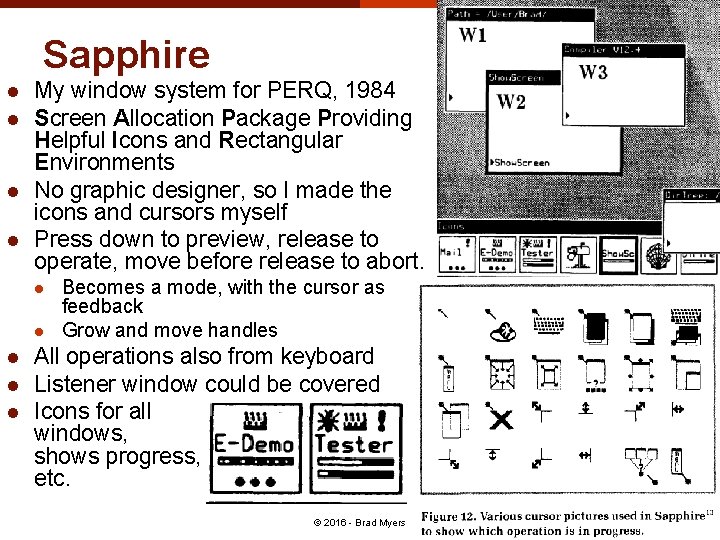
Sapphire l l My window system for PERQ, 1984 Screen Allocation Package Providing Helpful Icons and Rectangular Environments No graphic designer, so I made the icons and cursors myself Press down to preview, release to operate, move before release to abort. l l l Becomes a mode, with the cursor as feedback Grow and move handles All operations also from keyboard Listener window could be covered Icons for all windows, shows progress, etc. 16 © 2016 - Brad Myers
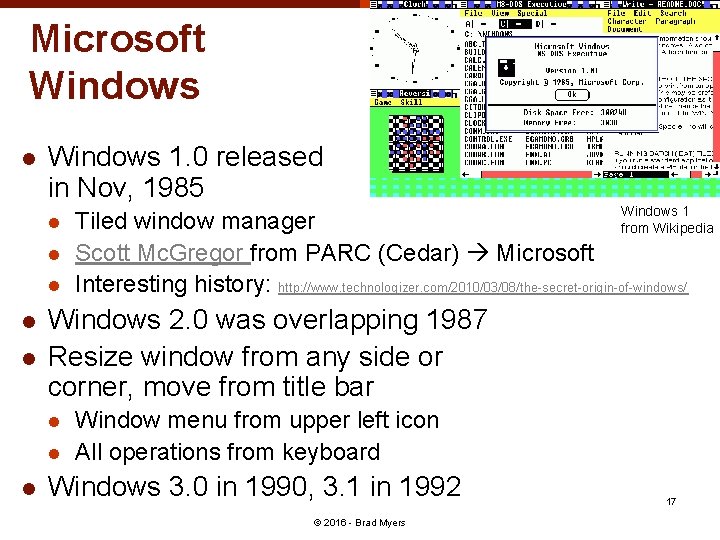
Microsoft Windows l Windows 1. 0 released in Nov, 1985 l l l Windows 2. 0 was overlapping 1987 Resize window from any side or corner, move from title bar l l l Windows 1 Tiled window manager from Wikipedia Scott Mc. Gregor from PARC (Cedar) Microsoft Interesting history: http: //www. technologizer. com/2010/03/08/the-secret-origin-of-windows/ Window menu from upper left icon All operations from keyboard Windows 3. 0 in 1990, 3. 1 in 1992 © 2016 - Brad Myers 17
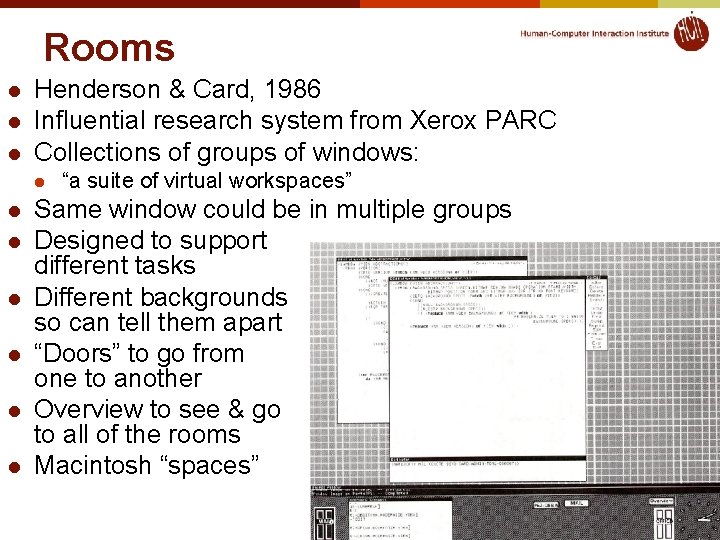
Rooms l l l Henderson & Card, 1986 Influential research system from Xerox PARC Collections of groups of windows: l l l l “a suite of virtual workspaces” Same window could be in multiple groups Designed to support different tasks Different backgrounds so can tell them apart “Doors” to go from one to another Overview to see & go to all of the rooms Macintosh “spaces” 18 © 2016 - Brad Myers
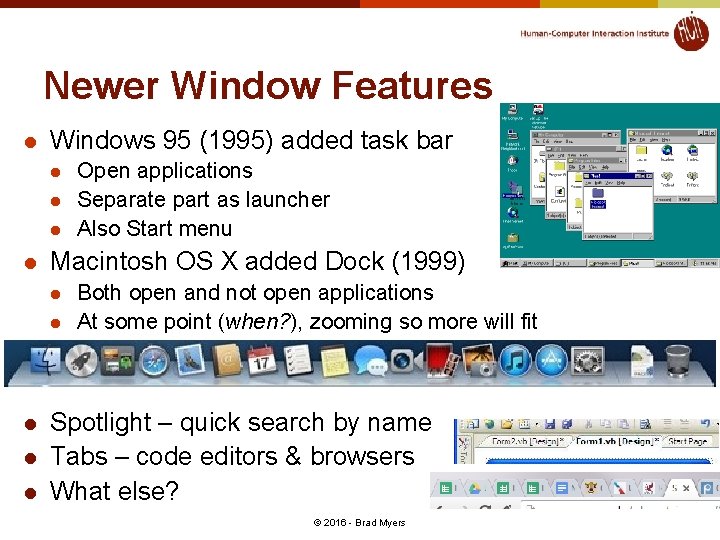
Newer Window Features l Windows 95 (1995) added task bar l l Macintosh OS X added Dock (1999) l l l Open applications Separate part as launcher Also Start menu Both open and not open applications At some point (when? ), zooming so more will fit Spotlight – quick search by name Tabs – code editors & browsers What else? © 2016 - Brad Myers 19
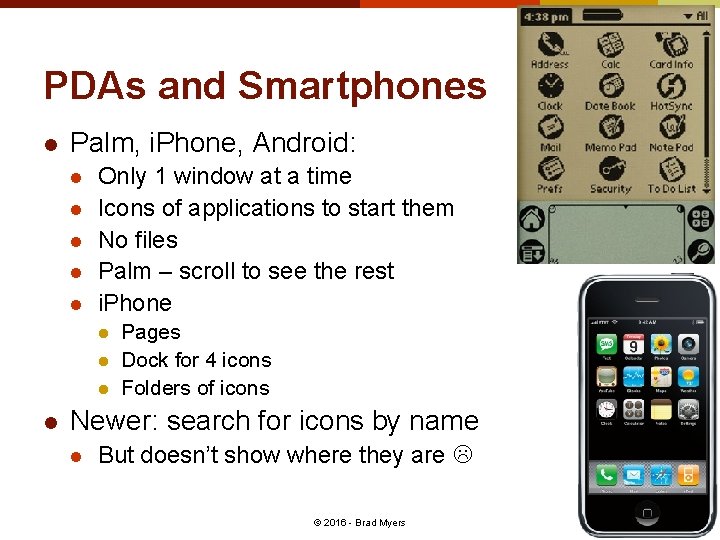
PDAs and Smartphones l Palm, i. Phone, Android: l l l Only 1 window at a time Icons of applications to start them No files Palm – scroll to see the rest i. Phone l l Pages Dock for 4 icons Folders of icons Newer: search for icons by name l But doesn’t show where they are 20 © 2016 - Brad Myers
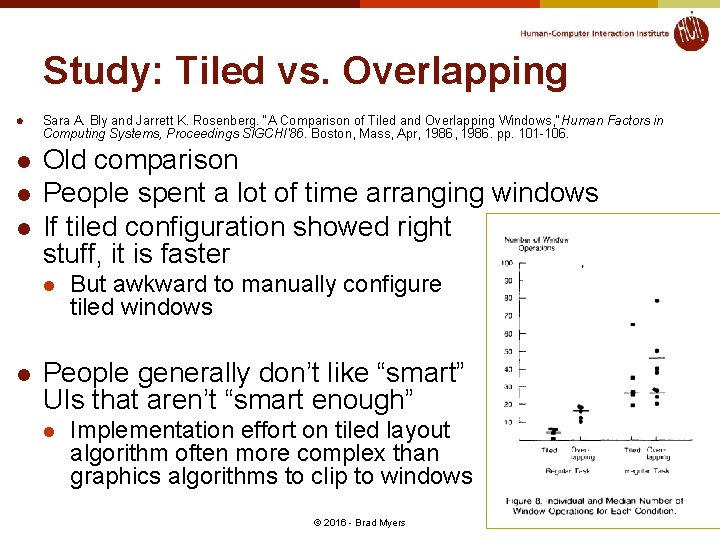
Study: Tiled vs. Overlapping l l Sara A. Bly and Jarrett K. Rosenberg. “A Comparison of Tiled and Overlapping Windows, ” Human Factors in Computing Systems, Proceedings SIGCHI'86. Boston, Mass, Apr, 1986. pp. 101 -106. Old comparison People spent a lot of time arranging windows If tiled configuration showed right stuff, it is faster l l But awkward to manually configure tiled windows People generally don’t like “smart” UIs that aren’t “smart enough” l Implementation effort on tiled layout algorithm often more complex than graphics algorithms to clip to windows 21 © 2016 - Brad Myers
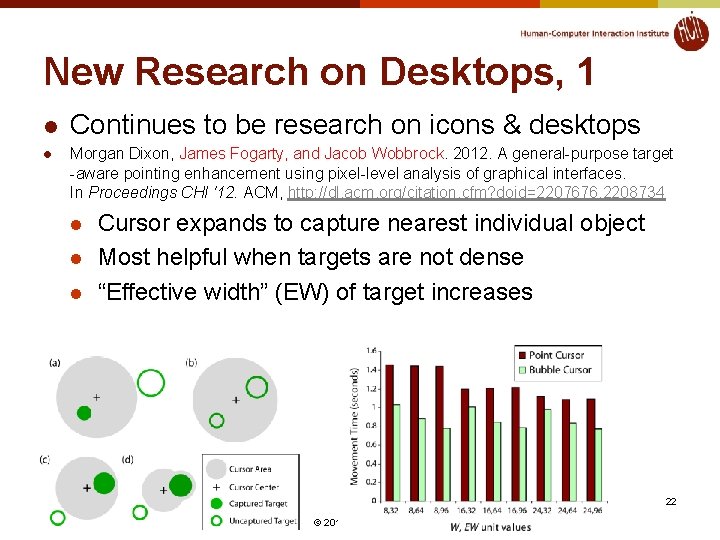
New Research on Desktops, 1 l l Continues to be research on icons & desktops Morgan Dixon, James Fogarty, and Jacob Wobbrock. 2012. A general-purpose target -aware pointing enhancement using pixel-level analysis of graphical interfaces. In Proceedings CHI '12. ACM, http: //dl. acm. org/citation. cfm? doid=2207676. 2208734 l l l Cursor expands to capture nearest individual object Most helpful when targets are not dense “Effective width” (EW) of target increases 22 © 2016 - Brad Myers
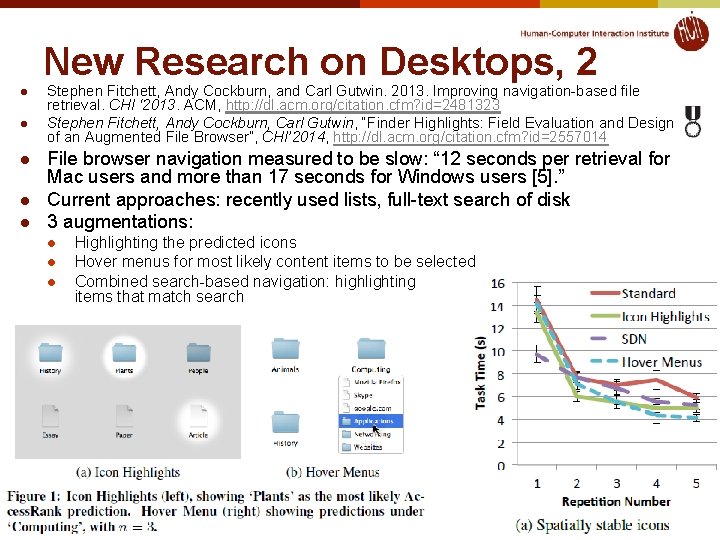
New Research on Desktops, 2 l l l Stephen Fitchett, Andy Cockburn, and Carl Gutwin. 2013. Improving navigation-based file retrieval. CHI ‘ 2013. ACM, http: //dl. acm. org/citation. cfm? id=2481323 Stephen Fitchett, Andy Cockburn, Carl Gutwin, “Finder Highlights: Field Evaluation and Design of an Augmented File Browser”, CHI’ 2014, http: //dl. acm. org/citation. cfm? id=2557014 File browser navigation measured to be slow: “ 12 seconds per retrieval for Mac users and more than 17 seconds for Windows users [5]. ” Current approaches: recently used lists, full-text search of disk 3 augmentations: l l l Highlighting the predicted icons Hover menus for most likely content items to be selected Combined search-based navigation: highlighting items that match search 23 © 2016 - Brad Myers
Research Ideas for the Future of the Desktop? l Replacing application-centric view with datacentric view? l l l Has never worked before I talked about an “Open Data Model” in 1998 Speech as “meta control” of applications l l Multi- and cross-application operations Siri and Google Now 24 © 2016 - Brad Myers