
Lecture 4 Socket Programming George Nychis Carnegie Mellon





- Slides: 40
Lecture 4 Socket Programming George Nychis Carnegie Mellon University 15 -441 Networking, Fall 2006 http: //www. cs. cmu. edu/~srini/15441/F 06/ 1
Outline of Lecture Project 1 – Questions? Motivation for Sockets Introduction to Sockets Nitty Gritty of Sockets Break » Find a project partner! Concurrent Connections Select Roundup 2
Last Time What is a network? Lets start simple. . . » What is a motivation of a computer network? » What do we use networks for? » How do we share data? 3
Let's Share Data! Suppose we have a 5 MB file. . . » How can we transfer it? » What type of applications and services can we use? » Where do these services run? 4
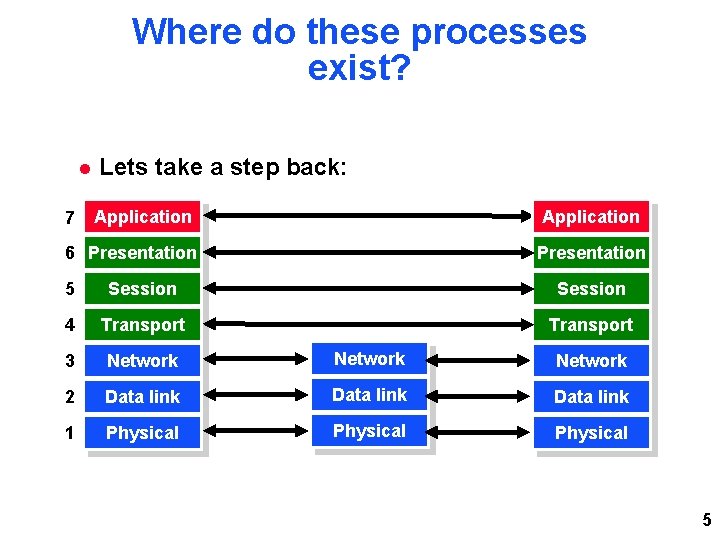
Where do these processes exist? 7 Lets take a step back: Application 6 Presentation 5 Session 4 Transport 3 Network 2 Data link 1 Physical 5
IPC: Interprocess Communication Overall Goal: Interprocess communication » So what is the problem? No problem when both processes on a single machine. . . Network services such as FTP servers and HTTP servers typically run on seperate machines from the clients that access them 6
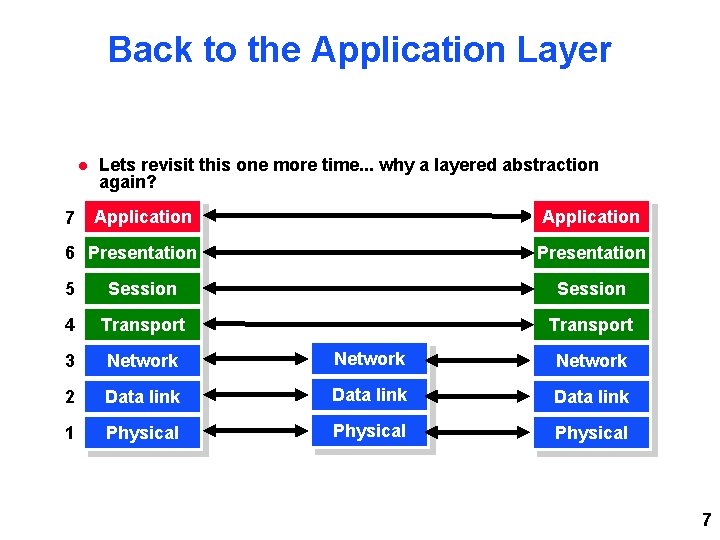
Back to the Application Layer 7 Lets revisit this one more time. . . why a layered abstraction again? Application 6 Presentation 5 Session 4 Transport 3 Network 2 Data link 1 Physical 7
Just pass it down. . . Author of an FTP server does not need to worry about: » How frames are formed » How the data is routed through the network » How reliability is ensured Author only needs a method of passing the data down to the next layer 8
Lower Layers Need Info OK, we pass the data down. . . what else do the lower layers need to know? Where does the data go? Once it gets there, where does it then go? What process gets the data? 9
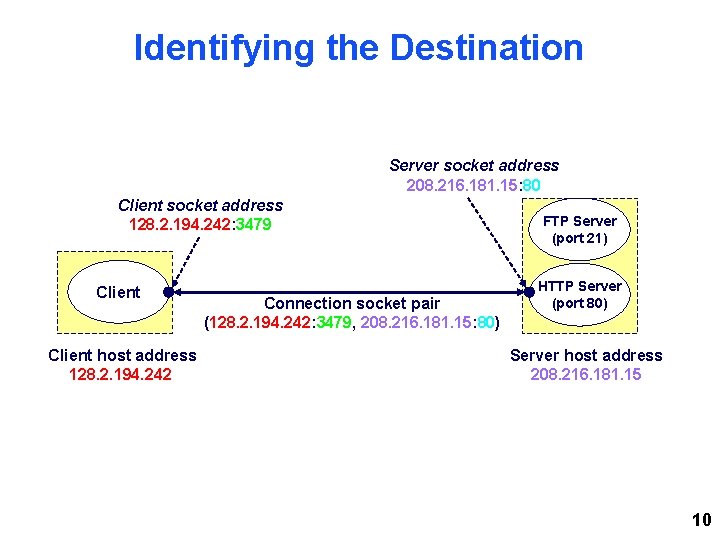
Identifying the Destination Server socket address 208. 216. 181. 15: 80 Client socket address 128. 2. 194. 242: 3479 Client host address 128. 2. 194. 242 Connection socket pair (128. 2. 194. 242: 3479, 208. 216. 181. 15: 80) FTP Server (port 21) HTTP Server (port 80) Server host address 208. 216. 181. 15 10
Why Should You Care? You've all read the project 1 description. . . *winking smiley face* You're going to be writing an application level service! (IRC server) You will need to do all of what we talked about: » Pass messages » Share data This is all done between the servers you write, and clients we will use to test them on seperate machines! (IPC) 11
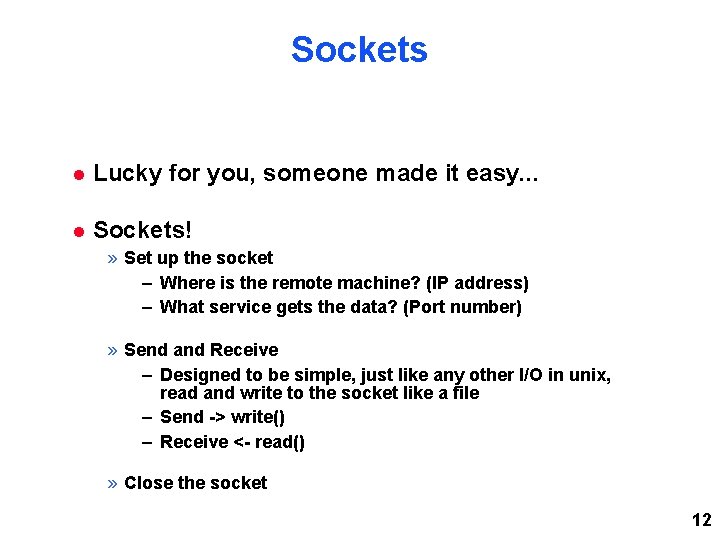
Sockets Lucky for you, someone made it easy. . . Sockets! » Set up the socket – Where is the remote machine? (IP address) – What service gets the data? (Port number) » Send and Receive – Designed to be simple, just like any other I/O in unix, read and write to the socket like a file – Send -> write() – Receive <- read() » Close the socket 12
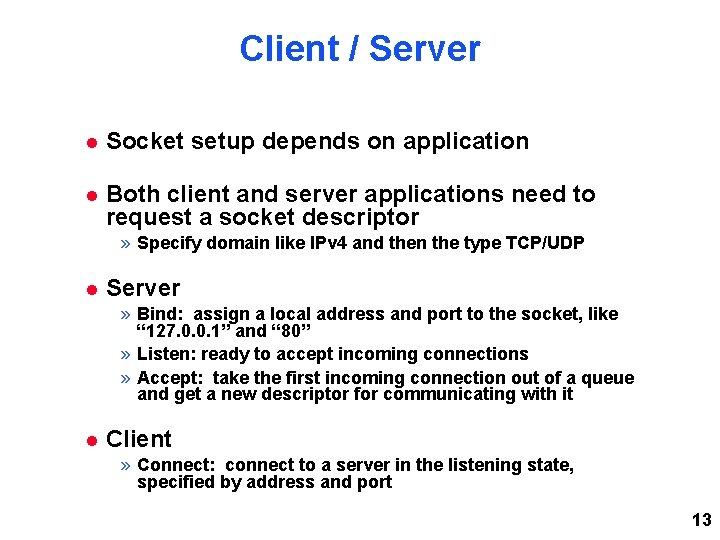
Client / Server Socket setup depends on application Both client and server applications need to request a socket descriptor » Specify domain like IPv 4 and then the type TCP/UDP Server » Bind: assign a local address and port to the socket, like “ 127. 0. 0. 1” and “ 80” » Listen: ready to accept incoming connections » Accept: take the first incoming connection out of a queue and get a new descriptor for communicating with it Client » Connect: connect to a server in the listening state, specified by address and port 13
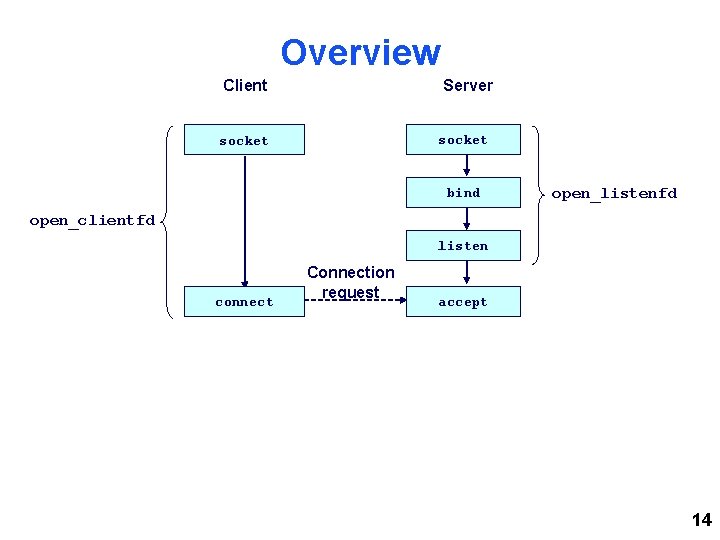
Overview Client Server socket bind open_listenfd open_clientfd listen connect Connection request accept 14
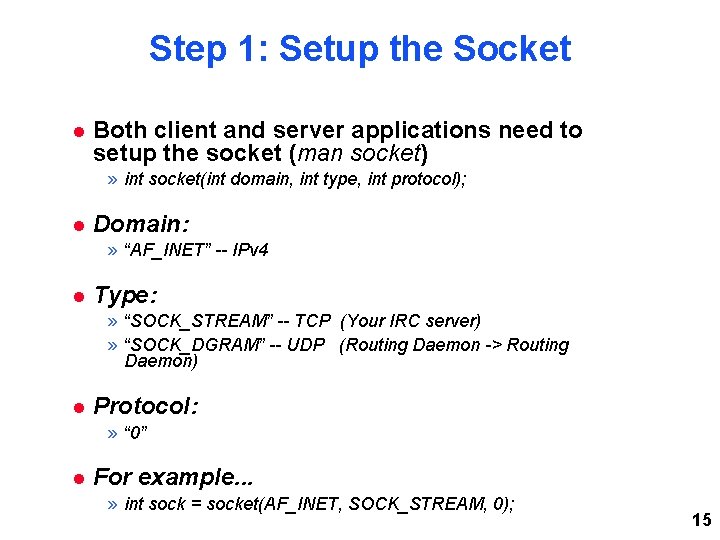
Step 1: Setup the Socket Both client and server applications need to setup the socket (man socket) » int socket(int domain, int type, int protocol); Domain: » “AF_INET” -- IPv 4 Type: » “SOCK_STREAM” -- TCP (Your IRC server) » “SOCK_DGRAM” -- UDP (Routing Daemon -> Routing Daemon) Protocol: » “ 0” For example. . . » int sock = socket(AF_INET, SOCK_STREAM, 0); 15
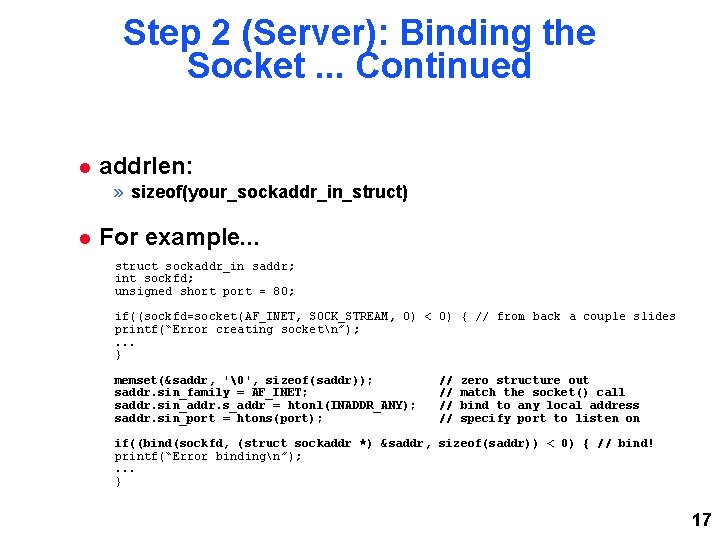
Step 2 (Server): Binding the Socket Only the server needs to bind (man bind) » int bind(int sockfd, const struct sockaddr *my_addr, socklen_t addrlen); sockfd: » Whatever socket() returned! my_addr: » For Internet addresses, must cast (struct sockaddr_in *) to (struct sockaddr *) struct sockaddr_in { short sin_family; unsigned short sin_port; struct in_addr sin_addr; char sin_zero[8]; }; struct in_addr { unsigned long s_addr; // load }; // // e. g. AF_INET e. g. htons(3490) see struct in_addr, below zero this if you want to with inet_aton() 16
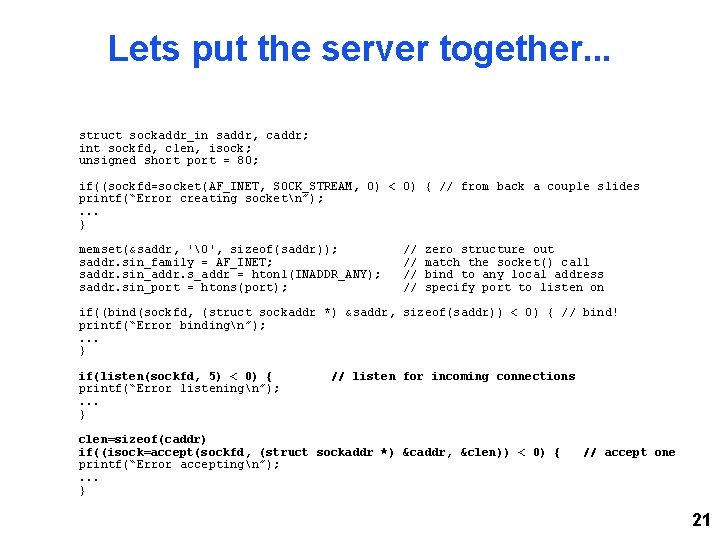
Step 2 (Server): Binding the Socket. . . Continued addrlen: » sizeof(your_sockaddr_in_struct) For example. . . struct sockaddr_in saddr; int sockfd; unsigned short port = 80; if((sockfd=socket(AF_INET, SOCK_STREAM, 0) < 0) { // from back a couple slides printf(“Error creating socketn”); . . . } memset(&saddr, '', sizeof(saddr)); saddr. sin_family = AF_INET; saddr. sin_addr. s_addr = htonl(INADDR_ANY); saddr. sin_port = htons(port); // // zero structure out match the socket() call bind to any local address specify port to listen on if((bind(sockfd, (struct sockaddr *) &saddr, sizeof(saddr)) < 0) { // bind! printf(“Error bindingn”); . . . } 17
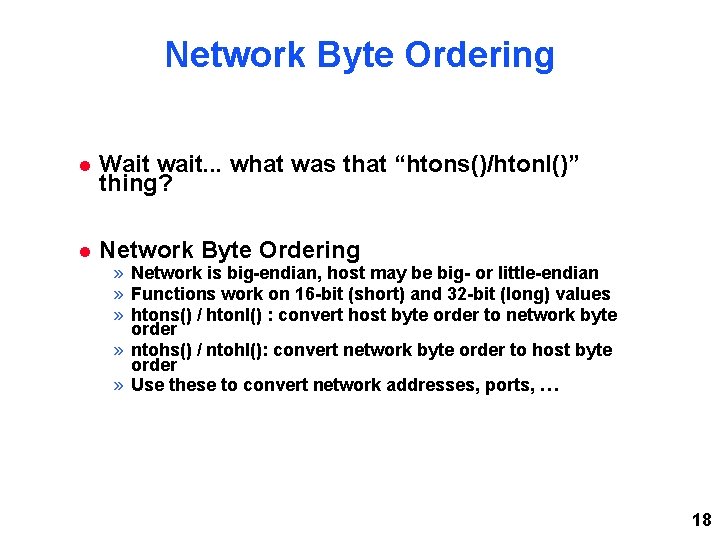
Network Byte Ordering Wait wait. . . what was that “htons()/htonl()” thing? Network Byte Ordering » Network is big-endian, host may be big- or little-endian » Functions work on 16 -bit (short) and 32 -bit (long) values » htons() / htonl() : convert host byte order to network byte order » ntohs() / ntohl(): convert network byte order to host byte order » Use these to convert network addresses, ports, … 18
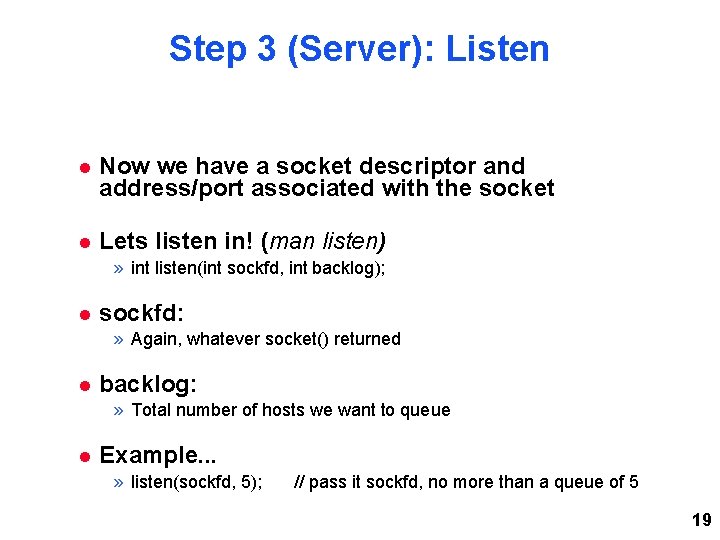
Step 3 (Server): Listen Now we have a socket descriptor and address/port associated with the socket Lets listen in! (man listen) » int listen(int sockfd, int backlog); sockfd: » Again, whatever socket() returned backlog: » Total number of hosts we want to queue Example. . . » listen(sockfd, 5); // pass it sockfd, no more than a queue of 5 19
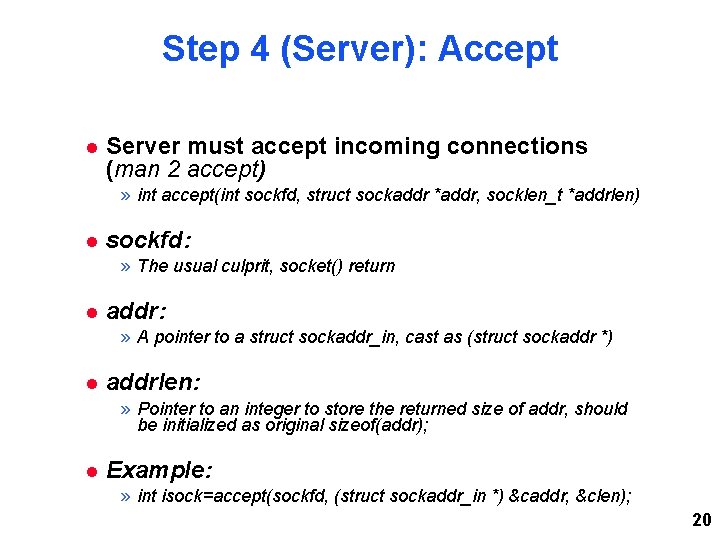
Step 4 (Server): Accept Server must accept incoming connections (man 2 accept) » int accept(int sockfd, struct sockaddr *addr, socklen_t *addrlen) sockfd: » The usual culprit, socket() return addr: » A pointer to a struct sockaddr_in, cast as (struct sockaddr *) addrlen: » Pointer to an integer to store the returned size of addr, should be initialized as original sizeof(addr); Example: » int isock=accept(sockfd, (struct sockaddr_in *) &caddr, &clen); 20
Lets put the server together. . . struct sockaddr_in saddr, caddr; int sockfd, clen, isock; unsigned short port = 80; if((sockfd=socket(AF_INET, SOCK_STREAM, 0) < 0) { // from back a couple slides printf(“Error creating socketn”); . . . } memset(&saddr, '', sizeof(saddr)); saddr. sin_family = AF_INET; saddr. sin_addr. s_addr = htonl(INADDR_ANY); saddr. sin_port = htons(port); // // zero structure out match the socket() call bind to any local address specify port to listen on if((bind(sockfd, (struct sockaddr *) &saddr, sizeof(saddr)) < 0) { // bind! printf(“Error bindingn”); . . . } if(listen(sockfd, 5) < 0) { printf(“Error listeningn”); . . . } // listen for incoming connections clen=sizeof(caddr) if((isock=accept(sockfd, (struct sockaddr *) &caddr, &clen)) < 0) { printf(“Error acceptingn”); . . . } // accept one 21
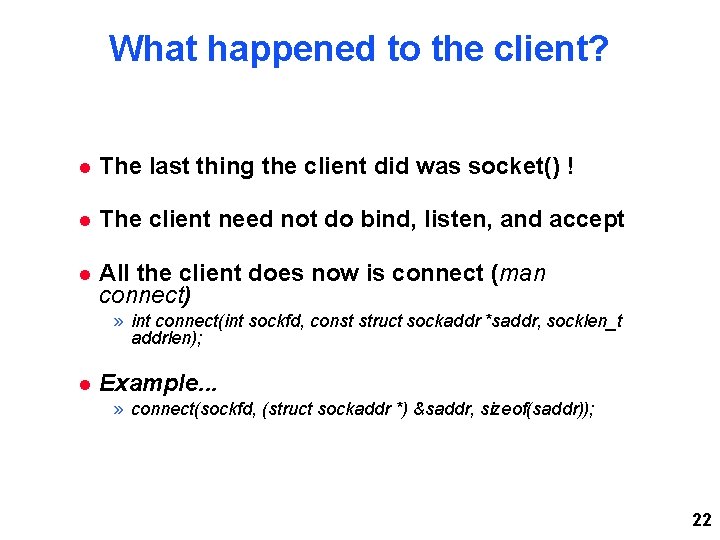
What happened to the client? The last thing the client did was socket() ! The client need not do bind, listen, and accept All the client does now is connect (man connect) » int connect(int sockfd, const struct sockaddr *saddr, socklen_t addrlen); Example. . . » connect(sockfd, (struct sockaddr *) &saddr, sizeof(saddr)); 22
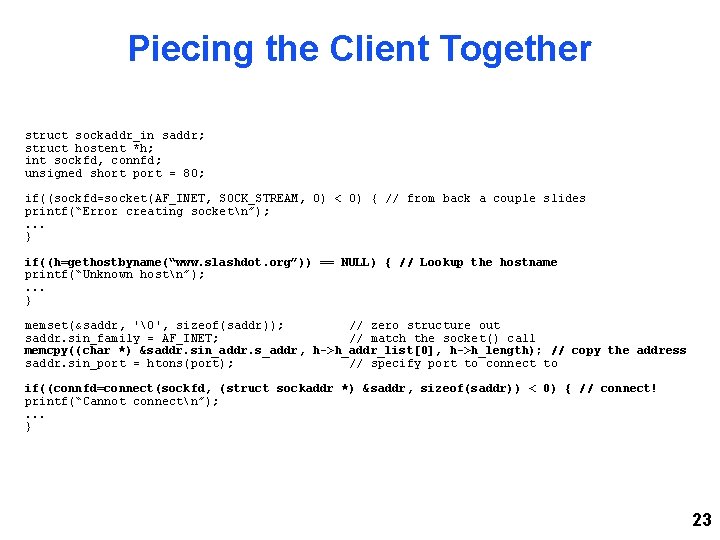
Piecing the Client Together struct sockaddr_in saddr; struct hostent *h; int sockfd, connfd; unsigned short port = 80; if((sockfd=socket(AF_INET, SOCK_STREAM, 0) < 0) { // from back a couple slides printf(“Error creating socketn”); . . . } if((h=gethostbyname(“www. slashdot. org”)) == NULL) { // Lookup the hostname printf(“Unknown hostn”); . . . } memset(&saddr, '', sizeof(saddr)); // zero structure out saddr. sin_family = AF_INET; // match the socket() call memcpy((char *) &saddr. sin_addr. s_addr, h->h_addr_list[0], h->h_length); // copy the address saddr. sin_port = htons(port); // specify port to connect to if((connfd=connect(sockfd, (struct sockaddr *) &saddr, sizeof(saddr)) < 0) { // connect! printf(“Cannot connectn”); . . . } 23
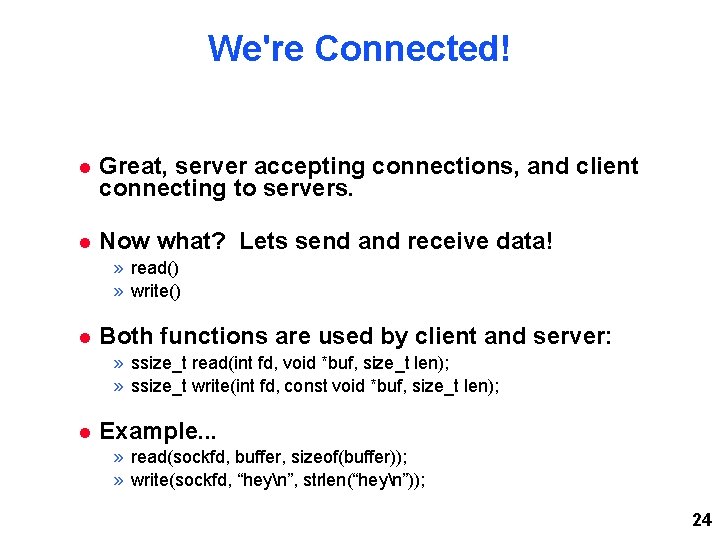
We're Connected! Great, server accepting connections, and client connecting to servers. Now what? Lets send and receive data! » read() » write() Both functions are used by client and server: » ssize_t read(int fd, void *buf, size_t len); » ssize_t write(int fd, const void *buf, size_t len); Example. . . » read(sockfd, buffer, sizeof(buffer)); » write(sockfd, “heyn”, strlen(“heyn”)); 24
Finally, Close Up Shop Don't forget, like a file, you must close it (man close) » int close(int sockfd); That's it! Loop around the accept() on the server to accept a new connection once one has finished But what's wrong with this? 25
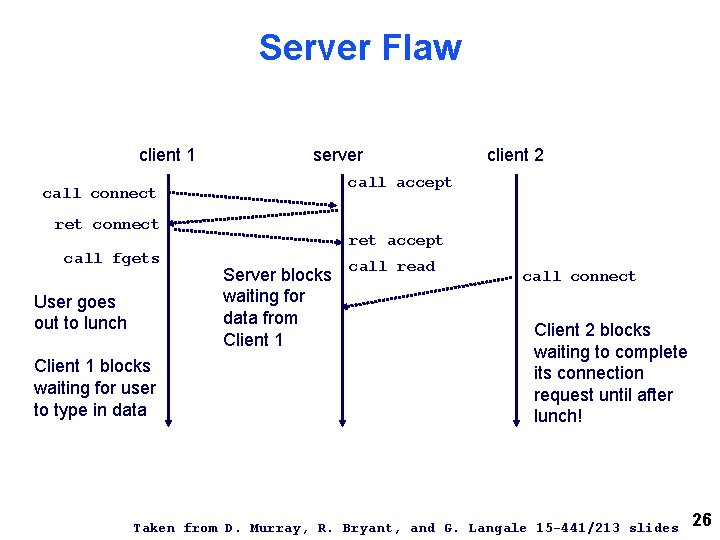
Server Flaw client 1 server call accept call connect ret connect call fgets User goes out to lunch Client 1 blocks waiting for user to type in data client 2 ret accept Server blocks waiting for data from Client 1 call read call connect Client 2 blocks waiting to complete its connection request until after lunch! Taken from D. Murray, R. Bryant, and G. Langale 15 -441/213 slides 26
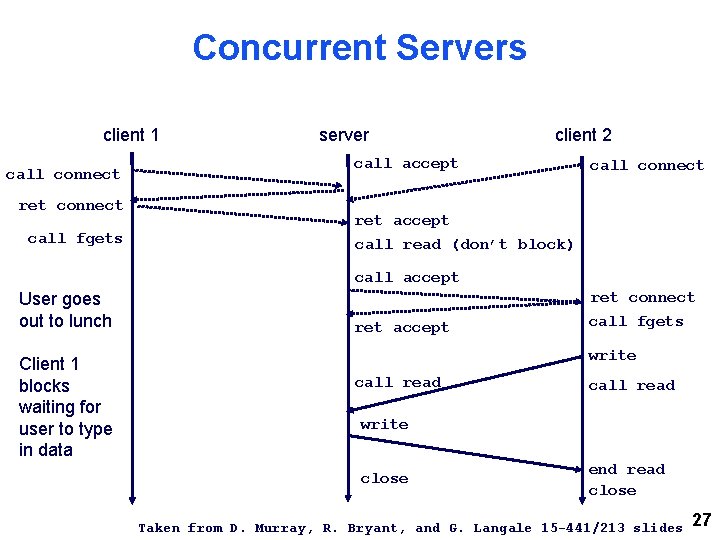
Concurrent Servers client 1 call connect ret connect call fgets server client 2 call accept call connect ret accept call read (don’t block) call accept User goes out to lunch Client 1 blocks waiting for user to type in data ret accept ret connect call fgets write call read write close end read close Taken from D. Murray, R. Bryant, and G. Langale 15 -441/213 slides 27
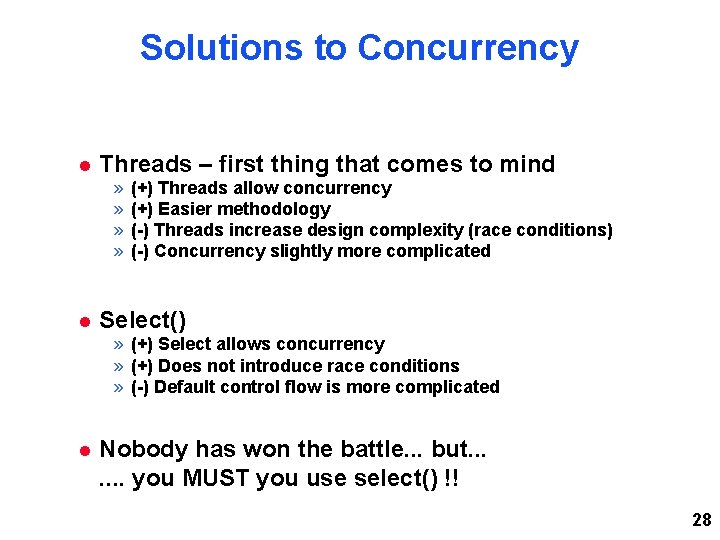
Solutions to Concurrency Threads – first thing that comes to mind » » (+) Threads allow concurrency (+) Easier methodology (-) Threads increase design complexity (race conditions) (-) Concurrency slightly more complicated Select() » (+) Select allows concurrency » (+) Does not introduce race conditions » (-) Default control flow is more complicated Nobody has won the battle. . . but. . . . you MUST you use select() !! 28
What Does Select Do? Allows you to monitor multiple file descriptors (straight from the “man”!) Why is this helpful? » accept() returns a new file descriptor for the incoming connection » set sockets to non-blocking. . . select does not specify how much we can write » “collect” incoming file descriptors and monitor all of them! 29
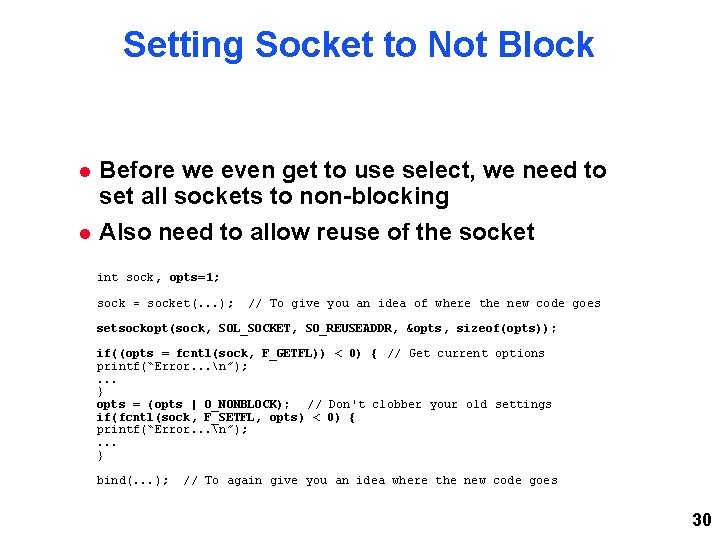
Setting Socket to Not Block Before we even get to use select, we need to set all sockets to non-blocking Also need to allow reuse of the socket int sock, opts=1; sock = socket(. . . ); // To give you an idea of where the new code goes setsockopt(sock, SOL_SOCKET, SO_REUSEADDR, &opts, sizeof(opts)); if((opts = fcntl(sock, F_GETFL)) < 0) { // Get current options printf(“Error. . . n”); . . . } opts = (opts | O_NONBLOCK); // Don't clobber your old settings if(fcntl(sock, F_SETFL, opts) < 0) { printf(“Error. . . n”); . . . } bind(. . . ); // To again give you an idea where the new code goes 30
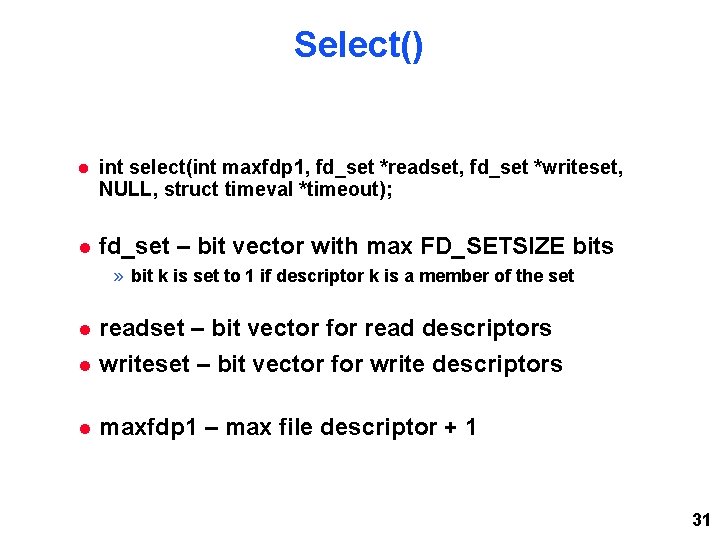
Select() int select(int maxfdp 1, fd_set *readset, fd_set *writeset, NULL, struct timeval *timeout); fd_set – bit vector with max FD_SETSIZE bits » bit k is set to 1 if descriptor k is a member of the set readset – bit vector for read descriptors writeset – bit vector for write descriptors maxfdp 1 – max file descriptor + 1 31
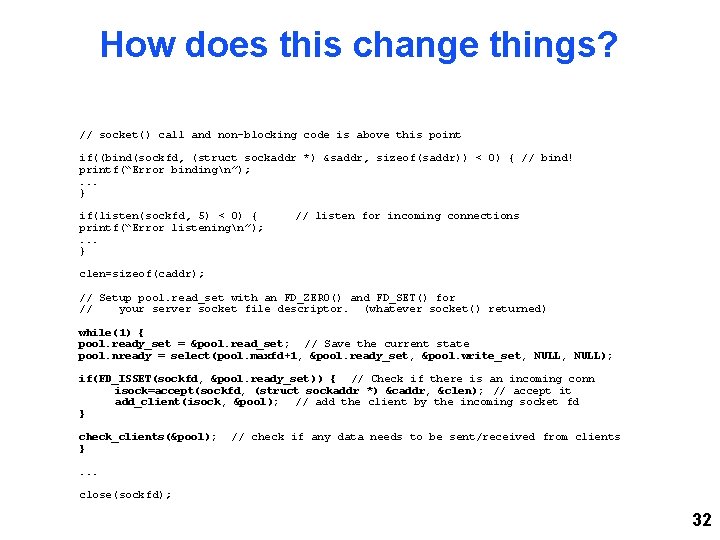
How does this change things? // socket() call and non-blocking code is above this point if((bind(sockfd, (struct sockaddr *) &saddr, sizeof(saddr)) < 0) { // bind! printf(“Error bindingn”); . . . } if(listen(sockfd, 5) < 0) { printf(“Error listeningn”); . . . } // listen for incoming connections clen=sizeof(caddr); // Setup pool. read_set with an FD_ZERO() and FD_SET() for // your server socket file descriptor. (whatever socket() returned) while(1) { pool. ready_set = &pool. read_set; // Save the current state pool. nready = select(pool. maxfd+1, &pool. ready_set, &pool. write_set, NULL); if(FD_ISSET(sockfd, &pool. ready_set)) { // Check if there is an incoming conn isock=accept(sockfd, (struct sockaddr *) &caddr, &clen); // accept it add_client(isock, &pool); // add the client by the incoming socket fd } check_clients(&pool); } // check if any data needs to be sent/received from clients . . . close(sockfd); 32
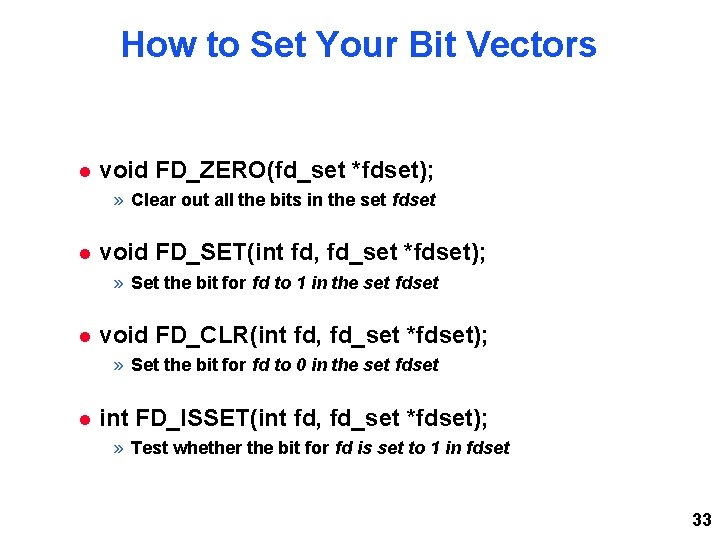
How to Set Your Bit Vectors void FD_ZERO(fd_set *fdset); » Clear out all the bits in the set fdset void FD_SET(int fd, fd_set *fdset); » Set the bit for fd to 1 in the set fdset void FD_CLR(int fd, fd_set *fdset); » Set the bit for fd to 0 in the set fdset int FD_ISSET(int fd, fd_set *fdset); » Test whether the bit for fd is set to 1 in fdset 33
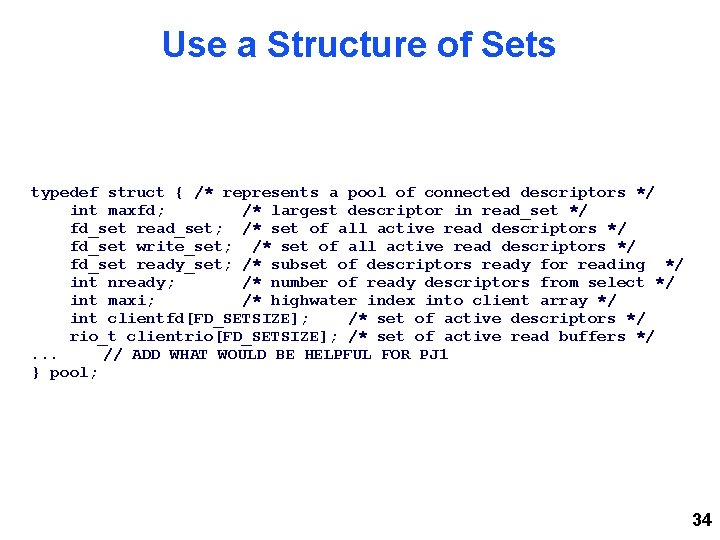
Use a Structure of Sets typedef struct { /* represents a pool of connected descriptors */ int maxfd; /* largest descriptor in read_set */ fd_set read_set; /* set of all active read descriptors */ fd_set write_set; /* set of all active read descriptors */ fd_set ready_set; /* subset of descriptors ready for reading */ int nready; /* number of ready descriptors from select */ int maxi; /* highwater index into client array */ int clientfd[FD_SETSIZE]; /* set of active descriptors */ rio_t clientrio[FD_SETSIZE]; /* set of active read buffers */. . . // ADD WHAT WOULD BE HELPFUL FOR PJ 1 } pool; 34
What Was check_clients() ? The main loop tests for incoming connections with FD_ISSET() only » But we have so many other file descriptors to test! Store your client file descriptors in pool. clientfd[ ] and test all of them with FD_ISSET() » Clients may be trying to send us data » We may have pending data to send to clients 35
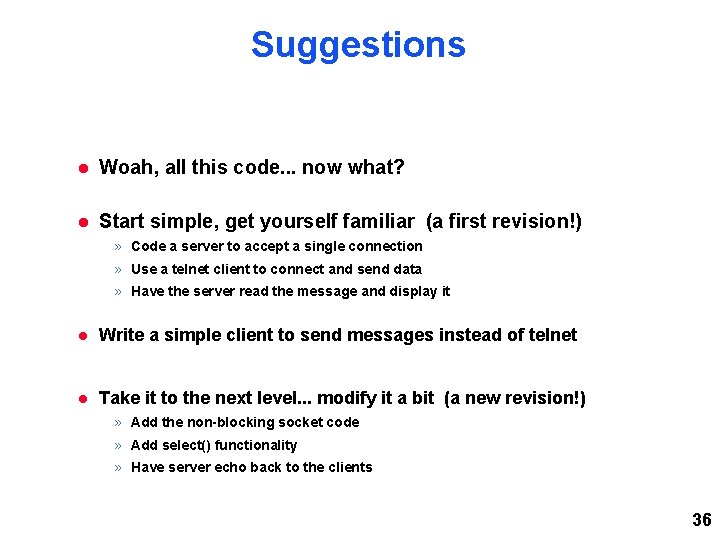
Suggestions Woah, all this code. . . now what? Start simple, get yourself familiar (a first revision!) » Code a server to accept a single connection » Use a telnet client to connect and send data » Have the server read the message and display it Write a simple client to send messages instead of telnet Take it to the next level. . . modify it a bit (a new revision!) » Add the non-blocking socket code » Add select() functionality » Have server echo back to the clients 36
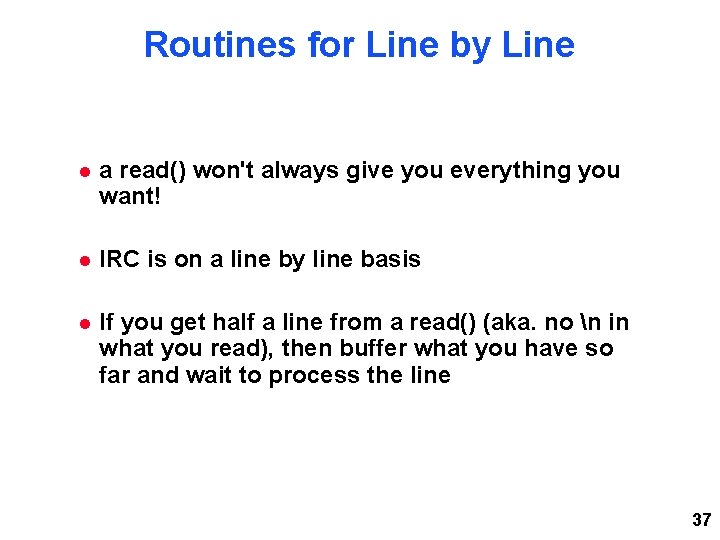
Routines for Line by Line a read() won't always give you everything you want! IRC is on a line by line basis If you get half a line from a read() (aka. no n in what you read), then buffer what you have so far and wait to process the line 37
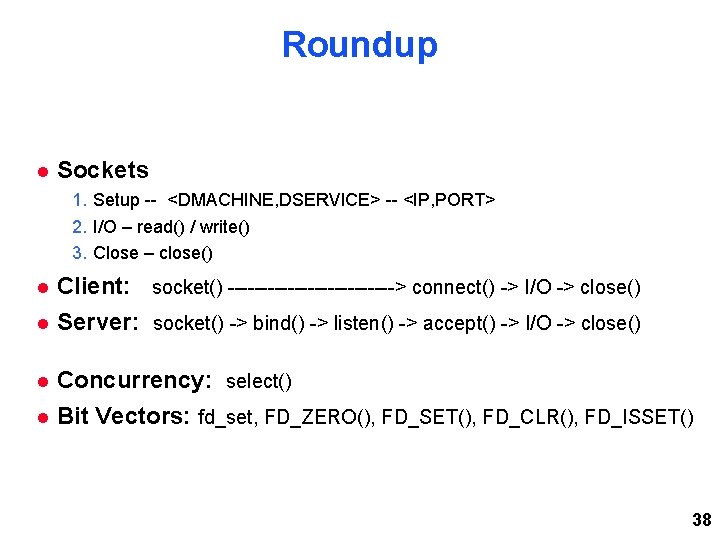
Roundup Sockets 1. Setup -- <DMACHINE, DSERVICE> -- <IP, PORT> 2. I/O – read() / write() 3. Close – close() Client: socket() -------------> connect() -> I/O -> close() Server: socket() -> bind() -> listen() -> accept() -> I/O -> close() Concurrency: select() Bit Vectors: fd_set, FD_ZERO(), FD_SET(), FD_CLR(), FD_ISSET() 38
Confusion? The more organized you keep your file descriptors, the better off you'll be Keep your while(1){ } thin, have functions check the bit vectors Questions? 39
Get Started Early Find your partner if you have not done so already Share your schedules and share what days and times you are free to meet Lots of c 0 d 3. . . » “Official Solution” -> ~5, 000 lines of code by: | wc Work ahead of the checkpoints! 40