
Lecture 4 MIPS Instruction Set Todays topic More
![Example Convert to assembly: C code: d[3] = d[2] + a; Assembly: lw $t](https://slidetodoc.com/presentation_image_h/7d700782df46953d5f72cf1b7ad2ad5f/image-7.jpg "Example Convert to assembly: C code: d[3] = d[2] + a; Assembly: lw $t")
![Example Convert to assembly: while (save[i] == k) i += 1; i and k](https://slidetodoc.com/presentation_image_h/7d700782df46953d5f72cf1b7ad2ad5f/image-13.jpg "Example Convert to assembly: while (save[i] == k) i += 1; i and k")
![Example Convert to assembly: while (save[i] == k) i += 1; i and k](https://slidetodoc.com/presentation_image_h/7d700782df46953d5f72cf1b7ad2ad5f/image-14.jpg "Example Convert to assembly: while (save[i] == k) i += 1; i and k")
- Slides: 24
Lecture 4: MIPS Instruction Set • Today’s topic: § More MIPS instructions § Procedure call/return 1
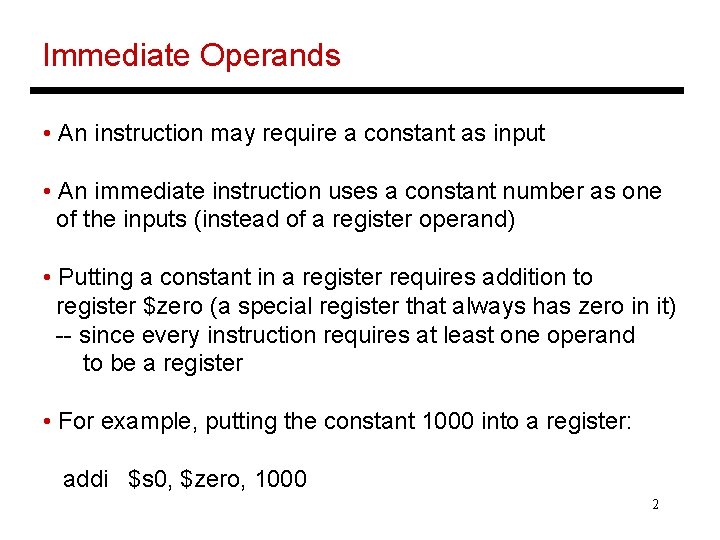
Immediate Operands • An instruction may require a constant as input • An immediate instruction uses a constant number as one of the inputs (instead of a register operand) • Putting a constant in a register requires addition to register $zero (a special register that always has zero in it) -- since every instruction requires at least one operand to be a register • For example, putting the constant 1000 into a register: addi $s 0, $zero, 1000 2
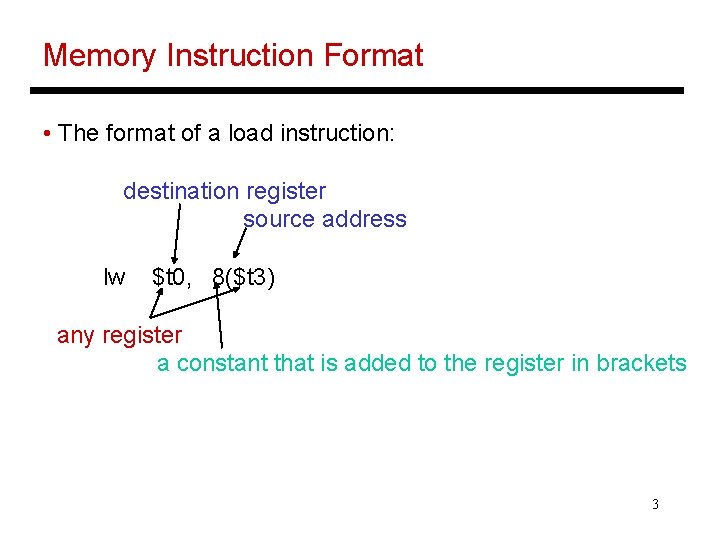
Memory Instruction Format • The format of a load instruction: destination register source address lw $t 0, 8($t 3) any register a constant that is added to the register in brackets 3
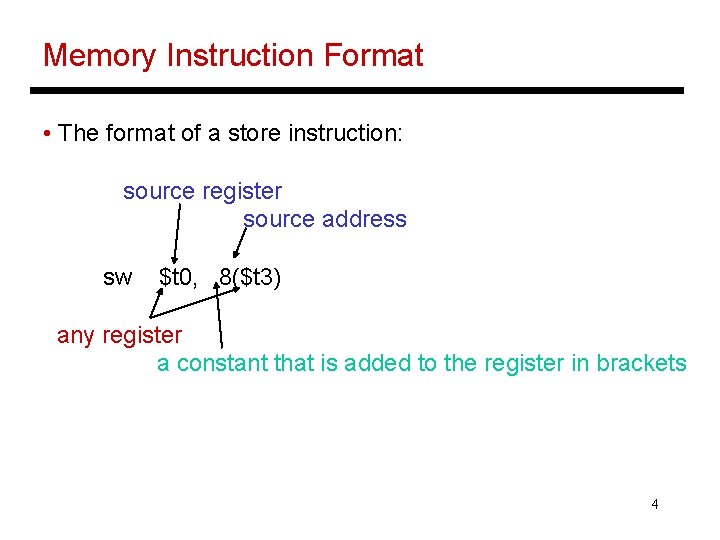
Memory Instruction Format • The format of a store instruction: source register source address sw $t 0, 8($t 3) any register a constant that is added to the register in brackets 4
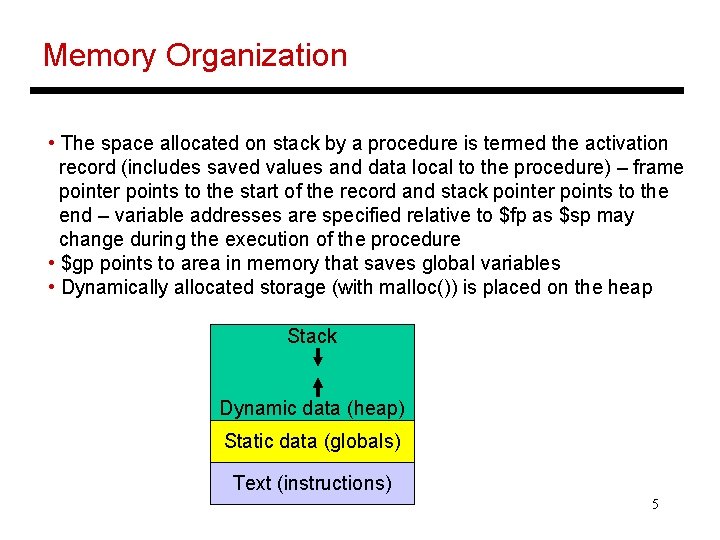
Memory Organization • The space allocated on stack by a procedure is termed the activation record (includes saved values and data local to the procedure) – frame pointer points to the start of the record and stack pointer points to the end – variable addresses are specified relative to $fp as $sp may change during the execution of the procedure • $gp points to area in memory that saves global variables • Dynamically allocated storage (with malloc()) is placed on the heap Stack Dynamic data (heap) Static data (globals) Text (instructions) 5
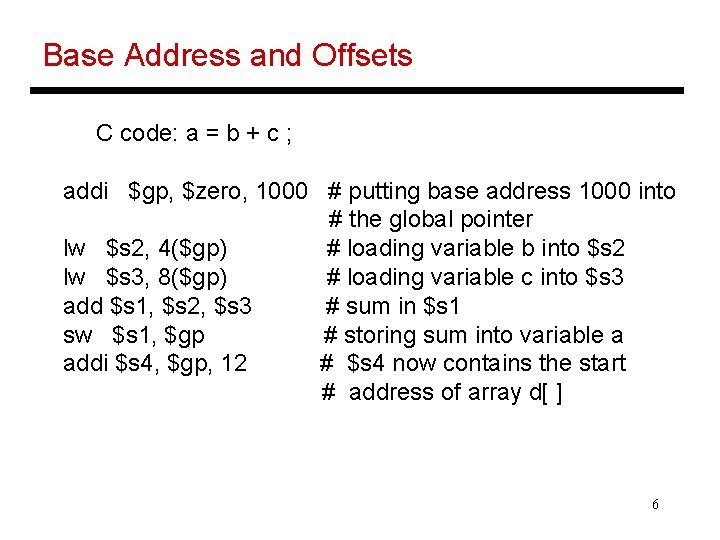
Base Address and Offsets C code: a = b + c ; addi $gp, $zero, 1000 # putting base address 1000 into # the global pointer lw $s 2, 4($gp) # loading variable b into $s 2 lw $s 3, 8($gp) # loading variable c into $s 3 add $s 1, $s 2, $s 3 # sum in $s 1 sw $s 1, $gp # storing sum into variable a addi $s 4, $gp, 12 # $s 4 now contains the start # address of array d[ ] 6
Example Convert to assembly: C code: d[3] = d[2] + a; Assembly: lw $t 0, 8($s 4) # d[2] is brought into $t 0 add $t 0, $s 1 # the sum is in $t 0 sw $t 0, 12($s 4) # $t 0 is stored into d[3] Assembly version of the code continues to expand! 7
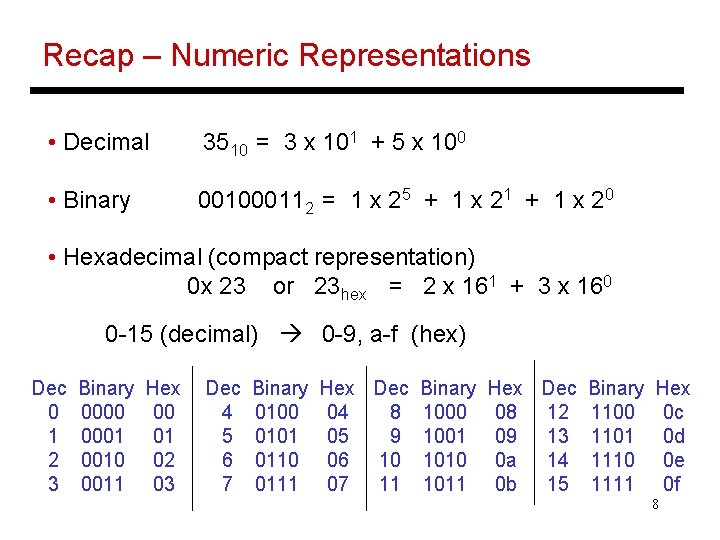
Recap – Numeric Representations • Decimal 3510 = 3 x 101 + 5 x 100 • Binary 001000112 = 1 x 25 + 1 x 21 + 1 x 20 • Hexadecimal (compact representation) 0 x 23 or 23 hex = 2 x 161 + 3 x 160 0 -15 (decimal) 0 -9, a-f (hex) Dec 0 1 2 3 Binary 0000 0001 0010 0011 Hex 00 01 02 03 Dec 4 5 6 7 Binary 0100 0101 0110 0111 Hex Dec Binary 04 8 1000 05 9 1001 06 10 1010 07 11 1011 Hex Dec Binary 08 12 1100 09 13 1101 0 a 14 1110 0 b 15 1111 Hex 0 c 0 d 0 e 0 f 8
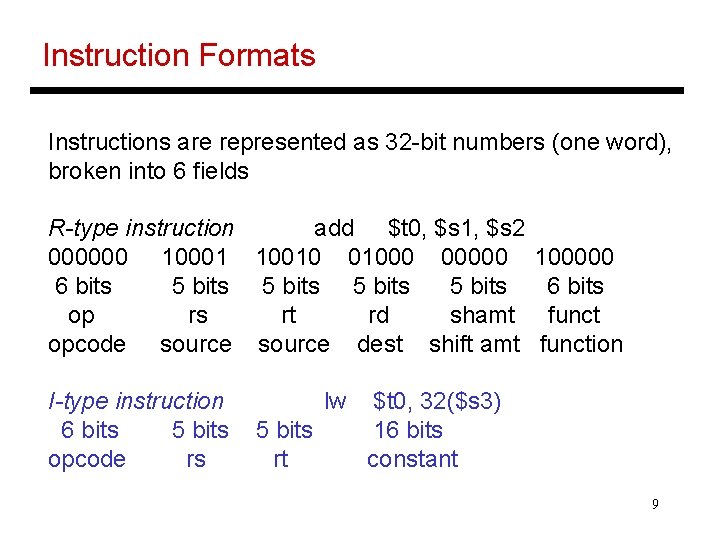
Instruction Formats Instructions are represented as 32 -bit numbers (one word), broken into 6 fields R-type instruction add $t 0, $s 1, $s 2 000000 10001 10010 01000 00000 6 bits 5 bits op rs rt rd shamt opcode source dest shift amt I-type instruction 6 bits 5 bits opcode rs lw 5 bits rt 100000 6 bits function $t 0, 32($s 3) 16 bits constant 9
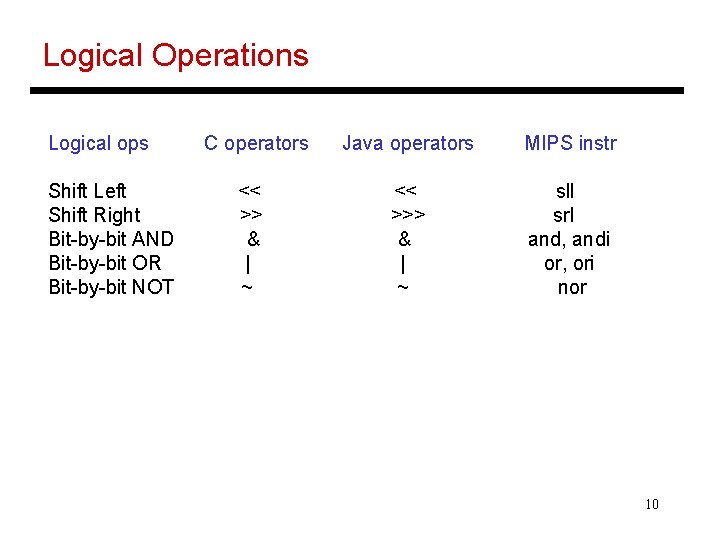
Logical Operations Logical ops Shift Left Shift Right Bit-by-bit AND Bit-by-bit OR Bit-by-bit NOT C operators << >> & | ~ Java operators MIPS instr << >>> & | ~ sll srl and, andi or, ori nor 10
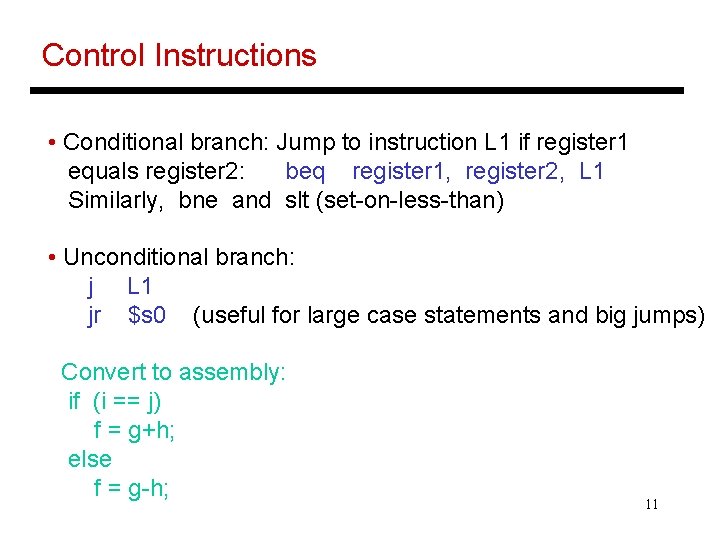
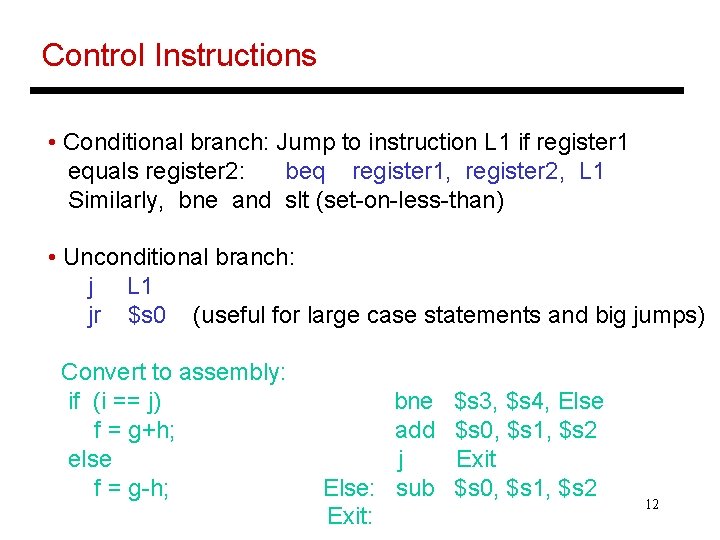
Control Instructions • Conditional branch: Jump to instruction L 1 if register 1 equals register 2: beq register 1, register 2, L 1 Similarly, bne and slt (set-on-less-than) • Unconditional branch: j L 1 jr $s 0 (useful for large case statements and big jumps) Convert to assembly: if (i == j) f = g+h; else f = g-h; 11
Control Instructions • Conditional branch: Jump to instruction L 1 if register 1 equals register 2: beq register 1, register 2, L 1 Similarly, bne and slt (set-on-less-than) • Unconditional branch: j L 1 jr $s 0 (useful for large case statements and big jumps) Convert to assembly: if (i == j) f = g+h; else f = g-h; bne add j Else: sub Exit: $s 3, $s 4, Else $s 0, $s 1, $s 2 Exit $s 0, $s 1, $s 2 12
Example Convert to assembly: while (save[i] == k) i += 1; i and k are in $s 3 and $s 5 and base of array save[] is in $s 6 13
Example Convert to assembly: while (save[i] == k) i += 1; i and k are in $s 3 and $s 5 and base of array save[] is in $s 6 Loop: sll add lw bne addi j Exit: $t 1, $s 3, 2 $t 1, $s 6 $t 0, 0($t 1) $t 0, $s 5, Exit $s 3, 1 Loop 14
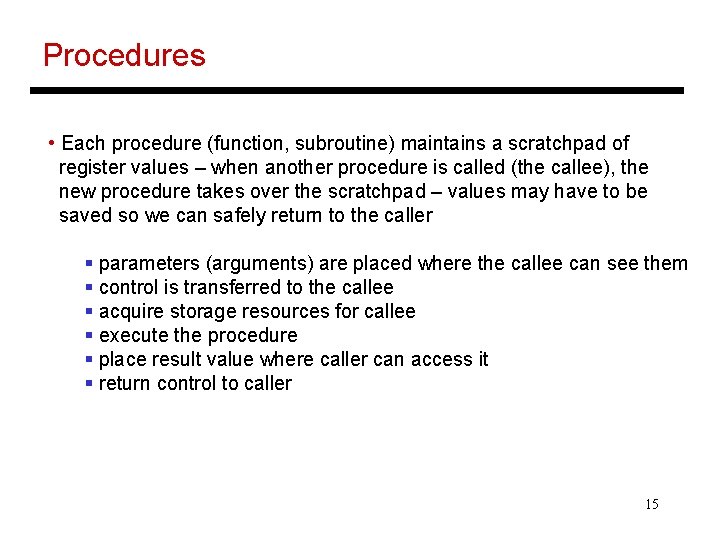
Procedures • Each procedure (function, subroutine) maintains a scratchpad of register values – when another procedure is called (the callee), the new procedure takes over the scratchpad – values may have to be saved so we can safely return to the caller § parameters (arguments) are placed where the callee can see them § control is transferred to the callee § acquire storage resources for callee § execute the procedure § place result value where caller can access it § return control to caller 15
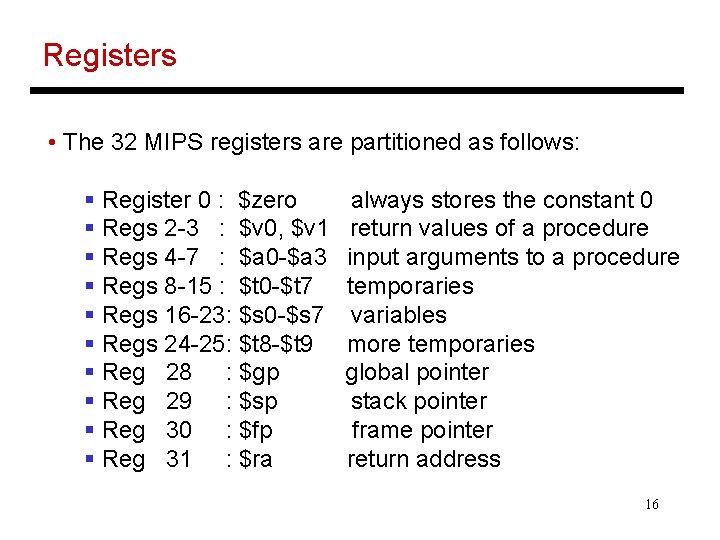
Registers • The 32 MIPS registers are partitioned as follows: § Register 0 : $zero § Regs 2 -3 : $v 0, $v 1 § Regs 4 -7 : $a 0 -$a 3 § Regs 8 -15 : $t 0 -$t 7 § Regs 16 -23: $s 0 -$s 7 § Regs 24 -25: $t 8 -$t 9 § Reg 28 : $gp § Reg 29 : $sp § Reg 30 : $fp § Reg 31 : $ra always stores the constant 0 return values of a procedure input arguments to a procedure temporaries variables more temporaries global pointer stack pointer frame pointer return address 16
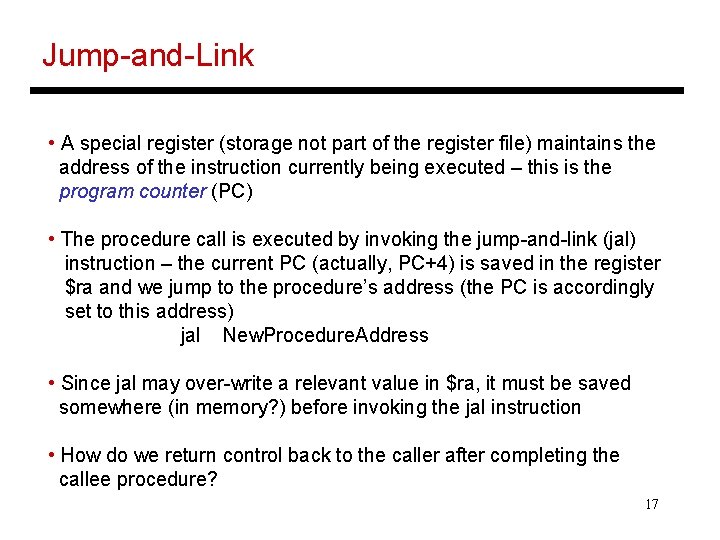
Jump-and-Link • A special register (storage not part of the register file) maintains the address of the instruction currently being executed – this is the program counter (PC) • The procedure call is executed by invoking the jump-and-link (jal) instruction – the current PC (actually, PC+4) is saved in the register $ra and we jump to the procedure’s address (the PC is accordingly set to this address) jal New. Procedure. Address • Since jal may over-write a relevant value in $ra, it must be saved somewhere (in memory? ) before invoking the jal instruction • How do we return control back to the caller after completing the callee procedure? 17
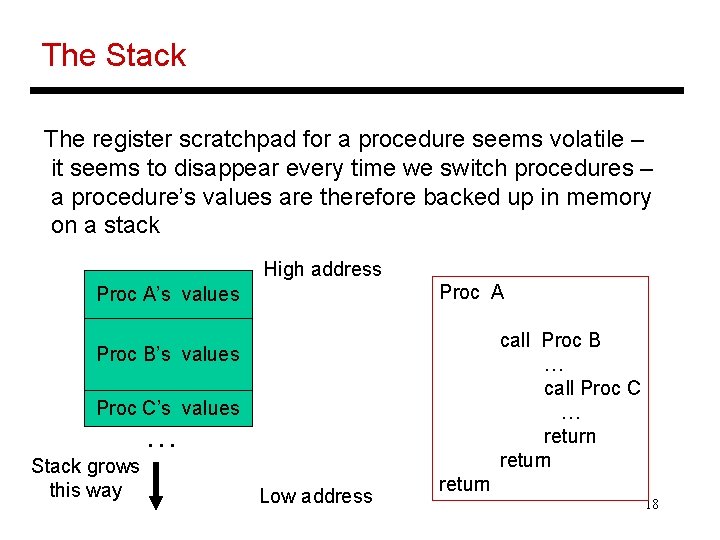
The Stack The register scratchpad for a procedure seems volatile – it seems to disappear every time we switch procedures – a procedure’s values are therefore backed up in memory on a stack High address Proc A’s values call Proc B … call Proc C … return Proc B’s values Proc C’s values … Stack grows this way Low address return 18
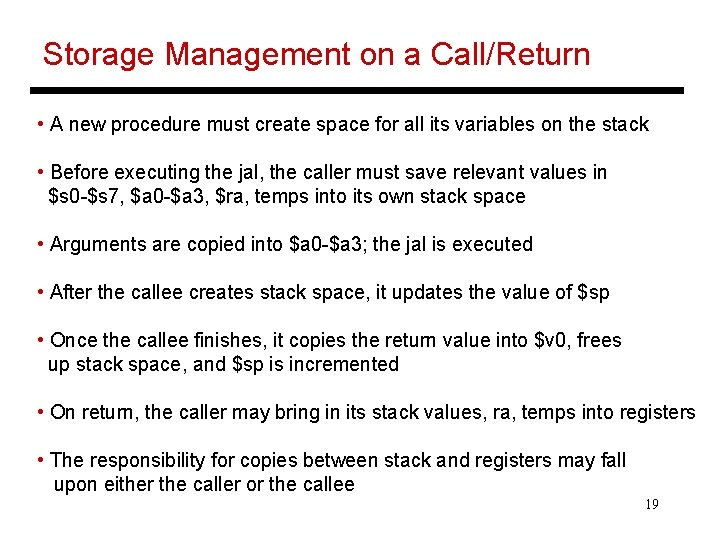
Storage Management on a Call/Return • A new procedure must create space for all its variables on the stack • Before executing the jal, the caller must save relevant values in $s 0 -$s 7, $a 0 -$a 3, $ra, temps into its own stack space • Arguments are copied into $a 0 -$a 3; the jal is executed • After the callee creates stack space, it updates the value of $sp • Once the callee finishes, it copies the return value into $v 0, frees up stack space, and $sp is incremented • On return, the caller may bring in its stack values, ra, temps into registers • The responsibility for copies between stack and registers may fall upon either the caller or the callee 19
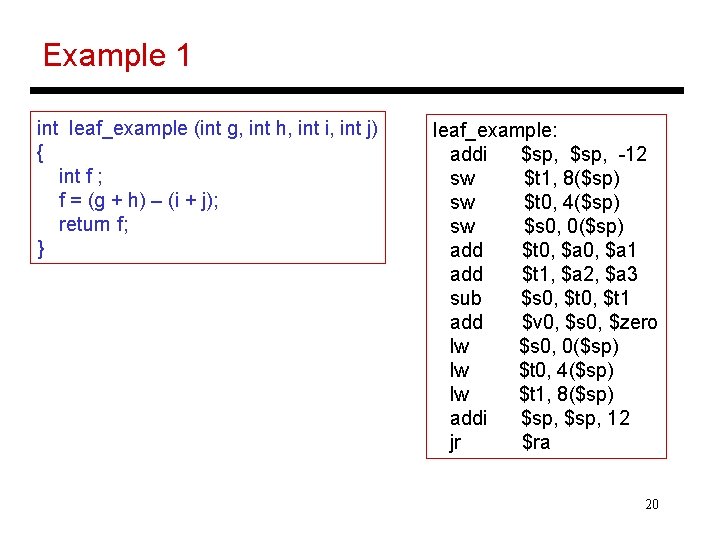
Example 1 int leaf_example (int g, int h, int i, int j) { int f ; f = (g + h) – (i + j); return f; } leaf_example: addi $sp, -12 sw $t 1, 8($sp) sw $t 0, 4($sp) sw $s 0, 0($sp) add $t 0, $a 1 add $t 1, $a 2, $a 3 sub $s 0, $t 1 add $v 0, $s 0, $zero lw $s 0, 0($sp) lw $t 0, 4($sp) lw $t 1, 8($sp) addi $sp, 12 jr $ra 20
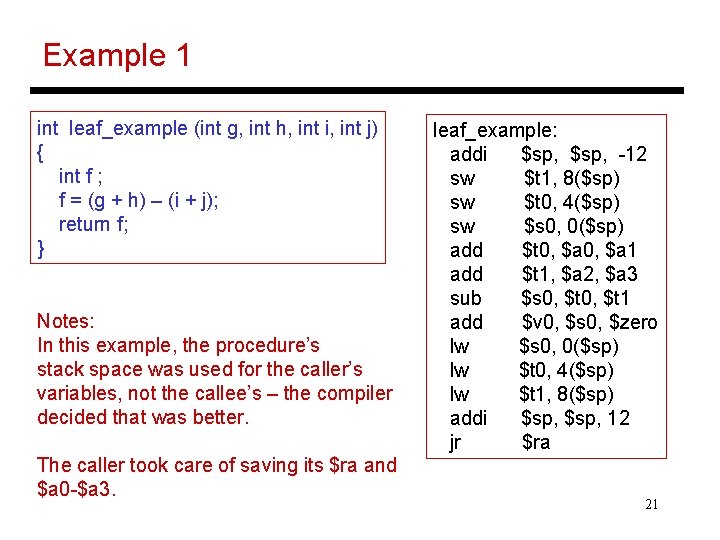
Example 1 int leaf_example (int g, int h, int i, int j) { int f ; f = (g + h) – (i + j); return f; } Notes: In this example, the procedure’s stack space was used for the caller’s variables, not the callee’s – the compiler decided that was better. The caller took care of saving its $ra and $a 0 -$a 3. leaf_example: addi $sp, -12 sw $t 1, 8($sp) sw $t 0, 4($sp) sw $s 0, 0($sp) add $t 0, $a 1 add $t 1, $a 2, $a 3 sub $s 0, $t 1 add $v 0, $s 0, $zero lw $s 0, 0($sp) lw $t 0, 4($sp) lw $t 1, 8($sp) addi $sp, 12 jr $ra 21
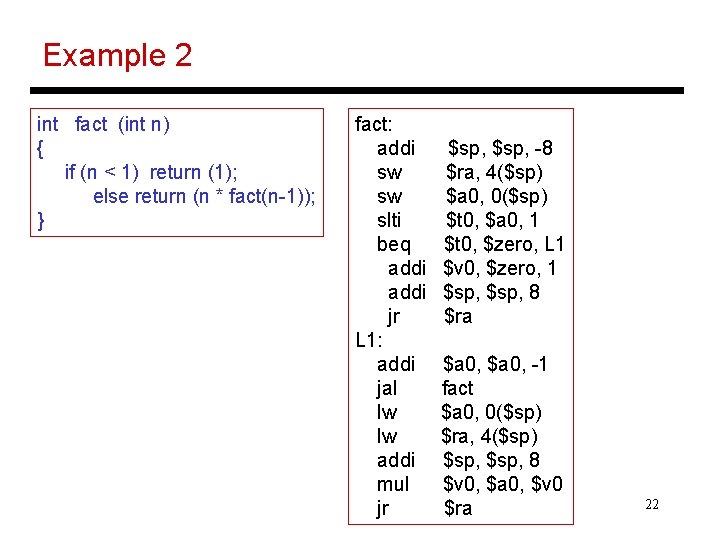
Example 2 int fact (int n) { if (n < 1) return (1); else return (n * fact(n-1)); } fact: addi sw sw slti beq addi jr L 1: addi jal lw lw addi mul jr $sp, -8 $ra, 4($sp) $a 0, 0($sp) $t 0, $a 0, 1 $t 0, $zero, L 1 $v 0, $zero, 1 $sp, 8 $ra $a 0, -1 fact $a 0, 0($sp) $ra, 4($sp) $sp, 8 $v 0, $a 0, $v 0 $ra 22
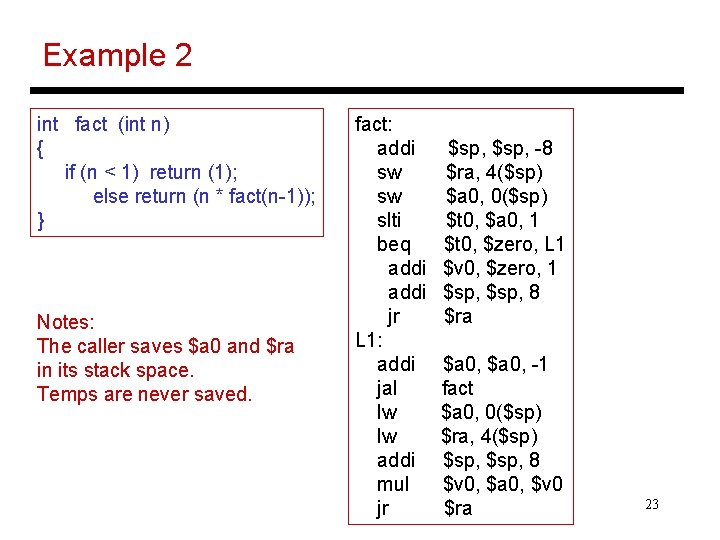
Example 2 int fact (int n) { if (n < 1) return (1); else return (n * fact(n-1)); } Notes: The caller saves $a 0 and $ra in its stack space. Temps are never saved. fact: addi sw sw slti beq addi jr L 1: addi jal lw lw addi mul jr $sp, -8 $ra, 4($sp) $a 0, 0($sp) $t 0, $a 0, 1 $t 0, $zero, L 1 $v 0, $zero, 1 $sp, 8 $ra $a 0, -1 fact $a 0, 0($sp) $ra, 4($sp) $sp, 8 $v 0, $a 0, $v 0 $ra 23
Title • Bullet 24