
Lecture 4 From Analysis to Design Sketching and
- Slides: 36
Lecture 4: From Analysis to Design: Sketching and Prototyping Brad Myers 05 -863 / 45 -888: Introduction to Human Computer Interaction for Technology Executives Fall, 2018, Mini 2 © 2018 - Brad Myers 1
Administrative l Homework 1 due l l Late: 5 points off immediately, then 5 more points each day at 1: 30 At most 1 week – until next Wednesday at 1: 30, then 0 Start on Homework 2 If Canvas is broken (only), email to me and TAs to prove it was done on time © 2018 - Brad Myers 2
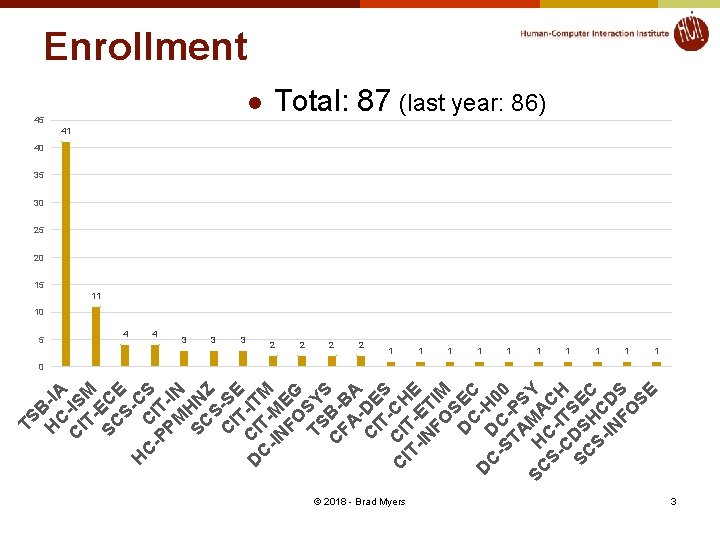
TS B H -IA C C -IS IT M SC EC S- E C H C C S -P IT PM -IN SC HN S- Z C SE IT C D IT -ITM C -IN M FO EG TS SY S C B-B FA A C -DE IT S C CI -CH IT T- E -IN E FO TIM S D EC C DC H 0 -S - 0 TA PS SC H MA Y S- C-I CH C TS SC DS E S- HC C IN D FO S SE Enrollment 45 5 l 4 4 3 3 3 Total: 87 (last year: 86) 41 40 35 30 25 20 15 11 10 2 2 1 © 2018 - Brad Myers 1 1 1 1 1 0 3
Going From Analysis To Design l l l Analysis produces lists of issues/problems = requirements Requirements also from elsewhere – e. g. , marketing Text (ch. 5) discusses requirements specifications l l How deduce the requirements themselves Vague vs. specific requirements l l How to write up the specifications l l Not further covered in this course – ref. software engineering But not necessarily how to address those requirements l l l “User Friendly” vs. “ENTER key should work in all text fields” Tradeoffs between conflicting goals Gap between Analysis and Design Note: design of UI, not design of the software © 2018 - Brad Myers 4
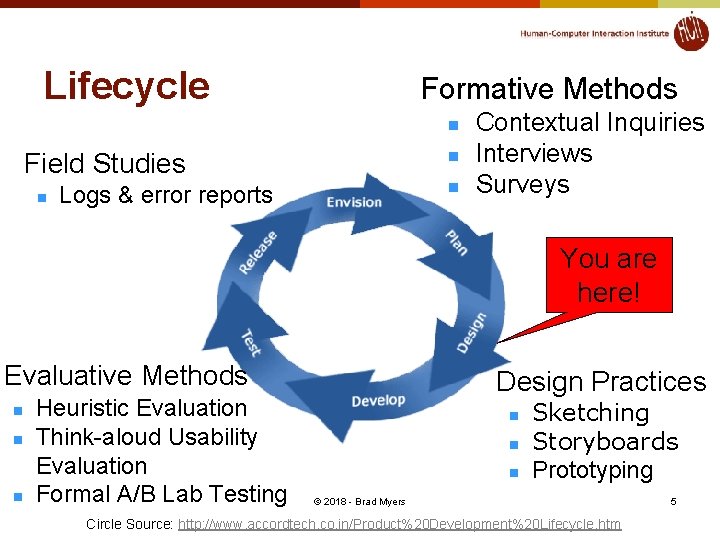
Lifecycle Formative Methods n Field Studies n n n Logs & error reports Contextual Inquiries Interviews Surveys You are here! Evaluative Methods n n n Heuristic Evaluation Think-aloud Usability Evaluation Formal A/B Lab Testing Design Practices n n n Sketching Storyboards Prototyping © 2018 - Brad Myers Circle Source: http: //www. accordtech. co. in/Product%20 Development%20 Lifecycle. htm 5
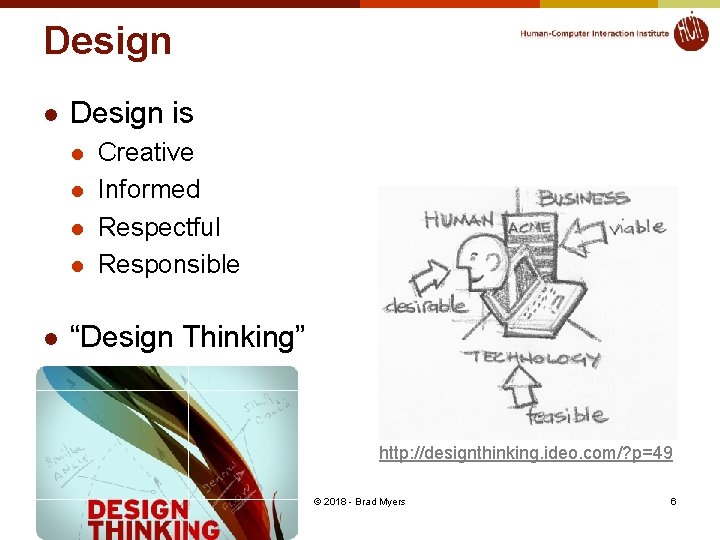
Design l Design is l l l Creative Informed Respectful Responsible “Design Thinking” http: //designthinking. ideo. com/? p=49 © 2018 - Brad Myers 6
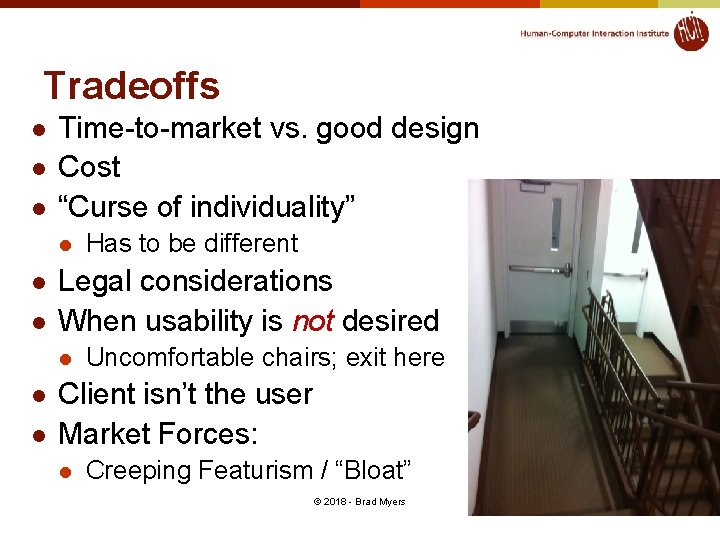
Tradeoffs l l l Time-to-market vs. good design Cost “Curse of individuality” l l l Legal considerations When usability is not desired l l l Has to be different Uncomfortable chairs; exit here Client isn’t the user Market Forces: l Creeping Featurism / “Bloat” © 2018 - Brad Myers 7
How Design? l Don’t know up front exactly what to design l l Don’t know real requirements Don’t know appropriate designs Can’t get perfect information from users Very little of the software is independent of the user interface l Database design, data structures, architecture l l l http: //www. cs. cmu. edu/~bej/usa/ So need to build and test = Iterative Design But too expensive to build the real system and test it l l Too hard to redesign Too much is already unchangeable © 2018 - Brad Myers 8
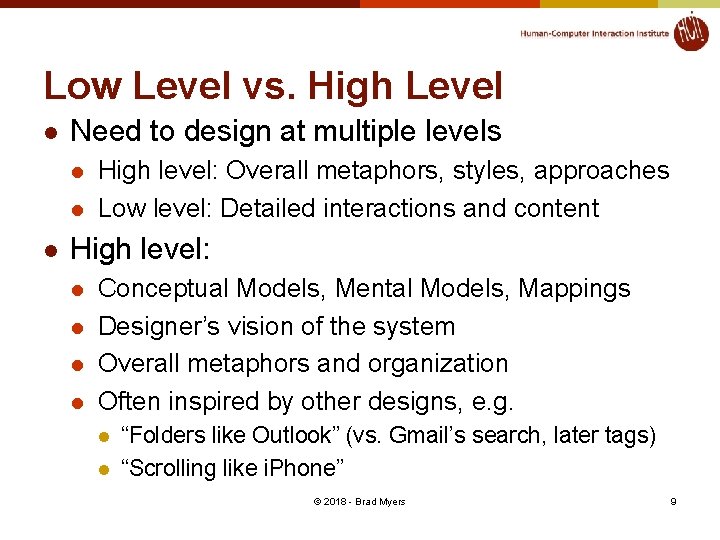
Low Level vs. High Level l Need to design at multiple levels l l l High level: Overall metaphors, styles, approaches Low level: Detailed interactions and content High level: l l Conceptual Models, Mental Models, Mappings Designer’s vision of the system Overall metaphors and organization Often inspired by other designs, e. g. l l “Folders like Outlook” (vs. Gmail’s search, later tags) “Scrolling like i. Phone” © 2018 - Brad Myers 9
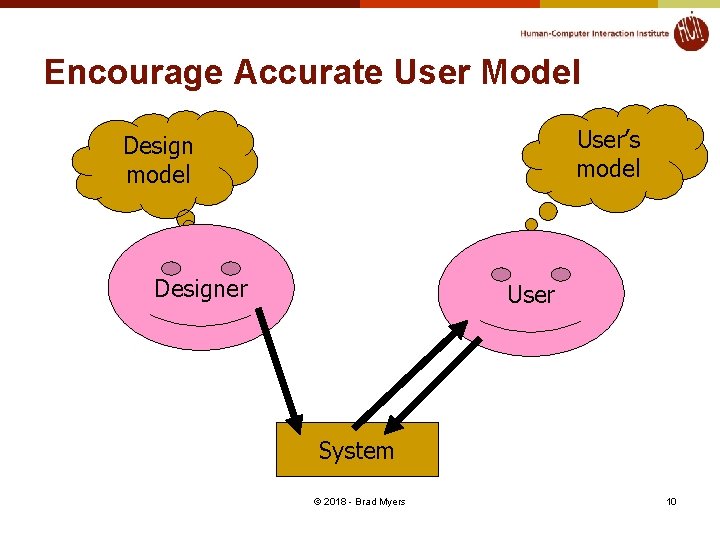
Encourage Accurate User Model User’s model Designer User System © 2018 - Brad Myers 10
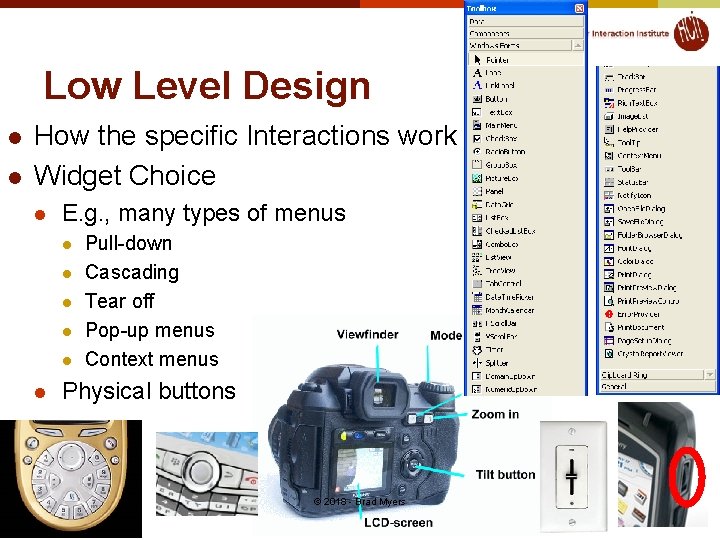
Low Level Design l l How the specific Interactions work Widget Choice l E. g. , many types of menus l l l Pull-down Cascading Tear off Pop-up menus Context menus Physical buttons © 2018 - Brad Myers 11
“Affordances” l “Perceived and actual properties of the thing, primarily those fundamental properties that determine how the thing could possibly be used. ” (Norman DOET book, p. 9) l “When affordances are taken advantage of, the user knows what to do just by looking” © 2018 - Brad Myers 12
Incorrect assessments l Three Mile Island l Incorrect meaning of indicator light that a valve was closed, when it really meant that the valve was told to close l There was no actual indicator of the status of the valve l Aegis: Ascent vs. Descent l Provide accurate and appropriate feedback © 2018 - Brad Myers 13
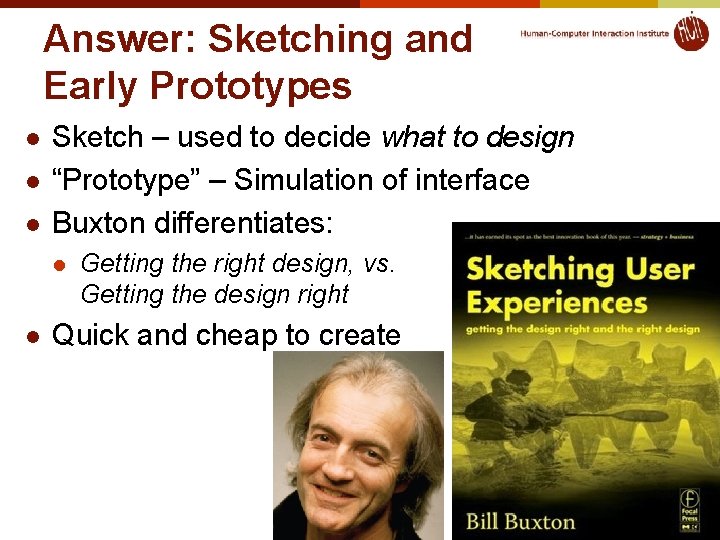
Answer: Sketching and Early Prototypes l l l Sketch – used to decide what to design “Prototype” – Simulation of interface Buxton differentiates: l l Getting the right design, vs. Getting the design right Quick and cheap to create © 2018 - Brad Myers 14
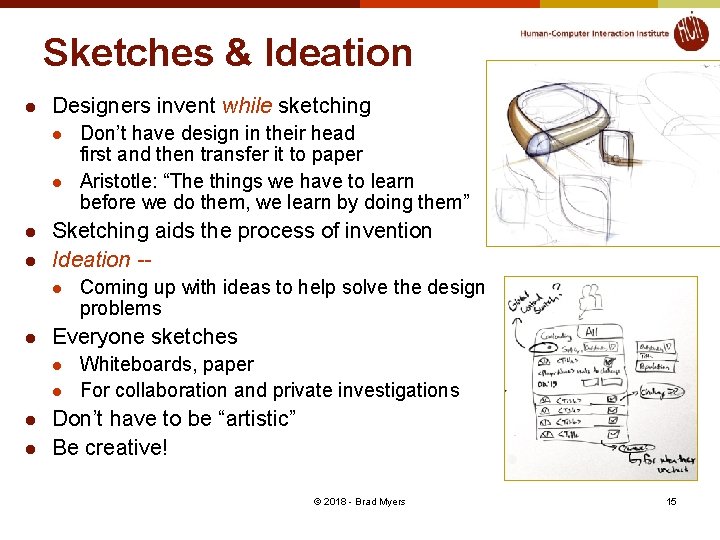
Sketches & Ideation l Designers invent while sketching l l Sketching aids the process of invention Ideation -l l Coming up with ideas to help solve the design problems Everyone sketches l l Don’t have design in their head first and then transfer it to paper Aristotle: “The things we have to learn before we do them, we learn by doing them” Whiteboards, paper For collaboration and private investigations Don’t have to be “artistic” Be creative! © 2018 - Brad Myers 15
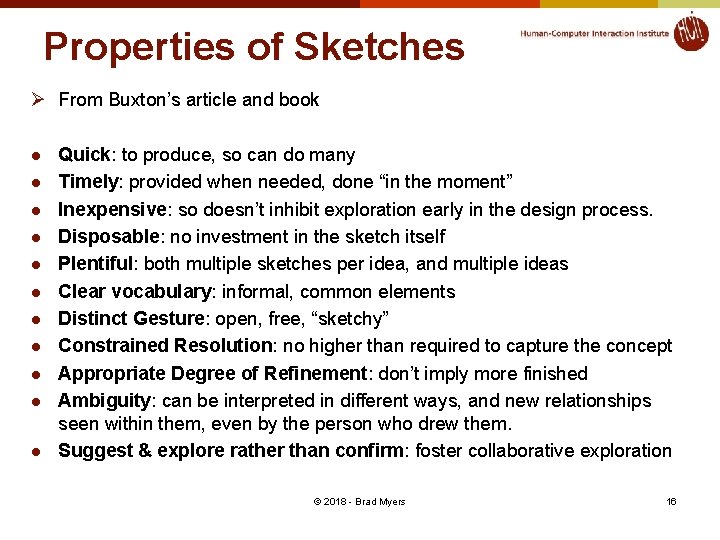
Properties of Sketches Ø From Buxton’s article and book l l l Quick: to produce, so can do many Timely: provided when needed, done “in the moment” Inexpensive: so doesn’t inhibit exploration early in the design process. Disposable: no investment in the sketch itself Plentiful: both multiple sketches per idea, and multiple ideas Clear vocabulary: informal, common elements Distinct Gesture: open, free, “sketchy” Constrained Resolution: no higher than required to capture the concept Appropriate Degree of Refinement: don’t imply more finished Ambiguity: can be interpreted in different ways, and new relationships seen within them, even by the person who drew them. Suggest & explore rather than confirm: foster collaborative exploration © 2018 - Brad Myers 16
Multiple Sketches l l l Linus Pauling: “The best way to a good idea is to have lots of ideas” In our survey, over 90% of designers explore multiple designs Real design firms – multiple people designing in parallel so multiple ideas l l Avoid just refining one sub-optimal idea Cite: https: //www. nngroup. com/articles/ux-deliverables-collaboration/ © 2018 - Brad Myers 17
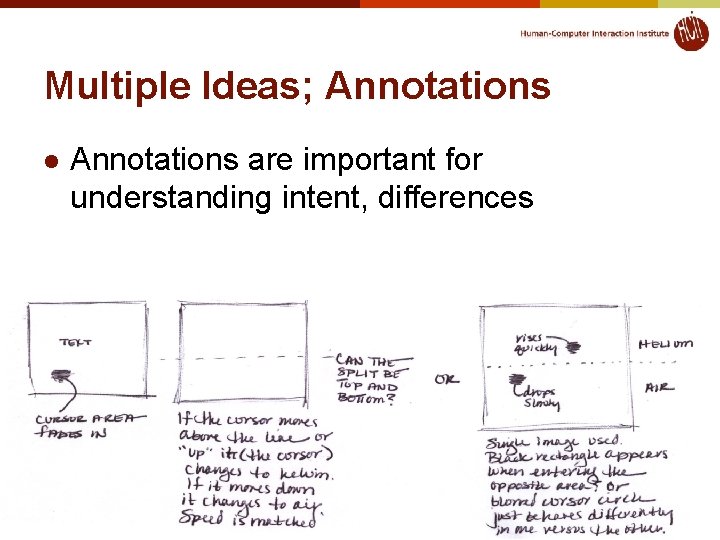
Multiple Ideas; Annotations l Annotations are important for understanding intent, differences © 2018 - Brad Myers 18
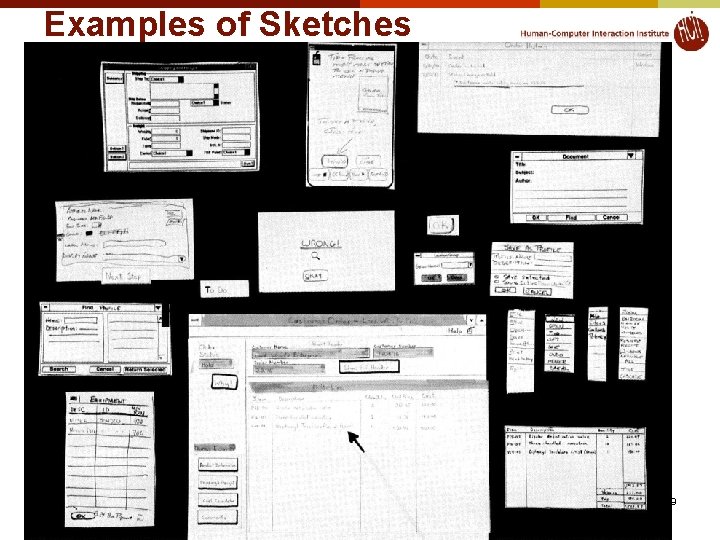
Examples of Sketches © 2018 - Brad Myers 19
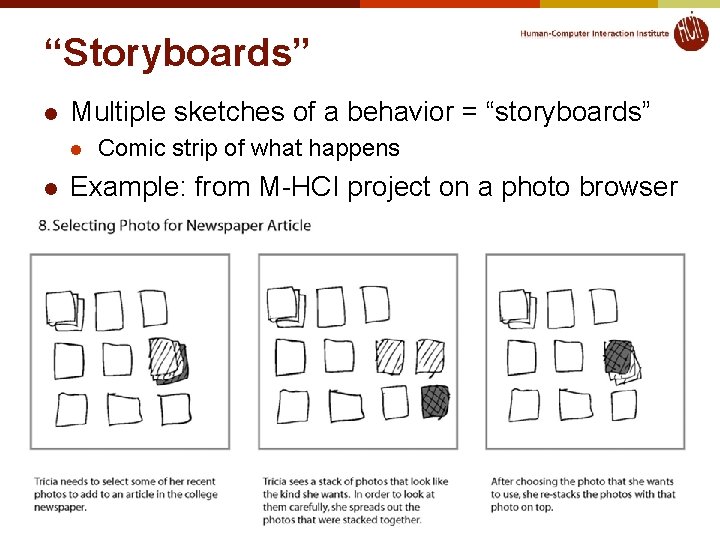
“Storyboards” l Multiple sketches of a behavior = “storyboards” l l Comic strip of what happens Example: from M-HCI project on a photo browser © 2018 - Brad Myers 20
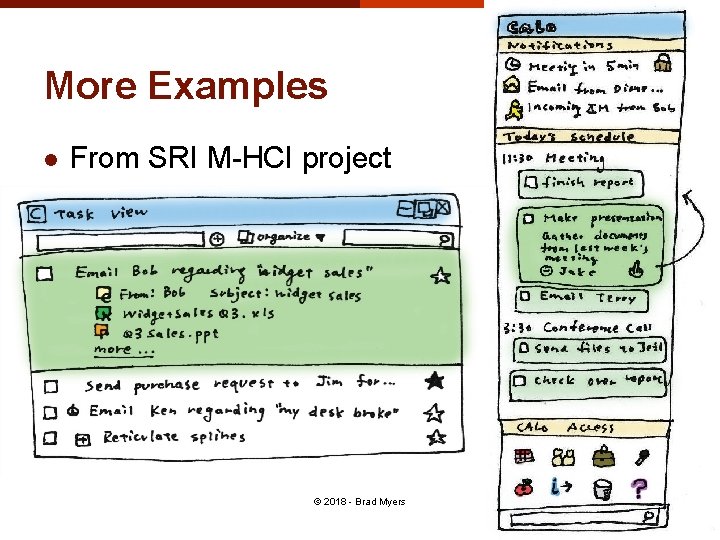
More Examples l From SRI M-HCI project © 2018 - Brad Myers 21
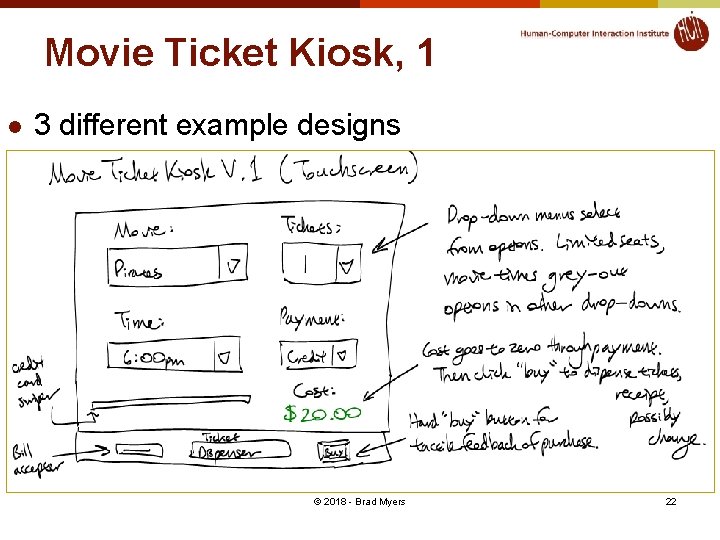
Movie Ticket Kiosk, 1 l 3 different example designs © 2018 - Brad Myers 22
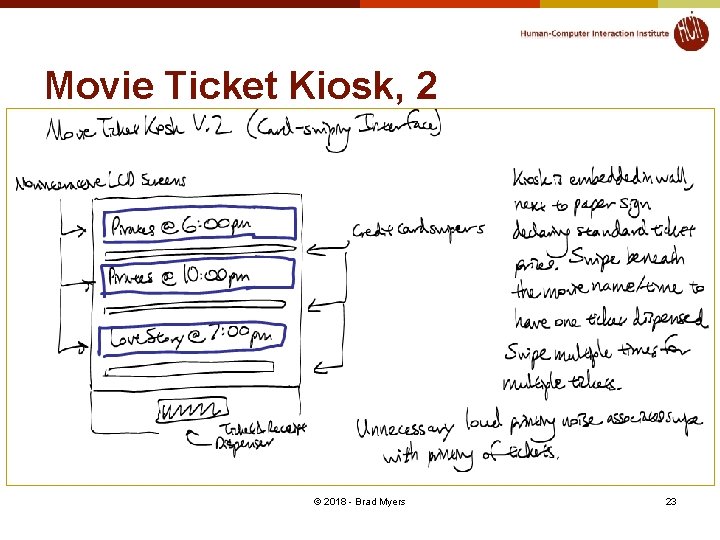
Movie Ticket Kiosk, 2 © 2018 - Brad Myers 23
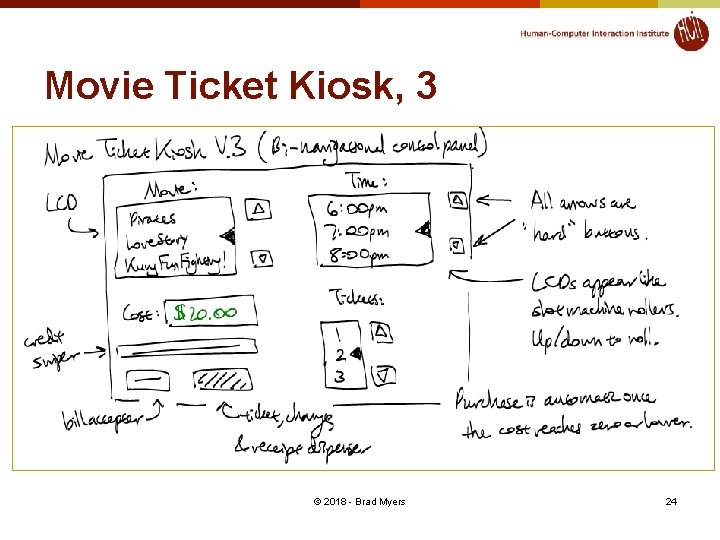
Movie Ticket Kiosk, 3 © 2018 - Brad Myers 24
Homework 2 l See homework 2 description: http: //www. cs. cmu. edu/~bam/uicourse/05863 fall 18/hw 2. html l Template: http: //www. cs. cmu. edu/~bam/uicourse/Paper Prototype of an Interface_Template 2018. docx © 2018 - Brad Myers 25
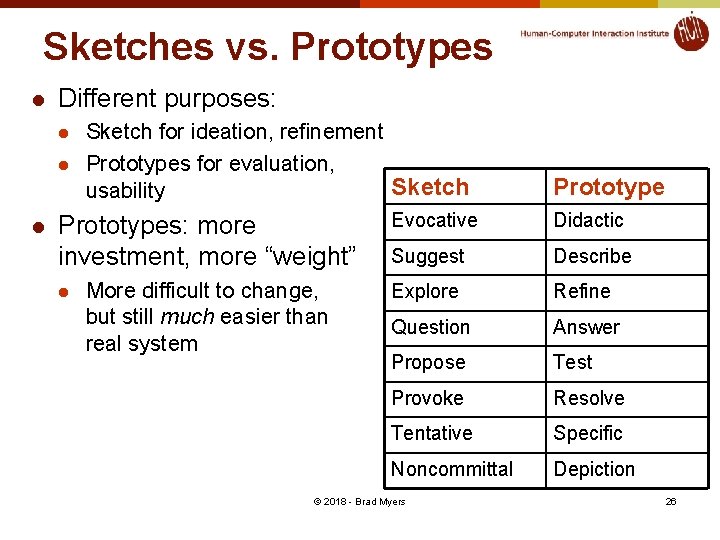
Sketches vs. Prototypes l Different purposes: l l l Sketch for ideation, refinement Prototypes for evaluation, Sketch usability Prototypes: more investment, more “weight” l More difficult to change, but still much easier than real system Prototype Evocative Didactic Suggest Describe Explore Refine Question Answer Propose Test Provoke Resolve Tentative Specific Noncommittal Depiction © 2018 - Brad Myers 26
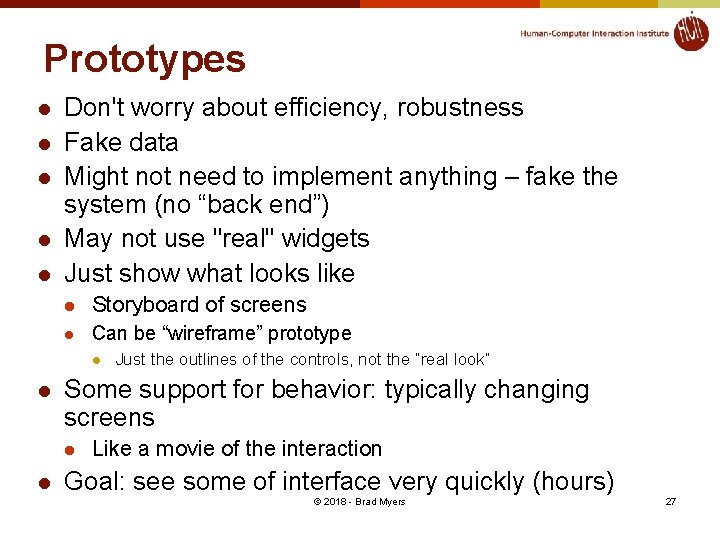
Prototypes l l l Don't worry about efficiency, robustness Fake data Might not need to implement anything – fake the system (no “back end”) May not use "real" widgets Just show what looks like l Storyboard of screens l Can be “wireframe” prototype l l Some support for behavior: typically changing screens l l Just the outlines of the controls, not the “real look” Like a movie of the interaction Goal: see some of interface very quickly (hours) © 2018 - Brad Myers 27
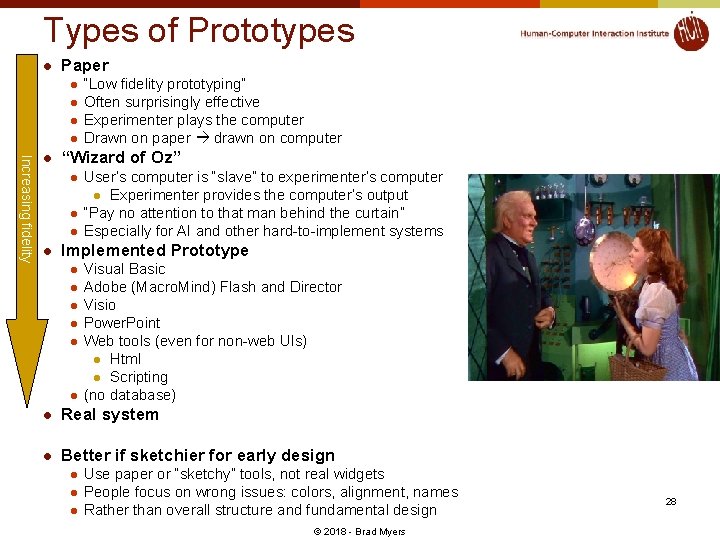
Types of Prototypes l Paper l l Increasing fidelity l “Wizard of Oz” l l “Low fidelity prototyping” Often surprisingly effective Experimenter plays the computer Drawn on paper drawn on computer User’s computer is “slave” to experimenter’s computer l Experimenter provides the computer’s output “Pay no attention to that man behind the curtain” Especially for AI and other hard-to-implement systems Implemented Prototype l l l Visual Basic Adobe (Macro. Mind) Flash and Director Visio Power. Point Web tools (even for non-web UIs) l Html l Scripting (no database) l Real system l Better if sketchier for early design l l l Use paper or “sketchy” tools, not real widgets People focus on wrong issues: colors, alignment, names Rather than overall structure and fundamental design © 2018 - Brad Myers 28
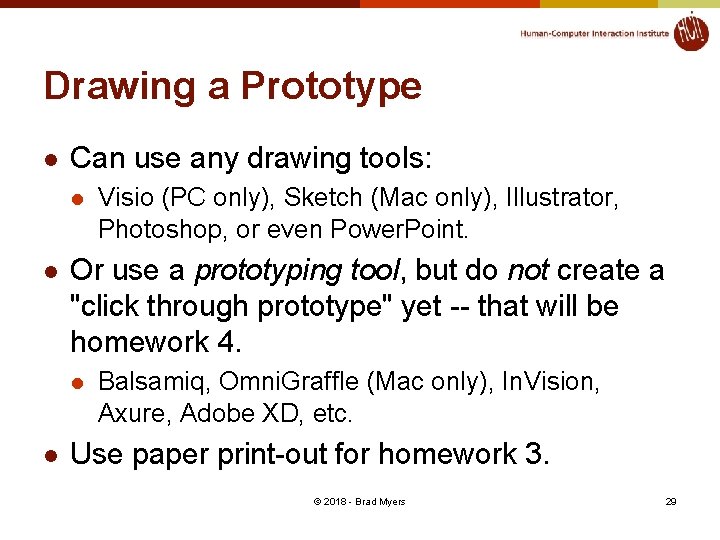
Drawing a Prototype l Can use any drawing tools: l l Or use a prototyping tool, but do not create a "click through prototype" yet -- that will be homework 4. l l Visio (PC only), Sketch (Mac only), Illustrator, Photoshop, or even Power. Point. Balsamiq, Omni. Graffle (Mac only), In. Vision, Axure, Adobe XD, etc. Use paper print-out for homework 3. © 2018 - Brad Myers 29
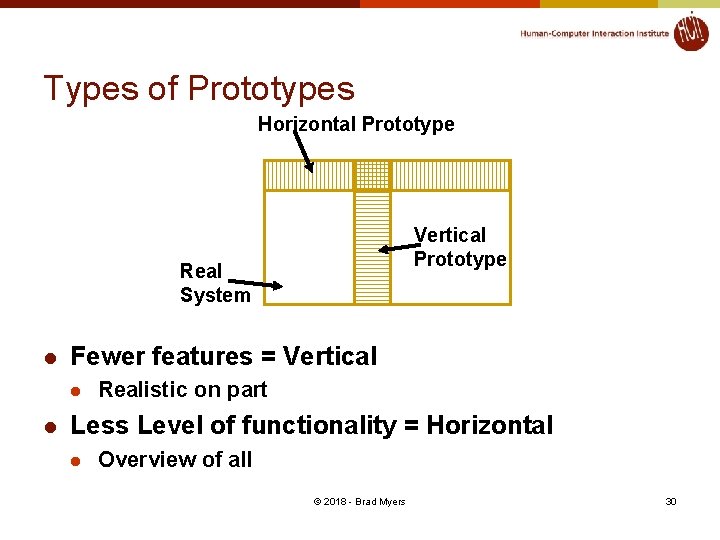
Types of Prototypes Horizontal Prototype Vertical Prototype Real System l Fewer features = Vertical l l Realistic on part Less Level of functionality = Horizontal l Overview of all © 2018 - Brad Myers 30
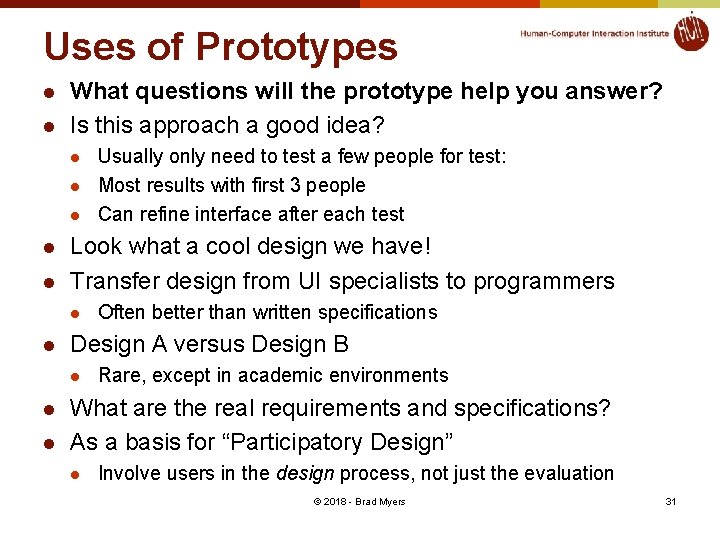
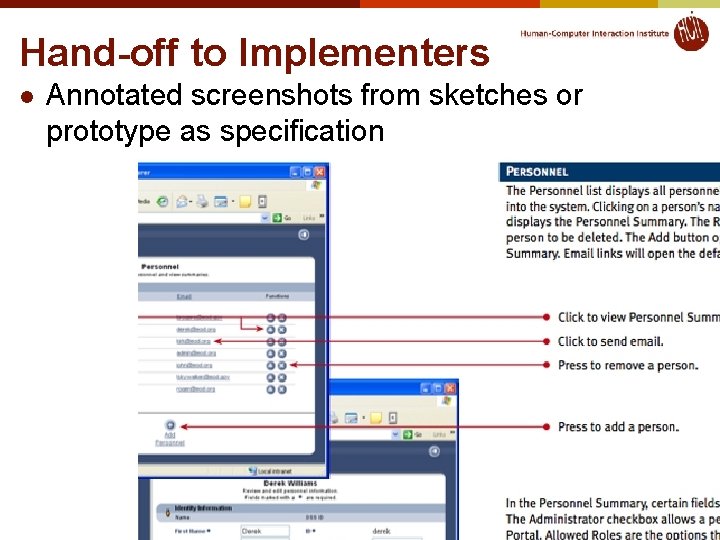
Uses of Prototypes l l What questions will the prototype help you answer? Is this approach a good idea? l l l Look what a cool design we have! Transfer design from UI specialists to programmers l l l Often better than written specifications Design A versus Design B l l Usually only need to test a few people for test: Most results with first 3 people Can refine interface after each test Rare, except in academic environments What are the real requirements and specifications? As a basis for “Participatory Design” l Involve users in the design process, not just the evaluation © 2018 - Brad Myers 31
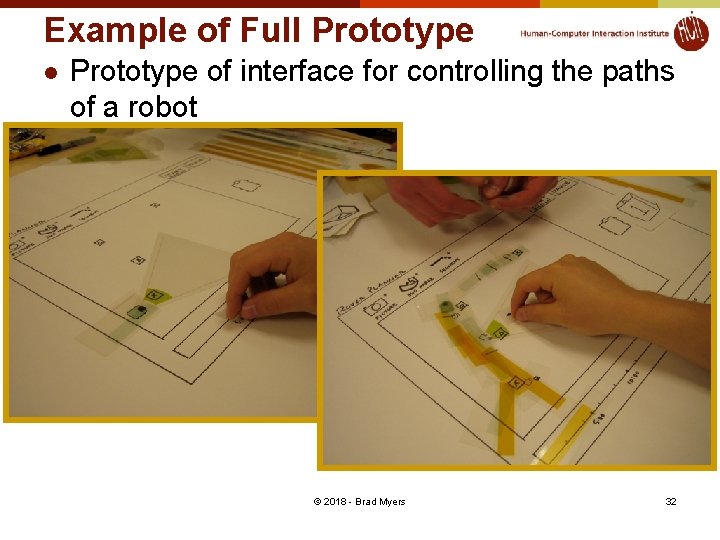
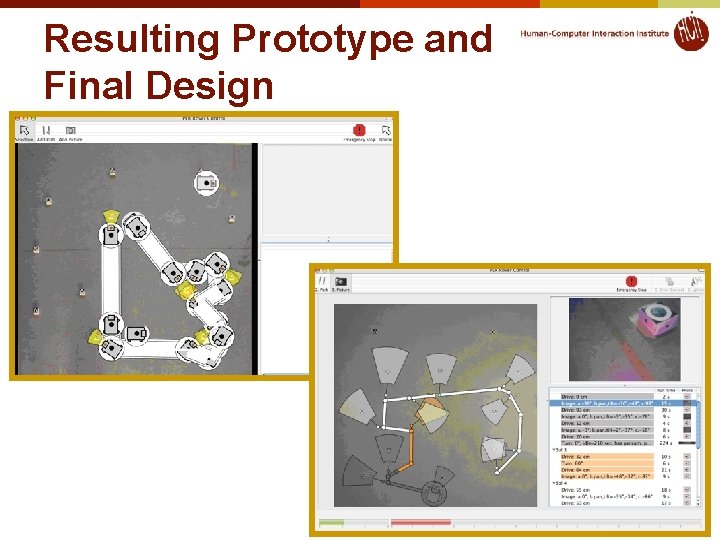
Example of Full Prototype of interface for controlling the paths of a robot © 2018 - Brad Myers 32
Resulting Prototype and Final Design © 2018 - Brad Myers 33
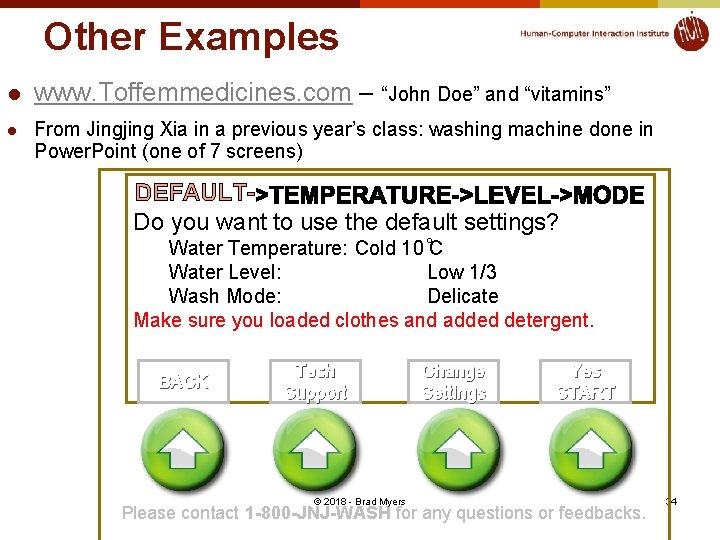
Other Examples l www. Toffemmedicines. com – “John Doe” and “vitamins” l From Jingjing Xia in a previous year’s class: washing machine done in Power. Point (one of 7 screens) DEFAULTDo you want to use the default settings? Water Temperature: Cold 10 C Water Level: Low 1/3 Wash Mode: Delicate Make sure you loaded clothes and added detergent. BACK Tech Support Change Settings Yes START © 2018 - Brad Myers Please contact 1 -800 -JNJ-WASH for any questions or feedbacks. 34
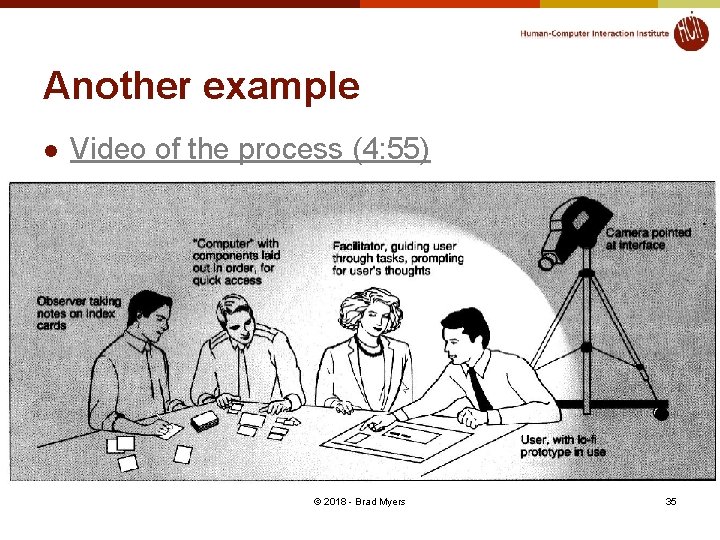
Another example l Video of the process (4: 55) © 2018 - Brad Myers 35
Hand-off to Implementers l Annotated screenshots from sketches or prototype as specification © 2018 - Brad Myers 36