
Lecture 4 Control Flow Structures LOOPS Presented By

Lecture 4 Control Flow Structures (LOOPS) Presented By Dr. Rajesh Palit Asst. Professor, EECS, NSU Originally Prepared By Dr. Shazzad Hosain, EECS, NSU
Agenda • Control Flow Structures – FOR Loop – WHILE Loop – REPEAT-UNTIL Loop • Load Effective Address (LEA) Instruction • Programming with Higher Level Structures
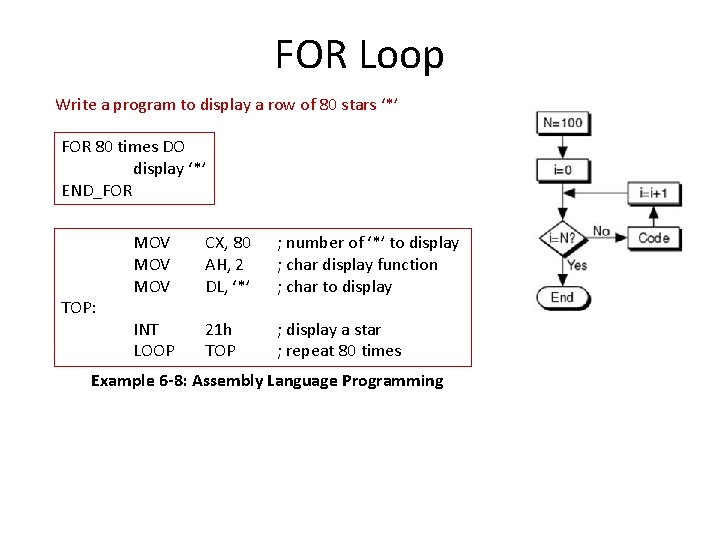
FOR Loop Write a program to display a row of 80 stars ‘*’ FOR 80 times DO display ‘*’ END_FOR TOP: MOV MOV CX, 80 AH, 2 DL, ‘*’ ; number of ‘*’ to display ; char display function ; char to display INT LOOP 21 h TOP ; display a star ; repeat 80 times Example 6 -8: Assembly Language Programming
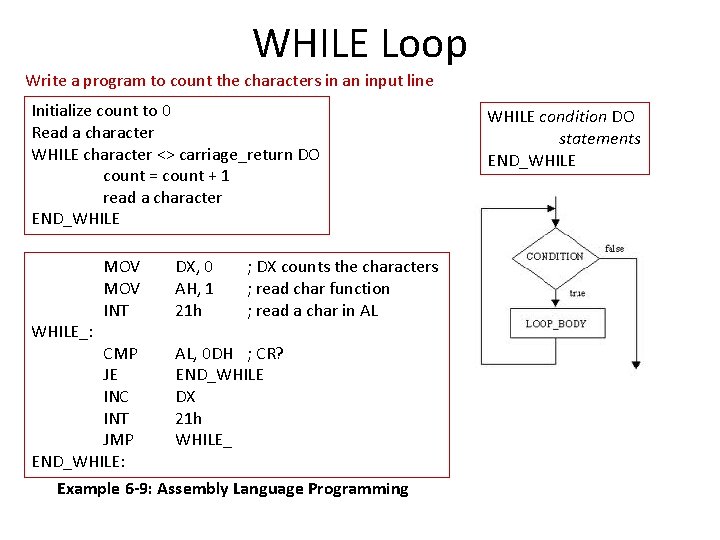
WHILE Loop Write a program to count the characters in an input line Initialize count to 0 Read a character WHILE character <> carriage_return DO count = count + 1 read a character END_WHILE_: MOV INT CMP JE INC INT JMP END_WHILE: DX, 0 AH, 1 21 h ; DX counts the characters ; read char function ; read a char in AL AL, 0 DH ; CR? END_WHILE DX 21 h WHILE_ Example 6 -9: Assembly Language Programming WHILE condition DO statements END_WHILE
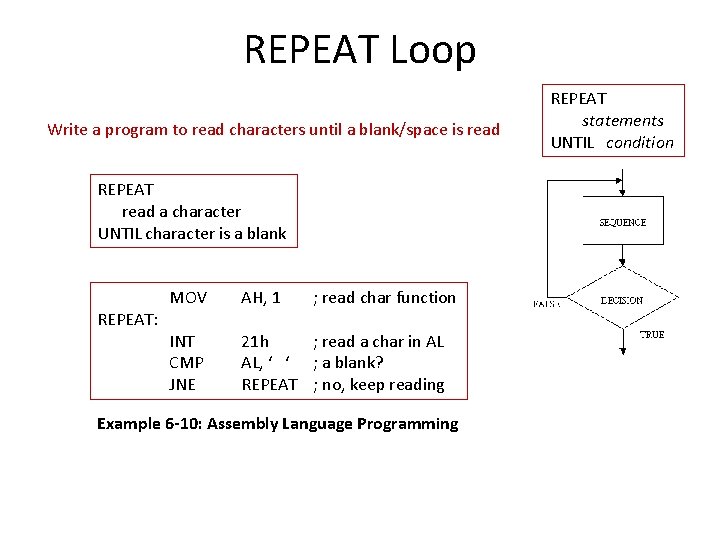
REPEAT Loop Write a program to read characters until a blank/space is read REPEAT read a character UNTIL character is a blank REPEAT: MOV AH, 1 ; read char function INT CMP JNE 21 h ; read a char in AL AL, ‘ ‘ ; a blank? REPEAT ; no, keep reading Example 6 -10: Assembly Language Programming REPEAT statements UNTIL condition
Road Map • Control Flow Structures – IF-THEN-ELSE – CASE – FOR Loop – WHILE Loop – REPEAT-UNTIL Loop • Load Effective Address (LEA) Instruction • Programming with Higher Level Structures
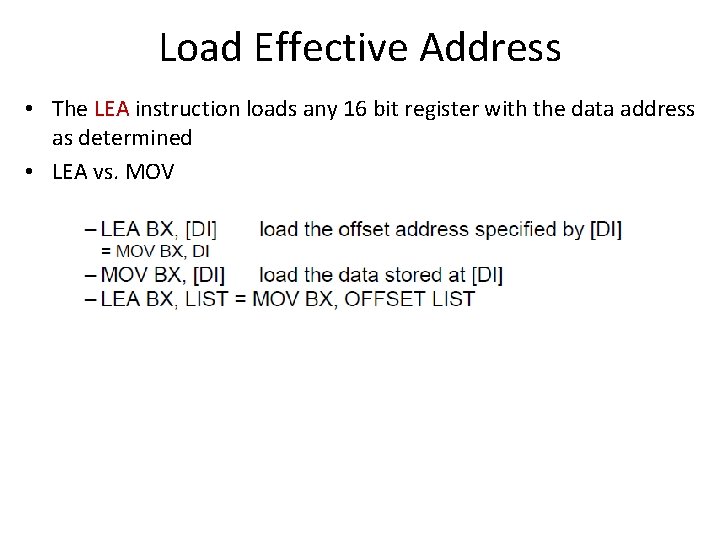
Load Effective Address • The LEA instruction loads any 16 bit register with the data address as determined • LEA vs. MOV
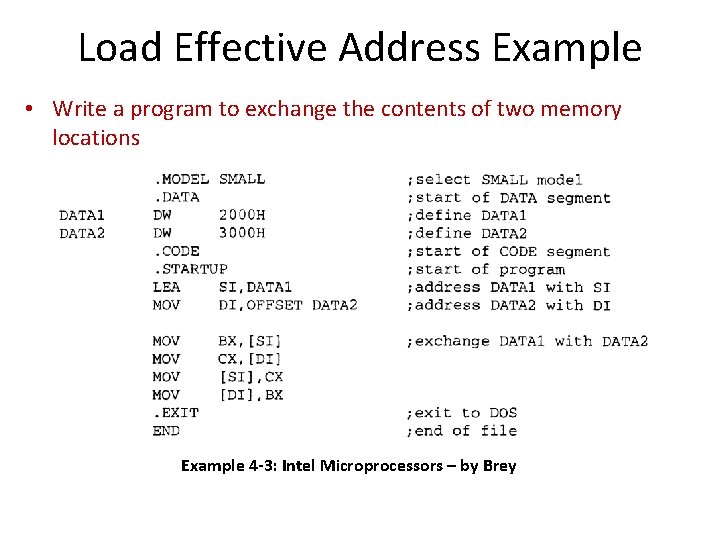
Load Effective Address Example • Write a program to exchange the contents of two memory locations Example 4 -3: Intel Microprocessors – by Brey
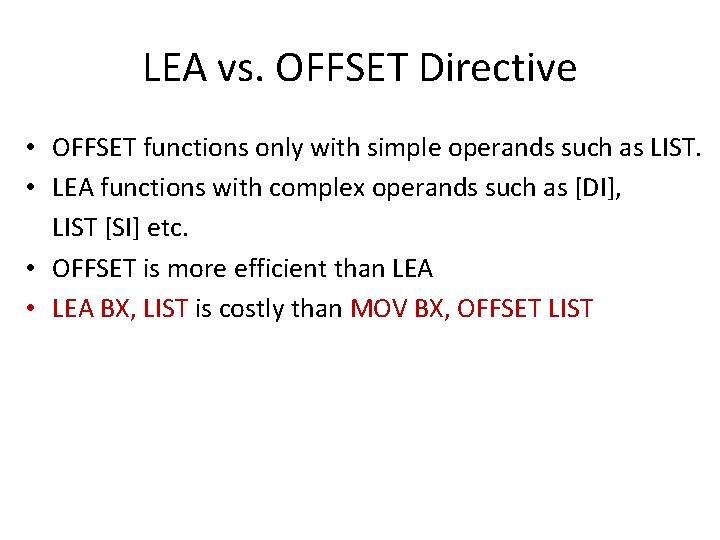
LEA vs. OFFSET Directive • OFFSET functions only with simple operands such as LIST. • LEA functions with complex operands such as [DI], LIST [SI] etc. • OFFSET is more efficient than LEA • LEA BX, LIST is costly than MOV BX, OFFSET LIST
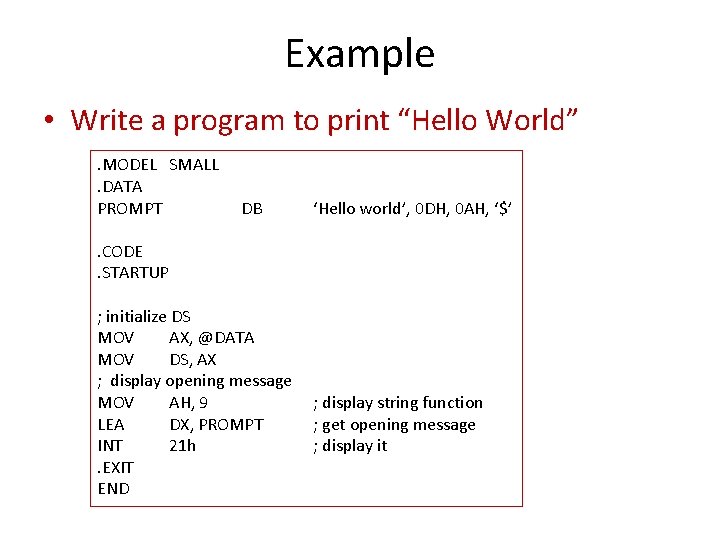
Example • Write a program to print “Hello World”. MODEL SMALL. DATA PROMPT DB ‘Hello world’, 0 DH, 0 AH, ‘$’ . CODE. STARTUP ; initialize DS MOV AX, @DATA MOV DS, AX ; display opening message MOV AH, 9 LEA DX, PROMPT INT 21 h. EXIT END ; display string function ; get opening message ; display it
Road Map • Control Flow Structures – IF-THEN-ELSE – CASE – FOR Loop – WHILE Loop – REPEAT-UNTIL Loop • Load Effective Address (LEA) Instruction • Programming with Higher Level Structures
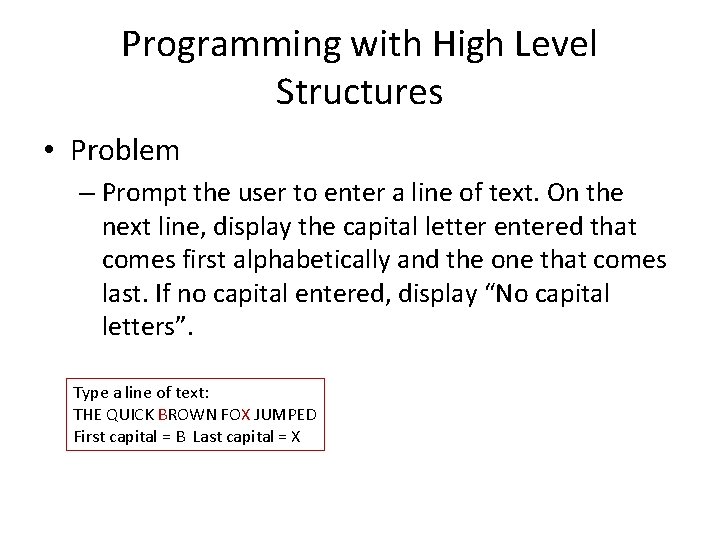
Programming with High Level Structures • Problem – Prompt the user to enter a line of text. On the next line, display the capital letter entered that comes first alphabetically and the one that comes last. If no capital entered, display “No capital letters”. Type a line of text: THE QUICK BROWN FOX JUMPED First capital = B Last capital = X
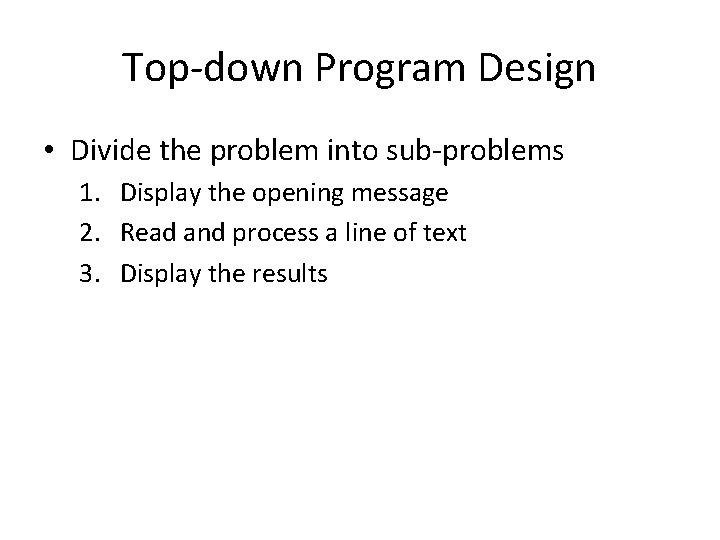
Top-down Program Design • Divide the problem into sub-problems 1. Display the opening message 2. Read and process a line of text 3. Display the results
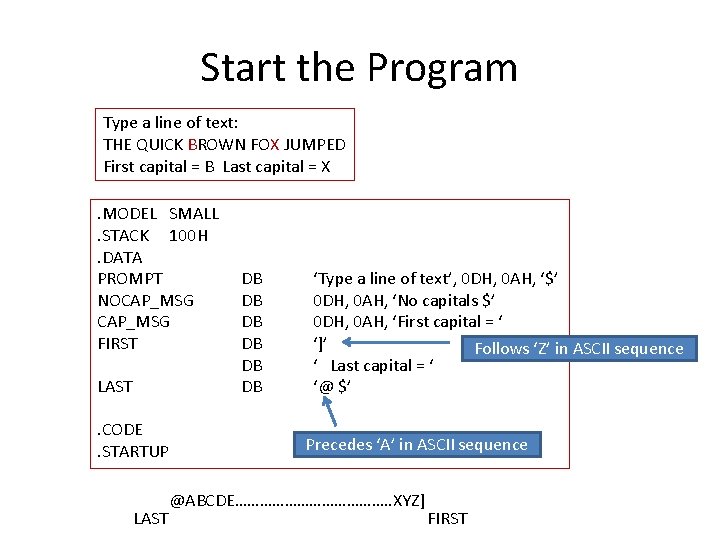
Start the Program Type a line of text: THE QUICK BROWN FOX JUMPED First capital = B Last capital = X. MODEL SMALL. STACK 100 H. DATA PROMPT NOCAP_MSG FIRST LAST. CODE. STARTUP LAST DB DB DB ‘Type a line of text’, 0 DH, 0 AH, ‘$’ 0 DH, 0 AH, ‘No capitals $’ 0 DH, 0 AH, ‘First capital = ‘ ‘]’ Follows ‘Z’ in ASCII sequence ‘ Last capital = ‘ ‘@ $’ Precedes ‘A’ in ASCII sequence @ABCDE………………. . XYZ] FIRST
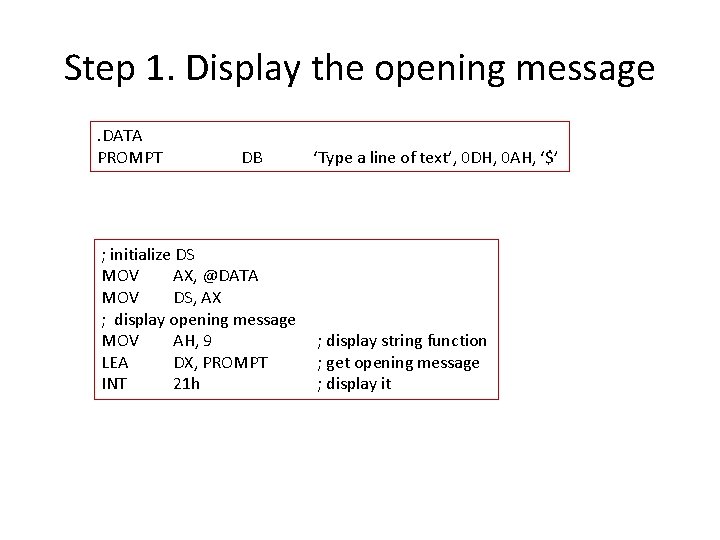
Step 1. Display the opening message. DATA PROMPT DB ; initialize DS MOV AX, @DATA MOV DS, AX ; display opening message MOV AH, 9 LEA DX, PROMPT INT 21 h ‘Type a line of text’, 0 DH, 0 AH, ‘$’ ; display string function ; get opening message ; display it
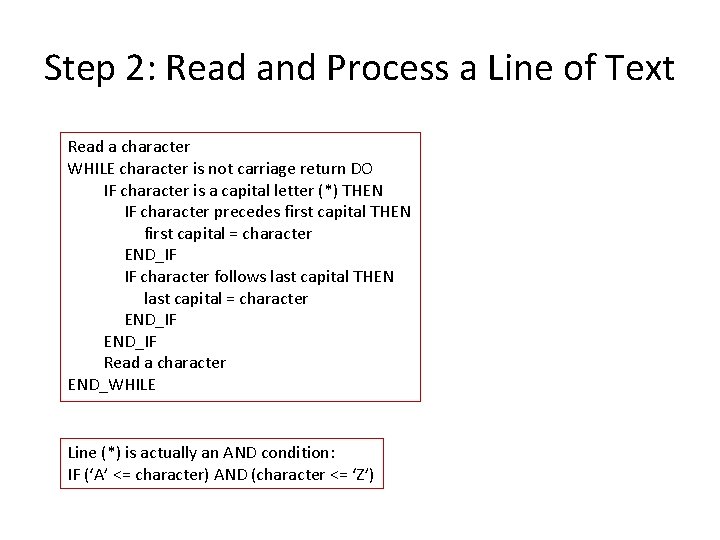
Step 2: Read and Process a Line of Text Read a character WHILE character is not carriage return DO IF character is a capital letter (*) THEN IF character precedes first capital THEN first capital = character END_IF IF character follows last capital THEN last capital = character END_IF Read a character END_WHILE Line (*) is actually an AND condition: IF (‘A’ <= character) AND (character <= ‘Z’)
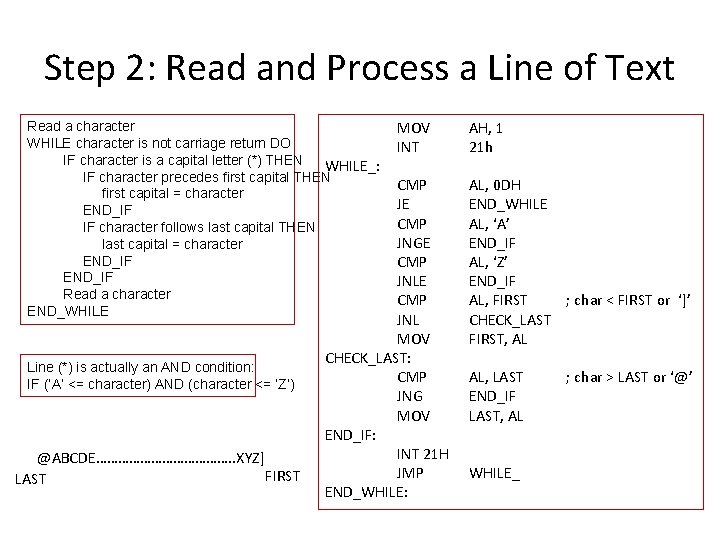
Step 2: Read and Process a Line of Text Read a character WHILE character is not carriage return DO IF character is a capital letter (*) THEN WHILE_: IF character precedes first capital THEN first capital = character END_IF IF character follows last capital THEN last capital = character END_IF Read a character END_WHILE Line (*) is actually an AND condition: IF (‘A’ <= character) AND (character <= ‘Z’) @ABCDE………………. . XYZ] FIRST LAST MOV INT CMP JE CMP JNGE CMP JNL MOV CHECK_LAST: CMP JNG MOV END_IF: INT 21 H JMP END_WHILE: AH, 1 21 h AL, 0 DH END_WHILE AL, ‘A’ END_IF AL, ‘Z’ END_IF AL, FIRST ; char < FIRST or ‘]’ CHECK_LAST FIRST, AL AL, LAST END_IF LAST, AL WHILE_ ; char > LAST or ‘@’
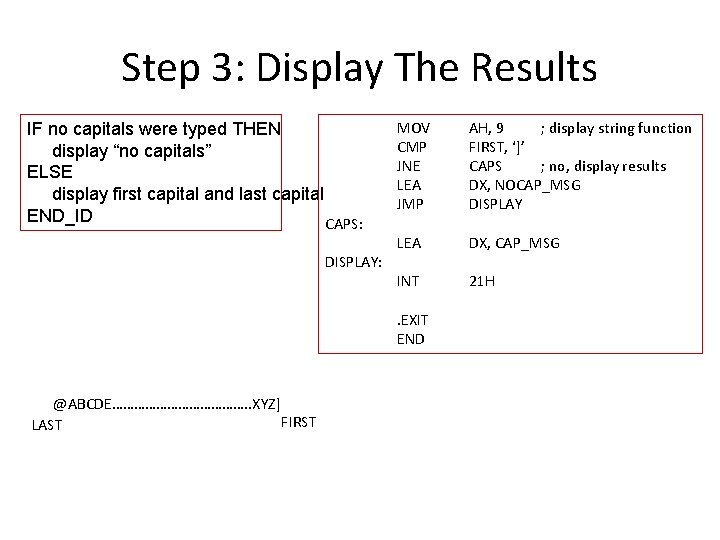
Step 3: Display The Results IF no capitals were typed THEN display “no capitals” ELSE display first capital and last capital END_ID CAPS: DISPLAY: MOV CMP JNE LEA JMP AH, 9 ; display string function FIRST, ‘]’ CAPS ; no, display results DX, NOCAP_MSG DISPLAY LEA DX, CAP_MSG INT 21 H . EXIT END @ABCDE………………. . XYZ] FIRST LAST
References • Ch 6, Assembly Language Programming – by Charles Marut • Section 4 -3 of Intel Microprocessors – by Brey
- Slides: 19