
Lecture 3 Introduction to Dynamic Web Content Generation
Lecture 3 Introduction to Dynamic Web Content Generation: * The Java Servlet API * Java Serves Pages (JSP)
Overview § Brief HTTP review § Web servers and dynamic content generation § Servlets – The container – Servlet API – Advanced issues • Multithreading • Handling State and Session management, • Filters – Developing servlets with Tomcat § Java Server Pages (JSP)
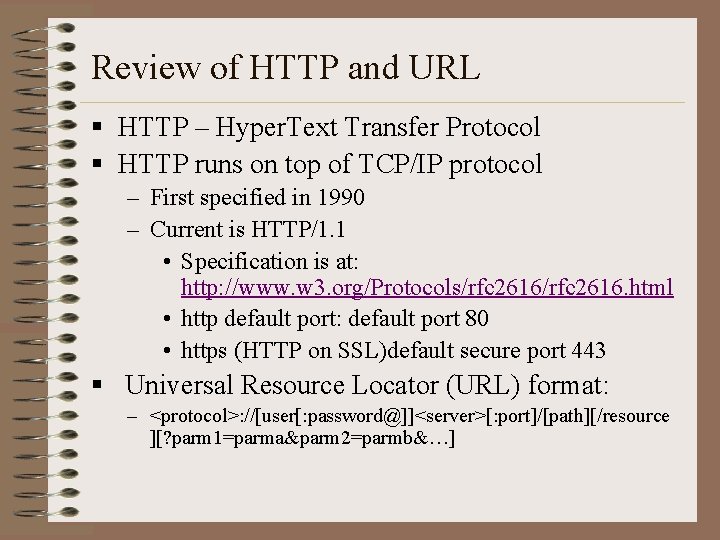
Review of HTTP and URL § HTTP – Hyper. Text Transfer Protocol § HTTP runs on top of TCP/IP protocol – First specified in 1990 – Current is HTTP/1. 1 • Specification is at: http: //www. w 3. org/Protocols/rfc 2616. html • http default port: default port 80 • https (HTTP on SSL)default secure port 443 § Universal Resource Locator (URL) format: – <protocol>: //[user[: password@]]<server>[: port]/[path][/resource ][? parm 1=parma&parm 2=parmb&…]
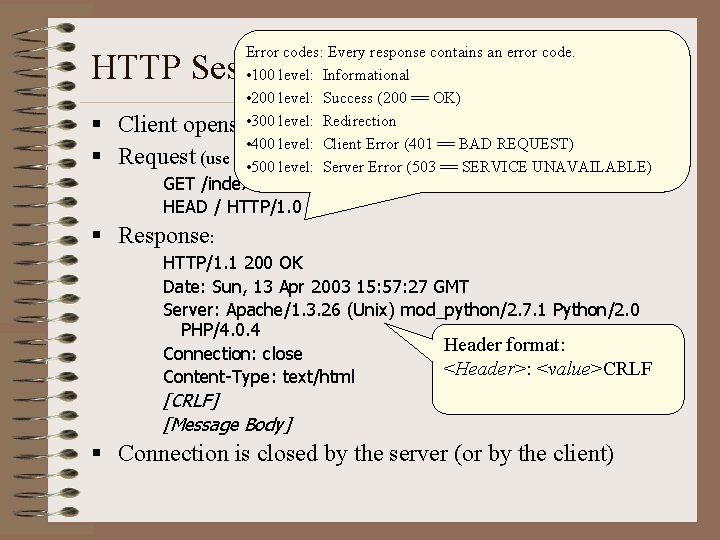
Error codes: Every response contains an error code. • 100 level: Informational • 200 level: Success (200 == OK) level: Redirection Client opens a • 300 connection to the server • 400 level: Client Error (401 == BAD REQUEST) Request (use telnet see socket conversation) • 500 to level: Server Error (503 == SERVICE UNAVAILABLE) HTTP Session and Message Format § § GET /index. html HTTP/1. 0 HEAD / HTTP/1. 0 § Response: HTTP/1. 1 200 OK Date: Sun, 13 Apr 2003 15: 57: 27 GMT Server: Apache/1. 3. 26 (Unix) mod_python/2. 7. 1 Python/2. 0 PHP/4. 0. 4 Header format: Connection: close <Header>: <value>CRLF Content-Type: text/html [CRLF] [Message Body] § Connection is closed by the server (or by the client)
![HTTP Headers Format: [name] : [value] CRLF Client Examples: § § § connection: Keep-Alive](http://slidetodoc.com/presentation_image_h2/c96804eb05a198fe0a9a548ec473d20e/image-5.jpg "HTTP Headers Format: [name] : [value] CRLF Client Examples: § § § connection: Keep-Alive")
HTTP Headers Format: [name] : [value] CRLF Client Examples: § § § connection: Keep-Alive user-agent: Mozilla/4. 04 [en] (Win. NT; I) host: www. foo. edu accept: image/gif, image/x-xbitmap, image/jpeg accept-language: en accept-charset: iso-8859 -1, *, utf-8 Server Examples: § § § Date: Mon 18 Apr 2000 00: 26: 05 GMT Server: Netscape-Enterprise/3. 6. 2 Last-Modified: Mon, 24 Jun 1999 14: 23: 45 GMT Content-Type: text/html Content-Length: 450 Accept-Ranges: bytes
GET § Most common method used to request a read only resource from the server (e. g. a static HTML page) § May contain a If-Modified-Since header field, in which case it becomes a conditional GET: – only if the target has been modified since the datestamp in the If-Modified-Since field, – in this case returns 304 Not Modified error message. § Parameters are stored in the URL itself: GET /index. html? user=matei&password=secret HTTP/1. 0
POST § Allows the user to pass information to the server. § All parameter information is stored in the body of the request rather than in the URL, which provides for more privacy (see password above) § No preset limit on the amount of information that can be passed as there is with the parameter passing of a GET § A POST is typically generated by the browser in response to a click on a Submit button on an HTML form that declares the POST method POST /login. html HTTP/1. 1 User-Agent: Mozilla/4. 50 [en] (Win. NT; I) Accept: image/gif, image/jpeg Content-Length: 34 <CRLF> user=matei&password=secret
Other HTTP Methods § HEAD – Identical to GET except that it only retrieves the header, not the body. § PUT – HTTP 1. 1 method for file uploads § DELETE – HTTP 1. 1 method for deleting resources on the server (with permission) § OPTIONS – HTTP 1. 1 method for requesting information regarding the commands (methods) the server supports § TRACE – a HTTP 1. 1 method that returns the same request back to the client, usually for debugging purposes.
HTTP is stateless § Discrete connections – Server closes TCP/IP socket connection after processing a client request. – Client may also close a connection at will • eg: Pressing the Back or Forward button in a browser – Each client request is handled in a discrete connection § Features of Stateless Connections: – Server can accommodate a number of clients exceeding the number of server threads – No server overhead associated with tracking client sessions between connections – Keep-Alive specification in HTTP/1. 0 • Multiple files (of a single URL) may be delivered over a single socket connection, as opposed to each item delivery (. bmp, . jpg, . gif, etc. ) requiring its own connection (pre 1. 0) • Client must specifically request a Keep. Alive connection • Keep-Alive specification default in HTTP/1. 1
Overview § Brief HTTP review § Web Servers and dynamic content generation § Servlets § Java Server Pages (JSP)
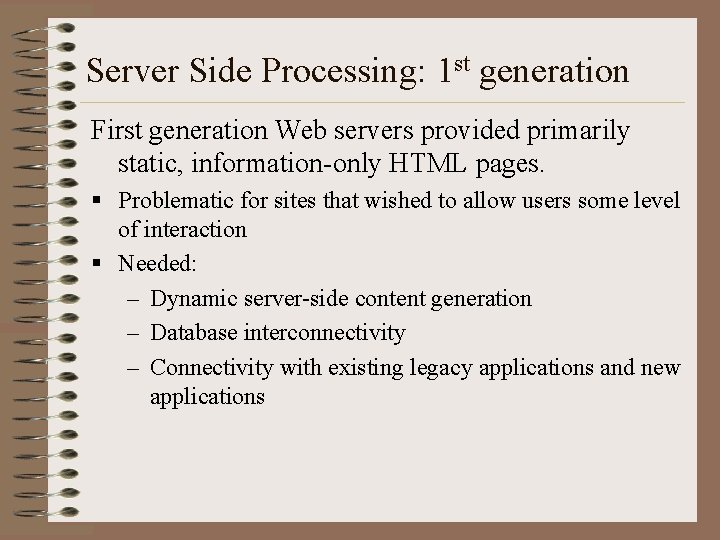
Server Side Processing: 1 st generation First generation Web servers provided primarily static, information-only HTML pages. § Problematic for sites that wished to allow users some level of interaction § Needed: – Dynamic server-side content generation – Database interconnectivity – Connectivity with existing legacy applications and new applications
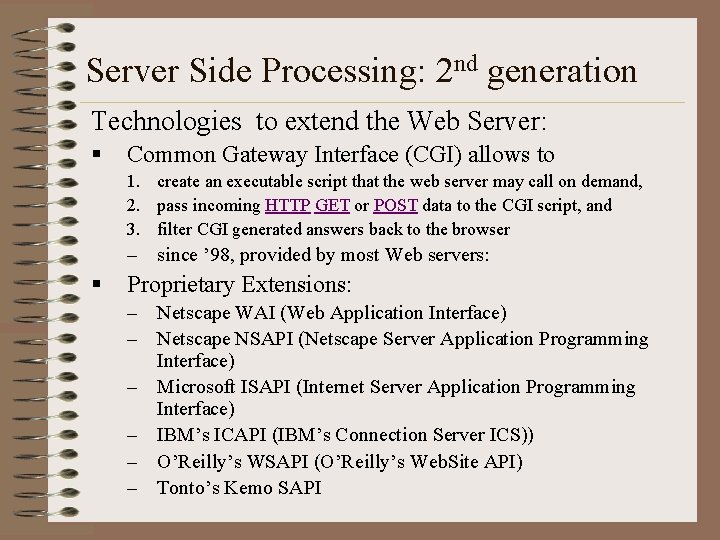
Server Side Processing: 2 nd generation Technologies to extend the Web Server: § Common Gateway Interface (CGI) allows to 1. create an executable script that the web server may call on demand, 2. pass incoming HTTP GET or POST data to the CGI script, and 3. filter CGI generated answers back to the browser – since ’ 98, provided by most Web servers: § Proprietary Extensions: – Netscape WAI (Web Application Interface) – Netscape NSAPI (Netscape Server Application Programming Interface) – Microsoft ISAPI (Internet Server Application Programming Interface) – IBM’s ICAPI (IBM’s Connection Server ICS)) – O’Reilly’s WSAPI (O’Reilly’s Web. Site API) – Tonto’s Kemo SAPI
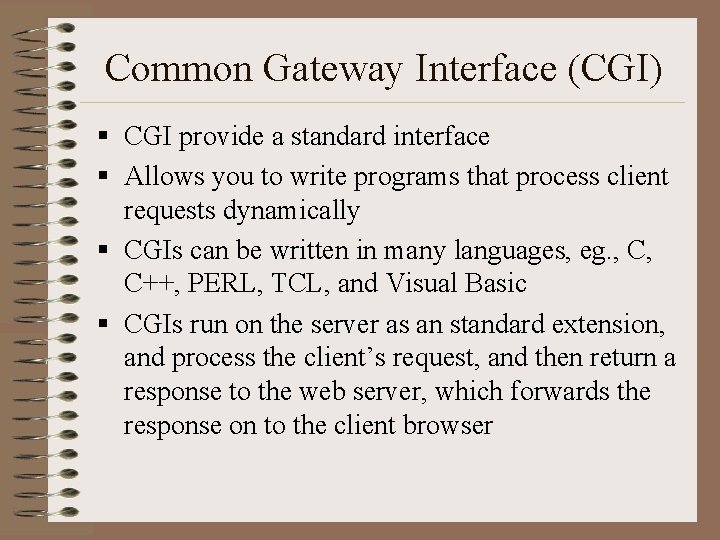
Common Gateway Interface (CGI) § CGI provide a standard interface § Allows you to write programs that process client requests dynamically § CGIs can be written in many languages, eg. , C, C++, PERL, TCL, and Visual Basic § CGIs run on the server as an standard extension, and process the client’s request, and then return a response to the web server, which forwards the response on to the client browser
CGI Pros and Cons § Benefits: – Dynamic server-side content – Universal support § Shortcomings: – Not efficient: need to spawn CGI program (and interpreter) with each instantiation, i. e. , a new process must be created for each connection – CGI programs cannot easily support state maintenance – Cannot change server’s internal steps for handling a client request
Server Side Processing: 3 rd generation Advanced Technologies that allow extension of the Web Server: § Server-Side Includes – <!--#echo var=“LAST_MODIFIED” --> § Server-Side Java. Script: – Java. Script embedded in HTML, precompiled, – Netscape Live. Wire § Sun’s Jhtml (Java embedded in HTML) <java> … </java> tags § Microsoft Active Server Pages (ASP) (JScript embedded in HTML, non-precompiled) § Java Servlets § Java Server. Pages (JSP)
Overview § Brief HTTP review § Web Servers and dynamic content generation § Servlets – “Hello World” servlet – Servlet API – Advanced issues • Multithreading, • Session management • Filters § Java Server Pages (JSP)
Java Servlets § Servlets are efficient, generally much faster than CGI scripts as a different process model is used. – Run within a “Server Engine” (container) – Servlets can be pooled within the Servlet Engine – Servlets can persist state between requests because they are not created and destroyed with each client connection (as are CGI scripts) – Servlets can take advantage of multithreading § Servlets use a standard API supported by mamy Web servers. As a result their code is portable, and can be run within different Engines
Java Servlets § Servlets have no limitations on the methods they can call (the entire Java world is open to them). § Servlets can be extended like any other class, thus one Servlet can become a base class and others can extend it. § Servlets are secure as they run compiled within a JVM on the server side.
The Servlet Engine § The Servlet engine runs as an extension of the Web server § The Servlet engine will start up a pool of Servlet instances (the same Java class) § The engine will multiplex client calls onto the pool of servlets. § Should client demand exceed the number of servlets in the pool, the engine may kick off new instances of the Servlet to handle the additional load (up to a defined limit). § The engine will keep the pool size relative to demand, and may shut down some instances if demand falls off sharply
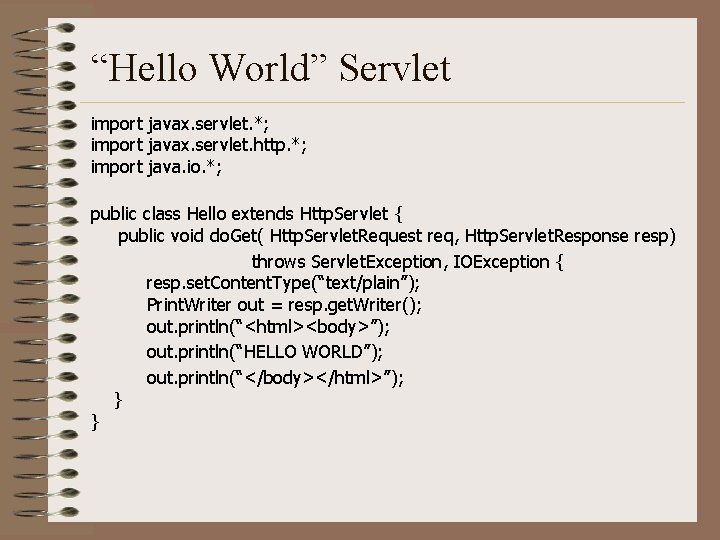
“Hello World” Servlet import javax. servlet. *; import javax. servlet. http. *; import java. io. *; public class Hello extends Http. Servlet { public void do. Get( Http. Servlet. Request req, Http. Servlet. Response resp) throws Servlet. Exception, IOException { resp. set. Content. Type(“text/plain”); Print. Writer out = resp. get. Writer(); out. println(“<html><body>”); out. println(“HELLO WORLD”); out. println(“</body></html>”); } }
Servlet Lifecycle events § init() on Servlet startup, the Servlet engine calls the Servlet’s init() method, – the Servlet may establish socket or JDBC connections, etc. – This startup cost is only done once per Servlet instance § do. XXX() depending of HTTP method used this is do. Get(), do. Post(), etc. § destroy() when the engine shuts down a Servlet, the engine calls the Servlet’s destroy() method, – the Servlet can destroy persistent connections such as JDBC or socket connections
javax. servlet. http. Http. Servlet is an abstract class that defines a number of methods to handle common HTTP requests, such as GET, POST, etc. § These (overridable) methods are: – void do. Get(Http. Servlet. Request req, Http. Servlet. Response resp) – void do. Post(Http. Servlet. Request req, Http. Servlet. Response resp) – void do. Put(Http. Servlet. Request req, Http. Servlet. Response resp) – void do. Options(Http. Servlet. Request req, Http. Servlet. Response resp) – void do. Delete(Http. Servlet. Request req, Http. Servlet. Response resp) – void do. Trace(Http. Servlet. Request req, Http. Servlet. Response resp) § Provides a default implementation for the service() method which calls the appropriate derived do. XXX() method based on the incomming HTTP request
Processing requests § Interface Http. Servlet. Request extends javax. servlet. Servlet. Request § Http. Servlet. Request is passed into the service and get. XXX() methods § Http. Servlet. Request provides methods that facilitate access to information related to an HTTP request, such as: – get. Parameter, get. Parameter. Names, get. Parameter. Values – String get. Header(): gets the header – Enumeration get. Header. Names(): gets the header names – Enumeration get. Header(): get all header values – String get. Auth. Type(): gets the authorization type, if one – Cookie[] get. Cookies(): gets the cookies from the request – String get. Method(): returns the HTTP request, i. e. , GET, POST, – String get. Remote. User(): returns the remote user id – Http. Session get. Session(): returns the current Http. Session object § Derives get. Input. Stream() from javax. servlet. Servlet. Request
Building generated content § Interface Http. Servlet. Response extends javax. servlet. Servlet. Response § Http. Servlet. Response is passed into the service and get. XXX() methods, and represents the response path from the Servlet in the communication § Http. Servlet. Response provides methods that facilitate access to information related to an HTTP request, such as: – defines static final ints for response codes (202 = SC_ACCEPTED, etc. ) – void set. Header(String name, int value) – Void add. Header (int value) – void send. Error(int sc) – void set. Redirect(String url) – void set. Status(int sc) § derives get. Output. Stream() from javax. servlet. Servlet. Response
Overview § Brief HTTP review § Web Servers and dynamic content generation § Servlets – “Hello World” servlet – More on the Servlet API – Advanced issues • Multithreading, • Session management, etc • Filters § Java Server Pages (JSP)
Servlet API § Java Servlet Specification 2. 3 available at: http: //java. sun. com/products/servlet/ § Two packages: – javax. servlet & javax. servlet. http § Three core base classes / interfaces: – javax. servlet. Servlet • the core base class for all servlets – javax. servlet. Generic. Servlet (extends Servlet) • used for servlets that do not rely on any particular communication protocol – javax. servlet. http. Http. Servlet (extends Generic. Servlet) • used for servlets that implement the http protocol § To create a Servlet, you subclass Generic. Servlet or, more commonly, Http. Servlet
javax. servlet. Servlet § Servlet is an interface that defines the basic structure of a Servlet. It’s notable methods are: – void init(Servlet. Config) – void destroy() – Servlet. Config get. Servlet. Config() • A Servlet. Config object passes configuration information from the engine to the Servlet. • Houses the initialization parameters for the Servlet in an Enumeration – String get. Servlet. Info() – void service(Servlet. Request req, Servlet. Response res) • This method is called by the Servlet engine for each request
javax. servlet. Generic. Servlet § Generic. Servlet implements Servlet, Servlet. Config and java. io. Serializable interfaces § Used to create a protocol-independent (non-HTTP) Servlet, such as: – a telnet, ftp server, a remote mortgage calculator, a game server, almost anything else conceivable § Includes default implementations for init() and destroy() § Keeps the service() method abstract, so service is the only method you have to override to implement a Generic. Servlet
Other javax. servlet classes § Servlet. Exception § Servlet. Context (interfaces the Servlet and the host web server) – String get. Mime. Type() – get. Major. Version() – get. Minor. Version() § Servlet. Input. Stream extends java. io. Input. Stream – int read. Line(byte [], int off, int len) § Servlet. Output. Stream extends java. io. Output. Stream – void print(String s) – void print(int i) – void println(double d) – void println(String s)
Overview § Brief HTTP review § Web Servers and dynamic content generation § Servlets – “Hello World” servlet – More on the Servlet API – Advanced issues • Multithreading, • Session management, etc • Filters § Java Server Pages (JSP)
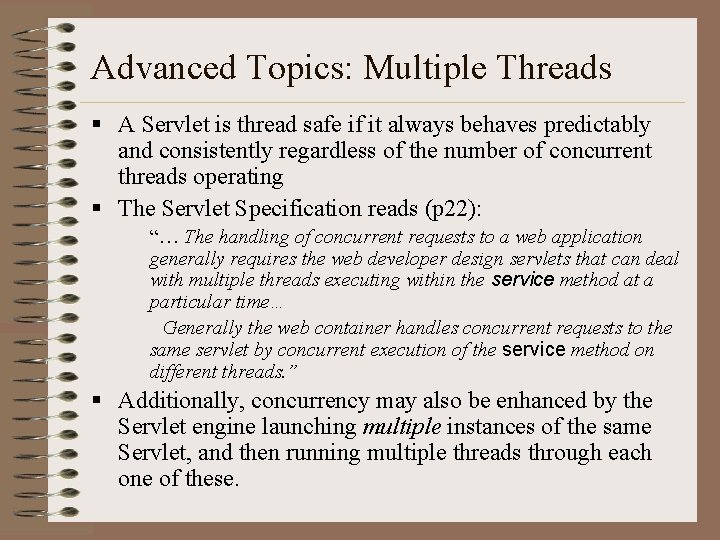
Advanced Topics: Multiple Threads § A Servlet is thread safe if it always behaves predictably and consistently regardless of the number of concurrent threads operating § The Servlet Specification reads (p 22): “… The handling of concurrent requests to a web application generally requires the web developer design servlets that can deal with multiple threads executing within the service method at a particular time… Generally the web container handles concurrent requests to the same servlet by concurrent execution of the service method on different threads. ” § Additionally, concurrency may also be enhanced by the Servlet engine launching multiple instances of the same Servlet, and then running multiple threads through each one of these.
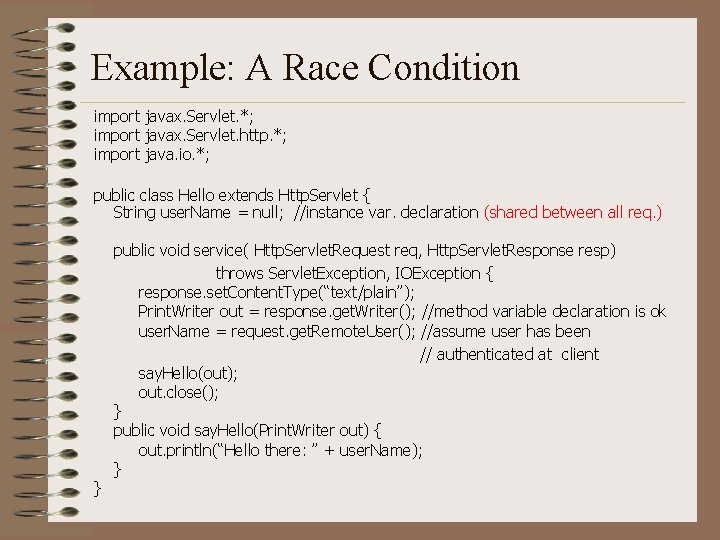
Example: A Race Condition import javax. Servlet. *; import javax. Servlet. http. *; import java. io. *; public class Hello extends Http. Servlet { String user. Name = null; //instance var. declaration (shared between all req. ) } public void service( Http. Servlet. Request req, Http. Servlet. Response resp) throws Servlet. Exception, IOException { response. set. Content. Type(“text/plain”); Print. Writer out = response. get. Writer(); //method variable declaration is ok user. Name = request. get. Remote. User(); //assume user has been // authenticated at client say. Hello(out); out. close(); } public void say. Hello(Print. Writer out) { out. println(“Hello there: ” + user. Name); }
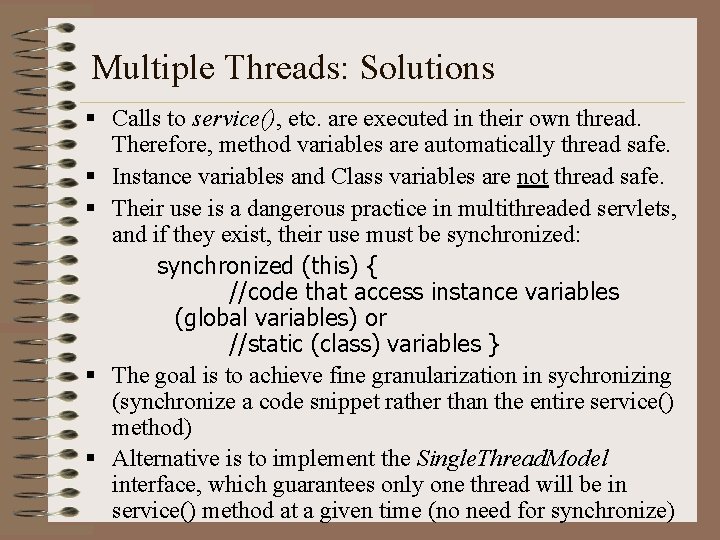
Multiple Threads: Solutions § Calls to service(), etc. are executed in their own thread. Therefore, method variables are automatically thread safe. § Instance variables and Class variables are not thread safe. § Their use is a dangerous practice in multithreaded servlets, and if they exist, their use must be synchronized: synchronized (this) { //code that access instance variables (global variables) or //static (class) variables } § The goal is to achieve fine granularization in sychronizing (synchronize a code snippet rather than the entire service() method) § Alternative is to implement the Single. Thread. Model interface, which guarantees only one thread will be in service() method at a given time (no need for synchronize)
Overview § Brief HTTP review § Web Servers and dynamic content generation § Servlets – “Hello World” servlet – More on the Servlet API – Advanced issues • Multithreading, • Session management, etc • Filters § Java Server Pages (JSP)
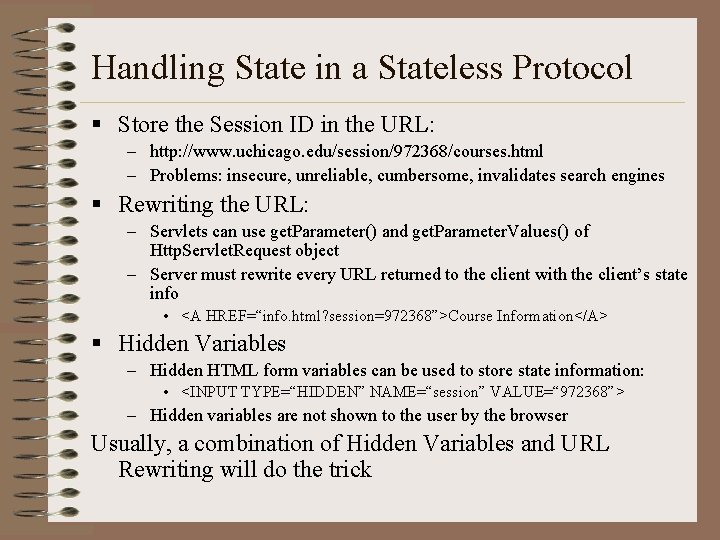
Handling State in a Stateless Protocol § Store the Session ID in the URL: – http: //www. uchicago. edu/session/972368/courses. html – Problems: insecure, unreliable, cumbersome, invalidates search engines § Rewriting the URL: – Servlets can use get. Parameter() and get. Parameter. Values() of Http. Servlet. Request object – Server must rewrite every URL returned to the client with the client’s state info • <A HREF=“info. html? session=972368”>Course Information</A> § Hidden Variables – Hidden HTML form variables can be used to store state information: • <INPUT TYPE=“HIDDEN” NAME=“session” VALUE=“ 972368”> – Hidden variables are not shown to the user by the browser Usually, a combination of Hidden Variables and URL Rewriting will do the trick
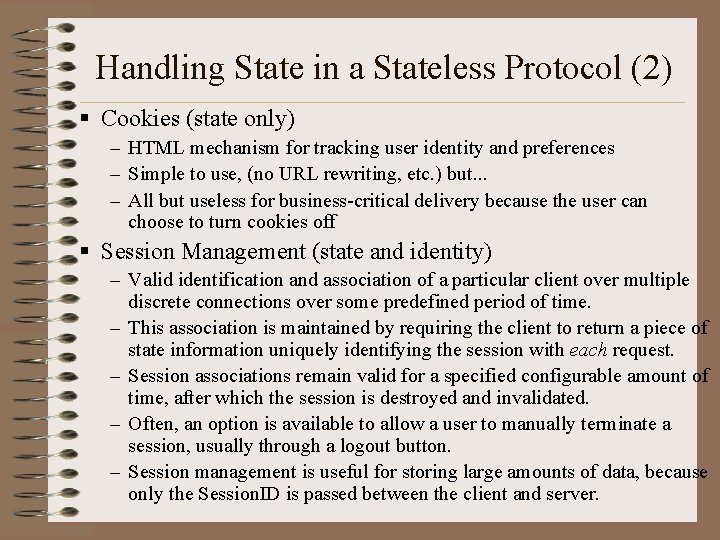
Handling State in a Stateless Protocol (2) § Cookies (state only) – HTML mechanism for tracking user identity and preferences – Simple to use, (no URL rewriting, etc. ) but. . . – All but useless for business-critical delivery because the user can choose to turn cookies off § Session Management (state and identity) – Valid identification and association of a particular client over multiple discrete connections over some predefined period of time. – This association is maintained by requiring the client to return a piece of state information uniquely identifying the session with each request. – Session associations remain valid for a specified configurable amount of time, after which the session is destroyed and invalidated. – Often, an option is available to allow a user to manually terminate a session, usually through a logout button. – Session management is useful for storing large amounts of data, because only the Session. ID is passed between the client and server.
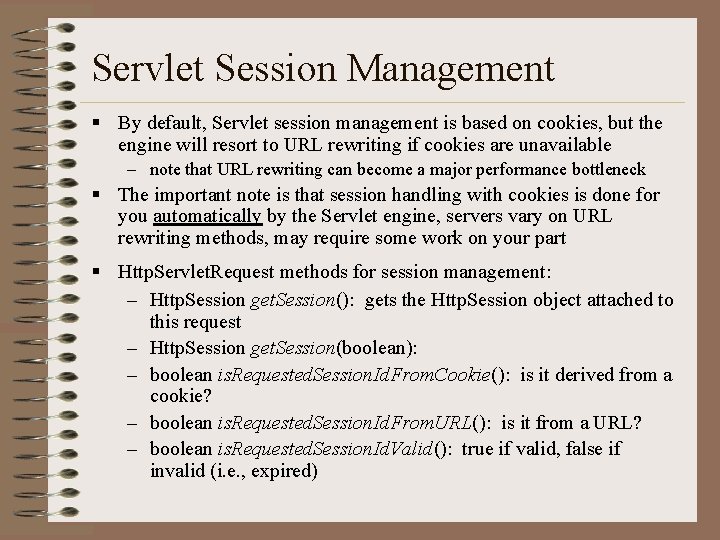
Servlet Session Management § By default, Servlet session management is based on cookies, but the engine will resort to URL rewriting if cookies are unavailable – note that URL rewriting can become a major performance bottleneck § The important note is that session handling with cookies is done for you automatically by the Servlet engine, servers vary on URL rewriting methods, may require some work on your part § Http. Servlet. Request methods for session management: – Http. Session get. Session(): gets the Http. Session object attached to this request – Http. Session get. Session(boolean): – boolean is. Requested. Session. Id. From. Cookie(): is it derived from a cookie? – boolean is. Requested. Session. Id. From. URL(): is it from a URL? – boolean is. Requested. Session. Id. Valid(): true if valid, false if invalid (i. e. , expired)
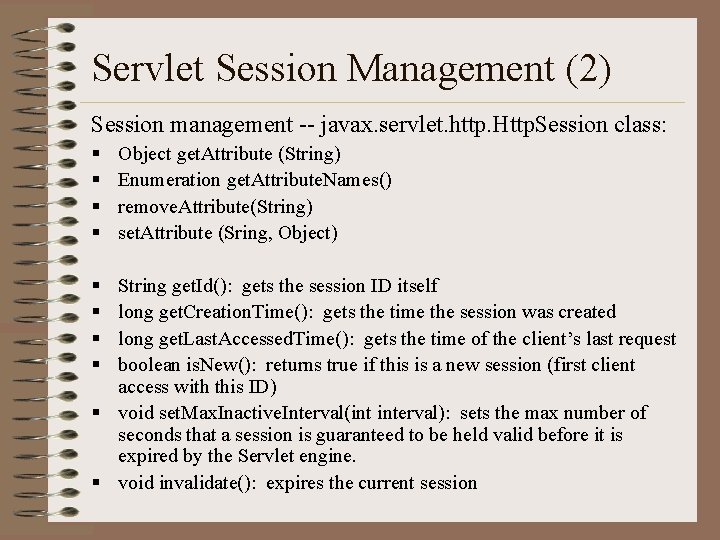
Servlet Session Management (2) Session management -- javax. servlet. http. Http. Session class: § § § § Object get. Attribute (String) Enumeration get. Attribute. Names() remove. Attribute(String) set. Attribute (Sring, Object) String get. Id(): gets the session ID itself long get. Creation. Time(): gets the time the session was created long get. Last. Accessed. Time(): gets the time of the client’s last request boolean is. New(): returns true if this is a new session (first client access with this ID) § void set. Max. Inactive. Interval(int interval): sets the max number of seconds that a session is guaranteed to be held valid before it is expired by the Servlet engine. § void invalidate(): expires the current session
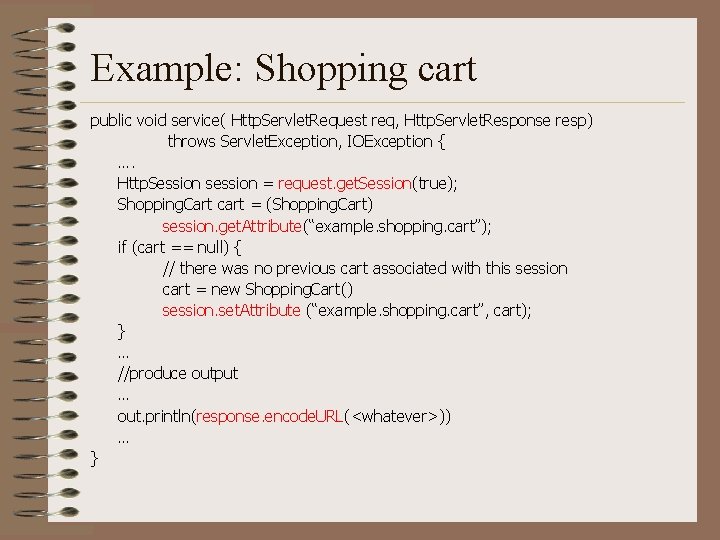
Example: Shopping cart public void service( Http. Servlet. Request req, Http. Servlet. Response resp) throws Servlet. Exception, IOException { …. Http. Session session = request. get. Session(true); Shopping. Cart cart = (Shopping. Cart) session. get. Attribute(“example. shopping. cart”); if (cart == null) { // there was no previous cart associated with this session cart = new Shopping. Cart() session. set. Attribute (“example. shopping. cart”, cart); } … //produce output … out. println(response. encode. URL(<whatever>)) … }
Overview § Brief HTTP review § Web Servers and dynamic content generation § Servlets – “Hello World” servlet – More on the Servlet API – Advanced issues • Multithreading, • Session management, etc • Filters § Java Server Pages (JSP)
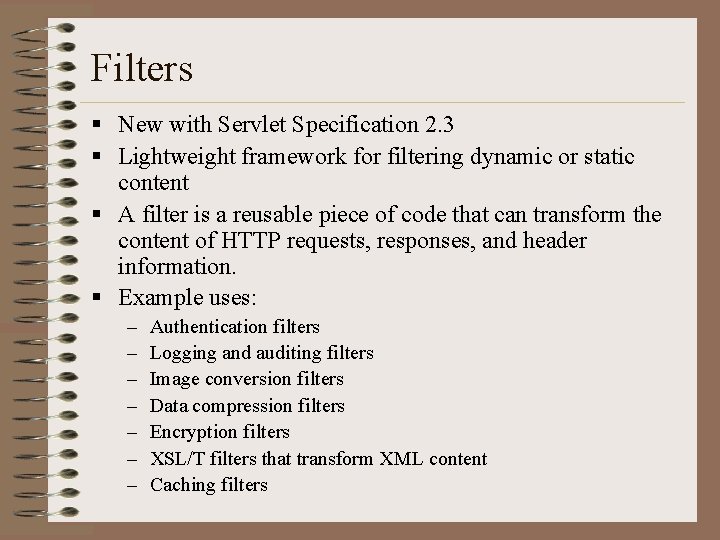
Filters § New with Servlet Specification 2. 3 § Lightweight framework for filtering dynamic or static content § A filter is a reusable piece of code that can transform the content of HTTP requests, responses, and header information. § Example uses: – – – – Authentication filters Logging and auditing filters Image conversion filters Data compression filters Encryption filters XSL/T filters that transform XML content Caching filters
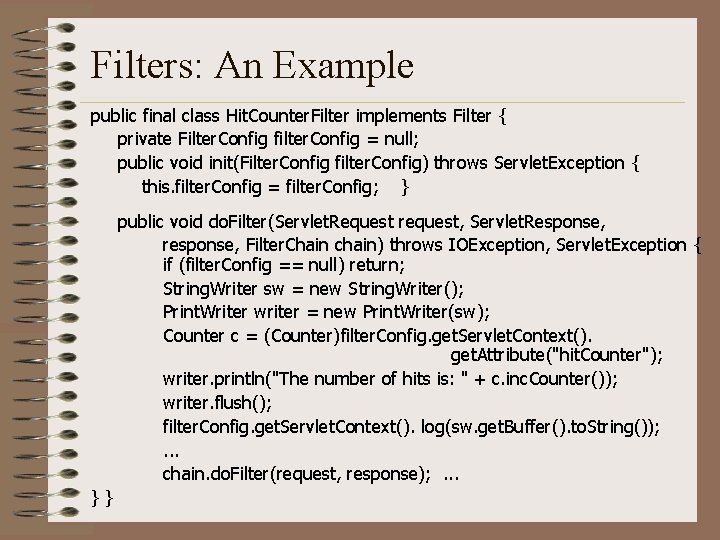
Filters: An Example public final class Hit. Counter. Filter implements Filter { private Filter. Config filter. Config = null; public void init(Filter. Config filter. Config) throws Servlet. Exception { this. filter. Config = filter. Config; } public void do. Filter(Servlet. Request request, Servlet. Response, response, Filter. Chain chain) throws IOException, Servlet. Exception { if (filter. Config == null) return; String. Writer sw = new String. Writer(); Print. Writer writer = new Print. Writer(sw); Counter c = (Counter)filter. Config. get. Servlet. Context(). get. Attribute("hit. Counter"); writer. println("The number of hits is: " + c. inc. Counter()); writer. flush(); filter. Config. get. Servlet. Context(). log(sw. get. Buffer(). to. String()); . . . chain. do. Filter(request, response); . . . }}
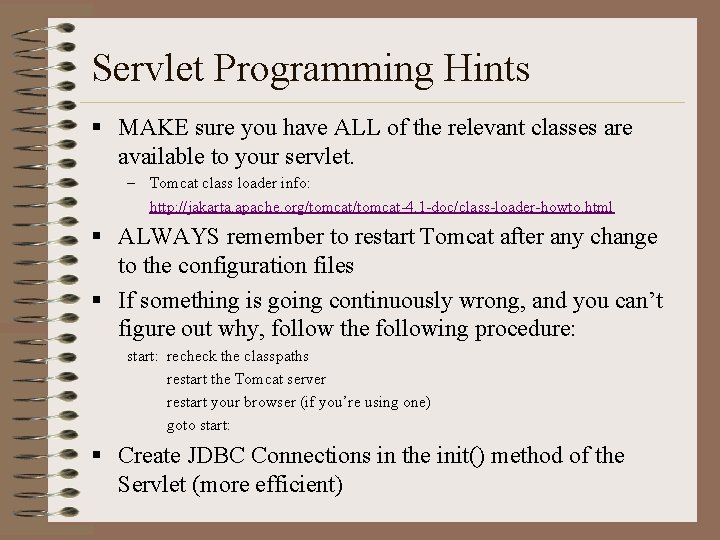
Servlet Programming Hints § MAKE sure you have ALL of the relevant classes are available to your servlet. – Tomcat class loader info: http: //jakarta. apache. org/tomcat-4. 1 -doc/class-loader-howto. html § ALWAYS remember to restart Tomcat after any change to the configuration files § If something is going continuously wrong, and you can’t figure out why, follow the following procedure: start: recheck the classpaths restart the Tomcat server restart your browser (if you’re using one) goto start: § Create JDBC Connections in the init() method of the Servlet (more efficient)
Overview § Brief HTTP review § Web Servers and dynamic content generation § Servlets § Java Server Pages (JSP)
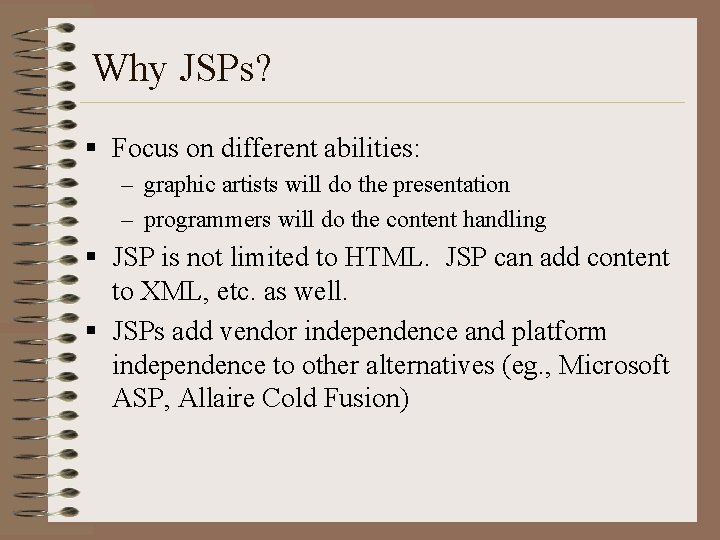
Why JSPs? § Focus on different abilities: – graphic artists will do the presentation – programmers will do the content handling § JSP is not limited to HTML. JSP can add content to XML, etc. as well. § JSPs add vendor independence and platform independence to other alternatives (eg. , Microsoft ASP, Allaire Cold Fusion)
Why JSPs? (2) § JSP adds the full range of Java capability to the dynamic content delivery scene (compare this with CGIs for instance). This adds the following capabilities: – secure socket communications (JSSE) – directory service access (JNDI) – use of EJBs (EJB) – distributed transaction services (JTS) – CORBA access (Java IDL) – relational database access via JDBC (JDBC) – messaging services (JMS)
Java Server. Pages § The JSP engine: – Jasper if you use Tomcat – is just another Servlet mapped to the extension *. jsp § Scriptlets allow you to directly insert Java code into HTML. Scriptlets are demarcated by: Begin: <% End: %> § JSPs are compiled into a Servlet on first call, only recompiled when the source file changes
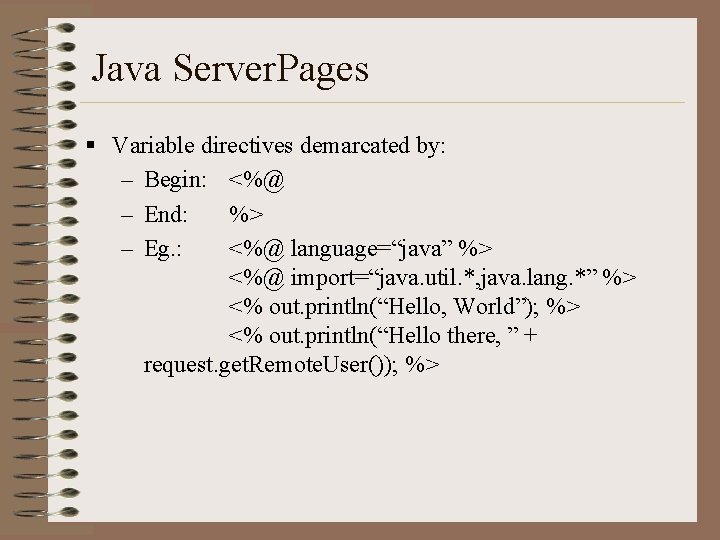
Java Server. Pages § Variable directives demarcated by: – Begin: <%@ – End: %> – Eg. : <%@ language=“java” %> <%@ import=“java. util. *, java. lang. *” %> <% out. println(“Hello, World”); %> <% out. println(“Hello there, ” + request. get. Remote. User()); %>
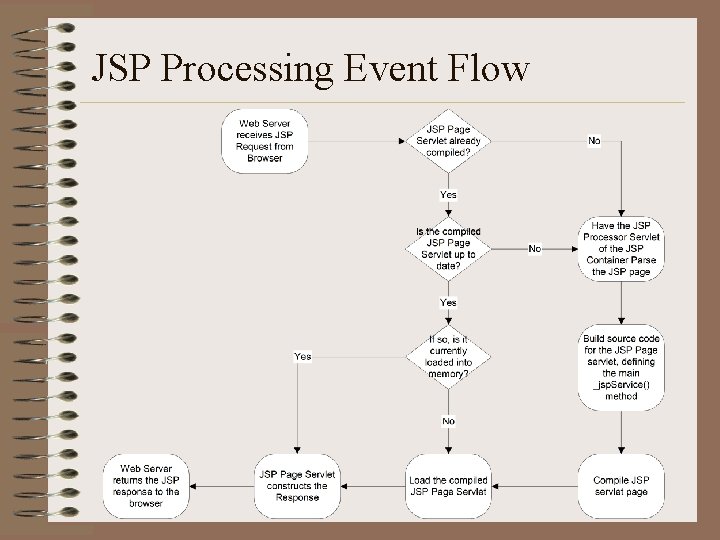
JSP Processing Event Flow
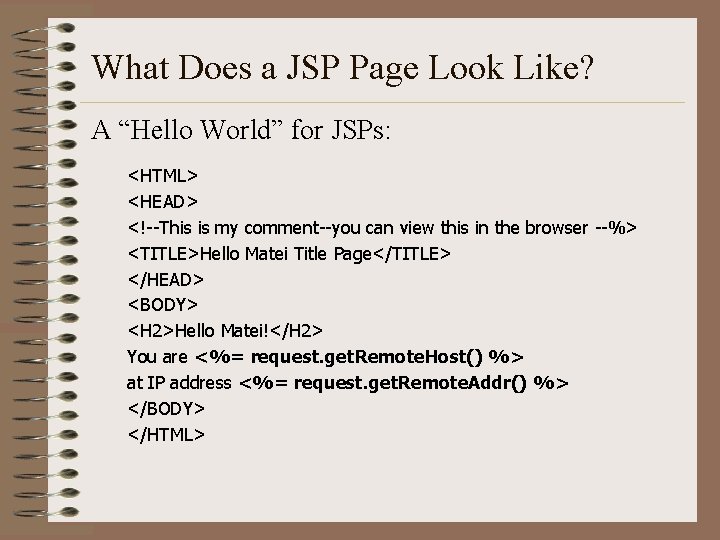
What Does a JSP Page Look Like? A “Hello World” for JSPs: <HTML> <HEAD> <!--This is my comment--you can view this in the browser --%> <TITLE>Hello Matei Title Page</TITLE> </HEAD> <BODY> <H 2>Hello Matei!</H 2> You are <%= request. get. Remote. Host() %> at IP address <%= request. get. Remote. Addr() %> </BODY> </HTML>
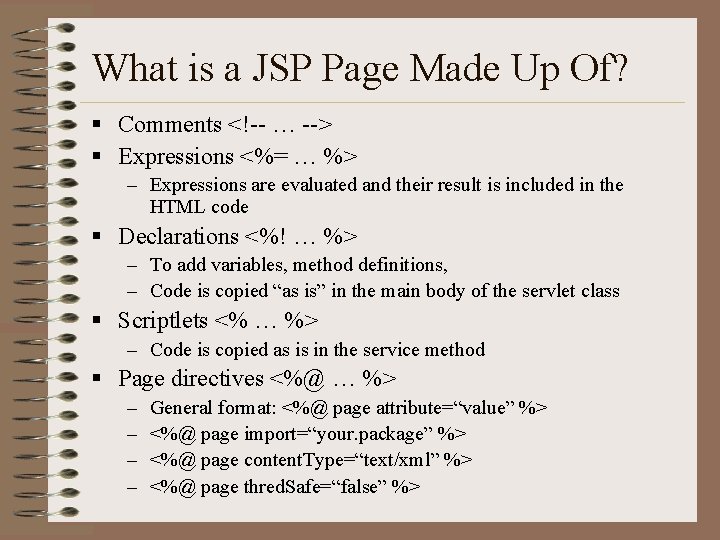
What is a JSP Page Made Up Of? § Comments <!-- … --> § Expressions <%= … %> – Expressions are evaluated and their result is included in the HTML code § Declarations <%! … %> – To add variables, method definitions, – Code is copied “as is” in the main body of the servlet class § Scriptlets <% … %> – Code is copied as is in the service method § Page directives <%@ … %> – – General format: <%@ page attribute=“value” %> <%@ page import=“your. package” %> <%@ page content. Type=“text/xml” %> <%@ page thred. Safe=“false” %>
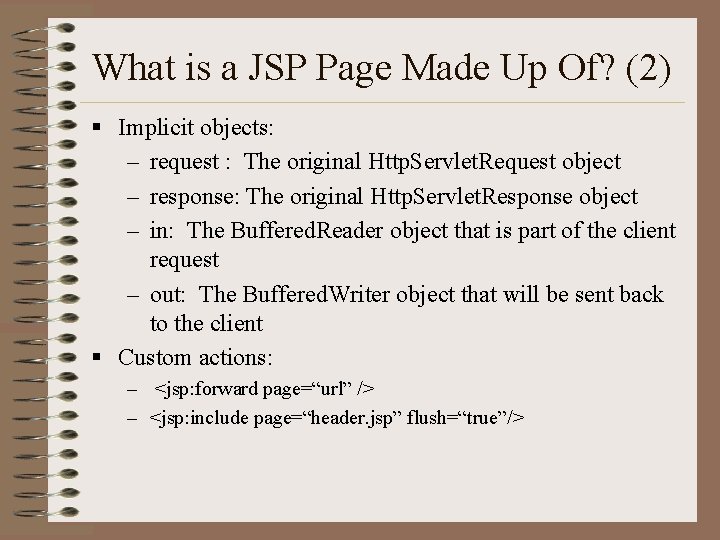
What is a JSP Page Made Up Of? (2) § Implicit objects: – request : The original Http. Servlet. Request object – response: The original Http. Servlet. Response object – in: The Buffered. Reader object that is part of the client request – out: The Buffered. Writer object that will be sent back to the client § Custom actions: – <jsp: forward page=“url” /> – <jsp: include page=“header. jsp” flush=“true”/>
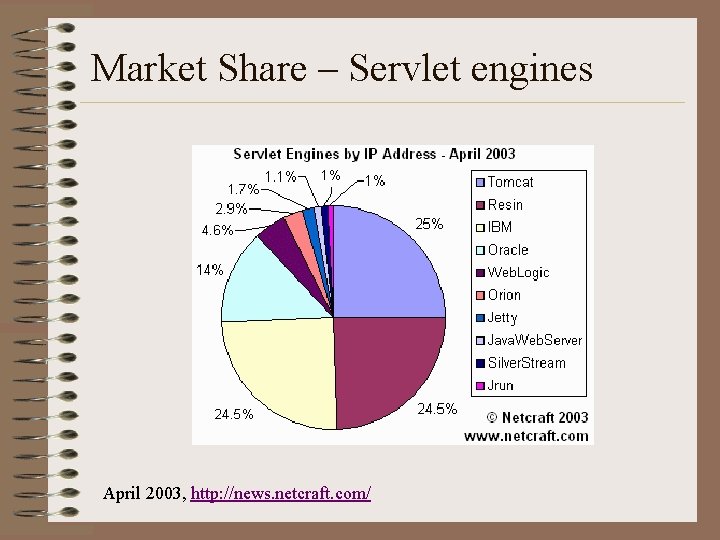
Market Share – Servlet engines April 2003, http: //news. netcraft. com/
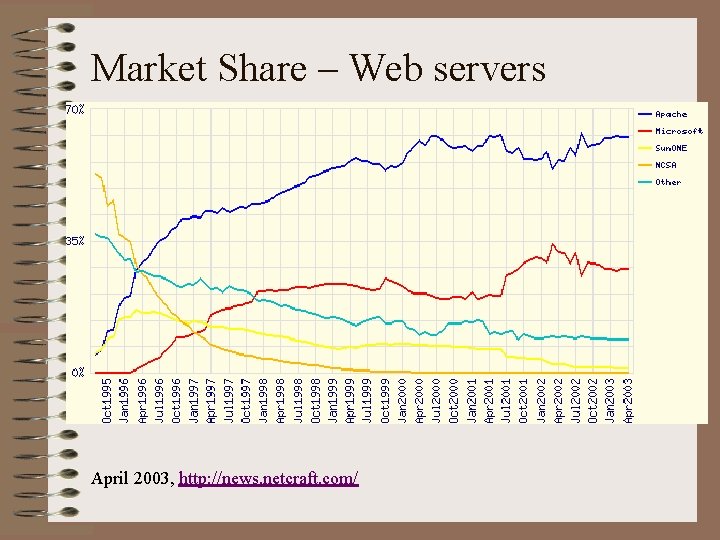
Market Share – Web servers April 2003, http: //news. netcraft. com/
Administrative § Milestone 1 due Sunday. § Start planning your project. § Next time: CORBA.
NSAPI/ICAPI Benefits § Benefits: – NSAPI extensions can affect how the server processes a client request – NSAPI programs run inside the server process (load once, fire often metaphor) thus improving performance – Implemented as dynamic (DLL) or shared (. so) libraries at the server – Support for multithreaded processing is inherent – SAFs (Server Application Functions) usually implemented in compiled C or C++ – Other languages available (Nsapy with Python; nsapi_perl with PERL)
NSAPI/ICAPI Limitations § Shortcomings: – Since they run within the server process, greater risk of crashing the server – Proprietary and non-portable – Complicates server upgrades (Service functions may need to be recoded) – SAFs must be thread safe
Netscape WAI § WAI is a Netscape-specific implementation of a CORBAbased interface for processing HTTP requests: http: //<server>[: port]/iiop/<service_name> § WAI applications (Web Application Interface) are CORBA object implementations that can run in the server process space or out-of-process (distributed) – In-proc WASs are written in C or C++ only – Out-of-proc WASs may also be written in Java • OOP WASs allow you to distribute your server application across the network § A WAI application is called a WAS (Web Application Service).
Netscape WAI § To write a WAS, you do not need to write IDL or generate skeletons, but merely write an application based on the API that Netscape provides (from Visi. Broker) – server. idl: • HTTPServer. Request: provides access to HTTP headers, HTML body, etc. • Http. Server. Context: provides access to context information • typedef sequence <octet> Http. Server. Buffer: binary data buffer for in-out transfer – Http. Server. Request: : Start. Response() – Http. Server. Request: : Write. Client( in Http. Server. Buffer)
Server-Side Includes (Server-Parsed HTML) § Server-Side includes allow us to create macros that access information on the server at the time the page is delivered by the server, rather than when the page was written, causing the server to rewrite the macro with the generated text § SSIs are embedded in HTML (usually. shtml files) – begin with: <!--# and end with: --> § SSI directives: – echo <variable> e. g. : <!--#echo var=“LAST_MODIFIED” --> or DATE_GMT, etc. – include <file> – exec <command> potentially dangerous and often disabled on servers
Server-Side Includes (Server-Parsed HTML) § Java-enabled SSI’s can call servlets (part of Sun’s Java. Server Architecture) – <SERVLET> <NAME=Add. Main> #or: <SERVLET CODE=Add. Main. class> <CODEBASE=http: //localhost: 8080/> <PARAM NAME=pgtitle VALUE=“ON SALE!”> </SERVLET> – SSI’s could be used for: • generating a common look and feel by inserting standard headers and footers in all web pages, just enter the <SERVLET> line, and the Servlet is loaded and run and html is returned an put in place of <SERVLET> • generating customized messages for users (like looking up info in a customer database on login)
- Slides: 61