
Lecture 3 Information Visualization Origins Data Types Display
- Slides: 59
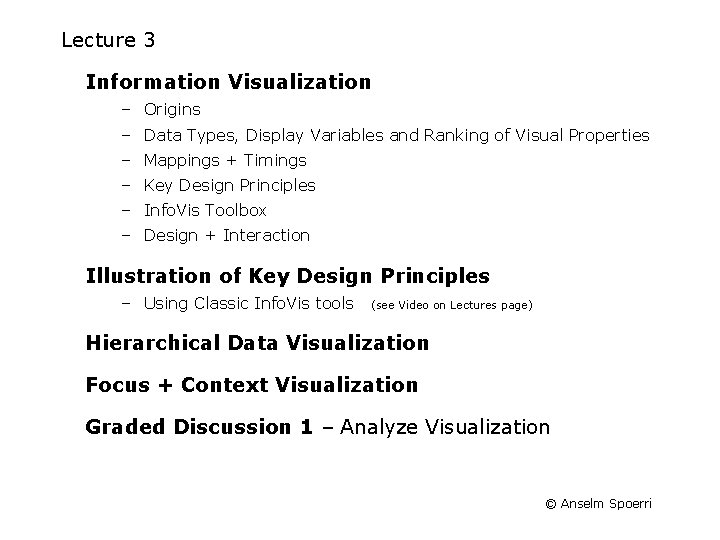
Lecture 3 Information Visualization – Origins – Data Types, Display Variables and Ranking of Visual Properties – Mappings + Timings – Key Design Principles – Info. Vis Toolbox – Design + Interaction Illustration of Key Design Principles – Using Classic Info. Vis tools (see Video on Lectures page) Hierarchical Data Visualization Focus + Context Visualization Graded Discussion 1 – Analyze Visualization © Anselm Spoerri
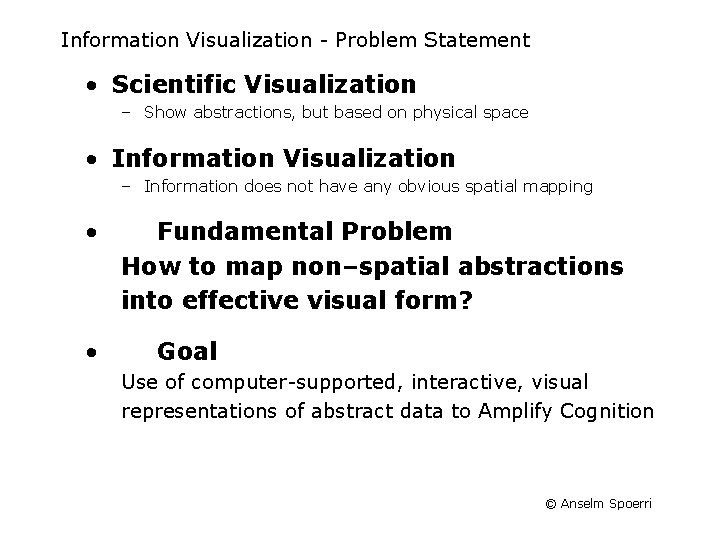
Information Visualization - Problem Statement • Scientific Visualization – Show abstractions, but based on physical space • Information Visualization – Information does not have any obvious spatial mapping • • Fundamental Problem How to map non–spatial abstractions into effective visual form? Goal Use of computer-supported, interactive, visual representations of abstract data to Amplify Cognition © Anselm Spoerri
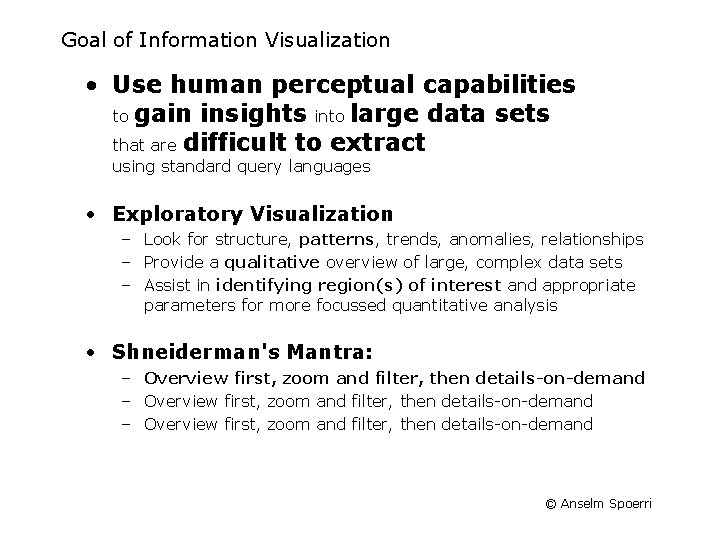
Goal of Information Visualization • Use human perceptual capabilities to gain insights into large data sets that are difficult to extract using standard query languages • Exploratory Visualization – Look for structure, patterns, trends, anomalies, relationships – Provide a qualitative overview of large, complex data sets – Assist in identifying region(s) of interest and appropriate parameters for more focussed quantitative analysis • Shneiderman's Mantra: – Overview first, zoom and filter, then details-on-demand © Anselm Spoerri
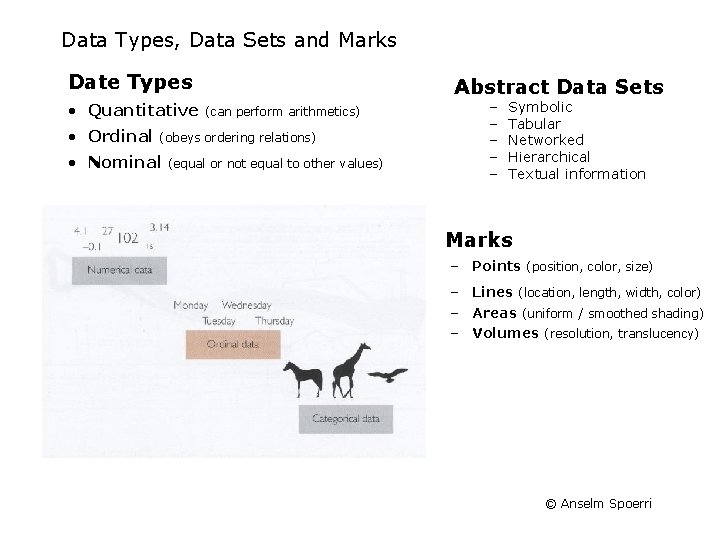
Data Types, Data Sets and Marks Date Types • Quantitative • Ordinal Abstract Data Sets (can perform arithmetics) (obeys ordering relations) • Nominal (equal or not equal to other values) − − − Symbolic Tabular Networked Hierarchical Textual information • Marks – Points (position, color, size) – Lines (location, length, width, color) – Areas (uniform / smoothed shading) – Volumes (resolution, translucency) © Anselm Spoerri
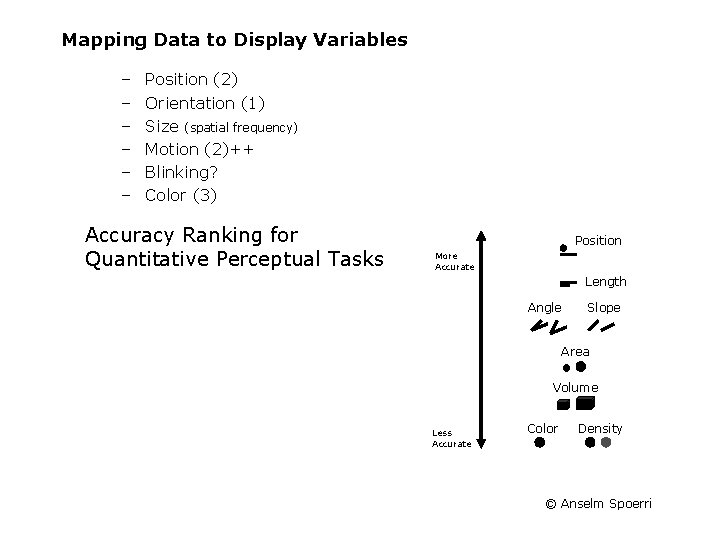
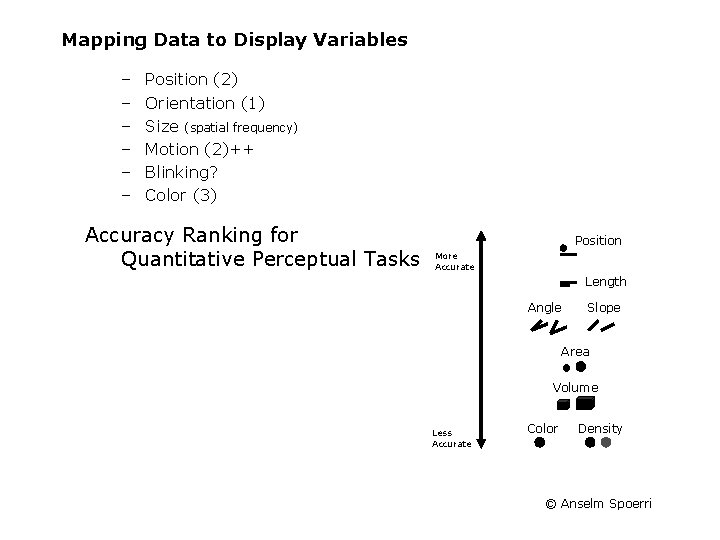
Mapping Data to Display Variables – – – Position (2) Orientation (1) Size (spatial frequency) Motion (2)++ Blinking? Color (3) Accuracy Ranking for Quantitative Perceptual Tasks Position More Accurate Length Angle Slope Area Volume Less Accurate Color Density © Anselm Spoerri
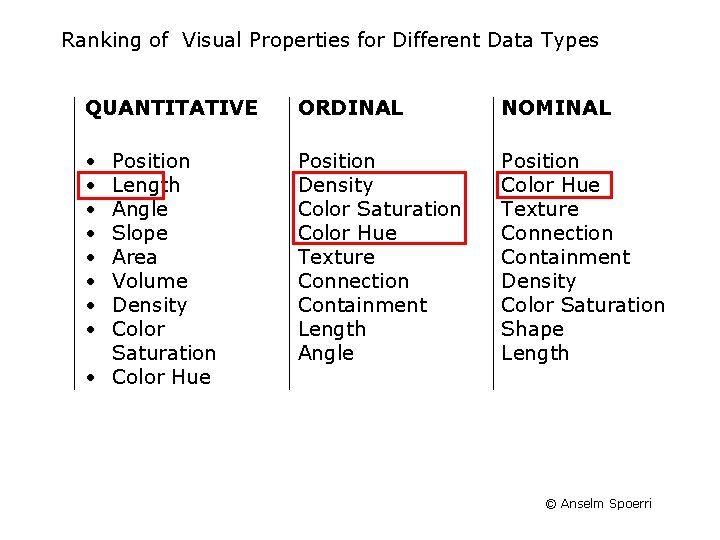
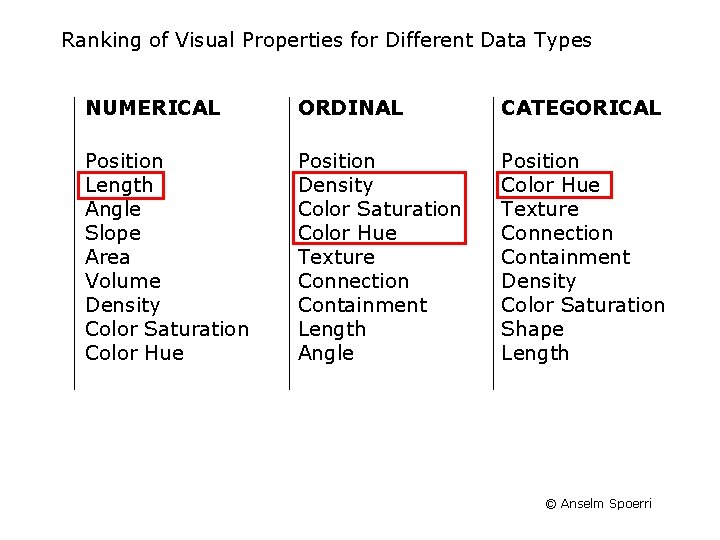
Ranking of Visual Properties for Different Data Types QUANTITATIVE ORDINAL NOMINAL • • Position Density Color Saturation Color Hue Texture Connection Containment Length Angle Position Color Hue Texture Connection Containment Density Color Saturation Shape Length Position Length Angle Slope Area Volume Density Color Saturation • Color Hue © Anselm Spoerri
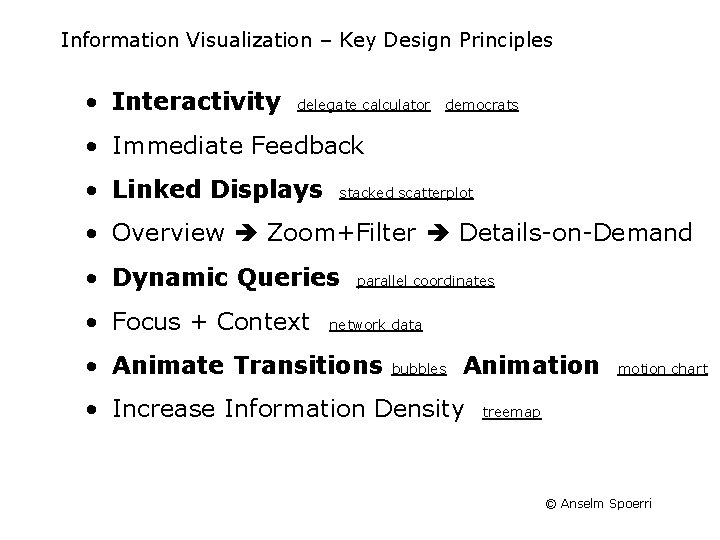
Information Visualization – Key Design Principles • Interactivity delegate calculator democrats • Immediate Feedback • Linked Displays stacked scatterplot • Overview Zoom+Filter Details-on-Demand • Dynamic Queries • Focus + Context parallel coordinates network data • Animate Transitions bubbles Animation • Increase Information Density motion chart treemap © Anselm Spoerri
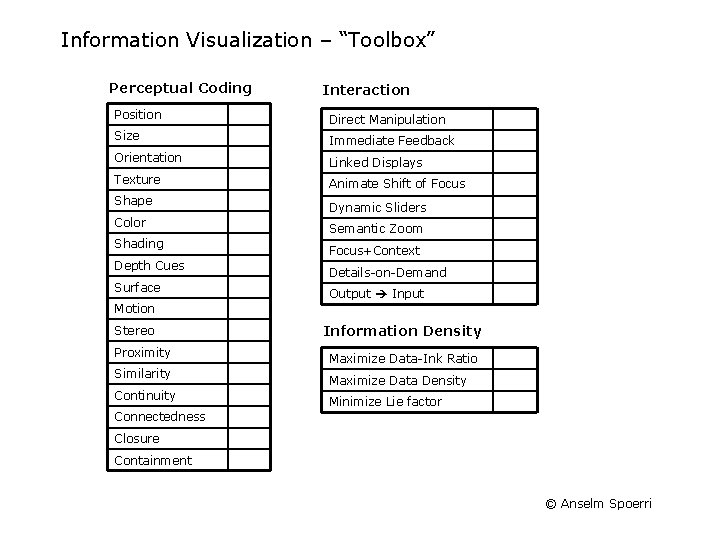
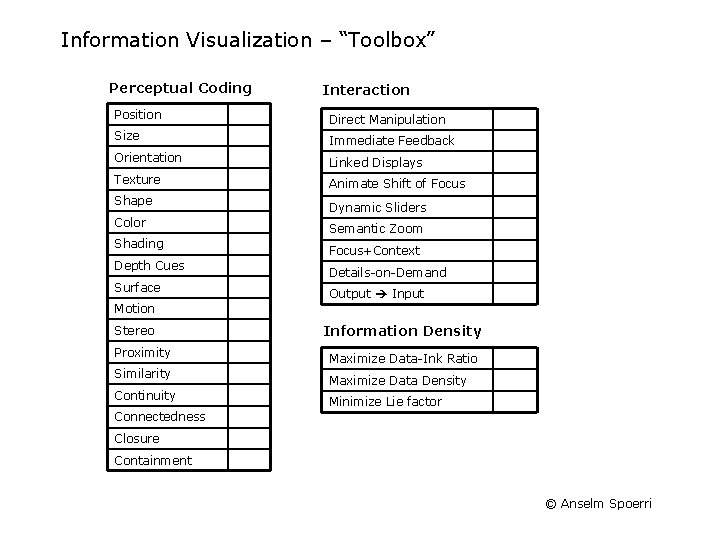
Information Visualization – “Toolbox” Perceptual Coding Interaction Position Direct Manipulation Size Immediate Feedback Orientation Linked Displays Texture Animate Shift of Focus Shape Color Shading Depth Cues Surface Dynamic Sliders Semantic Zoom Focus+Context Details-on-Demand Output Input Motion Stereo Proximity Similarity Continuity Information Density Maximize Data-Ink Ratio Maximize Data Density Minimize Lie factor Connectedness Closure Containment © Anselm Spoerri
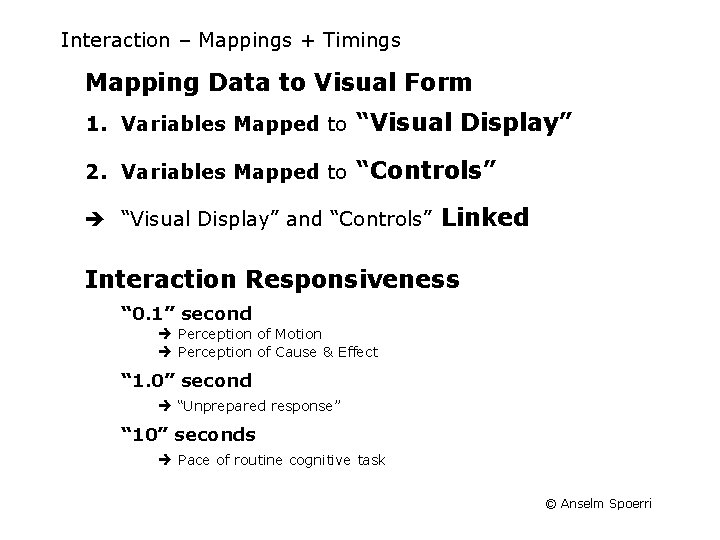
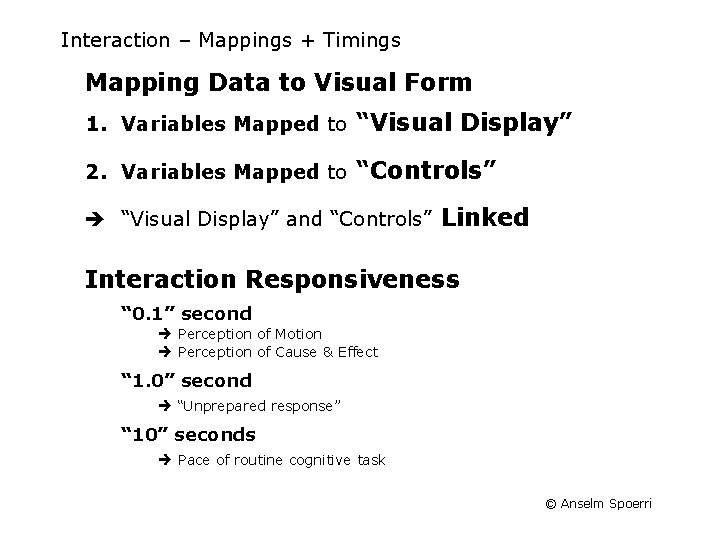
Interaction – Mappings + Timings Mapping Data to Visual Form 1. Variables Mapped to “Visual Display” 2. Variables Mapped to “Controls” “Visual Display” and “Controls” Linked Interaction Responsiveness “ 0. 1” second Perception of Motion Perception of Cause & Effect “ 1. 0” second “Unprepared response” “ 10” seconds Pace of routine cognitive task © Anselm Spoerri
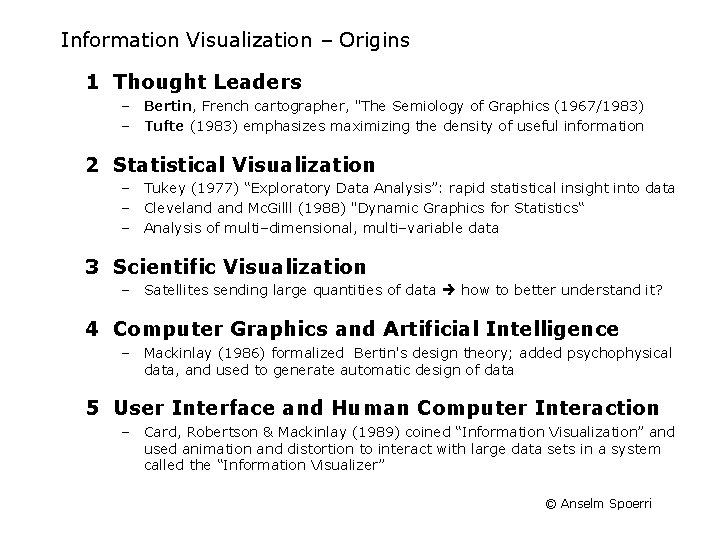
Information Visualization – Origins 1 Thought Leaders – Bertin, French cartographer, "The Semiology of Graphics (1967/1983) – Tufte (1983) emphasizes maximizing the density of useful information 2 Statistical Visualization – Tukey (1977) “Exploratory Data Analysis”: rapid statistical insight into data – Cleveland Mc. Gilll (1988) "Dynamic Graphics for Statistics“ – Analysis of multi–dimensional, multi–variable data 3 Scientific Visualization – Satellites sending large quantities of data how to better understand it? 4 Computer Graphics and Artificial Intelligence – Mackinlay (1986) formalized Bertin's design theory; added psychophysical data, and used to generate automatic design of data 5 User Interface and Human Computer Interaction – Card, Robertson & Mackinlay (1989) coined “Information Visualization” and used animation and distortion to interact with large data sets in a system called the “Information Visualizer” © Anselm Spoerri
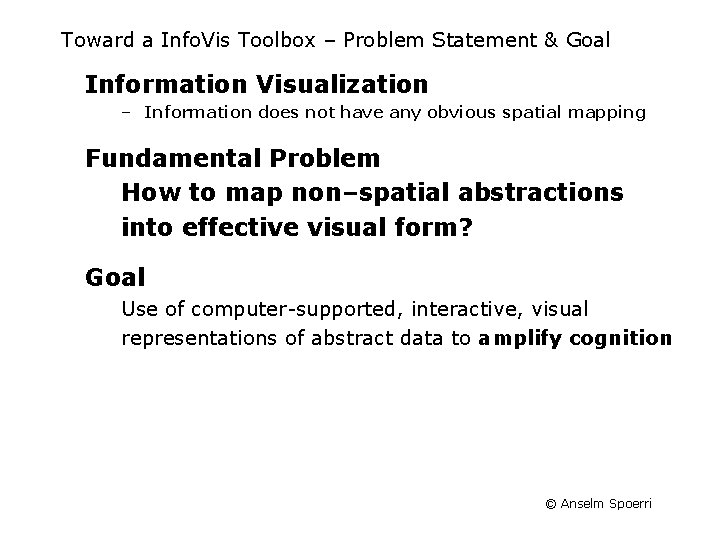
Toward a Info. Vis Toolbox – Problem Statement & Goal Information Visualization – Information does not have any obvious spatial mapping Fundamental Problem How to map non–spatial abstractions into effective visual form? Goal Use of computer-supported, interactive, visual representations of abstract data to amplify cognition © Anselm Spoerri
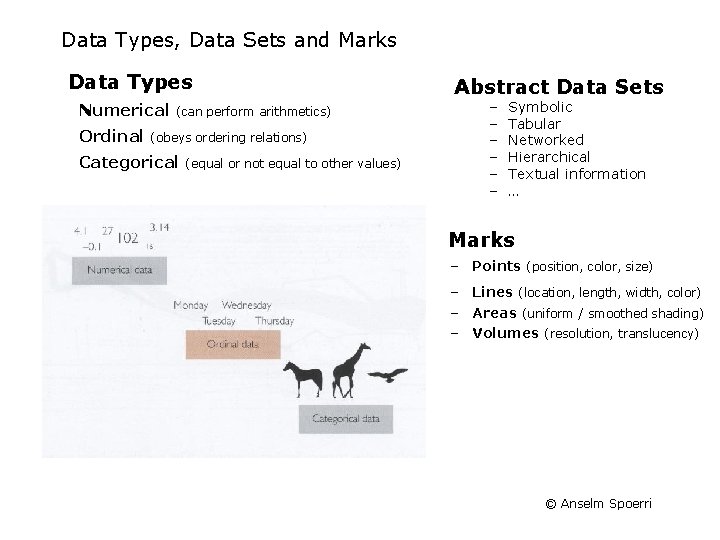
Data Types, Data Sets and Marks Data Types Numerical Ordinal (can perform arithmetics) (obeys ordering relations) Categorical (equal or not equal to other values) Abstract Data Sets − − − Symbolic Tabular Networked Hierarchical Textual information … Marks – Points (position, color, size) – Lines (location, length, width, color) – Areas (uniform / smoothed shading) – Volumes (resolution, translucency) © Anselm Spoerri
Mapping Data to Display Variables – – – Position (2) Orientation (1) Size (spatial frequency) Motion (2)++ Blinking? Color (3) Accuracy Ranking for Quantitative Perceptual Tasks Position More Accurate Length Angle Slope Area Volume Less Accurate Color Density © Anselm Spoerri
Ranking of Visual Properties for Different Data Types NUMERICAL ORDINAL CATEGORICAL Position Length Angle Slope Area Volume Density Color Saturation Color Hue Position Density Color Saturation Color Hue Texture Connection Containment Length Angle Position Color Hue Texture Connection Containment Density Color Saturation Shape Length © Anselm Spoerri
Interaction – Mappings + Timings Mapping Data to Visual Form 1. Variables Mapped to “Visual Display” 2. Variables Mapped to “Controls” “Visual Display” and “Controls” Linked Interaction Responsiveness “ 0. 1” second Perception of Motion Perception of Cause & Effect “ 1. 0” second “Unprepared response” “ 10” seconds Pace of routine cognitive task © Anselm Spoerri
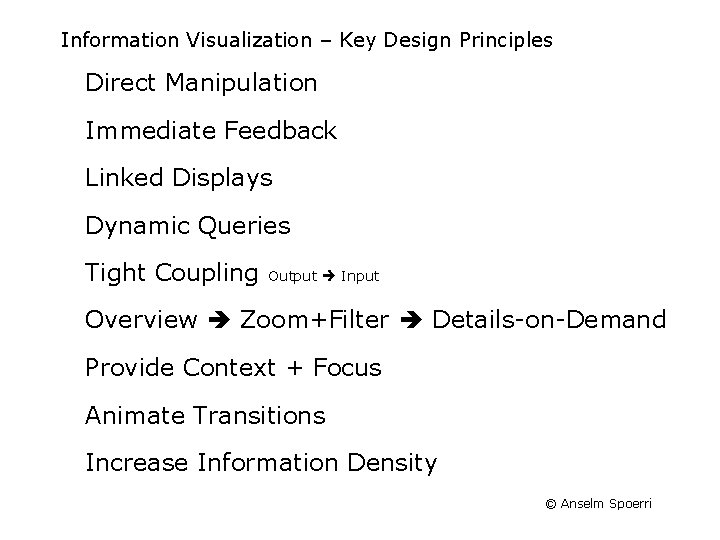
Information Visualization – Key Design Principles Direct Manipulation Immediate Feedback Linked Displays Dynamic Queries Tight Coupling Output Input Overview Zoom+Filter Details-on-Demand Provide Context + Focus Animate Transitions Increase Information Density © Anselm Spoerri
Information Visualization – “Toolbox” Perceptual Coding Interaction Position Direct Manipulation Size Immediate Feedback Orientation Linked Displays Texture Animate Shift of Focus Shape Color Shading Depth Cues Surface Dynamic Sliders Semantic Zoom Focus+Context Details-on-Demand Output Input Motion Stereo Proximity Similarity Continuity Information Density Maximize Data-Ink Ratio Maximize Data Density Minimize Lie factor Connectedness Closure Containment © Anselm Spoerri
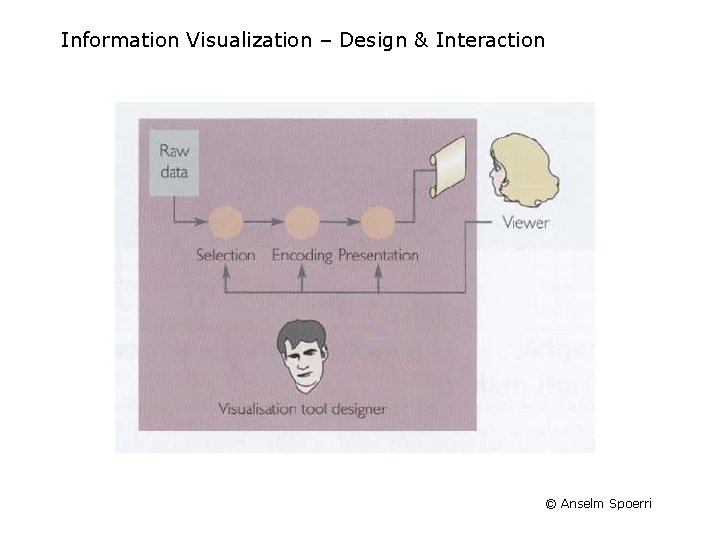
Information Visualization – Design & Interaction © Anselm Spoerri
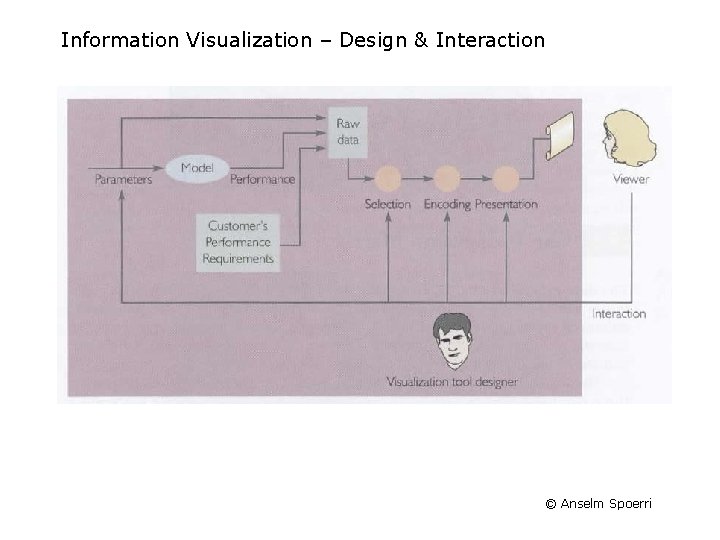
Information Visualization – Design & Interaction © Anselm Spoerri
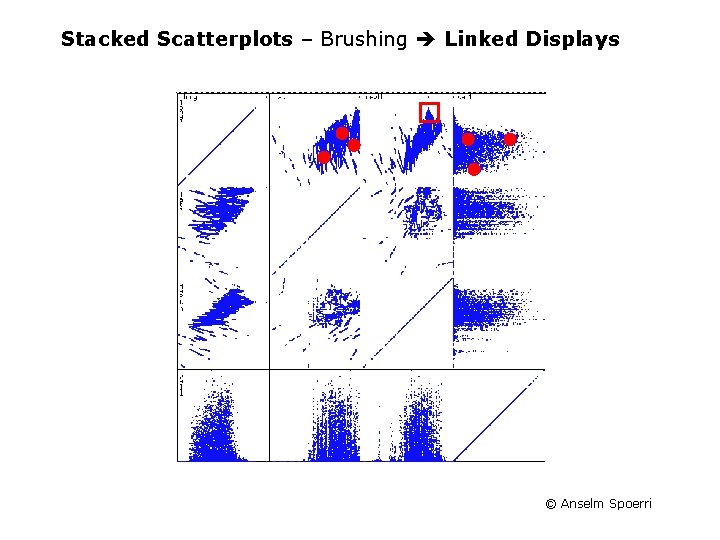
Stacked Scatterplots – Brushing Linked Displays © Anselm Spoerri
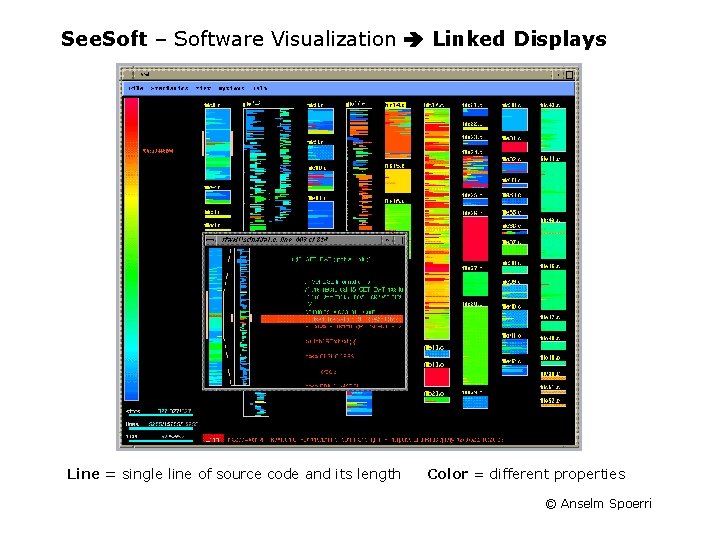
See. Soft – Software Visualization Linked Displays Line = single line of source code and its length Color = different properties © Anselm Spoerri
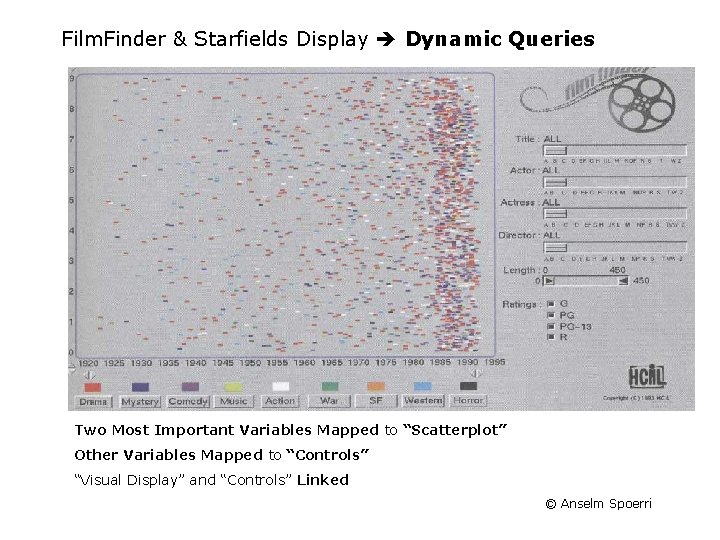
Film. Finder & Starfields Display Dynamic Queries Two Most Important Variables Mapped to “Scatterplot” Other Variables Mapped to “Controls” “Visual Display” and “Controls” Linked © Anselm Spoerri
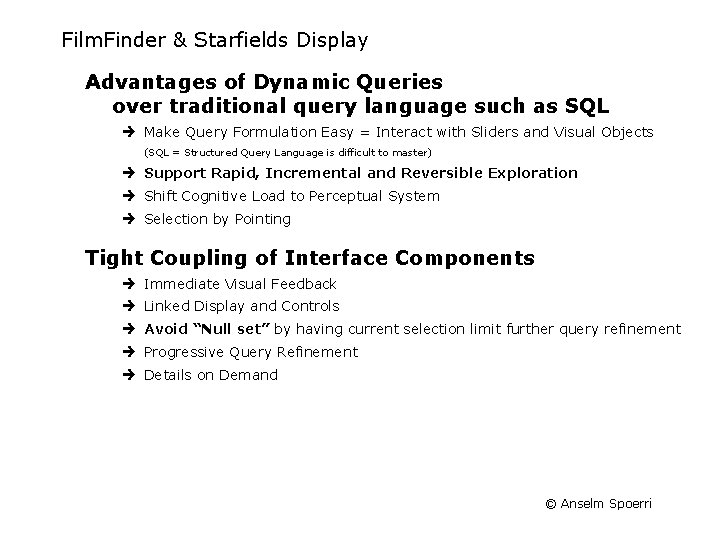
Film. Finder & Starfields Display Advantages of Dynamic Queries over traditional query language such as SQL Make Query Formulation Easy = Interact with Sliders and Visual Objects (SQL = Structured Query Language is difficult to master) Support Rapid, Incremental and Reversible Exploration Shift Cognitive Load to Perceptual System Selection by Pointing Tight Coupling of Interface Components Immediate Visual Feedback Linked Display and Controls Avoid “Null set” by having current selection limit further query refinement Progressive Query Refinement Details on Demand © Anselm Spoerri
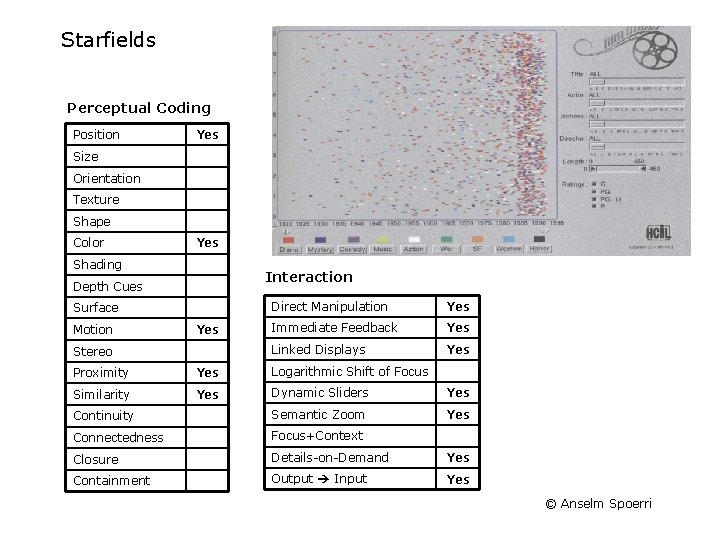
Starfields Perceptual Coding Position Yes Size Orientation Texture Shape Color Yes Shading Interaction Depth Cues Surface Motion Yes Stereo Direct Manipulation Yes Immediate Feedback Yes Linked Displays Yes Proximity Yes Logarithmic Shift of Focus Similarity Yes Dynamic Sliders Yes Continuity Semantic Zoom Yes Connectedness Focus+Context Closure Details-on-Demand Yes Containment Output Input Yes © Anselm Spoerri
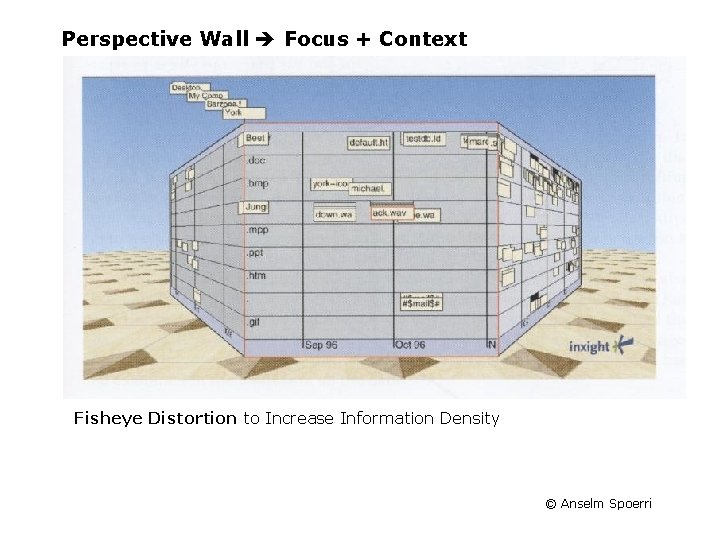
Perspective Wall Focus + Context Fisheye Distortion to Increase Information Density © Anselm Spoerri
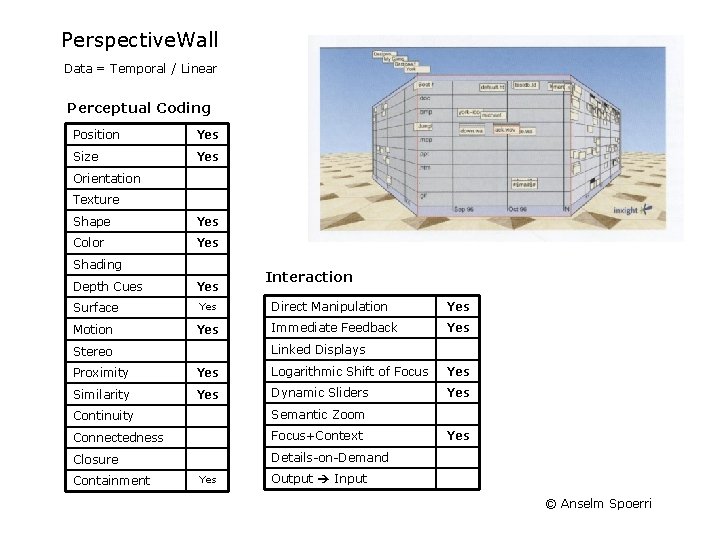
Perspective. Wall Data = Temporal / Linear Perceptual Coding Position Yes Size Yes Orientation Texture Shape Yes Color Yes Shading Depth Cues Yes Surface Yes Motion Yes Interaction Direct Manipulation Yes Immediate Feedback Yes Linked Displays Stereo Proximity Yes Logarithmic Shift of Focus Yes Similarity Yes Dynamic Sliders Yes Continuity Semantic Zoom Connectedness Focus+Context Closure Details-on-Demand Containment Yes Output Input © Anselm Spoerri
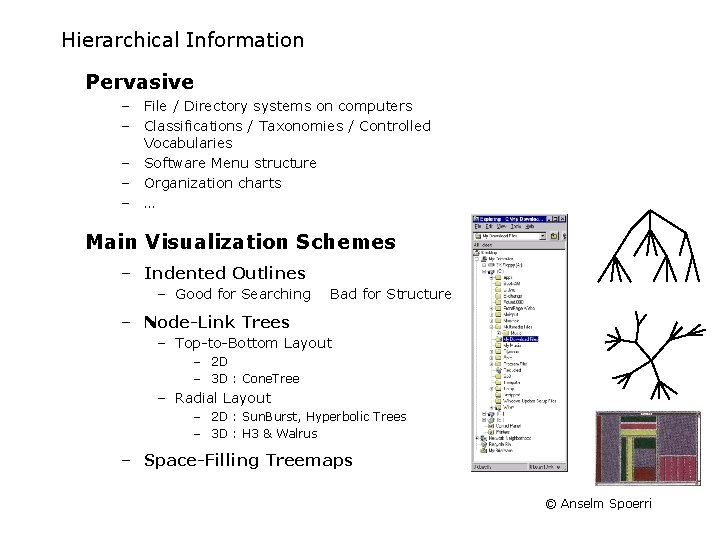
Hierarchical Information Pervasive – File / Directory systems on computers – Classifications / Taxonomies / Controlled Vocabularies – Software Menu structure – Organization charts – … Main Visualization Schemes – Indented Outlines – Good for Searching Bad for Structure – Node-Link Trees – Top-to-Bottom Layout – 2 D – 3 D : Cone. Tree – Radial Layout – 2 D : Sun. Burst, Hyperbolic Trees – 3 D : H 3 & Walrus – Space-Filling Treemaps © Anselm Spoerri
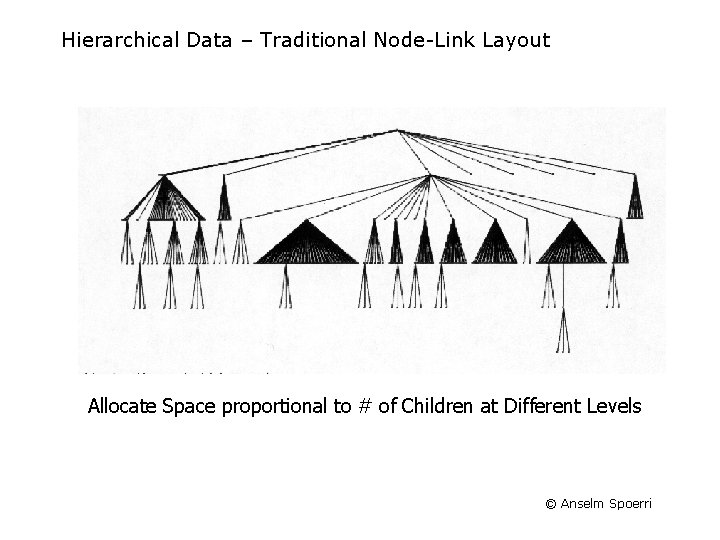
Hierarchical Data – Traditional Node-Link Layout Allocate Space proportional to # of Children at Different Levels © Anselm Spoerri
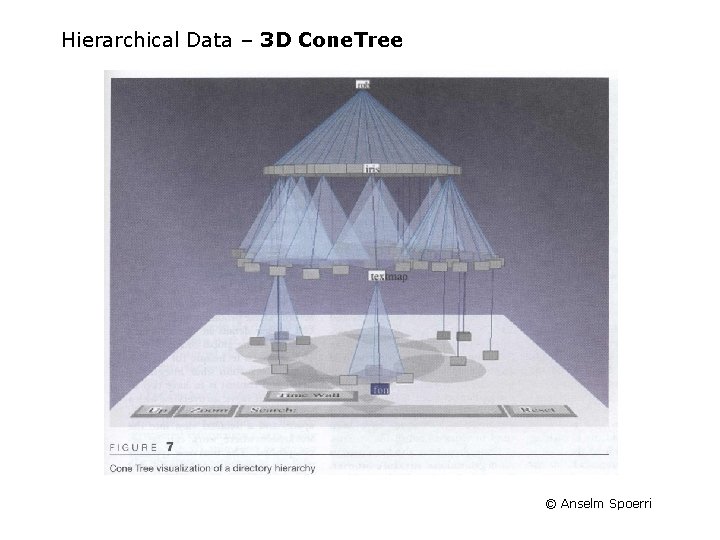
Hierarchical Data – 3 D Cone. Tree © Anselm Spoerri
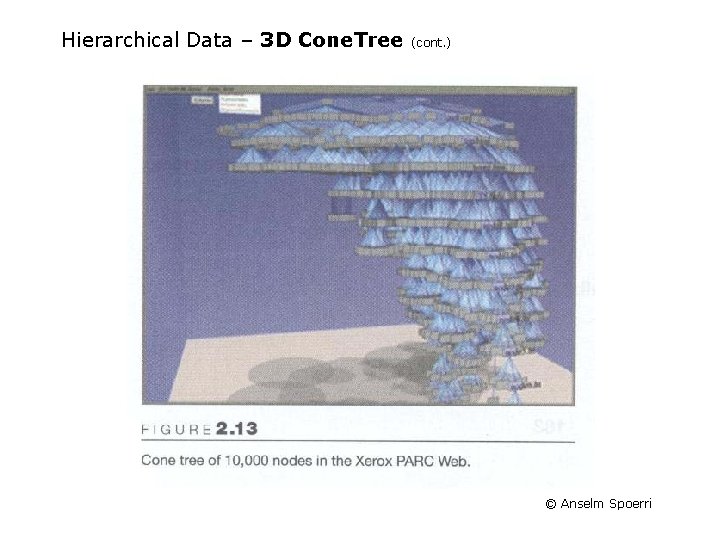
Hierarchical Data – 3 D Cone. Tree (cont. ) © Anselm Spoerri
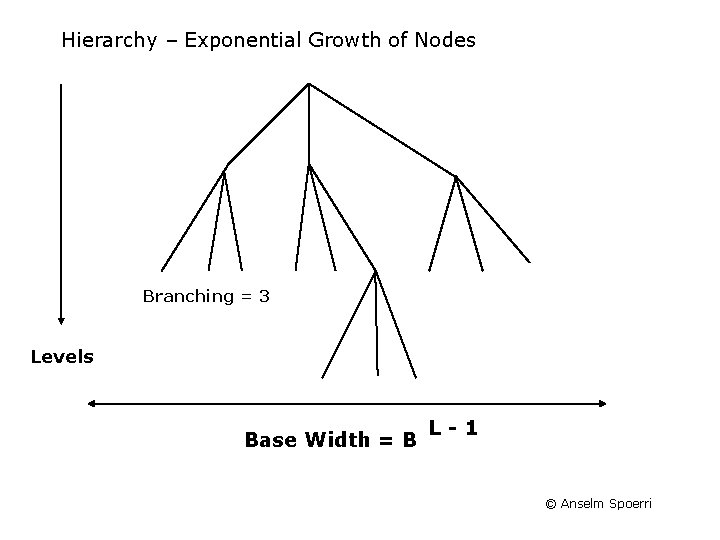
Hierarchy – Exponential Growth of Nodes Branching = 3 Levels Base Width = B L-1 © Anselm Spoerri
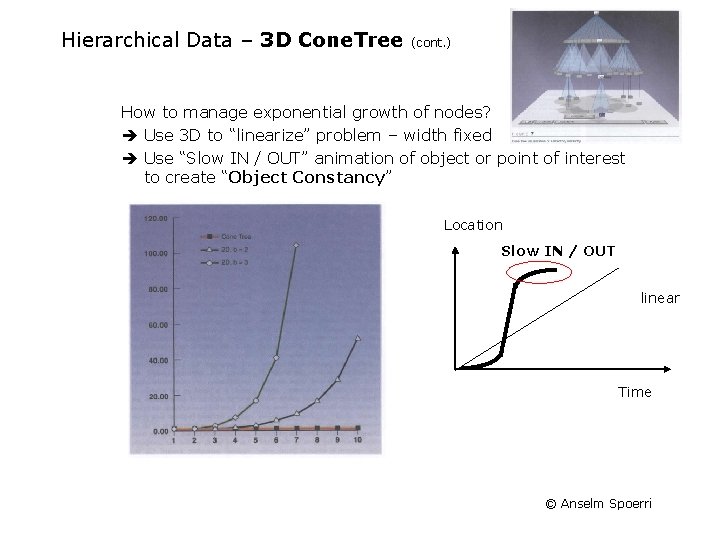
Hierarchical Data – 3 D Cone. Tree (cont. ) How to manage exponential growth of nodes? Use 3 D to “linearize” problem – width fixed Use “Slow IN / OUT” animation of object or point of interest to create “Object Constancy” Location Slow IN / OUT linear Time © Anselm Spoerri
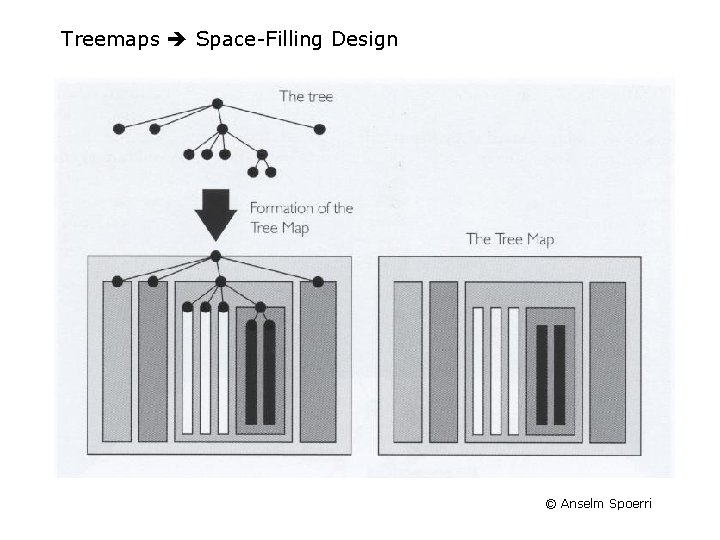
Treemaps Space-Filling Design © Anselm Spoerri
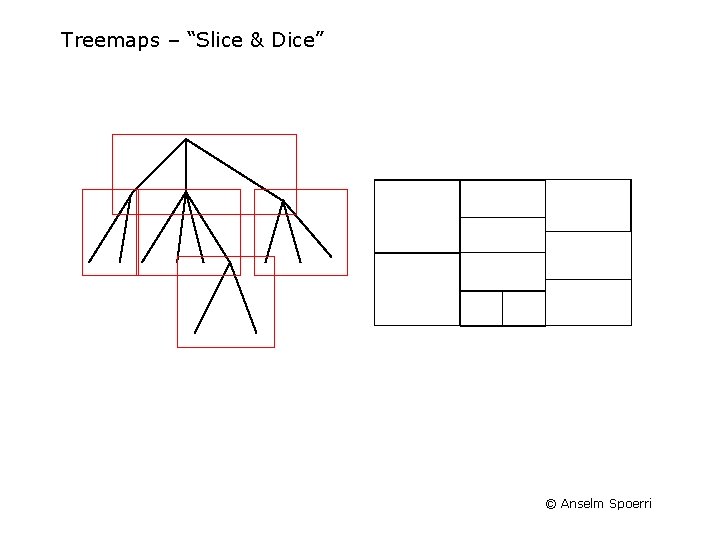
Treemaps – “Slice & Dice” © Anselm Spoerri
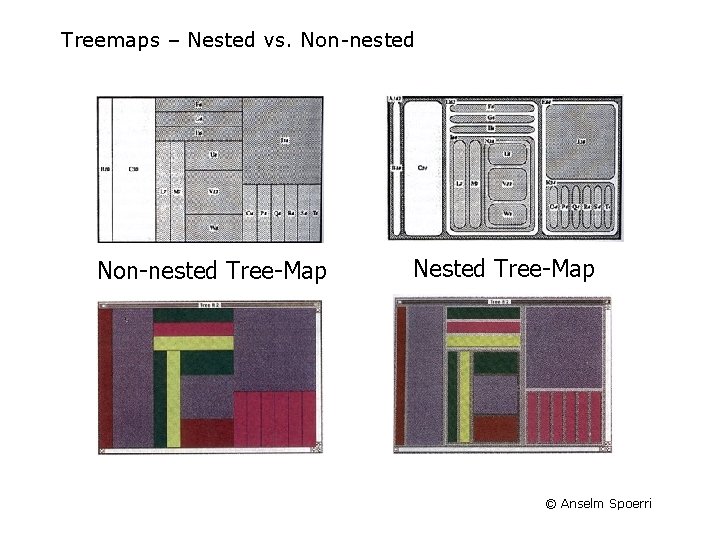
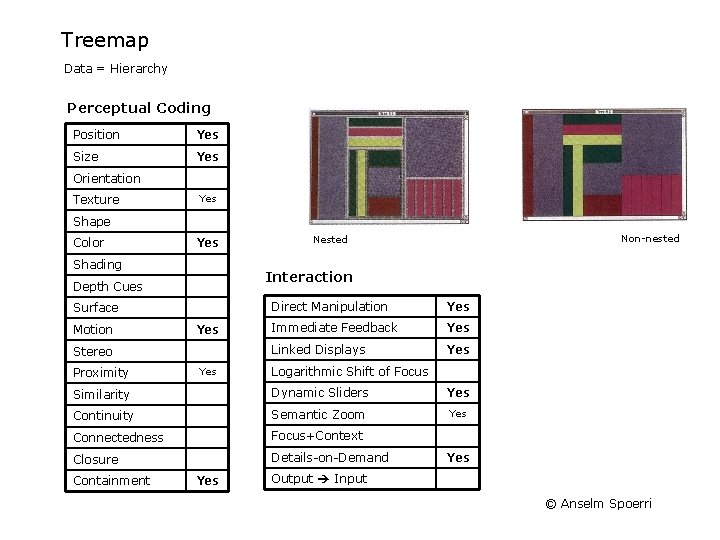
Treemaps – Nested vs. Non-nested Tree-Map Nested Tree-Map © Anselm Spoerri
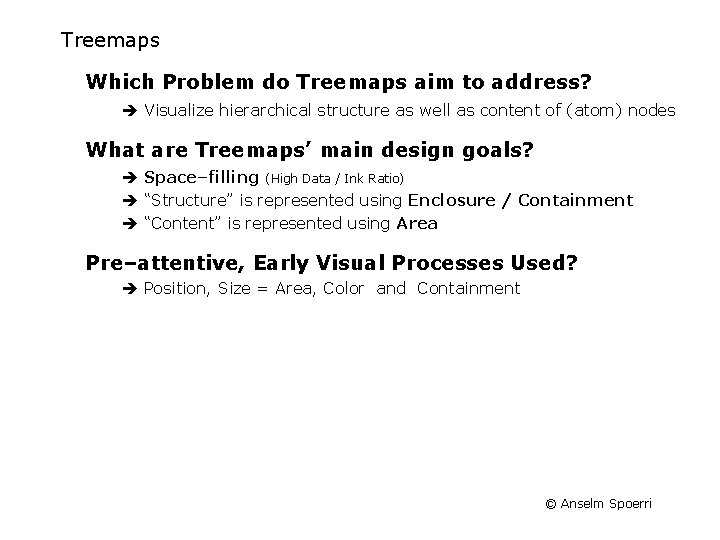
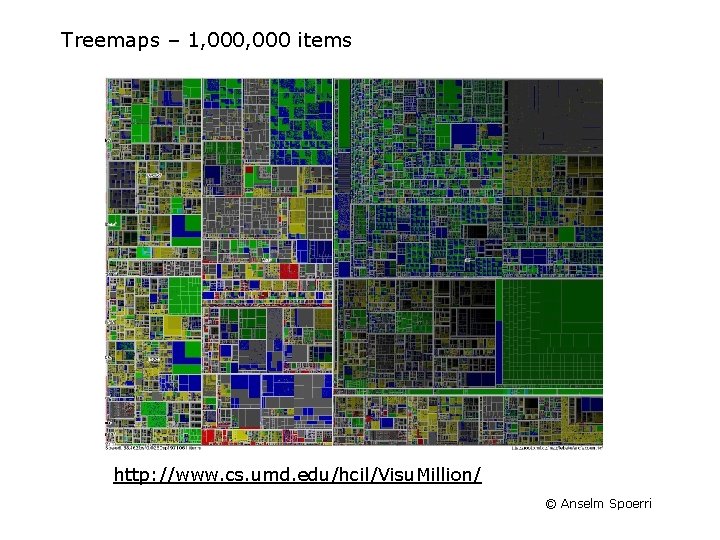
Treemaps Which Problem do Treemaps aim to address? Visualize hierarchical structure as well as content of (atom) nodes What are Treemaps’ main design goals? Space–filling (High Data / Ink Ratio) “Structure” is represented using Enclosure / Containment “Content” is represented using Area Pre–attentive, Early Visual Processes Used? Position, Size = Area, Color and Containment © Anselm Spoerri
Treemap Data = Hierarchy Perceptual Coding Position Yes Size Yes Orientation Texture Yes Shape Color Yes Shading Interaction Depth Cues Surface Motion Yes Stereo Proximity Non-nested Nested Yes Direct Manipulation Yes Immediate Feedback Yes Linked Displays Yes Logarithmic Shift of Focus Similarity Dynamic Sliders Yes Continuity Semantic Zoom Yes Connectedness Focus+Context Closure Details-on-Demand Containment Yes Output Input © Anselm Spoerri
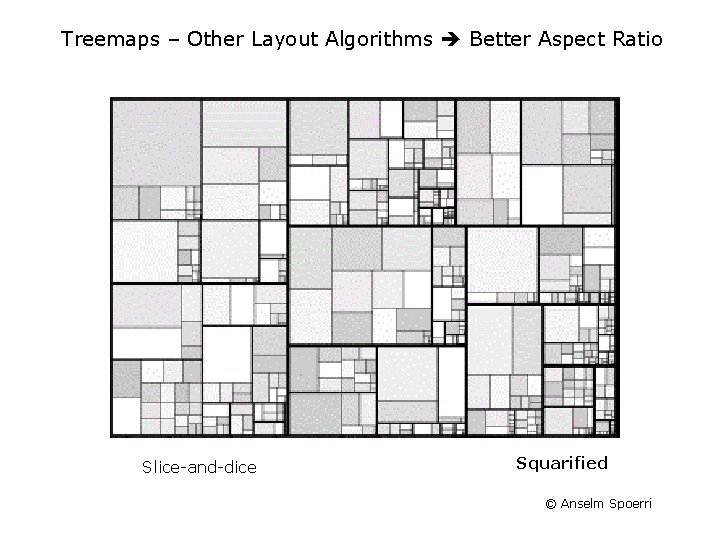
Treemaps – Other Layout Algorithms Better Aspect Ratio Slice-and-dice Squarified © Anselm Spoerri
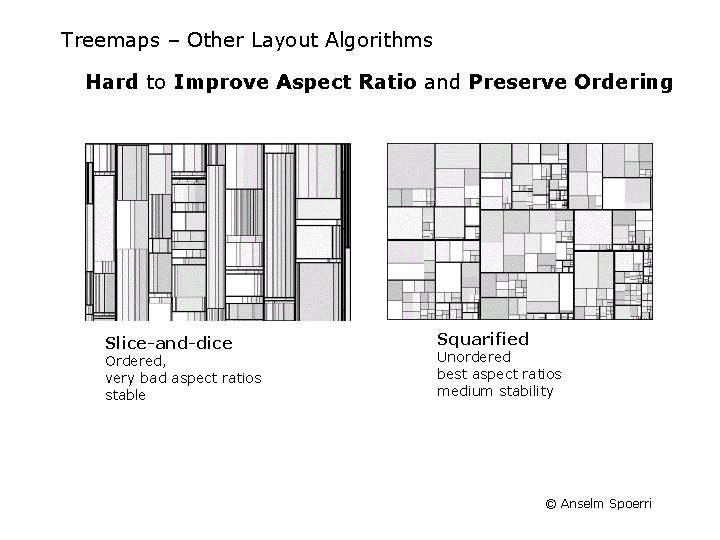
Treemaps – Other Layout Algorithms Hard to Improve Aspect Ratio and Preserve Ordering Slice-and-dice Ordered, very bad aspect ratios stable Squarified Unordered best aspect ratios medium stability © Anselm Spoerri
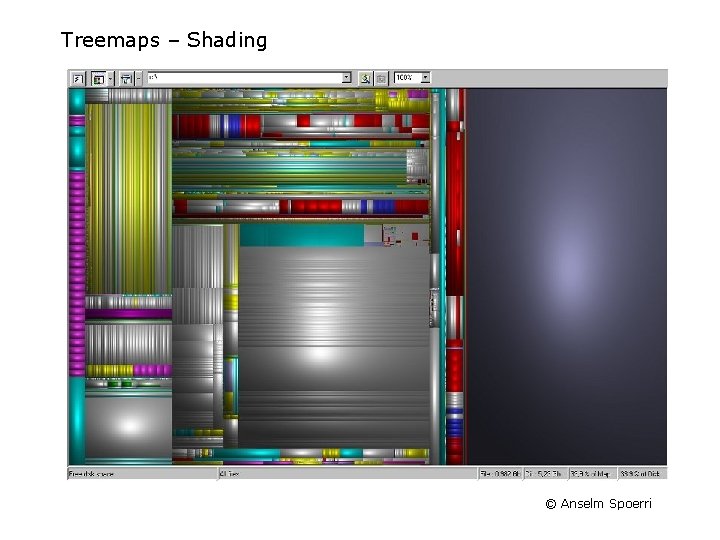
Treemaps – Shading © Anselm Spoerri
Treemaps – 1, 000 items http: //www. cs. umd. edu/hcil/Visu. Million/ © Anselm Spoerri
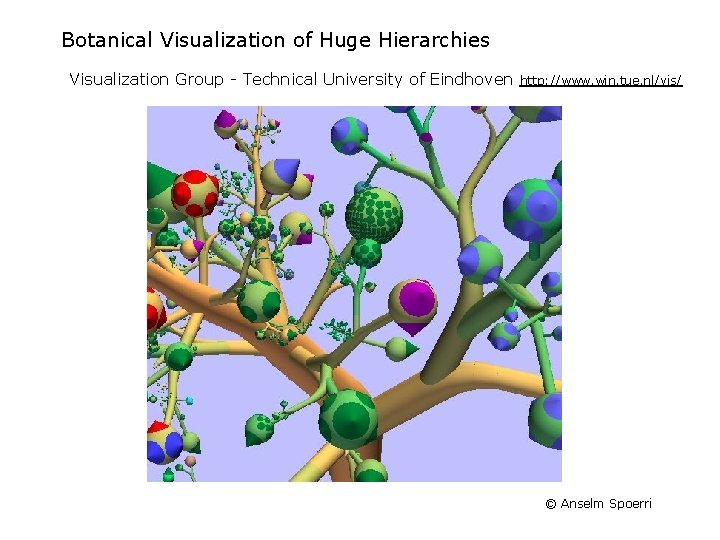
Botanical Visualization of Huge Hierarchies Visualization Group - Technical University of Eindhoven http: //www. win. tue. nl/vis/ © Anselm Spoerri
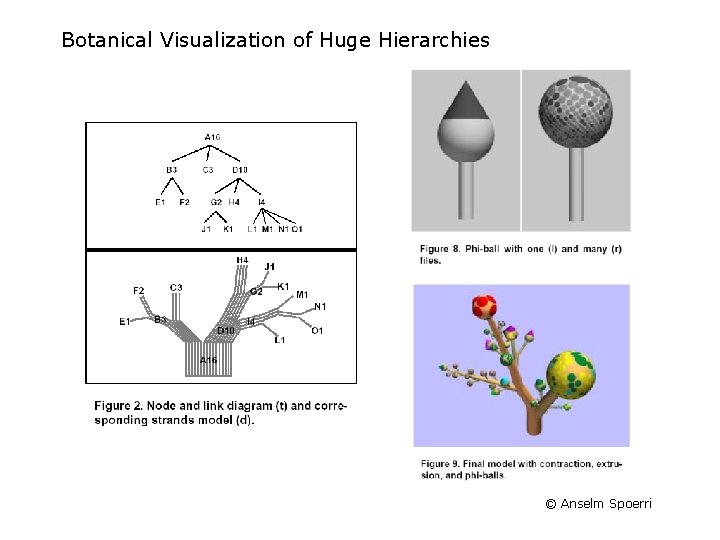
Botanical Visualization of Huge Hierarchies © Anselm Spoerri
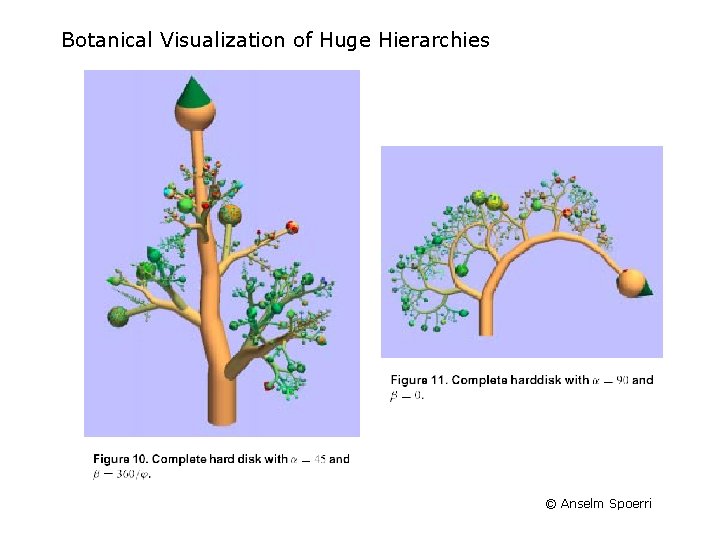
Botanical Visualization of Huge Hierarchies © Anselm Spoerri
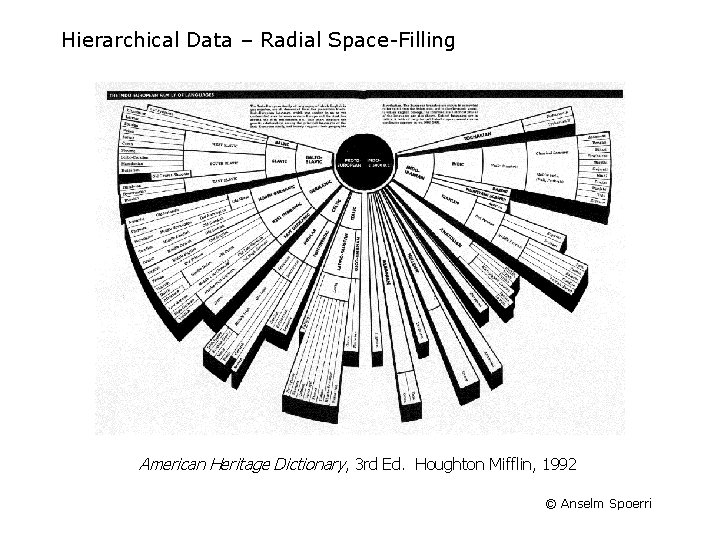
Hierarchical Data – Radial Space-Filling American Heritage Dictionary, 3 rd Ed. Houghton Mifflin, 1992 © Anselm Spoerri
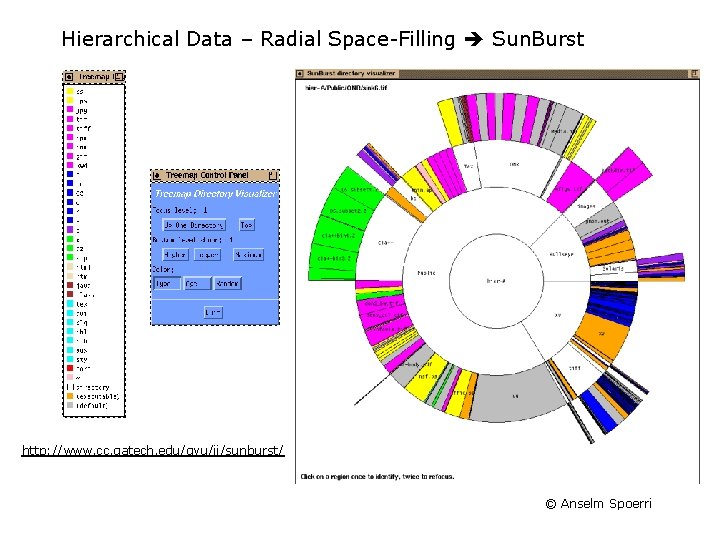
Hierarchical Data – Radial Space-Filling Sun. Burst http: //www. cc. gatech. edu/gvu/ii/sunburst/ © Anselm Spoerri
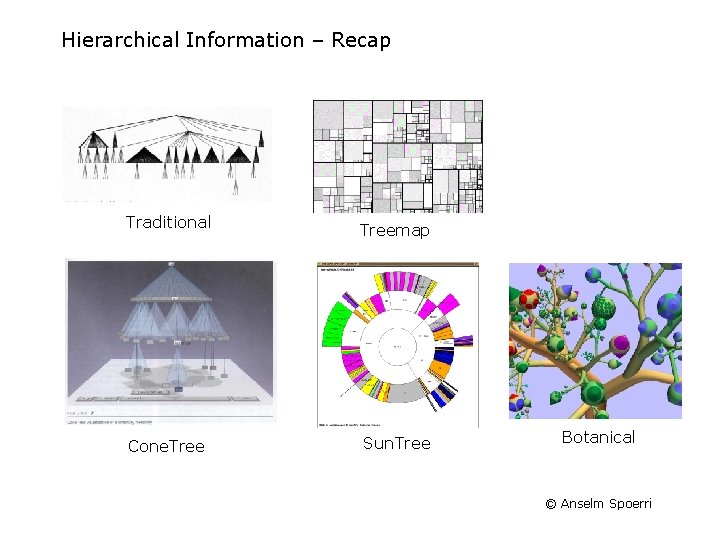
Hierarchical Information – Recap Traditional Treemap Cone. Tree Sun. Tree Botanical © Anselm Spoerri
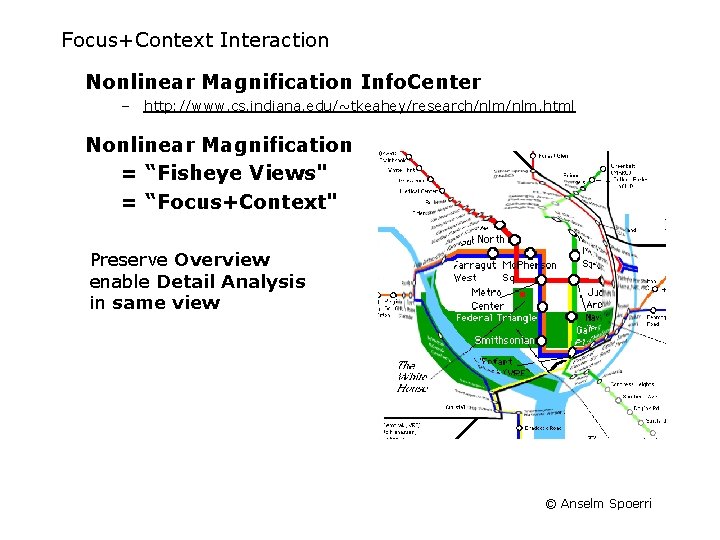
Focus+Context Interaction Nonlinear Magnification Info. Center – http: //www. cs. indiana. edu/~tkeahey/research/nlm. html Nonlinear Magnification = “Fisheye Views" = “Focus+Context" Preserve Overview enable Detail Analysis in same view © Anselm Spoerri
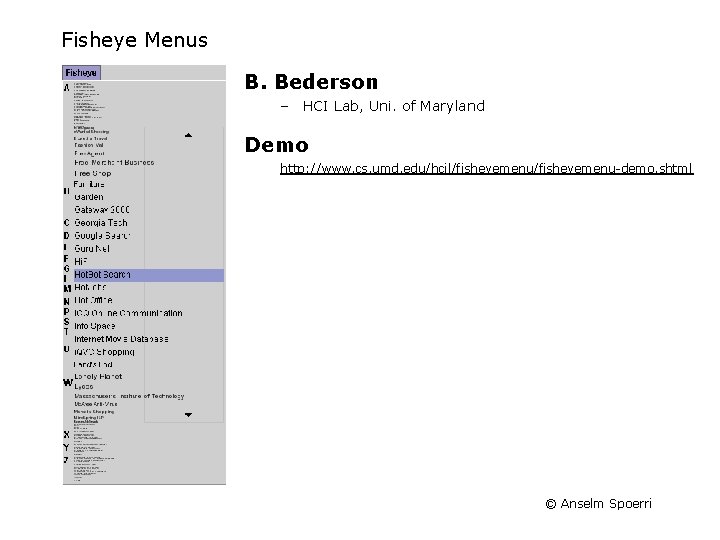
Fisheye Menus B. Bederson – HCI Lab, Uni. of Maryland Demo http: //www. cs. umd. edu/hcil/fisheyemenu-demo. shtml © Anselm Spoerri
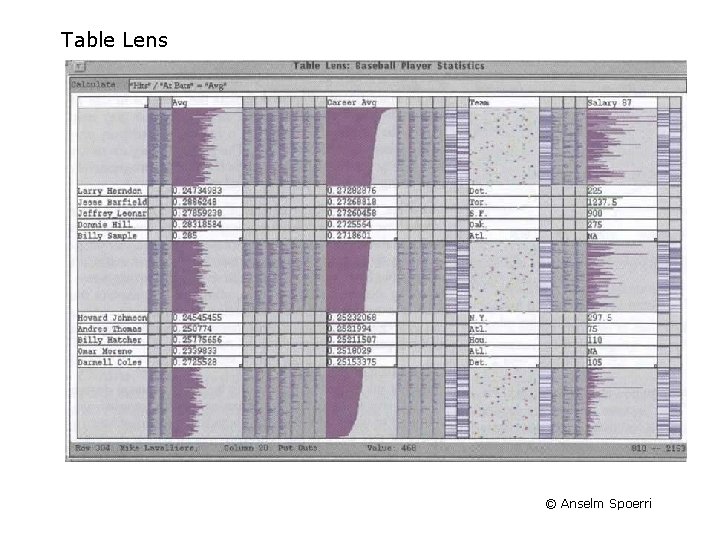
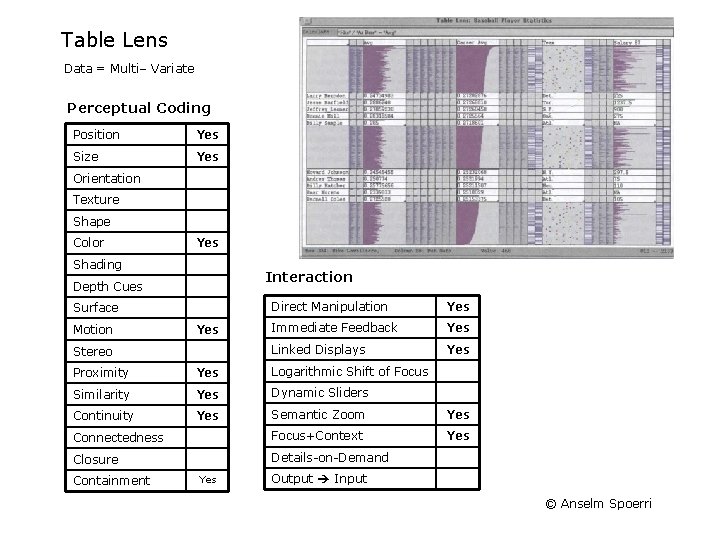
Table Lens © Anselm Spoerri
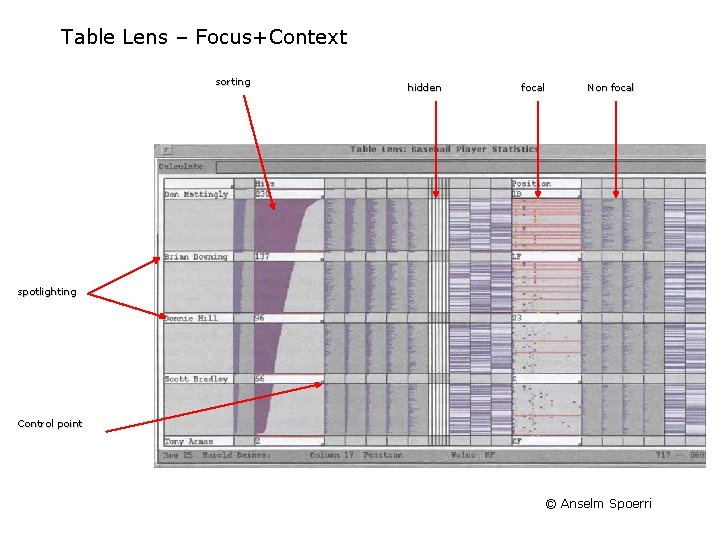
Table Lens – Focus+Context sorting hidden focal Non focal spotlighting Control point © Anselm Spoerri
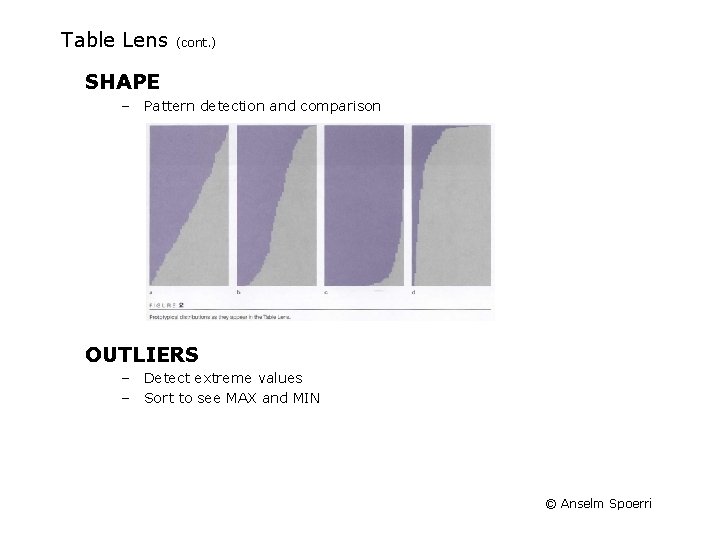
Table Lens (cont. ) SHAPE – Pattern detection and comparison OUTLIERS – Detect extreme values – Sort to see MAX and MIN © Anselm Spoerri
Table Lens Data = Multi– Variate Perceptual Coding Position Yes Size Yes Orientation Texture Shape Color Yes Shading Interaction Depth Cues Surface Motion Yes Stereo Direct Manipulation Yes Immediate Feedback Yes Linked Displays Yes Proximity Yes Logarithmic Shift of Focus Similarity Yes Dynamic Sliders Continuity Yes Semantic Zoom Yes Connectedness Focus+Context Yes Closure Details-on-Demand Containment Yes Output Input © Anselm Spoerri
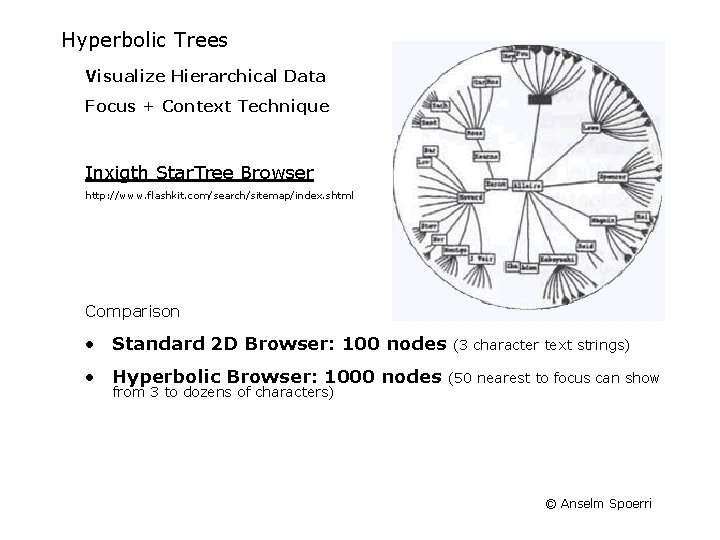
Hyperbolic Trees Visualize Hierarchical Data Focus + Context Technique Inxigth Star. Tree Browser http: //www. flashkit. com/search/sitemap/index. shtml Comparison • Standard 2 D Browser: 100 nodes • Hyperbolic Browser: 1000 nodes from 3 to dozens of characters) (3 character text strings) (50 nearest to focus can show © Anselm Spoerri
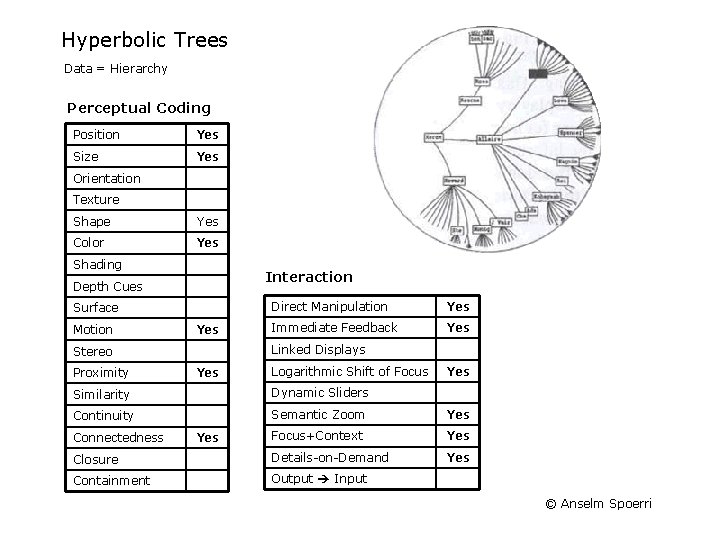
Hyperbolic Trees Data = Hierarchy Perceptual Coding Position Yes Size Yes Orientation Texture Shape Yes Color Yes Shading Interaction Depth Cues Surface Motion Yes Immediate Feedback Yes Linked Displays Stereo Proximity Direct Manipulation Yes Logarithmic Shift of Focus Yes Similarity Dynamic Sliders Continuity Semantic Zoom Yes Focus+Context Yes Closure Details-on-Demand Yes Containment Output Input Connectedness Yes © Anselm Spoerri
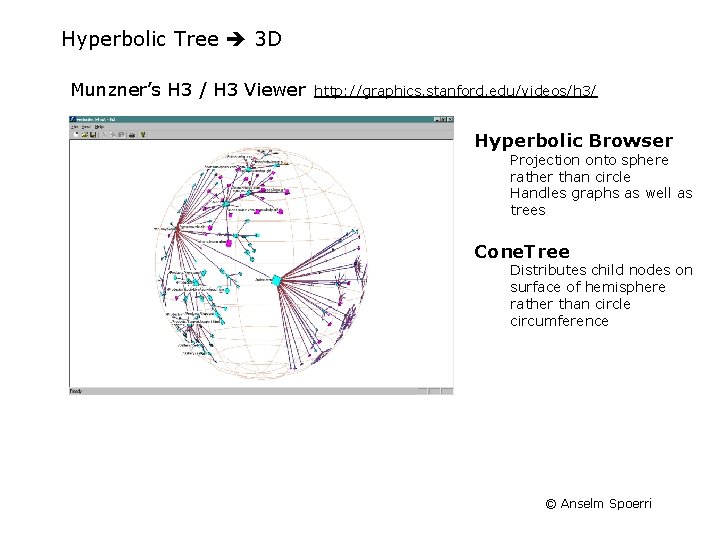
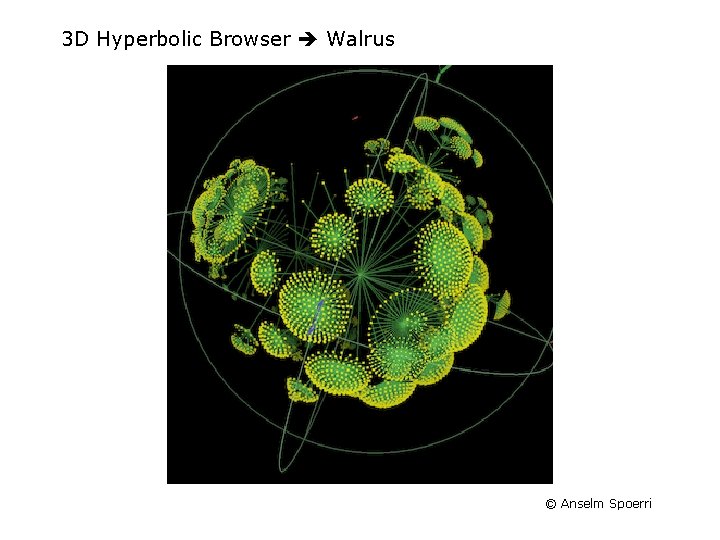
Hyperbolic Tree 3 D Munzner’s H 3 / H 3 Viewer http: //graphics. stanford. edu/videos/h 3/ Hyperbolic Browser Projection onto sphere rather than circle Handles graphs as well as trees Cone. Tree Distributes child nodes on surface of hemisphere rather than circle circumference © Anselm Spoerri
3 D Hyperbolic Browser Walrus © Anselm Spoerri
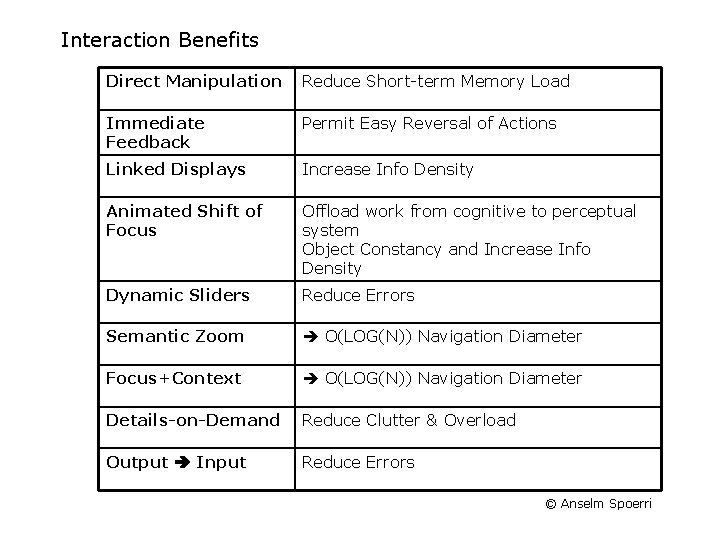
Interaction Benefits Direct Manipulation Reduce Short-term Memory Load Immediate Feedback Permit Easy Reversal of Actions Linked Displays Increase Info Density Animated Shift of Focus Offload work from cognitive to perceptual system Object Constancy and Increase Info Density Dynamic Sliders Reduce Errors Semantic Zoom O(LOG(N)) Navigation Diameter Focus+Context O(LOG(N)) Navigation Diameter Details-on-Demand Reduce Clutter & Overload Output Input Reduce Errors © Anselm Spoerri
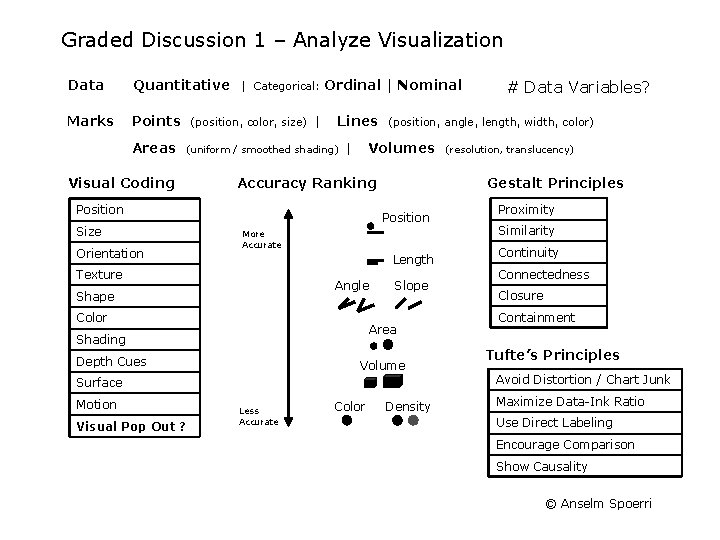
Graded Discussion 1 – Analyze Visualization Data Quantitative Marks Points Areas | Categorical: (position, color, size) | Ordinal | Nominal Lines (uniform / smoothed shading) Visual Coding Accuracy Ranking Position Size Orientation (position, angle, length, width, color) Volumes | More Accurate Length Angle Shape Color Slope Area Shading Depth Cues Volume Surface Motion Visual Pop Out ? Less Accurate Color (resolution, translucency) Gestalt Principles Position Texture # Data Variables? Density Proximity Similarity Continuity Connectedness Closure Containment Tufte’s Principles Avoid Distortion / Chart Junk Maximize Data-Ink Ratio Use Direct Labeling Encourage Comparison Show Causality © Anselm Spoerri