
Lecture 3 Chapter 5 Assembling Linking and Executing
Lecture 3 Chapter 5 - Assembling , Linking, and Executing Programs 1
Lecture Outline • Creating and Running a Program • Step 1: Creating the Source Program File • Step 2: Assembling & Linking the Program • Step 3: Running the Program • Reading: Only Lecture Notes 1
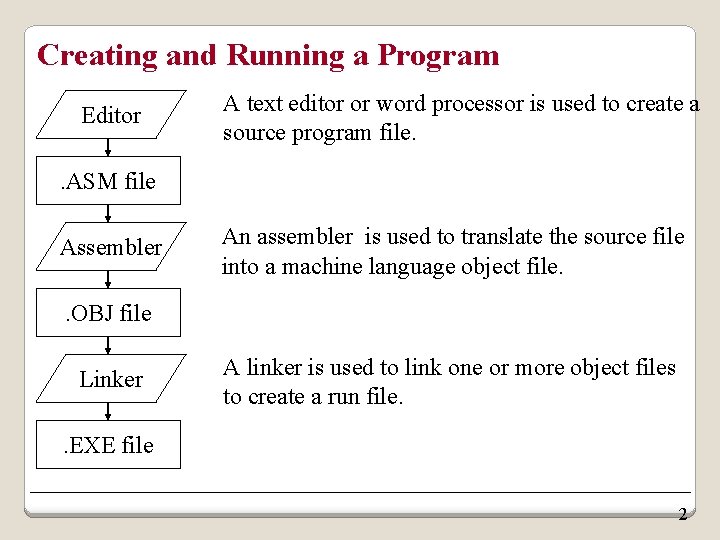
Creating and Running a Program Editor A text editor or word processor is used to create a source program file. . ASM file Assembler An assembler is used to translate the source file into a machine language object file. . OBJ file Linker A linker is used to link one or more object files to create a run file. . EXE file 2
Creating and Running a Program Assembling: translate source program (written in assembly language) into machine code (object code) Linking: complete machine code for the object program, generate an executable module 4
Step 2: Assembling & Linking the program • After printing the copyright information, the assembler will check the source file for syntax errors: • If one or more errors were found: • The assembler will display the line number of each error and a short description. • If no errors were found: • The assembler will translate the assembly language code into the assembly machine language object file (. obj file). • The linker will take one or more object files, fills any missing addresses, and combines the object files into a single executable file (. exe file). 6
- Slides: 5