
Lecture 3 Basic Computer Graphics For User Interfaces
Lecture 3: Basic Computer Graphics For User Interfaces Brad Myers 05 -830 Advanced User Interface Software Spring, 2020 © 2020 - Brad Myers 1
Logistics l l Fixed due date for HW #1 on Canvas Discussions and questions on Piazza: l l l http: //piazza. com/cmu/spring 2020/05830/ Please tag with HW 1, etc. Linked from class homepage © 2020 - Brad Myers 2

Why talk about Graphics? l l To draw application-specific graphical objects Lines, rectangles, text Mac, Windows, Linux, Android, i. OS, web (html, canvas, svg) … all have approximately the same model There are some complexities that are worth looking at © 2020 - Brad Myers 3
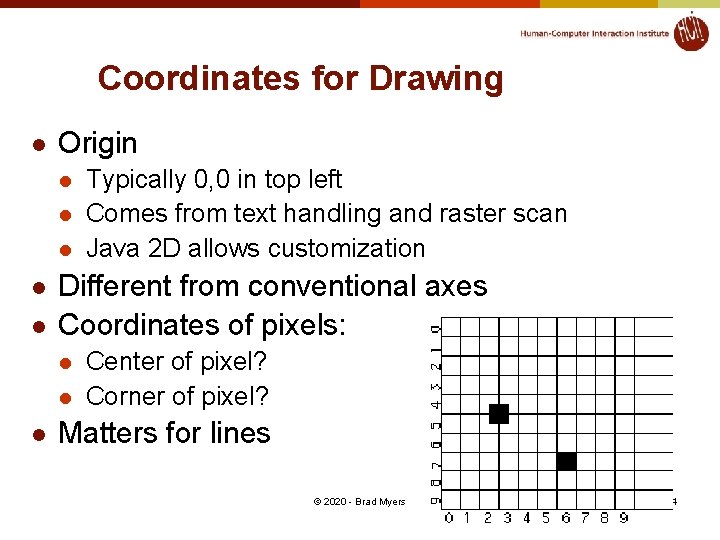
Coordinates for Drawing l Origin l l l Different from conventional axes Coordinates of pixels: l l l Typically 0, 0 in top left Comes from text handling and raster scan Java 2 D allows customization Center of pixel? Corner of pixel? Matters for lines © 2020 - Brad Myers 4
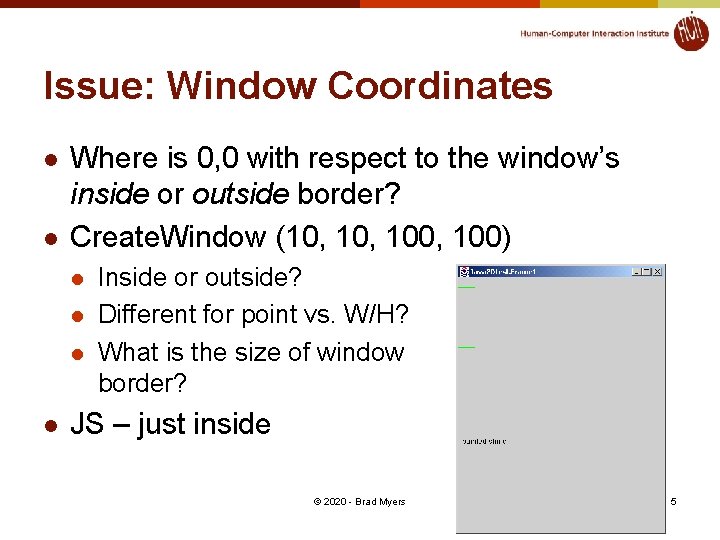
Issue: Window Coordinates l l Where is 0, 0 with respect to the window’s inside or outside border? Create. Window (10, 100, 100) l l Inside or outside? Different for point vs. W/H? What is the size of window border? JS – just inside © 2020 - Brad Myers 5
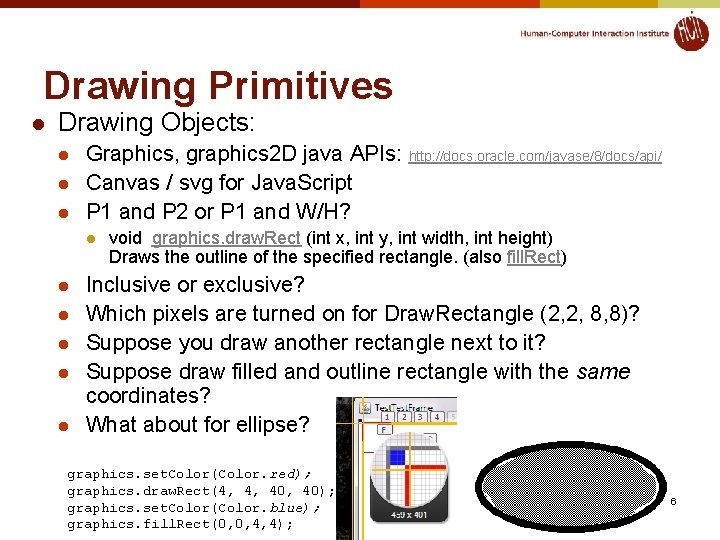
Drawing Primitives l Drawing Objects: l l l Graphics, graphics 2 D java APIs: http: //docs. oracle. com/javase/8/docs/api/ Canvas / svg for Java. Script P 1 and P 2 or P 1 and W/H? l l l void graphics. draw. Rect (int x, int y, int width, int height) Draws the outline of the specified rectangle. (also fill. Rect) Inclusive or exclusive? Which pixels are turned on for Draw. Rectangle (2, 2, 8, 8)? Suppose you draw another rectangle next to it? Suppose draw filled and outline rectangle with the same coordinates? What about for ellipse? graphics. set. Color(Color. red); graphics. draw. Rect(4, 4, 40); graphics. set. Color(Color. blue); graphics. fill. Rect(0, 0, 4, 4); © 2020 - Brad Myers 6
Primitives, 2 l Draw. Line has similar concerns l l l Thick lines often go to both sides of the coordinates Option in Java. Script for fully inside draw. Polyline takes a sequence of points l l l Endpoints of each segment drawn? Last end-point drawn? Closed vs. open; may draw first point twice © 2020 - Brad Myers 7
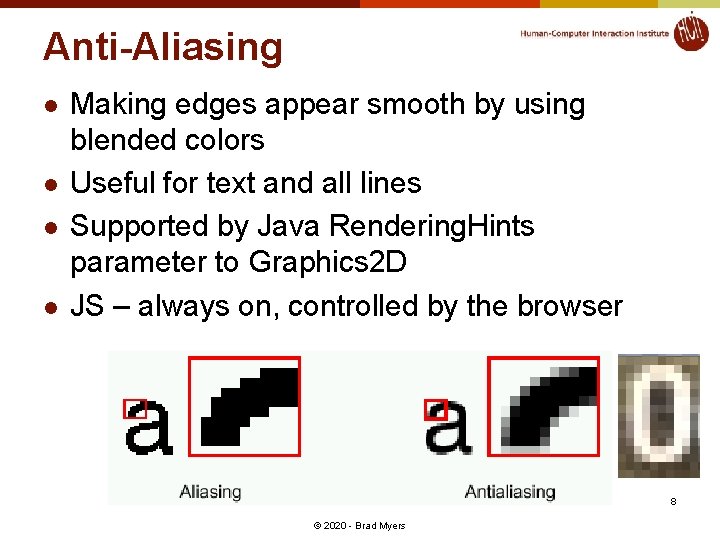
Anti-Aliasing l l Making edges appear smooth by using blended colors Useful for text and all lines Supported by Java Rendering. Hints parameter to Graphics 2 D JS – always on, controlled by the browser 8 © 2020 - Brad Myers
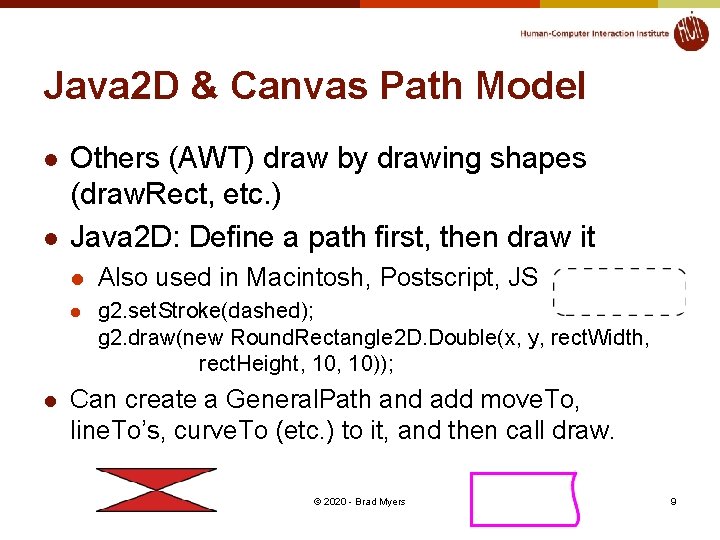
Java 2 D & Canvas Path Model l Others (AWT) draw by drawing shapes (draw. Rect, etc. ) Java 2 D: Define a path first, then draw it l Also used in Macintosh, Postscript, JS l g 2. set. Stroke(dashed); g 2. draw(new Round. Rectangle 2 D. Double(x, y, rect. Width, rect. Height, 10)); Can create a General. Path and add move. To, line. To’s, curve. To (etc. ) to it, and then call draw. © 2020 - Brad Myers 9
Java. Script Canvas l Build up a path and then “stroke” or “fill” it l Implicit “default” path, or explicit path © 2020 - Brad Myers 10
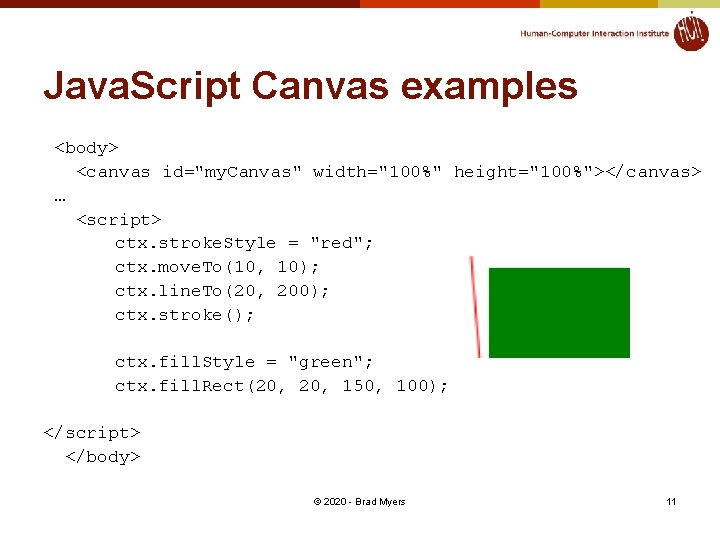
Java. Script Canvas examples <body> <canvas id="my. Canvas" width="100%" height="100%"></canvas> … <script> ctx. stroke. Style = "red"; ctx. move. To(10, 10); ctx. line. To(20, 200); ctx. stroke(); ctx. fill. Style = "green"; ctx. fill. Rect(20, 150, 100); </script> </body> © 2020 - Brad Myers 11
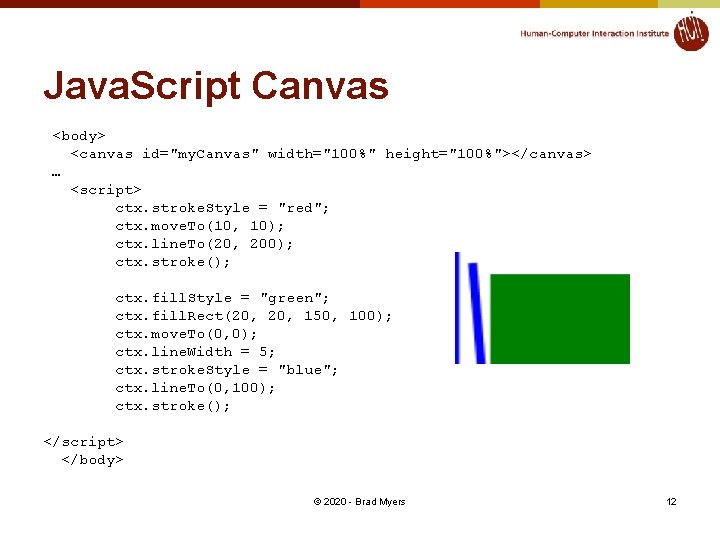
Java. Script Canvas <body> <canvas id="my. Canvas" width="100%" height="100%"></canvas> … <script> ctx. stroke. Style = "red"; ctx. move. To(10, 10); ctx. line. To(20, 200); ctx. stroke(); ctx. fill. Style = "green"; ctx. fill. Rect(20, 150, 100); ctx. move. To(0, 0); ctx. line. Width = 5; ctx. stroke. Style = "blue"; ctx. line. To(0, 100); ctx. stroke(); </script> </body> © 2020 - Brad Myers 12
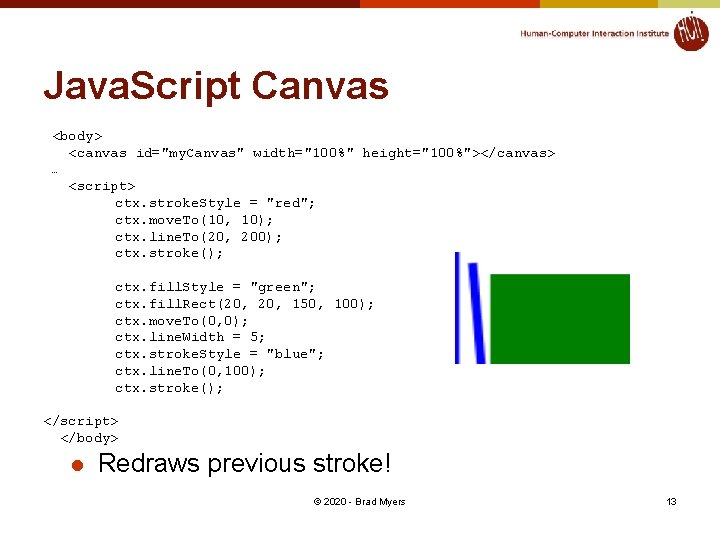
Java. Script Canvas <body> <canvas id="my. Canvas" width="100%" height="100%"></canvas> … <script> ctx. stroke. Style = "red"; ctx. move. To(10, 10); ctx. line. To(20, 200); ctx. stroke(); ctx. fill. Style = "green"; ctx. fill. Rect(20, 150, 100); ctx. move. To(0, 0); ctx. line. Width = 5; ctx. stroke. Style = "blue"; ctx. line. To(0, 100); ctx. stroke(); </script> </body> l Redraws previous stroke! © 2020 - Brad Myers 13
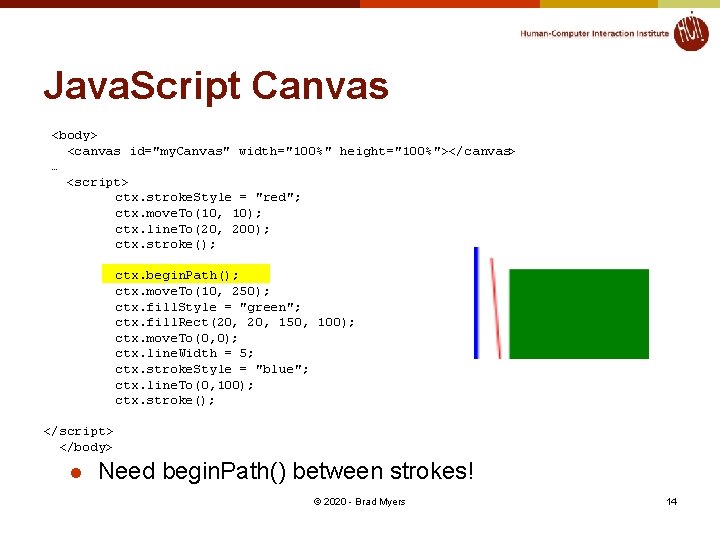
Java. Script Canvas <body> <canvas id="my. Canvas" width="100%" height="100%"></canvas> … <script> ctx. stroke. Style = "red"; ctx. move. To(10, 10); ctx. line. To(20, 200); ctx. stroke(); ctx. begin. Path(); ctx. move. To(10, 250); ctx. fill. Style = "green"; ctx. fill. Rect(20, 150, 100); ctx. move. To(0, 0); ctx. line. Width = 5; ctx. stroke. Style = "blue"; ctx. line. To(0, 100); ctx. stroke(); </script> </body> l Need begin. Path() between strokes! © 2020 - Brad Myers 14
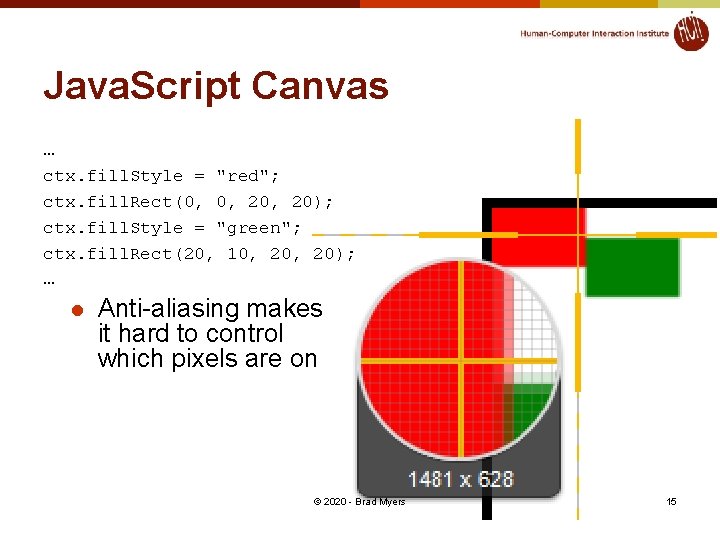
Java. Script Canvas … ctx. fill. Style = "red"; ctx. fill. Rect(0, 0, 20); ctx. fill. Style = "green"; ctx. fill. Rect(20, 10, 20); … l Anti-aliasing makes it hard to control which pixels are on © 2020 - Brad Myers 15
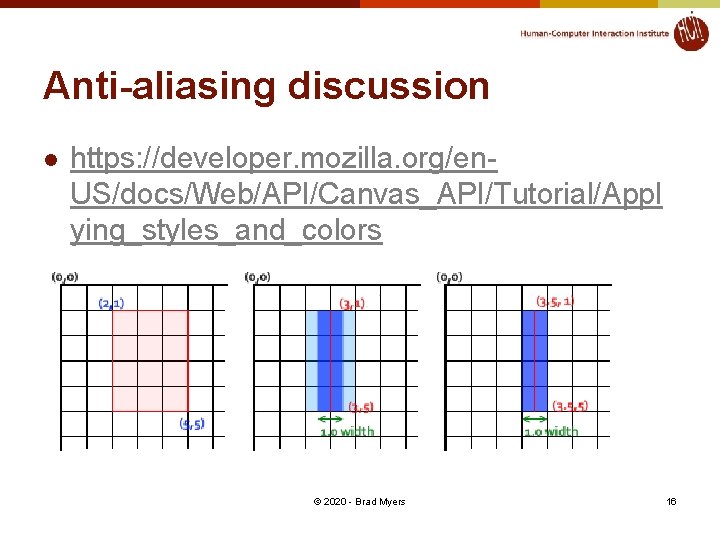
Anti-aliasing discussion l https: //developer. mozilla. org/en. US/docs/Web/API/Canvas_API/Tutorial/Appl ying_styles_and_colors © 2020 - Brad Myers 16
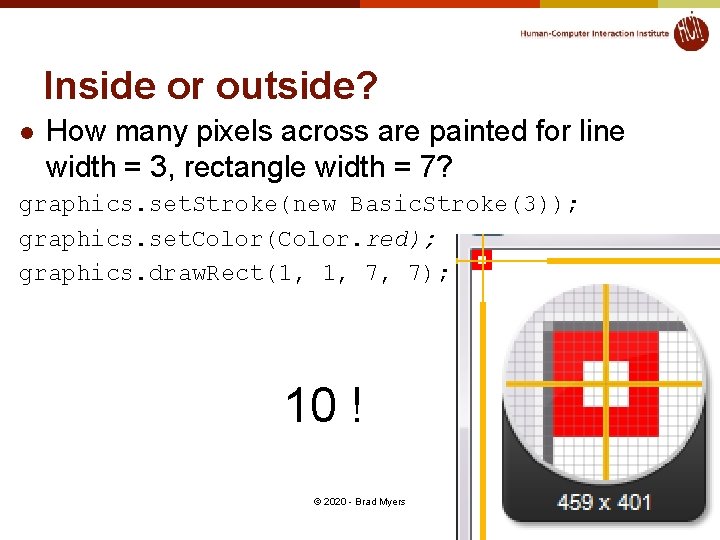
Inside or outside? l How many pixels across are painted for line width = 3, rectangle width = 7? graphics. set. Stroke(new Basic. Stroke(3)); graphics. set. Color(Color. red); graphics. draw. Rect(1, 1, 7, 7); 10 ! © 2020 - Brad Myers 17
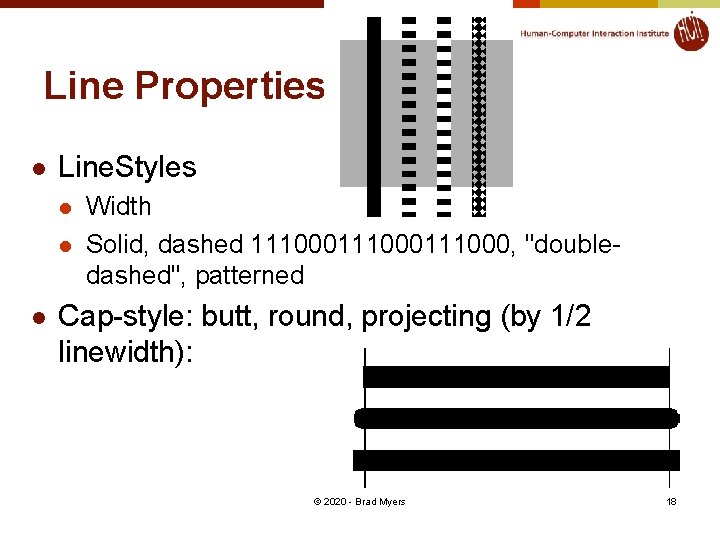
Line Properties l Line. Styles l l l Width Solid, dashed 111000111000, "doubledashed", patterned Cap-style: butt, round, projecting (by 1/2 linewidth): © 2020 - Brad Myers 18
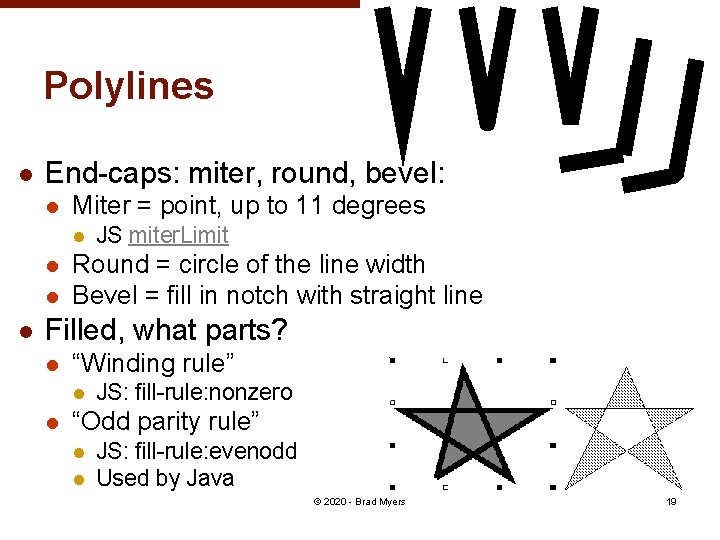
Polylines l End-caps: miter, round, bevel: l Miter = point, up to 11 degrees l l JS miter. Limit Round = circle of the line width Bevel = fill in notch with straight line Filled, what parts? l “Winding rule” l l JS: fill-rule: nonzero “Odd parity rule” l l JS: fill-rule: evenodd Used by Java © 2020 - Brad Myers 19
Splines l Curves defined by “cubic” equation l l l x(t) = axt 3 + bxt 2 + cxt + dx y(t) = ayt 3 + byt 2 + cyt + dy Well-defined techniques from graphics (not covered here – see Foley&van. Dam) Defined to go through the “control” points curve. To(float x 1, float y 1, float x 2, float y 2, float x 3, float y 3) Adds a curved segment, defined by three new points, to the path by drawing a Bézier curve that intersects both the current coordinates and the coordinates (x 3, y 3), using the specified points (x 1, y 1) and (x 2, y 2) as Bézier control points. l Similar in SVG: l path C = curveto (reference) © 2020 - Brad Myers 20
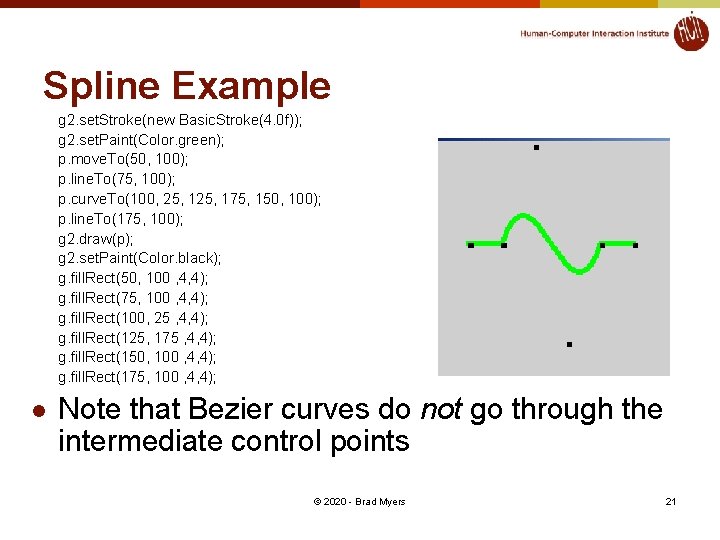
Spline Example g 2. set. Stroke(new Basic. Stroke(4. 0 f)); g 2. set. Paint(Color. green); p. move. To(50, 100); p. line. To(75, 100); p. curve. To(100, 25, 175, 150, 100); p. line. To(175, 100); g 2. draw(p); g 2. set. Paint(Color. black); g. fill. Rect(50, 100 , 4, 4); g. fill. Rect(75, 100 , 4, 4); g. fill. Rect(100, 25 , 4, 4); g. fill. Rect(125, 175 , 4, 4); g. fill. Rect(150, 100 , 4, 4); g. fill. Rect(175, 100 , 4, 4); l Note that Bezier curves do not go through the intermediate control points © 2020 - Brad Myers 21
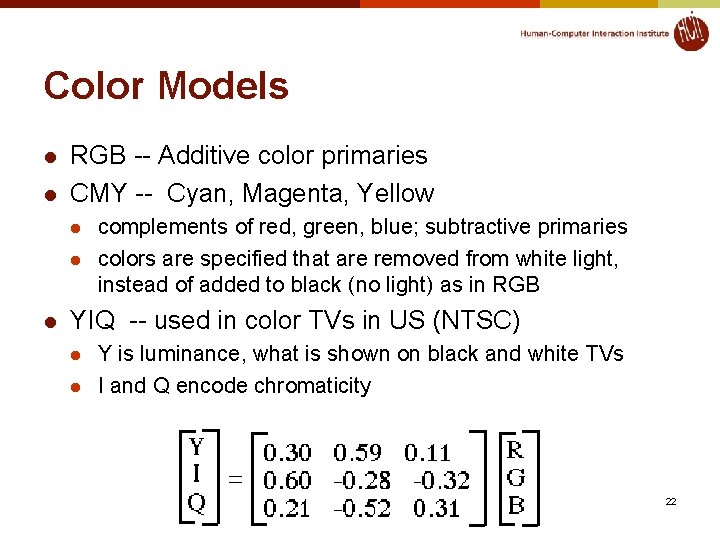
Color Models l l RGB -- Additive color primaries CMY -- Cyan, Magenta, Yellow l l l complements of red, green, blue; subtractive primaries colors are specified that are removed from white light, instead of added to black (no light) as in RGB YIQ -- used in color TVs in US (NTSC) l l Y is luminance, what is shown on black and white TVs I and Q encode chromaticity © 2020 - Brad Myers 22
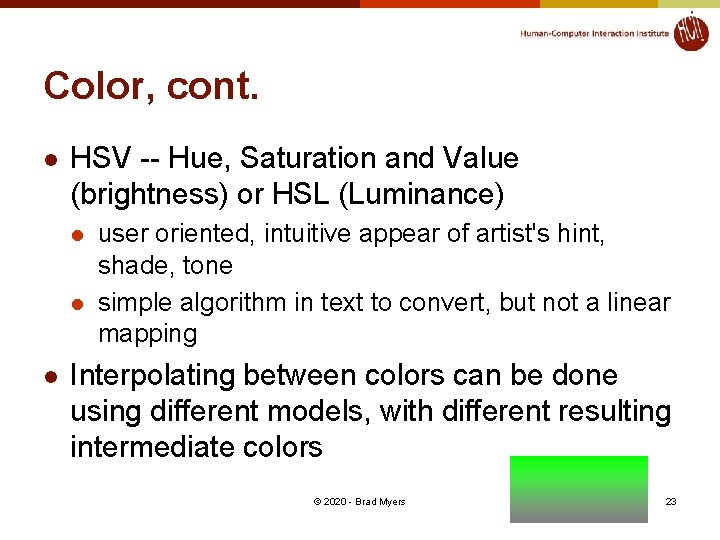
Color, cont. l HSV -- Hue, Saturation and Value (brightness) or HSL (Luminance) l l l user oriented, intuitive appear of artist's hint, shade, tone simple algorithm in text to convert, but not a linear mapping Interpolating between colors can be done using different models, with different resulting intermediate colors © 2020 - Brad Myers 23
Transparency of Color l Original model used only opaque paint l l Current systems now support “paint” that combines with “paint” already under it l l Modeled hardcopy devices this was developed for (at Xerox PARC) e. g. , translucent paint (“alpha” values) Intermediate l Icons and images can select one “transparent” color l E. g, “transparent gifs” © 2020 - Brad Myers 24
Paint with transparency l Postscript model originated the “alpha blending” approach l l Dominant model for hardcopy Java 2 D and JS drawing models also takes this approach © 2020 - Brad Myers 25
Paint with transparency, 2 l Advantages l l Flexible display Disadvantages l Slower l l l Less and less of an issue But interactive response tends to be dominated by redraw time Much harder to implement © 2020 - Brad Myers 26
Alpha Blending l Alpha is percent of this picture used l Color (float r, float g, float b, float a) Creates an s. RGB color with the specified red, green, blue, and alpha values in the range (0. 0 - 1. 0). © 2020 - Brad Myers 27
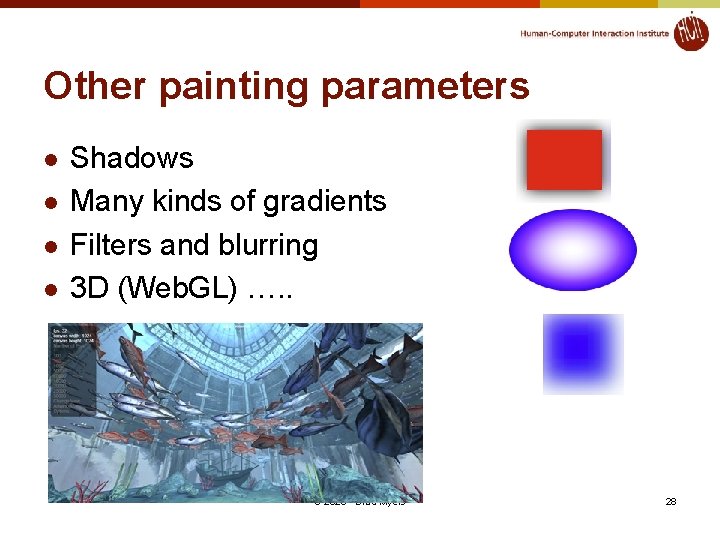
Other painting parameters l l Shadows Many kinds of gradients Filters and blurring 3 D (Web. GL) …. . © 2020 - Brad Myers 28
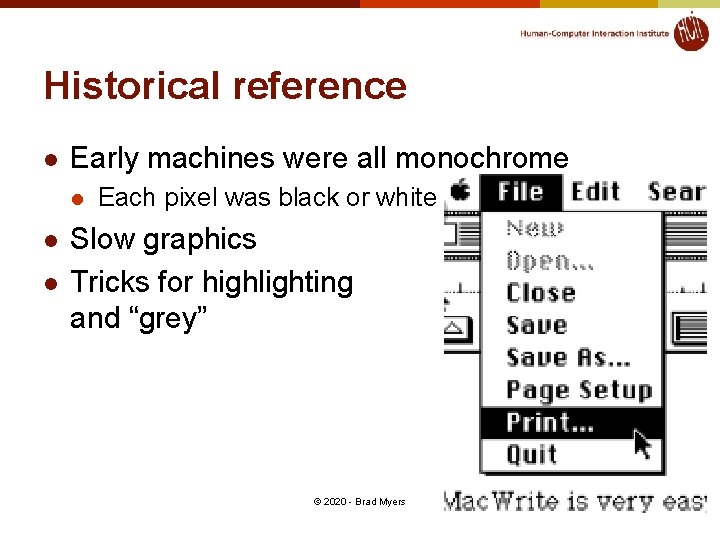
Historical reference l Early machines were all monochrome l l l Each pixel was black or white Slow graphics Tricks for highlighting and “grey” © 2020 - Brad Myers 29
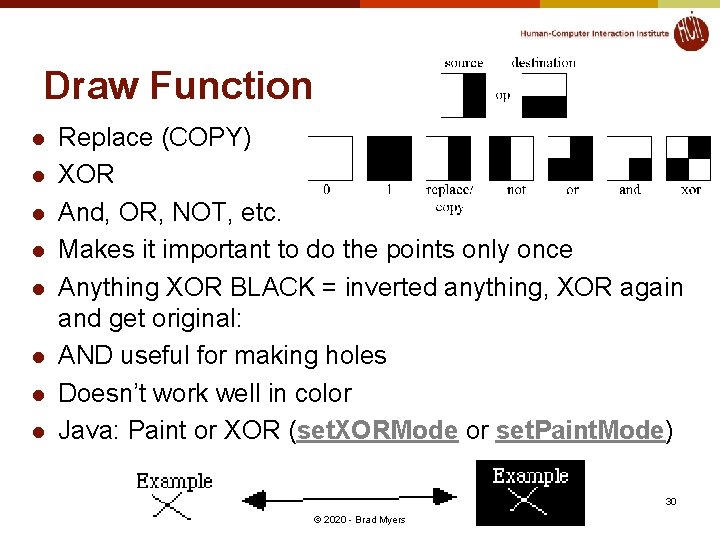
Draw Function l l l l Replace (COPY) XOR And, OR, NOT, etc. Makes it important to do the points only once Anything XOR BLACK = inverted anything, XOR again and get original: AND useful for making holes Doesn’t work well in color Java: Paint or XOR (set. XORMode or set. Paint. Mode) 30 © 2020 - Brad Myers
Raster. Op (Bit. Blt, Copy. Area) l Copy an area of the screen graphics. copy. Area (int x, int y, int width, int height, int dx, int dy) Copies an area of the component by a distance specified by dx and dy. l l Used to have ability to combine with destination using Boolean combinations Useful for moving, scrolling, erasing & filling rectangles, etc. Small. Talk investigated using it for rotate, scaling, etc. Not nearly as useful in color © 2020 - Brad Myers 31
Double Buffering l Save an extra picture offscreen l l l Smoother animations Save hidden parts of windows = “Backing store” Use two buffers for special effects, faster refresh “Save-under” for pop-ups © 2020 - Brad Myers 32
Fonts and drawing strings l Font provides description of the shape of a collection of chars l l l Shapes are called “glyphs” Plus information e. g. about how to advance after drawing a glyph And aggregate info for the whole collection © 2020 - Brad Myers 33
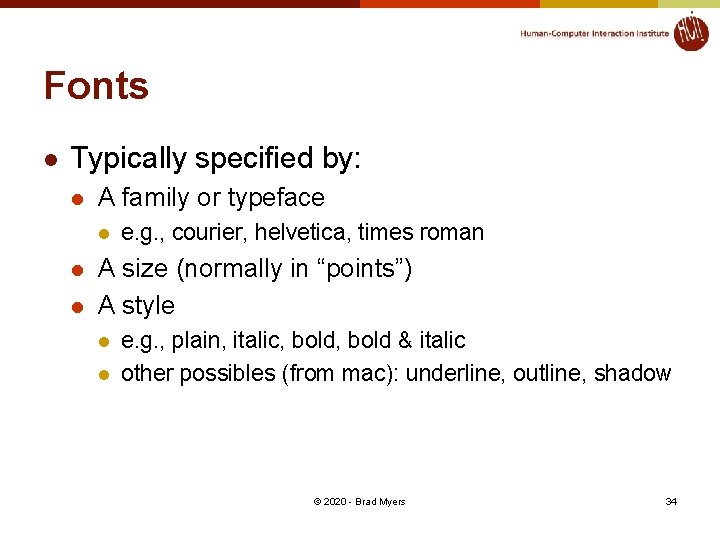
Fonts l Typically specified by: l A family or typeface l l l e. g. , courier, helvetica, times roman A size (normally in “points”) A style l l e. g. , plain, italic, bold & italic other possibles (from mac): underline, outline, shadow © 2020 - Brad Myers 34
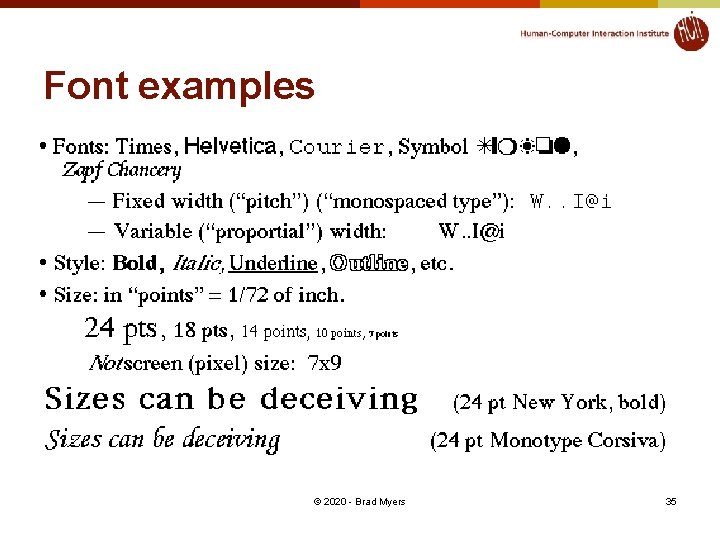
Font examples © 2020 - Brad Myers 35
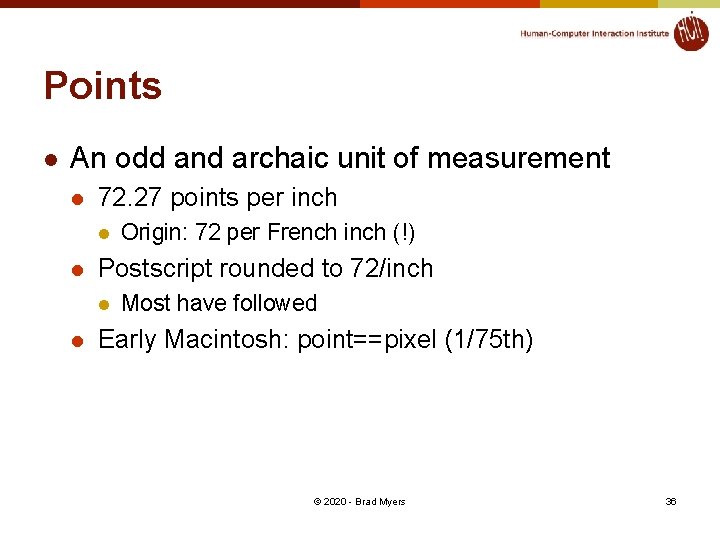
Points l An odd and archaic unit of measurement l 72. 27 points per inch l l Postscript rounded to 72/inch l l Origin: 72 per French inch (!) Most have followed Early Macintosh: point==pixel (1/75 th) © 2020 - Brad Myers 36
Font. Metrics l Objects that allow you to measure characters, strings, and properties of whole fonts © 2020 - Brad Myers 37
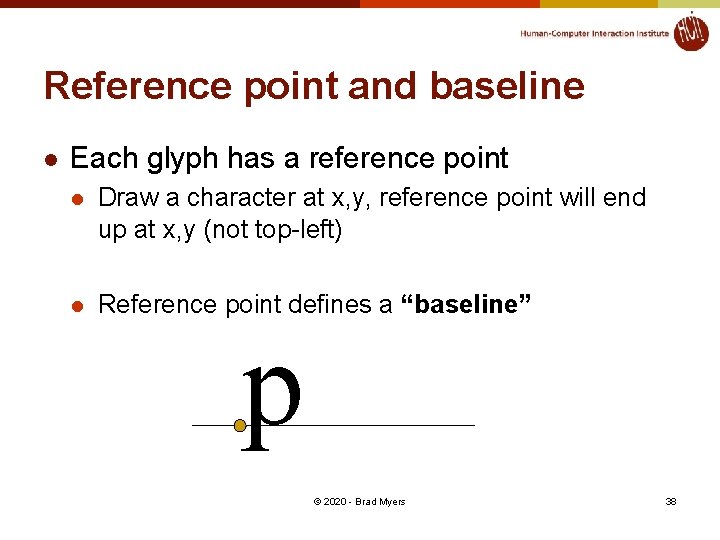
Reference point and baseline l Each glyph has a reference point l Draw a character at x, y, reference point will end up at x, y (not top-left) l Reference point defines a “baseline” p © 2020 - Brad Myers 38
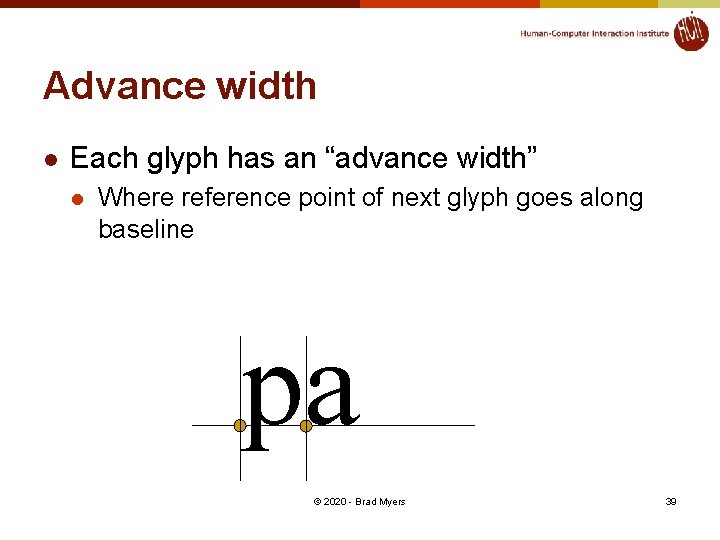
Advance width l Each glyph has an “advance width” l Where reference point of next glyph goes along baseline pa © 2020 - Brad Myers 39
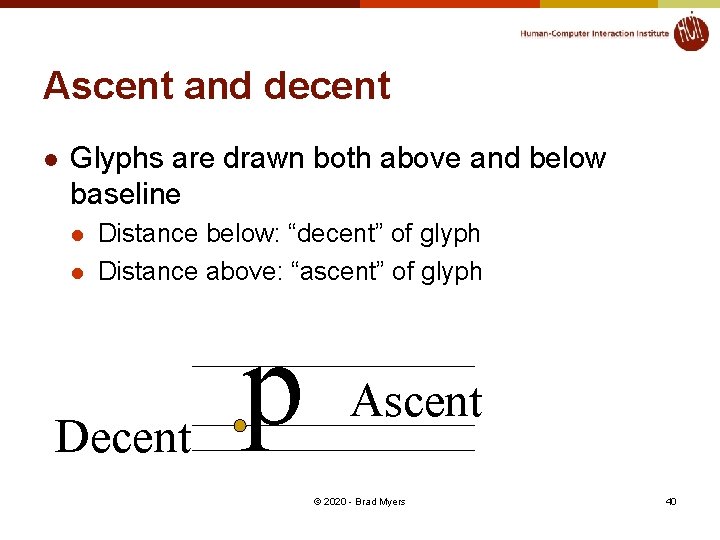
Ascent and decent l Glyphs are drawn both above and below baseline l l Distance below: “decent” of glyph Distance above: “ascent” of glyph Decent p Ascent © 2020 - Brad Myers 40
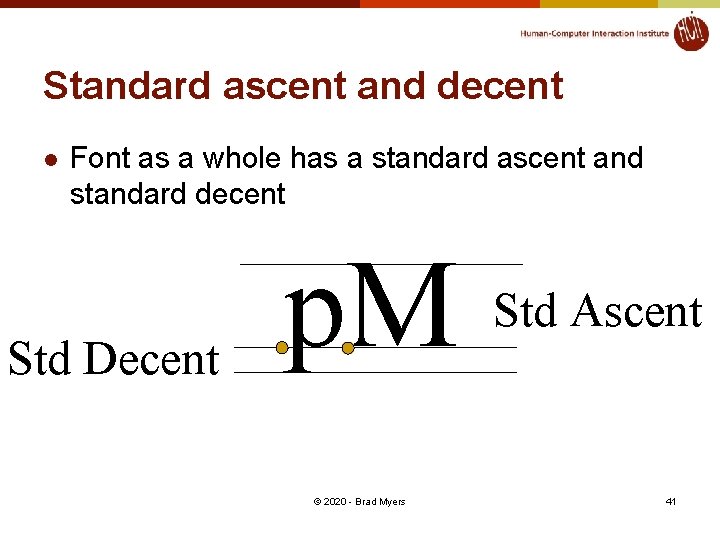
Standard ascent and decent l Font as a whole has a standard ascent and standard decent Std Decent p. M © 2020 - Brad Myers Std Ascent 41
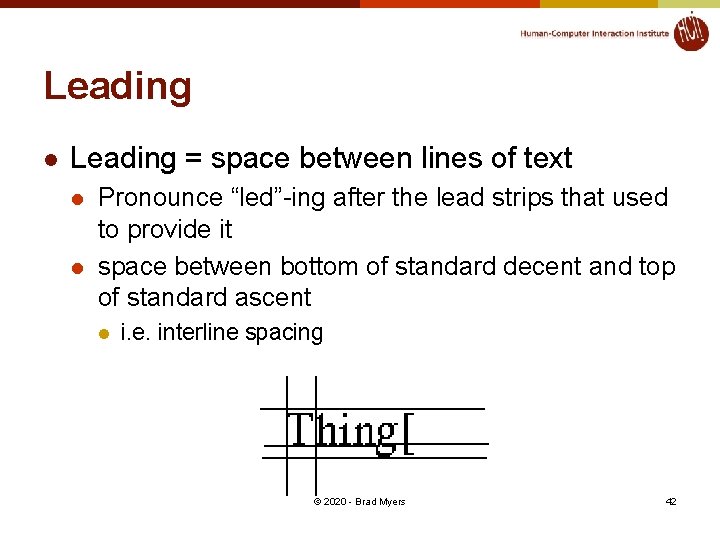
Leading l Leading = space between lines of text l l Pronounce “led”-ing after the lead strips that used to provide it space between bottom of standard decent and top of standard ascent l i. e. interline spacing © 2020 - Brad Myers 42
Height l Height of character or font l ascent + decent + leading l not standard across systems: on some systems doesn’t include leading (but does in Java) l New question: is the leading above or below the text in Java? © 2020 - Brad Myers 43
Other Parameters l l Kerning: overlapping of characters: VA, ff, V. Stroke: Element of a character that would have originally been created with a single pen stroke Em: Equal to the font's point size. So an "Em-dash" in a 18 point font is 18 points wide: (option-shift-underline on Mac) En: Half font's point size. "En-dash" is 9 points wide in 18 point font: (Mac: option-underline) l - DASHES – DASHES—DASHES © 2020 - Brad Myers 44
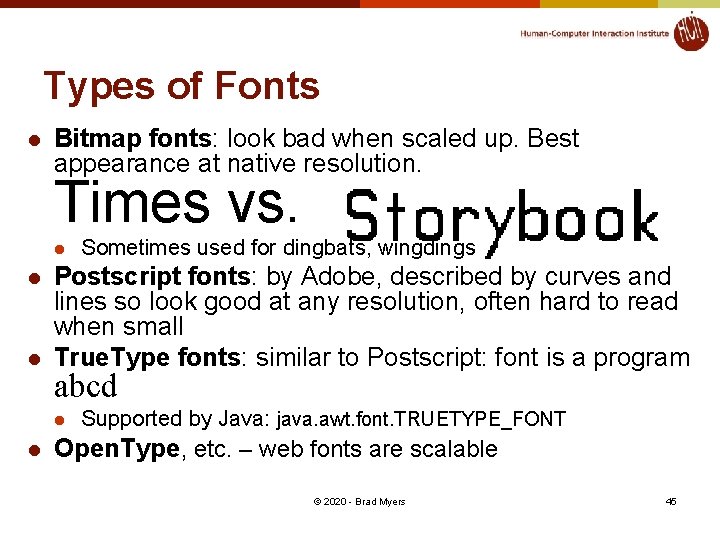
Types of Fonts l Bitmap fonts: look bad when scaled up. Best appearance at native resolution. Times vs. l l l Postscript fonts: by Adobe, described by curves and lines so look good at any resolution, often hard to read when small True. Type fonts: similar to Postscript: font is a program abcd l l Sometimes used for dingbats, wingdings Supported by Java: java. awt. font. TRUETYPE_FONT Open. Type, etc. – web fonts are scalable © 2020 - Brad Myers 45
Encoding of Characters l Conventional ASCII l l One byte per character Various special characters in lower and upper part of fonts l l Depends on OS, font, etc. Unicode: http: //www. unicode. org l l l 16 bits per character All the world’s languages Java and web use Unicode © 2020 - Brad Myers 46
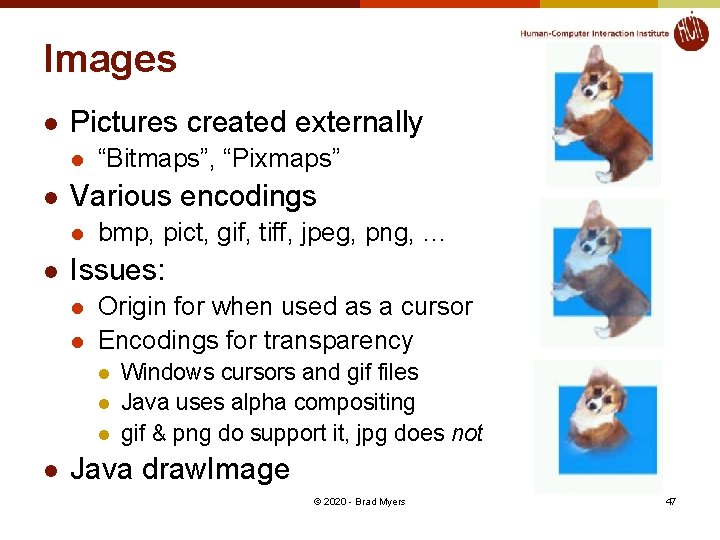
Images l Pictures created externally l l Various encodings l l “Bitmaps”, “Pixmaps” bmp, pict, gif, tiff, jpeg, png, … Issues: l l Origin for when used as a cursor Encodings for transparency l l Windows cursors and gif files Java uses alpha compositing gif & png do support it, jpg does not Java draw. Image © 2020 - Brad Myers 47
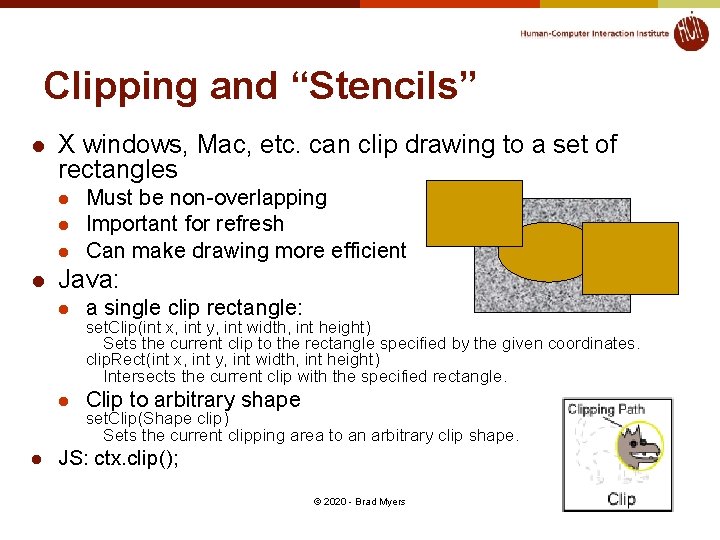
Clipping and “Stencils” l X windows, Mac, etc. can clip drawing to a set of rectangles l l l Must be non-overlapping Important for refresh Can make drawing more efficient Java: l a single clip rectangle: l Clip to arbitrary shape set. Clip(int x, int y, int width, int height) Sets the current clip to the rectangle specified by the given coordinates. clip. Rect(int x, int y, int width, int height) Intersects the current clip with the specified rectangle. set. Clip(Shape clip) Sets the current clipping area to an arbitrary clip shape. JS: ctx. clip(); © 2020 - Brad Myers 48
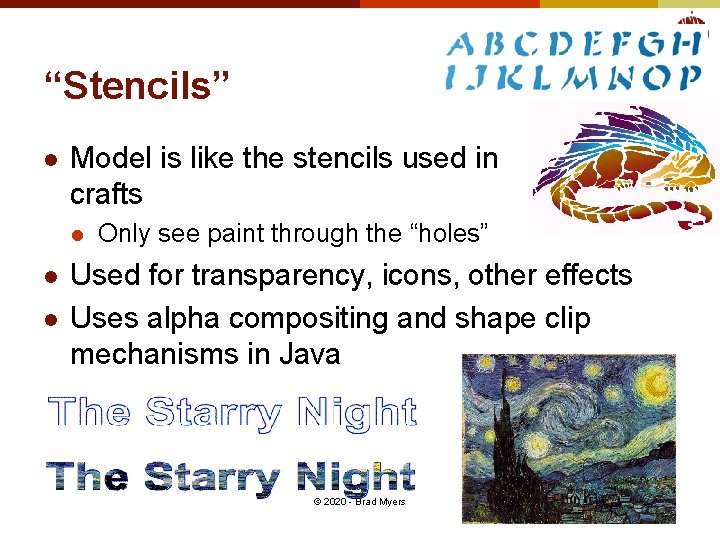
“Stencils” l Model is like the stencils used in crafts l l l Only see paint through the “holes” Used for transparency, icons, other effects Uses alpha compositing and shape clip mechanisms in Java © 2020 - Brad Myers 49
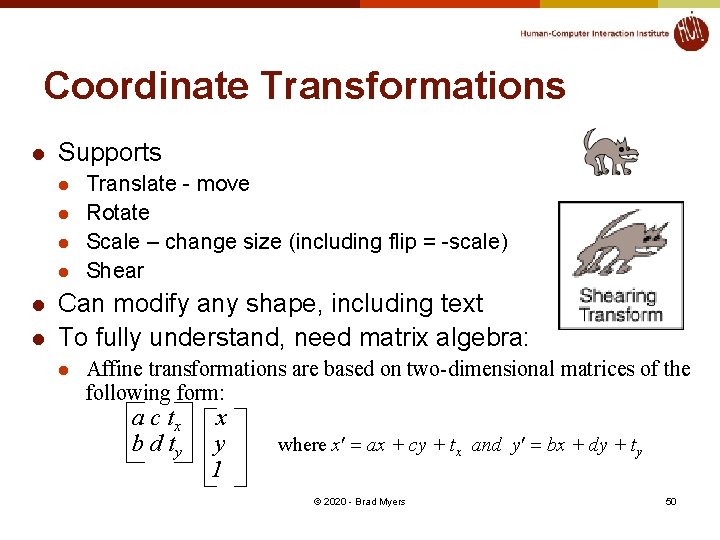
Coordinate Transformations l Supports l l l Translate - move Rotate Scale – change size (including flip = -scale) Shear Can modify any shape, including text To fully understand, need matrix algebra: l Affine transformations are based on two-dimensional matrices of the following form: a c tx b d ty x y 1 where x¢ = ax + cy + tx and y¢ = bx + dy + ty © 2020 - Brad Myers 50
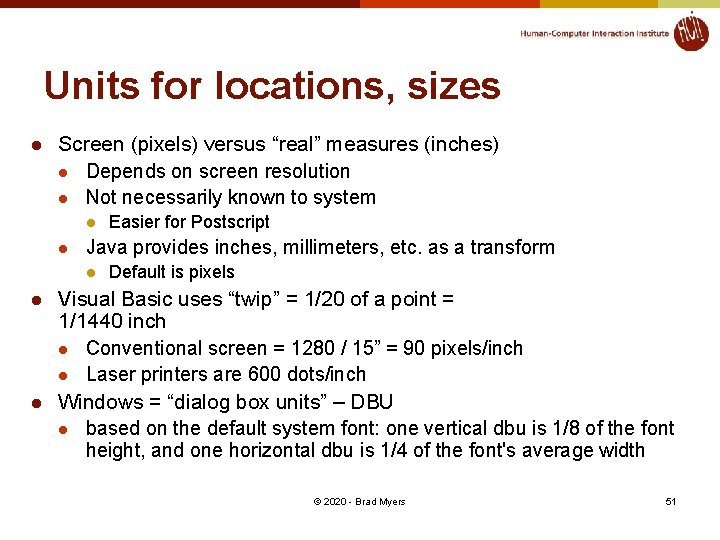
Units for locations, sizes l Screen (pixels) versus “real” measures (inches) l Depends on screen resolution l Not necessarily known to system l l Java provides inches, millimeters, etc. as a transform l l l Easier for Postscript Default is pixels Visual Basic uses “twip” = 1/20 of a point = 1/1440 inch l Conventional screen = 1280 / 15” = 90 pixels/inch l Laser printers are 600 dots/inch Windows = “dialog box units” – DBU l based on the default system font: one vertical dbu is 1/8 of the font height, and one horizontal dbu is 1/4 of the font's average width © 2020 - Brad Myers 51
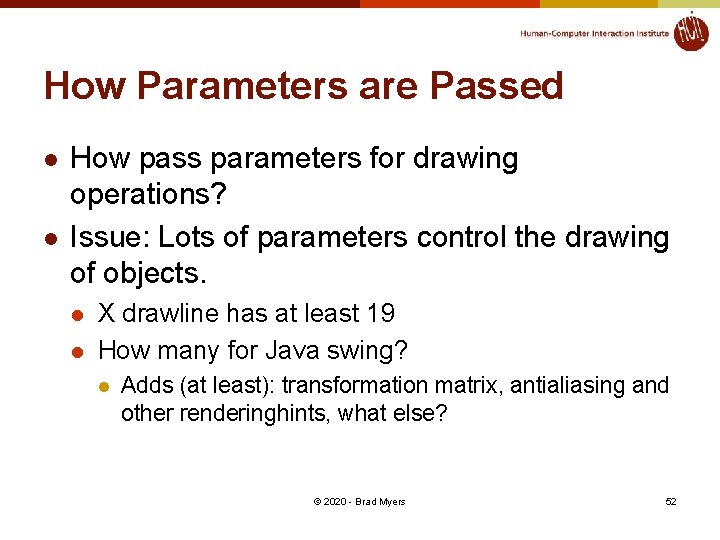
How Parameters are Passed l l How pass parameters for drawing operations? Issue: Lots of parameters control the drawing of objects. l l X drawline has at least 19 How many for Java swing? l Adds (at least): transformation matrix, antialiasing and other renderinghints, what else? © 2020 - Brad Myers 52
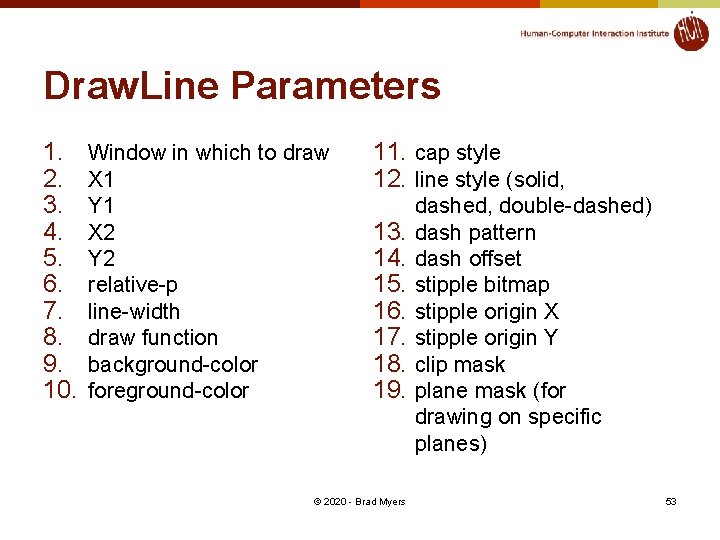
Draw. Line Parameters 1. 2. 3. 4. 5. 6. 7. 8. 9. 10. Window in which to draw X 1 Y 1 X 2 Y 2 relative-p line-width draw function background-color foreground-color 11. cap style 12. line style (solid, 13. 14. 15. 16. 17. 18. 19. © 2020 - Brad Myers dashed, double-dashed) dash pattern dash offset stipple bitmap stipple origin X stipple origin Y clip mask plane mask (for drawing on specific planes) 53
How Pass Parameters? l Three basic possibilities l Pass all parameters with each operation l l l Draw. Line(70, 30, 70, 200, Red, . . . ) - too many parameters Not really used by any modern system © 2020 - Brad Myers 54
Passing Parameters, 2 l All parameters stored in the system l l l Used by Macintosh, Display Postscript, Java. Script, etc. Sometimes called the “pen” Example (pseudo code): § l l l Set. Color(Red) Move. To(70, 30) Draw. To(70, 200) + Fewer parameters to calls + Don't have to set properties don't care about - Interrupts, multi-processing, may result in unexpected settings © 2020 - Brad Myers 55
Passing Parameters, 3 l Store parameters in an object l X = “graphics context” § l Windows = “device context” § l corresponds to surface, but can push and pop Java § l Can have more than one “Graphics”, Graphics 2 D, Graphics 3 D objects § Lots of settings Android § § Has BOTH graphics object and Paint object Parameters are in the Paint object © 2020 - Brad Myers 56
- Slides: 56