
Lecture 23 System IO CS 105 2 Memory
- Slides: 29
Lecture 23: System I/O CS 105
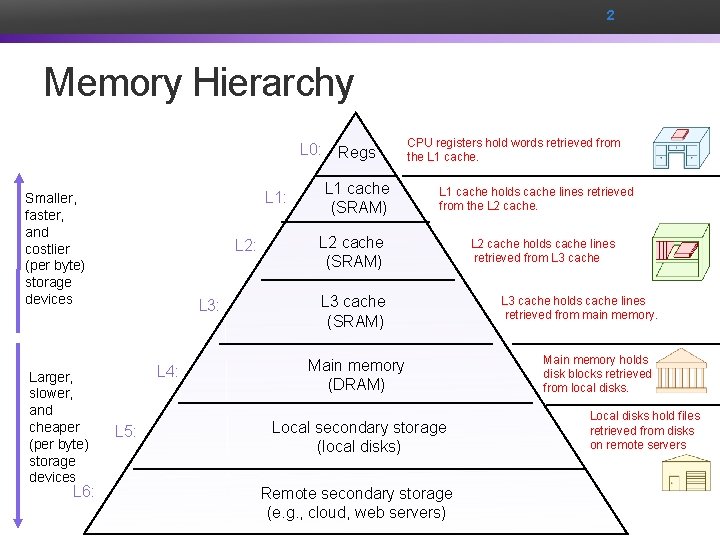
2 Memory Hierarchy L 0: Regs L 1: Smaller, faster, and costlier (per byte) storage devices Larger, slower, and cheaper (per byte) storage devices L 6: L 2: L 3: L 4: L 5: L 1 cache (SRAM) CPU registers hold words retrieved from the L 1 cache holds cache lines retrieved from the L 2 cache (SRAM) L 3 cache (SRAM) Main memory (DRAM) Local secondary storage (local disks) Remote secondary storage (e. g. , cloud, web servers) L 2 cache holds cache lines retrieved from L 3 cache holds cache lines retrieved from main memory. Main memory holds disk blocks retrieved from local disks. Local disks hold files retrieved from disks on remote servers
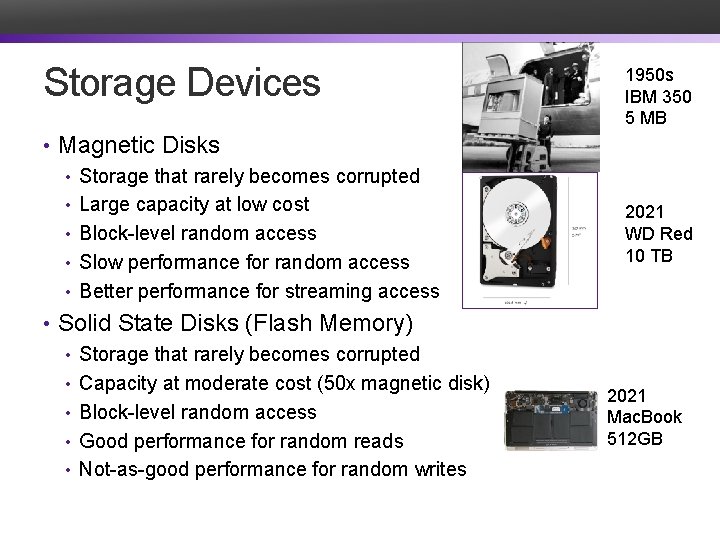
Storage Devices • Magnetic Disks • Storage that rarely becomes corrupted • Large capacity at low cost • Block-level random access • Slow performance for random access • Better performance for streaming access • Solid State Disks (Flash Memory) • Storage that rarely becomes corrupted • Capacity at moderate cost (50 x magnetic disk) • Block-level random access • Good performance for random reads • Not-as-good performance for random writes 1950 s IBM 350 5 MB 2021 WD Red 10 TB 2021 Mac. Book 512 GB
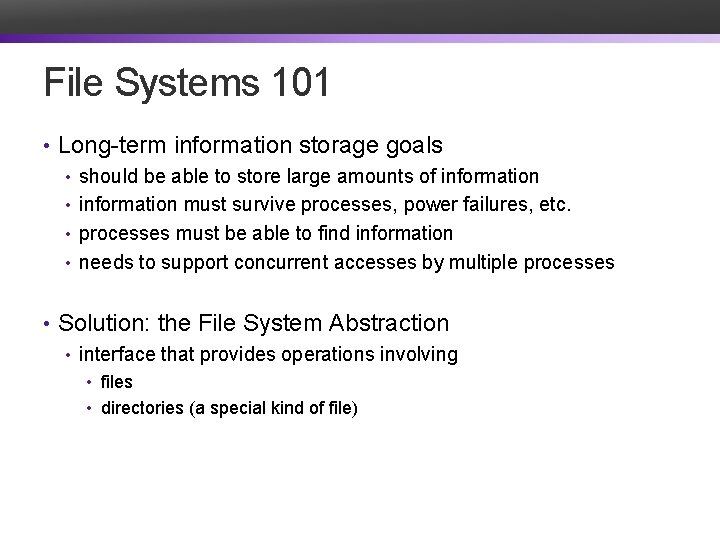
File Systems 101 • Long-term information storage goals • should be able to store large amounts of information • information must survive processes, power failures, etc. • processes must be able to find information • needs to support concurrent accesses by multiple processes • Solution: the File System Abstraction • interface that provides operations involving • files • directories (a special kind of file)
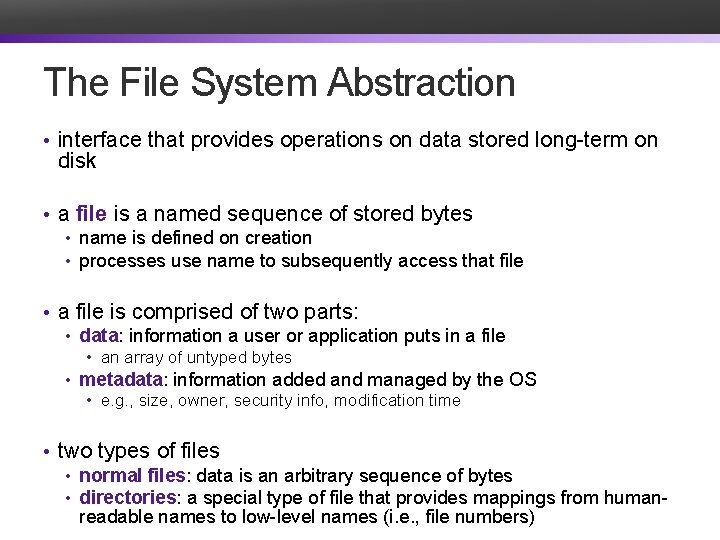
The File System Abstraction • interface that provides operations on data stored long-term on disk • a file is a named sequence of stored bytes • name is defined on creation • processes use name to subsequently access that file • a file is comprised of two parts: • data: information a user or application puts in a file • an array of untyped bytes • metadata: information added and managed by the OS • e. g. , size, owner, security info, modification time • two types of files • normal files: data is an arbitrary sequence of bytes • directories: a special type of file that provides mappings from humanreadable names to low-level names (i. e. , file numbers)
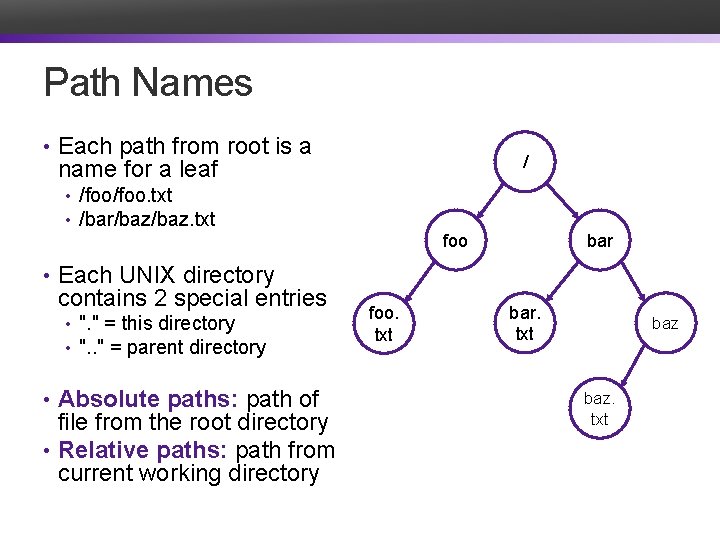
Path Names • Each path from root is a / name for a leaf • /foo. txt • /bar/baz. txt foo bar • Each UNIX directory contains 2 special entries • ". " = this directory • ". . " = parent directory • Absolute paths: path of file from the root directory • Relative paths: path from current working directory foo. txt bar. txt baz. txt
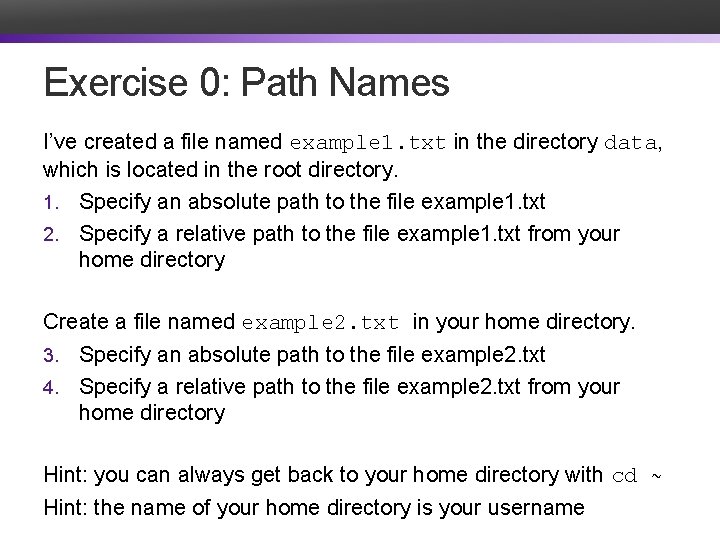
Exercise 0: Path Names I’ve created a file named example 1. txt in the directory data, which is located in the root directory. 1. Specify an absolute path to the file example 1. txt 2. Specify a relative path to the file example 1. txt from your home directory Create a file named example 2. txt in your home directory. Specify an absolute path to the file example 2. txt 4. Specify a relative path to the file example 2. txt from your home directory 3. Hint: you can always get back to your home directory with cd ~ Hint: the name of your home directory is your username
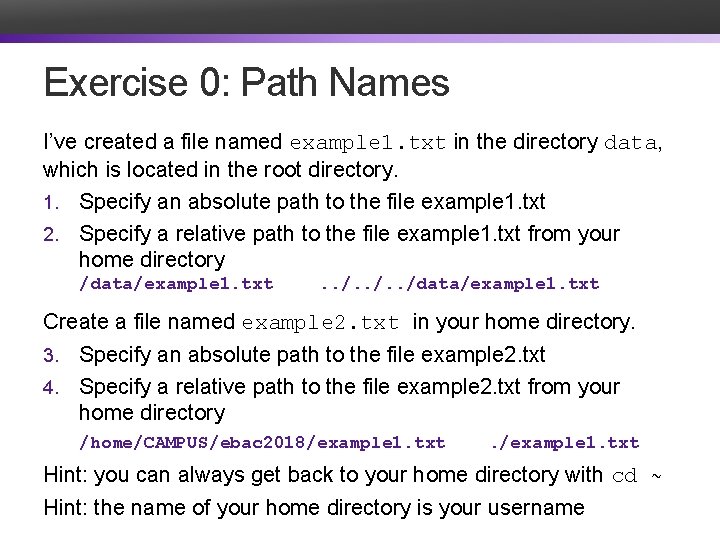
Exercise 0: Path Names I’ve created a file named example 1. txt in the directory data, which is located in the root directory. 1. Specify an absolute path to the file example 1. txt 2. Specify a relative path to the file example 1. txt from your home directory /data/example 1. txt . . /data/example 1. txt Create a file named example 2. txt in your home directory. Specify an absolute path to the file example 2. txt 4. Specify a relative path to the file example 2. txt from your home directory 3. /home/CAMPUS/ebac 2018/example 1. txt Hint: you can always get back to your home directory with cd ~ Hint: the name of your home directory is your username
Basic File System Operations • Create a file • Delete a file • Write to a file • Read from a file • Seek to somewhere in a file How should we implement this?
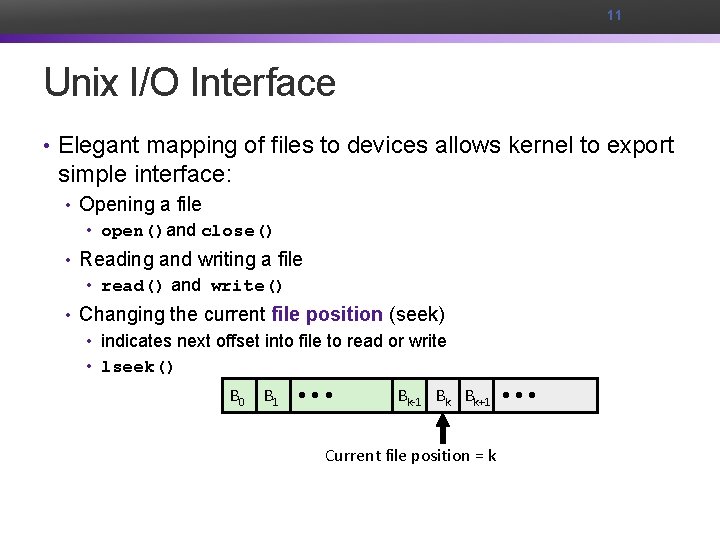
11 Unix I/O Interface • Elegant mapping of files to devices allows kernel to export simple interface: • Opening a file • open()and close() • Reading and writing a file • read() and write() • Changing the current file position (seek) • indicates next offset into file to read or write • lseek() B 0 B 1 • • • Bk-1 Bk Bk+1 • • • Current file position = k
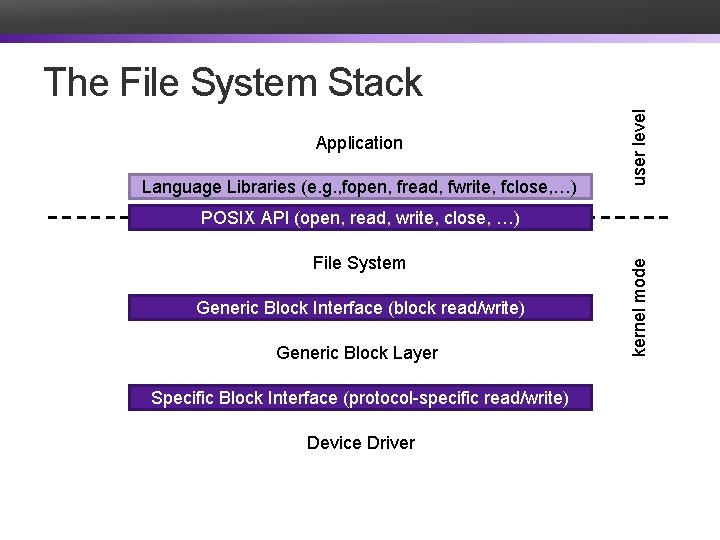
Application Language Libraries (e. g. , fopen, fread, fwrite, fclose, …) user level The File System Stack File System Generic Block Interface (block read/write) Generic Block Layer Specific Block Interface (protocol-specific read/write) Device Driver kernel mode POSIX API (open, read, write, close, …)
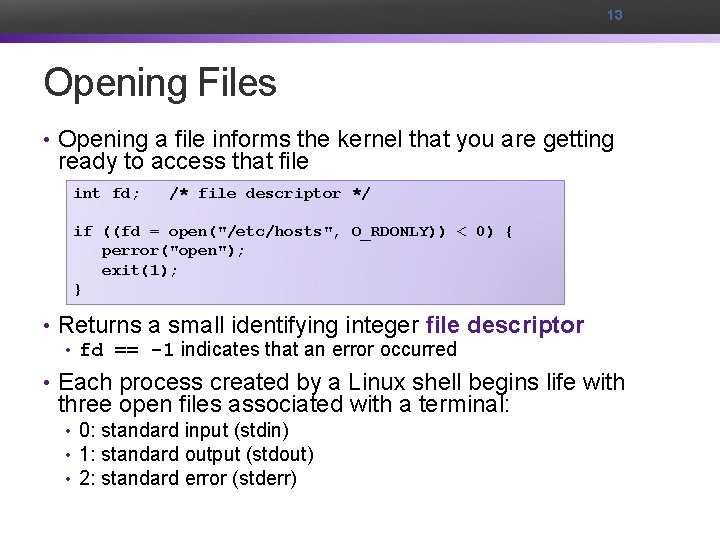
13 Opening Files • Opening a file informs the kernel that you are getting ready to access that file int fd; /* file descriptor */ if ((fd = open("/etc/hosts", O_RDONLY)) < 0) { perror("open"); exit(1); } • Returns a small identifying integer file descriptor • fd == -1 indicates that an error occurred • Each process created by a Linux shell begins life with three open files associated with a terminal: • 0: standard input (stdin) • 1: standard output (stdout) • 2: standard error (stderr)
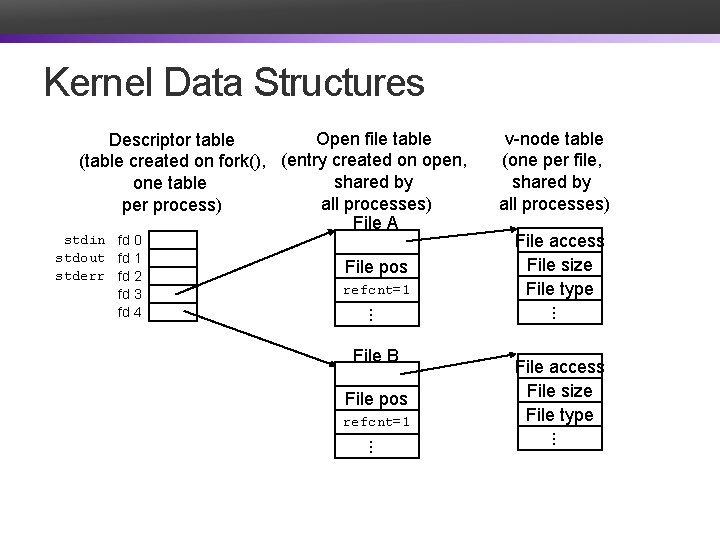
Kernel Data Structures Open file table Descriptor table (table created on fork(), (entry created on open, shared by one table all processes) per process) File A File pos refcnt=1 File B File pos refcnt=1 File access File size File type. . . stdin fd 0 stdout fd 1 stderr fd 2 fd 3 fd 4 v-node table (one per file, shared by all processes) File access File size File type. . .
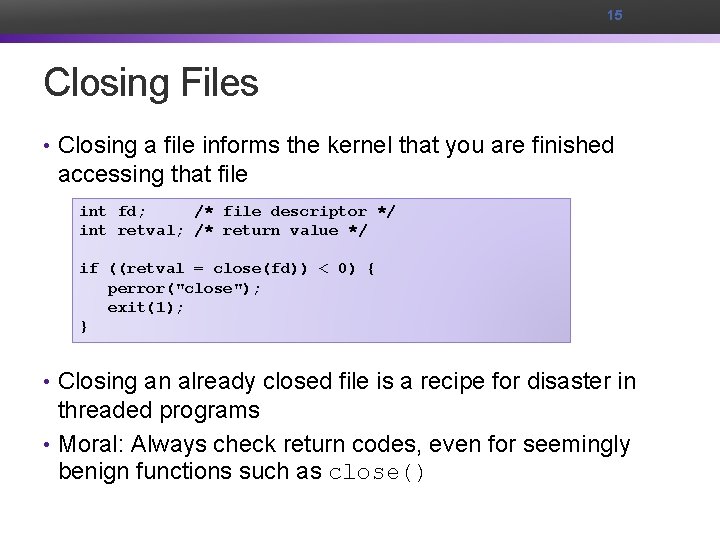
15 Closing Files • Closing a file informs the kernel that you are finished accessing that file int fd; /* file descriptor */ int retval; /* return value */ if ((retval = close(fd)) < 0) { perror("close"); exit(1); } • Closing an already closed file is a recipe for disaster in threaded programs • Moral: Always check return codes, even for seemingly benign functions such as close()
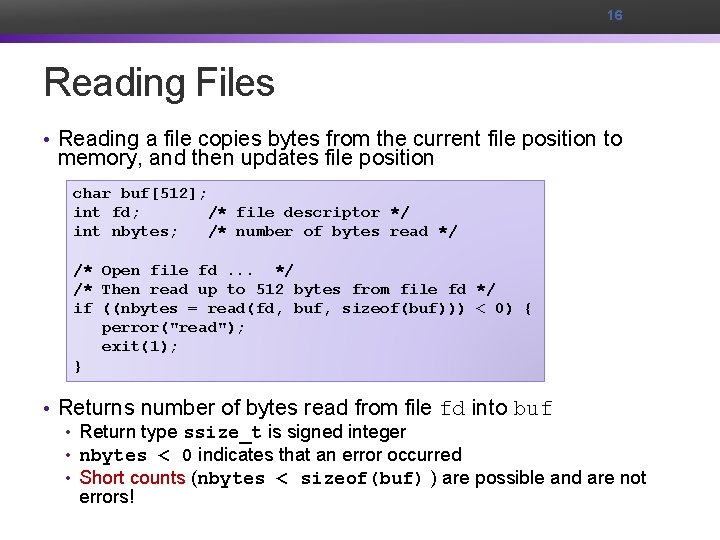
16 Reading Files • Reading a file copies bytes from the current file position to memory, and then updates file position char buf[512]; int fd; /* file descriptor */ int nbytes; /* number of bytes read */ /* Open file fd. . . */ /* Then read up to 512 bytes from file fd */ if ((nbytes = read(fd, buf, sizeof(buf))) < 0) { perror("read"); exit(1); } • Returns number of bytes read from file fd into buf • Return type ssize_t is signed integer • nbytes < 0 indicates that an error occurred • Short counts (nbytes < sizeof(buf) ) are possible and are not errors!
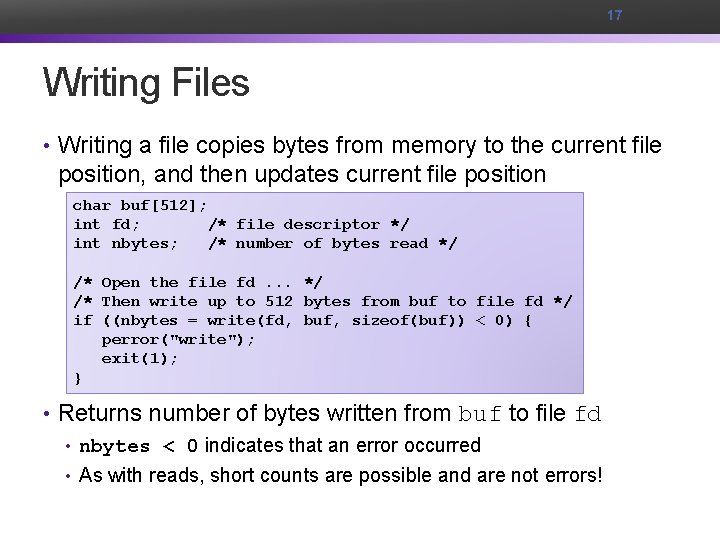
17 Writing Files • Writing a file copies bytes from memory to the current file position, and then updates current file position char buf[512]; int fd; /* file descriptor */ int nbytes; /* number of bytes read */ /* Open the file fd. . . */ /* Then write up to 512 bytes from buf to file fd */ if ((nbytes = write(fd, buf, sizeof(buf)) < 0) { perror("write"); exit(1); } • Returns number of bytes written from buf to file fd • nbytes < 0 indicates that an error occurred • As with reads, short counts are possible and are not errors!
18 On Short Counts • Short counts can occur in these situations: • Encountering (end-of-file) EOF on reads • Reading text lines from a terminal • Short counts never occur in these situations: • Reading from disk files (except for EOF) • Writing to disk files • Best practice is to always allow for short counts.
Buffered Reads/Writes • stream data is stored in a kernel buffer and returned to the application on request • enables same system call interface to handle both streaming reads (e. g. , keyboard) and block reads (e. g. , disk)
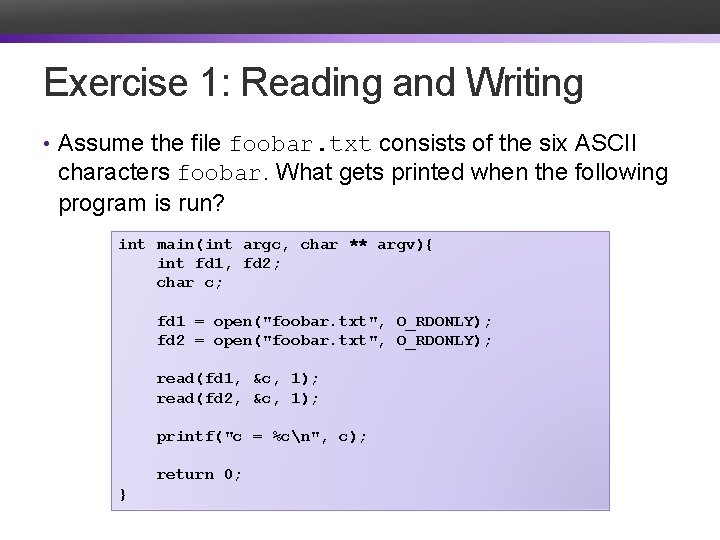
Exercise 1: Reading and Writing • Assume the file foobar. txt consists of the six ASCII characters foobar. What gets printed when the following program is run? int main(int argc, char ** argv){ int fd 1, fd 2; char c; fd 1 = open("foobar. txt", O_RDONLY); fd 2 = open("foobar. txt", O_RDONLY); read(fd 1, &c, 1); read(fd 2, &c, 1); printf("c = %cn", c); return 0; }
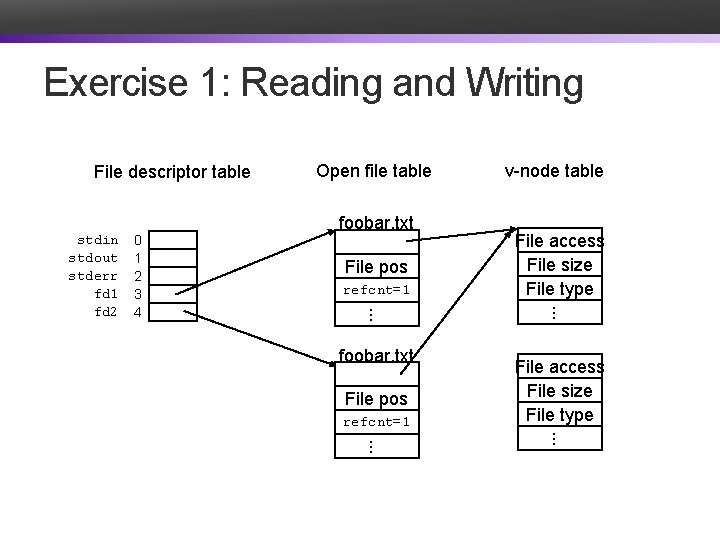
Exercise 1: Reading and Writing File descriptor table foobar. txt File pos refcnt=1 v-node table File access File size File type. . . 0 1 2 3 4 . . . stdin stdout stderr fd 1 fd 2 Open file table File access File size File type. . .
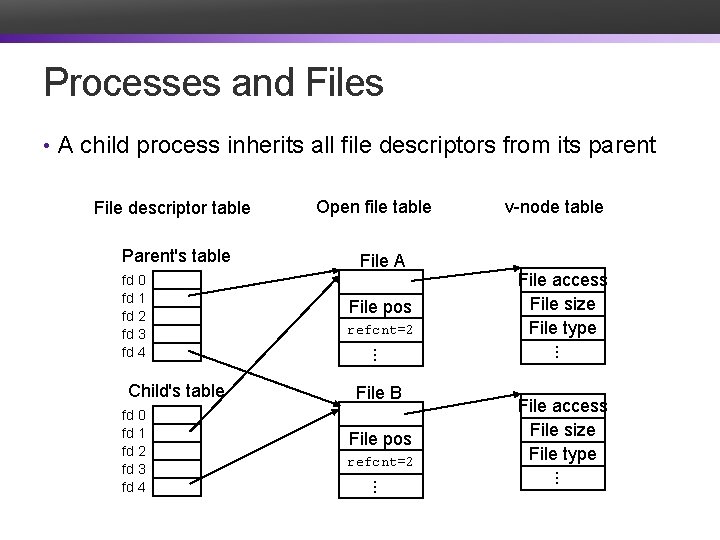
Processes and Files • A child process inherits all file descriptors from its parent File descriptor table Parent's table refcnt=2 File B File pos refcnt=2 File access File size File type. . . fd 0 fd 1 fd 2 fd 3 fd 4 File pos v-node table . . . Child's table File A . . . fd 0 fd 1 fd 2 fd 3 fd 4 Open file table
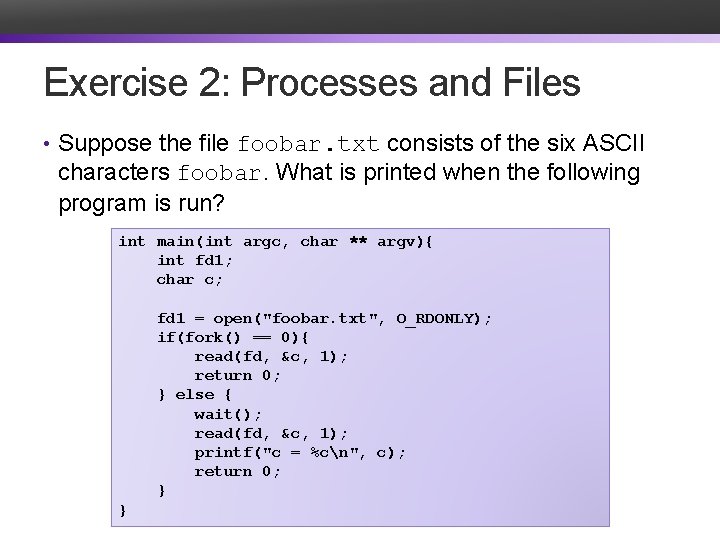
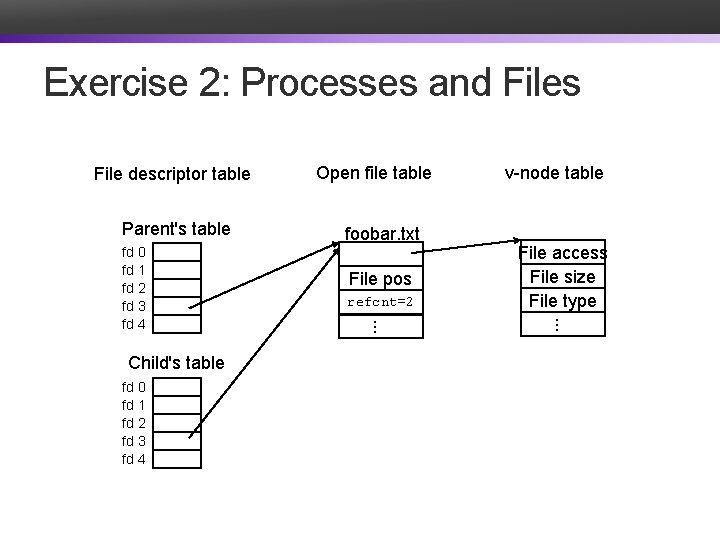
Exercise 2: Processes and Files • Suppose the file foobar. txt consists of the six ASCII characters foobar. What is printed when the following program is run? int main(int argc, char ** argv){ int fd 1; char c; fd 1 = open("foobar. txt", O_RDONLY); if(fork() == 0){ read(fd, &c, 1); return 0; } else { wait(); read(fd, &c, 1); printf("c = %cn", c); return 0; } }
Exercise 2: Processes and Files File descriptor table Parent's table fd 0 fd 1 fd 2 fd 3 fd 4 refcnt=2 refcnt=1 File access File size File type. . . Child's table foobar. txt v-node table . . . fd 0 fd 1 fd 2 fd 3 fd 4 Open file table File pos
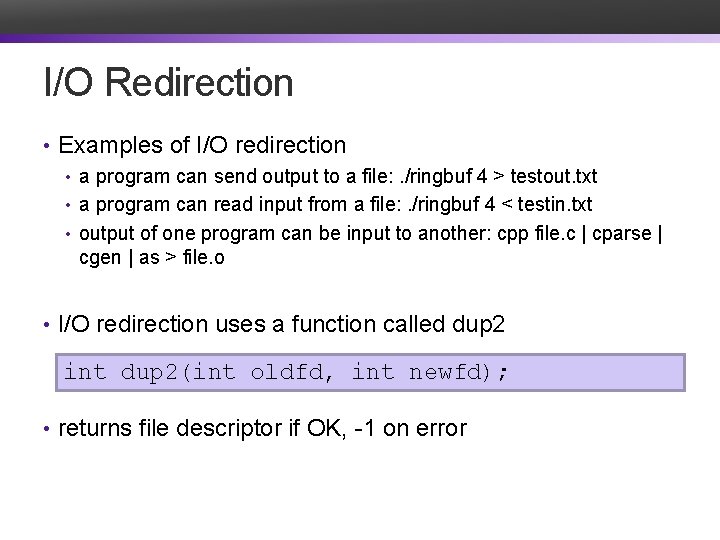
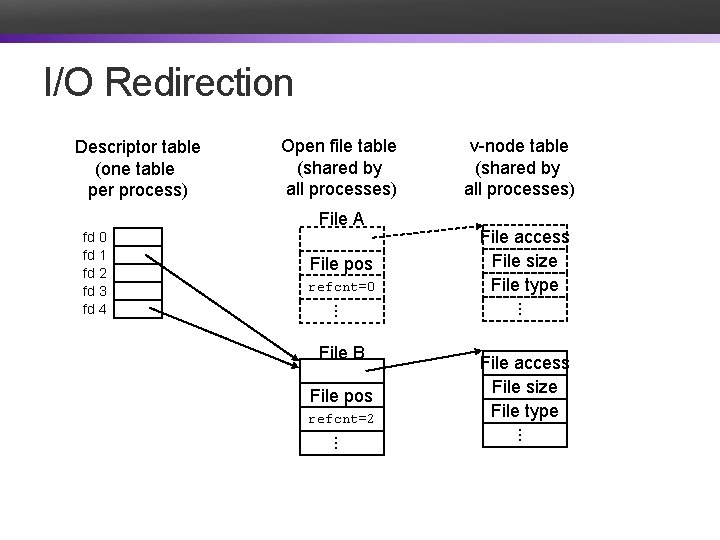
I/O Redirection • Examples of I/O redirection • a program can send output to a file: . /ringbuf 4 > testout. txt • a program can read input from a file: . /ringbuf 4 < testin. txt • output of one program can be input to another: cpp file. c | cparse | cgen | as > file. o • I/O redirection uses a function called dup 2 int dup 2(int oldfd, int newfd); • returns file descriptor if OK, -1 on error
I/O Redirection Descriptor table (one table per process) Open file table (shared by all processes) File A File pos refcnt=0 File B File pos refcnt=2 File access File size File type. . . fd 0 fd 1 fd 2 fd 3 fd 4 v-node table (shared by all processes) File access File size File type. . .
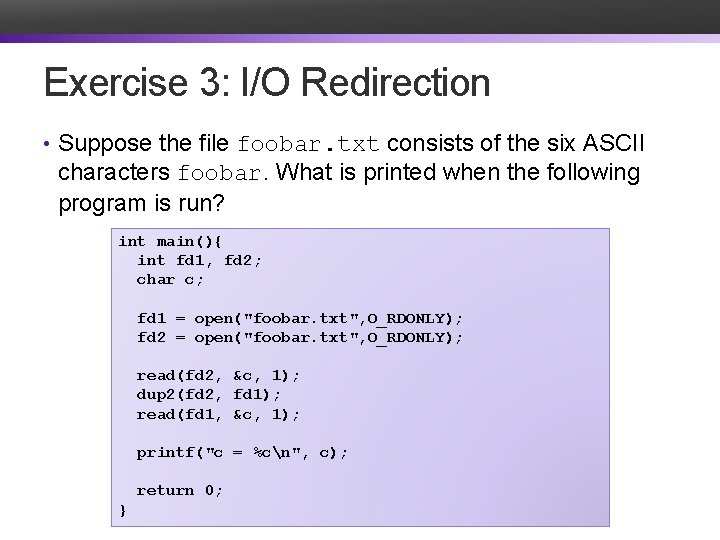
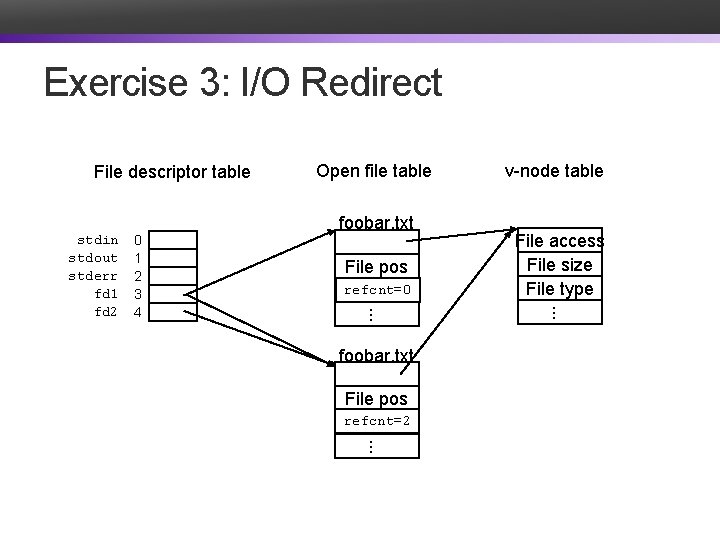
Exercise 3: I/O Redirection • Suppose the file foobar. txt consists of the six ASCII characters foobar. What is printed when the following program is run? int main(){ int fd 1, fd 2; char c; fd 1 = open("foobar. txt", O_RDONLY); fd 2 = open("foobar. txt", O_RDONLY); read(fd 2, &c, 1); dup 2(fd 2, fd 1); read(fd 1, &c, 1); printf("c = %cn", c); return 0; }
Exercise 3: I/O Redirect File descriptor table 0 1 2 3 4 refcnt=0 refcnt=1 File access File size File type. . . foobar. txt v-node table . . . stdin stdout stderr fd 1 fd 2 Open file table File pos foobar. txt File pos refcnt=2 refcnt=1 . . .
System I/O as a Uniform Interface • Operating systems use the System I/O commands as an interface for all I/O devices • The commands to read and write to an open file descriptor are the same no matter what type of "file" it is • Types of files include • file • keyboard • screen • pipe • device • network
Exercise 4: Feedback 1. Rate how well you think this recorded lecture worked 1. Better than an in-person class 2. About as well as an in-person class 3. Less well than an in-person class, but you still learned something 4. Total waste of time, you didn't learn anything 2. How much time did you spend on this video lecture? 3. Do you have any particular questions you’d like me to address in this week’s problem session? 4. Do you have any other comments or feedback?