
Lecture 21 Listening to events on a GUI

- Slides: 11
Lecture 21. Listening to events on a GUI (and development of a loop) Sec. 17. 4 contains this material. Corresponding lectures on Program. Live CD is a better way to learn the material. Why men think “computer” should be a feminine word 1. No one but their creator understands their internal logic. 2. The native language they use to talk with other computers is incomprehensible to everyone else. 3. Even the smallest mistakes are stored in long term memory for possible later retrieval. 4. As soon as you commit to one, half your paycheck goes for accessories for it. Why women think “computer” should be a masculine word 1. In order to do anything with them, you have to turn them on. 2. They have a lot of data but still can't think for themselves. 3. They are supposed to help you solve problems, but half the time they ARE the problem. 4. As soon as you commit to one, you realize that if you had waited a little longer, you could have gotten a better model. 1
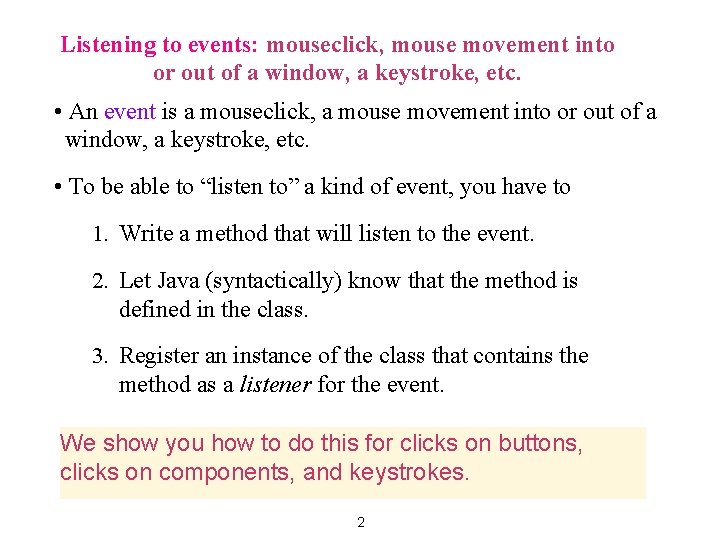
Listening to events: mouseclick, mouse movement into or out of a window, a keystroke, etc. • An event is a mouseclick, a mouse movement into or out of a window, a keystroke, etc. • To be able to “listen to” a kind of event, you have to 1. Write a method that will listen to the event. 2. Let Java (syntactically) know that the method is defined in the class. 3. Register an instance of the class that contains the method as a listener for the event. We show you how to do this for clicks on buttons, clicks on components, and keystrokes. 2
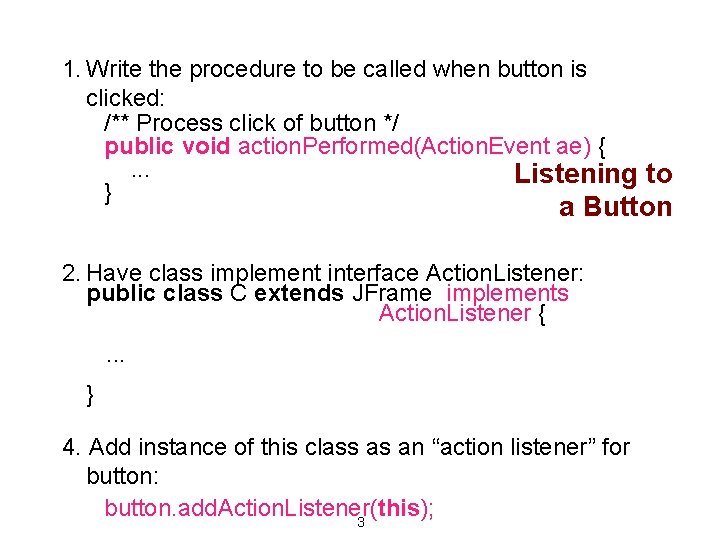
1. Write the procedure to be called when button is clicked: /** Process click of button */ public void action. Performed(Action. Event ae) {. . . Listening to } a Button 2. Have class implement interface Action. Listener: public class C extends JFrame implements Action. Listener {. . . } 4. Add instance of this class as an “action listener” for button: button. add. Action. Listener(this); 3
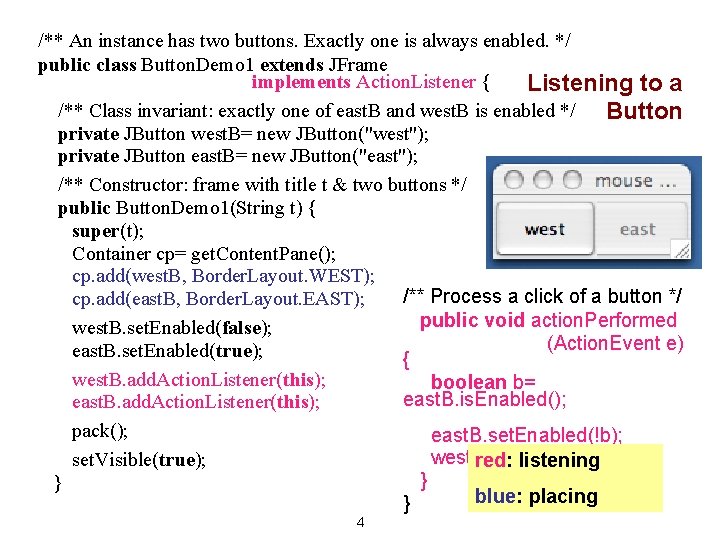
/** An instance has two buttons. Exactly one is always enabled. */ public class Button. Demo 1 extends JFrame implements Action. Listener { Listening to a /** Class invariant: exactly one of east. B and west. B is enabled */ Button private JButton west. B= new JButton("west"); private JButton east. B= new JButton("east"); /** Constructor: frame with title t & two buttons */ public Button. Demo 1(String t) { super(t); Container cp= get. Content. Pane(); cp. add(west. B, Border. Layout. WEST); /** Process a click of a button */ cp. add(east. B, Border. Layout. EAST); public void action. Performed west. B. set. Enabled(false); (Action. Event e) east. B. set. Enabled(true); { west. B. add. Action. Listener(this); boolean b= east. B. is. Enabled(); east. B. add. Action. Listener(this); pack(); east. B. set. Enabled(!b); west. B. set. Enabled(b); set. Visible(true); red: listening } } blue: placing } 4
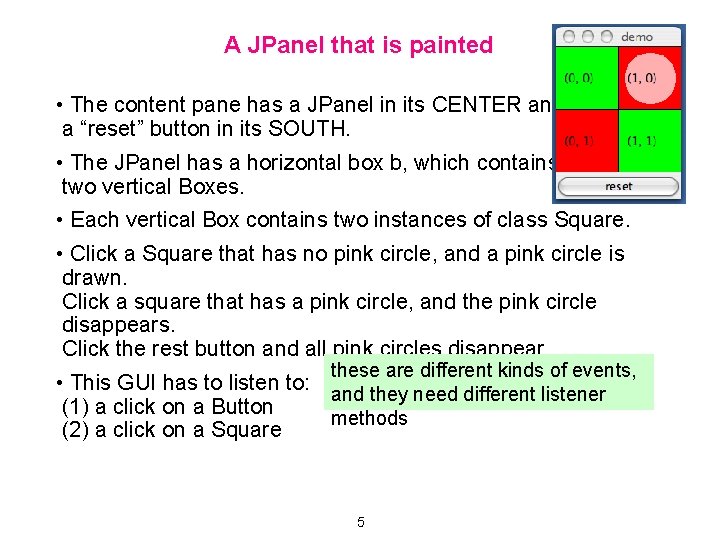
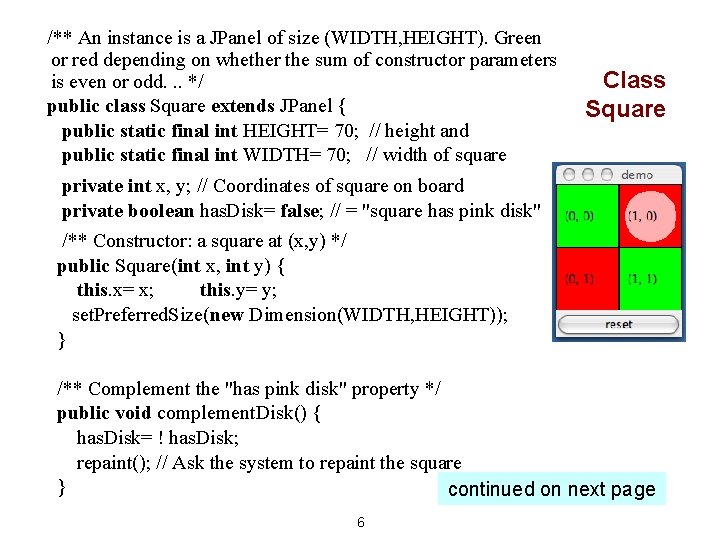
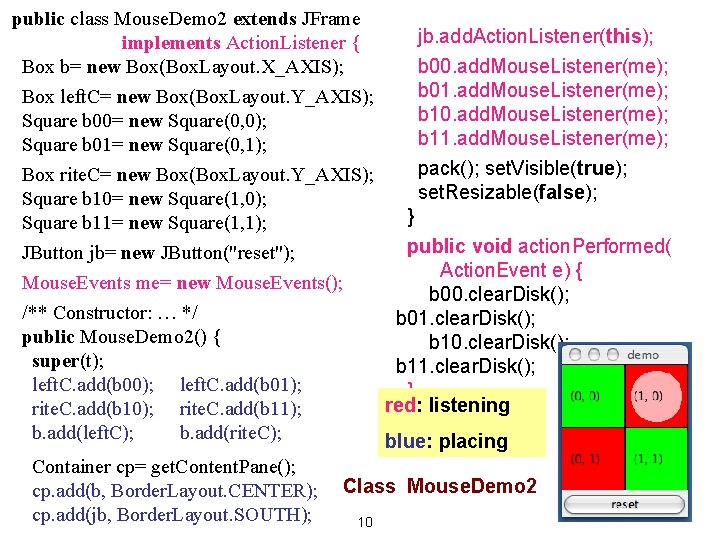
A JPanel that is painted • The content pane has a JPanel in its CENTER and a “reset” button in its SOUTH. • The JPanel has a horizontal box b, which contains two vertical Boxes. • Each vertical Box contains two instances of class Square. • Click a Square that has no pink circle, and a pink circle is drawn. Click a square that has a pink circle, and the pink circle disappears. Click the rest button and all pink circles disappear. these are different kinds of events, • This GUI has to listen to: and they need different listener (1) a click on a Button methods (2) a click on a Square 5
/** An instance is a JPanel of size (WIDTH, HEIGHT). Green or red depending on whether the sum of constructor parameters is even or odd. . . */ public class Square extends JPanel { public static final int HEIGHT= 70; // height and public static final int WIDTH= 70; // width of square Class Square private int x, y; // Coordinates of square on board private boolean has. Disk= false; // = "square has pink disk" /** Constructor: a square at (x, y) */ public Square(int x, int y) { this. x= x; this. y= y; set. Preferred. Size(new Dimension(WIDTH, HEIGHT)); } /** Complement the "has pink disk" property */ public void complement. Disk() { has. Disk= ! has. Disk; repaint(); // Ask the system to repaint the square } continued on next page 6
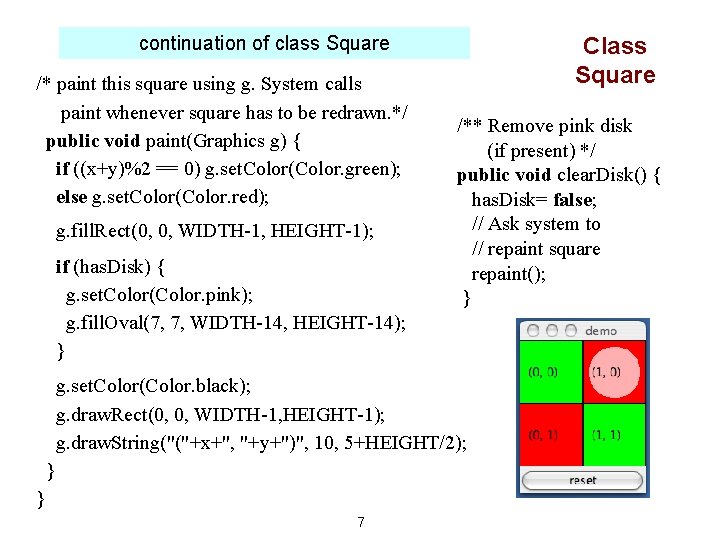
continuation of class Square /* paint this square using g. System calls paint whenever square has to be redrawn. */ public void paint(Graphics g) { if ((x+y)%2 == 0) g. set. Color(Color. green); else g. set. Color(Color. red); g. fill. Rect(0, 0, WIDTH-1, HEIGHT-1); if (has. Disk) { g. set. Color(Color. pink); g. fill. Oval(7, 7, WIDTH-14, HEIGHT-14); } Class Square /** Remove pink disk (if present) */ public void clear. Disk() { has. Disk= false; // Ask system to // repaint square repaint(); } g. set. Color(Color. black); g. draw. Rect(0, 0, WIDTH-1, HEIGHT-1); g. draw. String("("+x+", "+y+")", 10, 5+HEIGHT/2); } } 7
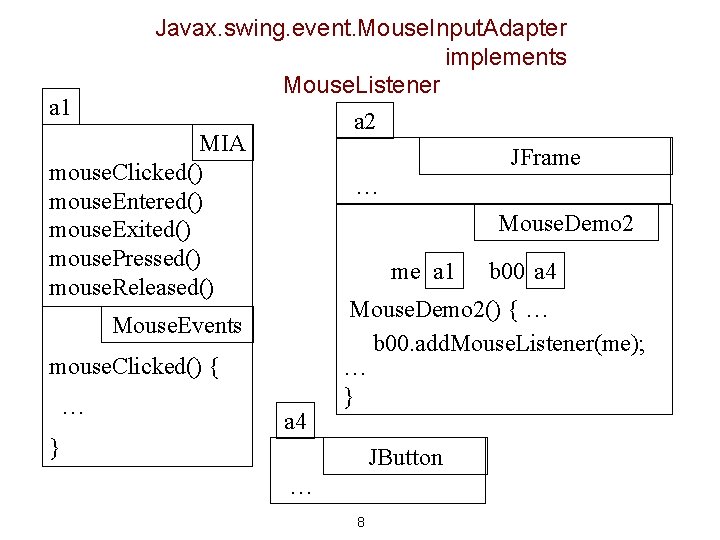
Javax. swing. event. Mouse. Input. Adapter implements Mouse. Listener a 1 a 2 MIA JFrame mouse. Clicked() … mouse. Entered() Mouse. Demo 2 mouse. Exited() mouse. Pressed() me a 1 b 00 a 4 mouse. Released() Mouse. Demo 2() { … Mouse. Events b 00. add. Mouse. Listener(me); mouse. Clicked() { … } … a 4 } JButton … 8
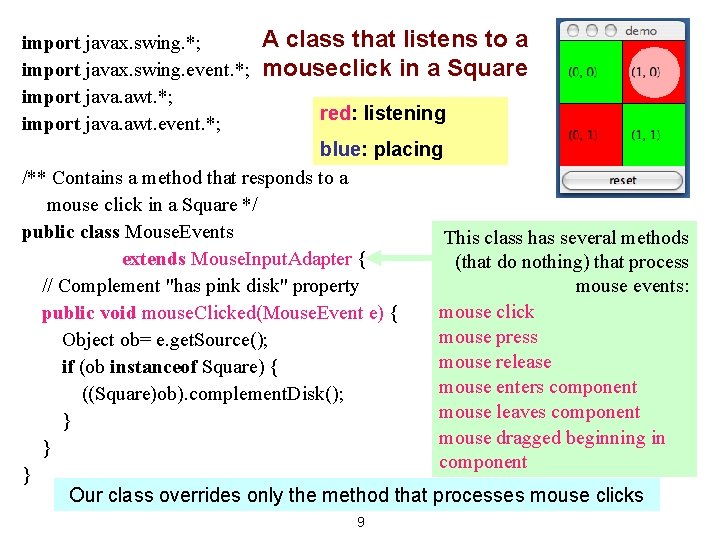
import javax. swing. *; import javax. swing. event. *; import java. awt. event. *; A class that listens to a mouseclick in a Square red: listening blue: placing /** Contains a method that responds to a mouse click in a Square */ public class Mouse. Events This class has several methods extends Mouse. Input. Adapter { (that do nothing) that process // Complement "has pink disk" property mouse events: mouse click public void mouse. Clicked(Mouse. Event e) { mouse press Object ob= e. get. Source(); mouse release if (ob instanceof Square) { mouse enters component ((Square)ob). complement. Disk(); mouse leaves component } mouse dragged beginning in } component } Our class overrides only the method that processes mouse clicks 9
public class Mouse. Demo 2 extends JFrame jb. add. Action. Listener(this); implements Action. Listener { Box b= new Box(Box. Layout. X_AXIS); b 00. add. Mouse. Listener(me); b 01. add. Mouse. Listener(me); Box left. C= new Box(Box. Layout. Y_AXIS); b 10. add. Mouse. Listener(me); Square b 00= new Square(0, 0); b 11. add. Mouse. Listener(me); Square b 01= new Square(0, 1); pack(); set. Visible(true); Box rite. C= new Box(Box. Layout. Y_AXIS); set. Resizable(false); Square b 10= new Square(1, 0); } Square b 11= new Square(1, 1); public void action. Performed( JButton jb= new JButton("reset"); Action. Event e) { Mouse. Events me= new Mouse. Events(); b 00. clear. Disk(); /** Constructor: … */ b 01. clear. Disk(); public Mouse. Demo 2() { b 10. clear. Disk(); super(t); b 11. clear. Disk(); left. C. add(b 00); left. C. add(b 01); } red: rite. C. add(b 10); rite. C. add(b 11); } listening b. add(left. C); b. add(rite. C); blue: placing Container cp= get. Content. Pane(); cp. add(b, Border. Layout. CENTER); Class Mouse. Demo 2 cp. add(jb, Border. Layout. SOUTH); 10
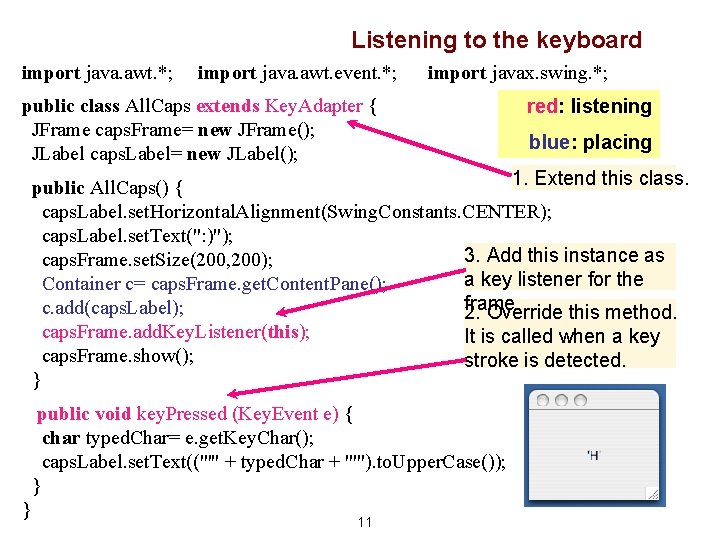
Listening to the keyboard import java. awt. *; import java. awt. event. *; import javax. swing. *; public class All. Caps extends Key. Adapter { JFrame caps. Frame= new JFrame(); JLabel caps. Label= new JLabel(); red: listening blue: placing 1. Extend this class. public All. Caps() { caps. Label. set. Horizontal. Alignment(Swing. Constants. CENTER); caps. Label. set. Text(": )"); 3. Add this instance as caps. Frame. set. Size(200, 200); a key listener for the Container c= caps. Frame. get. Content. Pane(); frame c. add(caps. Label); 2. Override this method. caps. Frame. add. Key. Listener(this); It is called when a key caps. Frame. show(); stroke is detected. } public void key. Pressed (Key. Event e) { char typed. Char= e. get. Key. Char(); caps. Label. set. Text(("'" + typed. Char + "'"). to. Upper. Case()); } } 11