
Lecture 20 Networking ESE 150 DIGITAL AUDIO BASICS
Lecture #20 – Networking ESE 150 – DIGITAL AUDIO BASICS Based on slides © 2009 --2021 De. Hon Additional Material © 2014 Farmer 1
LECTURE TOPICS � � � Where are we on course map? Review Networks � � Network Layering � Transport � Network – Routing – what can go wrong? � Physical (physical layer independence) � By end: seen TCP/IP basics Next Lab 2
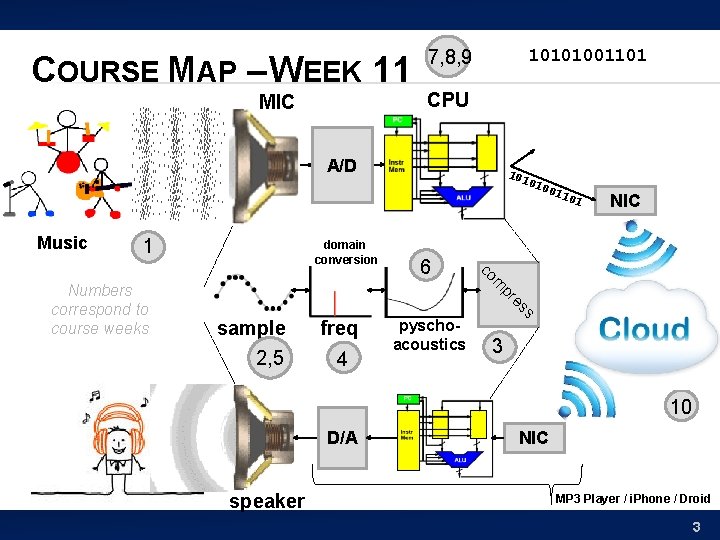
COURSE MAP – WEEK 11 MIC 7, 8, 9 10101001101 CPU A/D 101 010 Music 1 freq 4 pyschoacoustics NIC s es pr sample 2, 5 6 01 m co Numbers correspond to course weeks domain conversion 011 3 10 D/A speaker NIC MP 3 Player / i. Phone / Droid 3
REVIEW Fundamentals of Networks 4
NETWORKED SYSTEMS � Today � We expect our computers to be networked � Google, � wikipedia, Email, IM, … Can work stand alone � Airplane mode? But, are crippled when not connected � Phone isn’t a phone unless its networked � 5
IMPLICATIONS? � Today’s wire bandwidth exceeds the throughput needs of any real-time single-stream data � � Can afford to share the wire Wires are not cheap � Cannot afford not to share the wire 6
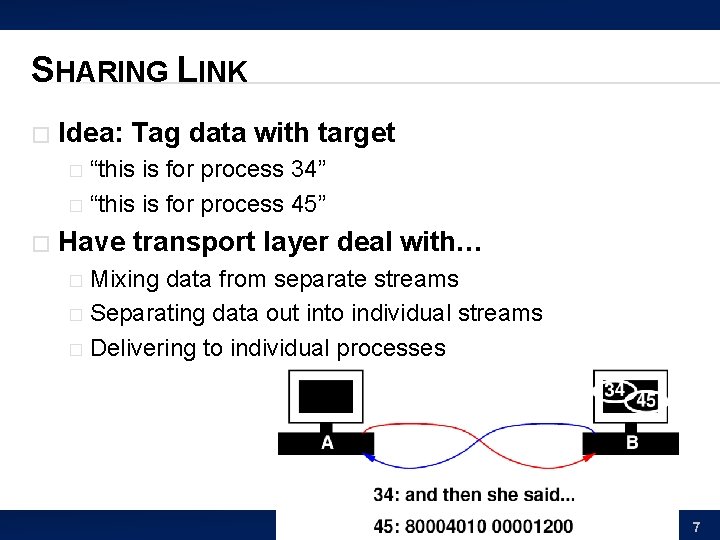
SHARING LINK � Idea: Tag data with target “this is for process 34” � “this is for process 45” � � Have transport layer deal with… Mixing data from separate streams � Separating data out into individual streams � Delivering to individual processes � 7
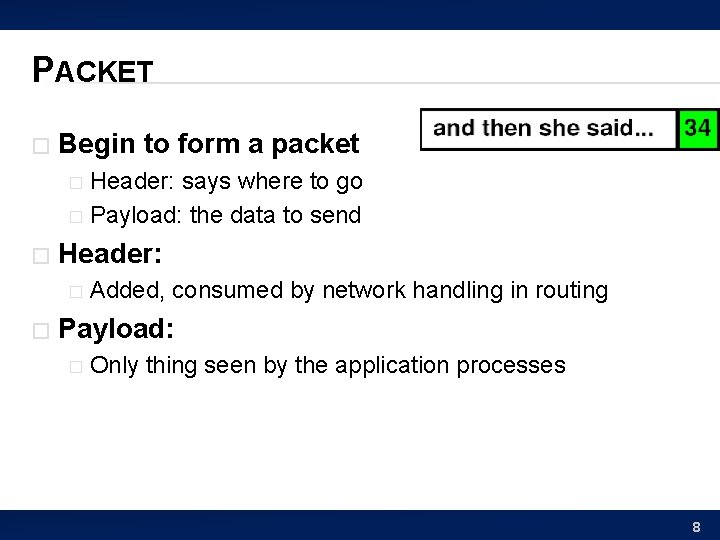
PACKET � Begin to form a packet Header: says where to go � Payload: the data to send � � Header: � � Added, consumed by network handling in routing Payload: � Only thing seen by the application processes 8
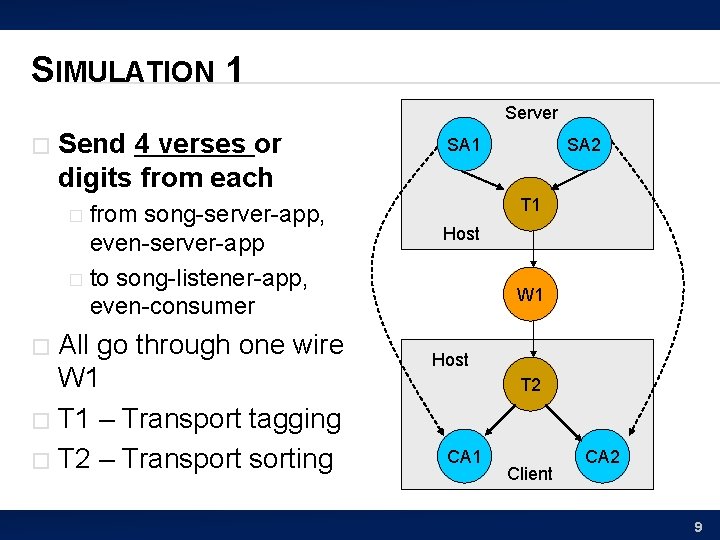
SIMULATION 1 Server � Send 4 verses or digits from each from song-server-app, even-server-app � to song-listener-app, even-consumer � All go through one wire W 1 � T 1 – Transport tagging � T 2 – Transport sorting � SA 1 SA 2 T 1 Host W 1 Host T 2 CA 1 Client CA 2 9
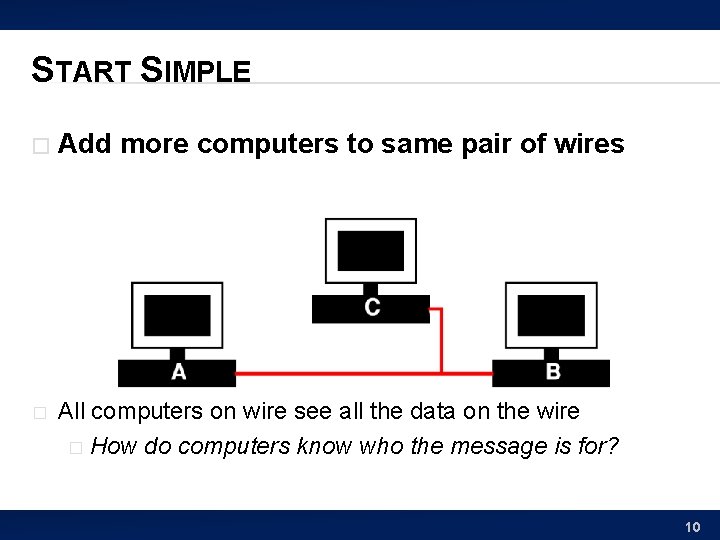
START SIMPLE � Add more computers to same pair of wires � All computers on wire see all the data on the wire � How do computers know who the message is for? 10
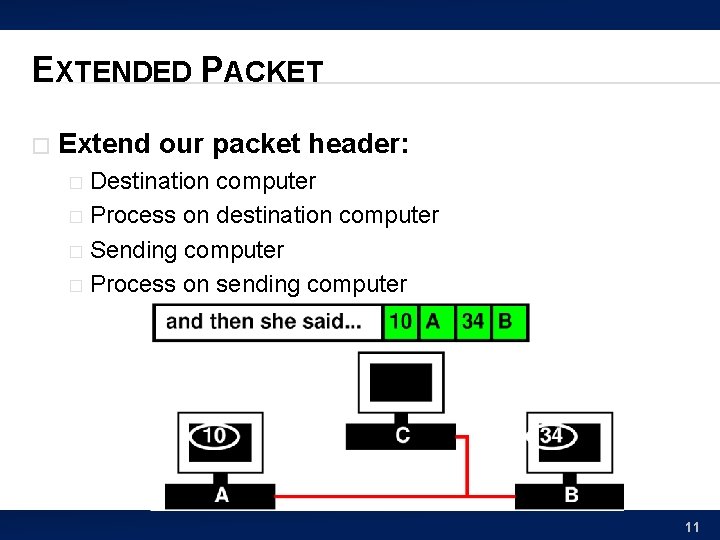
EXTENDED PACKET � Extend our packet header: Destination computer � Process on destination computer � Sending computer � Process on sending computer � 11
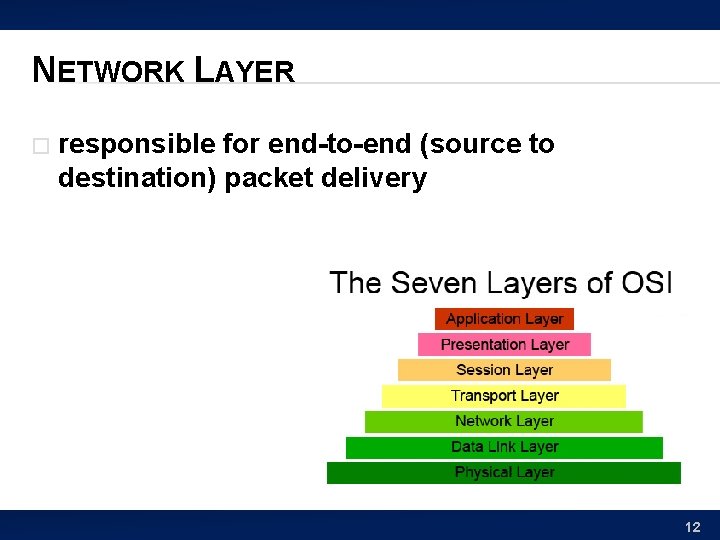
NETWORK LAYER � responsible for end-to-end (source to destination) packet delivery 12
VIRTUALIZATION EFFECT � Each pair of processes on different computers Has the view of a point-to-point connection � Each process, thinks it “owns the network” and has a dedicated connection to the other node � 13
ABSTRACTIONS FOR SHARING � Virtualized Processor Share single processor among multiple tasks � Make it look like process (program) has its own processor � � Virtualized Communication between programs Share wires and processors � Make it look like a dedicated point-to-point link between processes (programs) � 14
NETWORK SIMULATION 15
SIMULATION 2 � Send 4 verses or digits from each from song-server serving 2 songs � And digit-server serving 2 fundamental constants � To two clients � 16
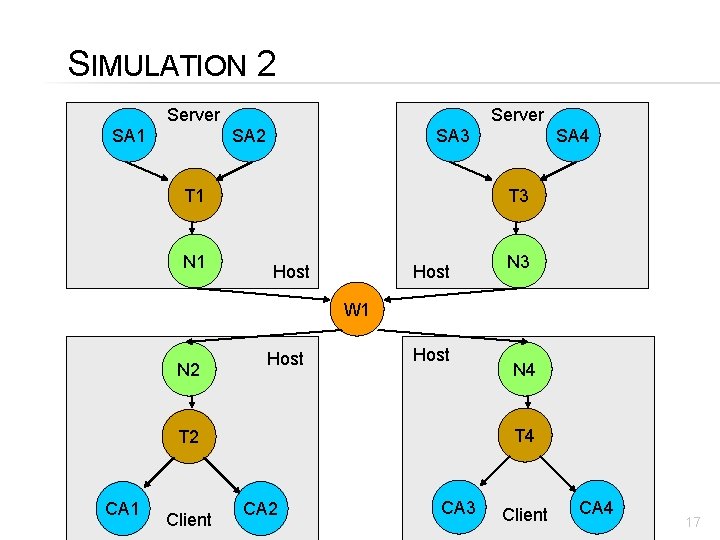
SIMULATION 2 Server SA 1 SA 2 SA 3 T 1 N 1 SA 4 T 3 Host N 3 W 1 N 2 Host T 4 T 2 CA 1 Client N 4 CA 2 CA 3 Client CA 4 17
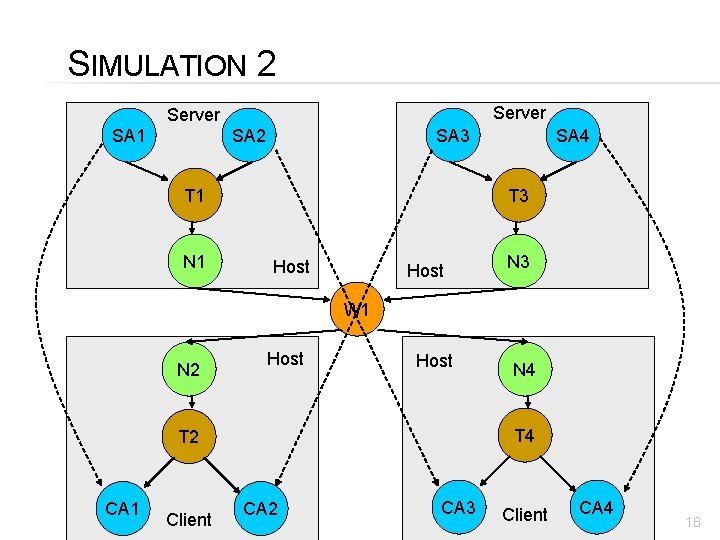
SIMULATION 2 Server SA 1 SA 2 SA 3 T 1 N 1 SA 4 T 3 Host N 3 W 1 N 2 Host T 4 T 2 CA 1 Client N 4 CA 2 CA 3 Client CA 4 18
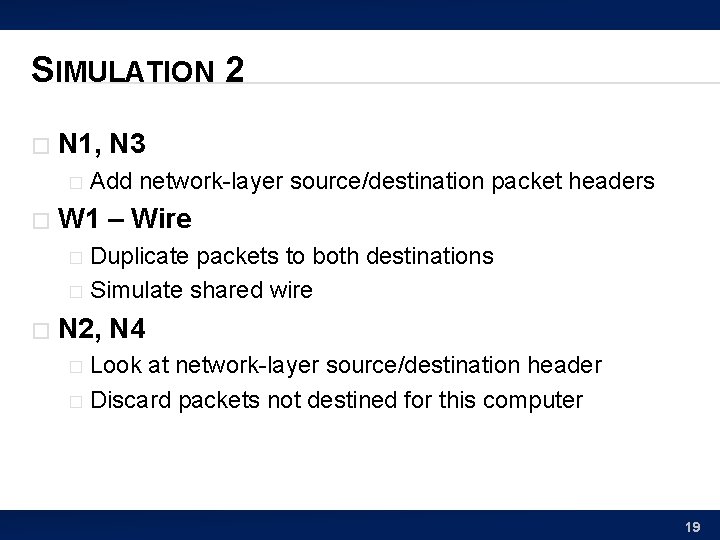
SIMULATION 2 � N 1, N 3 � � Add network-layer source/destination packet headers W 1 – Wire Duplicate packets to both destinations � Simulate shared wire � � N 2, N 4 Look at network-layer source/destination header � Discard packets not destined for this computer � 19
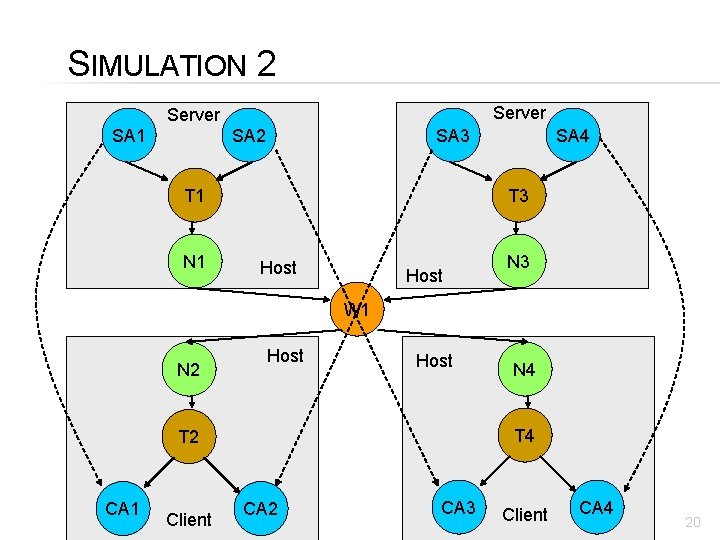
SIMULATION 2 Server SA 1 SA 2 SA 3 T 1 N 1 SA 4 T 3 Host N 3 W 1 N 2 Host T 4 T 2 CA 1 Client N 4 CA 2 CA 3 Client CA 4 20
EXTENDING THE VIRTUAL LINK 21
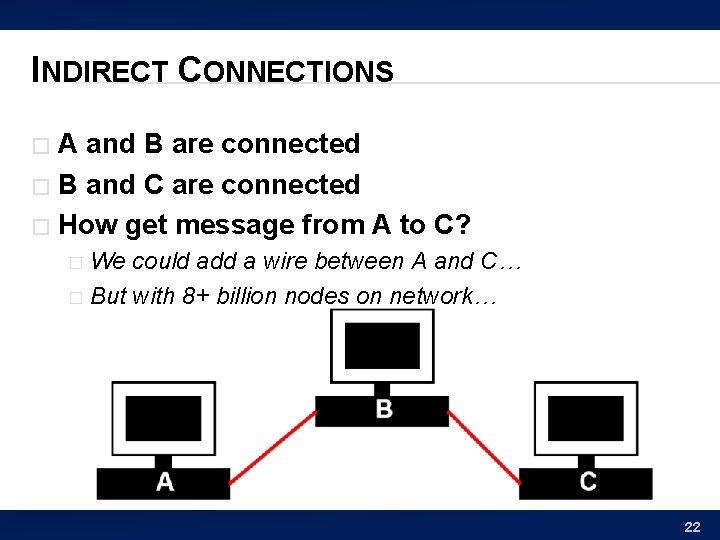
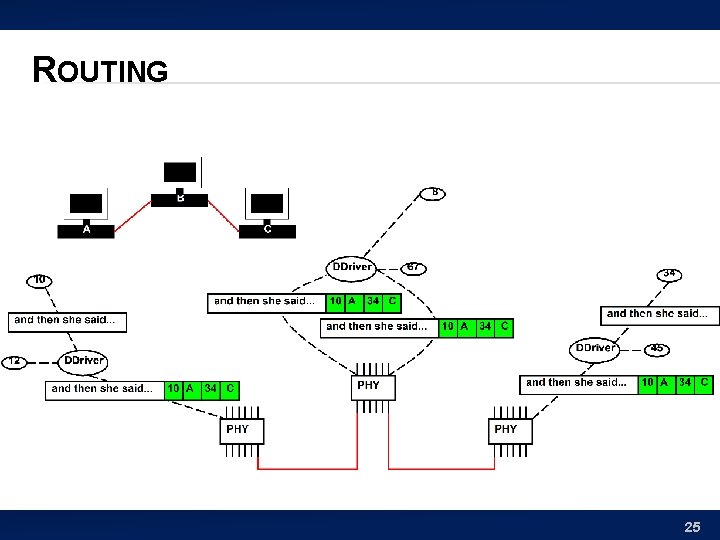
INDIRECT CONNECTIONS A and B are connected � B and C are connected � How get message from A to C? � We could add a wire between A and C… � But with 8+ billion nodes on network… � 22
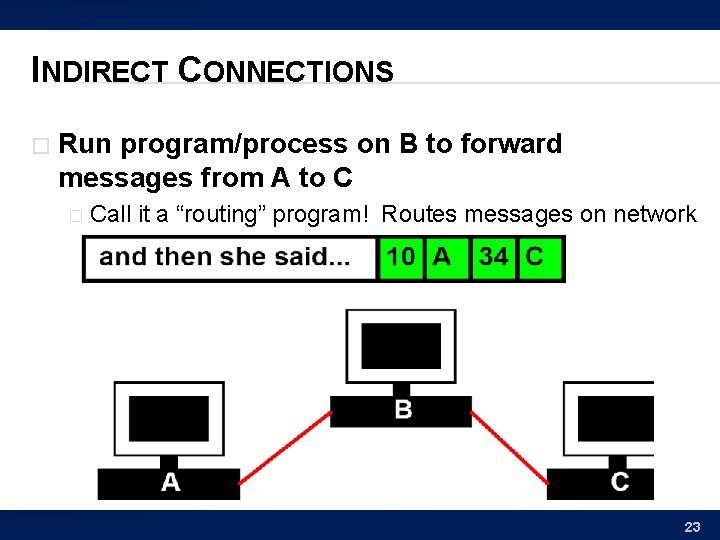
INDIRECT CONNECTIONS � Run program/process on B to forward messages from A to C � Call it a “routing” program! Routes messages on network 23
ROUTING � B runs a general program If packet destined for B, takes it � Otherwise, sends on to (toward) destination � � Extension of the network handling process that is sorting data to processes 24
ROUTING 25
REACHABILITY � If everyone plays along � � We can communicate with any computer reachable transitively from my computer Don’t need direct connections 26
ROUTING ROUTE TABLES � To make efficient Each computer should route close to destination � …and not route in circles � � E. g. compute all-pairs shortest paths (CIS 160, 121) Store result, each machine knows where to send packet next � How much storage? � � Cleverness � to compress/summarize Additional cleverness to compute incremental updates � When add a computer or a link breaks 27
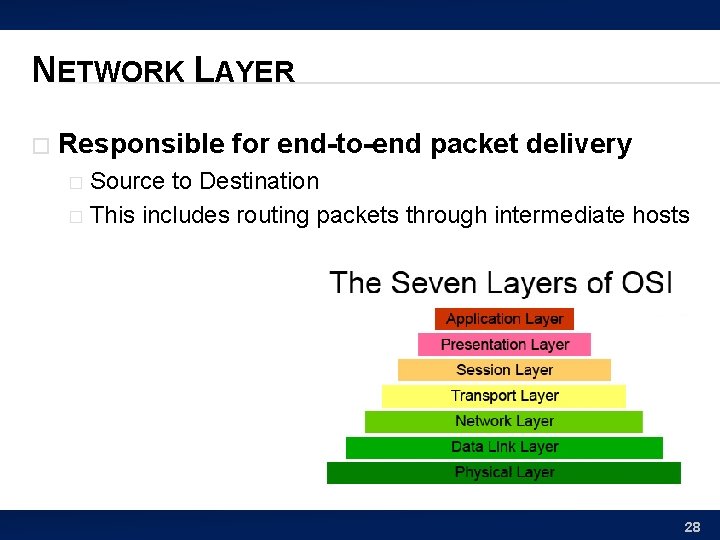
NETWORK LAYER � Responsible for end-to-end packet delivery Source to Destination � This includes routing packets through intermediate hosts � 28
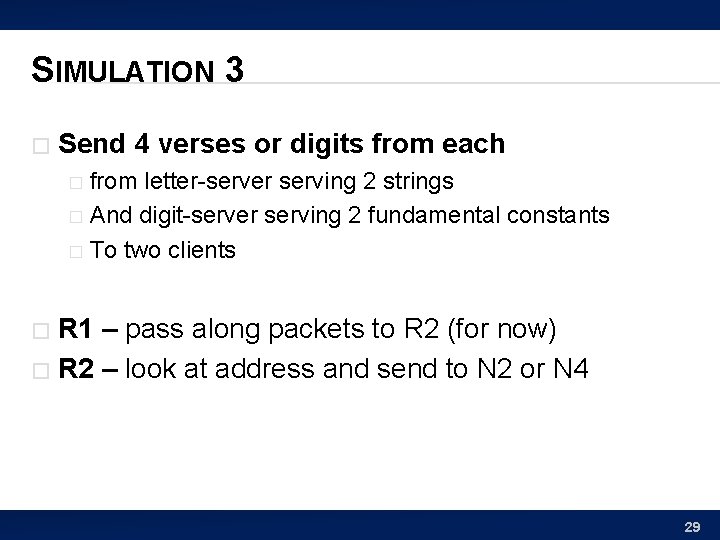
SIMULATION 3 � Send 4 verses or digits from each from letter-server serving 2 strings � And digit-server serving 2 fundamental constants � To two clients � R 1 – pass along packets to R 2 (for now) � R 2 – look at address and send to N 2 or N 4 � 29
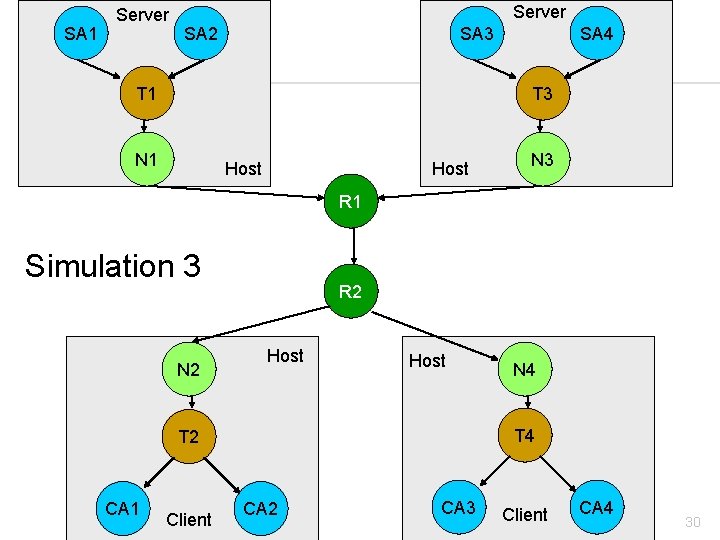
S IM SA 1 3 Server SA 2 SA 3 T 1 SA 4 T 3 N 1 Host N 3 R 1 Simulation 3 N 2 R 2 Host T 4 T 2 CA 1 Client N 4 CA 2 CA 3 Client CA 4 30
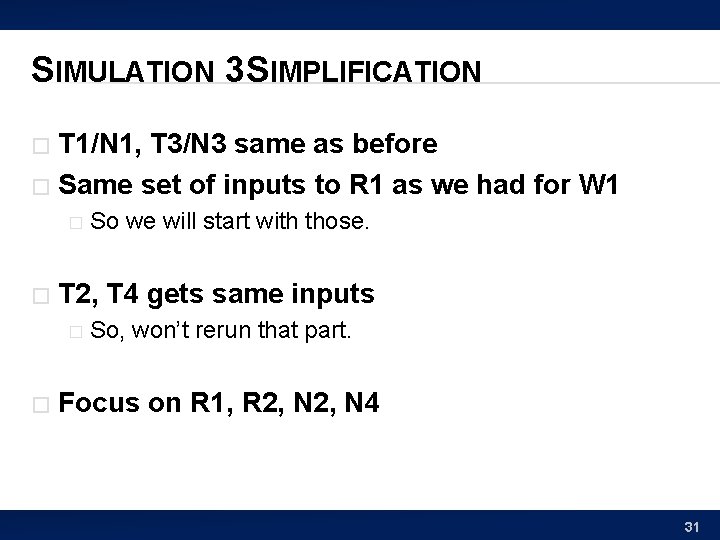
SIMULATION 3 SIMPLIFICATION T 1/N 1, T 3/N 3 same as before � Same set of inputs to R 1 as we had for W 1 � � � T 2, T 4 gets same inputs � � So we will start with those. So, won’t rerun that part. Focus on R 1, R 2, N 4 31
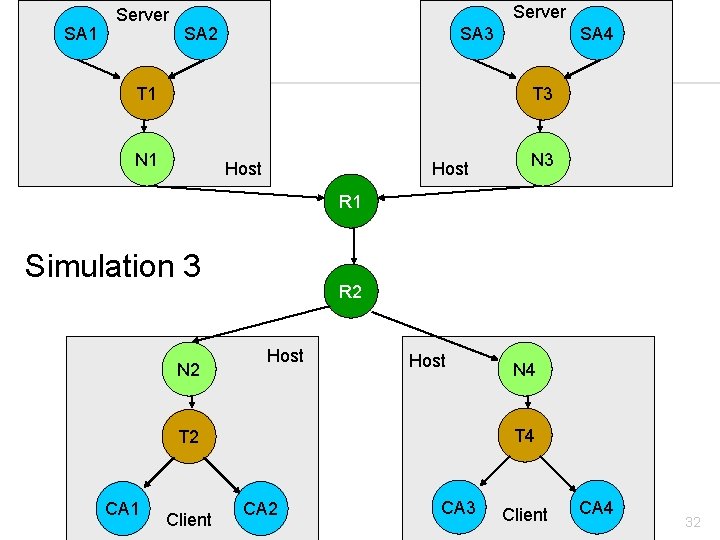
S IM SA 1 3 Server SA 2 SA 3 T 1 SA 4 T 3 N 1 Host N 3 R 1 Simulation 3 N 2 R 2 Host T 4 T 2 CA 1 Client N 4 CA 2 CA 3 Client CA 4 32
WHERE ARE WE NOW? � Can communicate From one process on a computer � to any other process on any other computer � if the two are transitively connected � � By � a set of participating computers which route data Layers have provided “Abstraction” � Processes just see streams of data between the endpoints 35
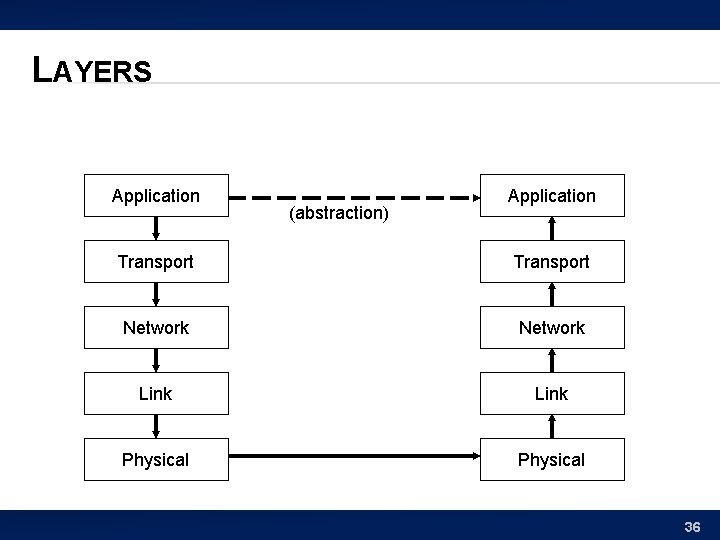
LAYERS Application (abstraction) Application Transport Network Link Physical 36
PROTOCOLS � Protocol – common discipline used to interoperate smoothly rules of the game � Include � � How to format packets � How to handle data � So far, we’ve discussed a protocol called IP: � � IP = Internet Protocol Delivery to processes (rather than hosts): UDP � UDP = Unreliable Datagram Protocol 37
SIMULATION 5 � Send 4 verses or digits from each from letter-server serving 2 strings � And digit-server serving 2 fundamental constants � To two clients � � Deliberately delay data through R 3 � Model non-determinism in route timing 38
SIMPLIFY SIMULATION � Again, simulate different core � R 1, R 2, R 3 39
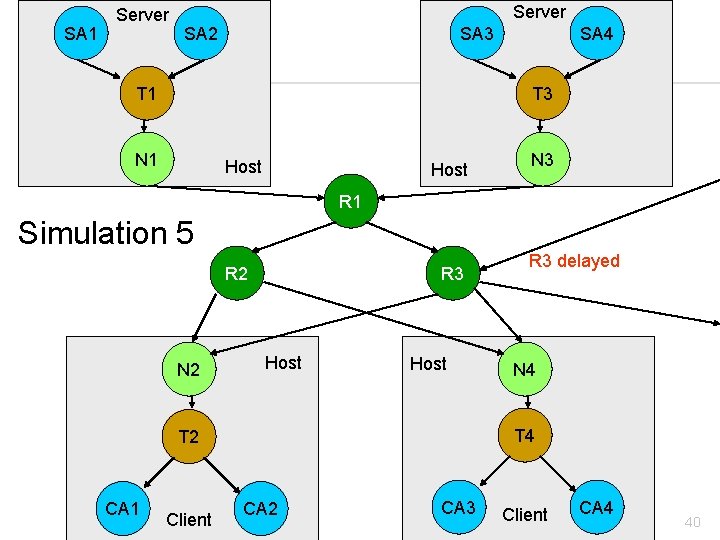
S IM SA 1 5 Server SA 2 SA 3 T 1 SA 4 T 3 N 1 Host N 3 R 1 Simulation 5 R 2 N 2 R 3 Host Client N 4 T 2 CA 1 R 3 delayed CA 2 CA 3 Client CA 4 40
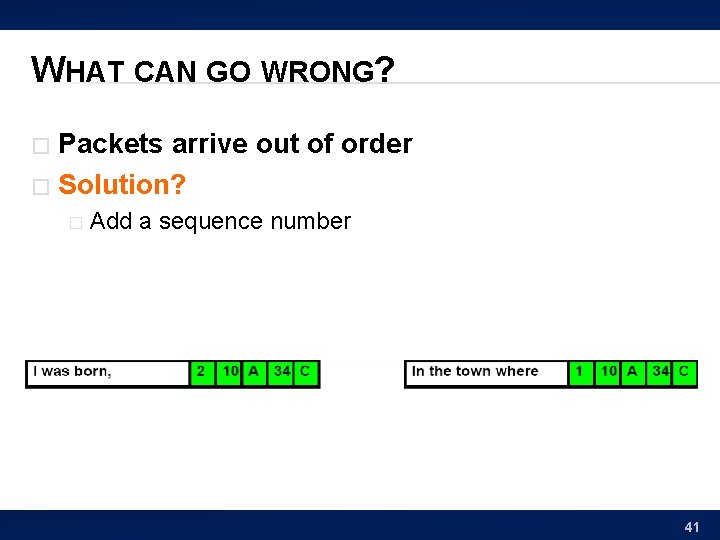
WHAT CAN GO WRONG? Packets arrive out of order � Solution? � � Add a sequence number 41
SIMULATION 6 � Send 4 verses or digits from each from song-server serving 2 songs � And digit-server serving 2 fundamental constants � To two clients � T 1/T 3 – add sequence number to packet � T 2/T 4 – hold packets, reorder, and deliver in order of sequence number � R 3 – still delaying packets � 42
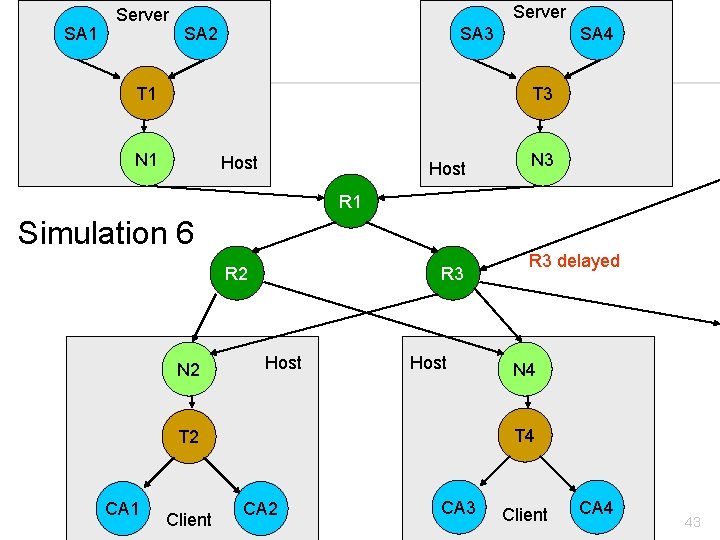
S IM SA 1 6 Server SA 2 SA 3 T 1 SA 4 T 3 N 1 Host N 3 R 1 Simulation 6 R 2 N 2 R 3 Host Client N 4 T 2 CA 1 R 3 delayed CA 2 CA 3 Client CA 4 43
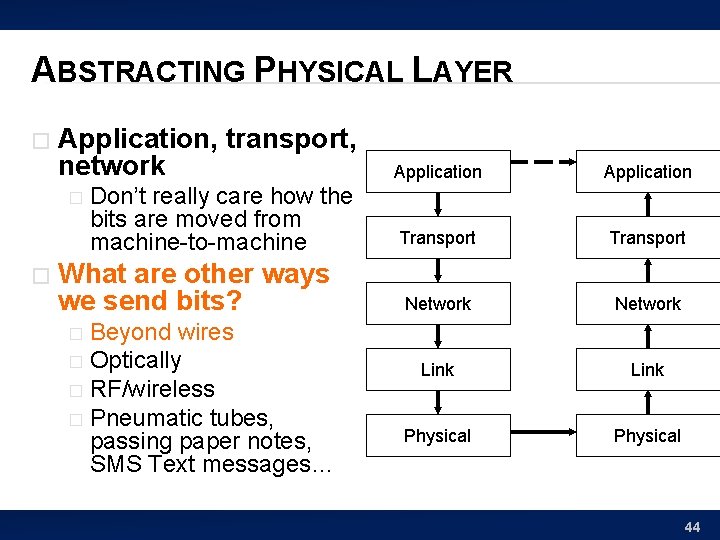
ABSTRACTING PHYSICAL LAYER � Application, transport, network � � Don’t really care how the bits are moved from machine-to-machine What are other ways we send bits? Beyond wires � Optically � RF/wireless � Pneumatic tubes, passing paper notes, SMS Text messages… Application Transport Network Link Physical � 44
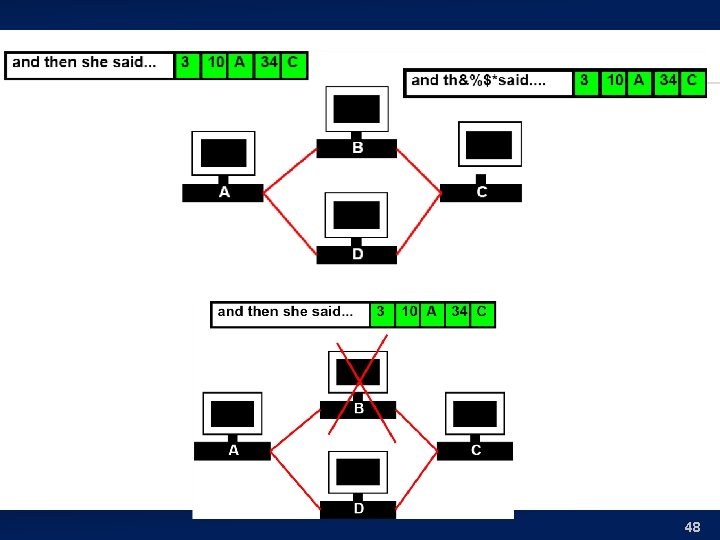
WHAT ELSE CAN GO WRONG? Bits get corrupted � Intermediate machines holding messages can crash � Messages can get misrouted � 47
48
DATA CORRUPTION � How do we deal with data corruption? � � Use redundancy Two strategies: Use enough redundancy to correct � Use just enough redundancy to detect it � � Have the sender resend 49
DATA CORRUPTION � Relatively uncommon � � Most packets are fine We have efficient (low overhead) ways to detect Compute a hash of the message data � Highly unlikely one (few) message bit errors will result in same hash � checksum � 50
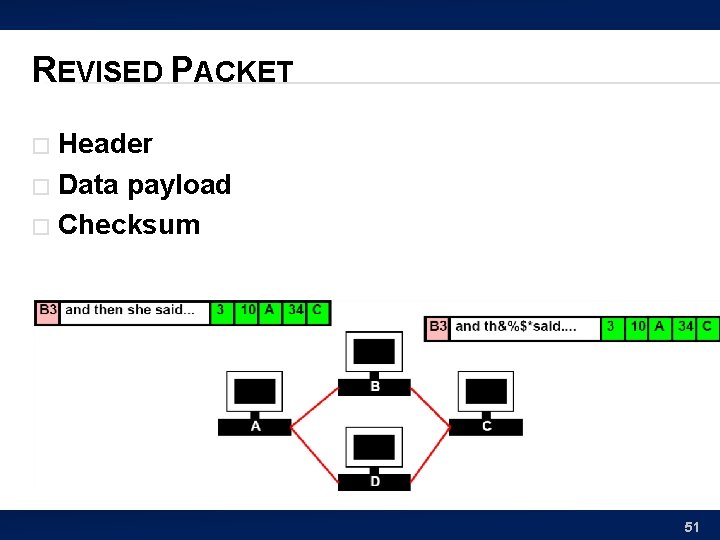
REVISED PACKET Header � Data payload � Checksum � 51
LOST PACKET � How can we deal with lost packets? 52
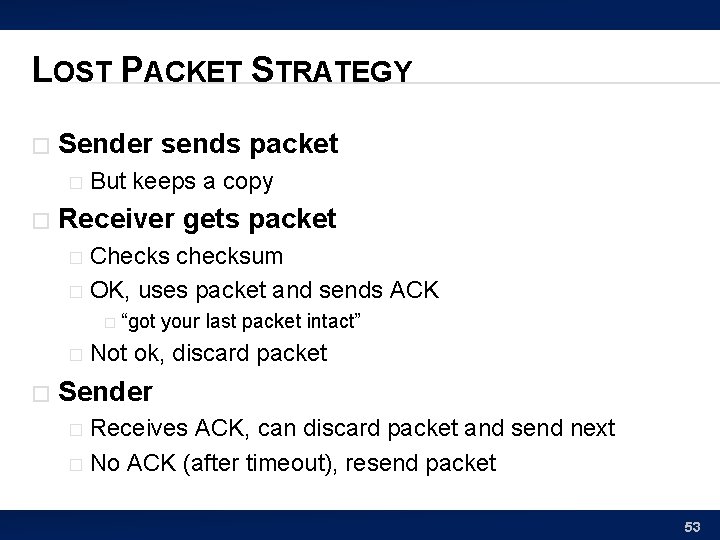
LOST PACKET STRATEGY � Sender sends packet � � But keeps a copy Receiver gets packet Checks checksum � OK, uses packet and sends ACK � � “got � � your last packet intact” Not ok, discard packet Sender Receives ACK, can discard packet and send next � No ACK (after timeout), resend packet � 53
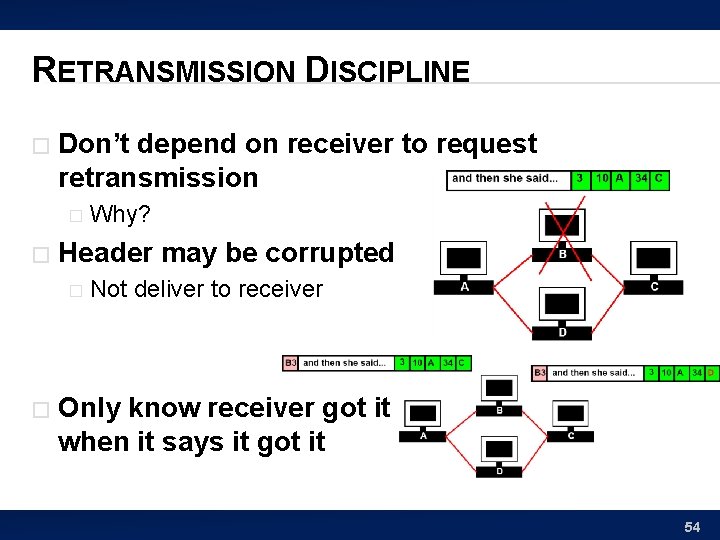
RETRANSMISSION DISCIPLINE � Don’t depend on receiver to request retransmission � � Header may be corrupted � � Why? Not deliver to receiver Only know receiver got it when it says it got it 54
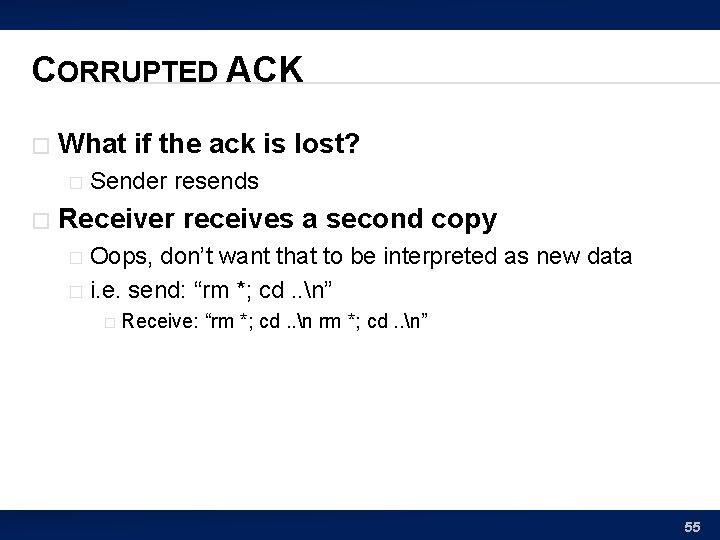
CORRUPTED ACK � What if the ack is lost? � � Sender resends Receiver receives a second copy Oops, don’t want that to be interpreted as new data � i. e. send: “rm *; cd. . n” � � Receive: “rm *; cd. . n” 55
AVOID DUPLICATION � How can we avoid duplication? 56
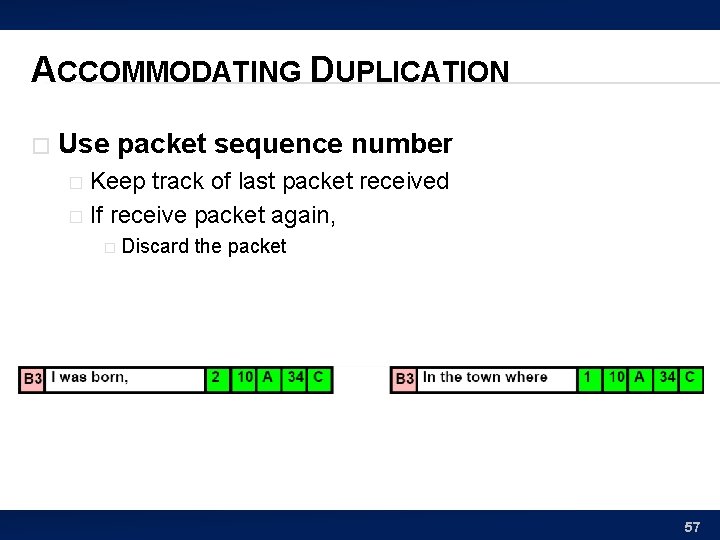
ACCOMMODATING DUPLICATION � Use packet sequence number Keep track of last packet received � If receive packet again, � � Discard the packet 57

SEQUENCE NUMBERS 58
TCP � TCP = Transmission Control Protocol Provides Reliable delivery � Deals with � � Retransmission � Duplication � Out of sequence / reconstruction 59
TRANSPORT LAYER � Call this the “Transport” Layer � responsible for reliably delivering data to the individual application process on the computer 60
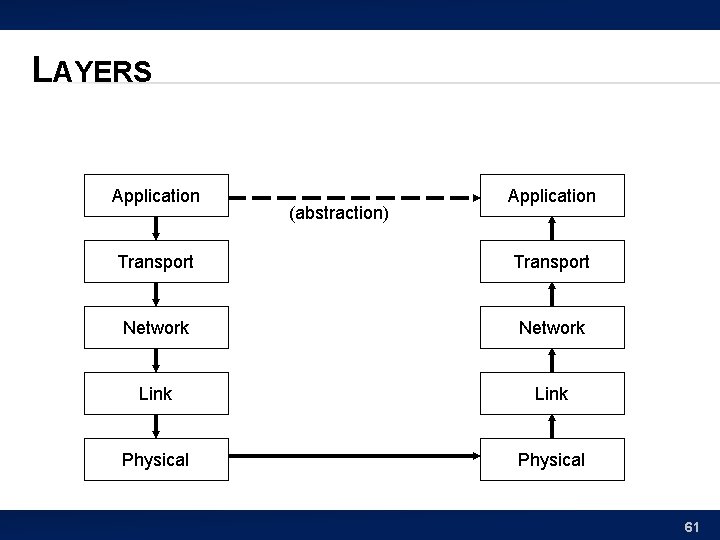
LAYERS Application (abstraction) Application Transport Network Link Physical 61
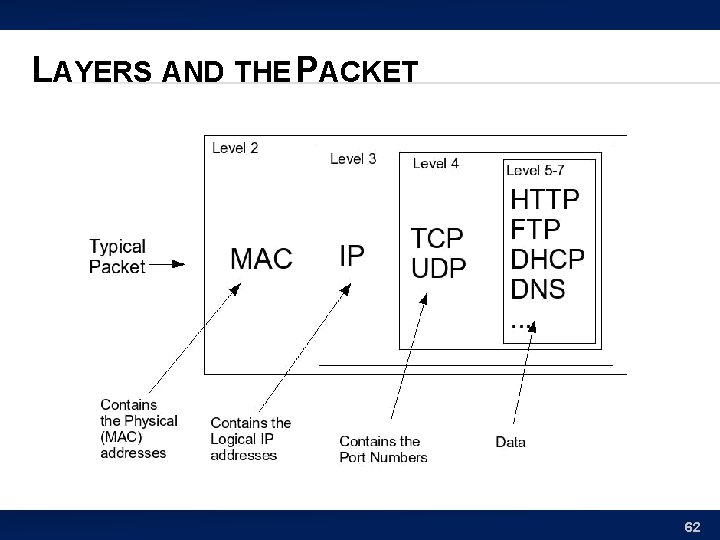
LAYERS AND THE PACKET 62
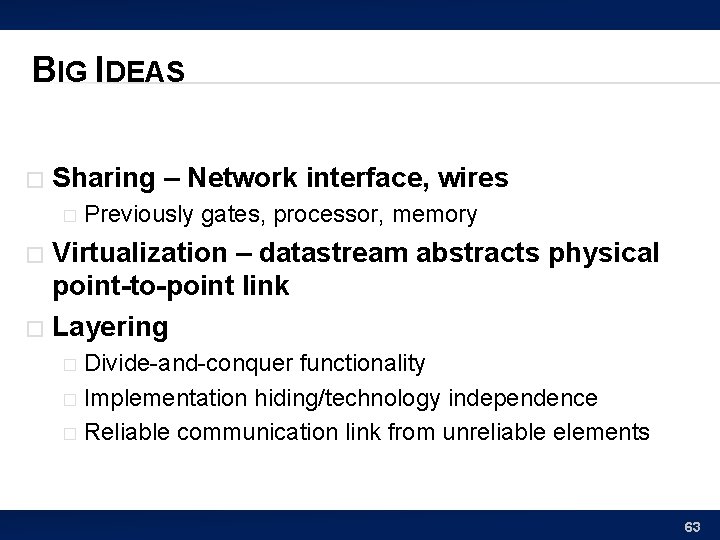
BIG IDEAS � Sharing – Network interface, wires � Previously gates, processor, memory Virtualization – datastream abstracts physical point-to-point link � Layering � Divide-and-conquer functionality � Implementation hiding/technology independence � Reliable communication link from unreliable elements � 63
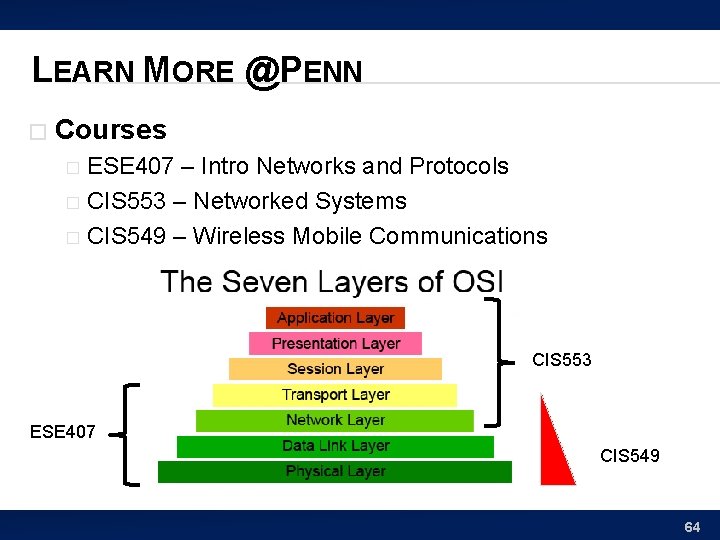
LEARN MORE @PENN � Courses ESE 407 – Intro Networks and Protocols � CIS 553 – Networked Systems � CIS 549 – Wireless Mobile Communications � CIS 553 ESE 407 CIS 549 64
REMEMBER Feedback � Lab 10 due Friday � 65
- Slides: 61