
Lecture 2 Introduction to SQL Lecture 2 Announcements
- Slides: 50
Lecture 2: Introduction to SQL
Lecture 2 Announcements! 1. If you still have Jupyter trouble, let us know! 2. Enroll to Piazza!!! 3. People are looking for groups. Team up! 4. Enrollment should be finalized soon! 5. TA updates hopefully by Monday! 2
Lecture 2: Introduction to SQL
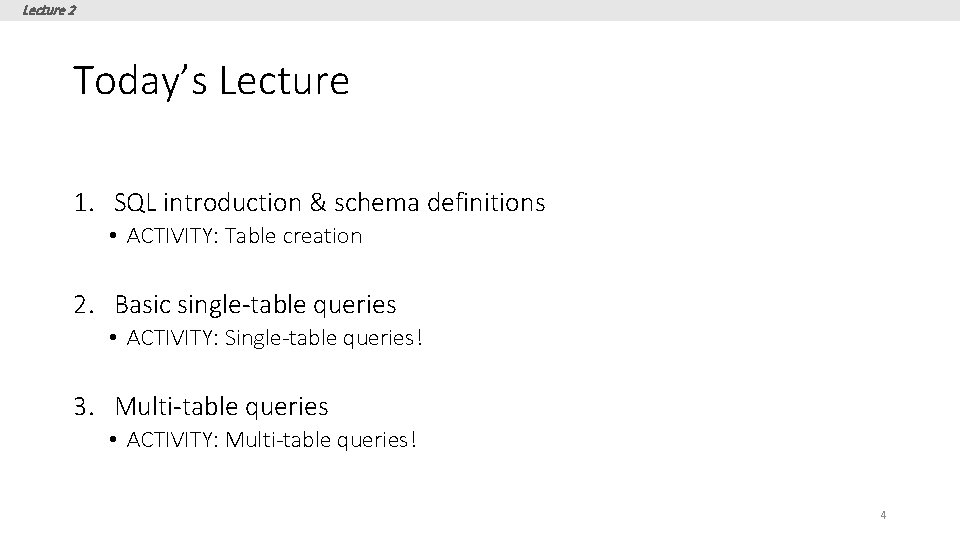
Lecture 2 Today’s Lecture 1. SQL introduction & schema definitions • ACTIVITY: Table creation 2. Basic single-table queries • ACTIVITY: Single-table queries! 3. Multi-table queries • ACTIVITY: Multi-table queries! 4
Lecture 2 > Section 1 1. SQL Introduction & Definitions 5
Lecture 2 > Section 1 What you will learn about in this section 1. What is SQL? 2. Basic schema definitions 3. Keys & constraints intro 4. ACTIVITY: CREATE TABLE statements 6
Lecture 2 > Section 1 > SQL Motivation • But why use SQL? • The relational model of data is the most widely used model today • Main Concept: the relation- essentially, a table Remember: The reason for using the relational model is data independence! Logical data independence: protection from changes in the logical structure of the data SQL is a logical, declarative query language. We use SQL because we happen to use the relational model.
Lecture 2 > Section 1 > SQL Motivation • Dark times 5 years ago. • Are databases dead? • Now, as before: everyone sells SQL • Pig, Hive, Impala • “Not-Yet-SQL? ”
Lecture 2 > Section 1 > SQL Basic SQL 9
Lecture 2 > Section 1 > SQL Introduction • SQL is a standard language for querying and manipulating data • SQL is a very high-level programming language • This works because it is optimized well! SQL stands for Structured Query Language • Many standards out there: • ANSI SQL, SQL 92 (a. k. a. SQL 2), SQL 99 (a. k. a. SQL 3), …. • Vendors support various subsets Probably the world’s most successful parallel programming language (multicore? )
Lecture 2 > Section 1 > SQL is a… • Data Definition Language (DDL) • Define relational schemata • Create/alter/delete tables and their attributes • Data Manipulation Language (DML) • Insert/delete/modify tuples in tables • Query one or more tables – discussed next! 11
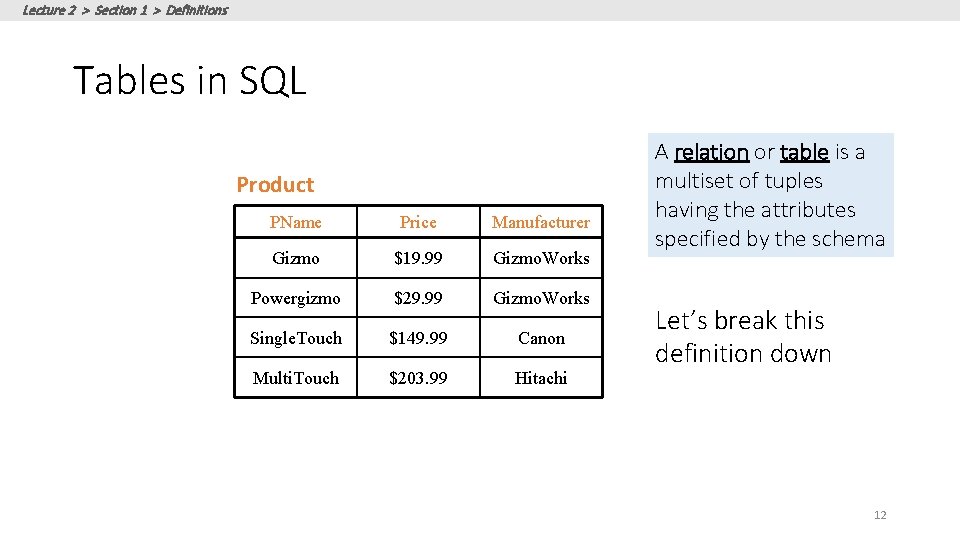
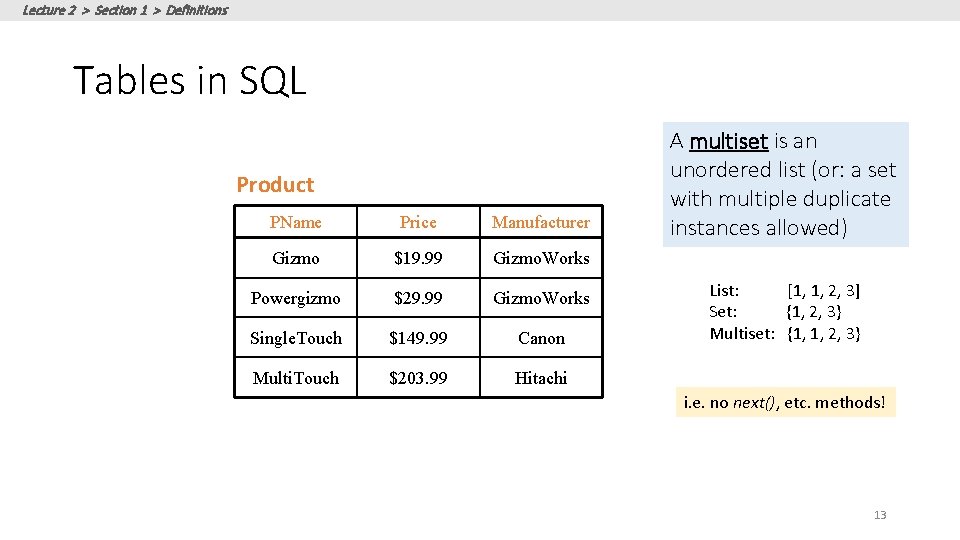
Lecture 2 > Section 1 > Definitions Tables in SQL Product PName Price Manufacturer Gizmo $19. 99 Gizmo. Works Powergizmo $29. 99 Gizmo. Works Single. Touch $149. 99 Canon Multi. Touch $203. 99 Hitachi A relation or table is a multiset of tuples having the attributes specified by the schema Let’s break this definition down 12
Lecture 2 > Section 1 > Definitions Tables in SQL Product PName Price Manufacturer Gizmo $19. 99 Gizmo. Works Powergizmo $29. 99 Gizmo. Works Single. Touch $149. 99 Canon Multi. Touch $203. 99 Hitachi A multiset is an unordered list (or: a set with multiple duplicate instances allowed) List: [1, 1, 2, 3] Set: {1, 2, 3} Multiset: {1, 1, 2, 3} i. e. no next(), etc. methods! 13
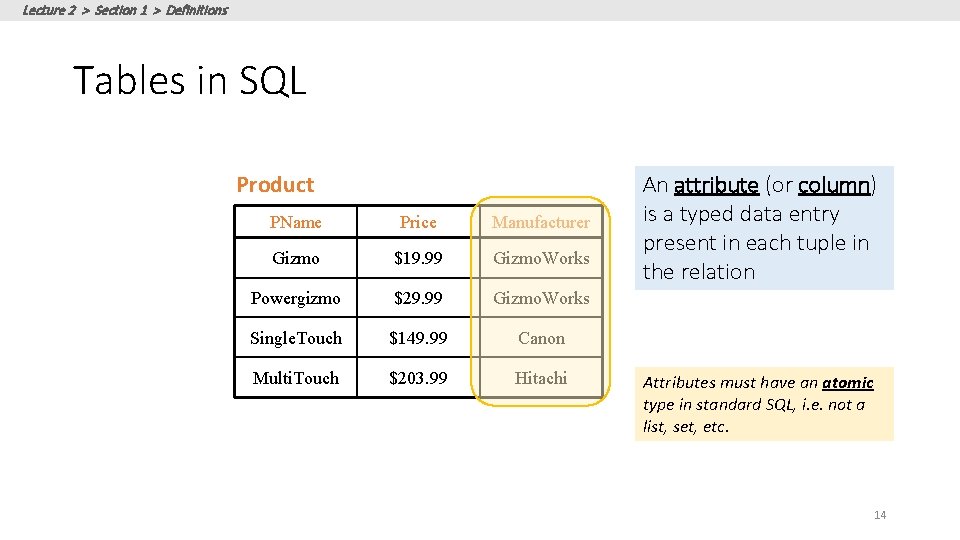
Lecture 2 > Section 1 > Definitions Tables in SQL Product PName Price Manufacturer Gizmo $19. 99 Gizmo. Works Powergizmo $29. 99 Gizmo. Works Single. Touch $149. 99 Canon Multi. Touch $203. 99 Hitachi An attribute (or column) is a typed data entry present in each tuple in the relation Attributes must have an atomic type in standard SQL, i. e. not a list, set, etc. 14
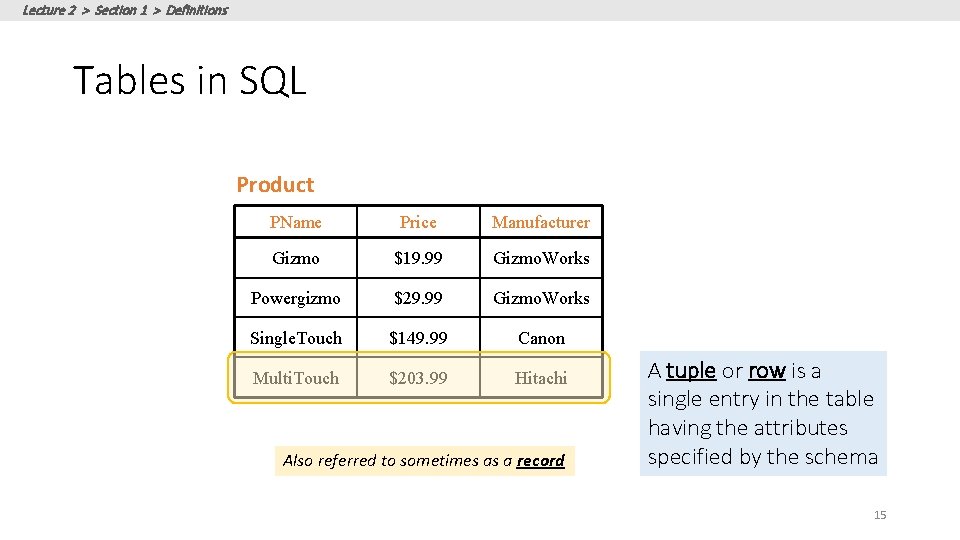
Lecture 2 > Section 1 > Definitions Tables in SQL Product PName Price Manufacturer Gizmo $19. 99 Gizmo. Works Powergizmo $29. 99 Gizmo. Works Single. Touch $149. 99 Canon Multi. Touch $203. 99 Hitachi Also referred to sometimes as a record A tuple or row is a single entry in the table having the attributes specified by the schema 15
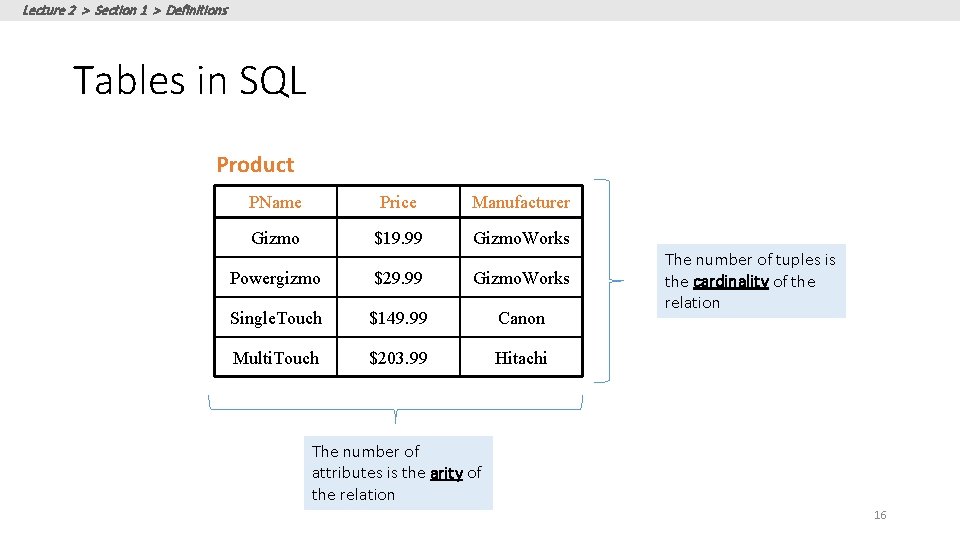
Lecture 2 > Section 1 > Definitions Tables in SQL Product PName Price Manufacturer Gizmo $19. 99 Gizmo. Works Powergizmo $29. 99 Gizmo. Works Single. Touch $149. 99 Canon Multi. Touch $203. 99 Hitachi The number of tuples is the cardinality of the relation The number of attributes is the arity of the relation 16
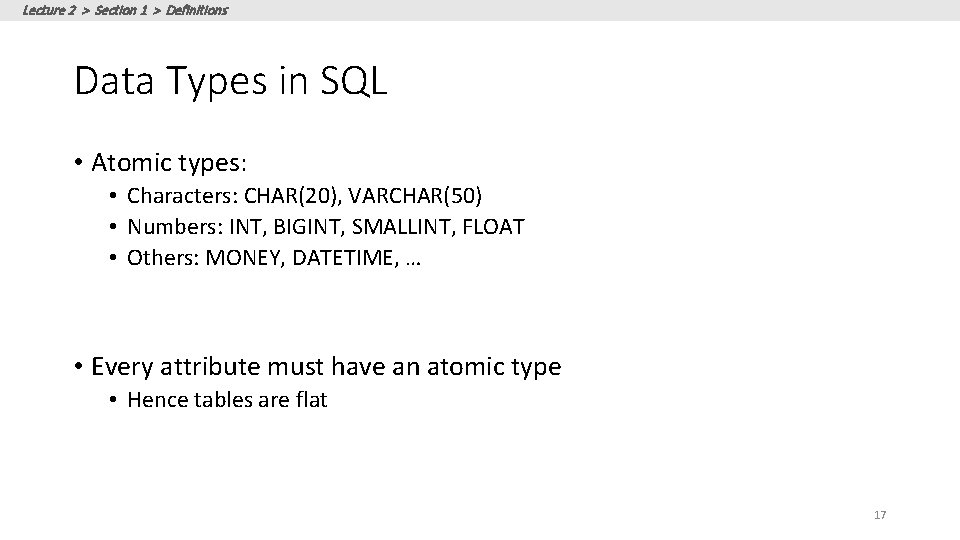
Lecture 2 > Section 1 > Definitions Data Types in SQL • Atomic types: • Characters: CHAR(20), VARCHAR(50) • Numbers: INT, BIGINT, SMALLINT, FLOAT • Others: MONEY, DATETIME, … • Every attribute must have an atomic type • Hence tables are flat 17
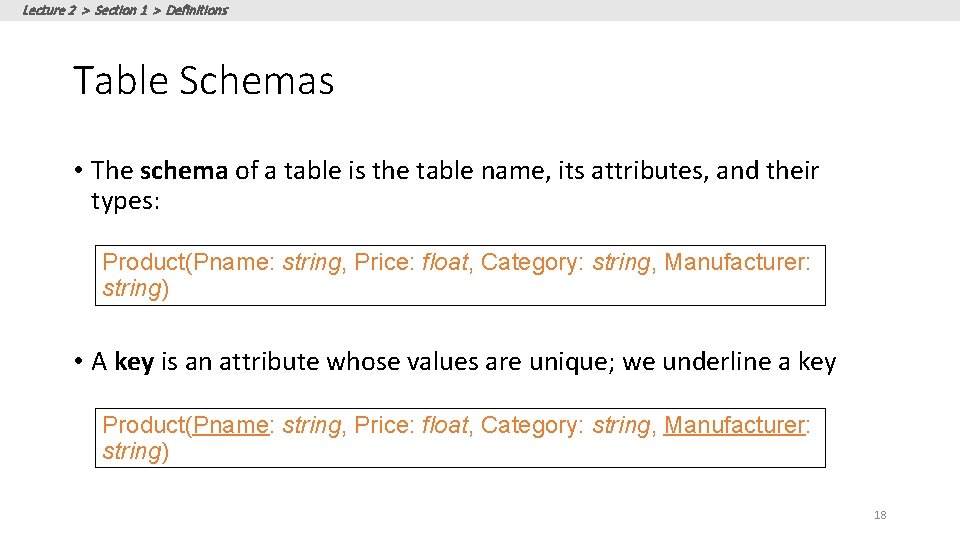
Lecture 2 > Section 1 > Definitions Table Schemas • The schema of a table is the table name, its attributes, and their types: Product(Pname: string, Price: float, Category: string, Manufacturer: string) • A key is an attribute whose values are unique; we underline a key Product(Pname: string, Price: float, Category: string, Manufacturer: string) 18
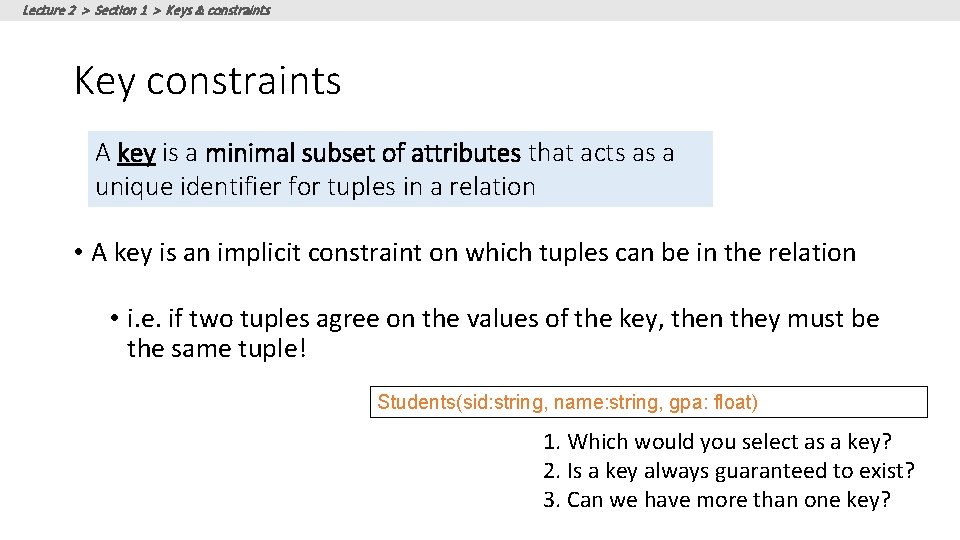
Lecture 2 > Section 1 > Keys & constraints Key constraints A key is a minimal subset of attributes that acts as a unique identifier for tuples in a relation • A key is an implicit constraint on which tuples can be in the relation • i. e. if two tuples agree on the values of the key, then they must be the same tuple! Students(sid: string, name: string, gpa: float) 1. Which would you select as a key? 2. Is a key always guaranteed to exist? 3. Can we have more than one key?
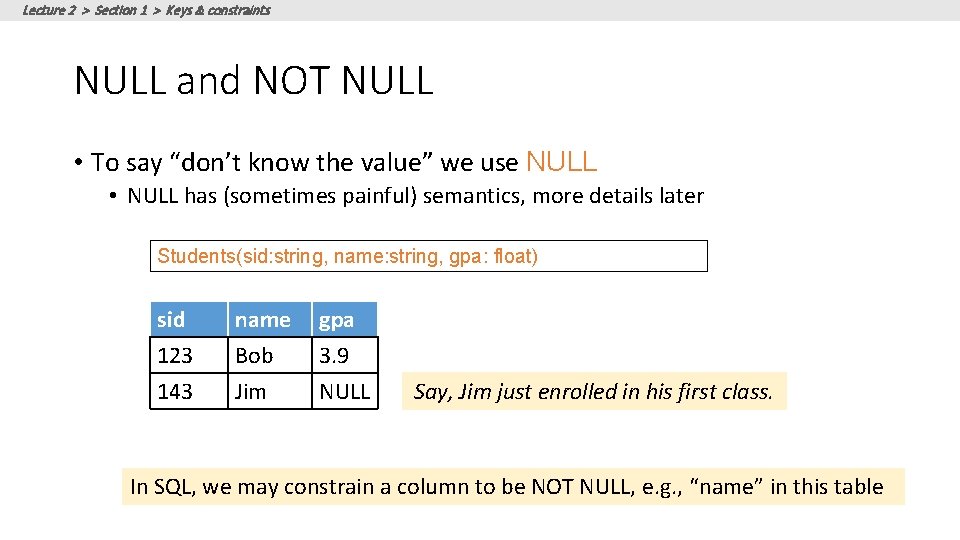
Lecture 2 > Section 1 > Keys & constraints NULL and NOT NULL • To say “don’t know the value” we use NULL • NULL has (sometimes painful) semantics, more details later Students(sid: string, name: string, gpa: float) sid 123 143 name Bob Jim gpa 3. 9 NULL Say, Jim just enrolled in his first class. In SQL, we may constrain a column to be NOT NULL, e. g. , “name” in this table
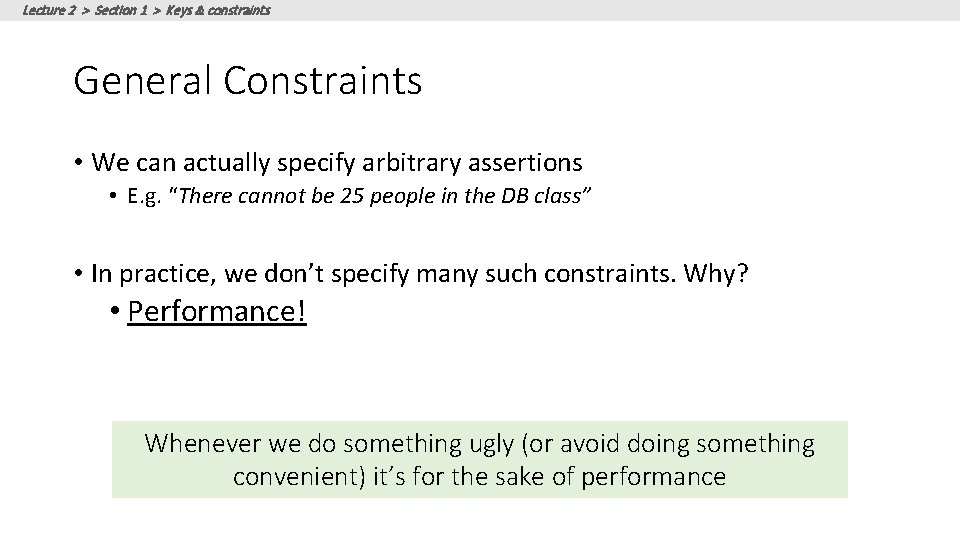
Lecture 2 > Section 1 > Keys & constraints General Constraints • We can actually specify arbitrary assertions • E. g. “There cannot be 25 people in the DB class” • In practice, we don’t specify many such constraints. Why? • Performance! Whenever we do something ugly (or avoid doing something convenient) it’s for the sake of performance
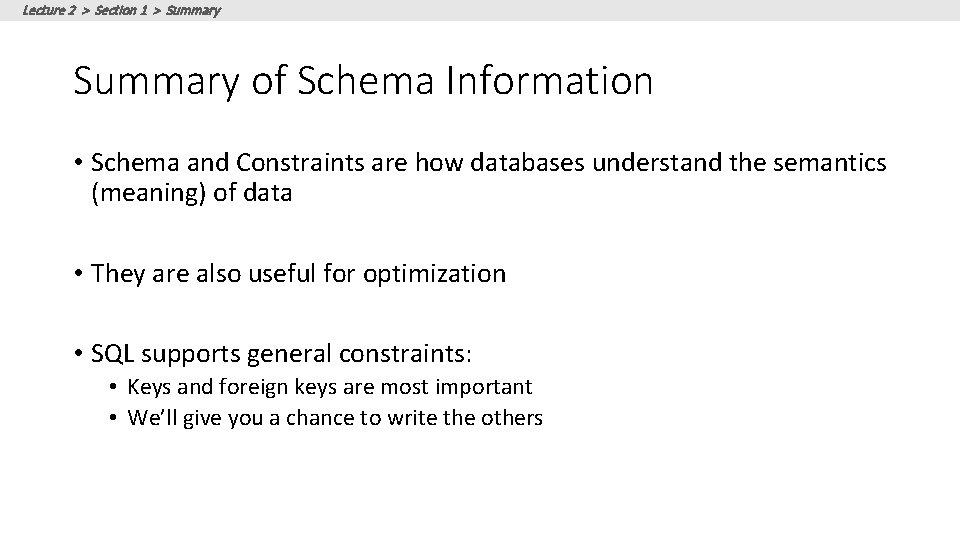
Lecture 2 > Section 1 > Summary of Schema Information • Schema and Constraints are how databases understand the semantics (meaning) of data • They are also useful for optimization • SQL supports general constraints: • Keys and foreign keys are most important • We’ll give you a chance to write the others
Lecture 2 > Section 1 > ACTIVITY: Activity-2 -1. ipynb 23
Lecture 2 > Section 2 2. Single-table queries 24
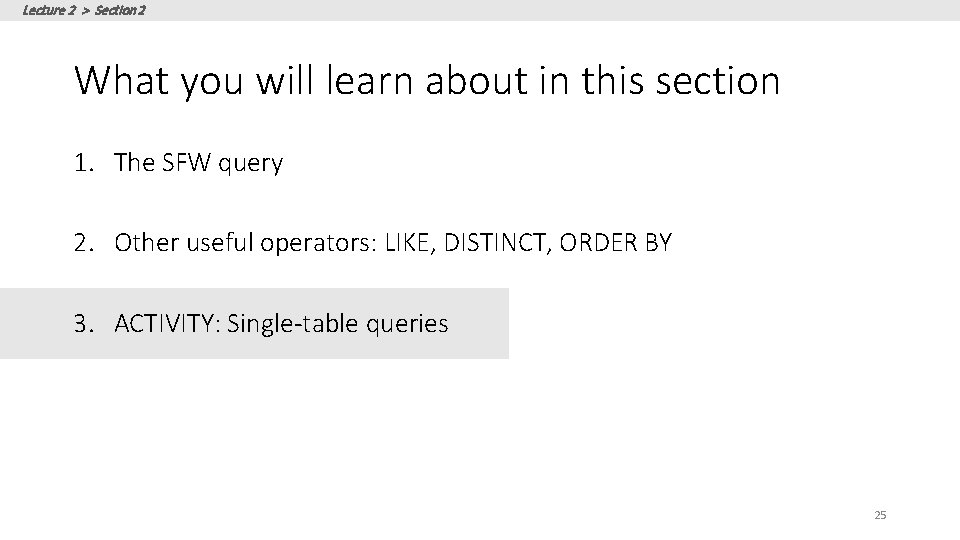
Lecture 2 > Section 2 What you will learn about in this section 1. The SFW query 2. Other useful operators: LIKE, DISTINCT, ORDER BY 3. ACTIVITY: Single-table queries 25
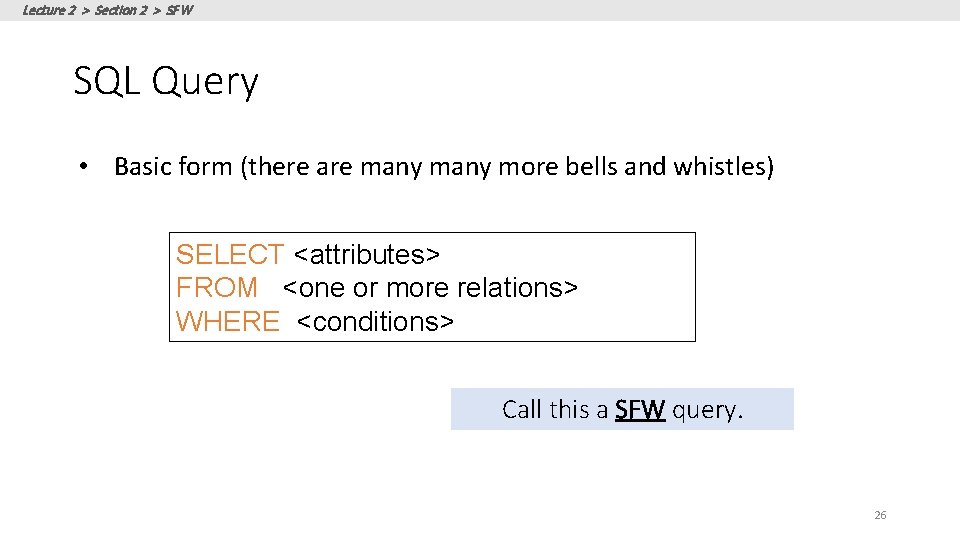
Lecture 2 > Section 2 > SFW SQL Query • Basic form (there are many more bells and whistles) SELECT <attributes> FROM <one or more relations> WHERE <conditions> Call this a SFW query. 26
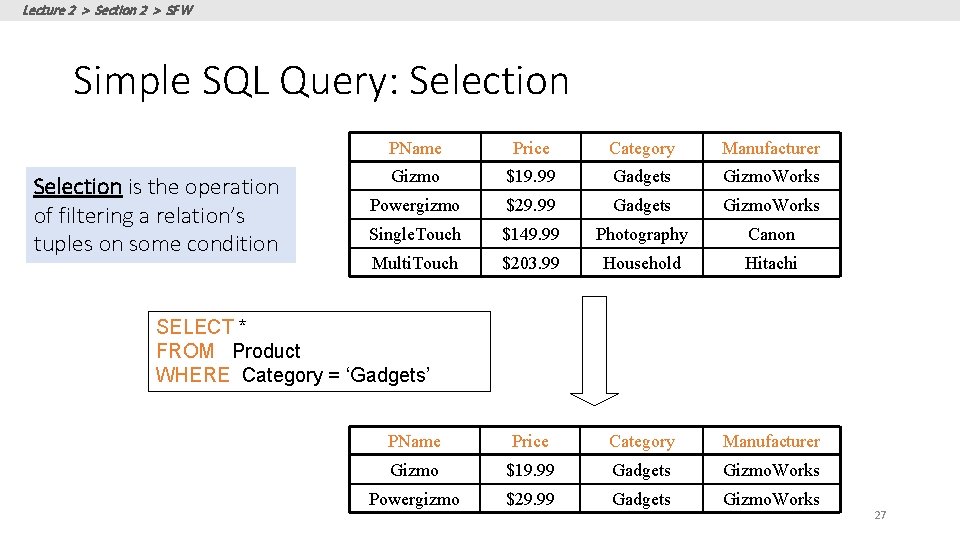
Lecture 2 > Section 2 > SFW Simple SQL Query: Selection is the operation of filtering a relation’s tuples on some condition PName Price Category Manufacturer Gizmo $19. 99 Gadgets Gizmo. Works Powergizmo $29. 99 Gadgets Gizmo. Works Single. Touch $149. 99 Photography Canon Multi. Touch $203. 99 Household Hitachi PName Price Category Manufacturer Gizmo $19. 99 Gadgets Gizmo. Works Powergizmo $29. 99 Gadgets Gizmo. Works SELECT * FROM Product WHERE Category = ‘Gadgets’ 27
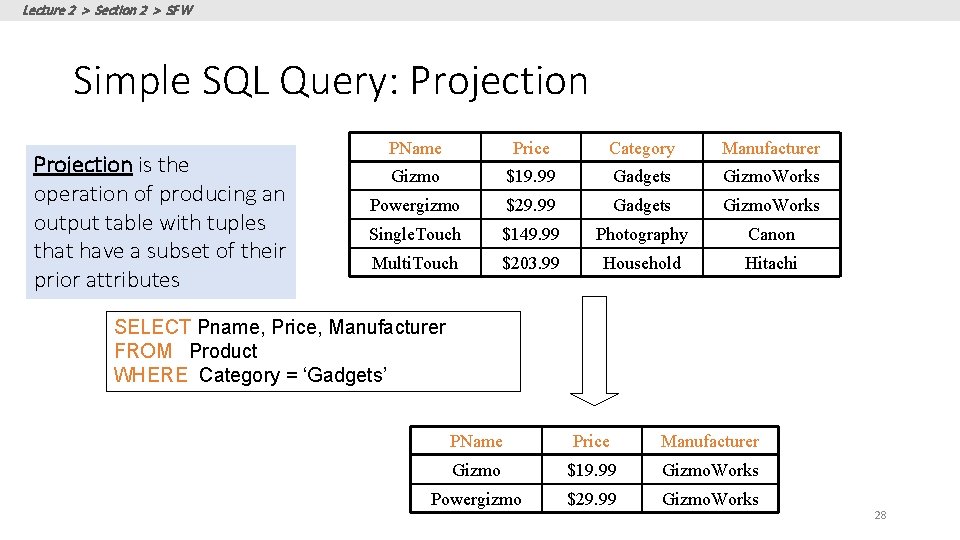
Lecture 2 > Section 2 > SFW Simple SQL Query: Projection is the operation of producing an output table with tuples that have a subset of their prior attributes PName Price Category Manufacturer Gizmo $19. 99 Gadgets Gizmo. Works Powergizmo $29. 99 Gadgets Gizmo. Works Single. Touch $149. 99 Photography Canon Multi. Touch $203. 99 Household Hitachi SELECT Pname, Price, Manufacturer FROM Product WHERE Category = ‘Gadgets’ PName Price Manufacturer Gizmo $19. 99 Gizmo. Works Powergizmo $29. 99 Gizmo. Works 28
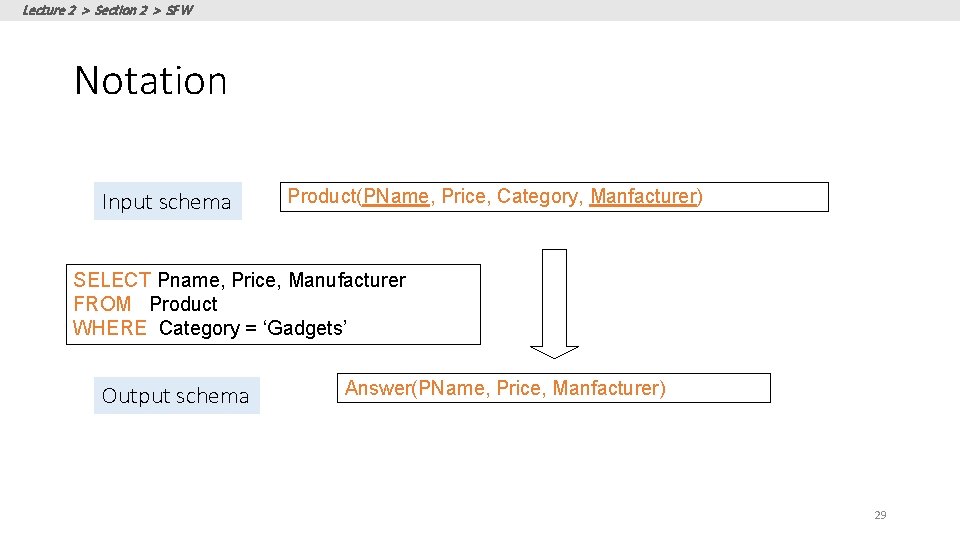
Lecture 2 > Section 2 > SFW Notation Input schema Product(PName, Price, Category, Manfacturer) SELECT Pname, Price, Manufacturer FROM Product WHERE Category = ‘Gadgets’ Output schema Answer(PName, Price, Manfacturer) 29
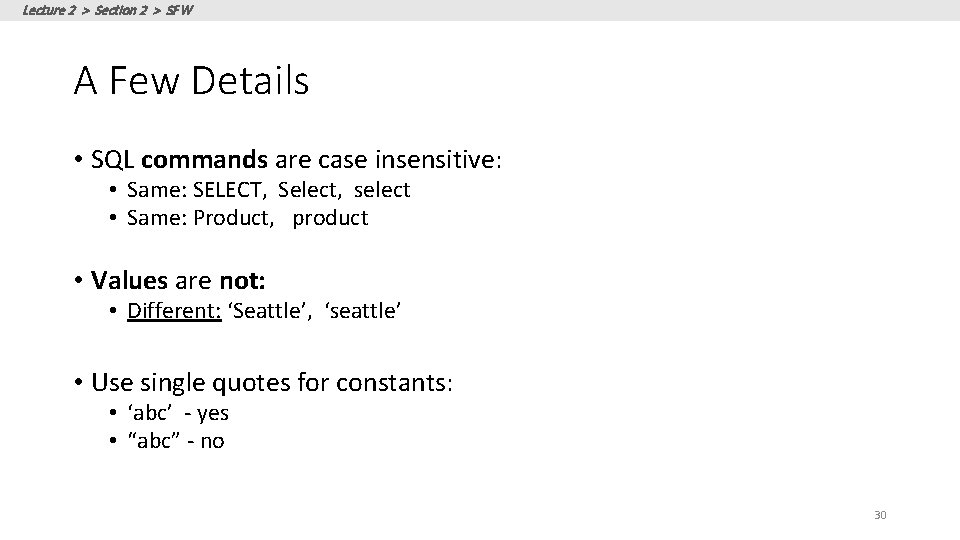
Lecture 2 > Section 2 > SFW A Few Details • SQL commands are case insensitive: • Same: SELECT, Select, select • Same: Product, product • Values are not: • Different: ‘Seattle’, ‘seattle’ • Use single quotes for constants: • ‘abc’ - yes • “abc” - no 30
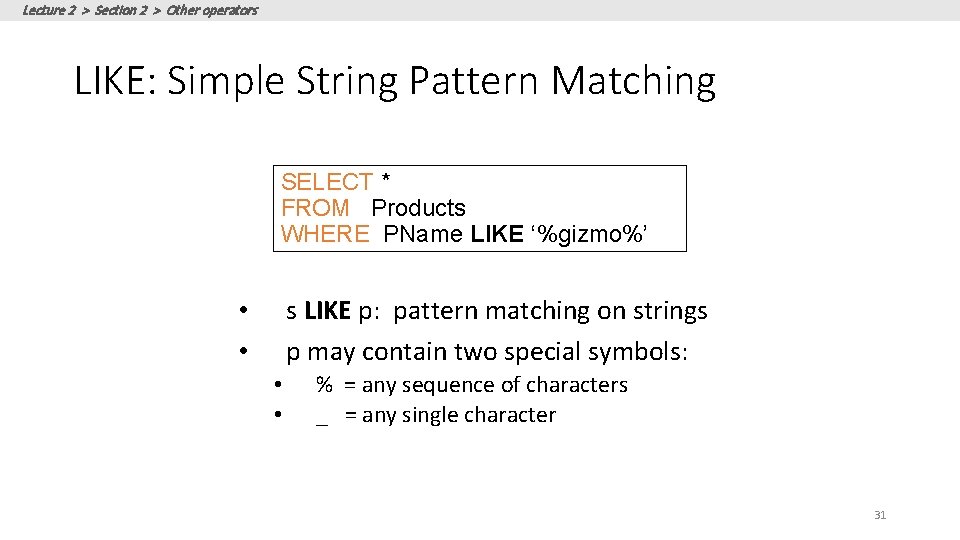
Lecture 2 > Section 2 > Other operators LIKE: Simple String Pattern Matching SELECT * FROM Products WHERE PName LIKE ‘%gizmo%’ s LIKE p: pattern matching on strings p may contain two special symbols: • • % = any sequence of characters _ = any single character 31
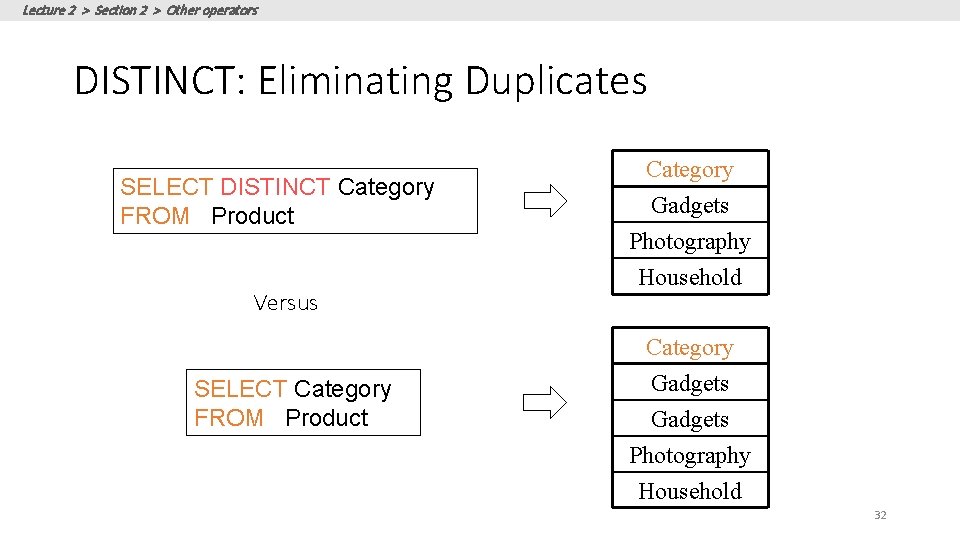
Lecture 2 > Section 2 > Other operators DISTINCT: Eliminating Duplicates SELECT DISTINCT Category FROM Product Versus SELECT Category FROM Product Category Gadgets Photography Household 32
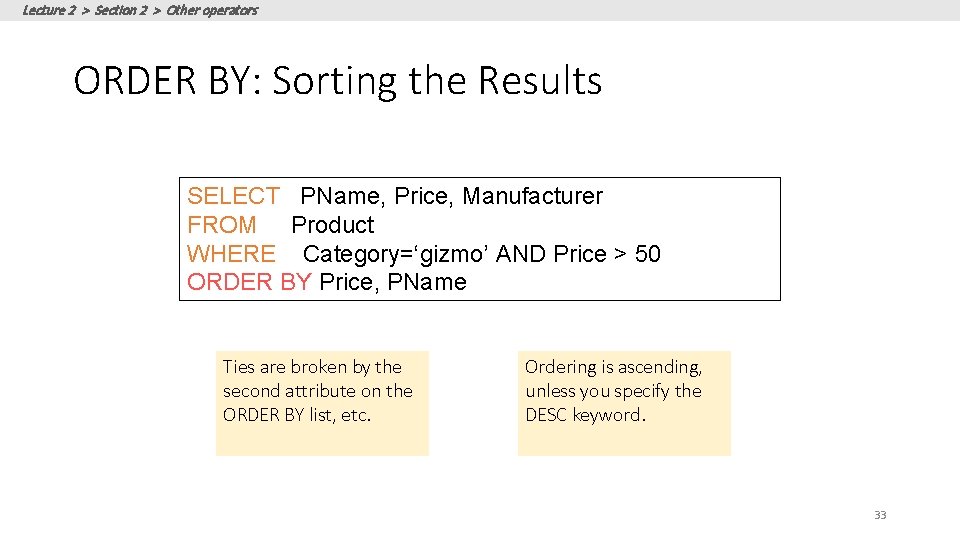
Lecture 2 > Section 2 > Other operators ORDER BY: Sorting the Results SELECT PName, Price, Manufacturer FROM Product WHERE Category=‘gizmo’ AND Price > 50 ORDER BY Price, PName Ties are broken by the second attribute on the ORDER BY list, etc. Ordering is ascending, unless you specify the DESC keyword. 33
Lecture 2 > Section 2 > ACTIVITY: Activity-2 -2. ipynb 34
Lecture 2 > Section 3 3. Multi-table queries 35
Lecture 2 > Section 3 What you will learn about in this section 1. Foreign key constraints 2. Joins: basics 3. Joins: SQL semantics 4. ACTIVITY: Multi-table queries 36
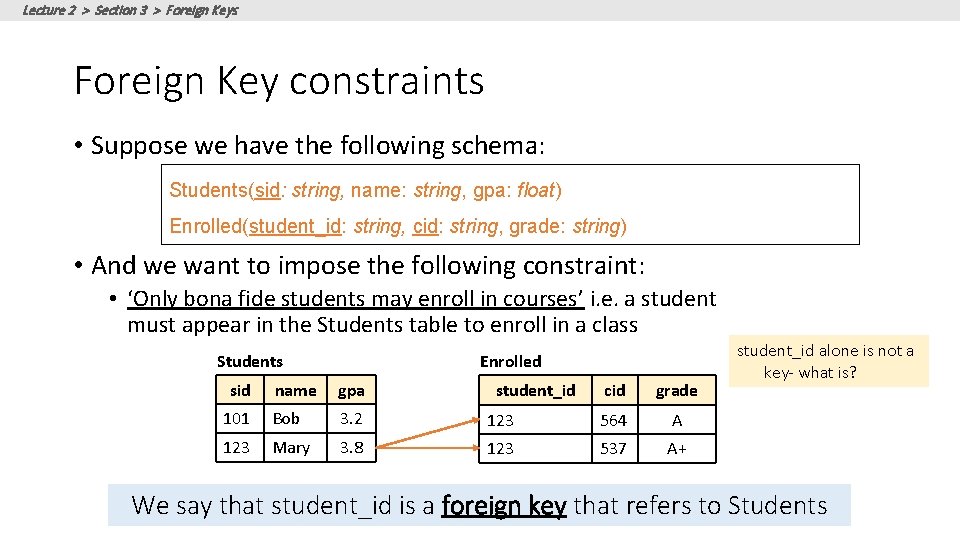
Lecture 2 > Section 3 > Foreign Keys Foreign Key constraints • Suppose we have the following schema: Students(sid: string, name: string, gpa: float) Enrolled(student_id: string, cid: string, grade: string) • And we want to impose the following constraint: • ‘Only bona fide students may enroll in courses’ i. e. a student must appear in the Students table to enroll in a class Students sid Enrolled name gpa 101 Bob 3. 2 123 Mary 3. 8 student_id cid grade 123 564 A 123 537 A+ student_id alone is not a key- what is? We say that student_id is a foreign key that refers to Students
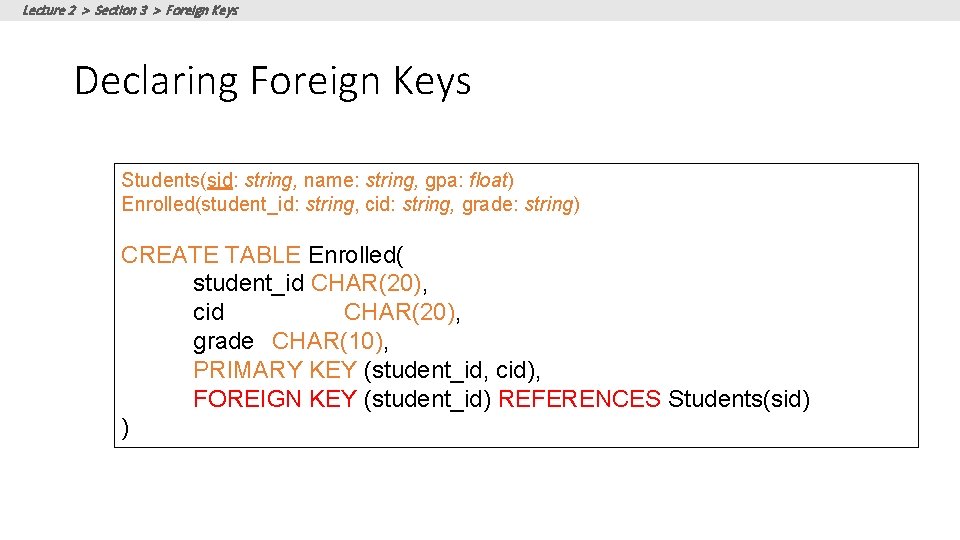
Lecture 2 > Section 3 > Foreign Keys Declaring Foreign Keys Students(sid: string, name: string, gpa: float) Enrolled(student_id: string, cid: string, grade: string) CREATE TABLE Enrolled( student_id CHAR(20), cid CHAR(20), grade CHAR(10), PRIMARY KEY (student_id, cid), FOREIGN KEY (student_id) REFERENCES Students(sid) )
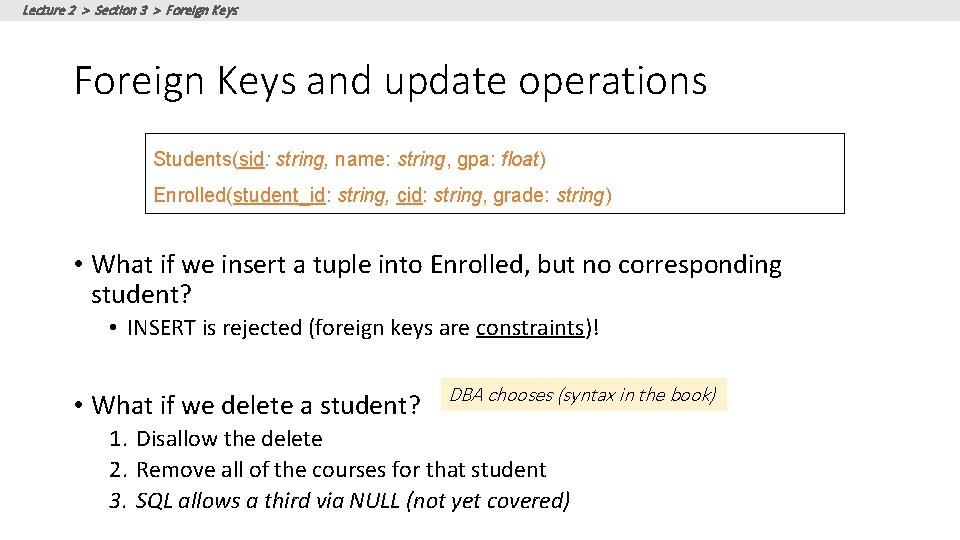
Lecture 2 > Section 3 > Foreign Keys and update operations Students(sid: string, name: string, gpa: float) Enrolled(student_id: string, cid: string, grade: string) • What if we insert a tuple into Enrolled, but no corresponding student? • INSERT is rejected (foreign keys are constraints)! • What if we delete a student? DBA chooses (syntax in the book) 1. Disallow the delete 2. Remove all of the courses for that student 3. SQL allows a third via NULL (not yet covered)
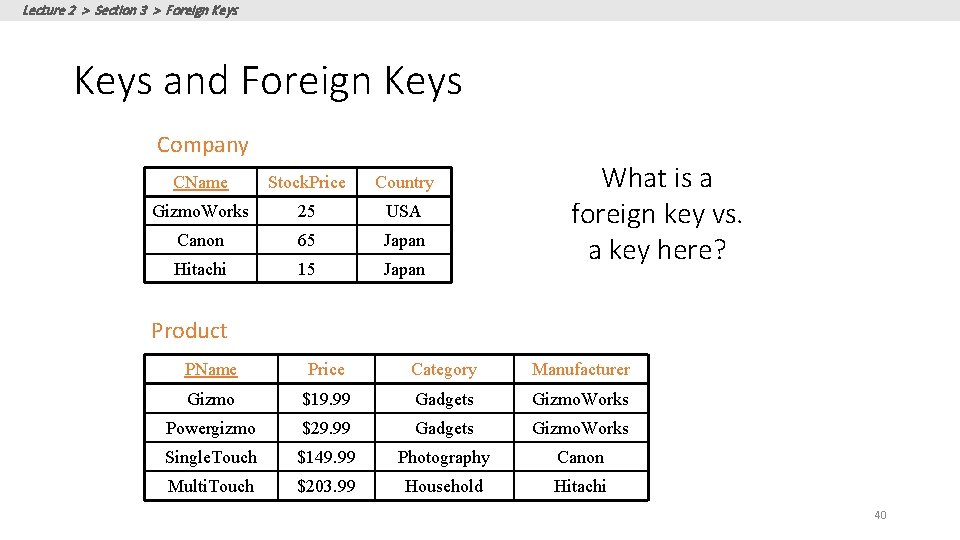
Lecture 2 > Section 3 > Foreign Keys and Foreign Keys Company CName Stock. Price Country Gizmo. Works 25 USA Canon 65 Japan Hitachi 15 Japan What is a foreign key vs. a key here? Product PName Price Category Manufacturer Gizmo $19. 99 Gadgets Gizmo. Works Powergizmo $29. 99 Gadgets Gizmo. Works Single. Touch $149. 99 Photography Canon Multi. Touch $203. 99 Household Hitachi 40
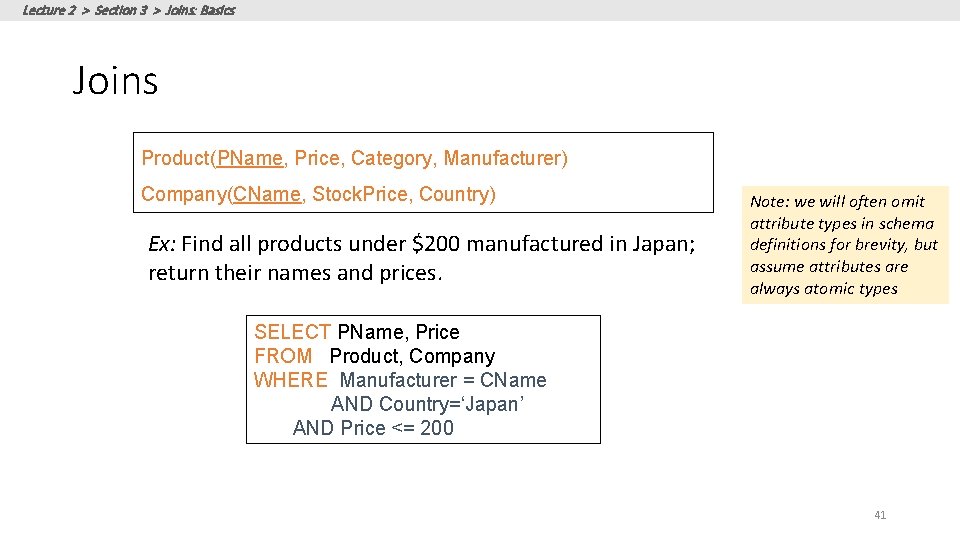
Lecture 2 > Section 3 > Joins: Basics Joins Product(PName, Price, Category, Manufacturer) Company(CName, Stock. Price, Country) Ex: Find all products under $200 manufactured in Japan; return their names and prices. Note: we will often omit attribute types in schema definitions for brevity, but assume attributes are always atomic types SELECT PName, Price FROM Product, Company WHERE Manufacturer = CName AND Country=‘Japan’ AND Price <= 200 41
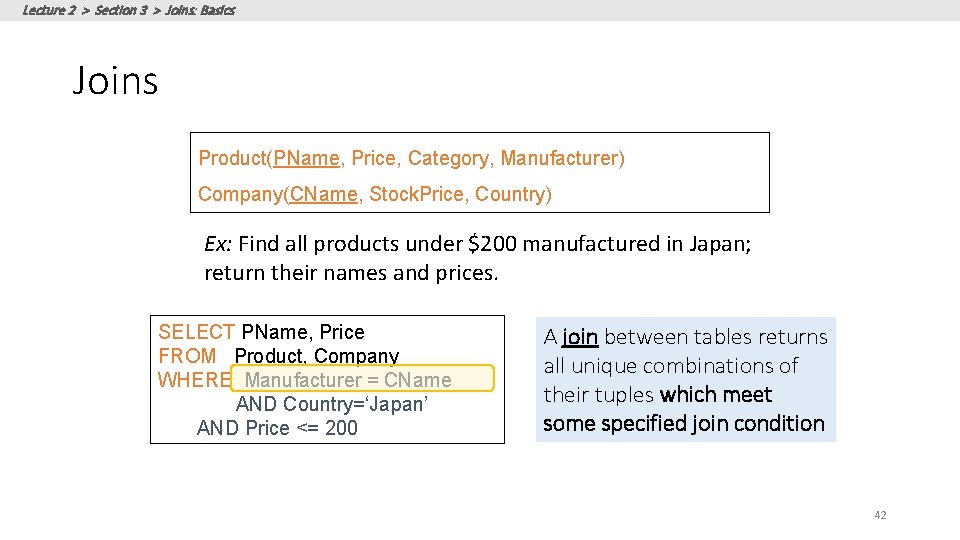
Lecture 2 > Section 3 > Joins: Basics Joins Product(PName, Price, Category, Manufacturer) Company(CName, Stock. Price, Country) Ex: Find all products under $200 manufactured in Japan; return their names and prices. SELECT PName, Price FROM Product, Company WHERE Manufacturer = CName AND Country=‘Japan’ AND Price <= 200 A join between tables returns all unique combinations of their tuples which meet some specified join condition 42
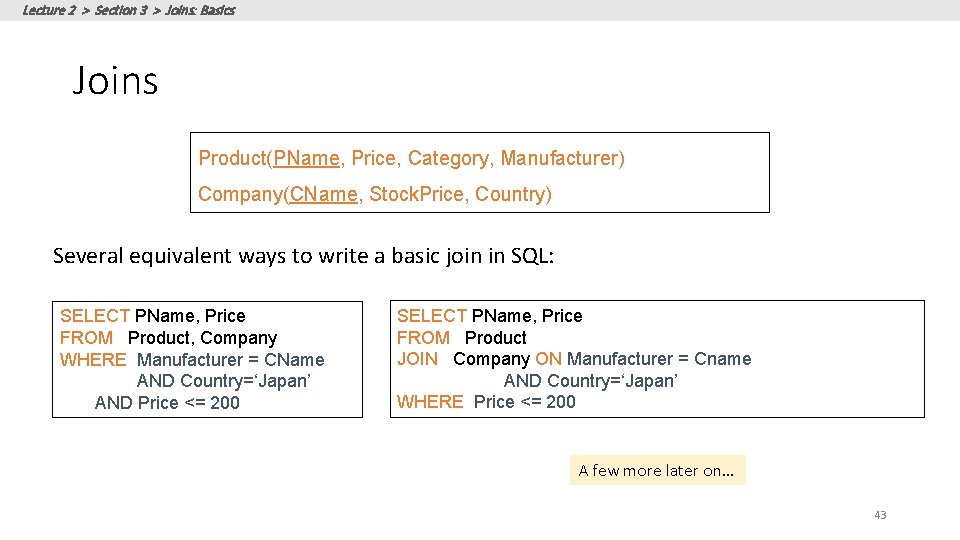
Lecture 2 > Section 3 > Joins: Basics Joins Product(PName, Price, Category, Manufacturer) Company(CName, Stock. Price, Country) Several equivalent ways to write a basic join in SQL: SELECT PName, Price FROM Product, Company WHERE Manufacturer = CName AND Country=‘Japan’ AND Price <= 200 SELECT PName, Price FROM Product JOIN Company ON Manufacturer = Cname AND Country=‘Japan’ WHERE Price <= 200 A few more later on… 43
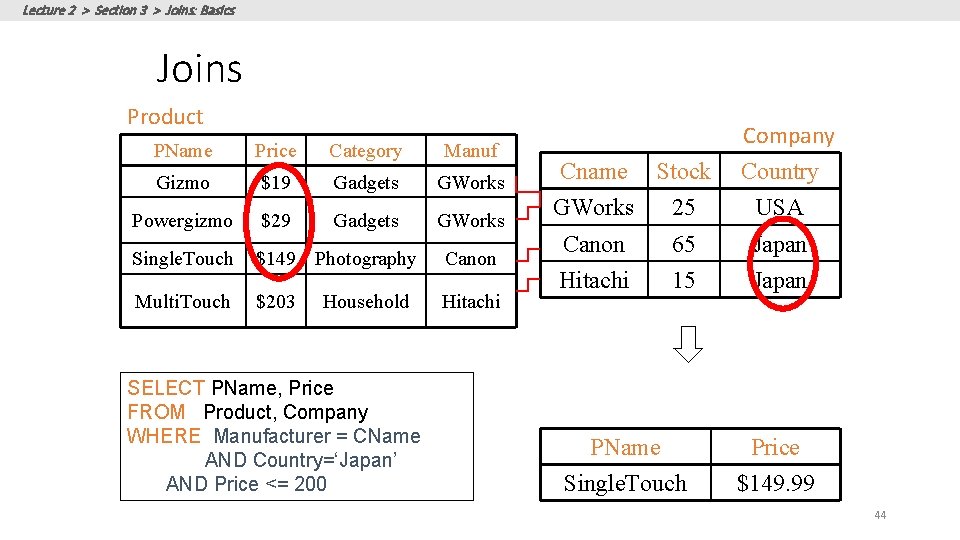
Lecture 2 > Section 3 > Joins: Basics Joins Product PName Price Category Manuf Gizmo $19 Gadgets GWorks Powergizmo $29 Gadgets GWorks Single. Touch $149 Photography Canon Multi. Touch $203 Hitachi Household SELECT PName, Price FROM Product, Company WHERE Manufacturer = CName AND Country=‘Japan’ AND Price <= 200 Company Country Cname Stock GWorks 25 USA Canon 65 Japan Hitachi 15 Japan PName Single. Touch Price $149. 99 44
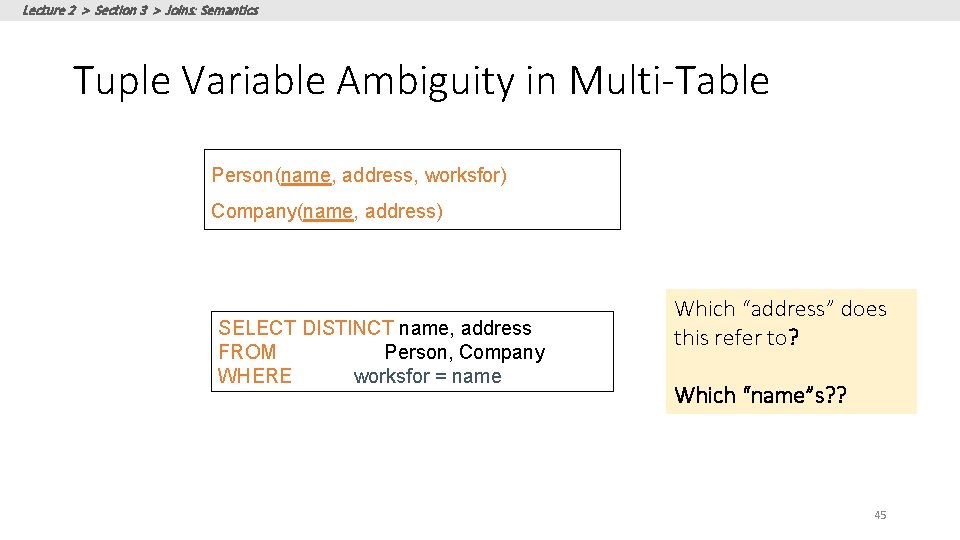
Lecture 2 > Section 3 > Joins: Semantics Tuple Variable Ambiguity in Multi-Table Person(name, address, worksfor) Company(name, address) SELECT DISTINCT name, address FROM Person, Company WHERE worksfor = name Which “address” does this refer to? Which “name”s? ? 45
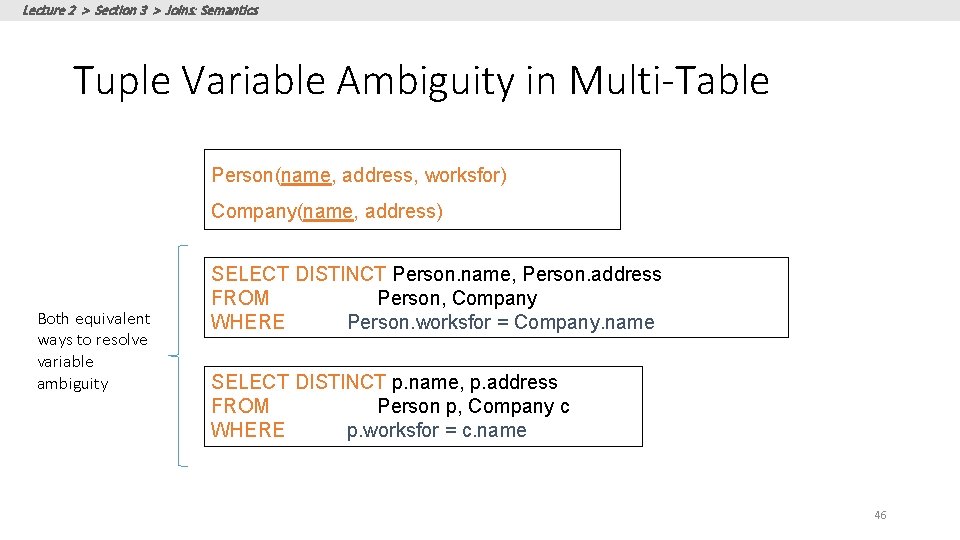
Lecture 2 > Section 3 > Joins: Semantics Tuple Variable Ambiguity in Multi-Table Person(name, address, worksfor) Company(name, address) Both equivalent ways to resolve variable ambiguity SELECT DISTINCT Person. name, Person. address FROM Person, Company WHERE Person. worksfor = Company. name SELECT DISTINCT p. name, p. address FROM Person p, Company c WHERE p. worksfor = c. name 46
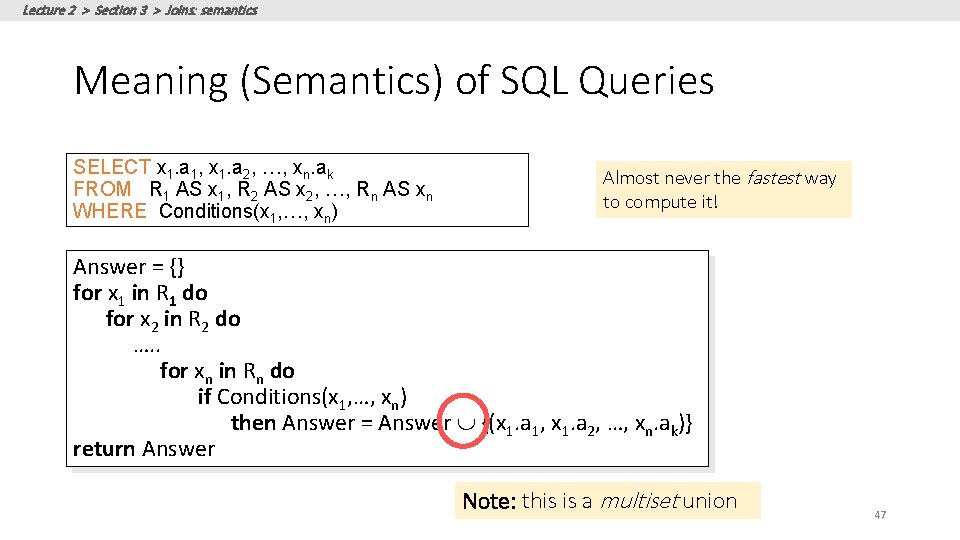
Lecture 2 > Section 3 > Joins: semantics Meaning (Semantics) of SQL Queries SELECT x 1. a 1, x 1. a 2, …, xn. ak FROM R 1 AS x 1, R 2 AS x 2, …, Rn AS xn WHERE Conditions(x 1, …, xn) Almost never the fastest way to compute it! Answer = {} for x 1 in R 1 do for x 2 in R 2 do …. . for xn in Rn do if Conditions(x 1, …, xn) then Answer = Answer {(x 1. a 1, x 1. a 2, …, xn. ak)} return Answer Note: this is a multiset union 47
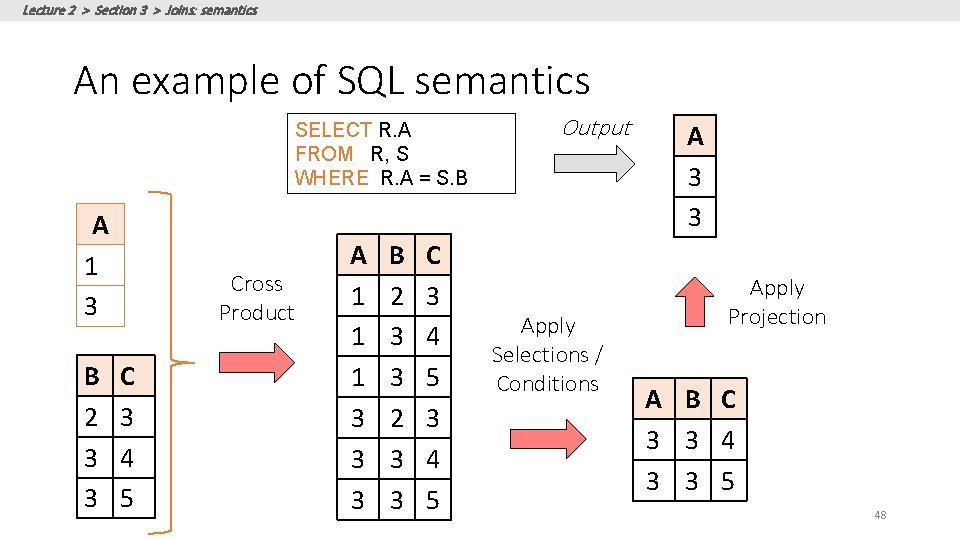
Lecture 2 > Section 3 > Joins: semantics An example of SQL semantics SELECT R. A FROM R, S WHERE R. A = S. B A 1 3 B 2 3 3 Cross Product C 3 4 5 A 1 1 1 3 3 3 B 2 3 3 C 3 4 5 Output Apply Selections / Conditions A 3 3 Apply Projection A B C 3 3 4 3 3 5 48
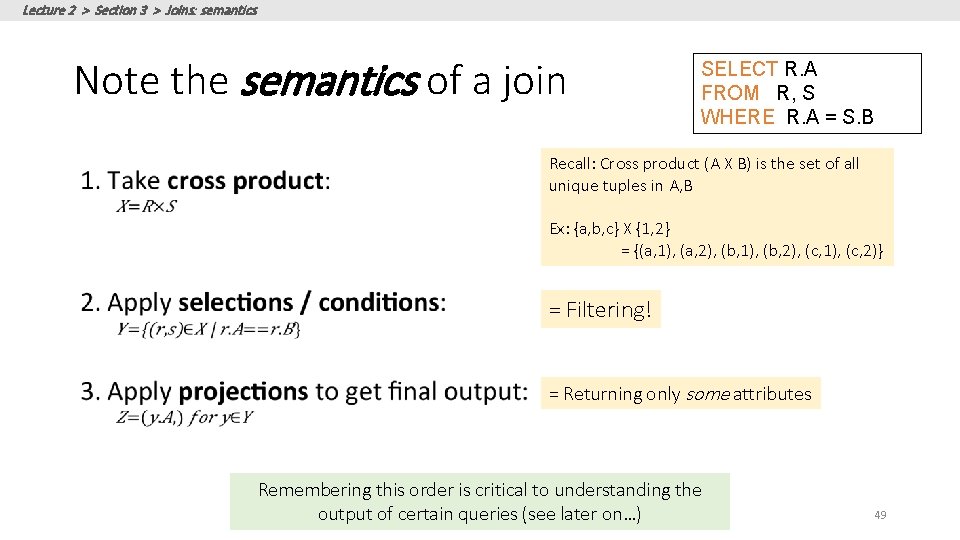
Lecture 2 > Section 3 > Joins: semantics Note the semantics of a join SELECT R. A FROM R, S WHERE R. A = S. B Recall: Cross product (A X B) is the set of all unique tuples in A, B Ex: {a, b, c} X {1, 2} = {(a, 1), (a, 2), (b, 1), (b, 2), (c, 1), (c, 2)} = Filtering! = Returning only some attributes Remembering this order is critical to understanding the output of certain queries (see later on…) 49
Lecture 2 > Section 3 > Joins: semantics Note: we say “semantics” not “execution order” • The preceding slides show what a join means • Not actually how the DBMS executes it under the covers