
Lecture 2 agenda Settingup projects properly Review git

- Slides: 55
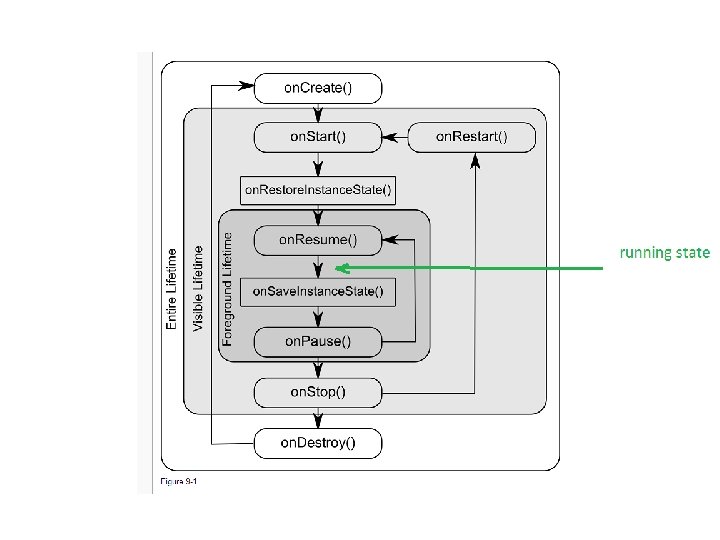
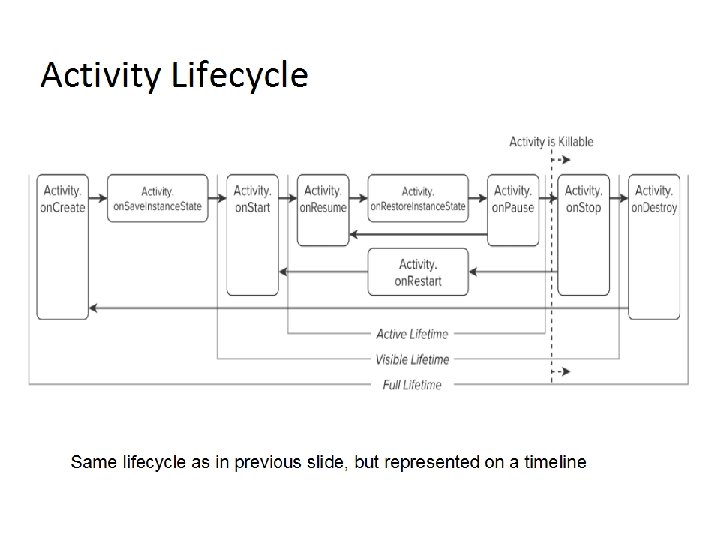
Lecture 2 agenda Setting-up projects properly Review git config Java event model Anatomy of and Android Application Activity Lifecycle State Changes; saving and restoring state Model-View-Controller in Android Views, View Groups, Layouts A/S Designer Tool layouts and resources
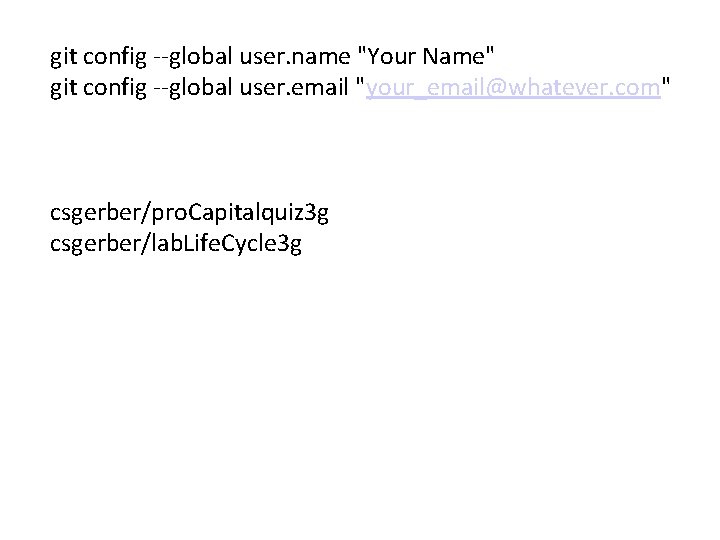
git config --global user. name "Your Name" git config --global user. email "your_email@whatever. com" csgerber/pro. Capitalquiz 3 g csgerber/lab. Life. Cycle 3 g
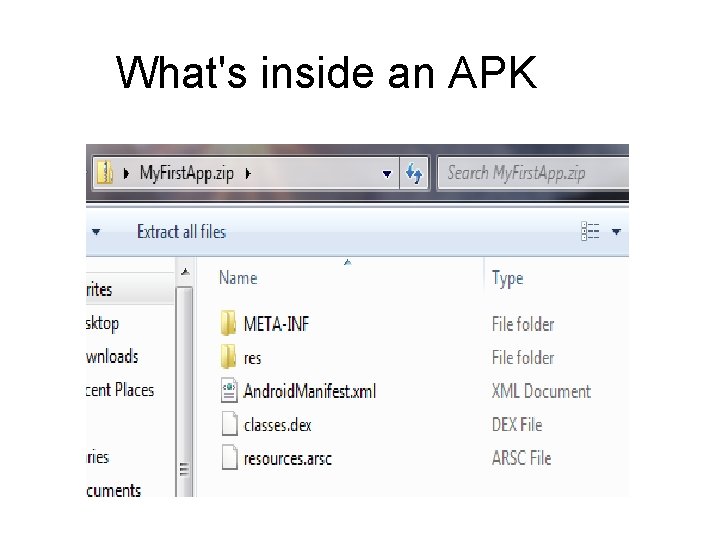
What's inside an APK
Basic Git Commands Git Review
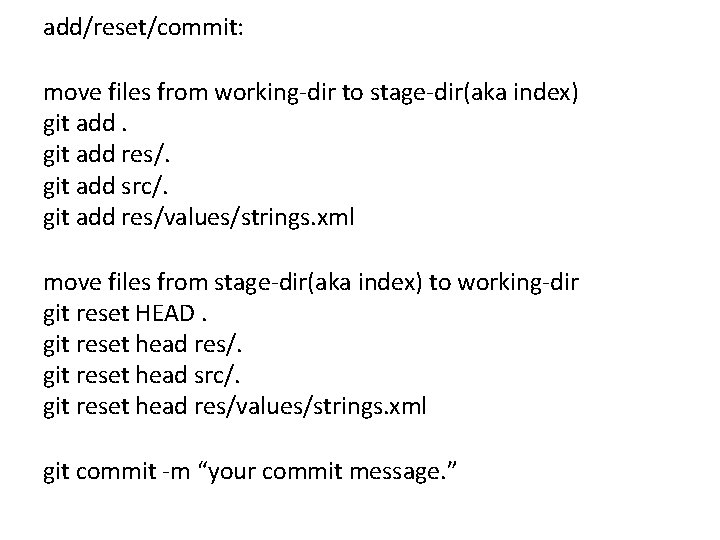
add/reset/commit: move files from working-dir to stage-dir(aka index) git add res/. git add src/. git add res/values/strings. xml move files from stage-dir(aka index) to working-dir git reset HEAD. git reset head res/. git reset head src/. git reset head res/values/strings. xml git commit -m “your commit message. ”
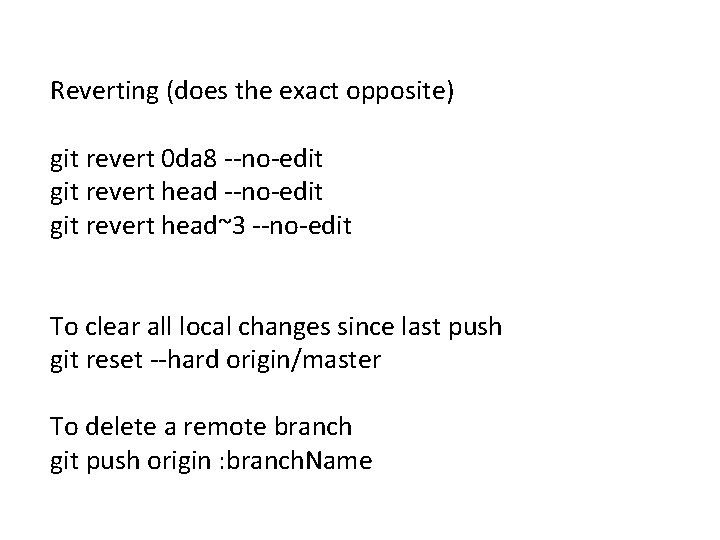
Reverting (does the exact opposite) git revert 0 da 8 --no-edit git revert head~3 --no-edit To clear all local changes since last push git reset --hard origin/master To delete a remote branch git push origin : branch. Name
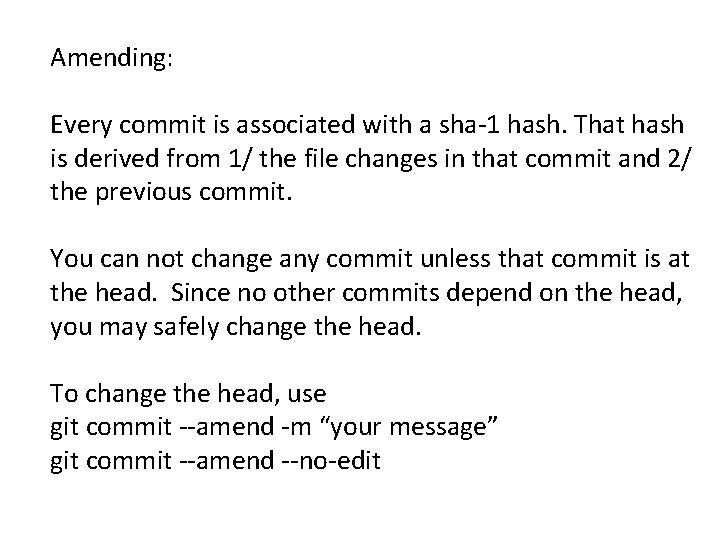
Amending: Every commit is associated with a sha-1 hash. That hash is derived from 1/ the file changes in that commit and 2/ the previous commit. You can not change any commit unless that commit is at the head. Since no other commits depend on the head, you may safely change the head. To change the head, use git commit --amend -m “your message” git commit --amend --no-edit
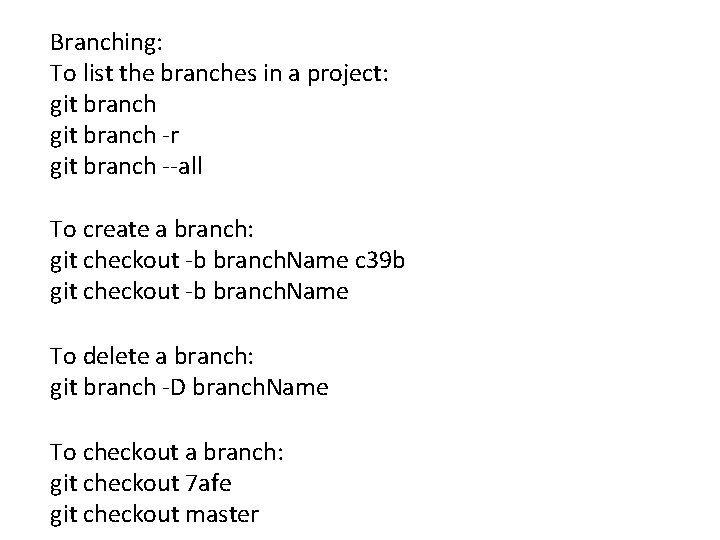
Branching: To list the branches in a project: git branch -r git branch --all To create a branch: git checkout -b branch. Name c 39 b git checkout -b branch. Name To delete a branch: git branch -D branch. Name To checkout a branch: git checkout 7 afe git checkout master
Pushing to remotes: To see the remotes: git remote -v show To push to a remote: git push origin master git push --all To clear all local changes since last push git reset --hard origin/master
Android Studio Default keymap: http: //android. cs. uchicago. edu/content/slides/keymap. pdf File || settings || keymap
The Event Model
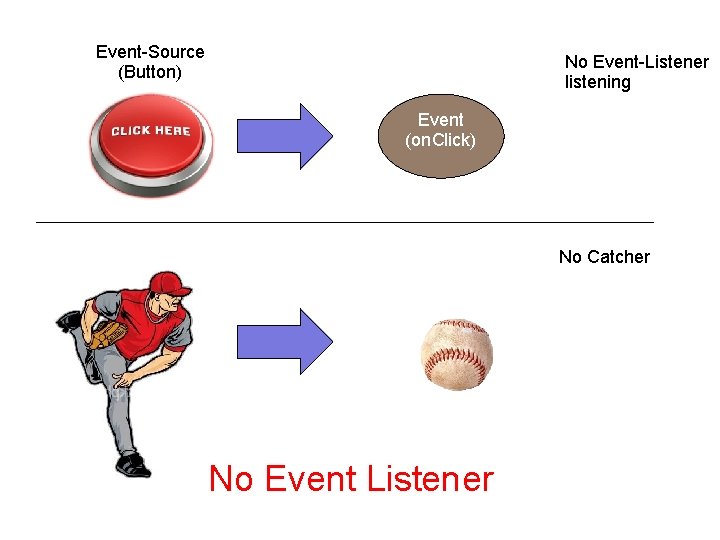
Event-Source (Button) No Event-Listener listening Event (on. Click) No Catcher No Event Listener
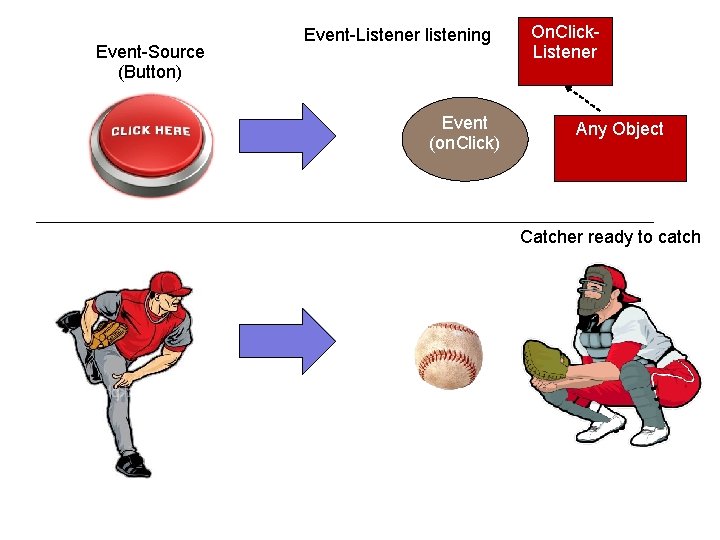
Event-Source (Button) Event-Listener listening Event (on. Click) On. Click. Listener Any Object Catcher ready to catch
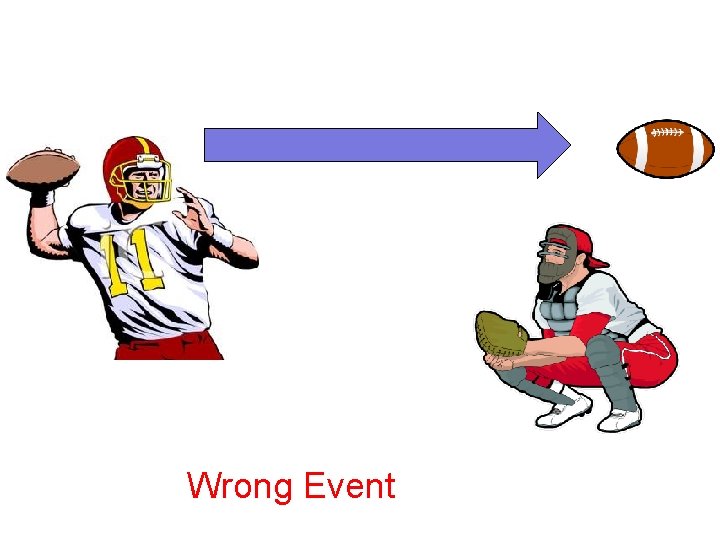
Wrong Event
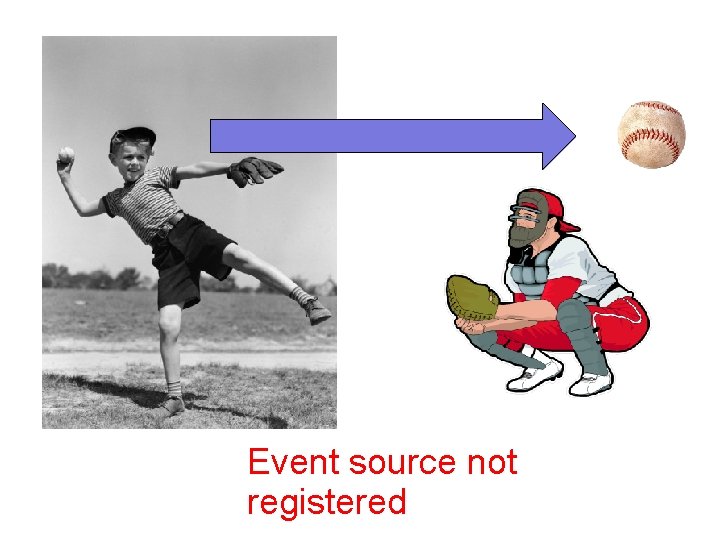
Event source not registered
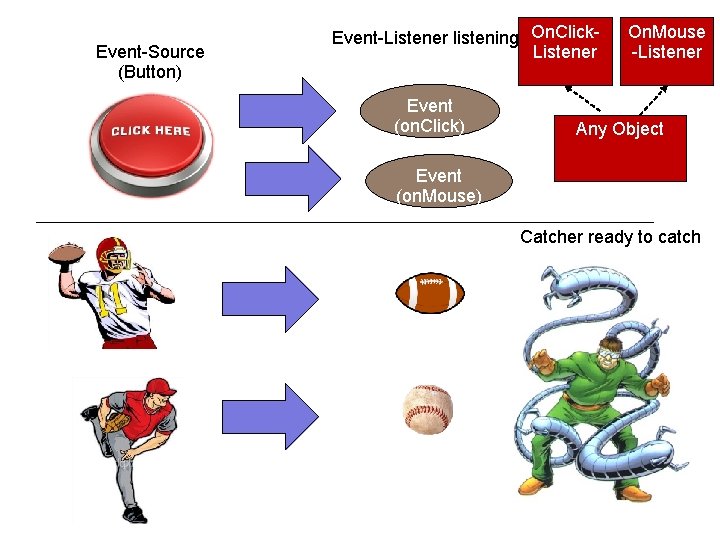
Event-Source (Button) Event-Listener listening On. Click. Listener Event (on. Click) On. Mouse -Listener Any Object Event (on. Mouse) Catcher ready to catch
Resources in Android
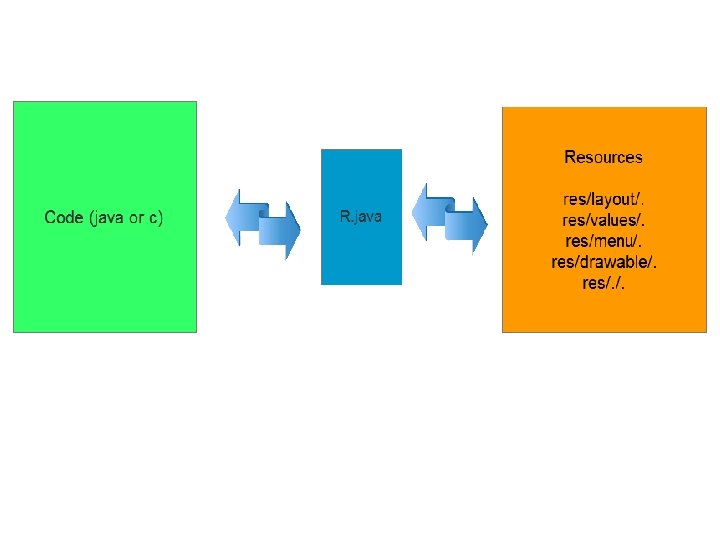
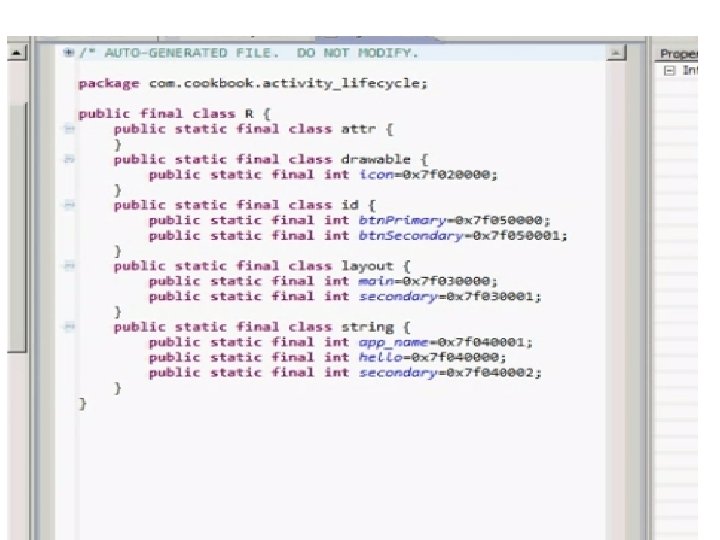
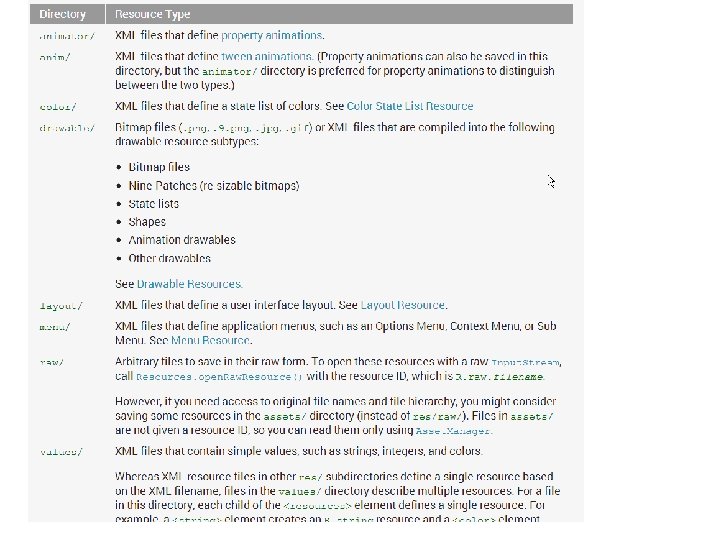
Layouts and resources Code: Java (or C if you use NDK) Metafiles: Android. Manifest, project. properties, . gitignore. These all describe the project. Resources “anything in android that is not code or metafiles” Activities have one or more layouts, and all Layouts have a root-View. Group. This root-View. Group is the container for the Views. R. java (gen directory) is a bridge between your resources and your code. If you want to interact programmatically with a resource, it must have an id.
Inspecting layouts and resources You can view both xml and design mode in AS. You can see how it would look on multiple devices || preview all screens, and toggle with remove previews.
Layouts and resources res directories can have suffixes, such as layout-land, or drawable-hdpi, values-es, etc. These suffixes allow you to differentiate at RUNTIME depending on the settings, hardware, and configuration of the device. For example, if your device is in landscape mode, it'll try to fetch the layout from layout-land first, then it will try to fetch the layout from layout. Vice versa as well; if it's in portait mode, it'll try for layout-port, then layout. shown in preview mode of resource and rotate device
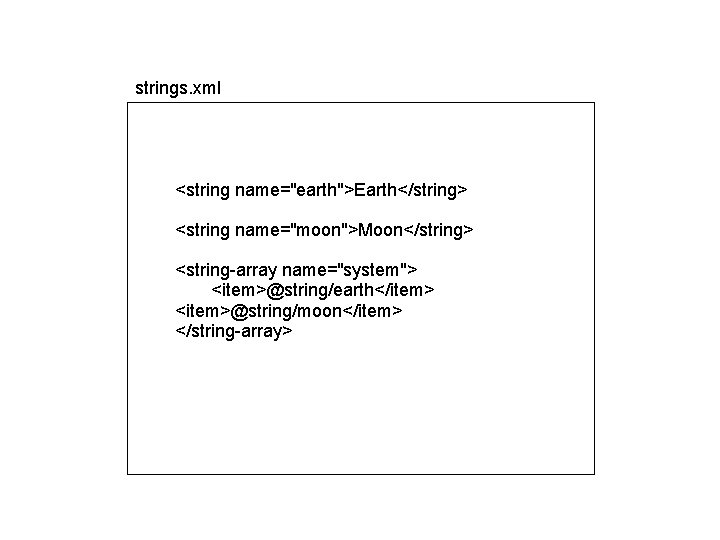
strings. xml <string name="earth">Earth</string> <string name="moon">Moon</string> <string-array name="system"> <item>@string/earth</item> <item>@string/moon</item> </string-array>
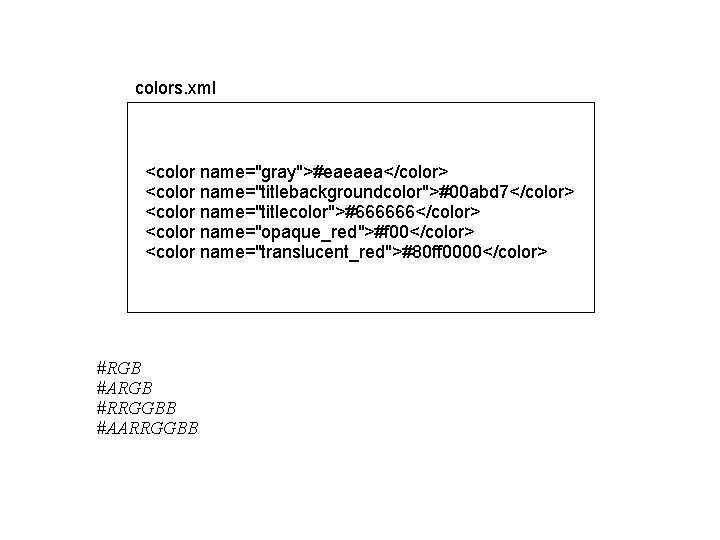
colors. xml <color name="gray">#eaeaea</color> <color name="titlebackgroundcolor">#00 abd 7</color> <color name="titlecolor">#666666</color> <color name="opaque_red">#f 00</color> <color name="translucent_red">#80 ff 0000</color> #RGB #ARGB #RRGGBB #AARRGGBB
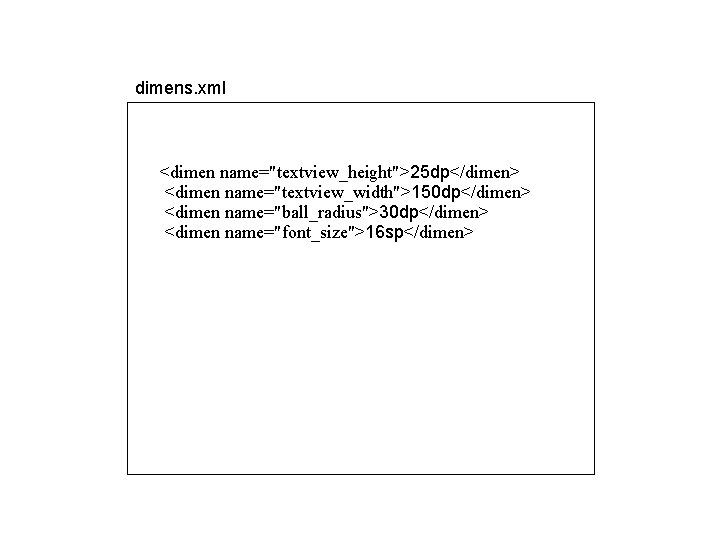
dimens. xml <dimen name="textview_height">25 dp</dimen> <dimen name="textview_width">150 dp</dimen> <dimen name="ball_radius">30 dp</dimen> <dimen name="font_size">16 sp</dimen>
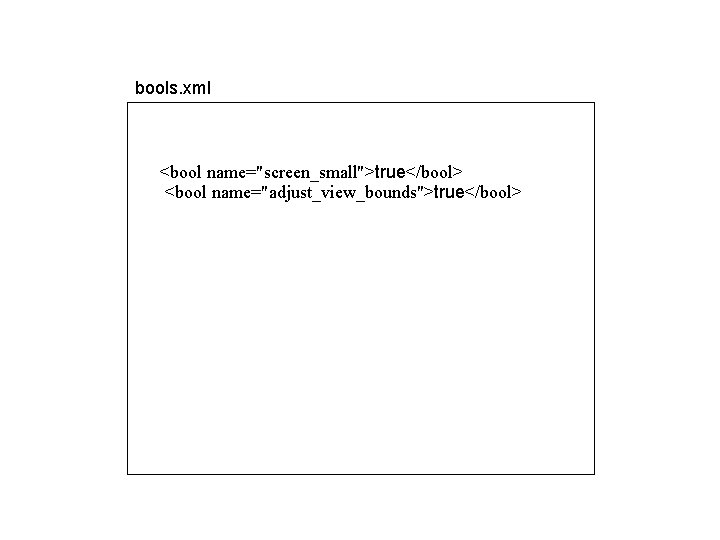
bools. xml <bool name="screen_small">true</bool> <bool name="adjust_view_bounds">true</bool>
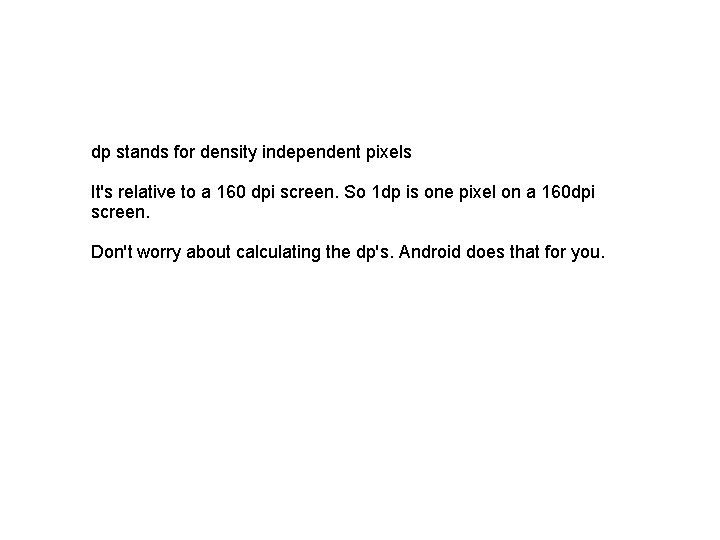
dp stands for density independent pixels It's relative to a 160 dpi screen. So 1 dp is one pixel on a 160 dpi screen. Don't worry about calculating the dp's. Android does that for you.
Add resources from the Add Resources from the graphical editor and also manually. #FFFFFF white get. Resources(). get. String. Array(R. array. whatever)
Navigating in Android Studio alt-1 is project view (alt-F 1 is show it in project view) alt-2 is favorites (including bookmarks and breakpoints) alt-3 is the search view (cntl-shift-F to find) alt-4 run-console alt-5 is debug alt-6 is android view (ddms, logcat) alt-7 is structure view (see members and methods) alt-9 is changes(VCS) view Look at the margin of your project
Get help cntl-shift-A (find anything in Android studio) Searching (on mac, replace cntrl with command) cntl-F (find something in the local file) cntl-shift-F (find something in the project) Go to file in code (on mac, replace cntrl with command) cntl-N (go to files typically in src) cntl-shift-n (go to any file, including res) cntl-E (open recent files) Go to file in project alt-F 1
Go to definition cntl-B (go directly to the method definition) Javadocs cntl-Q (open the javadocs) Live Templates cntl-J adding your own Live Templates (cntl-shift-A “live template”)
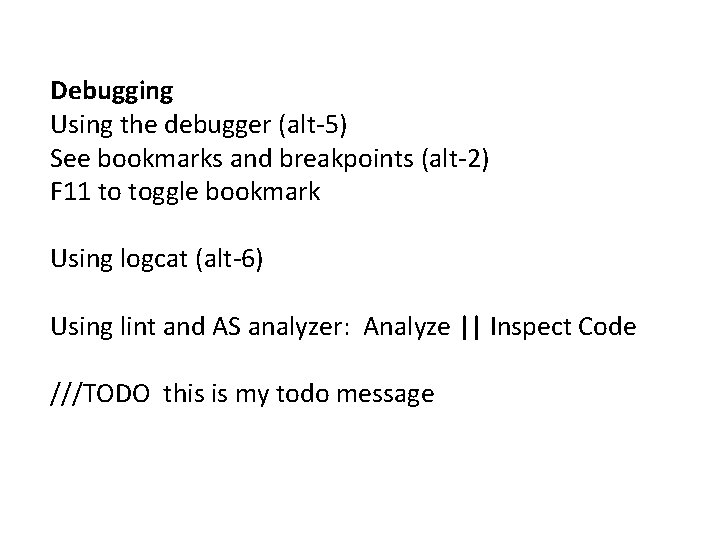
Debugging Using the debugger (alt-5) See bookmarks and breakpoints (alt-2) F 11 to toggle bookmark Using logcat (alt-6) Using lint and AS analyzer: Analyze || Inspect Code ///TODO this is my todo message
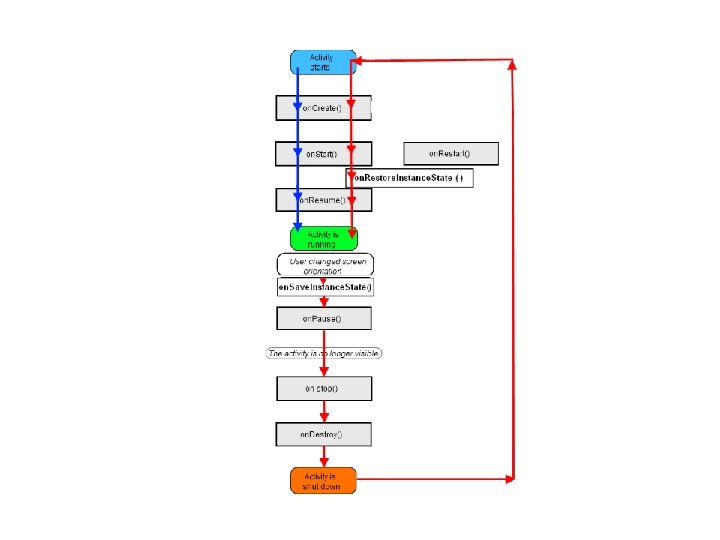
Lifecycle in Android
pro. Capital. Quiz (in class)
lab. Life. Cycle (in class)
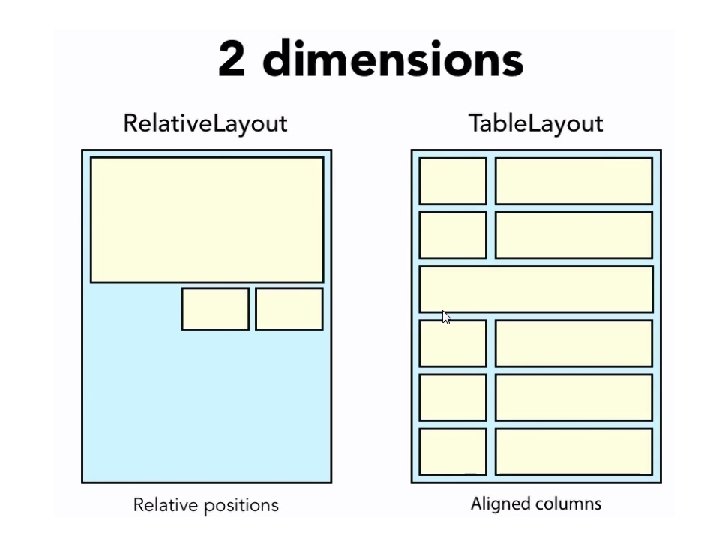
Layouts in Android
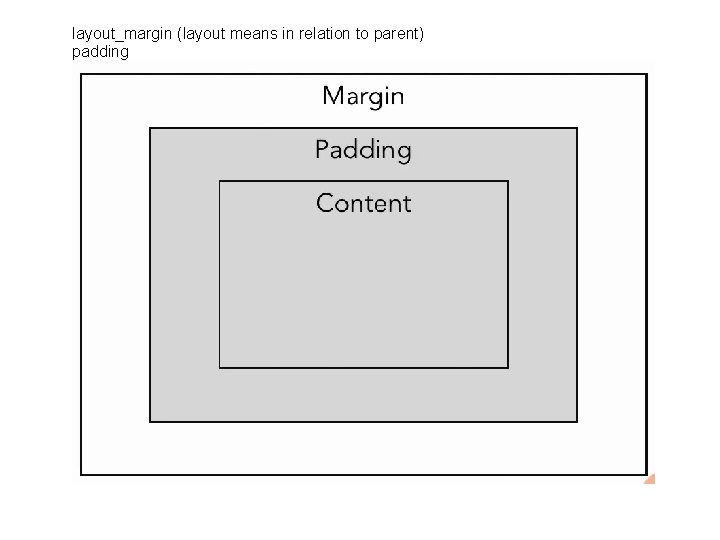
layout_margin (layout means in relation to parent) padding
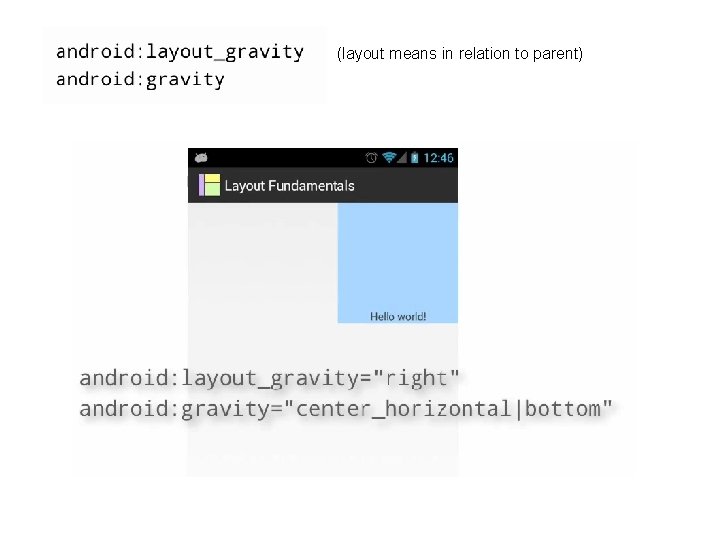
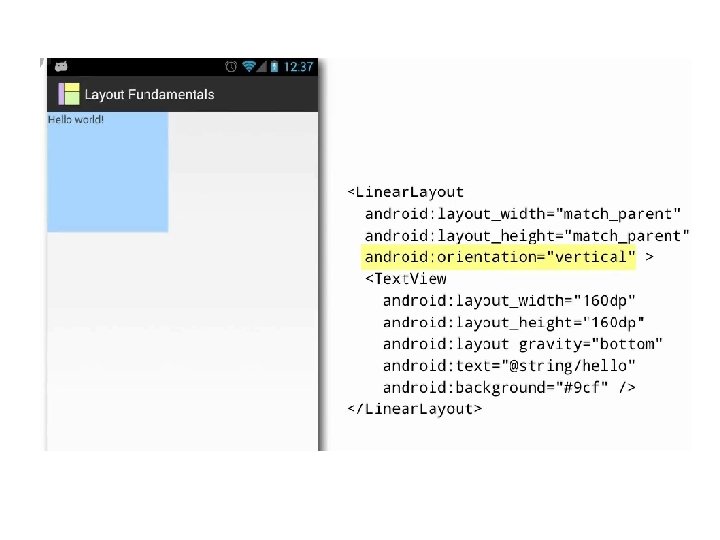
(layout means in relation to parent)
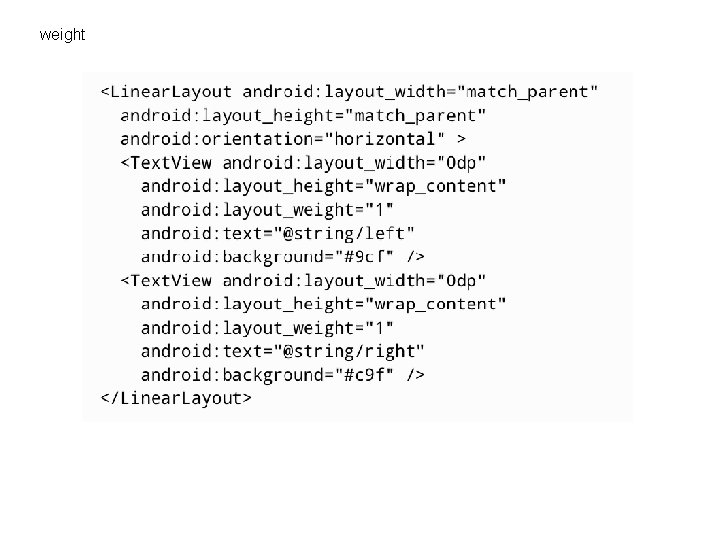
weight
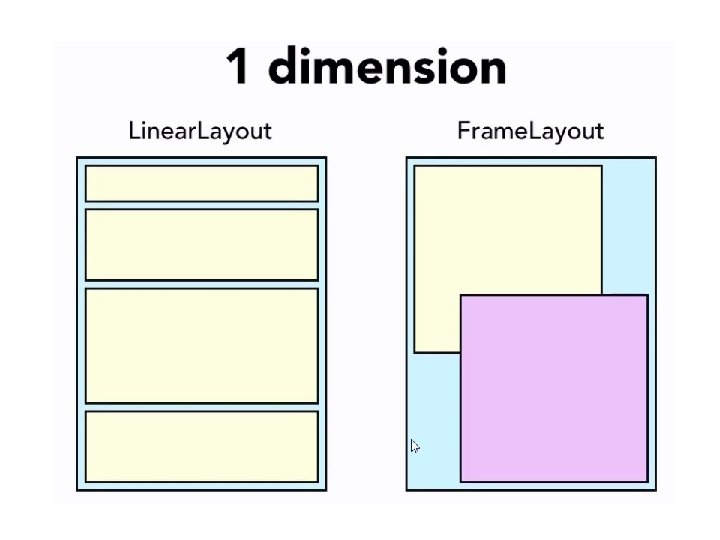
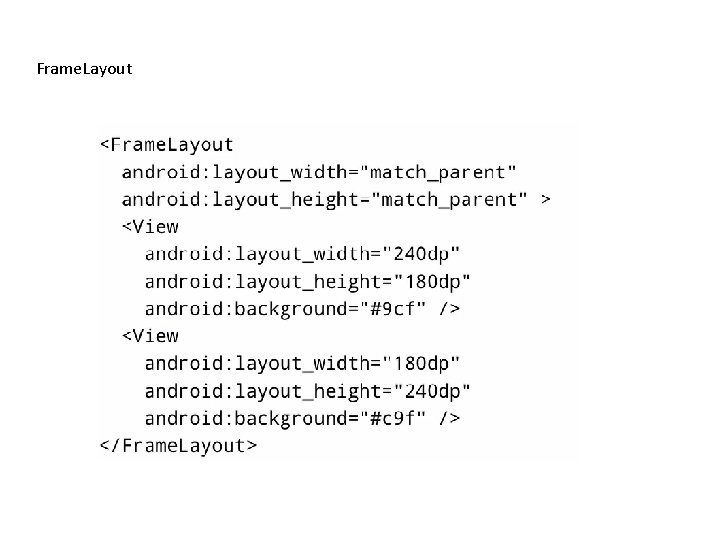
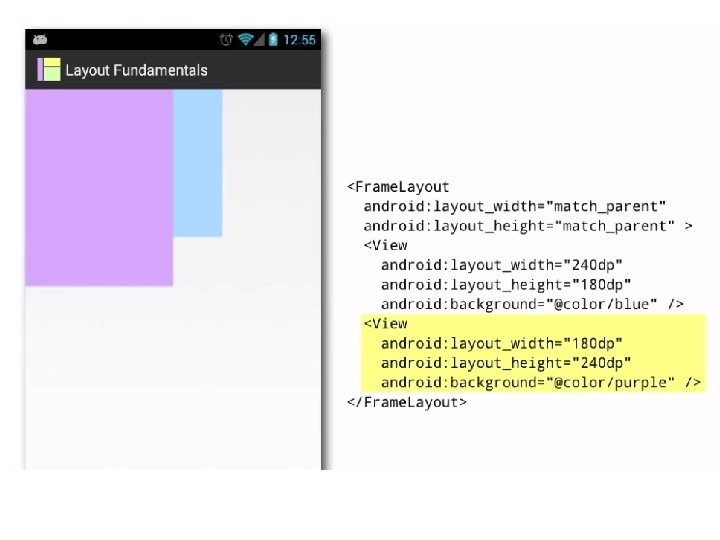
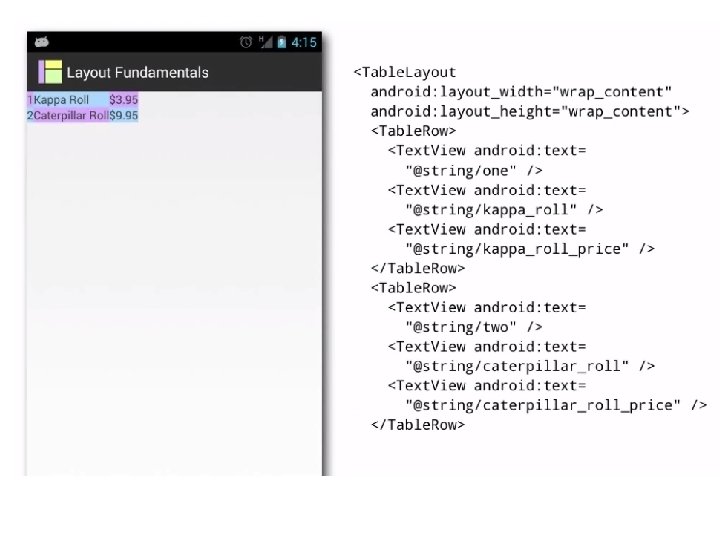
Frame. Layout