
Lecture 19 Chapter 4 General Procedures Part 2


- Slides: 7
Lecture 19 -Chapter 4 General Procedures Part 2 Sections: 4. 3, 4. 4 Roxana Gheorghiu Tuesday, March 17, 2009
General Procedures Used to break complex problems into small problems Two types of procedures: Sub Procedures, Functions Procedures CS 4: Lecture 19 Tuesday, February 1, 2022 2
Function Procedures Like miniature programs: take parameters as input, process this input and output the results New: The output is sent back to the main program as a value instead of being displayed on the interface ◦ ex: Chr(65), Asc(“Apple”), “apple”. Index. Of(“a” ) CS 4: Lecture 19 Tuesday, February 1, 2022 3
Function Procedures (def. ) Function. Name(By. Val var 1 as Type 1, _ By. Val var 2 as Type 2, _ … ) As Data. Type list of actions needed to be done Return variable or expression End Function Note: Type 1, Type 2, Data. Type should be one of the data type you know (e. g. String, Integer, Double … ) CS 4: Lecture 19 Tuesday, February 1, 2022 4
Function Procedures (ex. ) The simplest function: Function Say. Hi() as Data Type of the returned item String Dim message as String =“hello” Return message End Function How to use it: Dim hello. Message as String hello. Message =Say. Hi() CS 4: Lecture 19 Tuesday, February 1, 2022 5
Sub Procedures The simplest Sub Procedure: Procedure’s name Sub Say. Hi() List of statements to be executed Msg. Box(“Hello world!”) End Sub How to use it? ◦ with a call statement of the form: Say. Hi() CS 4: Lecture 16 Tuesday, March 3, 2009 6
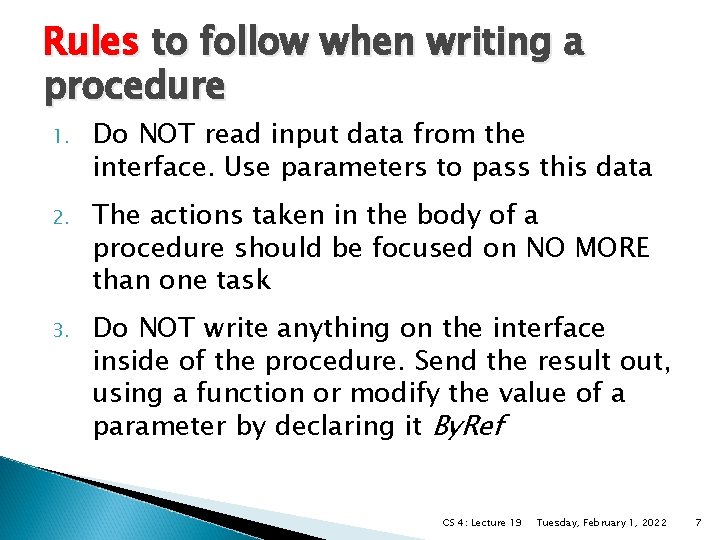
Rules to follow when writing a procedure 1. Do NOT read input data from the interface. Use parameters to pass this data 2. The actions taken in the body of a procedure should be focused on NO MORE than one task 3. Do NOT write anything on the interface inside of the procedure. Send the result out, using a function or modify the value of a parameter by declaring it By. Ref CS 4: Lecture 19 Tuesday, February 1, 2022 7