
Lecture 19 Automating Preparing and Entering Model Data

![WEAP Scenario Explorer • What will happen if… [I change one or more inputs]?](https://slidetodoc.com/presentation_image_h2/7fdb8e261b55629c825cf8e86b23b2a1/image-15.jpg "WEAP Scenario Explorer • What will happen if… [I change one or more inputs]?")
- Slides: 19
Lecture 19 Automating Preparing and Entering Model Data in WEAP David E. Rosenberg CEE 6930 – Hydroinformatics Fall 2012 This work was funded by National Science Foundation Grant EPS 1135482
Learning Objectives • Manipulate and transform data across file systems and formats • Automate data entry to a water resources model • Use the WEAP application programming interface (API) to enter Bear River flow data for ILO-9 http: //www. weap 21. org/ CEE 6930 2
The Overarching Problem • ILO-9: What is the reliability of Bear River water to meet the water requirements of new, urban Cache County users considering (i) historical flows, or (ii) a warmer climate with reduced and time-shifted flows? – Transform monthly flow data provided in the file P 2009 T 1. out to a CSV format WEAP can read – Tell WEAP which CSV files to read in – Repeat for a scenario representing future warmer climate CEE 6930 David Rosenberg 3
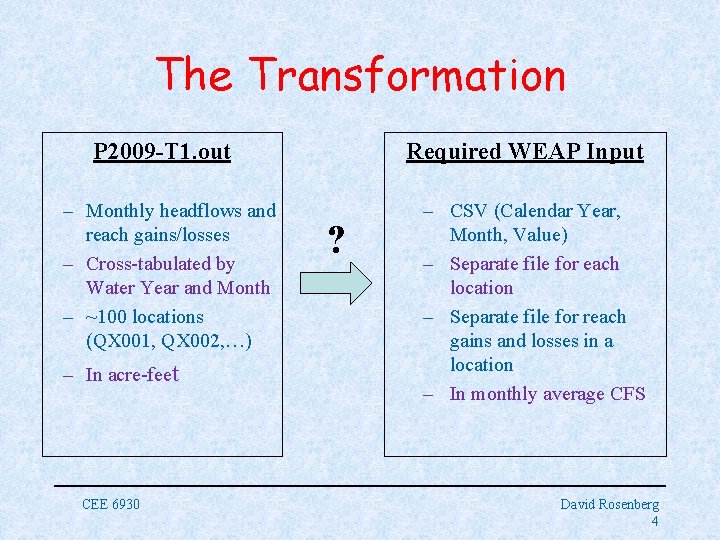
The Transformation P 2009 -T 1. out – Monthly headflows and reach gains/losses – Cross-tabulated by Water Year and Month – ~100 locations (QX 001, QX 002, …) – In acre-feet CEE 6930 Required WEAP Input ? – CSV (Calendar Year, Month, Value) – Separate file for each location – Separate file for reach gains and losses in a location – In monthly average CFS David Rosenberg 4
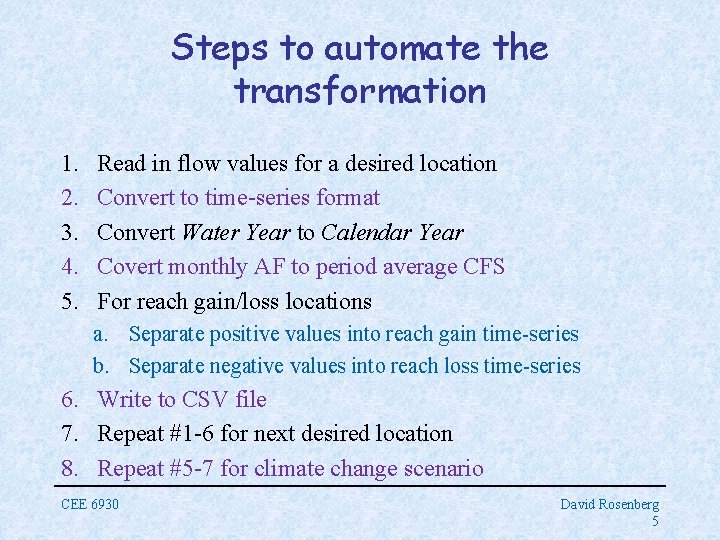
Steps to automate the transformation 1. 2. 3. 4. 5. Read in flow values for a desired location Convert to time-series format Convert Water Year to Calendar Year Covert monthly AF to period average CFS For reach gain/loss locations a. Separate positive values into reach gain time-series b. Separate negative values into reach loss time-series 6. Write to CSV file 7. Repeat #1 -6 for next desired location 8. Repeat #5 -7 for climate change scenario CEE 6930 David Rosenberg 5
The Water Year • Runs from October 1 to September 30 • Shifts the start of the year by 3 months • Group January, February, March, … September with the prior October, November, and December • Is an accounting system to better group important hydrologic events in the same “year” • See the Excel file for an example CEE 6930 David Rosenberg 6
Implement the Transformation in Code 1. Choose your language (Python, R, Matlab, C++, Database, Visual Basic, etc…) 2. Comment each step of your code! CEE 6930 David Rosenberg 7
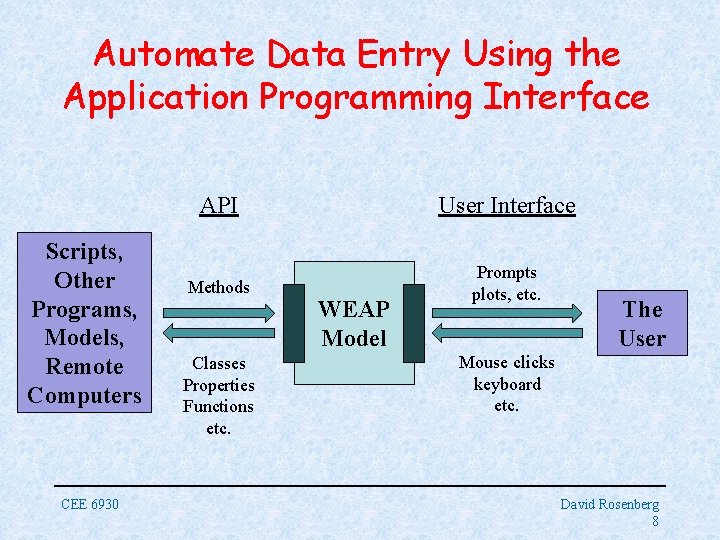
Automate Data Entry Using the Application Programming Interface Scripts, Other Programs, Models, Remote Computers CEE 6930 API User Interface Methods Prompts plots, etc. Classes Properties Functions etc. WEAP Model The User Mouse clicks keyboard etc. David Rosenberg 8
Accessing the WEAP API • Script Editor – Advanced Menu=>Scripting) • COM Automation Server – Run WEAP from other software like Excel – Install reference library and go! • Make sure to check out the WEAP help on API!! • Explains object libraries, methods, and properties CEE 6930 David Rosenberg 9
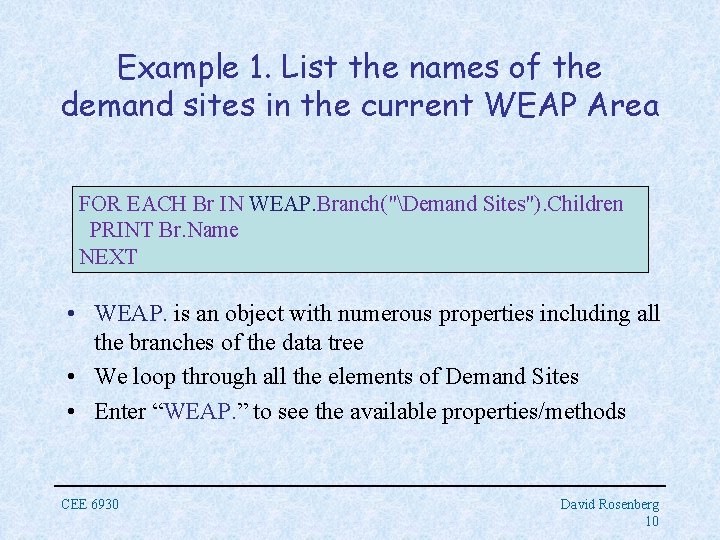
Example 1. List the names of the demand sites in the current WEAP Area FOR EACH Br IN WEAP. Branch("Demand Sites"). Children PRINT Br. Name NEXT • WEAP. is an object with numerous properties including all the branches of the data tree • We loop through all the elements of Demand Sites • Enter “WEAP. ” to see the available properties/methods CEE 6930 David Rosenberg 10
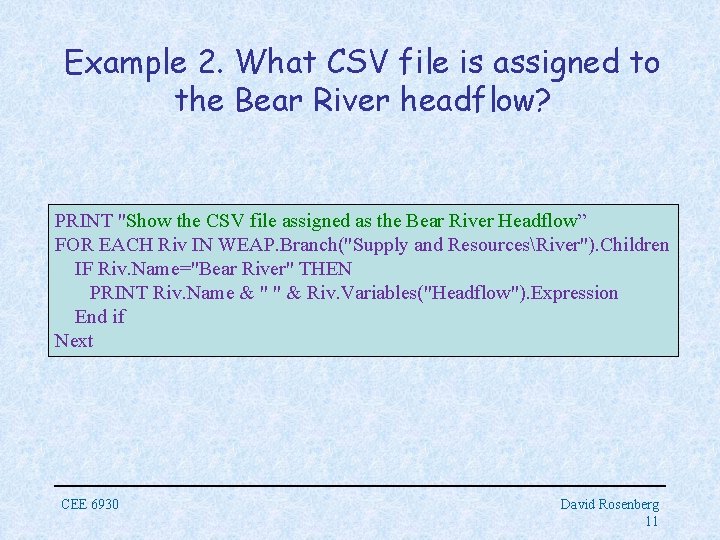
Example 2. What CSV file is assigned to the Bear River headflow? PRINT "Show the CSV file assigned as the Bear River Headflow” FOR EACH Riv IN WEAP. Branch("Supply and ResourcesRiver"). Children IF Riv. Name="Bear River" THEN PRINT Riv. Name & " " & Riv. Variables("Headflow"). Expression End if Next CEE 6930 David Rosenberg 11
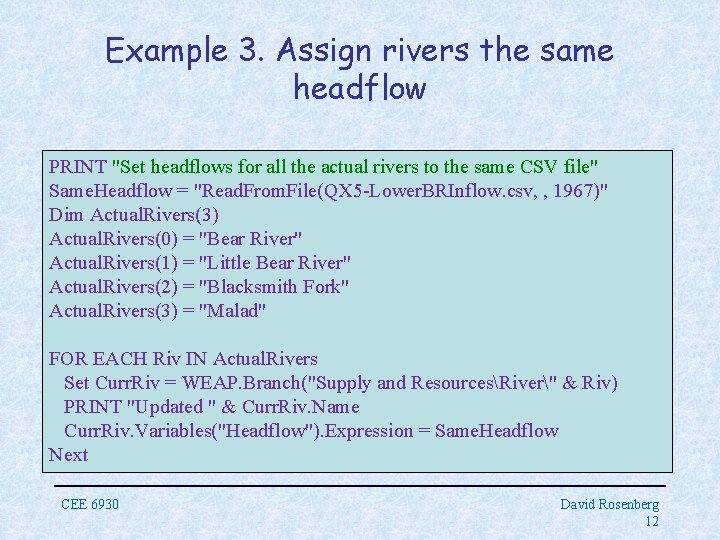
Example 3. Assign rivers the same headflow PRINT "Set headflows for all the actual rivers to the same CSV file" Same. Headflow = "Read. From. File(QX 5 -Lower. BRInflow. csv, , 1967)" Dim Actual. Rivers(3) Actual. Rivers(0) = "Bear River" Actual. Rivers(1) = "Little Bear River" Actual. Rivers(2) = "Blacksmith Fork" Actual. Rivers(3) = "Malad" FOR EACH Riv IN Actual. Rivers Set Curr. Riv = WEAP. Branch("Supply and ResourcesRiver" & Riv) PRINT "Updated " & Curr. Riv. Name Curr. Riv. Variables("Headflow"). Expression = Same. Headflow Next CEE 6930 David Rosenberg 12
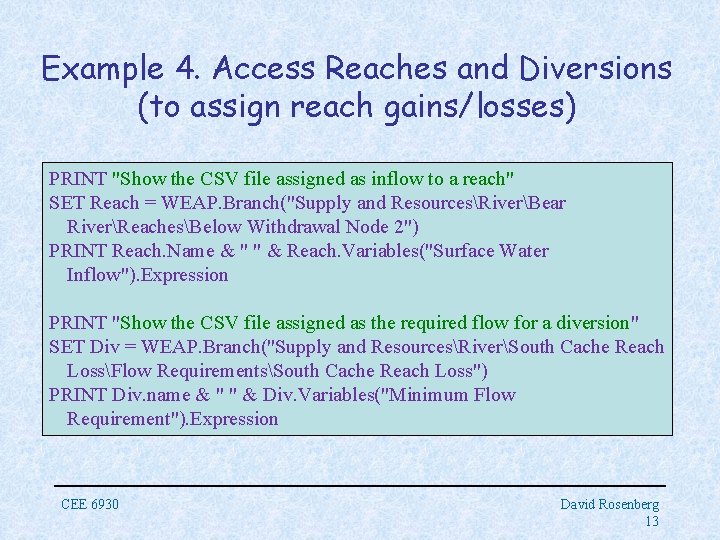
Example 4. Access Reaches and Diversions (to assign reach gains/losses) PRINT "Show the CSV file assigned as inflow to a reach" SET Reach = WEAP. Branch("Supply and ResourcesRiverBear RiverReachesBelow Withdrawal Node 2") PRINT Reach. Name & " " & Reach. Variables("Surface Water Inflow"). Expression PRINT "Show the CSV file assigned as the required flow for a diversion" SET Div = WEAP. Branch("Supply and ResourcesRiverSouth Cache Reach LossFlow RequirementsSouth Cache Reach Loss") PRINT Div. name & " " & Div. Variables("Minimum Flow Requirement"). Expression CEE 6930 David Rosenberg 13
Pull it all together in a single script 1. Loop to assign the 4 head flows 2. Loop to assign the 2 reach gain/losses – – Reach gains to a reach Reach losses as a required flow on a diversion Consistently name the CSV files with flow values Use arrays to loop through the river elements and csv files CEE 6930 David Rosenberg 14
WEAP Scenario Explorer • What will happen if… [I change one or more inputs]? ? • Define and manage scenarios from the Data module • Enter input data here too CEE 6930 David Rosenberg 15
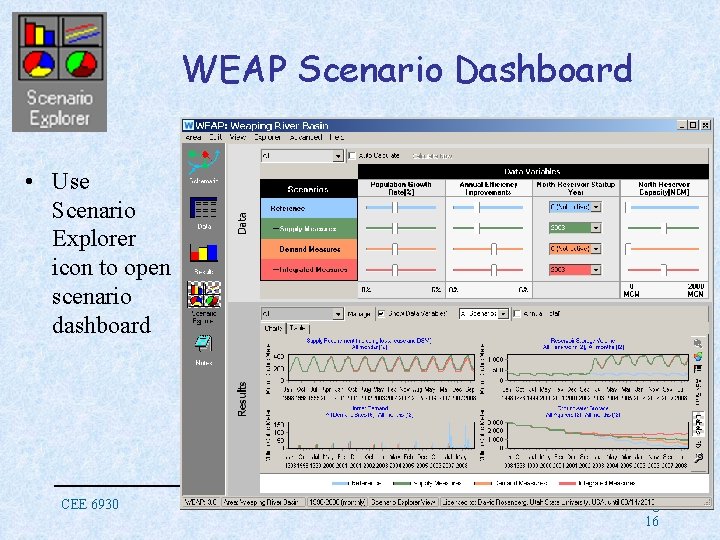
WEAP Scenario Dashboard • Use Scenario Explorer icon to open scenario dashboard CEE 6930 David Rosenberg 16
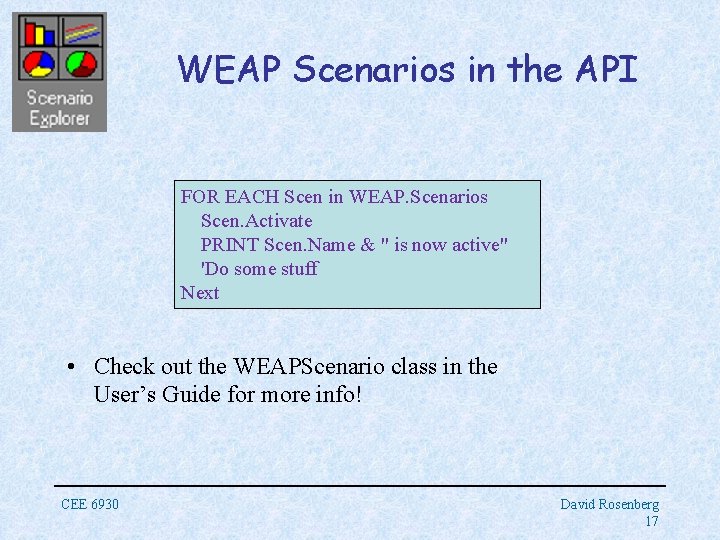
WEAP Scenarios in the API FOR EACH Scen in WEAP. Scenarios Scen. Activate PRINT Scen. Name & " is now active" 'Do some stuff Next • Check out the WEAPScenario class in the User’s Guide for more info! CEE 6930 David Rosenberg 17
Example 5. What scenarios do you need for ILO-9? • How will you generate flow data for them? • How will you use the WEAP API to injest the scenario flow data? CEE 6930 David Rosenberg 18
Wrap Up • Often necessary to transform data to prepare it for input to a model • Automate to speed up transformations, reduce errors, and document the process • Use the Application Programming Interface to further automate data entry (and running) of a model • Cache County seeks your hydroinformatics ninja skills to determine whether it should develop Bear River water! CEE 6930 19