
Lecture 17 Formal Models and Design Spaces for
![Buxton’s classification [1983] l Continuous manual input devices l l M = indirect T](https://slidetodoc.com/presentation_image/9f8683462929c7572b7b411d002b43c7/image-19.jpg "Buxton’s classification [1983] l Continuous manual input devices l l M = indirect T")
![Interactors [Myers, 1990] l Brad A. Myers. 1990. A new model for handling input.](https://slidetodoc.com/presentation_image/9f8683462929c7572b7b411d002b43c7/image-25.jpg "Interactors [Myers, 1990] l Brad A. Myers. 1990. A new model for handling input.")
- Slides: 45
Lecture 17: Formal Models and Design Spaces for Interaction Techniques Brad Myers 05 -640: Interaction Techniques Spring, 2019 © 2019 - Brad Myers
Why Models? l Help understand the space of possible interaction techniques l l Provide a precise description of how interaction techniques work l l May identify opportunities for new ones May identify missing parts of design Help evaluate performance and other aspects of interaction techniques l E. g. , Keystroke Model and GOMS © 2019 - Brad Myers
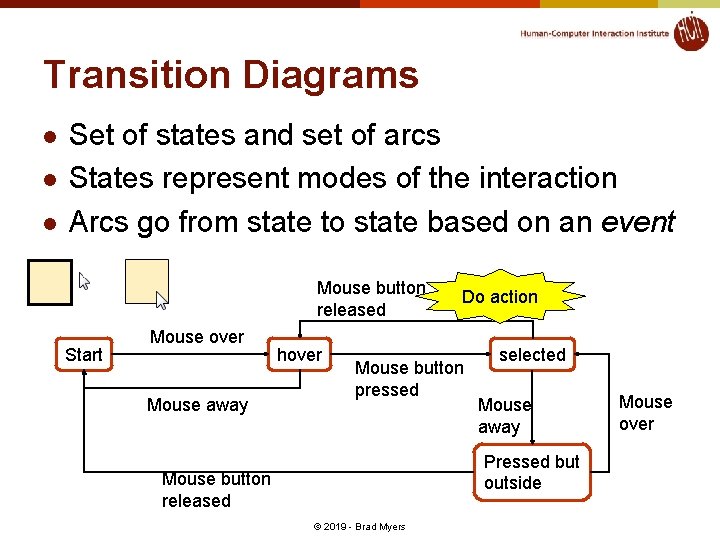
Transition Diagrams l l l Set of states and set of arcs States represent modes of the interaction Arcs go from state to state based on an event Mouse button released Start Mouse over Mouse away hover Do action Mouse button pressed selected Mouse away Pressed but outside Mouse button released © 2019 - Brad Myers Mouse over
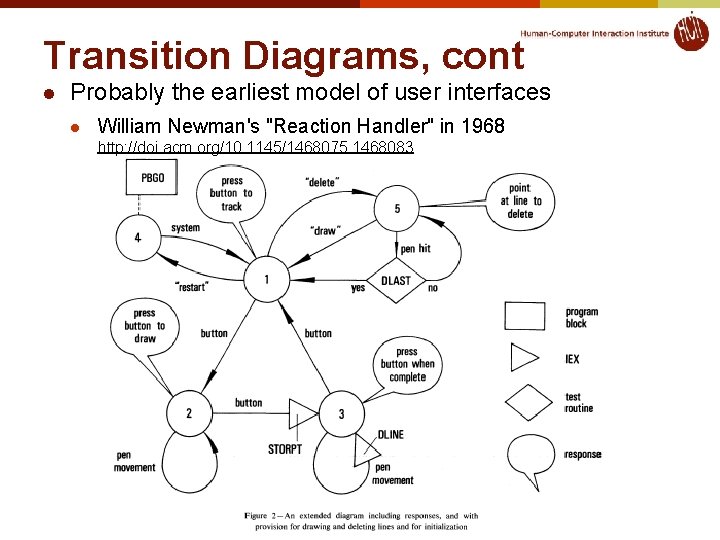
Transition Diagrams, cont l Probably the earliest model of user interfaces l William Newman's "Reaction Handler" in 1968 http: //doi. acm. org/10. 1145/1468075. 1468083 © 2019 - Brad Myers
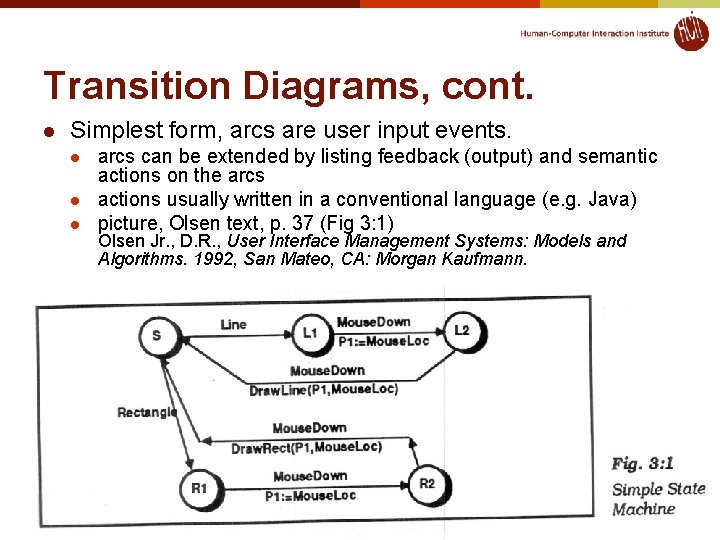
Transition Diagrams, cont. l Simplest form, arcs are user input events. l l l arcs can be extended by listing feedback (output) and semantic actions on the arcs actions usually written in a conventional language (e. g. Java) picture, Olsen text, p. 37 (Fig 3: 1) Olsen Jr. , D. R. , User Interface Management Systems: Models and Algorithms. 1992, San Mateo, CA: Morgan Kaufmann. © 2019 - Brad Myers
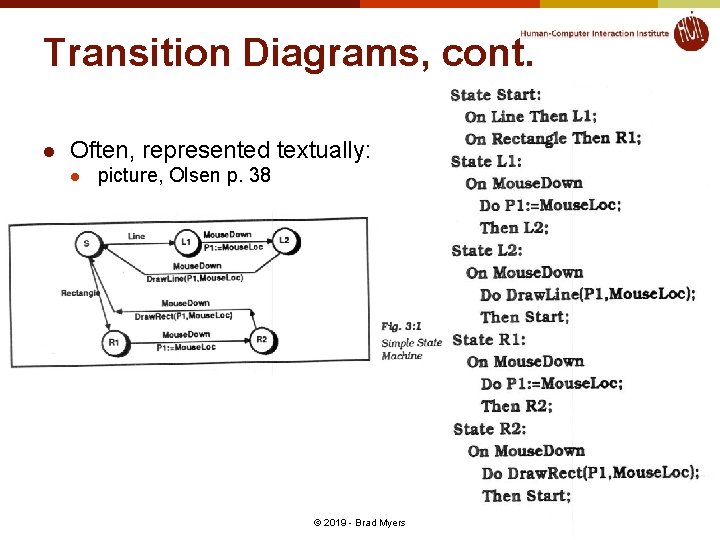
Transition Diagrams, cont. l Often, represented textually: l picture, Olsen p. 38 © 2019 - Brad Myers
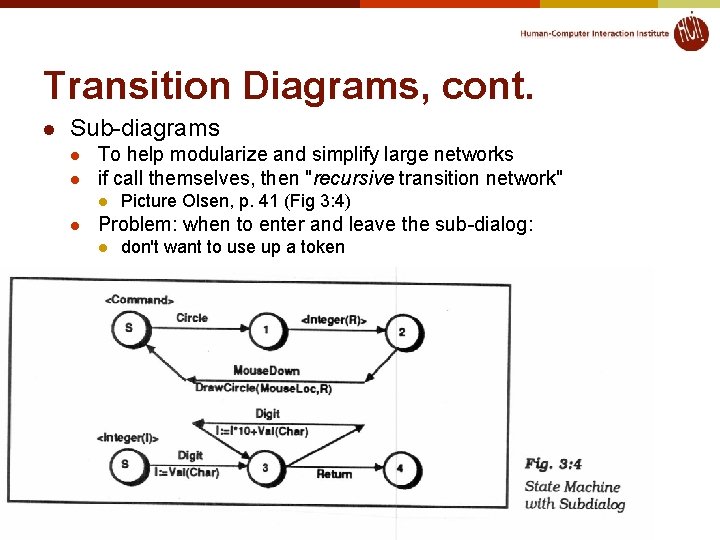
Transition Diagrams, cont. l Sub-diagrams l l To help modularize and simplify large networks if call themselves, then "recursive transition network" l l Picture Olsen, p. 41 (Fig 3: 4) Problem: when to enter and leave the sub-dialog: l don't want to use up a token © 2019 - Brad Myers
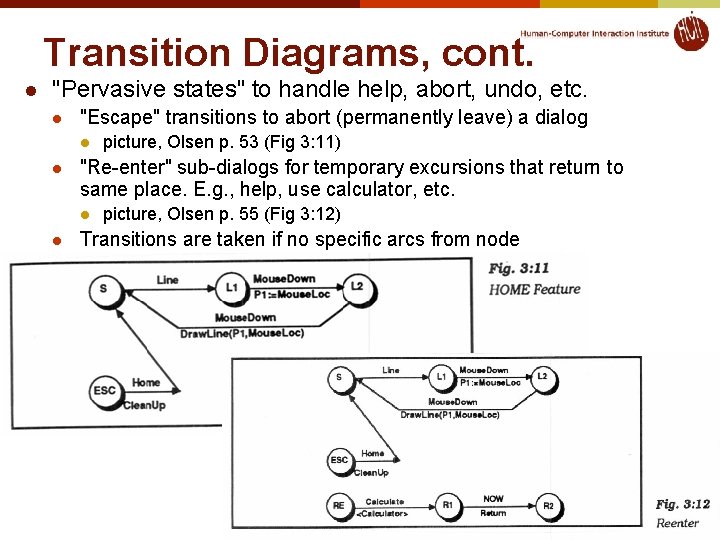
Transition Diagrams, cont. l "Pervasive states" to handle help, abort, undo, etc. l "Escape" transitions to abort (permanently leave) a dialog l l "Re-enter" sub-dialogs for temporary excursions that return to same place. E. g. , help, use calculator, etc. l l picture, Olsen p. 53 (Fig 3: 11) picture, Olsen p. 55 (Fig 3: 12) Transitions are taken if no specific arcs from node © 2019 - Brad Myers
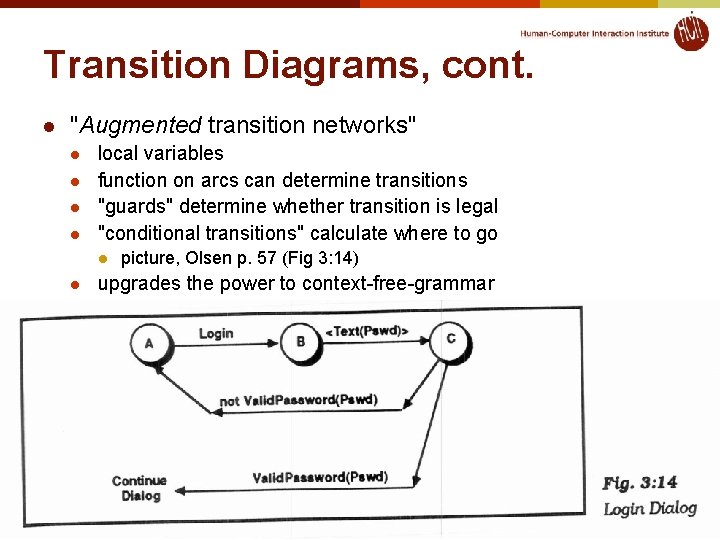
Transition Diagrams, cont. l "Augmented transition networks" l l local variables function on arcs can determine transitions "guards" determine whether transition is legal "conditional transitions" calculate where to go l l picture, Olsen p. 57 (Fig 3: 14) upgrades the power to context-free-grammar © 2019 - Brad Myers
Transition Diagrams, evaluation l Good l l l Make explicit the interpretation of all events in each state Emphasize the temporal sequence of user and system actions Natural and easily understood if small l easy to teach, learn, and read Appropriate for some parts of GUIs: widget behaviors, dialog box transitions, etc. May be appropriate to model transitions around web sites © 2019 - Brad Myers
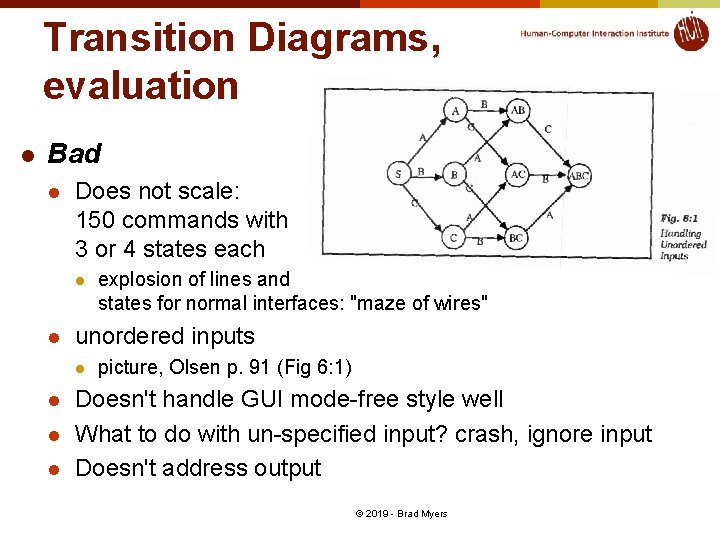
Transition Diagrams, evaluation l Bad l Does not scale: 150 commands with 3 or 4 states each l l unordered inputs l l explosion of lines and states for normal interfaces: "maze of wires" picture, Olsen p. 91 (Fig 6: 1) Doesn't handle GUI mode-free style well What to do with un-specified input? crash, ignore input Doesn't address output © 2019 - Brad Myers
Foley & Wallace, 1974 l l James D. Foley, Victor L. Wallace and Peggy Chan. “The Human Factors of Computer Graphics Interaction Techniques, ” IEEE Computer Graphics and Applications. Nov, 1984. 4(11). pp. 13 -48. http: //ieeexplore. ieee. org/xpl/article. Details. jsp? tp=&arnumber=6429355 “Virtual devices” l l l Pick – identify user-defined objects Button – identify system-defined objects (menus) Locator – identify location and/or orientation in drawing space Valuator – indicate a single real number value Also talked about: Lexical, Syntactic, and Semantic levels l Lexical & syntactic are the level of interaction techniques © 2019 - Brad Myers
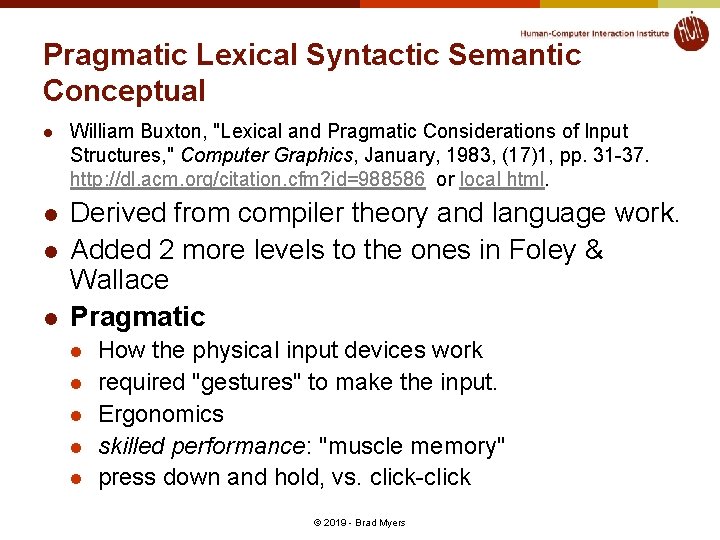
Pragmatic Lexical Syntactic Semantic Conceptual l l William Buxton, "Lexical and Pragmatic Considerations of Input Structures, " Computer Graphics, January, 1983, (17)1, pp. 31 -37. http: //dl. acm. org/citation. cfm? id=988586 or local html. Derived from compiler theory and language work. Added 2 more levels to the ones in Foley & Wallace Pragmatic l l l How the physical input devices work required "gestures" to make the input. Ergonomics skilled performance: "muscle memory" press down and hold, vs. click-click © 2019 - Brad Myers
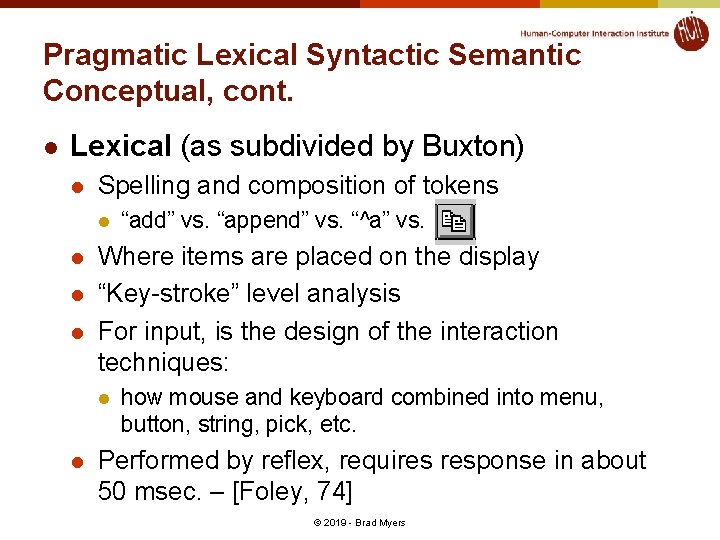
Pragmatic Lexical Syntactic Semantic Conceptual, cont. l Lexical (as subdivided by Buxton) l Spelling and composition of tokens l l Where items are placed on the display “Key-stroke” level analysis For input, is the design of the interaction techniques: l l “add” vs. “append” vs. “^a” vs. how mouse and keyboard combined into menu, button, string, pick, etc. Performed by reflex, requires response in about 50 msec. – [Foley, 74] © 2019 - Brad Myers
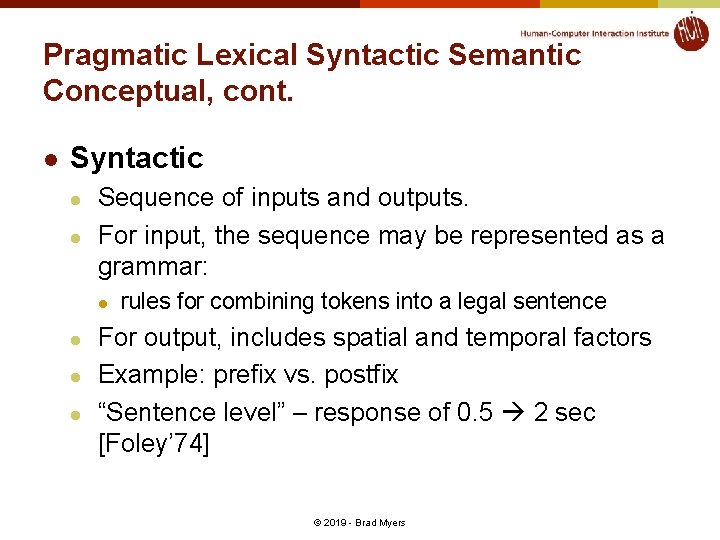
Pragmatic Lexical Syntactic Semantic Conceptual, cont. l Syntactic l l Sequence of inputs and outputs. For input, the sequence may be represented as a grammar: l l rules for combining tokens into a legal sentence For output, includes spatial and temporal factors Example: prefix vs. postfix “Sentence level” – response of 0. 5 2 sec [Foley’ 74] © 2019 - Brad Myers
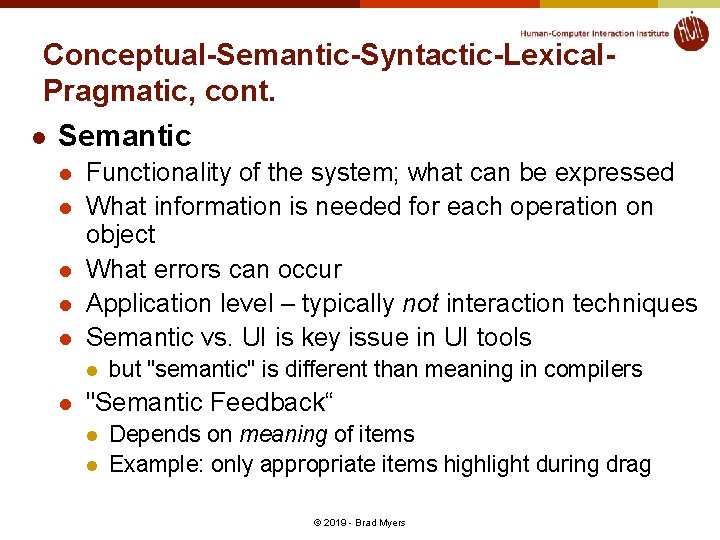
Conceptual-Semantic-Syntactic-Lexical. Pragmatic, cont. l Semantic l l l Functionality of the system; what can be expressed What information is needed for each operation on object What errors can occur Application level – typically not interaction techniques Semantic vs. UI is key issue in UI tools l l but "semantic" is different than meaning in compilers "Semantic Feedback“ l l Depends on meaning of items Example: only appropriate items highlight during drag © 2019 - Brad Myers
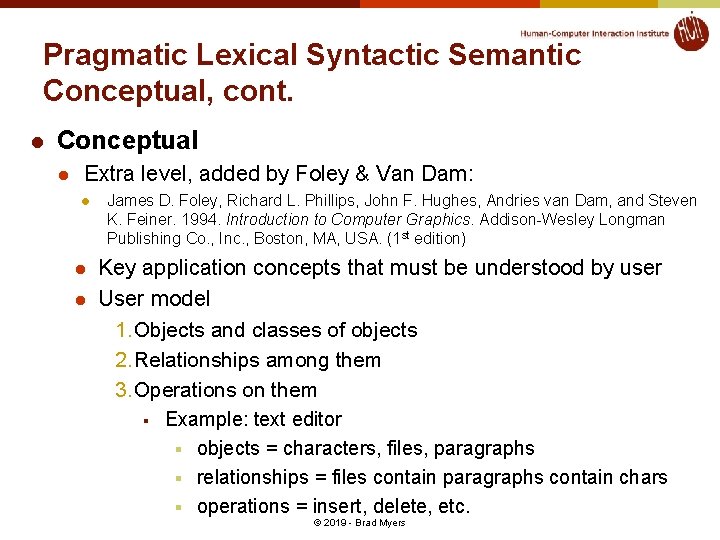
Pragmatic Lexical Syntactic Semantic Conceptual, cont. l Conceptual l Extra level, added by Foley & Van Dam: l l l James D. Foley, Richard L. Phillips, John F. Hughes, Andries van Dam, and Steven K. Feiner. 1994. Introduction to Computer Graphics. Addison-Wesley Longman Publishing Co. , Inc. , Boston, MA, USA. (1 st edition) Key application concepts that must be understood by user User model 1. Objects and classes of objects 2. Relationships among them 3. Operations on them § Example: text editor § objects = characters, files, paragraphs § relationships = files contain paragraphs contain chars § operations = insert, delete, etc. © 2019 - Brad Myers
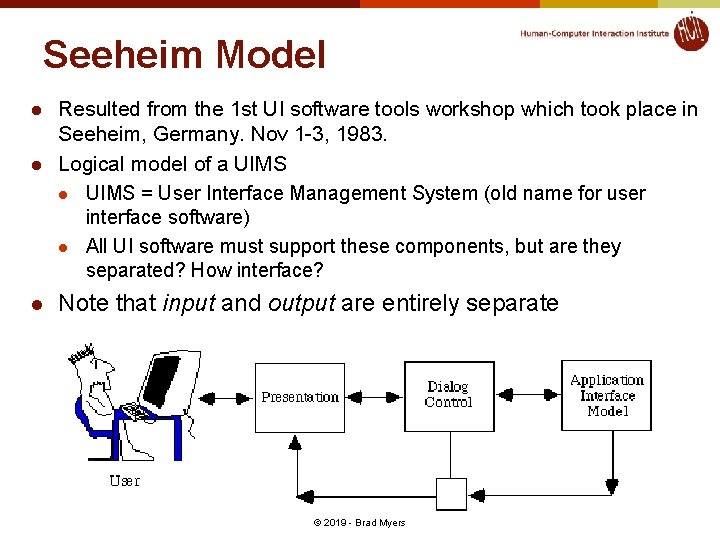
Seeheim Model l Resulted from the 1 st UI software tools workshop which took place in Seeheim, Germany. Nov 1 -3, 1983. Logical model of a UIMS l UIMS = User Interface Management System (old name for user interface software) l All UI software must support these components, but are they separated? How interface? Note that input and output are entirely separate © 2019 - Brad Myers
Buxton’s classification [1983] l Continuous manual input devices l l M = indirect T = touch directly © 2019 - Brad Myers
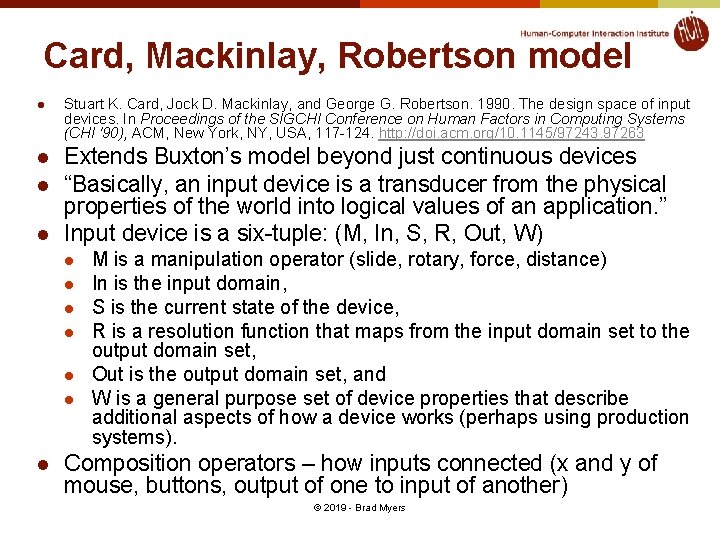
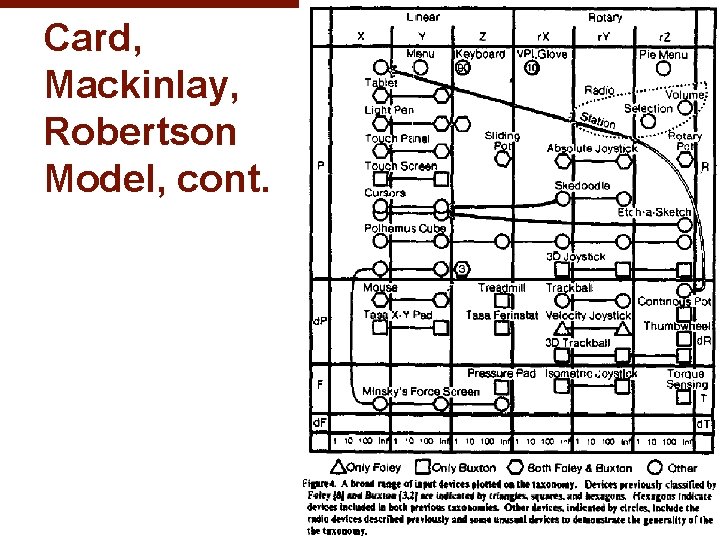
Card, Mackinlay, Robertson model l l Stuart K. Card, Jock D. Mackinlay, and George G. Robertson. 1990. The design space of input devices. In Proceedings of the SIGCHI Conference on Human Factors in Computing Systems (CHI '90), ACM, New York, NY, USA, 117 -124. http: //doi. acm. org/10. 1145/97243. 97263 Extends Buxton’s model beyond just continuous devices “Basically, an input device is a transducer from the physical properties of the world into logical values of an application. ” Input device is a six-tuple: (M, In, S, R, Out, W) l l l l M is a manipulation operator (slide, rotary, force, distance) In is the input domain, S is the current state of the device, R is a resolution function that maps from the input domain set to the output domain set, Out is the output domain set, and W is a general purpose set of device properties that describe additional aspects of how a device works (perhaps using production systems). Composition operators – how inputs connected (x and y of mouse, buttons, output of one to input of another) © 2019 - Brad Myers
Card, Mackinlay, Robertson Model, cont. © 2019 - Brad Myers
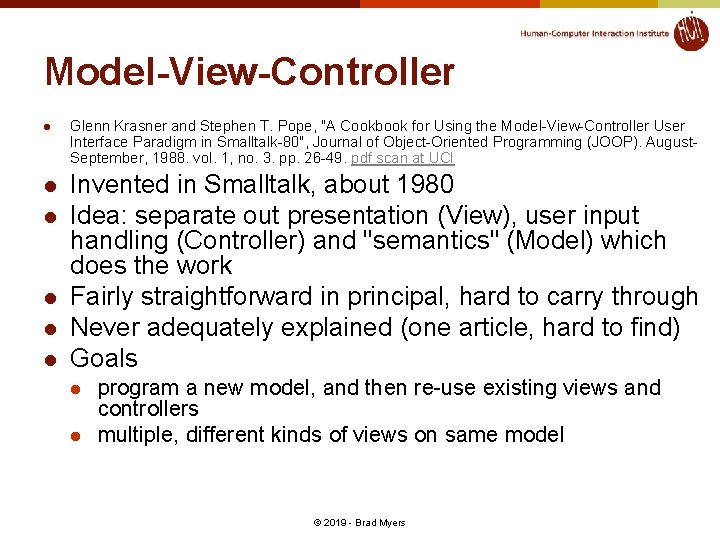
Model-View-Controller l l l Glenn Krasner and Stephen T. Pope, "A Cookbook for Using the Model-View-Controller User Interface Paradigm in Smalltalk-80", Journal of Object-Oriented Programming (JOOP). August. September, 1988. vol. 1, no. 3. pp. 26 -49. pdf scan at UCI Invented in Smalltalk, about 1980 Idea: separate out presentation (View), user input handling (Controller) and "semantics" (Model) which does the work Fairly straightforward in principal, hard to carry through Never adequately explained (one article, hard to find) Goals l l program a new model, and then re-use existing views and controllers multiple, different kinds of views on same model © 2019 - Brad Myers
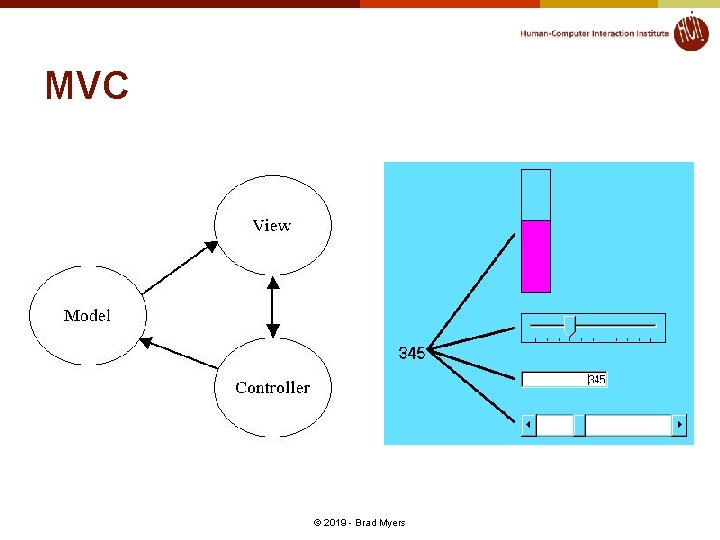
MVC © 2019 - Brad Myers
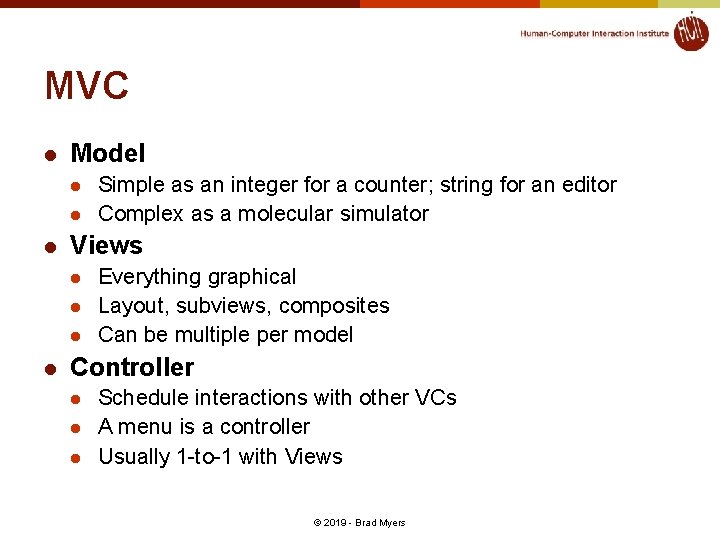
MVC l Model l Views l l Simple as an integer for a counter; string for an editor Complex as a molecular simulator Everything graphical Layout, subviews, composites Can be multiple per model Controller l l l Schedule interactions with other VCs A menu is a controller Usually 1 -to-1 with Views © 2019 - Brad Myers
Interactors [Myers, 1990] l Brad A. Myers. 1990. A new model for handling input. ACM Trans. Inf. Syst. 8, 3 (July 1990), pp. 289 -320. http: //doi. acm. org/10. 1145/98188. 98204 or local pdf. l Idea: provide reusable behavior objects that would encapsulate all parameterizations needed l l l Create all widgets and other interactions using just these behavior objects Independent of the graphics Parameterized by which event causes it to start/stop/abort, objects affected, call-back when finished, feedback type, etc. First successful implementation of the “C” part of MVC Kinds (as revised in Amulet) l l l Choice-lnteractor – choose one or more of a set Move-Grow-Interactor – move or grow existing objects, with gridding, minimum size, flip-if-change size, etc. New-Point-Interactor – enter 1 or 2 or n new points Angle-Interactor - rotation Text-Interactor – text editing Gesture-Interactor – traces that can be recognized © 2019 - Brad Myers
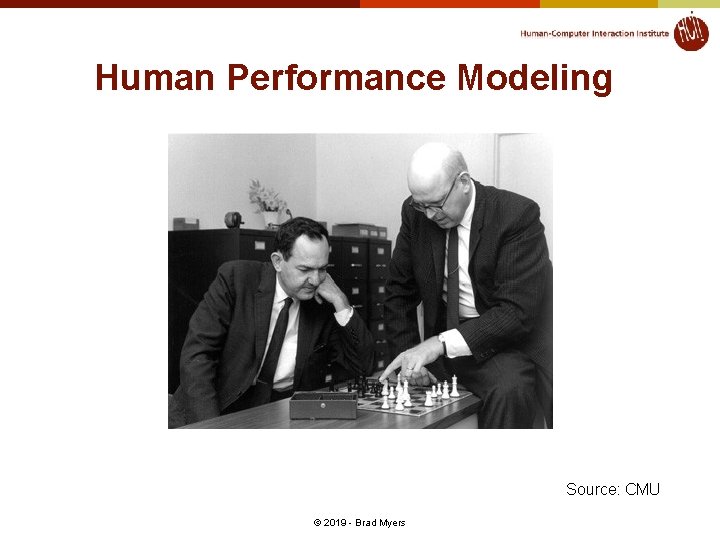
Human Performance Modeling Source: CMU © 2019 - Brad Myers
User Modeling Even if we can’t perfectly simulate the human brain, we can approximate it with theories that match what we observe, and model how it behaves. If we do it well, then the models will match experiments. © 2019 - Brad Myers
Human Performance Modeling l l John, B. E. (2003) "Information processing and skilled behavior. " Chapter 4 In J. M. Carroll, (Ed. ), Toward a multidisciplinary science of human computer interaction. Morgan Kaufman. pp. 55 -101. Goal: Compute measures of human performance without needing to do user tests Use a “model” of how people work, that has been validated to be reasonably accurate, given certain assumptions Works well for low-level, expert tasks l l l “How long will it take to enter this sequence of commands? ” Errors (both novice and skilled) Research on higher-level, problem solving tasks l Visual search, figure out how to do things, etc. © 2019 - Brad Myers
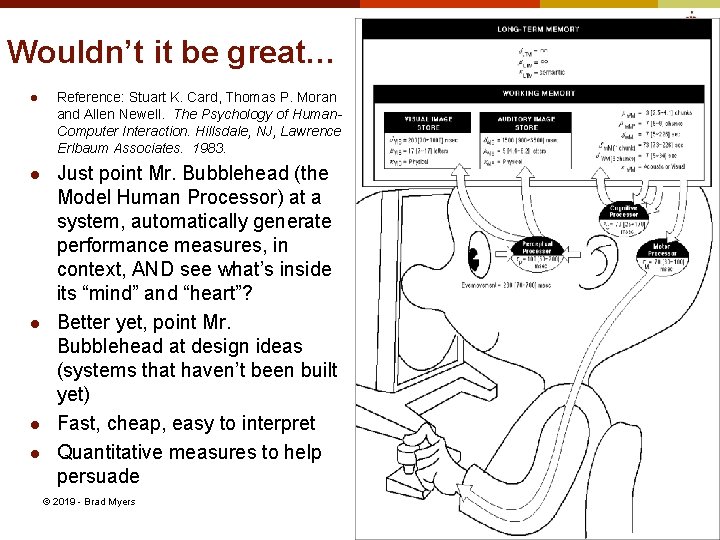
Wouldn’t it be great… l Reference: Stuart K. Card, Thomas P. Moran and Allen Newell. The Psychology of Human. Computer Interaction. Hillsdale, NJ, Lawrence Erlbaum Associates. 1983. l Just point Mr. Bubblehead (the Model Human Processor) at a system, automatically generate performance measures, in context, AND see what’s inside its “mind” and “heart”? Better yet, point Mr. Bubblehead at design ideas (systems that haven’t been built yet) Fast, cheap, easy to interpret Quantitative measures to help persuade l l l © 2019 - Brad Myers
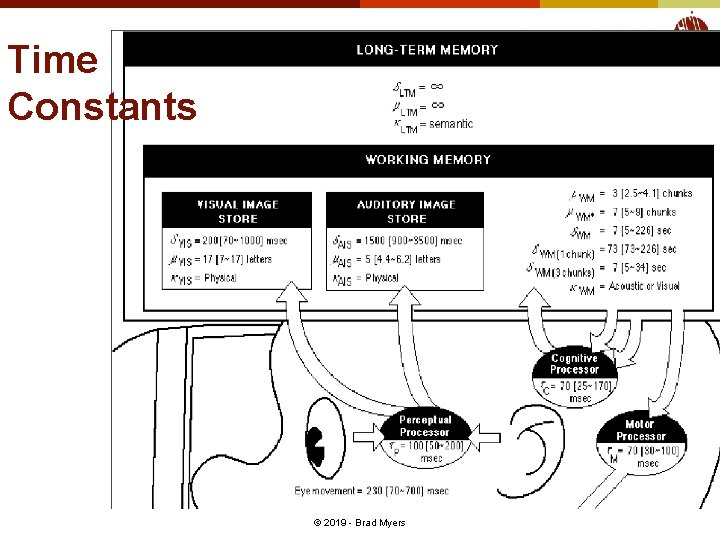
Time Constants © 2019 - Brad Myers
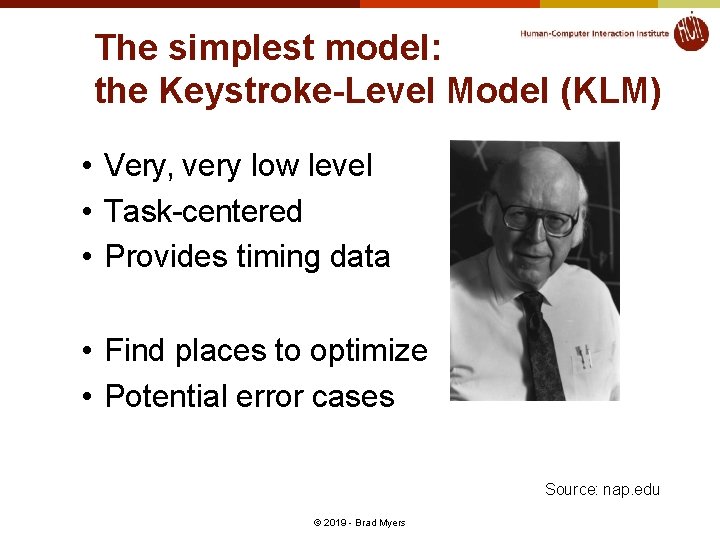
The simplest model: the Keystroke-Level Model (KLM) • Very, very low level • Task-centered • Provides timing data • Find places to optimize • Potential error cases Source: nap. edu © 2019 - Brad Myers
Keystroke Level Model • Make an ordered list of actions – Keys you press – Clicking the mouse – Scrolling, moving the mouse – User physical movements – User consideration, judgment, or thinking – System responses (does the user have to wait? ) • Assign and add up execution times for all the items in the list © 2019 - Brad Myers
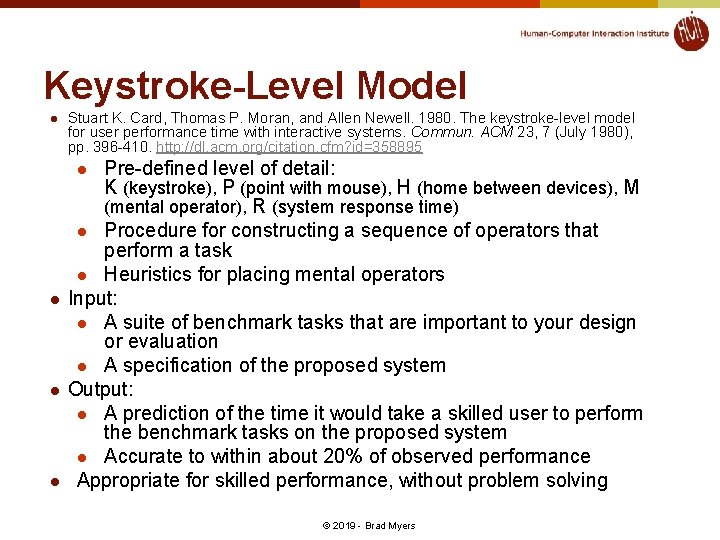
Keystroke-Level Model l Stuart K. Card, Thomas P. Moran, and Allen Newell. 1980. The keystroke-level model for user performance time with interactive systems. Commun. ACM 23, 7 (July 1980), pp. 396 -410. http: //dl. acm. org/citation. cfm? id=358895 Pre-defined level of detail: K (keystroke), P (point with mouse), H (home between devices), M (mental operator), R (system response time) l Procedure for constructing a sequence of operators that perform a task l Heuristics for placing mental operators Input: l A suite of benchmark tasks that are important to your design or evaluation l A specification of the proposed system Output: l A prediction of the time it would take a skilled user to perform the benchmark tasks on the proposed system l Accurate to within about 20% of observed performance Appropriate for skilled performance, without problem solving l l © 2019 - Brad Myers
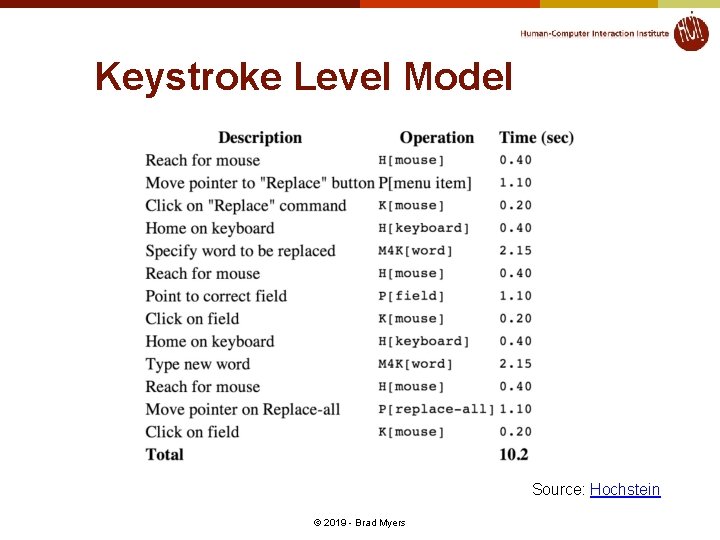
Keystroke Level Model Source: Hochstein © 2019 - Brad Myers
Keystroke Level Models • • Different kinds of users? More than timing data? Complex tasks? Incorporating subtasks? © 2019 - Brad Myers
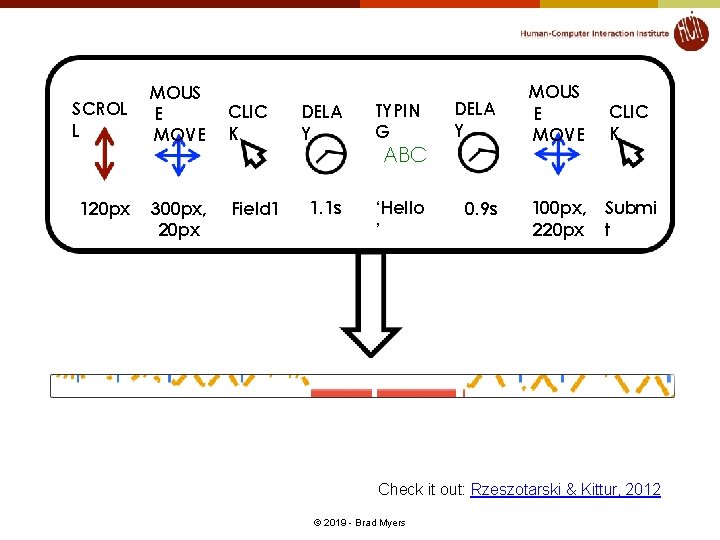
SCROL L 120 px MOUS E MOVE 300 px, 20 px CLIC K Field 1 DELA Y TYPIN G DELA Y 1. 1 s ‘Hello ’ 0. 9 s ABC MOUS E MOVE CLIC K 100 px, 220 px Submi t Check it out: Rzeszotarski & Kittur, 2012 © 2019 - Brad Myers
GOMS • High level • More detailed than KLM • Describe your tasks, (users), and interface elements • Generate measurements © 2019 - Brad Myers
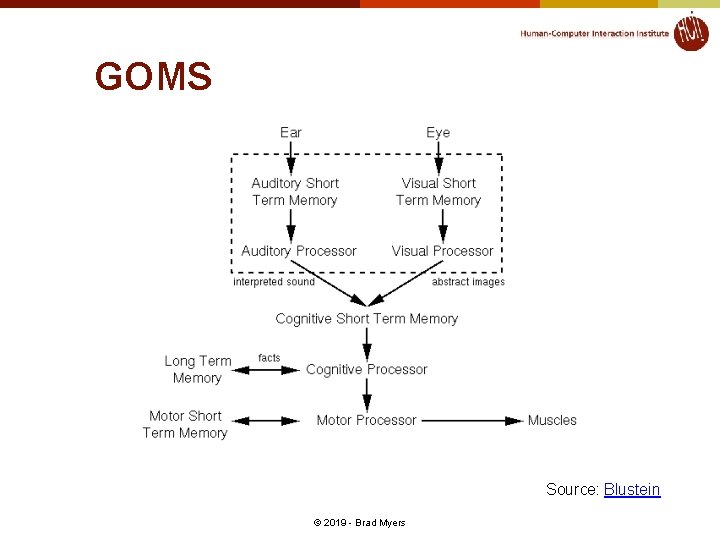
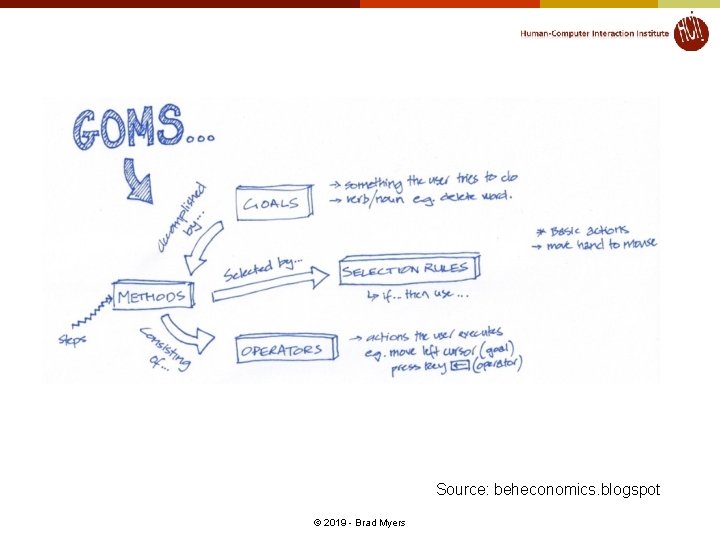
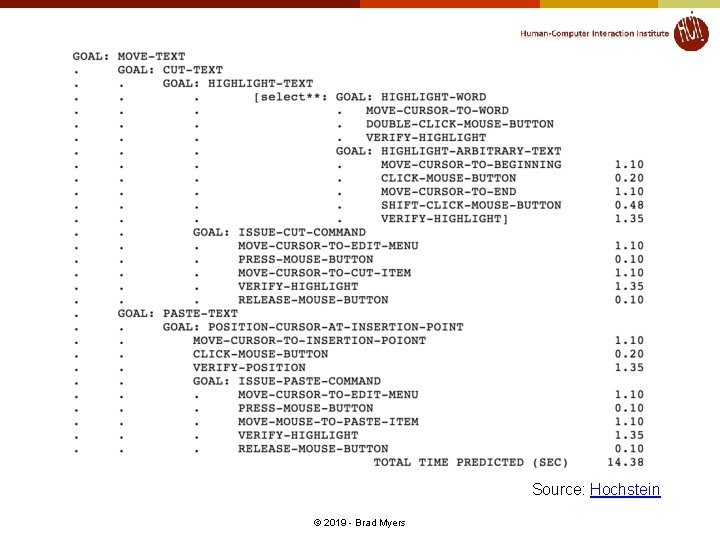
GOMS models l l Stuart K. Card , Allen Newell , Thomas P. Moran, The Psychology of Human. Computer Interaction, L. Erlbaum Associates Inc. , Hillsdale, NJ, 1983 Goals, Operators, Methods, and Selection rules (GOMS) l l l Also originally from Card, Moran, and Newell Significant advances by Bonnie John in HCII and others Multiple strategies (“methods”) possible to do an operation (to reach a “goal”) (e. g. , delete a character) l l Each strategy uses a variety of “operators” “Selection rules” to pick which method l l E. g. , use backspace when previous character, use arrow keys when a few characters away, but use mouse when far away Write these in a special language (e. g. , ACT-R, SOAR) and system predicts how long tasks will take. © 2019 - Brad Myers
GOMS Source: Blustein © 2019 - Brad Myers
Source: beheconomics. blogspot © 2019 - Brad Myers
Source: Hochstein © 2019 - Brad Myers
GOMS • vs User Studies – Sometimes faster, sometimes slower – More detailed feedback • Requires a goal – What about browsing? • Doesn’t evaluate design, human factors, social, or organizational impact © 2019 - Brad Myers
Cog. Tool l Bonnie John’s tool to help with Cognitive Modeling http: //cogtool. hcii. cs. cmu. edu/ Mock-up an interface in a storyboard l l Use interactive widgets on a blank canvas l l States & transitions between those states Useful as a prototyping tool Outputs performance predictions © 2019 - Brad Myers
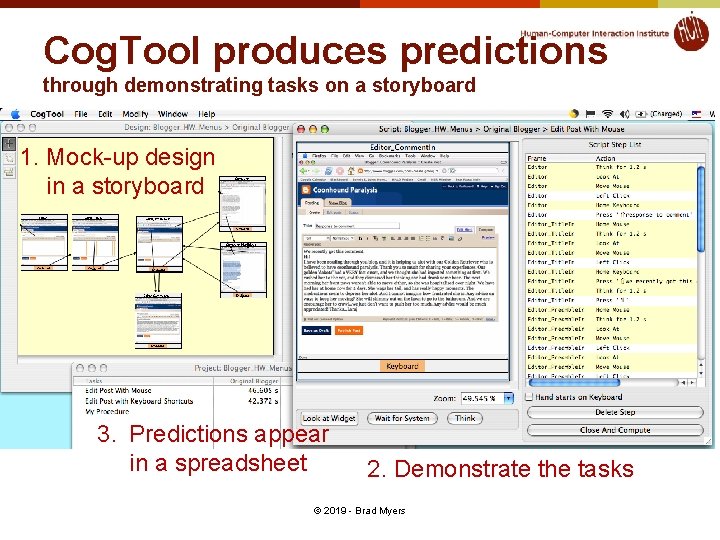
Cog. Tool produces predictions through demonstrating tasks on a storyboard 1. Mock-up design in a storyboard 3. Predictions appear in a spreadsheet 2. Demonstrate the tasks © 2019 - Brad Myers
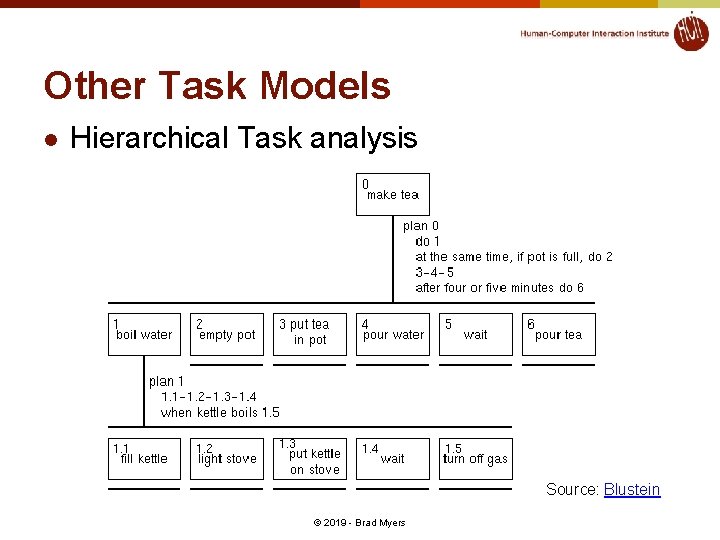
Other Task Models l Hierarchical Task analysis Source: Blustein © 2019 - Brad Myers